Microsoft Surface Laptop Studio – Top 5 Pros and Cons
 A completely new product on the horizon, the Surface Laptop Studio sees Microsoft trying to innovate in the hardware space once again. The Studio name has a past in the Surface brand, with the desktop Surface Studio becoming a fan favorite amongst Creators, with its large touch-enabled display, Surface Dial, and the overall form factor and performance that it offered. Today we have its laptop variant, which is brand new, which will lead to some problems. However, this is expected with a Gen 1 product, and we are very excited to see what Microsoft does with its in the future.
Today we present you with LaptopMedia’s top 5 picks about the Microsoft Surface Laptop Studio.
Microsoft Surface Laptop Studio: Full Specs / In-depth Review
3 reasons to BUY the Microsoft Surface Laptop Studio
1. Design and build quality
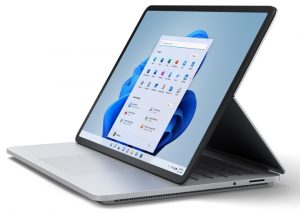
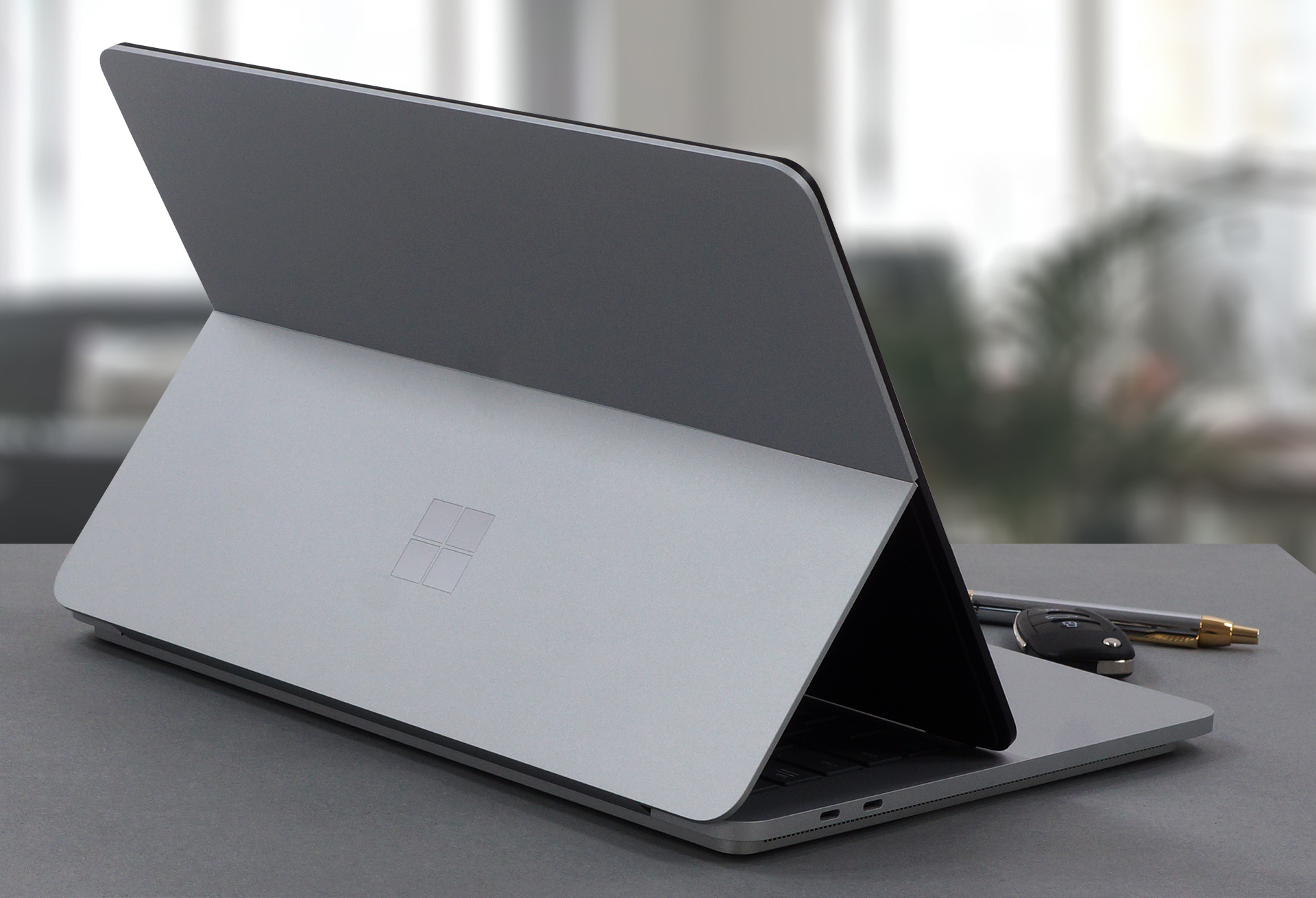
The design here is revolutionary. The whole laptop is made out of aluminum and magnesium. The base is very tough and has a two-level design, with the top layer extending past the bottom one, resulting in an interesting visual. The whole device is a mix of sharp edges and rounded corners. Its lid is a bit flimsy-looking, but the glass cover on the display does a good job of reinforcing it further. The gimmick about the design is that the metal part of the lid splits in two, allowing the display to be brought closer to the user, resembling the desktop Studio. You can also completely close the laptop flat with the display on the outside, which is quite the Origami setup. In terms of weight and height, the laptop stops the scales at 1.82 kg and has a profile of 18.94 mm.
2. Display quality
Microsoft has employed a pretty amazing 14.4-inch PixelSense IPS display, which allows for a multitude of inputs all at once. The panel has a 120Hz refresh rate and a resolution of 2400 x 1600, which calculates to a 3:2 aspect ratio. This is a quality display, offering excellent viewing angles, a max brightness of 500 nits in the middle of the screen, and 486 nits as an average for the whole area, with a maximum deviation of 6%, which was achieved with the Vivid color profile and HDR off in the settings. The contrast ratio is quite high – 1770:1.
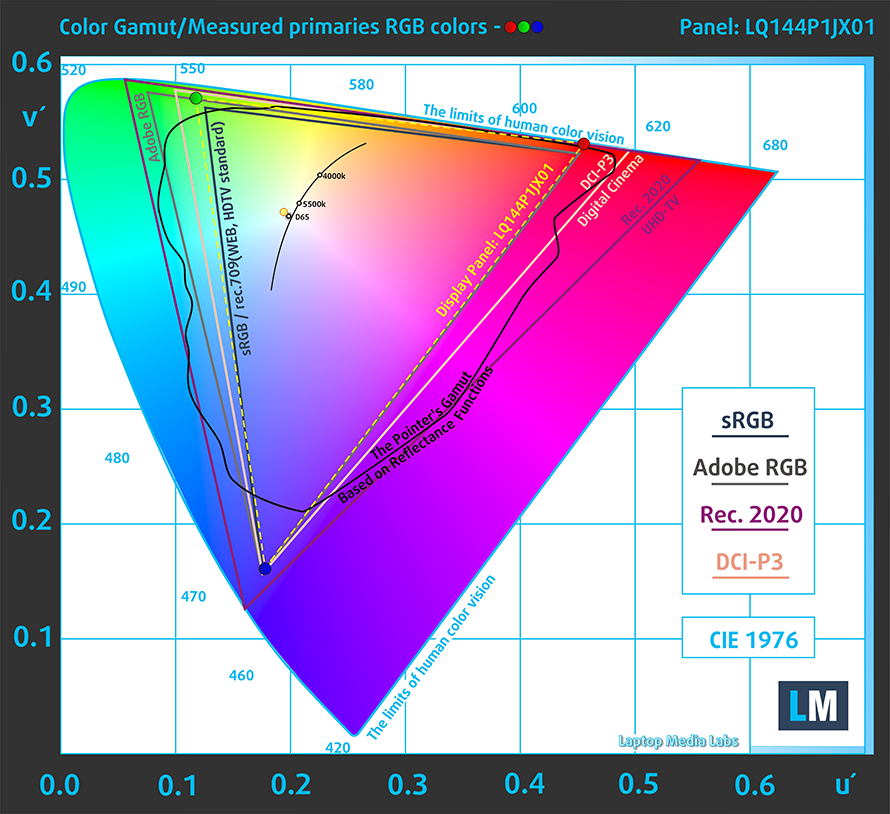
The color reproduction is fantastic, with the display covering 100% of the sRGB color gamut.
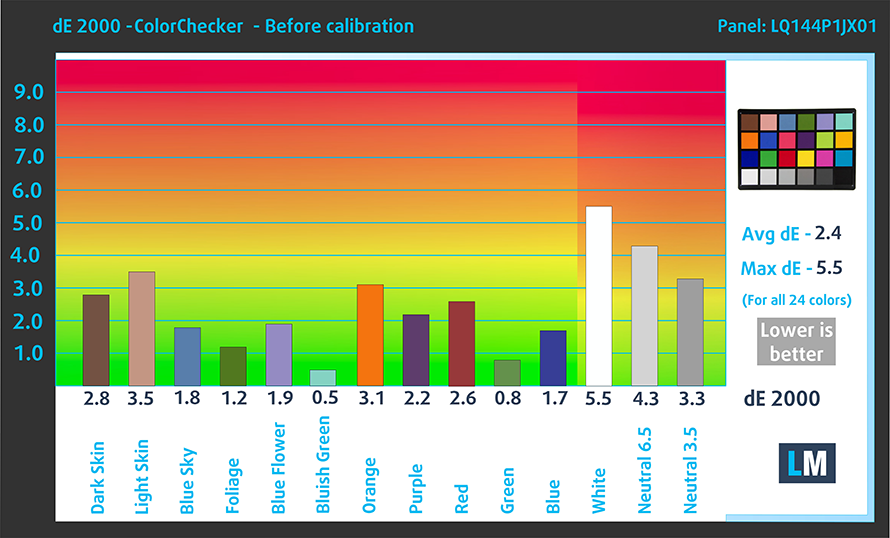
The accuracy is decent with the stock settings, reaching a dE value of 2.4 on its own, which isn’t great, but still some of the better results that we have seen. With our dedicated Design and Gaming profile, the dE value goes down to 1.2, which is much better, if you take your design and artwork seriously. Here are the results of our accuracy test with both the stock settings (left) and with our profile applied (right).

Buy our profiles
Since our profiles are tailored for each individual display model, this article and its respective profile package are meant for Microsoft Surface Laptop Studio configurations with 14.4″ Sharp LQ144P1JX01 (SHP1509).
*Should you have problems with downloading the purchased file, try using a different browser to open the link you’ll receive via e-mail. If the download target is a .php file instead of an archive, change the file extension to .zip or contact us at [email protected].
Read more about the profiles HERE.
Naast het ontvangen van efficiënte en gezondheidsvriendelijke profielen, ondersteunt u door het kopen van LaptopMedia's producten ook de ontwikkeling van onze labs, waar we apparaten testen om zo objectief mogelijke reviews te produceren.

Office Work
Office Work is voornamelijk bedoeld voor gebruikers die de meeste tijd besteden aan het bekijken van teksten, tabellen of gewoon surfen. Dit profiel streeft naar een betere onderscheidbaarheid en helderheid door een vlakke gammacurve (2.20), native kleurtemperatuur en perceptueel accurate kleuren te behouden.

Design and Gaming
Dit profiel is bedoeld voor ontwerpers die professioneel met kleuren werken, maar ook voor games en films. Design and Gaming haalt het uiterste uit beeldschermen, waardoor ze zo nauwkeurig mogelijk zijn in de sRGB IEC61966-2-1 norm voor Web en HDTV, met witpunt D65.

Health-Guard
Health-Guard elimineert de schadelijke Pulsbreedtemodulatie (PWM) en vermindert het negatieve Blauwe Licht dat onze ogen en lichaam beïnvloedt. Omdat het op maat gemaakt is voor elk paneel, slaagt het erin de kleuren perceptueel accuraat te houden. Health-Guard simuleert papier zodat de druk op de ogen sterk wordt verminderd.
Krijg alle 3 profielen met 33% korting

3. Battery life
The 58Wh unit on the inside does wonders, with the Tiger lake H35 processors still drawing a significant amount of power. The device lasts for 10 hours and 30 minutes of Web browsing, or 10 hours and 10 minutes of video playback. This is done with the Windows Better performance setting turned on, screen brightness adjusted to 120 nits, and all other programs turned off except for the one we are testing the notebook with.
Helderheid: 180 nits; Weergavemodus: SDR
Tijd tot Volledige Ontlading: Hoger is Beter
Om realistische omstandigheden te simuleren, hebben we ons eigen script gebruikt voor automatisch surfen op meer dan 70 websites.
2 reasons NOT to buy the Microsoft Surface Laptop Studio
1. I/O
Since Microsoft still has stuff left to figure out with this device, the I/O has taken a hit. The laptop offers only two Thunderbolt 4 ports, and a 3.5 mm audio jack.


2. Upgradeability
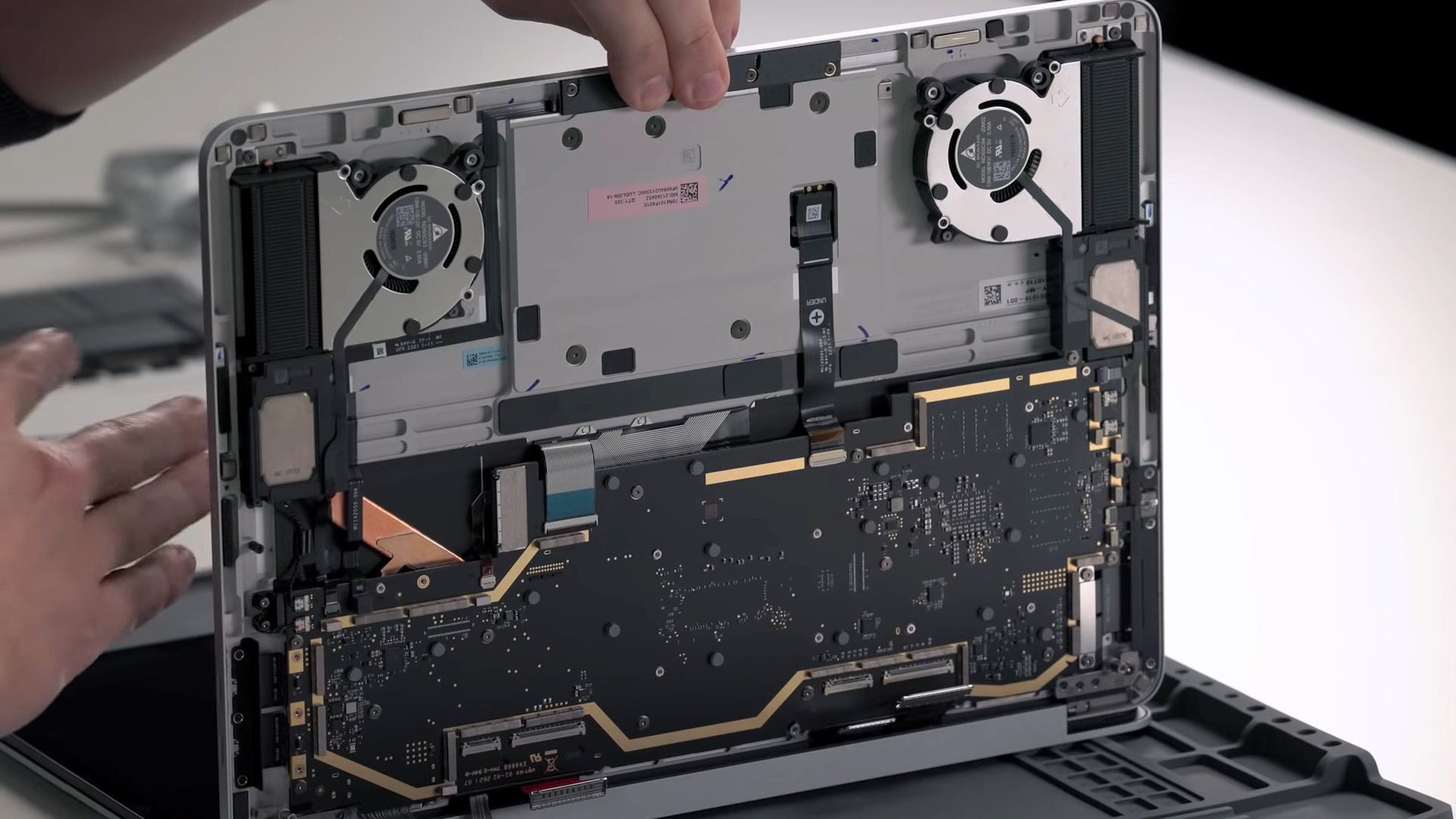
The upgradeability is affected as well, mainly due to the design and how enclosed everything is. Truth be told, surface devices have never been at the forefront when it comes to ease of access to the inside, and here it’s the same. Taking the device apart is almost impossible, so you will rely on the soldered quad-channel ram and predetermined storage configuration. External SSDs will be a savior when it comes to getting access to more storage.
All Microsoft Surface Laptop Studio configurations:
 Author: Severin Kolakov

![[september 2026] Bestverkochte laptopmerken op Amazon Global – Apple domineert de markt met een omzetaandeel van meer dan 70%](https://laptopmedia.com/wp-content/uploads/2026/10/GLOBAL-Best-Brands-400x225.jpg)
![[september 2026] Amazon Global: Top 10 bestverkochte laptops – Apple’s MacBook Neo staat op nummer 1, terwijl budget- en premiummodellen de markt domineren](https://laptopmedia.com/wp-content/uploads/2026/10/Best-Selling-Laptops-GLOBAL-Top-10-400x225.jpg)
![[september 2026] Amazon Global: Top 10 van best verkochte gaminglaptops – ASUS ROG Strix G16 domineert de markt met een recordaantal verkochte exemplaren](https://laptopmedia.com/wp-content/uploads/2026/10/Best-Selling-Gaming-Laptops-GLOBAL-Top-10-400x225.jpg)
![[september 2026] Wereldwijde ranglijst van bestverkochte laptop-GPU’s op Amazon – De M5-chip van Apple laat NVIDIA ver achter zich in de categorie premium-laptops, maar de RTX 5060 is de enige speciale GPU die de top 10 weet te halen](https://laptopmedia.com/wp-content/uploads/2026/10/Best-Selling-GPUs-GLOBAL-Top-10-400x225.jpg)
![[september 2026] Wereldwijde ranglijst van bestverkochte laptop-CPU’s op Amazon – Apple’s M5 verslaat Intel ruimschoots nu de premiummarkt een eenzijdige strijd is geworden](https://laptopmedia.com/wp-content/uploads/2026/10/Best-Selling-CPUs-GLOBAL-Top-10-400x225.jpg)
