How to open HP Omen 17 (2023, 17-ck2000) – disassembly and upgrade options
As a typical gaming notebook, the Omen 17 (2023, 17-ck2000) shows a very good upgradeability, with easy access and the option to use the latest and greatest in the world of tech.
Check out all HP Omen 17 (2023, 17-ck2000) prices and configurations in our Specs System, or read more in our In-Depth review.
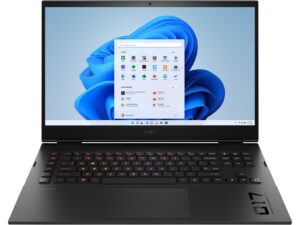
1. Remove the bottom plate
This laptop’s bottom panel is held in place by 8 Phillips-head screws. After you undo them, use a plastic tool to lift the backside of the panel from the chassis.
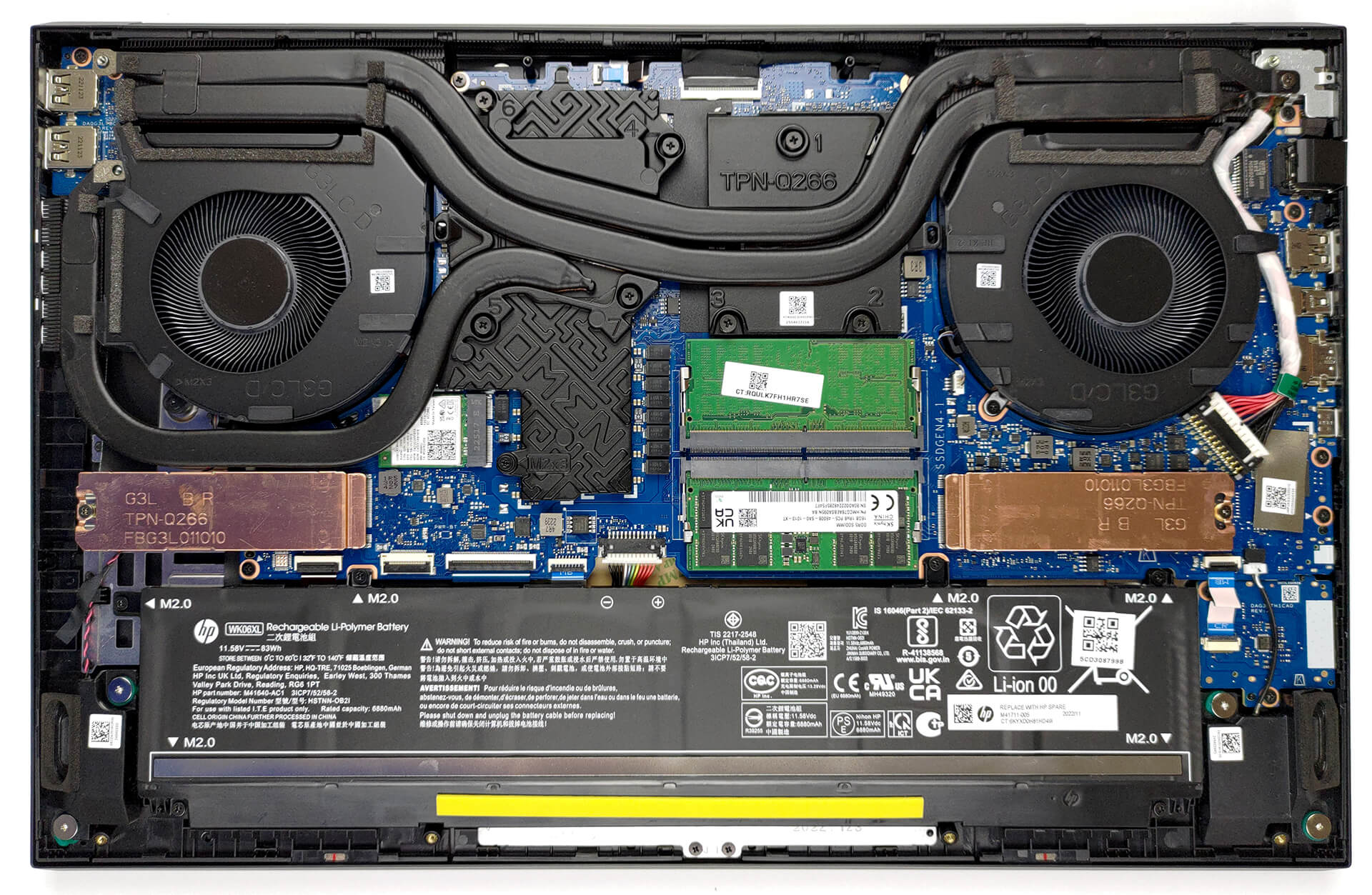
2. Remove the battery
Inside, we see an 83Wh battery pack. To remove it, unplug the connector from the motherboard, and undo the 6 Phillips-head screws that hold the battery to the device.
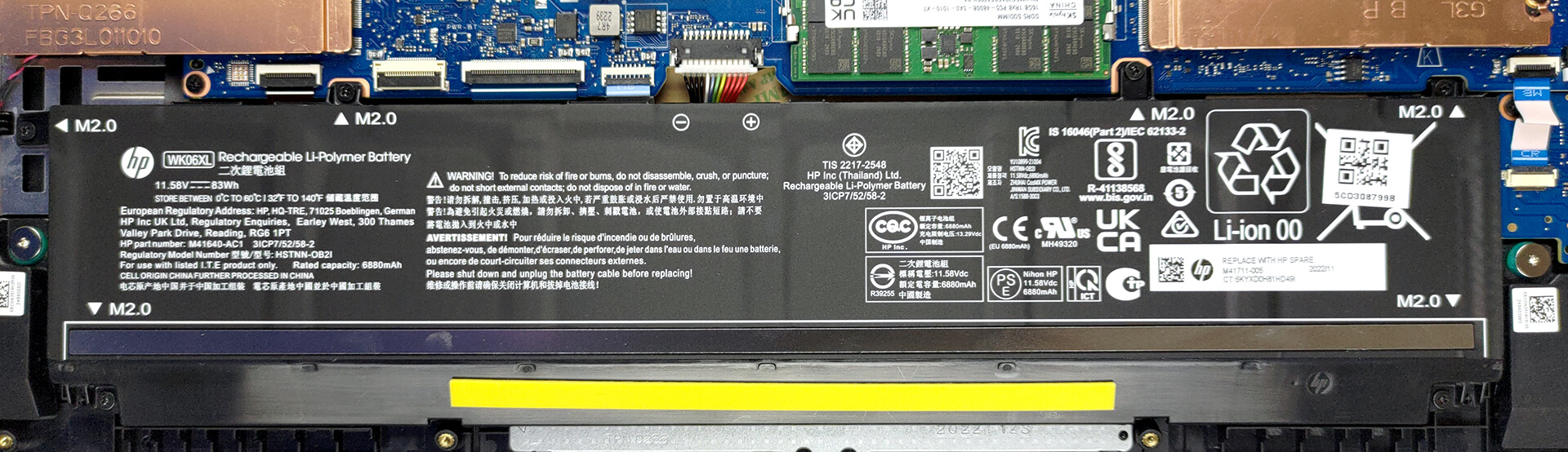
3. Upgrade memory and storage
Memory-wise, there are two SODIMM slots that work with DDR5 RAM. It supports modules that work at 5600MHz. As far as the storage goes, you get two M.2 PCIe x4 slots, which support Gen 4 SSDs.

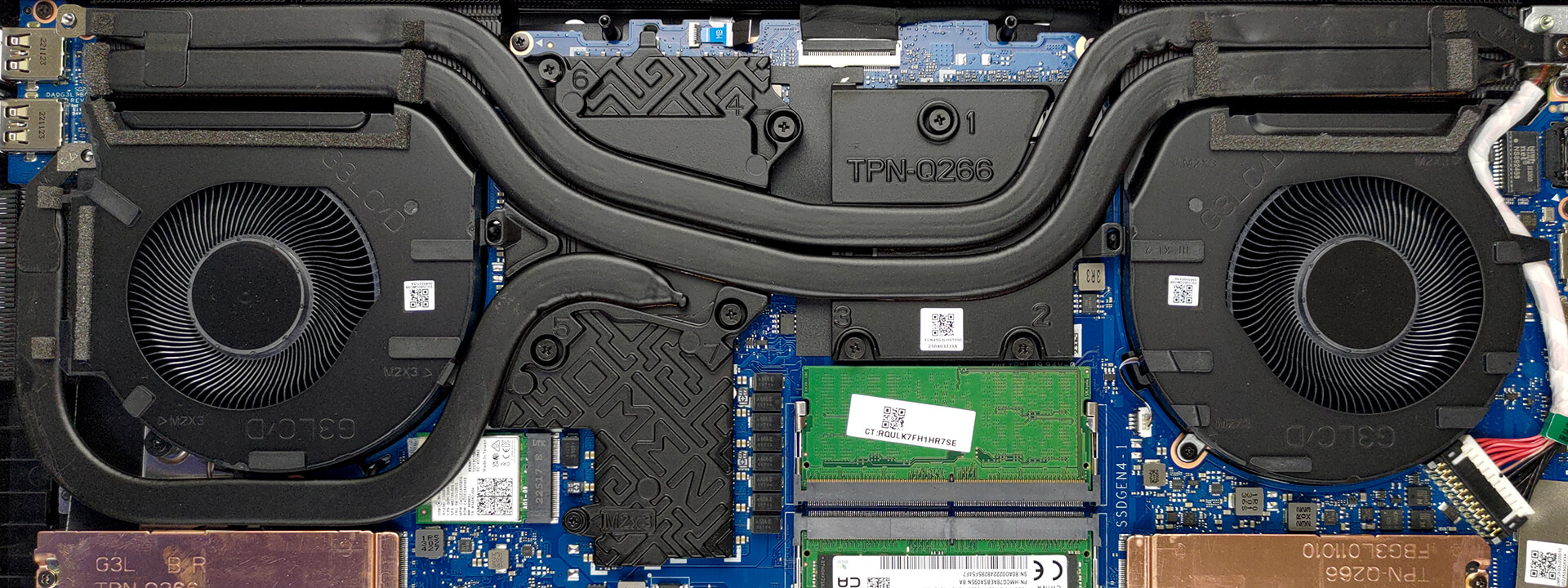
4. Cooling system
In terms of cooling, you get two heat pipes shared between the CPU and the GPU, with one more dedicated to the graphics card. They lead to three heat sinks, where two fans blow the heat away from the chassis. In addition, the VRMs and the graphics memory are being cooled by a couple of heat spreaders.
Check out all HP Omen 17 (2023, 17-ck2000) prices and configurations in our Specs System, or read more in our In-Depth review.
HP OMEN 17 (17-ck1000, ck2000, cm2000, 2022 / 2023) uitgebreide review
HP's Omen serie is een van de oudere gaming notebooks op de markt. Maar ondanks het herontwerp dat 3 jaar geleden plaatsvond, hebben we niet veel actie gezien van HP. Hierdoor blijft een groot deel van het marktaandeel over voor directe concurrenten Lenovo en ASUS.Niet dat de Omen notebooks van de afgelopen jaren flops waren. Het ontbreekt ze alleen aan innovatie. Vandaag bekijken we de HP Omen 17 (2023, 17-ck2000). Het is de nieuwste poging van het bedrijf op de gaming markt.De machine is uitgerust met een Core i9-13900HX - een 55W base TDP CPU, die de potentie heeft om het tegen een[...]
Pros
- Thunderbolt 4 + SD-kaartsleuf + nog veel meer
- 91% sRGB-dekking en nauwkeurige kleurweergave dankzij ons Gaming- en webdesignprofiel (BOE BOE0B67)
- Geen PWM (BOE BOE0B67)
- 240Hz-paneel heeft zeer snelle pixelreactietijden (BOE BOE0B67)
- MUX-schakelaar aan boord
- Geweldig toetsenbord en touchpad
- 2x DDR5 SODIMM + 2x M.2 PCIe x4-sleuven
Minpunten
- Luid tijdens gamen
- Niet vergelijkbaar met de concurrentie
- Slappe scharnieren
 Author: Alex Iliev

![[Mei 2026] Wereldwijde ranglijst van best verkochte laptop-GPU’s op Amazon – Apple domineert met 45% aandeel, veegt top 3 plaatsen weg; NVIDIA’s RTX 5060 leidt het peloton toegewijde GPU’s](https://laptopmedia.com/wp-content/uploads/2026/06/Best-Selling-GPUs-GLOBAL-Top-10-400x225.jpg)
![[Mei 2026] Wereldwijde ranglijst van best verkochte laptop CPU’s op Amazon – Apple verplettert concurrentie met 45,2% marktaandeel, M5 domineert](https://laptopmedia.com/wp-content/uploads/2026/06/Best-Selling-CPUs-GLOBAL-Top-10-400x225.jpg)
![[April 2026] Amazon Global: Top 10 best verkochte laptops – HP 14 domineert de markt omdat budgetlaptops het afleggen tegen premium laptops](https://laptopmedia.com/wp-content/uploads/2026/05/Best-Selling-Laptops-GLOBAL-Top-10-400x225.jpg)
![[April 2026] Wereldwijd best verkopende laptopmerken op Amazon – Apple heeft bijna 60% marktaandeel](https://laptopmedia.com/wp-content/uploads/2026/05/GLOBAL-Best-Brands-400x225.jpg)
![[April 2026] Wereldwijde ranglijst van best verkochte laptop-GPU’s op Amazon – Intel domineert, maar Apple en NVIDIA beheersen het topsegment](https://laptopmedia.com/wp-content/uploads/2026/05/Best-Selling-GPUs-GLOBAL-Top-10-400x225.jpg)
