Acer Predator Helios 18 AI (PH18-73) review – The Ultimate Desktop Replacement?
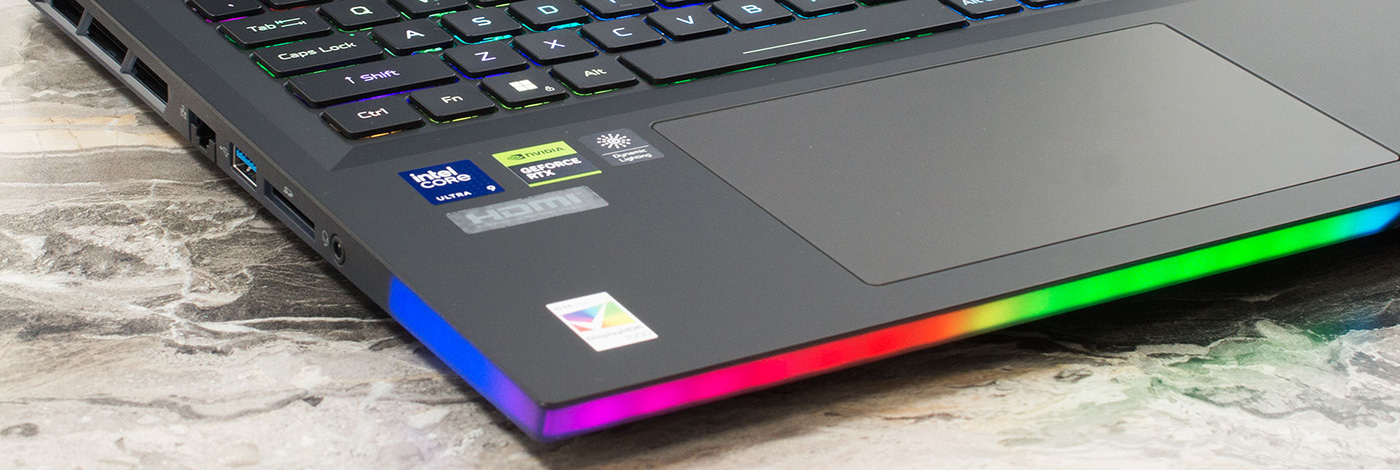
The Acer Predator Helios 18 AI (PH18-73) isn’t just a laptop; it’s a declaration of dominance. Built for the gamer who believes that “too much is never enough,” this 18-inch behemoth packs a staggering array of features into its massive chassis. From a blindingly bright Mini LED display to dual Thunderbolt 5 ports and enough upgrade slots to rival a desktop PC, it checks every box on the enthusiast’s wish list. But with great power comes great heat, and in our testing, we pushed this titan to its limits to see if its cooling system can tame the beast within. Is this the ultimate portable battle station, or does it fly too close to the sun?
You can check the prices and configurations in our Specs System: https://laptopmedia.com/series/acer-predator-helios-18-ai-ph18-73/
Contents
Specs, Drivers, What’s in the box
Acer Predator Helios 18 AI (PH18-73) - Specs
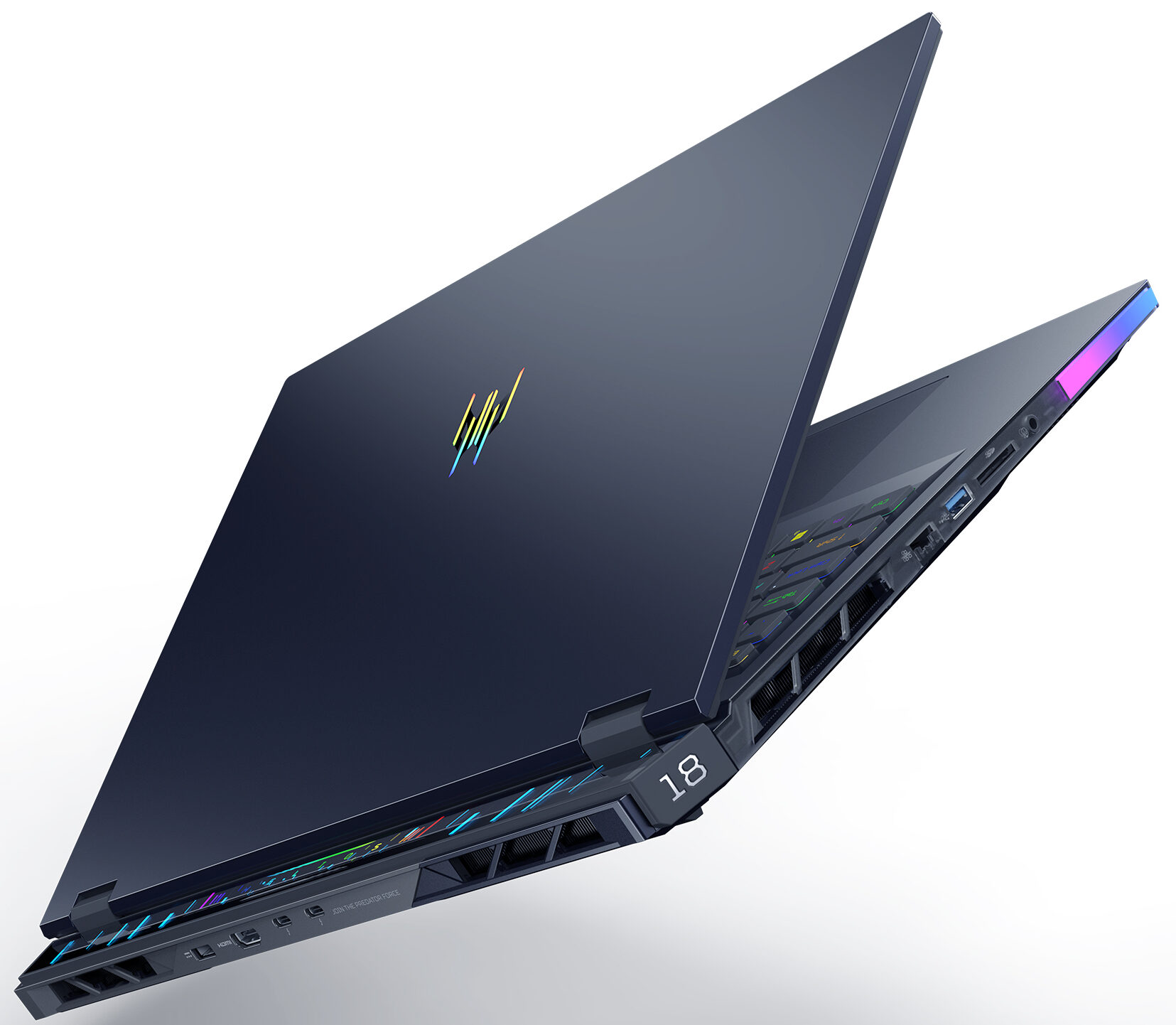


- HDD/SSD
- up to 8000GB SSD
- M.2 Slot
- 2x 2280 M.2 NVMe PCIe 4.0 x4 + 1x 2280 M.2 NVMe PCIe 5.0 x4 See photo
- RAM
- up to 192GB
- OS
- Windows 11 Pro, Windows 11 Home, No OS
- Battery
- 99.98Wh
- Body material
- Plastic / Polycarbonate, Aluminum
- Dimensions
- 400.96 x 307.9 x 17.3 - 29.55 mm (15.79" x 12.12" x 0.68")
- Weight
- 3.20 kg (7.1 lbs)
- Ports and connectivity
- 3x USB Type-A
- 3.2 Gen 2 (10 Gbps)
- 2x USB Type-C
- Thunderbolt 5
- HDMI
- Card reader
- microSD (microSD, microSDHC, microSDXC)
- Ethernet LAN
- Wi-Fi
- Wi-Fi 7
- Bluetooth
- 5.3
- Audio jack
- 3.5mm Combo Jack
- Features
- Fingerprint reader
- Web camera
- FHD IR
- Backlit keyboard
- Microphone
- Speakers
- 6x Stereo Speakers, DTS:X Ultra
- Security Lock slot
All Acer Predator Helios 18 AI (PH18-73) configurations
Drivers
All drivers and utilities for this notebook can be found here: https://www.acer.com/us-en/support/product-support/Predator_PH18-73
What’s in the box?
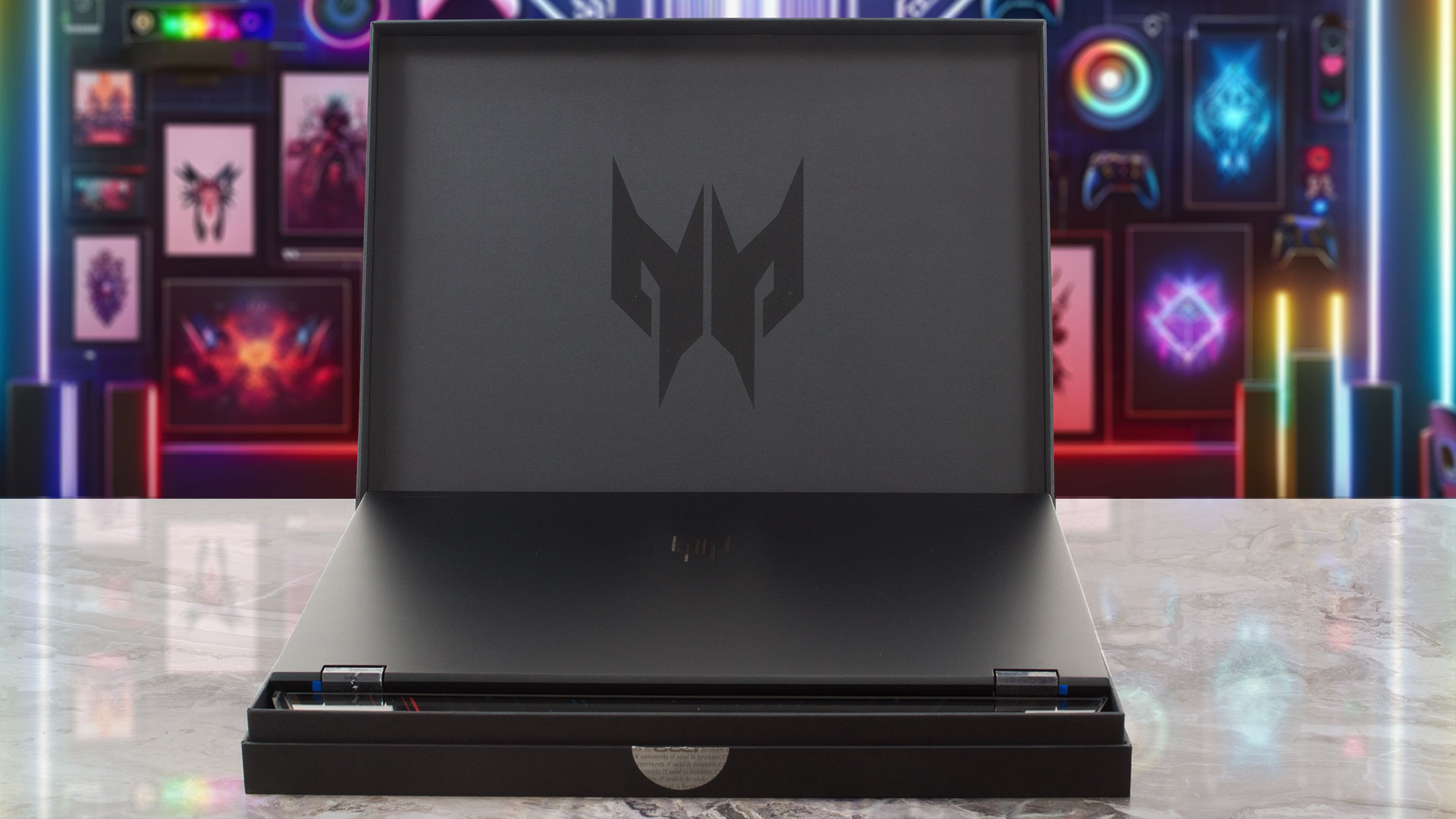
Cracking open the box for the Helios 18 AI feels like opening a specialized toolkit for performance junkies.
Beyond the machine itself, you’ll find the Predator MagKey 4.0 Eight-in-One Box containing eight swappable MagClick keycaps for the WASD and cursors, complete with a key-puller.
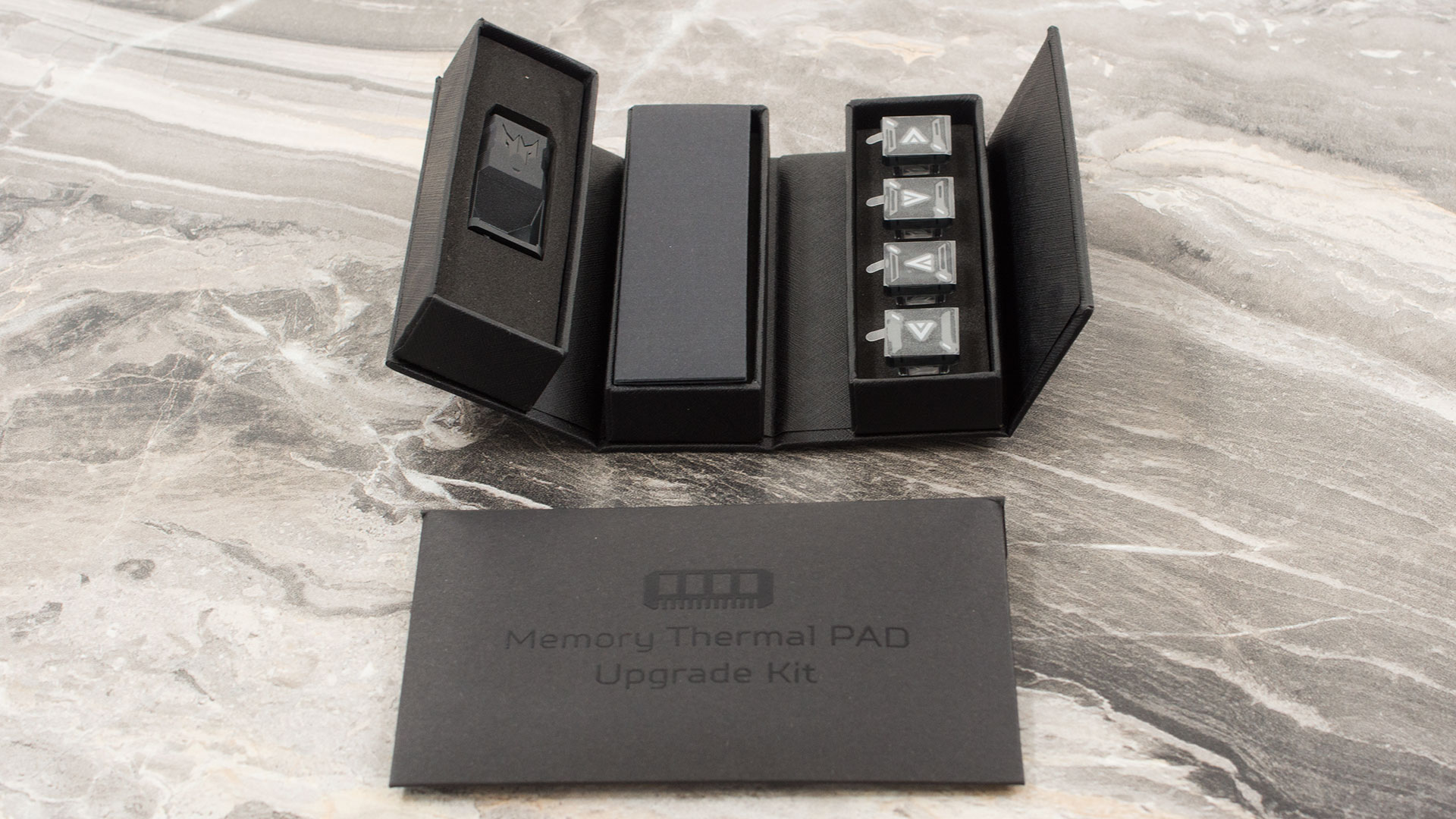
To top it off, there’s a memory thermal upgrade kit included; our 5080 model came with four specific thermal pads to ensure the RAM stays perfectly cool during heavy gaming sessions.
Design and construction
The Acer Predator Helios 18 AI (PH18-73) makes no apologies for its size or its purpose. This is an aggressively styled, premium gaming machine that fully embraces its massive 18-inch form factor.
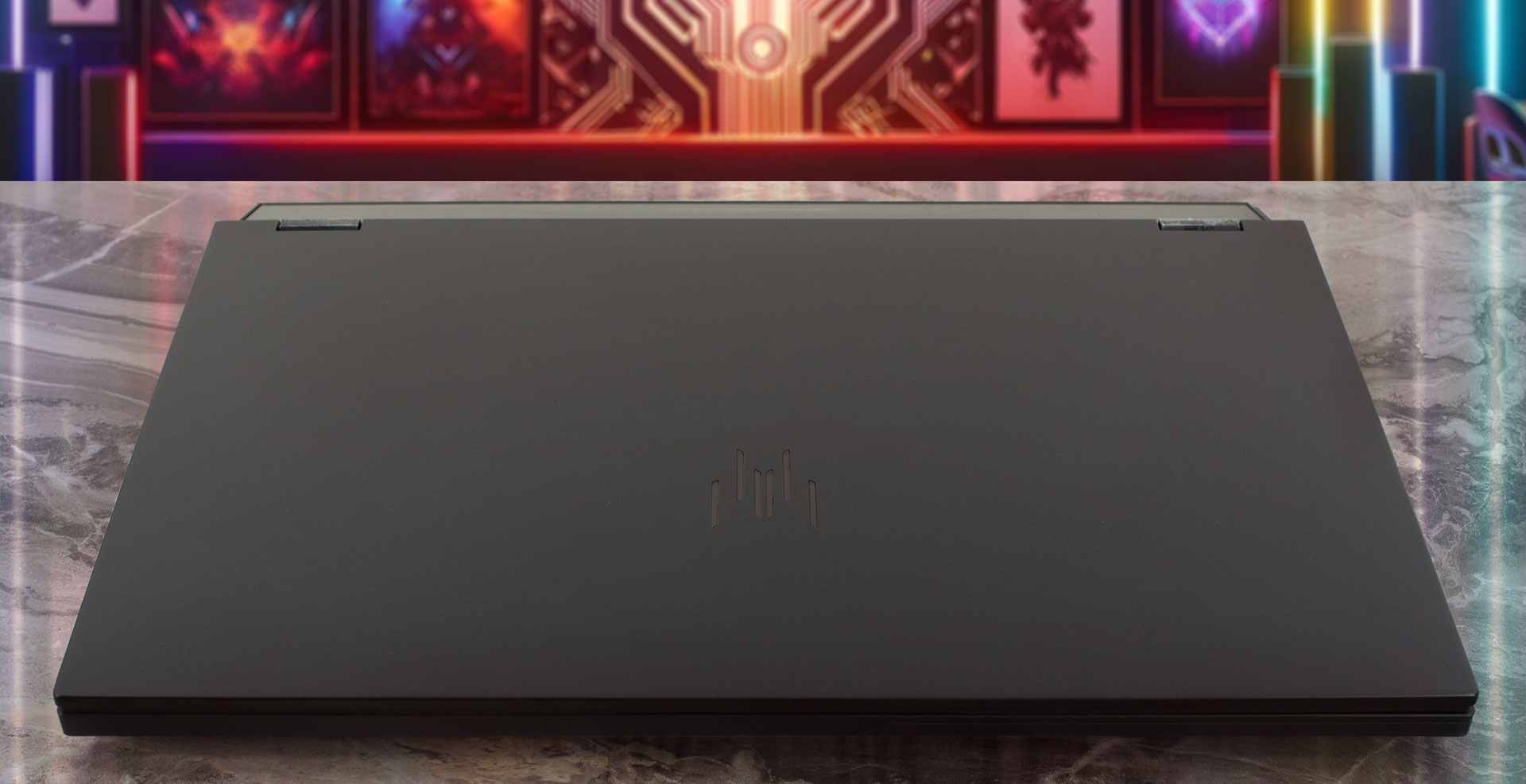
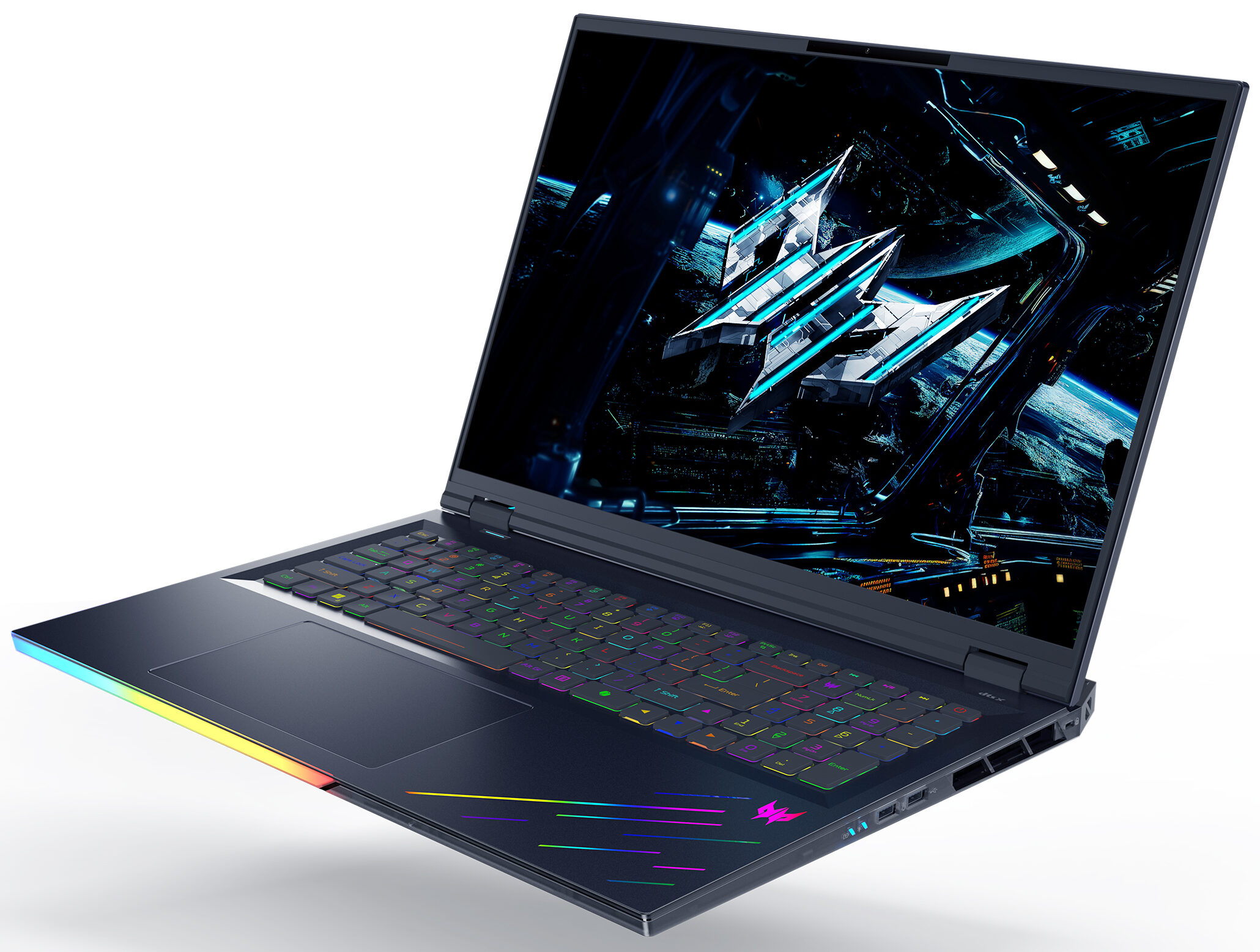
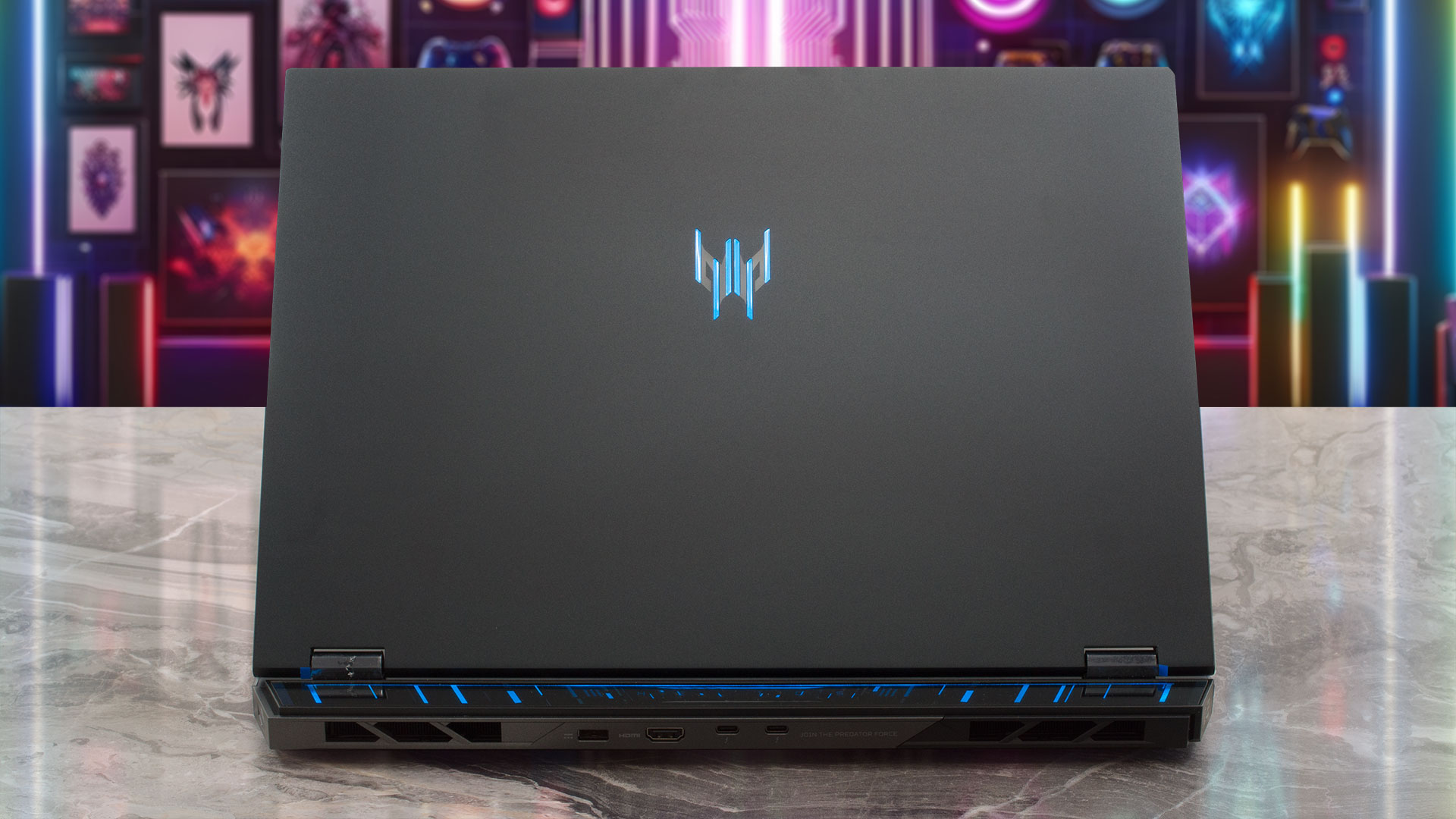
With sharp, angular lines and vibrant RGB accents, it’s unmistakably built for gamers who want a desktop-class experience on the go, steering clear of the minimalist office aesthetic without veering into overly gaudy territory. The sheer scale of the device is immediately apparent, and while it’s undeniably bulky, there’s a certain elegance to its brute force design. The lid is crafted from metal, providing a premium touch, while the palm rest features a smooth plastic finish and the base utilizes a textured plastic for grip. While the lid can pick up some faint fingerprints, the interior deck remains commendably clean even after extended use.
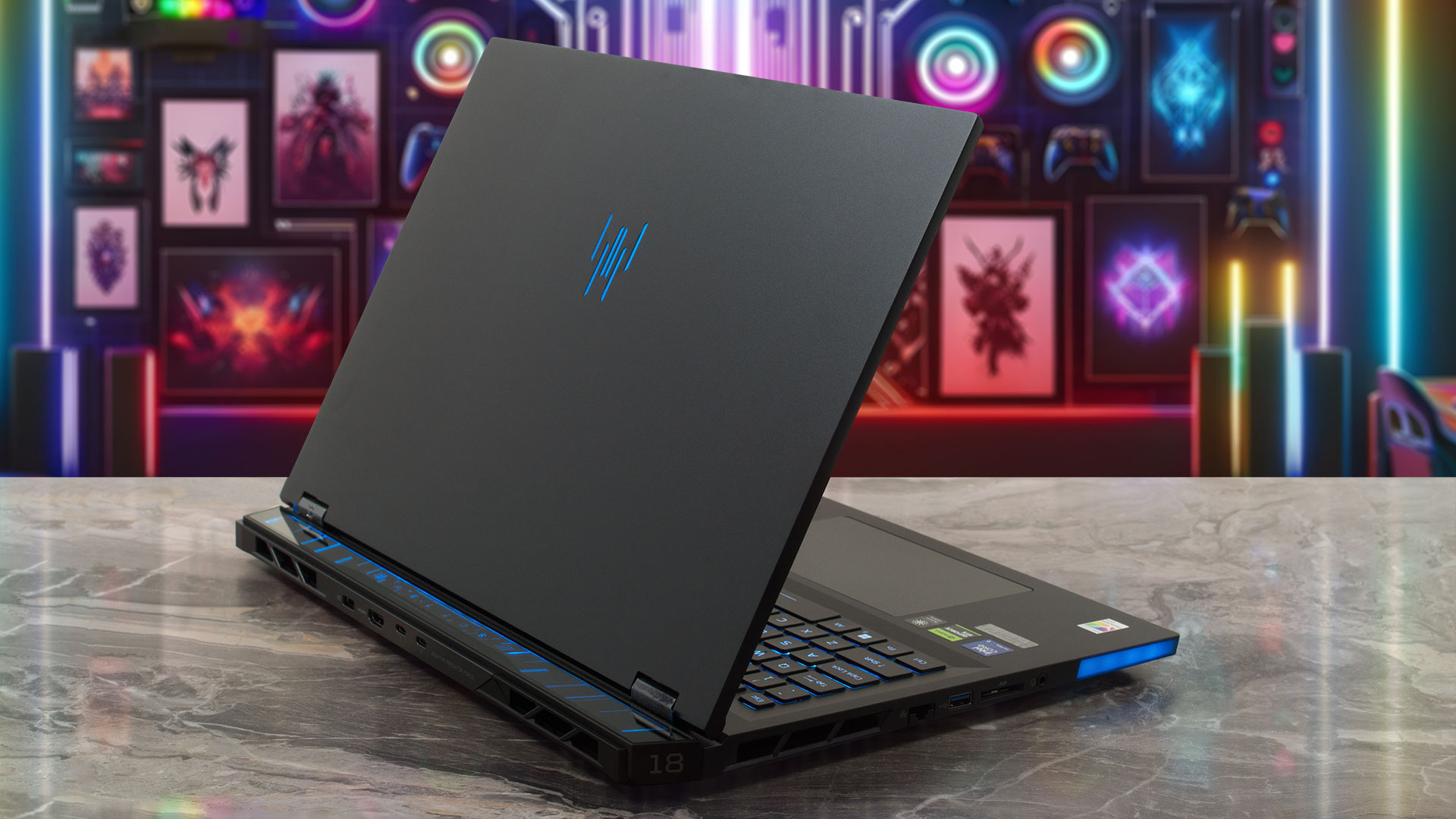
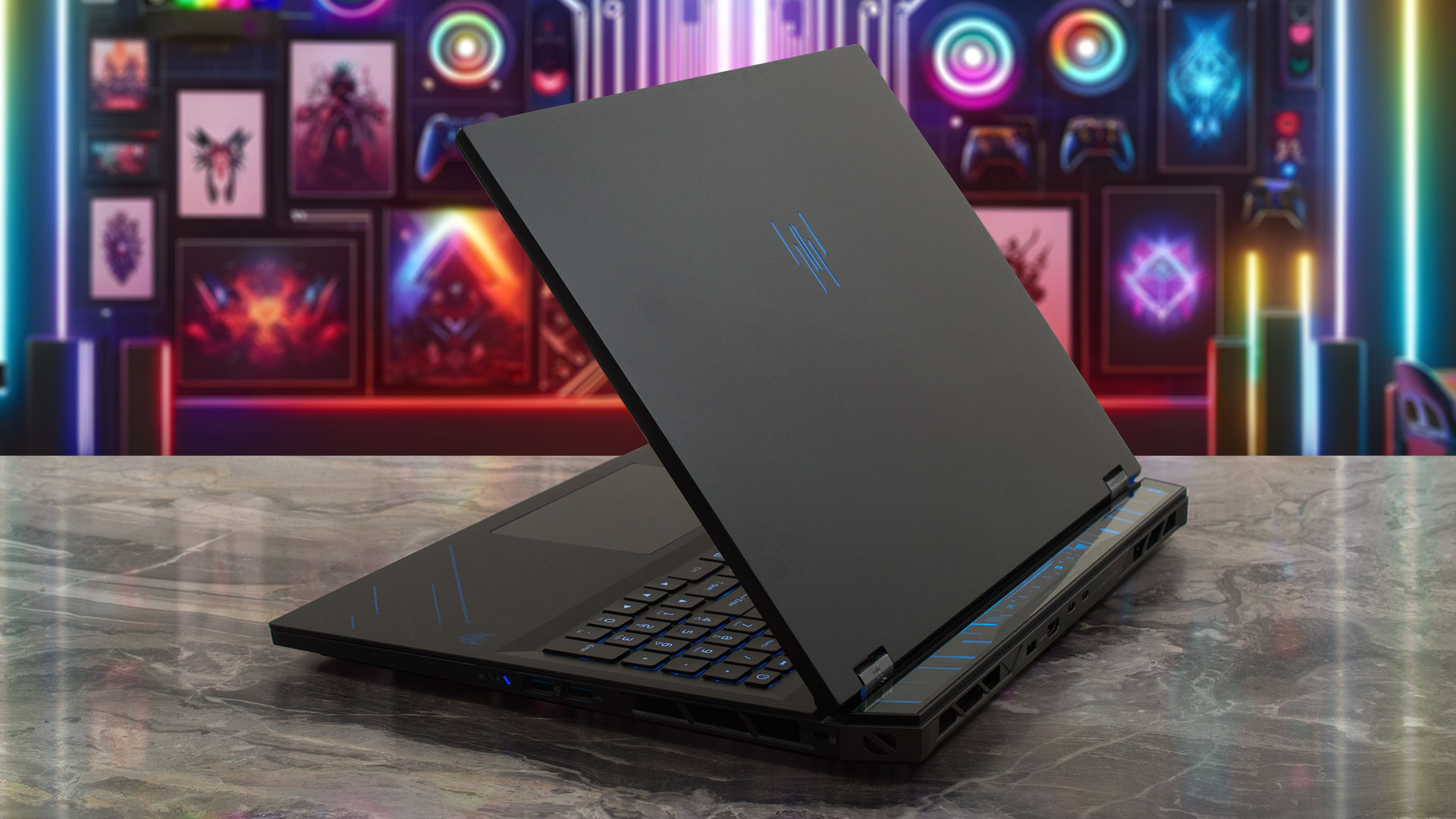
As you’d expect from an 18-inch powerhouse, the Helios 18 commands a significant footprint. Here are the dimensions and weight:
| Acer Predator Helios 18 AI (PH18-73) | Dimensions | Weight |
| Metric units | 400.96 mm x 307.9 mm x 29.55/17.3 mm | 3.5 kg |
| U.S. customary | 15.79 in x 12.12 in x 1.16/0.68 in | 7.72 lbs |
Despite its substantial 3.5 kg weight, opening the lid is a smooth, one-handed operation, aided by the heavy base keeping the laptop firmly planted. There is some minor flex if you press deliberately in the center of the panels, but this is to be expected with such a large chassis surface area and doesn’t detract from the overall sturdy feel.
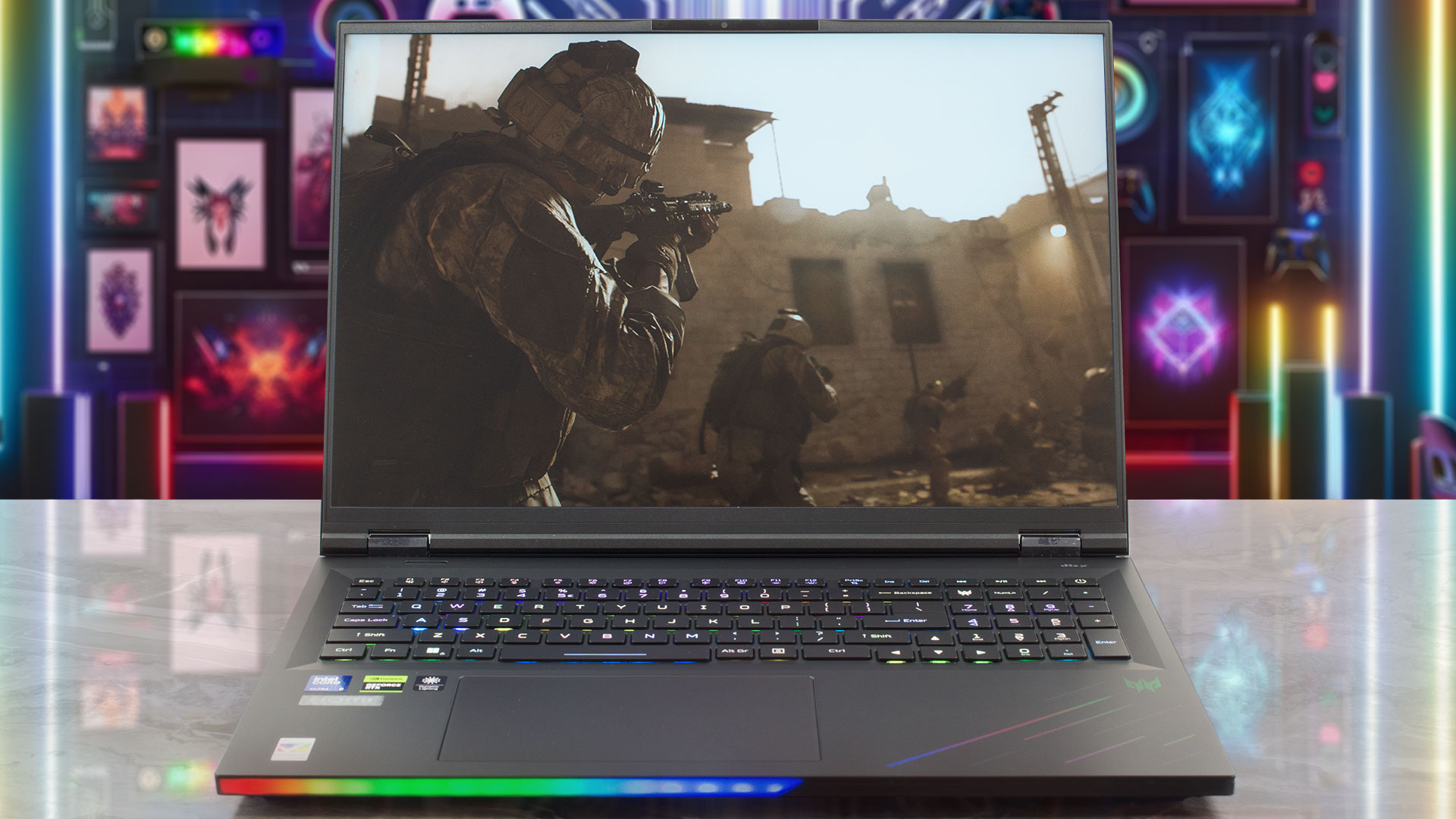
Once open, the expansive display is framed by impressively thin bezels – 6.5 mm on the sides and 11 mm on the top…which virtually disappear against the massive screen real estate. The top bezel houses a high-quality FHD + IR camera capable of 1080p video at 60 fps with SHDR and dual microphones, though notably, it lacks a physical privacy shutter.
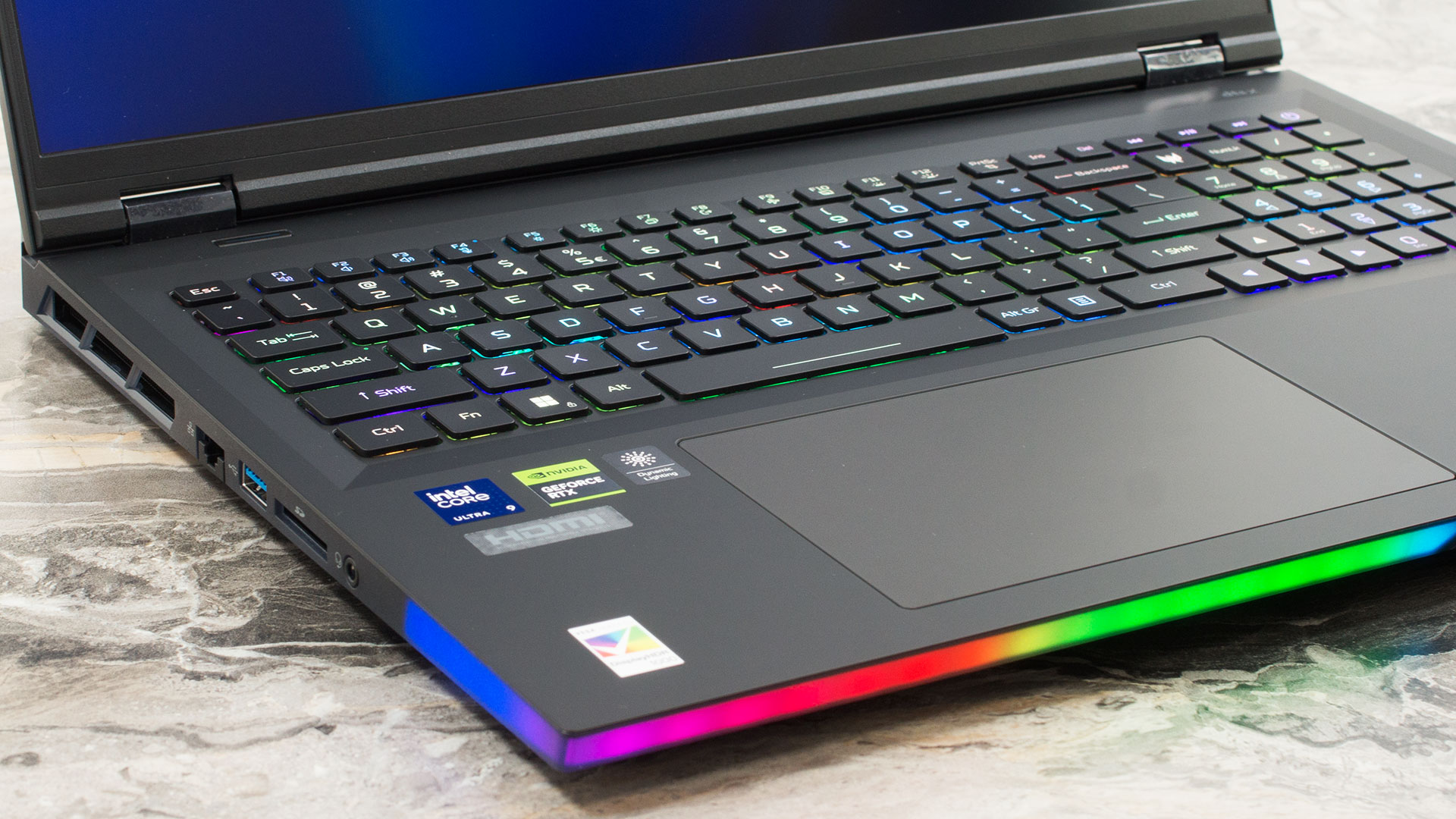
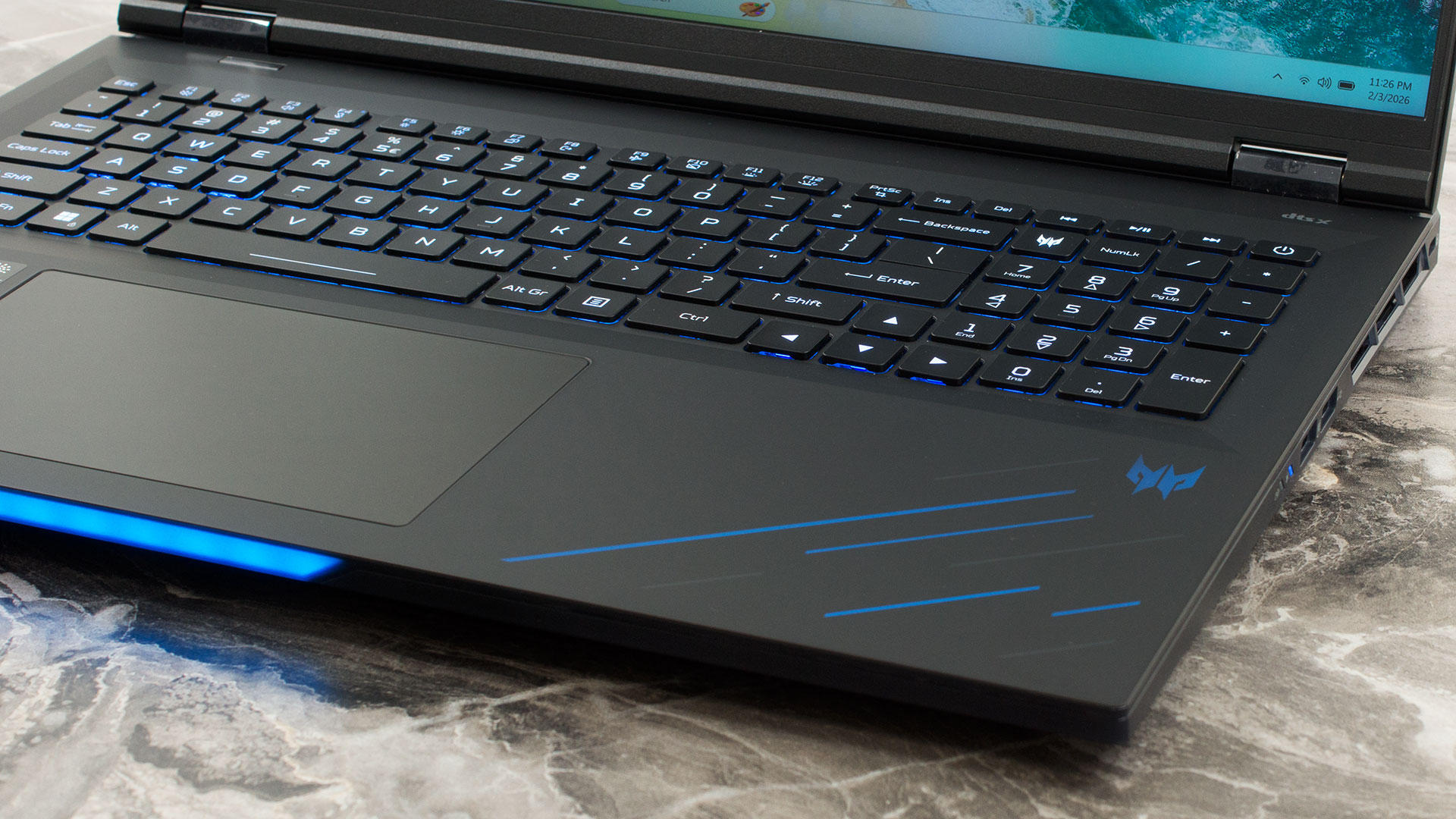
The keyboard deck takes full advantage of the chassis’s width, offering a full-sized layout complete with a full-sized NumPad, a rare treat for productivity. The keyboard is a “gaming-first” dream, featuring per-key RGB backlighting, a generous 2.0 mm of key travel, anti-ghosting technology, and interchangeable MagKey 4.0 caps for the WASD and arrow keys. The arrow keys themselves are large and comfortable to use. While there is no fingerprint reader, the IR camera provides fast and secure login.

Below the keyboard sits an enormous, moisture-resistant Precision touchpad measuring 151 x 90 mm (approximately 5.94 x 3.54 inches). Topped with smooth Gorilla Glass, it offers a fantastic surface for navigation when you’re not using a dedicated mouse.
Ports and Connectivity
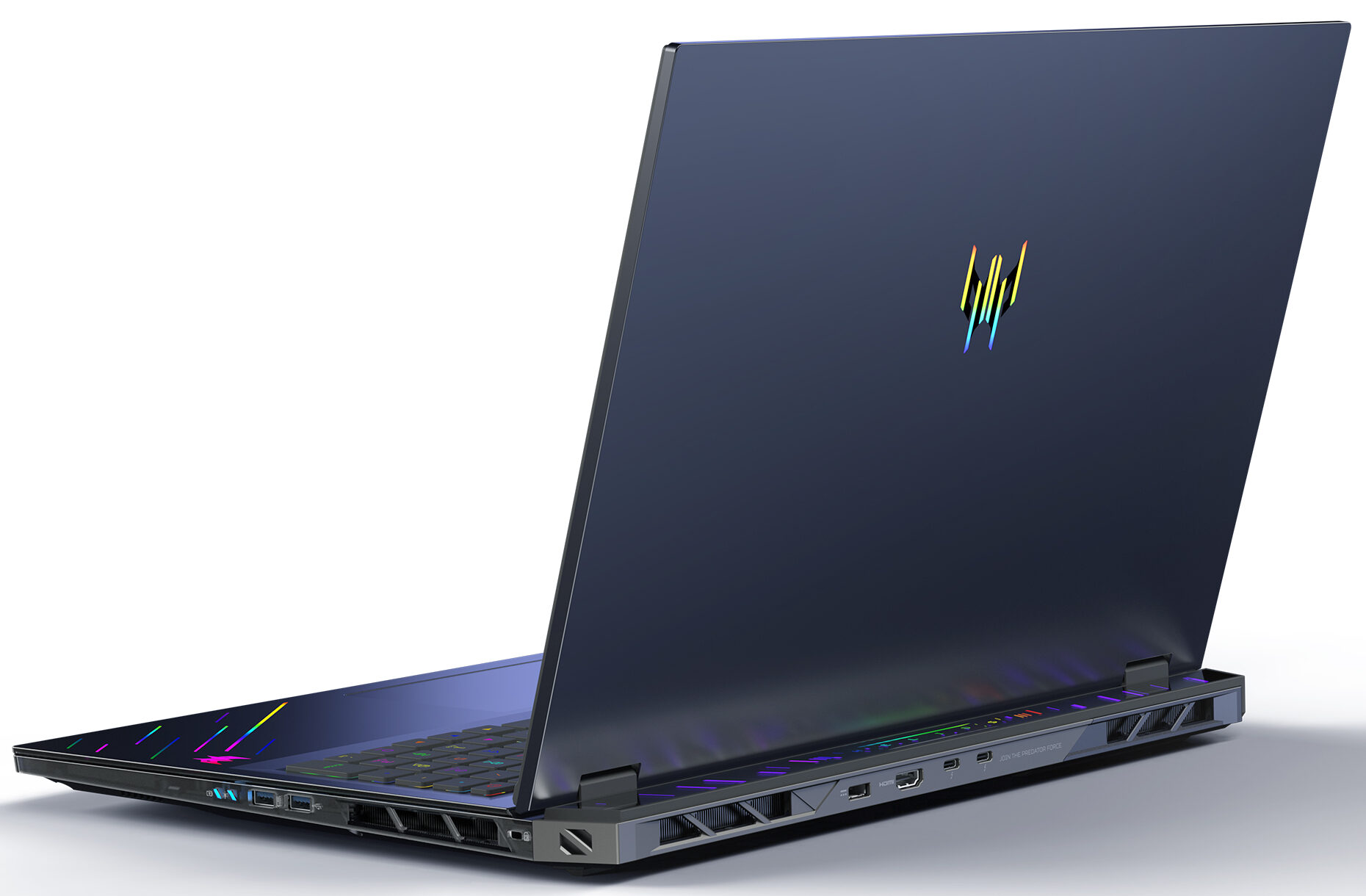
The Acer Predator Helios 18 AI (PH18-73) offers a highly capable and future-proof selection of ports. On the left side, you’ll find a versatile Ethernet port supporting speeds up to 2.5Gbps via the Killer E5000B controller, perfect for low-latency gaming and fast file transfers. Alongside it sits a standard USB 3.2 Gen 1 Type-A port, a convenient SD card reader for quick media offloads, and a 3.5mm headset/speaker combo jack.

The right side is geared towards high-speed peripherals, featuring two USB 3.2 Gen 2 Type-A ports. One of these includes power-off charging capability, allowing you to top up devices like your phone even when the laptop is shut down. Also present here are the battery and power status indicators and a Kensington lock slot for physical security.

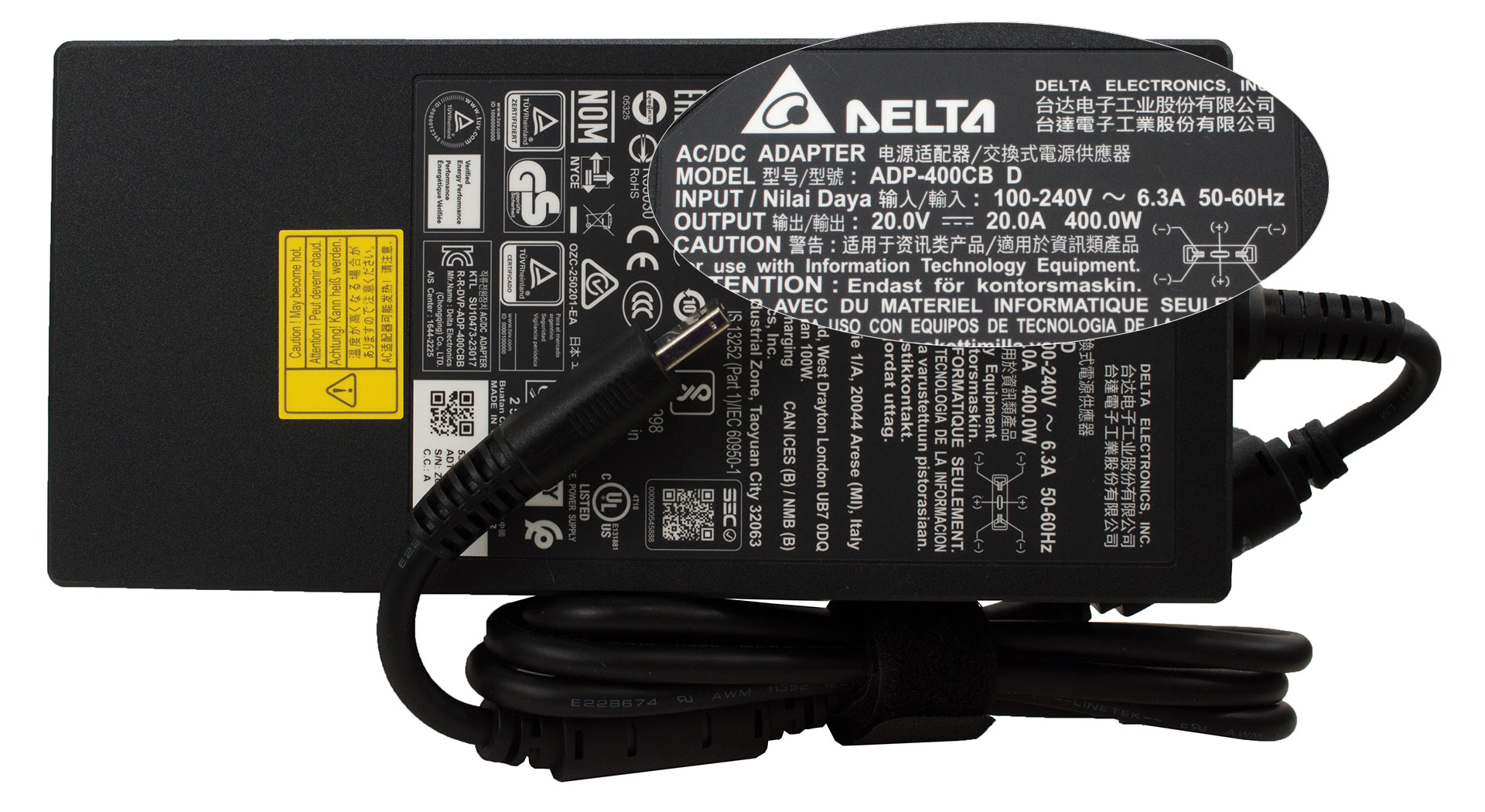
For the most demanding connections, the rear of the chassis houses the dedicated DC-in jack for the main power adapter and a powerful HDMI 2.1 port capable of driving high-resolution displays. The star feature, however, is the pair of USB-C ports with full Thunderbolt 5 support. These cutting-edge ports offer massive bandwidth for data and display output, and can deliver 15W (5V/3A) for charging other devices. While they support 100W USB-C charging for the laptop itself, Acer notes this provides only standard capability for minimal usage scenarios, so relying on the main power brick is recommended for performance tasks.

Wireless connectivity is top-tier, featuring the Killer Wi-Fi 7 module. This supports the latest 802.11be standard across the 2.4, 5, and 6 GHz bands with 2×2 MU-MIMO technology for exceptional wireless speeds and reliability. Bluetooth 5.4 is also integrated, complete with support for LE Audio (LC3), ensuring efficient and high-quality connections with compatible wireless audio devices.
Display and Sound Quality, Display Profiles
We ordered the Acer Predator Helios 18 AI (PH18-73) with the speed-focused 18-inch WQXGA (2560 x 1600) Mini LED panel at up to 250 Hz (B180QAN01.2 / AUO45A8). If you want the sharpest image, there is also a 4K WQUXGA (3840 x 2400) Mini LED option at 120 Hz. Both panels are listed with 100% DCI-P3 coverage, up to 600 nits in SDR mode, up to 1000 nits in HDR mode, and HDR 1000 support.
RTX 5090 configs pair with the 4K 120 Hz panel, while RTX 5080 configs pair with the 2560 x 1600 250 Hz panel.
| Acer Predator Helios 18 AI (PH18-73) | 18″, WQXGA (2560 x 1600), 250 Hz, IPS Mini LED (B180QAN01.2 / AUO45A8) | 18″, WQUXGA (3840 x 2400), 120 Hz, IPS Mini LED |
| Diagonal | 18.0 inches (45.7 cm) | 18.0 inches (45.7 cm) |
| Panel Type | IPS Mini LED | IPS Mini LED |
| Resolution | 2560 x 1600 pixels | 3840 x 2400 pixels |
| Max Refresh Rate | 250 Hz | 120 Hz |
| Aspect Ratio | 16:10 | 16:10 |
| Pixel Density | 167 PPI | 251 PPI |
| ‘Retina’ Distance | Greater than or equal to 52 cm | Greater than or equal to 35 cm |
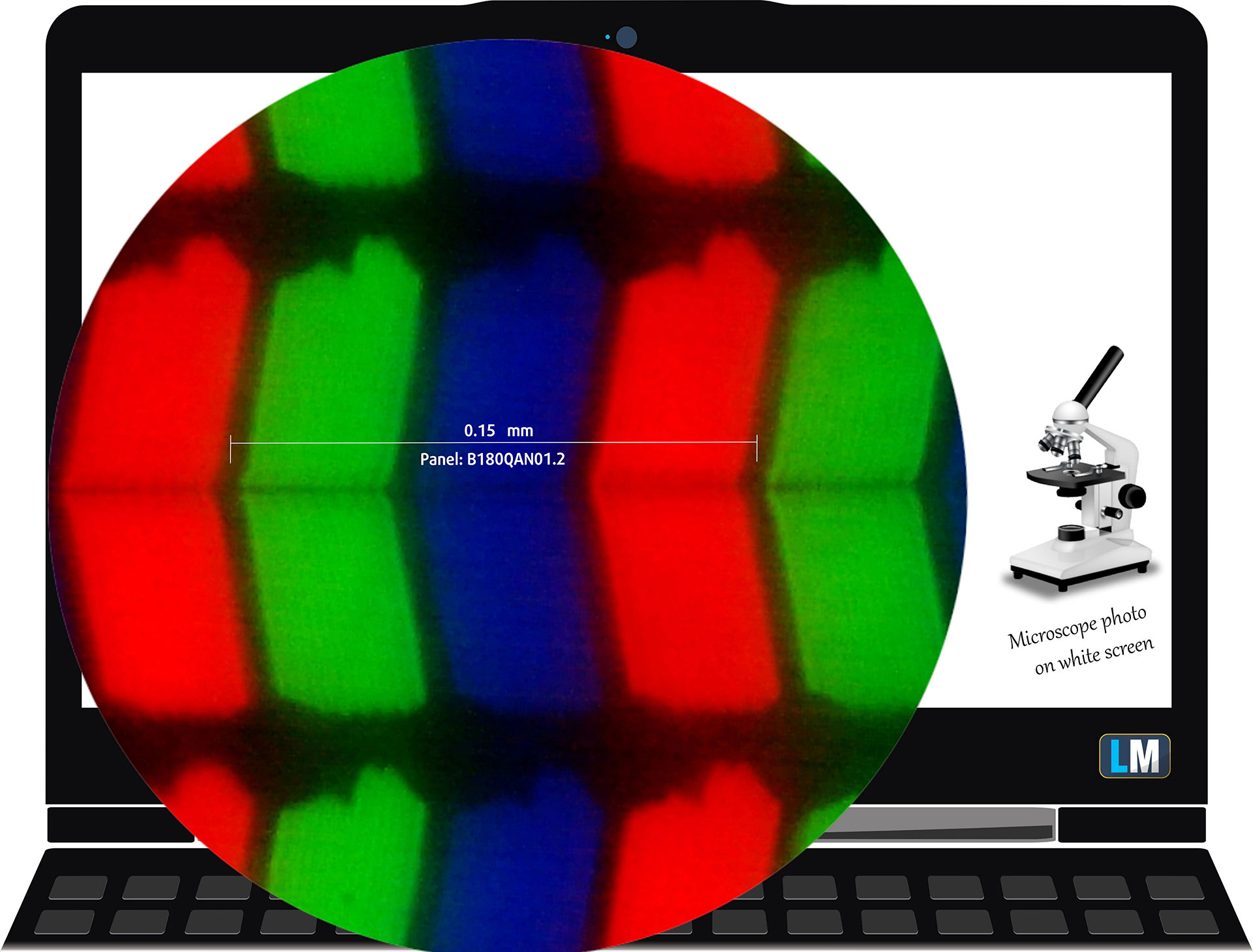 The WQXGA Mini LED (2560 x 1600), 250 Hz, IPS display variant under our microscope
Viewing Angles
Viewing angles are good. We take photos from different angles to evaluate the quality.
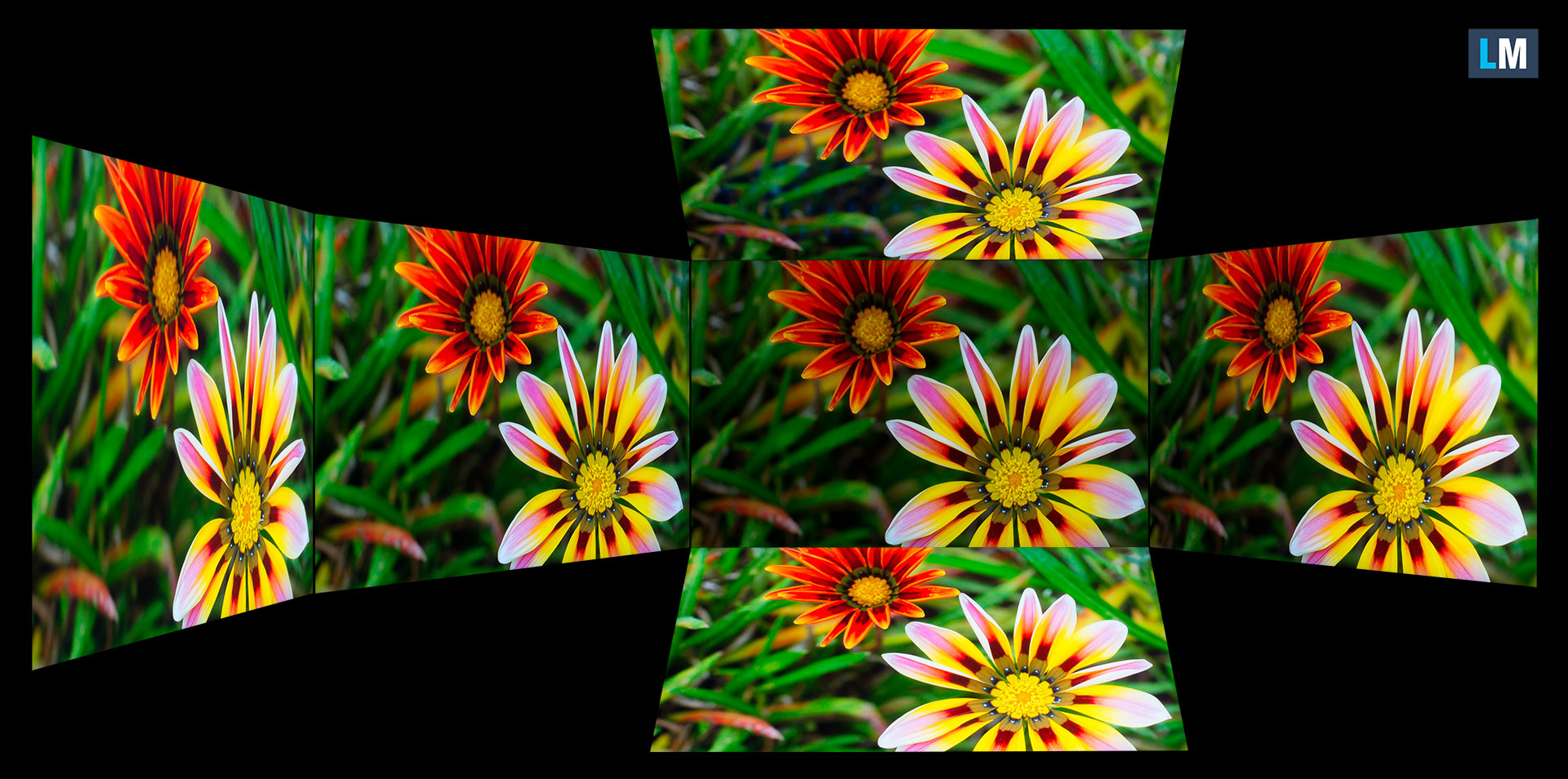
Also, a video with locked focus and exposure.
Color Coverage
The whole “sail-shaped” map below (Fig. 1) consists of all the colors we can see, while the black crooked line shows all the colors from real-world scenes and nature around us.
Then, we’ve drawn some of the most important and interesting color spaces, compared to the colors the panel of Acer Predator Helios 18 AI (PH18-73) can show:
Standard/For Web: sRGB – widely used color space for most consumer devices, ideal for Web design and development
For Print: AdobeRGB – used in professional photo editing, graphic design, and print
For Photographers/Video Editors: DCI-P3 – used in high-end film production, post-production, and digital cinema
Premium HDR: Rec.2020 – the widest consumer ITU color standard, covering a massive 75.8% of the visible spectrum, a benchmark for premium HDR content.
Acer Predator Helios 18 AI (PH18-73): the yellow dashed triangle (– – – – – –) represents the range of colors this display can show.
In our tests, we calculated the total color coverage of the display at 100% of the sRGB color gamut and 100% of the DCI-P3 color gamut.
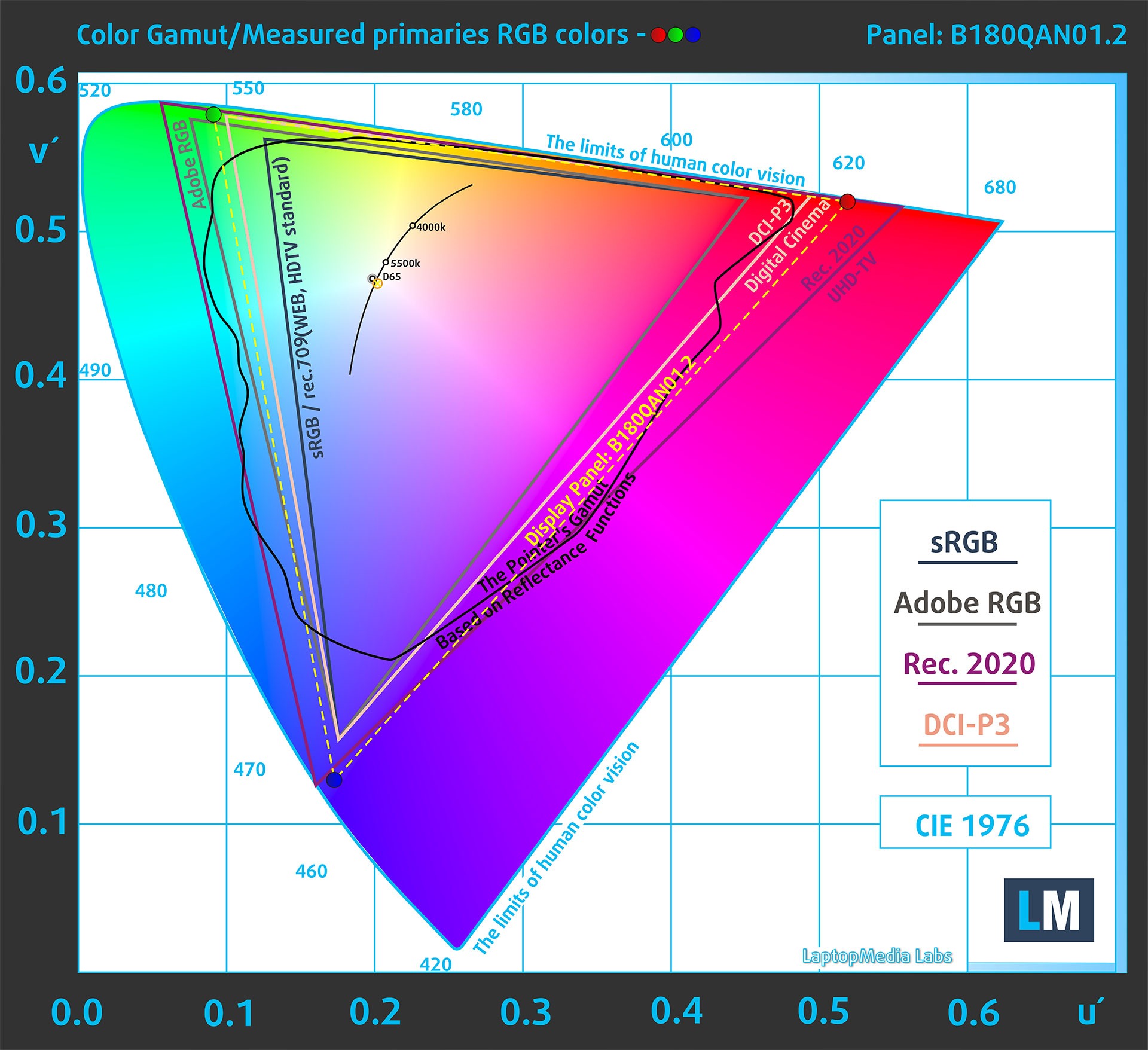
(Fig.1) Acer Predator Helios 18 AI (PH18-73) covers 100% of the DCI-P3 gamut
Brightness and Contrast
The maximum brightness in HDR mode is 1114 cd/m² at 8% white fill and 742 cd/m² on a full white screen.
The maximum brightness in SDR mode is 677 cd/m² in the center of the screen.
The Correlated Color Temperature (CCT) on a white screen at maximum brightness is 6380K.
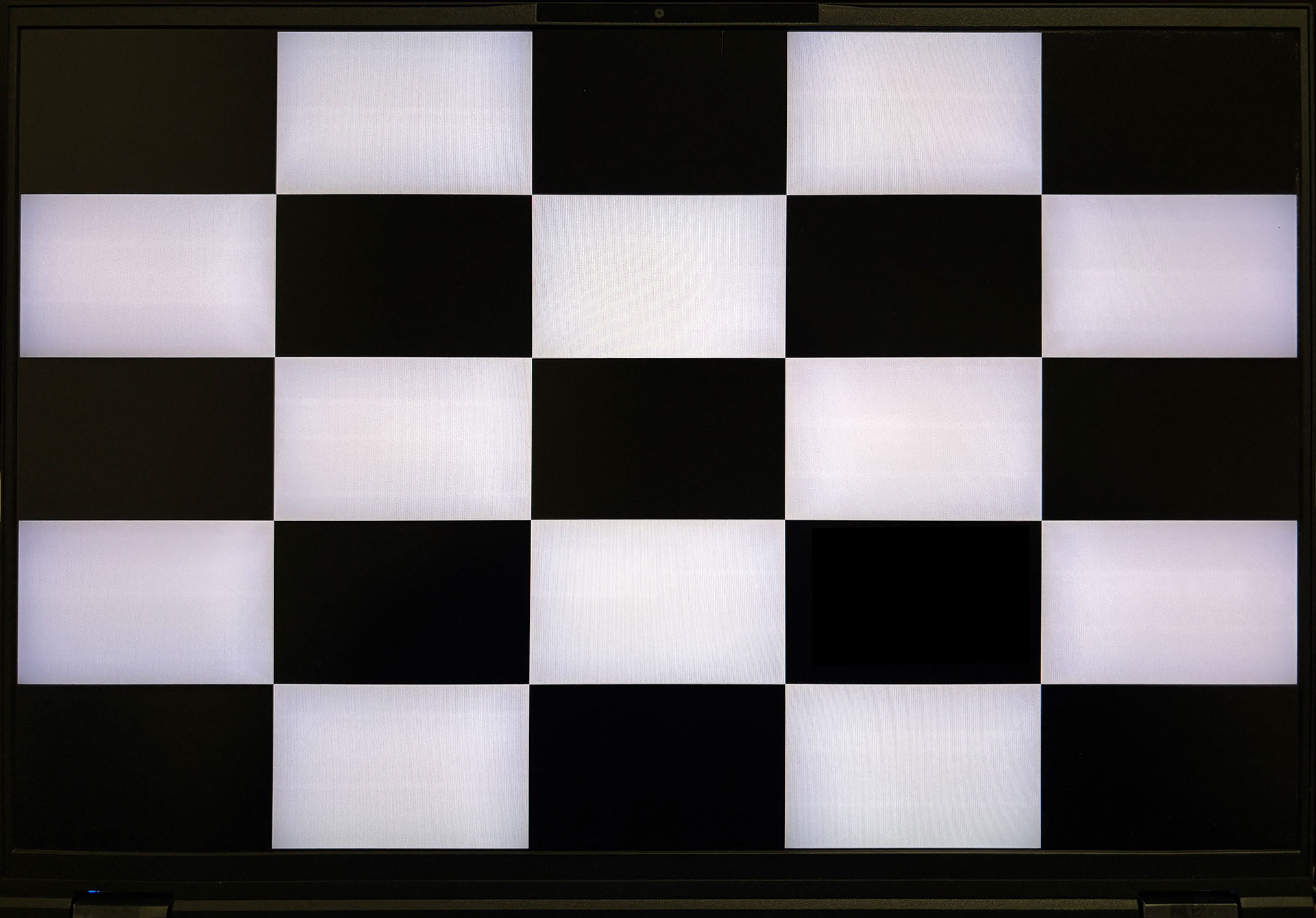
Displays with Mini LED backlighting have high contrast, but it depends on the picture. When measuring ANSI contrast, we observe vignetting in the bright areas and the contrast value depends on the size of the area that is read by the measuring device. As a contrast value in our case, we obtained ANSI 16400:1.

Uniformity: Luminance, Contrast, and Color Deviation
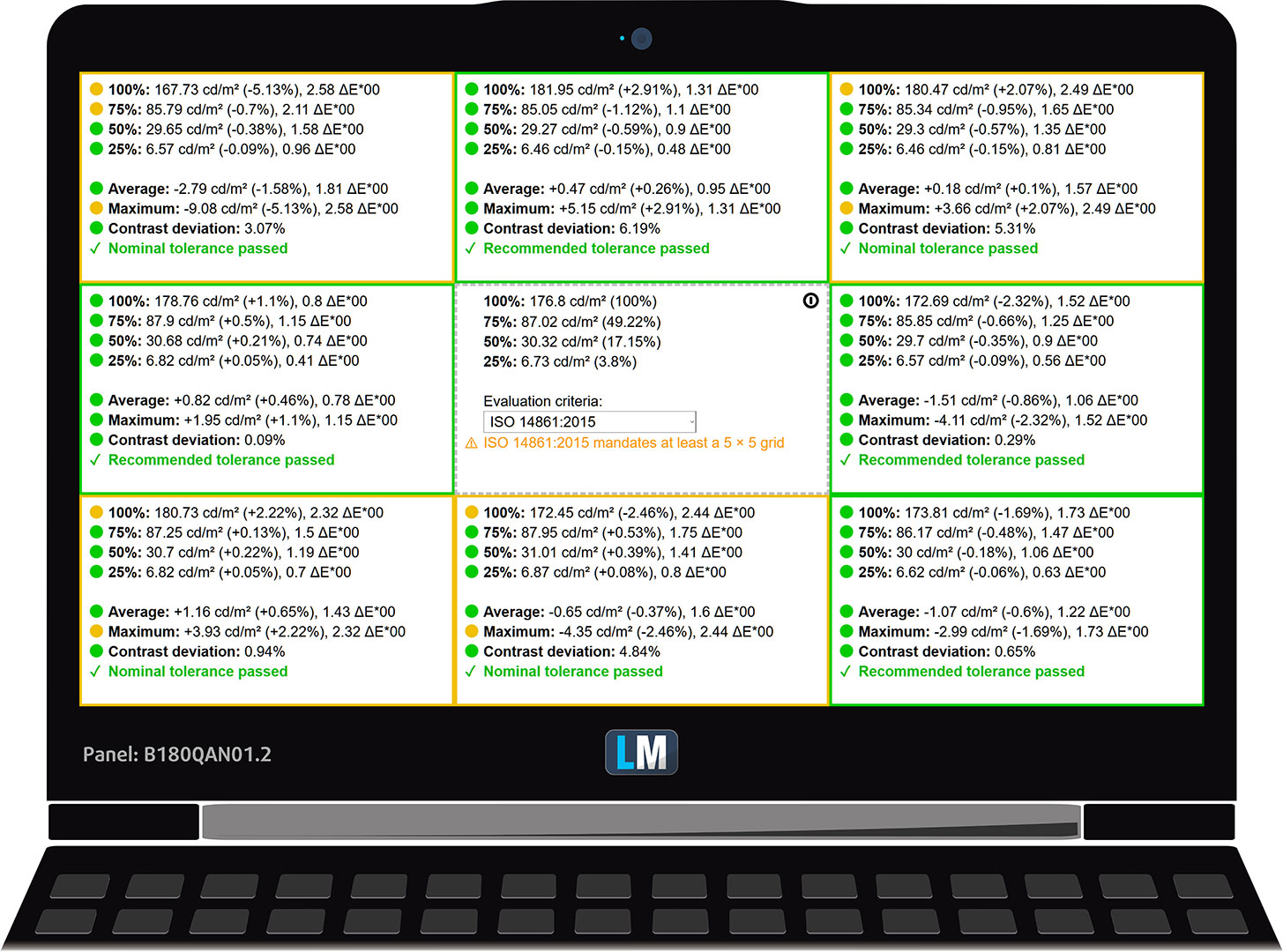
The figure below shows the results from our uniformity test across different sections of the screen. It’s measured at 177 nits (Windows slider = 30%) – a brightness level we consider typical for standard working conditions.
DeltaE values below 4.0 are acceptable for regular users. For those working with colors, screens with DeltaE values no higher than 2.0 are recommended.
Color Accuracy
Let’s check the difference between real colors and those you’ll see on the Acer Predator Helios 18 AI (PH18-73). We measure that distance in DeltaE – the higher the number, the more different they look.
Values below 4.0 are acceptable for regular users, while values below 2.0 are suitable for color-sensitive work. A value below 1.0 means the difference is indistinguishable to the naked eye.
For the next graph, we’ve selected 24 common colors, including dark/light skin, blue sky, green grass, etc.
Before our calibration of the Acer Predator Helios 18 AI (PH18-73), the Average color accuracy was 3.7 dE (Fig. 2), and with our Design and Office profile, it lowered to 1.3 dE (Fig. 3).
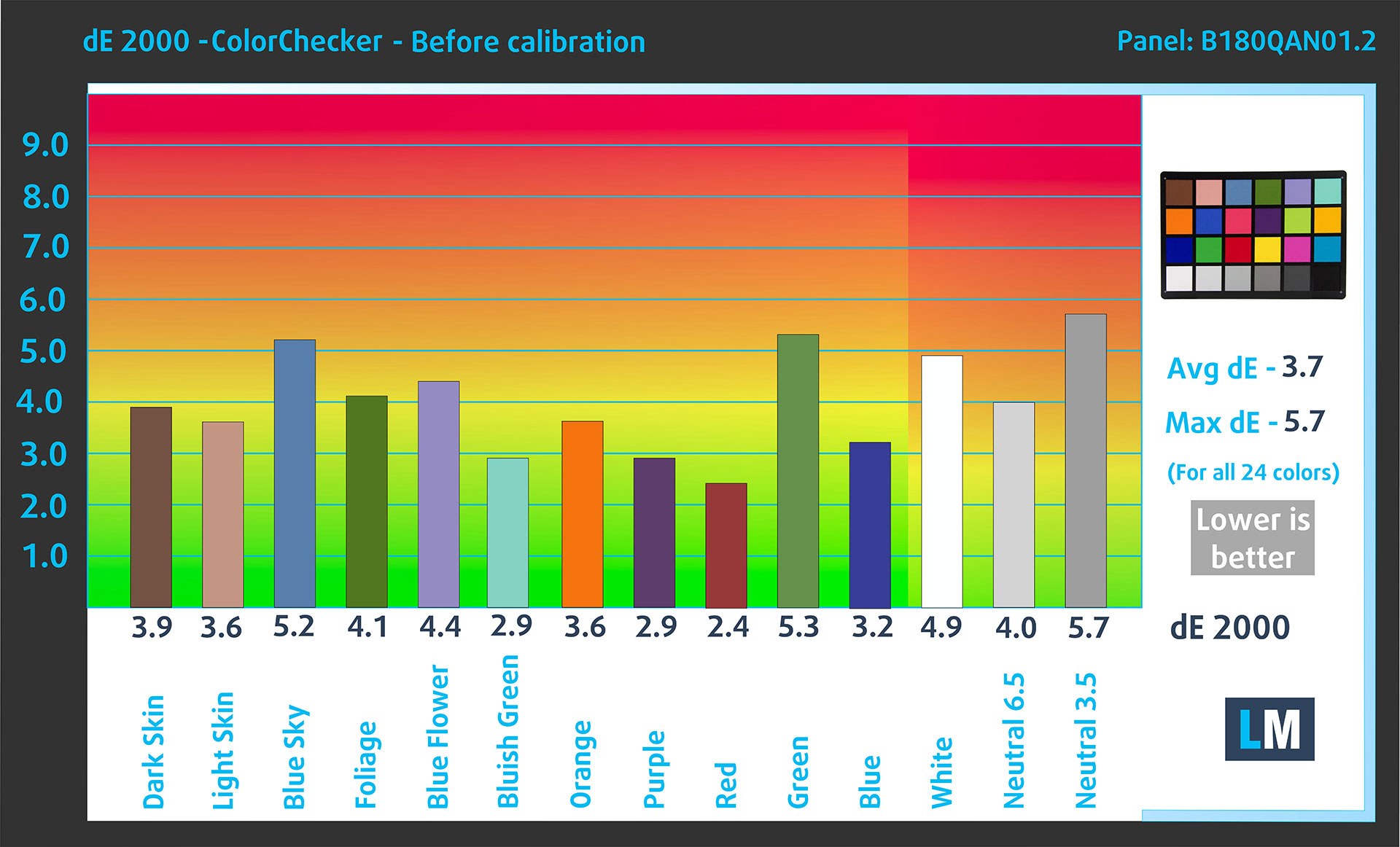
(Fig. 2) Acer Predator Helios 18 AI (PH18-73) in its factory condition
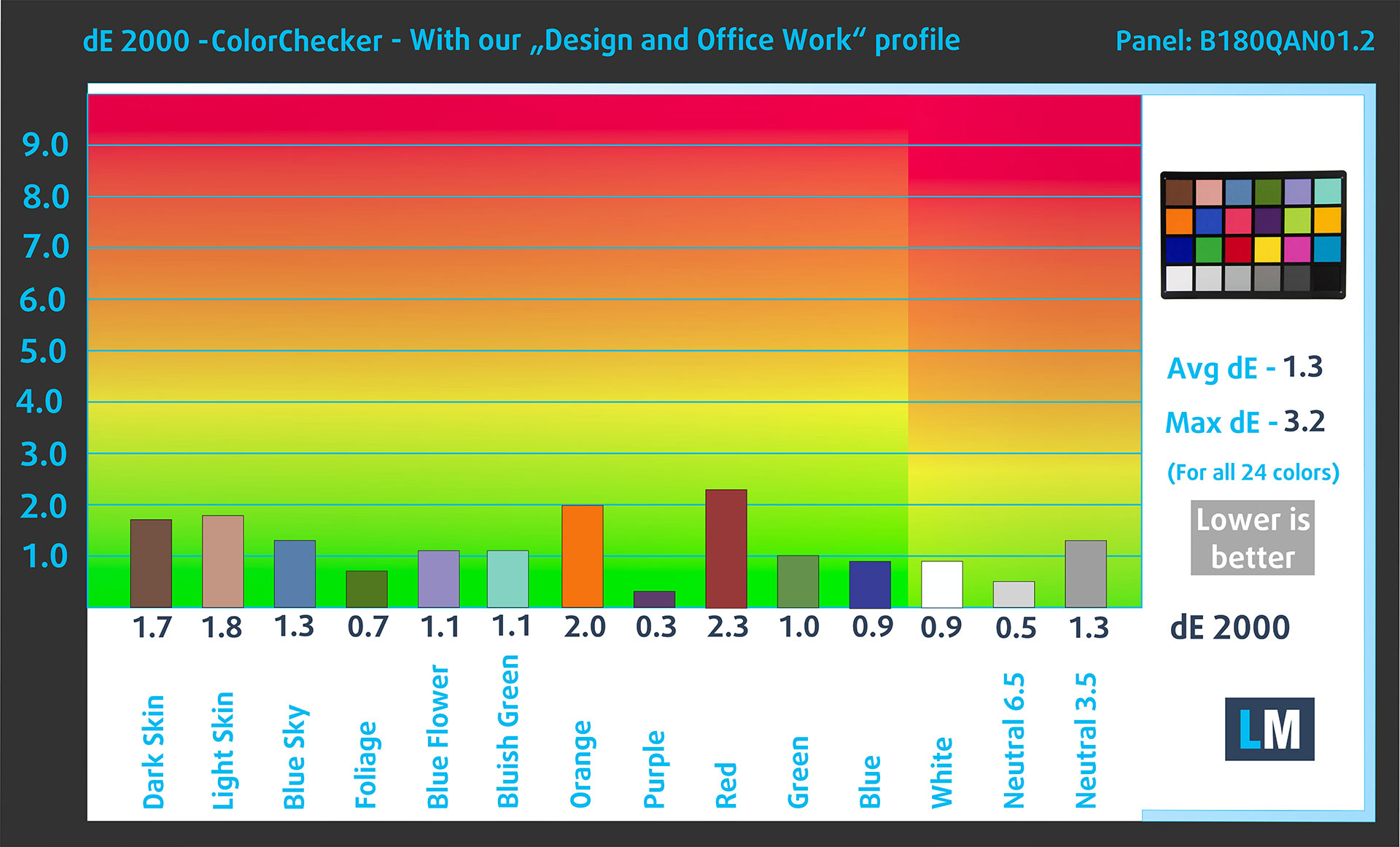
(Fig. 3) Acer Predator Helios 18 AI (PH18-73) with our display profile
Comparison in the Display P3 color space.
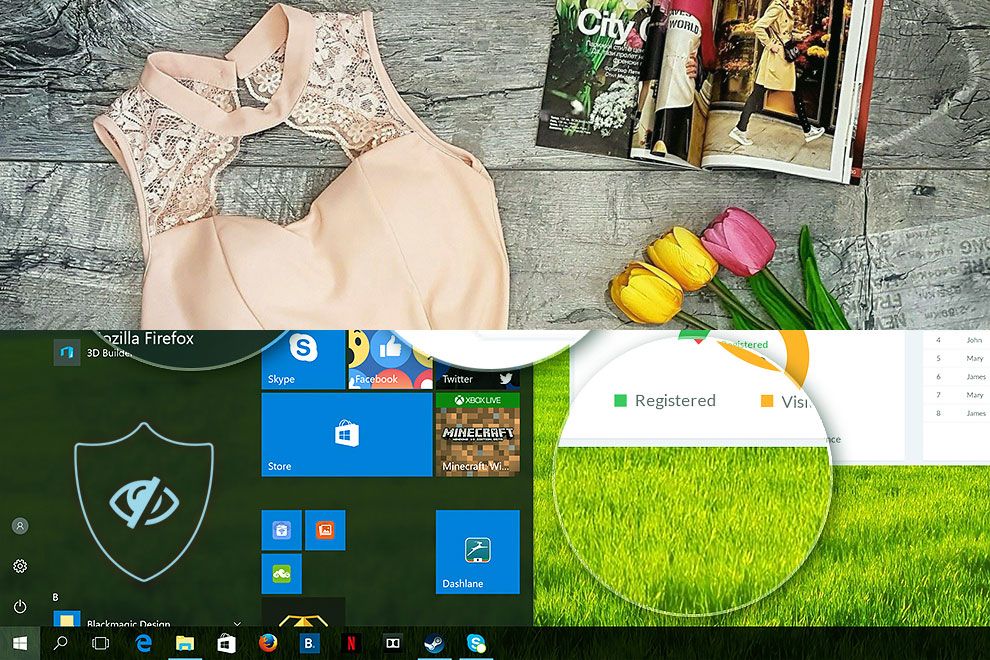
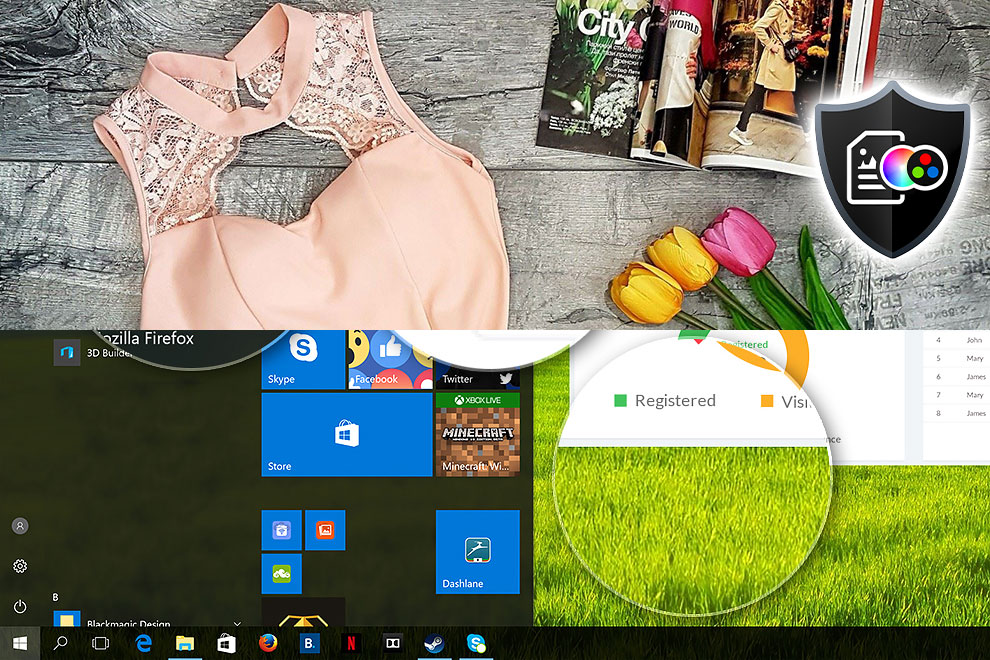
Here’s an illustration of what the Design and Office profile aims to deliver:
Left: No Profile | Drag the slider to see the difference | Right: Design & Office Profile
Visibility in dark scenes
Have you ever watched a movie with dark scenes where you could barely see anything? This often happens because many display panels struggle to differentiate the darkest nuances, making them appear the same.
The next figure illustrates how well the display reproduces these dark nuances. The left side of the image shows the display with stock settings, and the right side shows it with our Gaming and movies profile activated.
On the horizontal axis are the grayscale levels, and on the vertical axis – the corresponding display brightness.
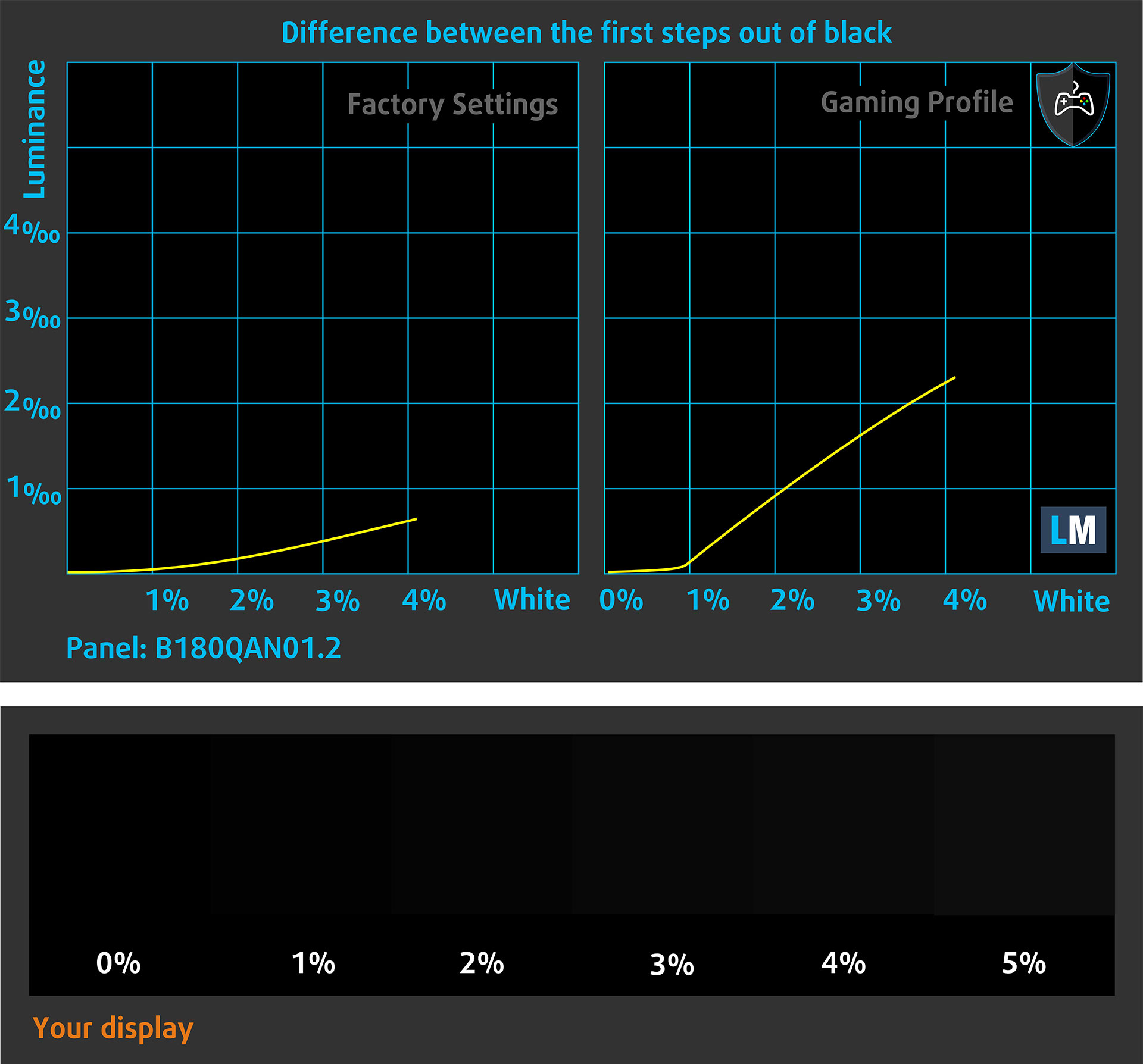
You can also check how your display handles the darkest nuances but keep in mind that this also depends on the settings of your current display and the surrounding light conditions.
Health Impact: PWM (Screen flickering)
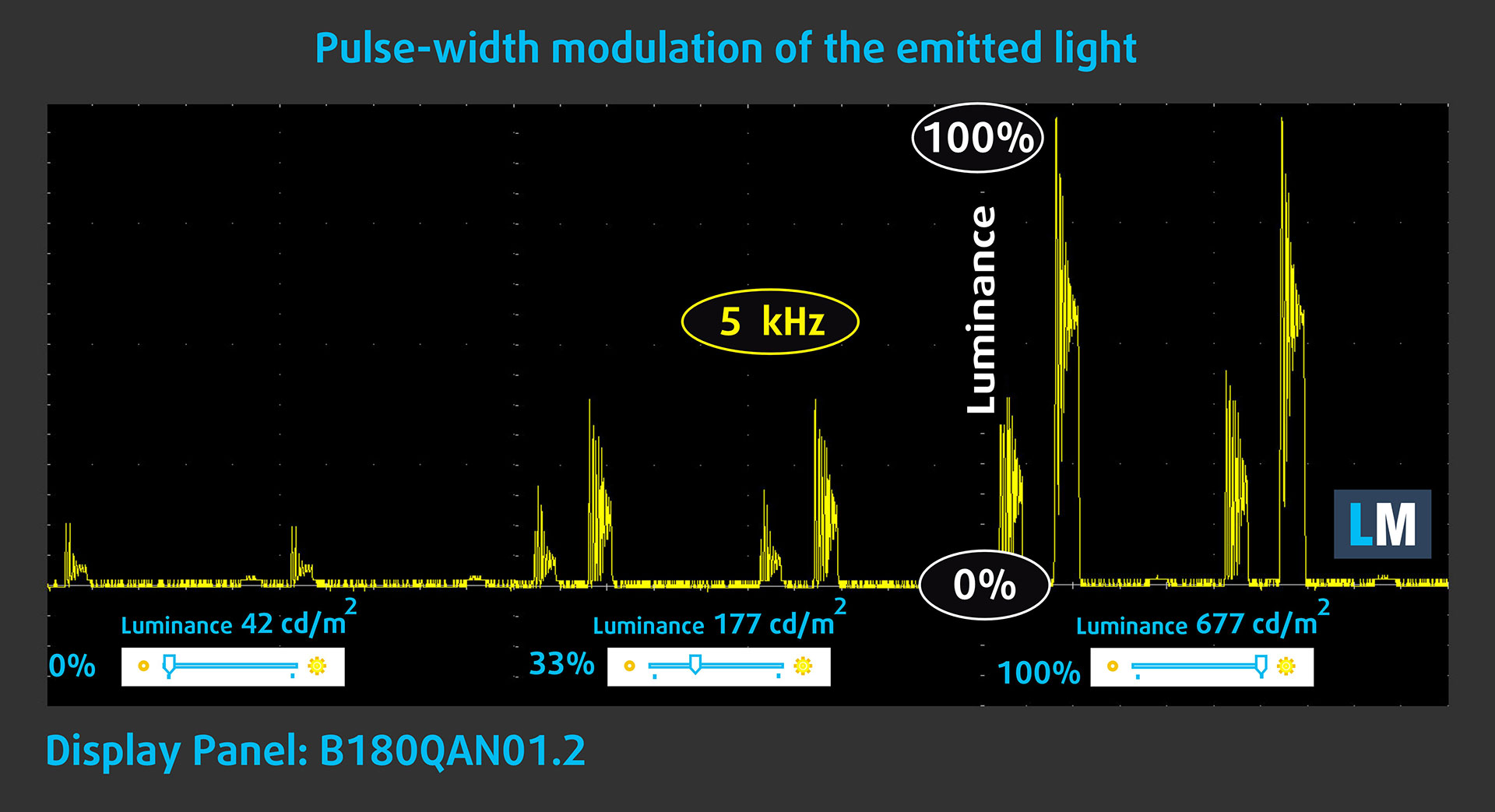
Some use PWM to regulate their brightness, which means that instead of reducing the light intensity, they pulse or flicker. Our brain merges the image, so it appears darker, but this strains both it and our vision, especially when the frequency of the pulses is low. You can read more about that in our dedicated article on PWM.
In the graph below, you see the intensity of light at different brightness levels—on the vertical axis is the brightness of the emitted light, and on the horizontal axis—time.
The light from the Mini LED backlight on the Acer Predator Helios 18 AI (PH18-73) display has a relatively high frequency pulsation, but a very low fill factor and a large amplitude. In this regard, we believe that the screen could have a negative impact on people with sensitive vision.
Keep in mind that even our Health-Guard profile, while lowering the blue light, can’t fix this screen’s severe PWM.
Health Impact: Blue light emissions
Installing our Health-Guard profile reduces harmful Blue Light emissions while keeping the colors of the screen perceptually accurate.
If you’re not familiar with the Blue light, the TL;DR version is – emissions that negatively affect your eyes, skin, and your whole body. You can find more information about that in our dedicated article on Blue Light.
Health Impact: Screen Reflectance
Glossy-coated displays can cause eye fatigue in high ambient light conditions due to reflections. We measure the level of screen reflection with the display turned off, at a 60° angle.
The reflectance of the Acer Predator Helios 18 AI (PH18-73)’s screen is 58.6 GU. This is a good result.
High Gloss: >70 GU
Medium Gloss: 30 – 70 GU
Low Gloss: <30 GU
Get our profiles
Since our profiles are tailored for each individual display model, this article and its respective profile package are meant for Acer Predator Helios 18 AI (PH18-73) configurations with B180QAN01.2 (AUO45A8), 2560 x 1600, Mini LED IPS panel.
*Should you have problems with downloading the purchased file, try using a different browser to open the link you’ll receive via e-mail. If the download target is a .php file instead of an archive, change the file extension to .zip or contact us at [email protected].
Read more about the profiles HERE.
In addition to receiving efficient and health-friendly profiles, by buying LaptopMedia's products you also support the development of our labs, where we test devices in order to produce the most objective reviews possible.

Design and Office
The Design and Office profile makes display colors as close to real as possible.Ideal not only for professionals but also for everyday users, it meets sRGB standards (D65 white point, sRGB gamma) with minimal DeltaE for precise color reproduction on your panel.

Gaming and Movies
Have you ever watched a movie where, during dark scenes, you can barely see anything? Many displays fail to distinguish dark tones properly. Our Gaming and Movies profile enhances low-light performance, like HDR tech, using a gamma curve tailored to human perception — ideal for gamers seeking faster reactions and clearer visuals.

Health-Guard
Our Health-Guard profile protects your eyes by eliminating PWM flickering, reducing strain and fatigue, and minimizing harmful Blue light exposure that can disrupt sleep and health. It uses software dimming and a gamma curve tailored to human perception for comfort and safety during screen use.
Get All The Profiles With 33% Discount!

Sound
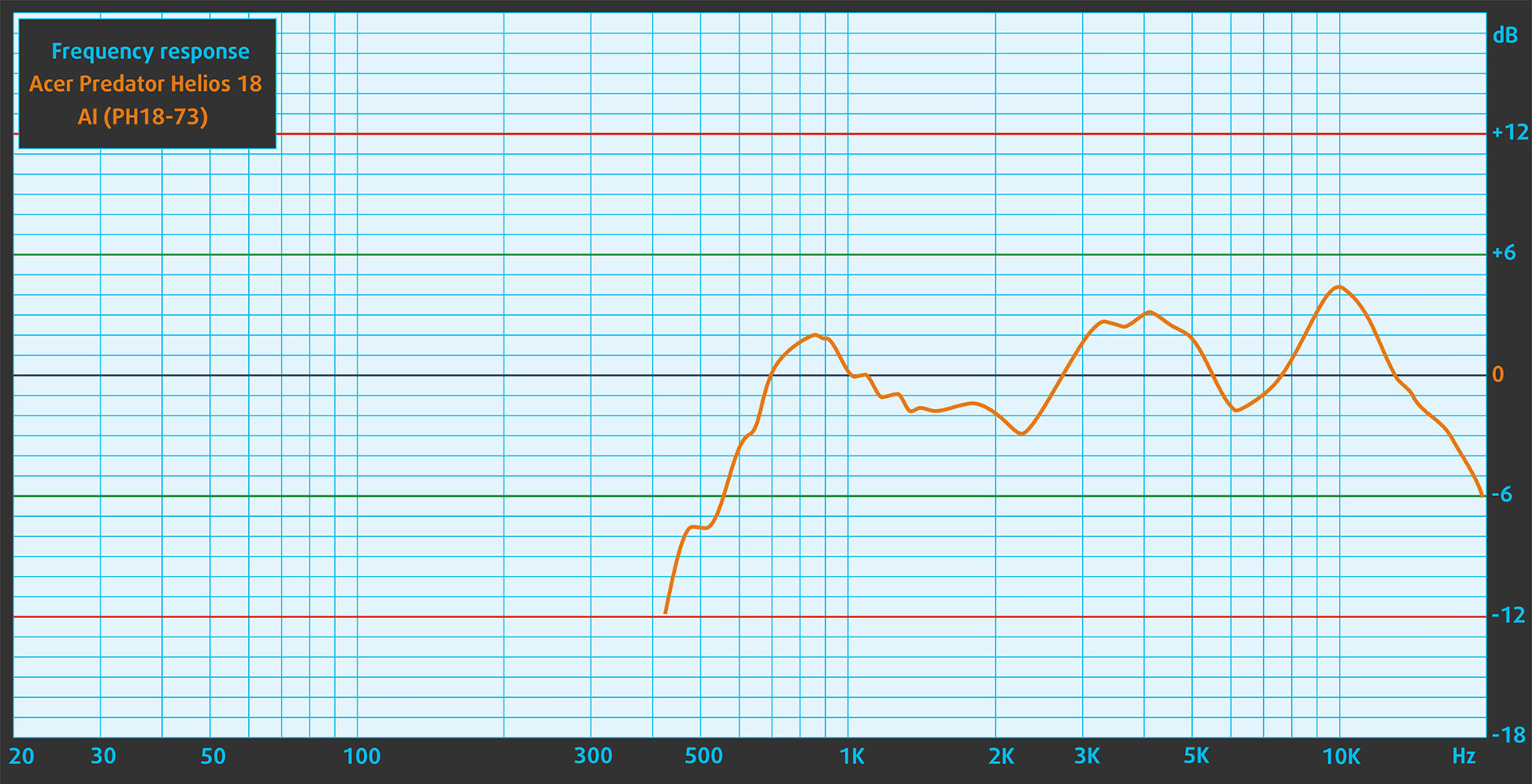
The sound quality of the Acer Predator Helios 18 AI (PH18-73), emitted by the built-in speakers, is very good. The low, mid, and high frequencies are clear.
Work Performance: CPU, Storage, AI

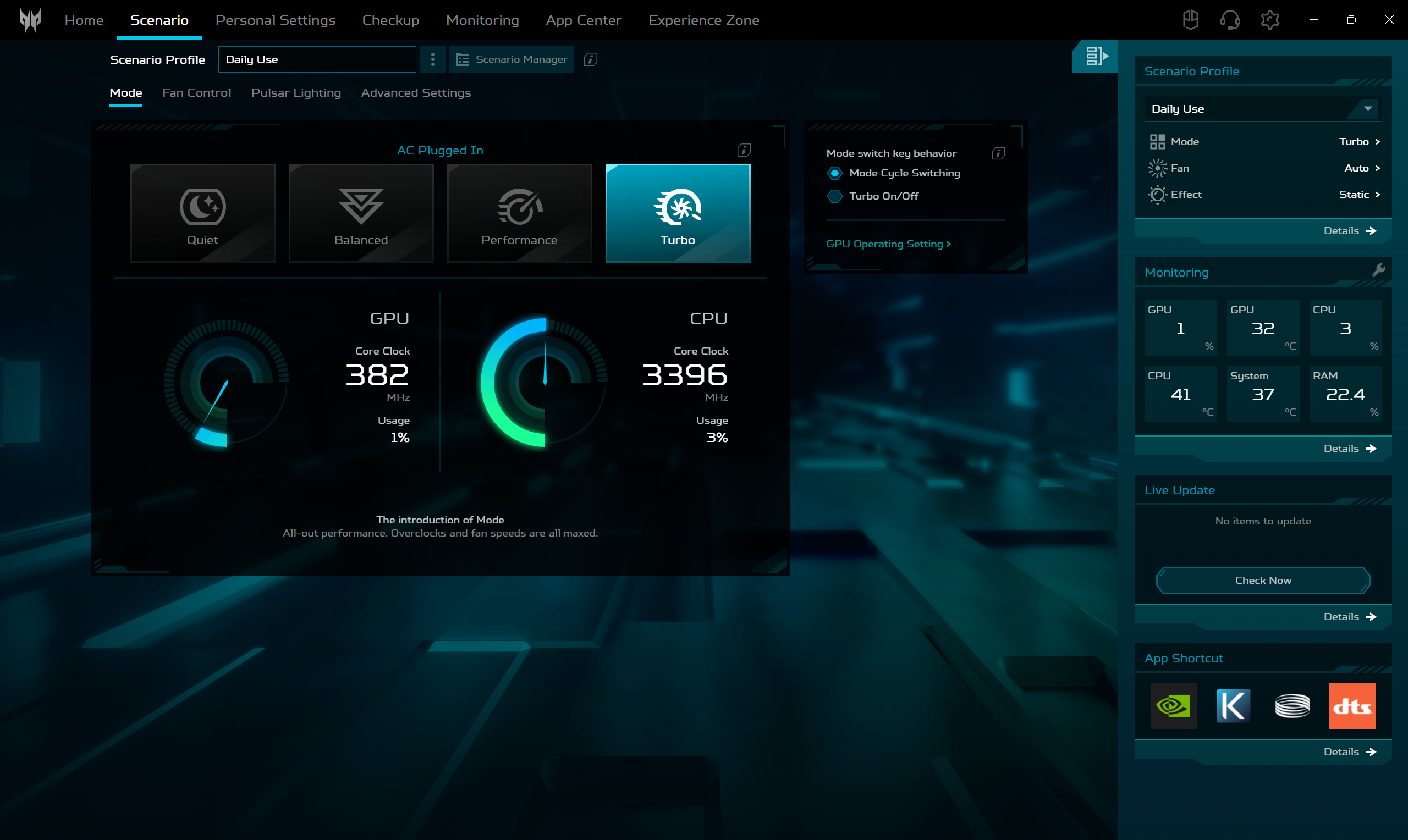
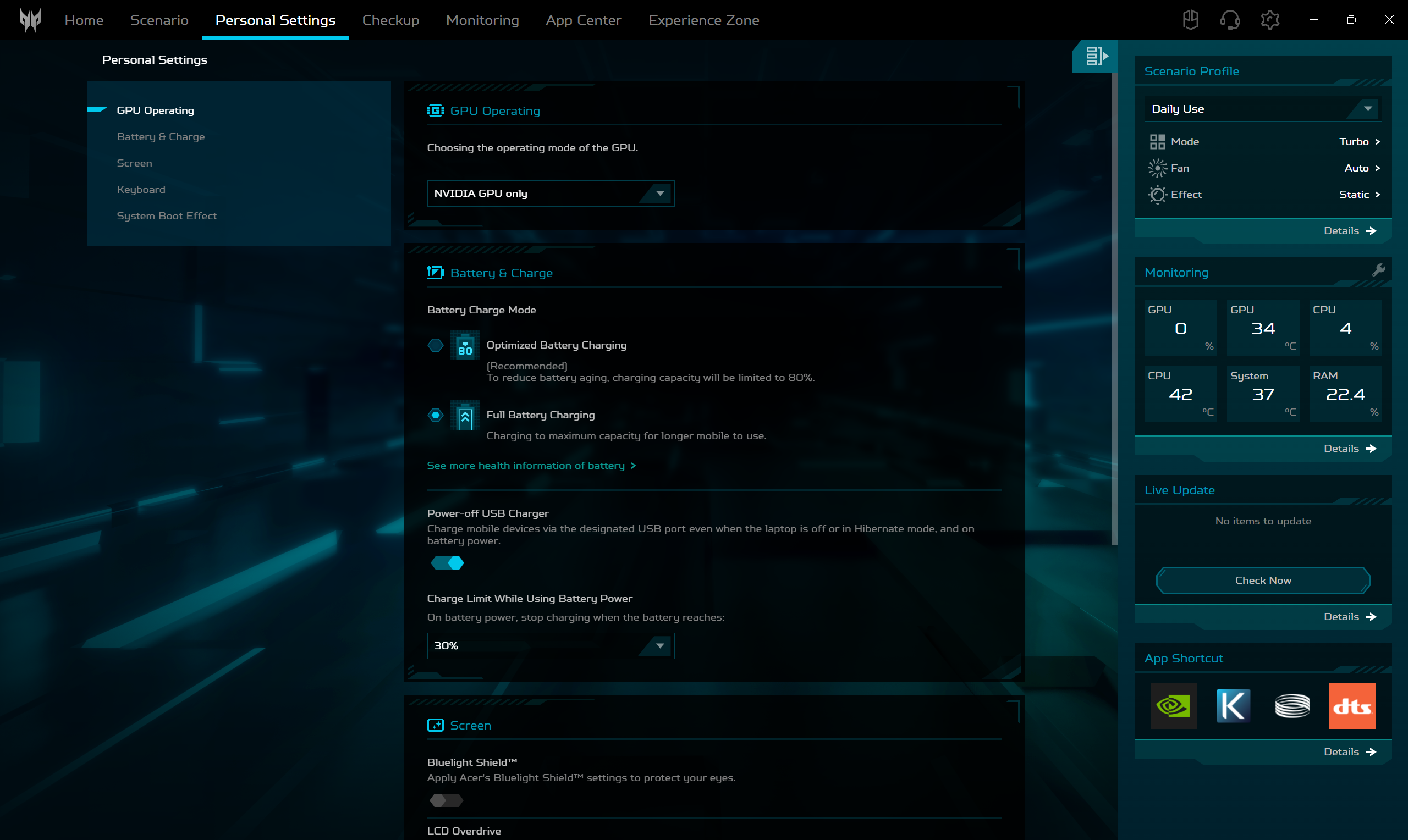
All performance and temperature tests are conducted with Turbo / dGPU mode activated in PredatorSense:
CPU and Work Performance
On the graphics side, the Helios 18 AI offers top-tier GPU options starting with the NVIDIA GeForce RTX 5090 (Laptop), which holds the #1 spot in our Top Laptop Graphics Ranking. You can also configure the system with the RTX 5080 (Laptop) at #2, both of which support advanced technologies like real-time ray tracing and AI-accelerated rendering for high-frame-rate gaming and GPU-heavy creative applications.
The results are clear – if you need the most powerful workstation, get the Legion Pro 7i is the better choice – it has 5-10% higher multi-core performance.
Single-core performance ensures smooth operation and responsiveness in operating systems, providing a better user experience.
Results are from the Geekbench 6 Single-Core test (higher is better)
Multi-core performance is essential for handling complex and demanding tasks, such as Video editing, CAD, and Scientific simulations.
Results are from the Geekbench 6 Multi-Core test (higher is better)
Here, we evaluate the CPU's performance using a real-world 3D rendering task, assessing its ability to handle complex computations and rendering workloads efficiently.
Results are from the Cinebench 2024 Multi-Core test (higher is better)
Storage Performance
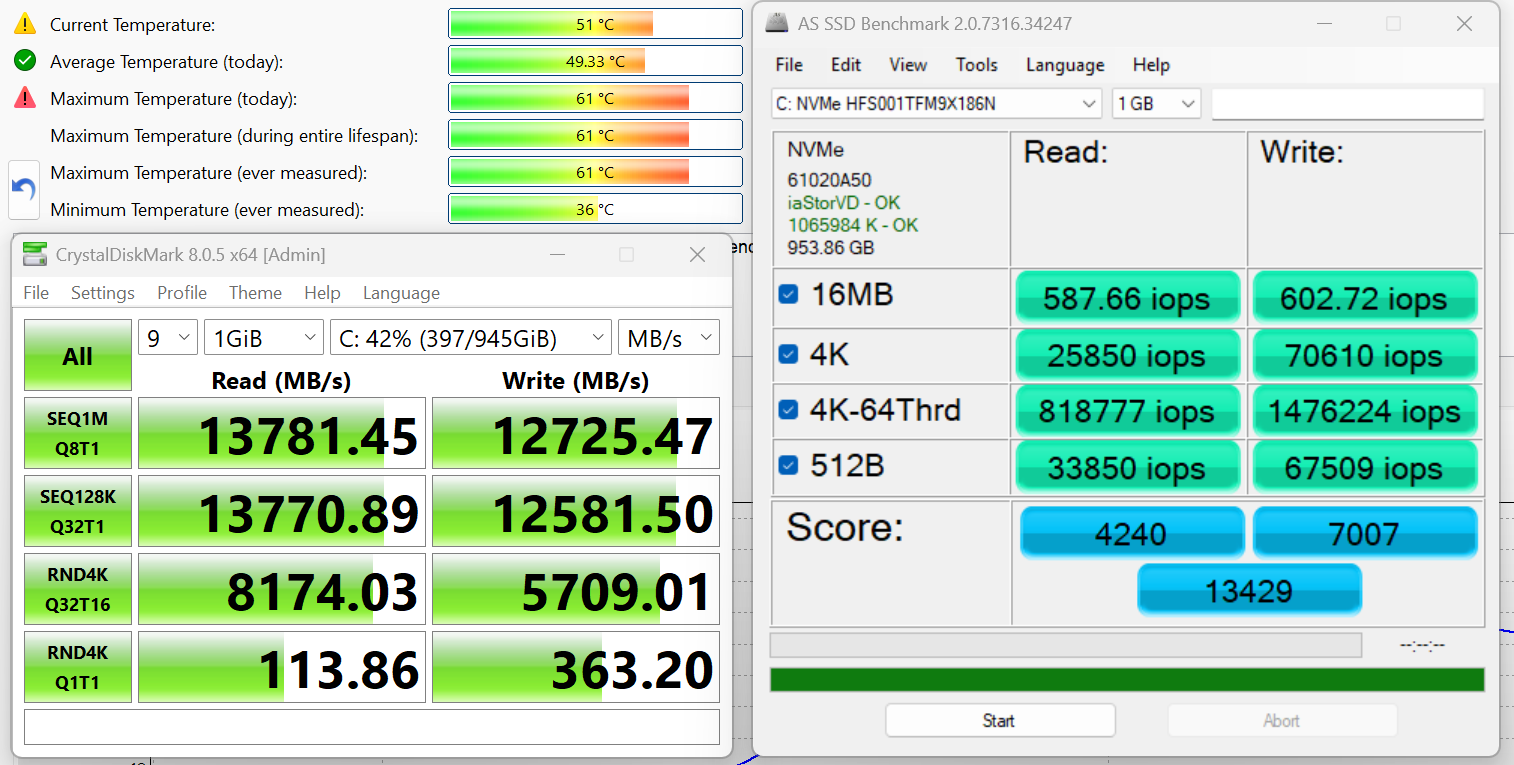
We ordered a configuration with 1TB of storage and the Acer Predator Helios 18 AI (PH18-73) arrived with SK Hynix HFS001TFM9X186N.
It’s a super fast PCIe 5.0 NVMe drive, reaching 13.8GB/sec sequential read and 12.7GB/sec sequential write speeds in our benchmark, while keeping the temperatures rather low.
AI Performance
Here you can see the position of the GPUs and CPUs (NPUs) found within the Acer Predator Helios 18 AI (PH18-73) in our AI Hardware Performance Rankings based on their AI processing power, measured in TOPS (Tera Operations Per Second) - a critical metric indicating the computational throughput, particularly for AI tasks.
The first column shows peak performance for INT8/FP8 precision, which is the most widespread metric for evaluating AI inference capabilities. We exclude Sparsity to provide a more accurate reflection of AI performance in dense computation scenarios where sparsity optimizations may not be applicable. The second and third columns show the performance with Sparsity, and FP4 TFLOPS, when supported.
For SoCs, the results reflect the peak performance of the integrated NPU. Additionally, it’s important to note that, according to Microsoft, a NPU must have at least 40 TOPS of AI computing power for the PC to be considered “AI-capable.”
| # | GPU / CPU (NPU) | TOPS INT8/FP8 No Sparsity | TOPS INT8/FP8 Sparsity | TFLOPS FP4 Sparsity |
|---|---|---|---|---|
| 172. | NVIDIA GeForce RTX 5090 (Laptop) | 363 | 726 | 1452 |
| 416. | NVIDIA GeForce RTX 5080 (Laptop) | 281 | 562 | 1124 |
| 1740. | Intel Core Ultra 9 275HX | 13 | — | — |
GPU and Gaming Performance
The Acer Predator Helios 18 AI (PH18-73) is built around the Intel Core Ultra 9 275HX, a high-end H-series processor that currently ranks #5 in our Top Laptop CPU Ranking. This CPU delivers robust multi-core performance for gaming, AI-assisted workflows, and demanding creative tasks, making the laptop capable of handling intensive loads with ease.
Acer Predator Helios 18 AI (PH18-73) has a slight edge over Lenovo Legion Pro 7i (16″, Gen 10) in Time Spy (+3%), while ASUS ROG Strix G18 G815 is slightly faster than PH18-73 (+1.4%). It’s interesting that Helios 18 AI and Legion Pro 7i got the exact same result in Wild Life Extreme – 42916 pts.
The results are from 3DMark Time Spy (Graphics). Higher is better.
The results are from 3DMark Wild Life Extreme Unlimited. Higher is better.
Gaming tests

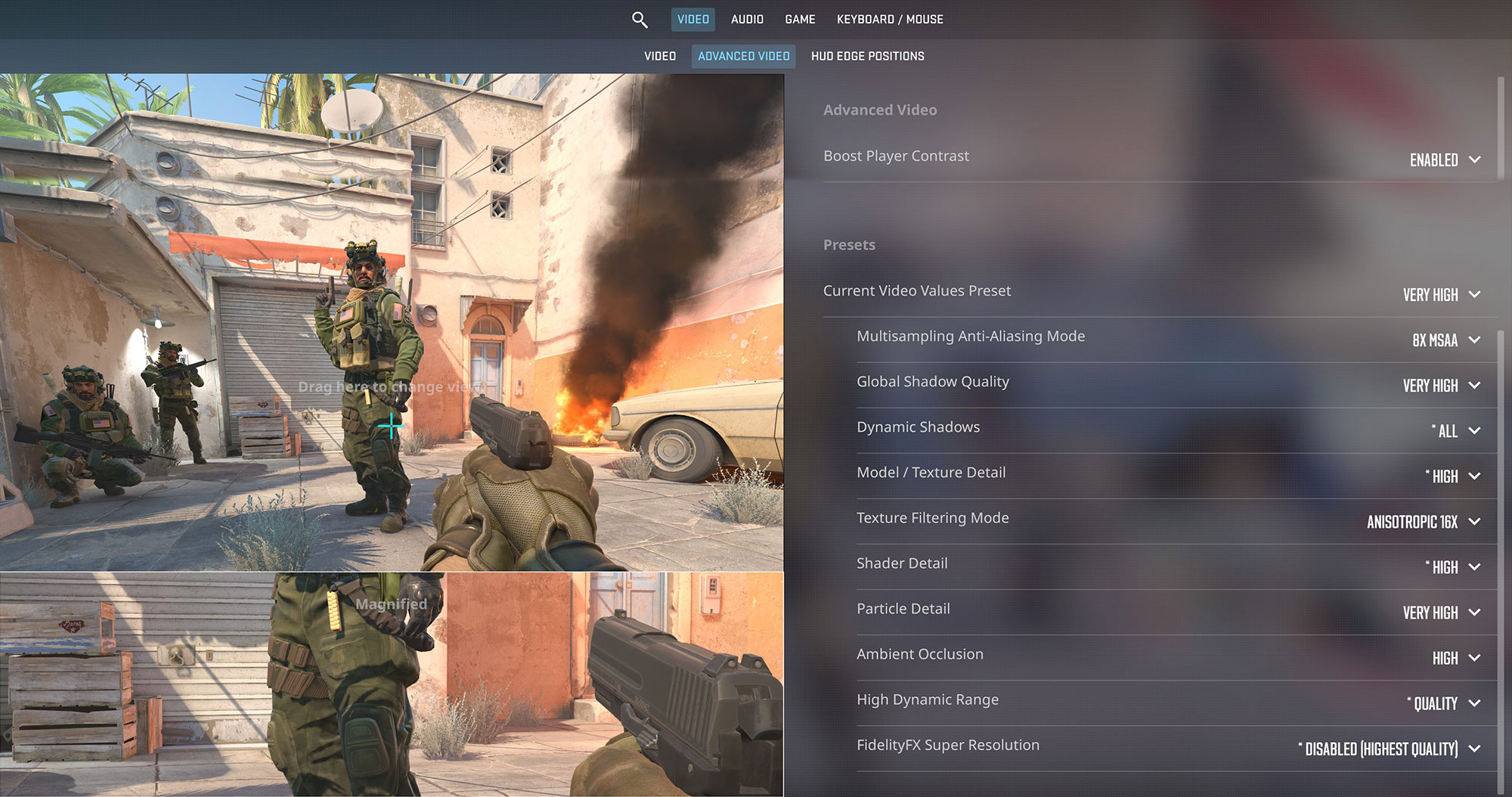
The Acer Predator Helios 18 AI is an esports monster. In Counter-Strike 2, it delivers an incredible 307 FPS at the native 1600p resolution on Very High settings, completely saturating the ultra-fast 250Hz display for the ultimate competitive edge.
| Counter Strike 2 | 1600p, Very High (Check settings) |
| Average FPS | 307 FPS |

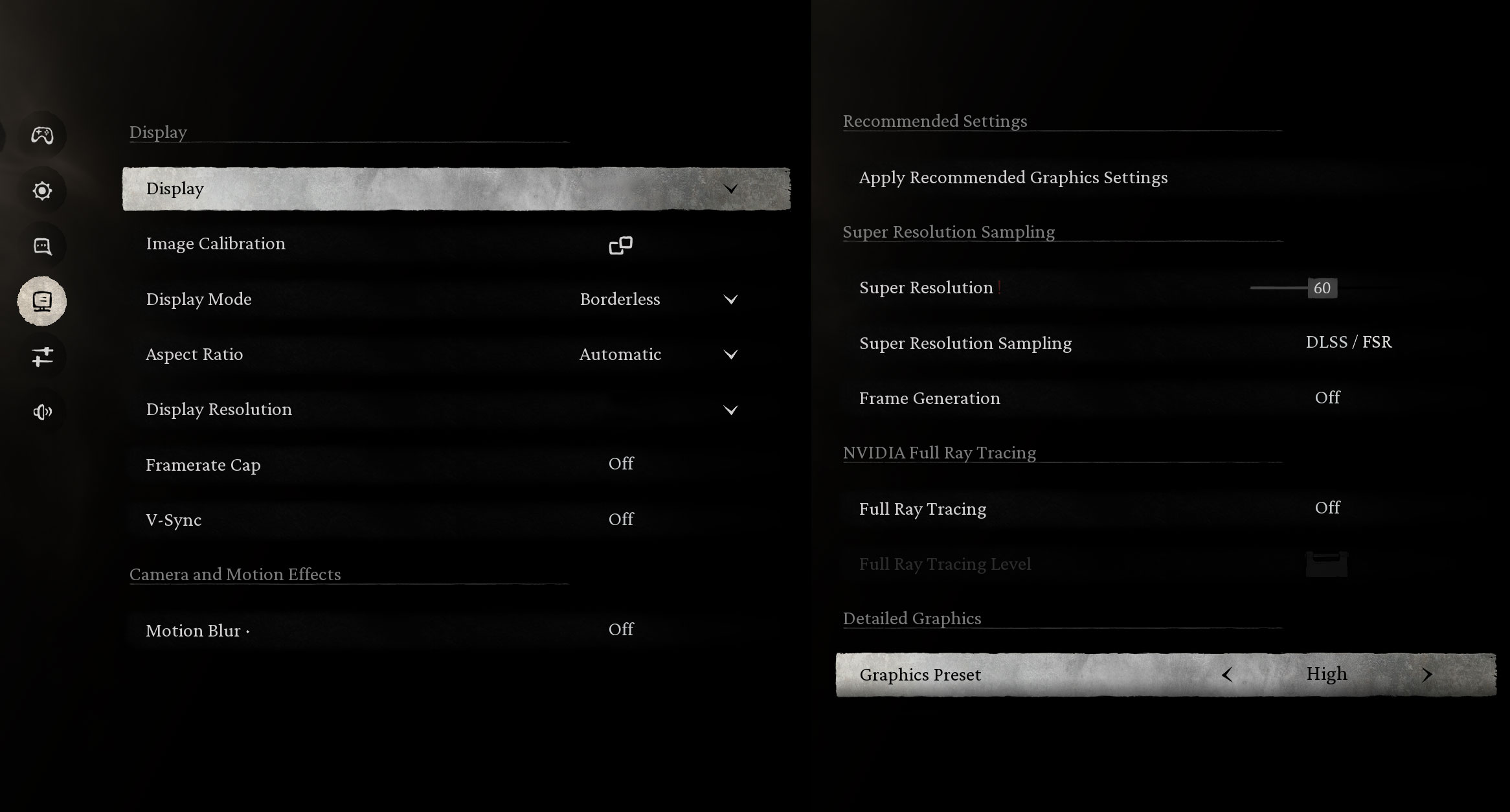
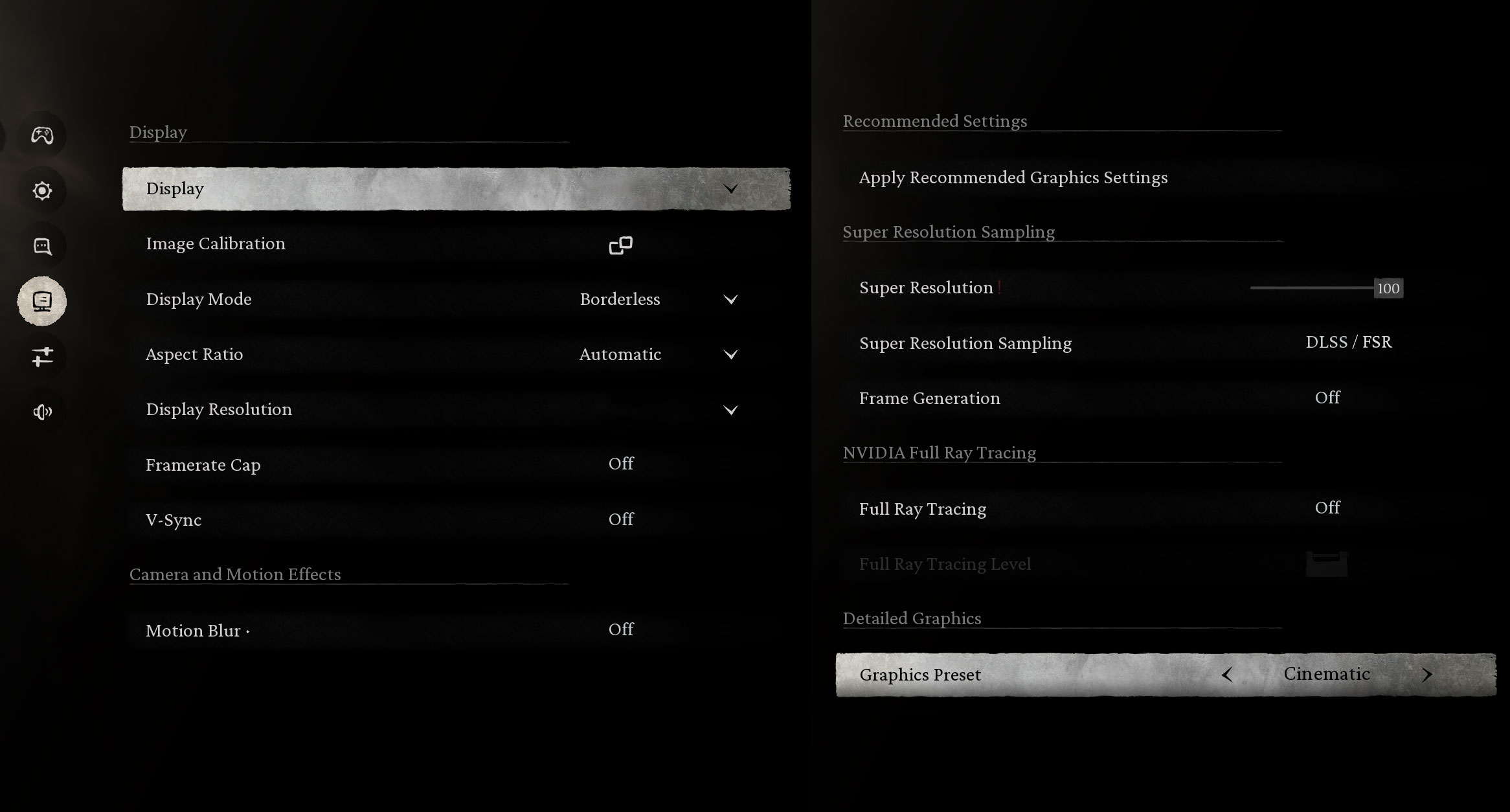
In the graphically intense Black Myth: Wukong, the RTX 5080 shows its power. It maintains a very smooth 117 FPS on High settings at 1600p. The demanding Cinematic preset hits 48 FPS, which is playable, but enabling DLSS will likely push this much higher.
| Black Myth: Wukong | 1600p, High (Check settings) | 1600p, Cinematic (Check settings) |
| Average FPS | 117 FPS | 48 FPS |

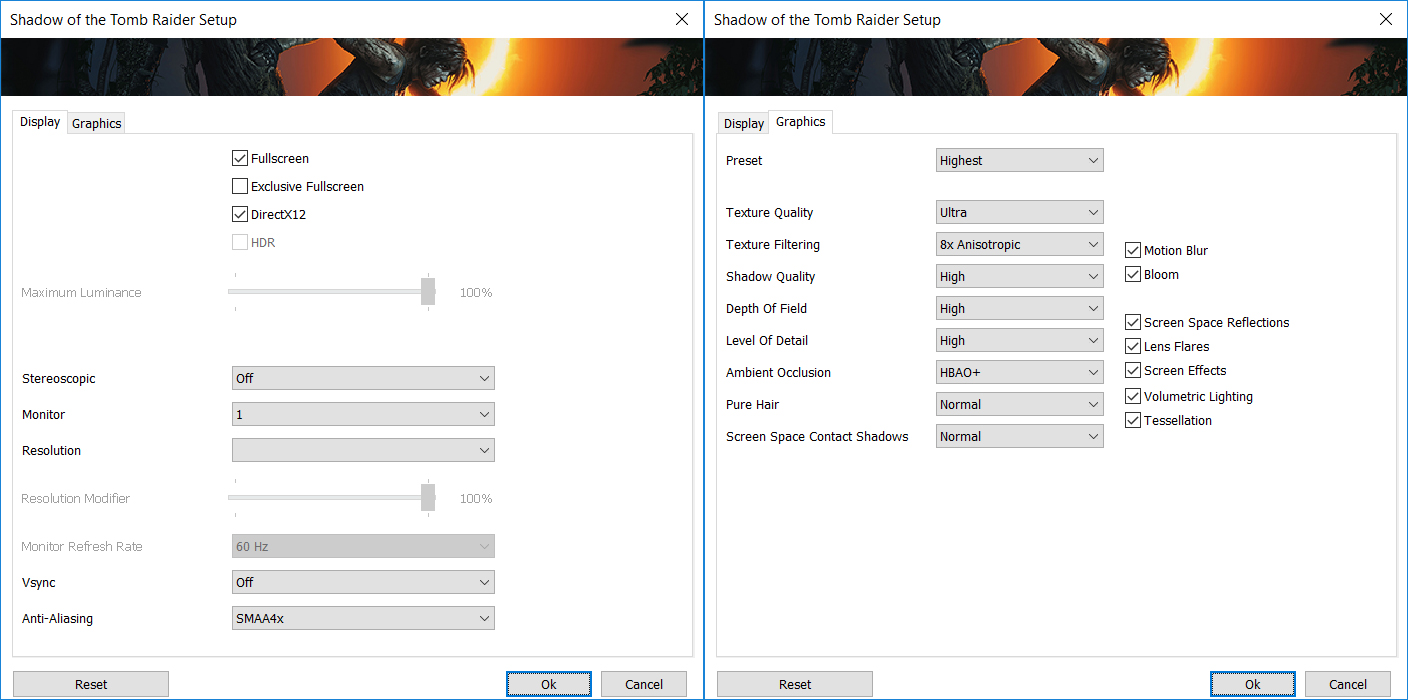
Shadow of the Tomb Raider looks stunning and runs flawlessly. The laptop achieves a high 130 FPS average at the native 1600p resolution on the Highest graphics preset, ensuring an immersive experience.
| Shadow of the Tomb Raider | 1600p, Highest (Check settings) |
| Average FPS | 130 FPS |

Even with the heavy ray-tracing workload of Metro Exodus Enhanced Edition, the Helios 18 AI performs brilliantly. It achieves a buttery-smooth 120 FPS on High settings at 1600p.
| Metro Exodus Enhanced Edition | 1600p, High (Check settings) |
| Average FPS | 120 FPS |
Temperatures and Comfort, Noise, Stability
At idle (Turbo preset), the CPU package of the Helios 18 maintains a temperature of 43ºC, and the laptop is slightly audible, not completely silent. The CPU fans rotate at ~1700 RPM.
Office Work, Web Development, Design
Short periods (0:00 – 0:10 s) of 100 % CPU load
This test shows the CPU behavior during short periods of serious load. It’s important for users who are looking for laptops suitable for tasks like Web Design and Programming.
| Intel Core Ultra 9 275HX | Avg. P-Core Clock | Avg. CPU Temp. | Avg. CPU Power |
| Lenovo Legion 9i (18″, Gen 10 / 18IAX10) | 4850 MHz | 89 °C | 175 W |
| Acer Predator Helios 18 AI (PH18-73) | 4691 MHz | 102 °C | 164 W |
| MSI Vector 17 HX AI A2XW | 4496 MHz | 81 °C | 120 W |
| Alienware 16X Aurora (AC16251) | 4491 MHz | 104 °C | 140 W |
| ASUS ROG Strix G18 G815 (2025) | 4480 MHz | 78 °C | 123 W |
| ASUS ROG Strix G16 G615 | 4471 MHz | 94 °C | 150 W |
| Acer Predator Helios Neo 16 AI (PHN16-73) | 4406 MHz | 91 °C | 151 W |
| ASUS ROG Strix SCAR 18 G835 (2025) | 4399 MHz | 90 °C | 117 W |
| Acer Predator Helios 16 AI (PH16-73) | 4374 MHz | 87 °C | 154 W |
| Acer Predator Helios Neo 18 AI (PHN18-72) | 4273 MHz | 76 °C | 136 W |
| Lenovo Legion Pro 7i Gen 10 (16″ Intel) | 4268 MHz | 90 °C | 167 W |
| MSI Vector 16 HX AI A2XW | 4185 MHz | 90 °C | 155 W |
| Lenovo Legion 7i (16”, Gen 10 / 16IAX10) | 4142 MHz | 94 °C | 118 W |
| HP OMEN MAX 16 (Intel, 16-ah0000) | 3936 MHz | 64 °C | 84 W |
| Acer Predator Helios Neo 16S AI (PHN16S-71) | 3829 MHz | 88 °C | 130 W |
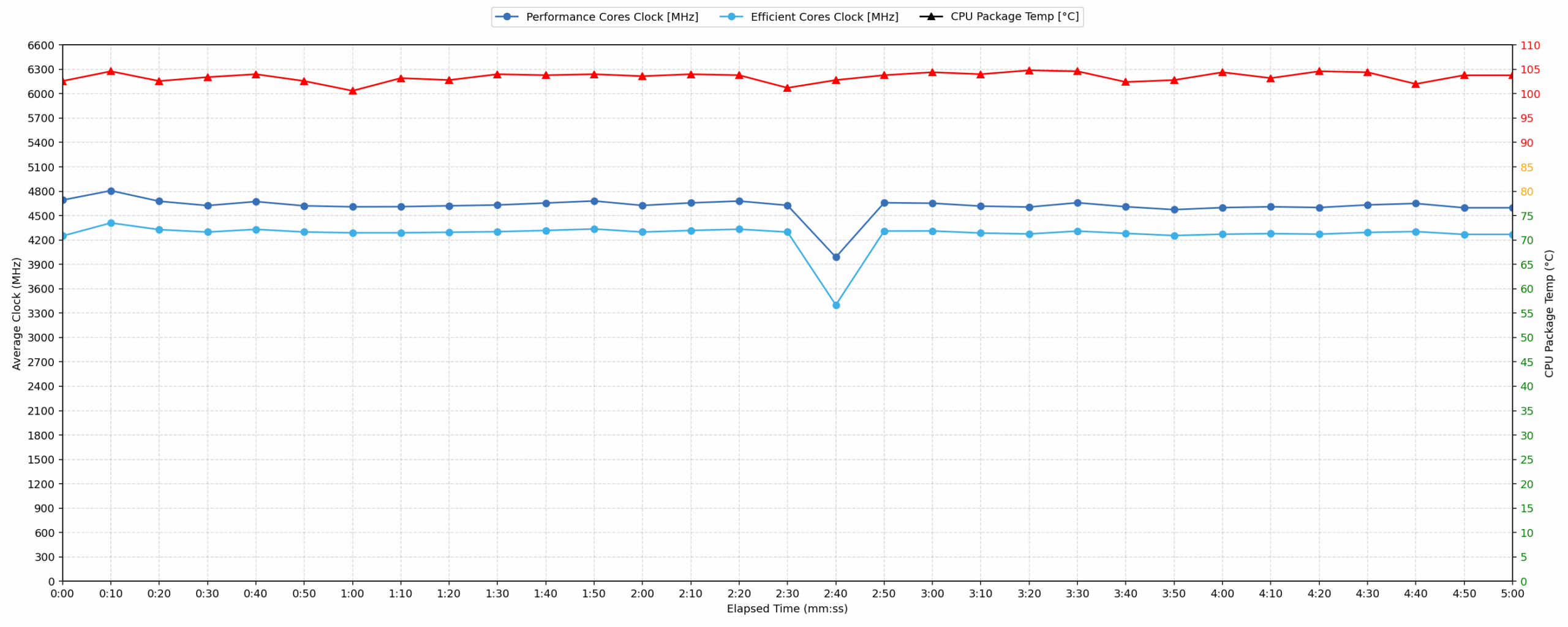
In short-burst scenarios, the Acer Predator Helios 18 AI demonstrates aggressive performance, reaching an average P-core clock of 4691 MHz. This puts it ahead of competitors like the MSI Vector 17 HX and Alienware 16X Aurora, trailing only the Lenovo Legion 9i. However, this speed comes at the cost of thermal headroom, with temperatures averaging 102 °C and peaking at 105 °C, which is high. The CPU pulls a substantial 164 W on average during this window, highlighting a focus on high power delivery for quick computational tasks.
Video editing, Scientific computing, Software compilation, 3D rendering
Long periods (0:00 – 30:00 min) of 100 % CPU load
This test shows the CPU behavior during long periods of serious load. It’s important for users who are looking for laptops suitable for tasks like Video Editing and 3D Rendering.
| Intel Core Ultra 9 275HX | Avg. P-Core Clock | Avg. CPU Temp. | Avg. CPU Power |
| Lenovo Legion 9i (18″, Gen 10 / 18IAX10) | 4576 MHz | 101 °C | 171 W |
| Acer Predator Helios 18 AI (PH18-73) | 4563 MHz | 103 °C | 152 W |
| ASUS ROG Strix G18 G815 (2025) | 4377 MHz | 90 °C | 144 W |
| ASUS ROG Strix G16 G615 | 4178 MHz | 97 °C | 134 W |
| Acer Predator Helios 16 AI (PH16-73) | 4106 MHz | 92 °C | 140 W |
| ASUS ROG Strix SCAR 18 G835 (2025) | 4058 MHz | 95 °C | 130 W |
| Acer Predator Helios Neo 18 AI (PHN18-72) | 4042 MHz | 84 °C | 131 W |
| HP OMEN MAX 16 (Intel, 16-ah0000) | 4036 MHz | 78 °C | 101 W |
| Acer Predator Helios Neo 16 AI (PHN16-73) | 4035 MHz | 91 °C | 130 W |
| MSI Vector 17 HX AI A2XW | 4007 MHz | 87 °C | 111 W |
| Lenovo Legion Pro 7i Gen 10 (16″ Intel) | 3981 MHz | 91 °C | 151 W |
| MSI Vector 16 HX AI A2XW | 3903 MHz | 84 °C | 111 W |
| Lenovo Legion 7i (16”, Gen 10 / 16IAX10) | 3785 MHz | 89 °C | 96 W |
| Alienware 16X Aurora (AC16251) | 3651 MHz | 101 °C | 86 W |
| Acer Predator Helios Neo 16S AI (PHN16S-71) | 3362 MHz | 85 °C | 86 W |
Under sustained 30-minute stress, the Helios 18 AI maintains an impressive 4563 MHz average P-core clock, making it one of the fastest implementations of the Core Ultra 9 275HX tested. It significantly outperforms the ASUS ROG Strix G18 and its smaller sibling, the Helios 16 AI. Thermal management remains a challenge, as temperatures average 103 °C, staying firmly in the high range. Despite a clock drop to 3210 MHz during the test, the 152 W average power consumption ensures class-leading sustained performance for demanding workloads like 3D rendering.

Gaming Stability
Continuous gaming (1-hour test)
This test evaluates the laptop’s performance under sustained GPU load and high CPU usage.
| NVIDIA GeForce RTX 5080 | Avg. GPU Clock | Avg. GPU Temp. | Avg. Memory Clock | Avg. GPU Mem Temp. | Avg. GPU Power |
| Lenovo Legion Pro 7i Gen 10 (16″ Intel) | 2406 MHz | 77 °C | 1799 MHz | 80 °C | 169 W |
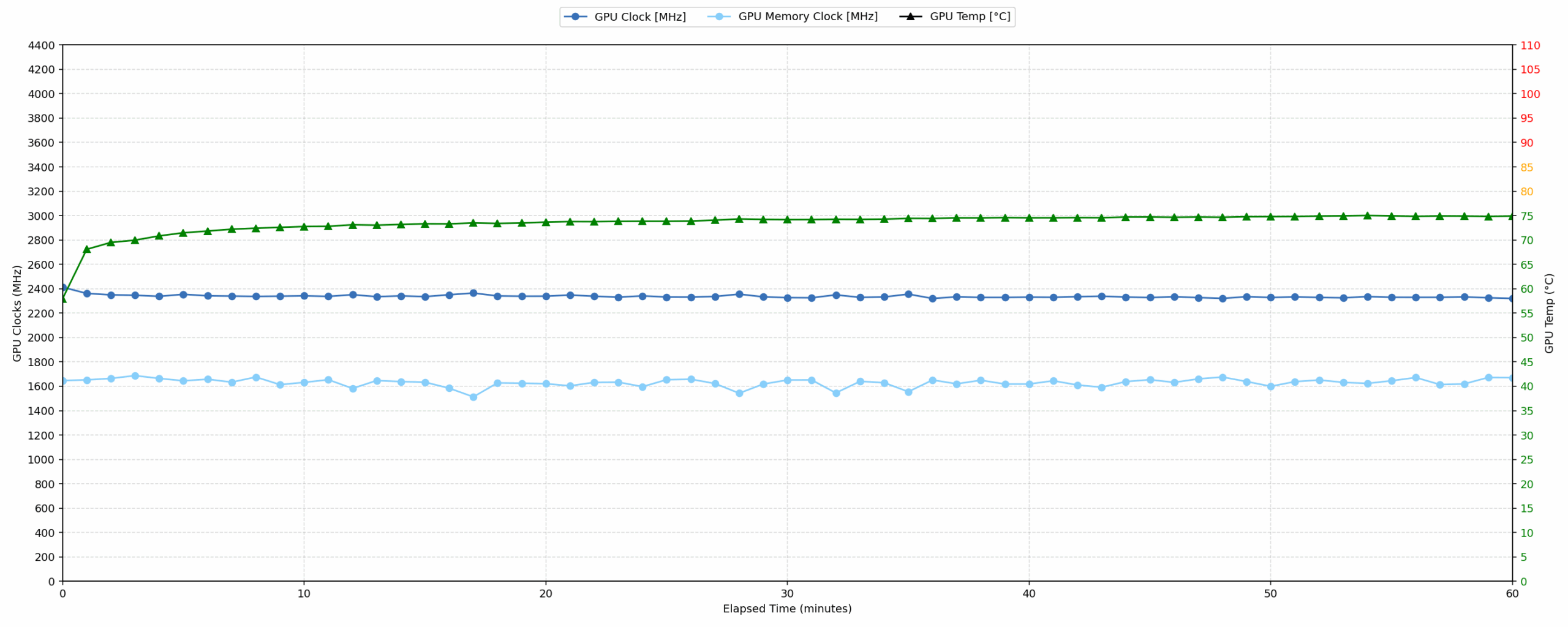
| Acer Predator Helios 18 AI (PH18-73) | 2337 MHz | 73 °C | 1630 MHz | 77 °C | 171 W |
During continuous gaming sessions, the NVIDIA GeForce RTX 5080 maintains a steady average clock of 2337 MHz at a high 171 W power draw. Thermally, the GPU performs exceptionally well; the core temperature averages 73 °C, and the memory temperature stays at 77 °C, both of which are categorized as good. When compared to the Lenovo Legion Pro 7i, the Helios 18 AI runs slightly slower than the Lenovo’s 2406 MHz but operates with cooler core and memory temperatures. This indicates a stable gaming profile with efficient thermal dissipation for the GPU.
Battery Life
The battery of the Acer Predator Helios 18 AI (PH18-73) is a 4-cell Li-Polymer, model AP20BHU. Its nominal voltage is 15.2V and stores 99.98 Wh of electrical energy.
We tested the battery with Eco mode activated in Acer Predator Sense, Best Power Efficiency in Windows Settings and Hybrid mode for the GPU.

Helios 18 AI is the photo-finish winner here with 2 minutes longer runtime on a single charge – 5:07 hours vs 5:05 hours for Legion Pro 7i.
Brightness: 180 nits; Display Mode: SDR
Time to Full Discharge: Higher is Better
Disassembly, Upgrade options, and Maintenance
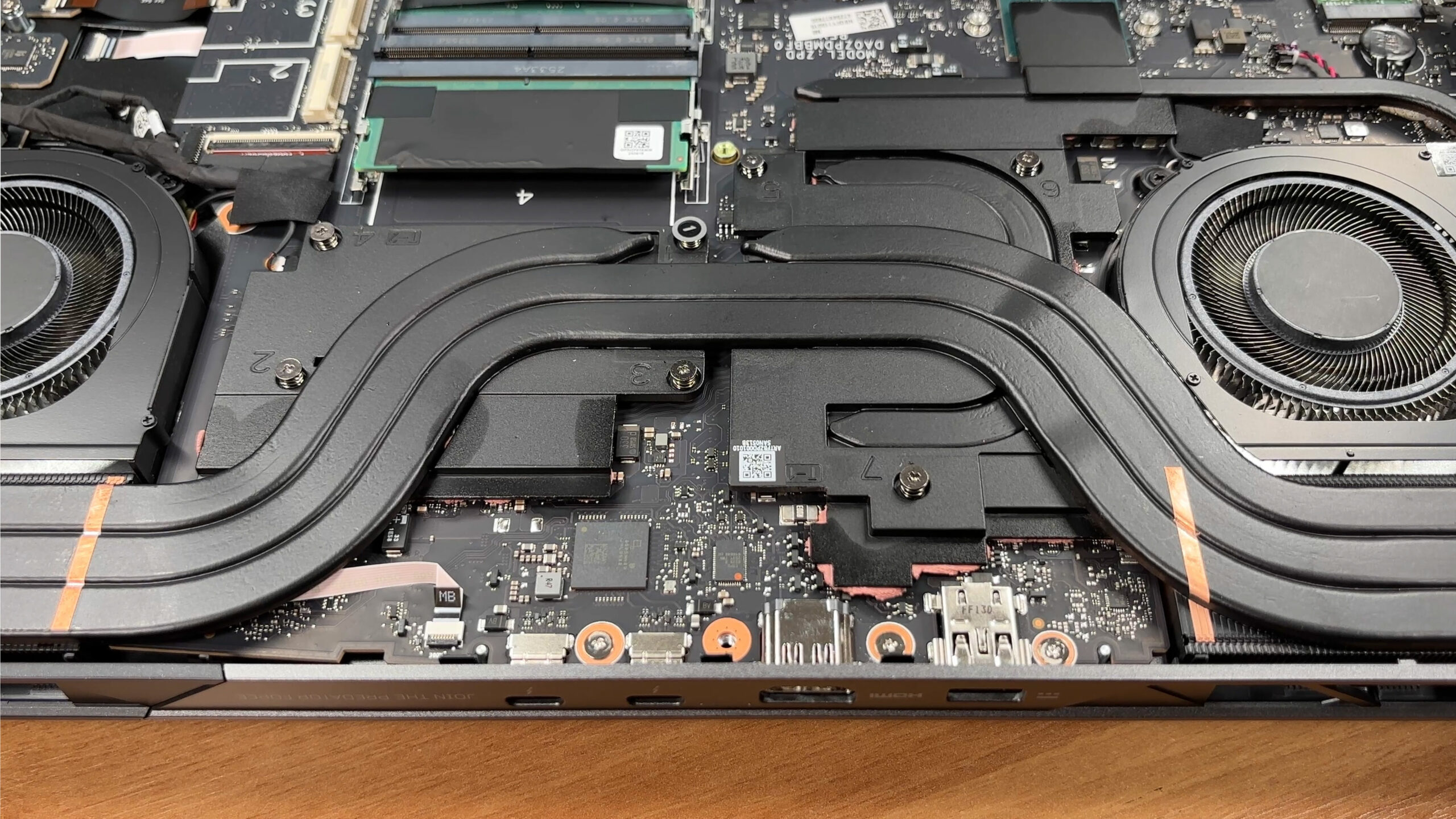
Getting inside the Acer Predator Helios 18 AI (PH18-73) is straightforward: you remove 10 Torx T6 screws, unclip the bottom panel, and the whole internal layout is immediately accessible for service and upgrades.
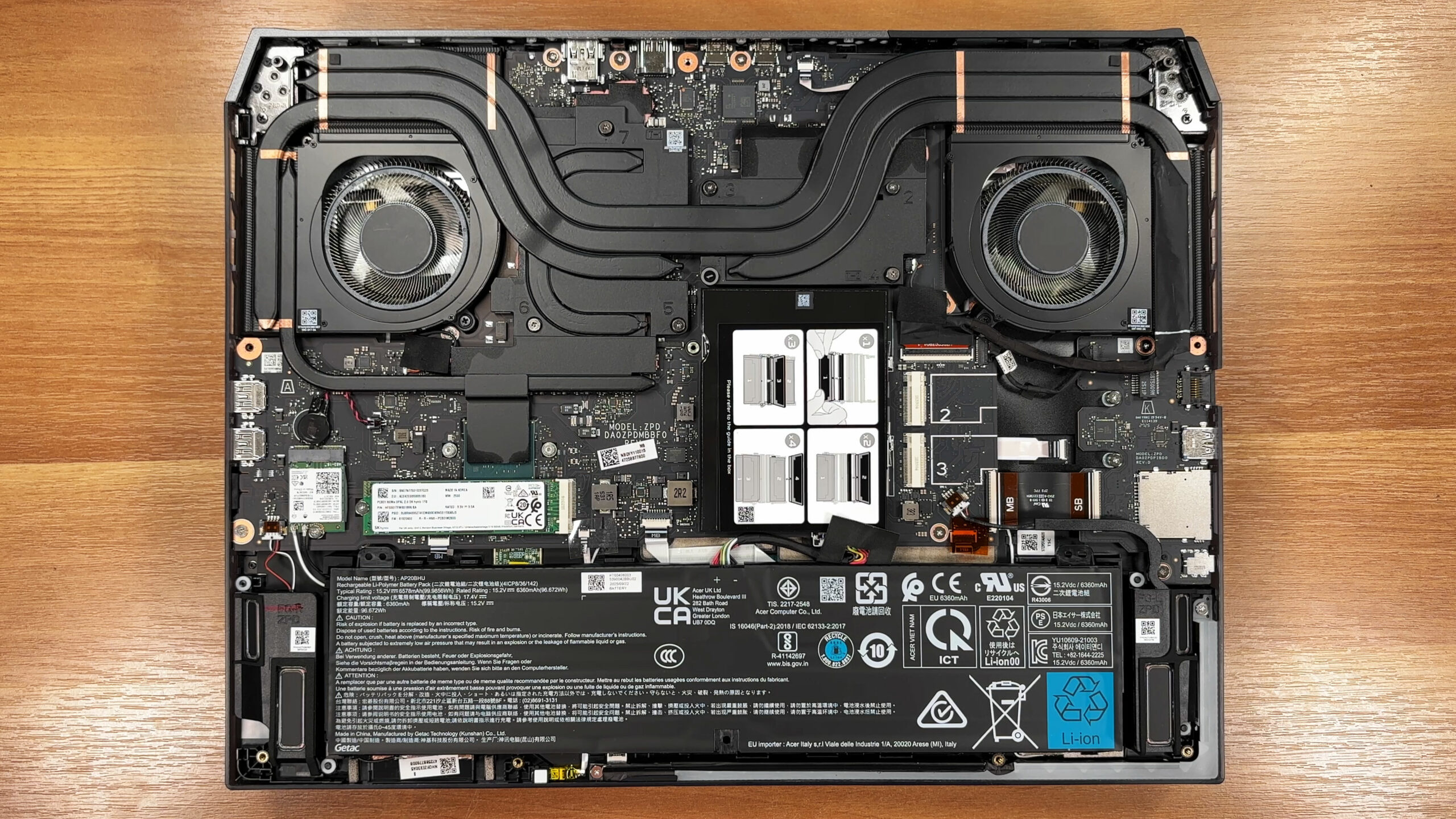
Cooling is clearly a priority here, with two large fans, a dense multi-heat-pipe array, and broad fin stacks feeding the side and rear exhaust zones. It is a high-capacity design intended to cool both the CPU and the discrete GPU under sustained load, and there is plenty of thermal contact hardware around the major heat sources.
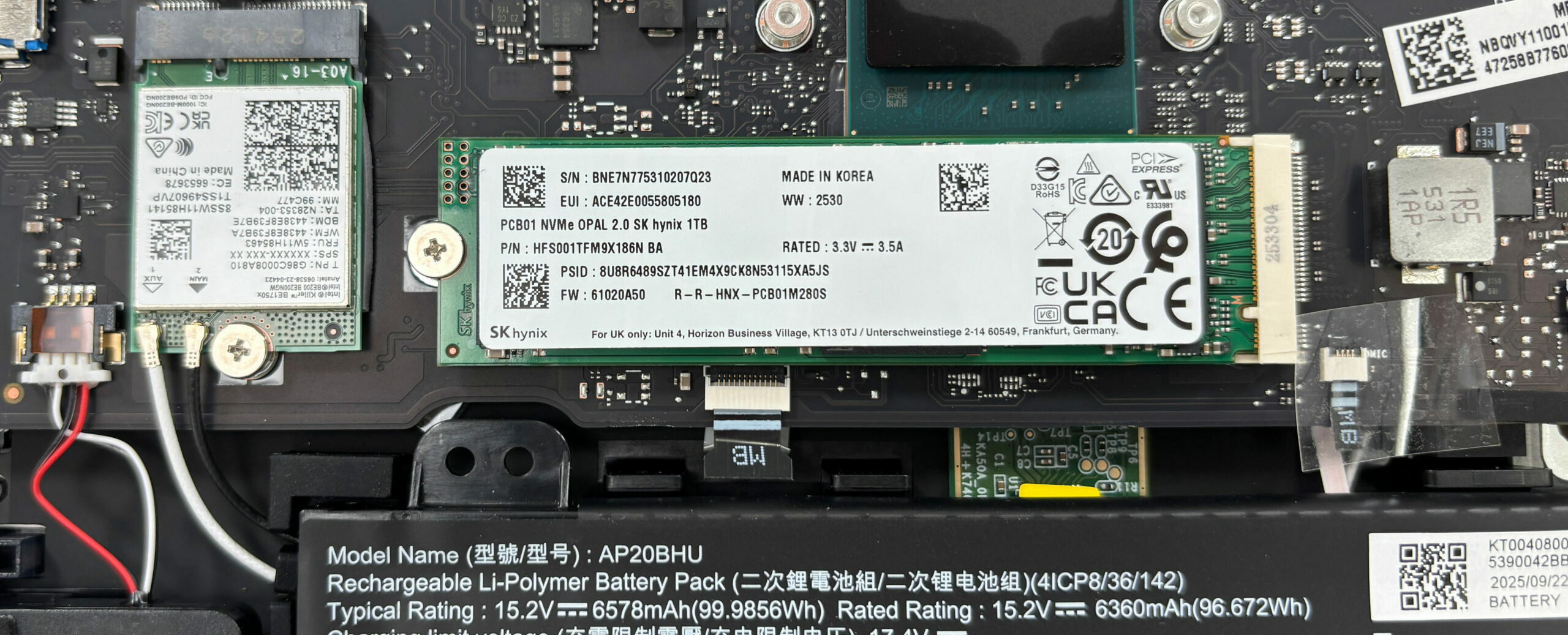
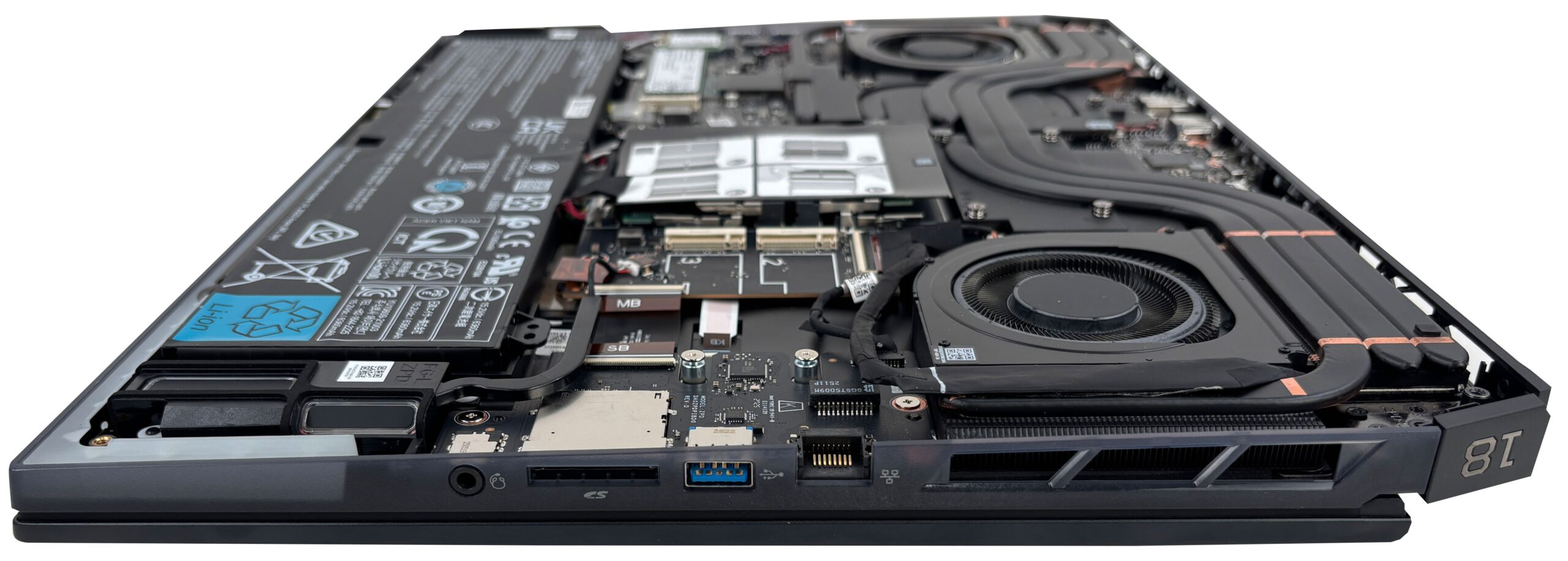
Storage is one of the strong points: the board provides three M.2 slots labeled 1, 2, and 3. In this platform, slot 1 supports PCIe Gen 5 drives, while slots 2 and 3 are PCIe Gen 4. Acer’s configuration options include 1TB or 2TB drives depending on slot and SKU, and our unit comes with a 1TB SK hynix NVMe SSD installed in the primary slot. There is thermal management both on the bottom cover and directly under the installed drive, which is a nice touch for sustained performance.
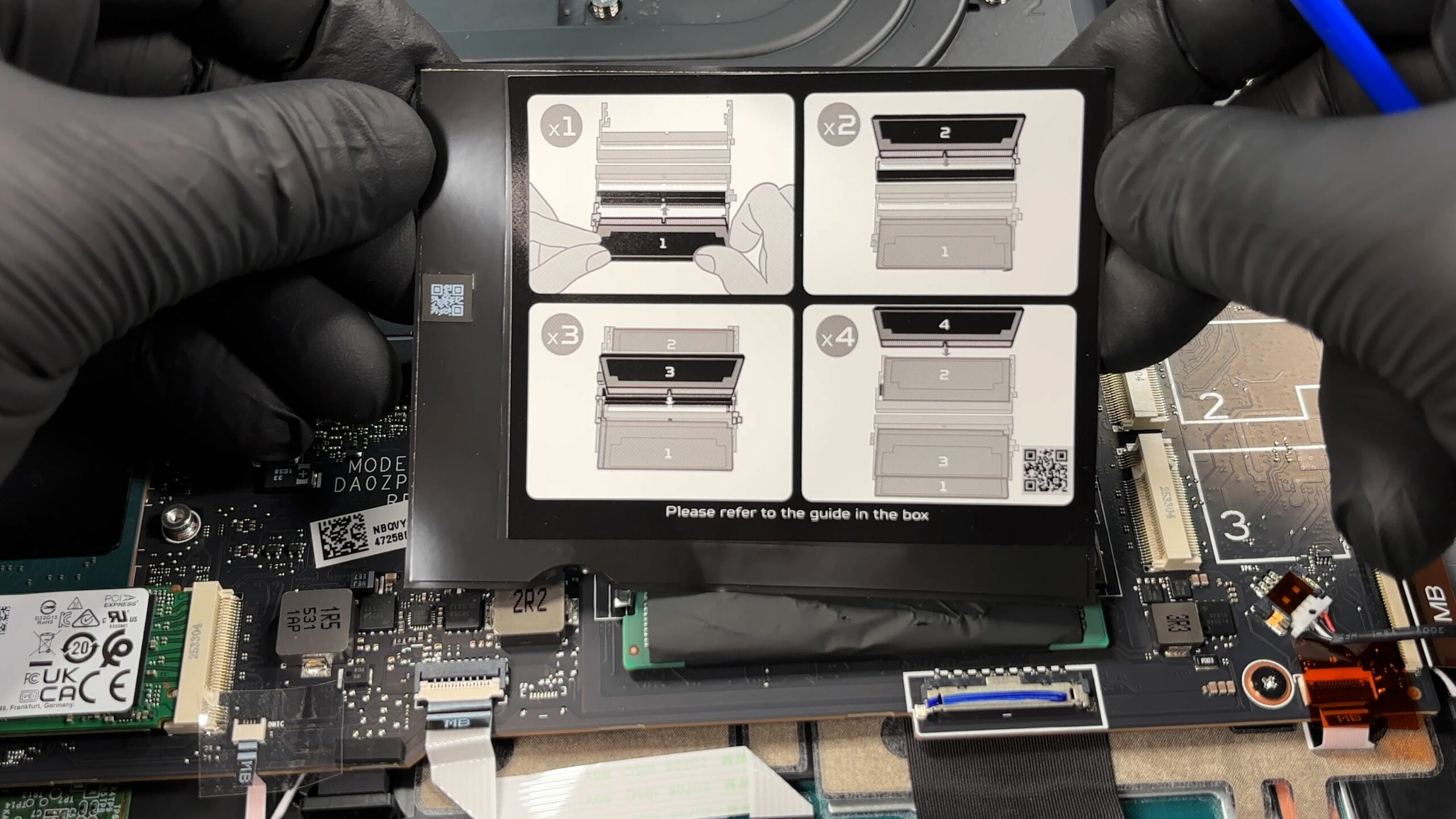
Memory is also unusually flexible – you get four DDR5 SODIMM slots, with official support up to 192GB total. Acer notes that frequency depends on population: up to DDR5-4400 with one or two modules, and up to DDR5-4000 when running three or four modules. The printed population guide on the internal shield makes correct upgrade order easy to follow.
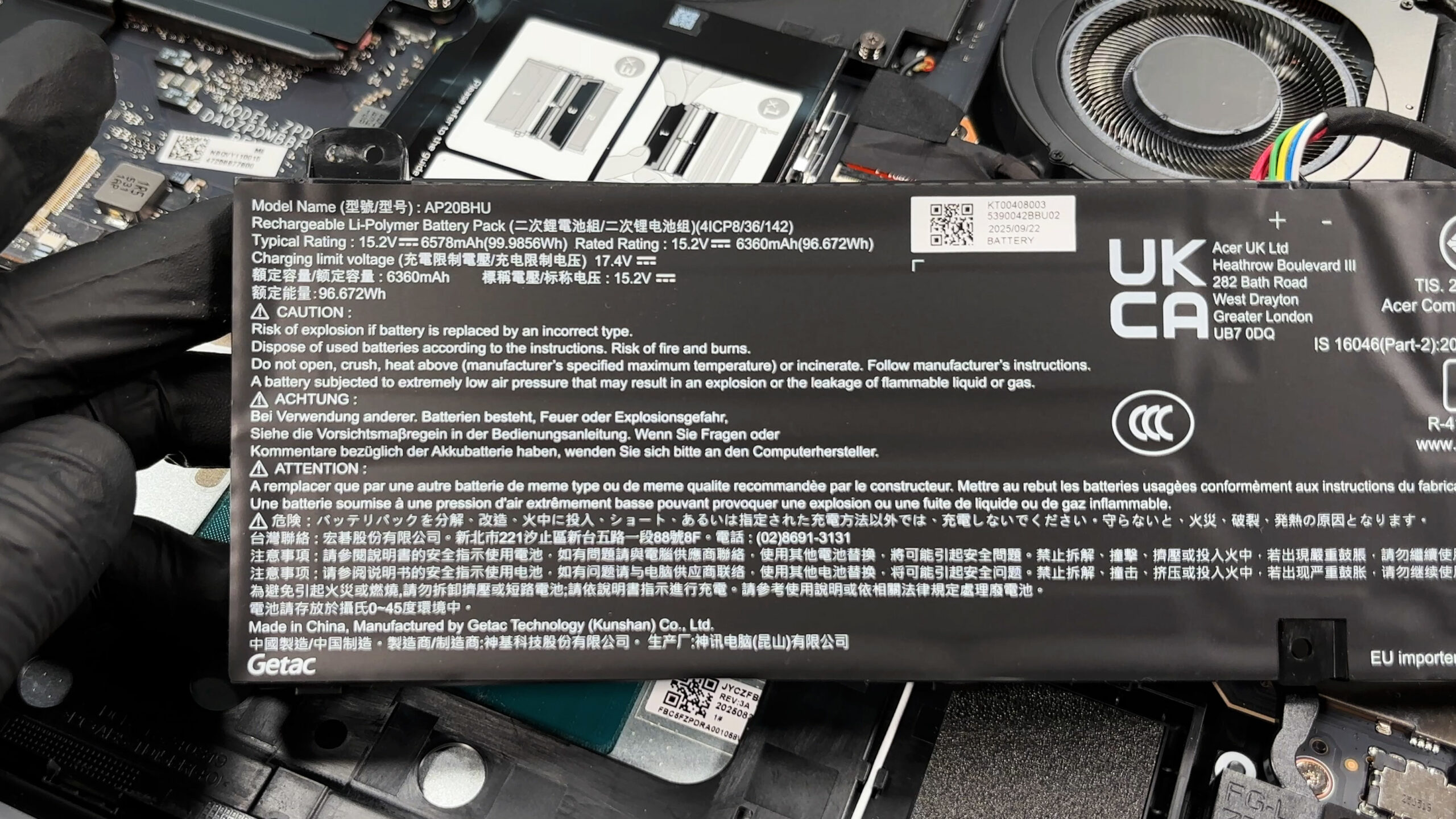
The battery is a large 4-cell pack (model AP20BHU), rated at 99.9856Wh typical and 96.672Wh rated capacity, and it spans most of the front section of the chassis. Its connector is easy to reach before touching other components, which is exactly what you want for safe servicing.
Beyond RAM and SSDs, several other parts are service-friendly, including the replaceable M.2 Wi-Fi card and multiple ribbon-connected modules around the lower section.
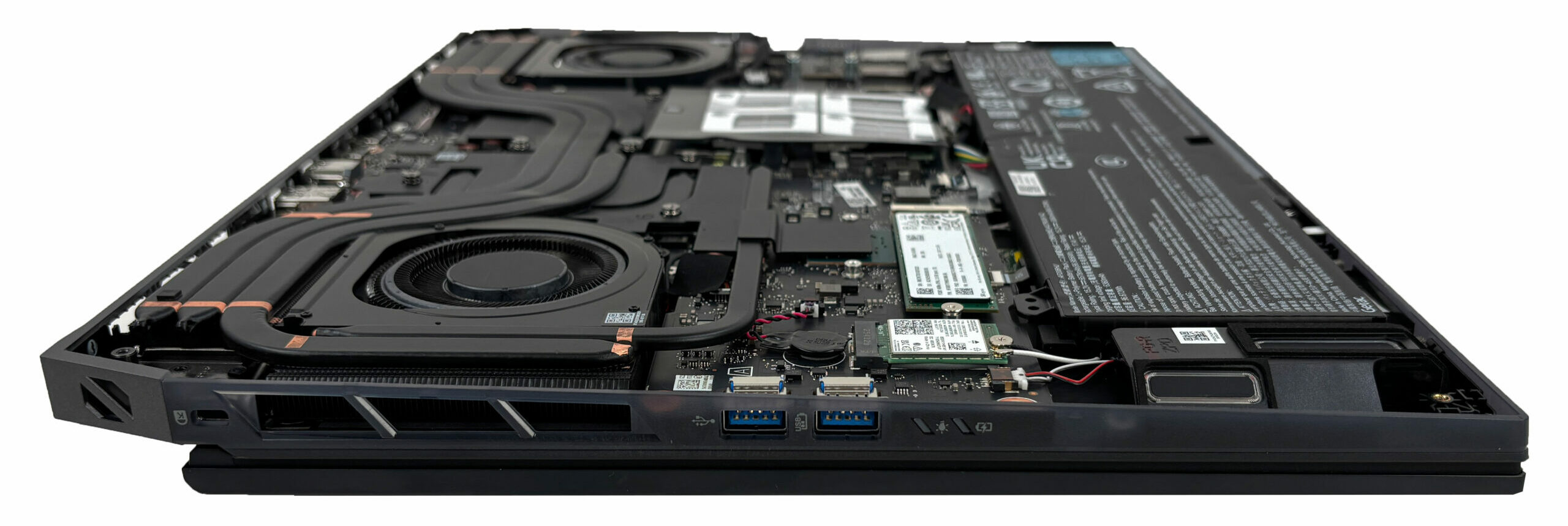
Despite being super-upgradable, the CPU and GPU are not socketed, so performance upgrades are limited to memory and storage, but that is still a generous upgrade path for long-term ownership.
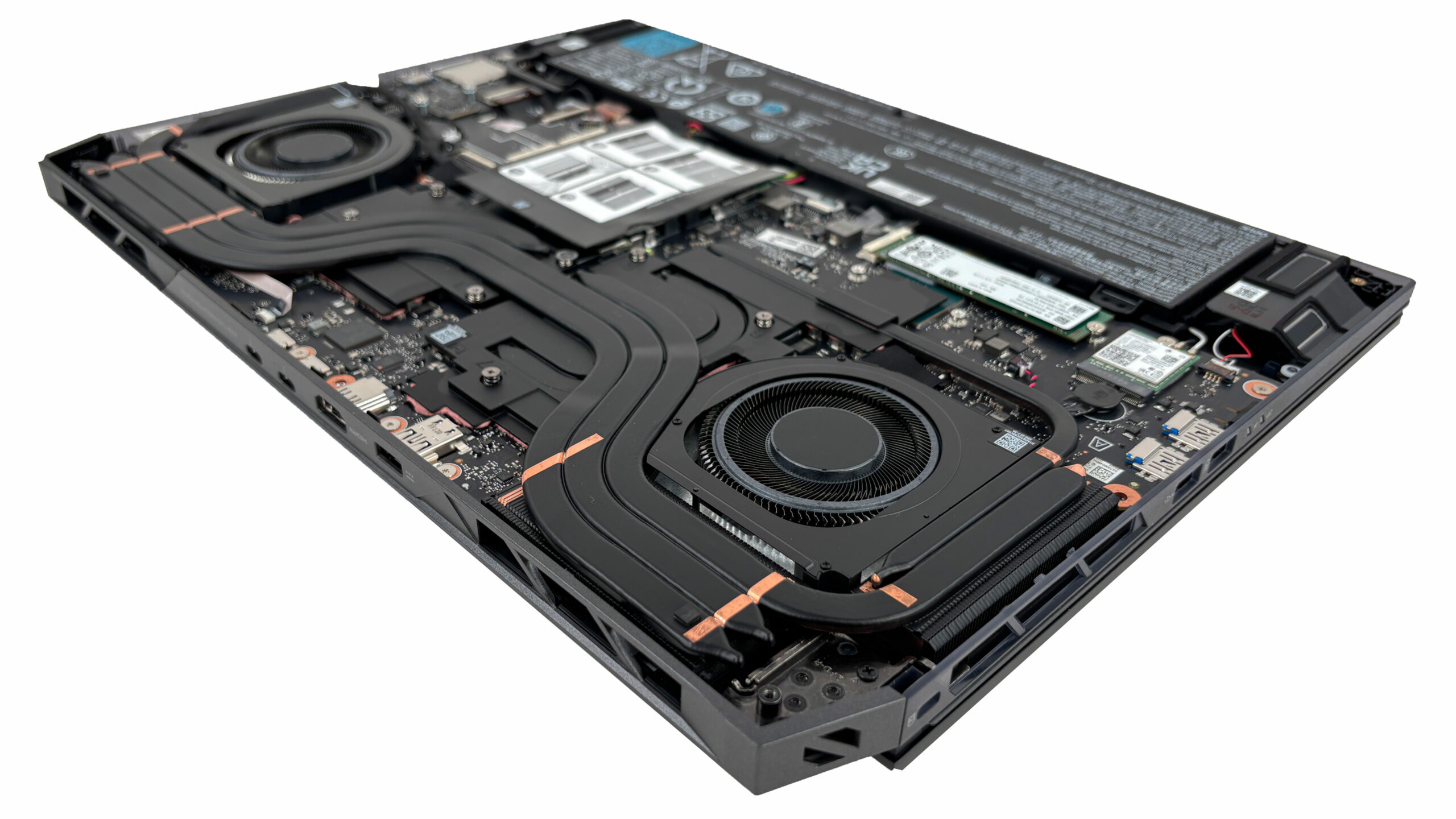
Overall, maintenance is very approachable for this category: access is simple, key components are well laid out, and upgrade potential is excellent thanks to four RAM slots and three M.2 SSD positions.
Verdict
The Acer Predator Helios 18 AI (PH18-73) is an unapologetic powerhouse that embraces its massive form factor to deliver a desktop-class experience. It’s a machine designed for the enthusiast who values screen real estate, expandability, and raw performance above all else. With its aggressive styling, vibrant RGB, and top-tier components, it screams “gamer” in the best possible way, offering an immersive platform for both play and heavy-duty work.
However, this focus on brute force comes with a few trade-offs, particularly in thermal management for the CPU and portability. It’s a laptop that demands to be the center of your setup, not a travel companion.
You can check the prices and configurations in our Specs System: https://laptopmedia.com/series/acer-predator-helios-18-ai-ph18-73/
✅ The Good
The standout feature of the Helios 18 AI is its incredible upgradeability. With four RAM slots supporting up to 192GB and three M.2 SSD slots (one Gen 5), it offers workstation-level expansion that is rare in the gaming laptop market. This makes it a fantastic long-term investment for power users who need serious memory and storage capacity.
The 18-inch 250Hz Mini LED display on our unit is a visual treat, offering blindingly high brightness, great contrast, and vivid colors, making games look spectacular. The performance is equally impressive, with the RTX 5080 delivering high frame rates and the CPU maintaining very high clock speeds under load. We also love the excellent keyboard with its deep travel and swappable MagKeys, and the robust port selection that includes dual Thunderbolt 5 ports.
Despite its size, the laptop manages decent battery life for its class, lasting just over 5 hours. The build feels sturdy, and the inclusion of Wi-Fi 7 ensures it’s future-proofed for the fastest networks.
❌ The Bad
The most significant concern is the CPU thermal performance. While it maintains high clock speeds, the processor runs consistently hot, averaging over 100°C under sustained load. This aggressive tuning prioritizes performance at the expense of thermals, which might worry users concerned about long-term longevity.
The Mini LED display, while bright and vibrant, suffers from aggressive PWM flickering, which can cause eye strain for sensitive users.
Additionally, the sheer bulk and weight of the laptop make it cumbersome to move around, and the lack of a physical privacy shutter for the webcam is a disappointing omission on such a premium device.
🆚 The Competitors
When compared to the Lenovo Legion 9i 18″, Gen 10 (detailed review), the Helios 18 AI holds its own in upgradeability but falls slightly behind in build materials, lacking the exotic forged carbon of the Legion. However, the Acer is often more competitively priced while offering similar core specs and expandability.
Against the ASUS ROG Strix SCAR 18 (detailed review), the Helios 18 AI shines with its superior storage (PCIe 5) and better webcam. However, the Strix SCAR often runs its CPU cooler and provides a slightly more refined chassis design. The choice comes down to whether you prioritize connectivity and upgradeability (Acer) or thermal efficiency and aesthetics (ASUS).
Pros
- Unmatched upgradeability with 4x RAM slots and 3x M.2 slots (1x Gen 5)
- Stunning and super-bright 250Hz Mini LED display
- Dual Thunderbolt 5 ports and Wi-Fi 7 for future-proofing
- Excellent keyboard with deep travel and swappable keys
- High sustained CPU and GPU performance
- Good battery life for an 18-inch desktop replacement
Cons
- CPU runs extremely hot (100°C+) under sustained load
- Aggressive PWM flickering on the Mini LED screen
 Author: Simeon NikolovEditor-in-Chief at LaptopMedia.com with 20+ years of experience in testing and analyzing laptops and mobile devices.
 Author: eng. Kroum NikolovHead of Engineering at LaptopMedia.com, inventor and innovator with 40+ years of experience in electronics and high technology.

![[May 2026] Global Ranking of Best-Selling Laptop GPUs on Amazon – Apple Dominates with 45% Share, Sweeps Top 3 Spots; NVIDIA’s RTX 5060 Leads the Dedicated GPU Pack](https://laptopmedia.com/wp-content/uploads/2026/06/Best-Selling-GPUs-GLOBAL-Top-10-400x225.jpg)
![[May 2026] Global Ranking of Best-Selling Laptop CPUs on Amazon – Apple Crushes Competition with 45.2% Market Share, M5 Dominates](https://laptopmedia.com/wp-content/uploads/2026/06/Best-Selling-CPUs-GLOBAL-Top-10-400x225.jpg)
![[May 2026] Amazon Germany: Top 7 Best-Selling Gaming Laptops – Lenovo Legion 5i Crowned Champion Amidst Fierce Mid-Range Competition](https://laptopmedia.com/wp-content/uploads/2026/06/Best-Selling-Gaming-Laptops-DE-Top-10-1-400x225.jpg)
![[May 2026] Amazon Italy: Top 10 Best-Selling Laptops – Apple MacBook Neo Reigns Supreme, Premium Models Capture Dominant Revenue Share](https://laptopmedia.com/wp-content/uploads/2026/06/Best-Selling-Laptops-IT-Top-10-400x225.jpg)
![[May 2026] Best-Selling Laptop Brands on Amazon Italy – Apple Dominates Across All Metrics](https://laptopmedia.com/wp-content/uploads/2026/06/IT-Best-Brands-400x225.jpg)