Alienware x16 R2

- Date Published: 21 Oct 2024
- Intel Core Ultra 9 185H
- NVIDIA GeForce RTX 4080 (Laptop, 175W)
- 16.0", WQXGA (2560 x 1600), 240 Hz, IPS
- 2000GB SSD
- 32GB RAM
- 2.66 kg (5.9 lbs)

Review
Alienware x16 R2 in-depth review
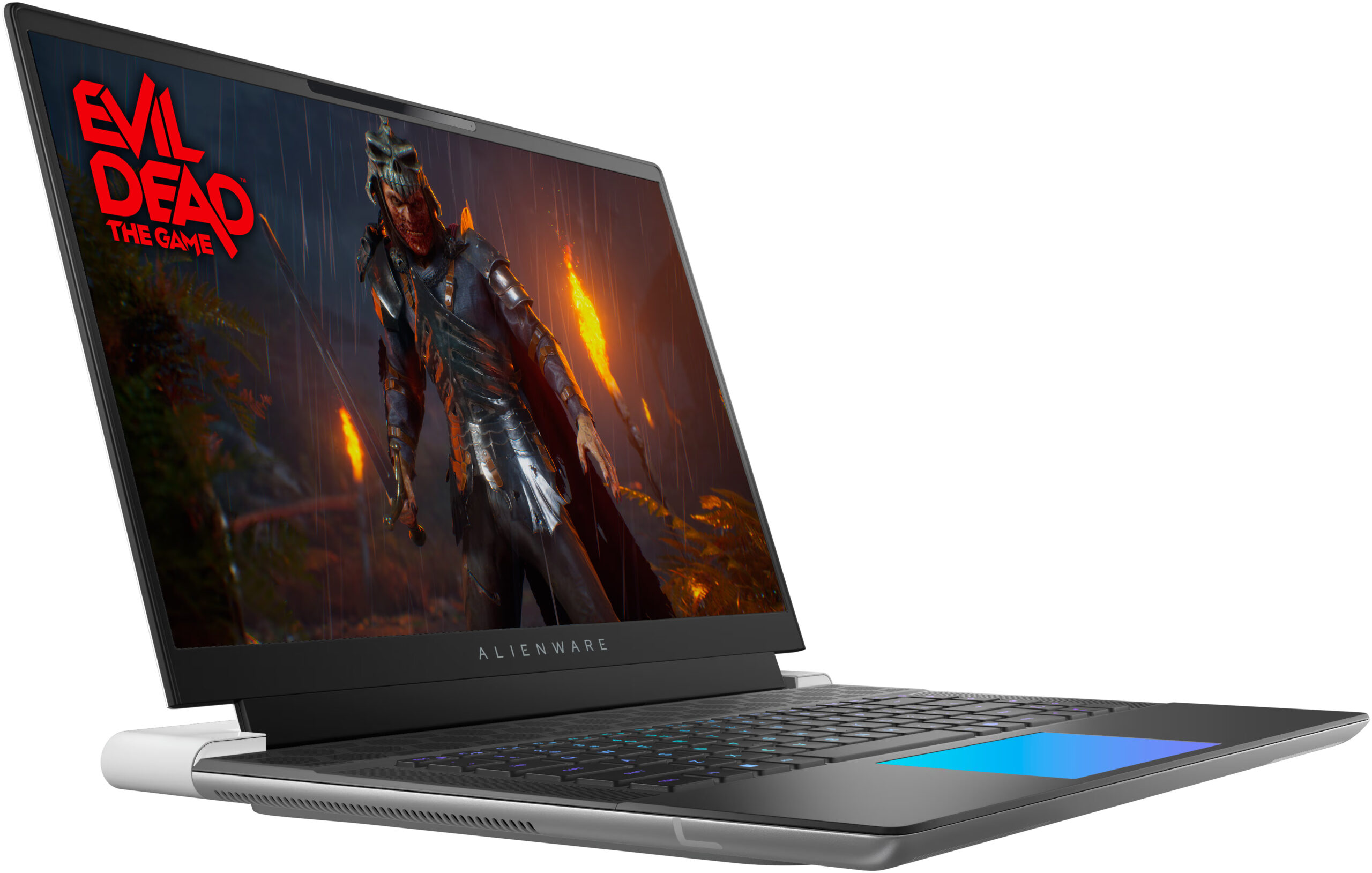
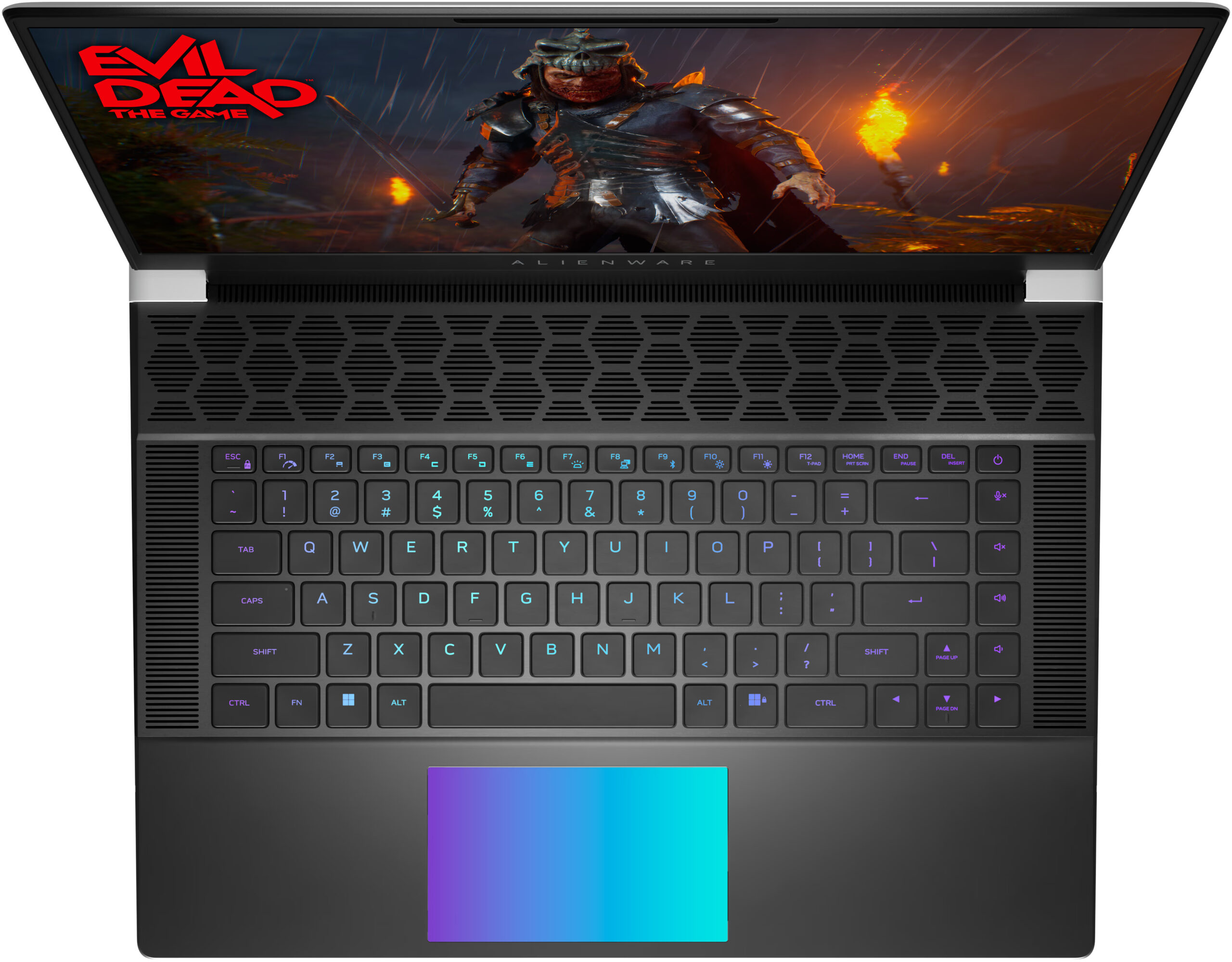
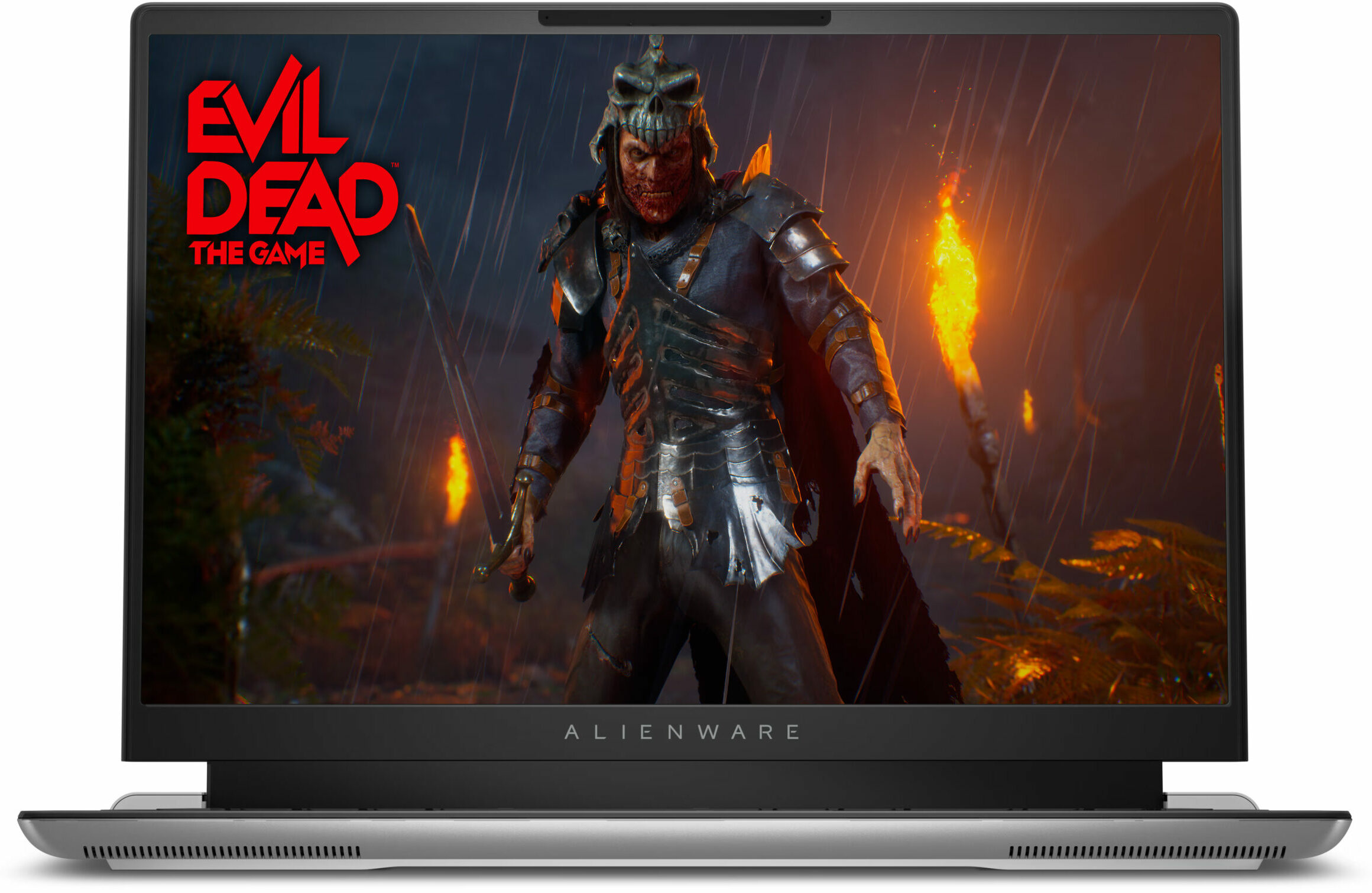
There is a high demand for thin laptops in every price class. Nowadays, many users want to own a compact and powerful laptop. Alienware has tried to make one, with their x16 R2 model. This is an incredibly thin and unique-looking machine and you can also order it with up to GeForce RTX 4090.But there's a nuance. Since the 13th and 14th Gen Raptor Lake-H and HX CPUs dissipate tons of heat they aren't suitable for such a slim profile. That's why this notebook can be found with Meteor Lake-H processors. These efficient chips are a preferable choice for slim notebooks. You can choose between a 28W Core Ultra 7 155H, and 45W Core Ultra 9 185H. Based on our previous tests, we don't find 28W CPUs suitable for GPUs like RTX 4080 so we chose the more powerful option.Alienware x16 R2 is a ve[...]
Read the full review
Pros
- Solid premium build
- Thin profile (18.57 mm)
- Vapor chamber cooling + liquid metal for the CPU and GPU dies (for RTX 4080 and 4090-based laptops)
- High CPU frequencies under long load (3.44 GHz / 3.29 GHz P and E-core clock)
- Wide viewing angles + 1600p resolution (AUO3CA2)
- Snappy pixel response times of 7 ms (AUO3CA2)
- PWM-free (AUO3CA2)
- 338 nit max brightness + 240Hz refresh rate (AUO3CA2)
- 100% sRGB and DCI P3 coverage + accurate colors with our "Design and Gaming" profile (AUO3CA2)
- 2x M.2 slots
- Thermal pads for the SSDs and the Wi-Fi card
- Great Cherry keyboard (option)
- Precise illuminated glass touchpad (option)
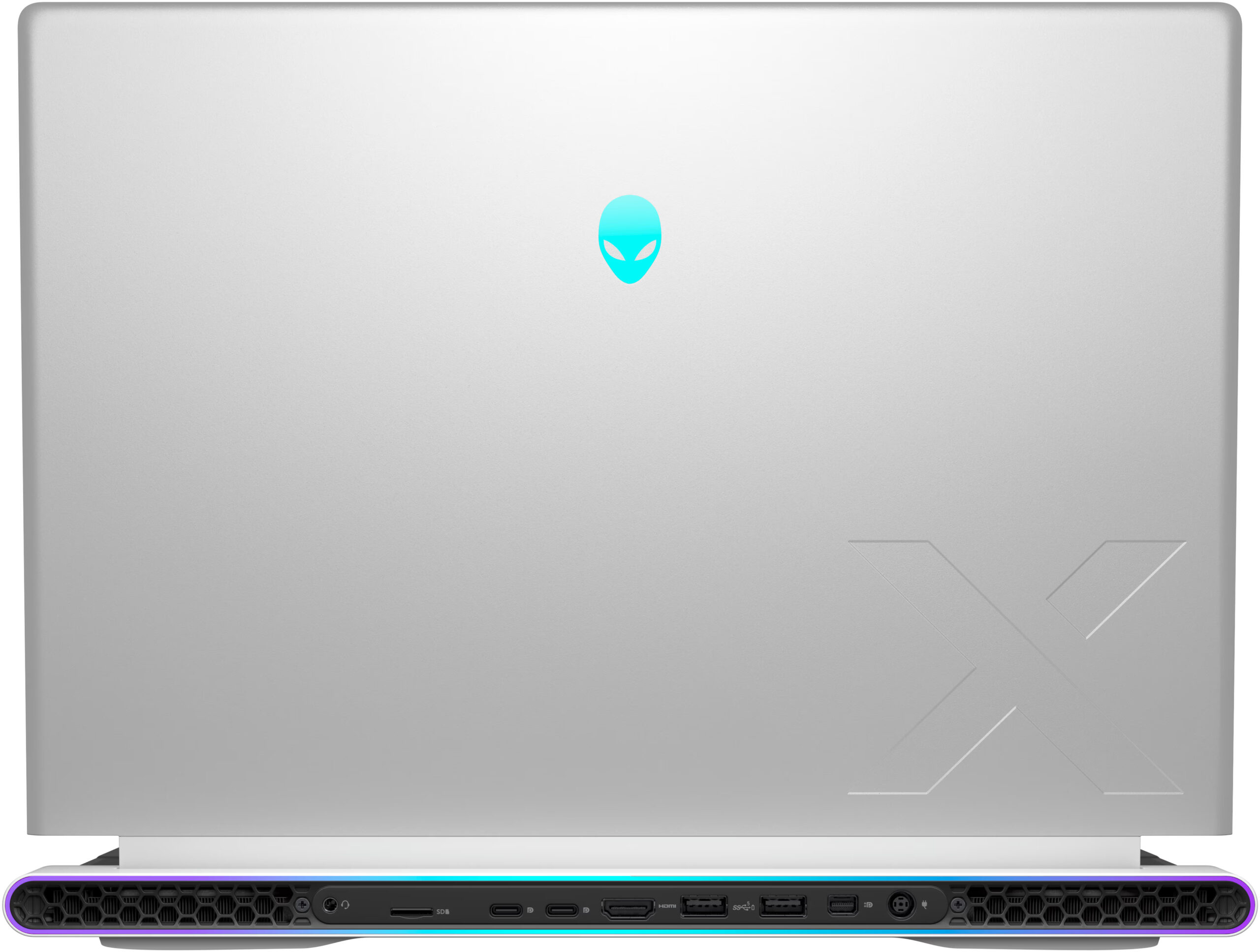
- Modern port selection that is entirely placed on the back
- The fans aren't loud in "Performance" mode
- Low noise and a 118W GPU TGP in "Quiet" mode
- The Alienware Command Center app is full of useful extras
- NVIDIA Advanced Optimus, G-Sync + MUX switch
- Optional fingerprint reader and IR Web camera
- Fast Gen 4 NVMe (1TB SK Hynix PC811)
Cons
- High price
- Soldered RAM and no Gen 5 SSD slots
- Super High VRAM temperatures - 110ºC, which lead to TGP throttle
- Short battery life
Disassembly, maintenance and upgrade options
Opening the DeviceUndo the 6 Phillips-head screws securing the bottom panel. The screws in the middle and bottom are captive, and they will slightly lift almost half of the panel, making the disassembly process easier. Fully pry the sides and the front of the panel. Avoid popping the back. Raise the front of the metal plate, slide it forward, and lift it away from the chassis.More info: Here's how the bottom plate looks on the inside.Battery RemovalDetach the battery by pulling out the connector from the motherboard. Undo the 4 Phillips-head screws secu[...]
Read more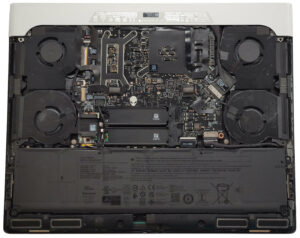
DISPLAY: 16-inch, 2560 x 1600, IPS
- Name
- AUO RHJNF-B160QAN (AUO3CA2)
- Diagonal
- 16"
- Pixel density
- 188.68 ppi
- Brightness
- 338 cd/m2
- sRGB
- 100%
- Panel Type
- IPS
- Resolution
- 2560 x 1600
- Becomes "Retina" from
- 18 inches (46 cm)
- Contrast
- 1090:1
- dE Color Checker
- 2.2 0.6

Buy our profiles for AUO RHJNF-B160QAN (AUO3CA2)
In addition to receiving efficient and health-friendly profiles, by buying LaptopMedia's products you also support the development of our labs, where we test devices in order to produce the most objective reviews possible.

Office Work
Office Work should be used mostly by users who spend most of the time looking at pieces of text, tables or just surfing. This profile aims to deliver better distinctness and clarity by keeping a flat gamma curve (2.20), native color temperature and perceptually accurate colors.

Design and Gaming
This profile is aimed at designers who work with colors professionally, and for games and movies as well. Design and Gaming takes display panels to their limits, making them as accurate as possible in the sRGB IEC61966-2-1 standard for Web and HDTV, at white point D65.

Health-Guard
Health-Guard eliminates the harmful Pulse-Width Modulation (PWM) and reduces the negative Blue Light which affects our eyes and body. Since it’s custom tailored for every panel, it manages to keep the colors perceptually accurate. Health-Guard simulates paper so the pressure on the eyes is greatly reduced.



![[September 2026] Best-Selling Laptop Brands on Amazon Global – Apple Dominates the Market with Over 70% Revenue Share](https://laptopmedia.com/wp-content/uploads/2026/10/GLOBAL-Best-Brands-400x225.jpg)
![[September 2026] Amazon Global: Top 10 Best-Selling Laptops – Apple’s MacBook Neo Claims the #1 Spot as Budget and Premium Devices Dominate](https://laptopmedia.com/wp-content/uploads/2026/10/Best-Selling-Laptops-GLOBAL-Top-10-400x225.jpg)
![[September 2026] Amazon Global: Top 10 Best-Selling Gaming Laptops – ASUS ROG Strix G16 Dominates the Market with Record-Breaking Unit Sales](https://laptopmedia.com/wp-content/uploads/2026/10/Best-Selling-Gaming-Laptops-GLOBAL-Top-10-400x225.jpg)
![[September 2026] Global Ranking of Best-Selling Laptop GPUs on Amazon – Apple’s M5 Chip Obliterates NVIDIA in Premium Laptops, But the RTX 5060 Is the Only Dedicated GPU to Crack the Top 10](https://laptopmedia.com/wp-content/uploads/2026/10/Best-Selling-GPUs-GLOBAL-Top-10-400x225.jpg)
![[September 2026] Global Ranking of Best-Selling Laptop CPUs on Amazon – Apple’s M5 Crushes Intel as Premium Market Becomes a One-Horse Race](https://laptopmedia.com/wp-content/uploads/2026/10/Best-Selling-CPUs-GLOBAL-Top-10-400x225.jpg)
