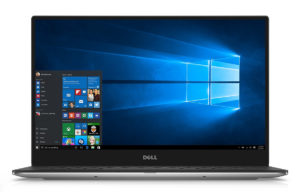
Dell XPS 13 9360
Dell XPS 13 9360 - 规格



- HDD/SSD
- 高达 2000GB SSD + 高达 1000GB HDD
- M.2 插槽
- 1x 2280 PCIe 3.0 x4 NVMe (M key)
- RAM
- up to 16GB
- 操作系统
- Windows 10 Home, Windows 10 Pro
- 电池
- 60Wh, 60Wh, 4-cell, 46Wh, 4-cell, 52Wh, 3-cell, 52Wh, 4-cell, 52Wh, 56Wh, 4-cell, 60Wh, Li-ion, 4-cell, 4-cell, 60 WHr, 56Wh, Li-Ion, 4-cell, 60Wh, Li-Ion, 4-cell, 60 WHr, 4-Cell, 60 Wh
- 机身材质
- Aluminum, Carbon (Aluminum, Carbon fiber)
- 尺寸
- 304 x 200 x 9 - 15 mm (11.97" x 7.87" x 0.35")
- 重量
- 1.31 kg (2.9 lbs)
- 端口和连接
- 2x USB Type-A
- 3.2 Gen 1 (5 Gbps)
- 1x USB Type-C
- 3.2 Gen 2 (10 Gbps), Thunderbolt 3, Power Delivery (PD), DisplayPort, HDMI, MHL
- HDMI
- VGA
- DVI
- 读卡器
- SD
- 以太网 LAN
- Wi-Fi
- 802.11ac
- 蓝牙
- 4.1
- 音频插孔
- headphone/microphone
- 功能
- 指纹识别器
- optional
- 网络摄像头
- 背光键盘
- optional
- 麦克风
- 扬声器
- 光驱
- 安全锁槽
- Battery gauge button and indicator
全部 Dell XPS 13 9360 配置
购买我们的配置文件 Sharp SHP144A (LQ133Z1) / 13.3”, QHD+ (3200 x 1800), IPS
除了获得高效且有益健康的配置文件外,购买 LaptopMedia 的产品也是对我们实验室发展的支持,我们在实验室中测试设备,以提供最客观的评测。

Office Work / Web Design
If your field is office work or web design, or you just want your monitor's color set to be as accurate as possible for the Internet color space, this profile will prove to be useful.

Gaming and Movie Nights
We developed this profile especially for games and movies. It makes fine nuances in dark scenes easier to discern during long sessions in front of the display.

Health-Guard
This profile reduces the negative impact of Pulse-Width Modulation (PWM) and the Blue Light spectrum, while keeping colors perceptually accurate for this panel.
以 33% 的折扣获取所有 3 个配置文件

购买我们的配置文件 Sharp SHP1460 (LQ133M1) (Dell XPS 13 9360, Intel 8th Gen) / 13.3”, Full HD (1920 x 1080), IPS
除了获得高效且有益健康的配置文件外,购买 LaptopMedia 的产品也是对我们实验室发展的支持,我们在实验室中测试设备,以提供最客观的评测。
办公工作
Office Work 主要适用于大部分时间在查看文本、表格或上网的用户。此配置文件旨在通过保持平坦的伽马曲线 (2.20)、原始色温和感知上准确的颜色来提供更好的清晰度。
设计和游戏
此配置文件适用于专业处理色彩的设计师,以及游戏和电影。Design and Gaming 将显示面板推向极限,使其在 Web 和 HDTV 的 sRGB IEC61966-2-1 标准中尽可能准确,白点为 D65。
以 33% 的折扣获取所有 3 个配置文件
CPU 性能
在这里,您可以找到内置的所有CPU之间的价格/性能差异 Dell XPS 13 9360 系列.
结果来自Cinebench R23 CPU测试(分数越高越好)。
GPU 性能
在这里,您可以找到内置的所有GPU之间的价格/性能差异。 Dell XPS 13 9360 系列.
Dell XPS 13 9360 深度评测
It's really hard not to have an opinion about Dell's top-shelf XPS notebook lineup and it's harder not to like it, to be honest. The XPS 13 often has been named as the best alternative to Apple's MacBook Pro 13. The ultrabook packs impressive specs, beats most 13-inch laptops on the market in terms of portability while design and build quality are rarely matched.All of this comes at a price, though, and it's not a small one. Some of the XPS 13 configurations are even more expensive than the MacBook Pro but our opinion still remains from two generations ago - it's worth every penny. The[...]

优点
- Impeccable design and build quality
- Light and portable like always
- Good input devices
- Fast storage solution (M.2 PCIe NVMe SSD support)
- Nearly border-less and almost flawless IPS IGZO QHD+ panel
- Outstanding web browsing runtimes
弊端
- Coil whine
- Pricey
- The screen uses high-frequency PWM from 0 to 99% brightness (Health-Guard profile fixes that)




