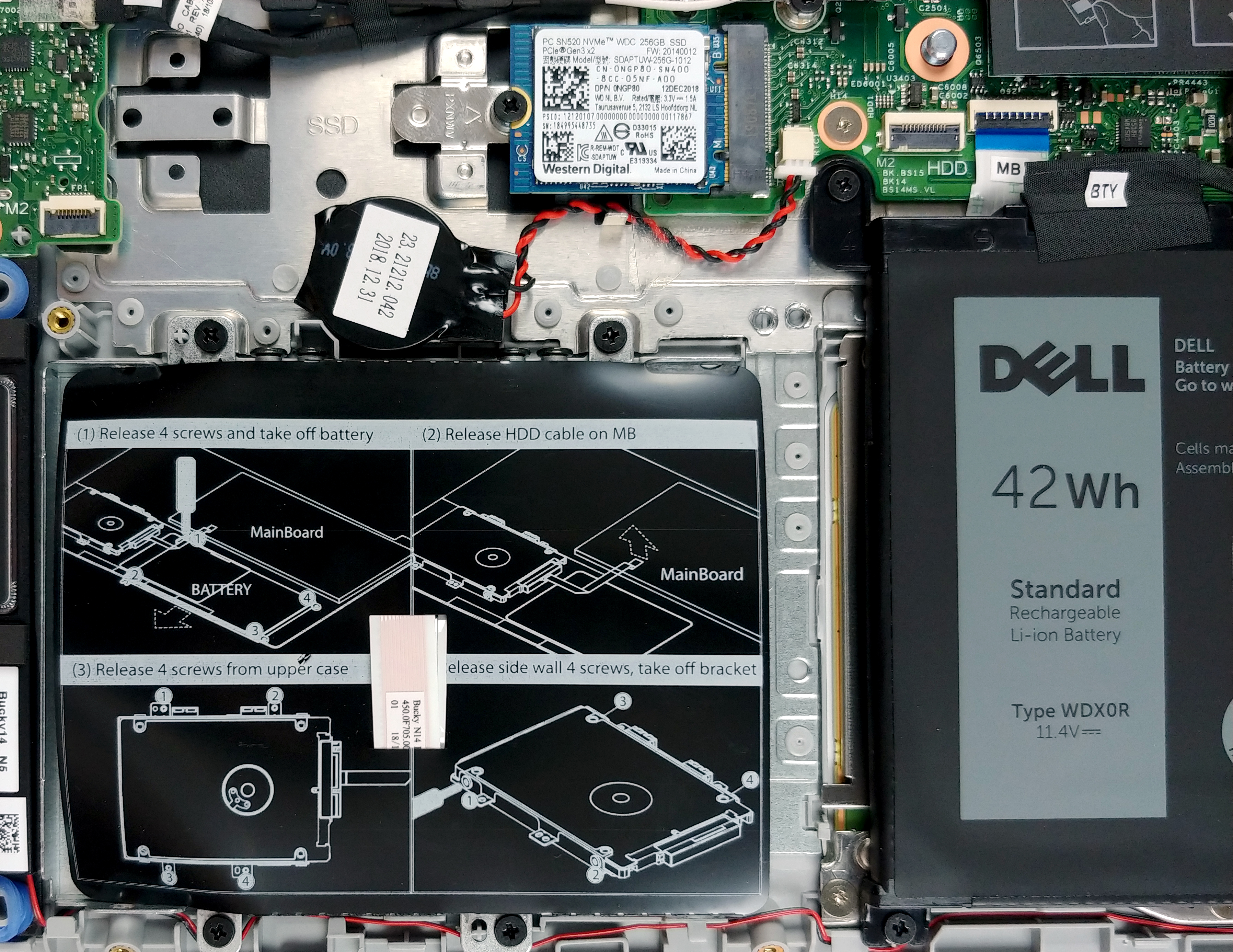
Dell Inspiron 14 5480
Dell Inspiron 14 5480 - Spezifikationen
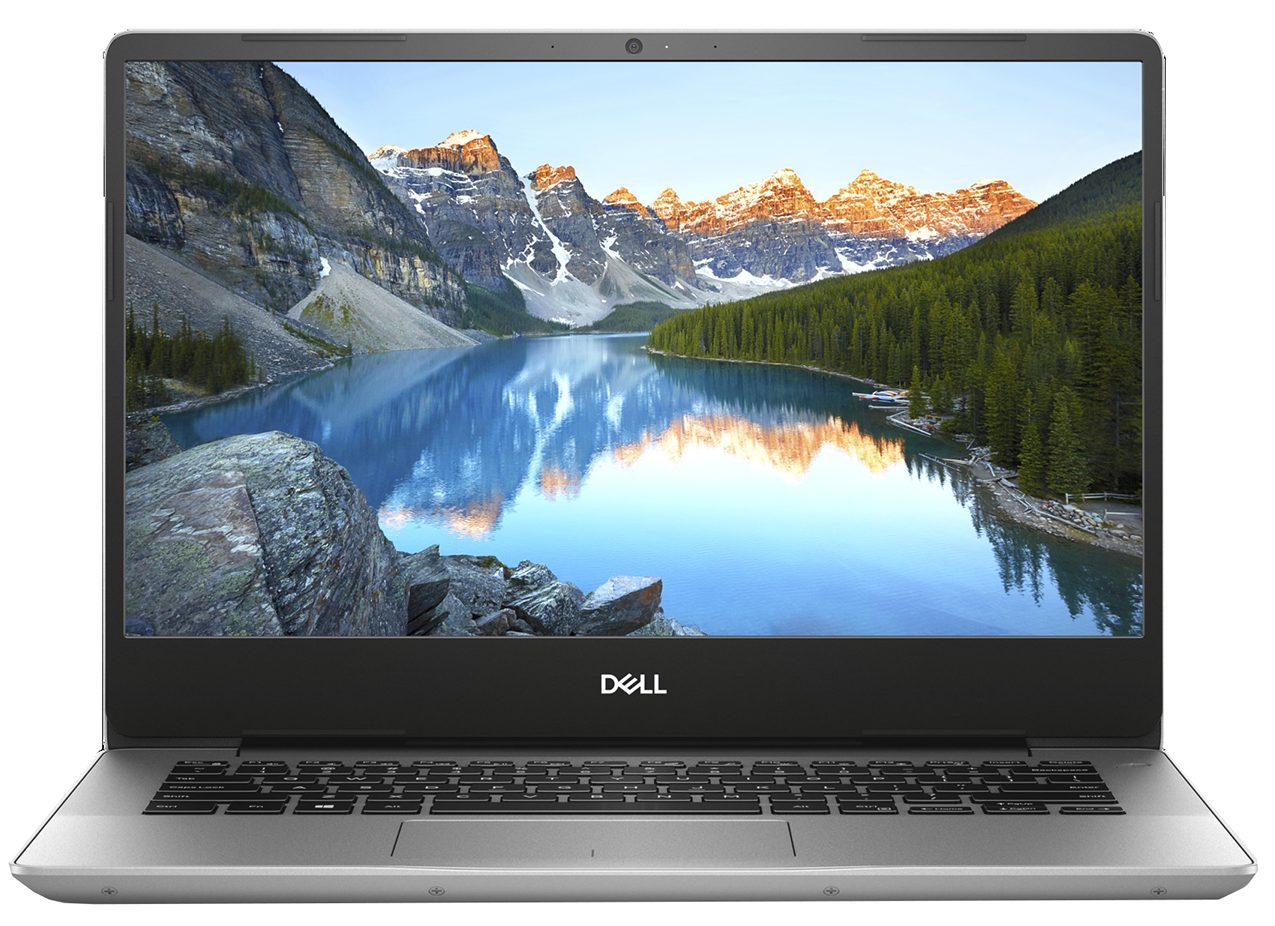
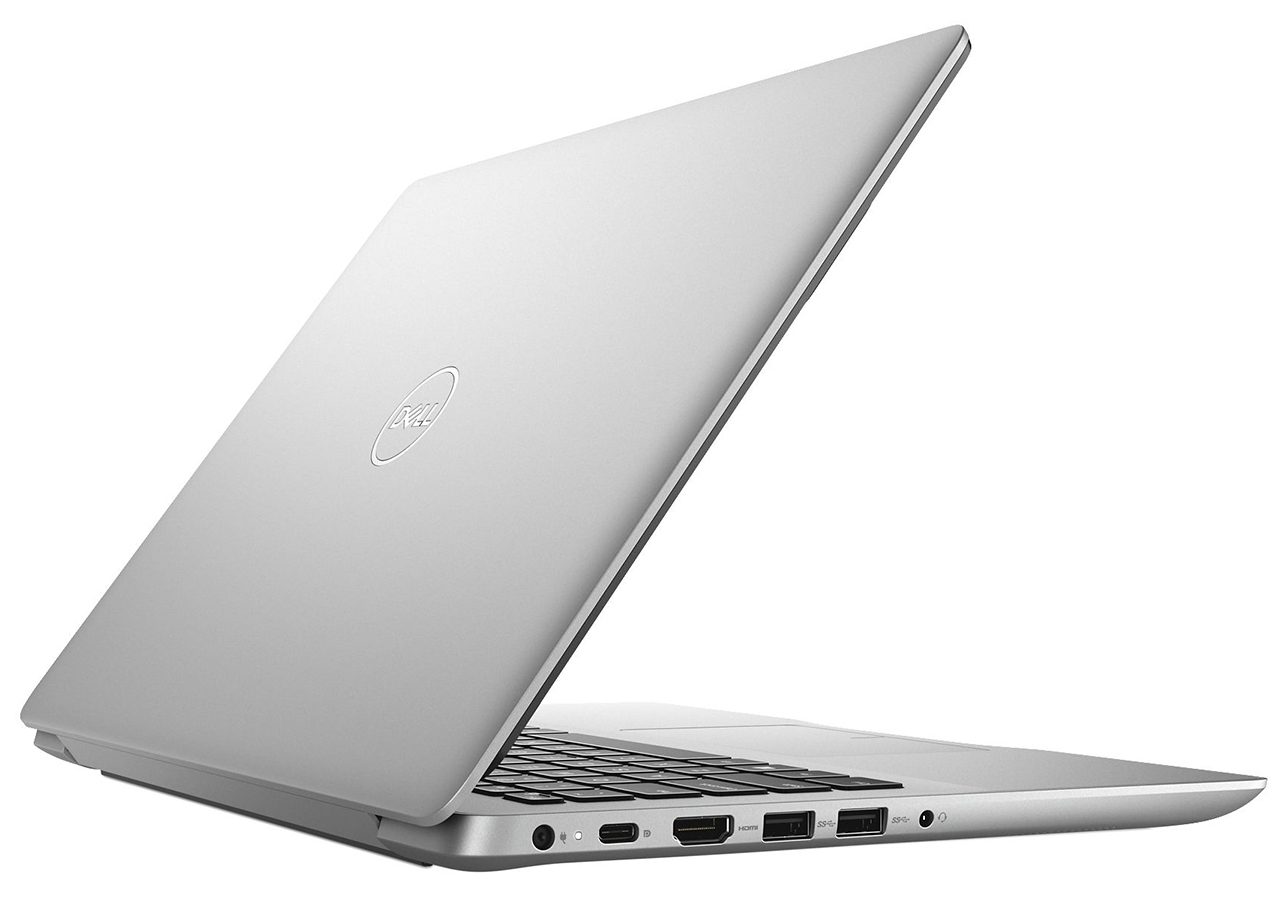

- HDD/SSD
- bis zu 2000GB SSD + bis zu 1000GB HDD
- M.2 Steckplatz
- 1x 2280 M.2 NVMe slot Siehe Foto
- RAM
- up to 24GB
- Betriebssystem
- Windows 10 Pro, Windows 10 Home
- Akku
- 42Wh, 3-cell
- Abmessungen
- 324.3 x 232 x 18.77 mm (12.77" x 9.13" x 0.74")
- Gewicht
- 1.63 kg (3.6 lbs)
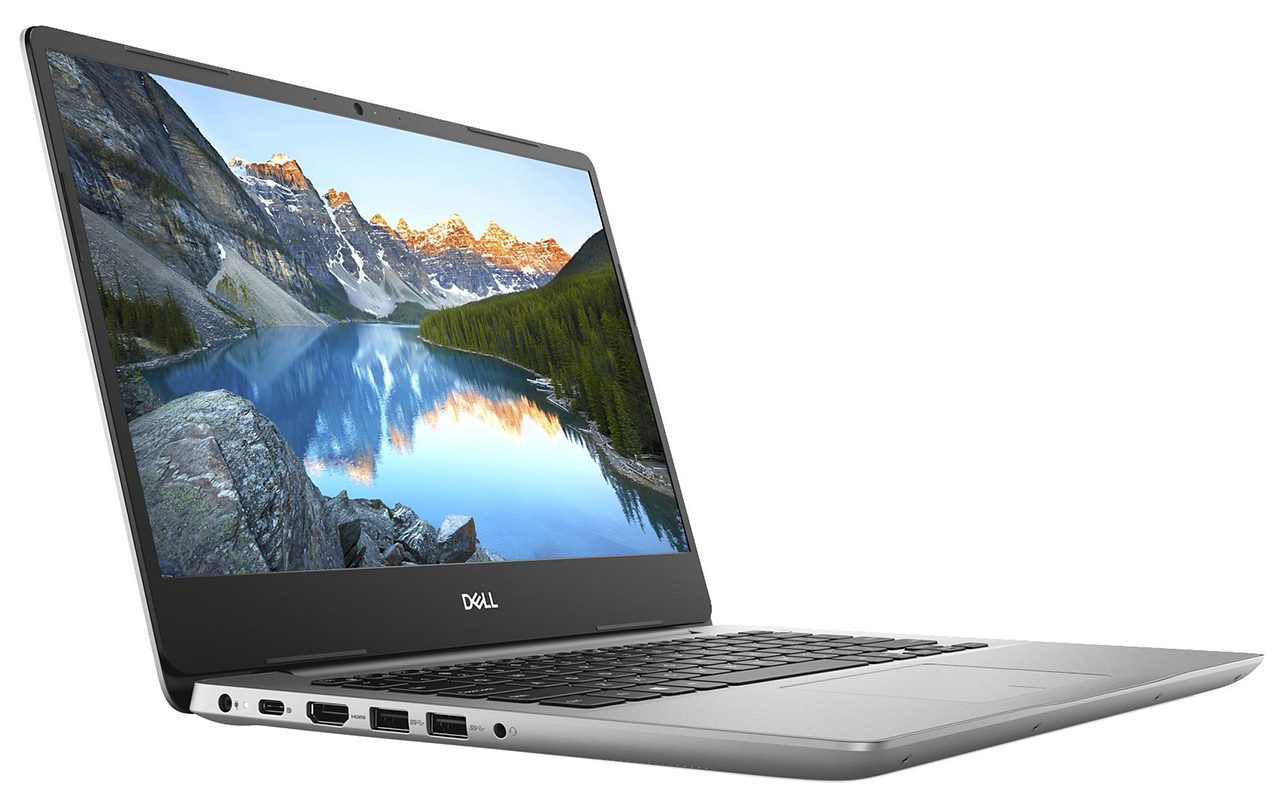
- Anschlüsse und Konnektivität
- 1x USB Type-C
- 3.2 Gen 1 (5 Gbps), DisplayPort
- 2x USB Type-A
- 3.2 Gen 1 (5 Gbps)
- 1x USB Type-A
- 2.0
- HDMI
- 1.4b
- Kartenleser
- SD
- Ethernet LAN
- 10/100 Mbps
- Wi-Fi
- 802.11ac
- Bluetooth
- 5.0
- Audioanschluss
- Headphone/ Microphone combo
- Merkmale
- Fingerabdruckleser
- Web Kamera
- HD
- Tastatur mit Hintergrundbeleuchtung
- optional
- Mikrofon
- Digital-array microphones
- Lautsprecher
- 2x 2W
- Optisches Laufwerk
- Sicherheits Schloss Steckplatz
Alle Dell Inspiron 14 5480 Konfigurationen
Kaufen Sie unsere Profile für Innolux N140HCA-EAC / 14.0”, Full HD (1920 x 1080), IPS
Zusätzlich zum Erhalt effizienter und gesundheitsfreundlicher Profile unterstützen Sie durch den Kauf von LaptopMedia-Produkten auch die Entwicklung unserer Labore, in denen wir Geräte testen, um möglichst objektive Bewertungen zu erstellen.

Office Work
Office Work sollte hauptsächlich von Benutzern verwendet werden, die die meiste Zeit mit Texten, Tabellen oder dem Surfen im Internet verbringen. Dieses Profil zielt darauf ab, eine bessere Deutlichkeit und Klarheit zu liefern, indem es eine flache Gammakurve (2.20), eine native Farbtemperatur und wahrnehmungsgetreue Farben beibehält.

Design und Gaming
Dieses Profil richtet sich an Designer, die professionell mit Farben arbeiten, sowie für Spiele und Filme. Design und Gaming bringt Displays an ihre Grenzen und macht sie im sRGB IEC61966-2-1 Standard für Web und HDTV am Weißpunkt D65 so genau wie möglich.

Health-Guard
Health-Guard eliminiert die schädliche Pulsweitenmodulation (PWM) und reduziert das negative blaue Licht, das sich auf unsere Augen und unseren Körper auswirkt. Da es für jedes Panel maßgeschneidert ist, gelingt es, die Farben wahrnehmungsgetreu zu halten. Health-Guard simuliert Papier, so dass die Belastung für die Augen stark reduziert wird.
Holen Sie sich alle 3 Profile mit 33 % Rabatt

CPU-Leistung
Hier finden Sie den Preis-/Leistungsunterschied zwischen allen CPUs, die im Dell Inspiron 14 5480 Serie.
Cinebench 20 Multi-Core-Test (je höher die Punktzahl, desto besser)
GPU Leistung
Hier finden Sie den Preis-/Leistungsunterschied zwischen allen GPUs, die im Dell Inspiron 14 5480 Serie.
Die Ergebnisse stammen vom 3DMark Time Spy (Grafik). Ein höherer Wert ist besser.
Dell Inspiron 14 5480 ausführliche Bewertung
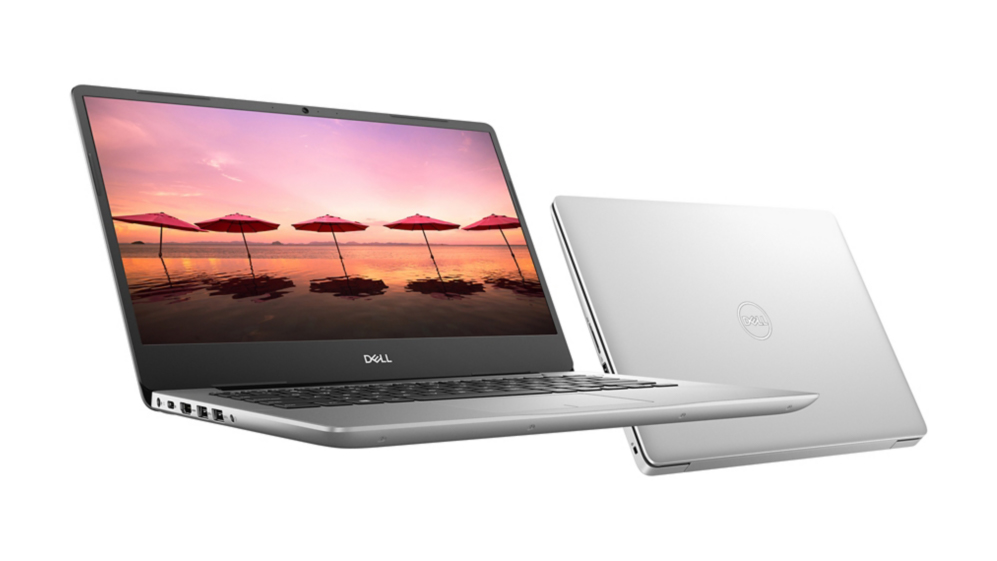
At the doorstep of LaptopMedia's office, we found a baby wrapped in the soft comfort of its basket. Well... it wasn't really a baby - it was the Dell Inspiron 14 5480, which was located in a not so comfortable cardboard box. Nevertheless, we were not scared of that but took it as a sign - to test it and show you guys, what kind of a device are you dealing with, without needing to buy it first.This 14-inch multimedia device comes with the Whiskey Lake processors. You have a choice between the dual-core Core i3-8145U or the more powerful Core i5-8265U and Core i7-8565U. Additionally, Dell h[...]
Profis
- Great upgradability options, M.2 slot has 4 PCIe lanes
- Its panel has comofortable viewing angles and doesn't use aggressive PWM to adjust its brightness
- Good battery life
Nachteile
- No Thunderbolt connectivity and a maximum of USB 3.1 (Gen. 1) speeds of transfer
- Display is too dim and covers only 53% of sRGB (Chi Mei N140HCA-EAC (CMN14D4))
- The screen is very ununiform in terms of luminoscity
Spiele, die Sie auf dieser Laptop-Serie spielen können

Resolution: 1920 x 1080 (Full HD) |
NORMAL |
HIGH |
VERY HIGH |
MAX |
|---|---|---|---|---|
 | 84 FPS VIDEO ABLAUFEN | 37 FPS VIDEO ABLAUFEN | 20 FPS VIDEO ABLAUFEN | 6 FPS VIDEO ABLAUFEN |
| AMD Radeon RX Vega 8 (R2000/3000, 15W) | 31 FPS VIDEO ABLAUFEN | - VIDEO ABLAUFEN | - VIDEO ABLAUFEN | - VIDEO ABLAUFEN |

Resolution: 1920 x 1080 (Full HD) |
MIN |
MAX |
|---|---|---|
| 210 FPS VIDEO ABLAUFEN | 49 FPS VIDEO ABLAUFEN |
| AMD Radeon RX Vega 8 (R2000/3000, 15W) | 170 FPS VIDEO ABLAUFEN | 25 FPS VIDEO ABLAUFEN |

Resolution: 1920 x 1080 (Full HD) |
VERY LOW |
MED |
MAX |
|---|---|---|---|
| 230 FPS VIDEO ABLAUFEN | 195 FPS VIDEO ABLAUFEN | 187 FPS VIDEO ABLAUFEN |
| AMD Radeon RX Vega 8 (R2000/3000, 15W) | 127 FPS VIDEO ABLAUFEN | 99 FPS VIDEO ABLAUFEN | 83 FPS VIDEO ABLAUFEN |

Resolution: 1920 x 1080 (Full HD) |
LOW |
MED |
HIGH |
EPIC |
|---|---|---|---|---|
| NVIDIA GeForce MX250 (25W) | 35 FPS VIDEO ABLAUFEN | 14 FPS VIDEO ABLAUFEN | 6 FPS VIDEO ABLAUFEN | 4 FPS VIDEO ABLAUFEN |

Resolution: 1920 x 1080 (Full HD) |
PERF. |
ORIG. |
ENCH. |
|---|---|---|---|
| 89 FPS VIDEO ABLAUFEN | 66 FPS VIDEO ABLAUFEN | 65 FPS VIDEO ABLAUFEN |
| AMD Radeon RX Vega 8 (R2000/3000, 15W) | 33 FPS VIDEO ABLAUFEN | 28 FPS VIDEO ABLAUFEN | 26 FPS VIDEO ABLAUFEN |

Resolution: 1920 x 1080 (Full HD) |
LOW |
MAX |
|---|---|---|
| 115 FPS VIDEO ABLAUFEN | 83 FPS VIDEO ABLAUFEN |
| AMD Radeon RX Vega 8 (R2000/3000, 15W) | 65 FPS VIDEO ABLAUFEN | 34 FPS VIDEO ABLAUFEN |

Resolution: 1920 x 1080 (Full HD) |
LOW |
ULTRA |
|---|---|---|
| NVIDIA GeForce MX250 (25W) | 93 FPS VIDEO ABLAUFEN | 62 FPS VIDEO ABLAUFEN |

Resolution: 1920 x 1080 (Full HD) |
MIN |
MED |
ULTRA |
|---|---|---|---|
| 259 FPS VIDEO ABLAUFEN | 66 FPS VIDEO ABLAUFEN | 31 FPS VIDEO ABLAUFEN |
| AMD Radeon RX Vega 8 (R2000/3000, 15W) | 118 FPS VIDEO ABLAUFEN | 26 FPS VIDEO ABLAUFEN | 13 FPS VIDEO ABLAUFEN |

Resolution: 1920 x 1080 (Full HD) |
PERF. |
BAL. |
GRAPH. |
MAX |
|---|---|---|---|---|
| NVIDIA GeForce MX250 (25W) | 37 FPS VIDEO ABLAUFEN | 30 FPS VIDEO ABLAUFEN | 12 FPS VIDEO ABLAUFEN | 9 FPS VIDEO ABLAUFEN |

Resolution: 1920 x 1080 (Full HD) |
HIGH PERF |
HIGH QLT |
|---|---|---|
| 178 FPS VIDEO ABLAUFEN | 74 FPS VIDEO ABLAUFEN |
| AMD Radeon RX Vega 8 (R2000/3000, 15W) | 55 FPS VIDEO ABLAUFEN | 19 FPS VIDEO ABLAUFEN |


![[Mai 2026] Globale Rangliste der meistverkauften Laptop-GPUs auf Amazon – Apple dominiert mit 45 % Anteil und erobert die ersten drei Plätze; NVIDIAs RTX 5060 führt das Paket der dedizierten GPUs an](https://laptopmedia.com/wp-content/uploads/2026/06/Best-Selling-GPUs-GLOBAL-Top-10-400x225.jpg)
![[Mai 2026] Globale Rangliste der meistverkauften Laptop-CPUs auf Amazon – Apple vernichtet die Konkurrenz mit 45,2% Marktanteil, M5 dominiert](https://laptopmedia.com/wp-content/uploads/2026/06/Best-Selling-CPUs-GLOBAL-Top-10-400x225.jpg)
![[Mai 2026] Amazon Deutschland: Top 7 der meistverkauften Gaming-Notebooks – Lenovo Legion 5i krönt sich zum Champion inmitten harter Konkurrenz im mittleren Preissegment](https://laptopmedia.com/wp-content/uploads/2026/06/Best-Selling-Gaming-Laptops-DE-Top-10-1-400x225.jpg)
![[May 2026] Amazon Italy: Top 10 Best-Selling Laptops – Apple MacBook Neo Reigns Supreme, Premium Models Capture Dominant Revenue Share](https://laptopmedia.com/wp-content/uploads/2026/06/Best-Selling-Laptops-IT-Top-10-400x225.jpg)
![[May 2026] Best-Selling Laptop Brands on Amazon Italy – Apple Dominates Across All Metrics](https://laptopmedia.com/wp-content/uploads/2026/06/IT-Best-Brands-400x225.jpg)