ASUS ZenBook Pro 14 UX480


- Veröffentlichungsdatum: 20 Dec 2018
- Intel Core i7-8565U
- NVIDIA GeForce GTX 1050 Max-Q (40W)
- 14.0”, Full HD (1920 x 1080), IPS
- 256GB SSD
- 8GB DDR4, 2400 MHz
- 1.60 kg (3.5 lbs)
ASUS ZenBook Pro 14 UX480 ausführliche Bewertung
ASUS's ZenBook series has always produced a different breed of laptops. The latest and greatest from the brand is called ASUS ZenBook Pro 14 UX480. It is one of the first laptops equipped with an NVIDIA GeForce GTX 1050 Max-Q that we tested. However, this is not the feature that everyone is talking [...]
Lesen Sie die vollständige Bewertung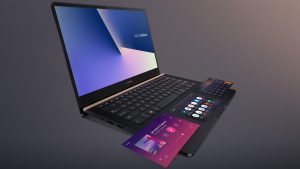

Überprüfung
ASUS ZenBook Pro 14 UX480 ausführliche Bewertung
ASUS's ZenBook series has always produced a different breed of laptops. The latest and greatest from the brand is called ASUS ZenBook Pro 14 UX480. It is one of the first laptops equipped with an NVIDIA GeForce GTX 1050 Max-Q that we tested. However, this is not the feature that everyone is talking about. It actually is the second screen, which weirdly enough happens to be a... touchpad as well.If you are familiar with dual screen laptops, you may know that the most popular iteration of the technology is the touch bar inside the MacBook Pros. Although it is a genius feature it has some downsides. Downsides that ASUS have covered almost completely with their "ScreenPad". Let's not focus just on this futuristic implementation, though, as almost everything about the ZenBook Pro 14 UX480 [...]
Lesen Sie die vollständige BewertungProfis
- 12 and a half hours of web browsing on battery power
- Beautiful small form factor
- GeForce GTX 1050 Max-Q on board
- Great color coverage - 92% of sRGB (AUO B140HAN03.5)
- It doesn't use PWM to adjust screen brightness (AUO B140HAN03.5)
- Bright ScreenPad which doubles as a true second screen
- Utilizes its hardware at its max
Nachteile
- The performance comes with a sacrifice - heat
- Poor upgradability
Demontage, Wartung und Upgrade-Optionen
ASUS ZenBook Pro UX480 is truly a capable device. Aside from the ScreenPad technology implemented by the manufacturer, it became famous with one other thing. It offers a super small footprint and a lot of performance at the same time. In order to understand how these words can exist in the same sentence, we had to take the ZenBook Pro 14 UX480 apart.Check out all ASUS ZenBook Pro 14 UX480 prices and configurations in our Specs System or read more in our In-depth Review.1. Remove the bottom plate In order to disassemble the laptop, you need special equipment. No, K9 dogs won't do[...]
Mehr lesen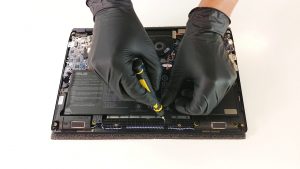
Display: 14.0-inch, 1920 x 1080, IPS
- Name
- AUO B140HAN03.5
- Diagonale
- 14.0"
- Pixeldichte
- 157.35 ppi
- Helligkeit
- 329 cd/m2
- sRGB
- 92%
- Panel-Typ
- IPS
- Auflösung
- 1920 x 1080
- Wird "Retina" ab
- 22 inches (56 cm)
- Kontrast
- 1200:1
- dE Color Checker
- 6.5 1.5

Kaufen Sie unsere Profile für AUO B140HAN03.5
Zusätzlich zum Erhalt effizienter und gesundheitsfreundlicher Profile unterstützen Sie durch den Kauf von LaptopMedia-Produkten auch die Entwicklung unserer Labore, in denen wir Geräte testen, um möglichst objektive Bewertungen zu erstellen.

Office Work
Office Work sollte hauptsächlich von Benutzern verwendet werden, die die meiste Zeit mit Texten, Tabellen oder dem Surfen im Internet verbringen. Dieses Profil zielt darauf ab, eine bessere Deutlichkeit und Klarheit zu liefern, indem es eine flache Gammakurve (2.20), eine native Farbtemperatur und wahrnehmungsgetreue Farben beibehält.

Design und Gaming
Dieses Profil richtet sich an Designer, die professionell mit Farben arbeiten, sowie für Spiele und Filme. Design und Gaming bringt Displays an ihre Grenzen und macht sie im sRGB IEC61966-2-1 Standard für Web und HDTV am Weißpunkt D65 so genau wie möglich.

Health-Guard
Health-Guard eliminiert die schädliche Pulsweitenmodulation (PWM) und reduziert das negative blaue Licht, das sich auf unsere Augen und unseren Körper auswirkt. Da es für jedes Panel maßgeschneidert ist, gelingt es, die Farben wahrnehmungsgetreu zu halten. Health-Guard simuliert Papier, so dass die Belastung für die Augen stark reduziert wird.





