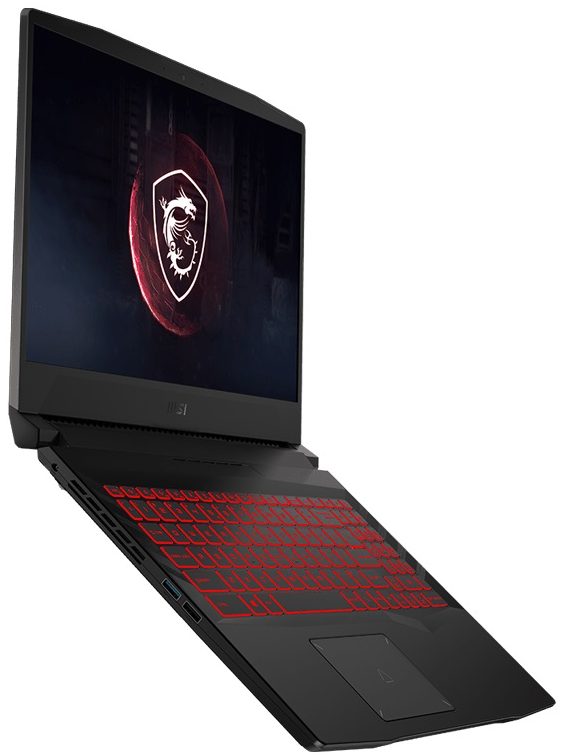
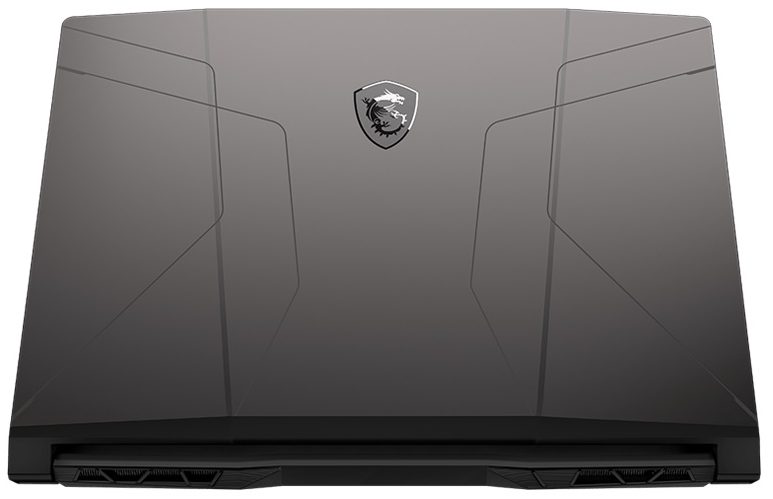
MSI Pulse GL66




- Veröffentlichungsdatum: 12 Sep 2025
- Intel Core i7-11800H
- NVIDIA GeForce RTX 3070 (Laptop, 85W)
- 15.6”, Full HD (1920 x 1080), 144 Hz, IPS
- 512GB SSD
- 32GB RAM
- 2.25 kg (5 lbs)

Überprüfung
MSI Pulse GL66 ausführliche Bewertung
Today, we have a very special laptop for you. Its importance is not only related to the rebranding that's going on in MSI's corner but also because of the hardware it sports. In fact, the Pulse GL66 will be the first laptop we test, that comes with a Tiger Lake H45 processor. Ultimately, this is Intel's best shot at AMD's hegemony in the CPU world. And although the blue company was still number one in the gaming world, they are aiming to solidify their positions, and at least temporarily halt AMD's progress.Pairing their laptop with the latest from Intel and NVIDIA means that the device has another ace up its sleeve - resizable BAR. This lets the CPU access the entire frame buffer of the graphics card at once, which in theory, should lead to better performance. However, you should kee[...]
Lesen Sie die vollständige Bewertung
Profis
- Two SODIMM slots, two M.2 PCIe x4 slot, one 2.5-inch SATA slot
- Rigid structure
- Lacks PWM (AUO B156HAN08.0 (AUO80ED))
- 93% sRGB coverage and accurate colors with our Gaming and Web design profile (AUO B156HAN08.0 (AUO80ED))
- Fast pixel response times and 144Hz refresh rate (AUO B156HAN08.0 (AUO80ED))
Nachteile
- No SD card reader and Thunderbolt 4
- Runs hot
- Poor battery life
Demontage, Wartung und Upgrade-Optionen
Although it has a Factory Seal, we had no problem opening the device and seeing its upgrade options. As far as we are concerned, though, we can't say that this won't void your warranty in the region you live in.Check out all MSI Pulse GL66 prices and configurations in our Specs System or read more in our In-Depth review.1. Remove the bottom plate To get inside of this device, you need to undo 13 Phillips-head screws. After that, pry the bottom panel with a plastic tool and remove it from the chassis.2. Battery This notebook's battery pack has a capacity of 53.5Wh.3.[...]
Mehr lesen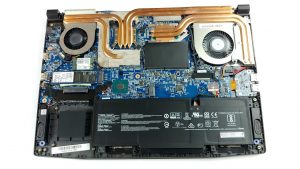
Display: 15.6-inch, 1920 x 1080, IPS
- Name
- AUO B156HAN08.0 (AUO80ED)
- Diagonale
- 15.6"
- Pixeldichte
- 141.21 ppi
- Helligkeit
- 335 cd/m2
- sRGB
- 93%
- Panel-Typ
- IPS
- Auflösung
- 1920 x 1080
- Wird "Retina" ab
- 24 inches (62 cm)
- Kontrast
- 1320:1
- dE Color Checker
- 4.7 1.8

Kaufen Sie unsere Profile für AUO B156HAN08.0 (AUO80ED)
Zusätzlich zum Erhalt effizienter und gesundheitsfreundlicher Profile unterstützen Sie durch den Kauf von LaptopMedia-Produkten auch die Entwicklung unserer Labore, in denen wir Geräte testen, um möglichst objektive Bewertungen zu erstellen.

Office Work
Office Work sollte hauptsächlich von Benutzern verwendet werden, die die meiste Zeit mit Texten, Tabellen oder dem Surfen im Internet verbringen. Dieses Profil zielt darauf ab, eine bessere Deutlichkeit und Klarheit zu liefern, indem es eine flache Gammakurve (2.20), eine native Farbtemperatur und wahrnehmungsgetreue Farben beibehält.

Design und Gaming
Dieses Profil richtet sich an Designer, die professionell mit Farben arbeiten, sowie für Spiele und Filme. Design und Gaming bringt Displays an ihre Grenzen und macht sie im sRGB IEC61966-2-1 Standard für Web und HDTV am Weißpunkt D65 so genau wie möglich.

Health-Guard
Health-Guard eliminiert die schädliche Pulsweitenmodulation (PWM) und reduziert das negative blaue Licht, das sich auf unsere Augen und unseren Körper auswirkt. Da es für jedes Panel maßgeschneidert ist, gelingt es, die Farben wahrnehmungsgetreu zu halten. Health-Guard simuliert Papier, so dass die Belastung für die Augen stark reduziert wird.