Dell 16 Plus (DB16250) Review – A Beautiful Laptop with a Dark Secret
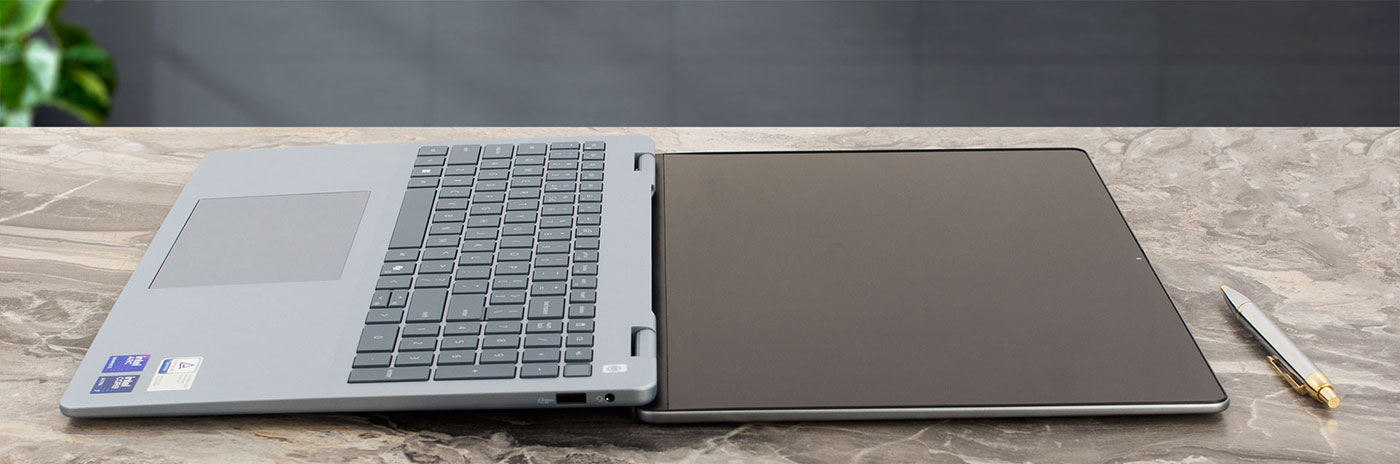
At first glance, the Dell 16 Plus (DB16250) is a triumph of industrial design. It’s elegant, beautifully crafted from premium materials, and features a stunning QHD+ display that bursts with vibrant color. It feels like a machine that belongs in a category well above its “Plus” branding. But as we discovered, this gorgeous exterior hides some fundamental and unfixable compromises. Beneath the flawless finish lies a laptop that makes critical trade-offs in user-friendliness and long-term value, forcing us to ask a difficult question: is this premium experience just skin deep?
You can check the prices and configurations in our Specs System: https://laptopmedia.com/series/dell-16-plus-db16250/
Contents
- Specs, Drivers, What’s in the box
- Design and construction
- Display and Sound Quality, Display Profiles
- Get our profiles
- Work Performance: CPU, Storage, AI
- GPU and Gaming Performance
- [eBook Guide + Tools] How to MAX OUT Your Laptop
- Temperatures and Comfort, Noise, Stability
- Battery Life
- Disassembly, Upgrade options, and Maintenance
- Verdict
Specs, Drivers, What’s in the box
Dell 16 Plus (DB16250) - Specs

- HDD/SSD
- up to 4000GB SSD
- M.2 Slot
- 1x 2280 M.2 NVMe PCIe 4.0 x4 See photo
- RAM
- up to 32GB
- OS
- Windows 11 Home, Windows 11 Pro, Windows 10 Pro
- Battery
- 64Wh
- Dimensions
- 356.78 x 250.60 x 14.13 - 15.57 mm (14.05" x 9.87" x 0.56")
- Weight
- 1.87 kg (4.1 lbs)
- Ports and connectivity
- 1x USB Type-A
- 3.2 Gen 1 (5 Gbps)
- 1x USB Type-C
- 3.2 Gen 2 (10 Gbps), Power Delivery (PD), DisplayPort
- 1x USB Type-C
- 4.0, Thunderbolt 4, Power Delivery (PD), DisplayPort
- HDMI
- 2.1
- Card reader
- Ethernet LAN
- Wi-Fi
- Wi-Fi 7
- Bluetooth
- 5.4
- Audio jack
- 3.5mm Combo Jack
- Features
- Fingerprint reader
- optional
- Web camera
- FHD IR
- Backlit keyboard
- optional
- Microphone
- Digital-array microphones
- Speakers
- 2x 2.5W Stereo Speakers
- Security Lock slot
All Dell 16 Plus (DB16250) configurations
Drivers
All drivers and utilities for this notebook can be found here: https://www.dell.com/support/product-details/en-us/product/dell-db16250-laptop/drivers
What’s in the box?
Unboxing the Dell 16 Plus (DB16250) is a refreshingly simple and elegant affair.
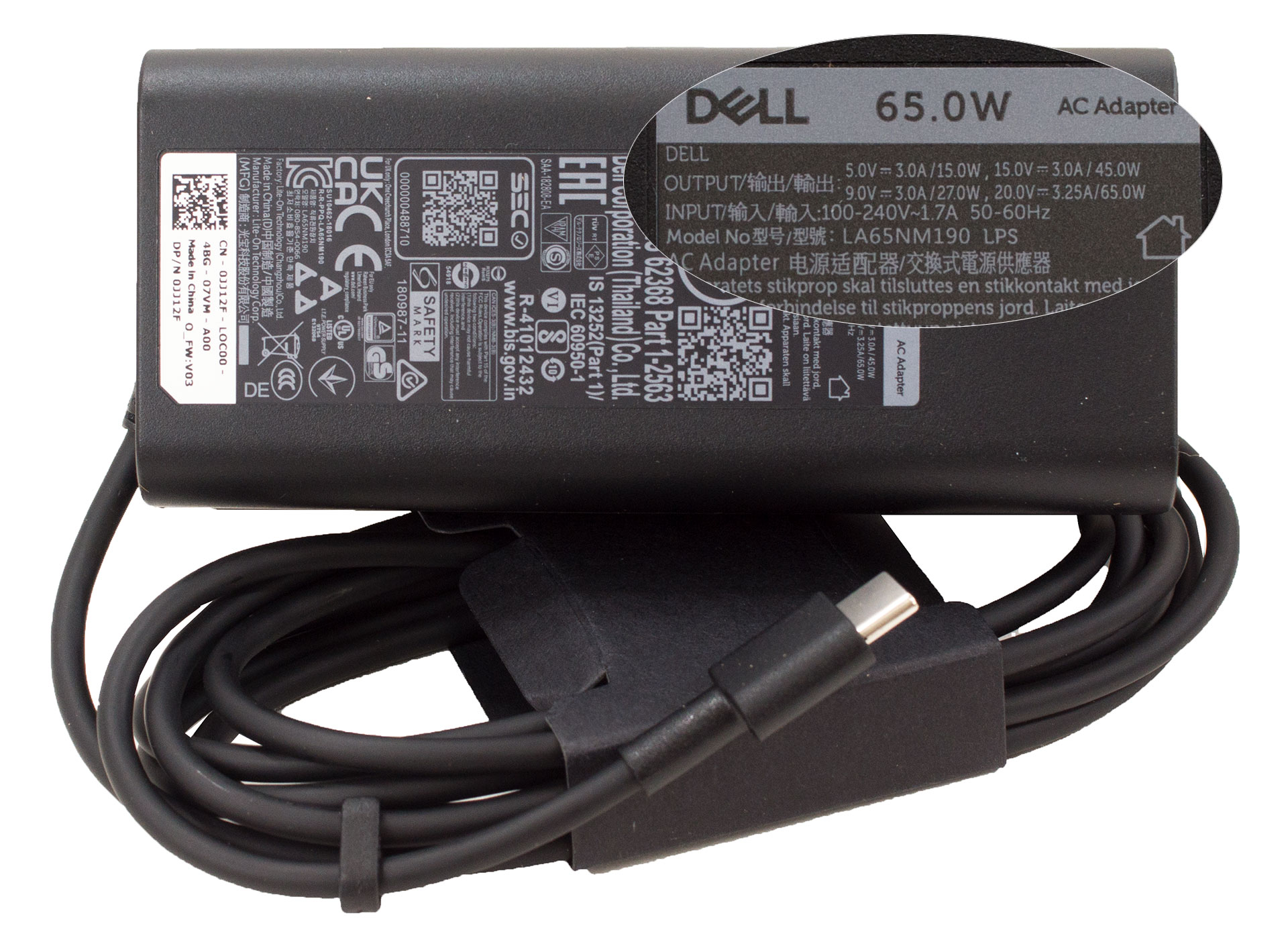
Inside, you’ll find the laptop itself, neatly presented, alongside its compact 65W power adapter – beautifully arranged and focused on the essentials.
Design and construction
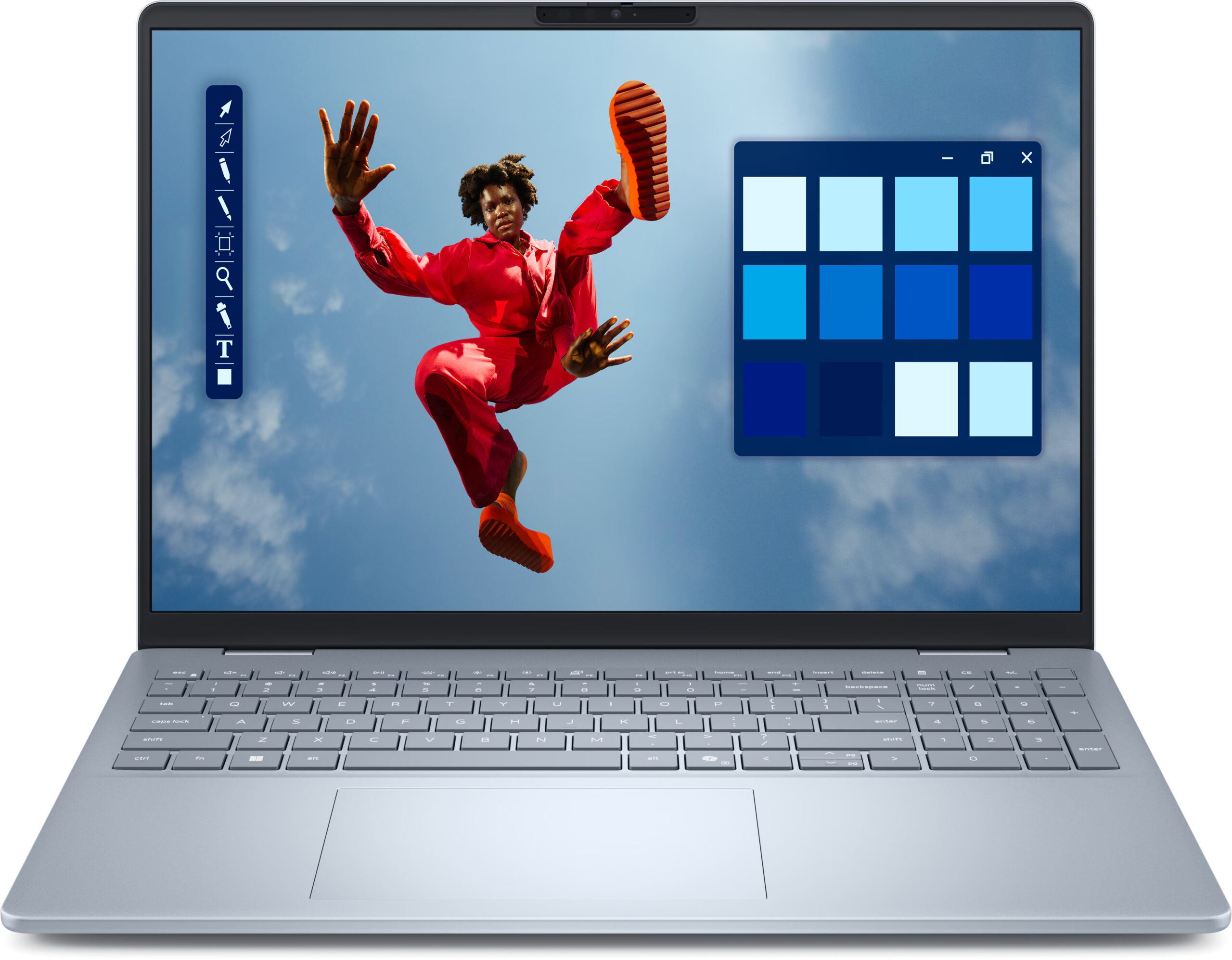
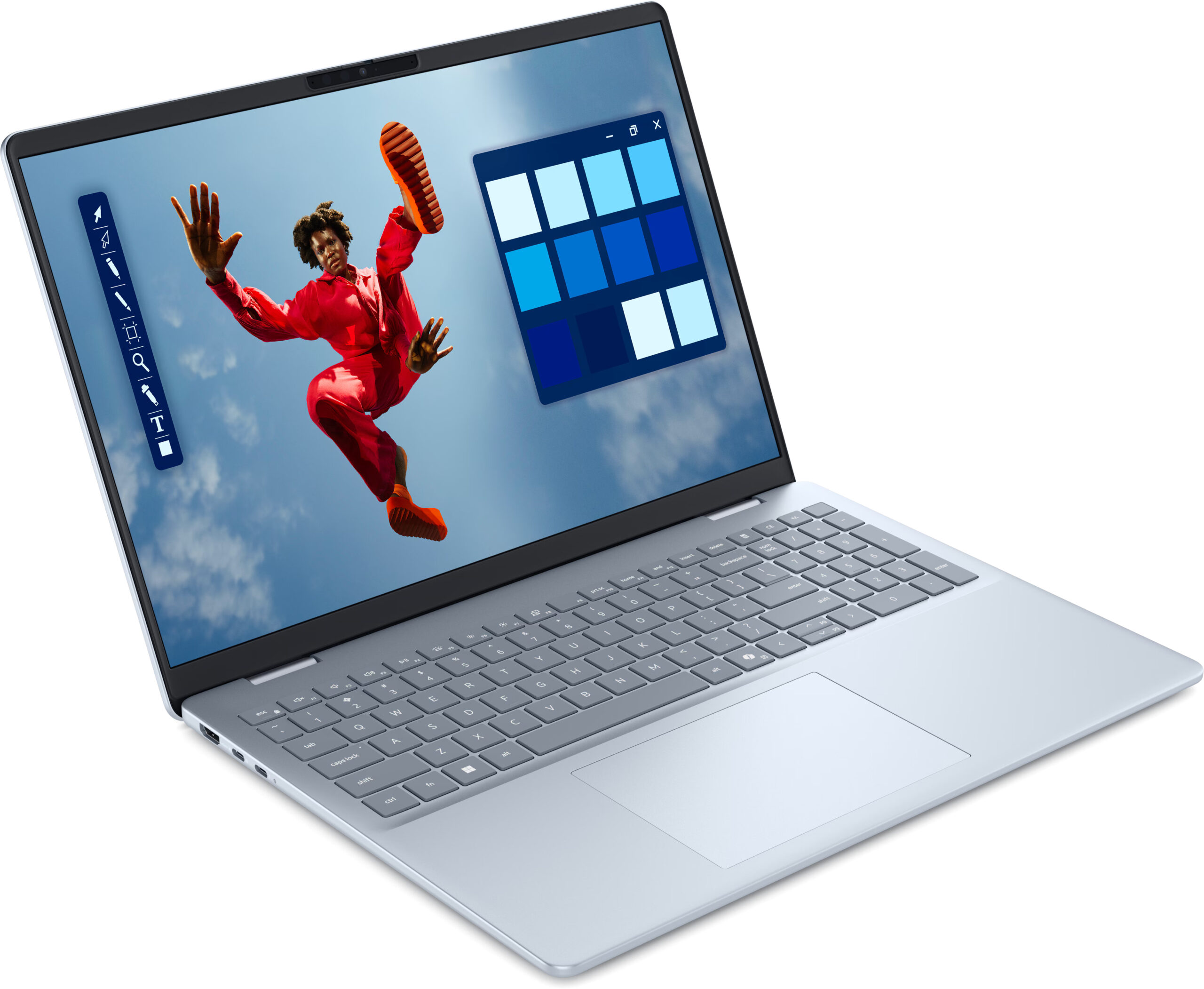
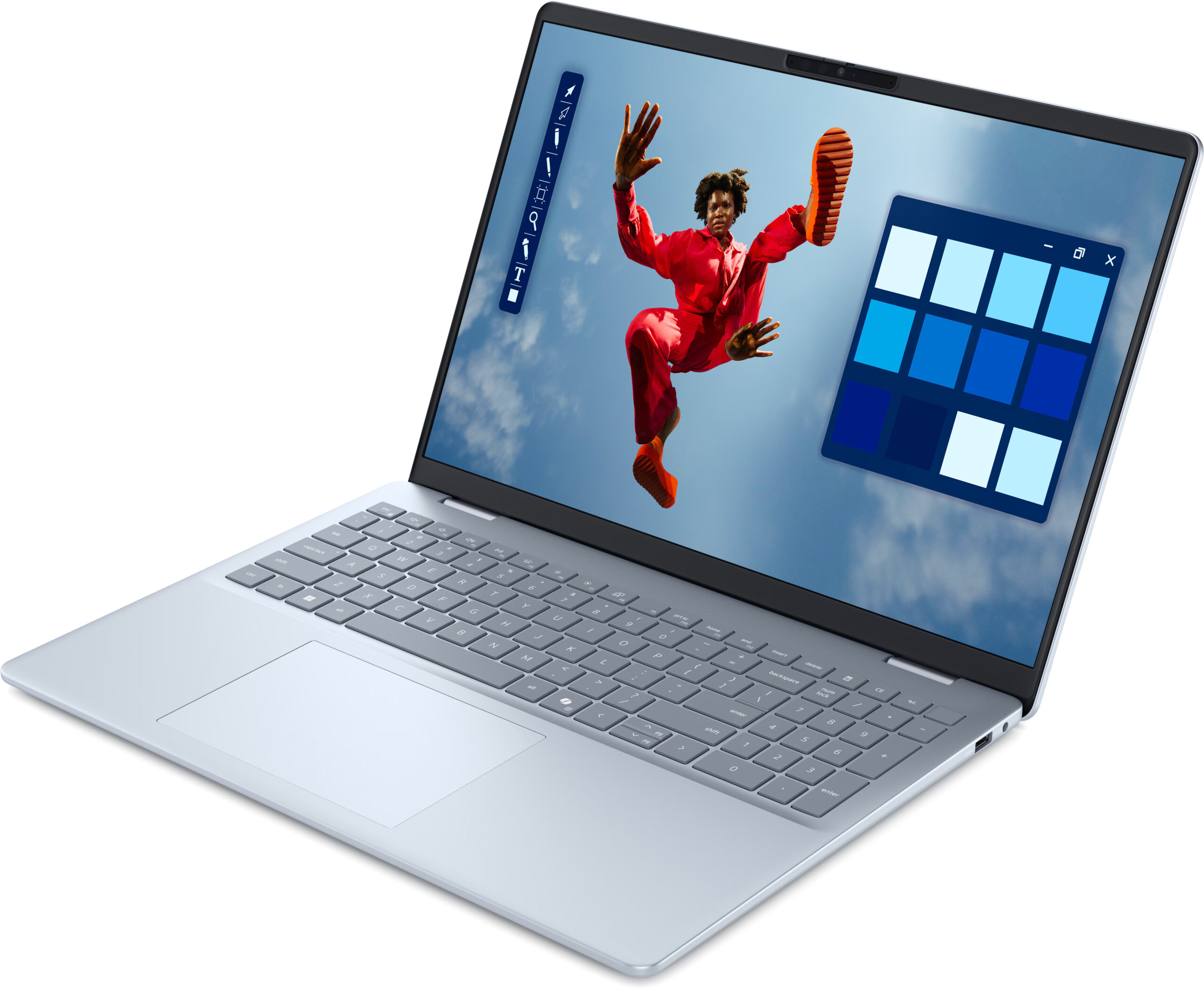
The Dell 16 Plus (DB16250) makes an immediate and profound statement: this is a machine that exudes exceptional elegance, a true premium experience. Dell positions its “Plus” line just below its “Premium” tier, but honestly, when it comes to sheer visual appeal and sophisticated design, the 16 Plus doesn’t concede an inch to anything – not to Dell’s higher-end offerings, nor to any competitor. It’s a masterclass in clean, beautiful industrial design. Bravo, Dell!
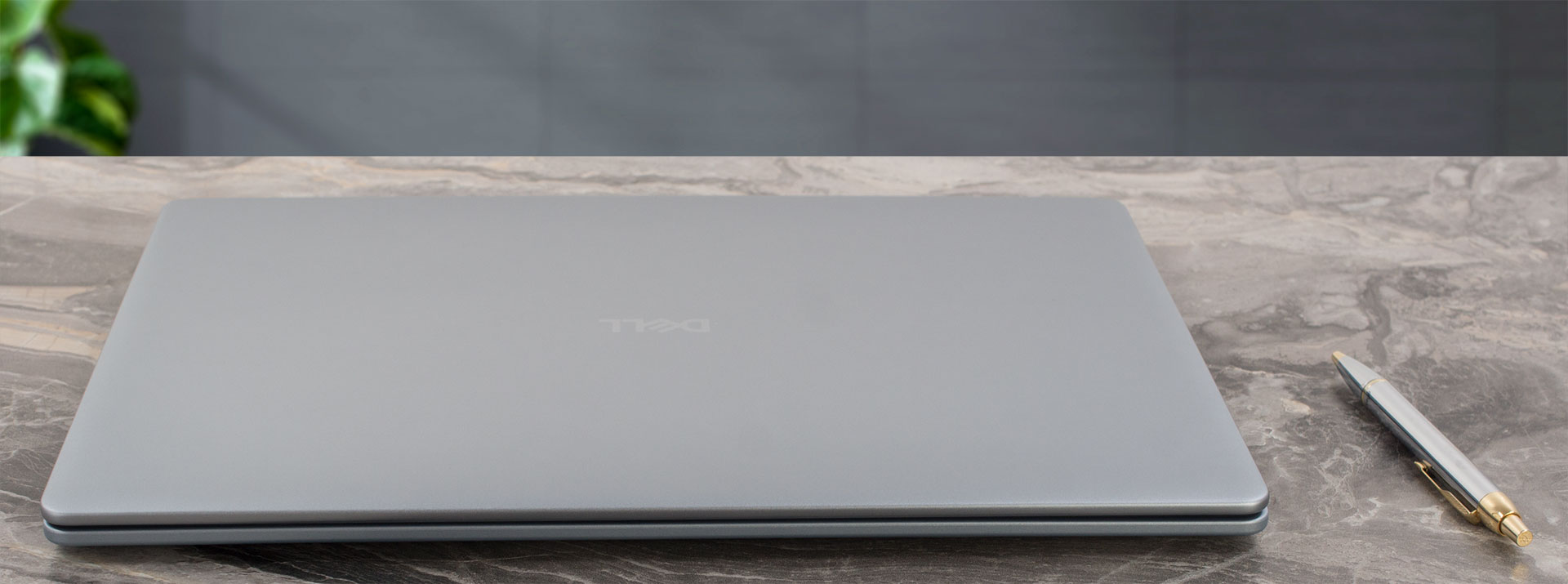
The laptop comes in a single, perfectly chosen colour: Platinum Silver. And frankly, in our subjective opinion, no other colour would do it justice; it perfectly complements the laptop’s refined vision. The clever wedge-shaped design makes it feel remarkably thin in hand, an impression backed up by its actual height of just 16.99 mm (0.67 inches). For a 16-inch machine, its starting weight of 1.87 kg (4.12 lbs) for the non-touchscreen version (the touchscreen model is slightly heavier at 2.05 kg) is also commendably low, making it surprisingly portable.
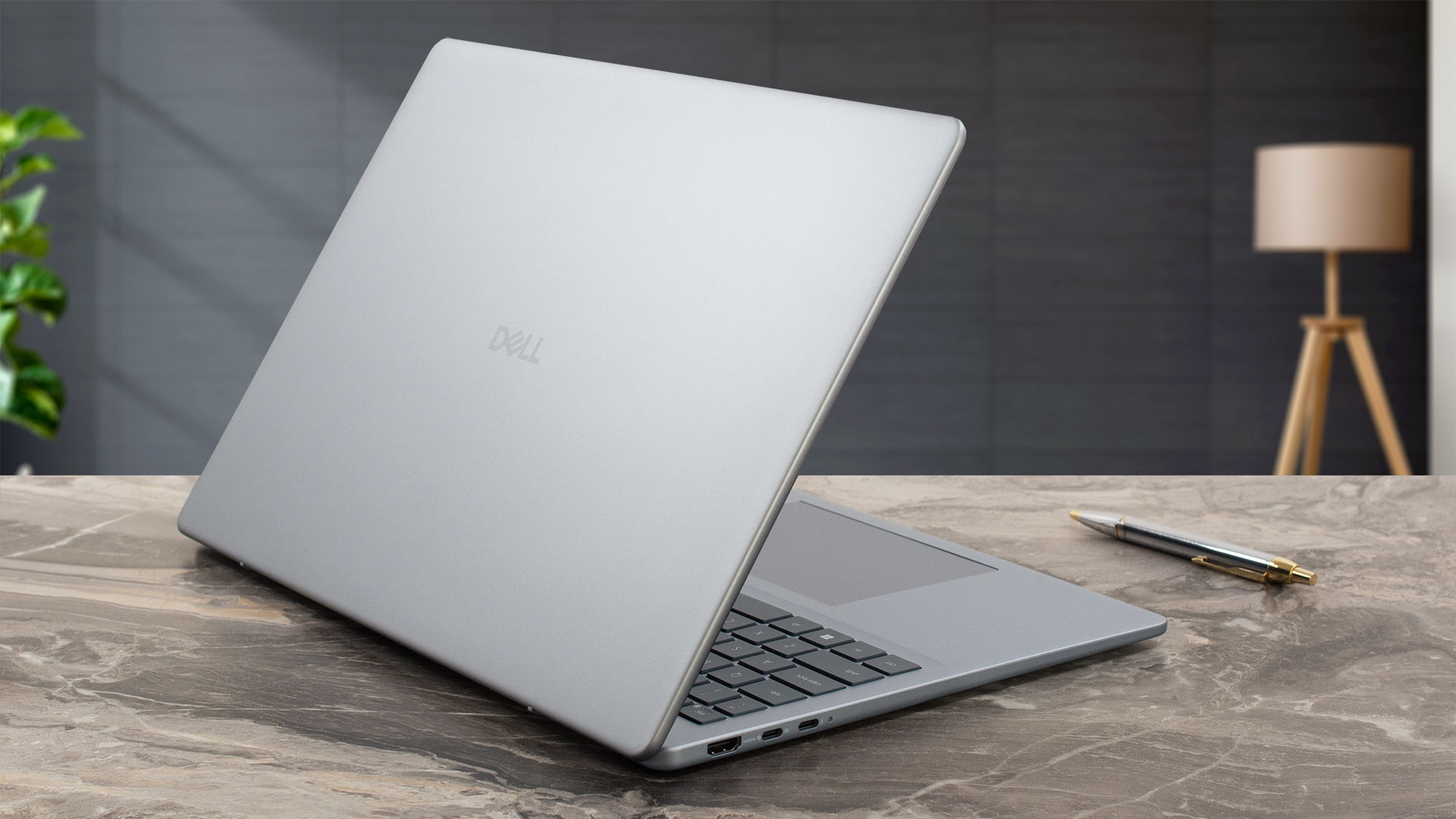
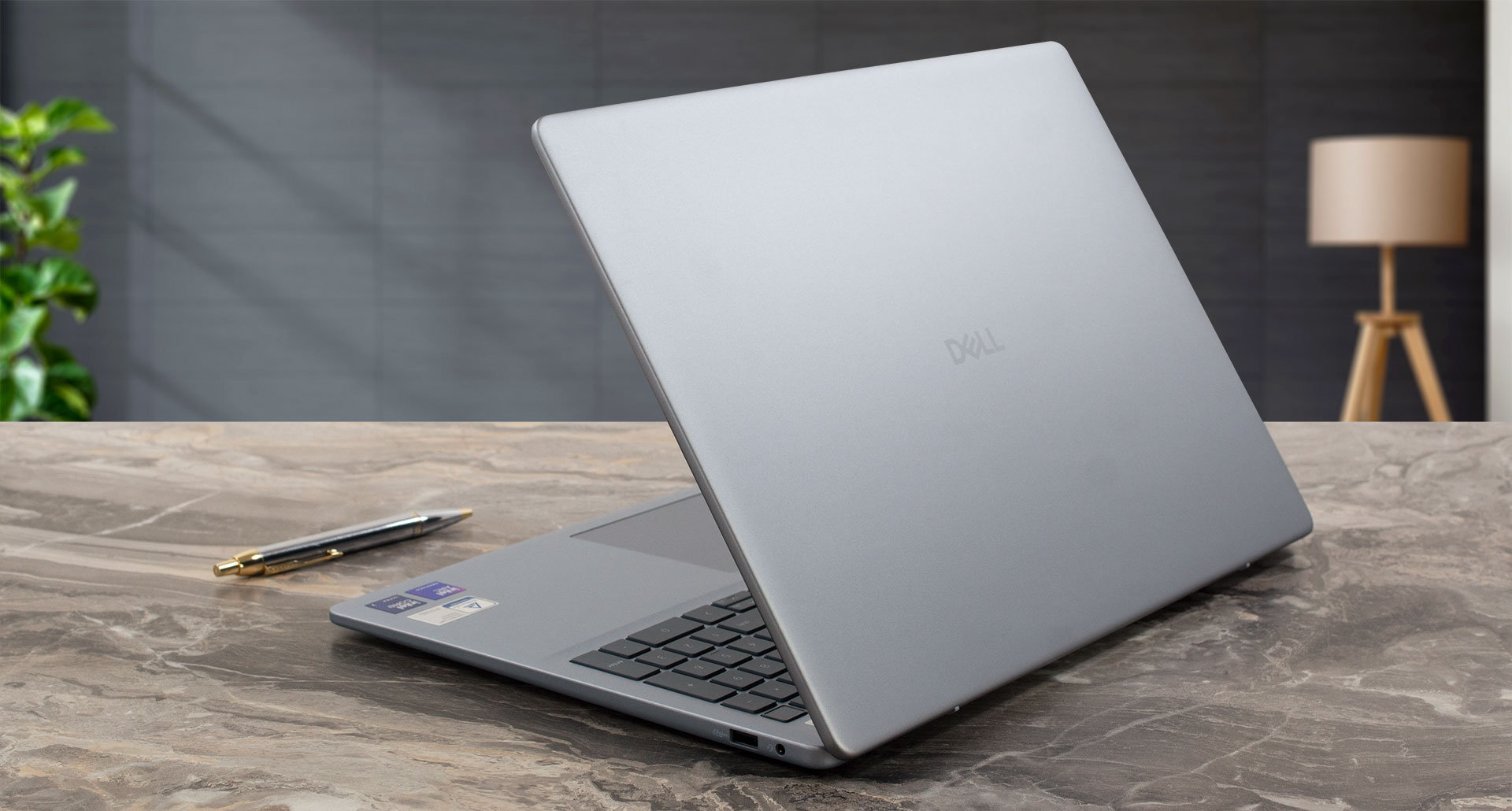
The exterior chassis materials contribute significantly to its premium feel, with the LCD cover and base crafted from cool-to-the-touch aluminium. The bezel surrounding the screen and the palmrest are made of plastic. This mixed-material approach is generally well-executed, though if you deliberately press down on the centre of the main panel, you might notice some flex, a subtle giveaway of the plastic inner construction. However, in day-to-day use, it feels sturdy.
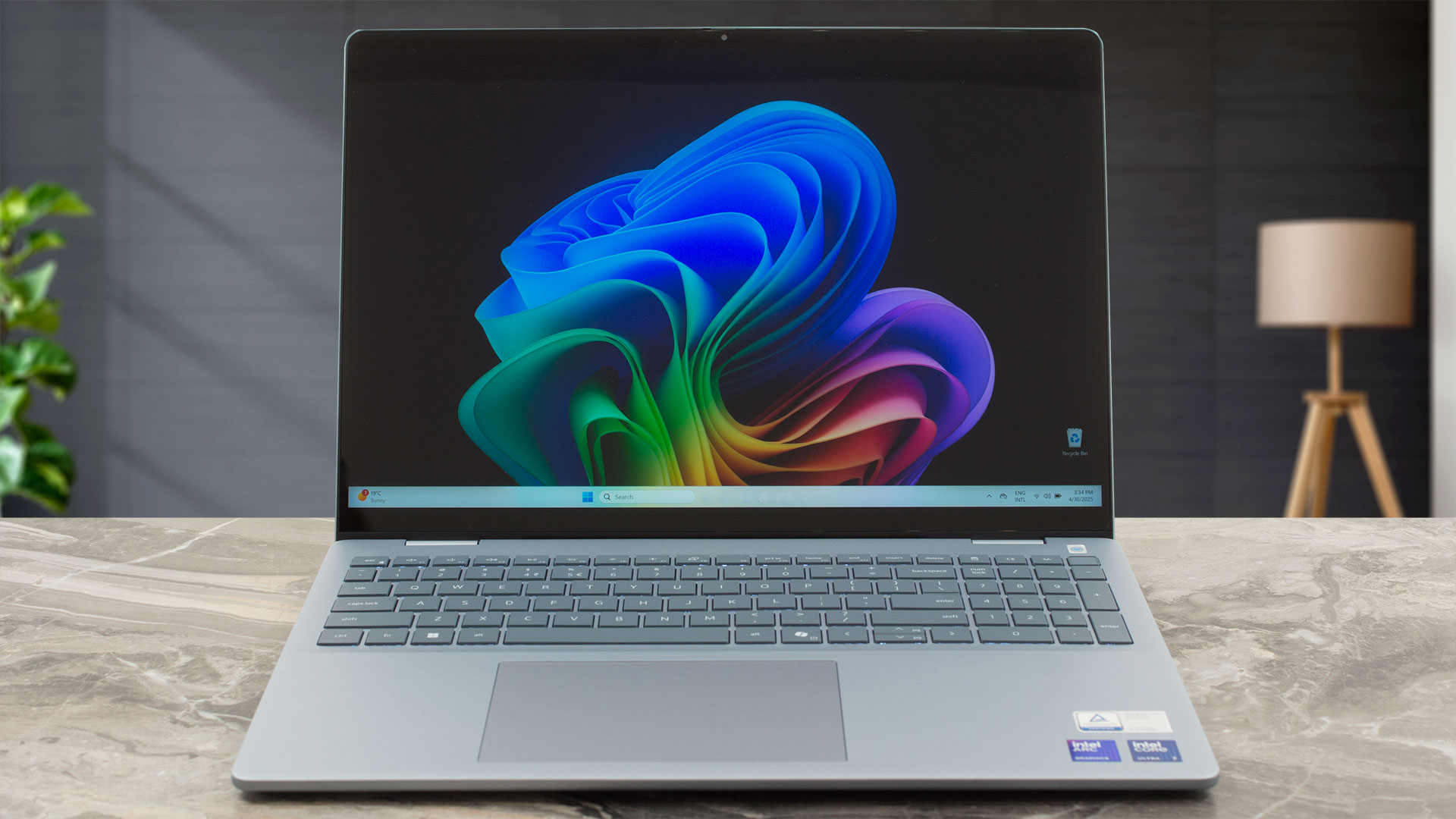
A huge plus is the finish’s resistance to fingerprints; even after several weeks of intensive use, our unit looks as pristine as the day we unboxed it. Opening the lid reveals some very firm hinges – you’ll definitely need two hands for this operation. But these robust hinges allow the screen to open a full 180 degrees, laying completely flat, and as you open it, the rear of the base cleverly lifts, creating a comfortable typing angle and improving airflow.
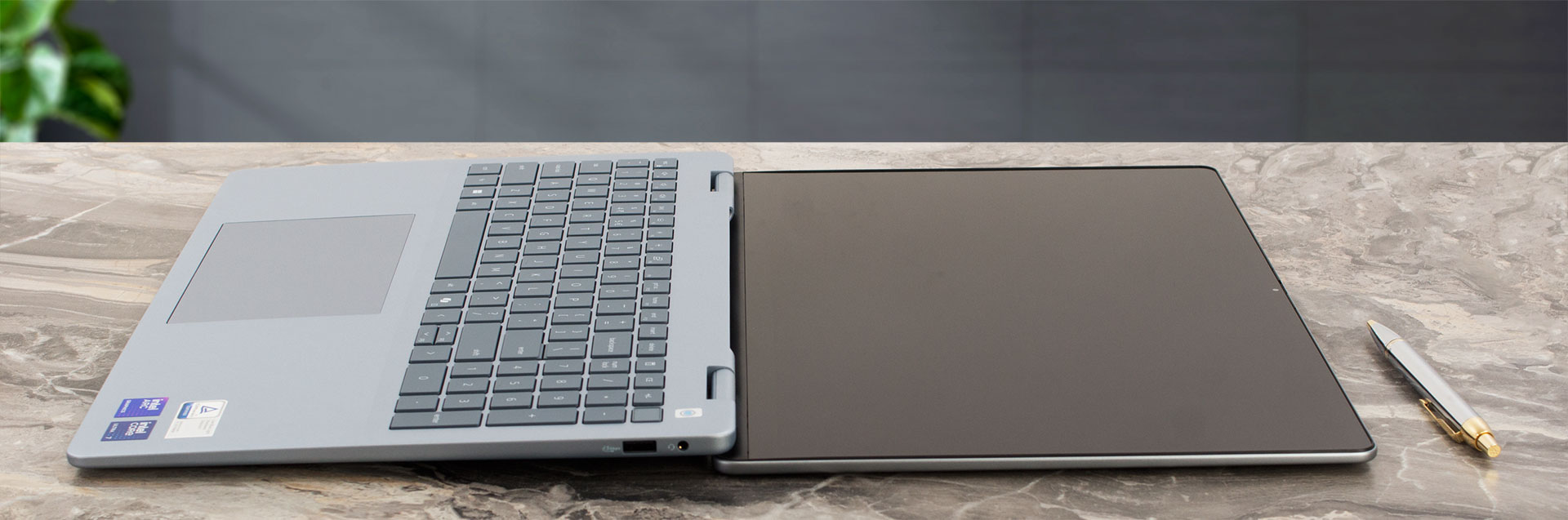
Dell has employed a rather ingenious design trick with the screen bezels. The top bezel measures 10 mm (0.39 inches) and the side bezels are 6 mm (0.24 inches). However, they are designed to visually blend with the screen itself, creating an illusion that they are a mere 2mm thick on all sides. It’s a very effective technique that enhances the immersive quality of the display. That slightly thicker top bezel is packed with technology: flanking the camera are left and right microphones for clear audio. Depending on the configuration, you might also find an infrared emitter and an infrared camera for enhanced security with Windows Hello facial authentication. The main camera enables video chat and recording, with a helpful camera-status light. Most importantly, Dell has included a physical camera shutter – the best option for guaranteed privacy.
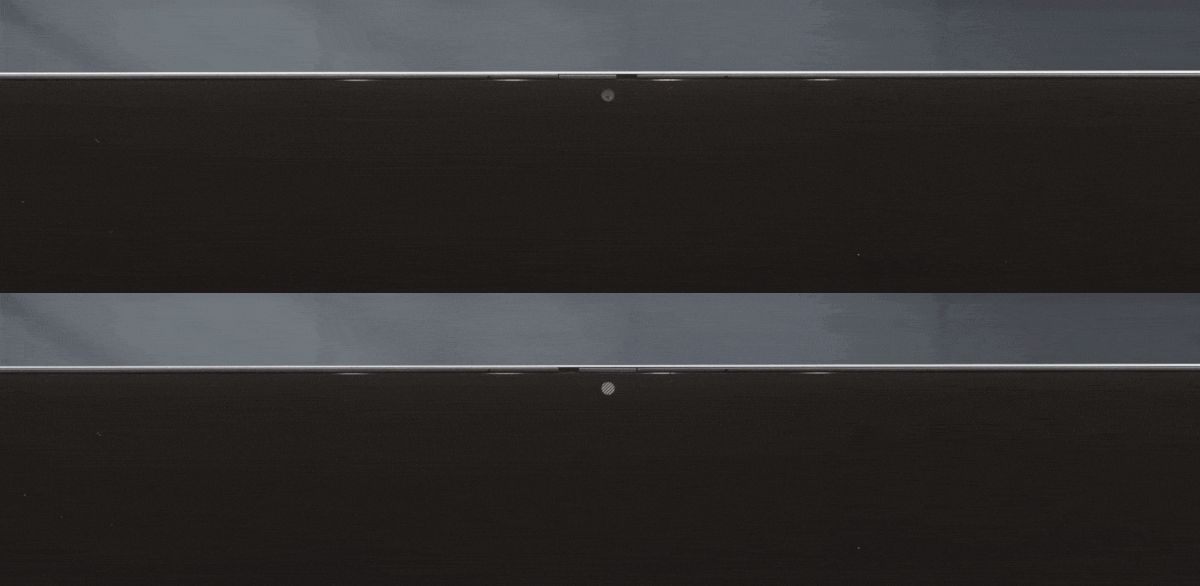
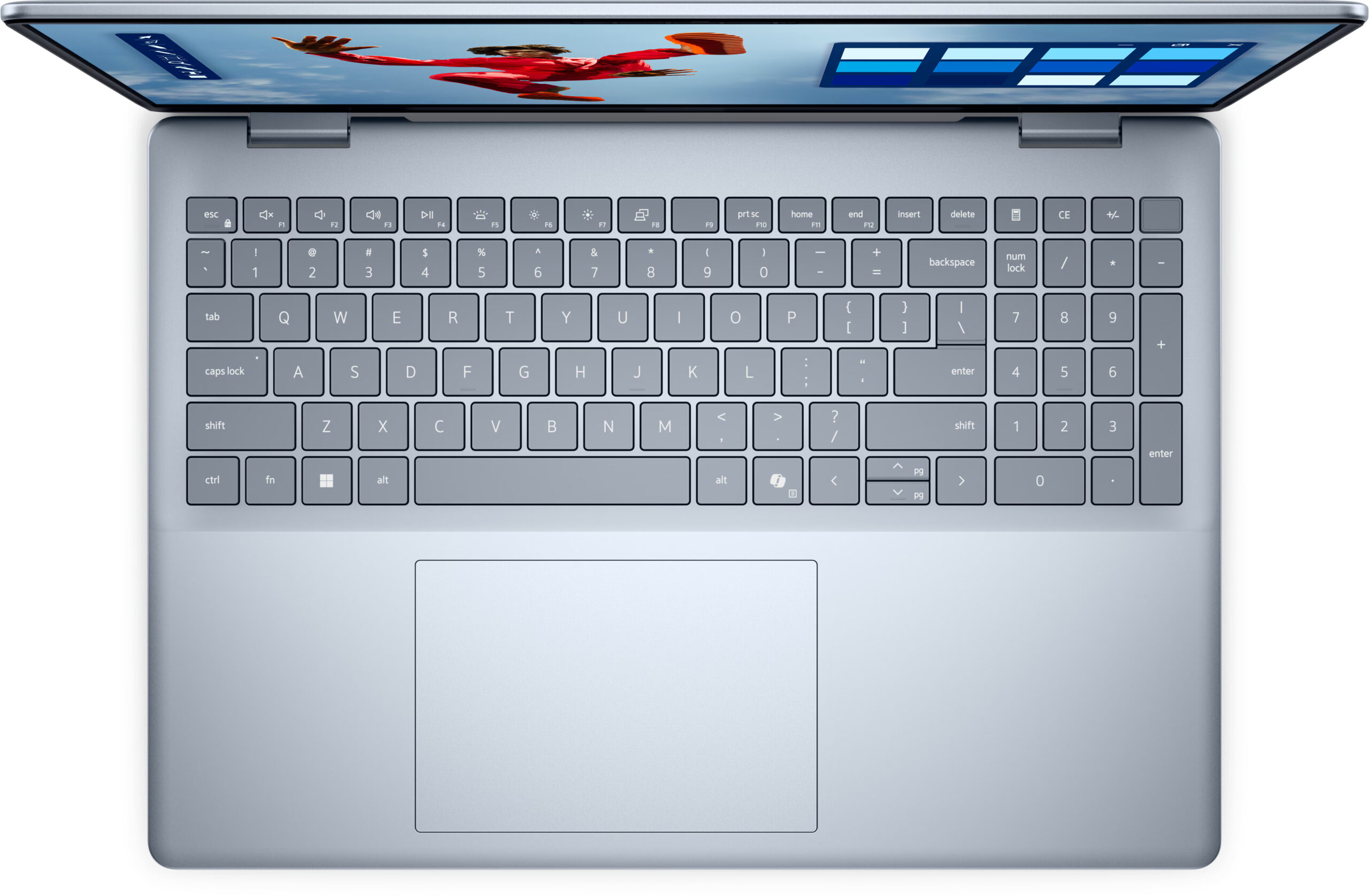
The keyboard deck is spacious and well thought out, featuring a NumPad with keys that are close to standard size, making it genuinely comfortable and practical for data entry. The main keys are very comfortable, offering good travel and a satisfying feel. Our unit features a backlight, and Dell also mentions spill resistance, which is a great touch for durability. However, it’s crucial to note that the keyboard backlight is an optional feature, so always double-check the specifications of the model you intend to purchase. Similarly, a fingerprint reader integrated into the power button is available, but this too is an optional extra. Below the keyboard lies a generously sized trackpad, measuring 132 x 90 mm (approximately 5.20 x 3.54 inches). Its Mylar surface is smooth and provides a very comfortable and precise navigation experience.
Ports and Connectivity
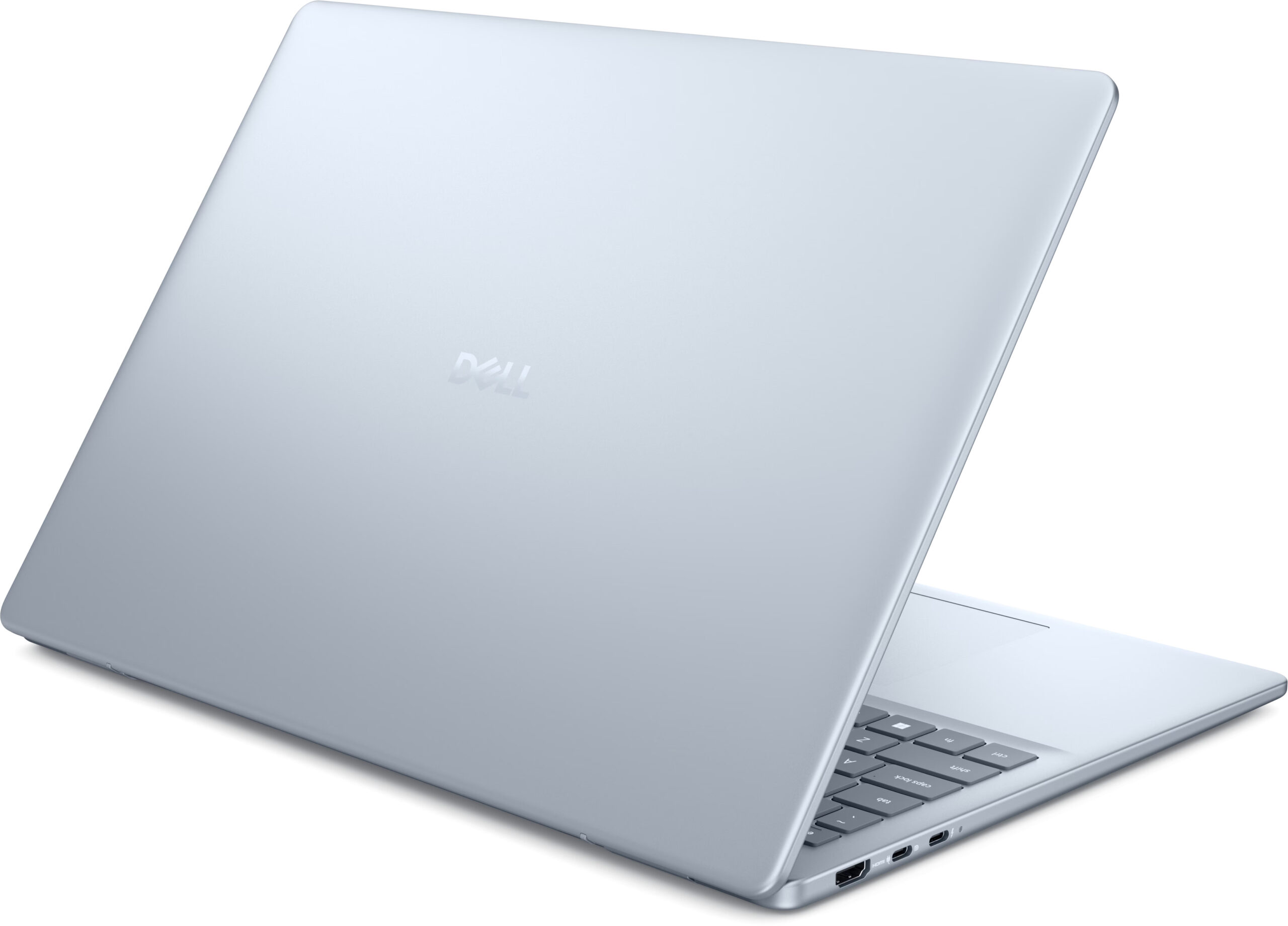
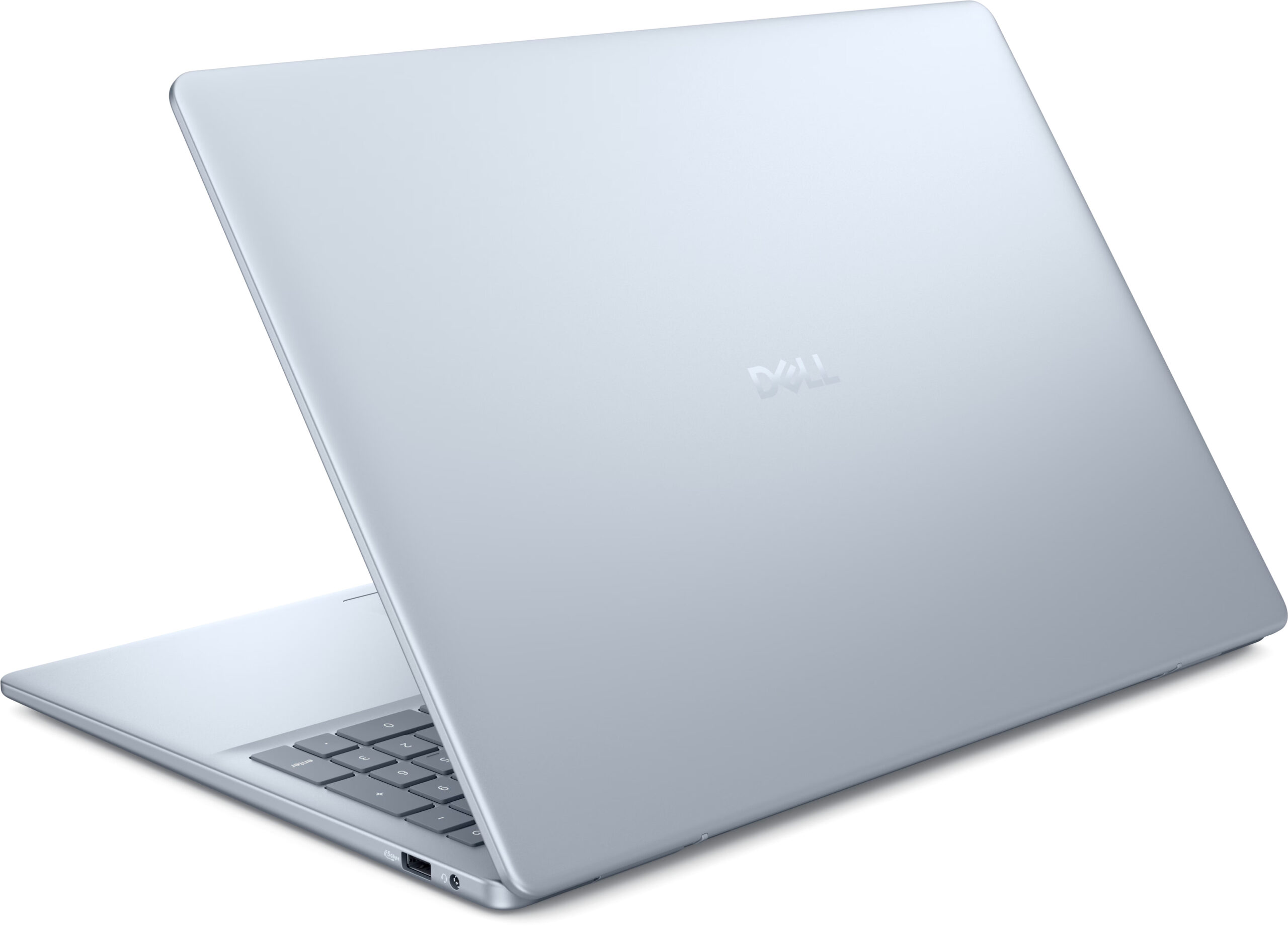
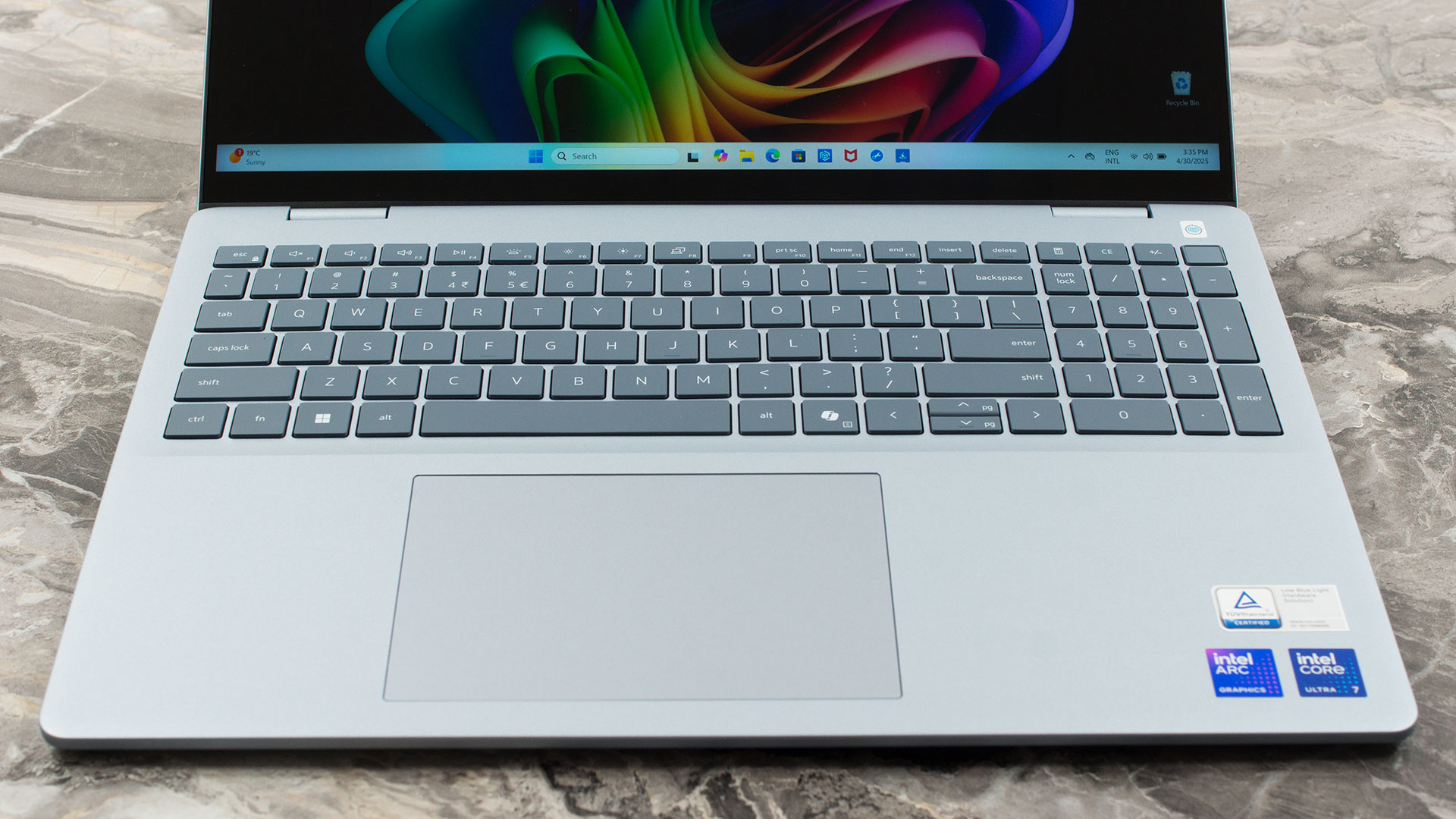
The Dell 16 Plus (DB16250) offers a limited selection of modern ports. Here, you’ll find an HDMI 2.1 port, providing robust video and audio output suitable for connecting to high-resolution external displays or TVs (8K @ 60 Hz). Accompanying this is a USB 3.2 Gen 2 Type-C port, which operates at speeds up to 10 Gbps. This versatile port supports DisplayPort 1.4 Alt Mode for video output and Power Delivery for charging. The highlight on the left is a Thunderbolt 4 port. This high-performance interface delivers data transfer rates up to 40 Gbps, supports the more advanced DisplayPort 2.1 standard for cutting-edge external monitors, and also incorporates Power Delivery.

The right side of the laptop is more streamlined, featuring a single USB 3.2 Gen 1 Type-A port that operates at 5 Gbps, suitable for connecting common peripherals like external storage or printers. Alongside it is a global 3.5mm headset jack, accommodating headphones or headsets with a combined microphone. It’s worth noting the absence of a built-in Ethernet port or an SD card reader, so users requiring these will need to rely on USB-C hubs or adapters.

Wireless connectivity options for the Dell 16 Plus vary depending on the configuration. Some models will be equipped with an Intel AX211 wireless card, which provides Wi-Fi 6E (802.11ax) capabilities, supporting the 2.4 GHz, 5 GHz, and 6 GHz frequency bands with transfer rates up to 2400 Mbps, along with Bluetooth 5.3. Other configurations will feature the more advanced Intel BE201 card, offering the latest Wi-Fi 7 (802.11be) standard. This also supports the 2.4 GHz, 5 GHz, and 6 GHz bands but boasts significantly higher potential transfer rates up to 5760 Mbps and includes Bluetooth 5.4 for enhanced wireless peripheral connectivity.
Display and Sound Quality, Display Profiles
These are the four display options you have when buying the Dell 16 Plus. We chose “Option 4” – 2560 x 1600 screen with 90 Hz refresh rate, and HDR support.
It is a great screen, and it would have been one of the best in our Top 100 Laptops with the Best Screens ranking, if it wasn’t for the aggressive PWM, and high reflectance.
| Dell Pro 14 Plus (PB14250) | FHD+ (1920 × 1200), 60 Hz, IPS, Anti‑glare, ComfortView | FHD+ (1920 × 1200), 60 Hz, IPS, Touch with cover glass, Glossy, ComfortView | 2.5K (2560 × 1600), 120 Hz, IPS, Anti‑glare, ComfortView | QHD+ (2560 × 1600), 90 Hz, IPS, Dolby Vision, ComfortView Plus, Touch with cover glass |
| Diagonal | 14.0 inches (35.6 cm) | 14.0 inches (35.6 cm) | 14.0 inches (35.6 cm) | 14.0 inches (35.6 cm) |
| Panel Type | IPS | IPS | IPS | IPS |
| Resolution | 1920 × 1200 pixels | 1920 × 1200 pixels | 2560 × 1600 pixels | 2560 × 1600 pixels |
| Max Refresh Rate | 60 Hz | 60 Hz | 120 Hz | 90 Hz |
| Aspect Ratio | 16:10 | 16:10 | 16:10 | 16:10 |
| Pixel Density | 141 PPI | 141 PPI | 189 PPI | 189 PPI |
| ‘Retina’ Distance | Greater than or equal to 62 cm | Greater than or equal to 62 cm | Greater than or equal to 46 cm | Greater than or equal to 46 cm |
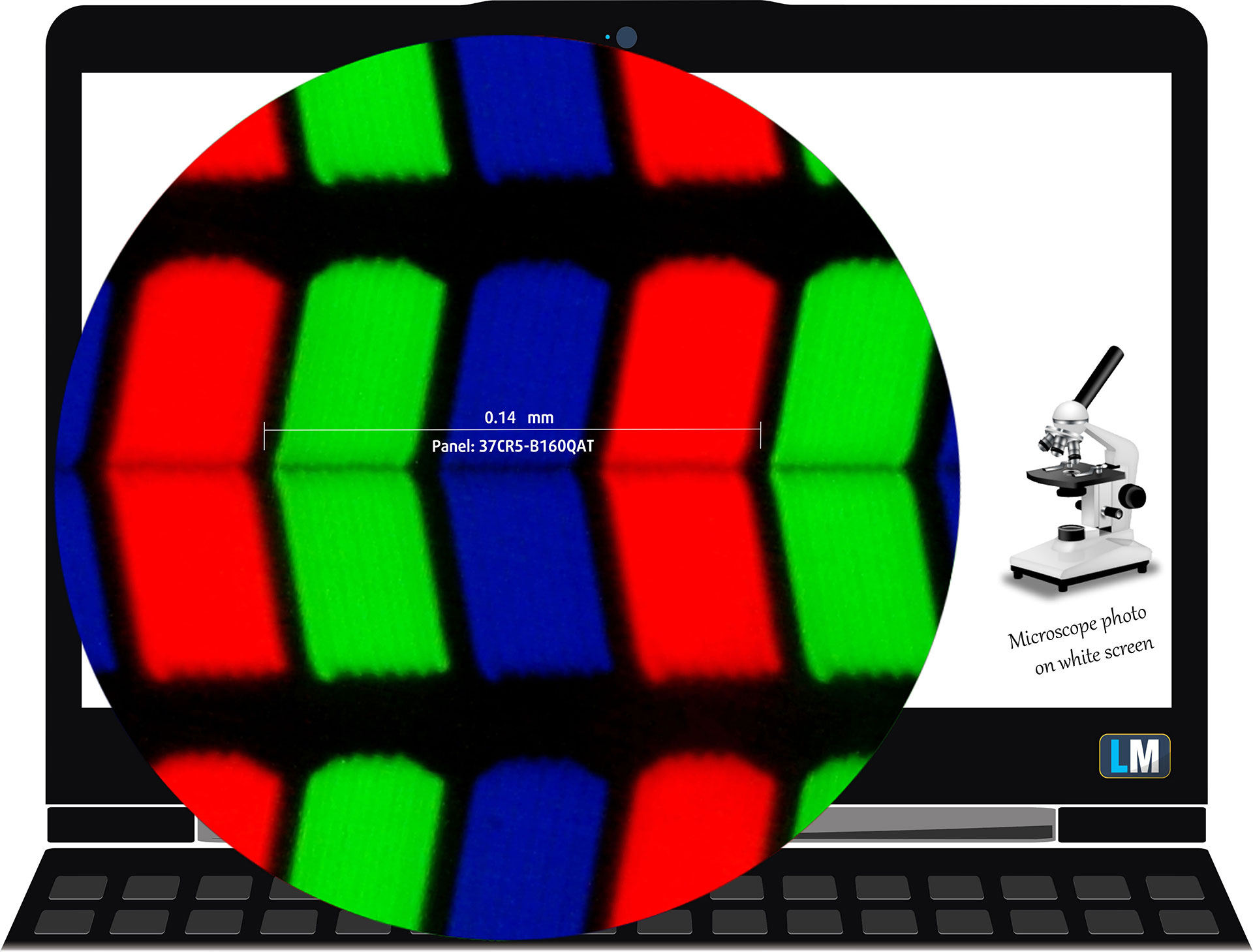
| Dell 16 Plus (DB16250) | AUO 37CR5-B160QAT (AUO1AB3) |
| Diagonal | 16.0 inches (40.6 cm) |
| Panel Type | IPS, Pen and touch support |
| Resolution | 2560 x 1600 pixels |
| Max Refresh Rate | 90 Hz |
| Aspect Ratio | 16:10 |
| Pixel Density | 189 PPI |
| ‘Retina’ Distance | Greater than or equal to 46 cm |
Viewing Angles
Viewing angles are good. We take photos from different angles to evaluate the quality.
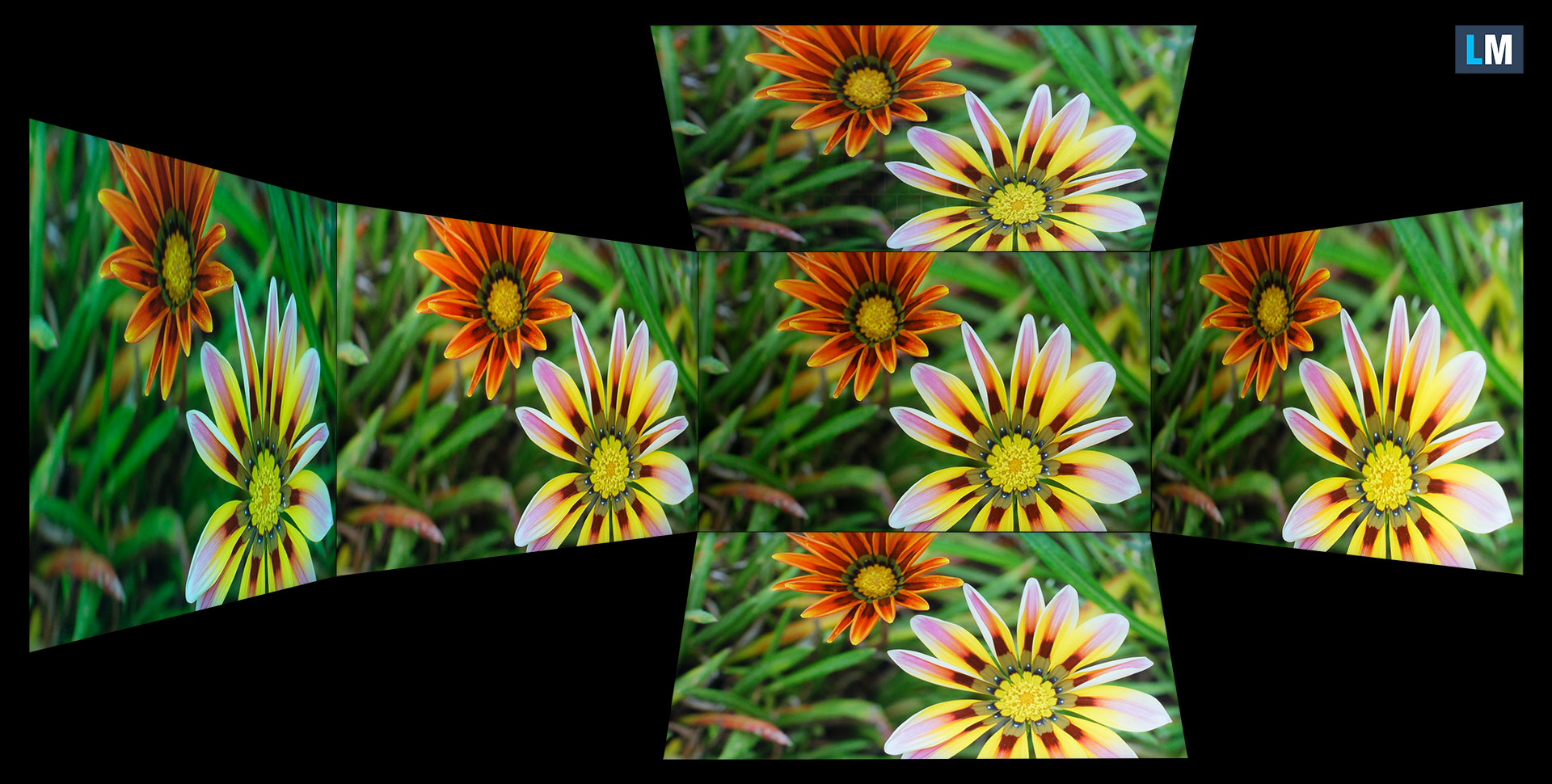
Also, a video with locked focus and exposure.
Color Coverage
The whole “sail-shaped” map below (Fig. 1) consists of all the colors we can see, while the black crooked line shows all the colors from real-world scenes and nature around us.
Then, we’ve drawn some of the most important and interesting color spaces, compared to the colors the panel of Dell 16 Plus (DB16250) can show:
Standard/For Web: sRGB – widely used color space for most consumer devices, ideal for Web design and development
For Print: AdobeRGB – used in professional photo editing, graphic design, and print
For Photographers/Video Editors: DCI-P3 – used in high-end film production, post-production, and digital cinema
Premium HDR: Rec.2020 – the widest consumer ITU color standard, covering a massive 75.8% of the visible spectrum, a benchmark for premium HDR content.
Dell 16 Plus (DB16250): the yellow dashed triangle (– – – – – –) represents the range of colors this monitor can show.
In our tests, we calculated the total color coverage of the display at 100% of the sRGB color gamut and 100% of the DCI-P3 color gamut.
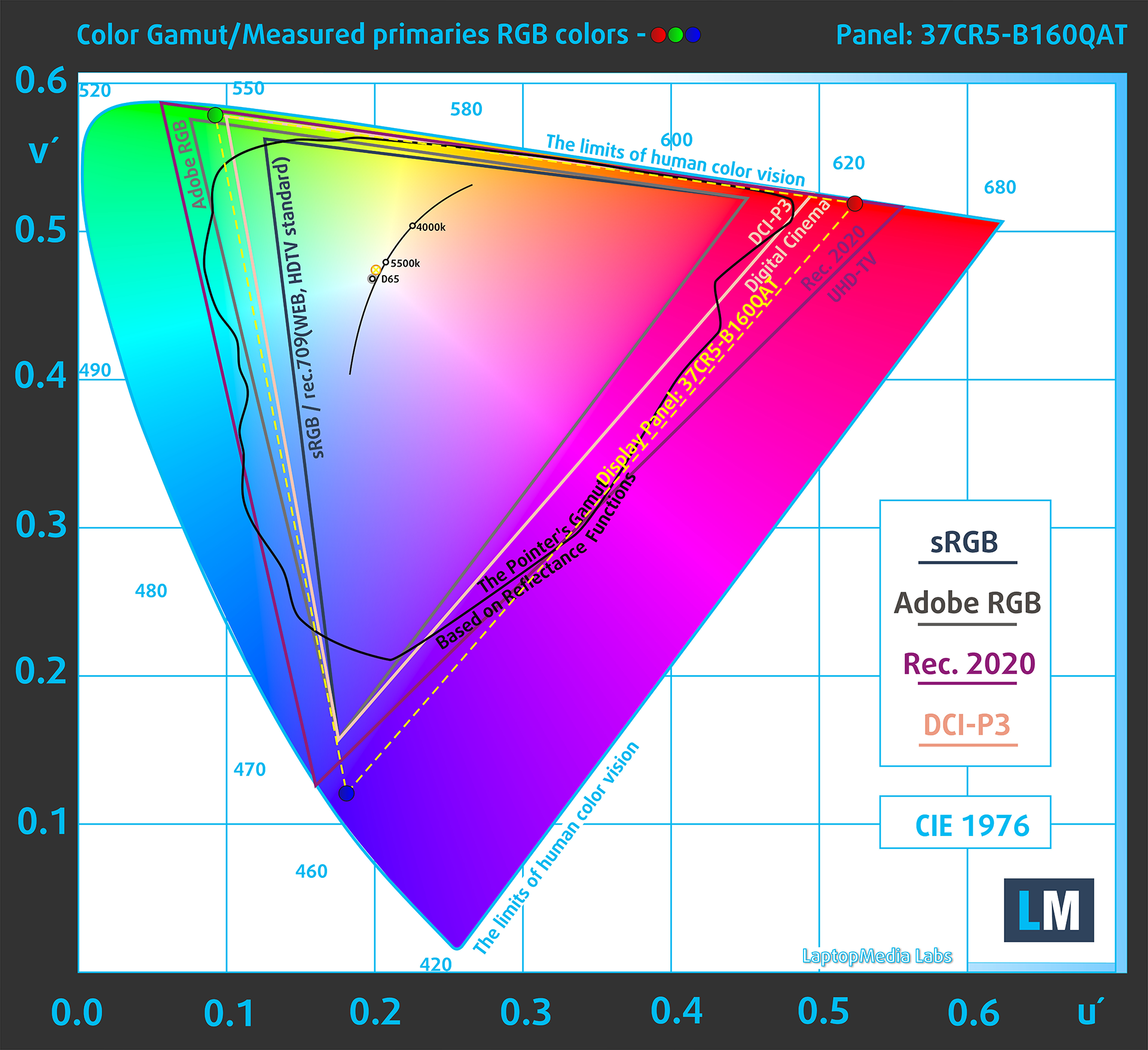
(Fig.1) Dell 16 Plus (DB16250) covers 100% of the DCI-P3 gamut
Brightness and Contrast
The maximum brightness in HDR mode is 681 cd/m² at 8% white fill and 424 cd/m² on a full white screen.
The maximum brightness in SDR mode is 493 cd/m² in the center of the screen and 495 cd/m² averaged across the surface with a maximum deviation of 2%.
The Correlated Color Temperature (CCT) on a white screen at maximum brightness is 6100K.
The contrast ratio is 13400:1 ON/OFF and 6200:1 ANSI, which is well above expectations, but confirms our observations described below in “PWM (Screen flickering)”.

Uniformity: Luminance, Contrast, and Color Deviation
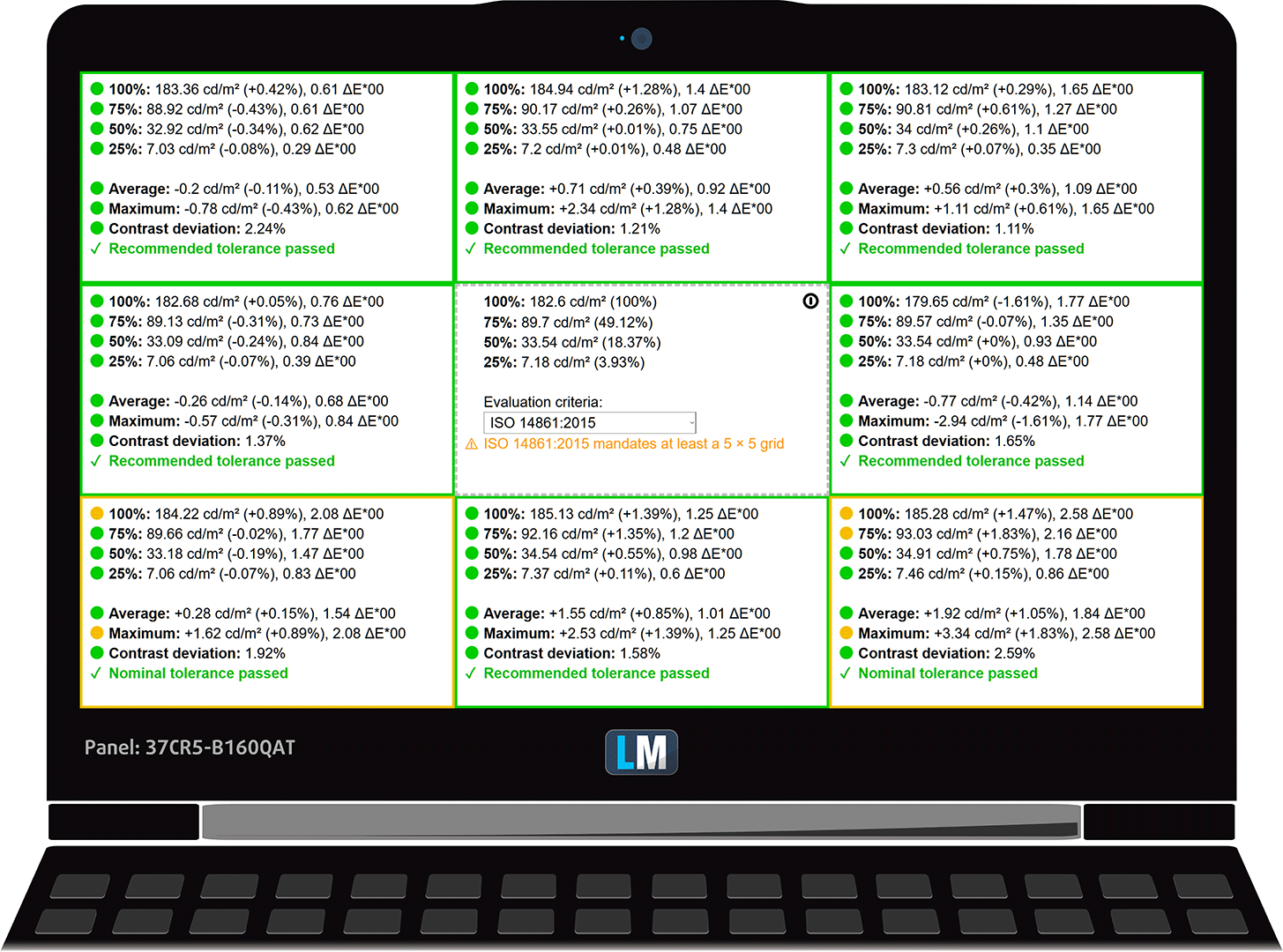
The figure below shows the results from our uniformity test across different sections of the screen. It’s measured at 183 nits (Windows slider = 53%) — a brightness level we consider typical for standard working conditions.
DeltaE values below 4.0 are acceptable for regular users. For those working with colors, screens with DeltaE values no higher than 2.0 are recommended.
Color Accuracy
Let’s check the difference between real colors and those you’ll see on the Dell 16 Plus (DB16250). We measure that distance in DeltaE – the higher the number, the more different they look.
Values below 4.0 are acceptable for regular users, while values below 2.0 are suitable for color-sensitive work. A value below 1.0 means the difference is indistinguishable to the naked eye.
For the next graph, we’ve selected 24 common colors, including dark/light skin, blue sky, green grass, etc.
Before our calibration of the Dell 16 Plus (DB16250), the Average color accuracy was 2.4 dE (Fig. 2), and with our Design and Gaming profile, it lowered to 1.4 dE (Fig. 3). This is more than 70% improvement in color accuracy with our profile!
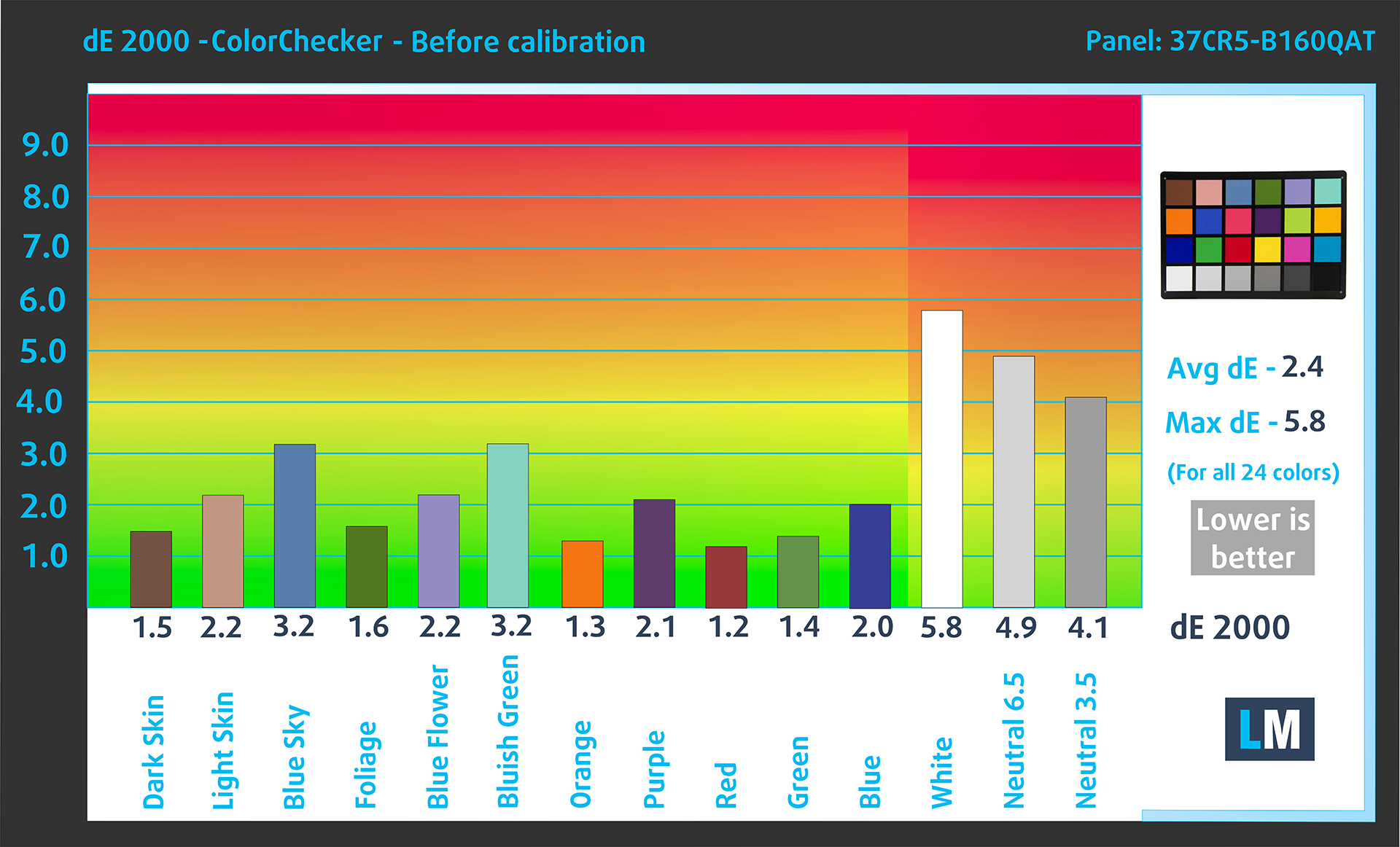
(Fig. 2) Dell 16 Plus (DB16250) in its factory condition
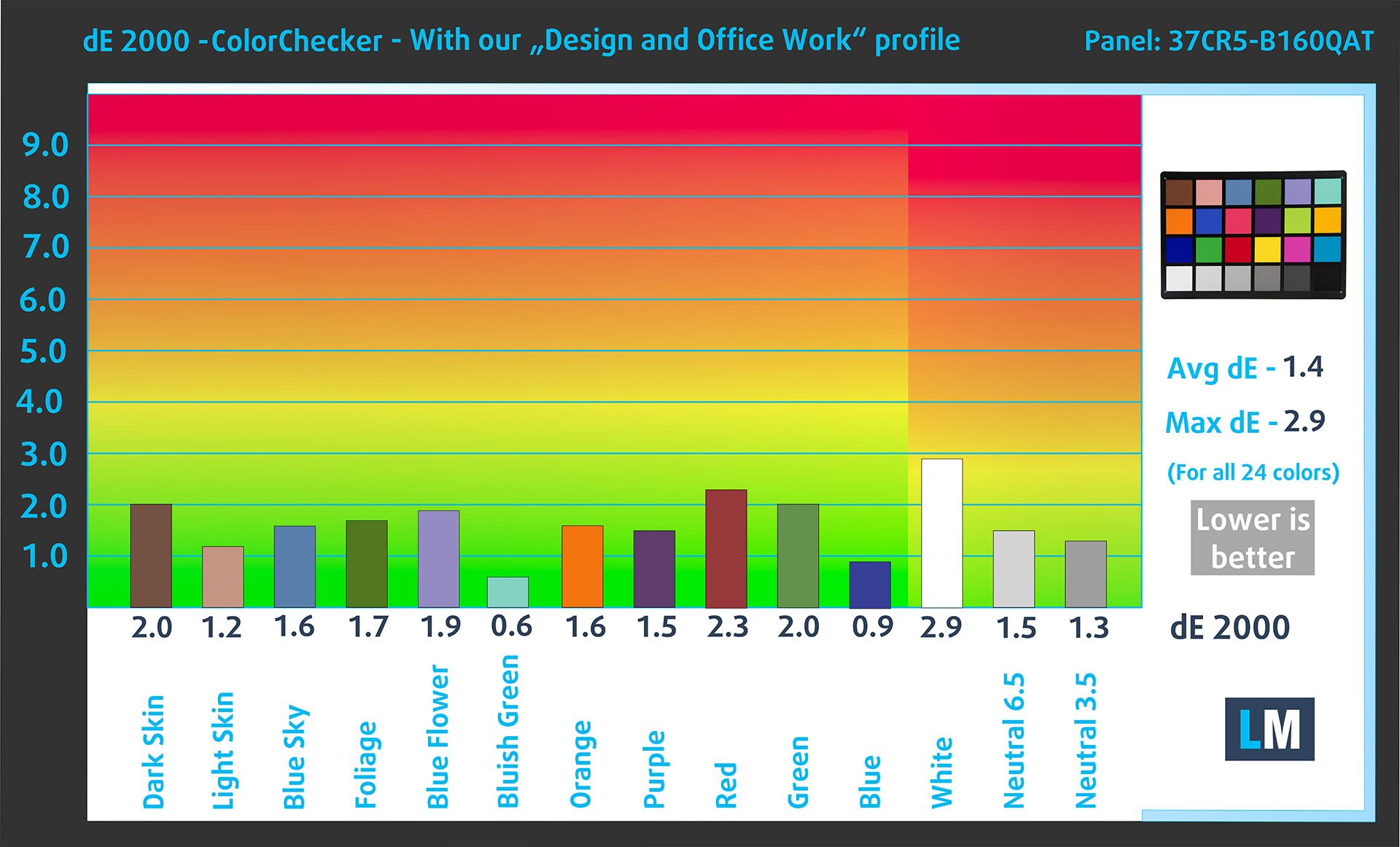
(Fig. 3) Dell 16 Plus (DB16250) with our display profile
Comparison in the Display P3 color space.
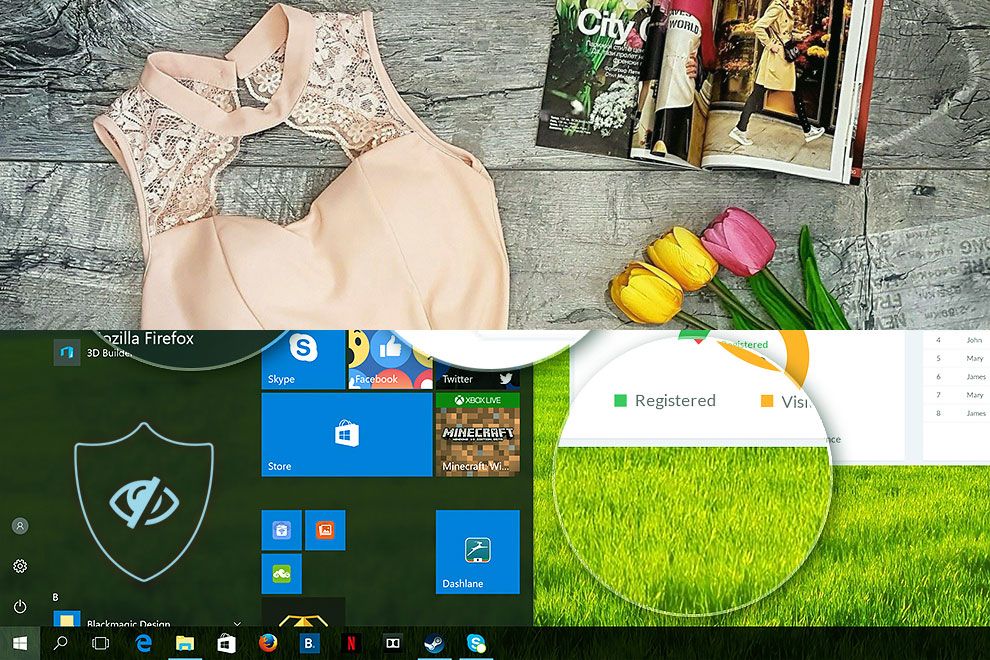
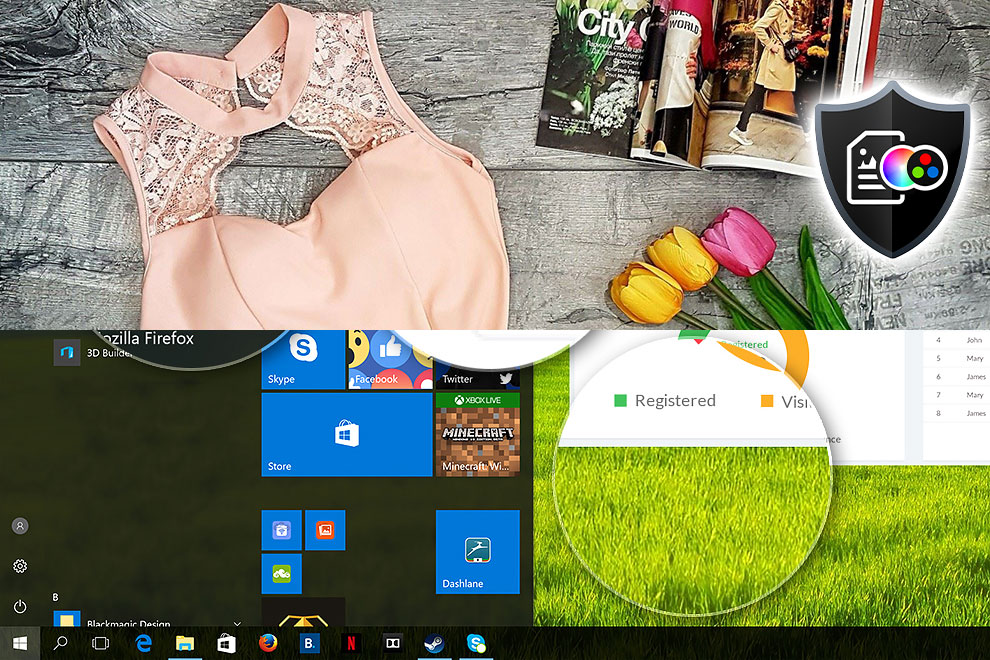
Here’s an illustration of what the Design and Office profile aims to deliver:
Left: No Profile | Drag the slider to see the difference | Right: Design & Office Profile
Visibility in dark scenes
Have you ever watched a movie with dark scenes where you could barely see anything? This often happens because many display panels struggle to differentiate the darkest nuances, making them appear the same.
The next figure illustrates how well the display reproduces these dark nuances. The left side of the image shows the display with stock settings, and the right side shows it with our Gaming and movies profile activated.
On the horizontal axis are the grayscale levels, and on the vertical axis – the corresponding display brightness.
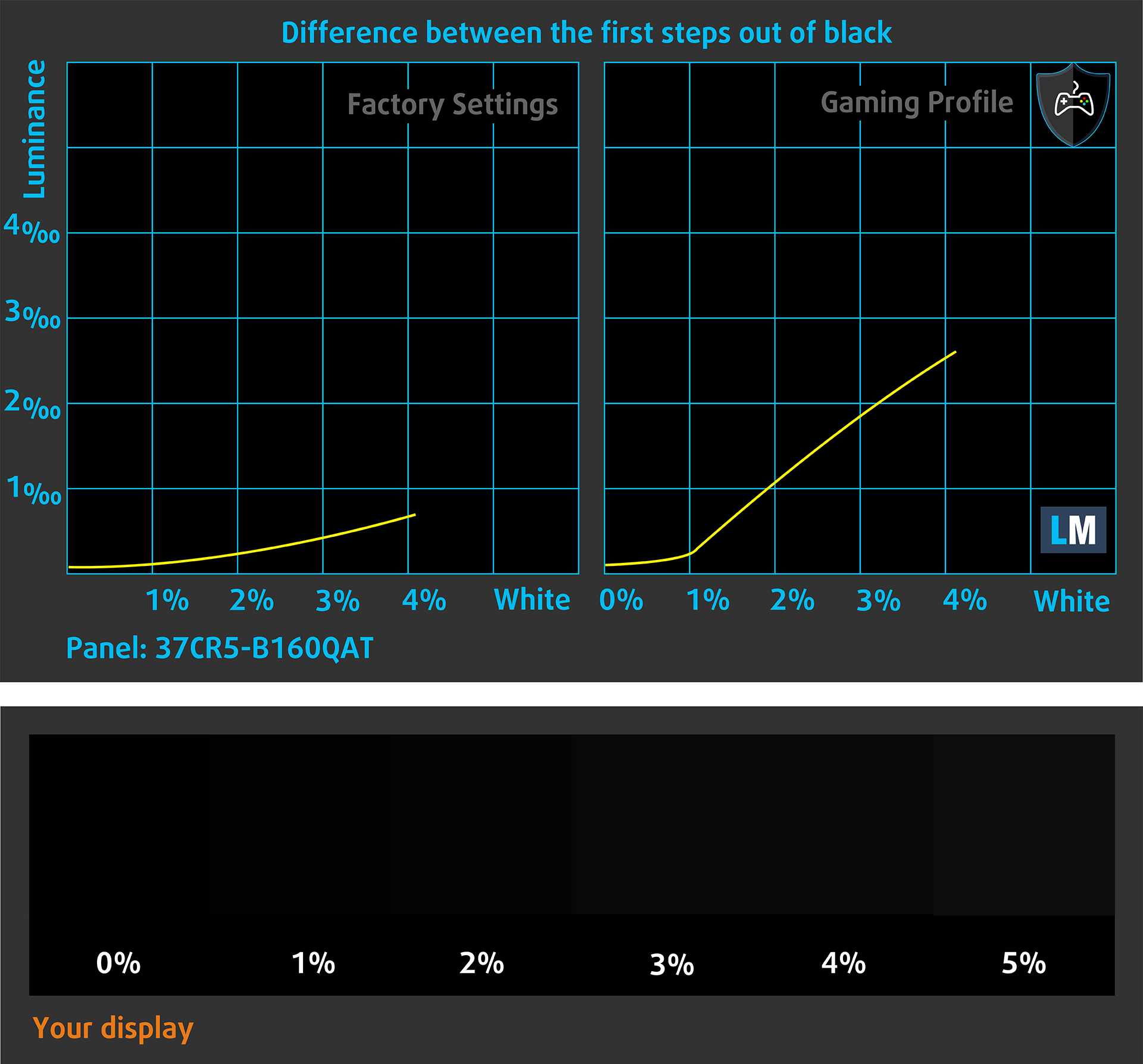
You can also check how your display handles the darkest nuances but keep in mind that this also depends on the settings of your current display and the surrounding light conditions.
Health Impact: PWM (Screen flickering)
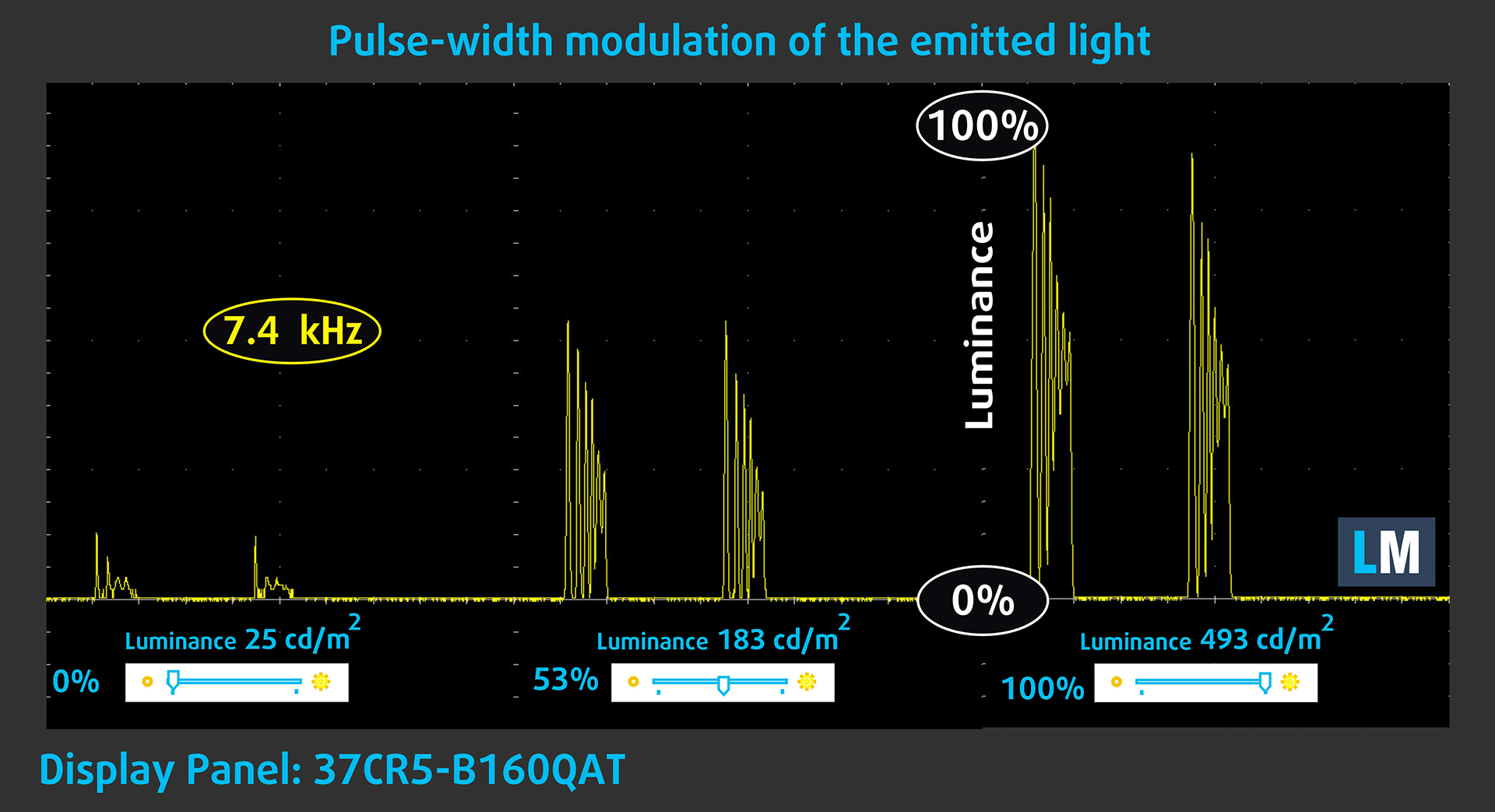
Some use PWM to regulate their brightness, which means that instead of reducing the light intensity, they pulse or flicker. Our brain merges the image, so it appears darker, but this strains both it and our vision, especially when the frequency of the pulses is low. You can read more about that in our dedicated article on PWM.
In the graph below, you see the intensity of light at different brightness levels—on the vertical axis is the brightness of the emitted light, and on the horizontal axis—time.
The backlight of the Dell Pro 16 Plus (DB16250) display has significant flicker (the light emitted from its screen flickers in a manner typical of mini LED backlighting, but we have not found documented confirmation that the screen is mini LED). The flicker rate is high, but the fill factor is very low. In this regard, we believe that the Dell Pro 16 Plus (DB16250) display may have a negative impact on people with sensitive vision.
Health Impact: Blue light emissions
Installing our Health-Guard profile reduces harmful Blue Light emissions while keeping the colors of the screen perceptually accurate.
If you’re not familiar with the Blue light, the TL;DR version is – emissions that negatively affect your eyes, skin, and your whole body. You can find more information about that in our dedicated article on Blue Light.
Health Impact: Screen Reflectance
Glossy-coated displays can cause eye fatigue in high ambient light conditions due to reflections. We measure the level of screen reflection with the display turned off, at a 60° angle.
The reflectance of the Dell 16 Plus (DB16250)’s screen is 108 GU. Not a great result.
High Gloss: >70 GU
Medium Gloss: 30 – 70 GU
Low Gloss: <30 GU
Get our profiles
Since our profiles are tailored for each individual display model, this article and its respective profile package are meant for Dell 16 Plus (DB16250) configurations with 37CR5-B160QAT (AUO1AB3), 2560 x 1600, IPS panel.
*Should you have problems with downloading the purchased file, try using a different browser to open the link you’ll receive via e-mail. If the download target is a .php file instead of an archive, change the file extension to .zip or contact us at [email protected].
Read more about the profiles HERE.
In addition to receiving efficient and health-friendly profiles, by buying LaptopMedia's products you also support the development of our labs, where we test devices in order to produce the most objective reviews possible.

Design and Office
The Design and Office profile makes display colors as close to real as possible.Ideal not only for professionals but also for everyday users, it meets sRGB standards (D65 white point, sRGB gamma) with minimal DeltaE for precise color reproduction on your panel.

Gaming and Movies
Have you ever watched a movie where, during dark scenes, you can barely see anything? Many displays fail to distinguish dark tones properly. Our Gaming and Movies profile enhances low-light performance, like HDR tech, using a gamma curve tailored to human perception — ideal for gamers seeking faster reactions and clearer visuals.

Health-Guard
Our Health-Guard profile protects your eyes by eliminating PWM flickering, reducing strain and fatigue, and minimizing harmful Blue light exposure that can disrupt sleep and health. It uses software dimming and a gamma curve tailored to human perception for comfort and safety during screen use.
Get All The Profiles With 33% Discount!

Sound
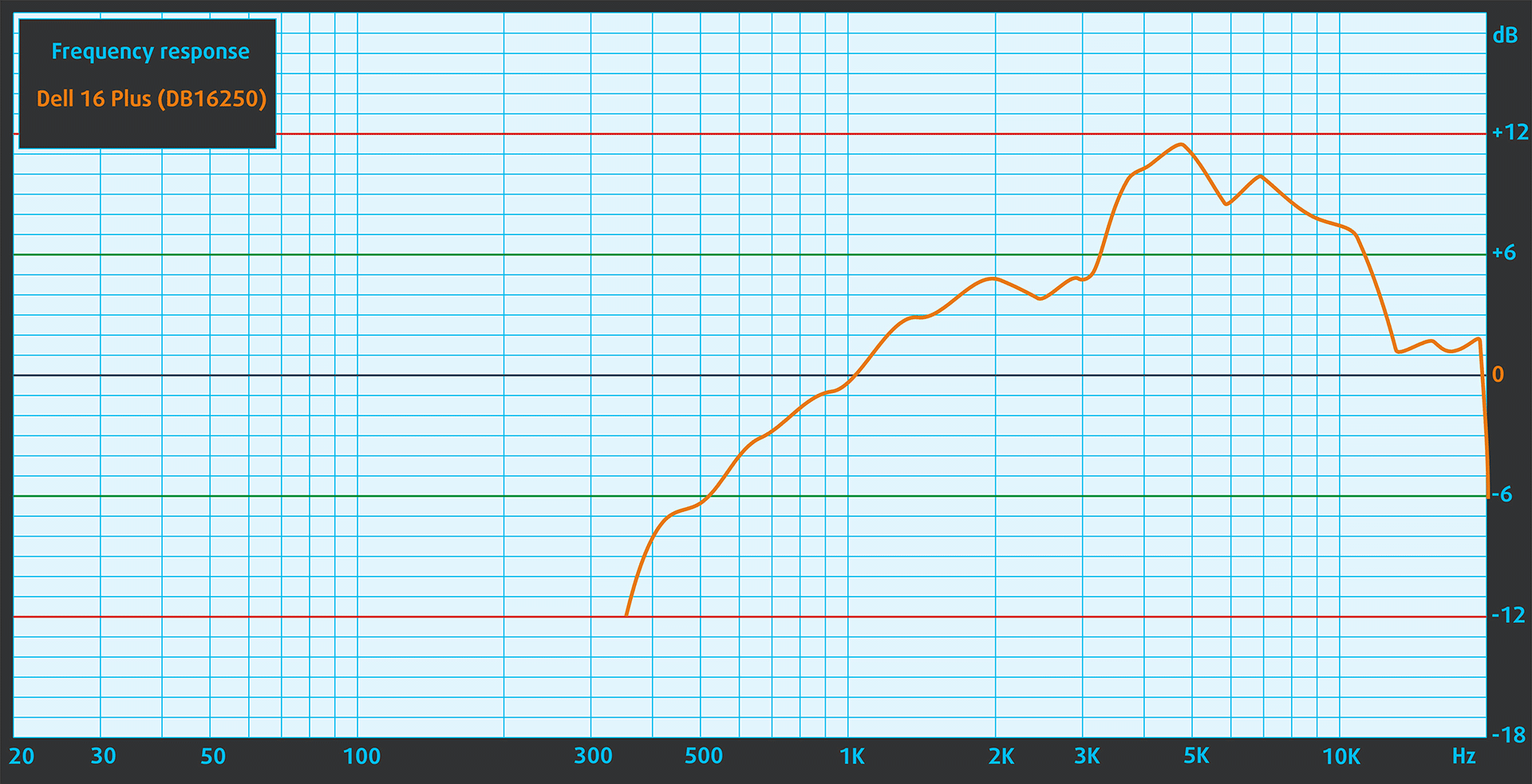
In subjective listening, the sound from the Dell Pro 16 Plus (DB16250)’s speakers had deviations in clarity.
Work Performance: CPU, Storage, AI
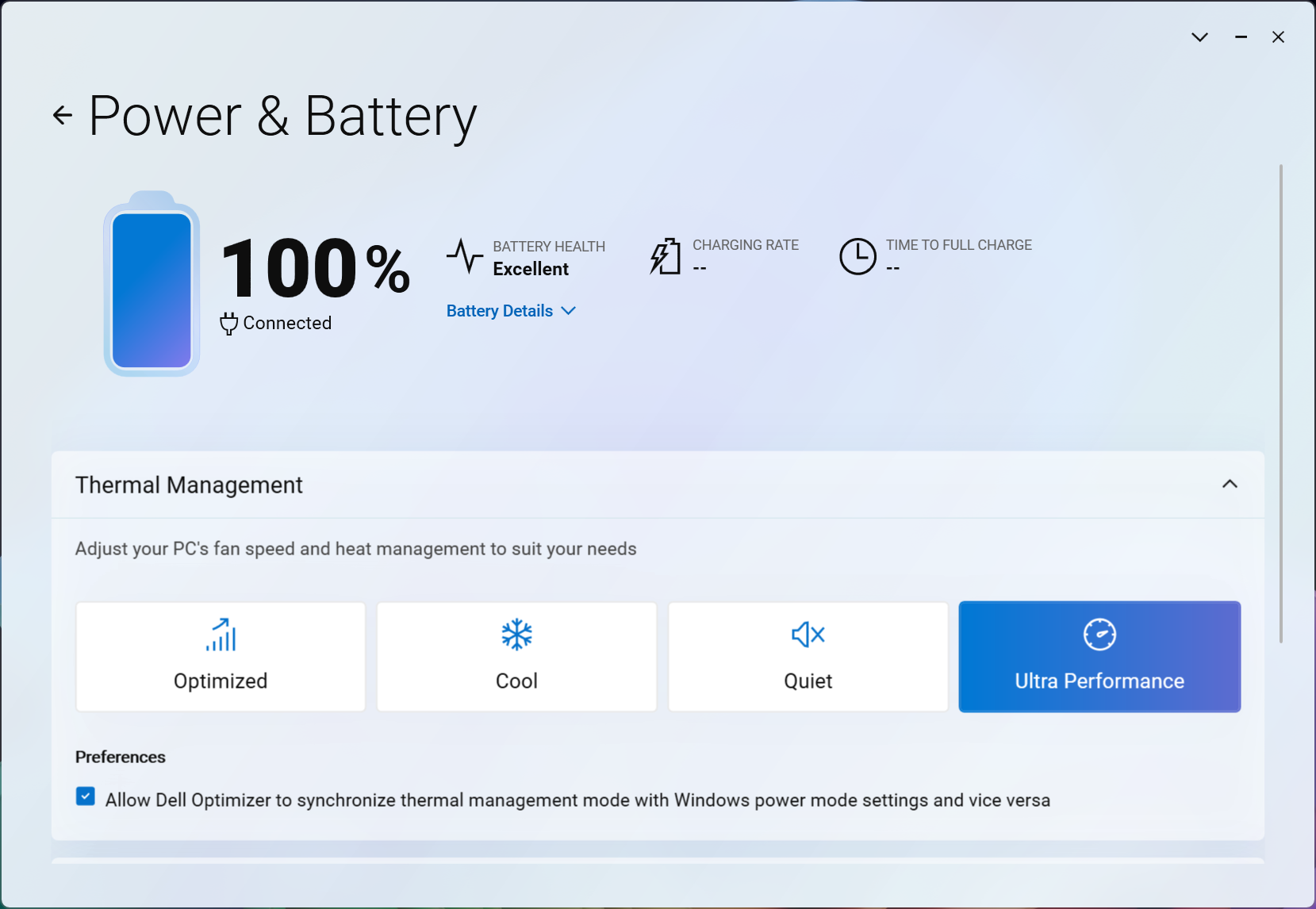
All performance and temperature tests are conducted with “Ultra Performance” mode activated in Dell Optimizer:
CPU and Work Performance
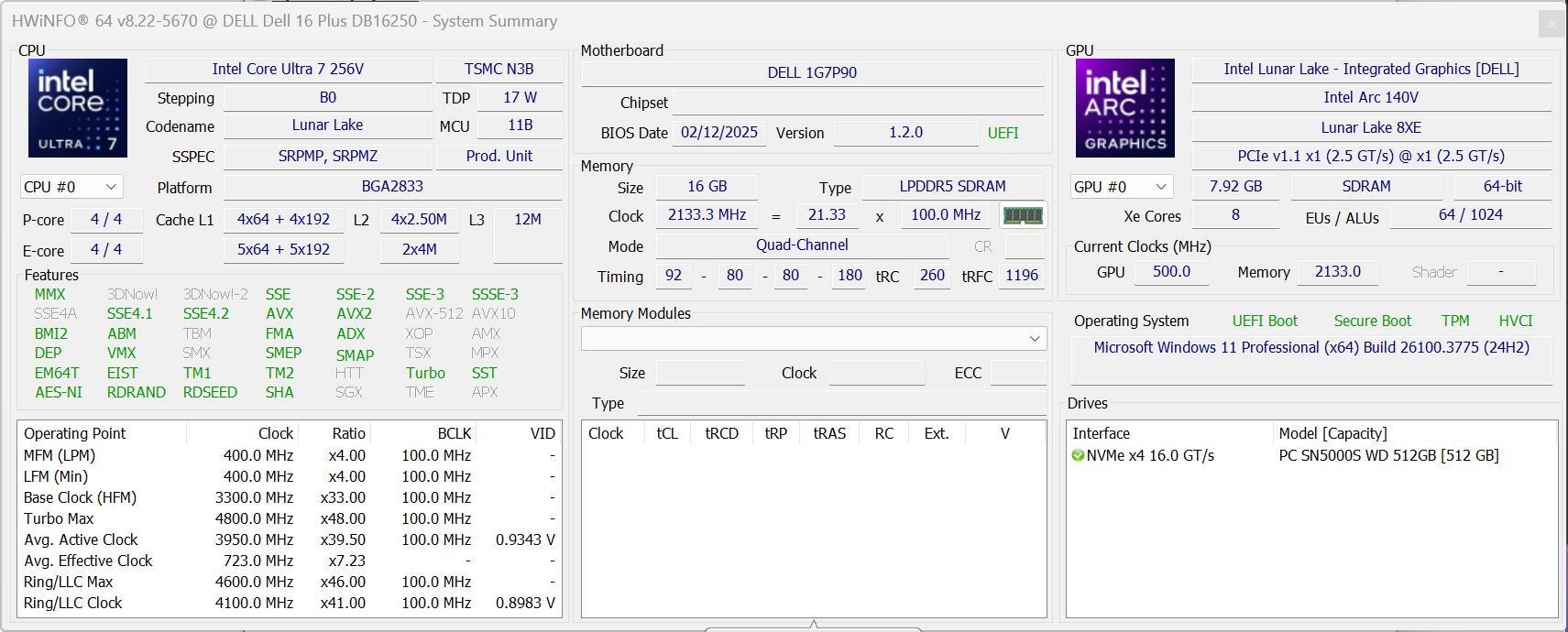
You can buy the Dell 16 Plus with a CPU from the Intel Core Ultra 200V lineup – Ultra 5 (226V or 228V), Ultra 7 (256V or 258V), or Ultra 9 288V.
| Description | Option 1 Core i5-226V | Option 2 Core i5-228V | Option 3 Core i7-256V | Option 4 Core i7-258V | Option 5 Core i9-288V |
|---|---|---|---|---|---|
| Processor wattage | 17 W | 17 W | 17 W | 17 W | 30 W |
| Total core count (P+E) | 8 (4+4) | 8 (4+4) | 8 (4+4) | 8 (4+4) | 8 (4+4) |
| Total thread count | 8 | 8 | 8 | 8 | 8 |
| Max processor speed | Up to 4.5 GHz | Up to 4.5 GHz | Up to 4.8 GHz | Up to 4.8 GHz | Up to 5.1 GHz |
| Perf. base / turbo | 2.1 / 4.5 GHz | 2.1 / 4.5 GHz | 2.2 / 4.8 GHz | 2.2 / 4.8 GHz | 3.3 / 5.1 GHz |
| Eff. base / turbo | 2.1 / 3.5 GHz | 2.1 / 3.5 GHz | 2.2 / 3.7 GHz | 2.1 / 3.7 GHz | 3.3 / 3.7 GHz |
| Cache | 8 MB | 8 MB | 12 MB | 12 MB | 12 MB |
| Integrated graphics | Intel Arc 130V | Intel Arc 130V | Intel Arc 140V | Intel Arc 140V | Intel Arc 140V |
For our review, we chose the Intel Core Ultra 7 256V. It has a very similar performance to the same processor in Acer Swift 14 AI so if you need CPU power in the smallest form-factor possible, the Swift 14 is the better option. Compared to the Dell Pro 16 with the U-processor, Dell 16 Plus is the better option both for everyday tasks and heavy work.
The comparison with ASUS Vivobook 16 X1607 is more interesting – for single-core everyday tasks the Dell 16 Plus is much faster, while the Snapdragon X takes advantage in the more demanding multi-core test. However, the Snapdragon processors still have some compatibility issues so we wouldn’t recommend them for serious work.
Single-core performance ensures smooth operation and responsiveness in operating systems, providing a better user experience.
Results are from the Geekbench 6 Single-Core test (higher is better)
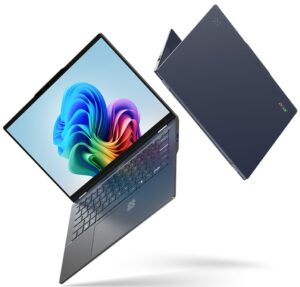
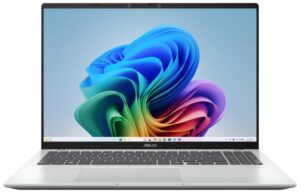
Multi-core performance is essential for handling complex and demanding tasks, such as Video editing, CAD, and Scientific simulations.
Results are from the Geekbench 6 Multi-Core test (higher is better)
Here, we evaluate the CPU's performance using a real-world 3D rendering task, assessing its ability to handle complex computations and rendering workloads efficiently.
Results are from the Cinebench 2024 Multi-Core test (higher is better)
Storage Performance
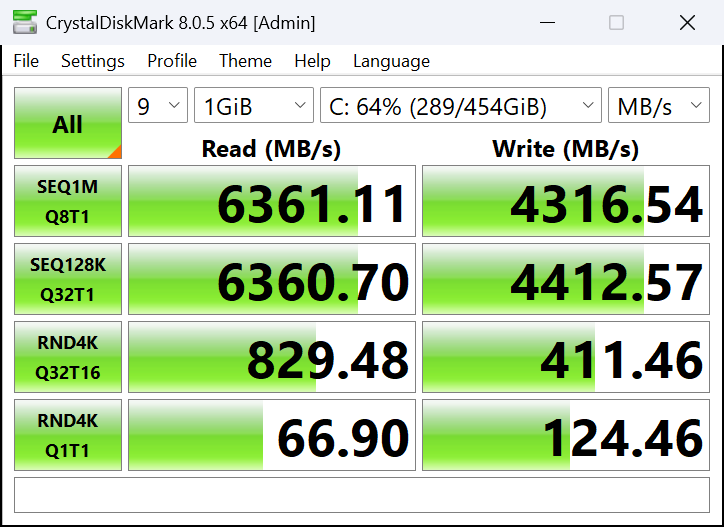
We ordered the 512GB storage variant of Dell 16 Plus and it arrived with 512GB M.2 2280 Western Digital PC SN5000S NVMe SSD. This is a good choice but have in mind that the 512GB model has a bit slower seq. writing speeds – 4.3GB/sec versus 5.4-5.6GB/sec for the 1TB and 2TB modifications. The sequential read speed is ~6GB/sec for all storage variants. In our test it even managed to reach 6.4GB/sec.
AI Performance
Here you can see the position of the GPUs and CPUs (NPUs) found within the Dell 16 Plus (DB16250) in our AI Hardware Performance Rankings based on their AI processing power, measured in TOPS (Tera Operations Per Second) - a critical metric indicating the computational throughput, particularly for AI tasks.
The first column shows peak performance for INT8/FP8 precision, which is the most widespread metric for evaluating AI inference capabilities. We exclude Sparsity to provide a more accurate reflection of AI performance in dense computation scenarios where sparsity optimizations may not be applicable. The second and third columns show the performance with Sparsity, and FP4 TFLOPS, when supported.
For SoCs, the results reflect the peak performance of the integrated NPU. Additionally, it’s important to note that, according to Microsoft, a NPU must have at least 40 TOPS of AI computing power for the PC to be considered “AI-capable.”
| # | GPU / CPU (NPU) | TOPS INT8/FP8 No Sparsity | TOPS INT8/FP8 Sparsity | TFLOPS FP4 Sparsity |
|---|---|---|---|---|
| 1580. | Intel Core Ultra 9 288V | 48 | — | — |
| 1585. | Intel Core Ultra 7 256V | 47 | — | — |
| 1587. | Intel Core Ultra 7 258V | 47 | — | — |
| 1642. | Intel Core Ultra 5 226V | 40 | — | — |
| 1643. | Intel Core Ultra 5 228V | 40 | — | — |
GPU and Gaming Performance
There are no dedicated GPU options so you get either Arc 130V for the Ultra 5 CPUs, or 140V for the Ultra 7 and Ultra 9.
You can find the performance rating of all the GPUs on the market in our Top Laptop Graphics Ranking.
In our case, the Ultra 7 256V comes with Intel Arc Graphics 140V. This is a very capable iGPU. As you see from the chart below, it’s more than 2 times faster than Intel Graphics (4-Cores), and 4 times faster than the Qualcomm SD X Adreno X1-45.
The results are from 3DMark Time Spy (Graphics). Higher is better.
The results are from 3DMark Wild Life Extreme Unlimited. Higher is better.
Gaming tests
For a device relying solely on integrated graphics, the Dell 16 Plus (DB16250) with Intel Arc Graphics 140V delivers surprisingly respectable results.

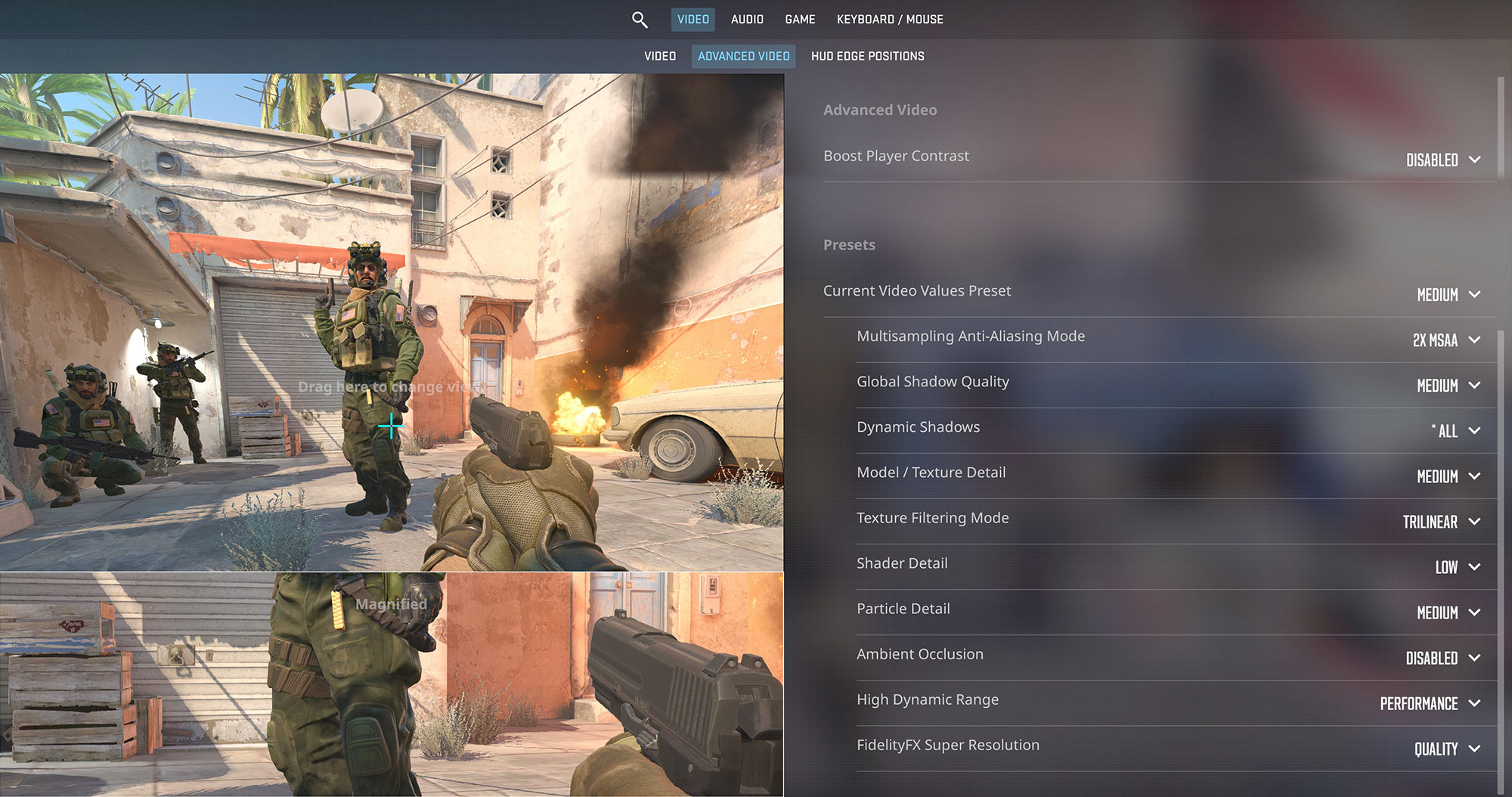
In Counter-Strike 2, it maintained a playable 58 FPS at 1600p Medium settings – perfectly serviceable for casual competitive play.
| Counter Strike 2 | 1600p, Medium (Check settings) |
| Average FPS | 58 FPS |

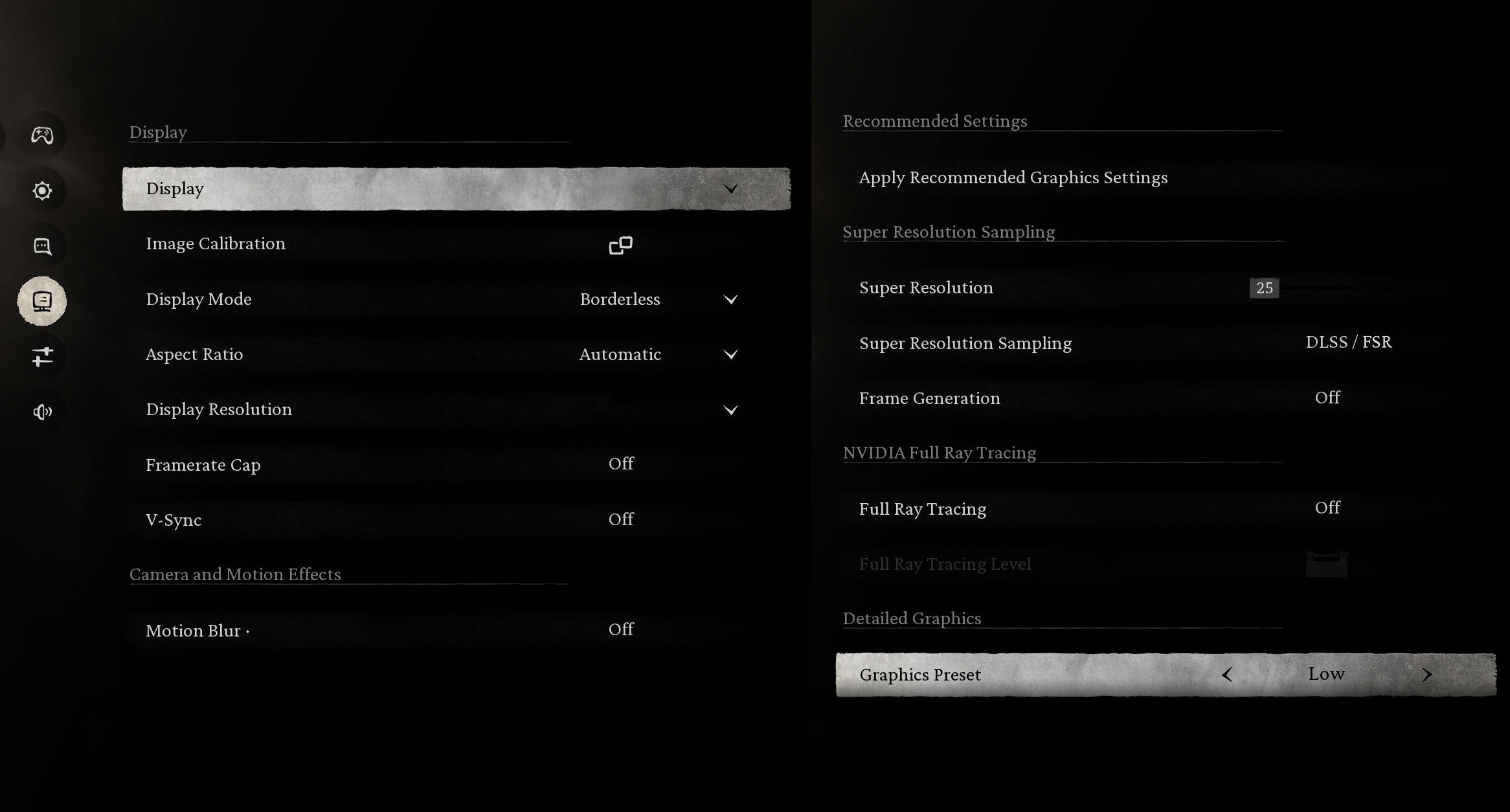
Even the demanding Black Myth: Wukong reached 55 FPS at 1200p Low and 50 FPS at 1600p Low, showing the capability of Intel’s Arc architecture to handle modern game engines with efficiency.
| Black Myth: Wukong | 1200p, Low (Check settings) | 1600p, Low (Check settings) |
| Average FPS | 55 FPS | 50 FPS |

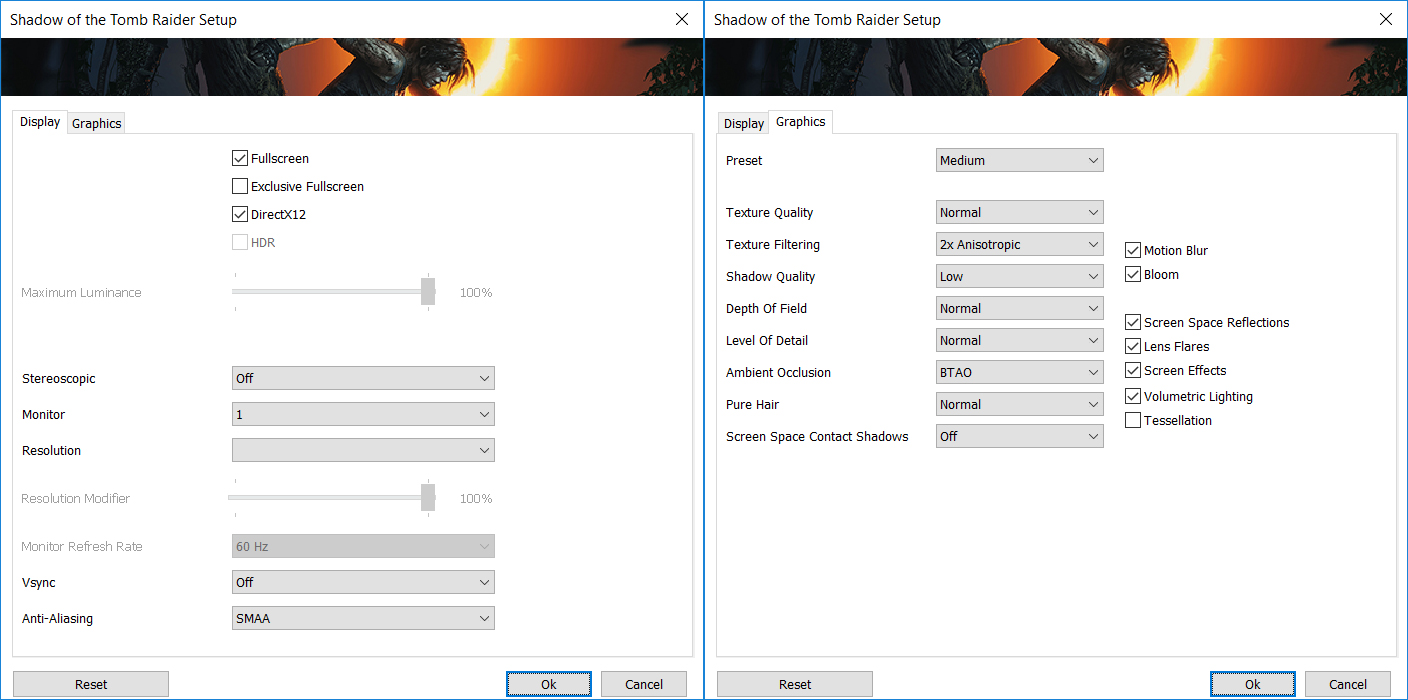
Shadow of the Tomb Raider, while pushing the limits of the iGPU, still managed 41 FPS at 1200p Medium, and a barely playable 26 FPS at 1600p Medium.
| Shadow of the Tomb Raider | 1200p, Medium (Check settings) | 1600p, Medium (Check settings) |
| Average FPS | 41 FPS | 26 FPS |
[eBook Guide + Tools] How to MAX OUT Your Laptop
You can make your laptop Faster. LaptopMedia has tested thousands of models in the last 15 years, and we have yet to see a notebook that couldn't be made more powerful through modifications.
That's why we decided to bundle everything we know about how to achieve this in an Easy-to-Follow, Step-by-Step, and Laboratory-Tested, all in one project.
Read more about it here:
[eBook Guide + Tools] How to MAX OUT Your Laptop
🛠️ GPU Modifications: vBIOS, Overclocking, Undervolting
⚙️ Building Fast/Reliable RAID configuration
💻 Hardware upgrade tips for best results
🖼 Display enhancing
💾 OS Optimization for best performance
Temperatures and Comfort, Noise, Stability
At idle, the CPU package of the Dell 16 Plus (DB16250) maintains a rather high temperature of 70ºC, while the notebook remains completely silent.
Office Work, Web Development, Design
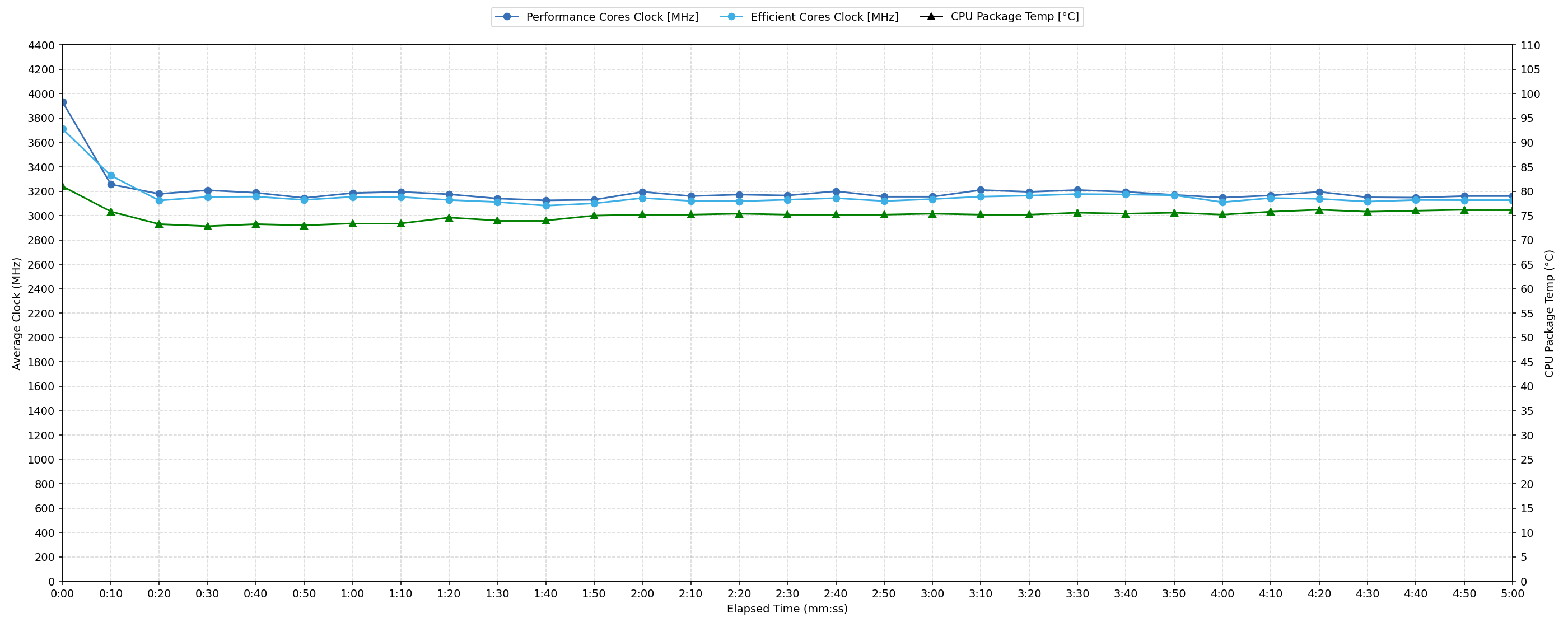
Short periods (0:00 – 0:10 s) of 100 % CPU load
| Intel Core Ultra 7 256V | Avg. P-Core Clock | Avg. CPU Temp. | Avg. CPU Power |
| Dell 16 Plus (DB16250) | 3932 MHz | 81 °C | 33 W |
Under short bursts of 100% CPU load (0-10 seconds), the processor reaches a peak clock speed of 3950 MHz within the first 5 seconds, averaging 3932 MHz over the 10-second period. CPU temperatures average 81 °C and peak at 85 °C, remaining within acceptable levels for short durations. The average power draw during this intense initial phase is 33 W, with a peak of 36 W. This indicates the system provides strong initial performance for demanding tasks before potential clock speed adjustments over longer periods.
Video editing, Scientific computing, Software compilation, 3D rendering
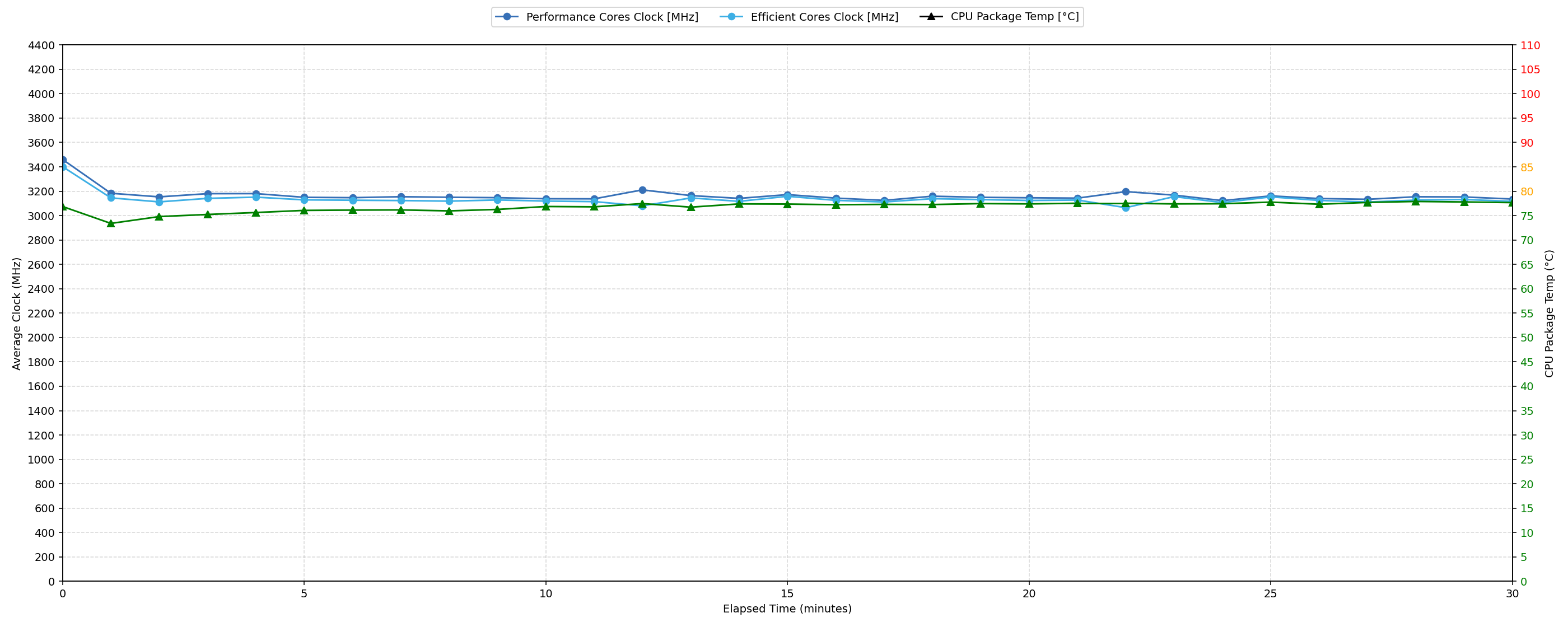
Long periods (0:00 – 30:00 min) of 100 % CPU load
| Intel Core Ultra 7 256V | Avg. P-Core Clock | Avg. CPU Temp. | Avg. CPU Power |
| Dell 16 Plus (DB16250) | 3160 MHz | 76 °C | 22 W |
Over prolonged 100% CPU load (up to 30 minutes), the CPU sustains an average clock speed of 3160 MHz. This represents an 850 MHz reduction from the initial peak clock, with the minimum clock observed dropping to 3100 MHz between 30 seconds and 5 minutes. CPU temperature averages 76 °C over the full 30 minutes, which is considered good. The average power consumption settles at 22 W, stabilizing around 21 W in the 1-5 minute range. This indicates the system maintains low temperatures under sustained load by reducing the clock speed significantly from its initial peak.
Battery Life
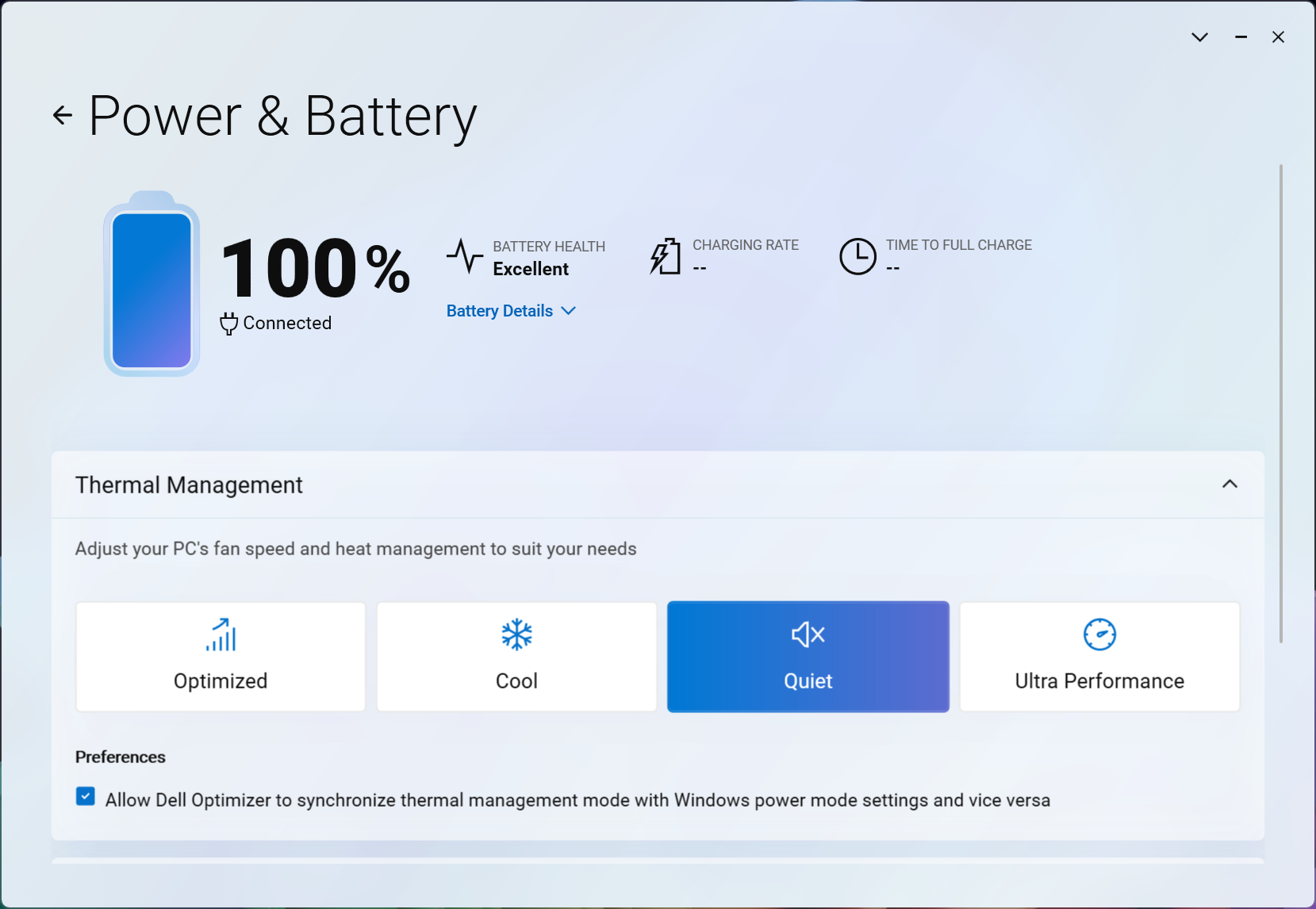
There’s only one battery option for Dell 16 Plus (DB16250) – 64Wh unit. We tested it with the Quiet mode enabled in Dell Optimizer, and Energy Saver turned on in Windows.
We got almost 9 hours on a single charge. Here you can see the big advantage of ASUS Vivobook 16 X1607 and its Snapdragon CPU – More than two times longer battery life!
The Dell Pro 16 has about 12% longer battery life too, but it’s probably not worth it considering the much faster CPU/GPU in Dell 16 Plus.
Brightness: 180 nits; Display Mode: SDR
Time to Full Discharge: Higher is Better
Disassembly, Upgrade options, and Maintenance
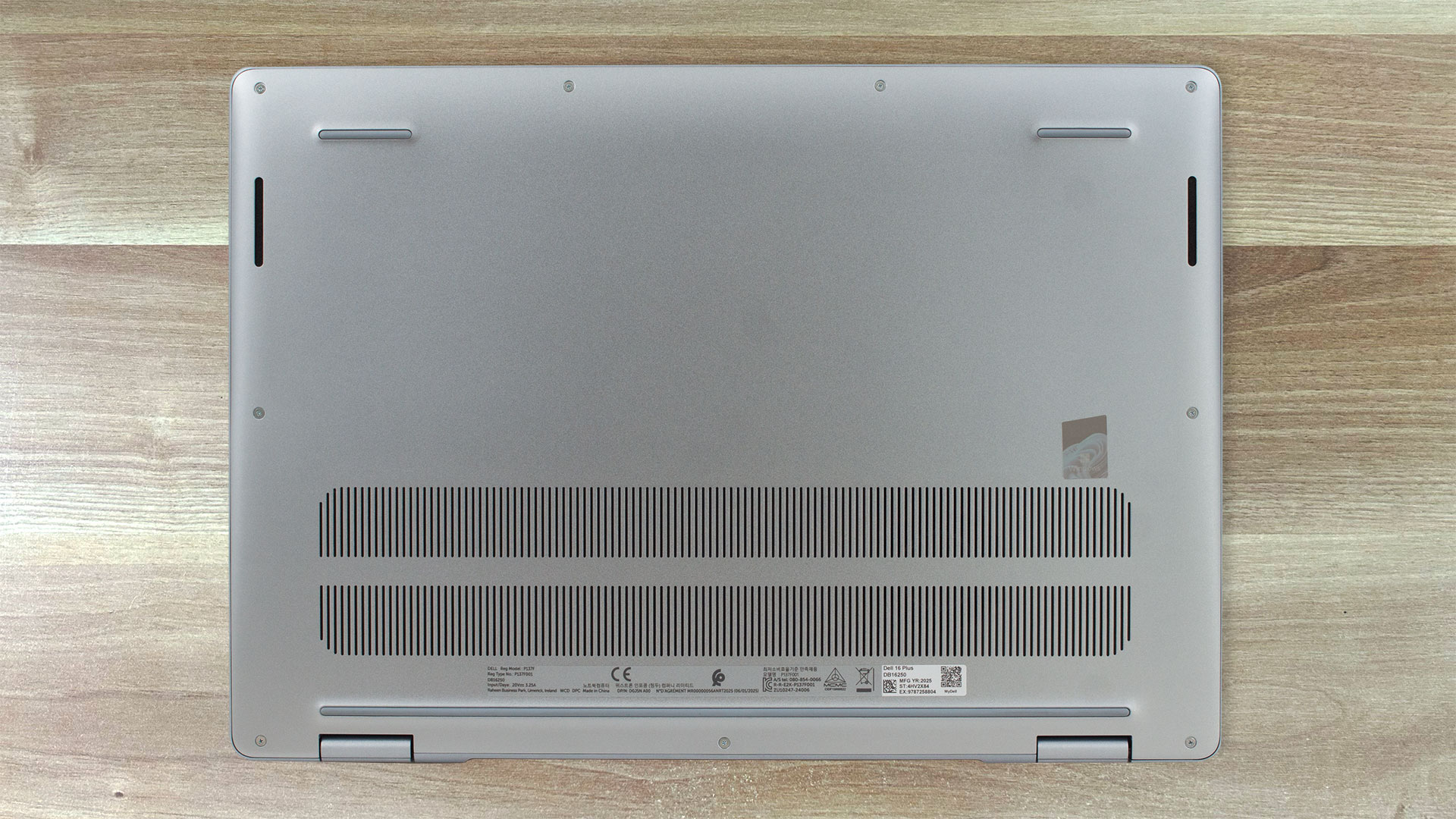
Gaining access to the Dell 16 Plus is simple – remove nine captive and standard screws, work a plastic pick around the edge, and the aluminium bottom plate pops free.
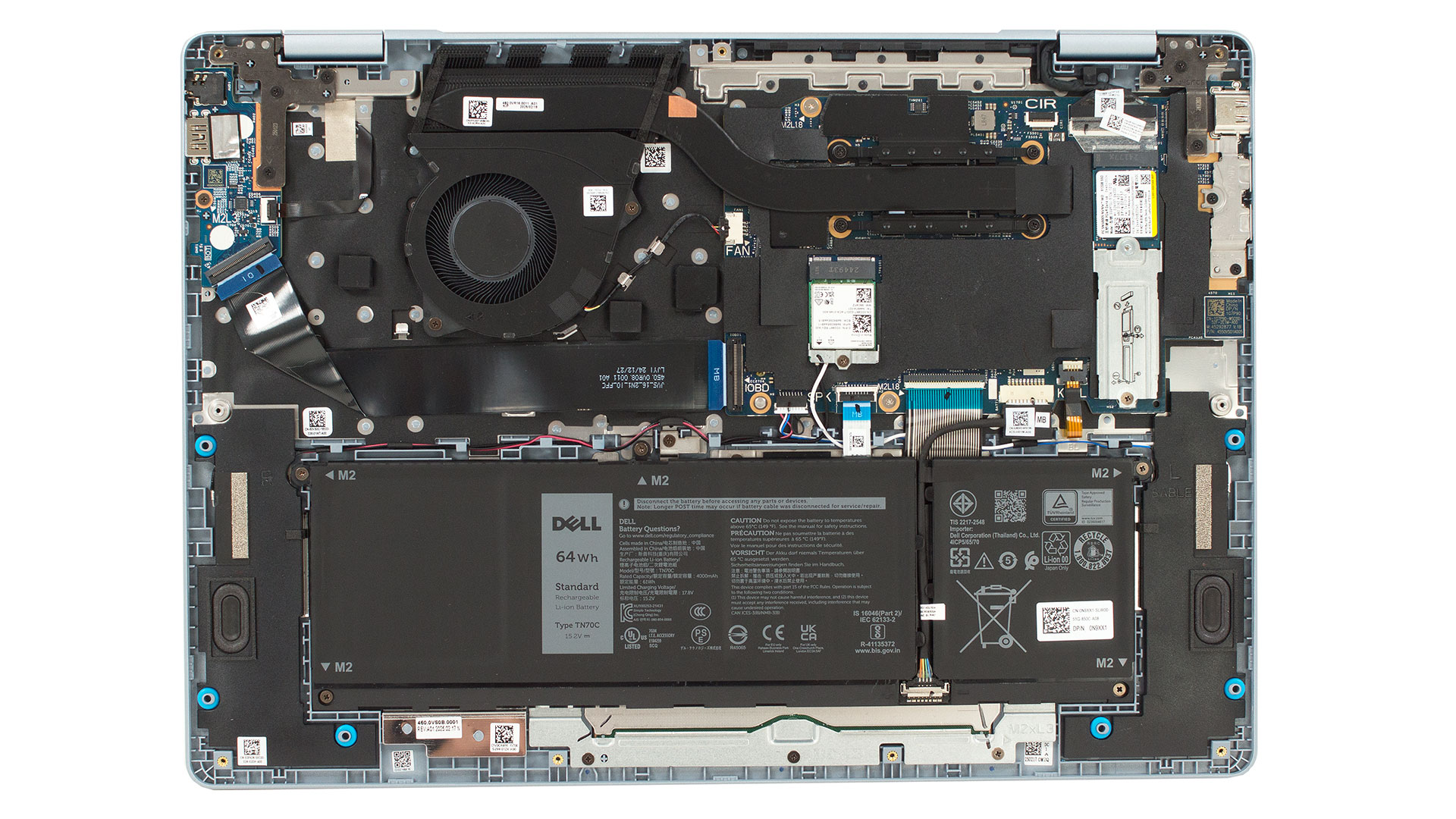
Inside you are greeted by a surprisingly tidy layout. Cooling duties are handled by a single large blower and a thick copper heat pipe that stretches from the processor to the rear vent. Black foam dams channel the airflow straight toward the exhaust, while an aluminium plate tames the VRMs. All memory is soldered to the mainboard. Dell equips the machine with dual‑channel LPDDR5X clocked at 8533 MT/s, available in 16 GB or 32 GB flavors – so pick the capacity you need at purchase because there are no slots for future upgrades.
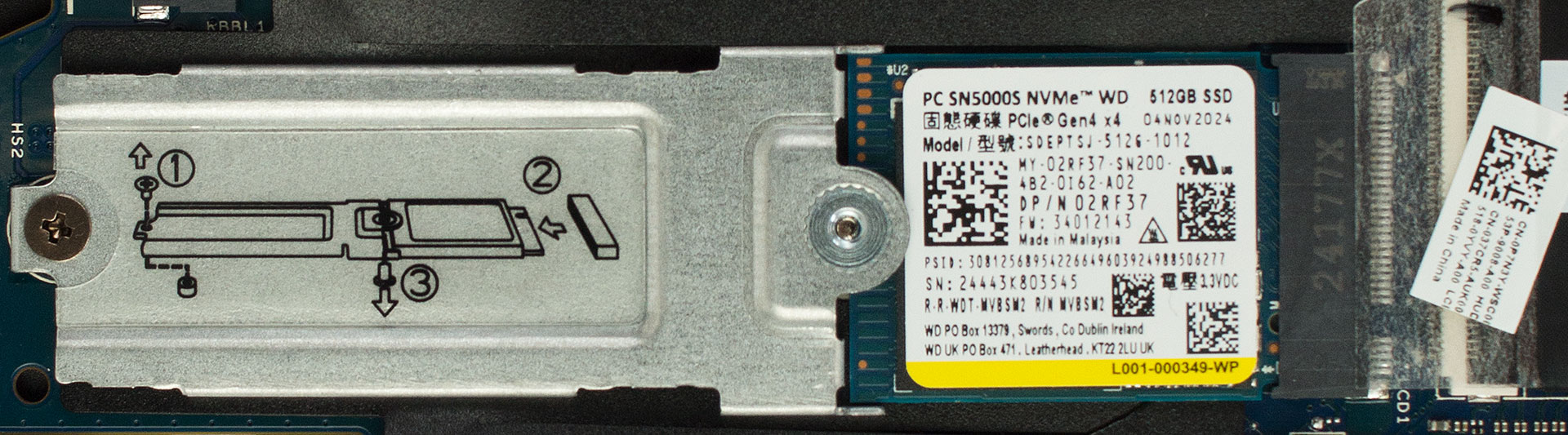
The storage story is a bit more flexible. A lone M.2 slot accepts PCIe Gen4 drives, and our sample arrives with a Western Digital PC SN5000S 512 GB SSD. Swapping to a faster or roomier 2280‑length module is a two‑minute job.
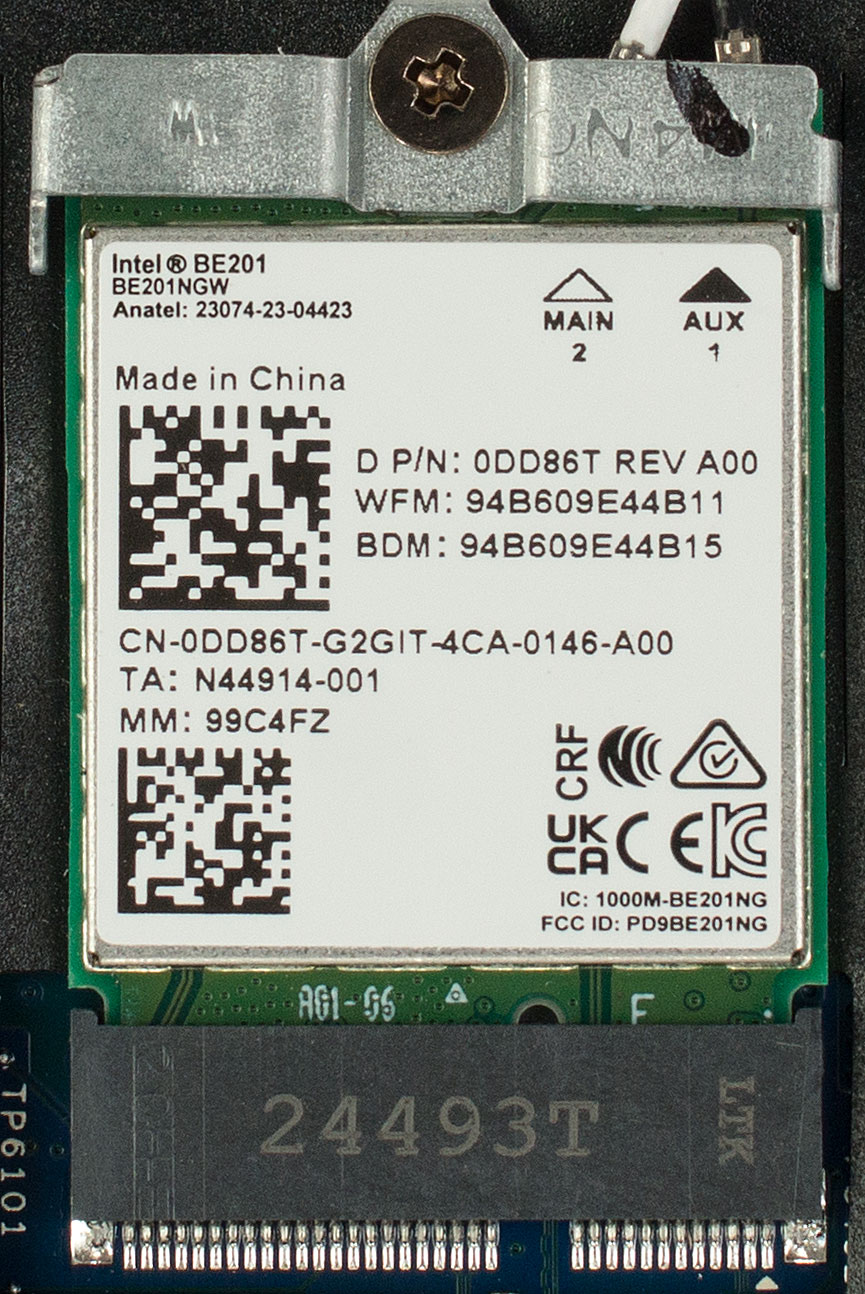
Wireless connectivity sits on an easily replaceable 2230 card. Base configurations ship with Intel’s Wi‑Fi 6E AX211, while the unit in our lab boasts the newer Wi‑Fi 7 Intel BE201 with Bluetooth 5.4 support.
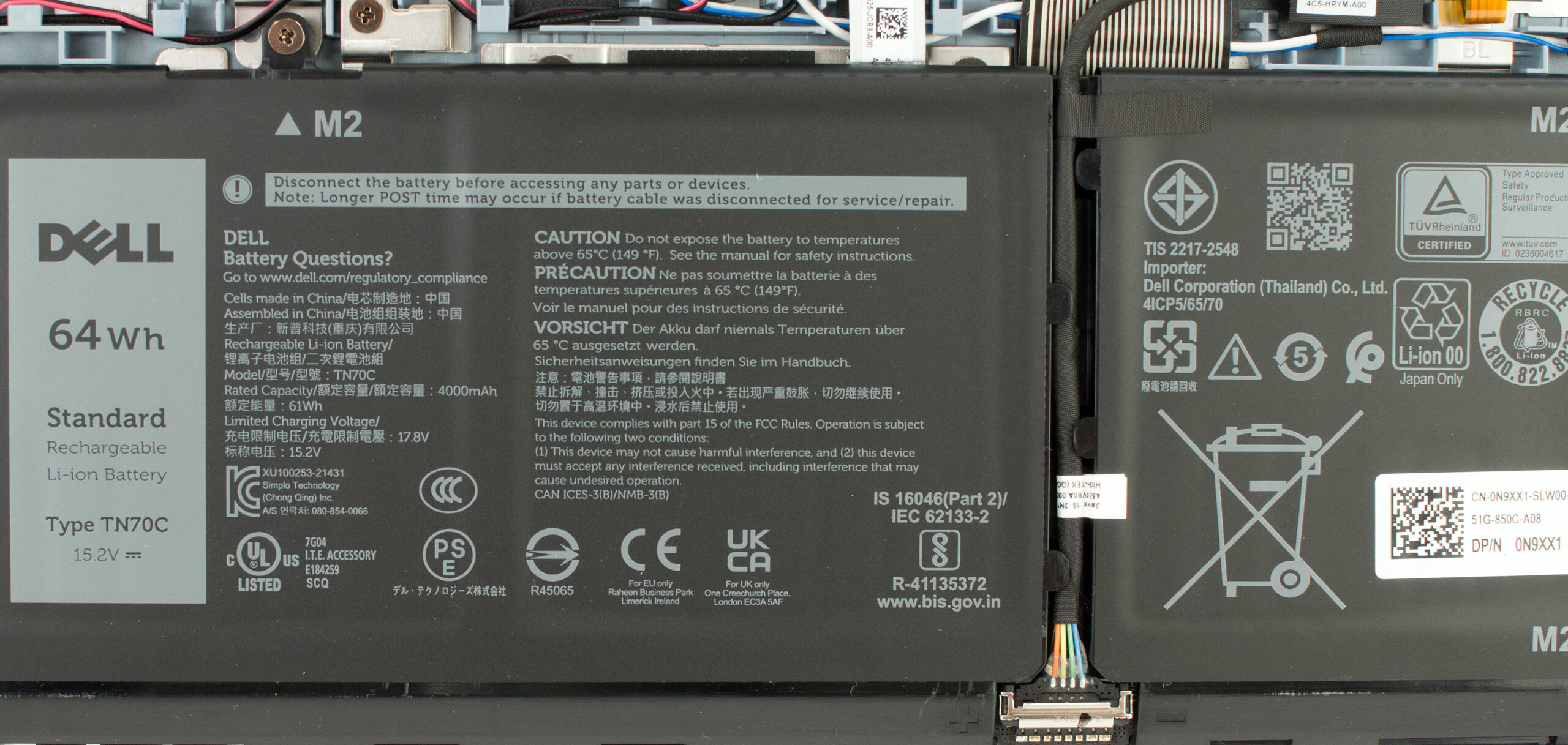
The 64 Wh lithium‑ion battery is fixed with five Phillips screws and uses a simple pull‑tab connector. Dell’s ExpressCharge tech can refill it quickly, and the pack itself is user‑replaceable should capacity fade.
Stereo speakers occupy the lower corners of the chassis and are held in with a single screw each, making them equally serviceable.
Overall, the 16 Plus balances straightforward maintenance of the SSD, Wi‑Fi card and battery with the trade‑off of non‑upgradeable memory.
Verdict
The Dell 16 Plus (DB16250) is a masterclass in industrial design, a laptop that feels and looks far more premium than its “Plus” designation might suggest. It presents a beautiful, elegant, and highly professional package that prioritizes a stunning visual experience and a refined user interface. However, beneath this gorgeous aluminium shell lie some critical compromises that prospective buyers must be aware of.
This is a machine for the user who values aesthetic excellence and a top-tier display for daily productivity, but it comes with significant limitations in terms of future-proofing and eye comfort.
✅ The Good
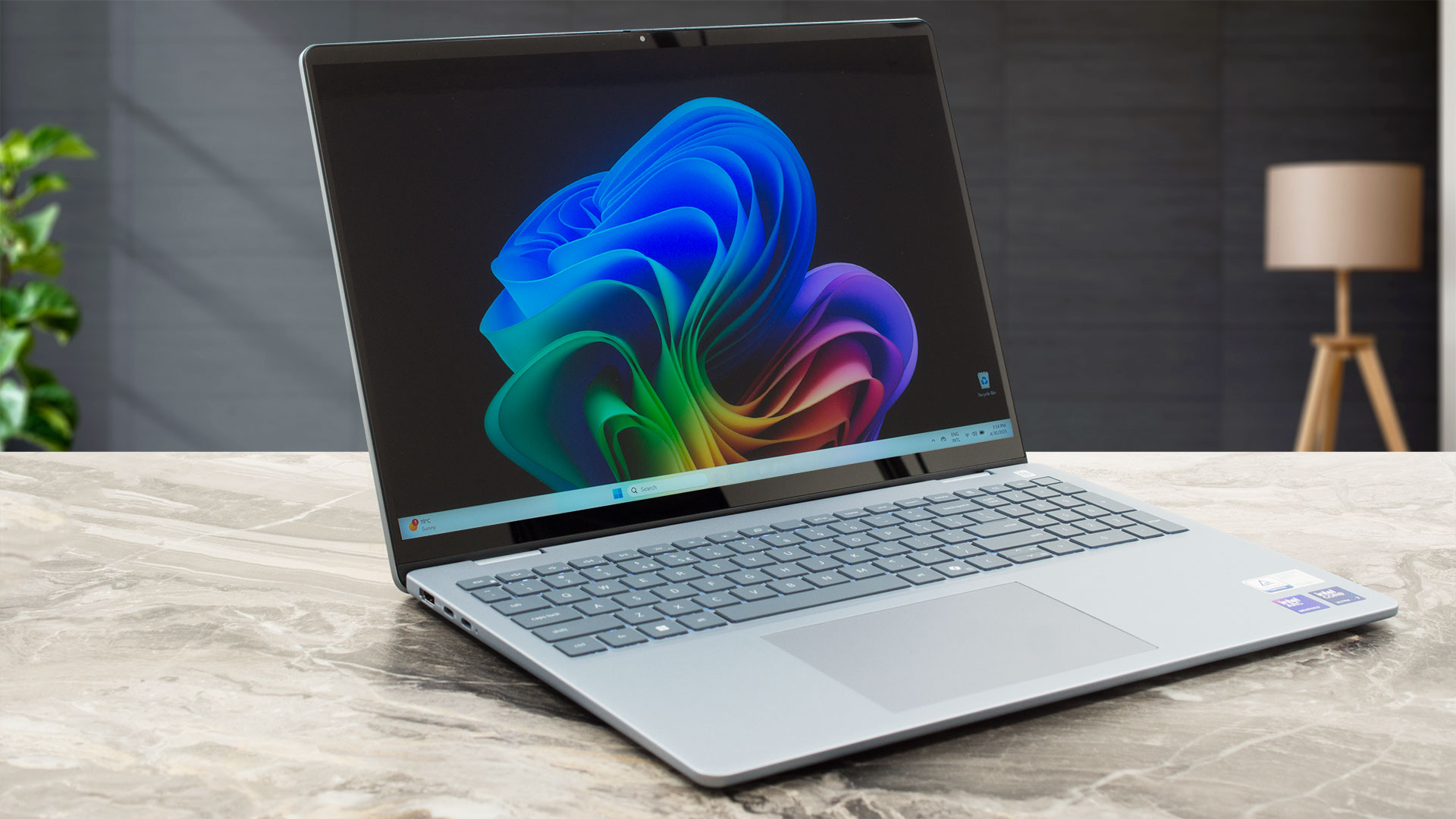 The first and most striking positive is the exceptional design and build quality. The all-aluminium chassis, platinum silver finish, and clever wedge shape create a device that is both beautiful to look at and a pleasure to handle. It’s thin, relatively lightweight for its size, and impressively resistant to fingerprints.
The QHD+ display is another huge win, offering a stunning visual experience with 100% DCI-P3 coverage, fantastic brightness, and incredible contrast for an IPS panel. With our profile, it becomes very color-accurate, making it a great choice for creative professionals. The battery life is also very good, providing almost 9 hours of use on a single charge.
The keyboard is comfortable and includes a full NumPad, the modern port selection includes a versatile Thunderbolt 4 port, and the inclusion of a physical privacy shutter is always a welcome feature.
❌ The Bad
The most significant and disappointing drawback is the soldered RAM. This completely eliminates any possibility of future memory upgrades, severely limiting the laptop’s long-term value and forcing buyers to choose their required memory at the point of purchase. The storage is also limited to a single M.2 slot.
While the display’s colors are beautiful, it is plagued by aggressive and potentially harmful PWM flicker across all brightness levels, which is a major concern for any user, especially those with sensitive eyes. The screen is also rather reflective (>100 GU), making it difficult to use in bright environments. The port selection is also quite limited, with only a single USB-A port and no built-in SD card reader.
🆚 The Competitors
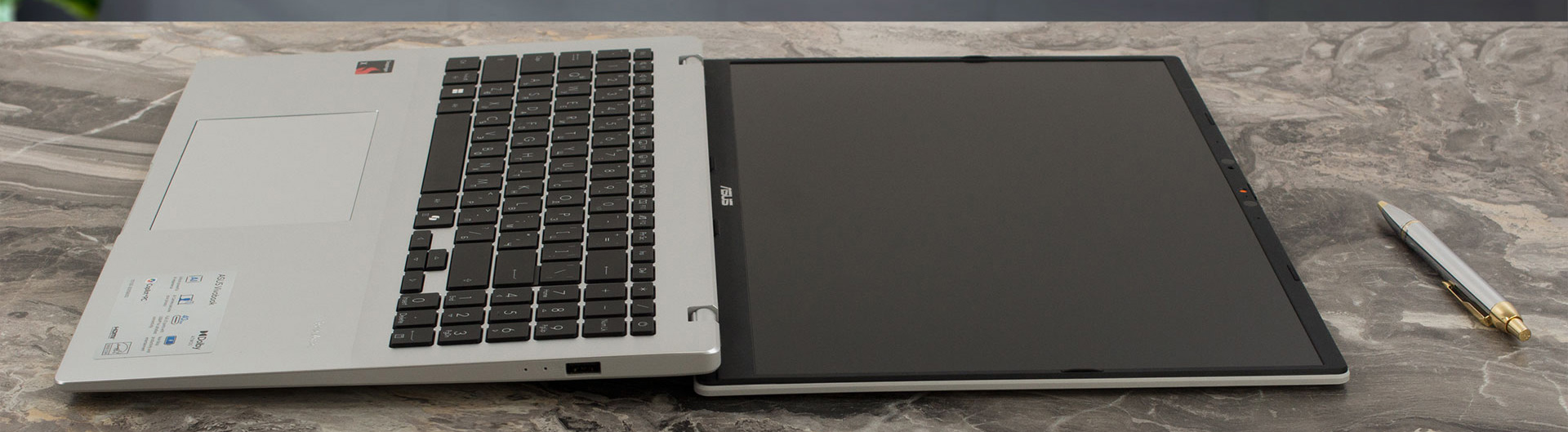 When placed against a rival like the ASUS Vivobook 16 X1607 (detailed review), the Dell 16 Plus offers a vastly superior screen and much stronger CPU and iGPU performance. However, the Vivobook counters with more than double the battery life, showcasing the extreme efficiency of its Snapdragon processor.
Compared to its sibling, the Dell Pro 16 (review soon), the Dell 16 Plus is the clear winner in performance, offering a much faster CPU and GPU combination. The choice is a trade-off: the Dell 16 Plus provides a premium experience with a fantastic screen but is held back by non-upgradeable RAM and aggressive screen flicker, while competitors may offer better battery life or more flexibility at the cost of design or display quality.
You can check the prices and configurations in our Specs System: https://laptopmedia.com/series/dell-16-plus-db16250/
Pros
- Exceptionally elegant and premium all-aluminium design
- Stunning QHD+ display with 100% DCI-P3 color coverage
- Very good battery life for a 16-inch laptop
- Comfortable keyboard with a dedicated NumPad
- Modern port selection including Thunderbolt 4
- IR camera with a physical privacy shutter
Cons
- Soldered RAM with no upgrade options
- Aggressive PWM screen flicker at all brightness levels
- Highly reflective glossy screen
- Limited physical ports (only one USB-A, no SD card reader)
 Author: Simeon NikolovEditor-in-Chief at LaptopMedia.com with 20+ years of experience in testing and analyzing laptops and mobile devices.
 Author: eng. Kroum NikolovHead of Engineering at LaptopMedia.com, inventor and innovator with 40+ years of experience in electronics and high technology.
TOP 100 GAMING LAPTOPS


TOP LAPTOP RATINGS
HIGHLIGHTS view more
Preliminary Comparison: MSI Claw 8 EX AI+ vs Predator Atlas 8 vs ROG Xbox Ally X20
Jun 13, 2026![[May 2026] Amazon Global: Top 10 Best-Selling Gaming Laptops – Budget-Friendly ASUS TUF Gaming A15 Dominates the Market](https://laptopmedia.com/wp-content/uploads/2026/06/Best-Selling-Gaming-Laptops-GLOBAL-Top-10-400x225.jpg)
[May 2026] Amazon Global: Top 10 Best-Selling Gaming Laptops – Budget-Friendly ASUS TUF Gaming A15 Dominates the Market
Jun 09, 2026![[May 2026] Amazon Global: Top 10 Best-Selling Laptops – Apple’s Affordable ‘MacBook Neo’ Takes the Crown Amidst Strong Air and Pro Sales](https://laptopmedia.com/wp-content/uploads/2026/06/Best-Selling-Laptops-GLOBAL-Top-10-400x225.jpg)
[May 2026] Amazon Global: Top 10 Best-Selling Laptops – Apple’s Affordable ‘MacBook Neo’ Takes the Crown Amidst Strong Air and Pro Sales
Jun 09, 2026![[May 2026] Best-Selling Laptop Brands on Amazon Global – Apple Dominates in Units and Revenue](https://laptopmedia.com/wp-content/uploads/2026/06/GLOBAL-Best-Brands-400x225.jpg)
[May 2026] Best-Selling Laptop Brands on Amazon Global – Apple Dominates in Units and Revenue
Jun 09, 2026
The Most Interesting Displays We Saw at COMPUTEX 2026: OLED, 1000Hz, Creator Panels, and Their Caveats
Jun 08, 2026
REVIEWS view more
Acer Predator Helios 18 AI (PH18-I71) review – Stunning Mini LED, Brutal RTX 5090 Performance, Hot CPU
Jun 23, 2026Lenovo Yoga Slim 7a (14″, Gen 11) review – Premium OLED Ultraportable with a Few Sharp Compromises
Jun 20, 2026Lenovo Legion 7a (16″, Gen 11) review – Premium OLED Gaming in a Slim Body
Jun 16, 2026Lenovo Yoga Pro 9i Aura Edition (16″, Gen 11) review – MacBook Pro Rival with RTX Graphics?
Jun 11, 2026Dell 15 (DC15250) review – Practical Office Laptop with Big Configuration Traps
Jun 05, 2026
Why this thing need ram upgrade? 8533-best memory. 32 gigs is enough forever.
Alright, alright, 8533 reigns supreme, I won’t argue…until we revisit this comment in a few years when two Chrome tabs eat it alive. 😅
I’m interested in this laptop. I’m looking at buying the 256v/16gb/1TB version. The display that’s selected is 16″ 2.5K (2560 x 1600) Anti-Glare Non-Touch 300nits WVA/IPS Display with ComfortView Plus. Is this the same display with the bad PWM flicker as in your review model? If not do let me know.
Hi, I’ve just bought this laptop and I have a 2 TB M.2 SSD card (NVMe PCIe Gen3) from a different laptop that unfortunately broke. Would it be compatible for an upgrade? Any tips on how to check the compatibility?