Acer Predator Triton 14 AI (PT14-52T) review – Compact Gaming Powerhouse with Stunning OLED
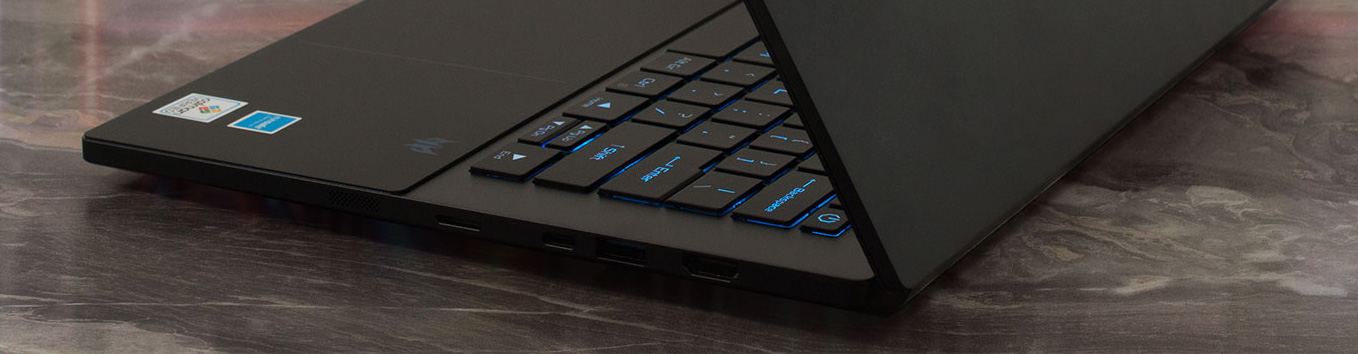
In a world where gaming laptops often sacrifice portability for power, the Acer Predator Triton 14 AI (PT14-52T) flips the script with its sleek 14.5-inch design hiding RTX 4070-level performance and a vibrant 120Hz OLED screen – perfect for creators and gamers on the go. But with battery life that barely scrapes three hours and non-upgradeable RAM, is this dual-purpose beast truly worth the hype? Dive into our detailed review to uncover its strengths and weaknesses.
You can check the prices and configurations in our Specs System: https://laptopmedia.com/series/acer-predator-triton-14-ai-pt14-52t-pt14-52tp/
Contents
Specs, Drivers, What’s in the box
Acer Predator Triton 14 AI (PT14-52T / PT14-52TP) - Specs
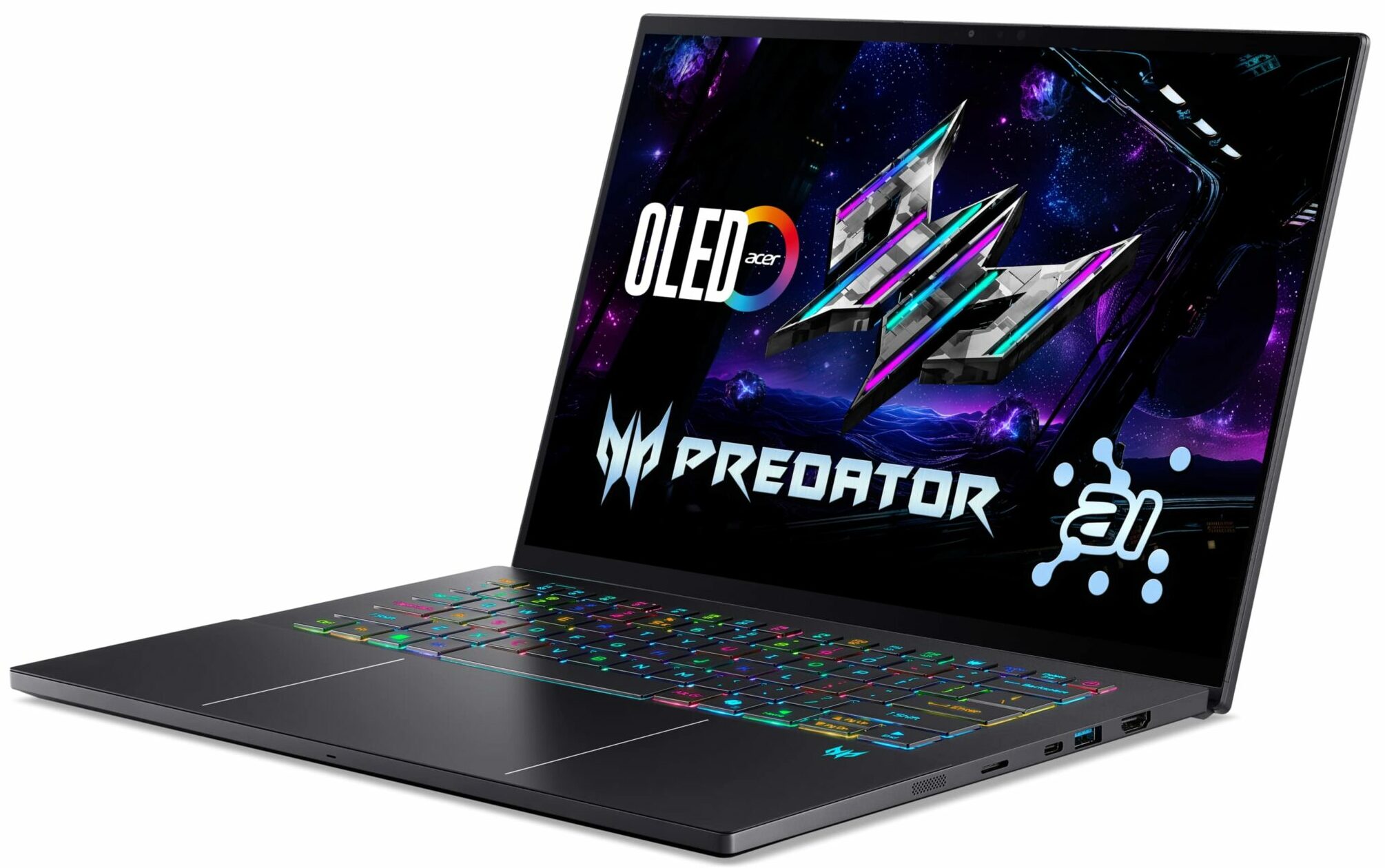
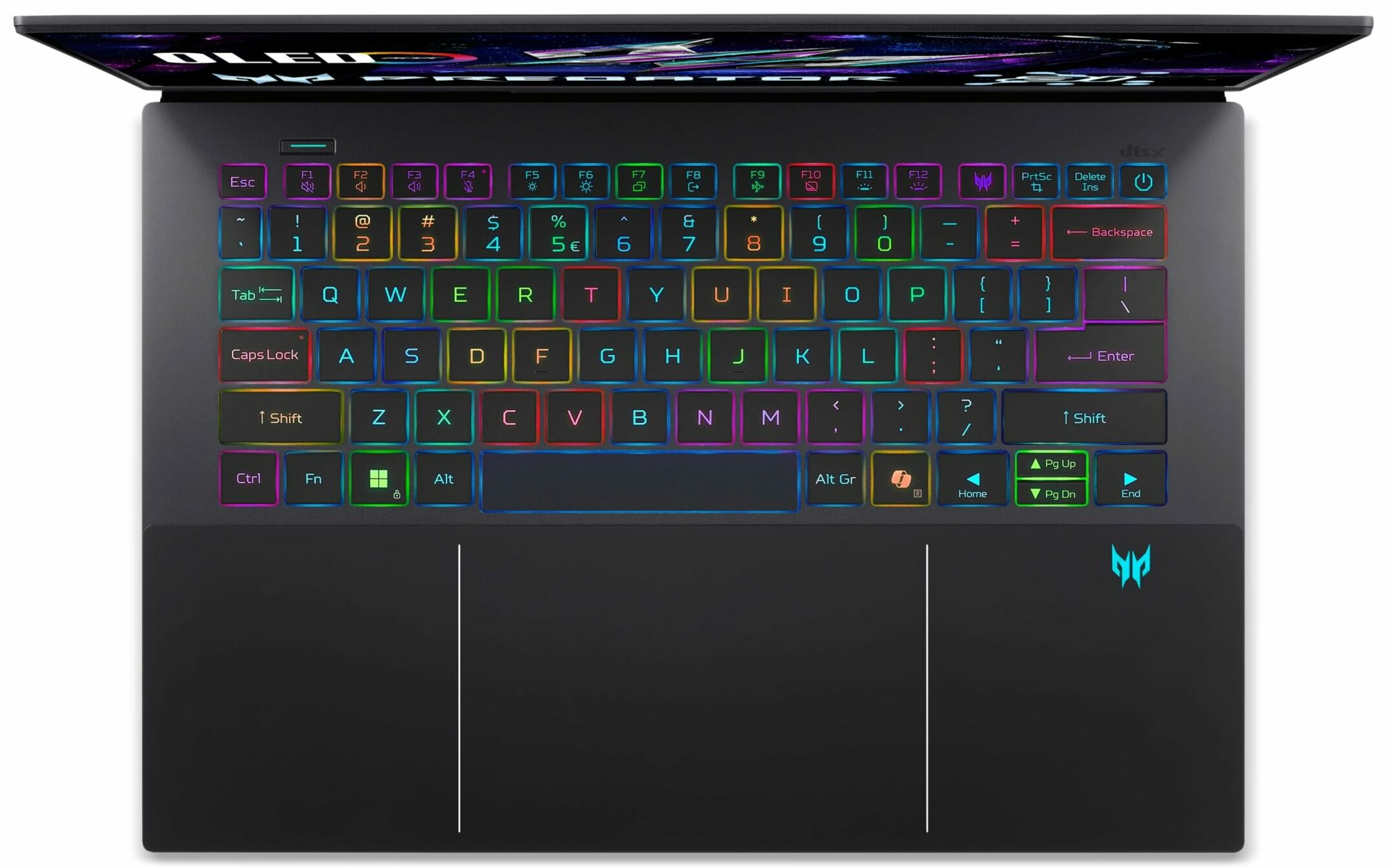
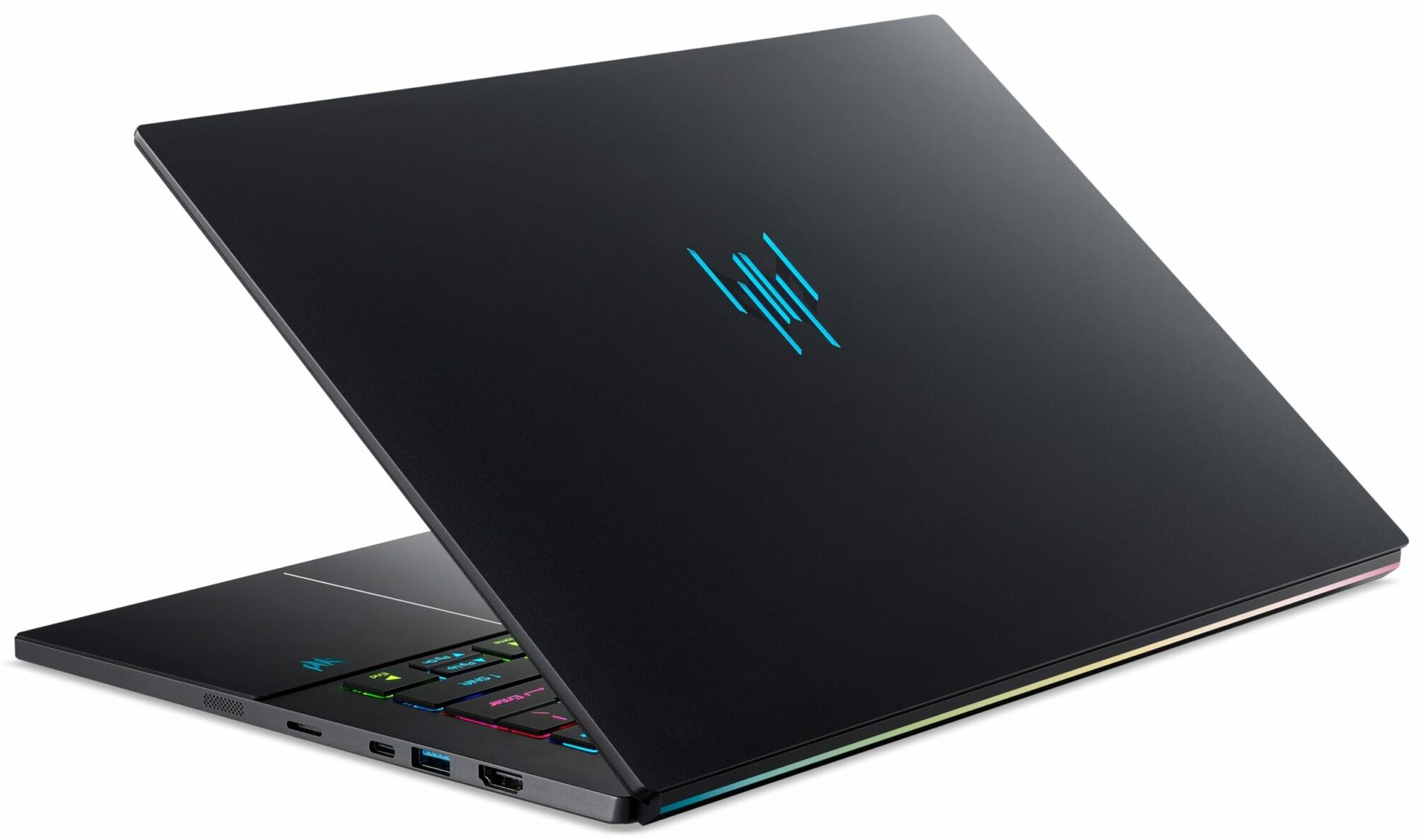
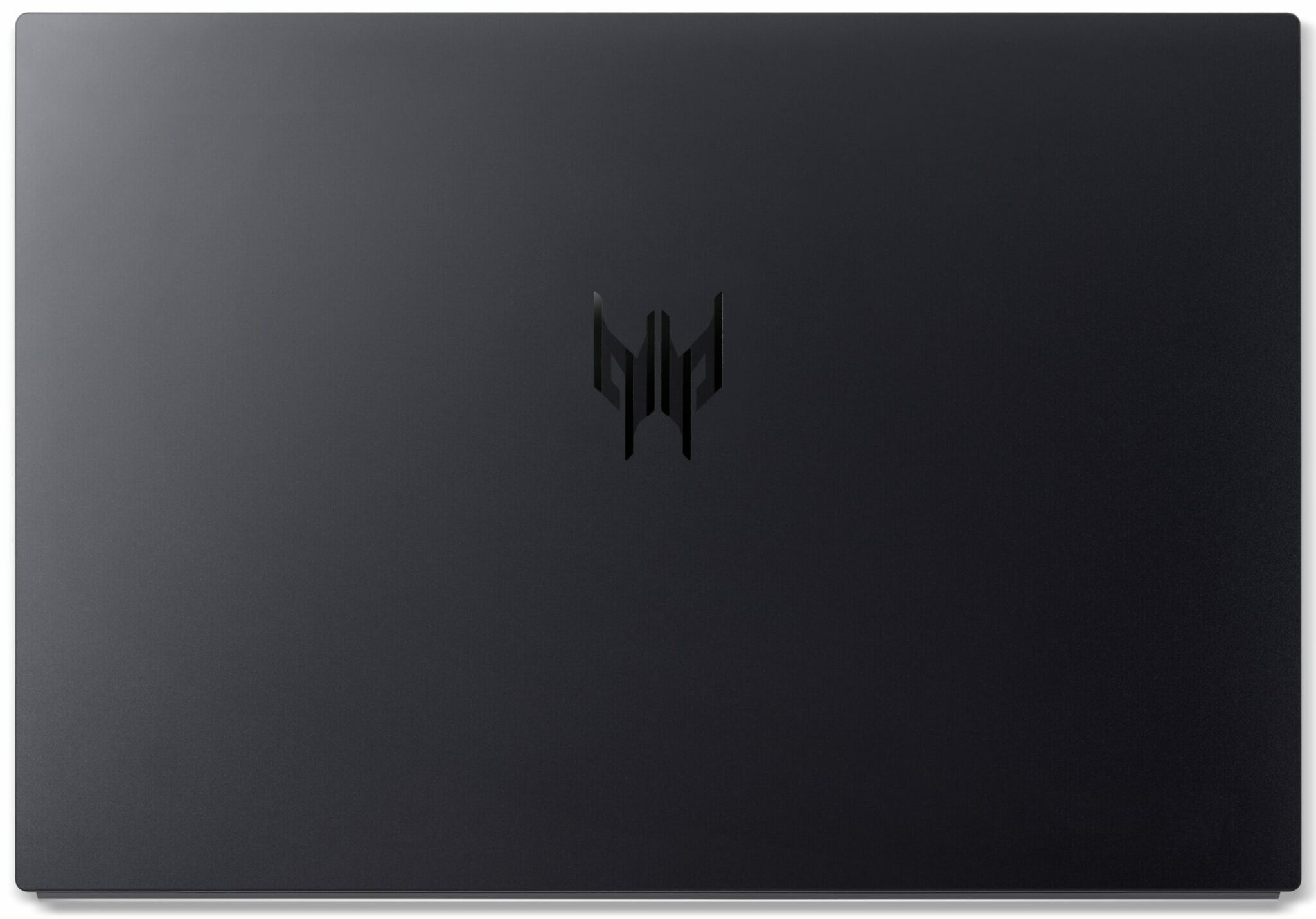

- HDD/SSD
- up to 2000GB SSD
- M.2 Slot
- 1x 2280 M.2 NVMe PCIe 4.0 x4 See photo
- RAM
- up to 32GB
- OS
- No OS, Windows 11 Pro, Windows 11 Home
- Battery
- 76Wh
- Body material
- Aluminum
- Dimensions
- 321.79 x 221 x 11.05 - 17.31 mm (12.67" x 8.70" x 0.44")
- Weight
- 1.60 kg (3.5 lbs)
- Ports and connectivity
- 1x USB Type-A
- 3.2 Gen 2 (10 Gbps)
- 1x USB Type-A
- 3.2 Gen 2 (10 Gbps), Sleep and Charge
- 1x USB Type-C
- 3.2 Gen 2 (10 Gbps), Power Delivery (PD), DisplayPort
- 1x USB Type-C
- 3.2 Gen 2 (10 Gbps), Thunderbolt 4, Power Delivery (PD), DisplayPort
- HDMI
- 2.1
- Card reader
- microSD (microSD, microSDHC, microSDXC)
- Ethernet LAN
- Wi-Fi
- Wi-Fi 7
- Bluetooth
- 5.4
- Audio jack
- 3.5mm Combo Jack
- Features
- Fingerprint reader
- Web camera
- FHD with Temporal Noise Reduction
- Backlit keyboard
- Microphone
- 3x Microphone Array with Acer Purified Voice
- Speakers
- Quad+Dual Speakers, DTS X: Ultra Audio
- Security Lock slot
All Acer Predator Triton 14 AI (PT14-52T / PT14-52TP) configurations
Drivers
All drivers and utilities for this notebook can be found here: https://www.acer.com/us-en/support/product-support/PT14-52T/downloads?suggest=PT14-52T;0
What’s in the box?
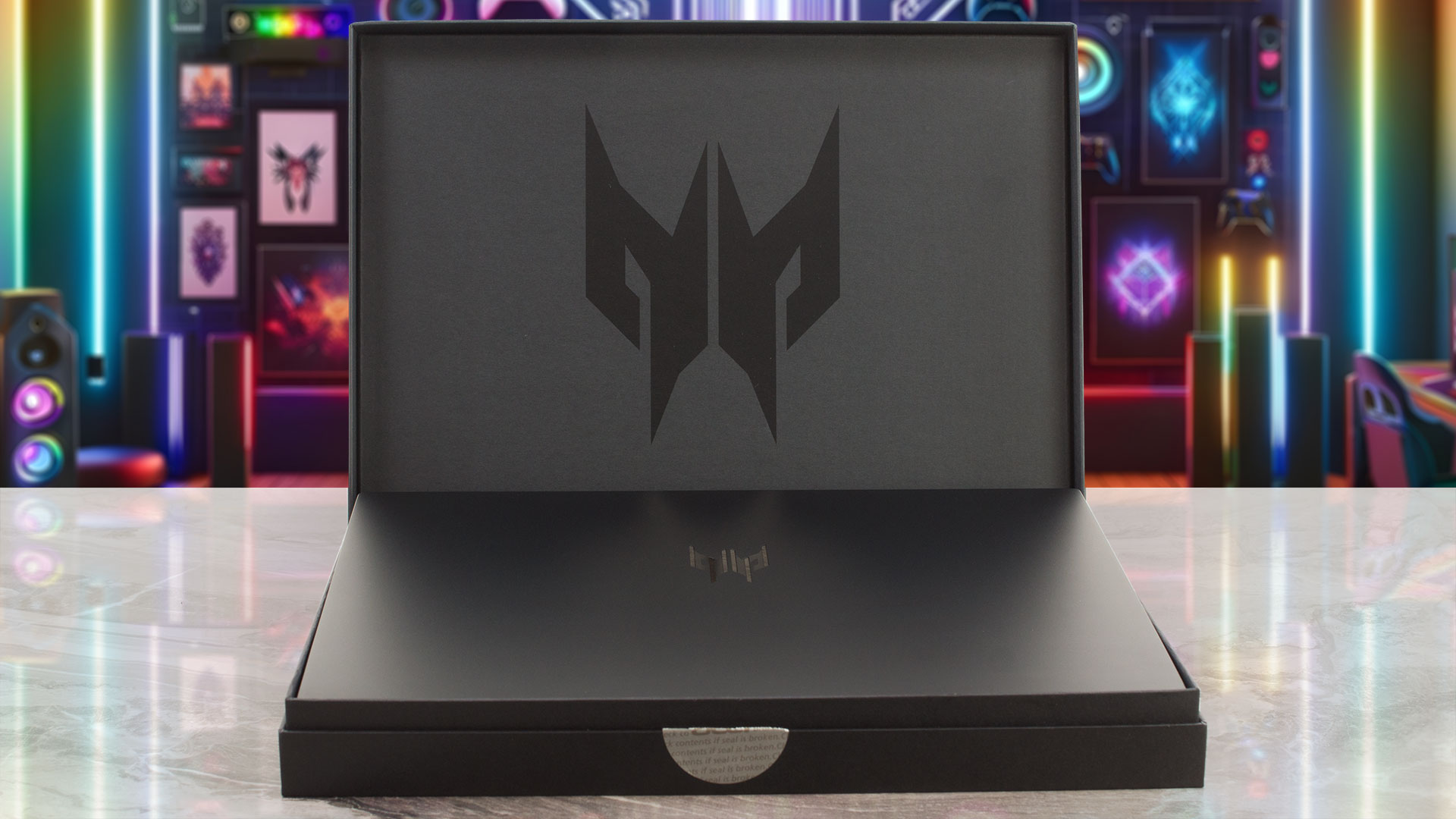
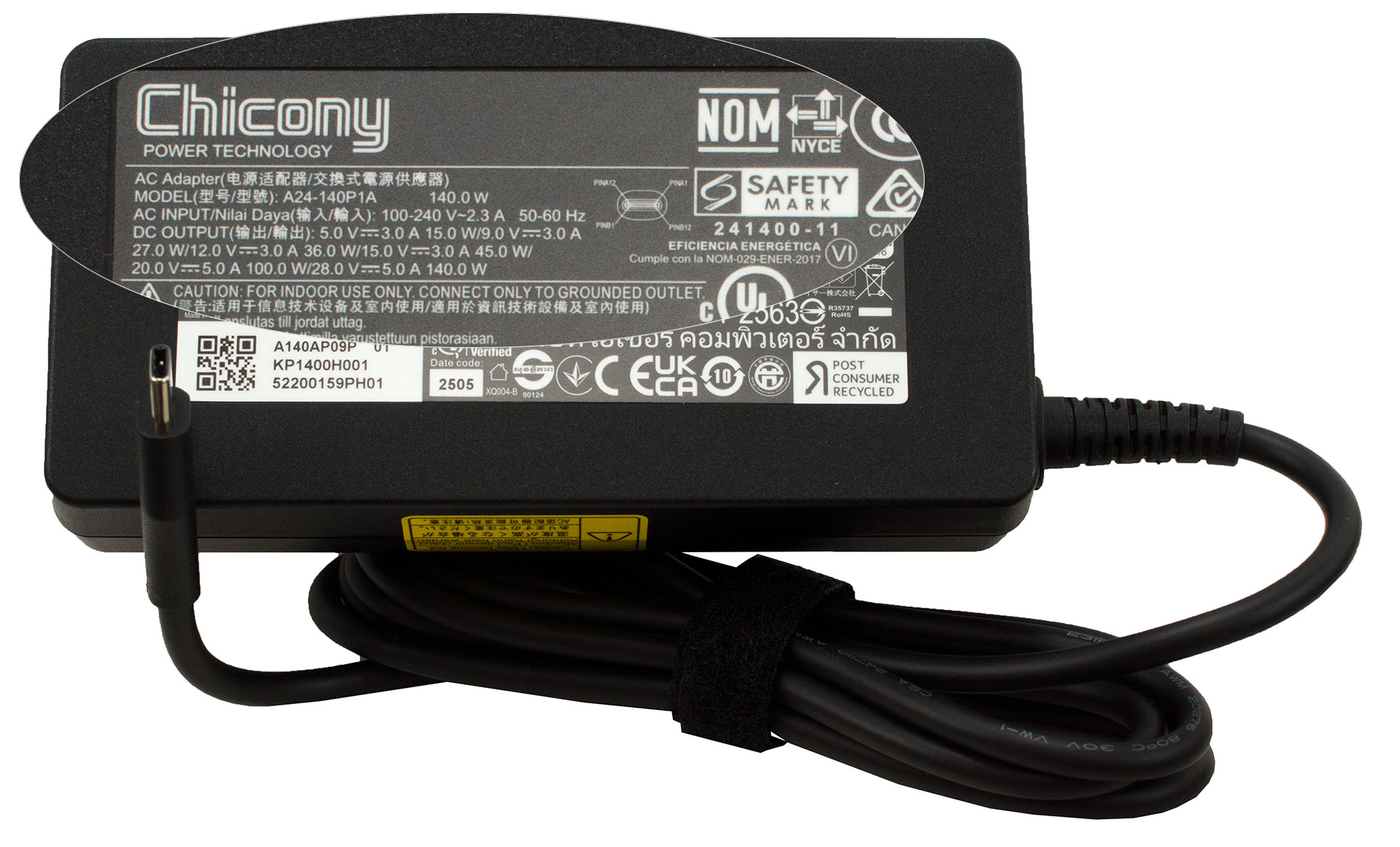
Unboxing the Predator Triton 14 AI provides two key components: the laptop itself and its compact 140W USB-C charger.
The package also includes an Acer Active Pen, but here’s the surprising catch: despite the pen being a high-spec model with 4096 pressure levels, it’s designed only for use on the touchpad, not the touchscreen display.

It’s a peculiar inclusion that initially throws you off, especially since the display is finger-touch capable.
Design and construction
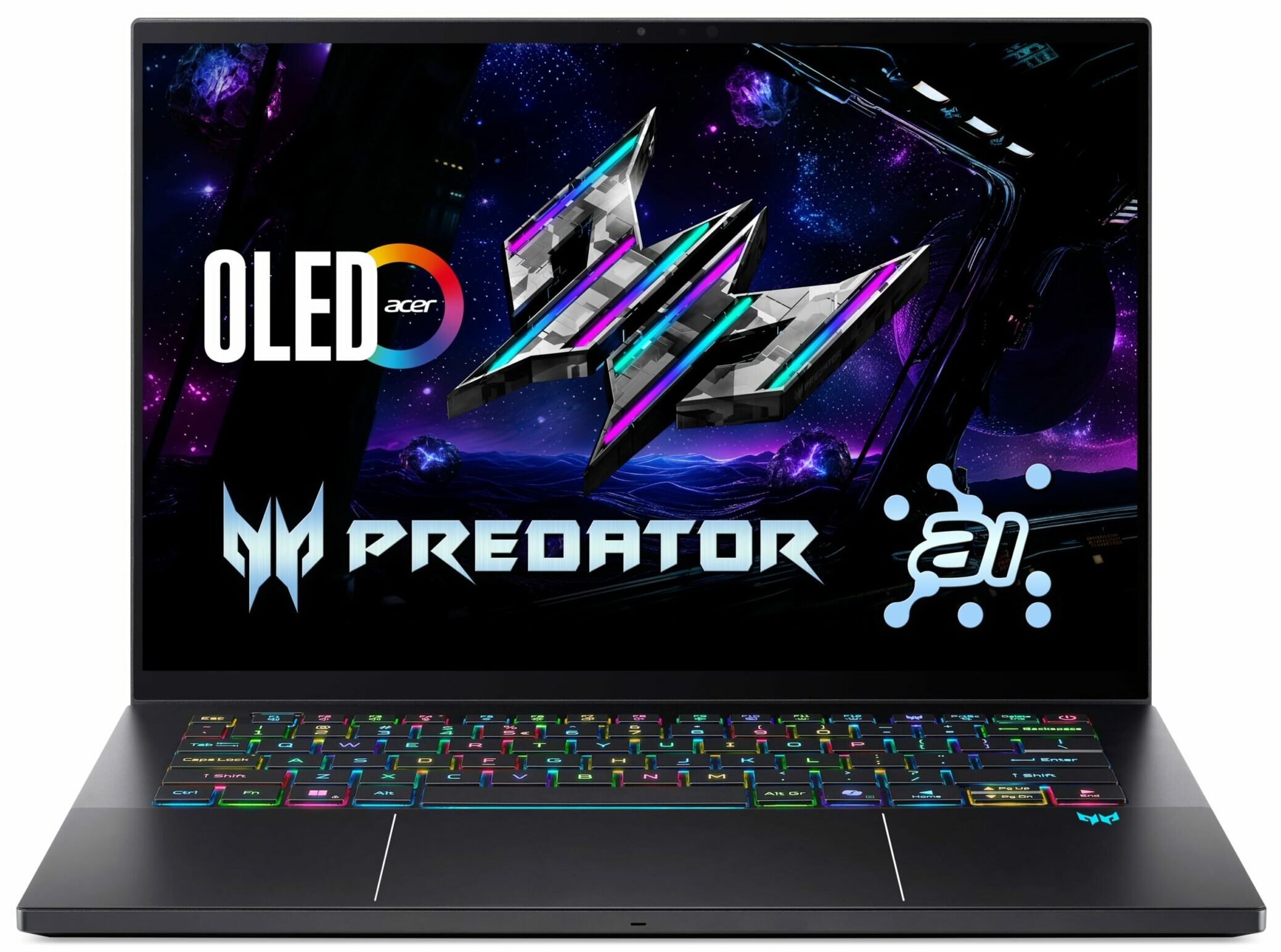
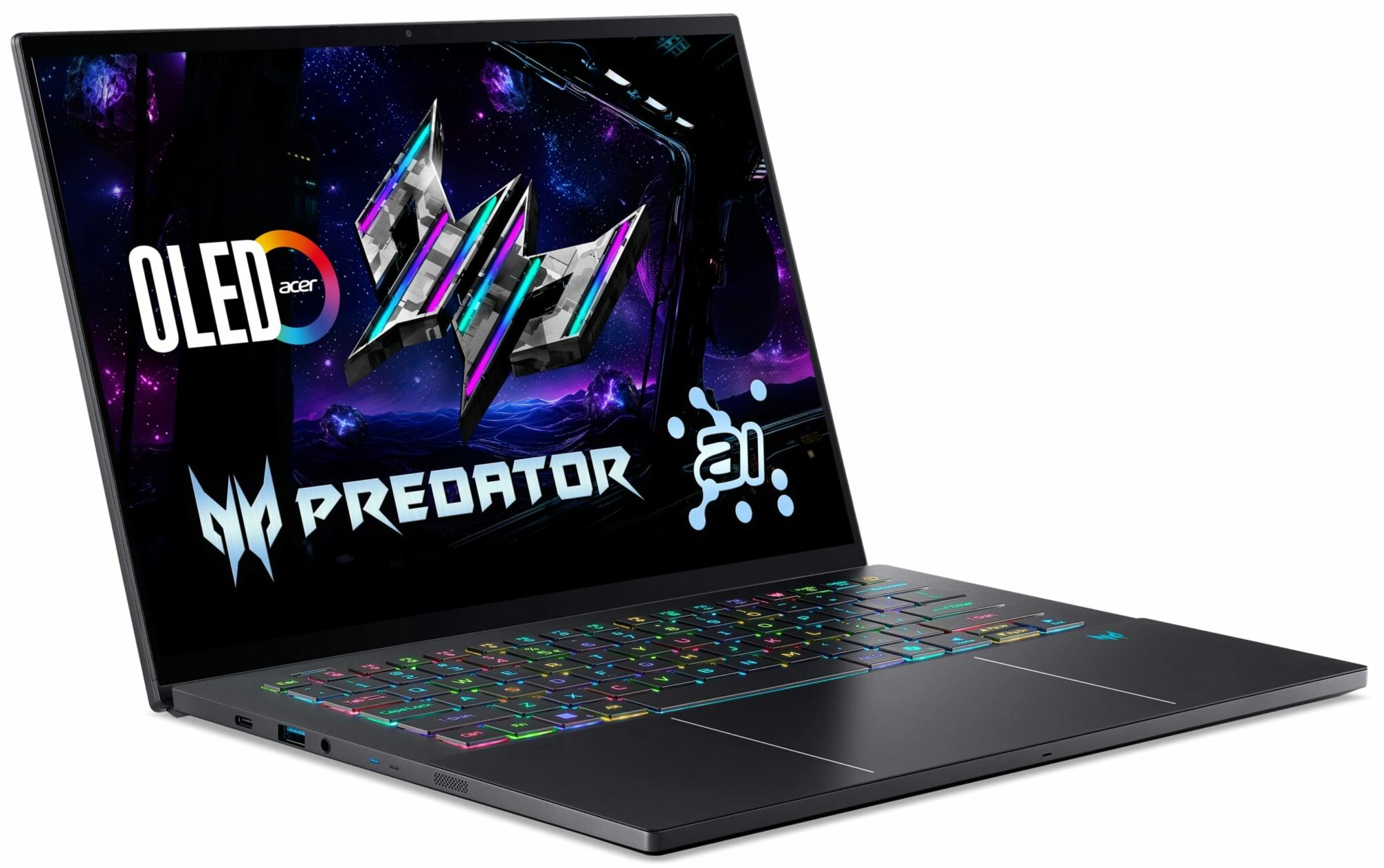
The Acer Predator Triton 14 AI (PT14-52T) is a master of disguise. When powered down with its RGB lighting extinguished, it masquerades convincingly as a premium ultrabook – clean, understated, and sophisticated.
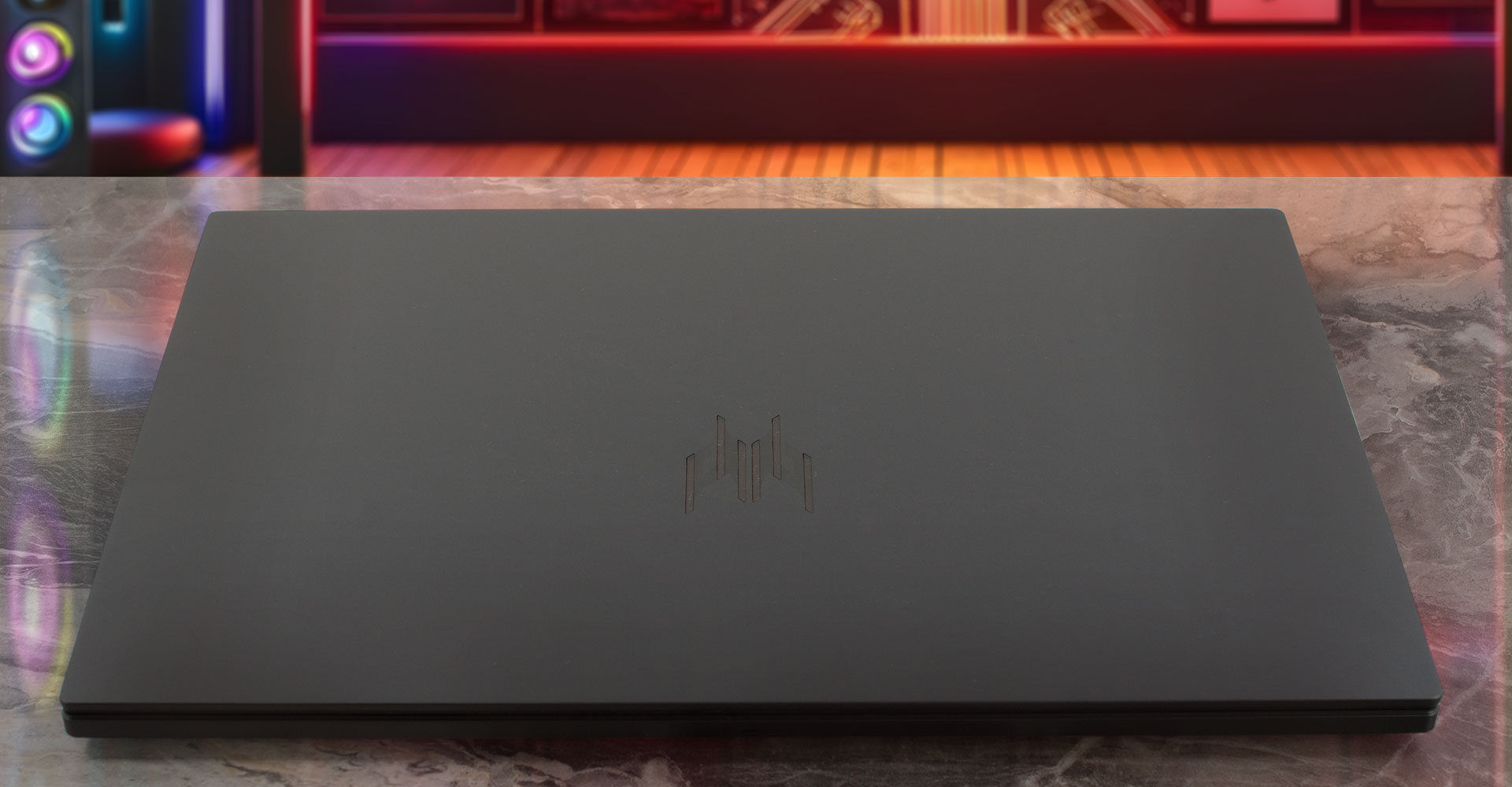
However, flick the switch, and its true nature is revealed: dazzling per-key RGB backlighting and illuminated Predator accents instantly announce its status as a serious gaming machine.
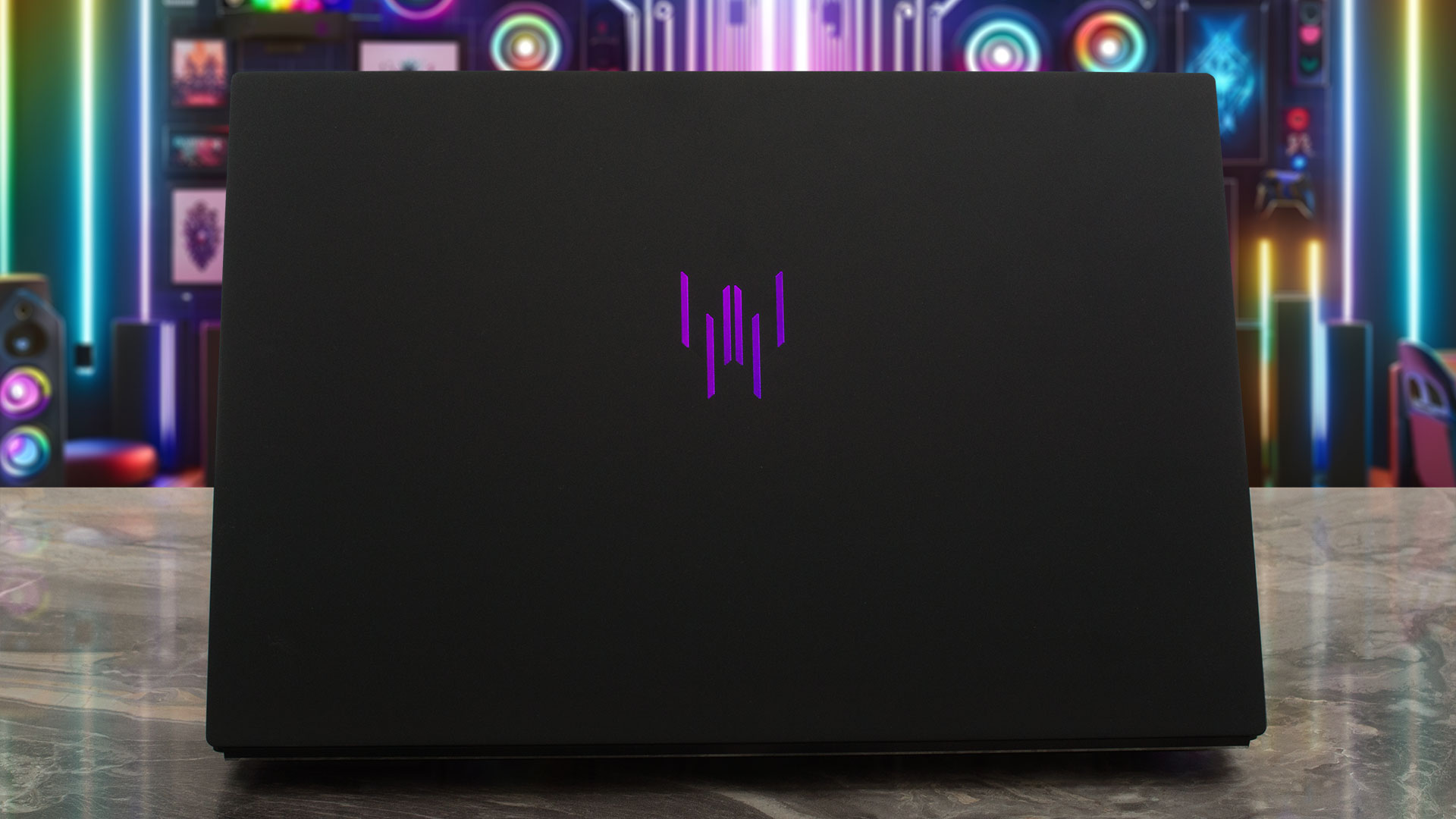
It comes in a single, stealthy black finish. The chassis is crafted from aluminium, featuring CNC-milled metal elements that give it a remarkably solid and premium feel. While the surface can pick up some fingerprints under certain lighting, it’s far from the worst offender we’ve seen and wipes down easily. Construction-wise, it’s rock-solid, exhibiting virtually no flex.
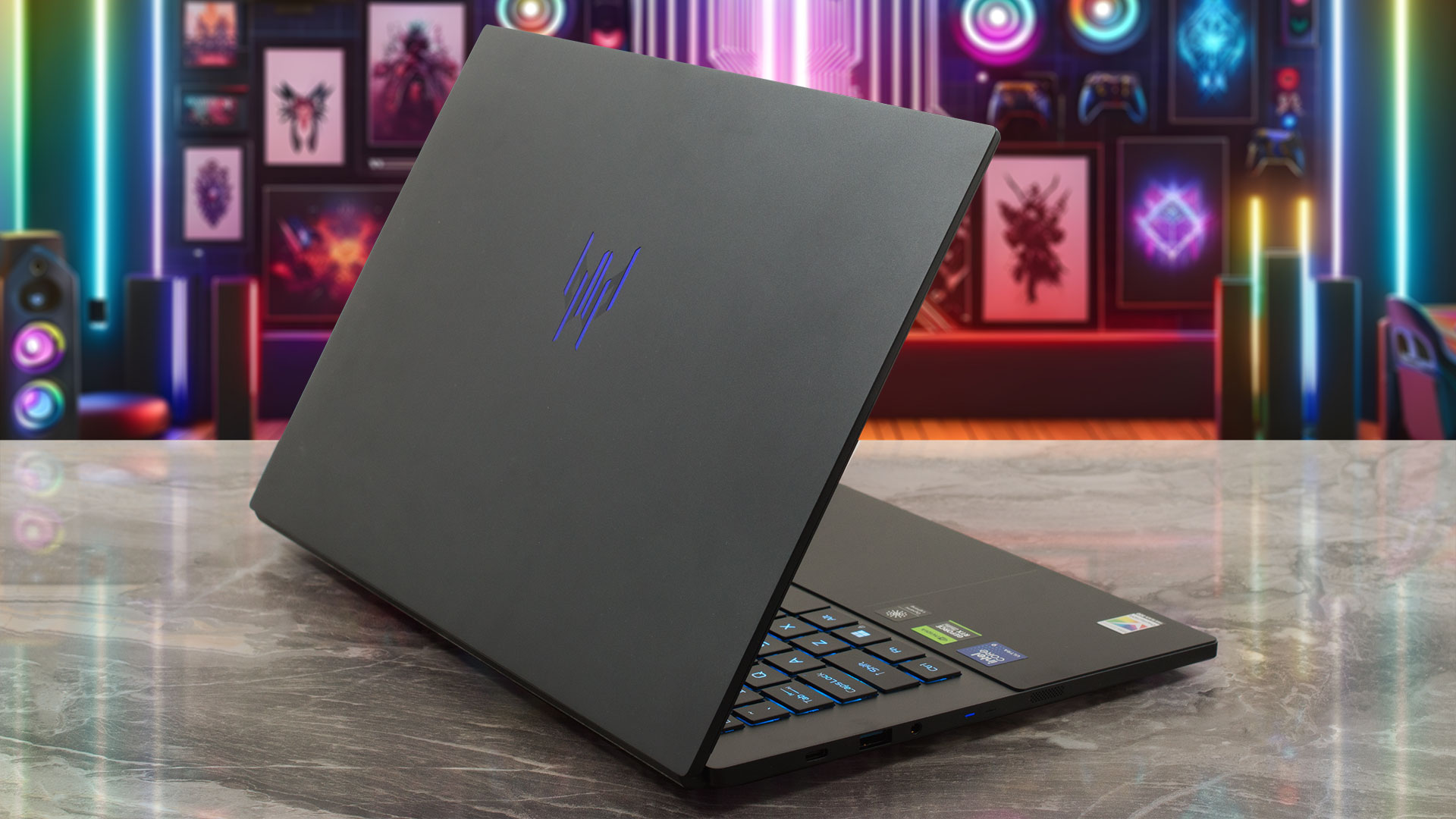
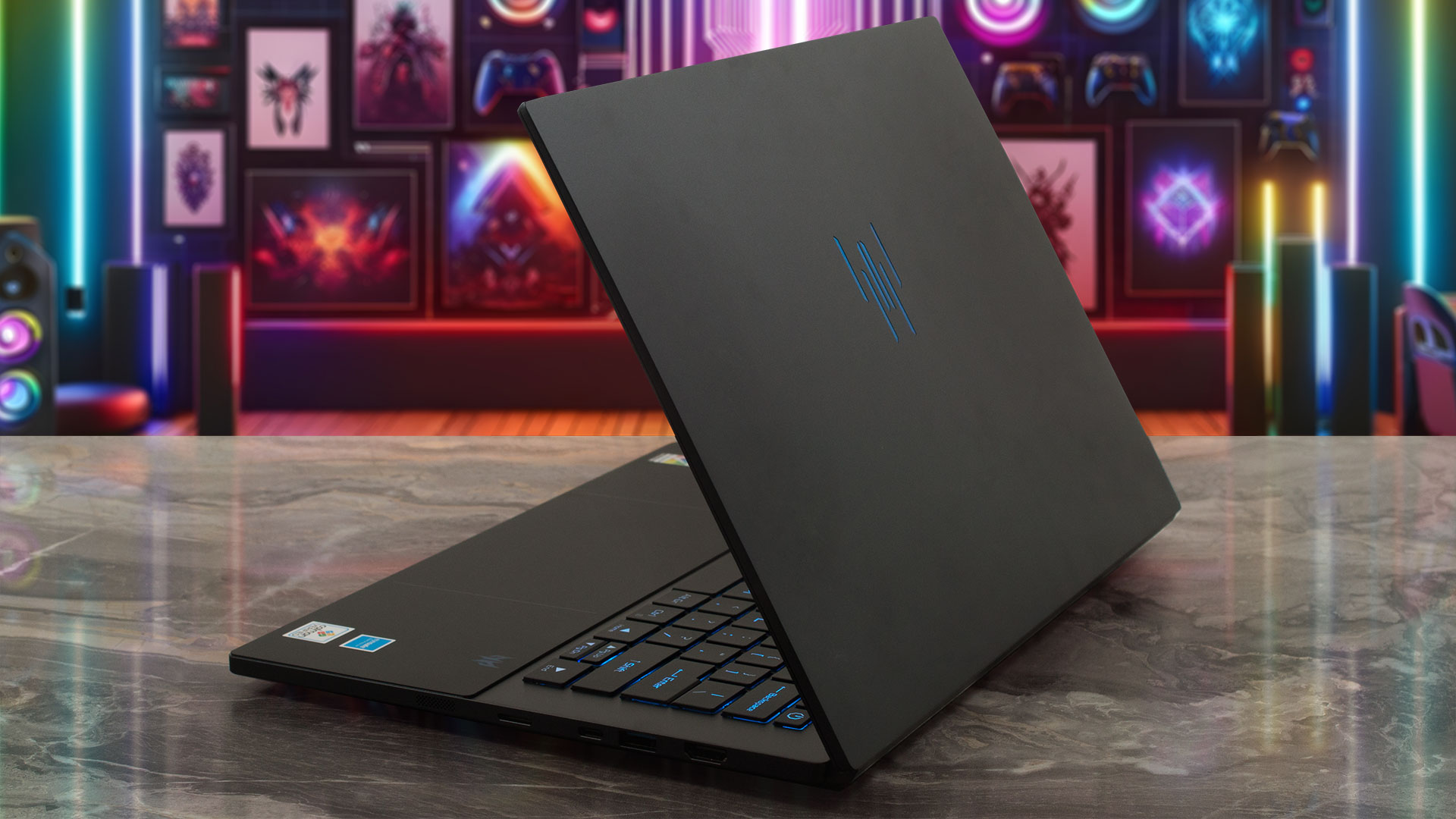
For a gaming laptop, the Triton 14 AI is exceptionally portable. It boasts a tapered profile ranging from just 11.05 mm to 17.31 mm (~0.44 to 0.68 inches) and weighs a mere 1.6 kg (~3.53 lbs), making it effortless to carry. The screen opens to a maximum angle of about 135 degrees, which is standard for a clamshell design. Unfortunately, there is no physical privacy shutter for the webcam.
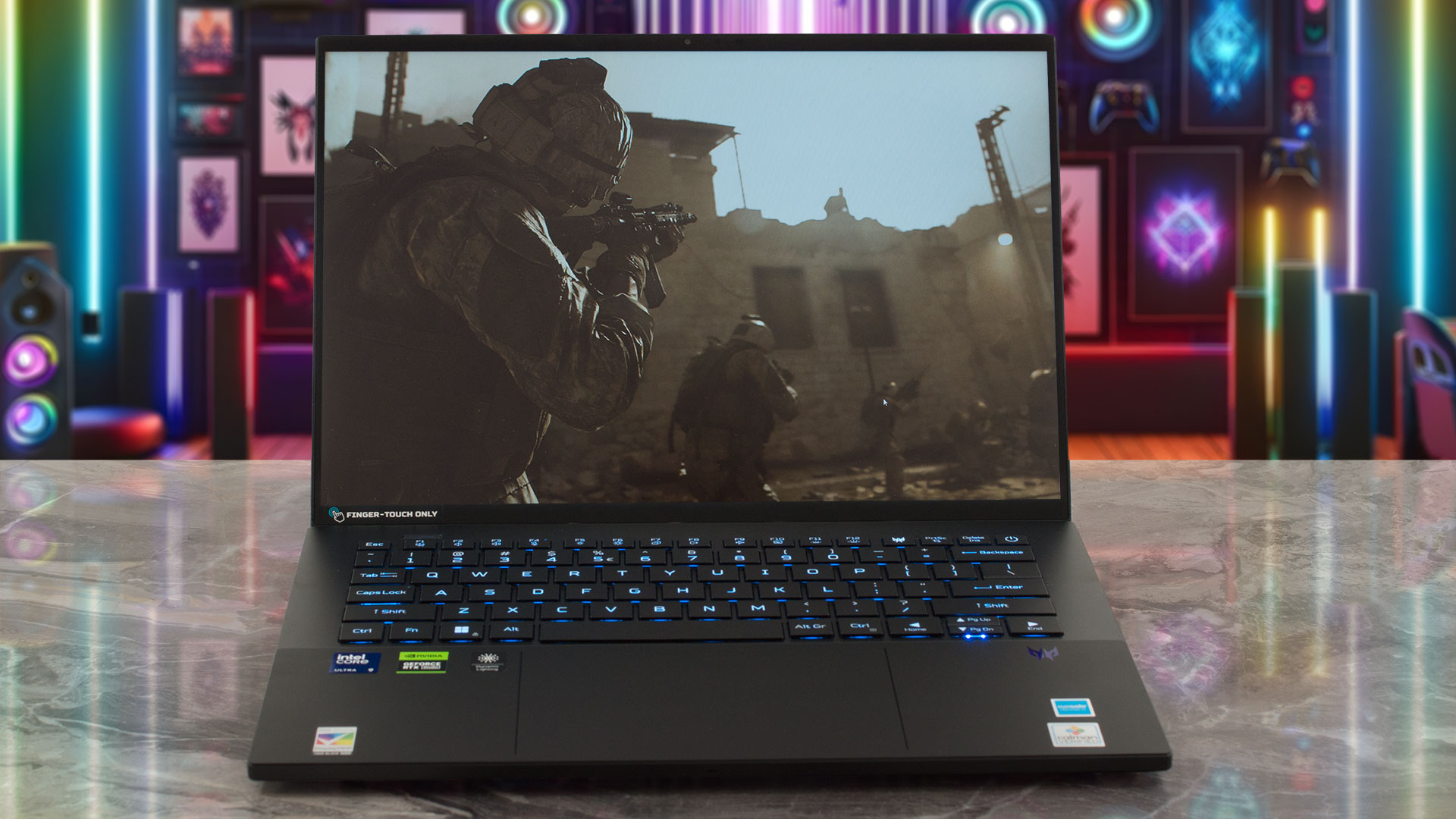
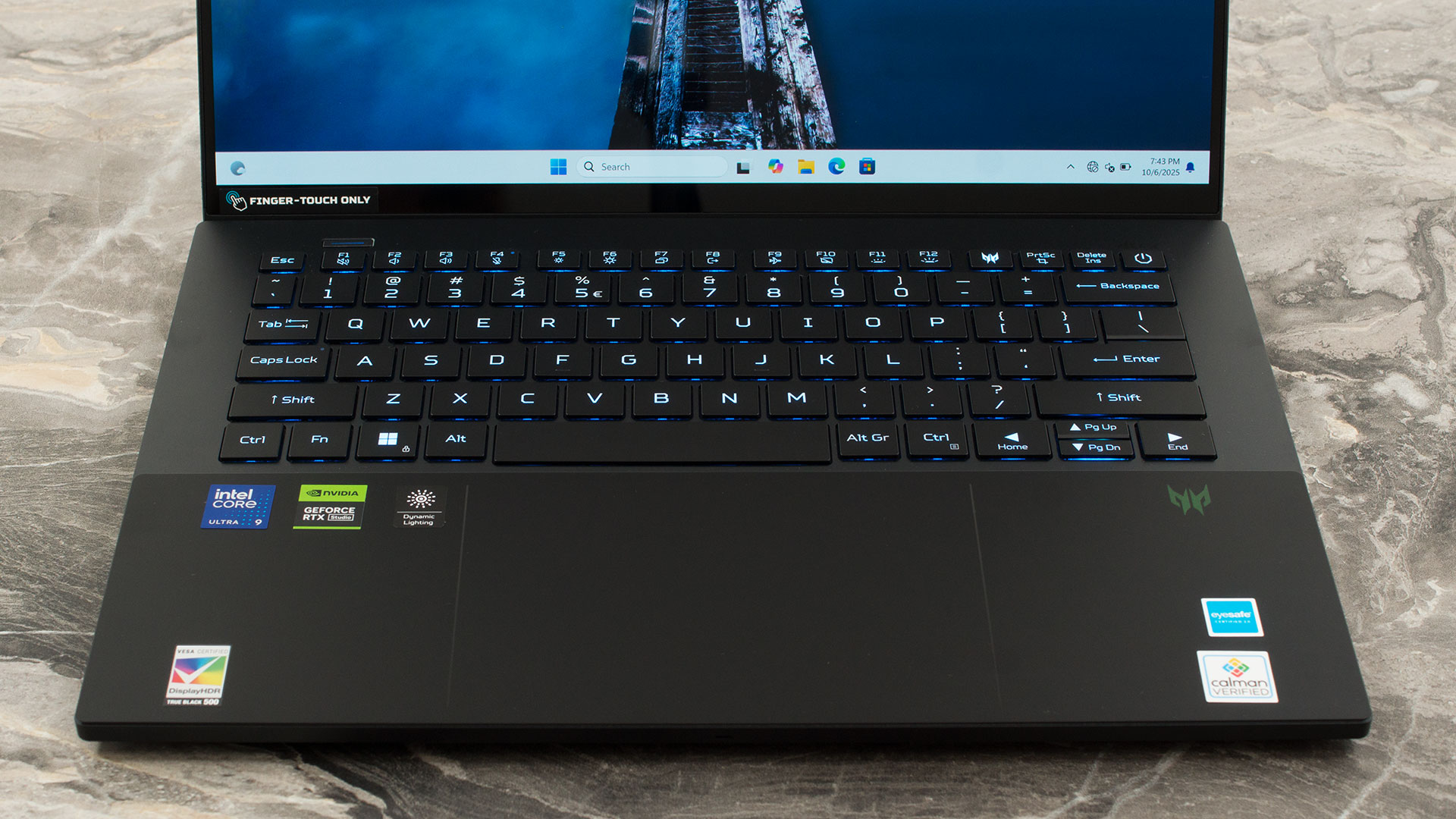
Given the compact 14.5-inch form factor, there is no NumPad, resulting in a streamlined 80/81 key layout depending on the region. The keyboard itself is excellent, featuring vibrant mini-LED per-key RGB backlighting and a comfortable 1.7 mm of key travel with anti-ghosting support. While the Left and Right arrow keys are full-sized and easy to use, the Up and Down keys are half-height – a compromise that’s less than ideal for gaming but forgivable given the laptop’s small footprint.
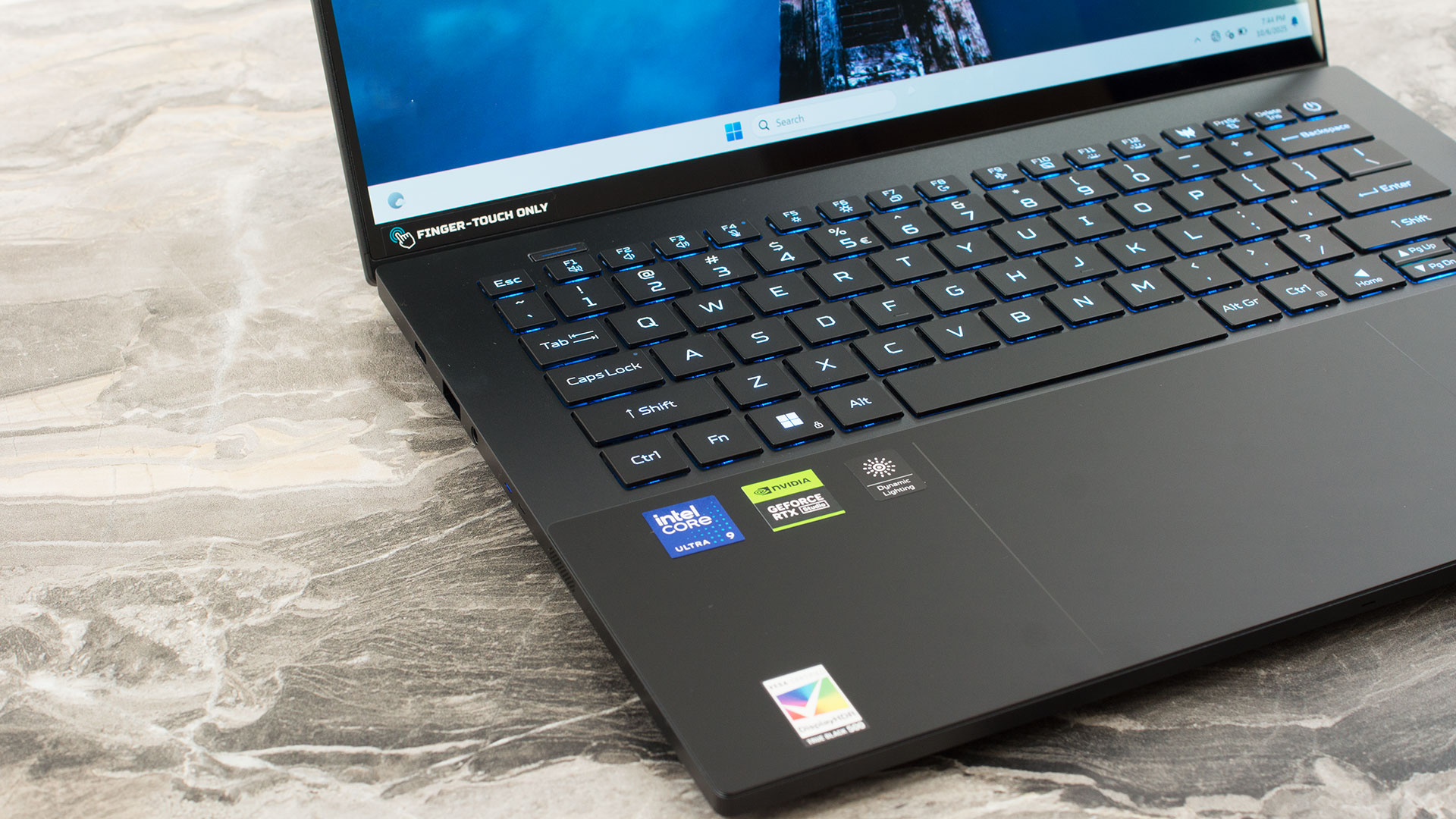
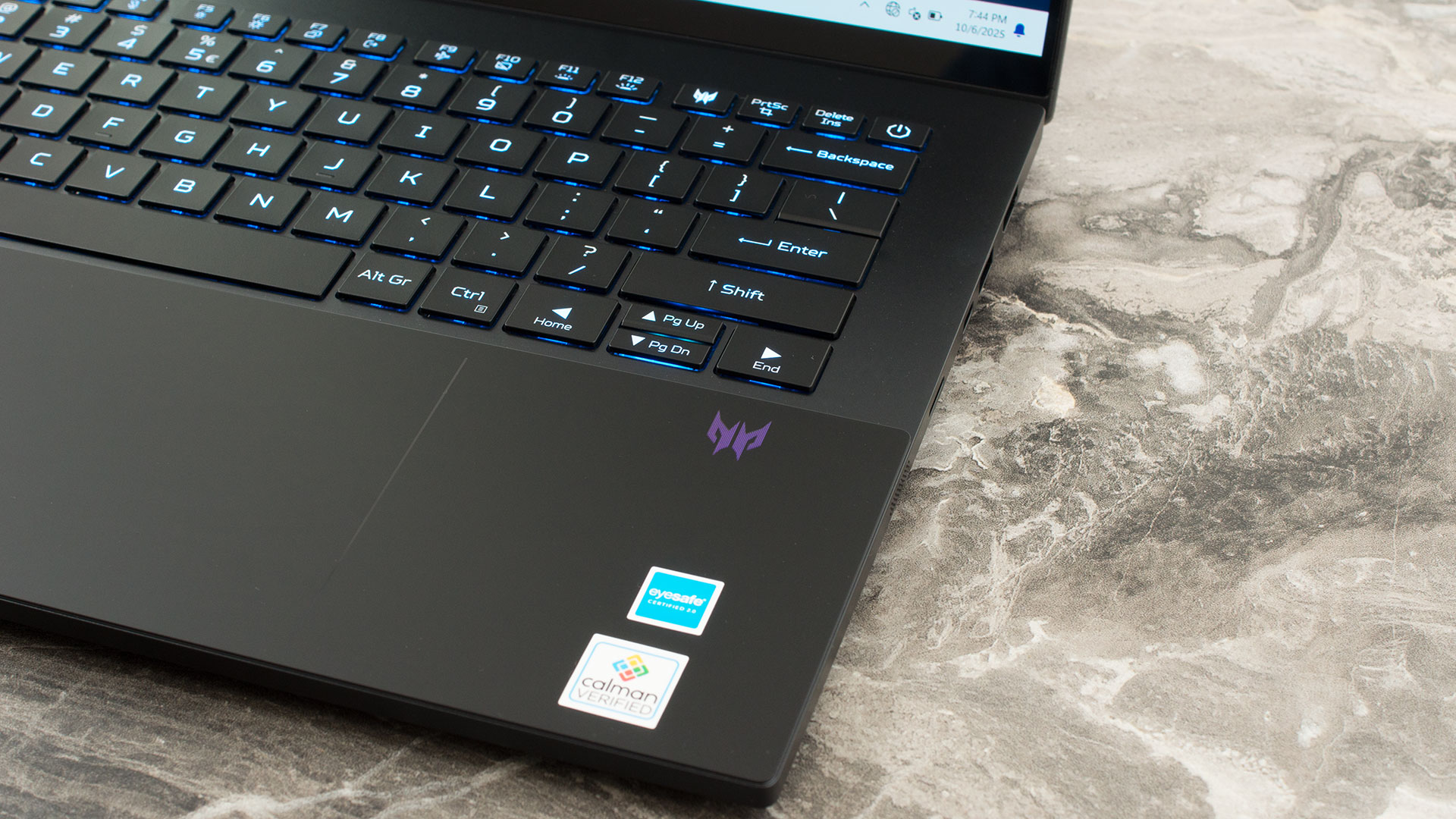
For secure login, there is no fingerprint reader, but the webcam includes IR capabilities for Windows Hello facial recognition. Below the keyboard sits a generously sized trackpad topped with seamless Corning Gorilla Glass. It’s moisture-resistant and offers a smooth, precise surface for navigation.
Ports and Connectivity
The Acer Predator Triton 14 AI (PT14-52T) packs a respectable amount of connectivity into its compact 14-inch chassis. On the left side, the highlight is a Thunderbolt 4 port, offering high-speed data transfer, video output, and charging capabilities. It sits alongside a standard USB-A port and a 3.5mm combo audio jack for headsets.

The right side is surprisingly densely populated for a laptop of this size. Here, you’ll find an HDMI 2.1 port capable of driving high-resolution external displays, a second USB-A port, and an additional USB-C port operating at USB 3.2 Gen 2 speeds. Acer has also managed to include a microSD card reader on this side, a welcome feature for content creators who need to quickly offload footage from cameras or drones.

The rear of the device remains clean, with no I/O ports.

Wireless connectivity is top-tier, featuring a Killer Wi-Fi 7 module. This supports tri-band operation (2.4, 5, and 6 GHz) with 2×2 MIMO technology, ensuring the fastest possible wireless speeds and lowest latency on compatible networks. It is paired with Bluetooth 5.4, which includes support for LE Audio, enhancing efficiency and quality for compatible wireless audio devices.
Display and Sound Quality, Display Profiles
The Acer Predator Triton 14 AI (PT14-52T) has only one display variant – the 14.5″ 1800p 120Hz OLED, Samsung ATNA45AF03-0.
| Acer Predator Triton 14 AI (PT14-52T) | Samsung ATNA45AF03-0 (SDC418C) |
| Diagonal | 14.5 inches (36.8 cm) |
| Panel Type | OLED |
| Resolution | 2880 x 1800 pixels |
| Max Refresh Rate | 120 Hz |
| Aspect Ratio | 16:10 |
| Pixel Density | 234 PPI |
| ‘Retina’ Distance | Greater than or equal to 37 cm |
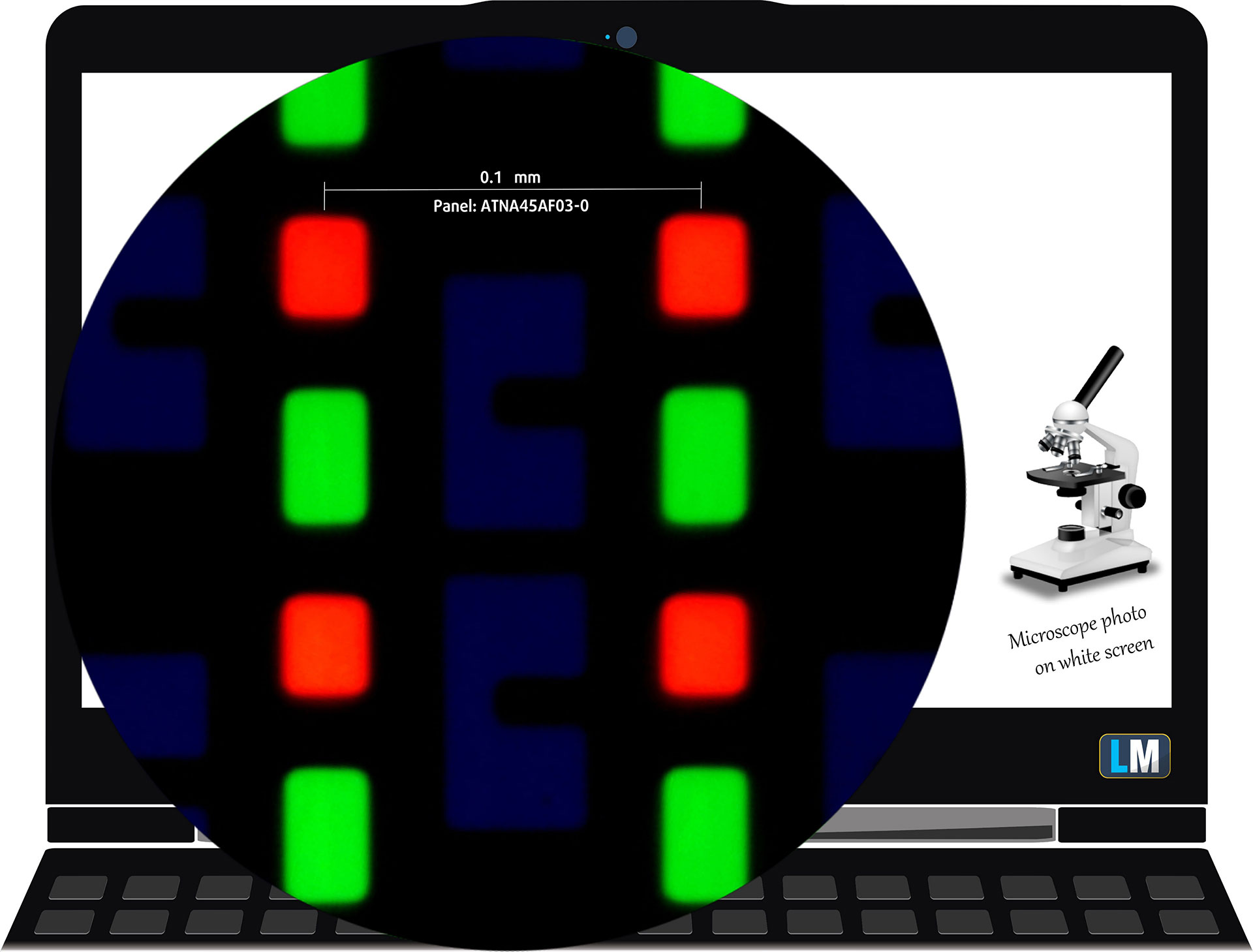
The 2.8K (2880 × 1800), 120 Hz, OLED display variant under our microscope
Viewing Angles
Viewing angles are good. We take photos from different angles to evaluate the quality.

Also, a video with locked focus and exposure.
Color Coverage
The whole “sail-shaped” map below (Fig. 1) consists of all the colors we can see, while the black crooked line shows all the colors from real-world scenes and nature around us.
Then, we’ve drawn some of the most important and interesting color spaces, compared to the colors the panel of Acer Predator Triton 14 AI (PT14-52T) can show:
Standard/For Web: sRGB – widely used color space for most consumer devices, ideal for Web design and development
For Print: AdobeRGB – used in professional photo editing, graphic design, and print
For Photographers/Video Editors: DCI-P3 – used in high-end film production, post-production, and digital cinema
Premium HDR: Rec.2020 – the widest consumer ITU color standard, covering a massive 75.8% of the visible spectrum, a benchmark for premium HDR content.
Acer Predator Triton 14 AI (PT14-52T): the yellow dashed triangle (– – – – – –) represents the range of colors this display can show.
In our tests, we calculated the total color coverage of the display at 100% of the sRGB color gamut and 100% of the DCI-P3 color gamut.
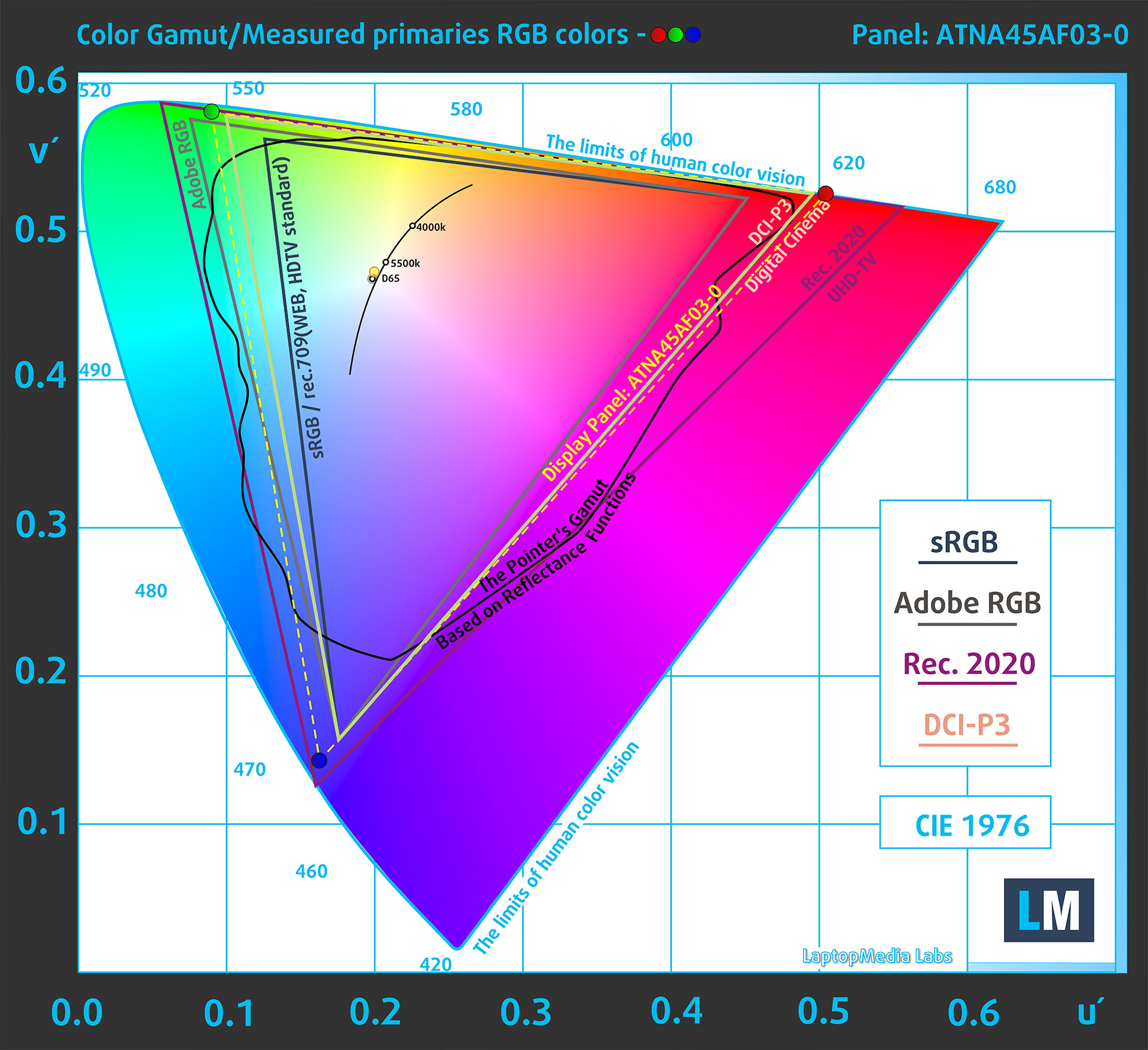
(Fig.1) Acer Predator Triton 14 AI (PT14-52T) covers 100% of the DCI-P gamut
Brightness and Contrast
The maximum brightness in HDR mode is 600 cd/m² at 8% white fill and 405 cd/m² on a full white screen
The maximum brightness in SDR mode is 404 cd/m² in the center of the screen and 402 cd/m² averaged across the surface with a maximum deviation of 1%.
The Correlated Color Temperature (CCT) on a white screen at maximum brightness is 6270K.
The contrast ratio of OLED panels is excellent because the pixels turn off completely when displaying black.

Uniformity: Luminance, Contrast, and Color Deviation
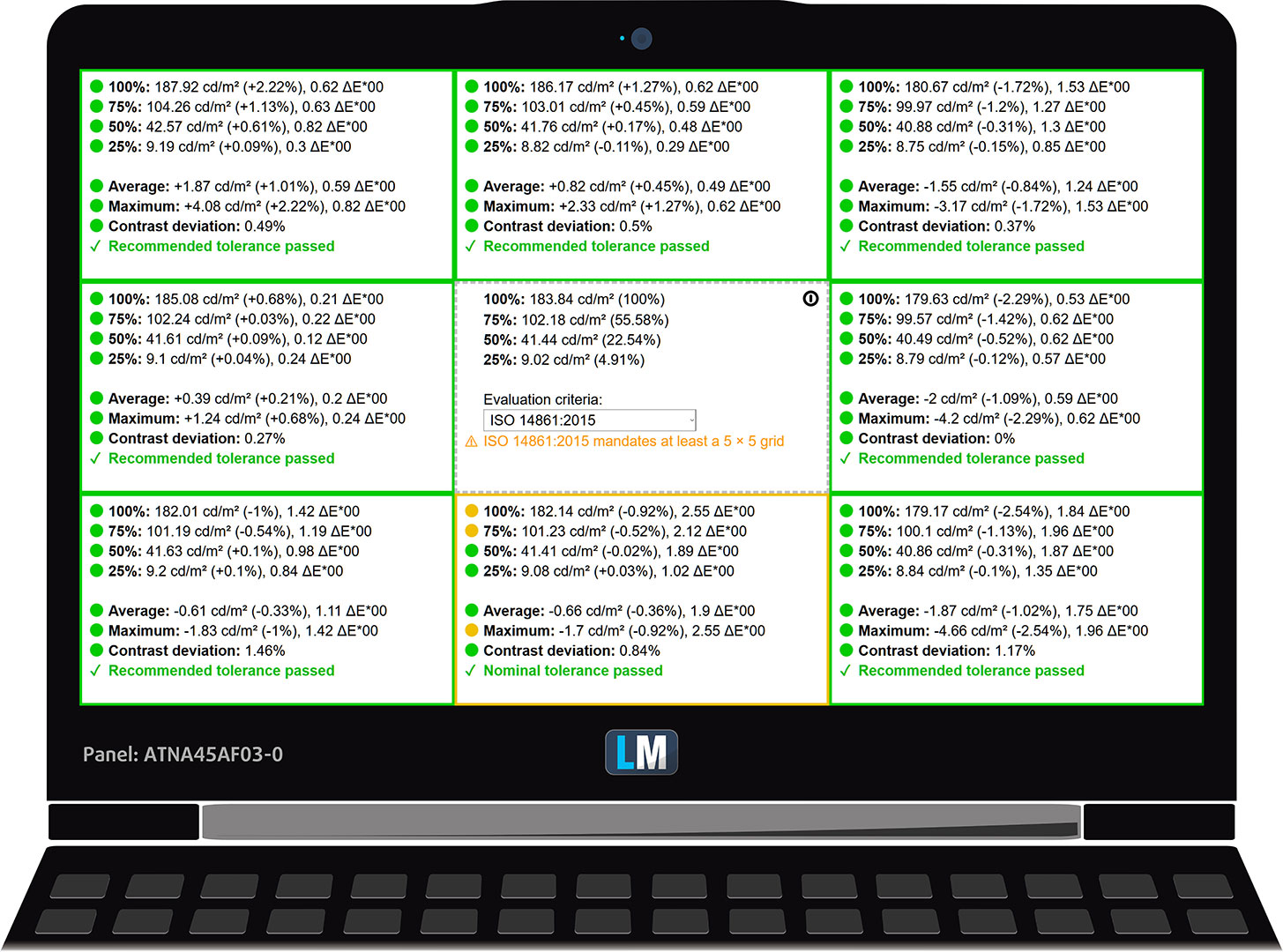
The figure below shows the results from our uniformity test across different sections of the screen. It’s measured at 184 nits (Windows slider = 56%) – a brightness level we consider typical for standard working conditions.
DeltaE values below 4.0 are acceptable for regular users. For those working with colors, screens with DeltaE values no higher than 2.0 are recommended.
Color Accuracy
Let’s check the difference between real colors and those you’ll see on the Acer Predator Triton 14 AI (PT14-52T). We measure that distance in DeltaE – the higher the number, the more different they look.
Values below 4.0 are acceptable for regular users, while values below 2.0 are suitable for color-sensitive work. A value below 1.0 means the difference is indistinguishable to the naked eye.
For the next graph, we’ve selected 24 common colors, including dark/light skin, blue sky, green grass, etc.
Before our calibration of the Acer Predator Triton 14 AI (PT14-52T), the Average color accuracy was 2.2 dE (Fig. 2), and with our Design and Office profile, it lowered to 1.5 dE (Fig. 3).
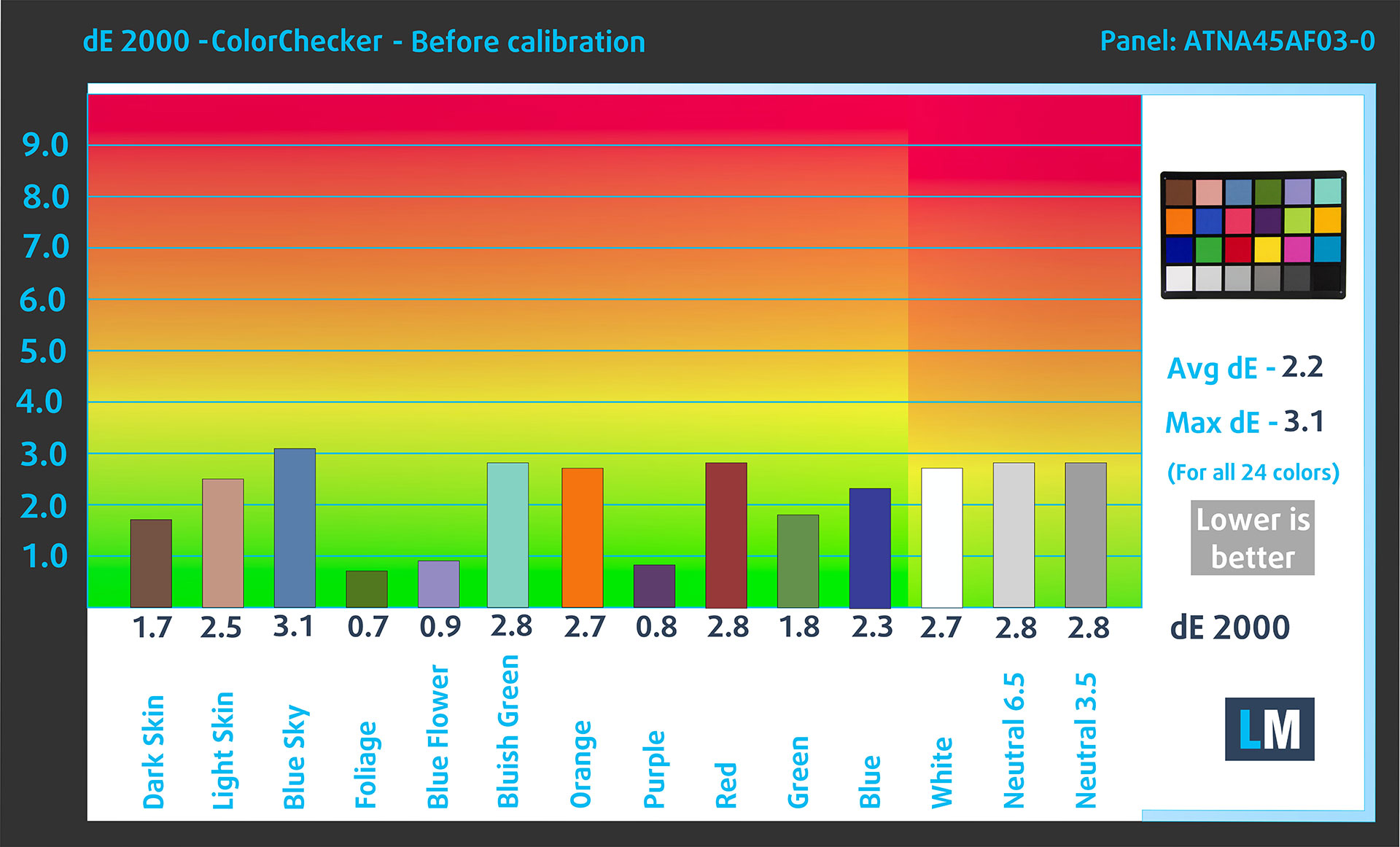
(Fig. 2) Acer Predator Triton 14 AI (PT14-52T) in its factory condition
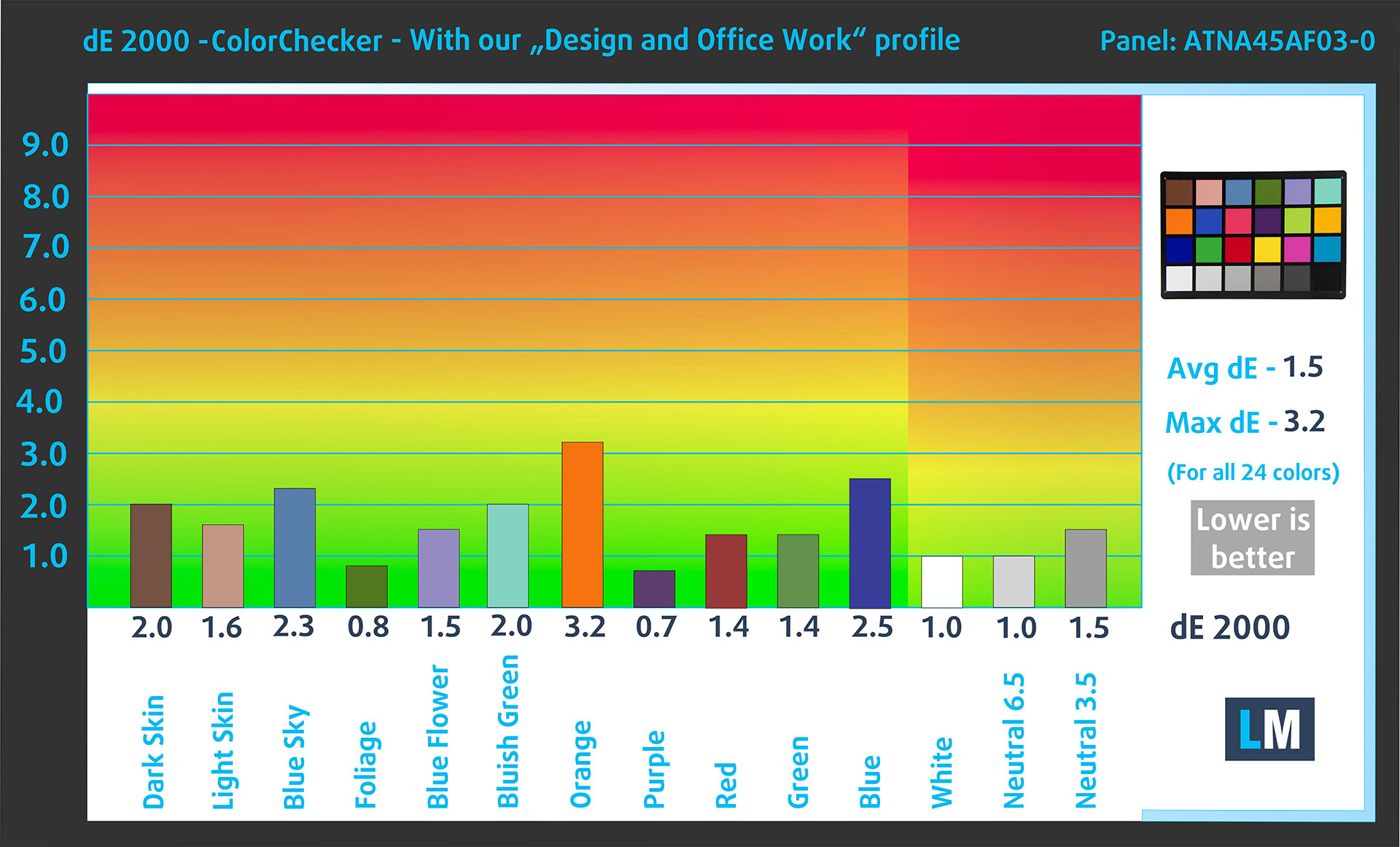
(Fig. 3) Acer Predator Triton 14 AI (PT14-52T) with our display profile
Comparison in the Display P3 color space.
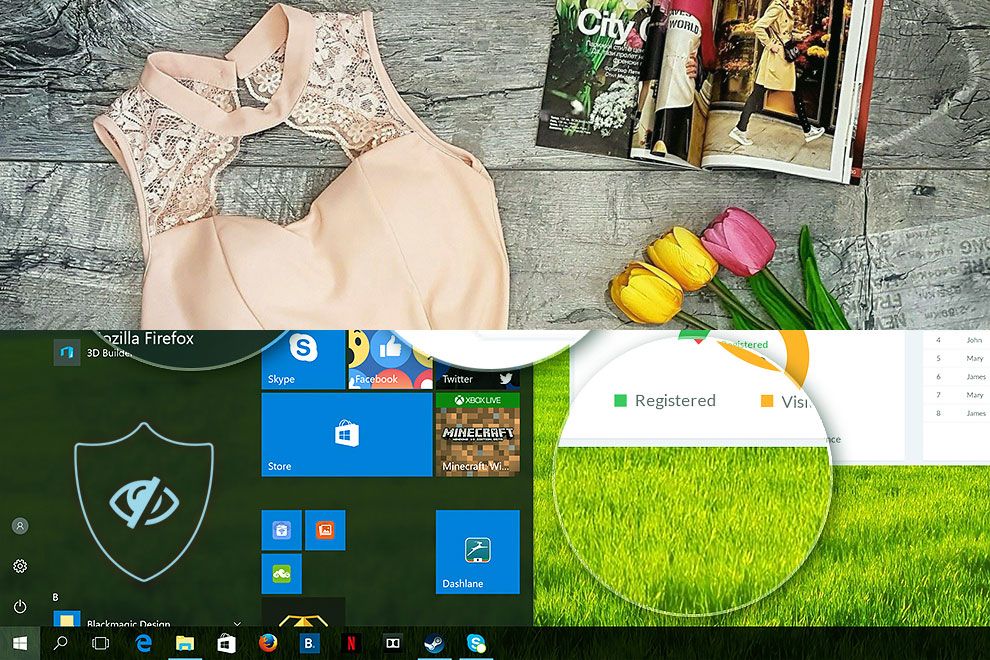
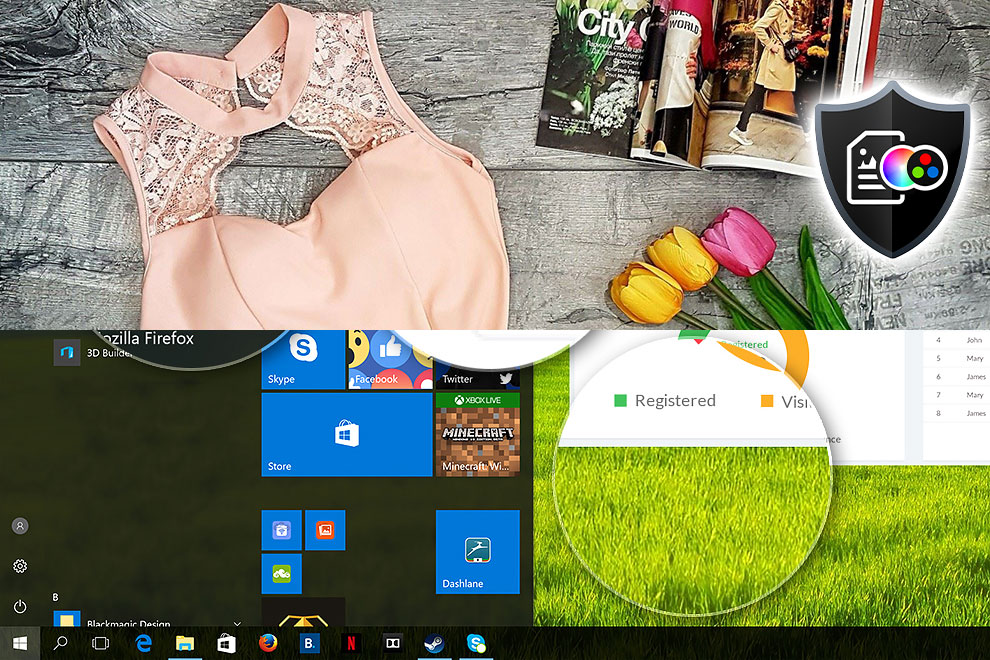
Here’s an illustration of what the Design and Office profile aims to deliver:
Left: No Profile | Drag the slider to see the difference | Right: Design & Office Profile
Visibility in dark scenes
Have you ever watched a movie with dark scenes where you could barely see anything? This often happens because many display panels struggle to differentiate the darkest nuances, making them appear the same.
The next figure illustrates how well the display reproduces these dark nuances. The left side of the image shows the display with stock settings, and the right side shows it with our Gaming and movies profile activated.
On the horizontal axis are the grayscale levels, and on the vertical axis – the corresponding display brightness.
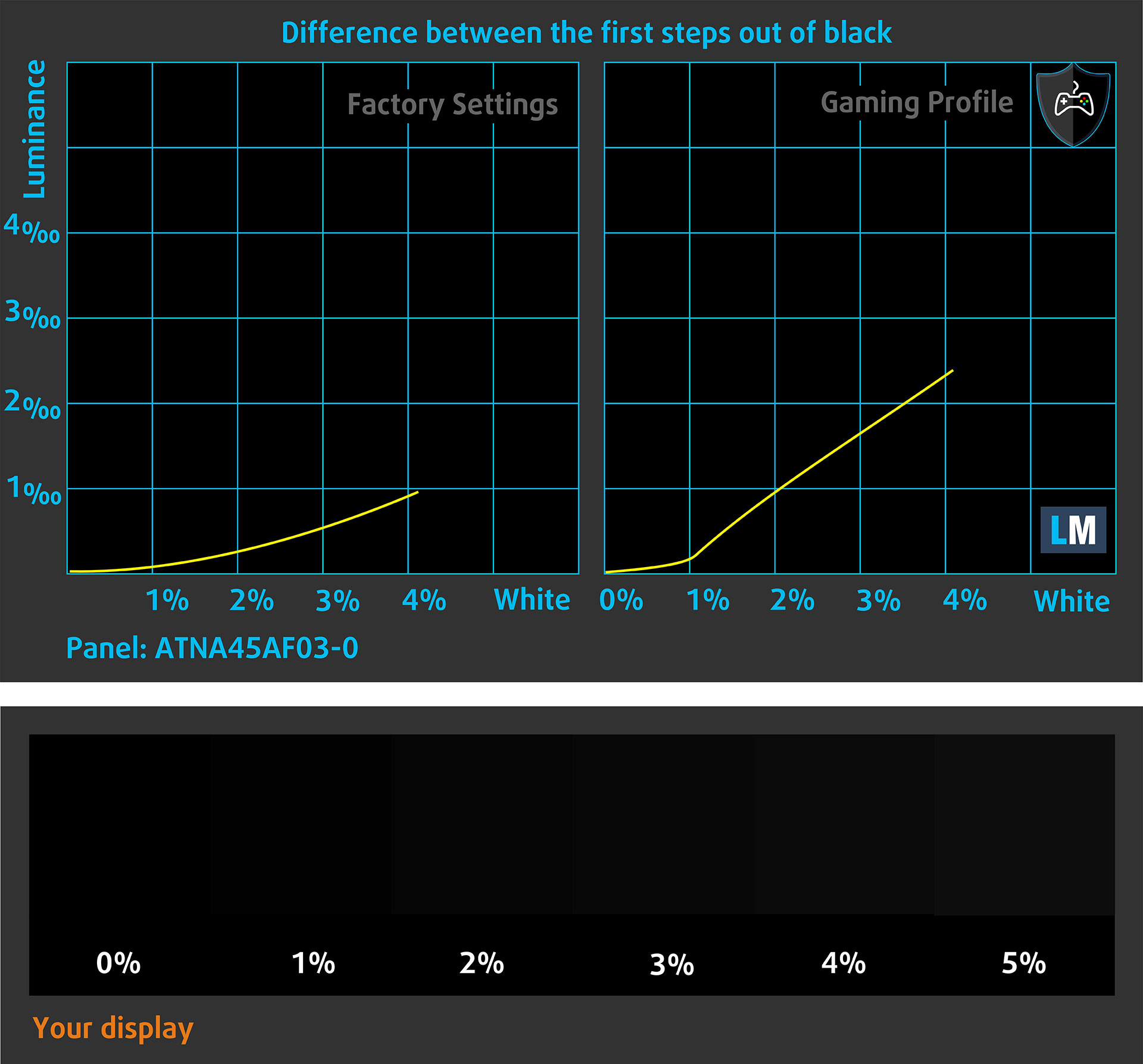
You can also check how your display handles the darkest nuances but keep in mind that this also depends on the settings of your current display and the surrounding light conditions.
Health Impact: PWM (Screen flickering)
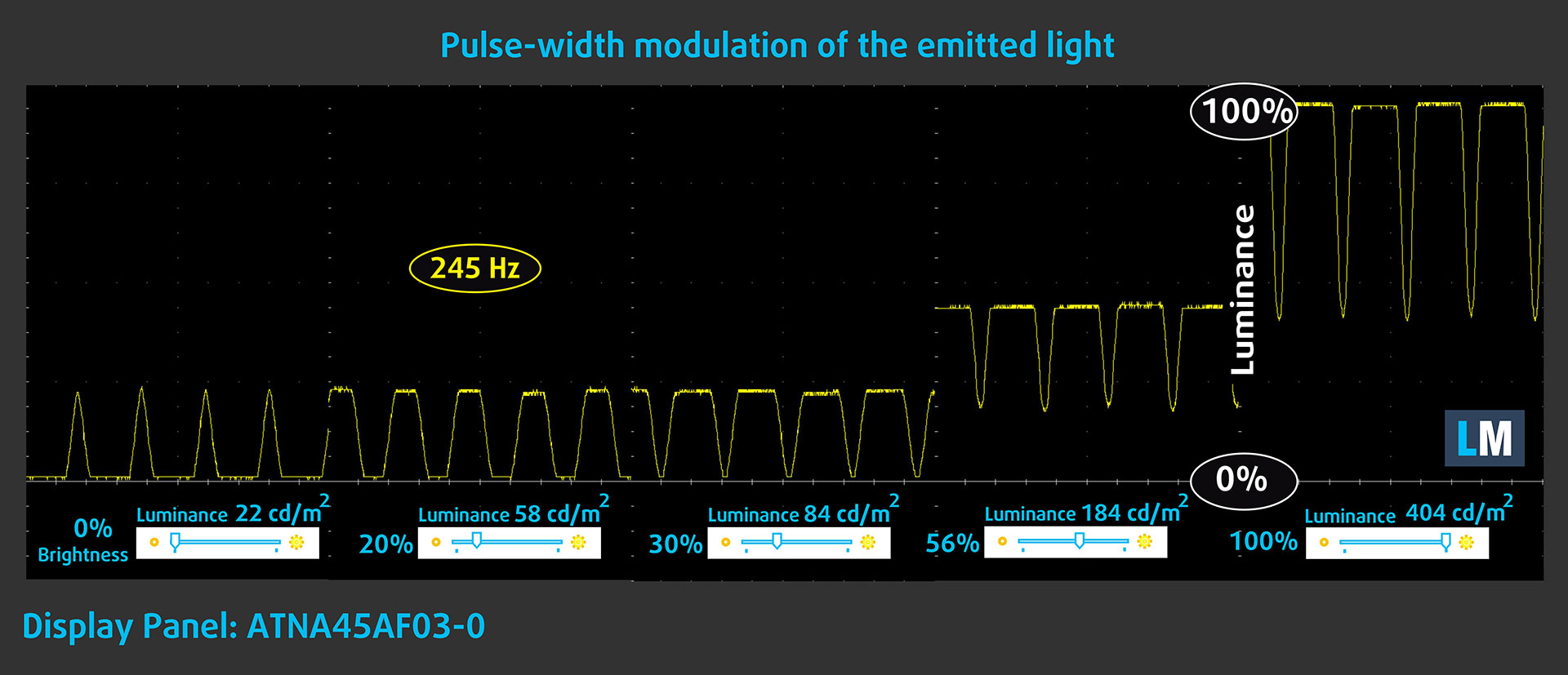
Some use PWM to regulate their brightness, which means that instead of reducing the light intensity, they pulse or flicker. Our brain merges the image, so it appears darker, but this strains both it and our vision, especially when the frequency of the pulses is low. You can read more about that in our dedicated article on PWM.
In the graph below, you see the intensity of light at different brightness levels—on the vertical axis is the brightness of the emitted light, and on the horizontal axis—time.
The luminance of the Acer Predator Triton 14 AI (PT14-52T) display is PWM controlled up to about 90 cd/m2. When the brightness is higher, we observe ripples of limited amplitude. Therefore, we consider the display to be sufficiently comfortable for vision in the considered aspect.
Health Impact: Blue light emissions
Installing our Health-Guard profile reduces harmful Blue Light emissions while keeping the colors of the screen perceptually accurate.
If you’re not familiar with the Blue light, the TL;DR version is – emissions that negatively affect your eyes, skin, and your whole body. You can find more information about that in our dedicated article on Blue Light.
Get our profiles
Since our profiles are tailored for each individual display model, this article and its respective profile package are meant for Acer Predator Triton 14 AI (PT14-52T) configurations with ATNA45AF03-0 (SDC418C), 2880 x 1800, OLED panel.
*Should you have problems with downloading the purchased file, try using a different browser to open the link you’ll receive via e-mail. If the download target is a .php file instead of an archive, change the file extension to .zip or contact us at [email protected].
Read more about the profiles HERE.
In addition to receiving efficient and health-friendly profiles, by buying LaptopMedia's products you also support the development of our labs, where we test devices in order to produce the most objective reviews possible.

Design and Office
The Design and Office profile makes display colors as close to real as possible.Ideal not only for professionals but also for everyday users, it meets sRGB standards (D65 white point, sRGB gamma) with minimal DeltaE for precise color reproduction on your panel.

Gaming and Movies
Have you ever watched a movie where, during dark scenes, you can barely see anything? Many displays fail to distinguish dark tones properly. Our Gaming and Movies profile enhances low-light performance, like HDR tech, using a gamma curve tailored to human perception — ideal for gamers seeking faster reactions and clearer visuals.

Health-Guard
Our Health-Guard profile protects your eyes by eliminating PWM flickering, reducing strain and fatigue, and minimizing harmful Blue light exposure that can disrupt sleep and health. It uses software dimming and a gamma curve tailored to human perception for comfort and safety during screen use.
Get All The Profiles With 33% Discount!

Sound
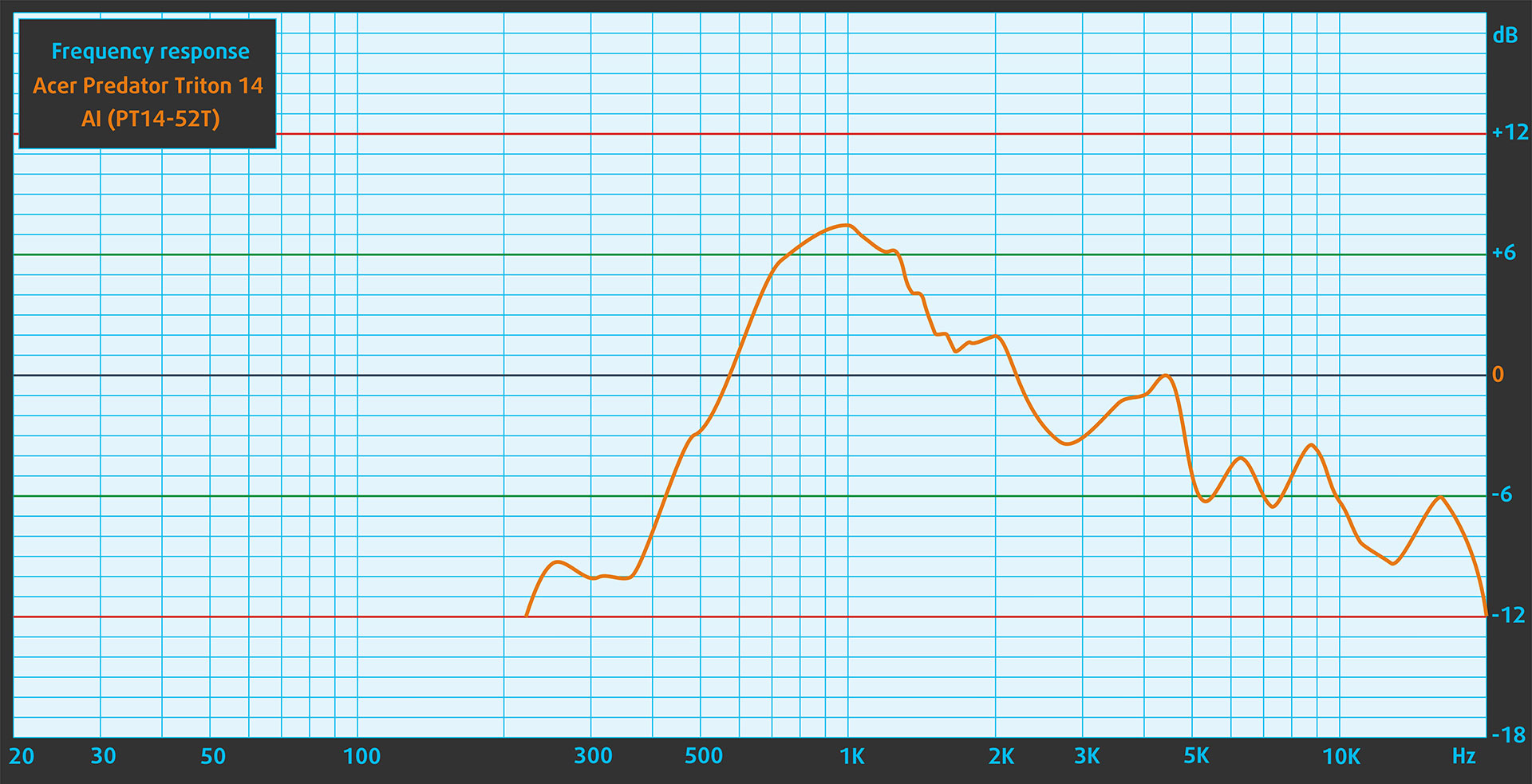
When we subjectively listen to a sound file through the built-in speakers, the sound quality offered by Acer Predator Triton 14 AI (PT14-52T) is relatively good. However, the low, mid and high frequencies have deviations in clarity.
Work Performance: CPU, Storage, AI
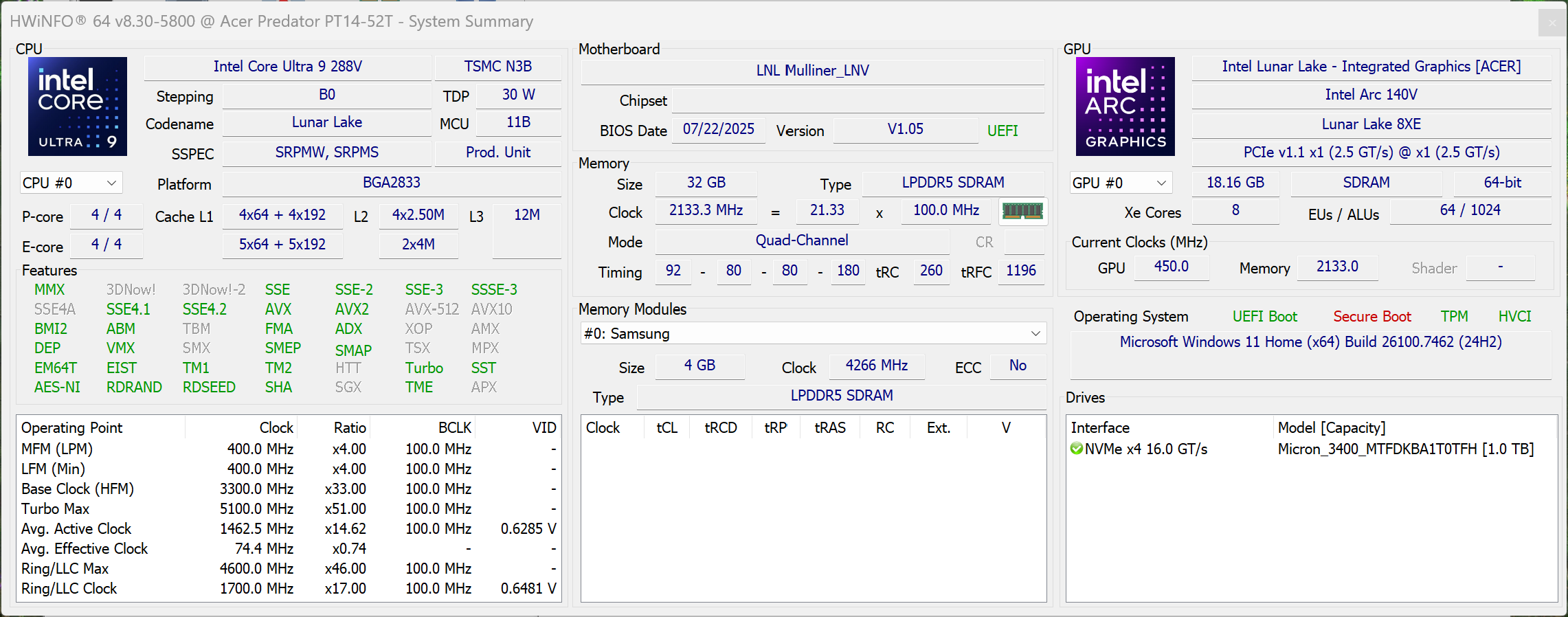
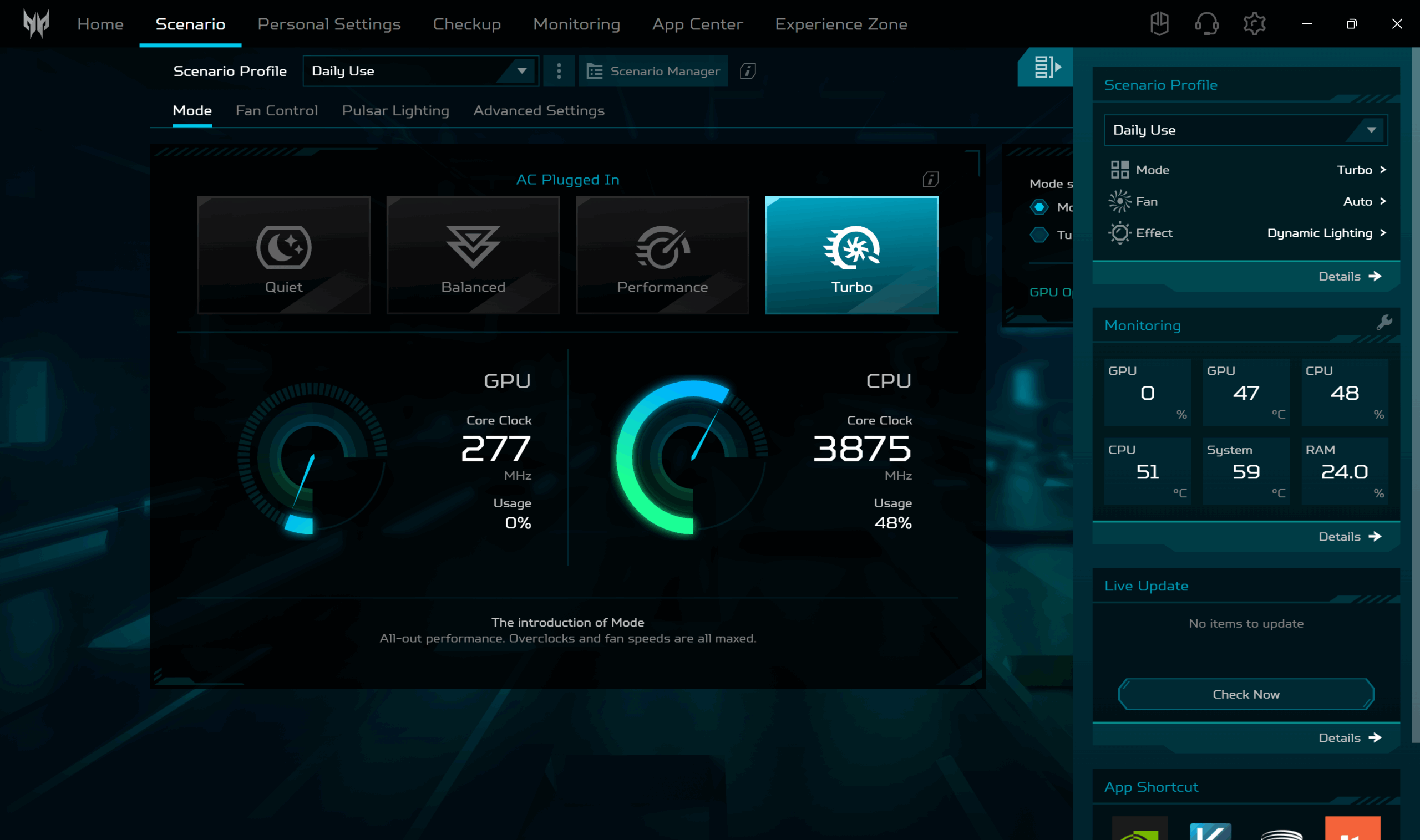
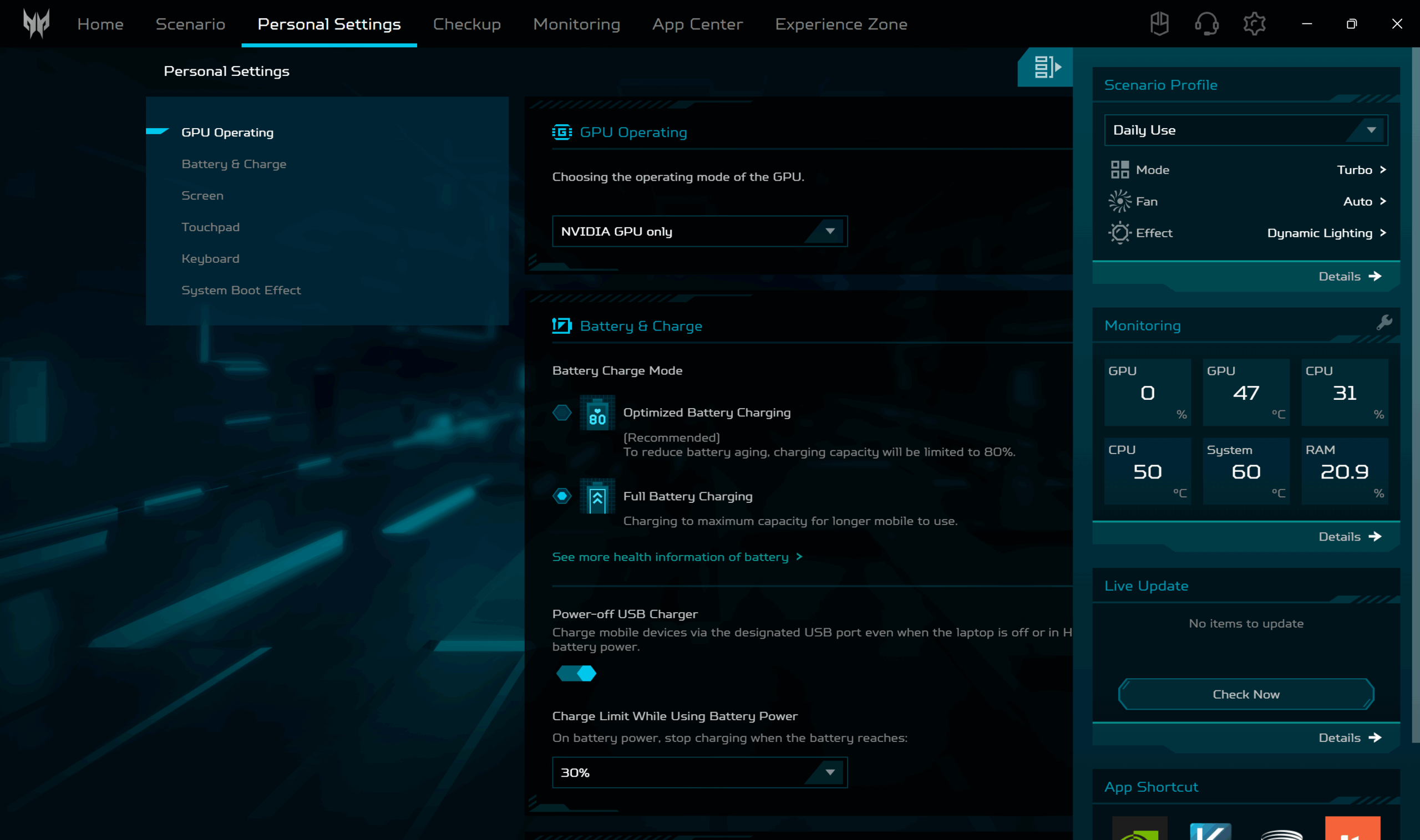
All performance and temperature tests are conducted with Turbo / dGPU mode activated in PredatorSense:
CPU and Work Performance
The Acer Predator Triton 14 AI (PT14-52T) is configured with the Intel Core Ultra 9 288V, a low-power processor designed for thin and lightweight premium laptops. It focuses on efficiency while still offering enough performance for everyday productivity, light creative work, and AI-assisted tasks. In our Top Laptop CPU Ranking, this processor currently holds the #102 position, which reflects its emphasis on efficiency rather than raw multi-core power.
If you don’t plan to do heavy work on Triton 14, the Ultra 9 288V will be more than powerful enough for you as its single-core performance is on par with top CPUs like Intel Core i9-14900HX.
Single-core performance ensures smooth operation and responsiveness in operating systems, providing a better user experience.
Results are from the Geekbench 6 Single-Core test (higher is better)
Multi-core performance is essential for handling complex and demanding tasks, such as Video editing, CAD, and Scientific simulations.
Results are from the Geekbench 6 Multi-Core test (higher is better)
Here, we evaluate the CPU's performance using a real-world 3D rendering task, assessing its ability to handle complex computations and rendering workloads efficiently.
Results are from the Cinebench 2024 Multi-Core test (higher is better)
Storage Performance
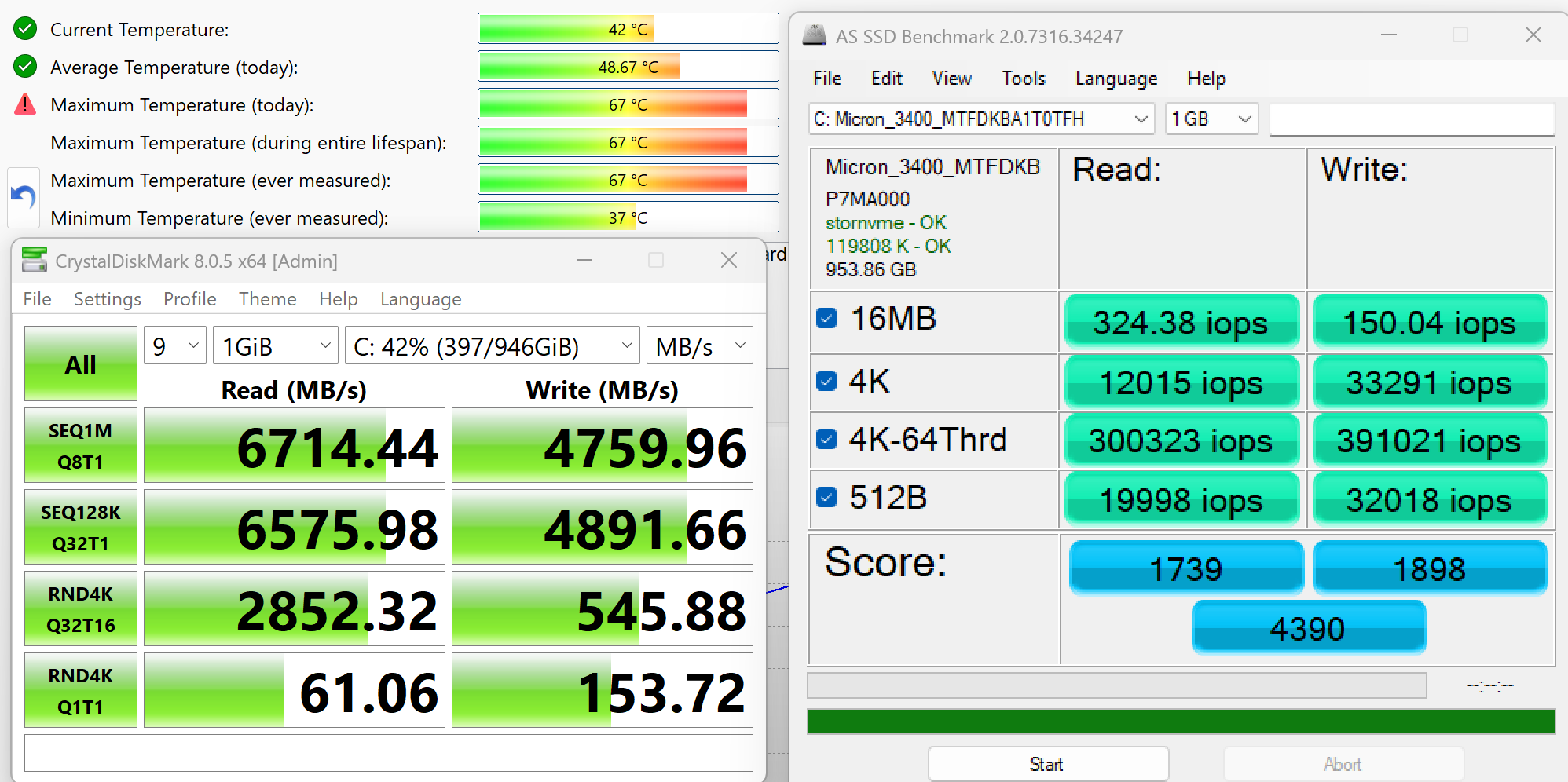
We ordered a configuration with 1TB of storage and the Triton 14 arrived with Micron 3400 SSD.
It’s a rather fast PCIe 4.0 NVMe drive, reaching 6.7GB/sec sequential read and 4.8GB/sec sequential write speeds in our benchmark, while keeping the temperatures at good levels.
AI Performance
Here you can see the position of the GPUs and CPUs (NPUs) found within the Acer Predator Triton 14 AI (PT14-52T / PT14-52TP) in our AI Hardware Performance Rankings based on their AI processing power, measured in TOPS (Tera Operations Per Second) - a critical metric indicating the computational throughput, particularly for AI tasks.
The first column shows peak performance for INT8/FP8 precision, which is the most widespread metric for evaluating AI inference capabilities. We exclude Sparsity to provide a more accurate reflection of AI performance in dense computation scenarios where sparsity optimizations may not be applicable. The second and third columns show the performance with Sparsity, and FP4 TFLOPS, when supported.
For SoCs, the results reflect the peak performance of the integrated NPU. Additionally, it’s important to note that, according to Microsoft, a NPU must have at least 40 TOPS of AI computing power for the PC to be considered “AI-capable.”
| # | GPU / CPU (NPU) | TOPS INT8/FP8 No Sparsity | TOPS INT8/FP8 Sparsity | TFLOPS FP4 Sparsity |
|---|---|---|---|---|
| 849. | NVIDIA GeForce RTX 5070 (Laptop) | 173 | 346 | 692 |
| 1582. | Intel Core Ultra 9 288V | 48 | — | — |
GPU and Gaming Performance
For graphics, the Triton 14 AI relies on a discrete NVIDIA GeForce RTX 5070 (Laptop), ranked #27 in our Top Laptop Graphics Ranking. This GPU brings support for modern gaming features like ray tracing and DLSS, as well as GPU acceleration for creative and AI workloads, making it a notable upgrade over integrated graphics in a compact 14-inch form factor.
We haven’t tested that powerful gaming laptops in such small sizes so our best choice is to throw in some 15-inchers plus the thin and light ASUS ProArt P16 H7606 (detailed review). While the AMD-based Lenovo Legion 5 15″, Gen 10 (detailed review) is the leader here (+8% GPU performance), the Acer Predator Triton 14 is surprisingly good given its super small size. All laptops here are much bigger; The only thin model is the ProArt, and Triton 14 is 2% faster despite being a 14-incher. Impressive work by Acer.
The results are from 3DMark Time Spy (Graphics). Higher is better.
The results are from 3DMark Wild Life Extreme Unlimited. Higher is better.
Gaming tests

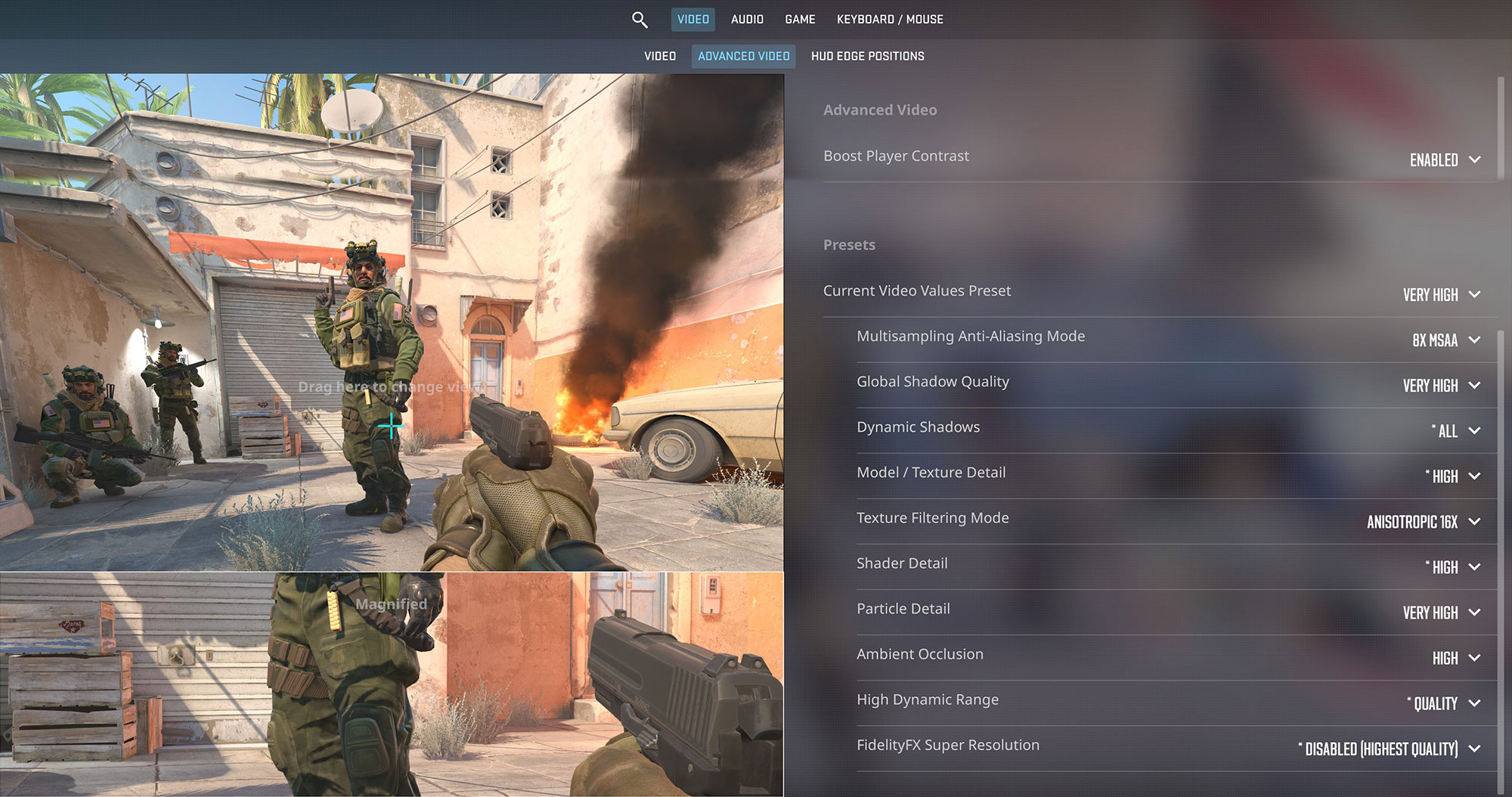
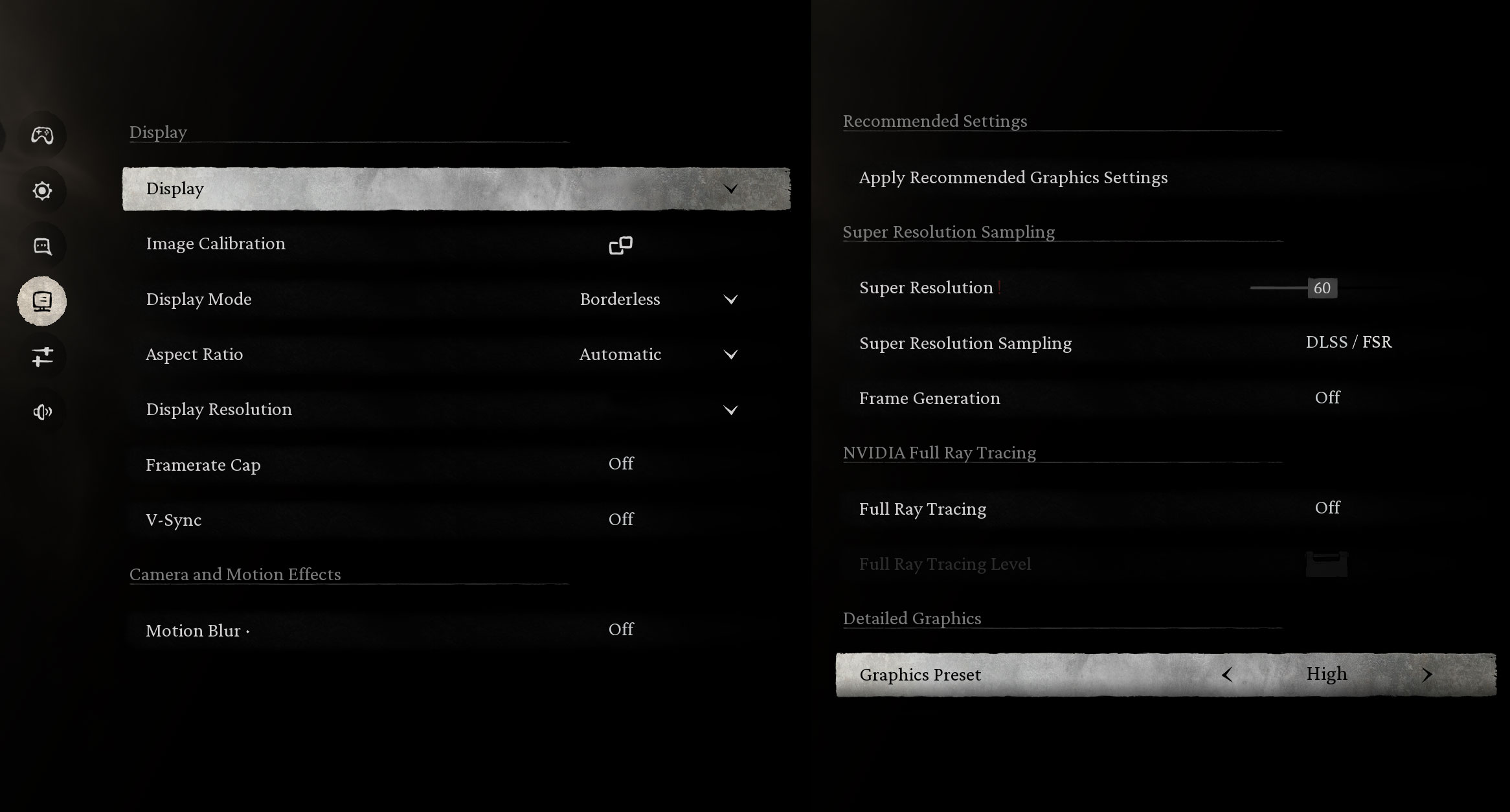
The Acer Predator Triton 14 AI is excellent for compact competitive gaming. It drives Counter-Strike 2 at 137 FPS at the native 2.8K (1800p) resolution on Very High settings, perfectly utilizing the 120Hz OLED panel.
| Counter Strike 2 | 1800p, Very High (Check settings) |
| Average FPS | 137 FPS |

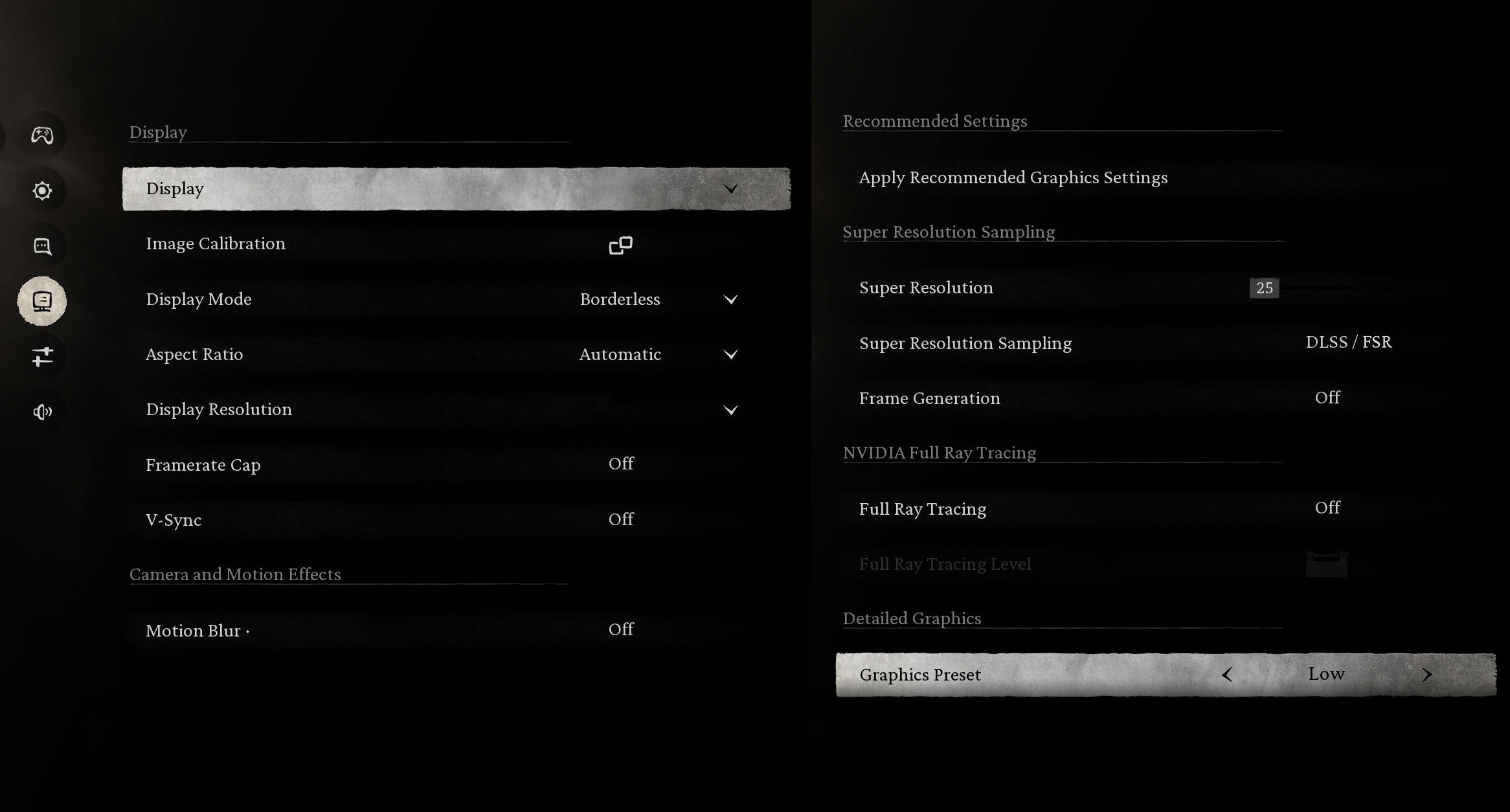
In the demanding Black Myth: Wukong, the laptop impresses at its native resolution. It achieves a massive 149 FPS on Low settings and maintains a very smooth 68 FPS on High settings at 1800p, making the OLED visuals pop.
| Black Myth: Wukong | 1800p, Low (Check settings) | 1800p, High (Check settings) |
| Average FPS | 149 FPS | 68 FPS |

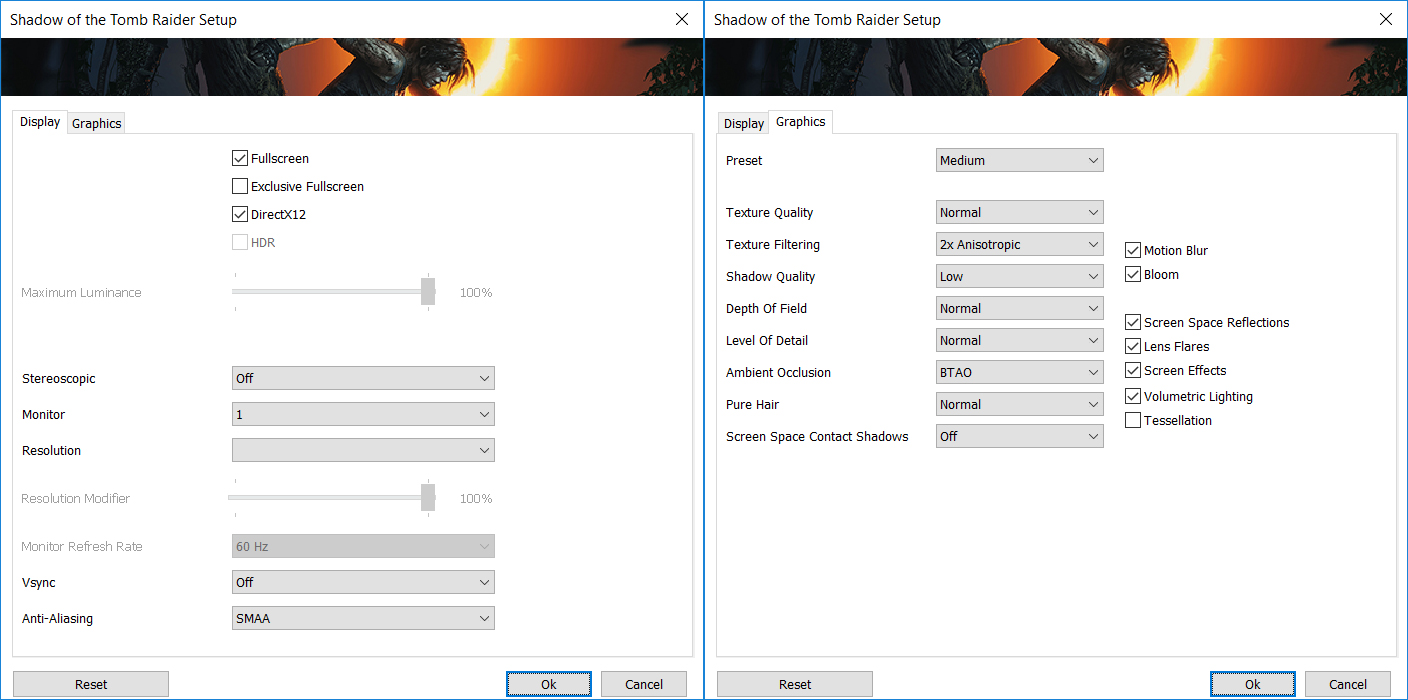
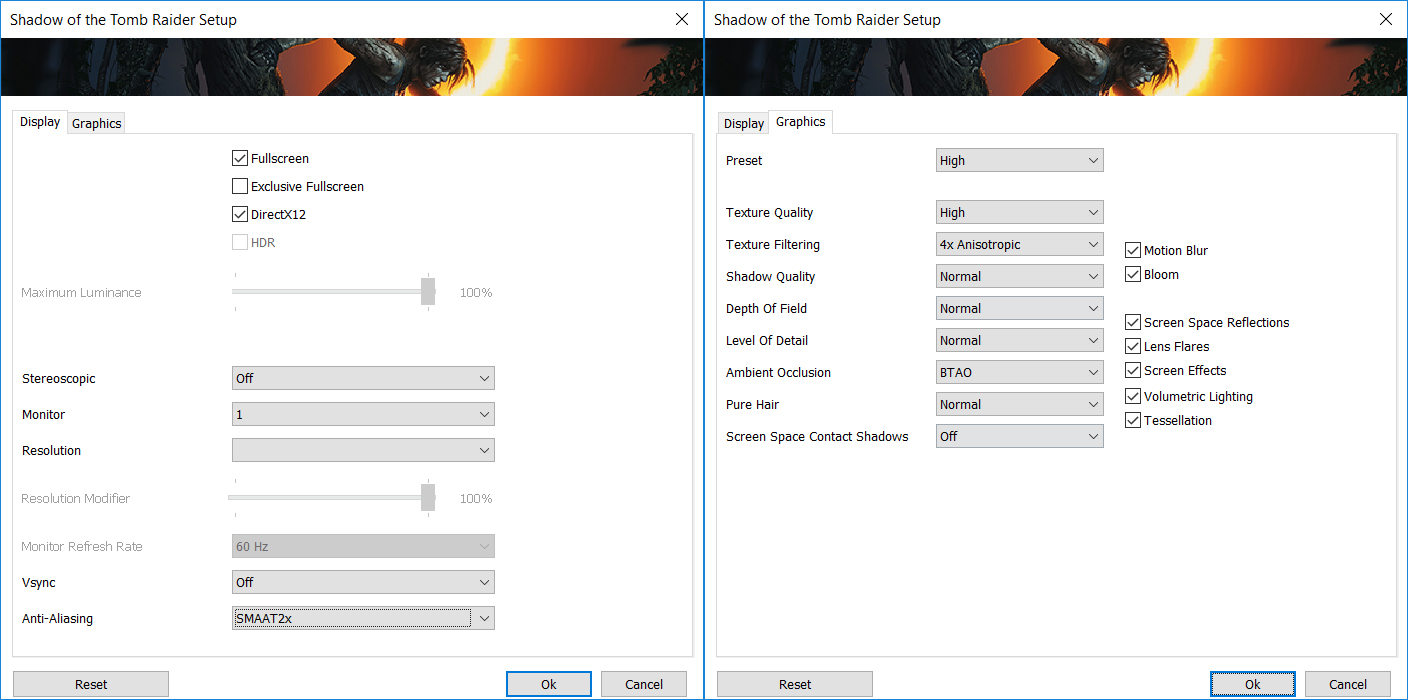
Shadow of the Tomb Raider runs beautifully on this machine. At 1200p, it hits 151 FPS on Medium settings. At the native 1800p resolution, it delivers a smooth 100 FPS on Medium, though High settings dip slightly below the 60 FPS mark at 58 FPS.
| Shadow of the Tomb Raider | 1200p, Medium (Check settings) | 1800p, Medium (Check settings) | 1800p, High (Check settings) |
| Average FPS | 151 FPS | 100 FPS | 58 FPS |

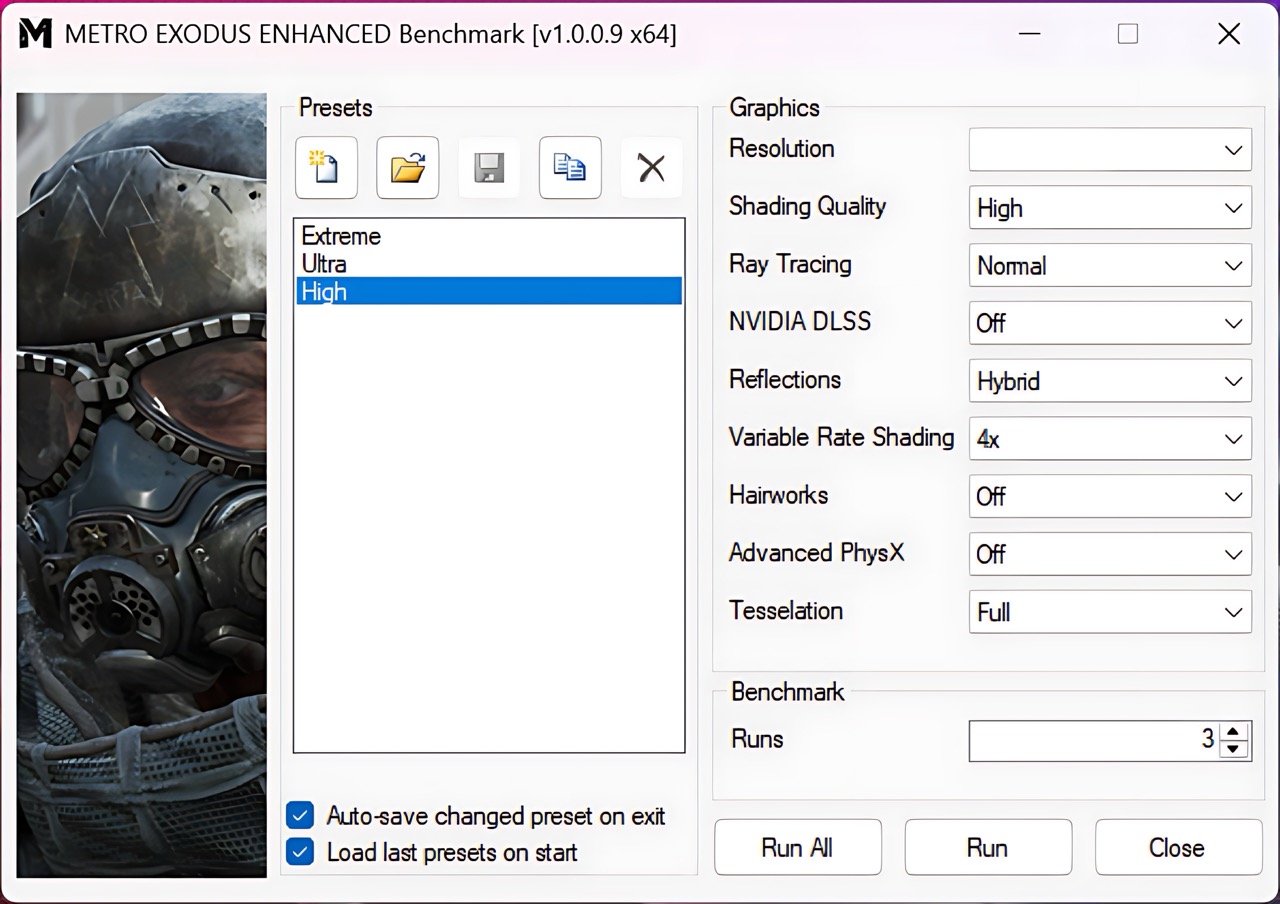
For heavy ray tracing in Metro Exodus Enhanced Edition, dropping the resolution ensures high performance. The laptop achieves a solid 92 FPS at 1200p on High settings.
| Metro Exodus Enhanced Edition | 1200p, High (Check settings) |
| Average FPS | 92 FPS |
Temperatures and Comfort, Noise, Stability
At idle, the CPU package of the Triton 14 maintains a temperature of 41ºC, and the notebook is slightly audible (Turbo mode).
Office Work, Web Development, Design
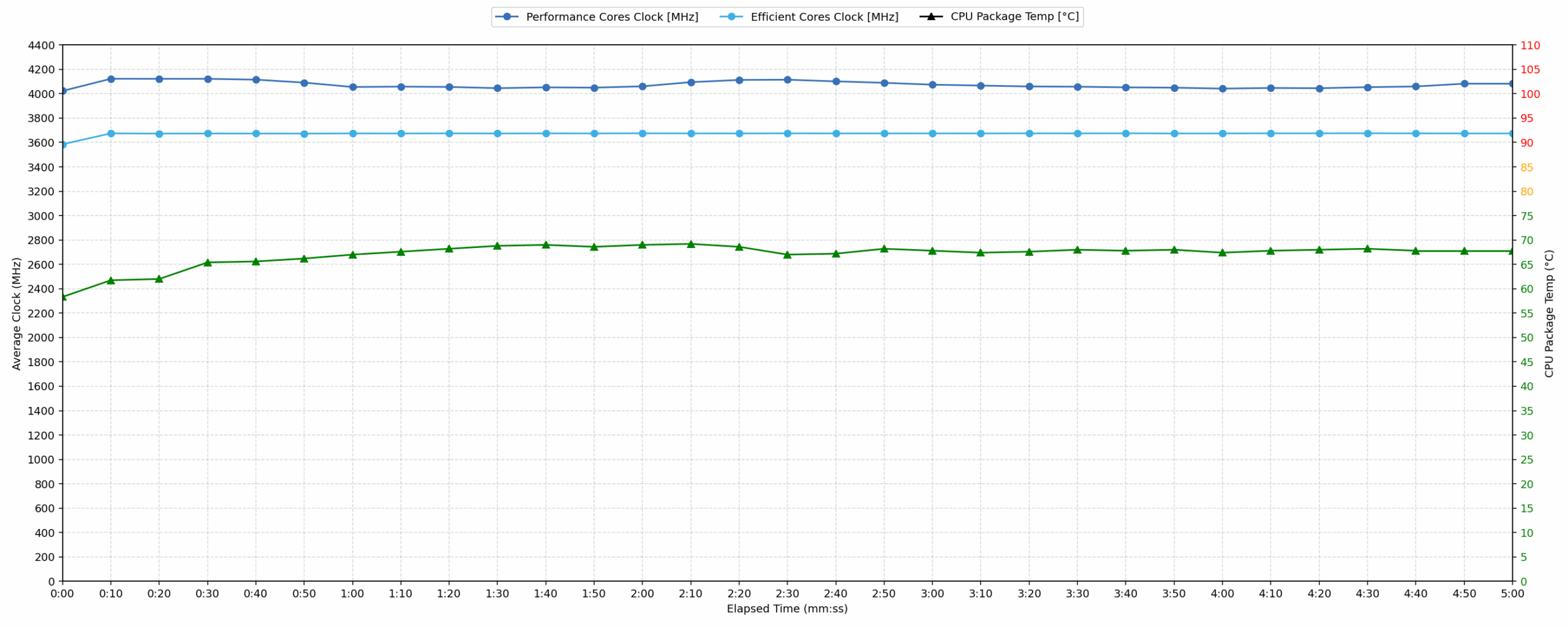
Short periods (0:00 – 0:10 s) of 100 % CPU load
This test shows the CPU behavior during short periods of serious load. It’s important for users who are looking for laptops suitable for tasks like Web Design and Programming.
| Intel Core Ultra 9 288V | Avg. P-Core Clock | Avg. CPU Temp. | Avg. CPU Power |
| Acer Swift 16 AI (SF16-51 / SF16-51T) | 4079 MHz | 74 °C | 36 W |
| Acer Predator Triton 14 AI (PT14-52T) | 4022 MHz | 58 °C | 32 W |
| HP OmniBook Ultra Flip 2-in-1 Laptop (14t-fh000) | 3762 MHz | 74 °C | 27 W |
The Triton 14 AI handles short bursts of computational load efficiently, achieving an average clock speed of 4022 MHz within the first 10 seconds. The CPU temperature remains excellent, averaging only 58 °C and peaking at 77 °C under load, well below the 80 °C threshold for optimal performance. This low thermal output results from a controlled power draw, averaging 32W. Compared to other systems featuring the Core Ultra 9 288V, the Triton operates at a competitive frequency (4022 MHz vs 4079 MHz for the Swift 16 AI), but maintains significantly cooler thermals, demonstrating effective thermal management for immediate responsiveness during tasks like web development or design work.
Video editing, Scientific computing, Software compilation, 3D rendering
Long periods (0:00 – 30:00 min) of 100 % CPU load
This test shows the CPU behavior during long periods of serious load. It’s important for users who are looking for laptops suitable for tasks like Video Editing and 3D Rendering.
| Intel Core Ultra 9 288V | Avg. P-Core Clock | Avg. CPU Temp. | Avg. CPU Power |
| Acer Predator Triton 14 AI (PT14-52T) | 4060 MHz | 69 °C | 36 W |
| Acer Swift 16 AI (SF16-51 / SF16-51T) | 3524 MHz | 75 °C | 30 W |
| HP OmniBook Ultra Flip 2-in-1 Laptop (14t-fh000) | 2986 MHz | 78 °C | 23 W |
Under sustained 30-minute stress, the Predator Triton 14 AI showcases exceptional long-term stability and high performance retention. It maintains a powerful average clock speed of 4060 MHz, drawing 36W, which is higher performance than most competing Core Ultra 9 288V systems. Thermally, the CPU performs very well, averaging only 69 °C – a figure that indicates excellent headroom and sustained cooling capacity, remaining far below the 80 °C mark. The stability test confirms this consistency, showing only a minor 111 MHz drop from peak clock during the initial 5 minutes. Compared to the Acer Swift 16 AI (3524 MHz) and HP OmniBook (2986 MHz), the Triton 14 AI offers superior core frequency maintenance for demanding tasks like 3D rendering or compilation.

Gaming Stability
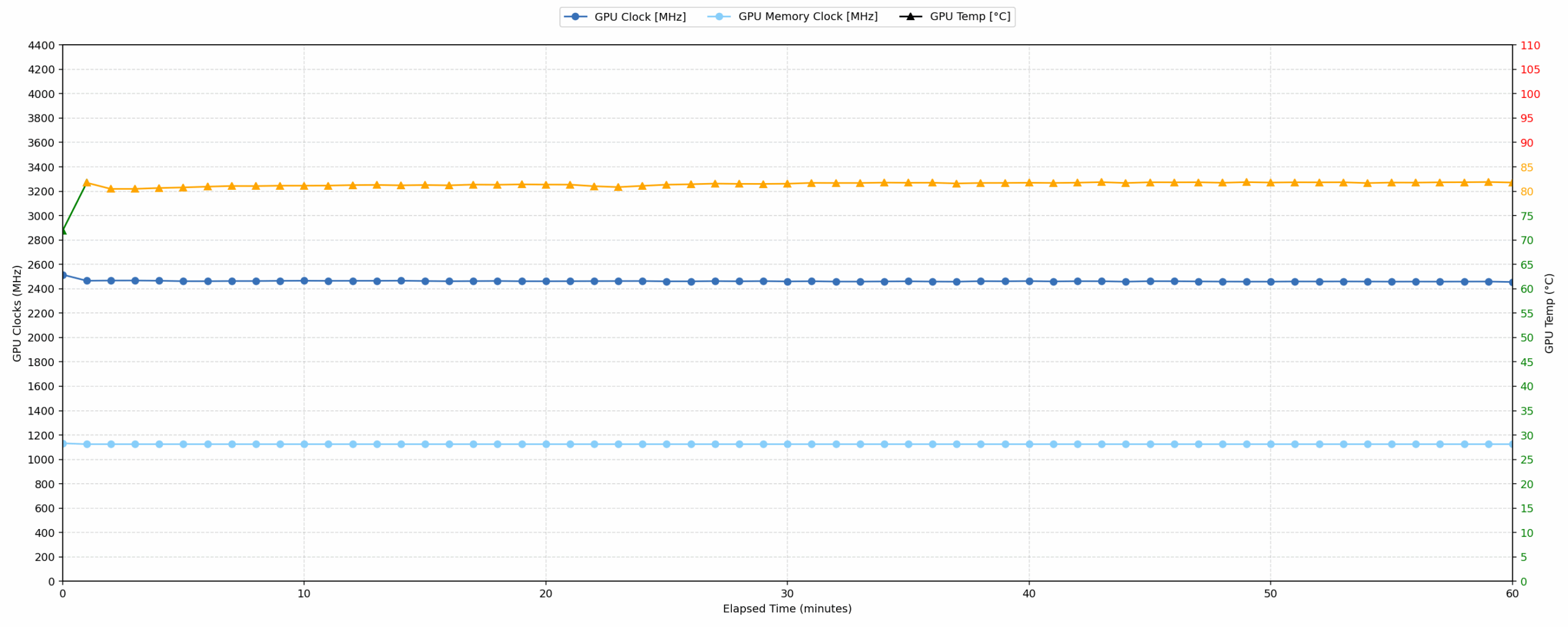
Continuous gaming (1-hour test)
This test evaluates the laptop’s performance under sustained GPU load and high CPU usage.
| NVIDIA GeForce RTX 5070 | Avg. GPU Clock | Avg. GPU Temp. | Avg. Memory Clock | Avg. GPU Mem Temp. | Avg. GPU Power |
| Acer Nitro 18 AI (AN18-61) | 2588 MHz | 79 °C | 1125 MHz | 75 °C | 113 W |
| HP OMEN 16 (16-ap0000) | 2510 MHz | 77 °C | 1125 MHz | 69 °C | 113 W |
| MSI Katana 15 HX B14W | 2376 MHz | 85 °C | 1500 MHz | 85 °C | 112 W |
| Alienware 16X Aurora (AC16251) | 2528 MHz | 86 °C | 1125 MHz | 81 °C | 111 W |
| Acer Predator Triton 14 AI (PT14-52T) | 2462 MHz | 81 °C | 1125 MHz | 75 °C | 107 W |
| MSI Katana 17 HX B14W | 2452 MHz | 85 °C | 1125 MHz | 83 °C | 106 W |
| Lenovo Legion 7i (16”, Gen 10 / 16IAX10) | 2441 MHz | 83 °C | 1125 MHz | 75 °C | 104 W |
| ASUS ProArt P16 H7606 (2025) | 2553 MHz | 84 °C | 1125 MHz | 83 °C | 102 W |
| Acer Nitro V 17 AI (ANV17-41) | 2489 MHz | 82 °C | 1093 MHz | 77 °C | 93 W |
| Acer Nitro V 16 (ANV16-72) | 2460 MHz | 78 °C | 1125 MHz | 75 °C | 93 W |
| Alienware 16 Aurora (AC16250) | 2114 MHz | 73 °C | 1125 MHz | 72 °C | 74 W |
OK, this is super impressive – during an hour of continuous gaming simulation, the RTX 5070 in the Predator Triton 14 AI provides stable performance, averaging 2462 MHz while drawing 107W of power. Thermal management is robust; the GPU core averages 81 °C and peaks at 83 °C, keeping it safely within the optimal thermal limits (≤90 °C). GPU memory temperature averages a low 75 °C.
The sustained average clock of 2462 MHz is competitive, it places the Triton mid-pack compared to other 5070 implementations with much bigger bodies! High performers, like the Nitro 18 AI (2588 MHz), achieve a slightly higher frequency. This is an exceptional performance for a 14-inch machine.
Battery Life
The battery of the Acer Predator Triton 14 AI (PT14-52T) is a 4-cell Li-ion, model AP24A7Q. Its nominal voltage is 15.48V and stores 76 Wh of electrical energy.
We tested it with the Eco mode activated in PredatorSense.
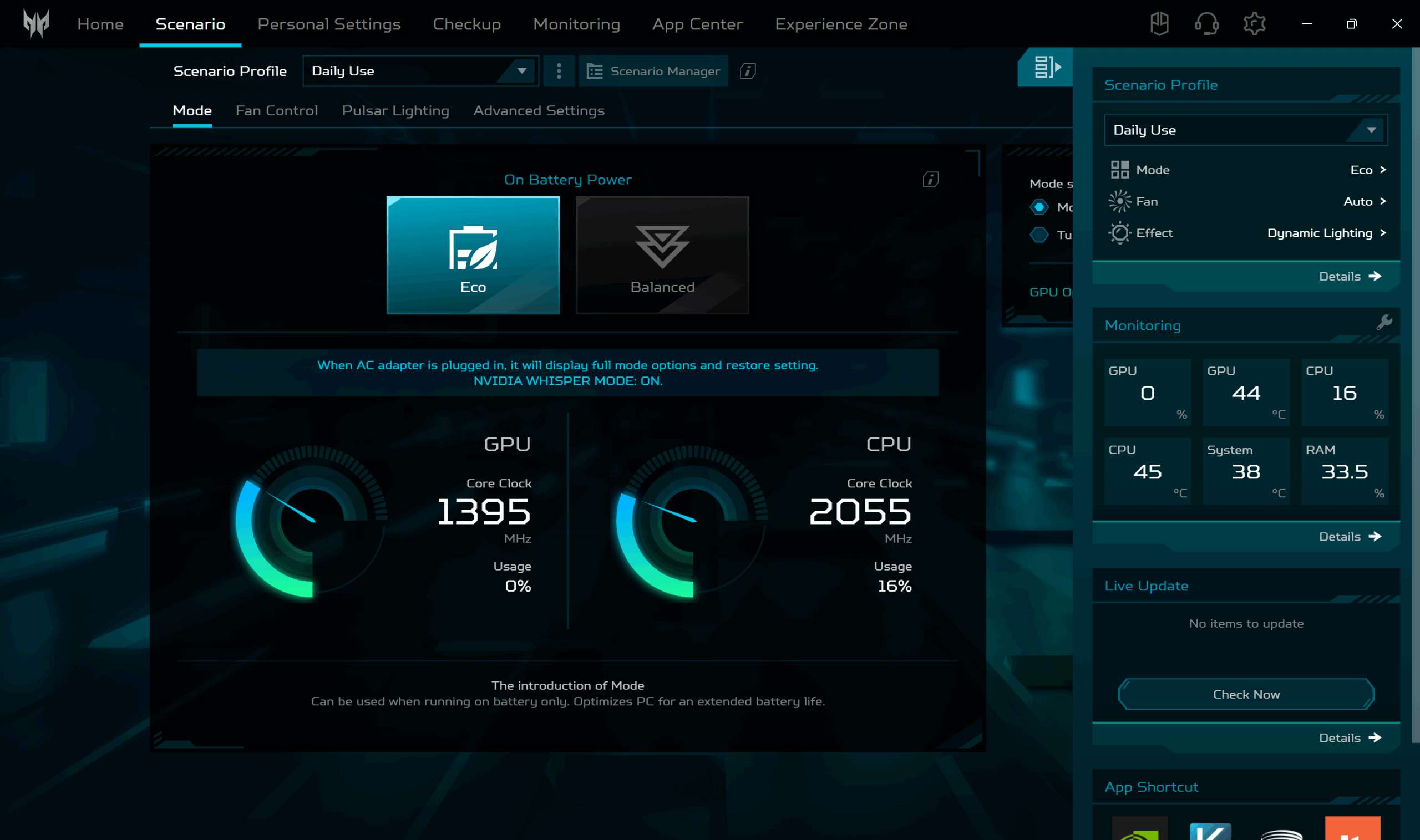
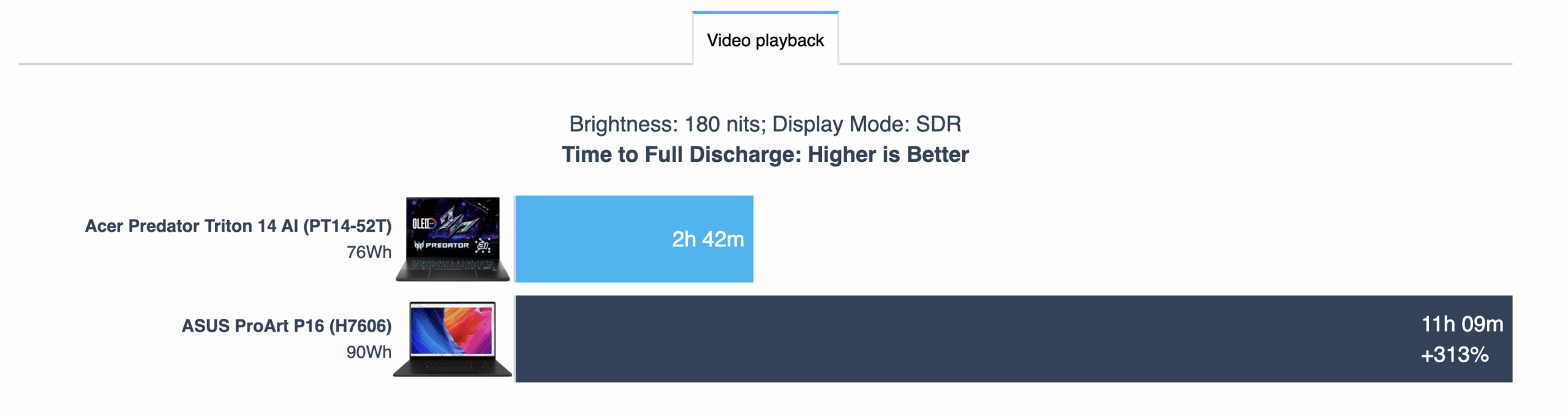
Let’s say that the battery life is not a strong side for the Predator 14. Less than 3 hours of battery life (2h 42m) is something we don’t see often in our lab.
Still the comparison with ASUS ProArt P16 (H7606) is not very fair, we just don’t have real competitors here.
Brightness: 180 nits; Display Mode: SDR
Time to Full Discharge: Higher is Better
Disassembly, Upgrade options, and Maintenance
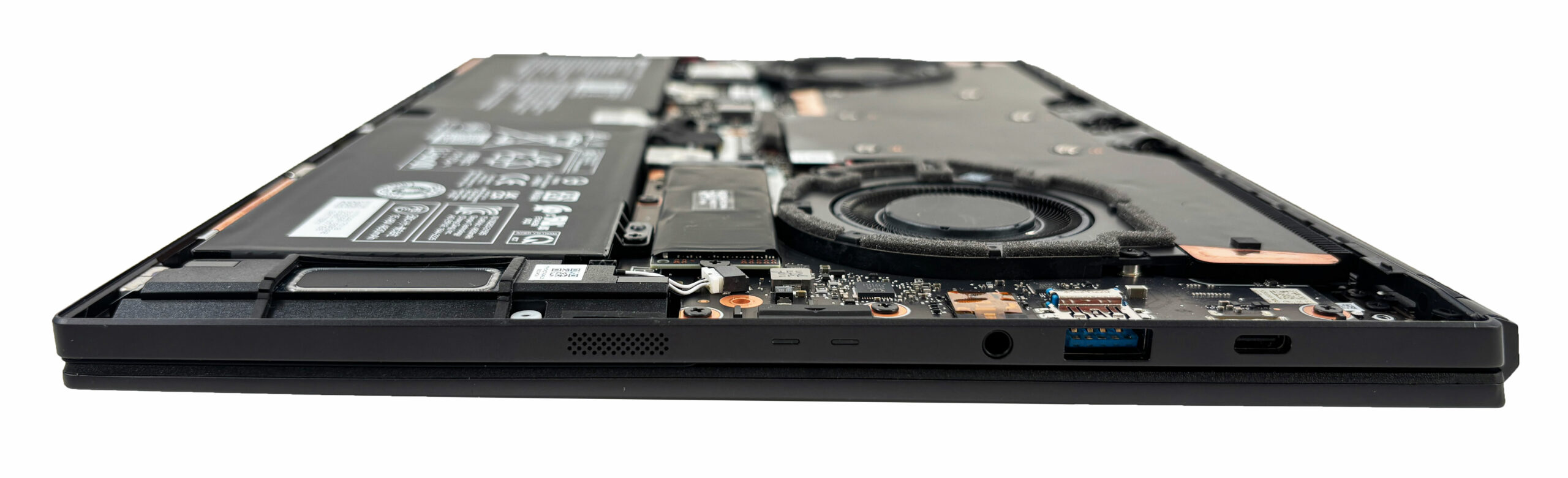
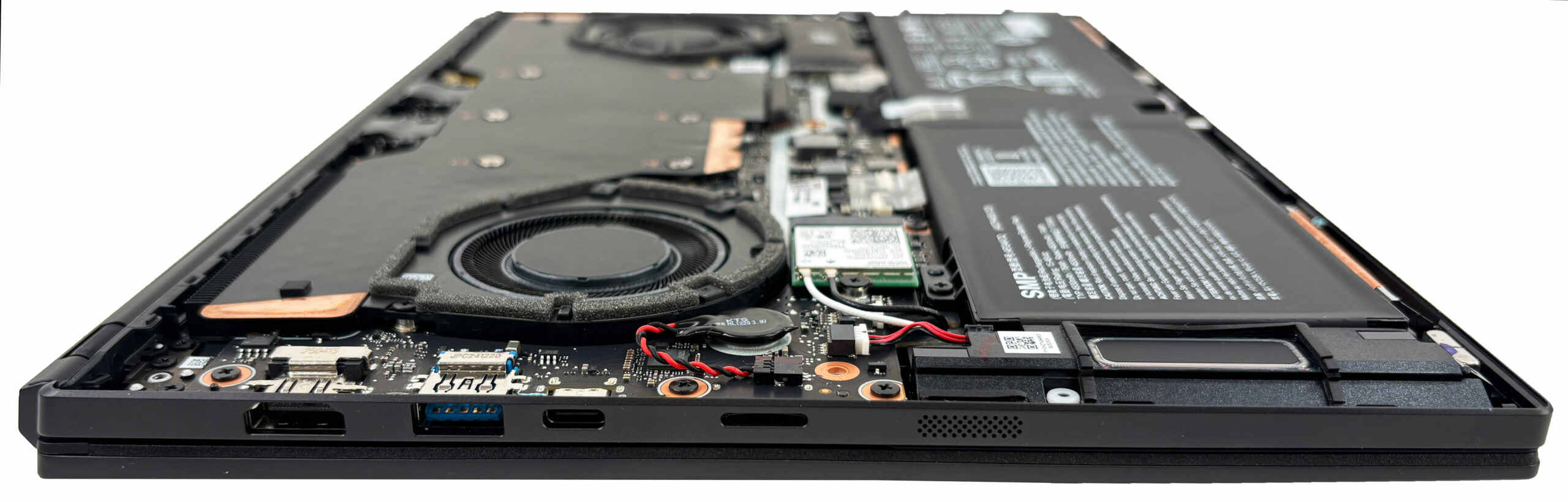
Inside the Acer Predator Triton 14 AI (PT14-52T), Acer keeps things tidy and compact, but there are still a few parts you can service or swap. After removing the bottom panel, the main components are laid out clearly: the cooling hardware dominates the top half, while the battery and upgradeable modules sit along the bottom.
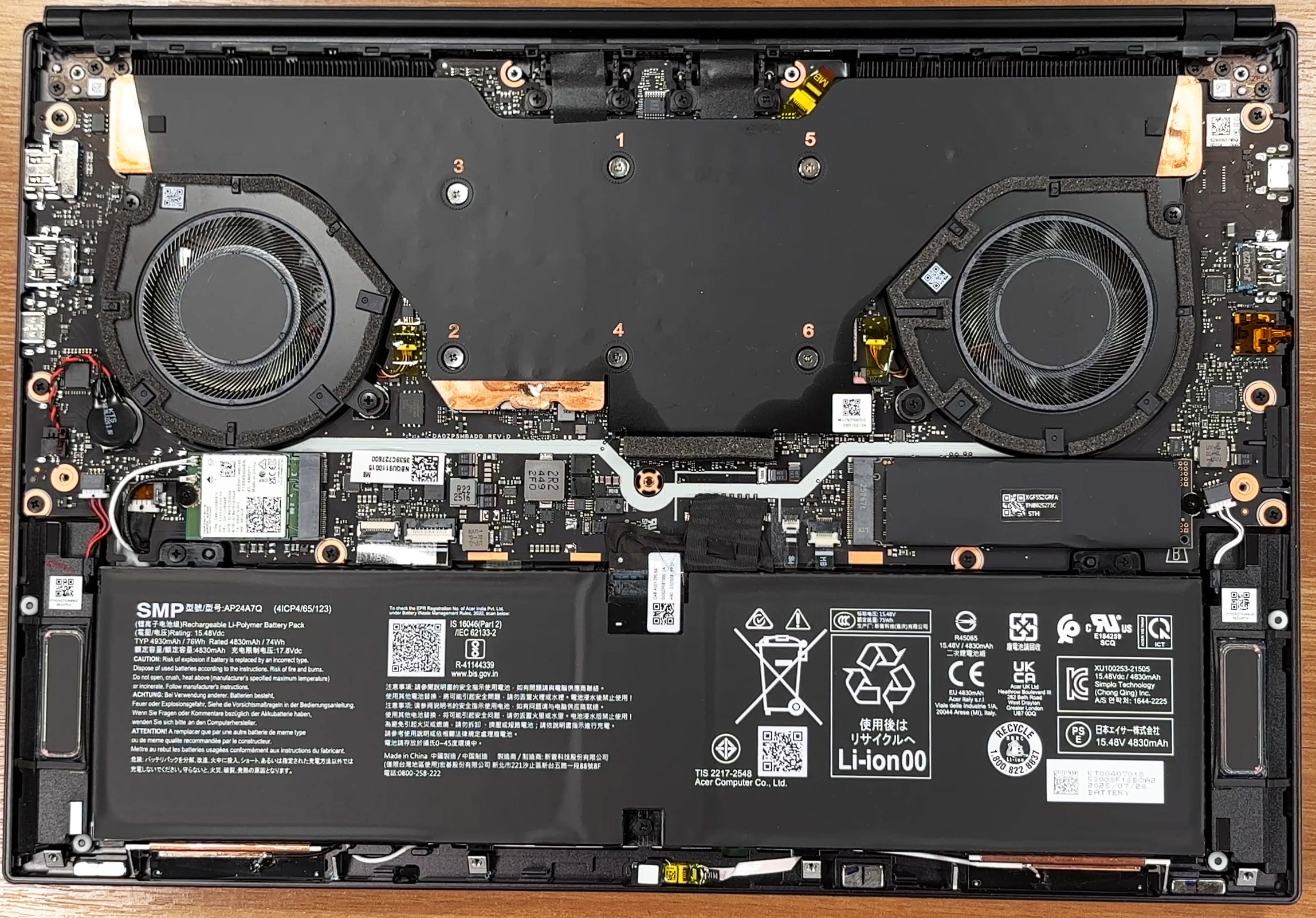
Cooling is handled by a dual-fan setup, with a large heatsink assembly spanning both the processor and the dedicated graphics. The fans are easy to spot and easy to access for basic cleaning once the bottom cover is off, which is great for long-term maintenance if you’re the type who likes to blow out dust every few months.
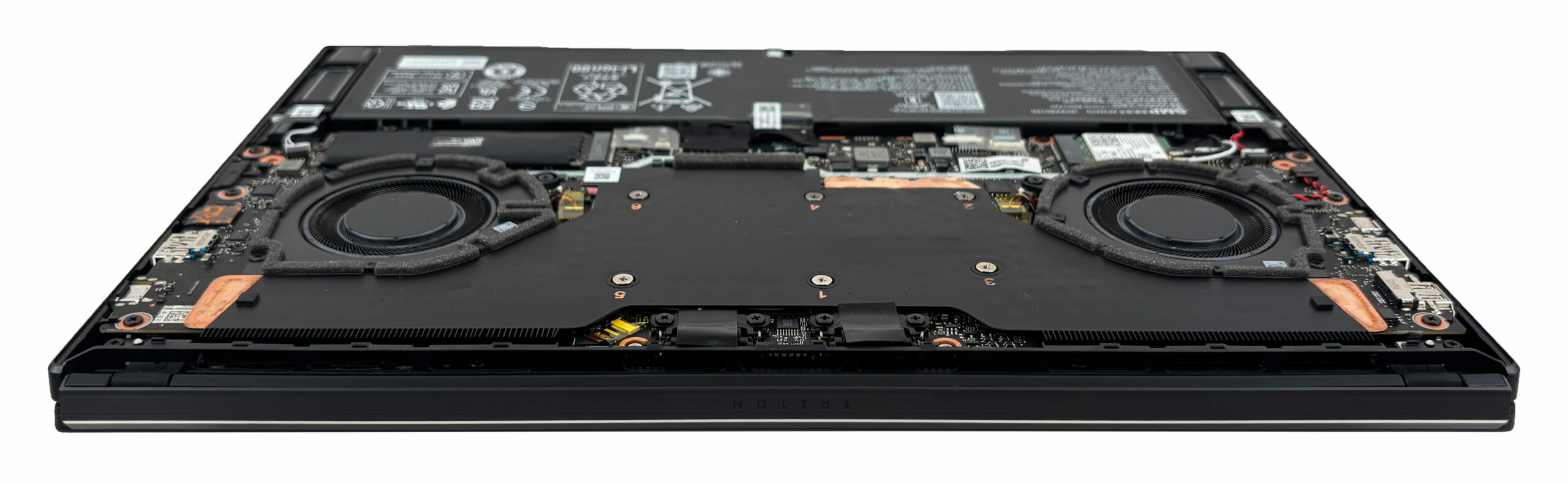
Memory is the big limitation for upgradeability. This machine uses dual-channel LPDDR5X system memory that’s soldered to the board, so there are no slots and no way to add more later. Acer lists memory speeds up to 8533 MT per second.
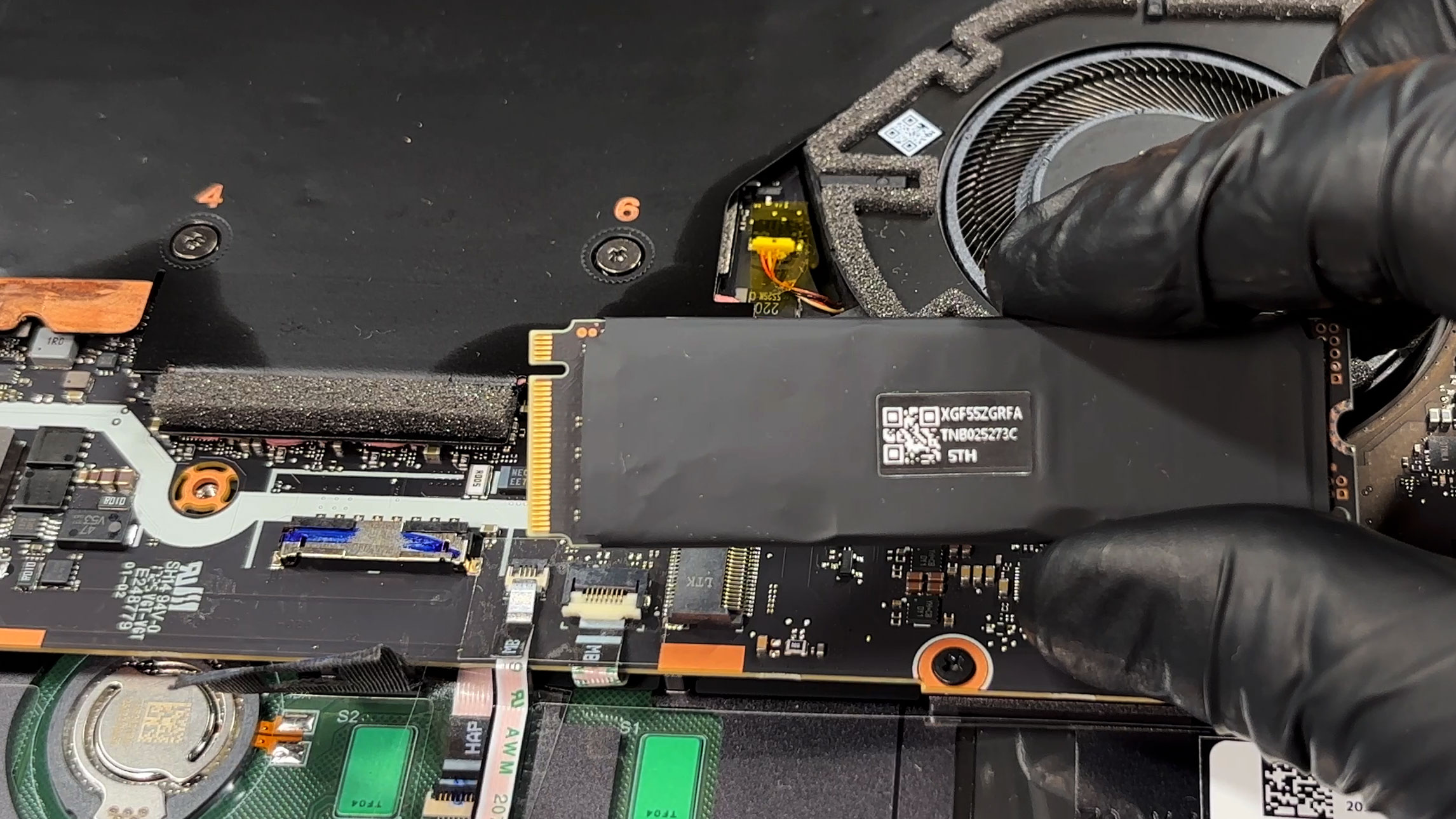
For storage, you get a single M.2 NVMe slot for a PCIe Gen 4 drive. Configurations are commonly offered with either 1 TB or 2 TB SSDs, but since there’s only one slot, any future upgrade means replacing the existing drive rather than adding a second one. The SSD is wrapped in a black sleeve that doubles as EMI and RFI shielding; it’s a nice touch for signal integrity, but there isn’t a dedicated thermal pad pressing the drive into a heatsink, so choosing a cooler-running SSD is a smart move if you plan to swap it.
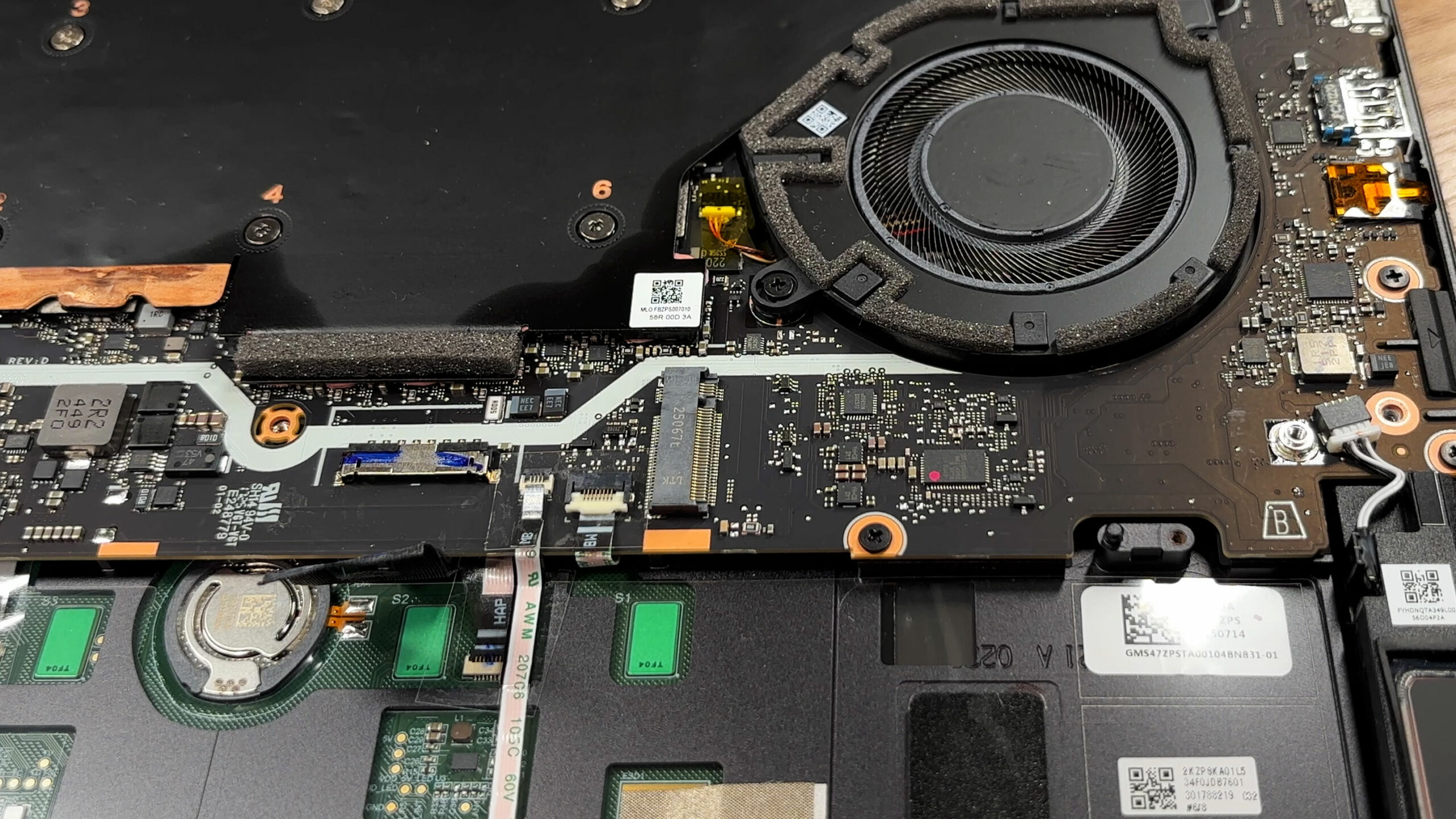
Wireless connectivity is handled by a removable Wi-Fi card, and our unit uses an Intel Killer BE1750 module with Wi-Fi 7 support. It’s a standard M.2-style card with two antenna leads, so it’s replaceable, but the snap-on antenna connectors are small and can be finicky, so it’s worth being gentle if you ever decide to swap it.
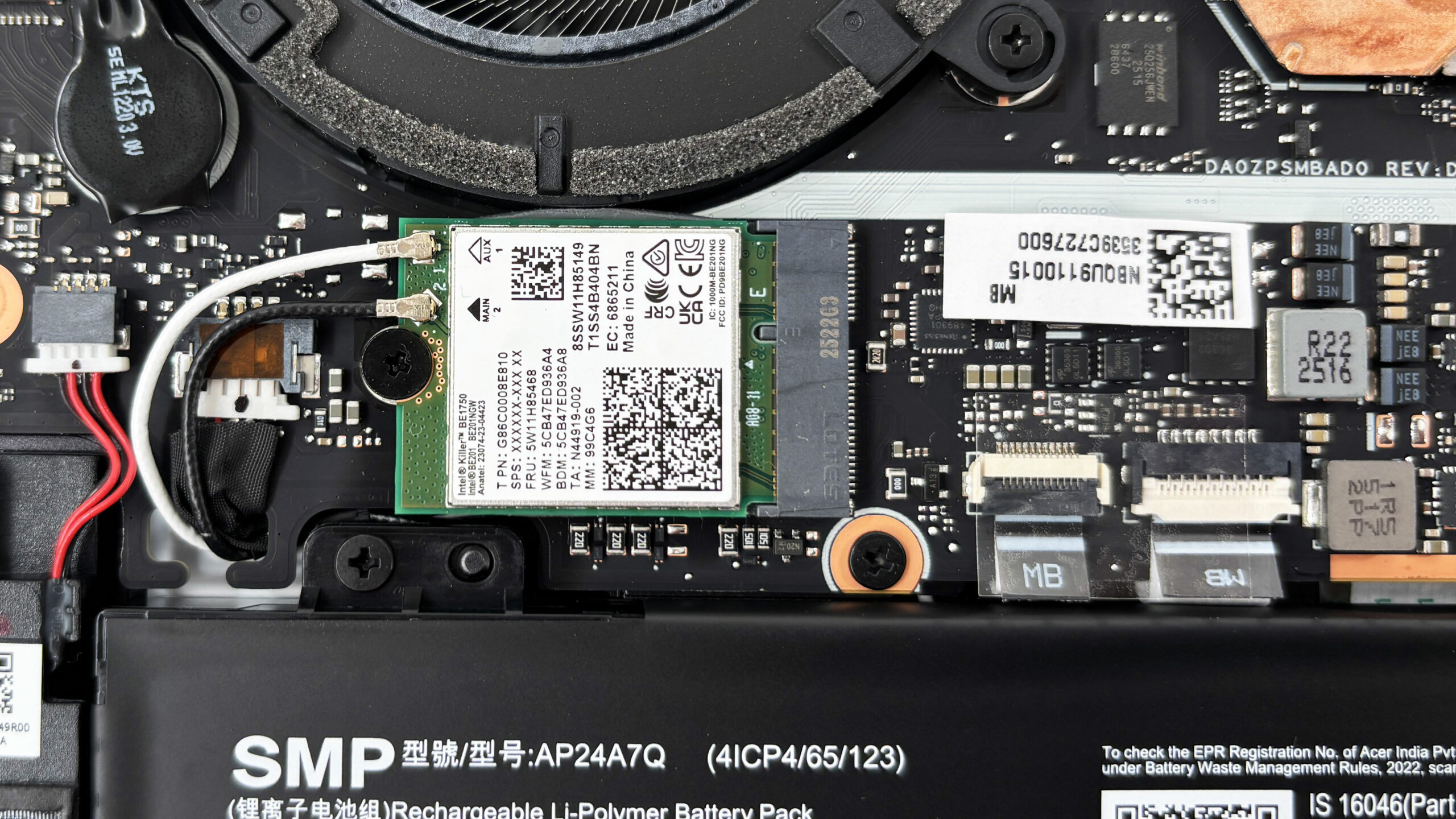
The battery is a 76 Wh pack, and it’s straightforward to remove: disconnect the cable and undo the mounting screws. That also means it’s realistically replaceable down the line, which is a nice win for longevity compared to designs that bury the battery under other components.
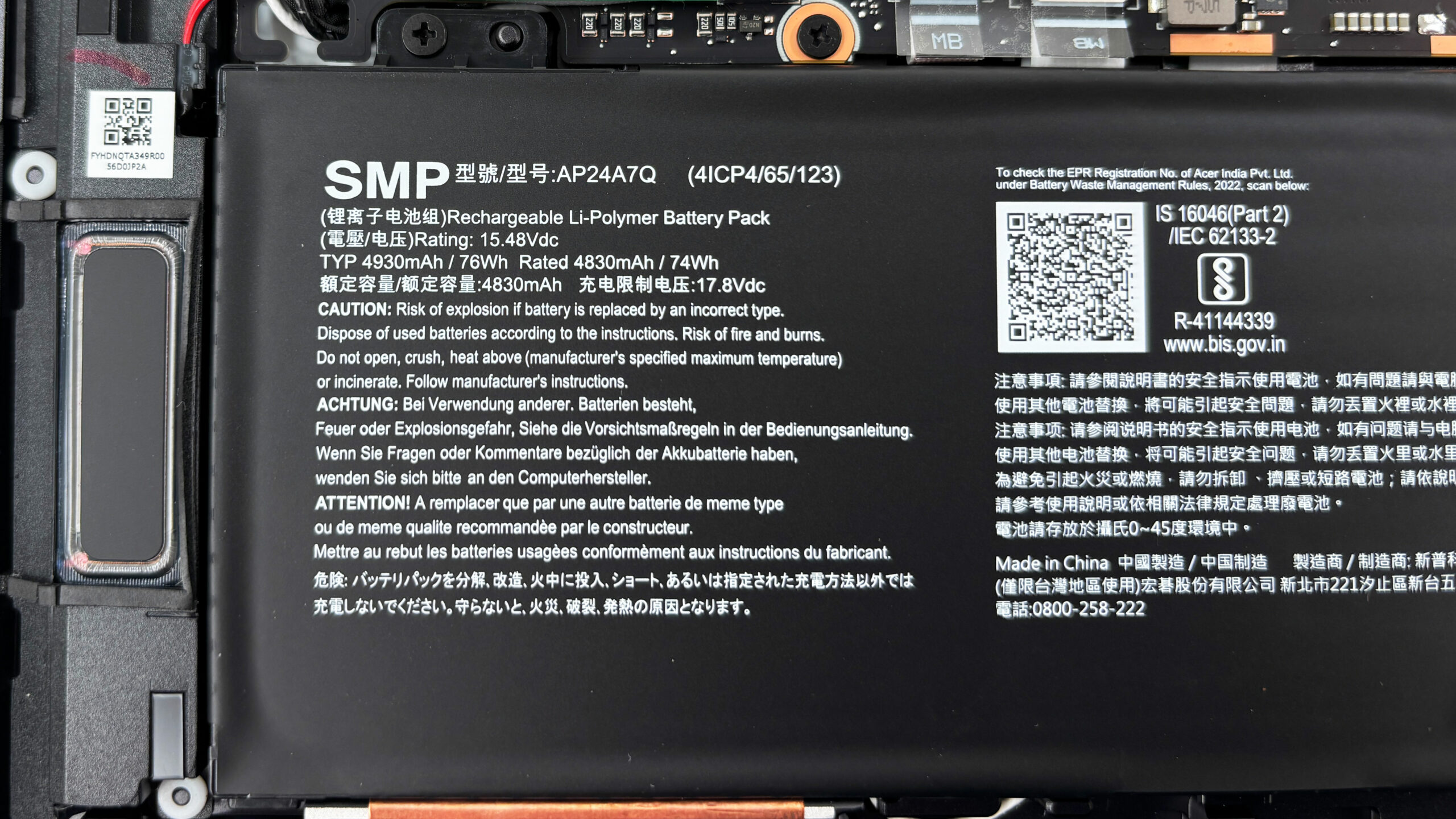
Overall, maintenance is solid for a thin performance laptop: you can clean the fans, and replace the SSD, Wi-Fi card, and battery, but the soldered RAM and single SSD slot set clear limits on long-term upgrades.
Verdict
 The Acer Predator Triton 14 AI (PT14-52T) is a remarkably deceptive machine, a wolf in sheep’s clothing. By day, its sleek, understated aluminium chassis and compact 14.5-inch form factor make it a perfect, portable companion for the office or creative studio. By night, it sheds its disguise to reveal a ferocious gaming beast capable of running modern titles at impressive frame rates. It’s a masterclass in duality, offering serious power in a package you can actually carry with ease.
However, this focus on extreme portability and stealth comes with significant compromises, particularly in battery life and long-term upgradeability, that potential buyers need to weigh carefully against its impressive performance.
Still, we award it with our Editor’s choice medal as it’s a unique choice if you’re looking for such a device.
You can check the prices and configurations in our Specs System: https://laptopmedia.com/series/acer-predator-triton-14-ai-pt14-52t-pt14-52tp/
✅ The Good
The standout achievement here is the incredible performance-per-inch. Packing an RTX 5070 into such a slim 14-inch chassis is impressive enough, but Acer has managed to tune it so well that it outperforms many larger 16-inch and 17-inch competitors in gaming benchmarks. The thermal management is equally phenomenal, keeping both the CPU and GPU surprisingly cool and stable even under sustained heavy loads, a feat rarely seen in this form factor.
The 120Hz OLED display is an absolute stunner, offering perfect blacks, vibrant colors with full DCI-P3 coverage, and excellent color accuracy after calibration. It’s a joy for both gaming and content creation. The build quality is premium and solid, the keyboard is excellent with per-key RGB, and the connectivity is future-proof with Wi-Fi 7 and Thunderbolt 4.
We also appreciate the inclusion of a microSD card reader, a boon for creators, and the surprisingly effective cooling system that keeps noise manageable during lighter tasks.
❌ The Bad
The most critical flaw is the abysmal battery life. Lasting less than 3 hours in our tests, it severely limits the laptop’s portability, tethering you to a power outlet far more often than a 14-inch device should. This undermines its potential as a true all-day carry.
The soldered RAM is another major disappointment, completely preventing future memory upgrades. You are stuck with the configuration you buy, so choose wisely. Storage expansion is also limited to a single M.2 slot, meaning upgrades require replacing your main drive. Additionally, the lack of a physical privacy shutter and the inclusion of a stylus that only works on the trackpad are baffling design choices.
🆚 The Competitors
When compared to the ASUS ProArt P16 (H7606) (detailed review), the Triton 14 AI struggles mightily on endurance. The ProArt offers over four times the battery life, making it a vastly superior choice for users who need to work unplugged. However, the Triton is significantly more compact and offers better gaming performance-per-dollar.
Against larger gaming laptops like the Lenovo Legion 5 (15″, Gen 10) (detailed review), the Triton holds its own surprisingly well in raw performance, often matching or beating them in gaming tests thanks to its superior thermal tuning. If portability is your priority but you refuse to sacrifice frame rates, the Triton 14 AI is a unique and compelling option that punches well above its weight class.
Pros
- Incredible gaming performance for a 14-inch laptop
- Phenomenal thermal management keeps CPU and GPU cool
- Stunning 2.8K 120Hz OLED display with 100% DCI-P3
- Premium, compact, and lightweight aluminium build
- Excellent keyboard with per-key RGB
- Future-proof connectivity with Wi-Fi 7 and Thunderbolt 4
Cons
- Extremely poor battery life (under 3 hours)
- Soldered RAM with no upgrade options
- Only one M.2 slot for storage
- Stylus only works on the trackpad, not the screen
 Author: Simeon NikolovEditor-in-Chief at LaptopMedia.com with 20+ years of experience in testing and analyzing laptops and mobile devices.
 Author: eng. Kroum NikolovHead of Engineering at LaptopMedia.com, inventor and innovator with 40+ years of experience in electronics and high technology.

![[May 2026] Amazon Global: Top 10 Best-Selling Gaming Laptops – Budget-Friendly ASUS TUF Gaming A15 Dominates the Market](https://laptopmedia.com/wp-content/uploads/2026/06/Best-Selling-Gaming-Laptops-GLOBAL-Top-10-400x225.jpg)
![[May 2026] Amazon Global: Top 10 Best-Selling Laptops – Apple’s Affordable ‘MacBook Neo’ Takes the Crown Amidst Strong Air and Pro Sales](https://laptopmedia.com/wp-content/uploads/2026/06/Best-Selling-Laptops-GLOBAL-Top-10-400x225.jpg)
![[May 2026] Best-Selling Laptop Brands on Amazon Global – Apple Dominates in Units and Revenue](https://laptopmedia.com/wp-content/uploads/2026/06/GLOBAL-Best-Brands-400x225.jpg)