Inside ASUS ZenBook Pro 14 UX480 – disassembly and upgrade options
ASUS ZenBook Pro UX480 is truly a capable device. Aside from the ScreenPad technology implemented by the manufacturer, it became famous with one other thing. It offers a super small footprint and a lot of performance at the same time. In order to understand how these words can exist in the same sentence, we had to take the ZenBook Pro 14 UX480 apart.
Check out all ASUS ZenBook Pro 14 UX480 prices and configurations in our Specs System or read more in our In-depth Review.

1. Remove the bottom plate
In order to disassemble the laptop, you need special equipment. No, K9 dogs won’t do the job, but a simple Torx screwdriver will be perfect. We were happy to see that there are no hidden screws and we didn’t need to take the feet of the device off.
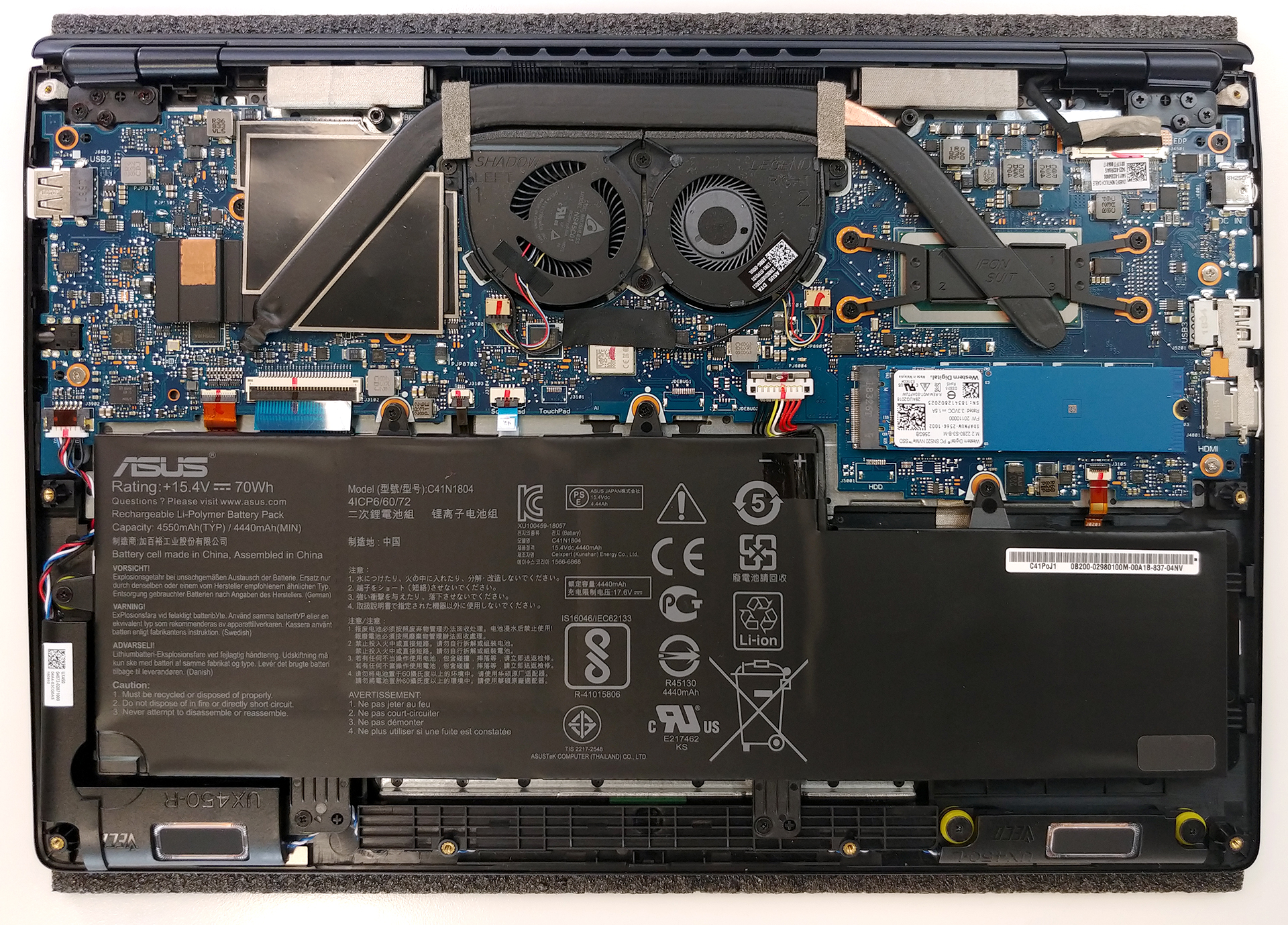
2. Memory and storage
Given the size of the ZenBook Pro 14 UX480, we didn’t expect many upgradability options… and we were right. The only thing you can change after you buy the device is the SSD device and moreover – it is just an M.2 slot. On the bright side, it sports a PCIe x4 bus, making it capable of running super fast NVMe drives. Sadly, though the RAM chips are soldered to the motherboard, so you are stuck with what you bought at the beginning.
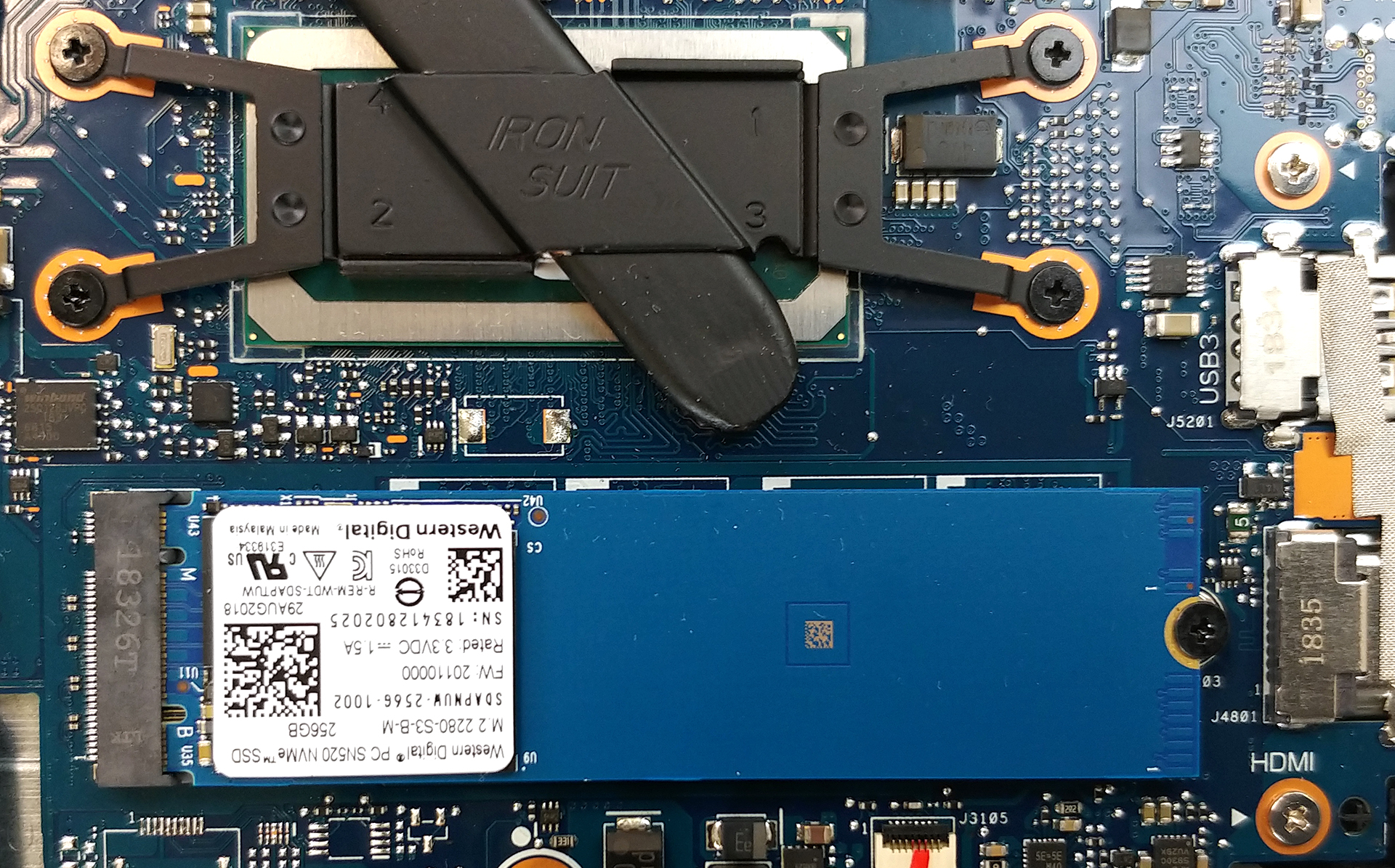
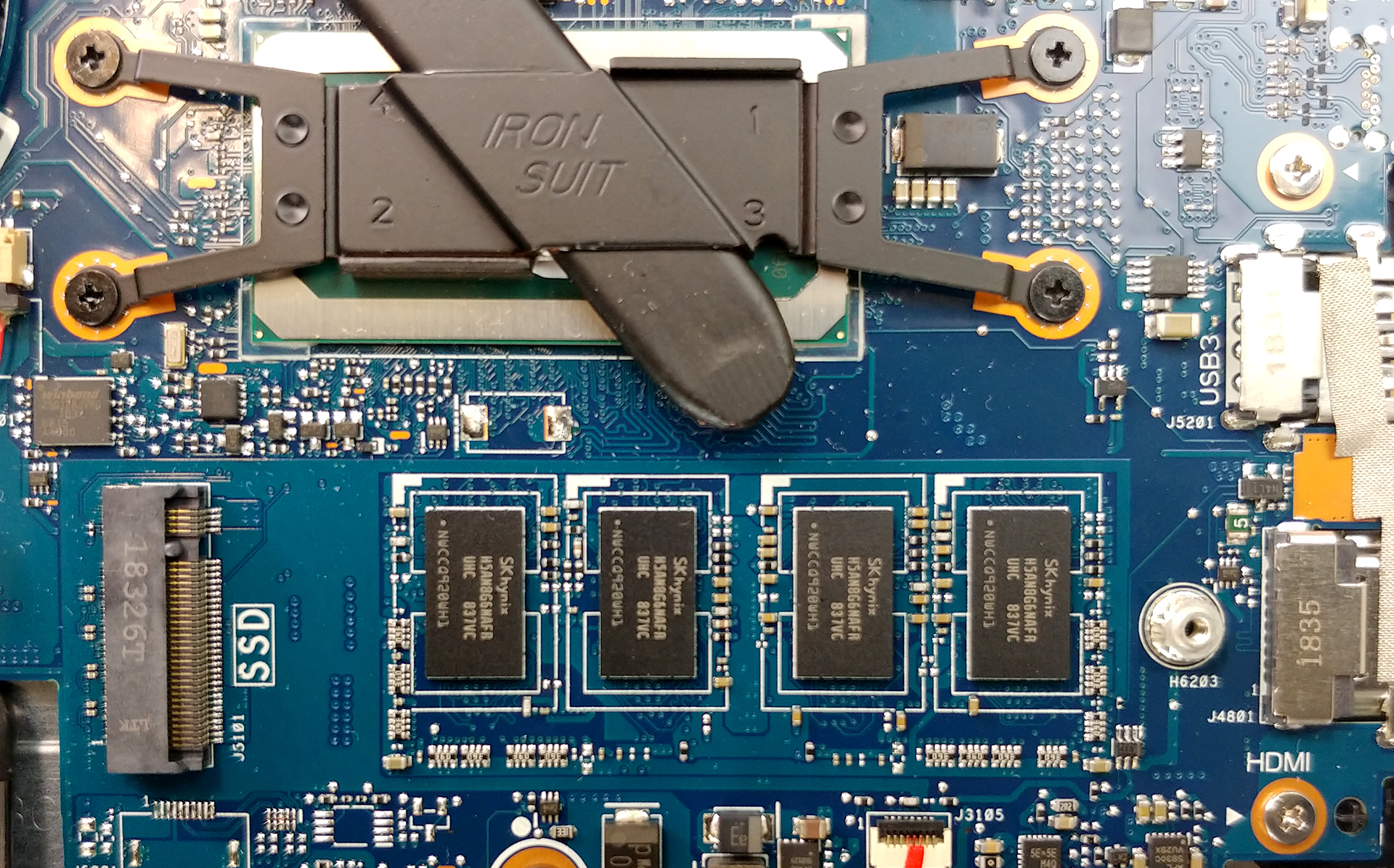
3. Battery
Unlike most of the 14-inchers on the market, ASUS ZenBook Pro 14 UX480 has a 70Wh battery pack. Its juice will power the laptop through 12 hours and a half of web browsing and 9 hours and a half of video playback. If you need to take it off or change it, you can do so by removing the six Phillips-head screws, holding it in place.
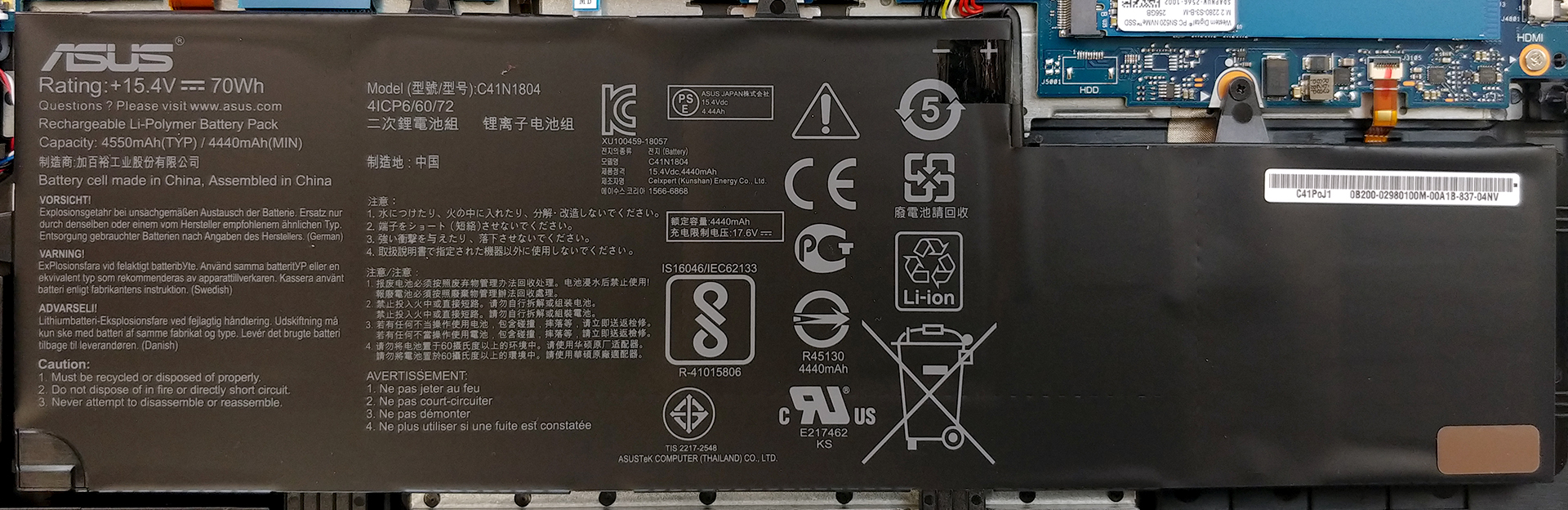
4. Cooling system
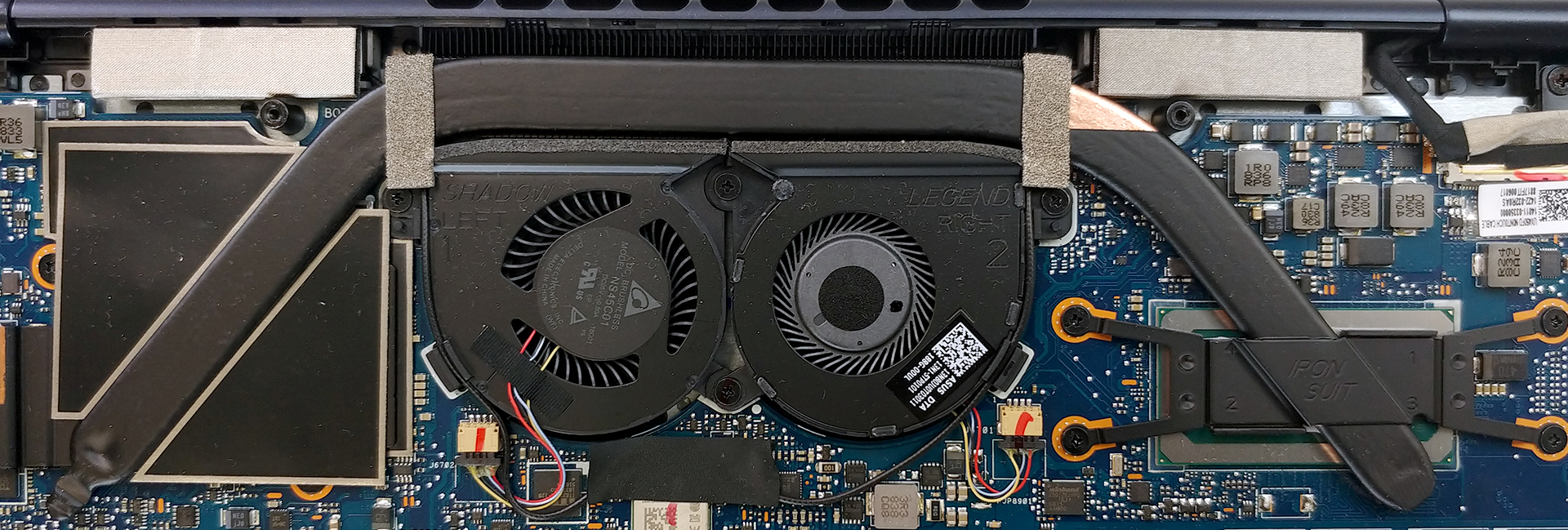
We are happy with the cooling solution on this laptop. It features a single, rather fat, heat pipe which runs through the whole lenght of the device, while the fans are located in the middle. This way it can separate the CPU and the GPU on either side of the machine, so the external heat would be mostly reduced.
Check out all ASUS ZenBook Pro 14 UX480 prices and configurations in our Specs System or read more in our In-depth Review.
 Author: Alex Iliev

![[Ιούνιος 2026] Οι μάρκες φορητών υπολογιστών με τις μεγαλύτερες πωλήσεις στο Amazon Global – Η ασύγκριτη κυριαρχία της Apple σε αριθμό μονάδων και έσοδα](https://laptopmedia.com/wp-content/uploads/2026/07/GLOBAL-Best-Brands-400x225.jpg)
![[Ιούνιος 2026] Amazon Global: Οι 10 πιο δημοφιλείς φορητοί υπολογιστές – Το νέο MacBook Neo της Apple κατακτά την πρώτη θέση, αναδιαμορφώνοντας την αγορά χάρη στην προσιτή τιμή του](https://laptopmedia.com/wp-content/uploads/2026/07/Best-Selling-Laptops-GLOBAL-Top-10-400x225.jpg)
![[Ιούνιος 2026] Amazon Global: Οι 10 πιο δημοφιλείς φορητοί υπολογιστές για παιχνίδια – Το Nitro V 16S AI της Acer κυριαρχεί στις πωλήσεις, ενώ η ASUS προηγείται σε συνολικά έσοδα](https://laptopmedia.com/wp-content/uploads/2026/07/Best-Selling-Gaming-Laptops-GLOBAL-Top-10-400x225.jpg)
![[Ιούνιος 2026] Παγκόσμια κατάταξη των πιο δημοφιλών GPU για φορητούς υπολογιστές στο Amazon – Η NVIDIA RTX 5060 είναι η πιο δημοφιλής ειδική GPU](https://laptopmedia.com/wp-content/uploads/2026/07/Best-Selling-GPUs-GLOBAL-Top-10-400x225.jpg)
![[Ιούνιος 2026] Παγκόσμια κατάταξη των πιο δημοφιλών επεξεργαστών για φορητούς υπολογιστές στο Amazon – Ο Apple M5 κυριαρχεί, ενώ ο AMD Ryzen 7 260 καταλαμβάνει σημαντικό μερίδιο στην κατηγορία premium](https://laptopmedia.com/wp-content/uploads/2026/07/Best-Selling-CPUs-GLOBAL-Top-10-400x225.jpg)

Hi, where is the Intel 9560 WiFi/BT module ? I don’t see antenna cables.
Soldered also, or on the back of the motherboard ?