HP Pavilion Gaming 15 (15-ec0000) review – AMD and NVIDIA are burying the hatchet with this one
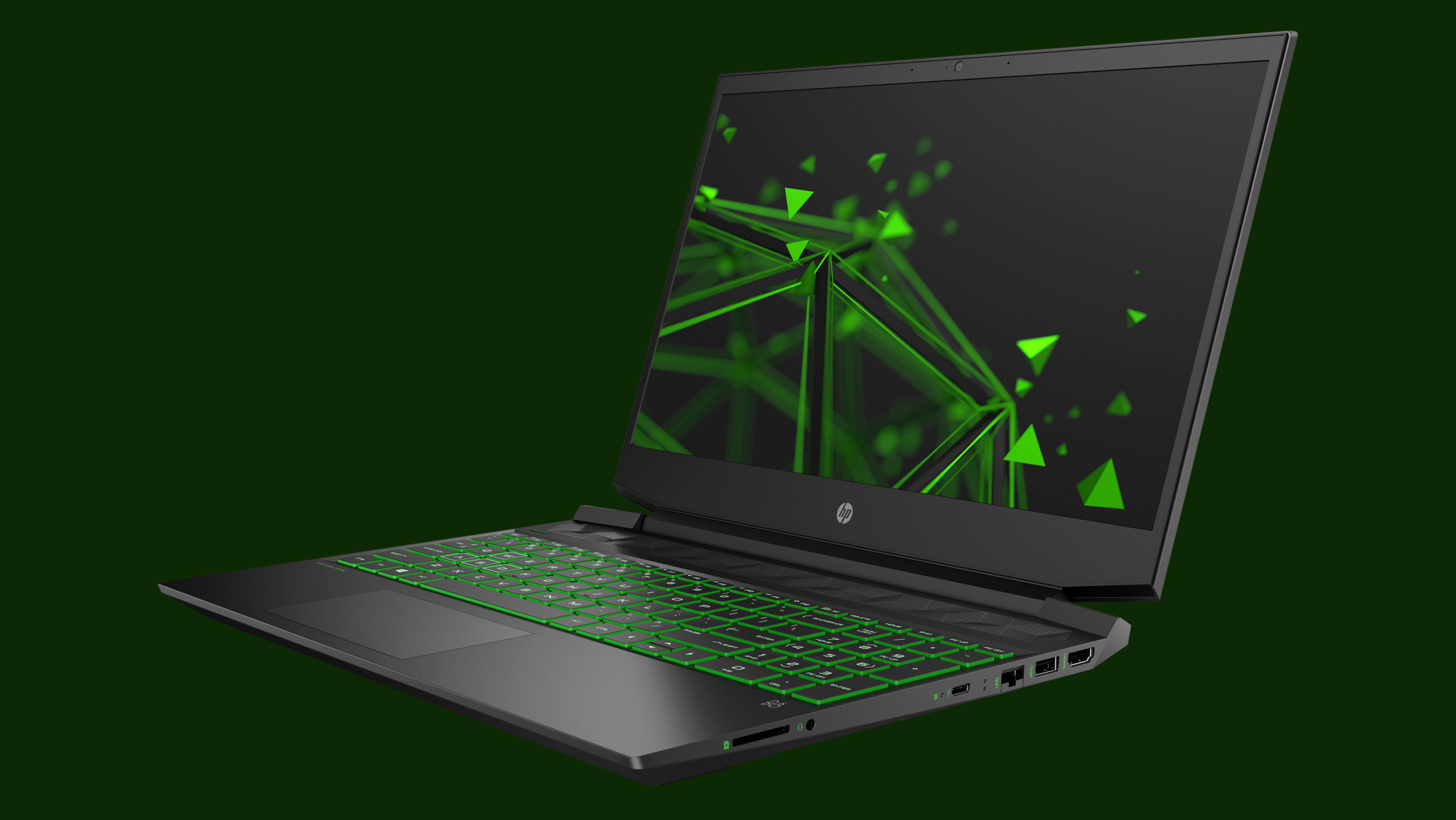 HP’s Pavilion Gaming series offer you quite decent gaming capabilities for a great price. Through the past year, this manufacturer has made great improvements to some of its laptops, and the Pavilion Gaming line-up was one of the main beneficiaries of this. The 15-inch version of 2019 was a hell of a great laptop, delivering value and quality, which was its biggest improvement over the last generation.
As of the laptop we’re getting you familiarized today – it is the Pavilion Gaming 15 (15-ec0000). This series feature AMD CPUs combined with NVIDIA graphics cards, that max out with the GeForce GTX 1660 Ti Max-Q. Similar to other manufacturers, HP is hopping on the AMD train as well. ASUS is one of its main contenders with its Zephyrus ROG GA502, but if you haven’t checked it already, it is a pretty easy opponent to beat.
Additionally, we are going to take a look at that 15-inch 144Hz IPS display, it has equipped, and how does it affect the battery life of the device. Let’s get straight to the review, shall we?
You can check the prices and configurations in our Specs System: https://laptopmedia.com/series/hp-pavilion-gaming-15-15-ec0000/
Contents
Specs Sheet
HP Pavilion Gaming 15 (15-ec0000, ec1000, ec2000) - Προδιαγραφές
- GPU
- NVIDIA GeForce GTX 1660 Ti Max-Q #176 στις Κορυφαίες GPU NVIDIA GeForce GTX 1660 Ti (Laptop) #163 στις Κορυφαίες GPU NVIDIA GeForce GTX 1650 Ti (Laptop) #221 στις Κορυφαίες GPU NVIDIA GeForce GTX 1650 (Laptop, 50W) #222 στις Κορυφαίες GPU NVIDIA GeForce GTX 1650 (Laptop) #213 στις Κορυφαίες GPU NVIDIA GeForce GTX 1050 (4GB GDDR5) #265 στις Κορυφαίες GPU NVIDIA GeForce GTX 1050 (3GB GDDR5) #250 στις Κορυφαίες GPUNVIDIA GeForce RTX 3050 Ti (Laptop) NVIDIA GeForce RTX 3050 (Laptop)
- AUO B156HAN08.2 (AUO82ED)

- HDD/SSD
- έως 8000GB SSD + έως 2000GB HDD
- Υποδοχή M.2
- 1x 2280 PCIe NVMe 3.0 x4
- RAM
- up to 64GB
- OS
- Windows 10 Home, Windows 11 Home, Windows 11 Pro, No OS, Windows 10 Pro
- Μπαταρία
- 52.5Wh, 3-cell
- Υλικό Σώματος
- Plastic / Polycarbonate
- Διαστάσεις
- 360 x 257 x 23.5 mm (14.17" x 10.12" x 0.93")
- Βάρος
- 1.98 kg (4.4 lbs)
- Θύρες και συνδεσιμότητα
- 1x USB Type-A
- 2.0, Sleep and Charge
- 1x USB Type-A
- 3.2 Gen 1 (5 Gbps)
- 1x USB Type-C
- 3.2 Gen 1 (5 Gbps)
- HDMI
- 2.0
- Αναγνώστης καρτών
- Multi Format SD
- Ethernet LAN
- 10, 100, 1000 Mbit/s
- Wi-Fi
- 802.11ac
- Bluetooth
- 5.0
- Υποδοχή ήχου
- 3.5 mm combo
- Χαρακτηριστικά
- Αναγνώστης δακτυλικών αποτυπωμάτων
- Κάμερα web
- HD
- Φωτιζόμενο πληκτρολόγιο
- optional
- Μικρόφωνο
- Ηχεία
- Front-firing Speakers, Bang & Olufsen
- Οπτικός δίσκος
- Υποδοχή κλειδαριάς ασφαλείας
Όλα HP Pavilion Gaming 15 (15-ec0000, ec1000, ec2000) διαμορφώσεις
What’s in the box?
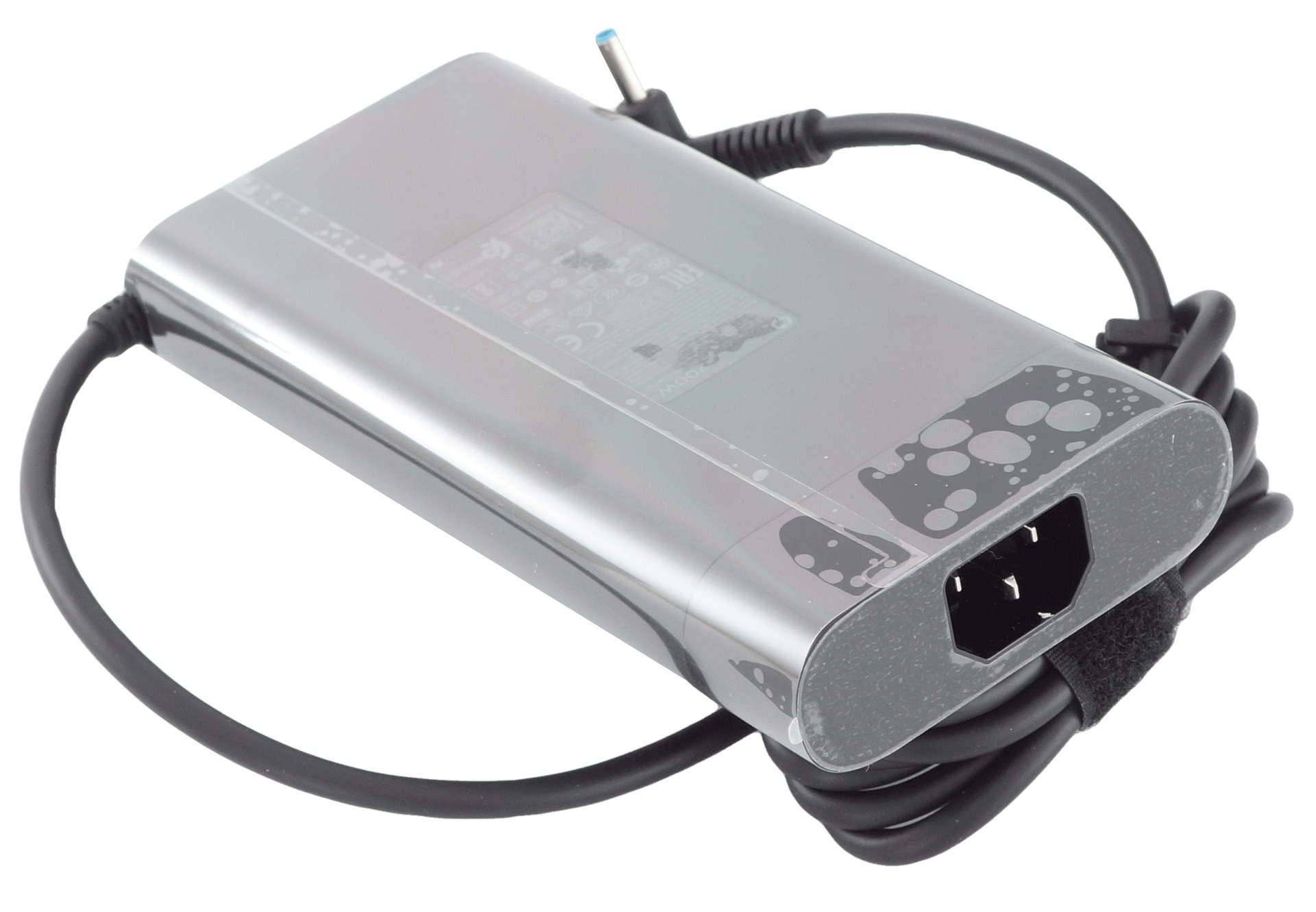
Inside the box, you’re going to find a 200W power adapter, as well as the mandatory paper manuals.
Design and construction
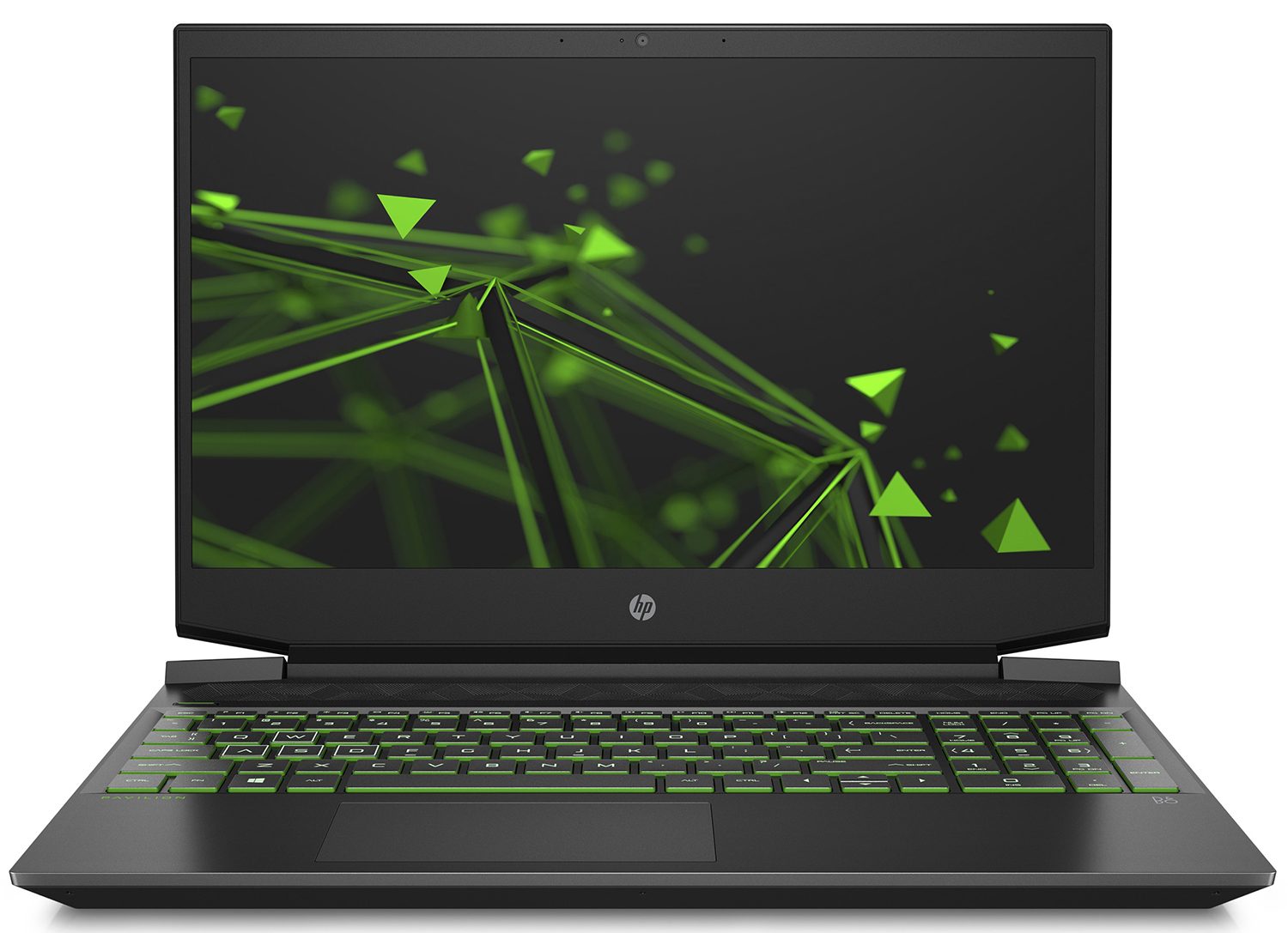
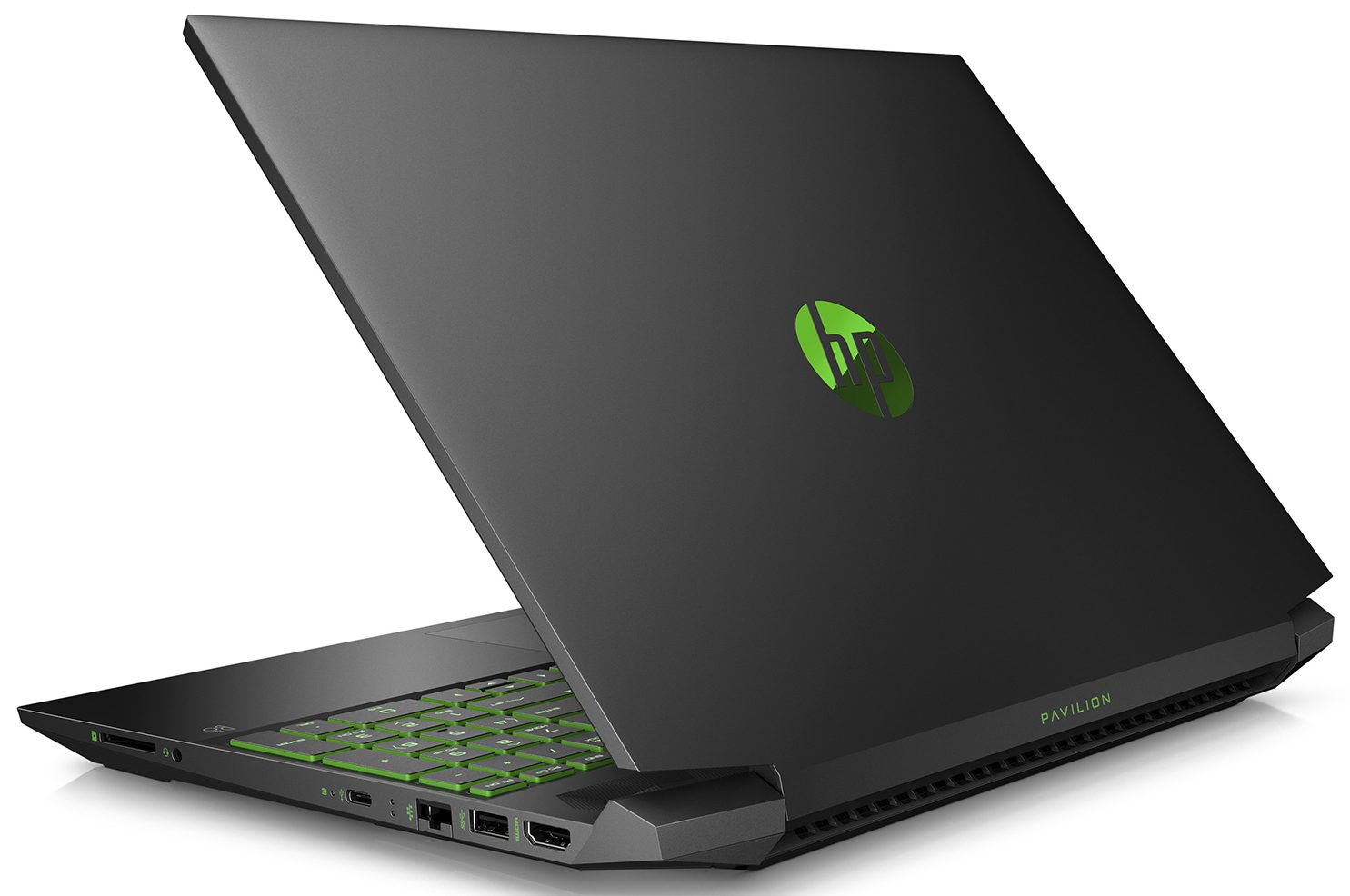
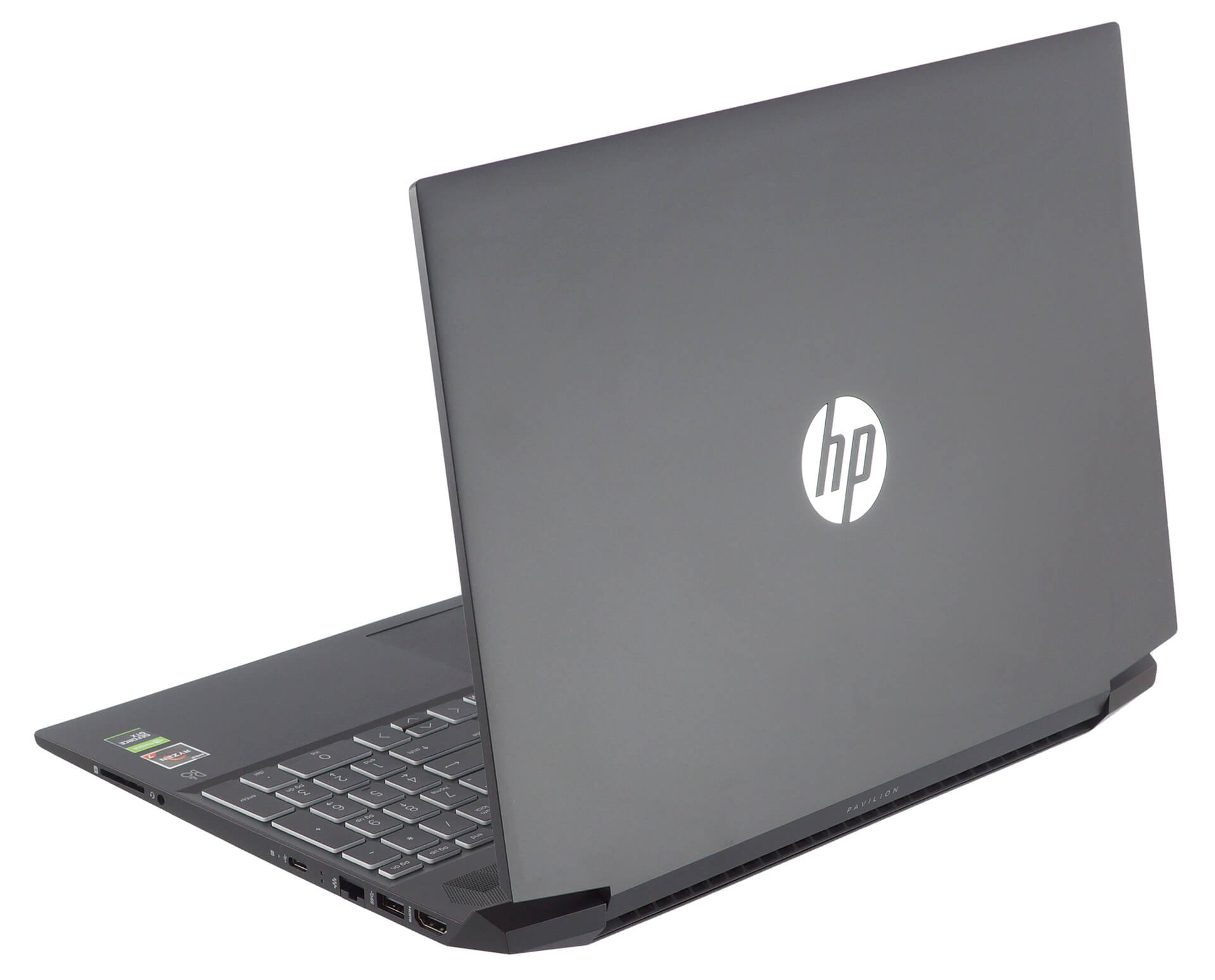
So yeah, this is not the thinnest gaming laptop out there. It’s profile measures at 23.5mm, but what is more interesting is the weight – 1.98 kg – just shy of the 2kg vantage point. In terms of build quality, unsurprisingly, we are talking about a fully plastic build, that does its fair share of squeaking when you twist its body.
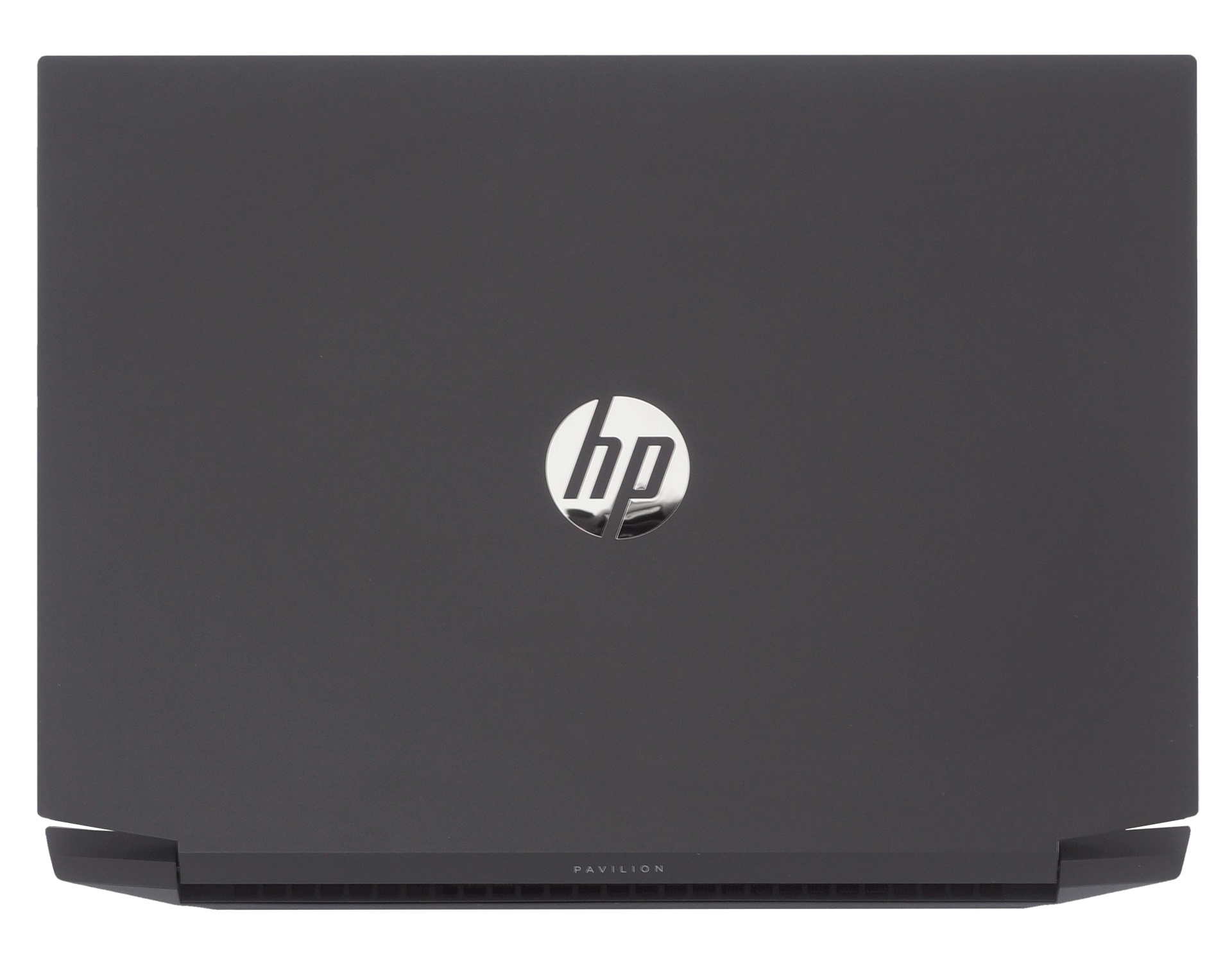
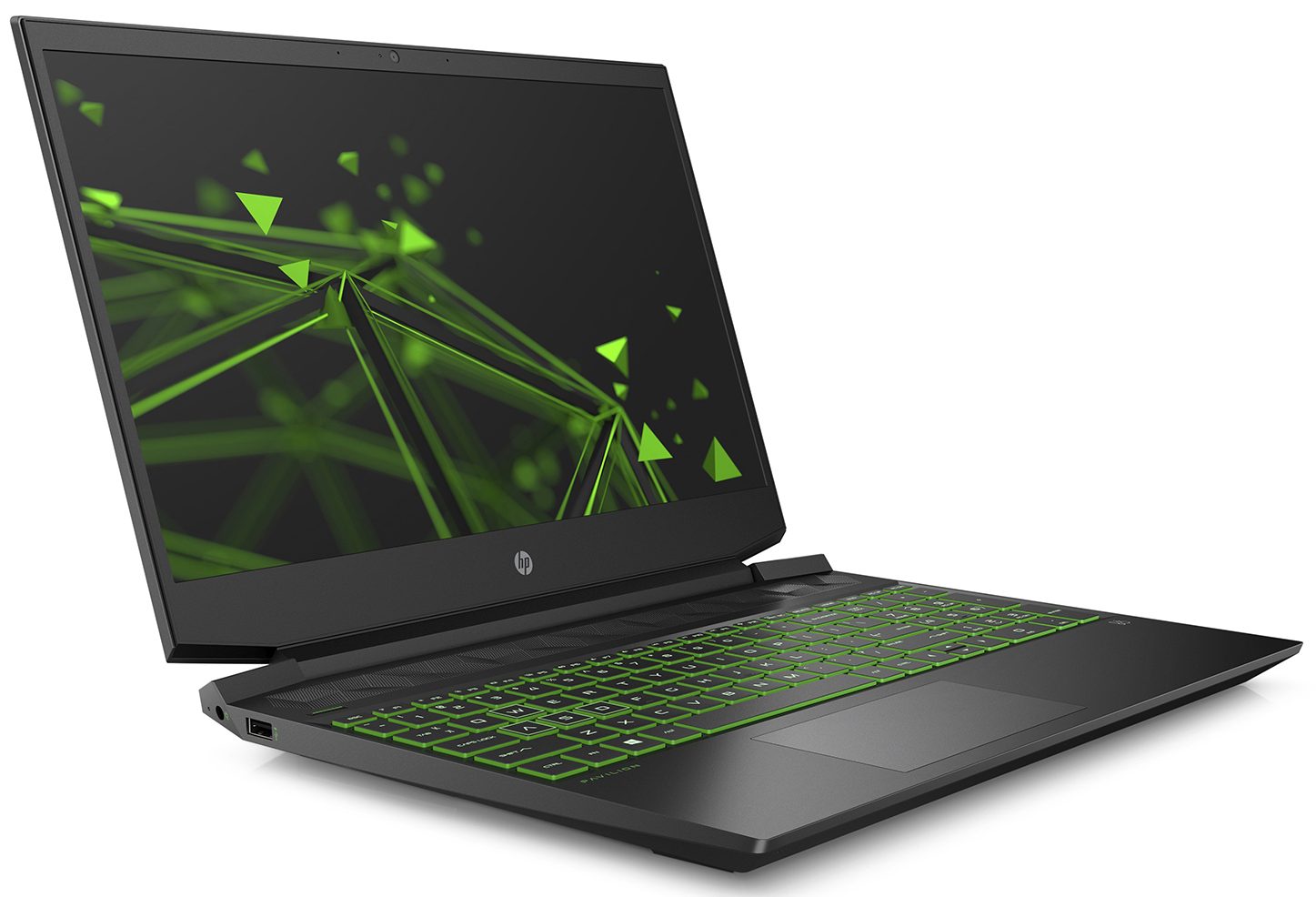
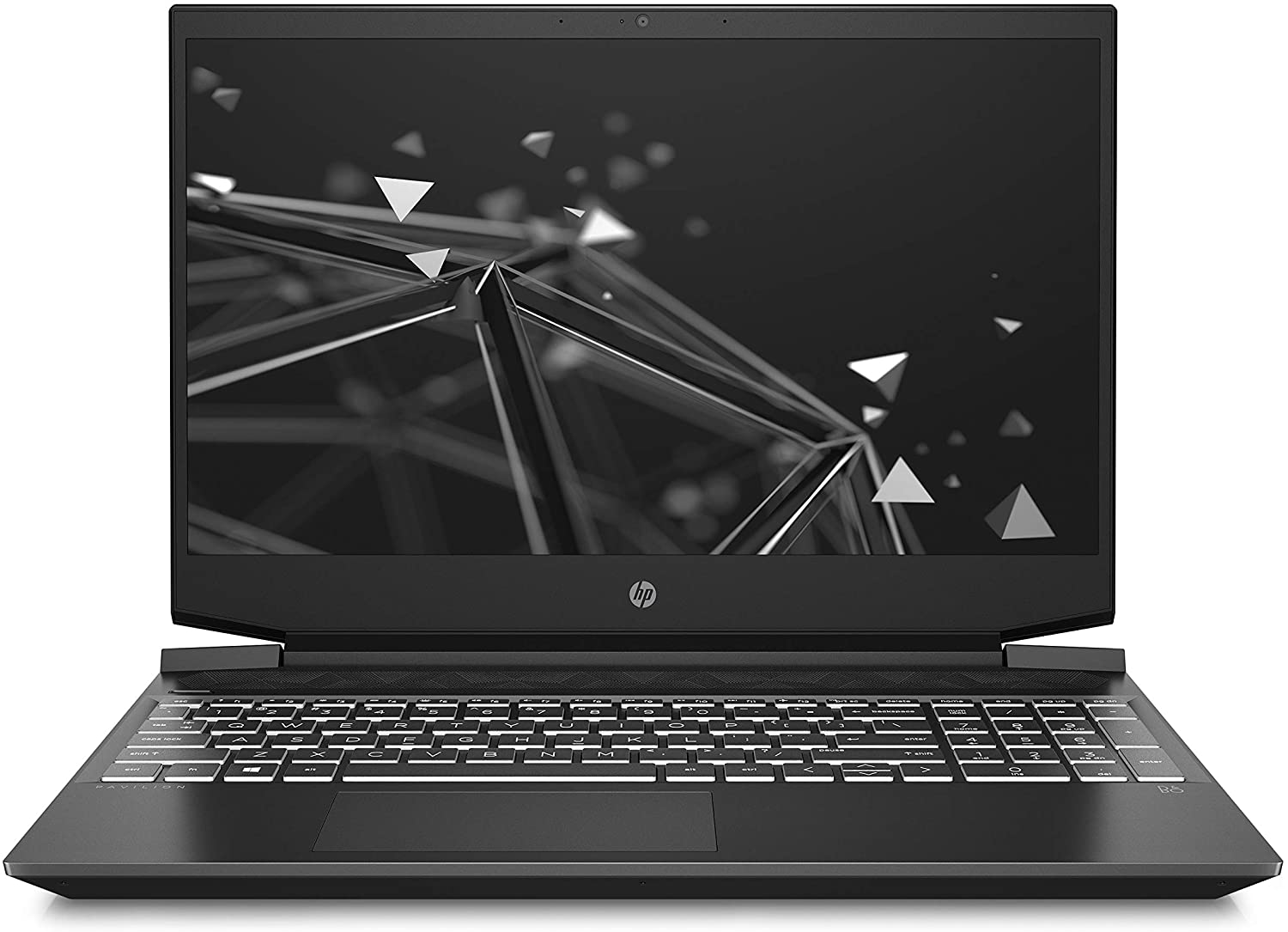
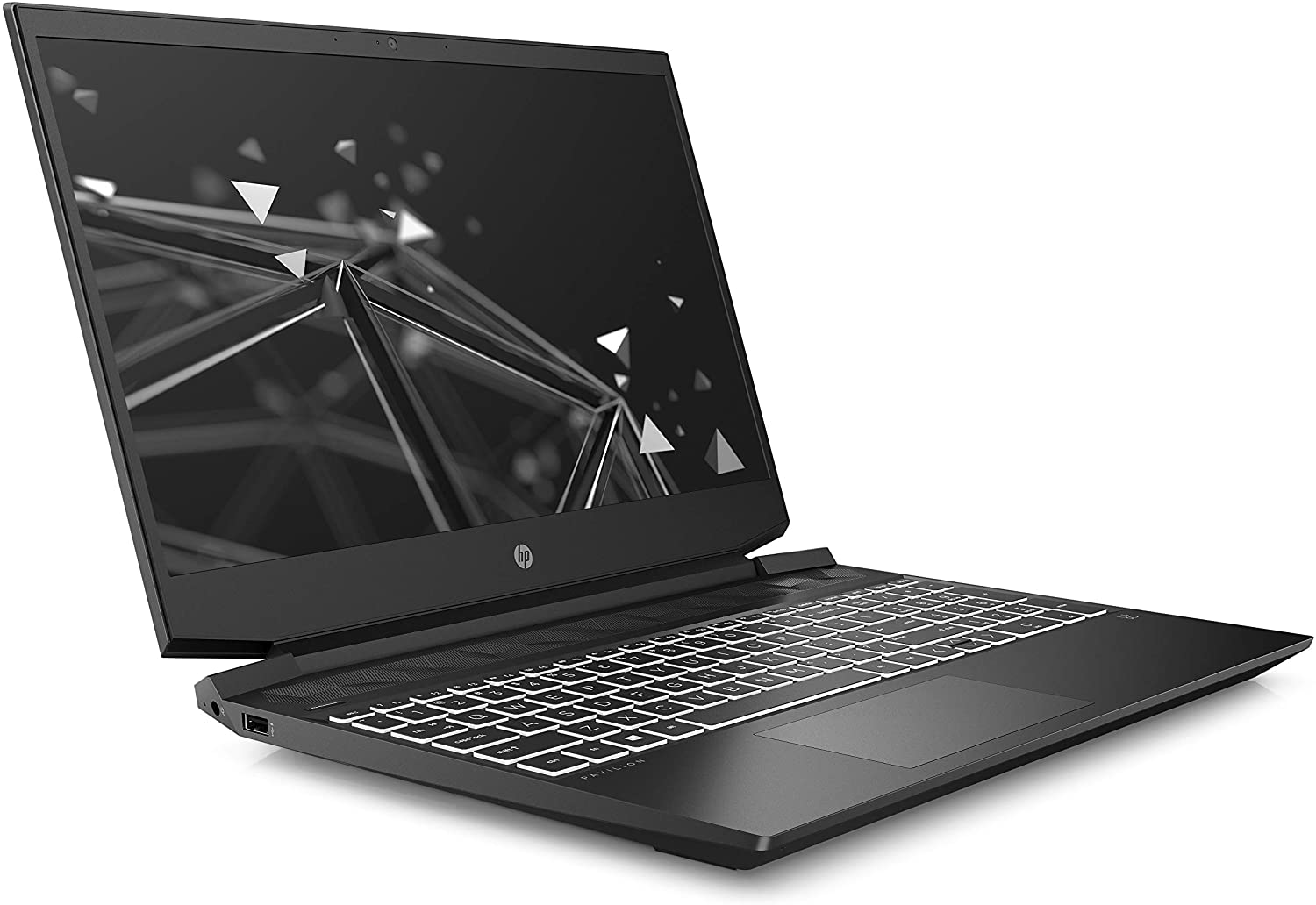
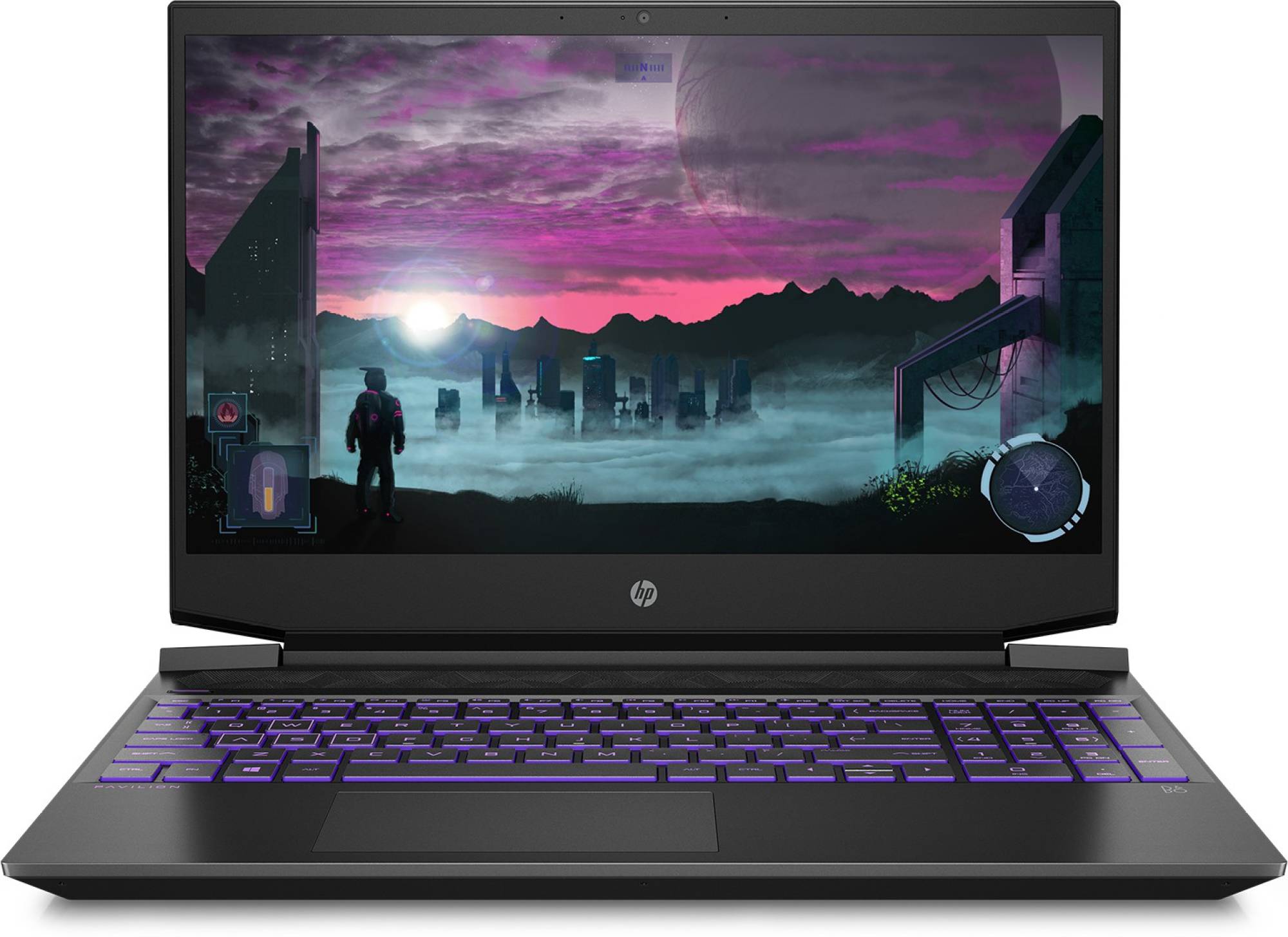
Opening the lid is not a task for a single hand. Not only that but when you open it and test its structural integrity, it twists and bends like a sheet of paper. For real – it is scary to look at it. On the bright side, this doesn’t really have an effect on the display, itself. Upon further examination, you can see that the camera is placed above the screen, while the hinges are placed further apart from each other, then on the Intel-equipped machine.
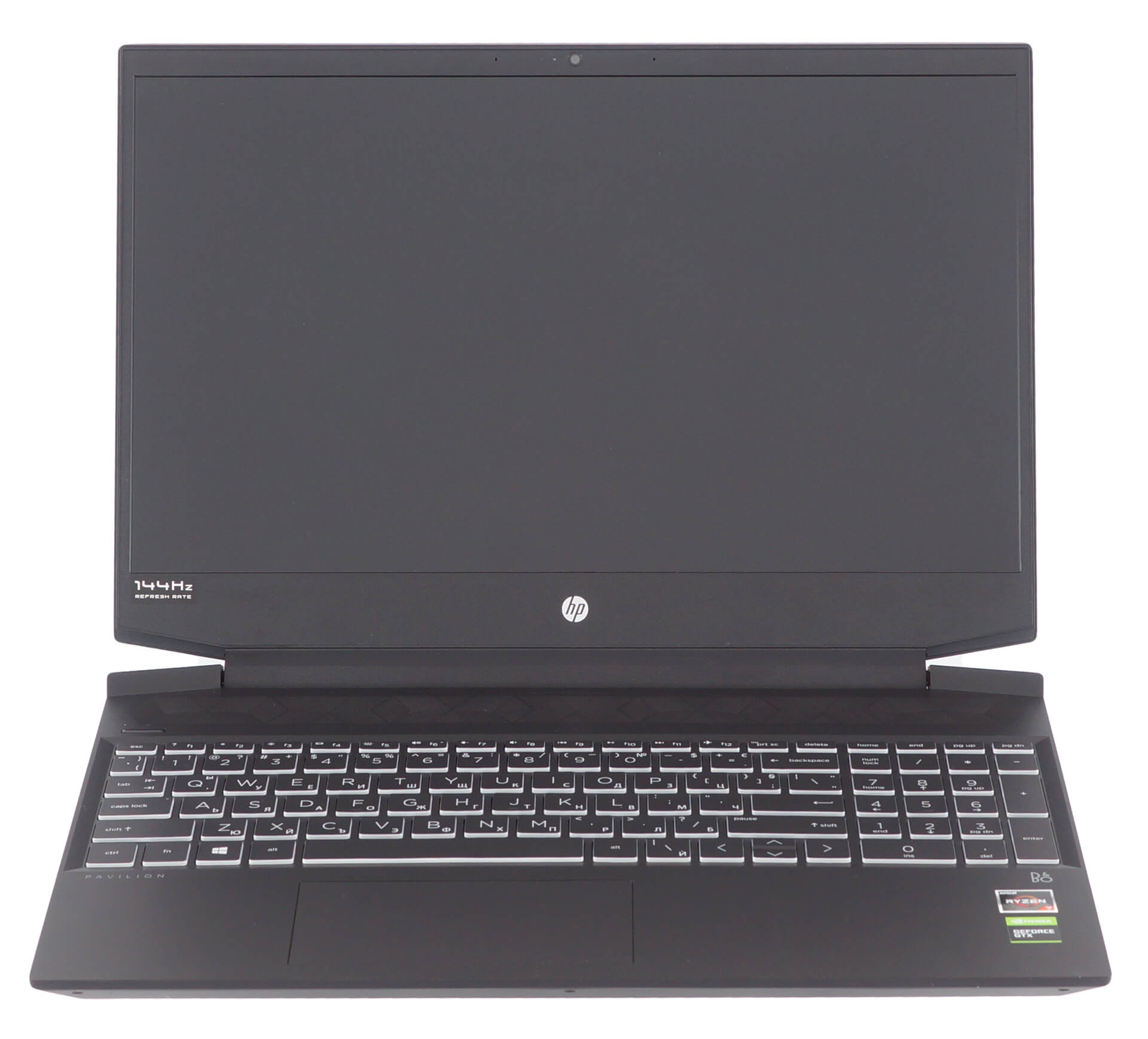
It is interesting to see that HP has developed an entirely different body design for their AMD laptop. Nevertheless, at the base, we see the good old keyboard that sticks around for several generations. In contrast to the other Pavilion Gamings out there, the font used for the character keys is a lot more standardized than the futuristic, gamer-centric, we’re used to seeing.
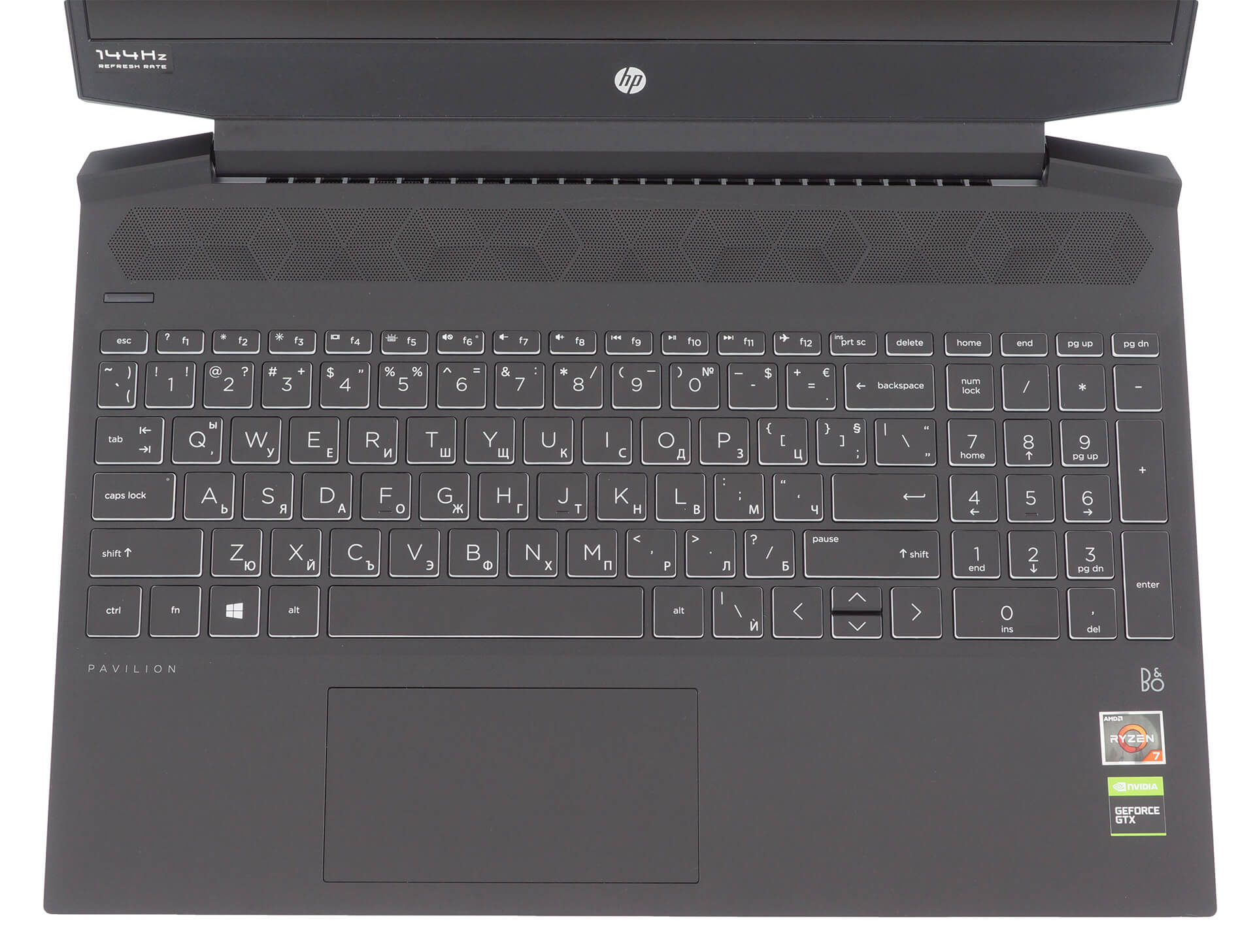
As far as the usability goes, there is a rather long key travel, combined with tactile feedback that is not very clicky, but you can feel it well. Additionally, there are the NumberPad keys and a backlight, which is optionally green or white. Our only remark would be the half-sized “Up” and “Down” arrow keys. By the way, above the keyboard deck, you can see the speaker grill that houses Bang & Olufsen units.
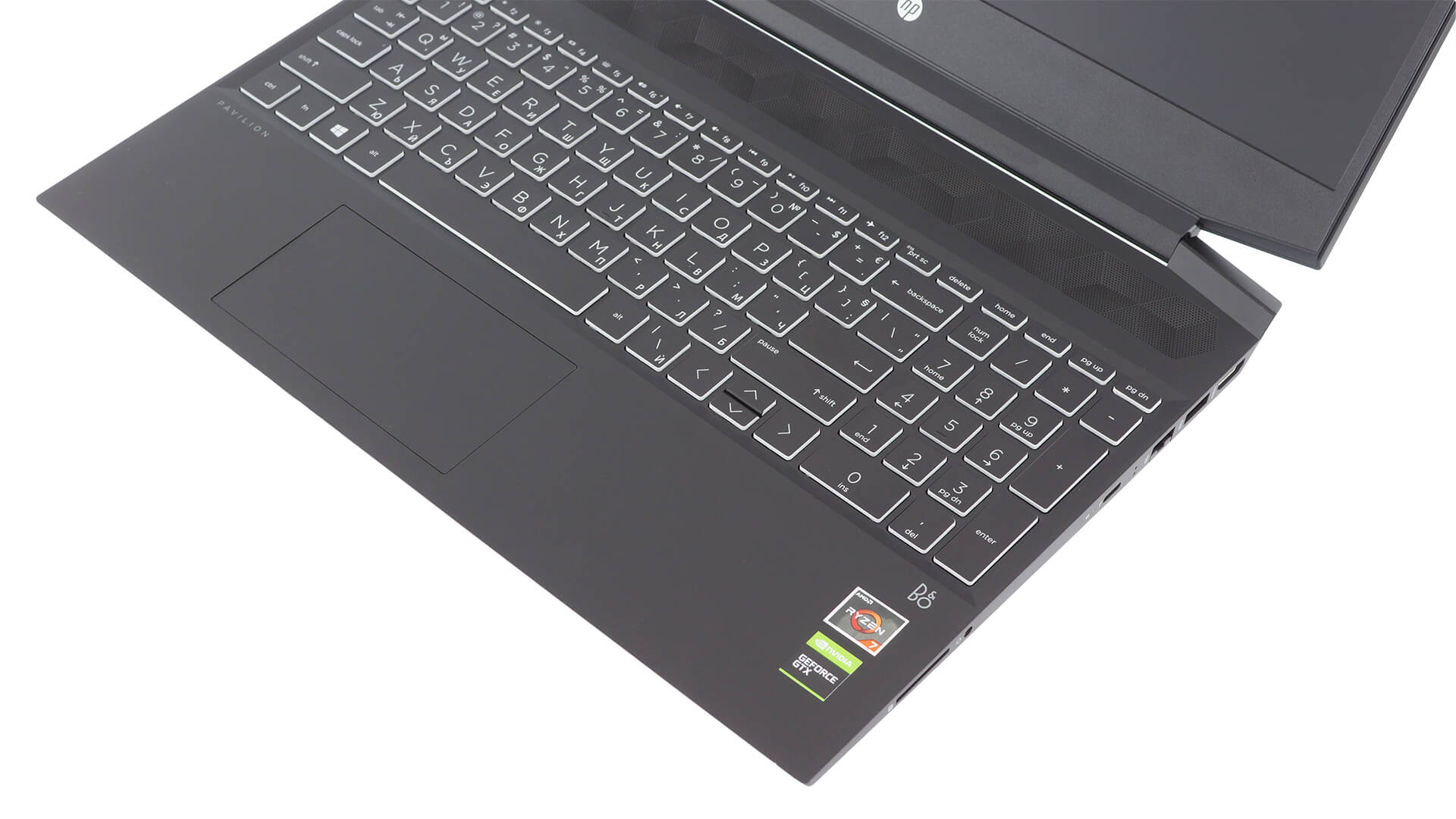
Next, there is the touchpad. While its tracking is good, we feel that you need to boost the sensitivity, because the default one is just not high enough. Let’s not forget the clicking mechanism, which is a little bit weird – either you press on the bottom-most part of the touchpad, or you have a really hard time. Literally. Not only that, but the surface seems to not be stable enough. When you lift your finger from it, it makes a sound, like it is wobbling up and down.
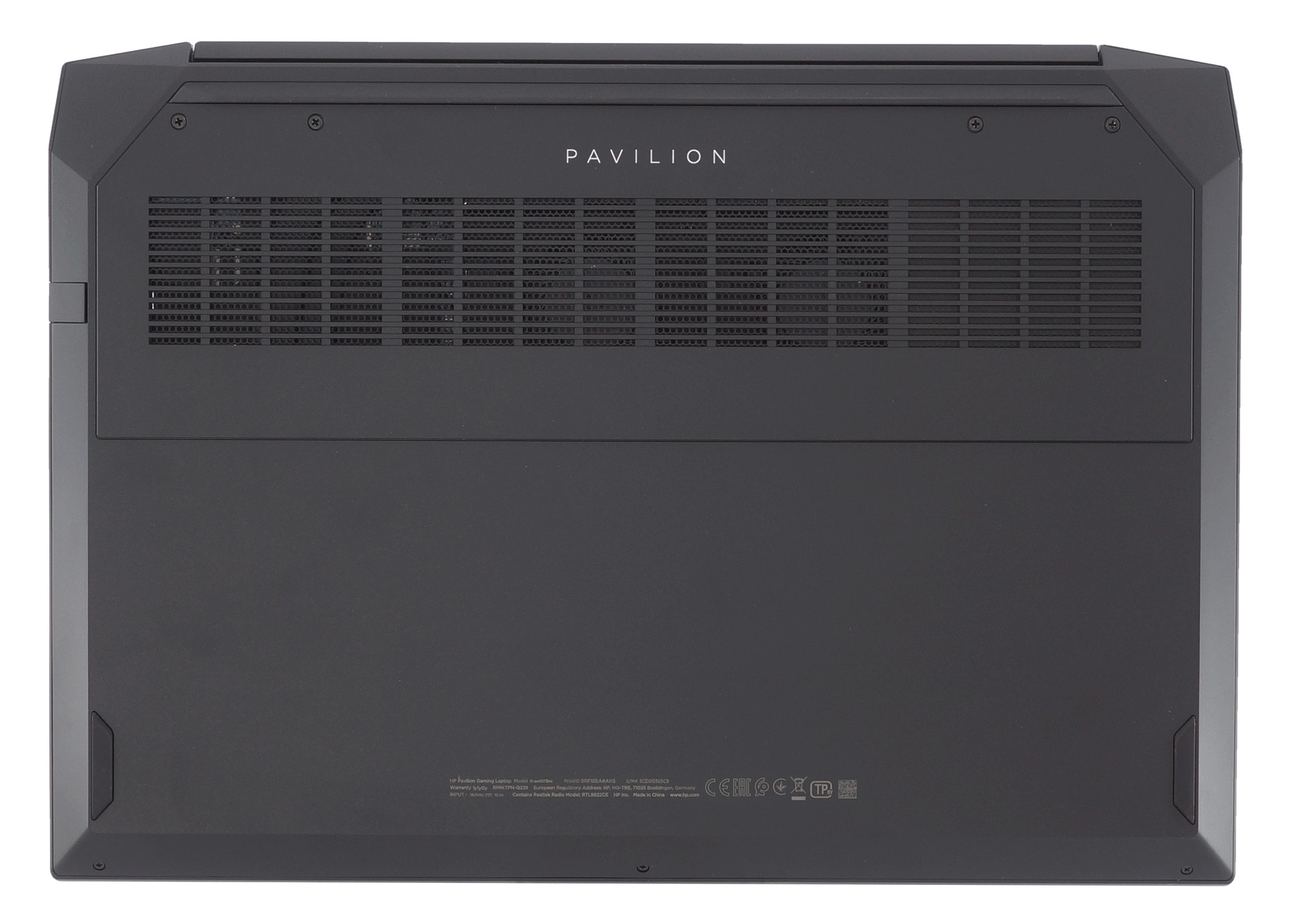
On the bottom plate, you are going to see a sizeable ventilation grill. Hot air is exhausted from around the hinge cover but manages to slide its way beneath it, instead of going straight up to the screen.
Ports
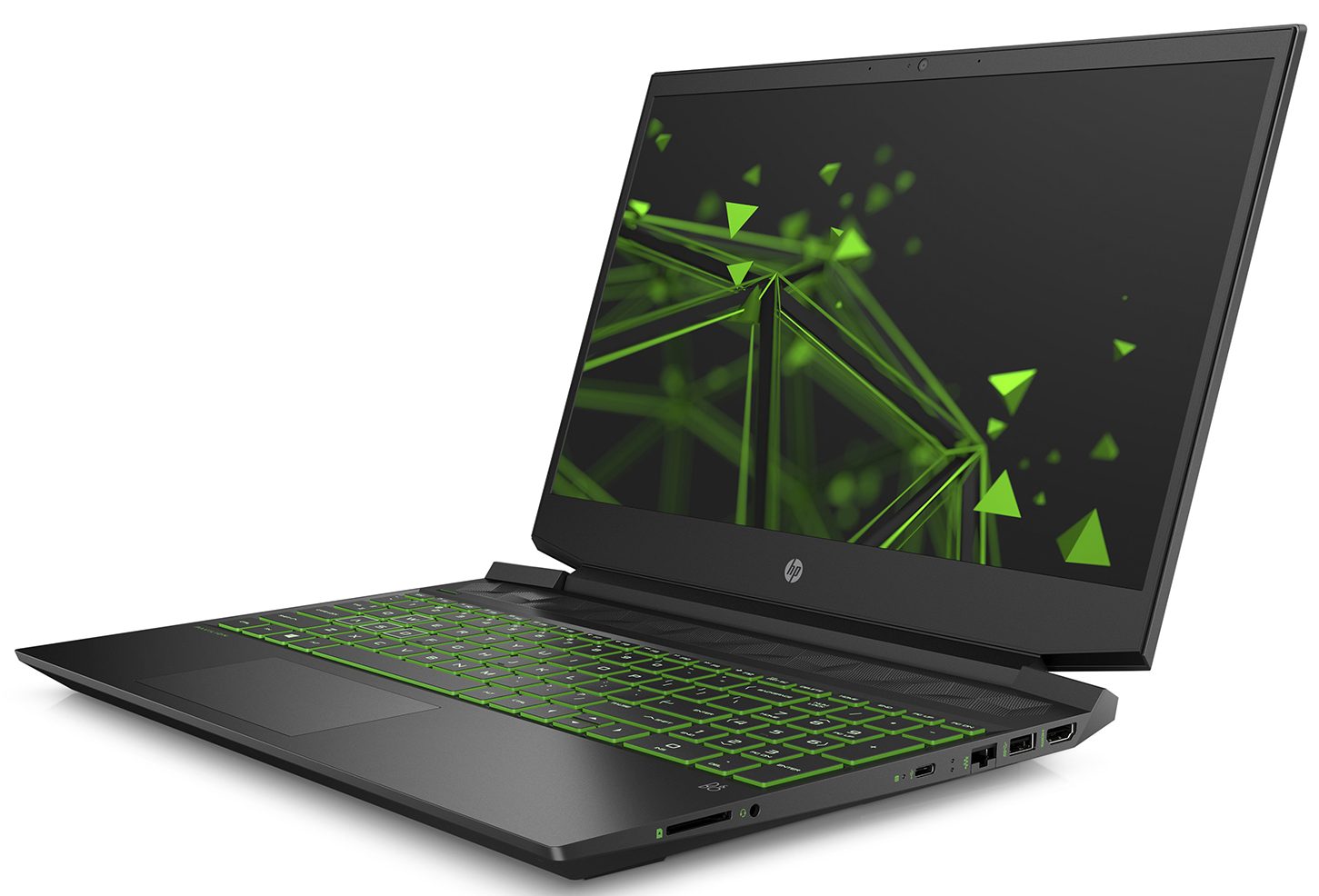
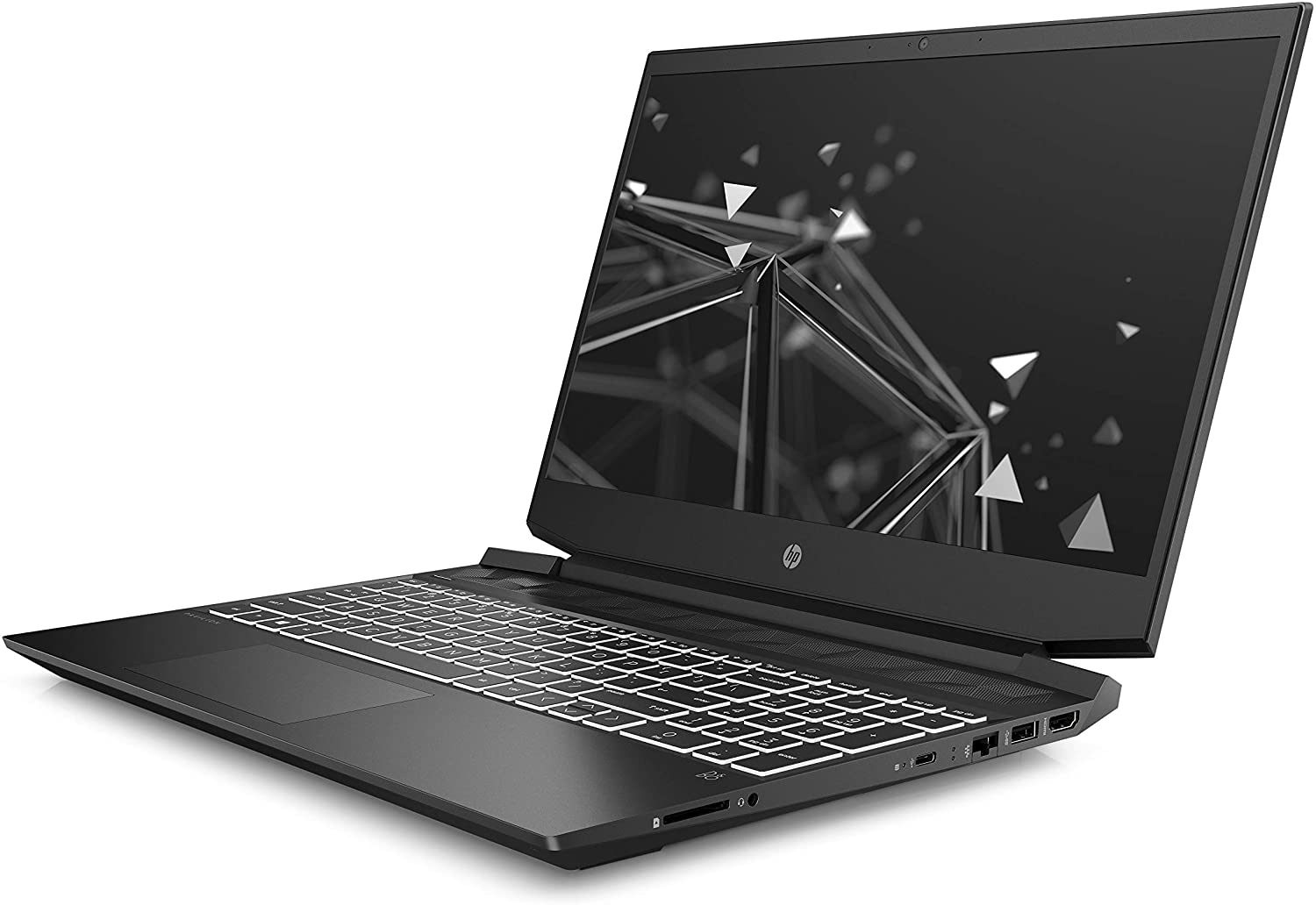
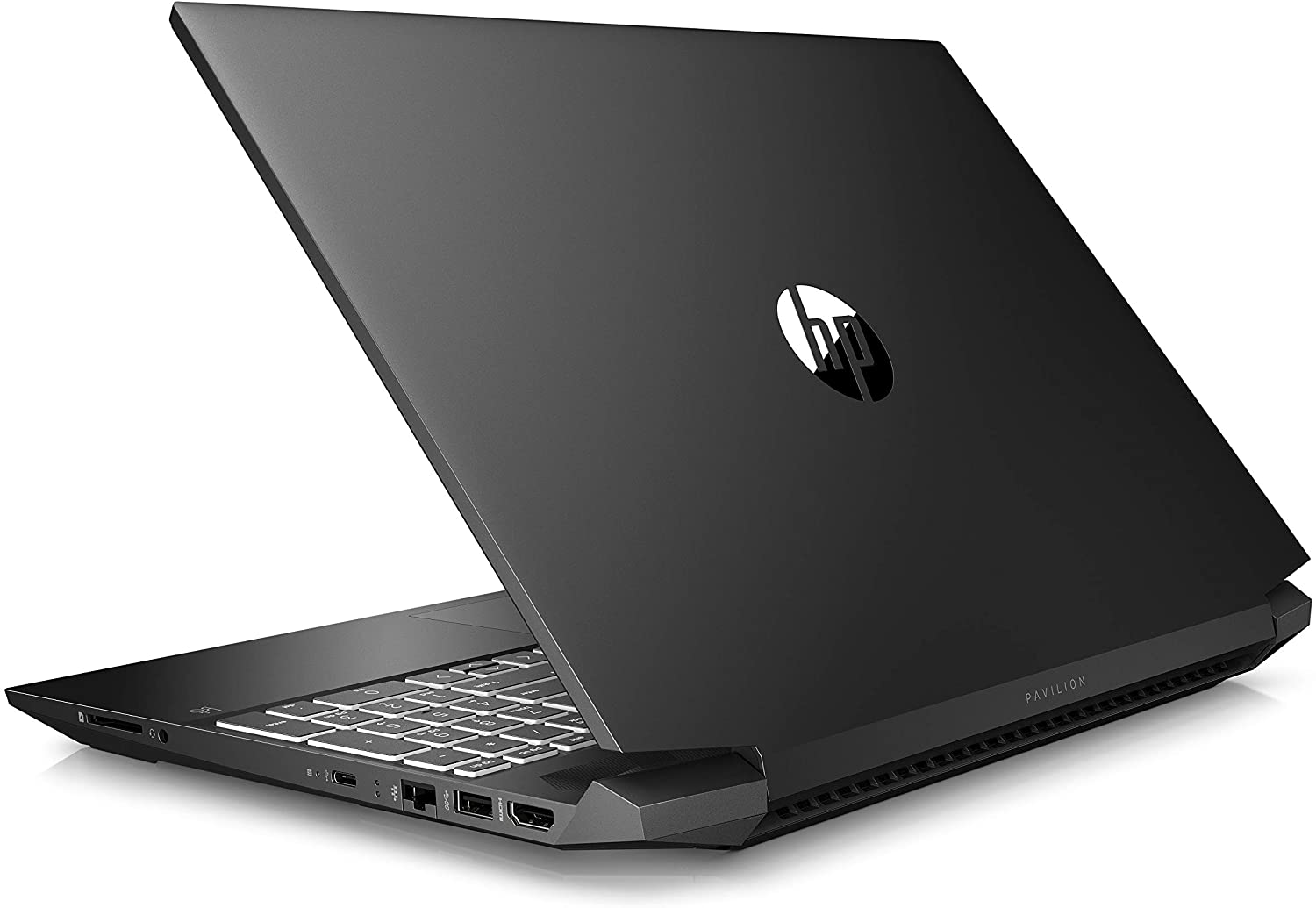
On the left side, you will only see the power plug, mounted weirdly on the edge, and a USB Type-A 2.0 port. Switch to the other side, and you’ll find an HDMI connector, a USB Type-A 3.1 (Gen. 1) port, an RJ-45 connector, a USB Type-C 3.1 (Gen. 1) port, a headphone jack, and an SD card reader.


Disassembly, upgrade options and maintenance
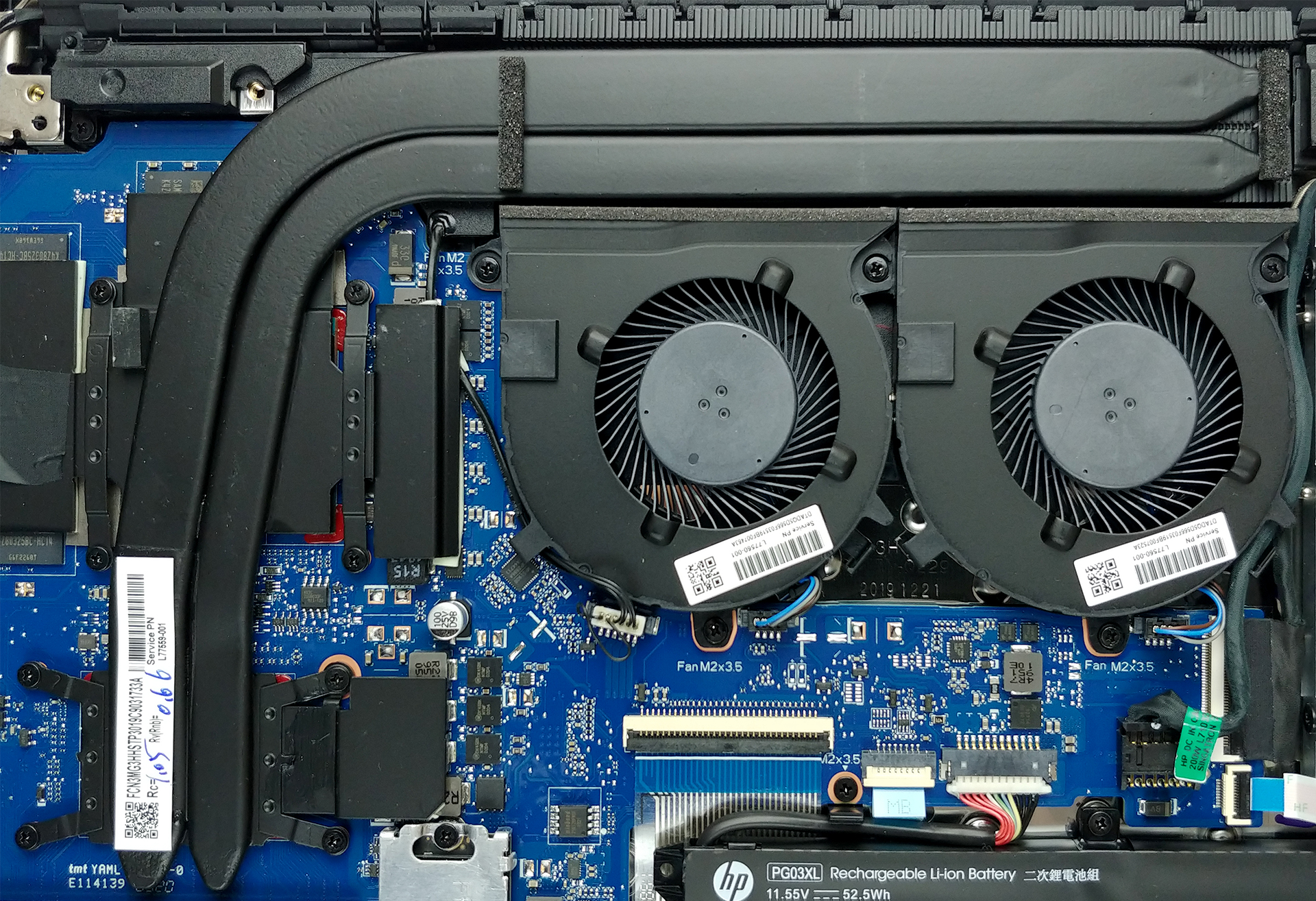
All you need to do to access the internals of this notebook is to remove the bottom panel. It is held in place by 7 Phillips-head screws. After that, gently make your way around the edges with a plastic pry tool and you will be able to lift it off the chassis.

Its cooling is made out of two similarly sized thick heat pipes, which cool down both the CPU and the GPU. Additionally, there are two fans, blowing cool air towards the rather long heat sink. This setup is seen on the Acer Nitro 5, Helios 300 and Triton 300 from 2019.
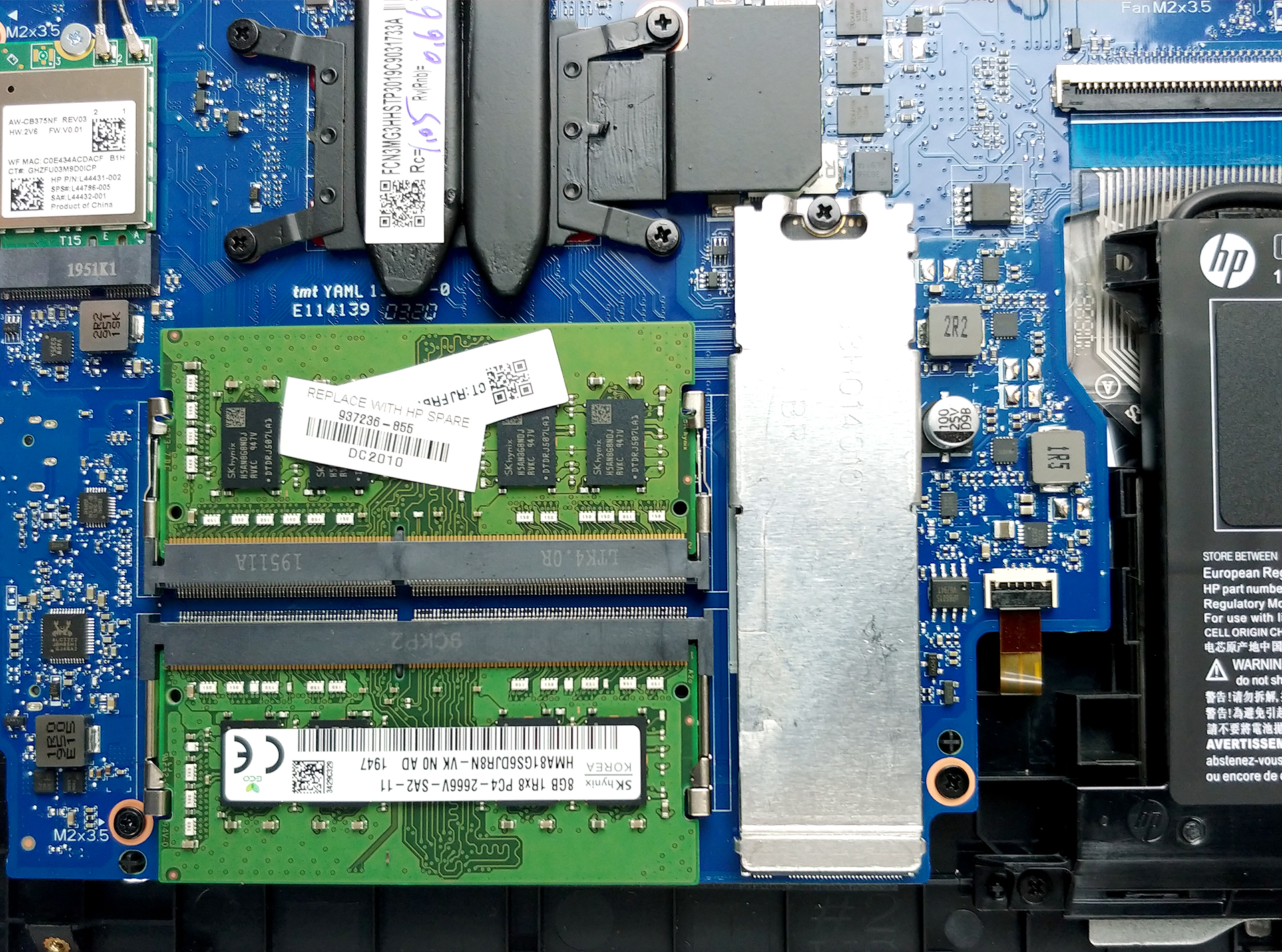
Memory-wise the laptop features two RAM SODIMM slots that fit up to 32GB of DDR4 memory in total. On the storage side, there is the M.2 PCIe x4 slot and a 2.5″ SATA drive bay.
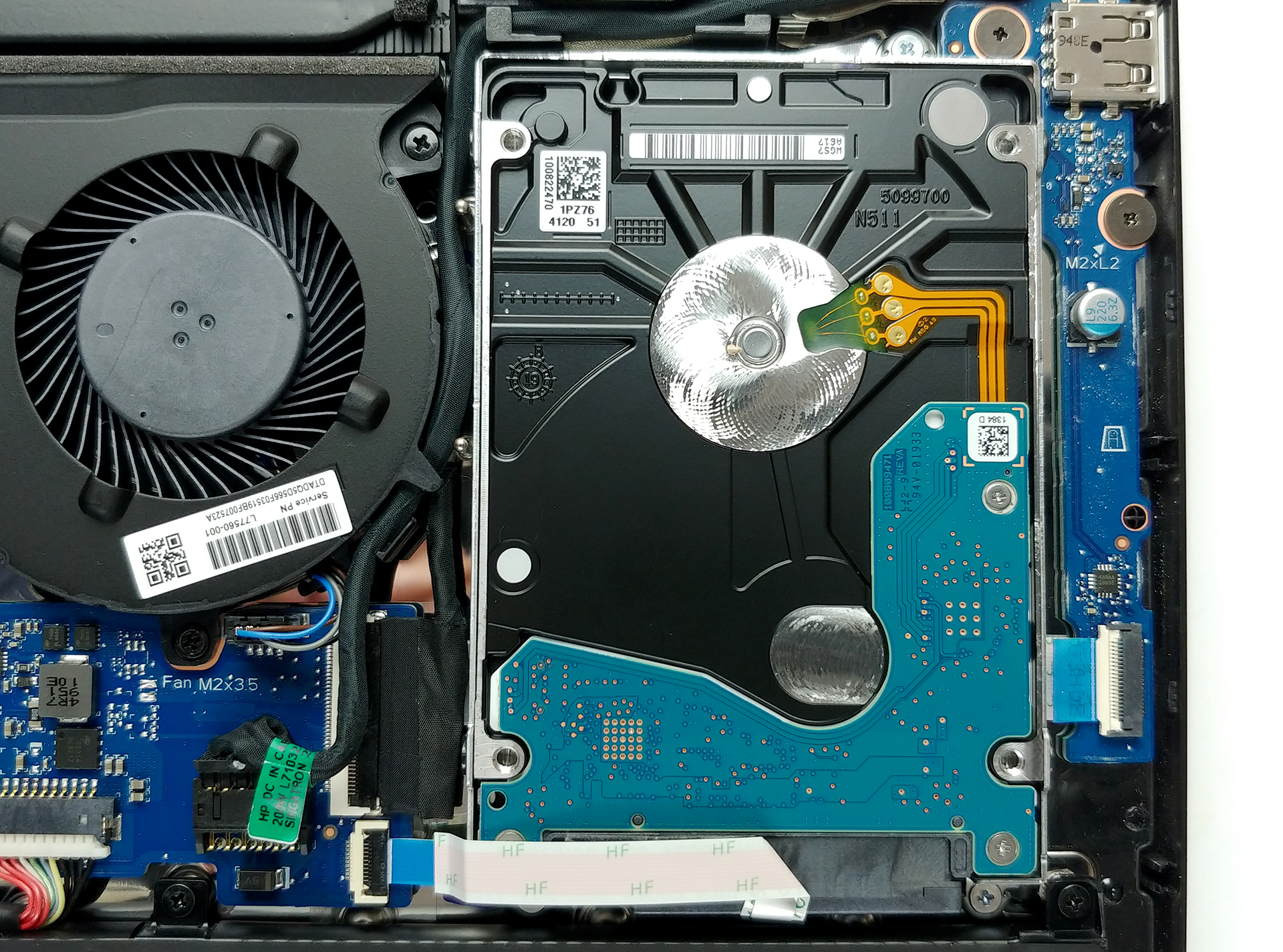
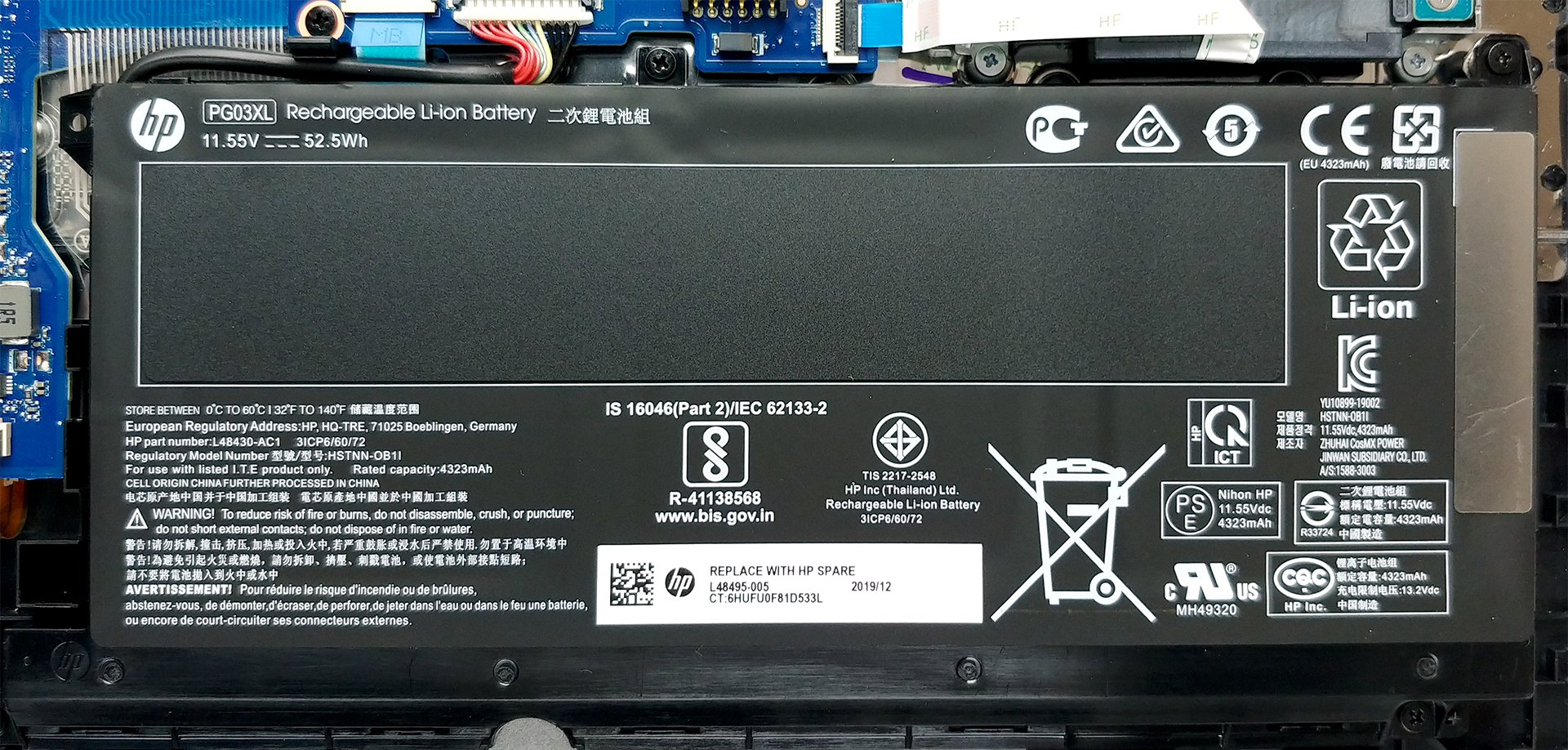
Lastly, there is the 52.5Wh battery pack, which should power this notebook, when a charger is not plugged.
Display quality
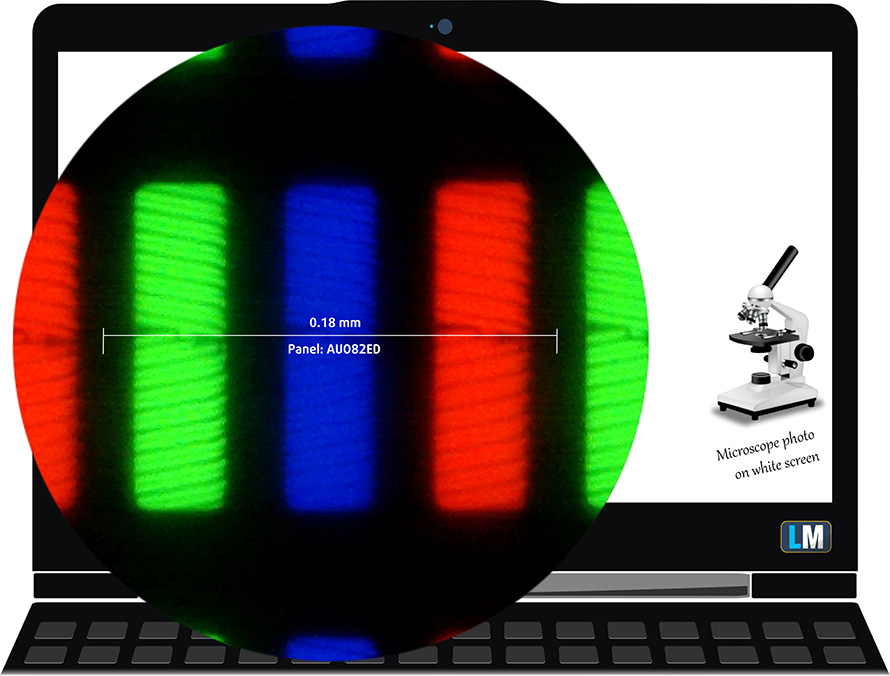
HP Pavilion Gaming 15 (15-ec0000) has 144 Hz Full HD panel – AUO B156HAN08.2 (AUO82ED). Its diagonal is 15.6″ (39.62 cm), and the resolution 1920 х 1080 pixels. The screen ratio is 16:9, and we are looking at a pixel density of – 142 ppi, and a pitch of 0.18 х 0.18 mm. The screen turns into Retina when viewed at distance equal to or greater than 60cm (24″) (from this distance one’s eye stops differentiating the separate pixels, and it is normal for looking at a laptop).
Its viewing angles are comfortable. We offer images at 45° to evaluate image quality.

The measured maximum brightness of 316 nits in the middle of the screen and also 316 nits as an average for the whole area, with a maximum deviation of only 4%. The Correlated Color Temperature on a white screen is 7210K – colder than the optimal for the sRGB standard of 6500K. The average color temperature through the grey scale before profiling is 7120K.
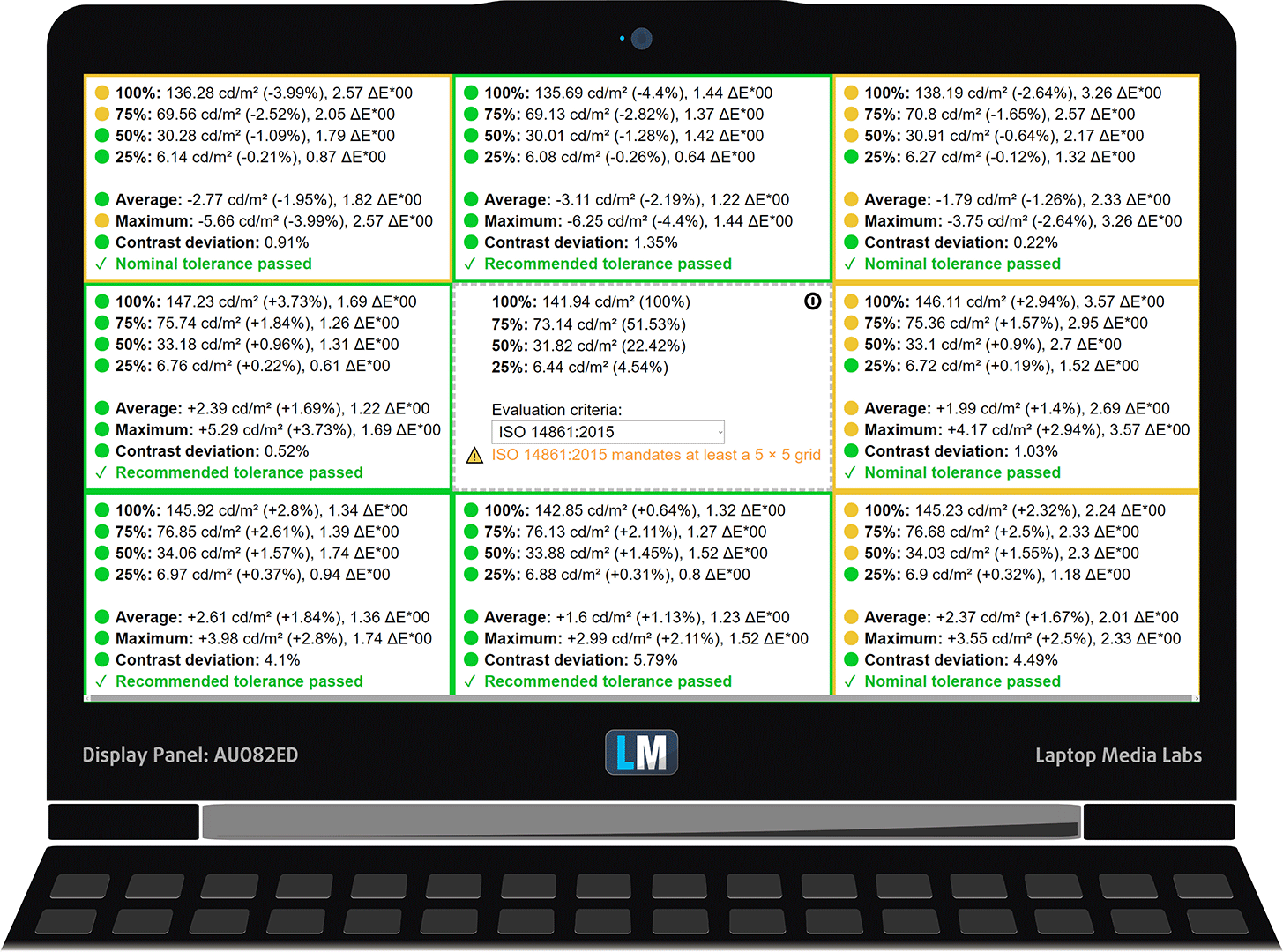
In the illustration below you can see how the display performs from a uniformity perspective. In other words, the leakage of light from the light source.
Values of dE2000 over 4.0 should not occur, and this parameter is one of the first you should check if you intend to use the laptop for color-sensitive work. The contrast ratio is good – 1150:1 (1100:1 after profiling).
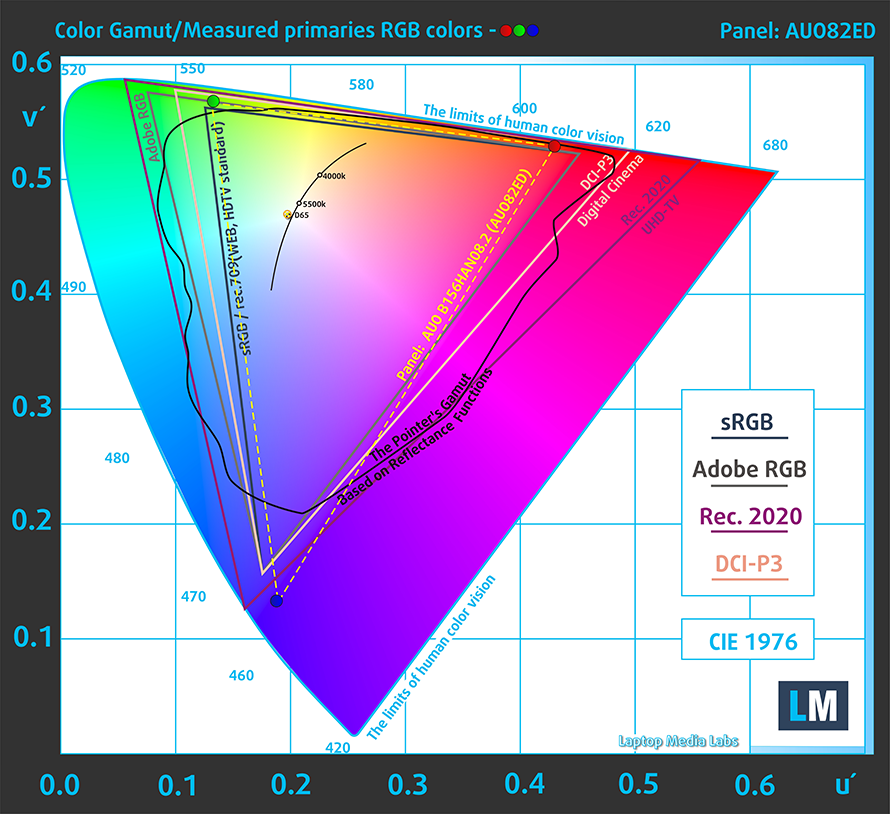
To make sure we are on the same page, we would like to give you a little introduction to the sRGB color gamut and the Adobe RGB. To start, there’s the CIE 1976 Uniform Chromaticity Diagram that represents the visible specter of colors by the human eye, giving you a better perception of the color gamut coverage and the color accuracy.
Inside the black triangle, you will see the standard color gamut (sRGB) that is being used by millions of people in HDTV and on the web. As for the Adobe RGB, this is used in professional cameras, monitors, etc for printing. Basically, colors inside the black triangle are used by everyone and this is the essential part of the color quality and color accuracy of a mainstream notebook.
Still, we’ve included other color spaces like the famous DCI-P3 standard used by movie studios, as well as the digital UHD Rec.2020 standard. Rec.2020, however, is still a thing of the future and it’s difficult for today’s displays to cover that well. We’ve also included the so-called Michael Pointer gamut, or Pointer’s gamut, which represents the colors that naturally occur around us every day.
The yellow dotted line shows HP Pavilion Gaming 15 (15-ec0000)’s color gamut coverage.
Its display covers 90% of the sRGB/ITU-R BT.709 (web/HDTV standard) in CIE1976.
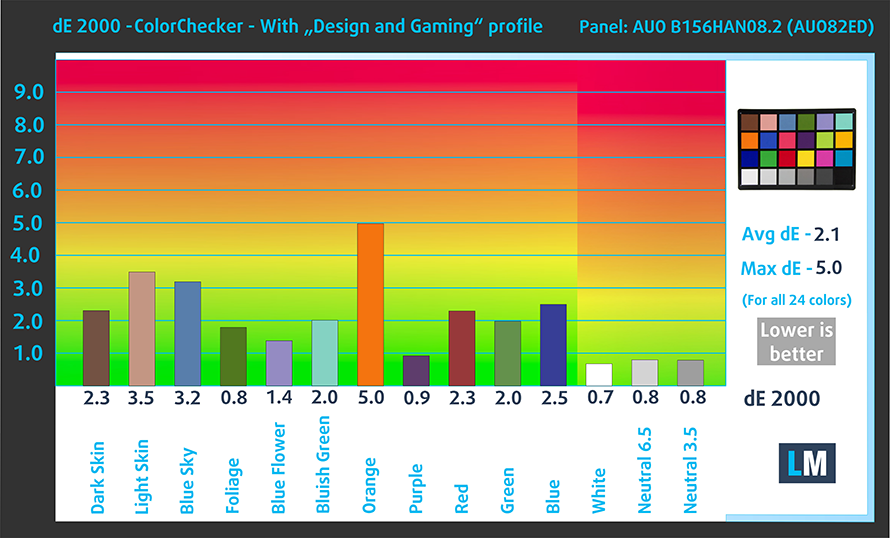
Our “Design and Gaming” profile delivers optimal color temperature (6500K) at 140 cd/m2 luminance and sRGB gamma mode.
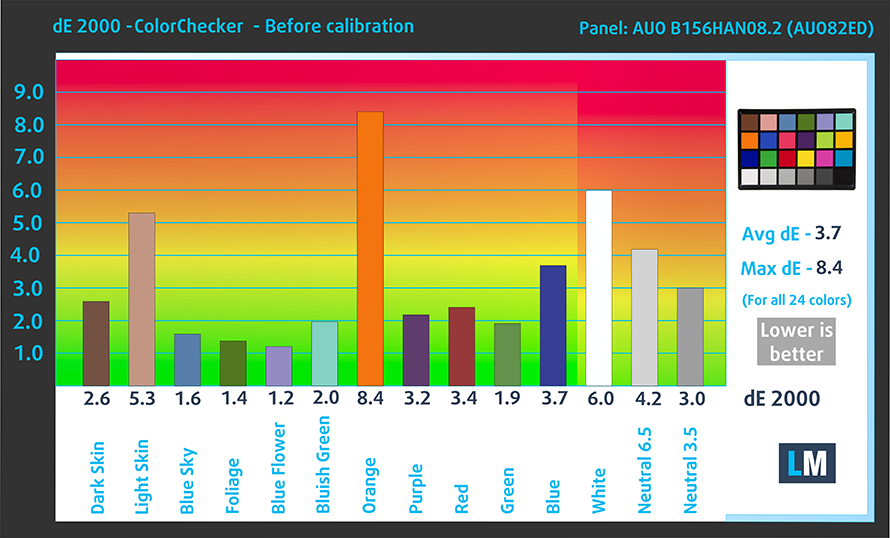
We tested the accuracy of the display with 24 commonly used colors like light and dark human skin, blue sky, green grass, orange, etc. You can check out the results at factory condition and also, with the “Design and Gaming” profile.
Below you can compare the scores of HP Pavilion Gaming 15 (15-ec0000) with the default settings (left), and with the “Gaming and Web design” profile (right).
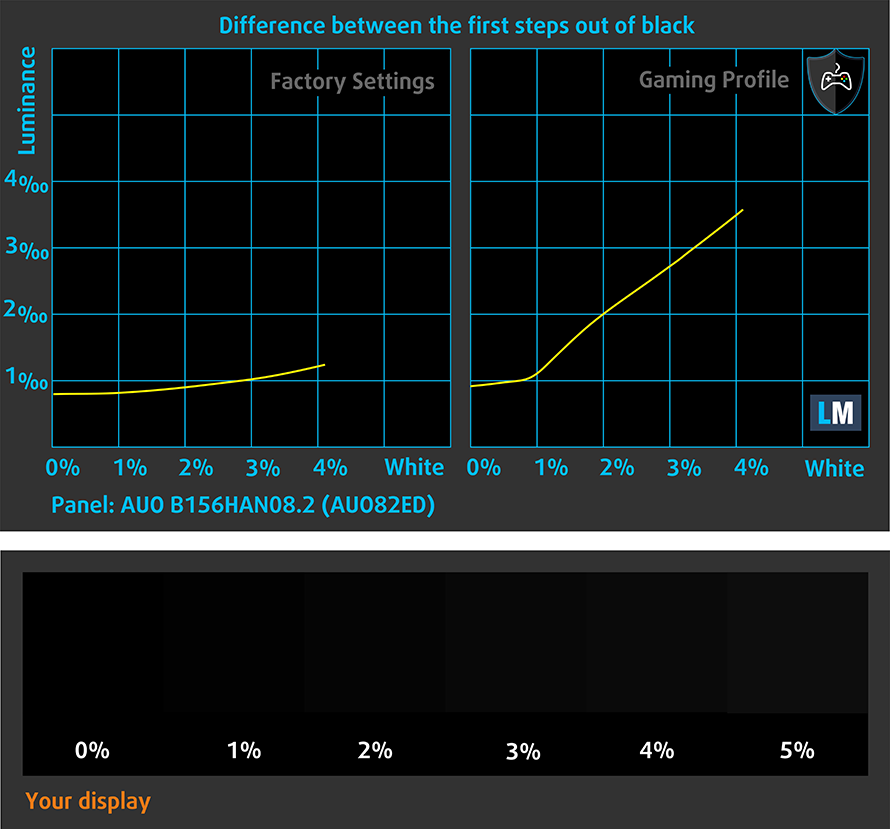
The next figure shows how well the display is able to reproduce really dark parts of an image, which is essential when watching movies or playing games in low ambient light.
The left side of the image represents the display with stock settings, while the right one is with the “Gaming and Web Design” profile activated. On the horizontal axis, you will find the grayscale and on the vertical axis – the luminance of the display. On the two graphs below you can easily check for yourself how your display handles the darkest nuances but keep in mind that this also depends on the settings of your current display, the calibration, the viewing angle, and the surrounding light conditions.
Response time (Gaming capabilities)
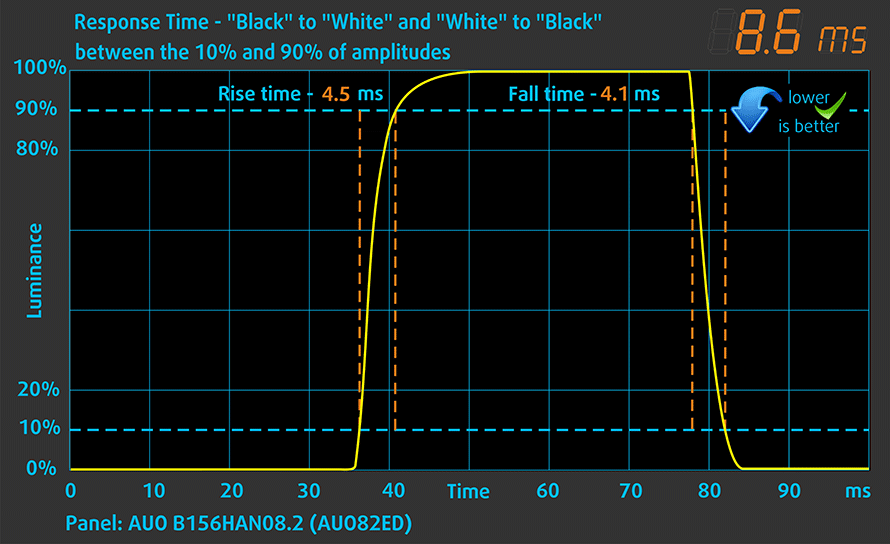
We test the reaction time of the pixels with the usual “black-to-white” and “white-to-black” method from 10% to 90% and vice versa.
We recorded Fall Time + Rise Time = 9 ms.
PWM (Screen flickering)
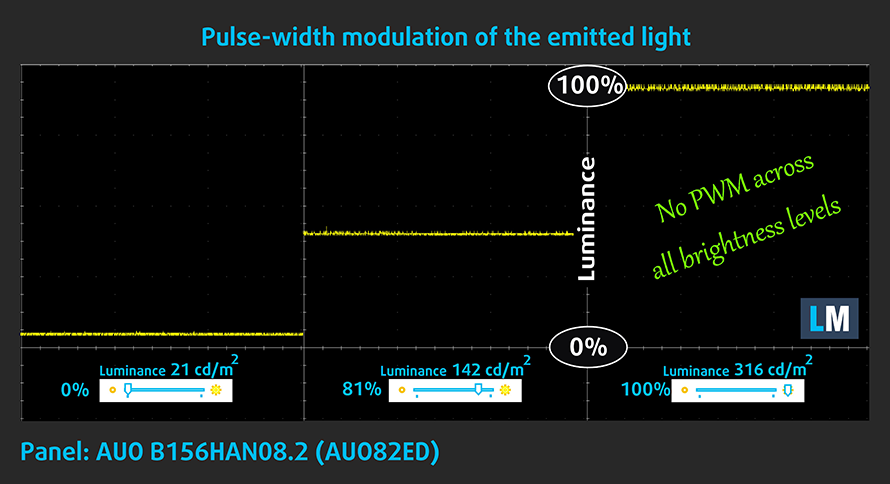
Pulse-width modulation (PWM) is an easy way to control monitor brightness. When you lower the brightness, the light intensity of the backlight is not lowered, but instead turned off and on by the electronics with a frequency indistinguishable to the human eye. In these light impulses, the light/no-light time ratio varies, while brightness remains unchanged, which is harmful to your eyes. You can read more about that in our dedicated article on PWM.
Thankfully, HP Pavilion Gaming 15 (15-ec0000)’s display doesn’t use PWM to adjust its brightness. The lack of flickering makes the laptop comfortable for long periods of use.
Blue light emissions
Installing our Health-Guard profile not only eliminates PWM but also reduces the harmful Blue Light emissions while keeping the colors of the screen perceptually accurate. If you’re not familiar with the Blue light, the TL;DR version is – emissions that negatively affect your eyes, skin and your whole body. You can find more information about that in our dedicated article on Blue Light.
Conclusion
HP Pavilion Gaming 15 (15-ec0000)’s display has an IPS panel with a Full HD resolution and its usual perks – wide viewing angles and good contrast ratio. Additionally, it covers 90% of sRGB and its backlight lacks PWM. However, the reason it is put inside of this notebook is its 144Hz refresh rate and response time, which is among the fastest on the market.
Buy our profiles
Since our profiles are tailored for each individual display model, this article and its respective profile package are meant for HP Pavilion Gaming 15 (15-ec0000) configurations with 15.6″ FHD IPS AUO B156HAN08.2 (AUO82ED).
*Should you have problems with downloading the purchased file, try using a different browser to open the link you’ll receive via e-mail. If the download target is a .php file instead of an archive, change the file extension to .zip or contact us at [email protected].
Read more about the profiles HERE.
Εκτός από τη λήψη αποδοτικών και φιλικών προς την υγεία προφίλ, αγοράζοντας τα προϊόντα της LaptopMedia υποστηρίζετε επίσης την ανάπτυξη των εργαστηρίων μας, όπου δοκιμάζουμε συσκευές για να παράγουμε τις πιο αντικειμενικές δυνατές αξιολογήσεις.

Office Work
Το Office Work πρέπει να χρησιμοποιείται κυρίως από χρήστες που περνούν τον περισσότερο χρόνο τους κοιτάζοντας κείμενα, πίνακες ή απλώς σερφάροντας. Αυτό το προφίλ στοχεύει στην παροχή καλύτερης ευκρίνειας και σαφήνειας διατηρώντας μια επίπεδη καμπύλη γάμμα (2.20), εγγενή θερμοκρασία χρώματος και αντιληπτικά ακριβή χρώματα.

Design and Gaming
Αυτό το προφίλ απευθύνεται σε σχεδιαστές που εργάζονται επαγγελματικά με χρώματα, καθώς και για παιχνίδια και ταινίες. Το Design and Gaming ωθεί τα πάνελ οθόνης στα όριά τους, καθιστώντας τα όσο το δυνατόν πιο ακριβή στο πρότυπο sRGB IEC61966-2-1 για Web και HDTV, σε λευκό σημείο D65.

Health-Guard
Το Health-Guard εξαλείφει την επιβλαβή διαμόρφωση πλάτους παλμού (PWM) και μειώνει το αρνητικό Μπλε Φως που επηρεάζει τα μάτια και το σώμα μας. Δεδομένου ότι είναι ειδικά προσαρμοσμένο για κάθε πάνελ, καταφέρνει να διατηρεί τα χρώματα αντιληπτικά ακριβή. Το Health-Guard προσομοιώνει το χαρτί, οπότε η πίεση στα μάτια μειώνεται σημαντικά.
Αποκτήστε και τα 3 προφίλ με 33% έκπτωση

Sound
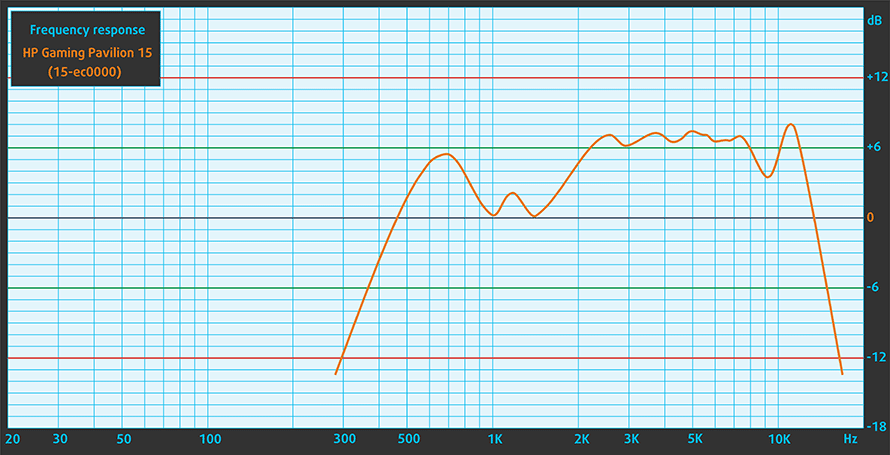
HP Pavilion Gaming 15 (15-ec0000) produces a loud sound with good quality with its Bang & Olufsen-tuned speakers. Its low tones have some deviations in clarity, while the mids and highs are clear.
Drivers
All of the drivers and utilities for this notebook can be found here: https://support.hp.com/us-en/drivers/selfservice/hp-pavilion-gaming-15-ec0000-laptop-pc-series/29322788
Battery
Now, we conduct the battery tests with Windows Better performance setting turned on, screen brightness adjusted to 120 nits and all other programs turned off except for the one we are testing the notebook with. There is a 52.5Wh battery onboard.
It lasts for only 4 hours during Web browsing and 4 hours and 20 minutes when watching a video.
Φωτεινότητα: 180 nits; Λειτουργία οθόνης: SDR
Χρόνος μέχρι την πλήρη εκφόρτιση: Υψηλότερο είναι καλύτερο

Για την προσομοίωση πραγματικών συνθηκών, χρησιμοποιήσαμε το δικό μας σενάριο για αυτόματη περιήγηση στο διαδίκτυο σε πάνω από 70 ιστότοπους.
CPU options
Only AMD processors for this one – Ryzen 5 3550H and Ryzen 7 3750H.
Τα αποτελέσματα προέρχονται από τη δοκιμή CPU του Cinebench 20 (όσο υψηλότερη η βαθμολογία, τόσο καλύτερα)
GPU options
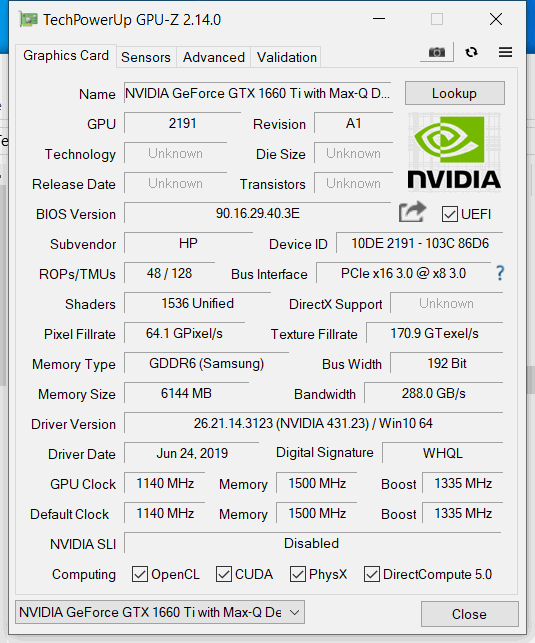
In addition to the integrated Vega 8 and Vega 10 graphics cards, there are the GTX 1050 with 3GB of GDDR5 memory, as well as the GTX1650 with 4GB of GDDR5 VRAM and the GTX 1660 Ti Max-Q with 6GB of GDDR5 VRAM.
HP Pavilion Gaming 15 (15-ec0000, ec1000, ec2000) Παραλλαγές GPU
Εδώ μπορείτε να δείτε μια κατά προσέγγιση σύγκριση μεταξύ των GPU που μπορούν να βρεθούν στα μοντέλα HP Pavilion Gaming 15 (15-ec0000, ec1000, ec2000) στην αγορά. Με αυτόν τον τρόπο μπορείτε να αποφασίσετε ποιο μοντέλο HP Pavilion Gaming 15 (15-ec0000, ec1000, ec2000) προσφέρει την καλύτερη αξία για τα χρήματά σας.
Σημείωση: Το διάγραμμα δείχνει τις φθηνότερες διαφορετικές διαμορφώσεις GPU, οπότε θα πρέπει να ελέγξετε ποιες είναι οι άλλες προδιαγραφές αυτών των φορητών υπολογιστών κάνοντας κλικ στο όνομα του φορητού υπολογιστή / GPU.
Τα αποτελέσματα προέρχονται από το 3DMark Time Spy (Graphics). Το υψηλότερο είναι καλύτερο.
Τα αποτελέσματα προέρχονται από το benchmark 3DMark: Fire Strike (Graphics) (όσο υψηλότερη η βαθμολογία, τόσο καλύτερα)
Τα αποτελέσματα προέρχονται από το benchmark Unigine Superposition (όσο υψηλότερη η βαθμολογία, τόσο καλύτερα)
Gaming tests

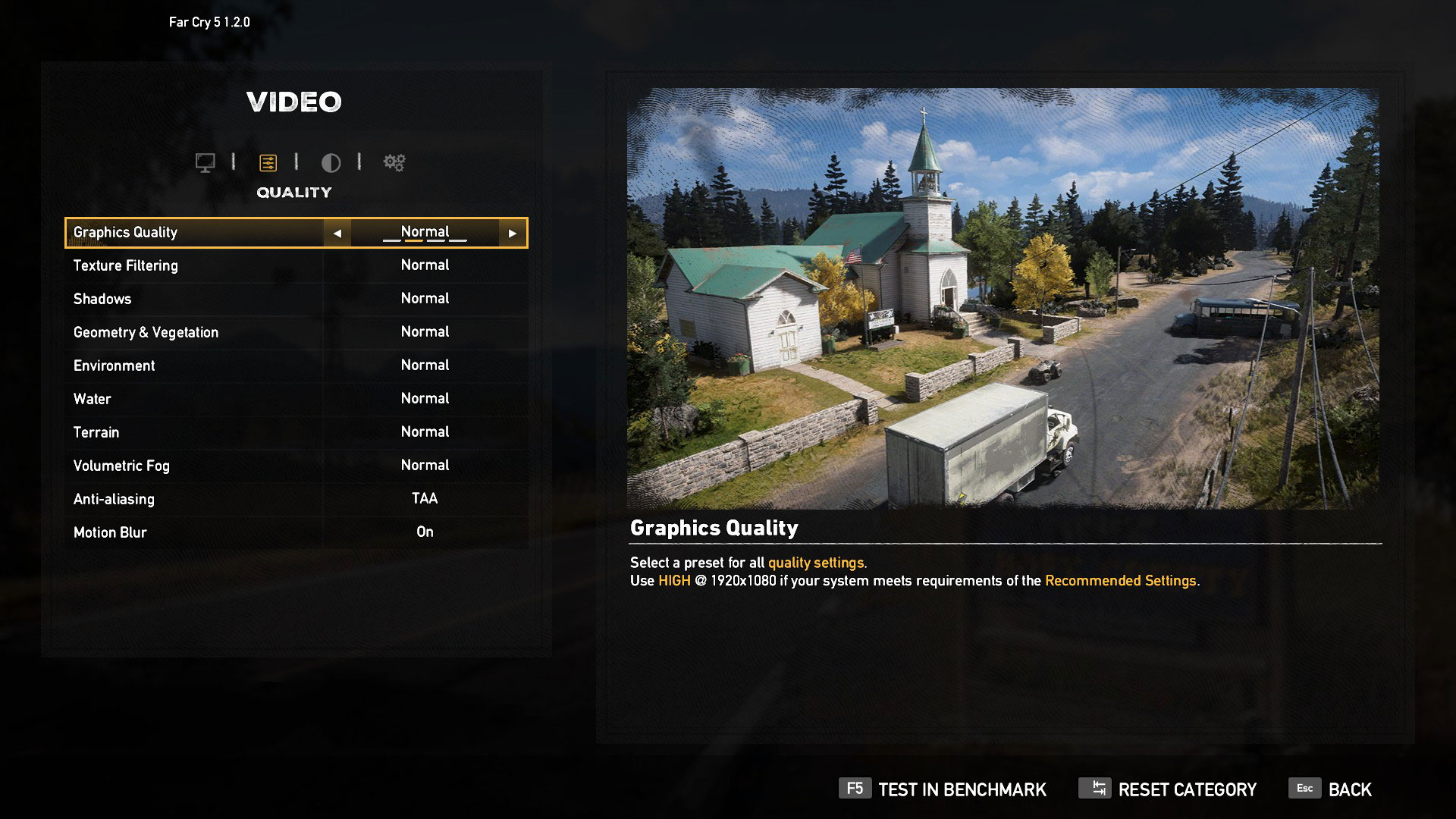
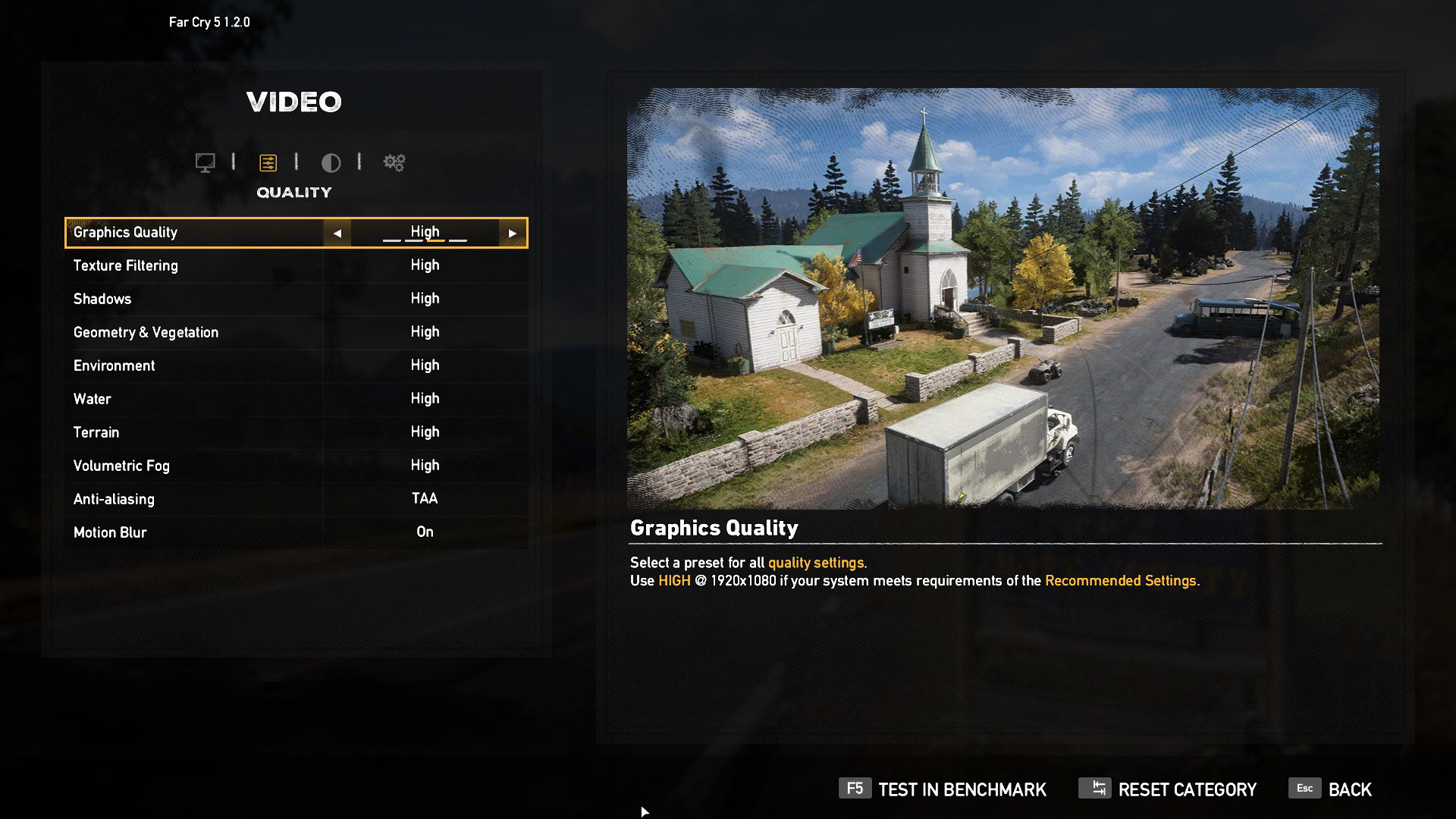
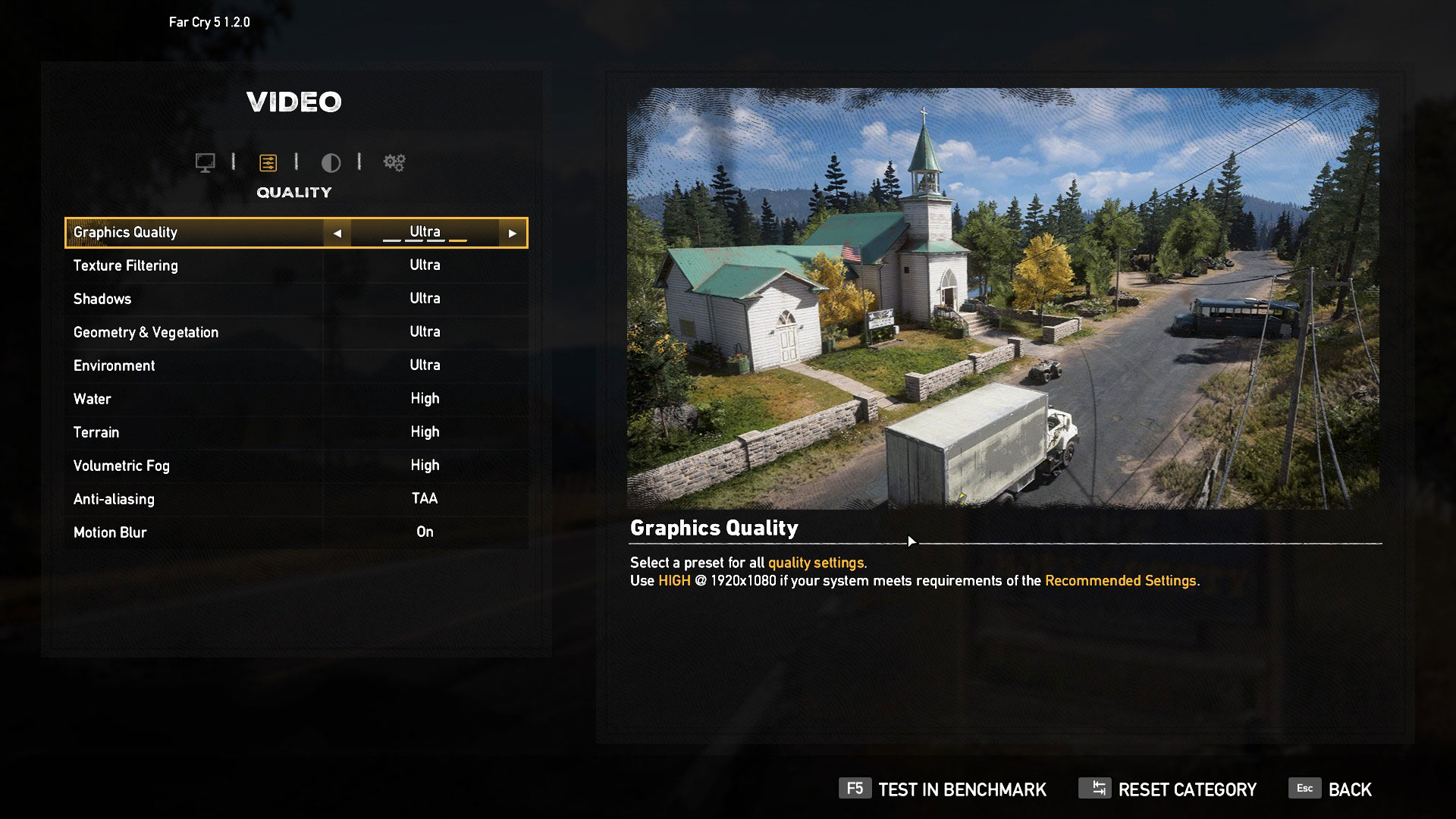
| Far Cry 5 | Full HD, Normal (Check settings) | Full HD, High (Check settings) | Full HD, Ultra (Check settings) |
|---|---|---|---|
| NVIDIA GeForce GTX 1660 Ti Max-Q | 77 fps | 73 fps | 69 fps |

| Rise of the Tomb Raider (2016) | Full HD, Medium (Check settings) | Full HD, Very High (Check settings) | Full HD, MAX (Check settings) |
|---|---|---|---|
| NVIDIA GeForce GTX 1660 Ti Max-Q | 96 fps | 57 fps | 37 fps |

| Tom Clancy’s Ghost Recon Wildlands | Full HD, High (Check settings) | Full HD, Very High (Check settings) | Full HD, Ultra (Check settings) |
|---|---|---|---|
| NVIDIA GeForce GTX 1660 Ti Max-Q | 70 fps | 65 fps | 58 fps |

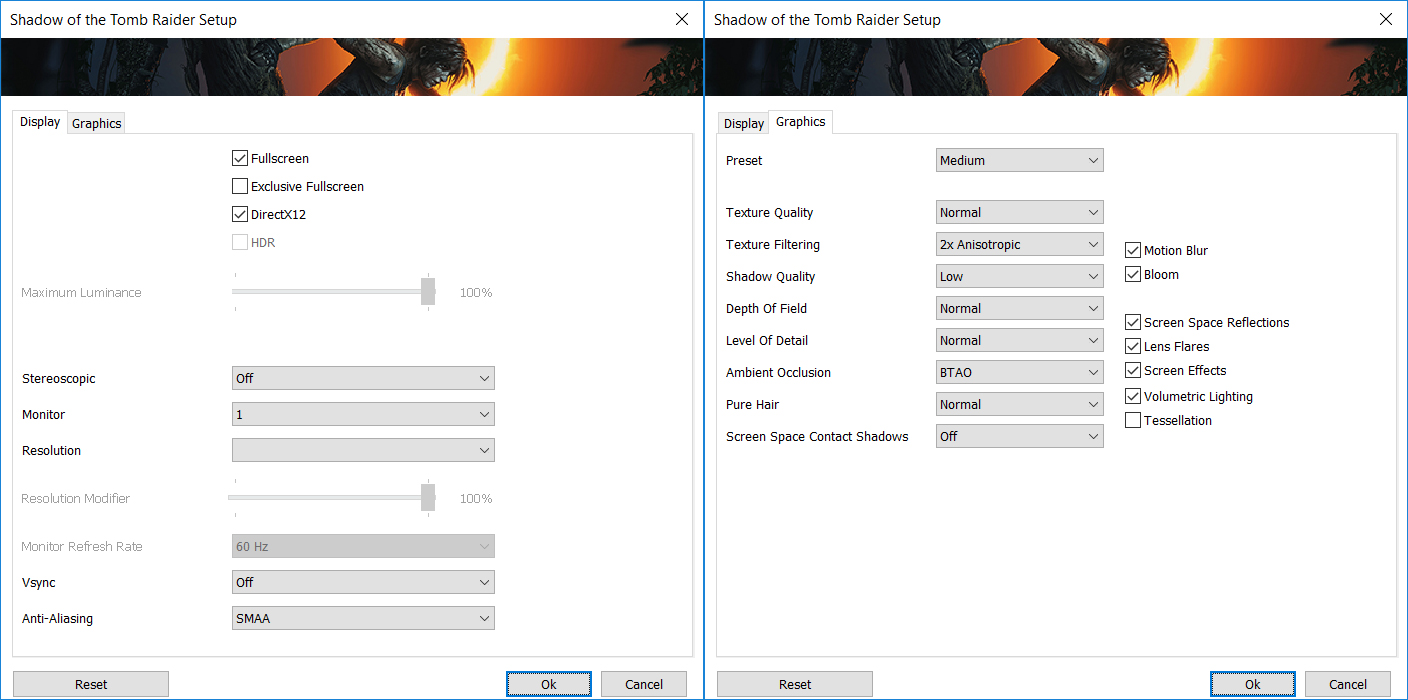
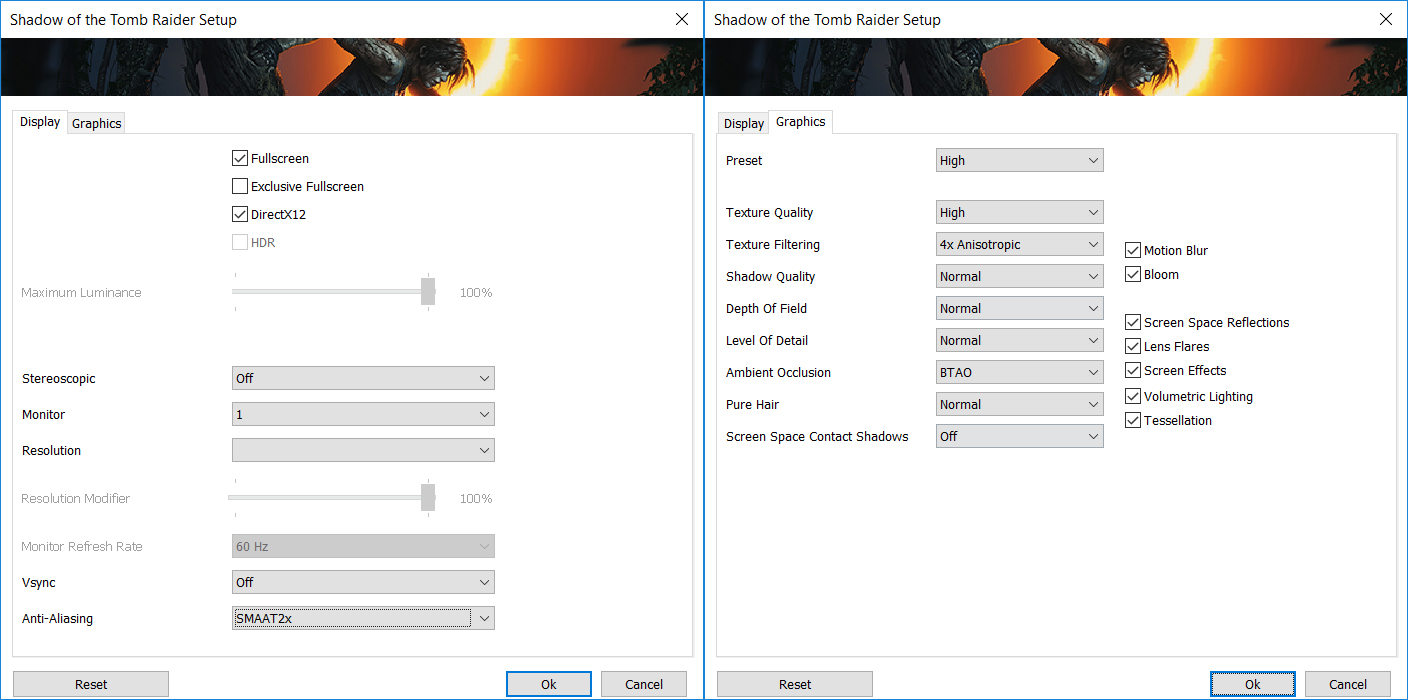
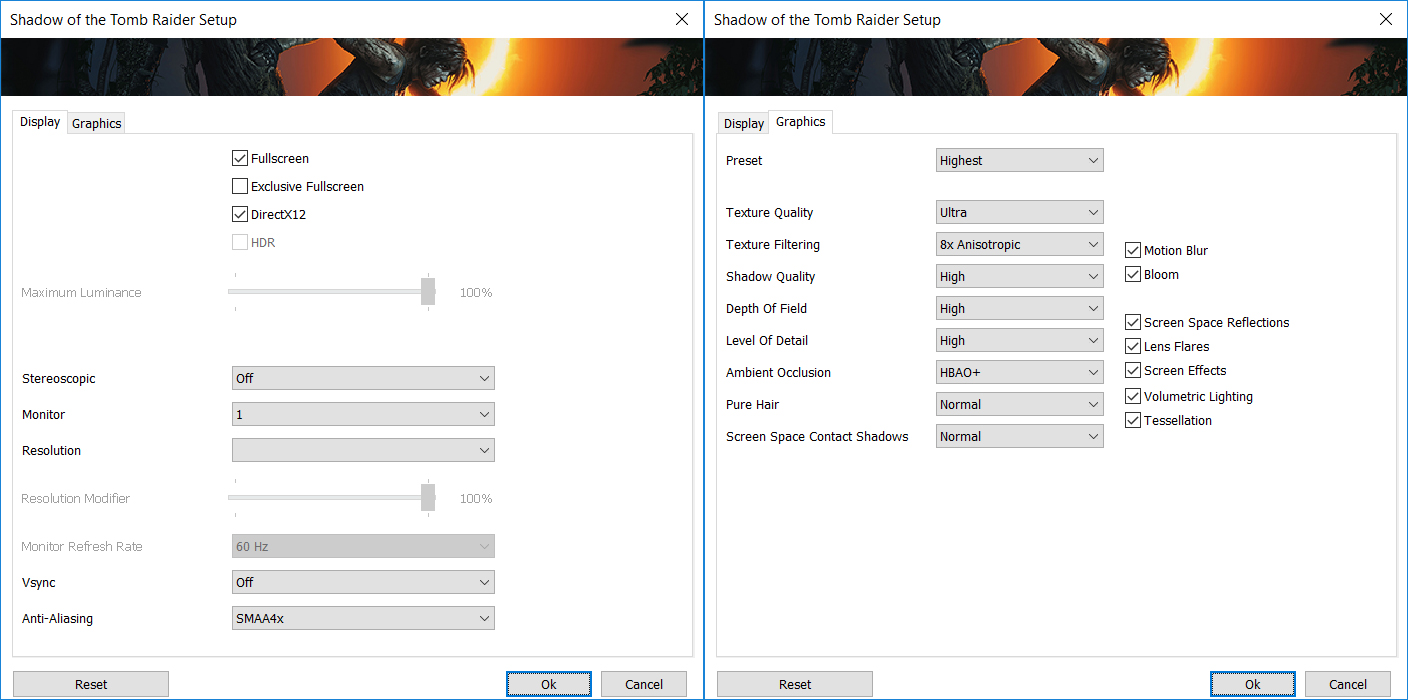
| Shadow of the Tomb Raider (2018) | Full HD, Medium (Check settings) | Full HD, High (Check settings) | Full HD, Highest (Check settings) |
|---|---|---|---|
| NVIDIA GeForce GTX 1660 Ti Max-Q | 66 fps | 66 fps | 43 fps |
Temperatures and comfort
Max CPU load
In this test we use 100% on the CPU cores, monitoring their frequencies and chip temperature. The first column shows a computer’s reaction to a short load (2-10 seconds), the second column simulates a serious task (between 15 and 30 seconds), and the third column is a good indicator of how good the laptop is for long loads such as video rendering.
Average core frequency (base frequency + X); CPU temp.
| AMD Ryzen 7 3750H (35W TDP) | 0:02 – 0:10 sec | 0:15 – 0:30 sec | 10:00 – 15:00 min |
|---|---|---|---|
| HP Pavilion Gaming 15 (15-ec0000) | 3.73 GHz (B+62%) @ 72°C | 3.63 GHz (B+58%) @ 71°C | 3.53 GHz (B+53%) @ 67°C |
| ASUS ROG Zephyrus GA502 | 3.83 GHz (B+67%) @ 75°C | 3.77 GHz (B+64%) @ 78°C | 2.84 GHz (B+23%) @ 81°C |
| ASUS TUF FX505 | 3.67 GHz (B+60%) @ 71°C | 3.58 GHz (B+56%) @ 70°C | 3.38 GHz (B+47%) @ 67°C |
| ASUS TUF FX705 | 3.72 GHz (B+62%) @ 74°C | 3.62 GHz (B+57%) @ 73°C | 3.43 GHz (B+49%) @ 70°C |
The Pavilion Gaming 15 (15-ec0000) maintained high clock speeds with rather low temperatures across the entire test. It is great to see that you can extract the maximum of the performance, without sacrificing the GPU.
Real-life gaming
| NVIDIA GeForce GTX 1660 Ti Max-Q | GPU frequency/ Core temp (after 2 min) | GPU frequency/ Core temp (after 30 min) |
|---|---|---|
| HP Pavilion Gaming 15 (15-ec0000) | 1511 MHz @ 66°C | 1493 MHz @ 68°C |
| ASUS ROG Zephyrus GA502 | 1396 MHz @ 78°C | 1432 MHz @ 81°C |
| HP Pavilion Gaming 15 2019 | 1400 MHz @ 66°C | 1365 MHz @ 71°C |
| HP Pavilion Gaming 17 2019 | 1334 MHz @ 67°C | 1282 MHz @ 75°C |
Both the coolest device and the highest frequency we’ve seen on a GTX 1660 Ti Max-Q-equipped laptop – impressive!
Gaming comfort
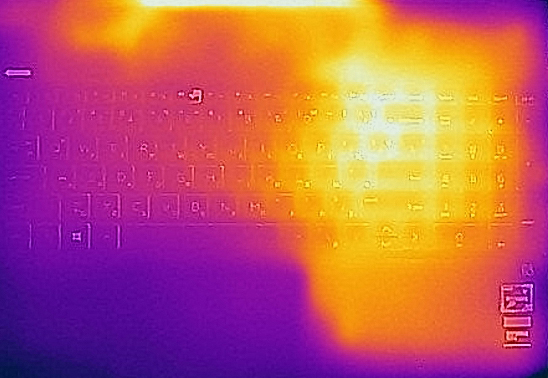
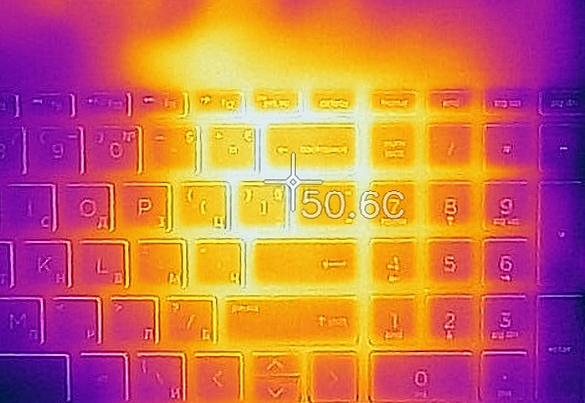
While the laptop remained relatively cool on the inside, the keyboard did heat up to around 50C.
Verdict
It is obvious that the Pavilion Gaming 15 (15-ec0000) is a budget machine. The main thing that gives it away is the build quality. While the model looks quite modern with its narrow bezels, and it is good to see that HP has gone for a redesign, rather than copy-pasting the Intel-based version, the plastic found all around the chassis has little structural integrity.
It produces funny sounds when you twist it, but what is more worrying is the situation with the lid, as its behavior is similar to that of a piece of paper. Additionally, its touchpad is a little wobbly and you can especially feel that when you depress its buttons. On the bright side, HP has done a good job to retain the keyboard, as it is very comfortable for typing and pretty good for gaming (unless you play racing or football games).
Another thing, bringing mixed feelings in us is the I/O. Yes, you get pretty much everything port, you’ll need on a daily basis, but there is only one “high-speed” USB Type-A port, while the Type-C one has no Thunderbolt support. However, on the bright side, we see an SD card reader, while inside you’ll find an M.2 PCIe x4 slot and two RAM SODIMMs, supporting up to 32GB of DDR4 memory in total. Not in the last place, the speakers pack quite the punch.
Also, battery life is not your best friend, either. We only got around 4 hours of Web browsing and 20 minutes more during video playback. We suspect the biggest reason for that to be the 144Hz screen.
Speaking of which… HP Pavilion Gaming 15 (15-ec0000)’s display has an IPS panel with a Full HD resolution and its usual perks – wide viewing angles and good contrast ratio. Additionally, it covers 90% of sRGB and its backlight lacks PWM. However, the reason it is put inside of this notebook is its 144Hz refresh rate and response time, which is among the fastest on the market.
Honestly, this is the biggest selling point on this device. As the AMD chipset is a clear bottleneck even in the mid-tier gaming world. At least, the notebook performed better than the flawed ASUS ROG Zephyrus GA502.
Pros
- Budget-friendly
- Good keyboard with decent travel
- Relatively cool
- 144Hz panel with fast reaction times and 90% of sRGB coverage (BOE NV156FHM-N4K)
- Doesn’t use PWM to adjust screen brightness (BOE NV156FHM-N4K)
- PCIe x4 drive support and up to 32GB of memory
- Has an SD card reader
Cons
- No Thunderbolt support
- Even the Ryzen 7 3750H is a bottleneck for the GTX 1660 Ti Max-Q
- Not the greatest build quality
- Its touchpad is wanky
- Poor battery life
You can check the prices and configurations in our Specs System: https://laptopmedia.com/series/hp-pavilion-gaming-15-15-ec0000/
 Author: Alex Iliev
 Author: eng. Kroum NikolovHead of Engineering at LaptopMedia.com, inventor and innovator with 40+ years of experience in electronics and high technology.

![[Μάιος 2026] Παγκόσμια κατάταξη των GPU για φορητούς υπολογιστές με τις καλύτερες πωλήσεις στο Amazon – Η Apple κυριαρχεί με μερίδιο 45% και κατακτά τις 3 πρώτες θέσεις- η RTX 5060 της NVIDIA ηγείται της ομάδας των GPU για εξειδικευμένους υπολογιστές](https://laptopmedia.com/wp-content/uploads/2026/06/Best-Selling-GPUs-GLOBAL-Top-10-400x225.jpg)
![[Μάιος 2026] Παγκόσμια κατάταξη των επεξεργαστών laptop με τις καλύτερες πωλήσεις στο Amazon – Η Apple συντρίβει τον ανταγωνισμό με μερίδιο αγοράς 45,2%, η M5 κυριαρχεί](https://laptopmedia.com/wp-content/uploads/2026/06/Best-Selling-CPUs-GLOBAL-Top-10-400x225.jpg)
![[May 2026] Amazon Germany: Top 7 Best-Selling Gaming Laptops – Lenovo Legion 5i Crowned Champion Amidst Fierce Mid-Range Competition](https://laptopmedia.com/wp-content/uploads/2026/06/Best-Selling-Gaming-Laptops-DE-Top-10-1-400x225.jpg)
![[May 2026] Amazon Italy: Top 10 Best-Selling Laptops – Apple MacBook Neo Reigns Supreme, Premium Models Capture Dominant Revenue Share](https://laptopmedia.com/wp-content/uploads/2026/06/Best-Selling-Laptops-IT-Top-10-400x225.jpg)
![[May 2026] Best-Selling Laptop Brands on Amazon Italy – Apple Dominates Across All Metrics](https://laptopmedia.com/wp-content/uploads/2026/06/IT-Best-Brands-400x225.jpg)



Strangely, according to this Bottleneck Calculator, the 3750H doesn’t really hold back the 1660 Ti (mobile), let alone a weaker 1660 Ti Max-Q.
https://pc-builds.com/calculator/Ryzen_7_3750H/GeForce_GTX_1660_Ti_(Mobile)/0Tv13Z8A/16/
My laptop is an HP Pavilion Gaming Laptop ec0001ca. It has a very wobbly screen, annoying sometimes when I am typing. Anyone know how I can fix this?
I have same too
So the 144Hz display is B156HAN08.2 or NV156FHM-N4K ?