MSI Vector 16 HX (A13Vx)

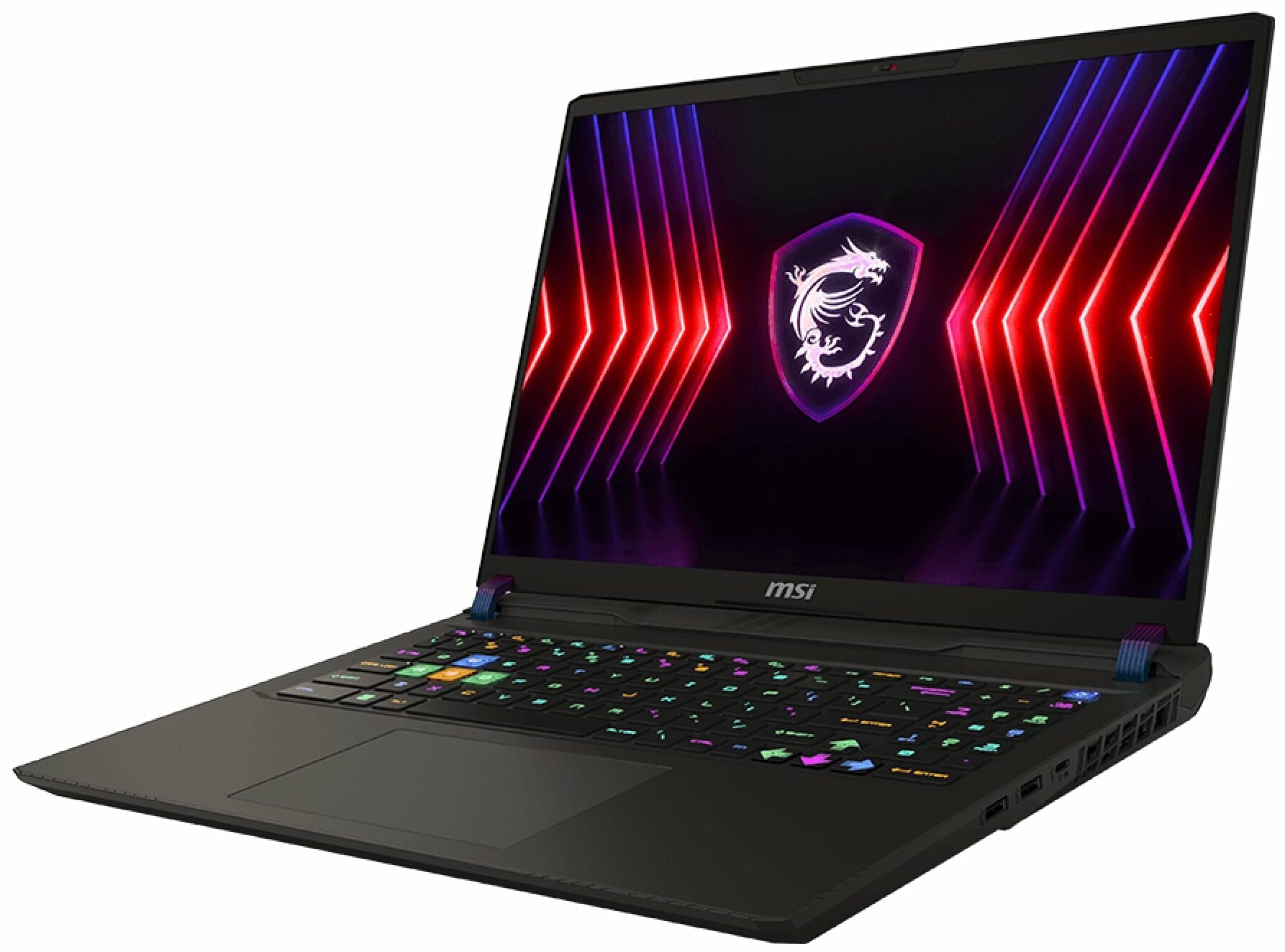


- Ημερομηνία Δημοσίευσης: 12 Apr 2024
- Intel Core i9-13980HX
- NVIDIA GeForce RTX 4080 (Laptop, 175W)
- 16.0″, WUXGA (1920 x 1200), 144 Hz, IPS
- 1000GB SSD
- 32GB DDR5
- 2.70 kg (6 lbs)
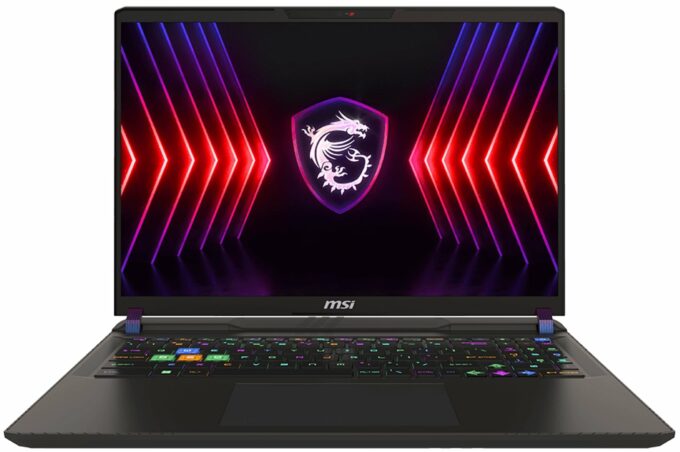
Αξιολόγηση
MSI Vector 16 HX (A13Vx) σε βάθος αξιολόγηση
Nowadays, you can find a lot of high-end devices in a 17-inch or 18-inch form factor. On the other hand, if you want a smaller machine with top-end hardware, your choice is fairly limited. Still, with the aid of Vector 16 HX A13V, MSI tries to prove that a 16-incher can perform as well as some of its bigger siblings with larger displays. Specs-wise, the device is a true monster. You get a choice of Intel Raptor Lake HX CPUs with tons of cores and the latest and greatest NVIDIA Ada Lovelace GPUs with the highest possible power limits.Display-wise, there are two IPS variants. The base one is a 144Hz 1200p unit and you can opt for a 240Hz 1600p model. There are no fancy OLED or 4K panels here. The absence of G-Sync support is quite strange given the price tag of the notebook. Still, there[...]
Διαβάστε την πλήρη αξιολόγηση
Πλεονεκτήματα
- Great performance for a 16-inch machine
- 2x SODIMMs + 2x M.2 slot (one is for Gen 5 SSDs)
- 144Hz refresh rate (Innolux N160JME-GTK (CMN1621))
- PWM-free + very good contrast ratio (Innolux N160JME-GTK (CMN1621))
- Superb SteelSeries keyboard
- Solid build quality
- High CPU and GPU clocks under heavy loads or gaming
- The MSI Center offers plenty of customizations
- Modern port selection + SD Express Card Reader
- Decent battery life
- Quality audio
Μειονεκτήματα
- Bulky and heavy
- Low sRGB coverage (Innolux N160JME-GTK (CMN1621))
- Plastic base
- No G-Sync support
Επιλογές αποσυναρμολόγησης, συντήρησης και αναβάθμισης
Step 1: Opening the MSI Vector 16 HX A13VEnsure the laptop is powered off and placed on a clean, flat surface. Remove the 13 Phillips-head screws from the bottom of the laptop. Use a thin plastic tool to pry the sides of the hinge cover, then use a lever tool to pop the front of the cap. Open the laptop lid to ease the removal of the bottom shield. Carefully lift the left side and slide the panel to the right to avoid the audio jack.Step 2: Battery RemovalDisconnect the battery by detaching its connector from the motherboard. Remove the four Phillips-hea[...]
Διαβάστε περισσότερα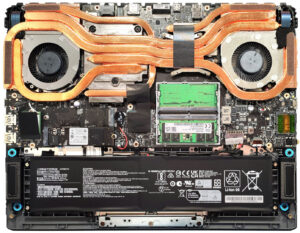
Οθόνη: 16.0-inch, 1920 x 1200, IPS
- Όνομα
- Innolux N160JME-GTK (CMN1621)
- Διαγώνιος
- 16.0"
- Πυκνότητα pixel
- 141.51 ppi
- Φωτεινότητα
- 347 cd/m2
- sRGB
- 53%
- Τύπος Πάνελ
- IPS
- Ανάλυση
- 1920 x 1200
- Γίνεται "Retina" από
- 24 inches (62 cm)
- Αντίθεση
- 1500:1
- dE Color Checker
- 5.9 3.5

Αγοράστε τα προφίλ μας για Innolux N160JME-GTK (CMN1621)
Εκτός από τη λήψη αποδοτικών και φιλικών προς την υγεία προφίλ, αγοράζοντας τα προϊόντα της LaptopMedia υποστηρίζετε επίσης την ανάπτυξη των εργαστηρίων μας, όπου δοκιμάζουμε συσκευές για να παράγουμε τις πιο αντικειμενικές δυνατές αξιολογήσεις.

Office Work
Το Office Work πρέπει να χρησιμοποιείται κυρίως από χρήστες που περνούν τον περισσότερο χρόνο τους κοιτάζοντας κείμενα, πίνακες ή απλώς σερφάροντας. Αυτό το προφίλ στοχεύει στην παροχή καλύτερης ευκρίνειας και σαφήνειας διατηρώντας μια επίπεδη καμπύλη γάμμα (2.20), εγγενή θερμοκρασία χρώματος και αντιληπτικά ακριβή χρώματα.

Design and Gaming
Αυτό το προφίλ απευθύνεται σε σχεδιαστές που εργάζονται επαγγελματικά με χρώματα, καθώς και για παιχνίδια και ταινίες. Το Design and Gaming ωθεί τα πάνελ οθόνης στα όριά τους, καθιστώντας τα όσο το δυνατόν πιο ακριβή στο πρότυπο sRGB IEC61966-2-1 για Web και HDTV, σε λευκό σημείο D65.

Health-Guard
Το Health-Guard εξαλείφει την επιβλαβή διαμόρφωση πλάτους παλμού (PWM) και μειώνει το αρνητικό Μπλε Φως που επηρεάζει τα μάτια και το σώμα μας. Δεδομένου ότι είναι ειδικά προσαρμοσμένο για κάθε πάνελ, καταφέρνει να διατηρεί τα χρώματα αντιληπτικά ακριβή. Το Health-Guard προσομοιώνει το χαρτί, οπότε η πίεση στα μάτια μειώνεται σημαντικά.