Lenovo Yoga Book 9i (14″, Gen 10) review – More Than Just Two Screens? A Deep Dive into the Future!
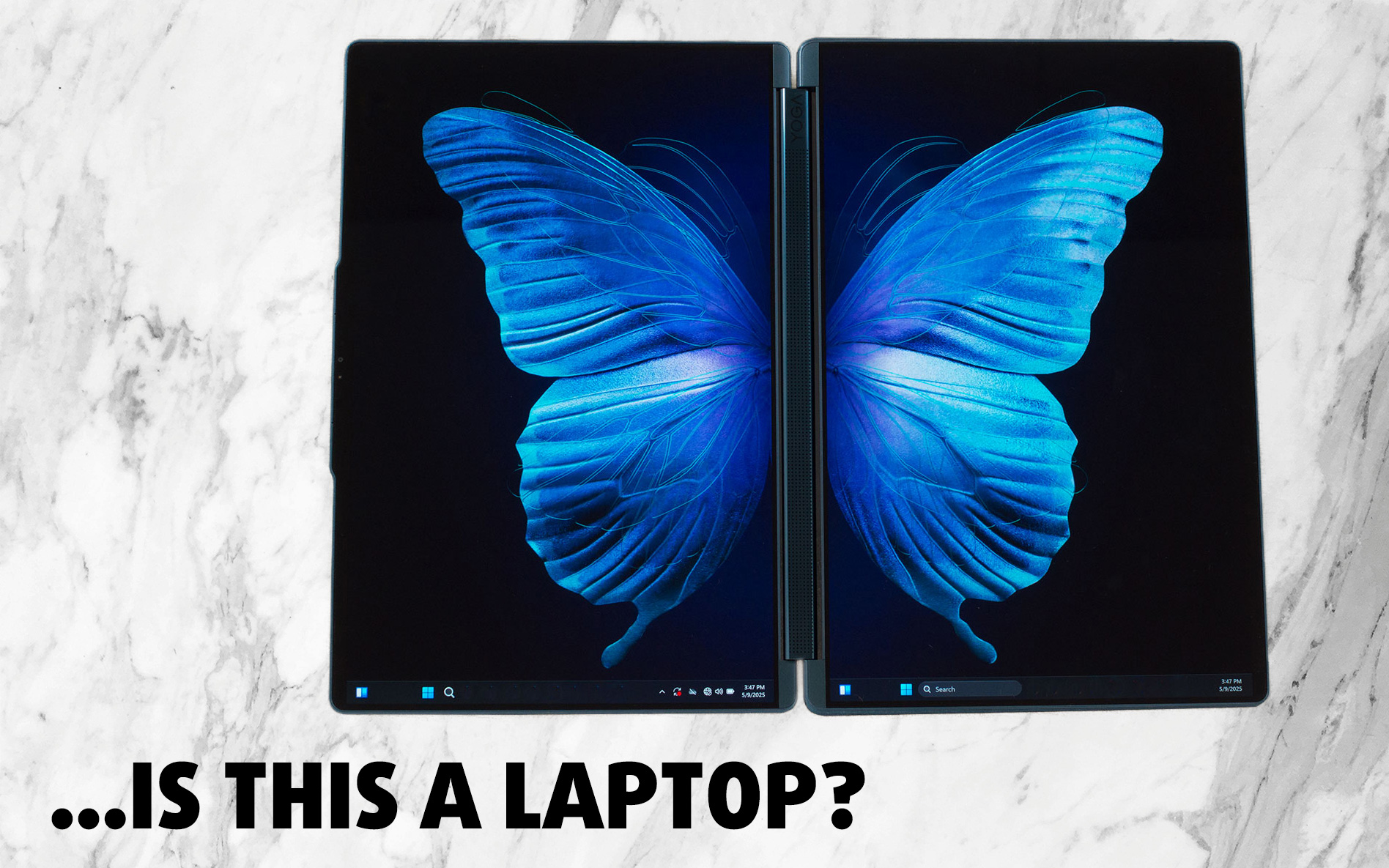 As you might guess, the Lenovo Yoga Book 9i (14″, Gen 10) is no ordinary laptop. In fact, its primary goal seems to be to stray as far from “ordinary” as technologically possible. We know this head-turning, dual-screen marvel won’t be for everyone, and Lenovo certainly isn’t aiming for mass-market dominance with it. Instead, it feels like a bold showcase of the company’s engineering prowess, designed for those who already have their workhorse or gaming rig and crave something truly extraordinary to carry – a device that’s as much a statement piece as it is a functional computer.
Initially, we were so captivated by its unique form factor that we almost overlooked its internal specifications, not expecting it to particularly excel in raw power. Imagine our delight, then, to discover options like the super-powerful Intel® Core™ Ultra 9 285H on its spec sheet!
We’ve been testing this innovative machine for several weeks now, and we’re convinced it offers far more than just an interesting visual concept. So, join us as we explore the surprising performance, stunning dual OLED displays, remarkable versatility, and everything else the Lenovo Yoga Book 9i has to offer, and show you just what this futuristic device can truly do.
You can check the prices and configurations in our Specs System: https://laptopmedia.com/series/lenovo-yoga-book-9i-14-gen-10/
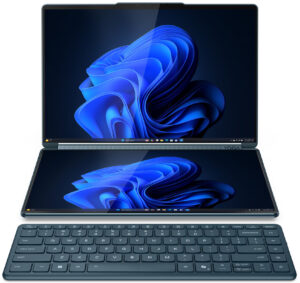
Contents
Specs, Drivers, What’s in the box
Lenovo Yoga Book 9i (14", Gen 10) - स्पेक्स
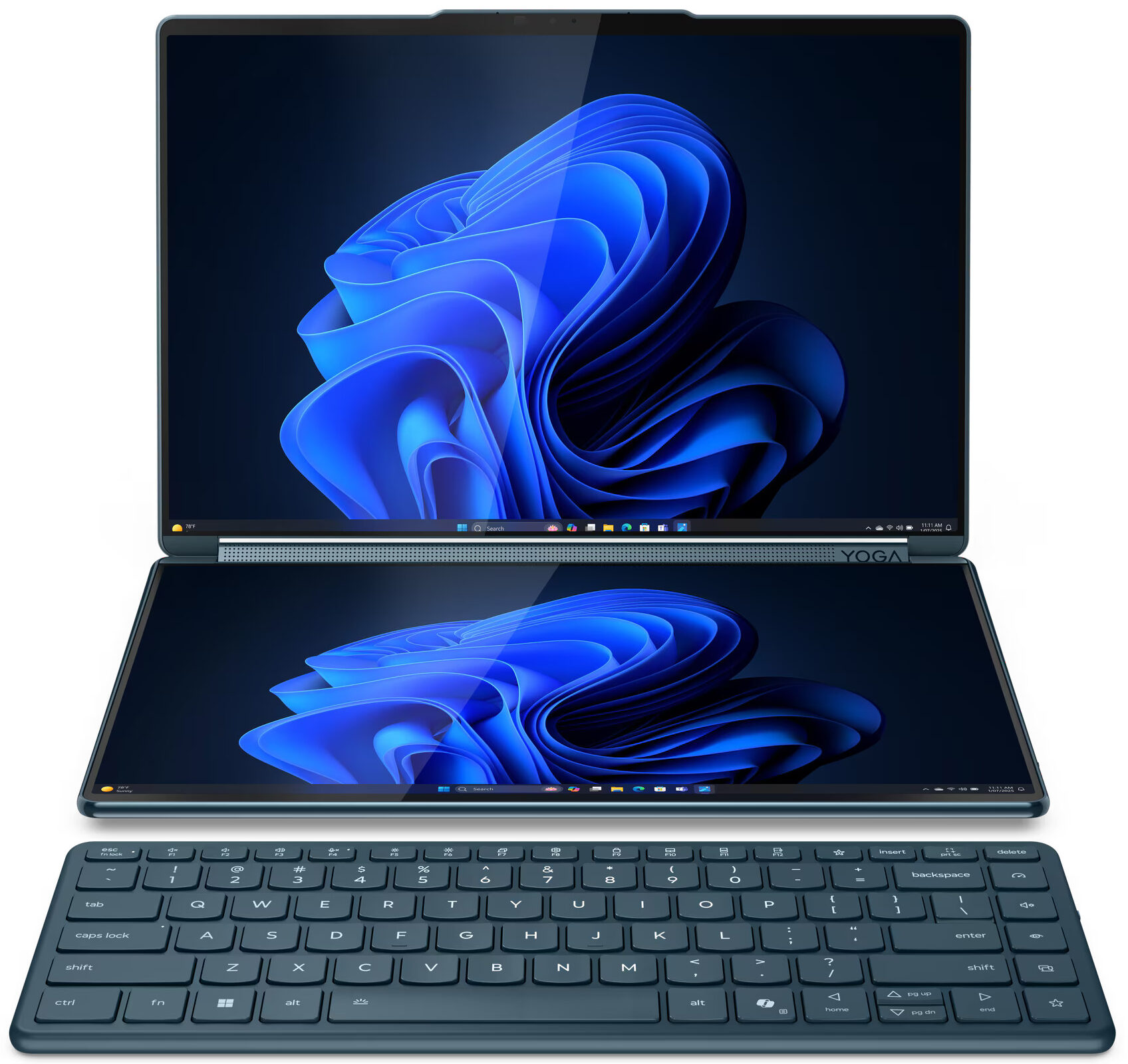
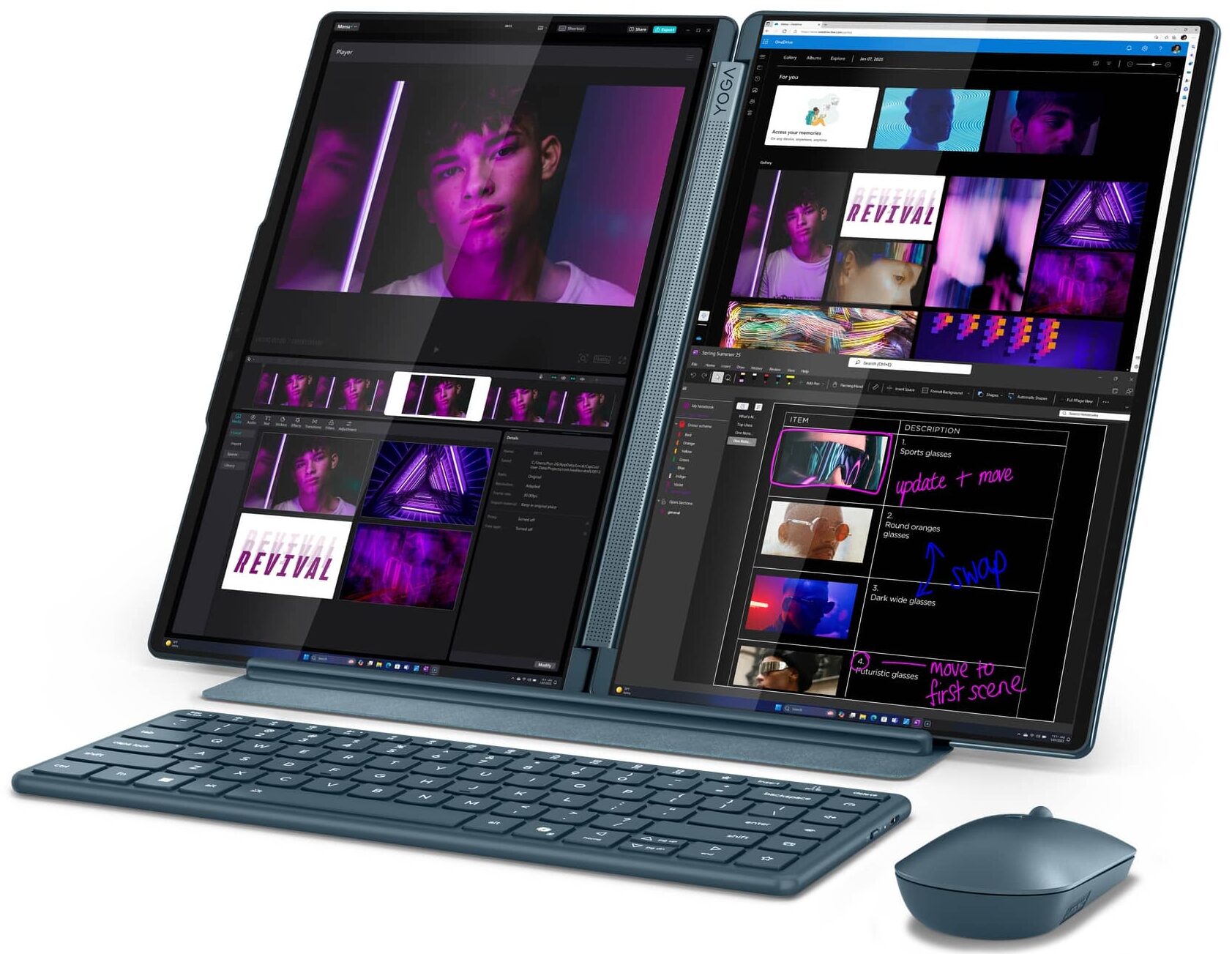
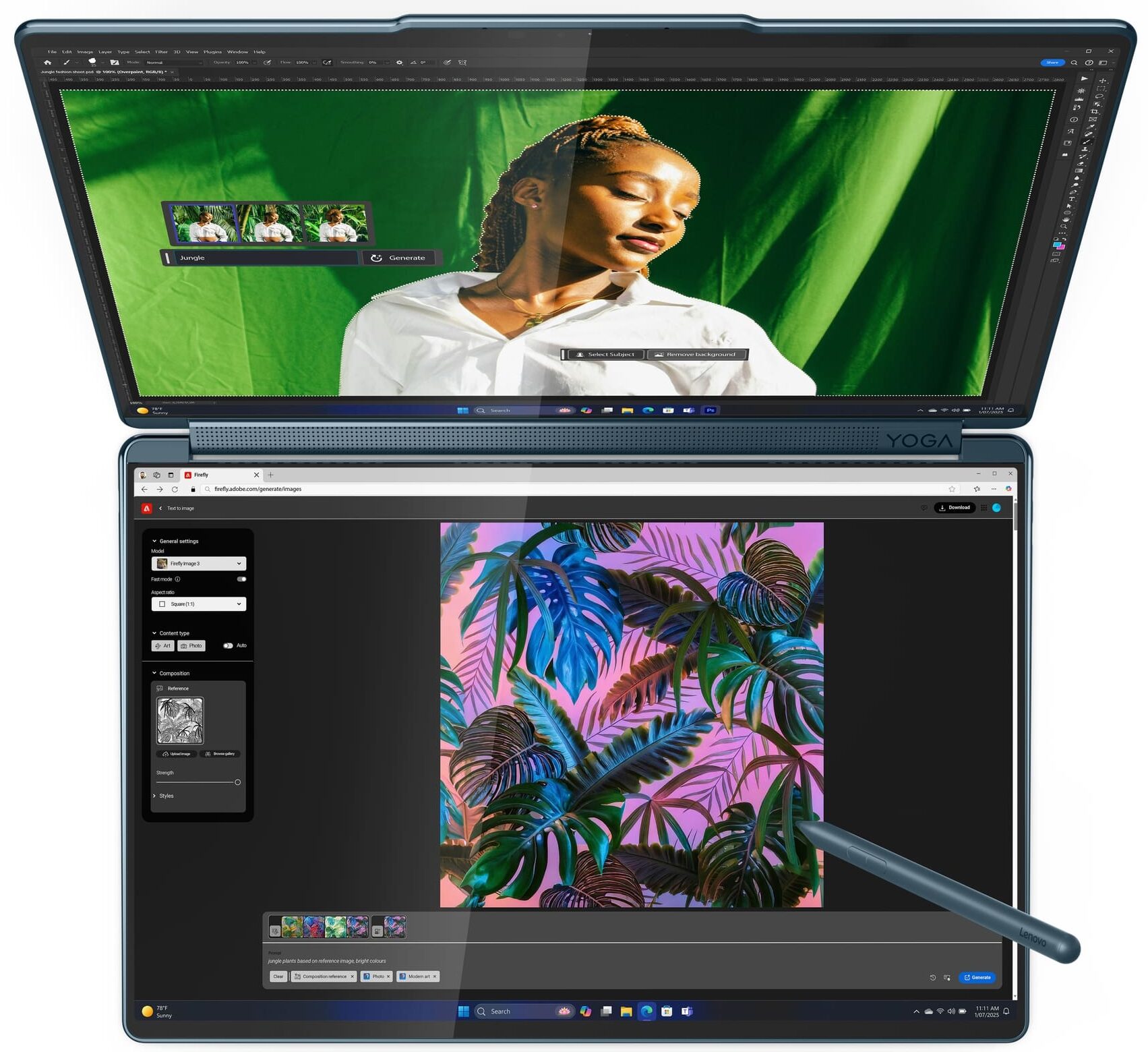

- HDD/SSD
- तक 1000GB SSD
- M.2 स्लॉट
- 1x 2242 M.2 NVMe PCIe 4.0 x4
- RAM
- up to 32GB
- OS
- Windows 11 Home, Windows 11 Pro
- आयाम
- 315.09 x 209.5 x 15.5 mm (12.41" x 8.25" x 0.61")
- वजन
- 1.22 kg (2.7 lbs)
- पोर्ट और कनेक्टिविटी
- 3x USB Type-C
- 4.0, Thunderbolt 4, Power Delivery (PD), DisplayPort, Sleep and Charge
- कार्ड रीडर
- ईथरनेट लैन
- वाई-फाई
- Wi-Fi 7
- ब्लूटूथ
- 5.4
- ऑडियो जैक
- विशेषताएँ
- फिंगरप्रिंट रीडर
- वेब कैमरा
- 5.0MP + IR, with E-shutter, fixed focus
- बैकलिट कीबोर्ड
- optional
- माइक्रोफोन
- Dual-microphone array
- स्पीकर
- 4 stereo speakers, 2W x2 (woofers), 2W x2 (user-facing tweeters), optimized with Dolby Atmos®, Smart Amplifier (AMP)
- सुरक्षा लॉक स्लॉट
सभी Lenovo Yoga Book 9i (14″, Gen 10) कॉन्फ़िगरेशन
Drivers
All drivers and utilities for this notebook can be found here: https://pcsupport.lenovo.com/us/en/products/laptops-and-netbooks/yoga-series/yoga-book-9-14iah10/downloads
What’s in the box?
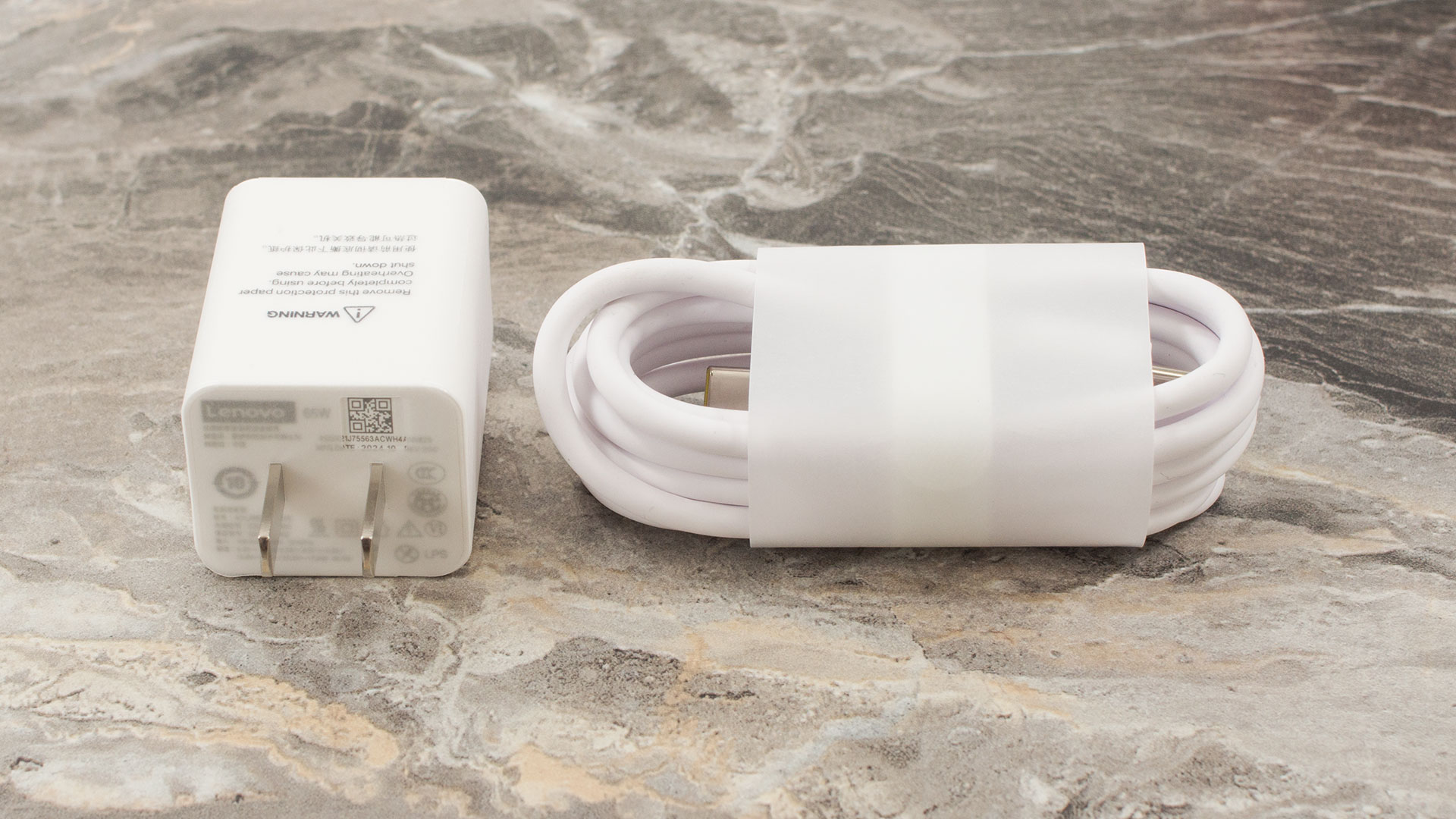
Unboxing the Lenovo Yoga Book 9i (14″, Gen 10) feels like a premium experience, with the packaging itself hinting at the treasures within.
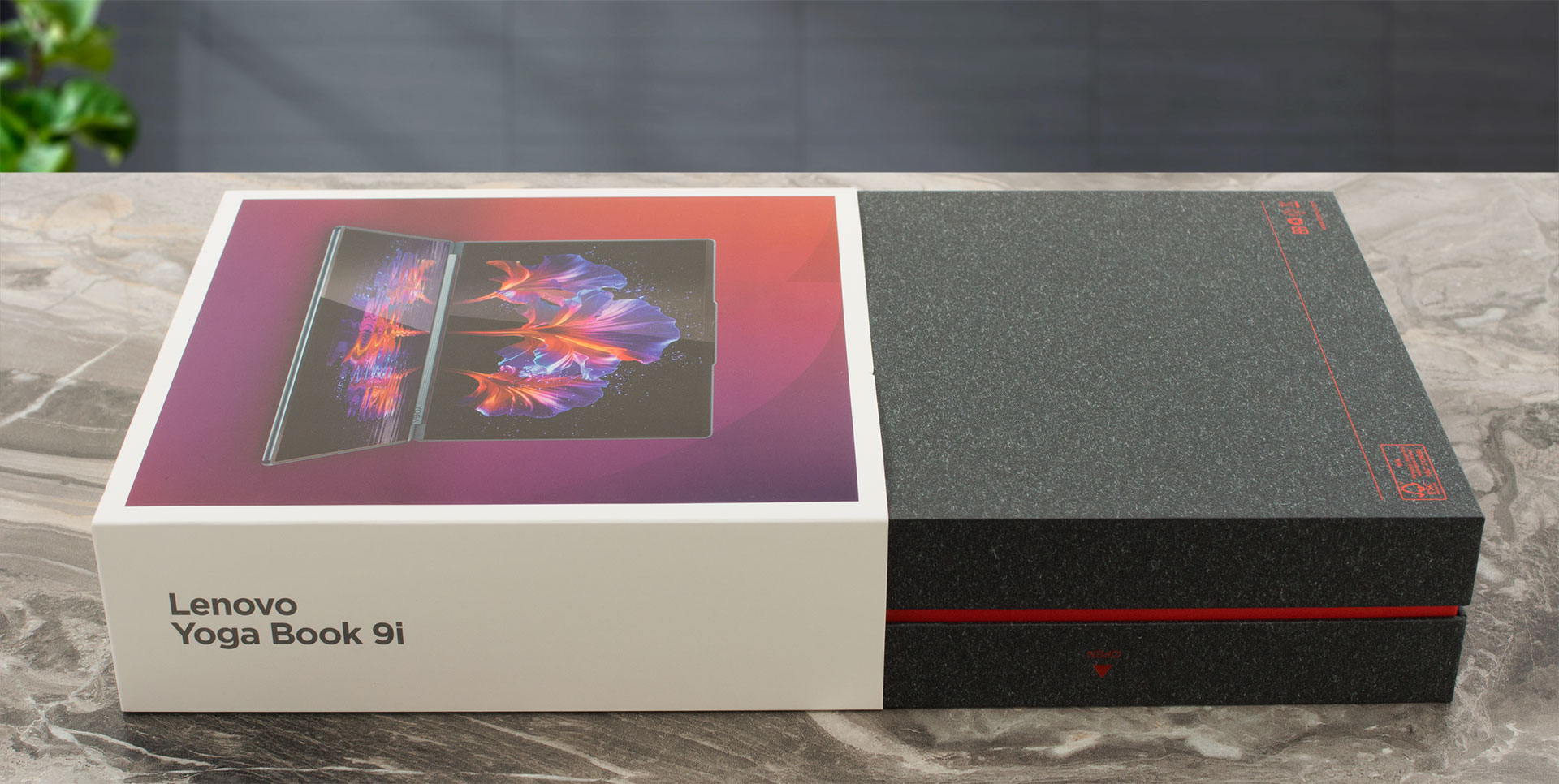
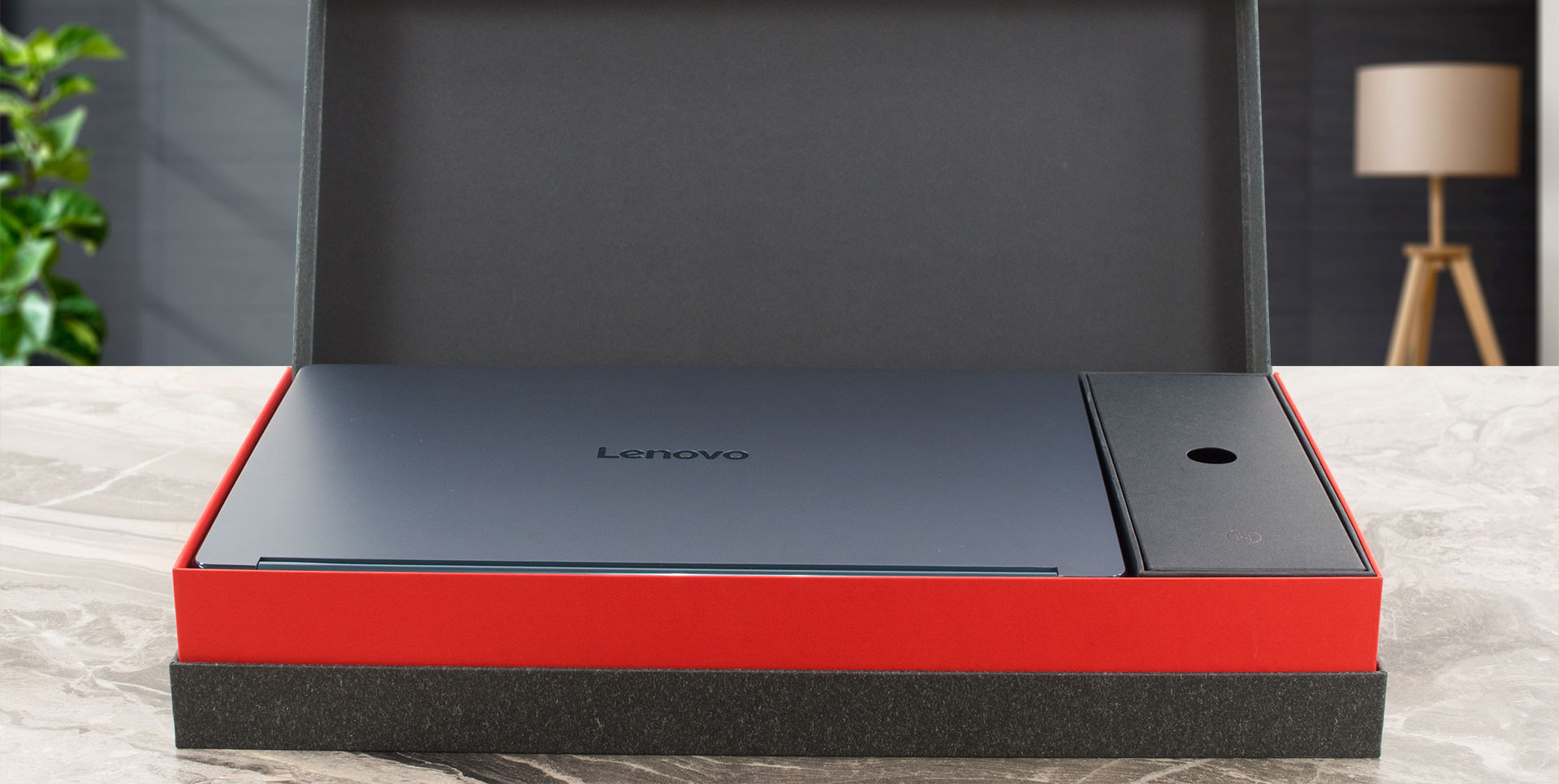
Tucked away in hidden compartments, you might discover a Folio stand, a stylish Lenovo YOGA 14-inch Sleeve in tidal teal, Lenovo YOGA True Wireless Stereo Earbuds, or a Yoga Slim Mouse – though the exact combination can vary depending on your region.
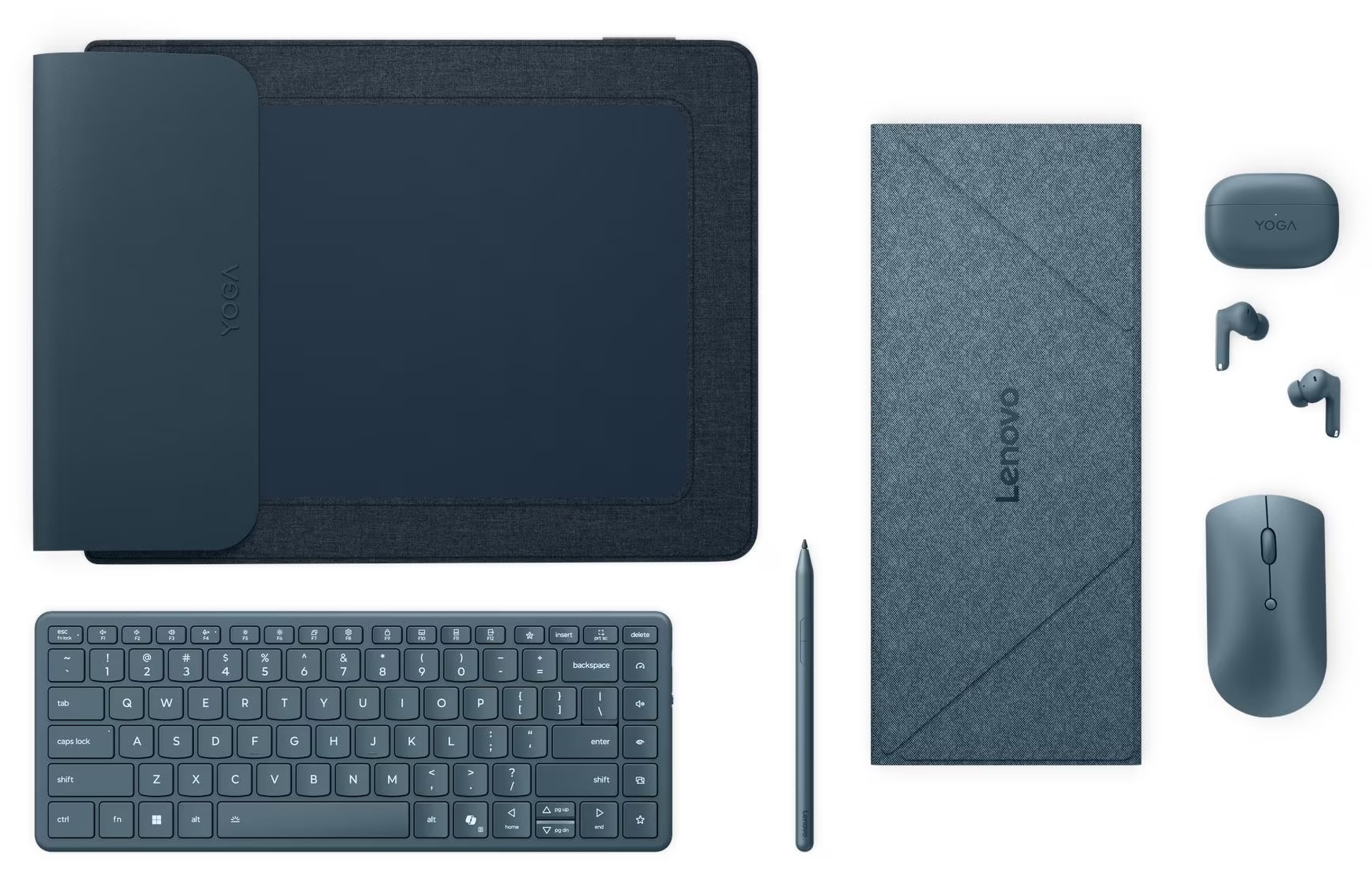
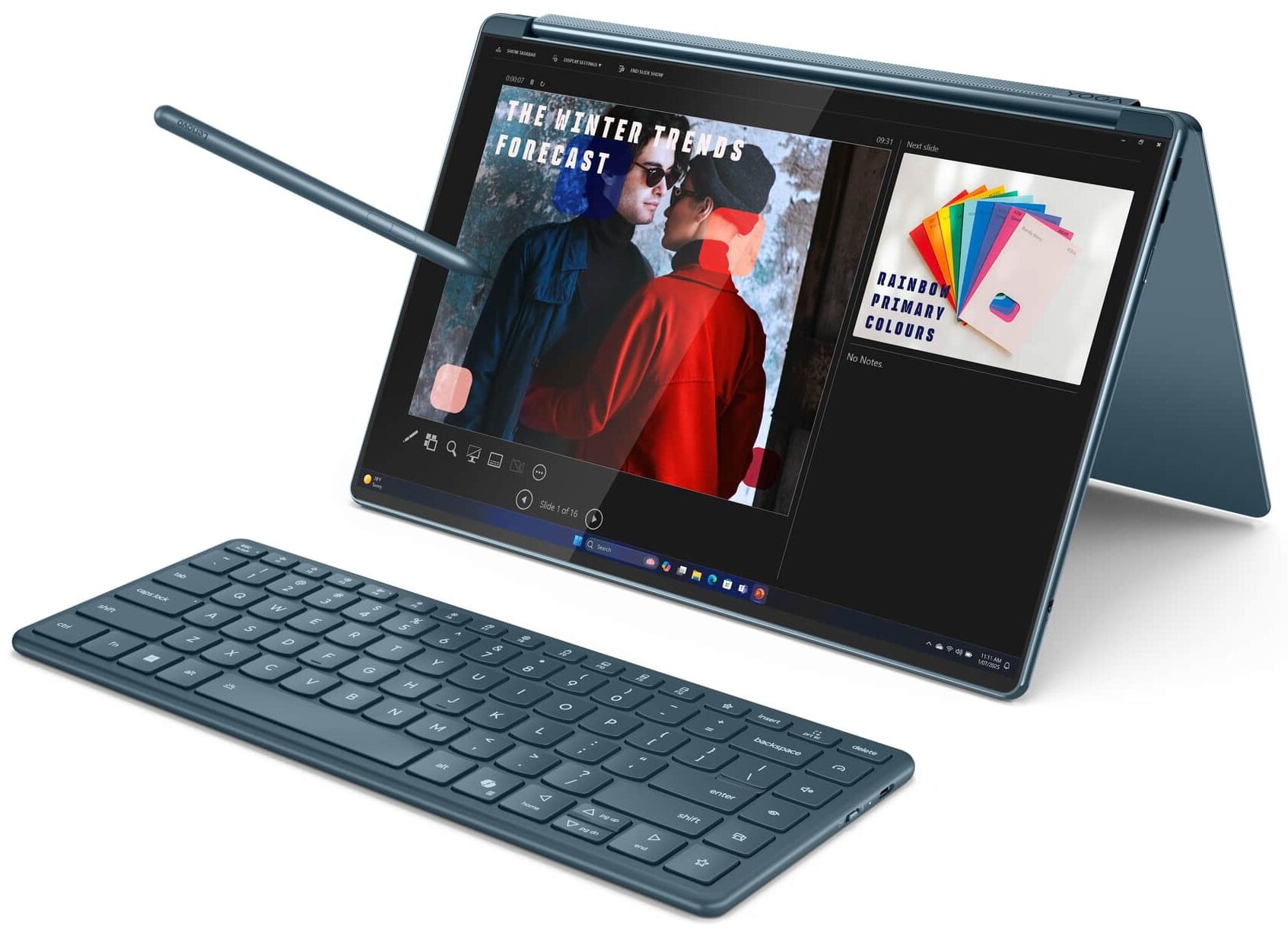
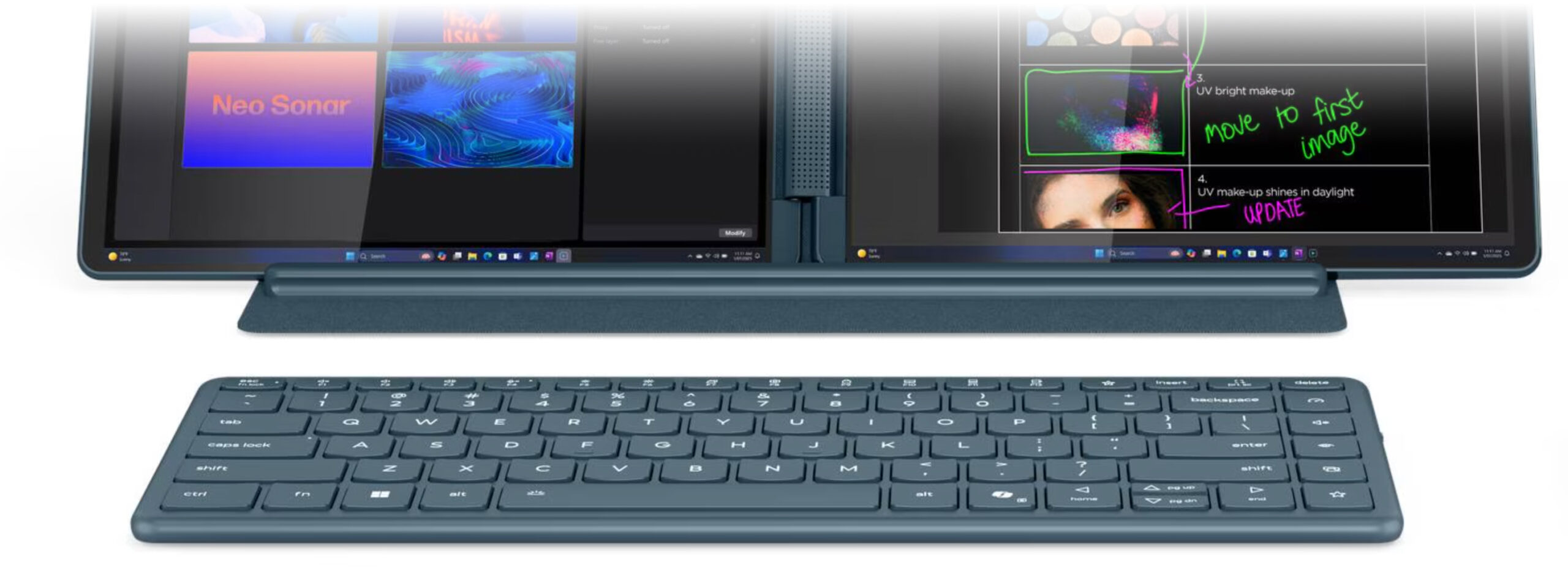
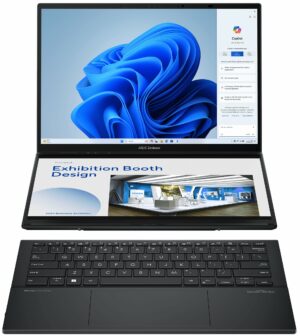
What seems to be standard for every Yoga Book 9i, however, is the excellent Lenovo Yoga Pen with its built-in rechargeable battery and impressive pressure sensitivity, alongside the essential Yoga Book 9 14 Bluetooth keyboard, making this dual-screen wonder ready for action right out of the box.
Design and construction
Prepare to be the centre of attention wherever you go with the Lenovo Yoga Book 9i (14″, Gen 10).
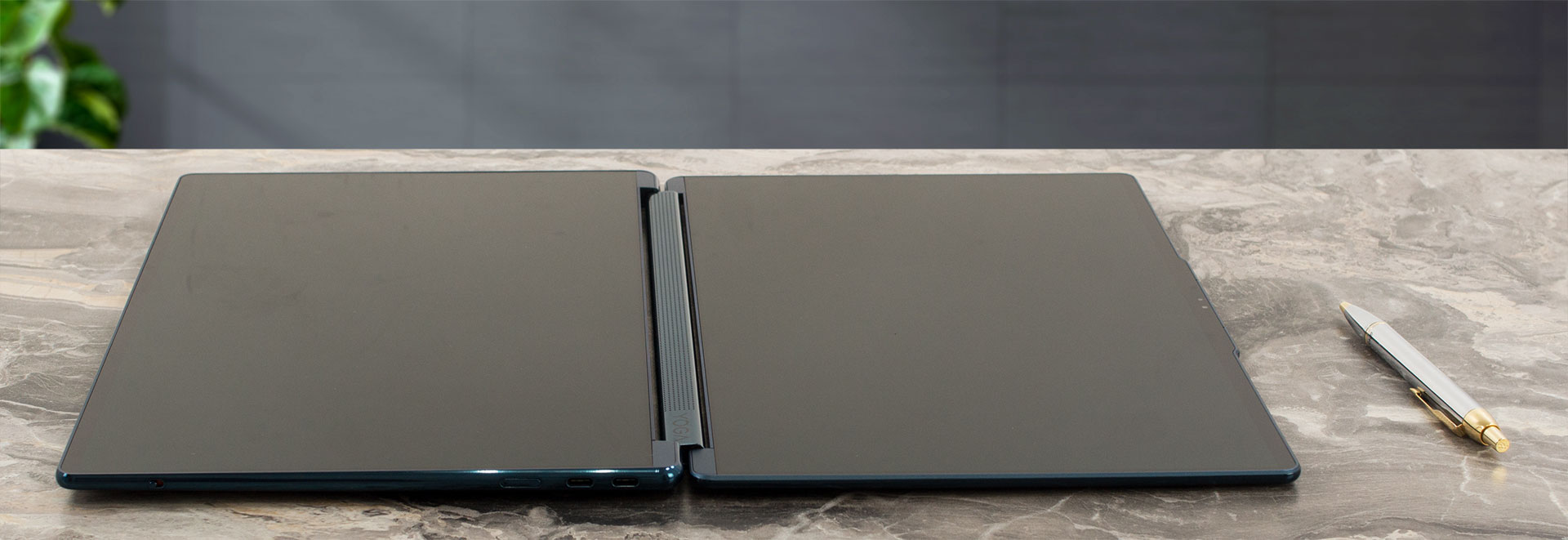
This isn’t just a laptop; it’s a conversation starter, a head-turner, a piece of futuristic technology that feels like it has escaped from Lenovo’s most secret R&D labs and somehow landed in your hands. The dual-screen concept is utterly captivating and immediately draws all eyes.
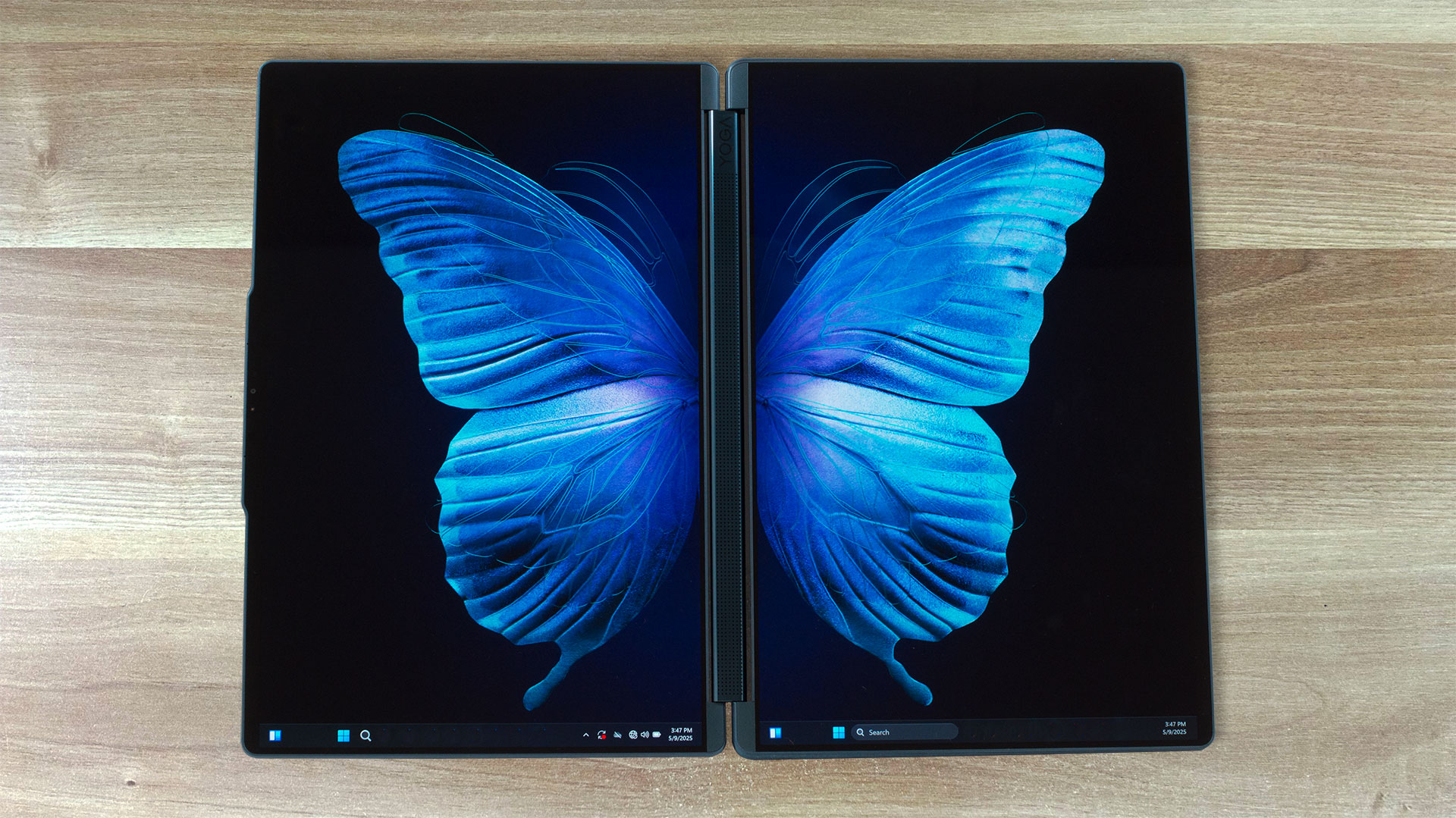
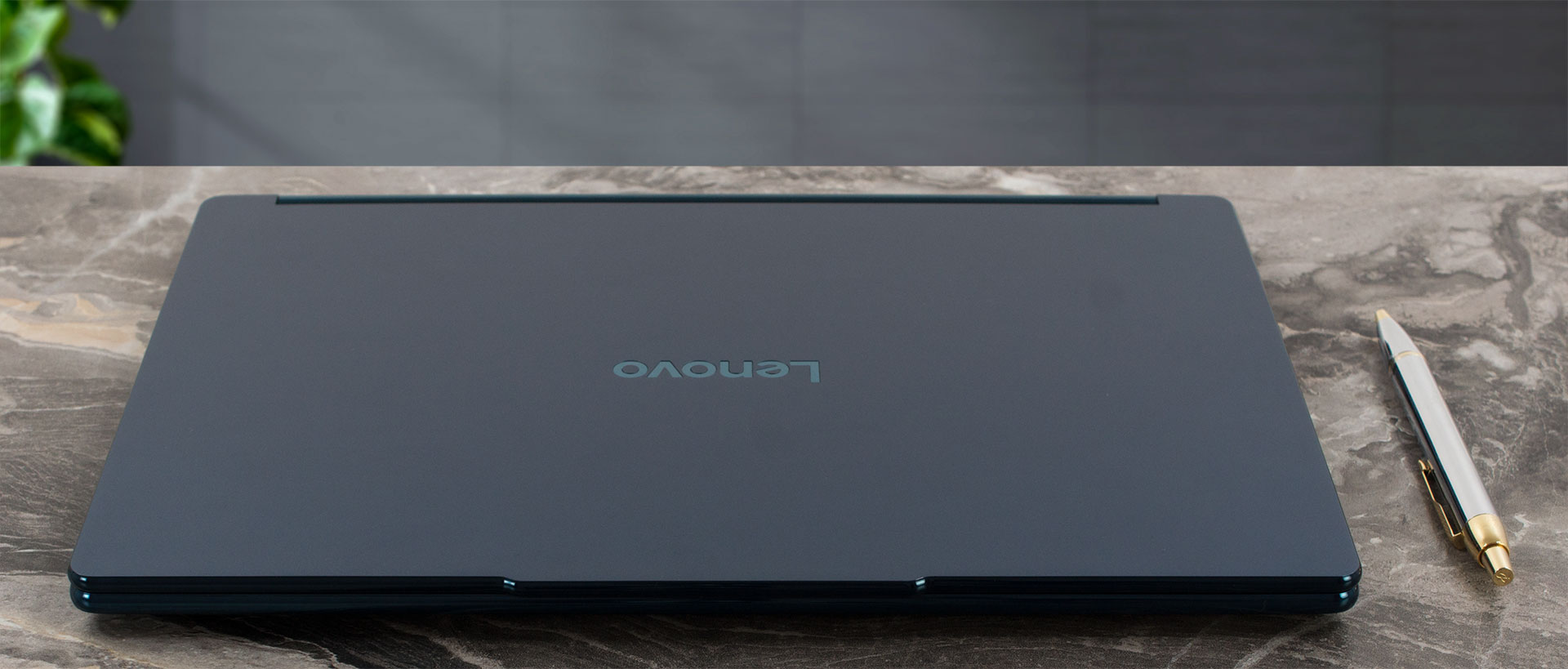
It’s offered in a single, sophisticated colour: “Tidal Teal,” which translates to a deep, elegant blue. The “Stainless magnesium (die casting + painting)” surface treatment is fantastic, doing an excellent job of repelling fingerprints and keeping the device looking pristine even after extended use. The case material itself is stainless magnesium, contributing to both its premium feel and surprising rigidity. It feels remarkably solid and well-constructed.
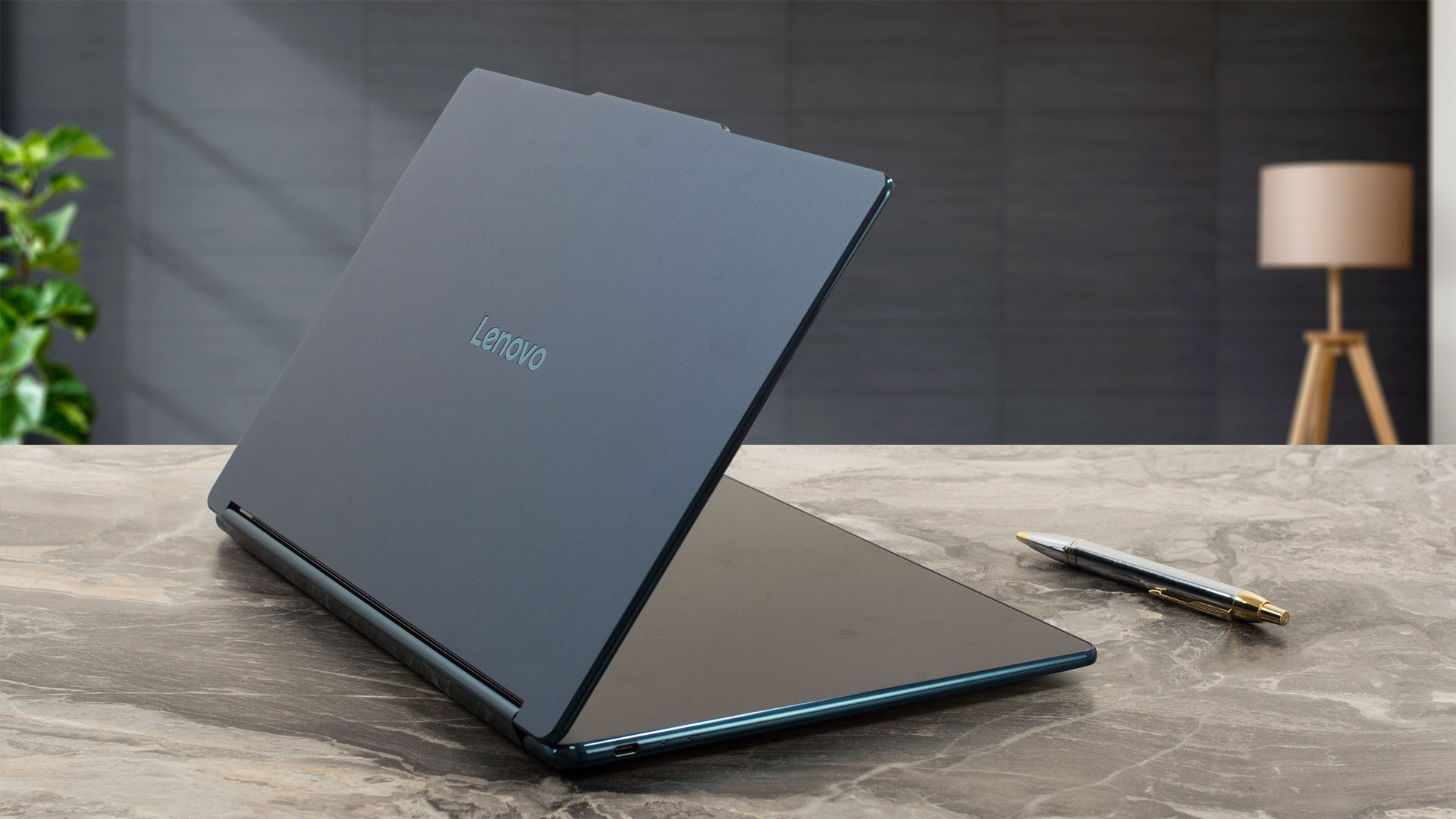
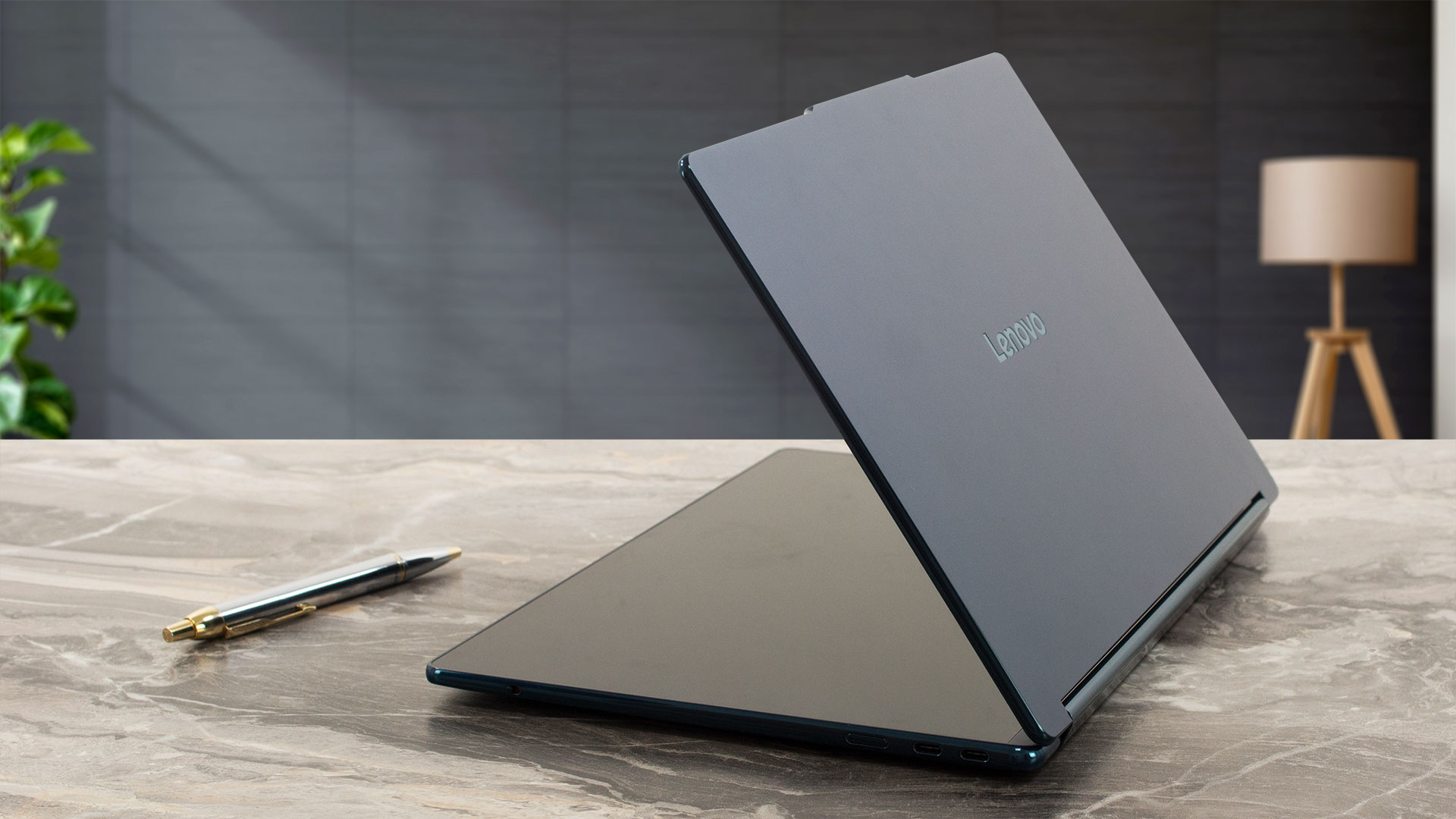
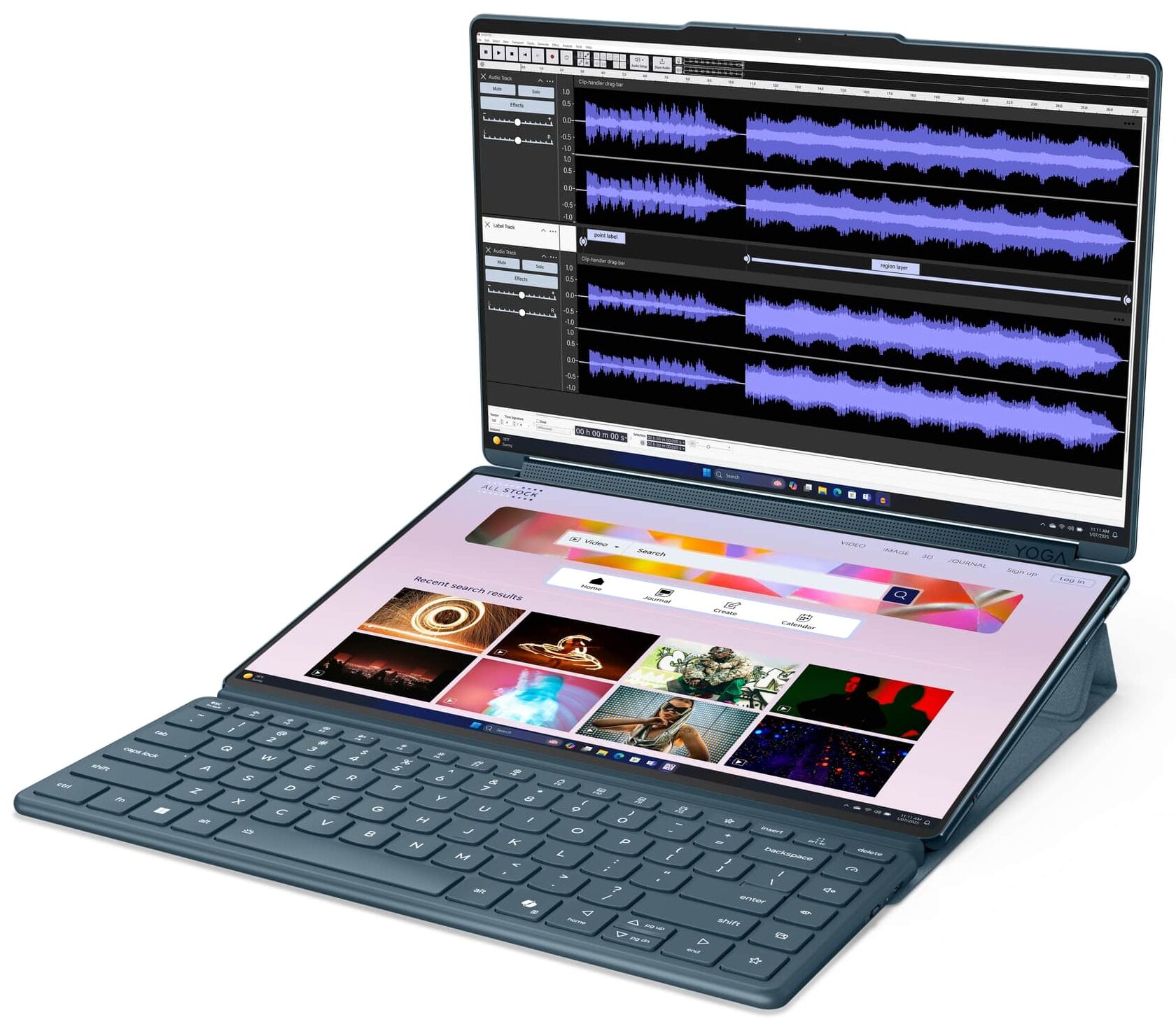
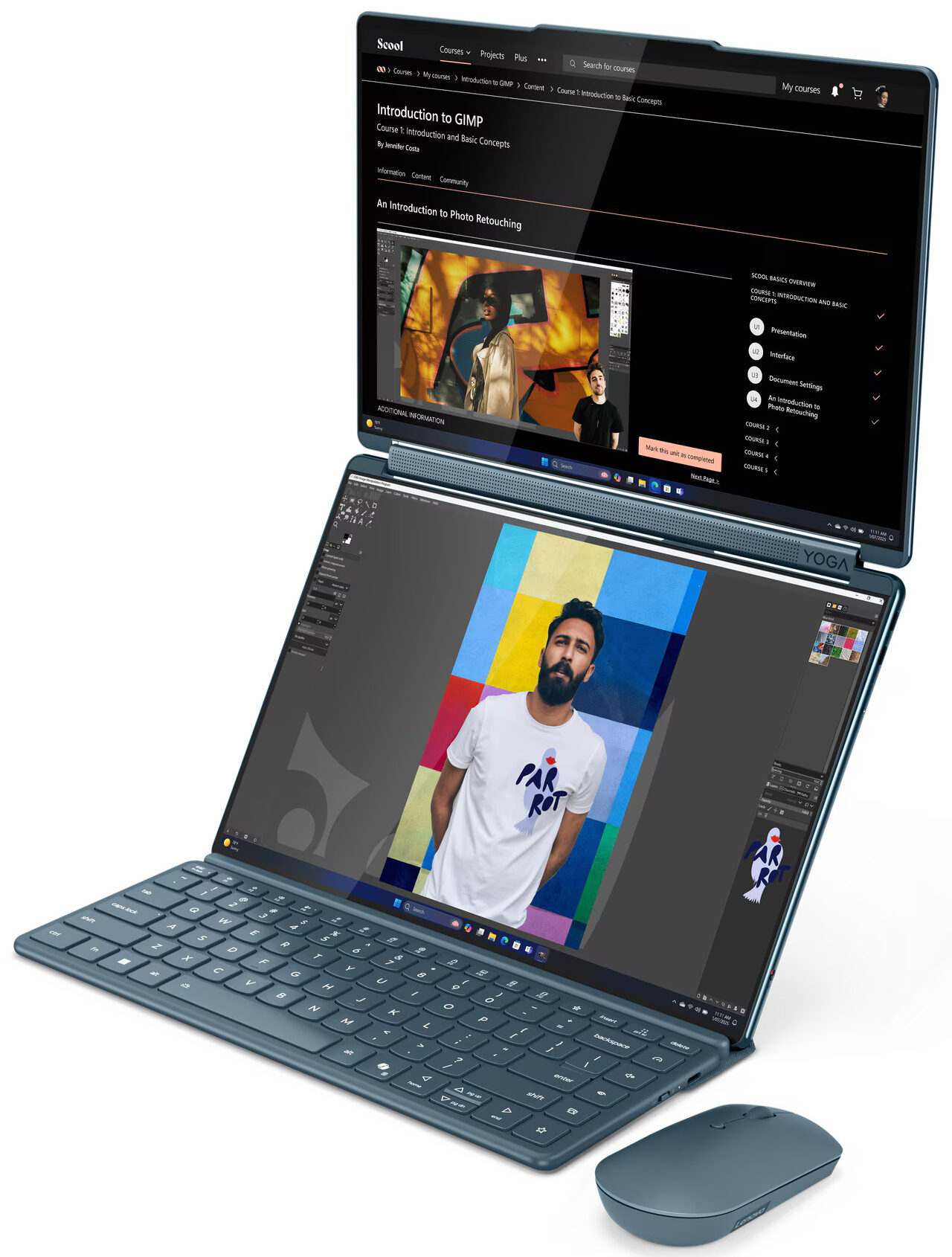
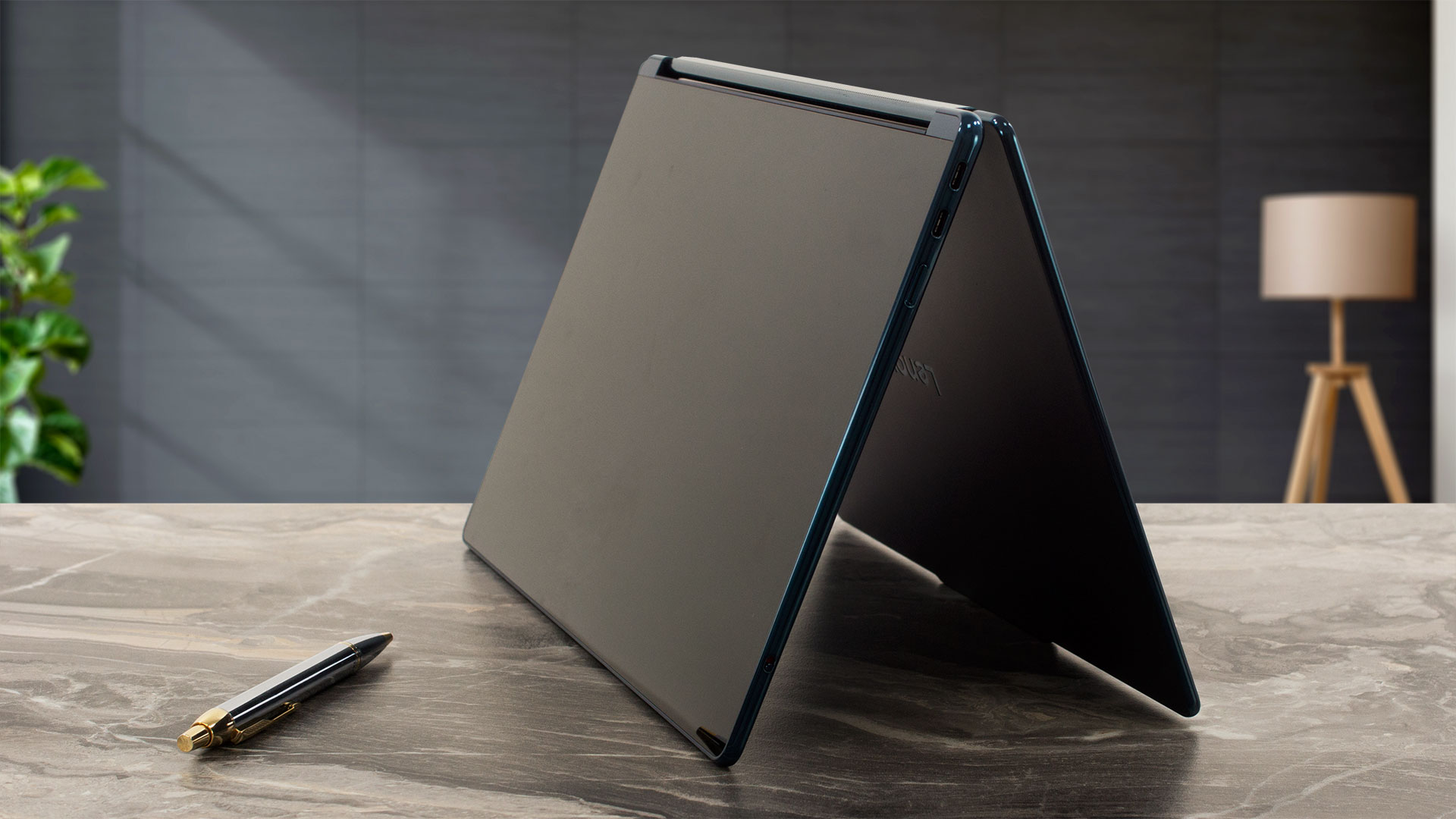
Despite its innovative dual-screen setup, the Yoga Book 9i is impressively thin and light. It measures just 315.09 x 209.5 x 15.5 mm (12.41 x 8.25 x 0.61 inches) and has a starting weight of a mere 1.219 kg (2.69 lbs), making it incredibly portable. Opening this unique device is a smooth, one-handed operation, adding to the overall sense of refined engineering. And when we say “open,” we mean it in a truly flexible sense – the two screens can rotate a full 360 degrees, allowing you to position them in virtually any configuration that suits your workflow or viewing preference, from a traditional laptop layout to a tent mode, a dual-tablet setup, or anything in between.
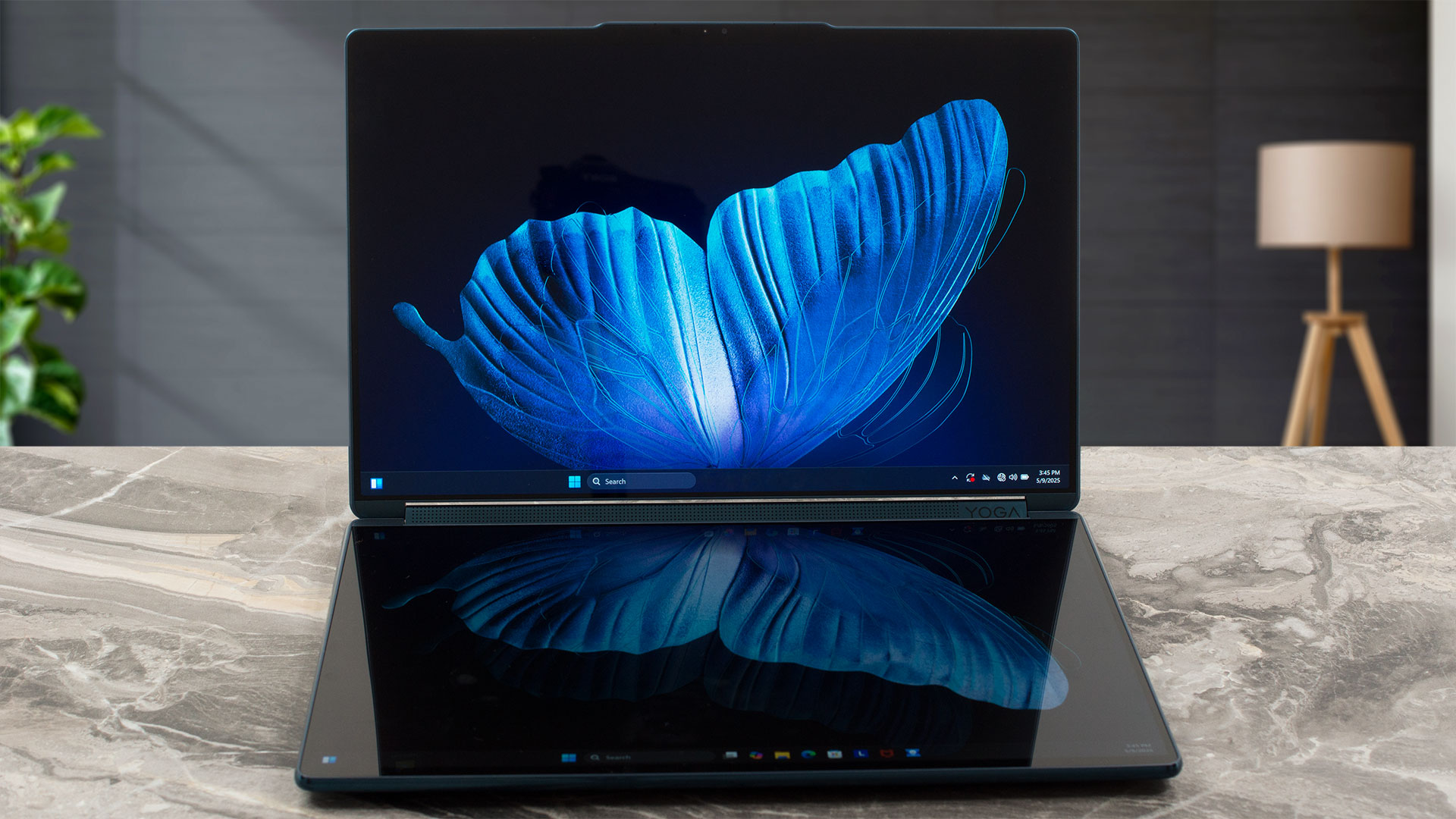
Each screen is framed by slim bezels. The left and right bezels are just 5 mm (~0.20 inches), while the top bezel on the primary display (when used in a laptop-like orientation) is slightly thicker at 8.5 mm (~0.33 inches), widening to 10 mm (~0.39 inches) in the centre to accommodate the 5.0MP + IR camera. This camera system supports an E-shutter for privacy – and while we usually advocate for physical shutters, for a device this sleek and technologically advanced, the E-shutter feels fitting. The Yoga Book 9i is also packed with sensors, including an accelerometer, gyroscope, and Hall sensor, enabling its various form factors and intelligent features.
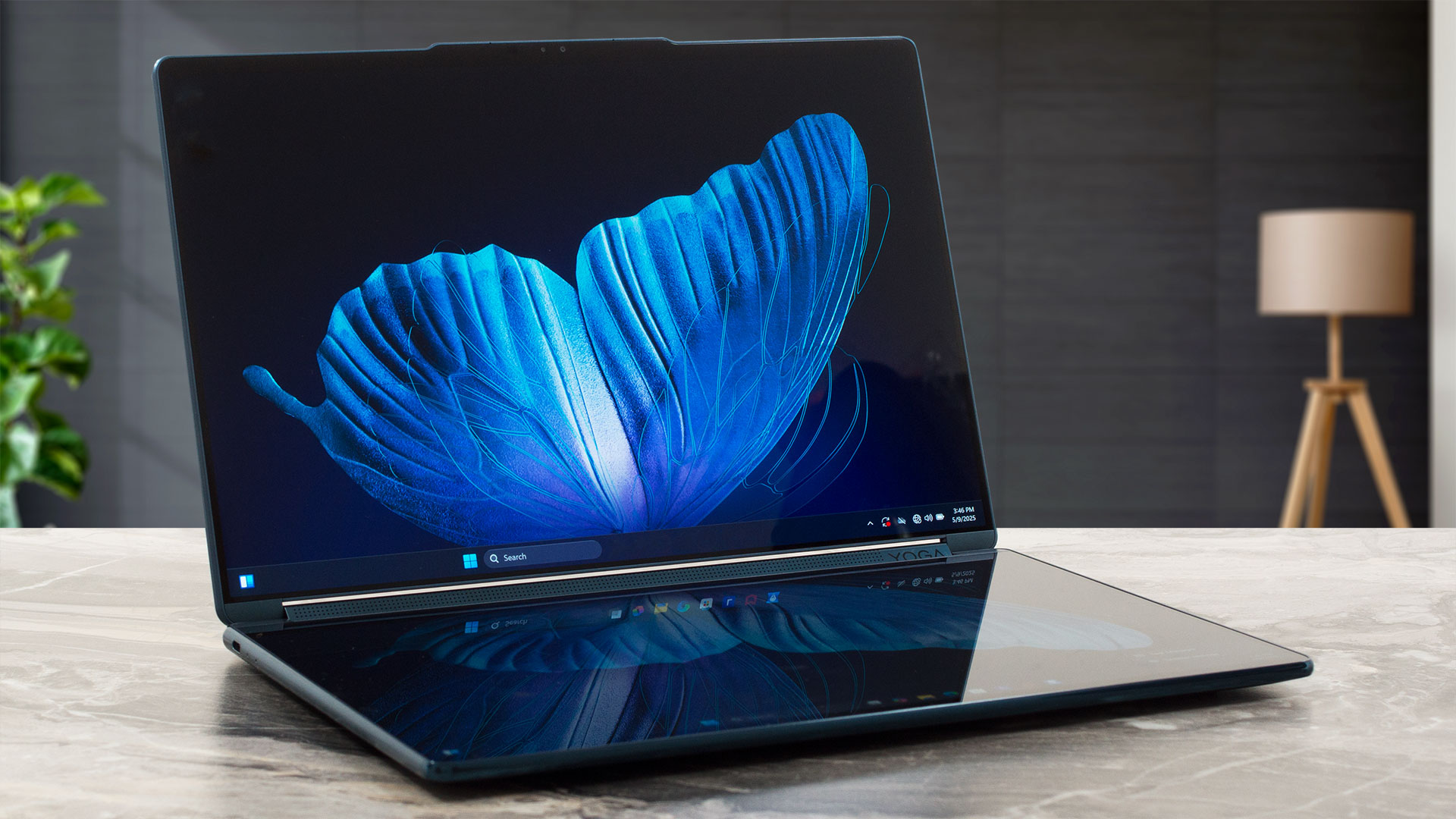
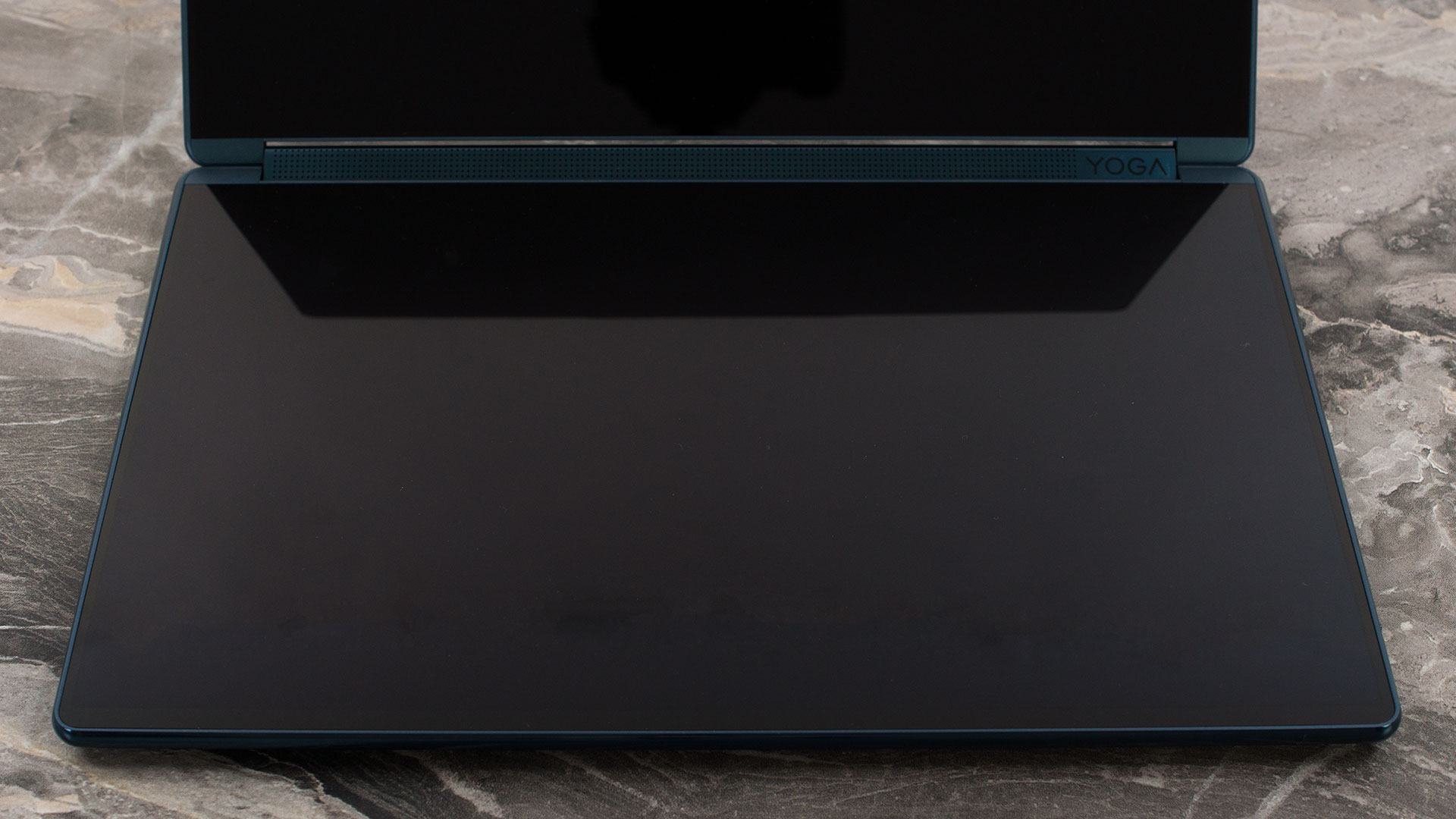
Now, about the keyboard: it’s a multi-faceted approach. The package includes a separate, physical Bluetooth keyboard which is quite comfortable for typing and features a backlight. Neither this physical keyboard nor the on-screen virtual keyboard (which pops up on the lower screen when needed) includes a dedicated NumPad, but given the device’s focus on versatility and portability rather than pure productivity number-crunching, this isn’t a major drawback. The on-screen keyboard experience is, as expected, typical of a “tablet keyboard” – functional for quick inputs but not ideal for extended typing sessions. On both the physical and virtual keyboards, the Up and Down arrow keys are half-height, a common compromise. There’s no dedicated fingerprint sensor, but with the IR camera, Windows Hello facial recognition offers a swift and secure login experience.
Ports and Connectivity
Considering the innovative dual-screen form factor of the Lenovo Yoga Book 9i (14″, Gen 10), its wired port selection is surprisingly robust, relying exclusively on the versatile USB-C standard. The device is equipped with a total of three USB-C ports. Each of these ports is highly capable, featuring full Thunderbolt 4 and USB4 40Gbps specifications. This ensures top-tier data transfer speeds (up to 40Gbps), comprehensive video output capabilities via the modern DisplayPort 2.1 standard, and charging for the laptop or connected peripherals through USB Power Delivery 3.0. Furthermore, all three ports incorporate an ‘Always On’ function, allowing them to charge other devices even when the Yoga Book 9i is asleep or powered off.

This trio of advanced USB-C ports provides considerable flexibility for connecting multiple high-performance peripherals, several high-resolution external displays, and handling power requirements simultaneously. For a device with such a unique design, this level of high-speed connectivity is commendable and should be sufficient for many professional workflows. However, users should be aware that this exclusive reliance on USB-C means that connecting legacy USB-A devices, displays requiring a dedicated HDMI input, or establishing a wired Ethernet connection will necessitate the use of appropriate adapters or a USB-C docking station, as no other physical port types are present. No information on wireless connectivity was provided in the source details for this model.

For wireless communication, the Yoga Book 9i is equipped with the latest Wi-Fi 7 standard (802.11be), utilizing a 2×2 antenna configuration for optimal performance on compatible networks, promising high speeds and low latency. Complementing this is Bluetooth 5.4, ensuring robust and efficient connectivity for a wide range of wireless peripherals like mice, keyboards, and headphones.
Display and Sound Quality, Display Profiles
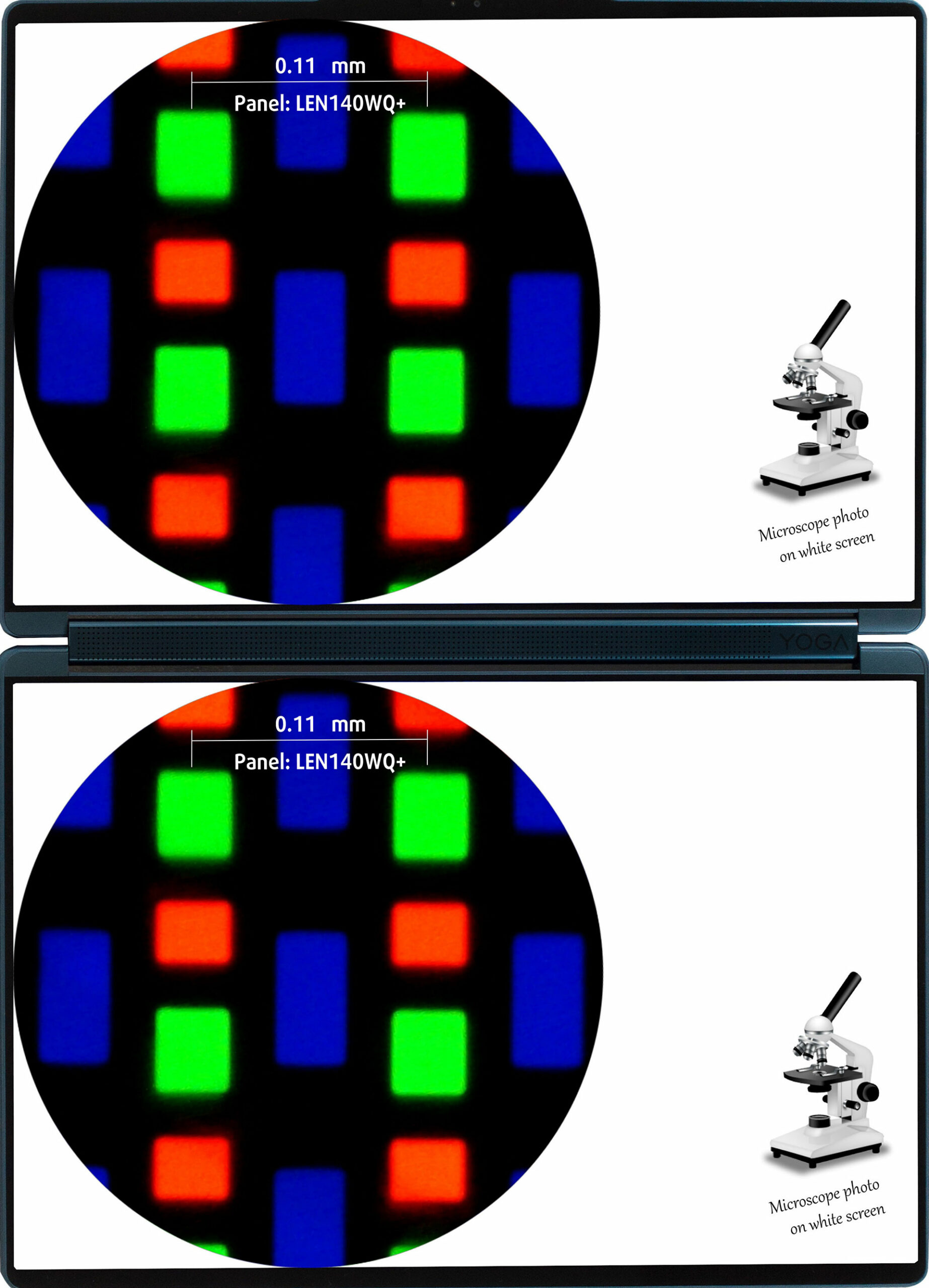
| Lenovo Yoga Book 9i (14″, Gen 10) – 14IAH10 | LEN140WQ+ (LEN8A11) |
| Diagonal | 14.0 inches (35.6 cm) |
| Panel Type | OLED, Touch |
| Resolution | 2880 x 1800 pixels |
| Max Refresh Rate | 120 Hz |
| Aspect Ratio | 16:10 |
| Pixel Density | 243 PPI |
| ‘Retina’ Distance | Greater than or equal to 36 cm |
The two screens on the Lenovo Yoga Book 9i (14″, Gen 10) are identical. Their brightness can be controlled individually.
Viewing Angles
Viewing angles are good. We take photos from different angles to evaluate the quality.
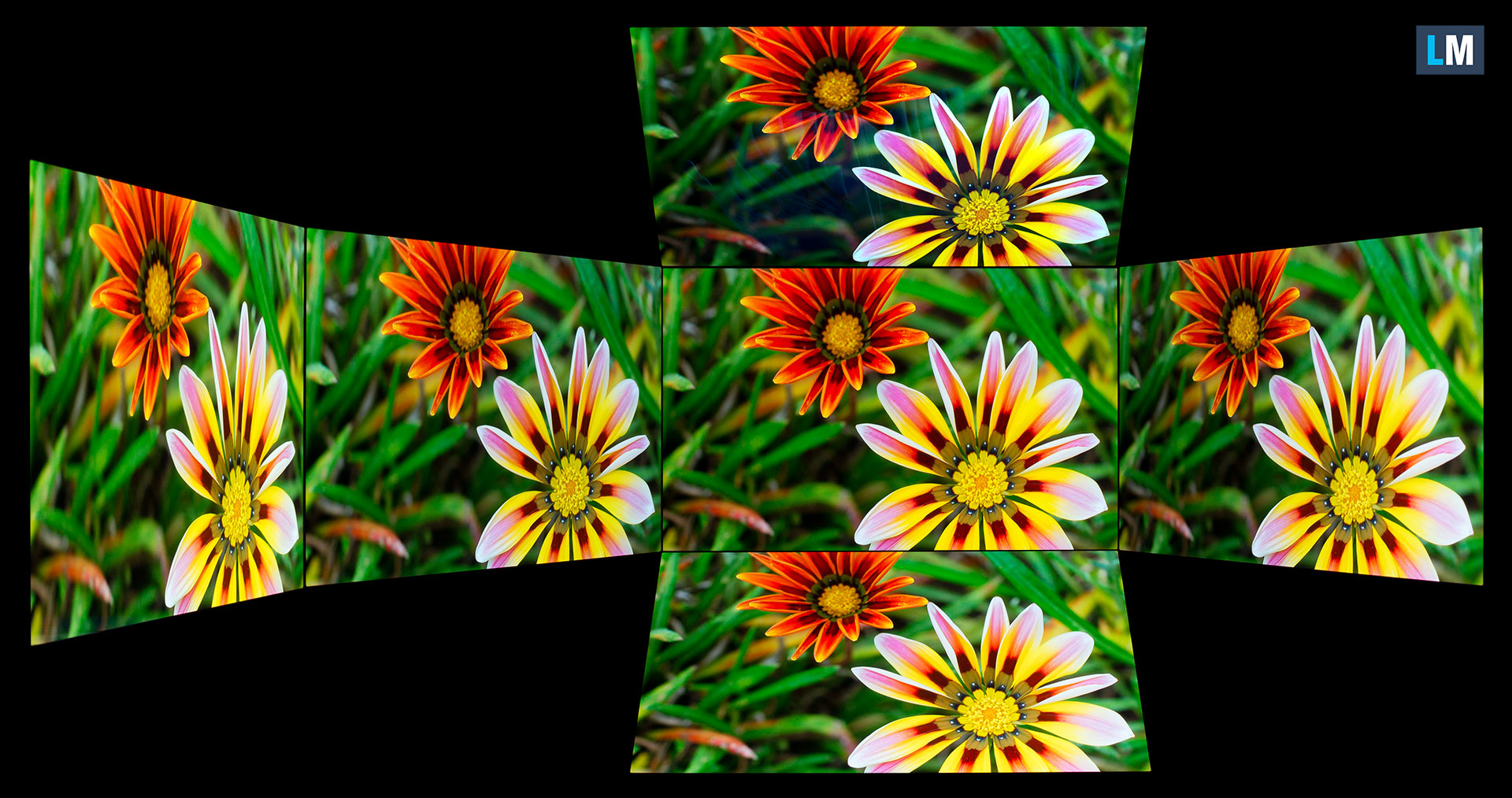
Also, a video with locked focus and exposure.
Color Coverage
The whole “sail-shaped” map below (Fig. 1) consists of all the colors we can see, while the black crooked line shows all the colors from real-world scenes and nature around us.
Then, we’ve drawn some of the most important and interesting color spaces, compared to the colors the panel of Lenovo Yoga Book 9i (14″, Gen 10) – 14IAH10 can show:
Standard/For Web: sRGB – widely used color space for most consumer devices, ideal for Web design and development
For Print: AdobeRGB – used in professional photo editing, graphic design, and print
For Photographers/Video Editors: DCI-P3 – used in high-end film production, post-production, and digital cinema
Premium HDR: Rec.2020 – the widest consumer ITU color standard, covering a massive 75.8% of the visible spectrum, a benchmark for premium HDR content
Lenovo Yoga Book 9i (14″, Gen 10) – 14IAH10: the yellow dashed triangle (– – – – – –) represents the range of colors this monitor can show.
In our tests, we calculated the total color coverage of the display at 100% of the sRGB color gamut and 100% of the DCI-P3 color gamut.
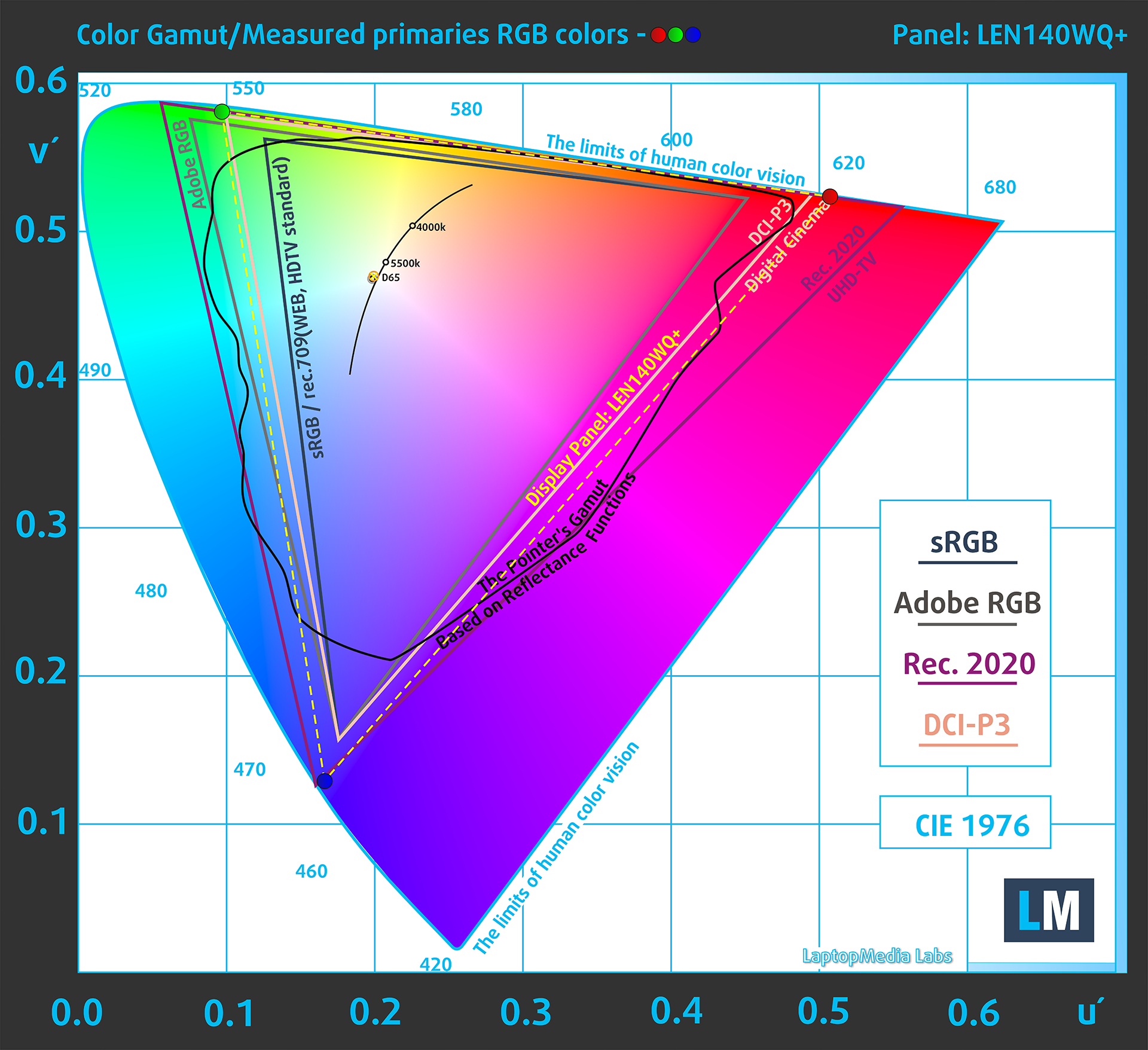
(Fig.1) Lenovo Yoga Book 9i (14″, Gen 10) covers 100% of the DCI-P3 gamut
Brightness and Contrast
The maximum brightness in HDR mode is 473 cd/m² at 8% white fill and 481 cd/m² on a full white screen for the first display and 466 cd/m² at 8% white fill and 497 cd/m² on a full white screen for the second display.
The maximum brightness in SDR mode is 473 cd/m² in the center of the first display and 484 cd/m² averaged across the surface with a maximum deviation of 4%.
The Correlated Color Temperature (CCT) on a white screen at maximum brightness is 6510K for the first display and 6500K for the second display.
The contrast ratio of OLED panels is excellent because the pixels turn off completely when displaying black.
Uniformity: Luminance, Contrast, and Color Deviation
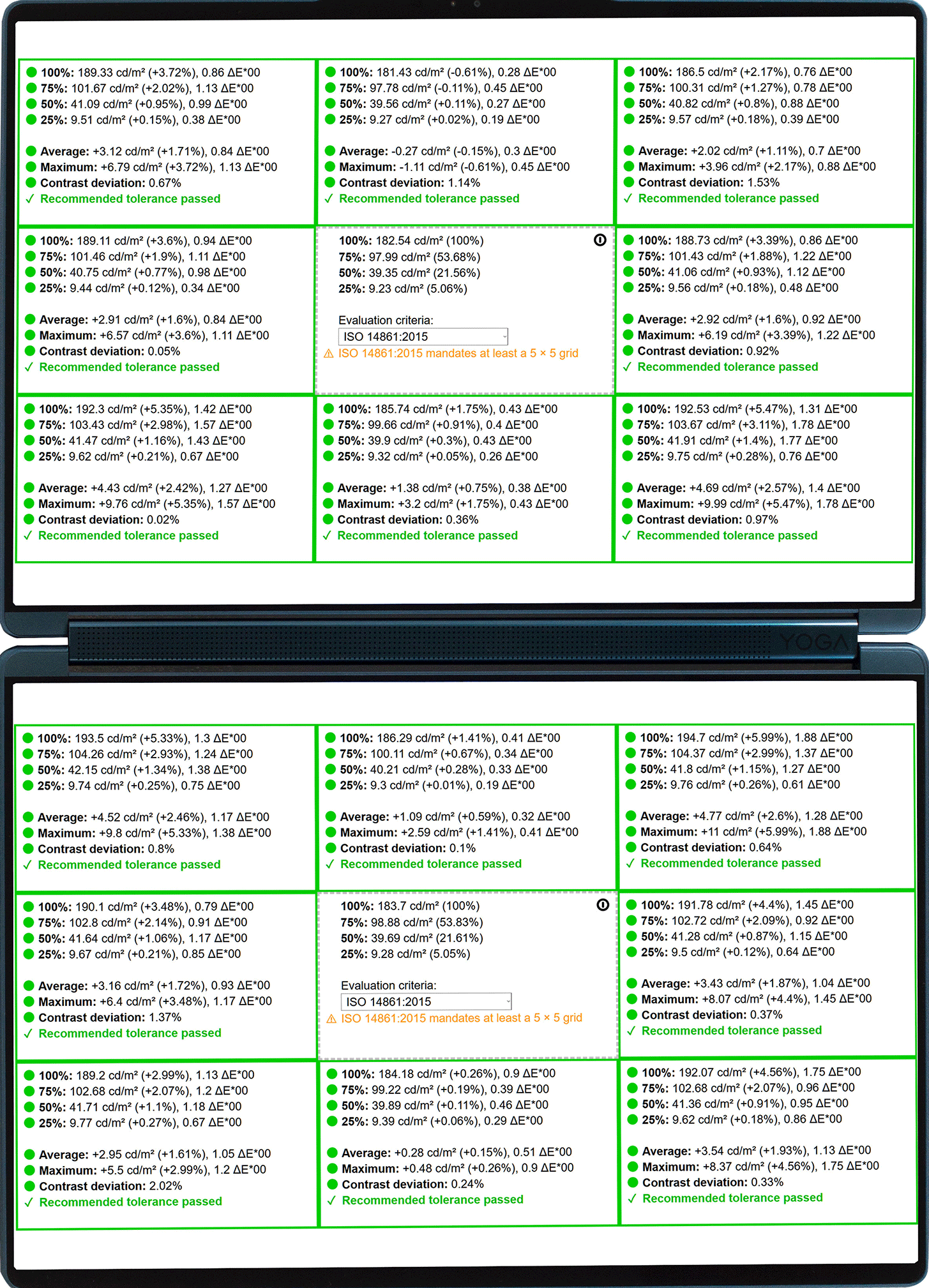
The figure below shows the results from our uniformity test across different sections of the screen. It’s measured at 183 nits (Windows slider = 67%) — a brightness level we consider typical for standard working conditions.
DeltaE values below 4.0 are acceptable for regular users. For those working with colors, screens with DeltaE values no higher than 2.0 are recommended.
Color Accuracy
Let’s check the difference between real colors and those you’ll see on the Lenovo Yoga Book 9i (14″, Gen 10). We measure that distance in DeltaE – the higher the number, the more different they look.
Values below 4.0 are acceptable for regular users, while values below 2.0 are suitable for color-sensitive work. A value below 1.0 means the difference is indistinguishable to the naked eye.
For the next graph, we’ve selected 24 common colors, including dark/light skin, blue sky, green grass, etc.
Before our calibration of the Lenovo Yoga Book 9i (14″, Gen 10), the Average color accuracy was 2.9 dE (Fig. 2), and with our Design and Gaming profile, it lowered to 2.8 dE (Fig. 3).
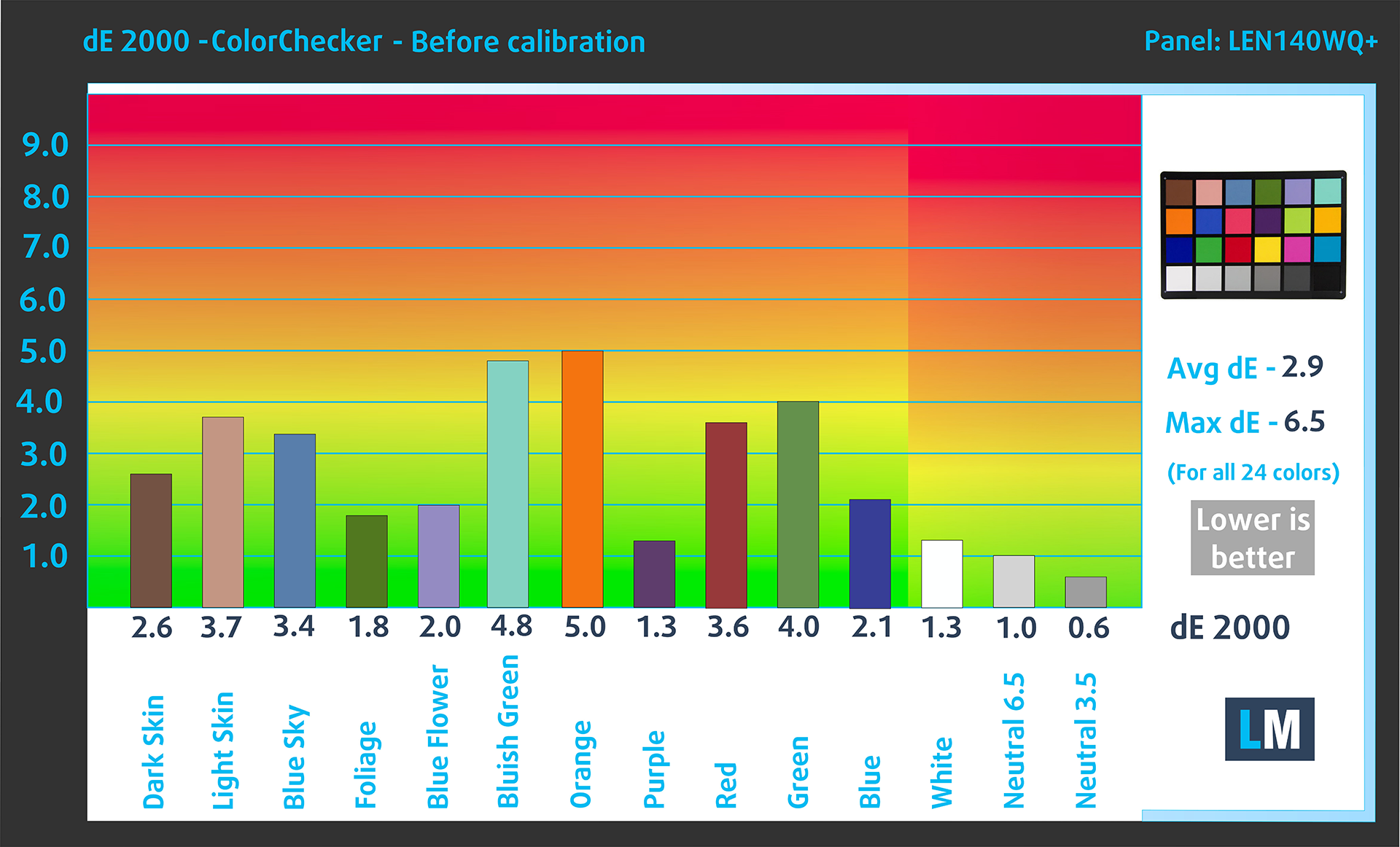
(Fig. 2) Lenovo Yoga Book 9i (14″, Gen 10) in its factory condition
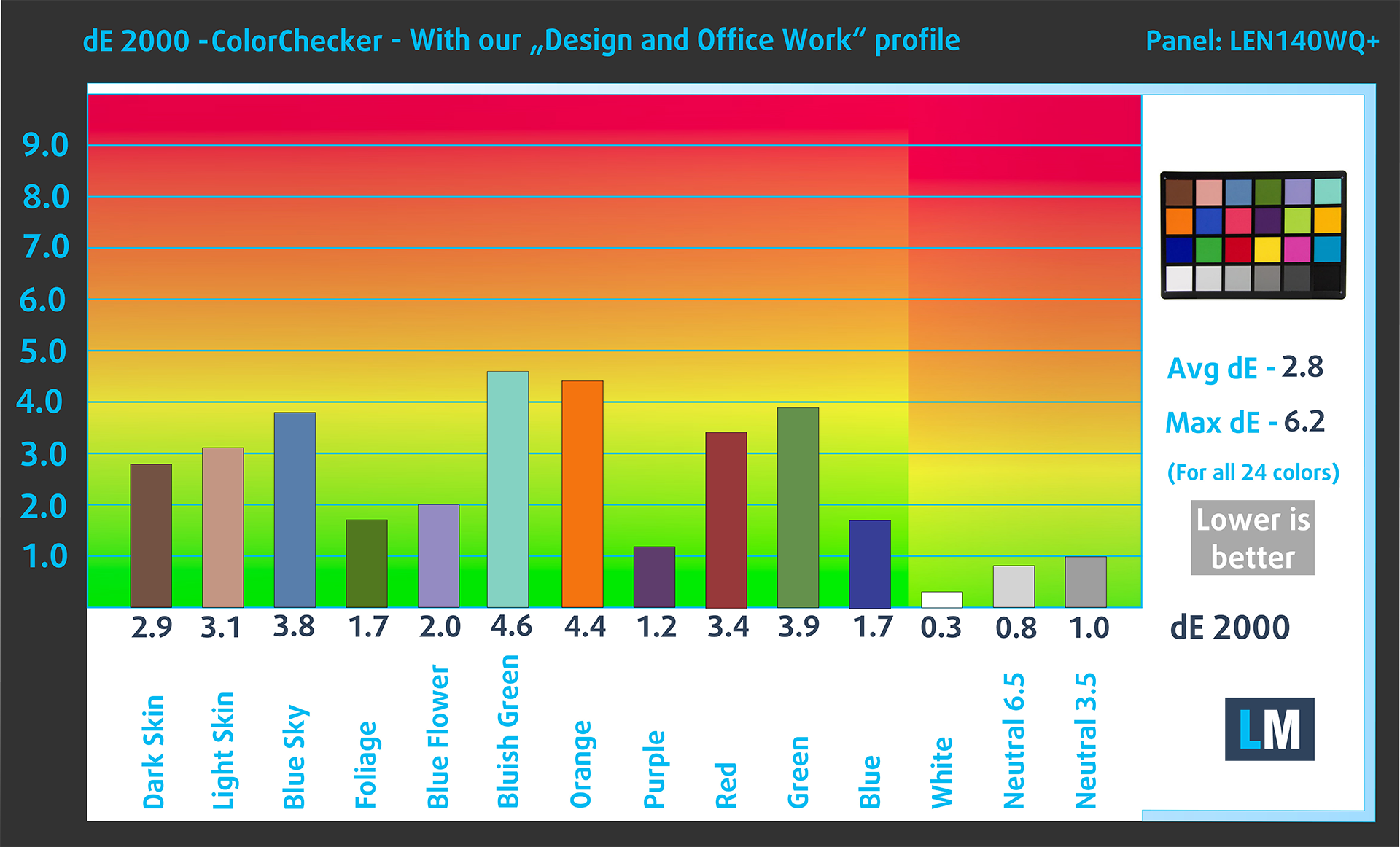
(Fig. 3) Lenovo Yoga Book 9i (14″, Gen 10) with our display profile
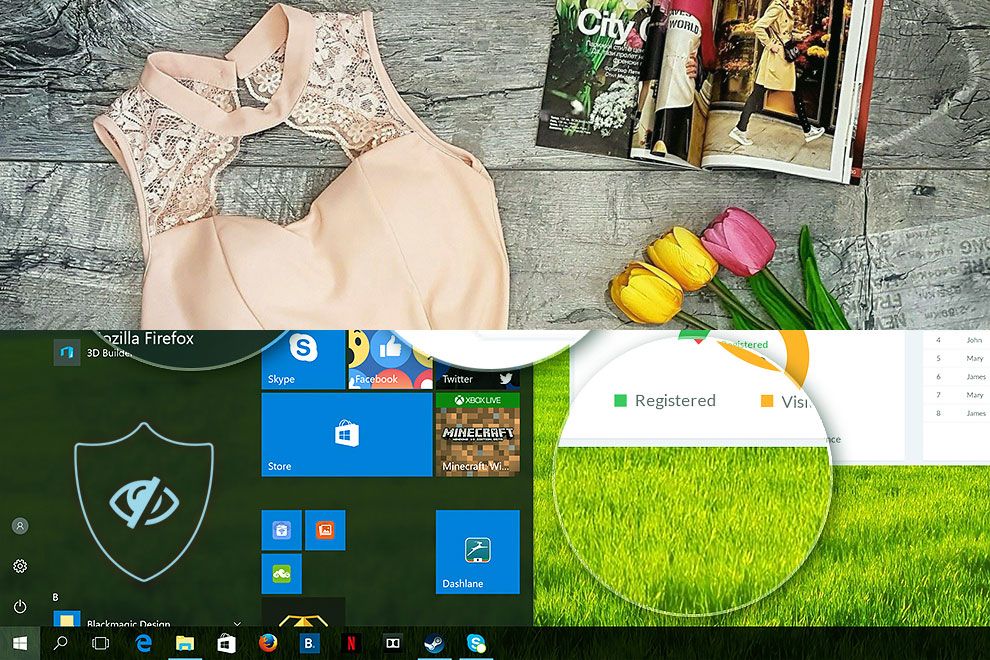
Comparison in the Display P3 color space.
Left: No Profile | Drag the slider to see the difference | Right: Design & Office Profile
Visibility in dark scenes
Have you ever watched a movie with dark scenes where you could barely see anything? This often happens because many display panels struggle to differentiate the darkest nuances, making them appear the same.
The next figure illustrates how well the display reproduces these dark nuances. The left side of the image shows the display with stock settings, and the right side shows it with our Gaming and movies profile activated.
On the horizontal axis are the grayscale levels, and on the vertical axis – the corresponding display brightness.
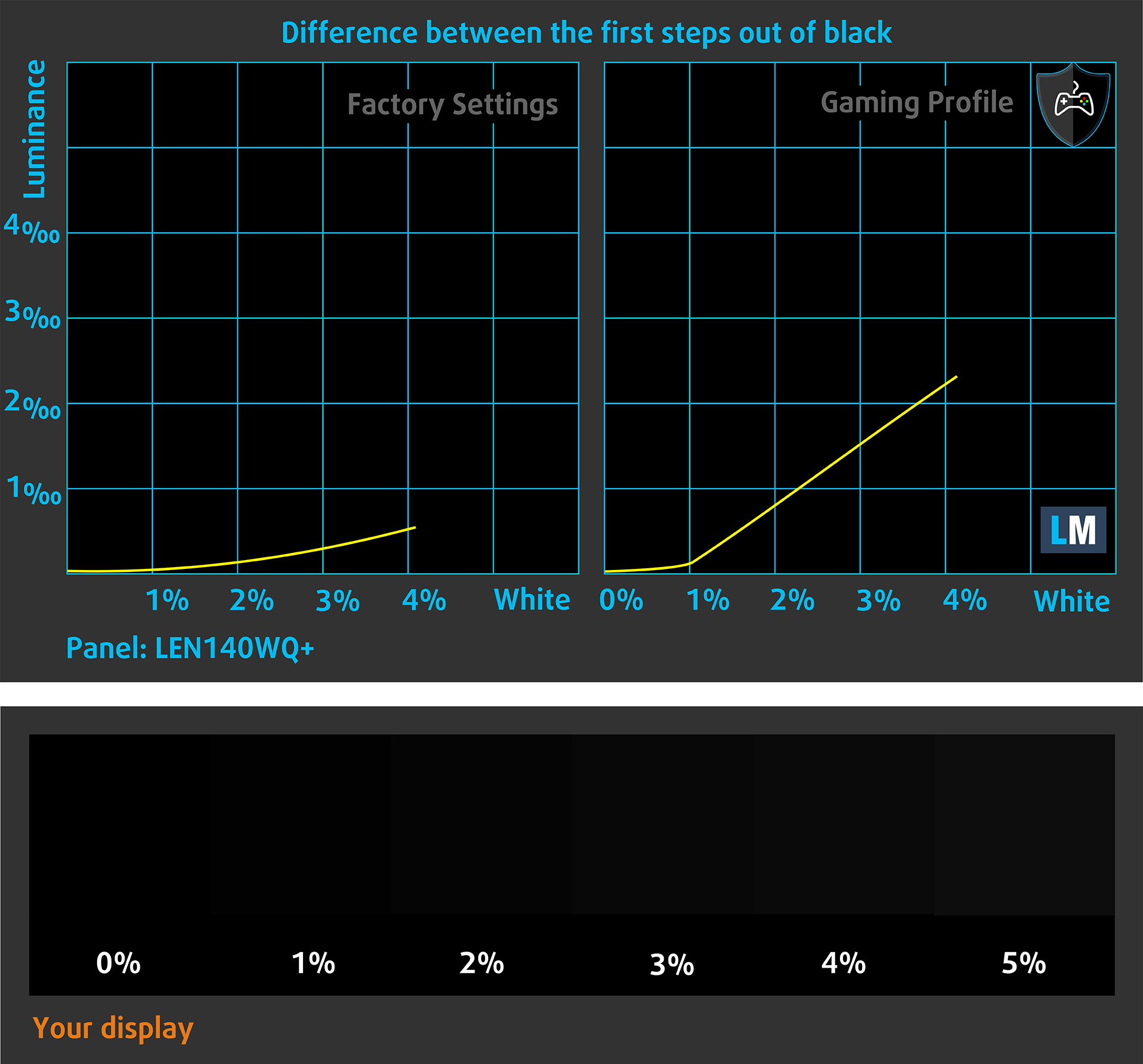
You can also check how your display handles the darkest nuances but keep in mind that this also depends on the settings of your current display and the surrounding light conditions.
Health Impact: PWM (Screen flickering)
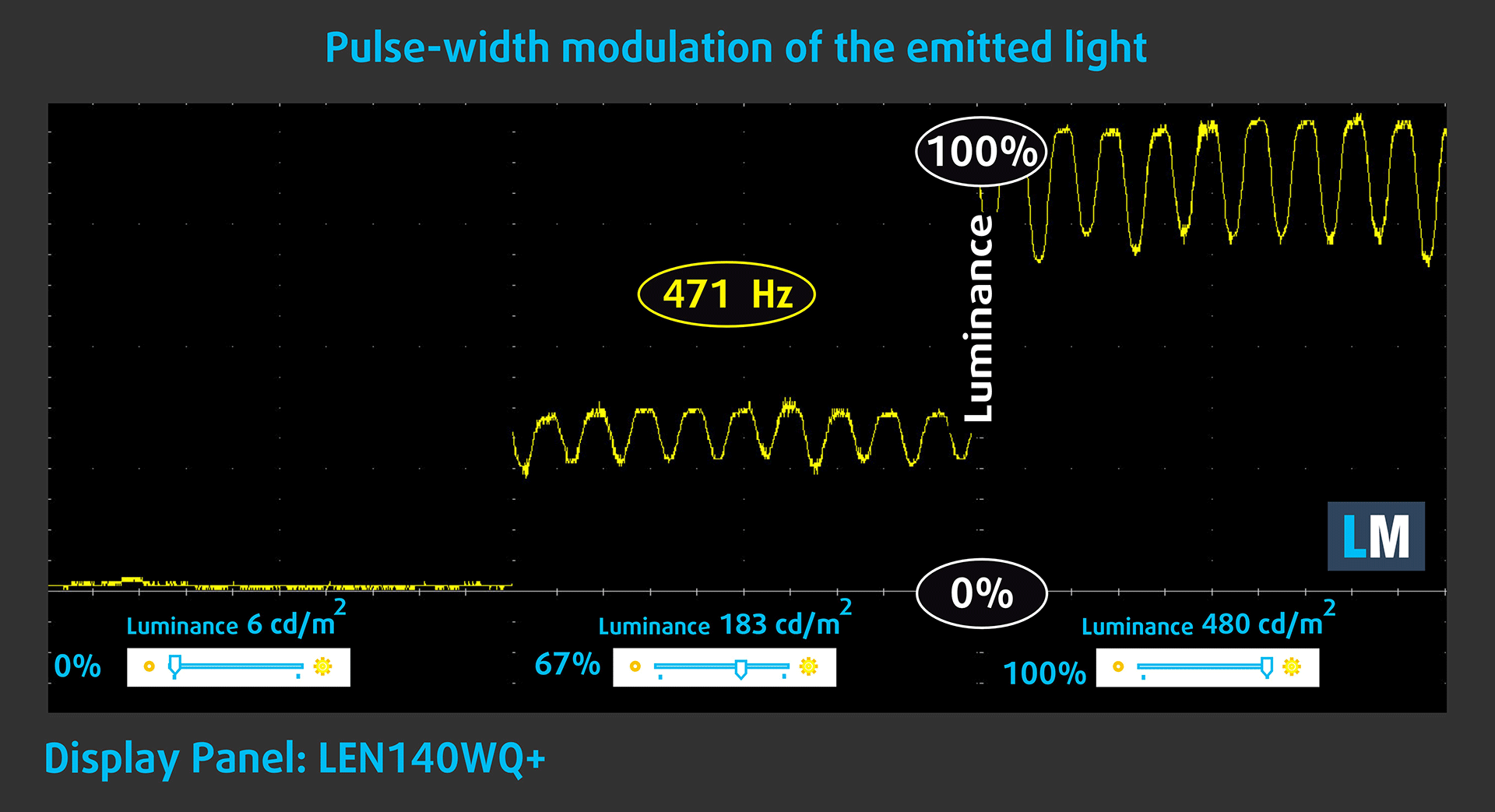
Some use PWM to regulate their brightness, which means that instead of reducing the light intensity, they pulse or flicker. Our brain merges the image, so it appears darker, but this strains both it and our vision, especially when the frequency of the pulses is low. You can read more about that in our dedicated article on PWM.
In the graph below, you see the intensity of light at different brightness levels—on the vertical axis is the brightness of the emitted light, and on the horizontal axis—time.
The luminance of the Lenovo Yoga Book 9i (14″, Gen 10) display pulsates across the entire brightness range, but with limited amplitude. We find the display relatively comfortable for vision in this regard.
Health Impact: Blue light emissions
Installing our Health-Guard profile reduces harmful Blue Light emissions while keeping the colors of the screen perceptually accurate.
If you’re not familiar with the Blue light, the TL;DR version is – emissions that negatively affect your eyes, skin, and your whole body. You can find more information about that in our dedicated article on Blue Light.
Health Impact: Screen Reflectance
Glossy-coated displays can cause eye fatigue in high ambient light conditions due to reflections. We measure the level of screen reflection with the display turned off, at a 60° angle.
The reflectance of the Lenovo Yoga Book 9i (14″, Gen 10)’s screens is 102 GU, which is acceptable.
High Gloss: >70 GU
Medium Gloss: 30 – 70 GU
Low Gloss: <30 GU
Get our profiles
Since our profiles are tailored for each individual display model, this article and its respective profile package are meant for Lenovo Yoga Book 9i (14″, Gen 10) configurations with LEN140WQ+ (LEN8A11), 2880 x 1800, OLED panel.
*Should you have problems with downloading the purchased file, try using a different browser to open the link you’ll receive via e-mail. If the download target is a .php file instead of an archive, change the file extension to .zip or contact us at [email protected].
Read more about the profiles HERE.
कुशल और स्वास्थ्य के अनुकूल प्रोफाइल प्राप्त करने के अलावा, LaptopMedia के उत्पादों को खरीदकर आप हमारी प्रयोगशालाओं के विकास का भी समर्थन करते हैं, जहाँ हम सबसे वस्तुनिष्ठ समीक्षाएँ प्रस्तुत करने के लिए उपकरणों का परीक्षण करते हैं।

Design and Office
Design and Office प्रोफ़ाइल प्रदर्शन रंगों को वास्तविकता के जितना संभव हो उतना करीब बनाती है।न केवल पेशेवरों के लिए बल्कि रोजमर्रा के उपयोगकर्ताओं के लिए भी आदर्श, यह आपके पैनल पर सटीक रंग पुनरुत्पादन के लिए न्यूनतम DeltaE के साथ sRGB मानकों (D65 व्हाइट पॉइंट, sRGB गामा) को पूरा करता है।

गेमिंग और मूवीज़
क्या आपने कभी ऐसी फिल्म देखी है जहाँ, अंधेरे दृश्यों के दौरान, आप मुश्किल से कुछ भी देख पाते हैं? कई डिस्प्ले डार्क टोन को ठीक से अलग करने में विफल रहते हैं। हमारा गेमिंग और मूवीज़ प्रोफ़ाइल मानव धारणा के अनुरूप गामा वक्र का उपयोग करके, HDR तकनीक की तरह, कम-रोशनी के प्रदर्शन को बढ़ाता है - तेज़ प्रतिक्रियाओं और स्पष्ट दृश्यों की तलाश करने वाले गेमर्स के लिए आदर्श।

Health-Guard
हमारा Health-Guard प्रोफ़ाइल PWM फ़्लिकरिंग को समाप्त करके, तनाव और थकान को कम करके, और हानिकारक ब्लू लाइट एक्सपोज़र को कम करके आपकी आँखों की सुरक्षा करता है जो नींद और स्वास्थ्य को बाधित कर सकता है। यह स्क्रीन उपयोग के दौरान आराम और सुरक्षा के लिए सॉफ़्टवेयर डिमिंग और मानव धारणा के अनुरूप गामा वक्र का उपयोग करता है।
33% छूट के साथ सभी प्रोफाइल प्राप्त करें!

Sound
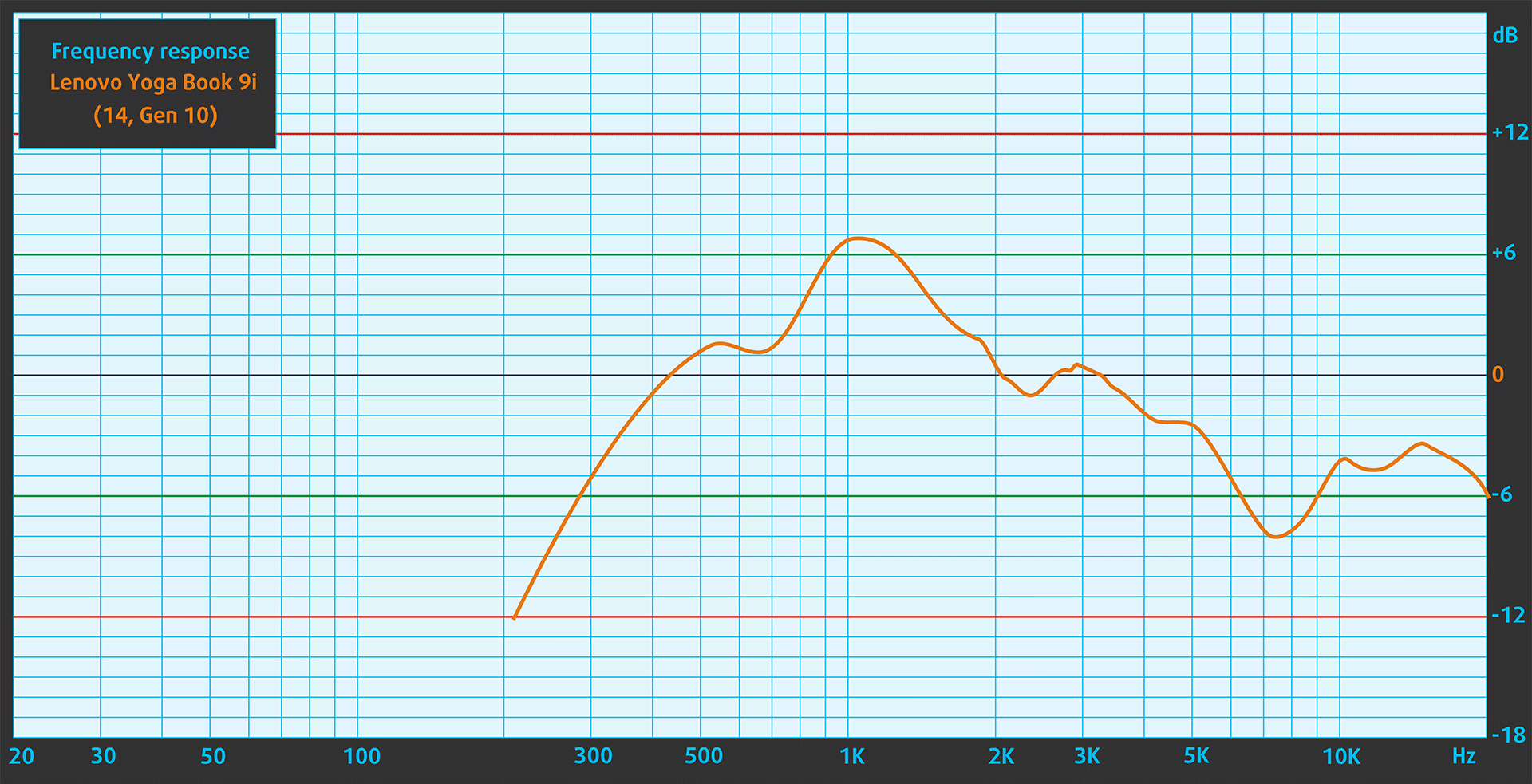
When we subjectively listen to a sound file through the built-in speakers, the sound quality offered by the Lenovo Yoga Book 9i (14″, Gen 10) is very good.
Work Performance: CPU, Storage, AI
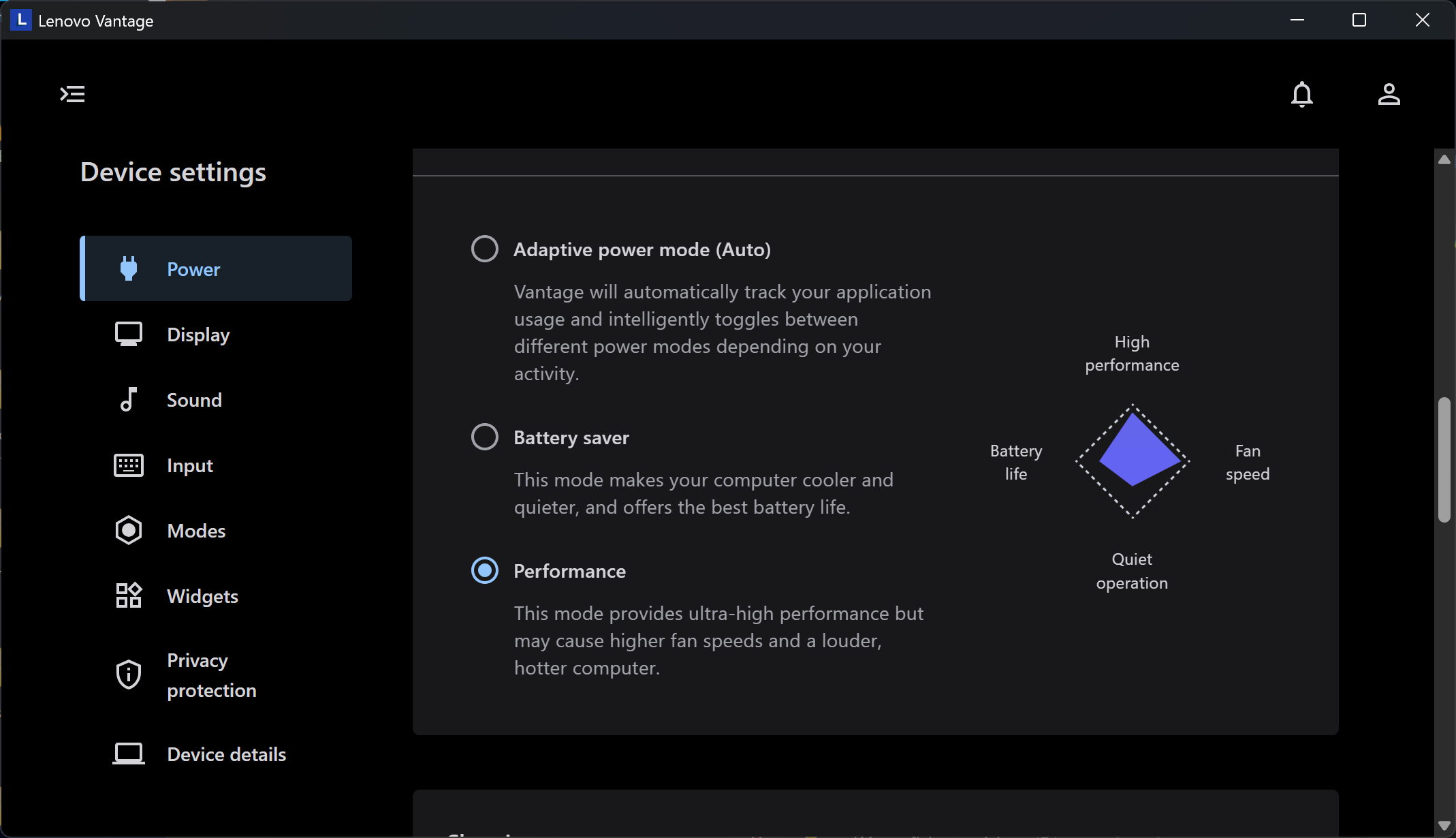
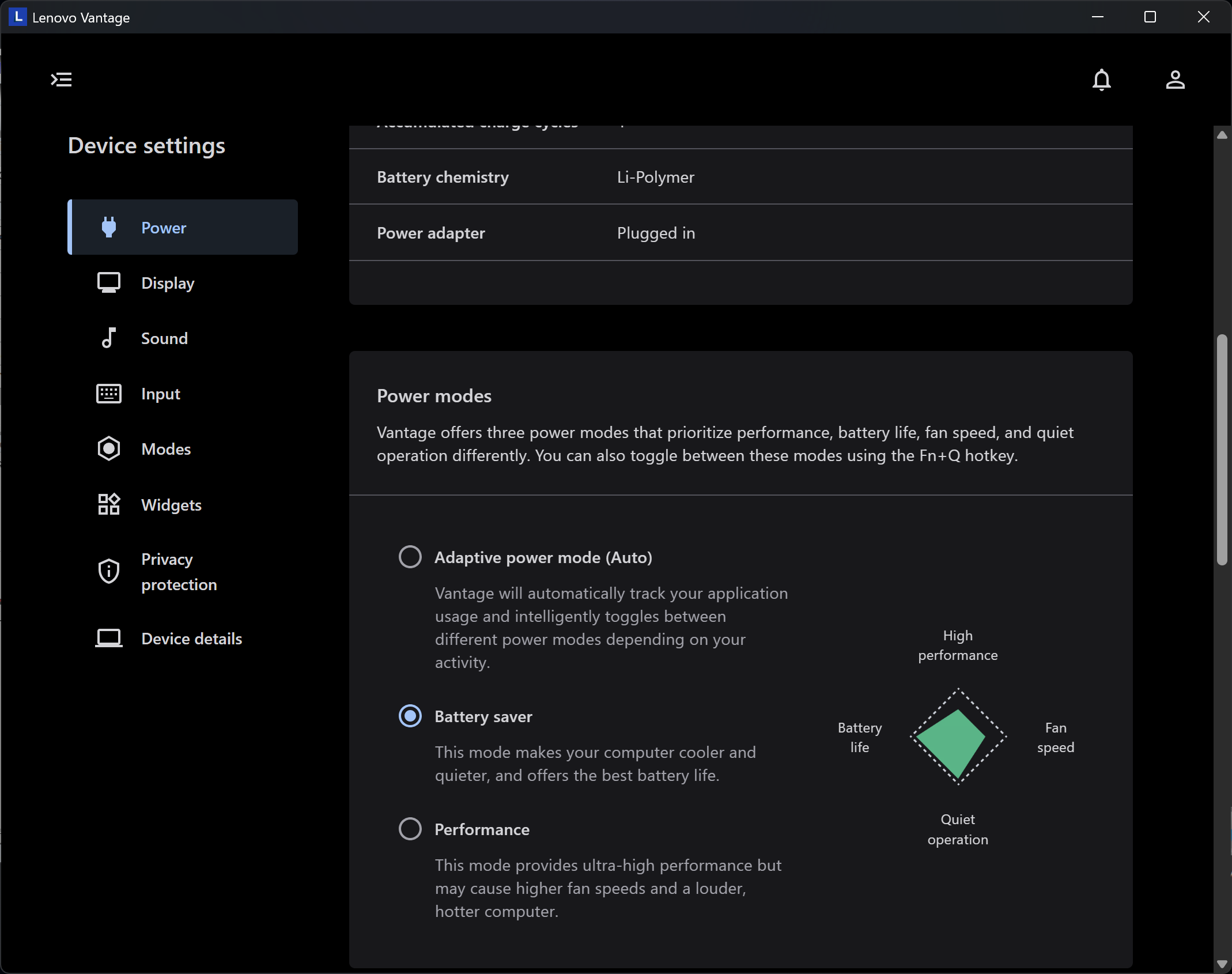
All performance and temperature tests are conducted with “Performance” mode activated in Lenovo Vantage:
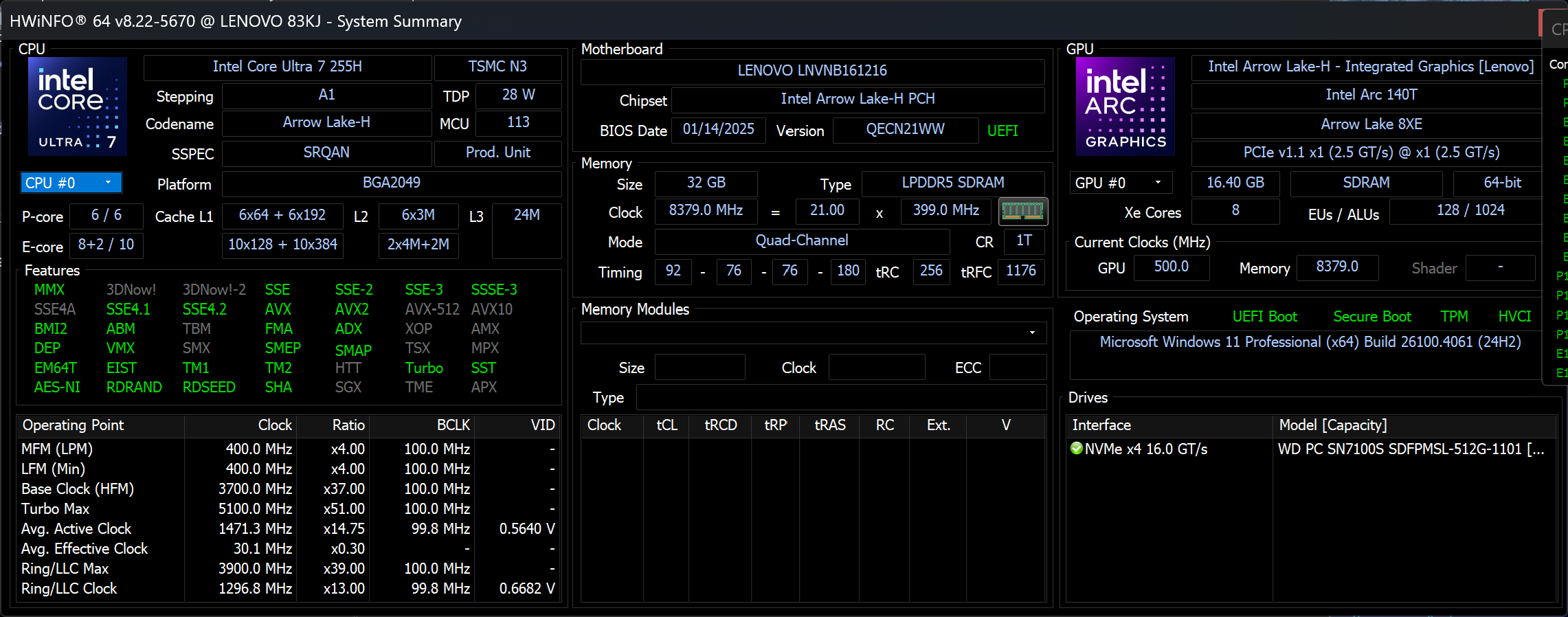
CPU and Work Performance
Lenovo Yoga Book 9i (14″ Intel) can be ordered with one of these two processors:
Intel® Core™ Ultra 7 255H
Intel® Core™ Ultra 9 285H
We have the base configuration – Core Ultra 7 255H.
Single-core प्रदर्शन ऑपरेटिंग सिस्टम में सुचारू संचालन और प्रतिक्रिया सुनिश्चित करता है, जिससे एक बेहतर उपयोगकर्ता अनुभव मिलता है।
परिणाम Geekbench 6 Single-Core टेस्ट से हैं (उच्चतर बेहतर है)

Multi-core प्रदर्शन जटिल और मांग वाले कार्यों, जैसे वीडियो संपादन, CAD, और वैज्ञानिक सिमुलेशन को संभालने के लिए आवश्यक है।
परिणाम Geekbench 6 Multi-Core टेस्ट से हैं (उच्चतर बेहतर है)
यहां, हम एक वास्तविक-विश्व 3D रेंडरिंग कार्य का उपयोग करके CPU के प्रदर्शन का मूल्यांकन करते हैं, जटिल संगणनाओं और रेंडरिंग वर्कलोड को कुशलतापूर्वक संभालने की इसकी क्षमता का आकलन करते हैं।
परिणाम Cinebench 2024 Multi-Core टेस्ट से हैं (उच्चतर बेहतर है)
Storage Performance
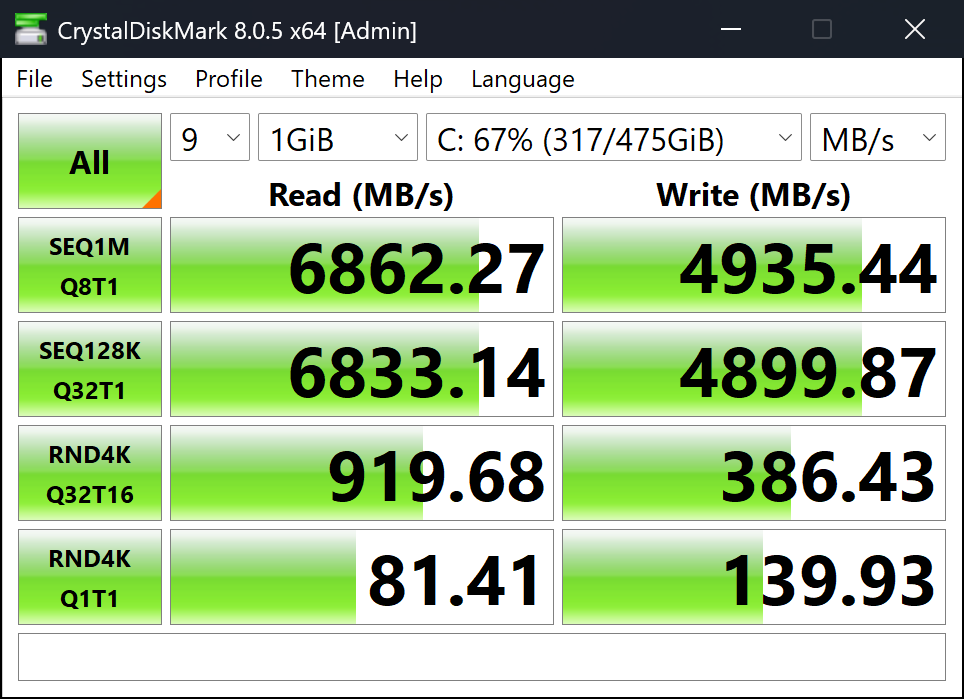
The 512GB storage variant of Yoga Book 9i comes with WD PC SN7100S SDFPMSL SSD. It boasts very high performance – 6.9GB/sec sequential read, and 4.9GB/sec sequential writing speed.
AI Performance
The integrated AI Boost NPU provides 13 TOPS of AI performance but the Intel® Arc™ 140T GPU is much faster as it reaches 74 TOPS for the version in Core Ultra 7 255H, and up to 77 TOPS for the Core Ultra 9 285H.
Check out our full AI Performance Rankings.
GPU and Gaming Performance
Both Core Ultra 7 255H and Ultra 9 285H come with the Intel® Arc™ 140T GPU.
You can find the performance rating of all the GPUs on the market in our Top Laptop Graphics Ranking.
परिणाम 3DMark Time Spy (Graphics) से हैं। उच्चतर बेहतर है।
परिणाम 3DMark Wild Life Extreme Unlimited से हैं। उच्चतर बेहतर है।
Gaming tests
Despite being an ultra-portable dual-screen device aimed at productivity and creativity, the Lenovo Yoga Book 9i (14″, Gen 10) still manages to squeeze out decent gaming performance thanks to the integrated Intel® Arc™ 140T GPU.

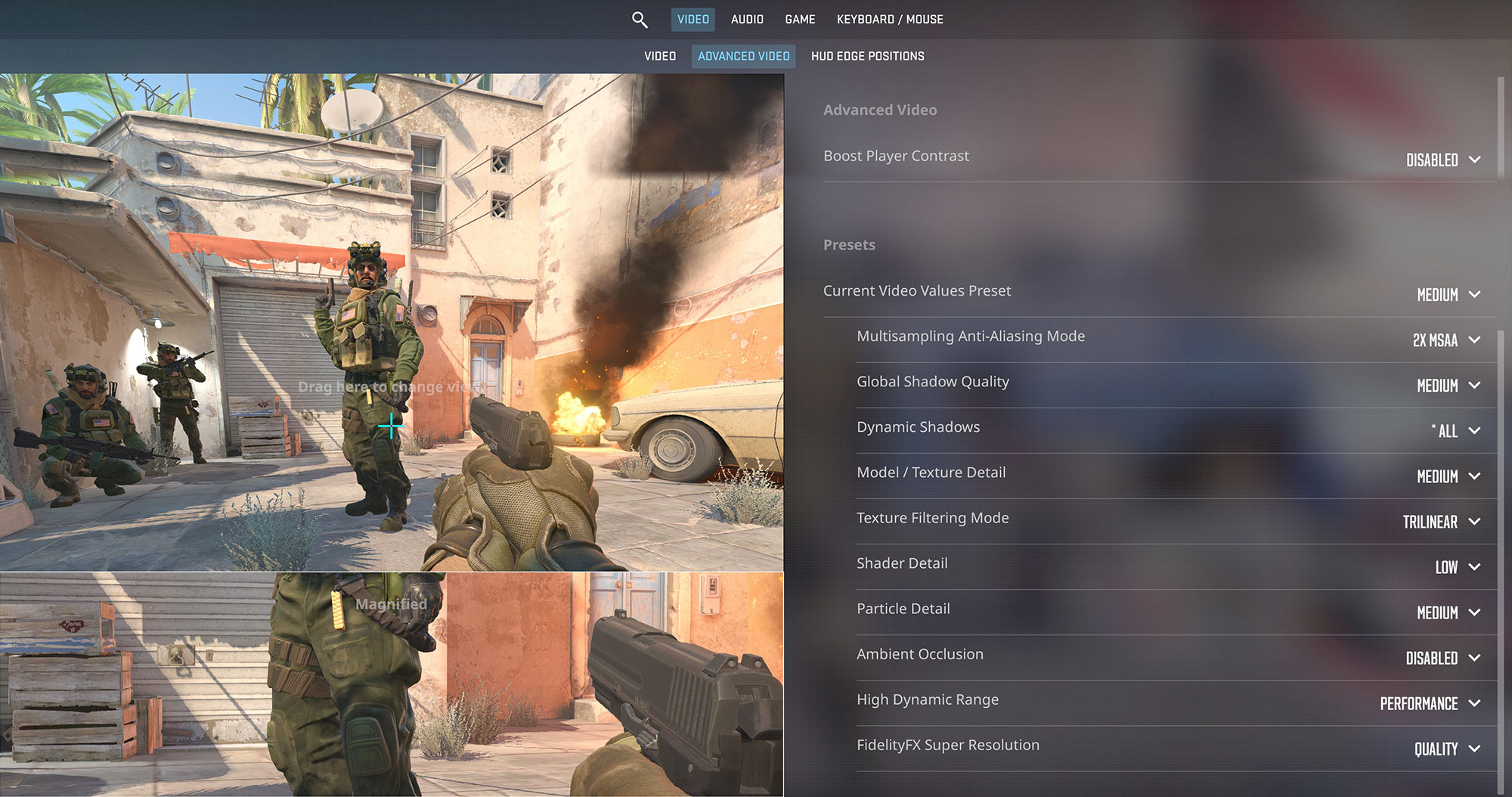
In Counter-Strike 2, the laptop delivered a playable 60 FPS at 1800p Medium settings—enough to enjoy casual matches and competitive rounds alike.
| Counter Strike 2 | 1800p, Medium (Check settings) |
| Average FPS | 60 FPS |

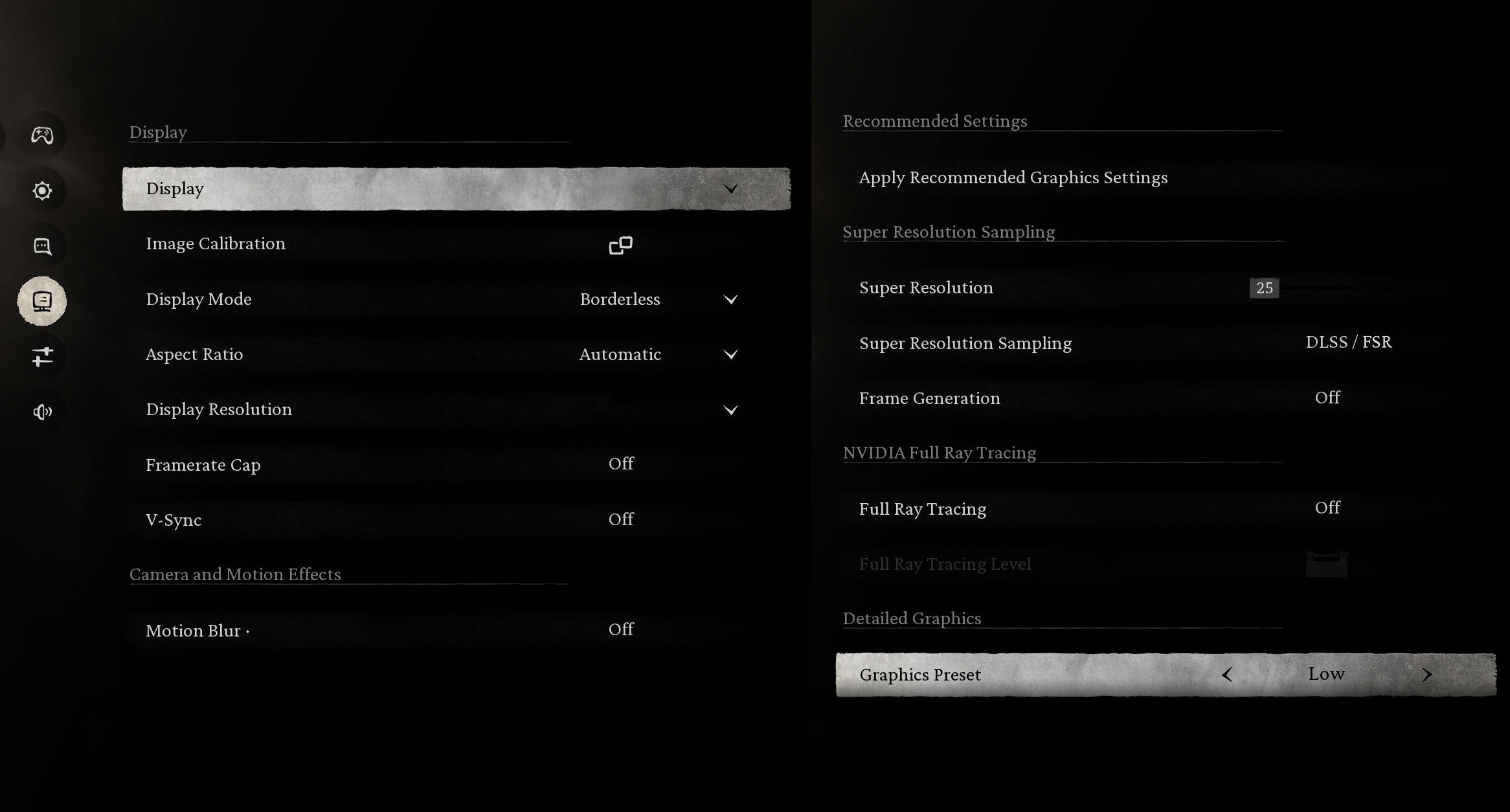
In more demanding titles like Black Myth: Wukong, the Yoga Book averaged 44 FPS at 1200p Low settings. It’s not flawless, but surprisingly decent considering the form factor and iGPU.
| Black Myth: Wukong | 1200p, Low (Check settings) |
| Average FPS | 44 FPS |

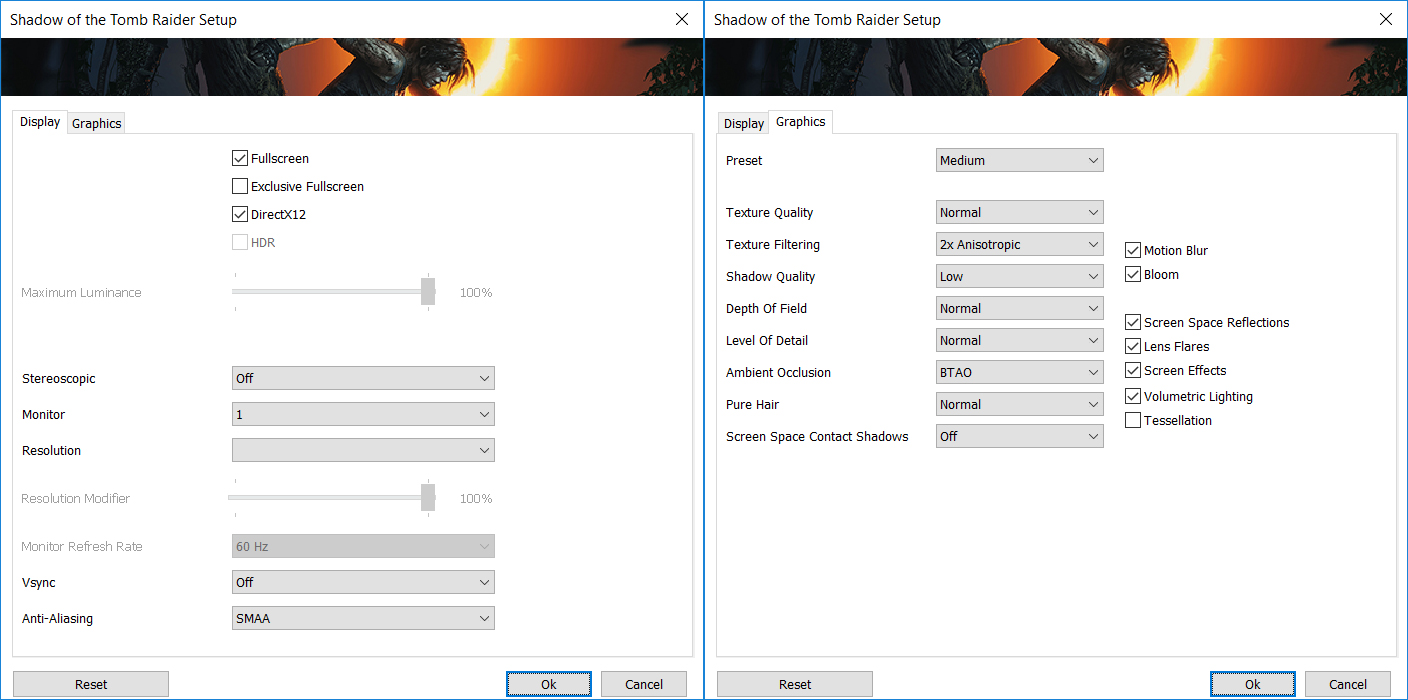
Shadow of the Tomb Raider pushed the hardware harder, yielding 45 FPS at 1200p Medium and 23 FPS at 1800p Medium—playable at lower settings, but best enjoyed with expectations in check.
| Shadow of the Tomb Raider | 1200p, Medium (Check settings) | 1800p, Medium (Check settings) |
| Average FPS | 45 FPS | 23 FPS |
Temperatures and Comfort, Noise, Stability
Office Work, Web Development, Design
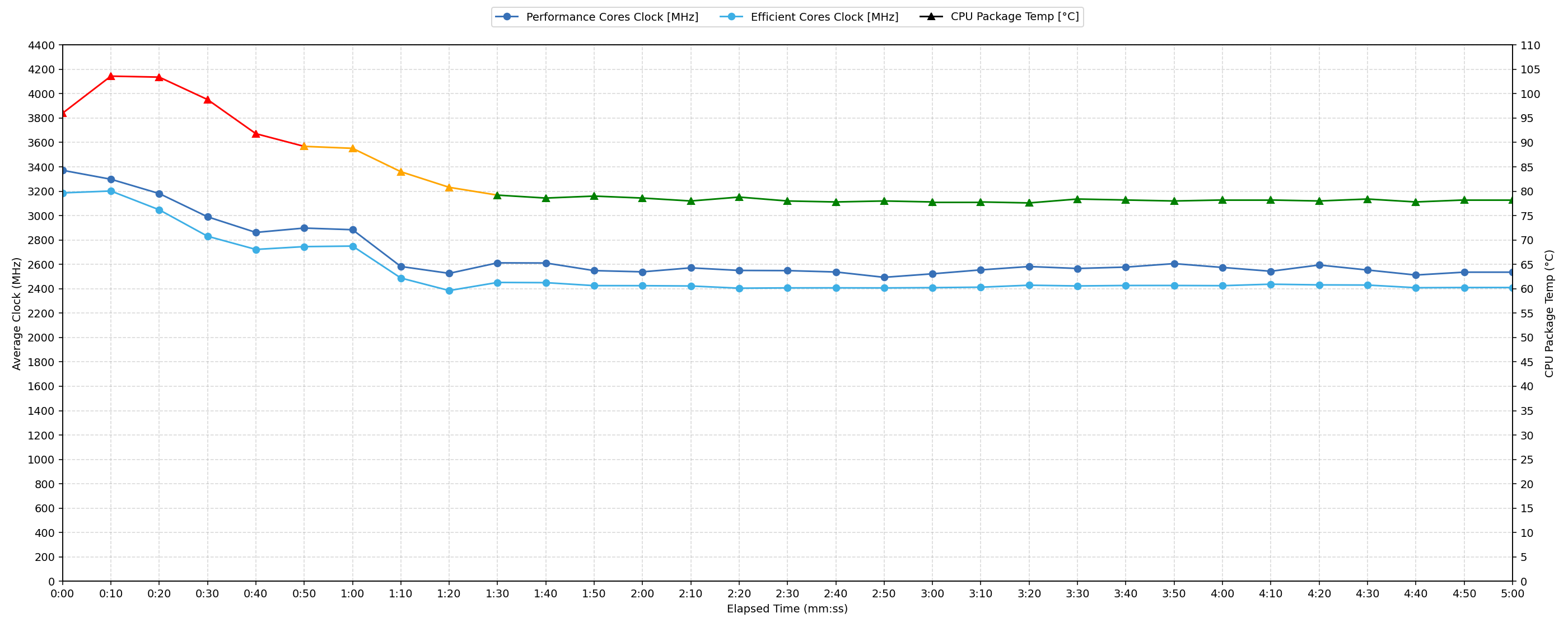
Short periods (0:00 – 0:10 s) of 100 % CPU load
This test shows the CPU behavior during short periods of serious load. It’s important for users who are looking for laptops suitable for tasks like Web Design and Programming.
| Intel Core Ultra 7 255H | Avg. P-Core Clock | Avg. CPU Temp. | Avg. CPU Power |
| Lenovo Yoga Book 9i (14″, Gen 10) | 3371 MHz | 96 °C | 56 W |
The Intel® Core™ Ultra 7 255H in the Yoga Book 9i demonstrates strong initial performance during short, intense workloads. The CPU quickly boosts to a peak clock of 3423 MHz within the first 5 seconds, maintaining an average of 3371 MHz during the 0-10 second interval. This burst performance is supported by an average power draw of 56 W and a peak power of 59 W. However, the thermal management during these short loads presents a challenge, with the average CPU temperature reaching a high 96 °C and peaking at 105 °C. These temperatures are considered high, indicating the system pushes its thermal limits under brief, maximum stress.
Video editing, Scientific computing, Software compilation, 3D rendering
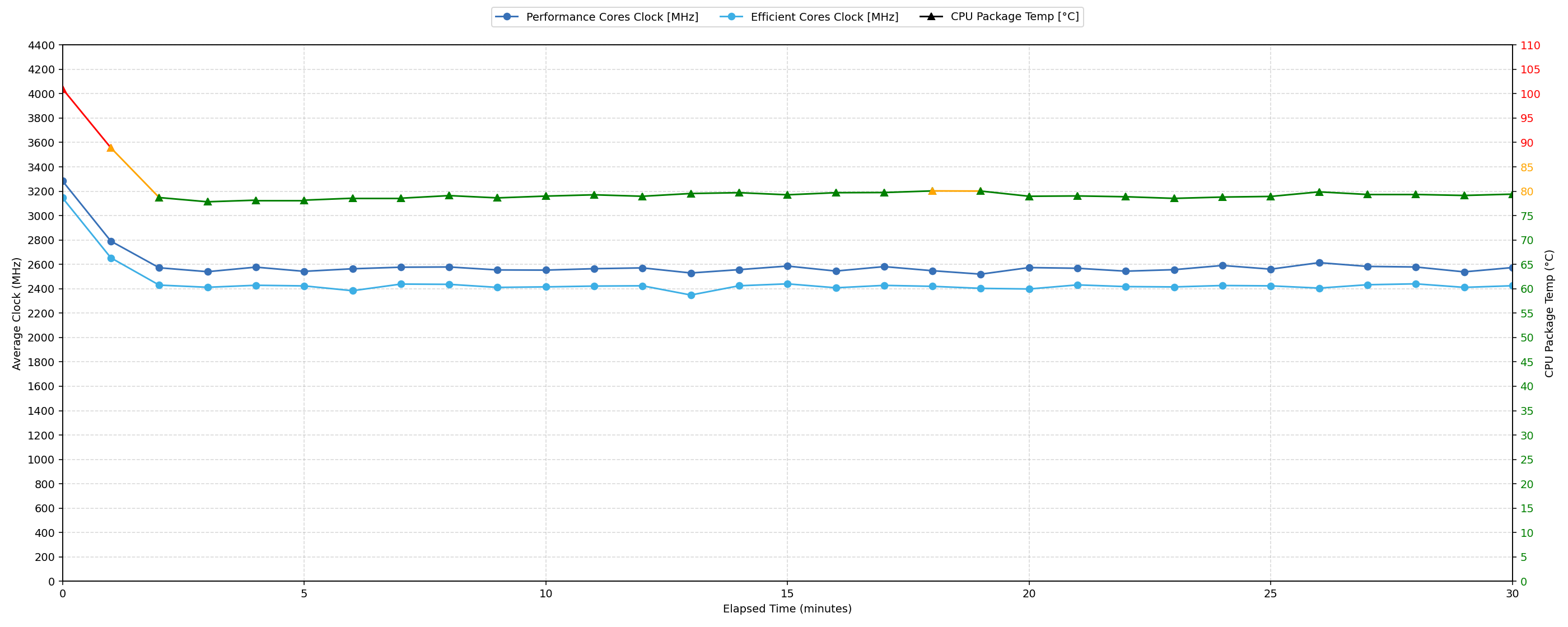
Long periods (0:00 – 30:00 min) of 100 % CPU load
This test shows the CPU behavior during long periods of serious load. It’s important for users who are looking for laptops suitable for tasks like Video Editing and 3D Rendering.
| Intel Core Ultra 7 255H | Avg. P-Core Clock | Avg. CPU Temp. | Avg. CPU Power |
| Lenovo Yoga Book 9i (14″, Gen 10) | 2583 MHz | 79 °C | 32 W |
For sustained heavy workloads over 30 minutes, the Intel® Core™ Ultra 7 255H maintains an average clock speed of 2583 MHz, supported by an average power consumption of 32 W. There is a notable clock speed drop of 988 MHz from its initial peak, settling at a minimum of 2435 MHz during the 30-second to 5-minute interval. This reduction in clock speed appears to effectively manage thermal output, as the average CPU temperature over the 30-minute period remains at 79 °C. This temperature is considered good for prolonged heavy use, indicating stable and efficient performance under sustained stress.
Battery Life
Lenovo Yoga Book 9i (14″ Intel) comes with a surprisingly large 88Wh Li-ion Battery.
We tested its endurance with Battery Saver mode activated in Lenovo Vantage. It lasted for more than 15 hours on a single charge!
In order to get longer battery life, we turned off the second screen for this test.
चमक: 180 nits; डिस्प्ले मोड: SDR
पूर्ण डिस्चार्ज का समय: उच्चतर बेहतर है
Verdict
 The Lenovo Yoga Book 9i (14″, Gen 10) is far more than just a laptop; it’s a bold statement about the future of personal computing. Its dual-screen OLED design is undeniably captivating, turning heads and sparking conversations wherever it goes. This isn’t merely a gimmick; Lenovo has thoughtfully engineered a remarkably versatile device that feels premium and surprisingly robust, thanks to its stainless magnesium construction. The “Tidal Teal” finish is elegant and impressively fingerprint-resistant, maintaining its pristine look. Despite housing two full 14-inch displays, it remains impressively thin and light, with a one-hand open mechanism and a 360-degree hinge system that allows for an incredible array of usage modes, truly adapting to the user’s needs.
The visual experience is, as expected, a major highlight. Both 14-inch, 120Hz OLED touchscreens are stunning, delivering sharp 2.8K resolution, full DCI-P3 color coverage, excellent brightness, and infinite contrast. Their PWM implementation, while present, has limited amplitude, making them relatively comfortable for extended viewing. This dual-screen real estate, combined with the included Lenovo Yoga Pen and Bluetooth keyboard, unlocks unique productivity and creative workflows. Performance, even with the base Core Ultra 7 255H in our unit, is strong for everyday tasks, creative work, and even light gaming thanks to the capable Intel® Arc™ 140T integrated graphics. This is supported by very fast NVMe SSD storage and an outstanding battery life of over 15 hours (when using a single screen), a remarkable achievement given the dual displays and potent internals.
 However, this innovative design isn’t without its practical considerations. The exclusive reliance on three Thunderbolt 4/USB4 ports, while powerful and versatile, means adapters are a necessity for any legacy peripherals or wired Ethernet. While the included Bluetooth keyboard is comfortable, the on-screen virtual keyboard is best for quick inputs only, and neither offers a dedicated NumPad. Thermal management is a mixed bag; while sustained loads are handled well with good temperatures, short, intense bursts can push the CPU to very high temperatures momentarily. Finally, the glossy nature of the OLED screens, while offering acceptable reflectance for their type, can still be prone to glare in bright environments.
Ultimately, the Lenovo Yoga Book 9i (14″, Gen 10) is a triumph of engineering and a genuinely exciting glimpse into what’s possible. It’s a premium, versatile, and highly portable device that excels for users who can leverage its unique dual-screen capabilities for enhanced productivity, creativity, or multitasking. The stunning displays, excellent battery life (on one screen), and robust performance make it a compelling, if niche, flagship. It’s for the innovator, the early adopter, and anyone who craves a device that truly stands out and redefines the boundaries of a traditional laptop.
You can check the prices and configurations in our Specs System: https://laptopmedia.com/series/lenovo-yoga-book-9i-14-gen-10/
Pros
- Groundbreaking and incredibly versatile dual-screen OLED design
- Stunning 14-inch 2.8K 120Hz OLED displays with 100% DCI-P3 coverage
- Excellent brightness and infinite contrast on both screens
- Premium and robust stainless magnesium construction
- Impressively thin and lightweight despite dual screens
- Outstanding battery life (15+ hours on a single screen)
- Strong performance from Intel® Core™ Ultra H-series CPUs and Arc graphics
- Very fast NVMe SSD storage
- Three versatile Thunderbolt 4 / USB4 ports with DP 2.1 and PD 3.0
- Includes Lenovo Yoga Pen and Bluetooth keyboard
- Relatively comfortable PWM implementation on displays
- Good sound quality
Cons
- Exclusive reliance on USB-C ports (no native USB-A, HDMI, or Ethernet)
- Glossy OLED screens are susceptible to glare
- On-screen virtual keyboard is only suitable for quick inputs
 Author: Simeon NikolovEditor-in-Chief at LaptopMedia.com with 20+ years of experience in testing and analyzing laptops and mobile devices.
 Author: eng. Kroum NikolovHead of Engineering at LaptopMedia.com, inventor and innovator with 40+ years of experience in electronics and high technology.

![[May 2026] Global Ranking of Best-Selling Laptop GPUs on Amazon – Apple Dominates with 45% Share, Sweeps Top 3 Spots; NVIDIA’s RTX 5060 Leads the Dedicated GPU Pack](https://laptopmedia.com/wp-content/uploads/2026/06/Best-Selling-GPUs-GLOBAL-Top-10-400x225.jpg)
![[May 2026] Global Ranking of Best-Selling Laptop CPUs on Amazon – Apple Crushes Competition with 45.2% Market Share, M5 Dominates](https://laptopmedia.com/wp-content/uploads/2026/06/Best-Selling-CPUs-GLOBAL-Top-10-400x225.jpg)
![[May 2026] Amazon Germany: Top 7 Best-Selling Gaming Laptops – Lenovo Legion 5i Crowned Champion Amidst Fierce Mid-Range Competition](https://laptopmedia.com/wp-content/uploads/2026/06/Best-Selling-Gaming-Laptops-DE-Top-10-1-400x225.jpg)
![[May 2026] Amazon Italy: Top 10 Best-Selling Laptops – Apple MacBook Neo Reigns Supreme, Premium Models Capture Dominant Revenue Share](https://laptopmedia.com/wp-content/uploads/2026/06/Best-Selling-Laptops-IT-Top-10-400x225.jpg)
![[May 2026] Best-Selling Laptop Brands on Amazon Italy – Apple Dominates Across All Metrics](https://laptopmedia.com/wp-content/uploads/2026/06/IT-Best-Brands-400x225.jpg)