Acer Predator Helios Neo 16 AI (PHN16-73) review – The Most Beautiful Screen You CAN’T See
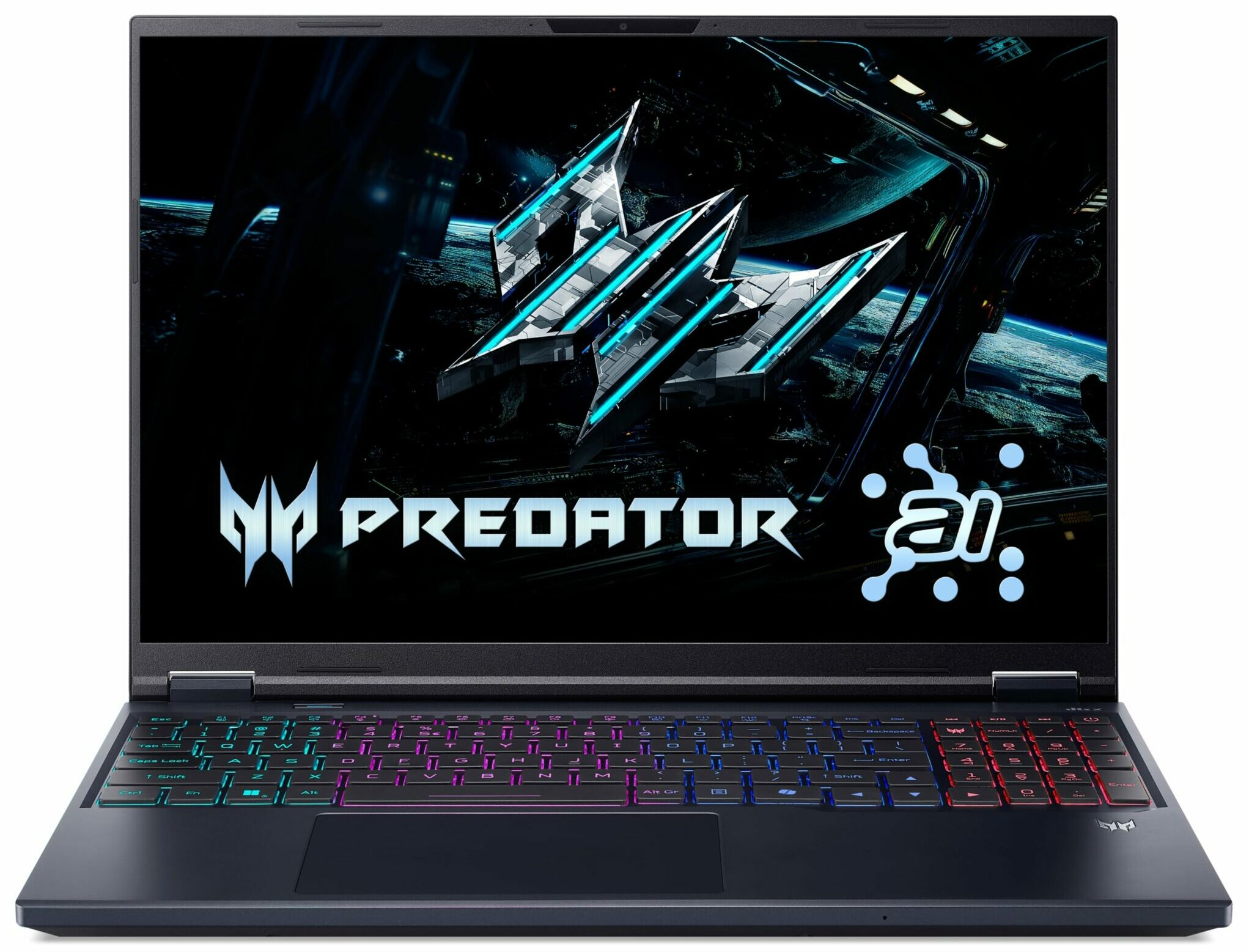
The Acer Predator Helios Neo 16 AI (PHN16-73) arrives as a compelling contender in the high-performance gaming laptop space, aiming to strike that elusive sweet spot between raw power, a premium feel, and a manageable form factor. On paper, it’s a winner, centered around a spectacular 240Hz OLED display that promises a top-tier visual experience. However, this machine is a true paradox. As we discovered, its greatest strength, that beautiful screen, is also the source of its most significant and frustrating flaws. This is a story of a laptop that gets so much right, yet stumbles badly on the very feature it’s built around.
You can check the prices and configurations in our Specs System: https://laptopmedia.com/series/acer-predator-helios-neo-16-ai-phn16-73/
Contents
- Specs, Drivers, What’s in the box
- Design and construction
- Display and Sound Quality, Display Profiles
- Get our profiles
- Work Performance: CPU, Storage, AI
- GPU and Gaming Performance
- [eBook Guide + Tools] How to MAX OUT Your Laptop
- Temperatures and Comfort, Stability
- Battery Life
- Disassembly, Upgrade options, and Maintenance
- Verdict
Specs, Drivers, What’s in the box
Acer Predator Helios Neo 16 AI (PHN16-73) - स्पेक्स

- HDD/SSD
- तक 4000GB SSD
- M.2 स्लॉट
- 2x 2280 M.2 NVMe PCIe 4.0 x4 फोटो देखें
- RAM
- up to 64GB
- OS
- Windows 11 Home, No OS, Windows 11 Pro
- बैटरी
- 90Wh
- आयाम
- 356.78 x 275.5 x 13.47 ~ 23.90 mm (14.05" x 10.85" x 0.53")
- वजन
- 2.70 kg (6 lbs)
- पोर्ट और कनेक्टिविटी
- 1x USB Type-A
- 3.2 Gen 1 (5 Gbps)
- 1x USB Type-A
- 3.2 Gen 2 (10 Gbps)
- 1x USB Type-A
- 3.2 Gen 2 (10 Gbps), Sleep and Charge
- 1x USB Type-C
- 3.2 Gen 2 (10 Gbps), Power Delivery (PD), DisplayPort
- 1x USB Type-C
- Thunderbolt 4, Power Delivery (PD), DisplayPort
- HDMI
- 2.1
- कार्ड रीडर
- microSD (microSD, microSDHC, microSDXC)
- ईथरनेट लैन
- 10, 100, 1000, 2500 Mbit/s
- वाई-फाई
- Wi-Fi 6E
- ब्लूटूथ
- 5.4
- ऑडियो जैक
- 3.5mm Combo Jack
- विशेषताएँ
- फिंगरप्रिंट रीडर
- वेब कैमरा
- FHD IR with support for Windows Hello Face Authenticatio
- बैकलिट कीबोर्ड
- माइक्रोफोन
- 3x Microphone Array with AI noise-canceling
- स्पीकर
- Audio by DTS X: Ultra Audio
- सुरक्षा लॉक स्लॉट
- Kensington Lock
सभी Acer Predator Helios Neo 16 AI (PHN16-73) कॉन्फ़िगरेशन
Drivers
All drivers and utilities for this notebook can be found here: https://www.acer.com/us-en/support/product-support/Predator_PHN16-73/downloads?suggest=PHN16-73;1
What’s in the box?
True to the more streamlined approach often seen with Acer’s “Neo” series, the unboxing experience for the Predator Helios Neo 16 AI is straightforward.
You won’t find a bundle of extra goodies here; instead, the focus is squarely on the essentials.
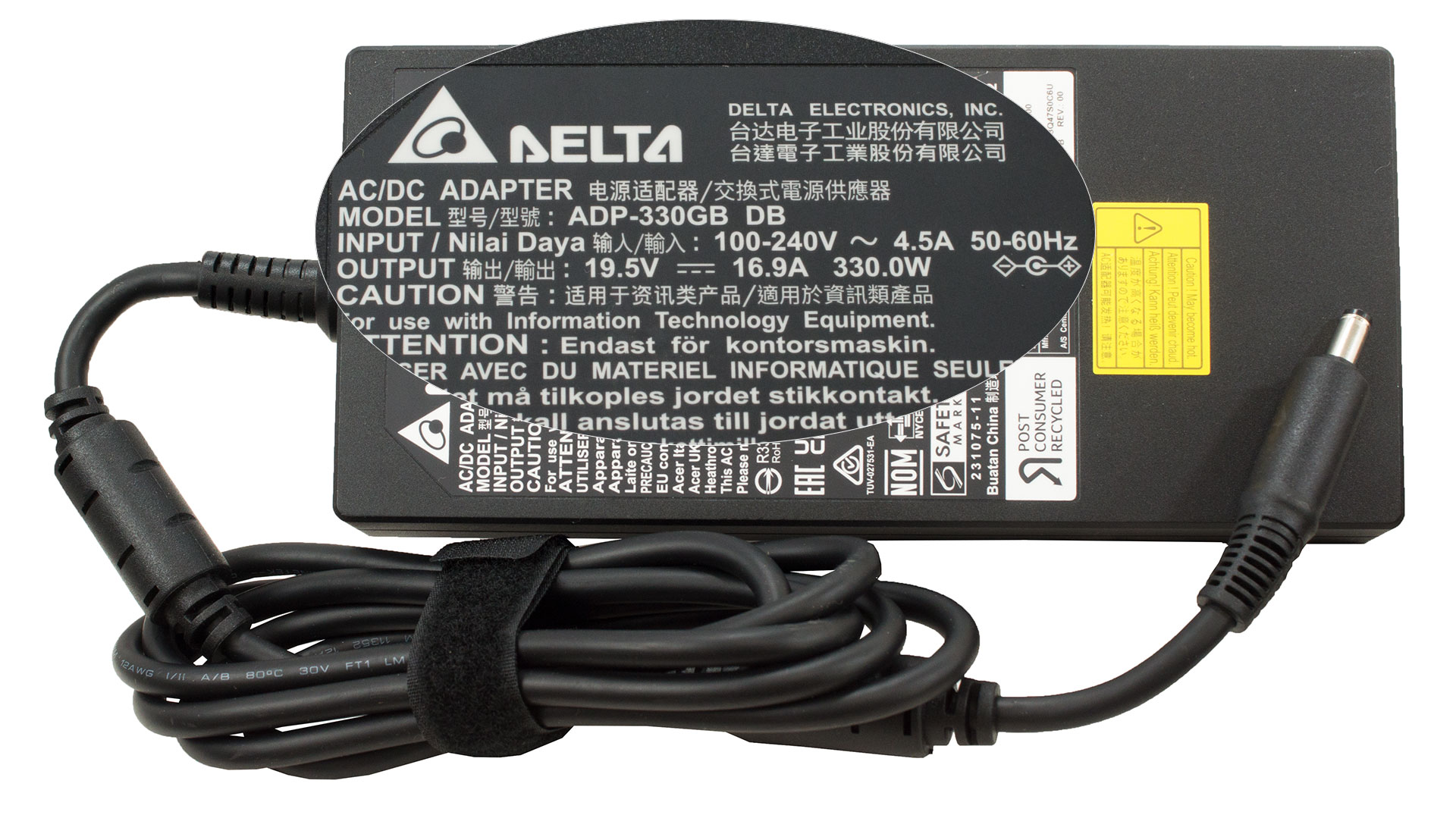
Alongside the laptop itself, the other key item in the box is its massive 330W power adapter, ready to fuel your gaming sessions.
Design and construction
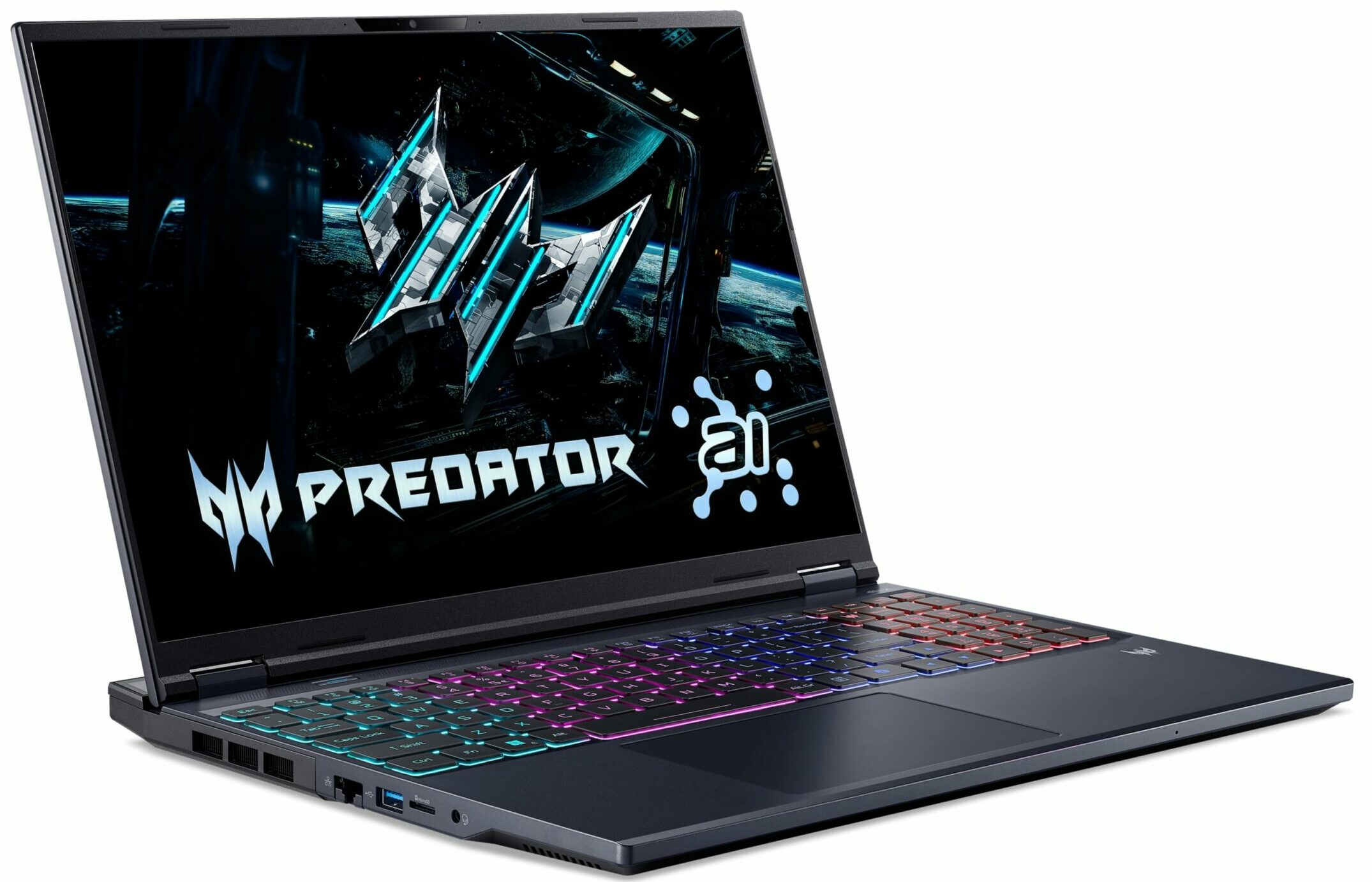
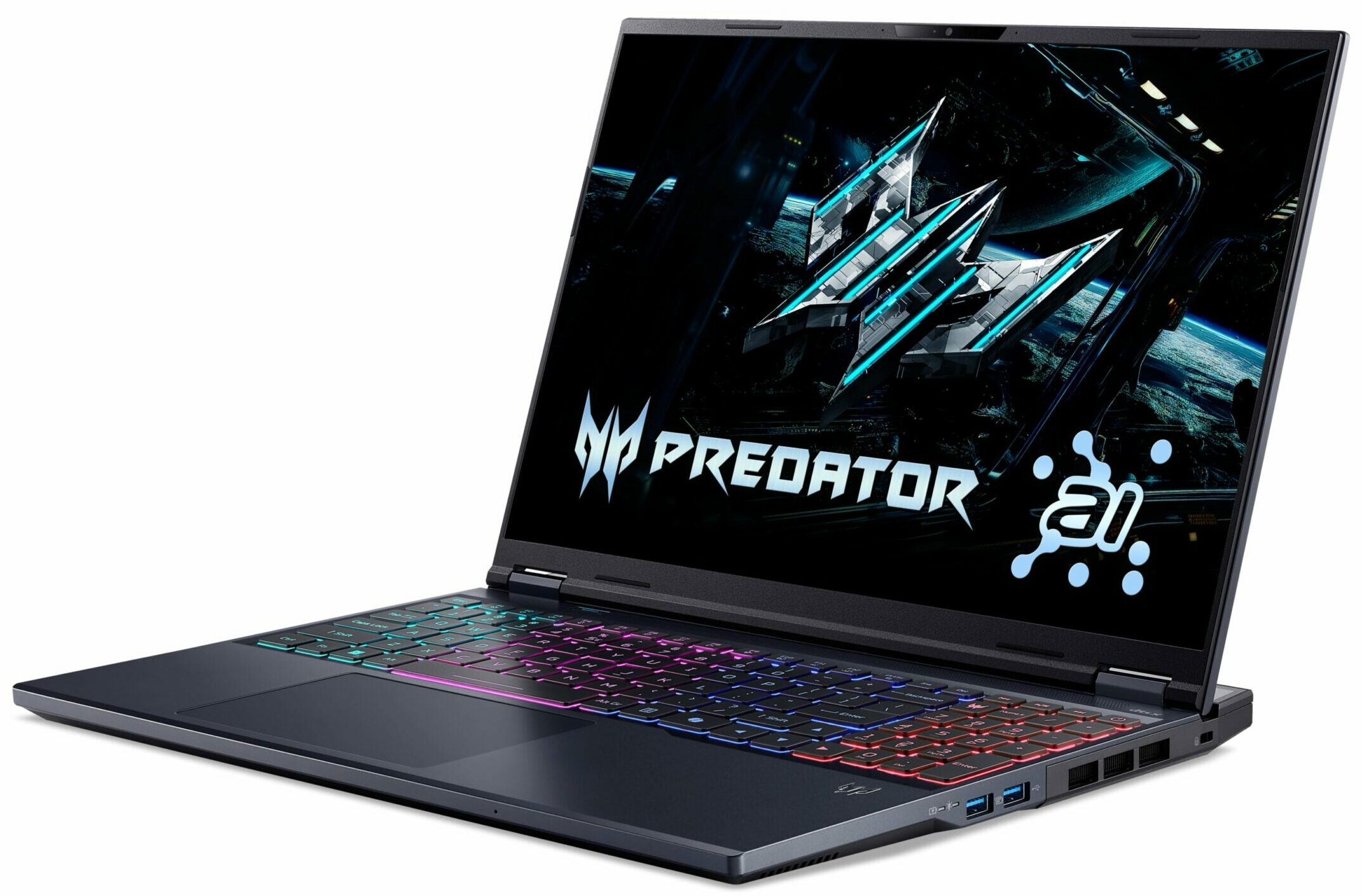
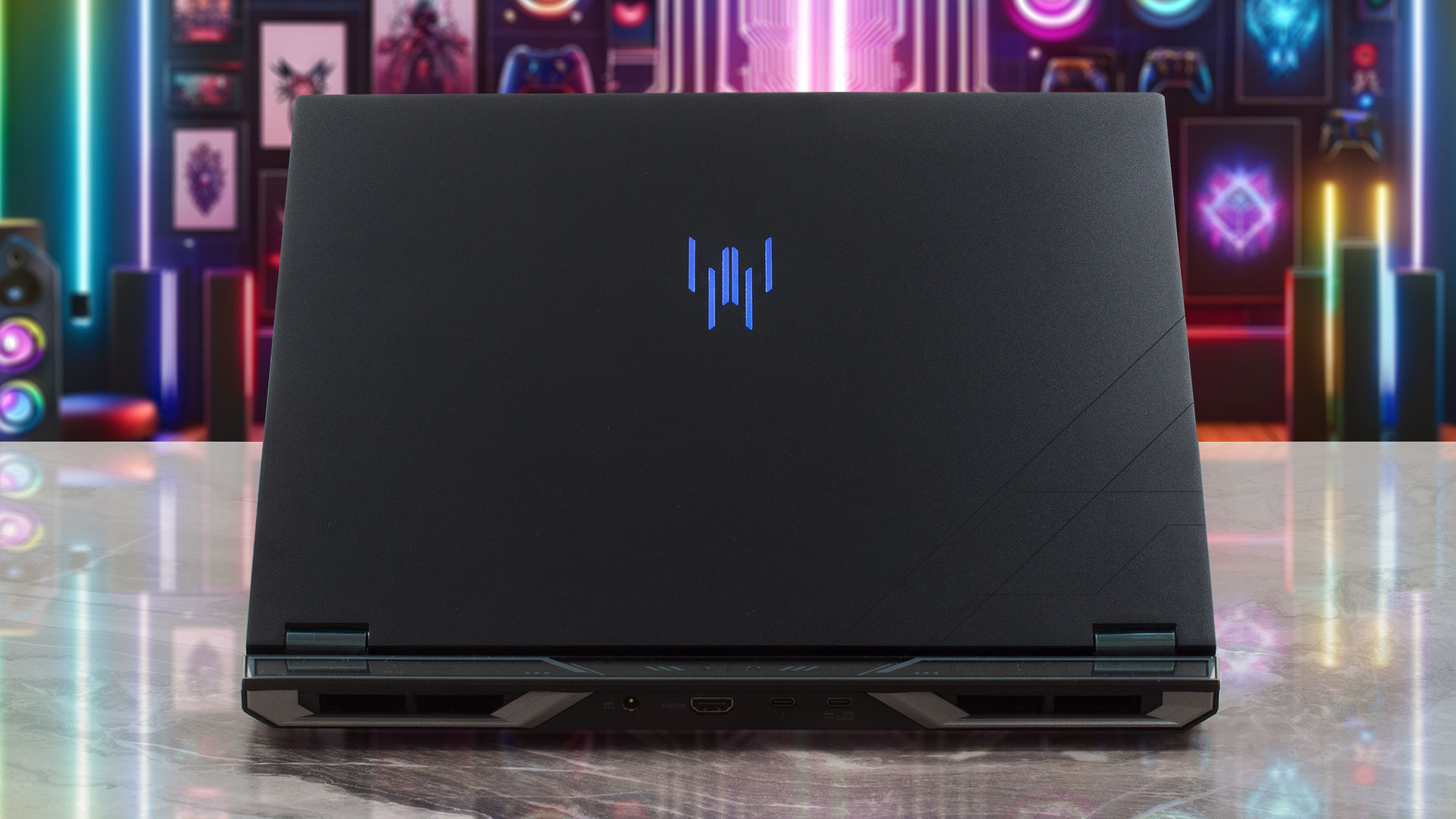
The Acer Predator Helios Neo 16 AI (PHN16-73) immediately communicates its dual nature: it’s engineered to impress with both raw performance and a surprising degree of portability. This philosophy is evident in its design, which almost resembles an ultra-mobile machine that’s been elevated on substantial feet for optimal airflow. Visually, Acer has opted for a refined, almost understated aesthetic for a gaming laptop. The matte black lid – the only color option available for the PHN16-73, and one that suits it perfectly – is clean and features a discrete, dark glass Predator logo at its centre, with a few sharp, angular accents in the corners.
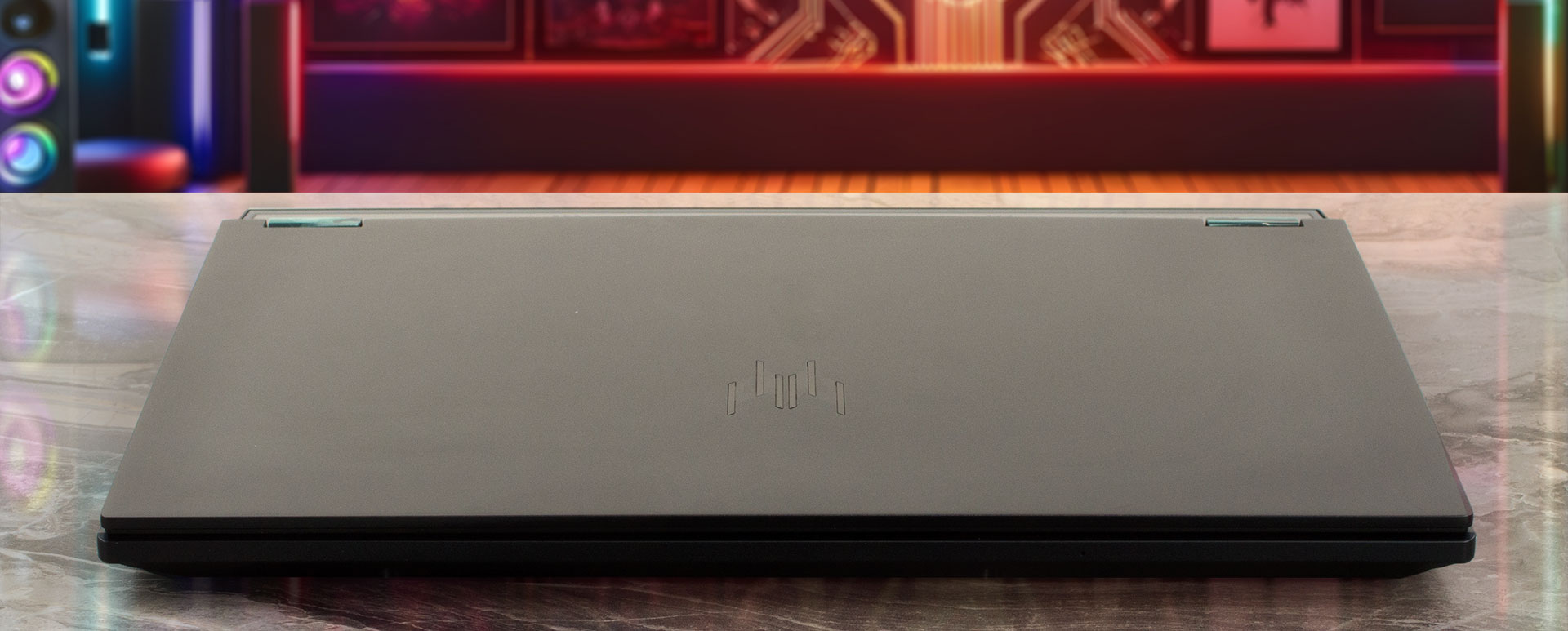
A particularly stylish touch is the beautifully executed glass panel on the rear, covering the “NEO” inscription. Acer’s designers have skillfully managed to imbue the Helios Neo with a look that’s both chic and unmistakably rooted in its gaming heritage.
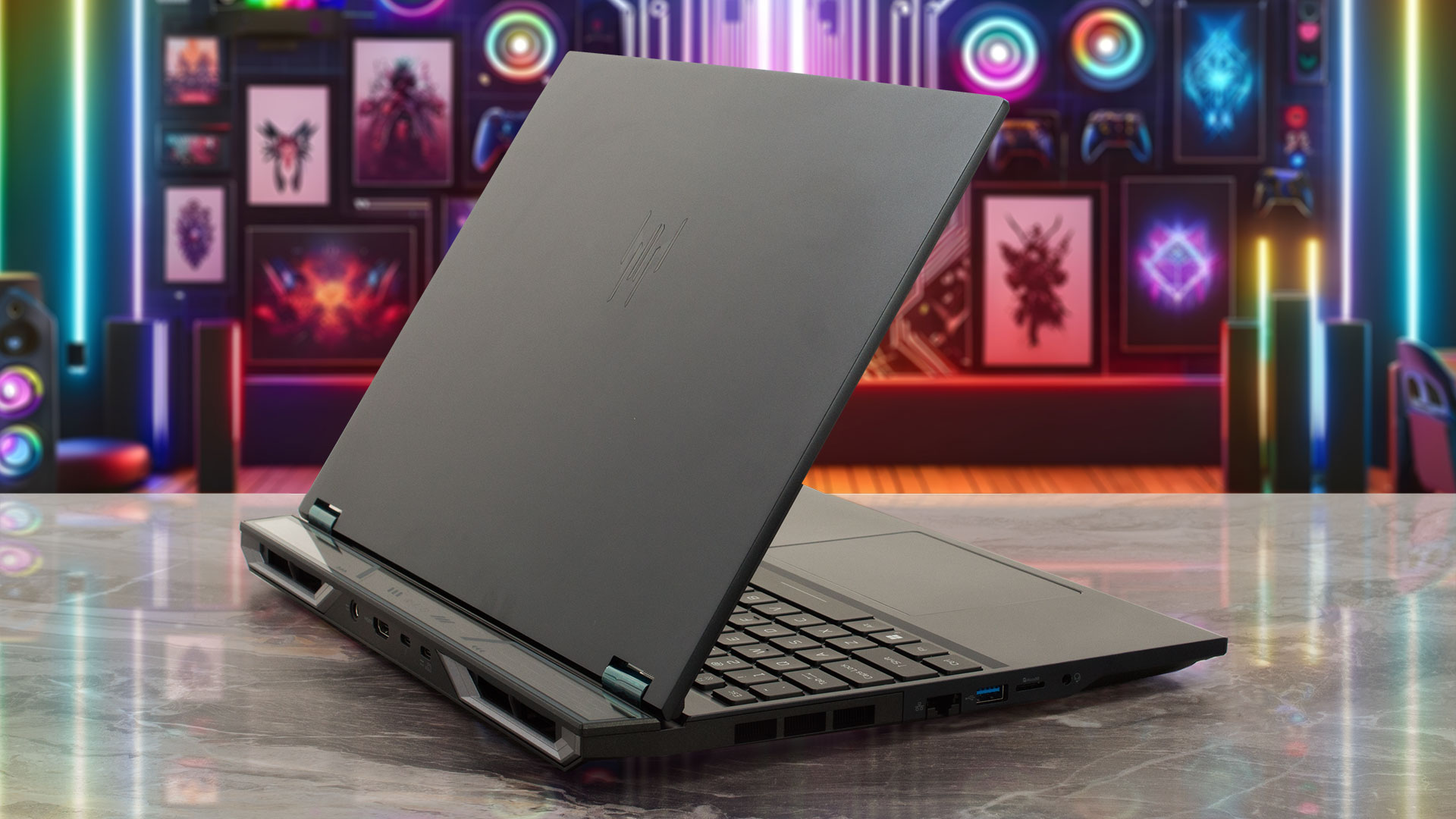
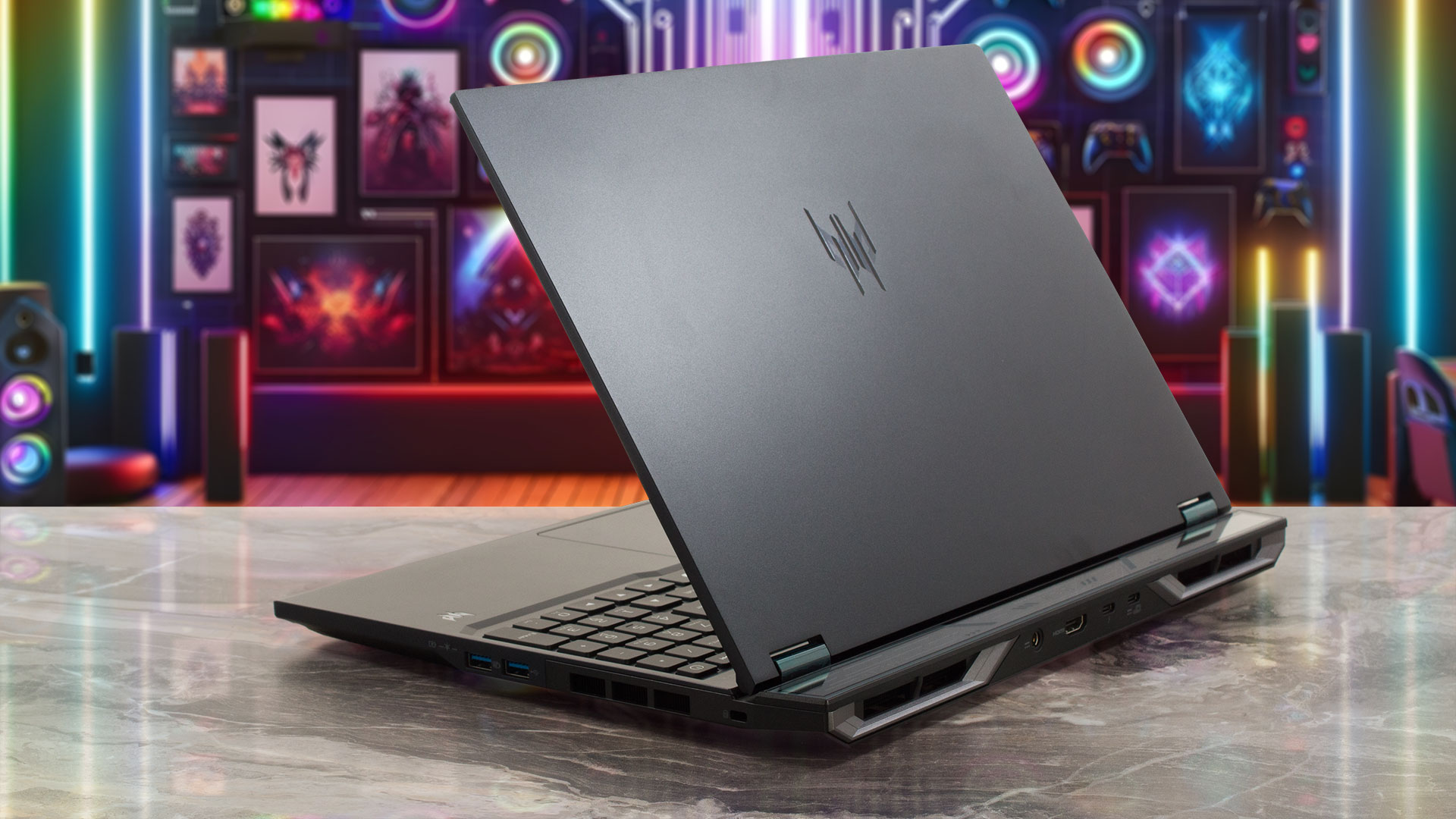
Despite its powerful internals, the Helios Neo 16 AI maintains a relatively sleek profile. The version with an RTX 5070 Ti has a tapered design, measuring 13.47 mm at its thinnest point and up to 26.75 mm at the rear (14.05 x 10.85 x 0.53/1.05 inches). Models equipped with an RTX 5070 or RTX 5060 are slightly slimmer, maxing out at 23.90mm (0.53/0.94 inches). It tips the scales at 2.7 kg (5.95 lbs), which is substantial but understandable for a 16-inch gaming rig. The lid is crafted from aluminium, lending a premium feel, while the interior chassis is made of durable plastic. In terms of fingerprint resistance, the lid does show some light smudges and signs of use after a while, but the interior surfaces remain commendably clean. The overall construction feels very stable and robust, with no concerning flex, instilling confidence in its build quality.
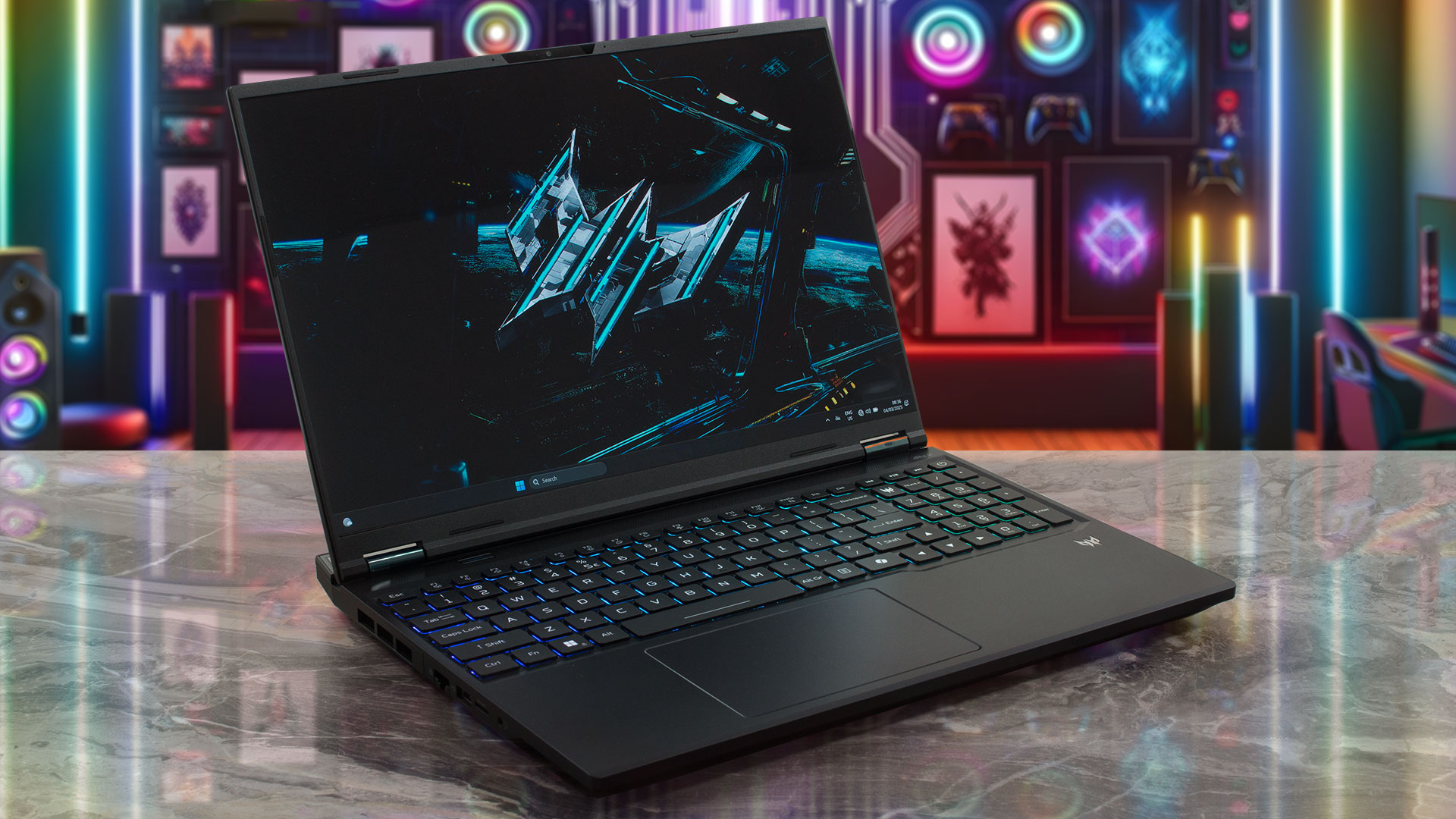
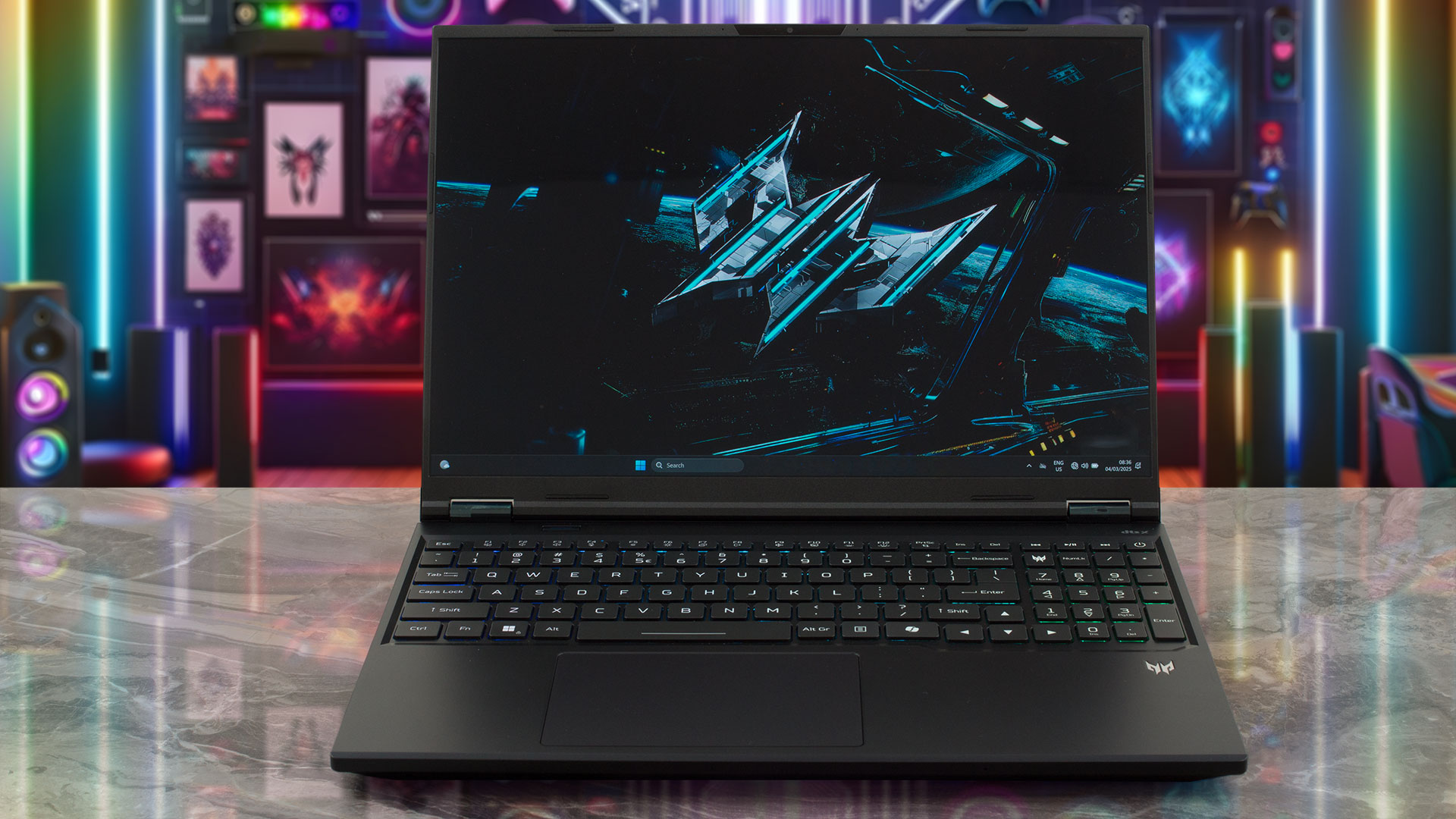
The display is framed by impressively thin bezels, measuring just 5 mm (~0.2 inches) on the sides and a slim 8 mm (~0.3 inches) at the top. This top bezel, despite its narrowness, houses a sophisticated camera system. We’re talking a Narrow USB FHD camera paired with an IR camera, both featuring blue glass lenses. This setup delivers a crisp 1920 x 1080 resolution, smooth 1080p HD video at 60 fps, and is enhanced with Temporal Noise Reduction and Staggered High Dynamic Range (SHDR). It also incorporates dual microphones (33 mm + 33 mm) for clear audio, with the camera module itself measuring 88 x 3.2 x 2.6 mm. One notable omission, however, is a physical privacy shutter for the webcam – a feature we always appreciate for guaranteed peace of mind. The screen itself opens to a maximum angle of about 145 degrees, which is perfectly adequate as there are no touchscreen display options for this model.
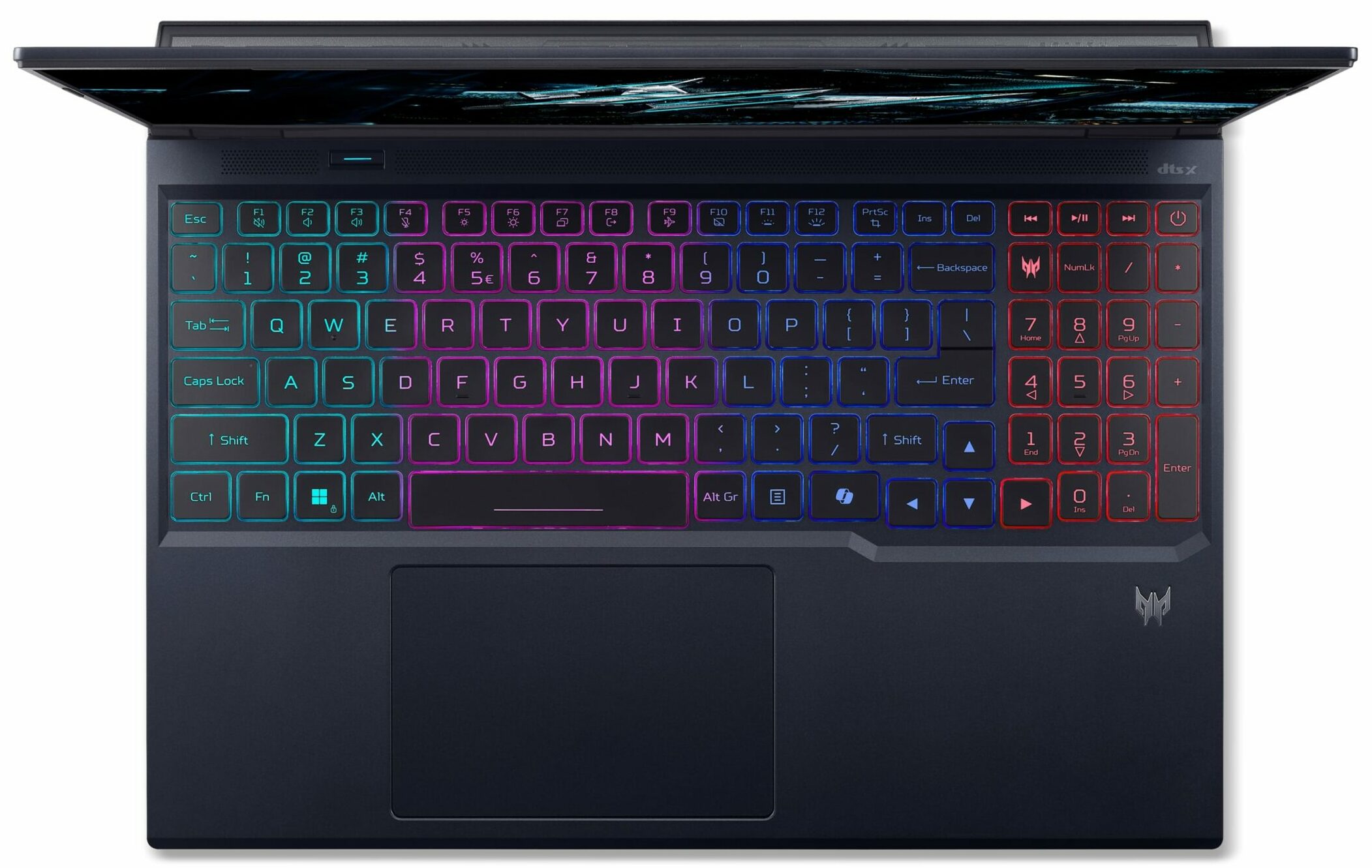
Moving to the keyboard deck, Acer has managed to include a full NumPad with relatively large keys, almost matching the size of the main QWERTY keys – a thoughtful touch for productivity. The keyboard features vibrant RGB backlighting and offers a very comfortable typing and gaming experience, thanks to a generous 2.0mm key travel. Unlike many modern laptops, the arrow keys are full-sized, which is a significant plus for gamers.
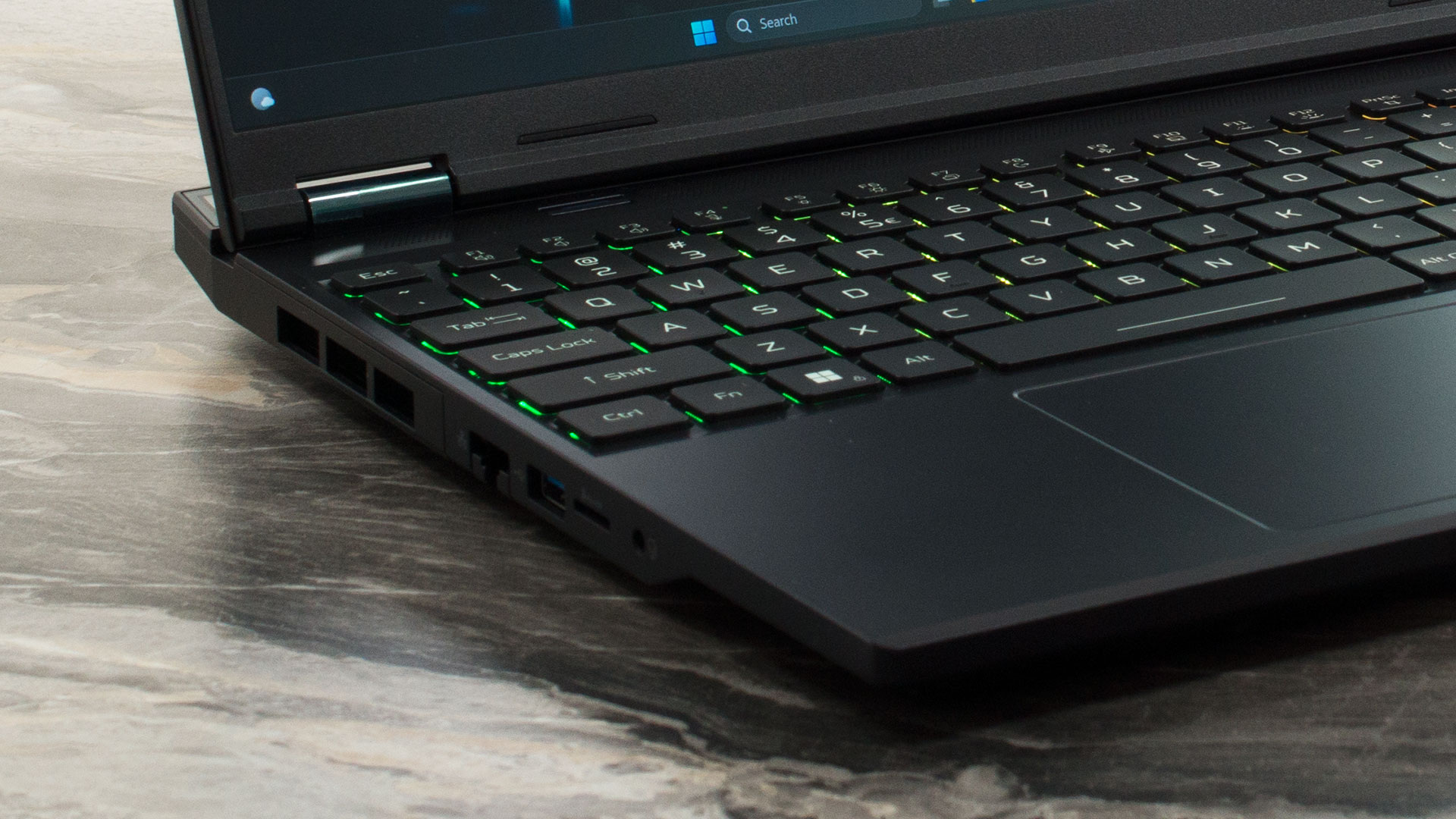
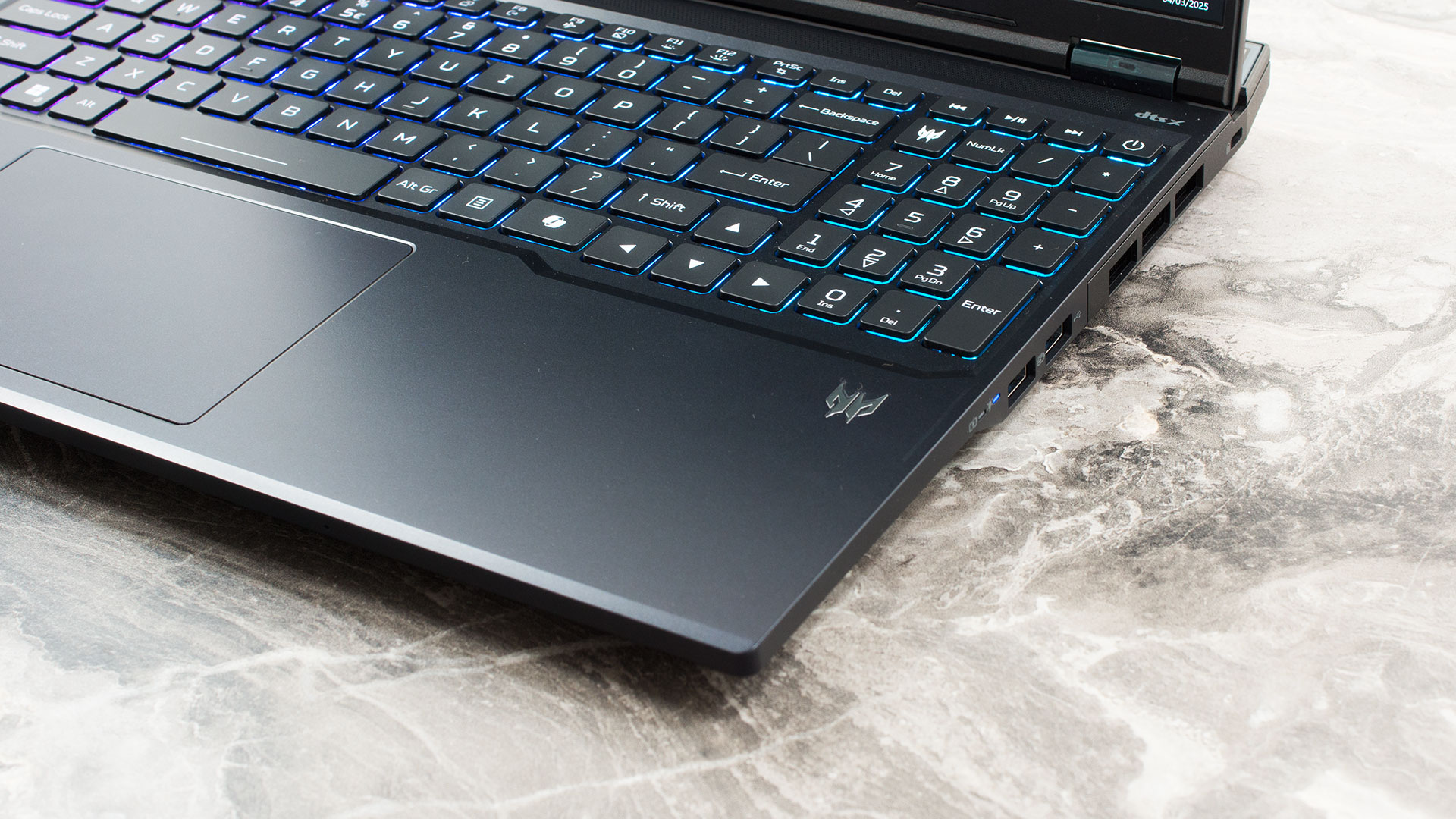
For biometric login, you’ll be relying on the IR camera for Windows Hello, as there’s no dedicated fingerprint sensor. Below the keyboard, the trackpad measures approximately 127 x 83.8 mm (5.0 x 3.3 inches). It’s a good size, feels comfortable to use, and is moisture-resistant, ensuring reliable navigation when you’re not using an external mouse.
Ports and Connectivity
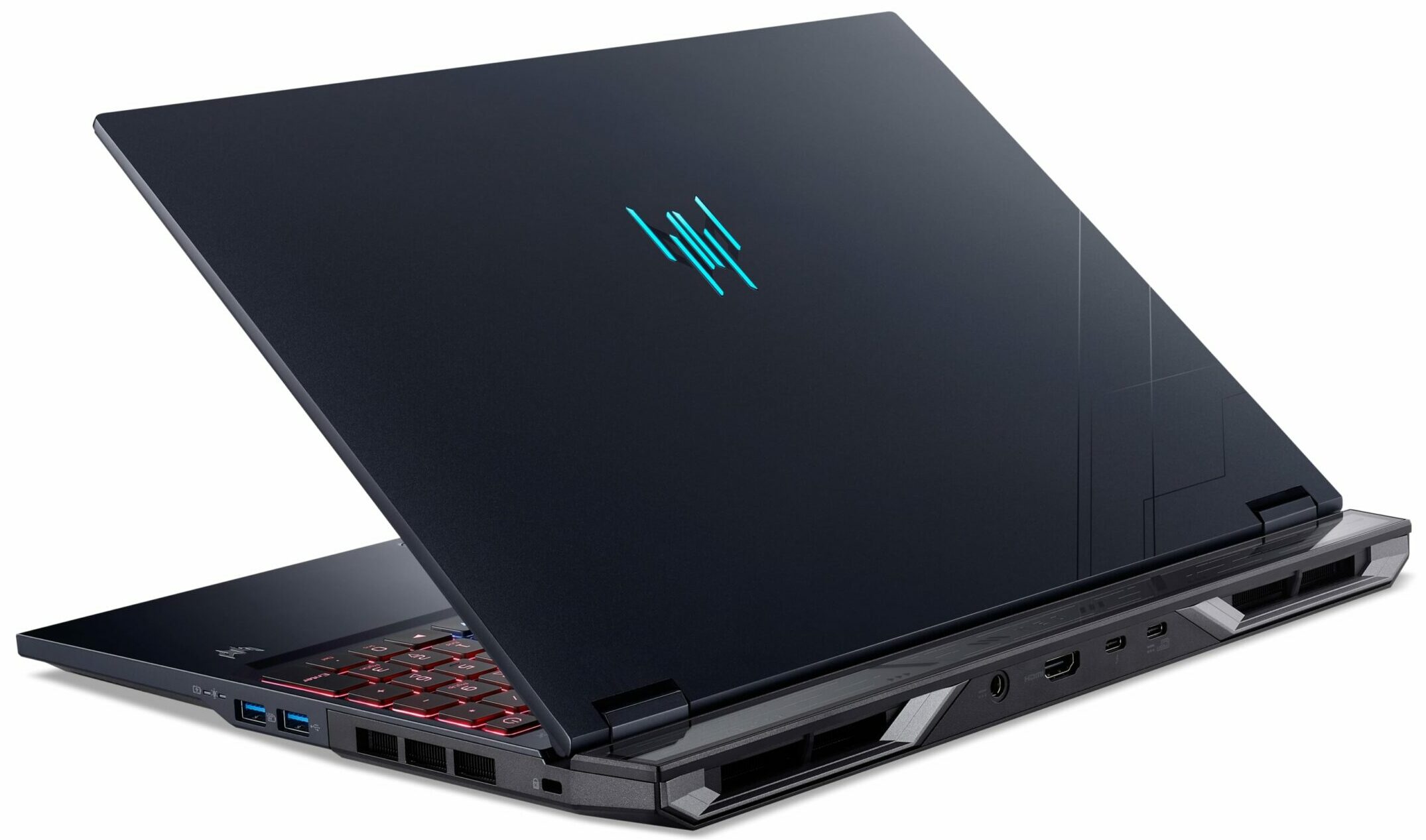
The Acer Predator Helios Neo 16 AI (PHN16-73) offers a comprehensive suite of ports distributed across its chassis for user convenience. On the left side, you’ll find an Ethernet (RJ-45) port for stable wired network connections, alongside a USB Standard-A port operating at USB 3.2 Gen 2 speeds (up to 10Gbps). This side also houses a microSD card reader (SDXC compatible) for easy file access from memory cards, and a standard 3.5mm headphone/speaker combination jack supporting headsets with a built-in microphone.

The right side features two additional USB Standard-A ports: one operating at USB 3.2 Gen 1 speeds (up to 5Gbps) and another, faster USB 3.2 Gen 2 port (up to 10Gbps) which includes a handy power-off USB charging capability. A Kensington lock slot is also present on this side for physical security.

The rear of the laptop hosts several key connections, including the dedicated DC-in jack for the main AC adapter. For high-quality video output, there’s an HDMI 2.1 port with HDCP support, capable of driving external displays at high resolutions and refresh rates like 4K at 120Hz or 8K at 60Hz. The rear also features two USB Type-C ports. The first of these is highly versatile, supporting USB 3.2 Gen 2 speeds (up to 10Gbps), DisplayPort over USB-C for video output, and crucially, Thunderbolt 4 for maximum data throughput (40Gbps) and advanced display capabilities. This port can also output a modest 15W (5V/3A) for charging other devices and can accept 90W or 100W (20V) DC power input as an alternative, lighter-duty charging method for the laptop. The second USB Type-C port on the rear also offers USB 3.2 Gen 2 (up to 10Gbps) speeds, DisplayPort over USB-C, and 15W USB charging output, and can accept 90W (20V) DC power input for the laptop; however, this second port does not feature Thunderbolt 4 capabilities.

For wireless networking, the Helios Neo 16 AI is equipped with a Killer Wireless Wi-Fi 6E 1675i module. This supports the 802.11ax standard (along with legacy a/b/g/n/ac) and operates across the 2.4 GHz, 5 GHz, and the less congested 6 GHz bands, utilizing 2×2 MU-MIMO technology for robust performance and also supports the CNVi interface. Complementing this is Bluetooth 5.4 (or newer, depending on OS updates), which notably includes support for Bluetooth LE Audio (LC3), offering potential improvements in audio quality and efficiency for compatible wireless audio devices.
Display and Sound Quality, Display Profiles
We have the best panel variant, the 1600p, 240Hz, OLED. It is made by Samsung, model number ATNA60DL03-0 (SDC41AB). It’s an exceptional display if it wasn’t for its awful eye-safety. Read on.
| Acer Predator Helios Neo 16 AI (PHN16-73) | WQXGA (2560 × 1600), 240 Hz, OLED | WQXGA (2560 × 1600), 240 Hz, IPS, 500 nits, DCI‑P3 100 % | WQXGA (2560 × 1600), 180 Hz, IPS, 500 nits, sRGB 100 % |
| Diagonal | 16.0 inches (40.6 cm) | 16.0 inches (40.6 cm) | 16.0 inches (40.6 cm) |
| Panel Type | OLED | IPS | IPS |
| Resolution | 2560 × 1600 pixels | 2560 × 1600 pixels | 2560 × 1600 pixels |
| Max Refresh Rate | 240 Hz | 240 Hz | 180 Hz |
| Aspect Ratio | 16:10 | 16:10 | 16:10 |
| Pixel Density | 189 PPI | 189 PPI | 189 PPI |
| ‘Retina’ Distance | Greater than or equal to 46 cm | Greater than or equal to 46 cm | Greater than or equal to 46 cm |
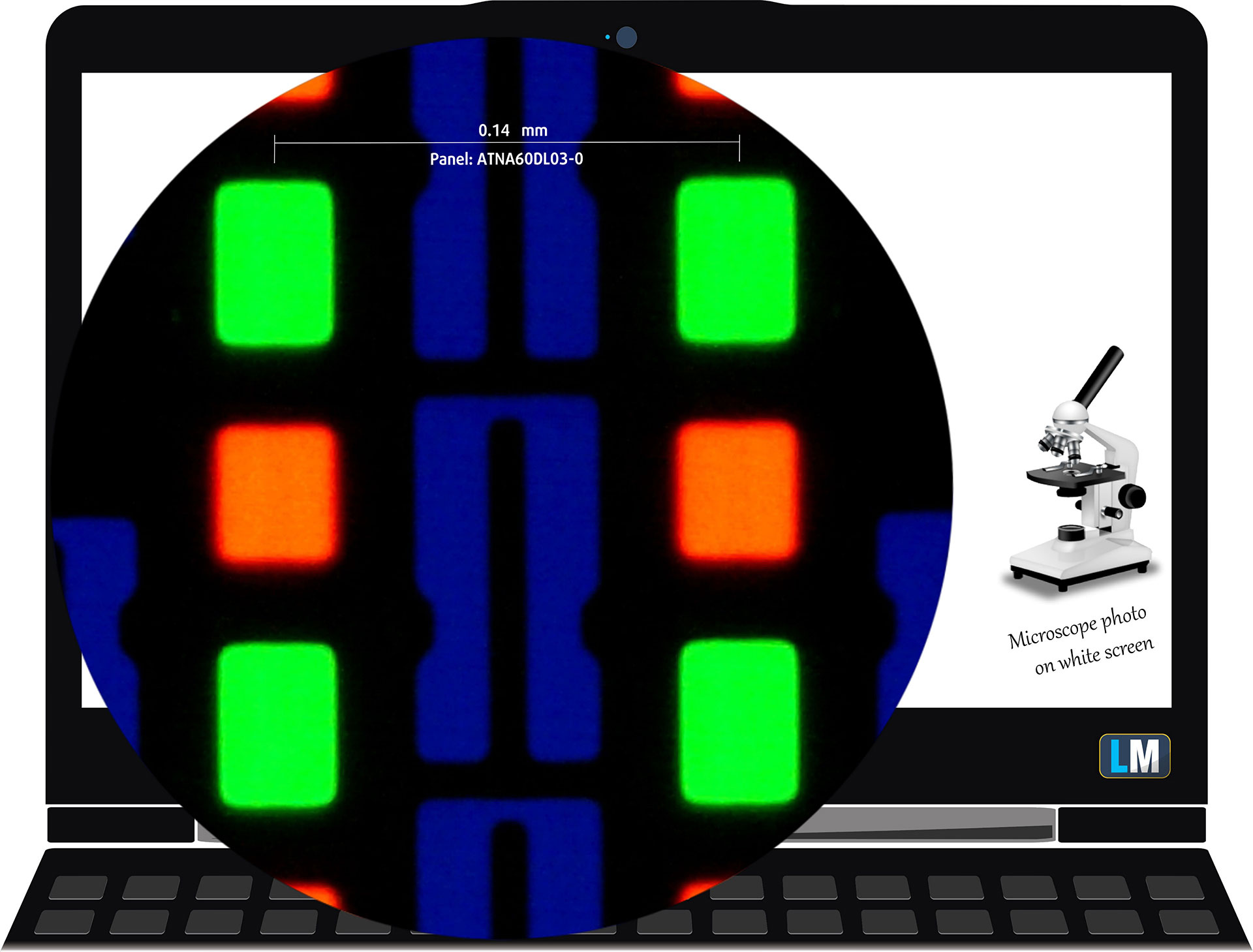
The 1600p, 240 Hz, OLED panel under our microscope
Viewing Angles
Viewing angles are good. We take photos from different angles to evaluate the quality.
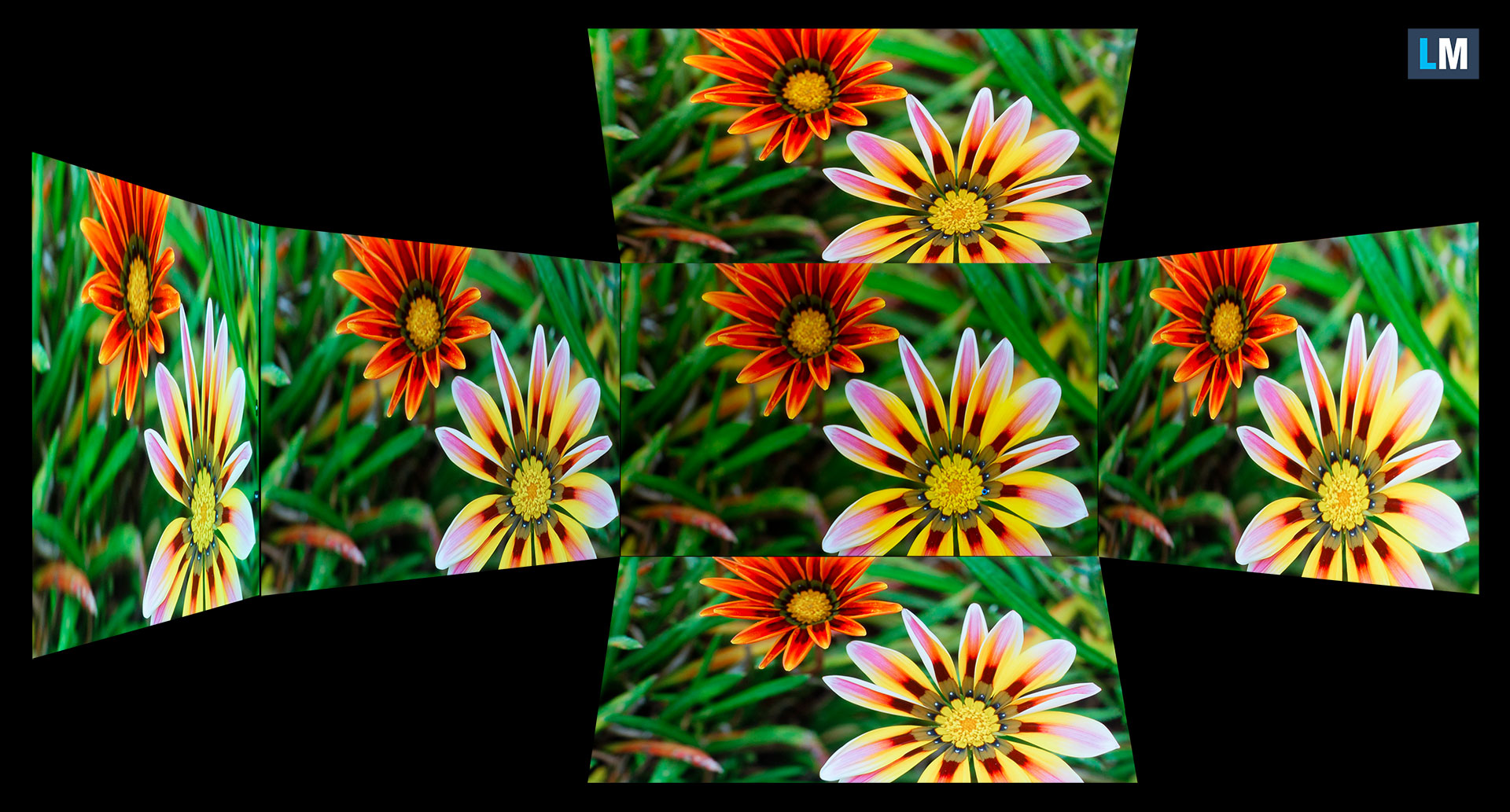
Also, a video with locked focus and exposure.
Color Coverage
The whole “sail-shaped” map below (Fig. 1) consists of all the colors we can see, while the black crooked line shows all the colors from real-world scenes and nature around us.
Then, we’ve drawn some of the most important and interesting color spaces, compared to the colors the panel of Acer Predator Helios Neo 16 AI (PHN16-73) can show:
Standard/For Web: sRGB – widely used color space for most consumer devices, ideal for Web design and development
For Print: AdobeRGB – used in professional photo editing, graphic design, and print
For Photographers/Video Editors: DCI-P3 – used in high-end film production, post-production, and digital cinema
Premium HDR: Rec.2020 – the widest consumer ITU color standard, covering a massive 75.8% of the visible spectrum, a benchmark for premium HDR content
Acer Predator Helios Neo 16 AI (PHN16-73): the yellow dashed triangle (– – – – – –) represents the range of colors this monitor can show.
In our tests, we calculated the total color coverage of the display at 100% of the sRGB color gamut and 100% of the DCI-P3 color gamut.
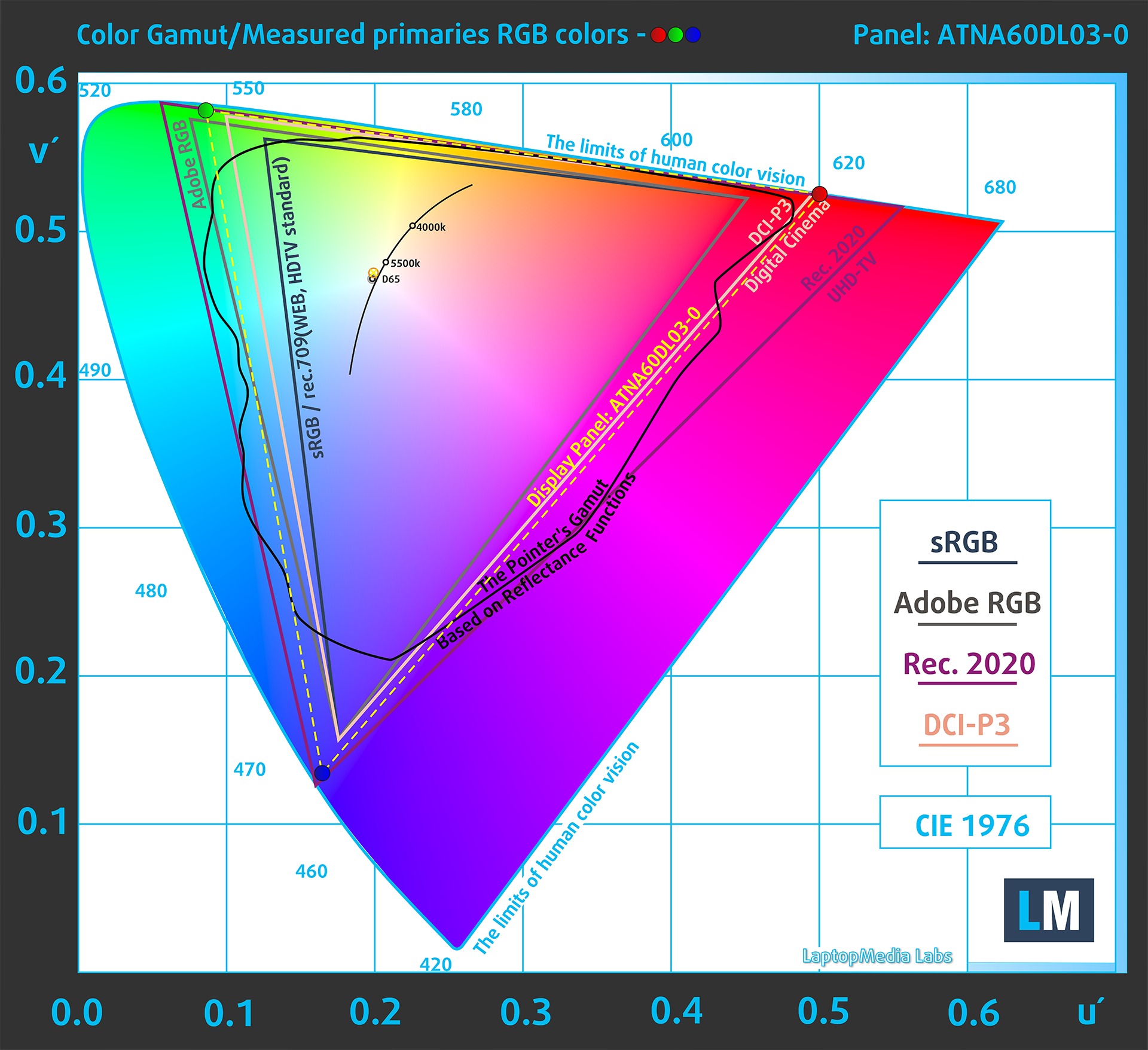
(Fig.1) Acer Predator Helios Neo 16 AI (PHN16-73) covers 100% of the DCI-P3 gamut
Brightness and Contrast
The maximum brightness in HDR mode is 615 cd/m² at 8% white fill and 433 cd/m² on a full white screen.
The maximum brightness in SDR mode is 394 cd/m² in the center of the screen and 398 cd/m² averaged across the surface with a maximum deviation of 2%.
The Correlated Color Temperature (CCT) on a white screen at maximum brightness is 6480K.
The contrast ratio of OLED panels is excellent because the pixels turn off completely when displaying black.

Uniformity: Luminance, Contrast, and Color Deviation
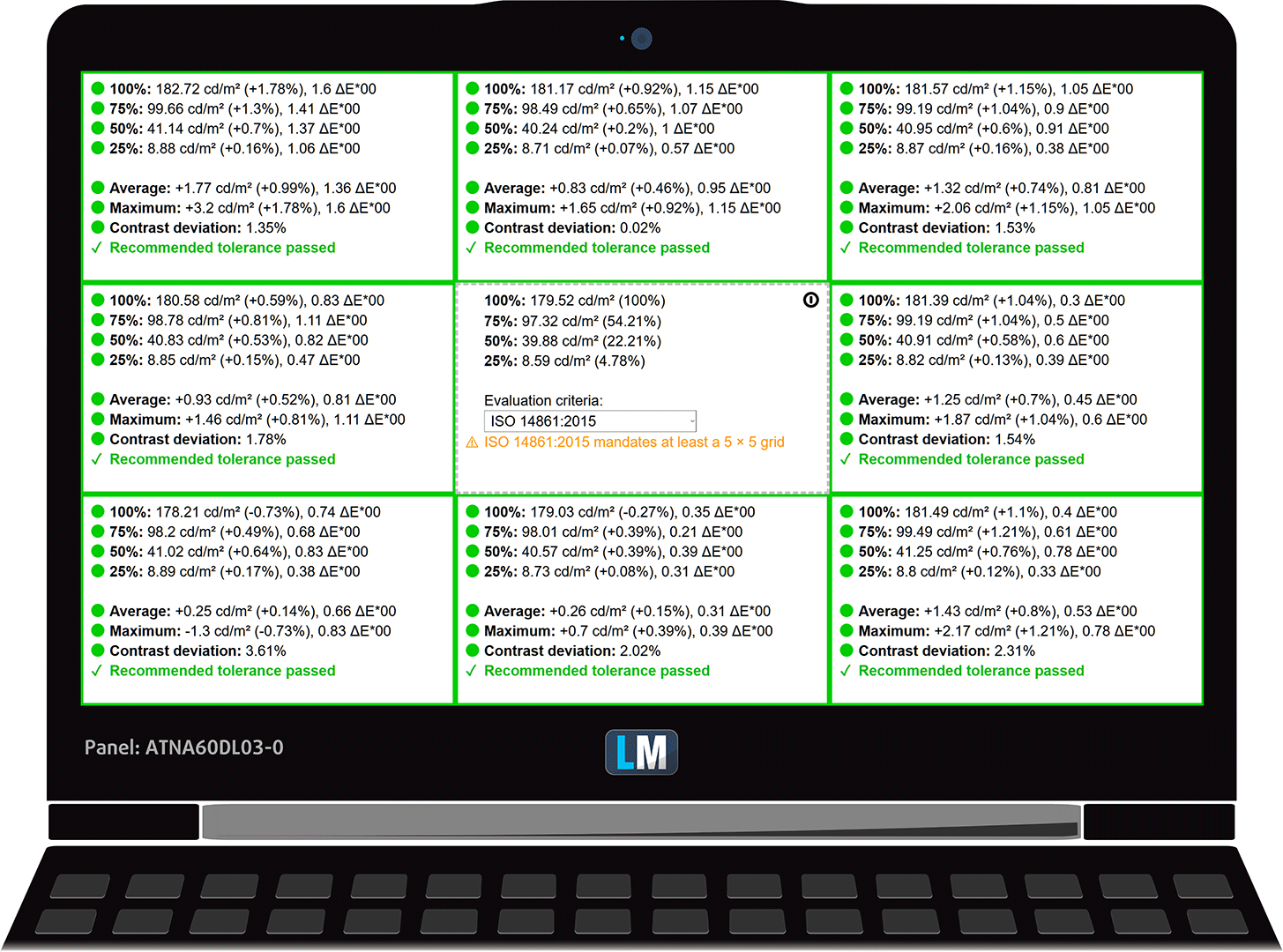
The figure below shows the results from our uniformity test across different sections of the screen. It’s measured at 180 nits (Windows slider = 61%) — a brightness level we consider typical for standard working conditions.
DeltaE values below 4.0 are acceptable for regular users. For those working with colors, screens with DeltaE values no higher than 2.0 are recommended.
Color Accuracy
Let’s check the difference between real colors and those you’ll see on the Acer Predator Helios Neo 16 AI (PHN16-73). We measure that distance in DeltaE – the higher the number, the more different they look.
Values below 4.0 are acceptable for regular users, while values below 2.0 are suitable for color-sensitive work. A value below 1.0 means the difference is indistinguishable to the naked eye.
For the next graph, we’ve selected 24 common colors, including dark/light skin, blue sky, green grass, etc.
Before our calibration of the Acer Predator Helios Neo 16 AI (PHN16-73), the Average color accuracy was 2.3 dE (Fig. 2), and with our Design and Gaming profile, it lowered to 1.6 dE (Fig. 3). 44% improvement in color accuracy!
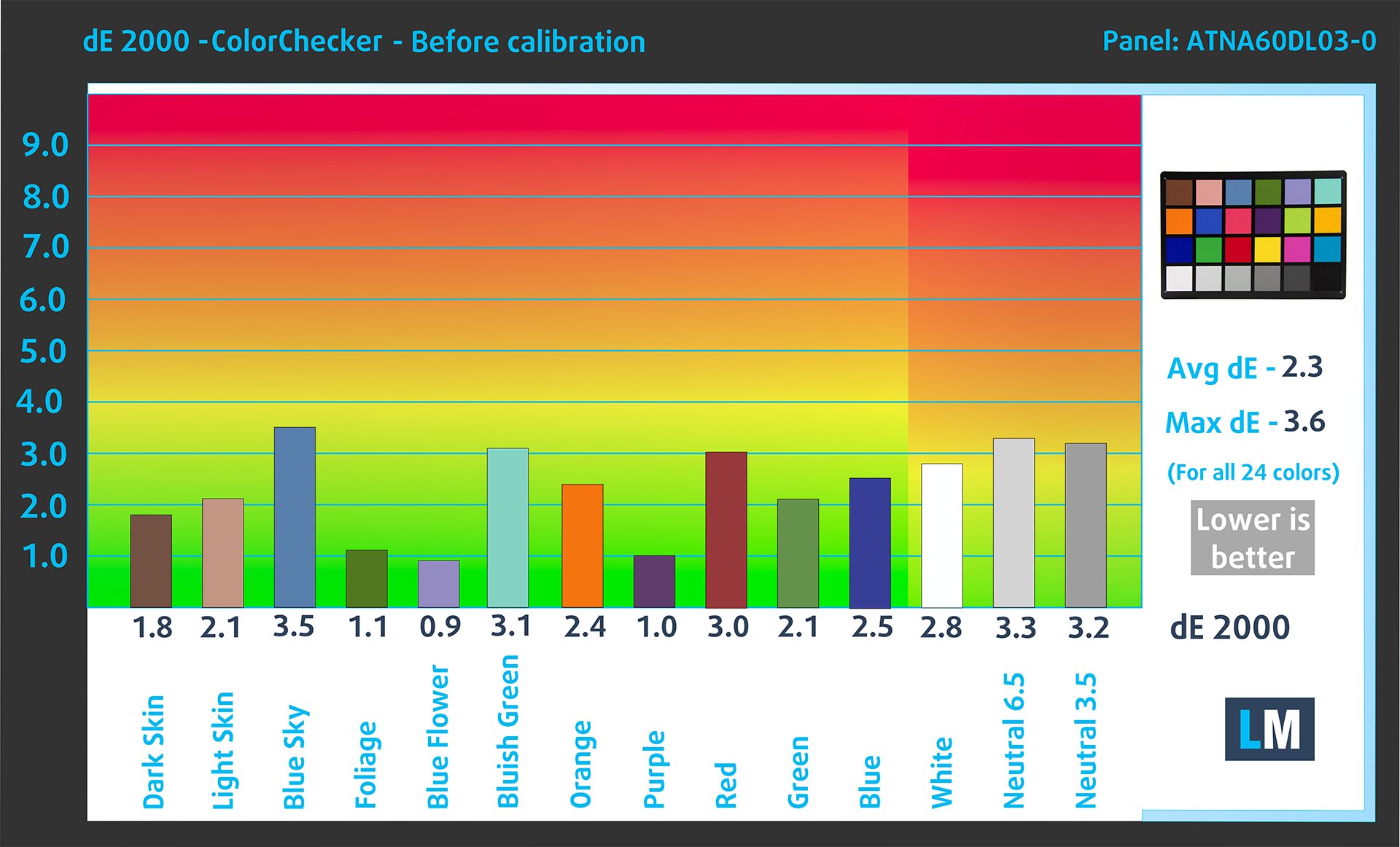
(Fig. 2) Acer Predator Helios Neo 16 AI (PHN16-73) in its factory condition

(Fig. 3) Acer Predator Helios Neo 16 AI (PHN16-73) with our display profile
Comparison in the Display P3 color space.
Left: No Profile | Drag the slider to see the difference | Right: Design & Office Profile


Visibility in dark scenes
Have you ever watched a movie with dark scenes where you could barely see anything? This often happens because many display panels struggle to differentiate the darkest nuances, making them appear the same.
The next figure illustrates how well the display reproduces these dark nuances. The left side of the image shows the display with stock settings, and the right side shows it with our Gaming and movies profile activated.
On the horizontal axis are the grayscale levels, and on the vertical axis – the corresponding display brightness.
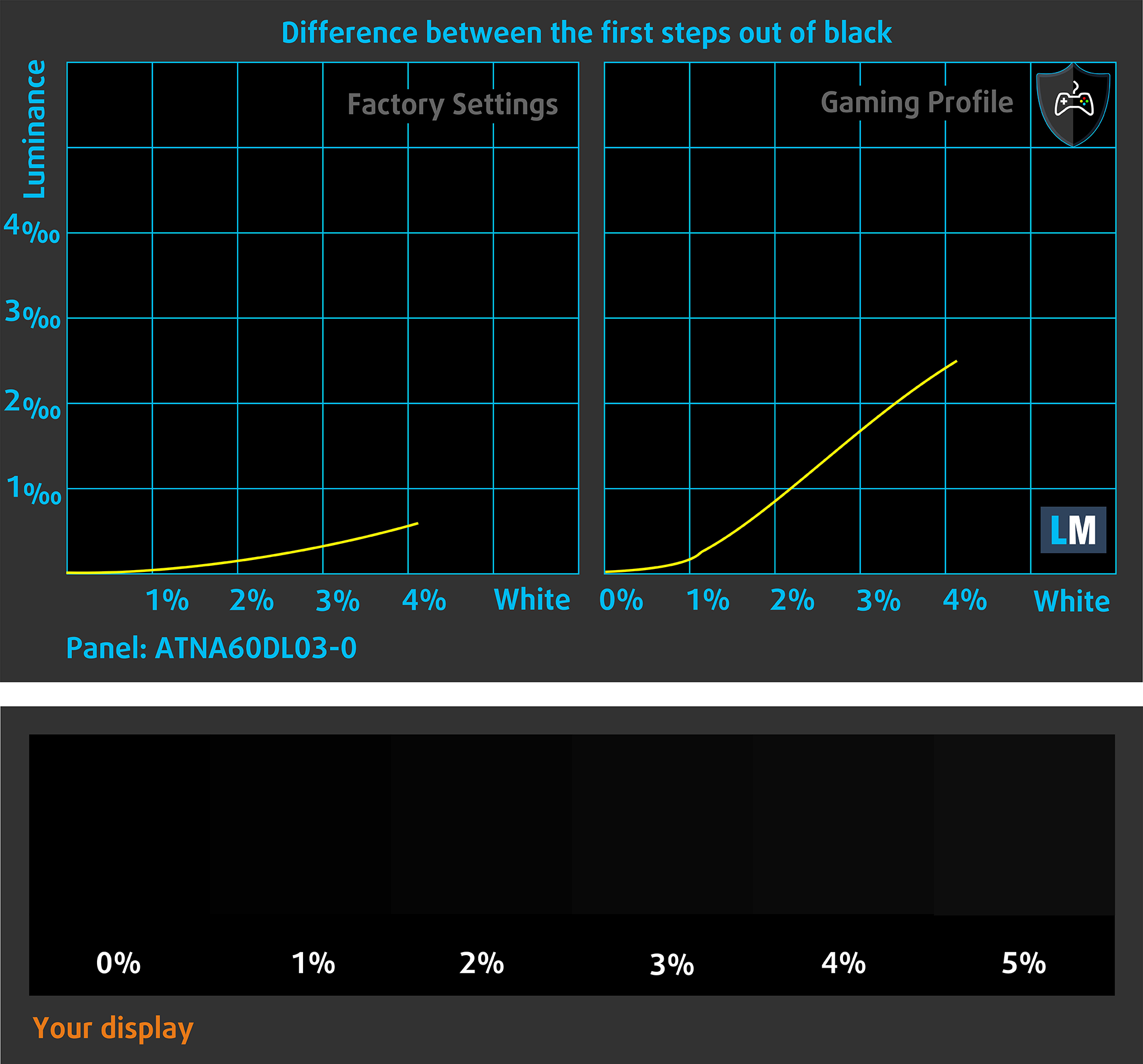
You can also check how your display handles the darkest nuances but keep in mind that this also depends on the settings of your current display and the surrounding light conditions.
Health Impact: PWM (Screen flickering)
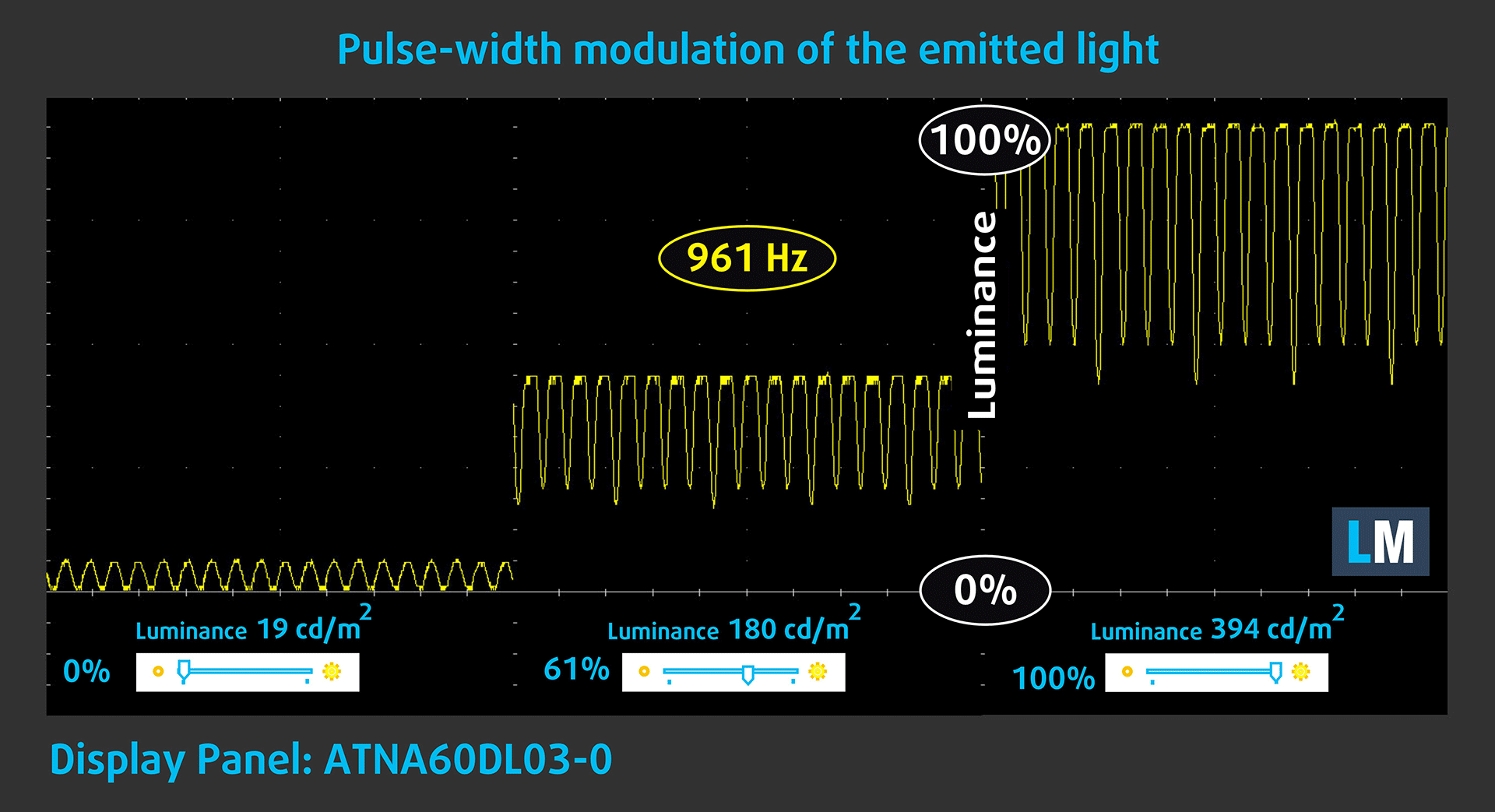
Some use PWM to regulate their brightness, which means that instead of reducing the light intensity, they pulse or flicker. Our brain merges the image, so it appears darker, but this strains both it and our vision, especially when the frequency of the pulses is low. You can read more about that in our dedicated article on PWM.
In the graph below, you see the intensity of light at different brightness levels—on the vertical axis is the brightness of the emitted light, and on the horizontal axis—time.
The luminance of the Acer Predator Helios Neo 16 AI (PHN16-73) display pulsates across the entire brightness range, but with limited amplitude. We’ve seen worse but this is not good either.
Health Impact: Blue light emissions
Installing our Health-Guard profile reduces harmful Blue Light emissions while keeping the colors of the screen perceptually accurate.
If you’re not familiar with the Blue light, the TL;DR version is – emissions that negatively affect your eyes, skin, and your whole body. You can find more information about that in our dedicated article on Blue Light.
Health Impact: Screen Reflectance
Glossy-coated displays can cause eye fatigue in high ambient light conditions due to reflections. We measure the level of screen reflection with the display turned off, at a 60° angle.
The reflectance of the Acer Predator Helios Neo 16 AI (PHN16-73)’s screen is 181 GU. This is a very bad result, one of the worst ever measured in that regard.
High Gloss: >70 GU
Medium Gloss: 30 – 70 GU
Low Gloss: <30 GU
Get our profiles
Since our profiles are tailored for each individual display model, this article and its respective profile package are meant for Acer Predator Helios Neo 16 AI (PHN16-73) configurations with ATNA60DL03-0 (SDC41AB), 2560 x 1600, OLED panel.
*Should you have problems with downloading the purchased file, try using a different browser to open the link you’ll receive via e-mail. If the download target is a .php file instead of an archive, change the file extension to .zip or contact us at [email protected].
Read more about the profiles HERE.
कुशल और स्वास्थ्य के अनुकूल प्रोफाइल प्राप्त करने के अलावा, LaptopMedia के उत्पादों को खरीदकर आप हमारी प्रयोगशालाओं के विकास का भी समर्थन करते हैं, जहाँ हम सबसे वस्तुनिष्ठ समीक्षाएँ प्रस्तुत करने के लिए उपकरणों का परीक्षण करते हैं।

Design and Office
Design and Office प्रोफ़ाइल प्रदर्शन रंगों को वास्तविकता के जितना संभव हो उतना करीब बनाती है।न केवल पेशेवरों के लिए बल्कि रोजमर्रा के उपयोगकर्ताओं के लिए भी आदर्श, यह आपके पैनल पर सटीक रंग पुनरुत्पादन के लिए न्यूनतम DeltaE के साथ sRGB मानकों (D65 व्हाइट पॉइंट, sRGB गामा) को पूरा करता है।

गेमिंग और मूवीज़
क्या आपने कभी ऐसी फिल्म देखी है जहाँ, अंधेरे दृश्यों के दौरान, आप मुश्किल से कुछ भी देख पाते हैं? कई डिस्प्ले डार्क टोन को ठीक से अलग करने में विफल रहते हैं। हमारा गेमिंग और मूवीज़ प्रोफ़ाइल मानव धारणा के अनुरूप गामा वक्र का उपयोग करके, HDR तकनीक की तरह, कम-रोशनी के प्रदर्शन को बढ़ाता है - तेज़ प्रतिक्रियाओं और स्पष्ट दृश्यों की तलाश करने वाले गेमर्स के लिए आदर्श।

Health-Guard
हमारा Health-Guard प्रोफ़ाइल PWM फ़्लिकरिंग को समाप्त करके, तनाव और थकान को कम करके, और हानिकारक ब्लू लाइट एक्सपोज़र को कम करके आपकी आँखों की सुरक्षा करता है जो नींद और स्वास्थ्य को बाधित कर सकता है। यह स्क्रीन उपयोग के दौरान आराम और सुरक्षा के लिए सॉफ़्टवेयर डिमिंग और मानव धारणा के अनुरूप गामा वक्र का उपयोग करता है।
33% छूट के साथ सभी प्रोफाइल प्राप्त करें!

Sound
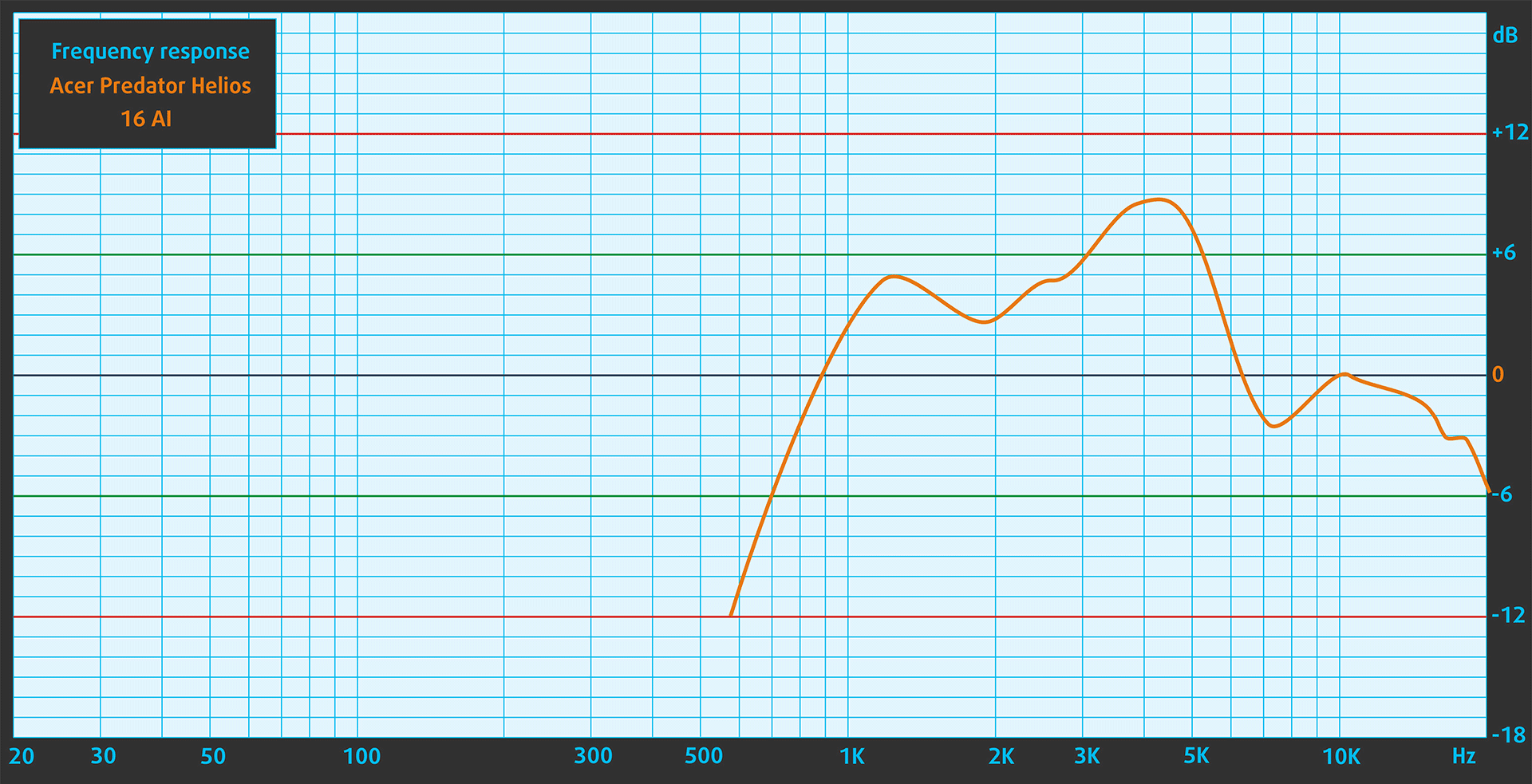
When we subjectively listen to a sound file through the built-in speakers, the sound quality offered by the Acer Predator Helios Neo 16 AI (PHN16-73) is very good.
Work Performance: CPU, Storage, AI
All performance and temperature tests are conducted with “Turbo” mode activated in Predator Sense:
CPU and Work Performance
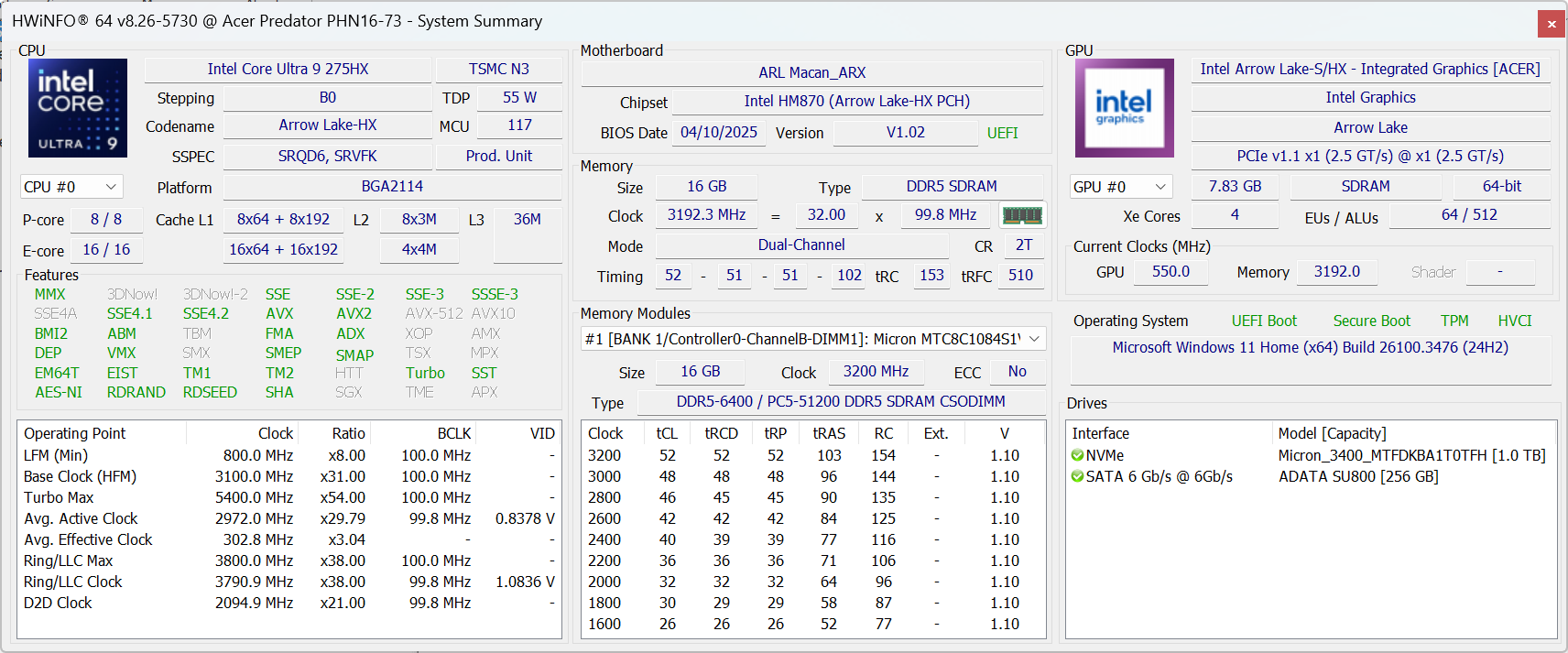
The Acer Predator Helios Neo 16 AI (PHN16-73) offers high-performance Intel Core Ultra processors, including the Core Ultra 9 275HX and the Core Ultra 7 255HX. The 275HX is ranked #5 in our Top Laptop CPU Ranking, while the 255HX holds the #13 spot. These CPUs deliver strong multi‑core performance for gaming, AI‑driven tasks, and professional workloads – all in a form factor designed to balance power and thermal efficiency.
Single-core प्रदर्शन ऑपरेटिंग सिस्टम में सुचारू संचालन और प्रतिक्रिया सुनिश्चित करता है, जिससे एक बेहतर उपयोगकर्ता अनुभव मिलता है।
परिणाम Geekbench 6 Single-Core टेस्ट से हैं (उच्चतर बेहतर है)


Multi-core प्रदर्शन जटिल और मांग वाले कार्यों, जैसे वीडियो संपादन, CAD, और वैज्ञानिक सिमुलेशन को संभालने के लिए आवश्यक है।
परिणाम Geekbench 6 Multi-Core टेस्ट से हैं (उच्चतर बेहतर है)
यहां, हम एक वास्तविक-विश्व 3D रेंडरिंग कार्य का उपयोग करके CPU के प्रदर्शन का मूल्यांकन करते हैं, जटिल संगणनाओं और रेंडरिंग वर्कलोड को कुशलतापूर्वक संभालने की इसकी क्षमता का आकलन करते हैं।
परिणाम Cinebench 2024 Multi-Core टेस्ट से हैं (उच्चतर बेहतर है)
Storage Performance
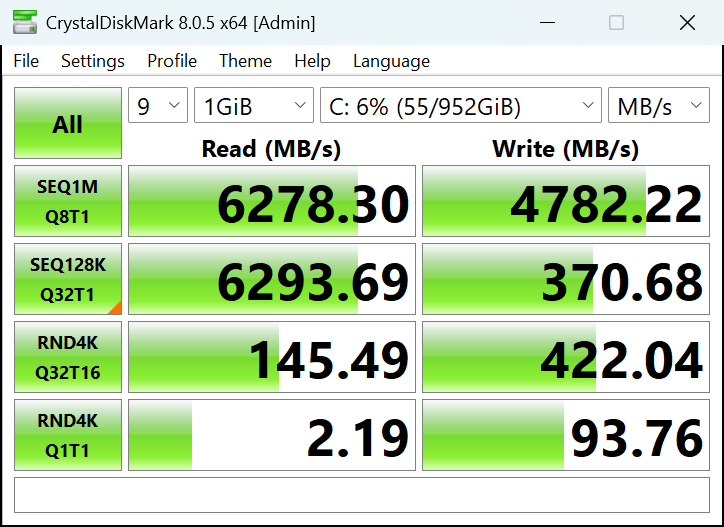
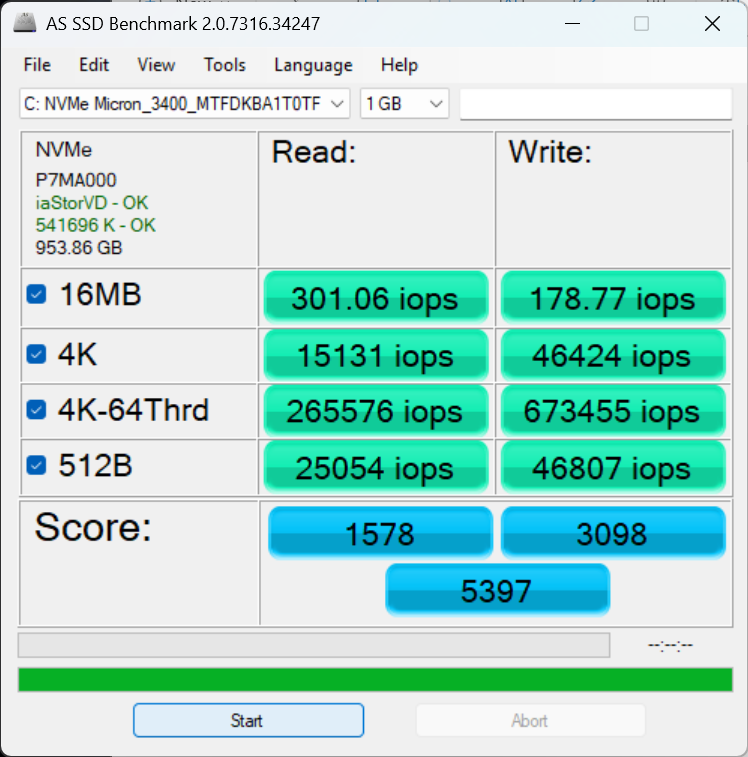
Acer Predator Helios Neo 16 AI (PHN16-73) has two 2280 M.2 slots for PCIe 4.0 drives. Our 1TB configuration arrived with Micron 3400 PCIe 4.0 NVMe SSD.
It’s a fast SSD that reaches 6.3GB/sec sequential read, and 4.8GB/sec sequential write speeds.
AI Performance
यहां आप Acer Predator Helios Neo 16 AI (PHN16-73) में पाए जाने वाले GPU और CPU (NPU) की स्थिति को हमारे AI हार्डवेयर प्रदर्शन रैंकिंग में उनकी AI प्रसंस्करण शक्ति के आधार पर देख सकते हैं, जिसे TOPS (Tera Operations Per Second) में मापा जाता है - यह एक महत्वपूर्ण मीट्रिक है जो कम्प्यूटेशनल थ्रूपुट को इंगित करता है, विशेष रूप से AI कार्यों के लिए।
पहला कॉलम INT8/FP8 précision के लिए चरम प्रदर्शन दिखाता है, जो AI inference क्षमताओं का मूल्यांकन करने के लिए सबसे व्यापक मीट्रिक है। हम सघन गणना परिदृश्यों में AI प्रदर्शन का अधिक सटीक प्रतिबिंब प्रदान करने के लिए Sparsity को बाहर रखते हैं जहाँ Sparsity अनुकूलन लागू नहीं हो सकते हैं। दूसरे और तीसरे कॉलम Sparsity के साथ प्रदर्शन, और FP4 TFLOPS, जब समर्थित हो, दिखाते हैं।
SoCs के लिए, परिणाम एकीकृत NPU के चरम प्रदर्शन को दर्शाते हैं। इसके अतिरिक्त, यह ध्यान रखना महत्वपूर्ण है कि, Microsoft के अनुसार, PC को "AI-सक्षम" माने जाने के लिए NPU में कम से-कम 40 TOPS AI कंप्यूटिंग शक्ति होनी चाहिए।
| # | GPU / CPU (NPU) | TOPS INT8/FP8 No Sparsity | TOPS INT8/FP8 Sparsity | TFLOPS FP4 Sparsity |
|---|---|---|---|---|
| 669. | NVIDIA GeForce RTX 5070 Ti (Laptop) | 209 | 418 | 836 |
| 849. | NVIDIA GeForce RTX 5070 (Laptop) | 173 | 346 | 692 |
| 1012. | NVIDIA GeForce RTX 5060 (Laptop) | 133 | 266 | 532 |
| 1735. | Intel Core Ultra 7 255HX | 13 | — | — |
| 1739. | Intel Core Ultra 9 275HX | 13 | — | — |
GPU and Gaming Performance
Graphics options include NVIDIA’s latest RTX 50‑series laptop GPUs: the RTX 5070 Ti (#12), RTX 5070 (#19), and RTX 5060 (#26), as per our Top Laptop Graphics Ranking. These GPUs support ray tracing and AI-driven graphics features, providing solid frame rates in modern games and accelerating creative applications.
Our configuration has a 140W GeForce RTX 5070 Ti – the best GPU for this series.
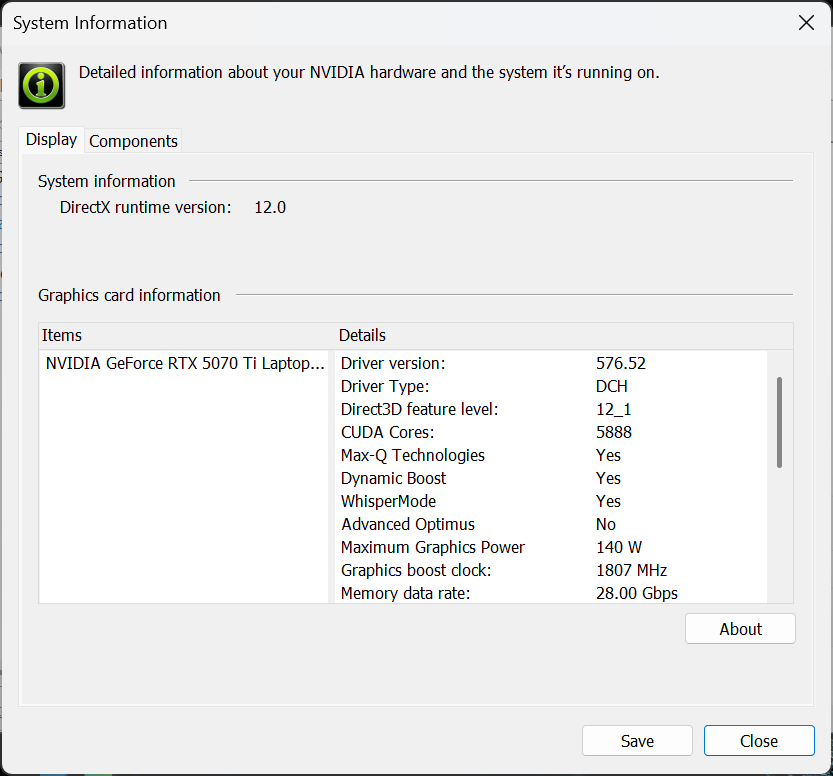
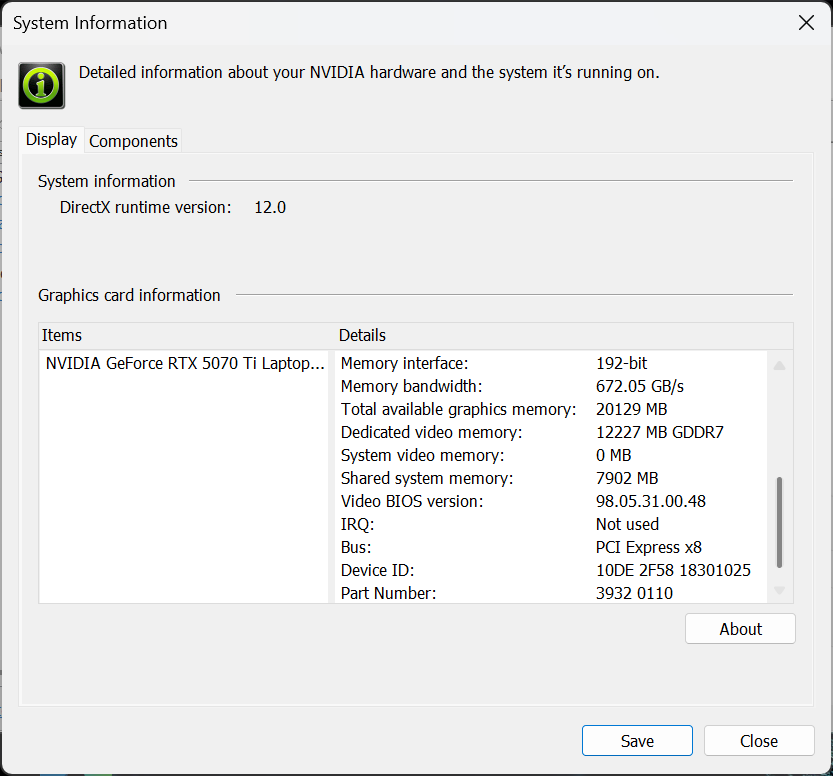
You can find the performance rating of all the GPUs on the market in our Top Laptop Graphics Ranking.
These are all 16-inch gaming laptops, and all with 5070 Ti. Acer Predator Helios Neo 16S AI PHN16S-71 (detailed review) is a thinner version of the laptop we’re reviewing today, PHN16-73. As expected, this hurts the performance and the PHN16-73 is 10-15% faster. However, the ASUS ROG Strix G16 G615 (detailed review) and MSI Vector 16 HX AI (detailed review) are even thicker, and about 1-2% faster than PHN16-73, yet the latter seems with a good balance of power and portability.
परिणाम 3DMark Time Spy (Graphics) से हैं। उच्चतर बेहतर है।
परिणाम 3DMark Wild Life Extreme Unlimited से हैं। उच्चतर बेहतर है।
Gaming tests

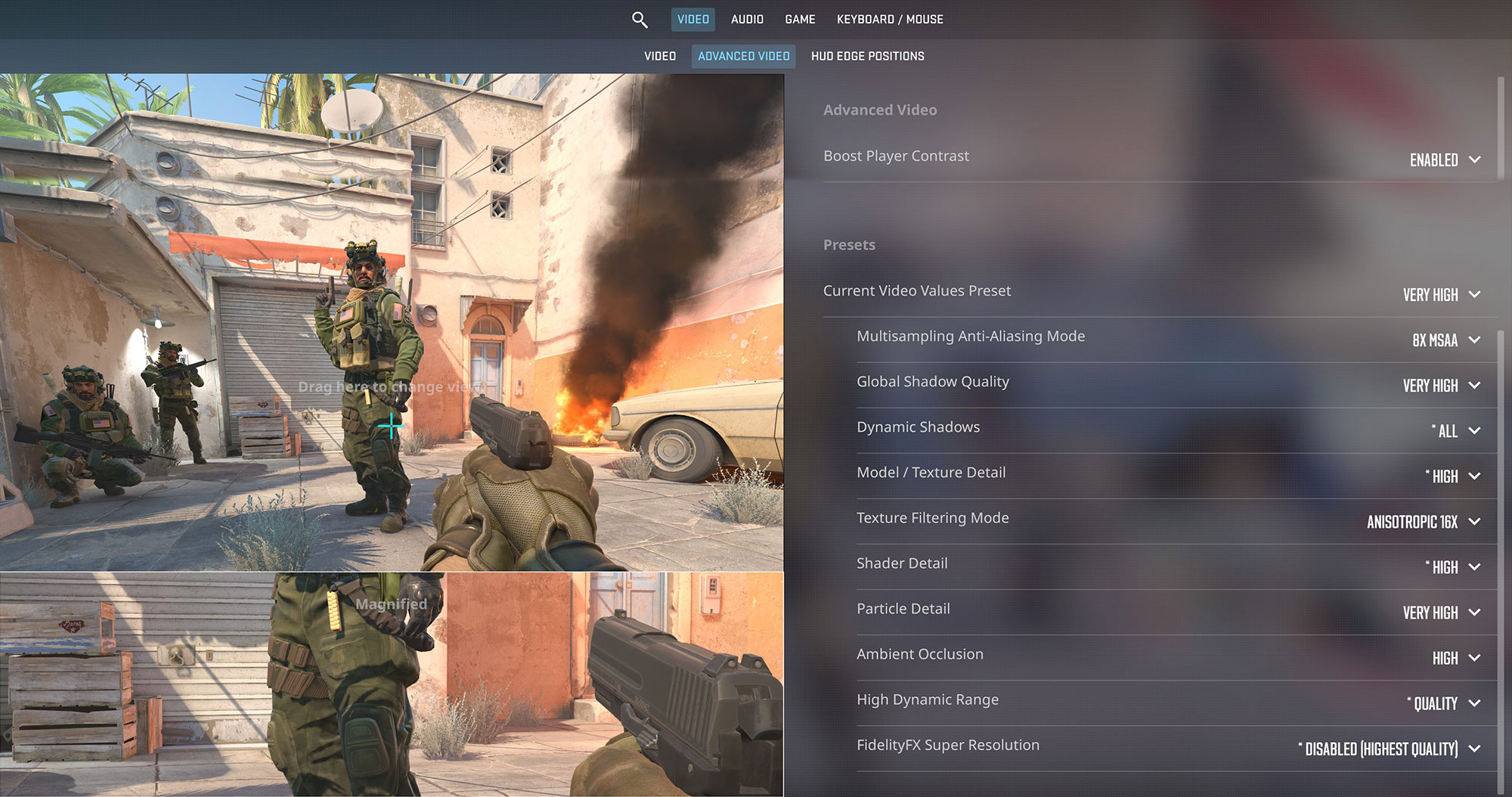
The Acer Predator Helios Neo 16 AI is a powerhouse for competitive gaming. In Counter-Strike 2 at its native 1600p resolution, it pumps out an excellent 191 FPS on Very High settings, ensuring an incredibly fluid and responsive experience.
| Counter Strike 2 | 1600p, Very High (Check settings) |
| Average FPS | 191 FPS |

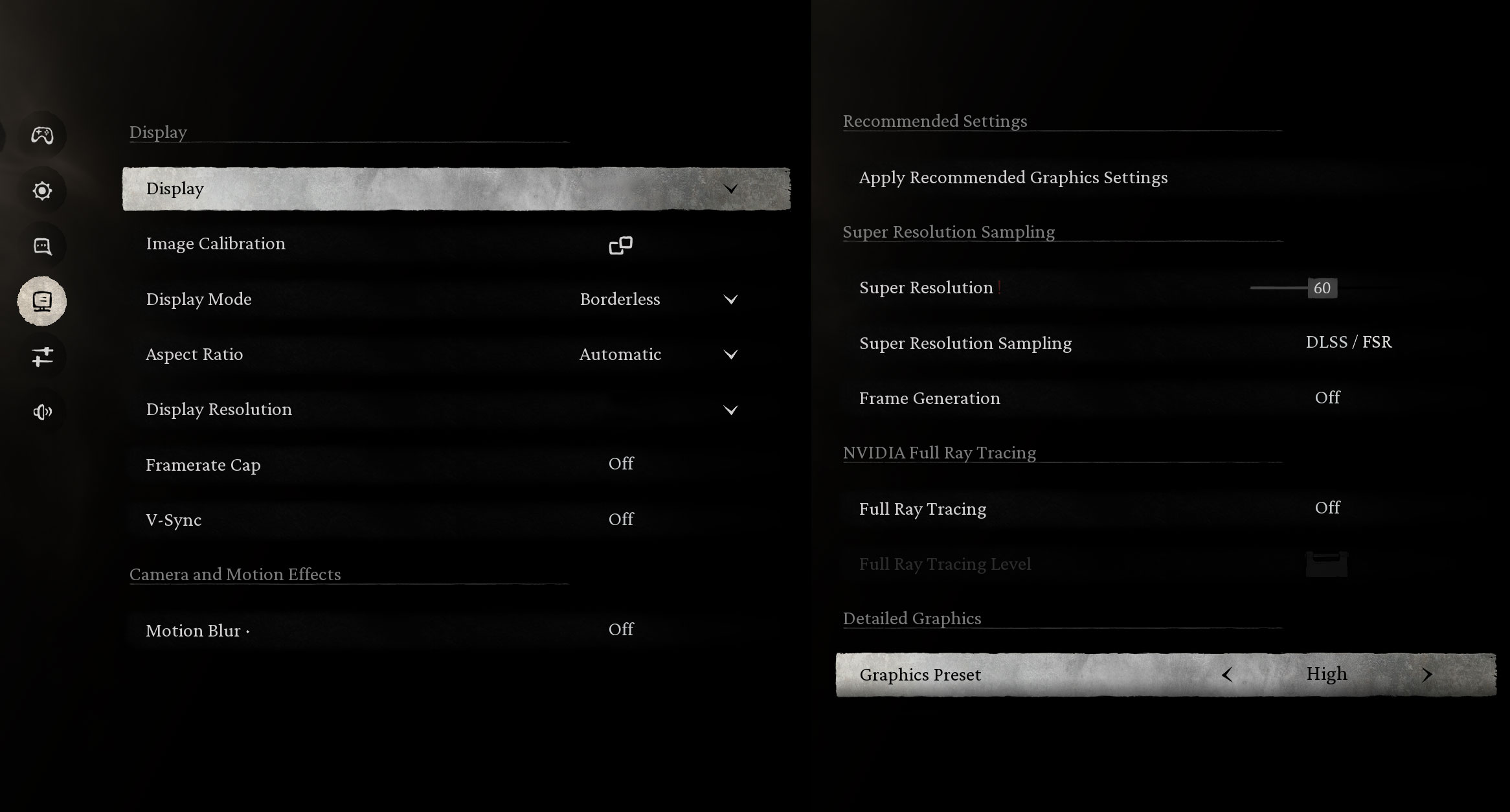
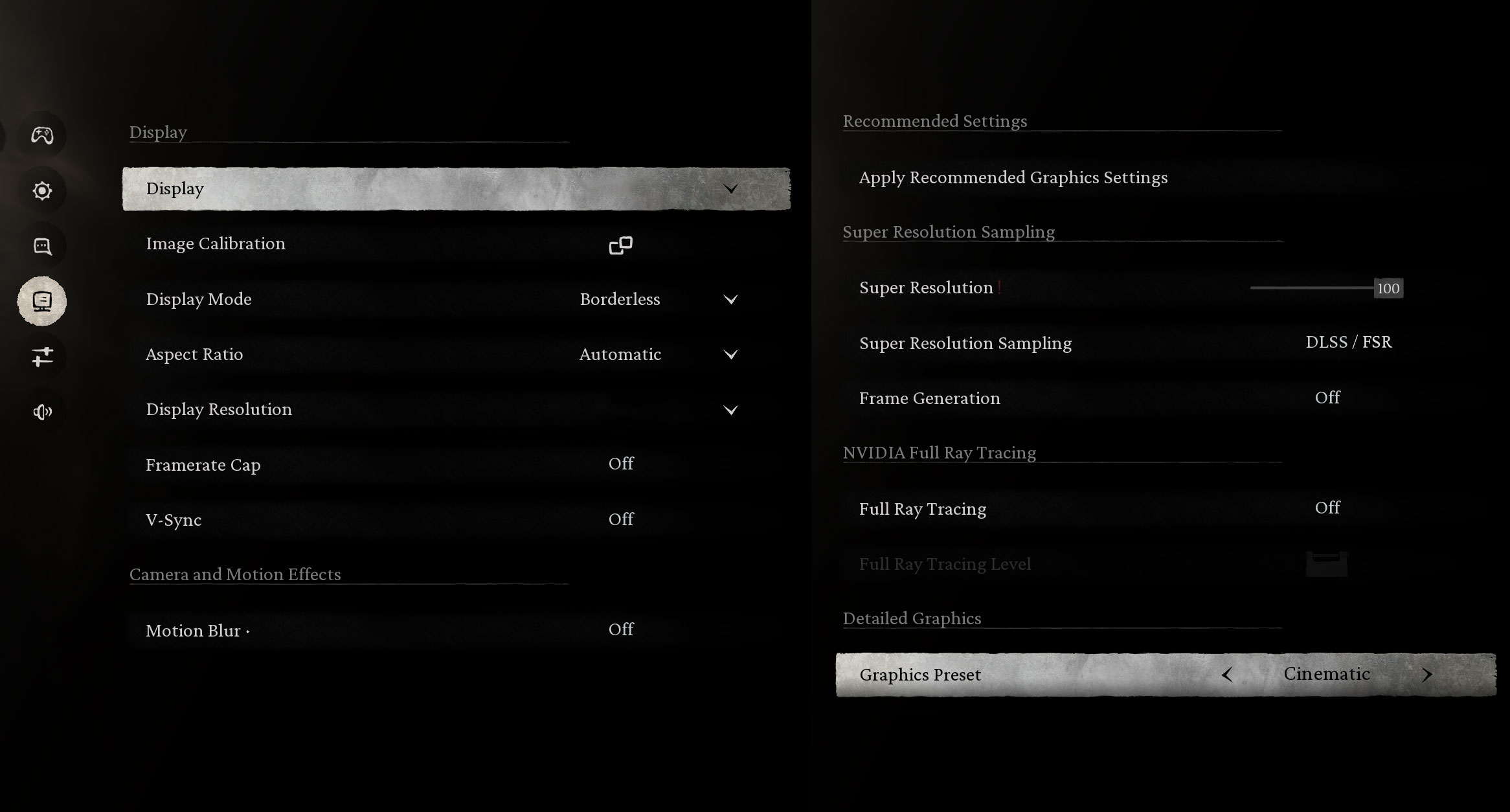
In the visually demanding Black Myth: Wukong, the laptop delivers a fantastic 98 FPS at 1600p on High settings. Pushing to the Cinematic preset still yields a playable 38 FPS, which can be easily boosted with technologies like DLSS for the best visual quality.
| Black Myth: Wukong | 1600p, High (Check settings) | 1600p, Cinematic (Check settings) |
| Average FPS | 98 FPS | 38 FPS |

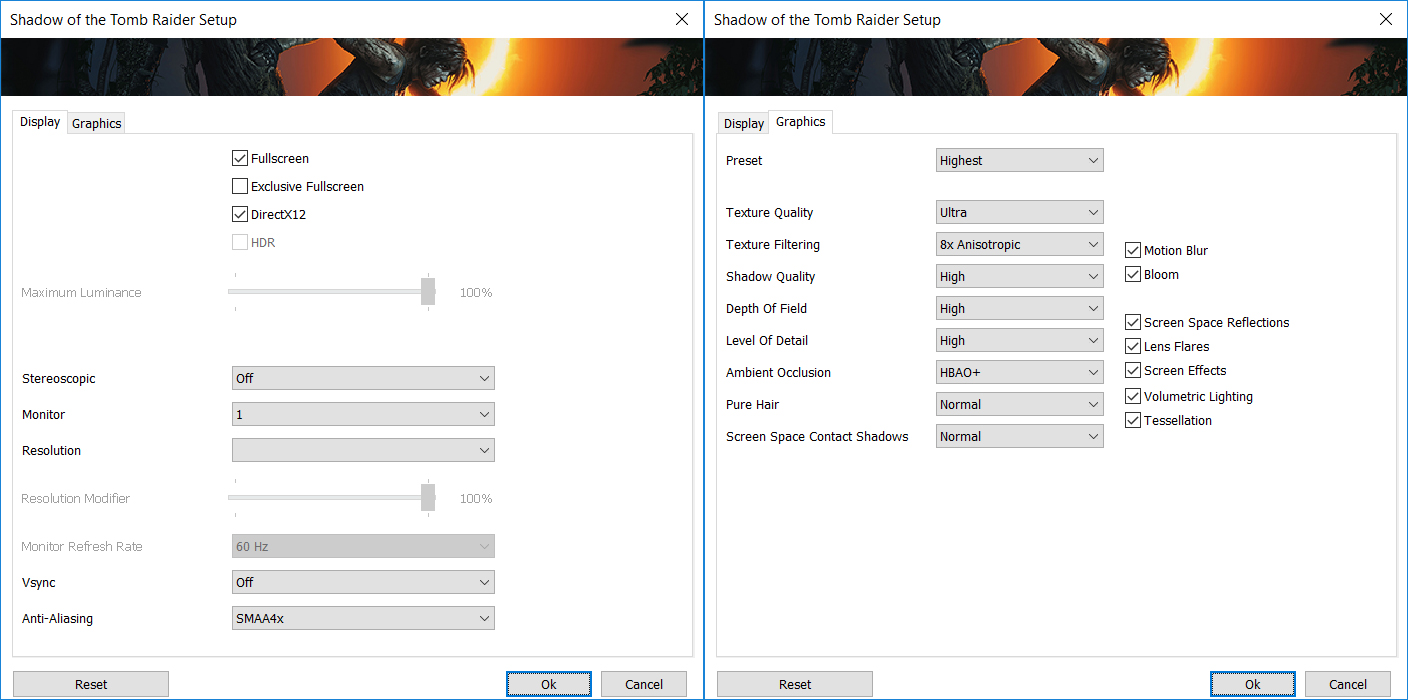
Shadow of the Tomb Raider runs beautifully on this machine. At 1600p with the Highest settings, the Helios Neo 16 AI achieves a very smooth 99 FPS, perfect for enjoying the rich graphical details of single-player adventures.
| Shadow of the Tomb Raider | 1600p, Highest (Check settings) |
| Average FPS | 99 FPS |

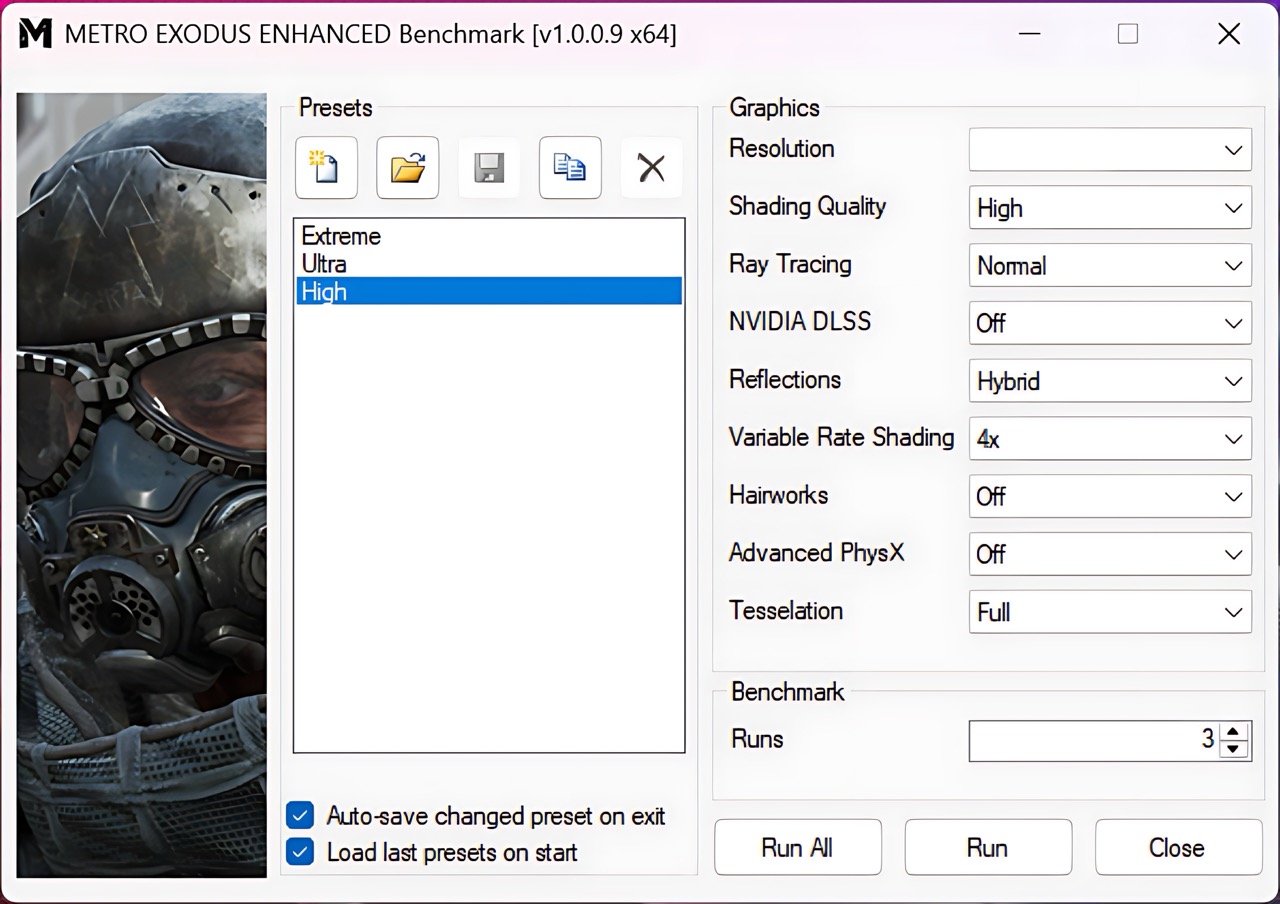
Even in the ray-tracing-heavy Metro Exodus Enhanced Edition, this laptop performs admirably, delivering a solid 121 FPS at 1200p on High settings. This demonstrates strong performance for modern, graphically intensive titles.
| Metro Exodus Enhanced Edition | 1200p, High (Check settings) |
| Average FPS | 121 FPS |
[eBook Guide + Tools] How to MAX OUT Your Laptop

🛠 Step-by-Step Overclocking/Undervolting Guide + Pre-Made Profiles
💻 A detailed OS Optimization Guide
🛠 A detailed Hardware Upgrade Guide
🖼 Custom Display Profiles for superior screen quality
💾 Our LM Profiles app
You’ll also get links to carefully selected:
💾 Software tools for optimizations
Temperatures and Comfort, Stability
At idle, the CPU package of the Acer Predator Helios Neo 16 AI (PHN16-73) maintains a temperature of 54ºC.
Office Work, Web Development, Design
Short periods (0:00 – 0:10 s) of 100 % CPU load
This test shows the CPU behavior during short periods of serious load. It’s important for users who are looking for laptops suitable for tasks like Web Design and Programming.
| Intel Core Ultra 9 275HX | Avg. P-Core Clock | Avg. CPU Temp. | Avg. CPU Power |
| Lenovo Legion 9i (18″, Gen 10 / 18IAX10) | 4850 MHz | 89 °C | 175 W |
| MSI Vector 17 HX AI A2XW | 4496 MHz | 81 °C | 120 W |
| ASUS ROG Strix G18 G815 (2025) | 4480 MHz | 78 °C | 123 W |
| ASUS ROG Strix G16 G615 | 4471 MHz | 94 °C | 150 W |
| Acer Predator Helios Neo 16 AI (PHN16-73) | 4406 MHz | 91 °C | 151 W |
| ASUS ROG Strix SCAR 18 G835 (2025) | 4399 MHz | 90 °C | 117 W |
| Acer Predator Helios 16 AI (PH16-73) | 4374 MHz | 87 °C | 154 W |
| Lenovo Legion Pro 7i Gen 10 (16″ Intel) | 4268 MHz | 90 °C | 167 W |
| MSI Vector 16 HX AI A2XW | 4185 MHz | 90 °C | 155 W |
| Lenovo Legion 7i (16”, Gen 10 / 16IAX10) | 4142 MHz | 94 °C | 118 W |
| Acer Predator Helios Neo 16S AI (PHN16S-71) | 3829 MHz | 88 °C | 130 W |
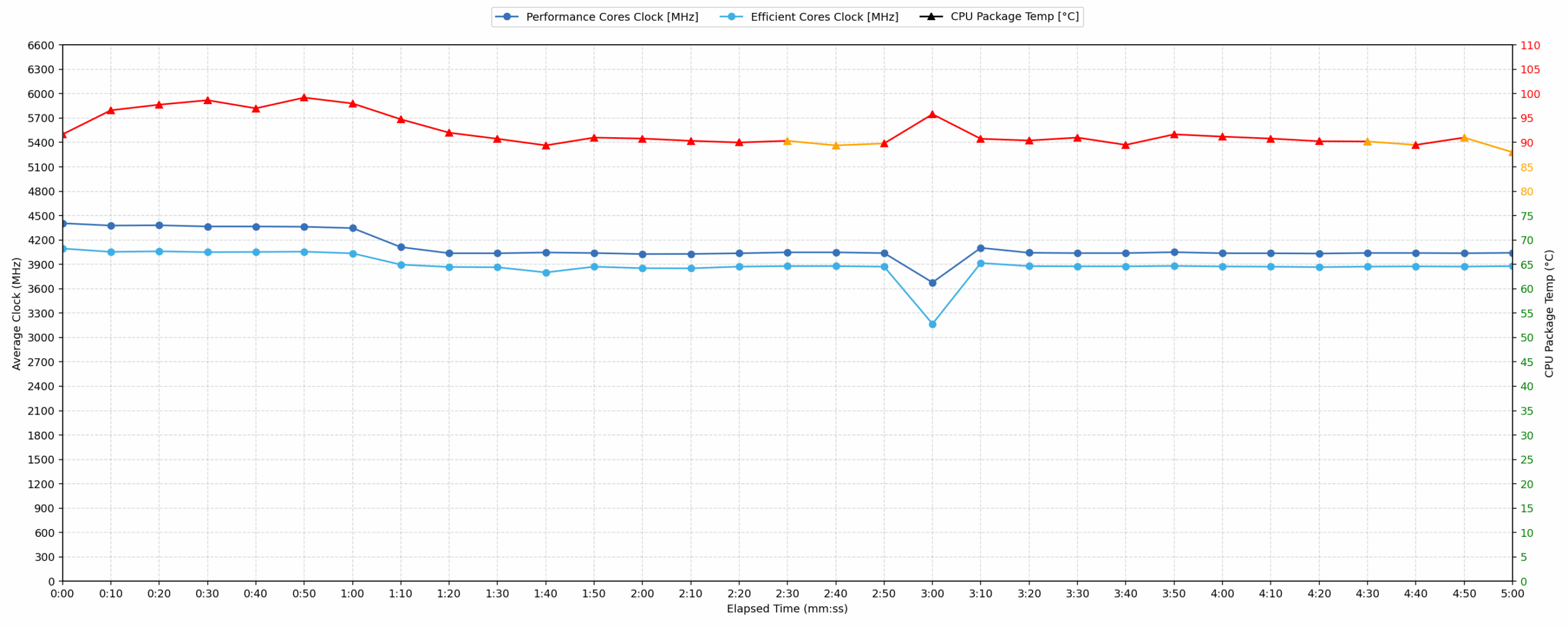
During short, intense CPU loads, the Acer Predator Helios Neo 16 AI (PHN16-73) achieves an average clock speed of 4406 MHz over 10 seconds, paired with an average power draw of 151 W. Its peak clock reaches 4452 MHz, with peak power hitting 169 W. However, the average CPU temperature of 91 °C is high, and a peak temperature of 105 °C is observed, indicating aggressive thermal boosting. Compared to other Intel Core Ultra 9 275HX laptops, its average clock speed is competitive, placing it in the upper-middle tier. The high temperatures suggest that while performance is strong, it operates at the upper limit of its thermal envelope.
Video editing, Scientific computing, Software compilation, 3D rendering
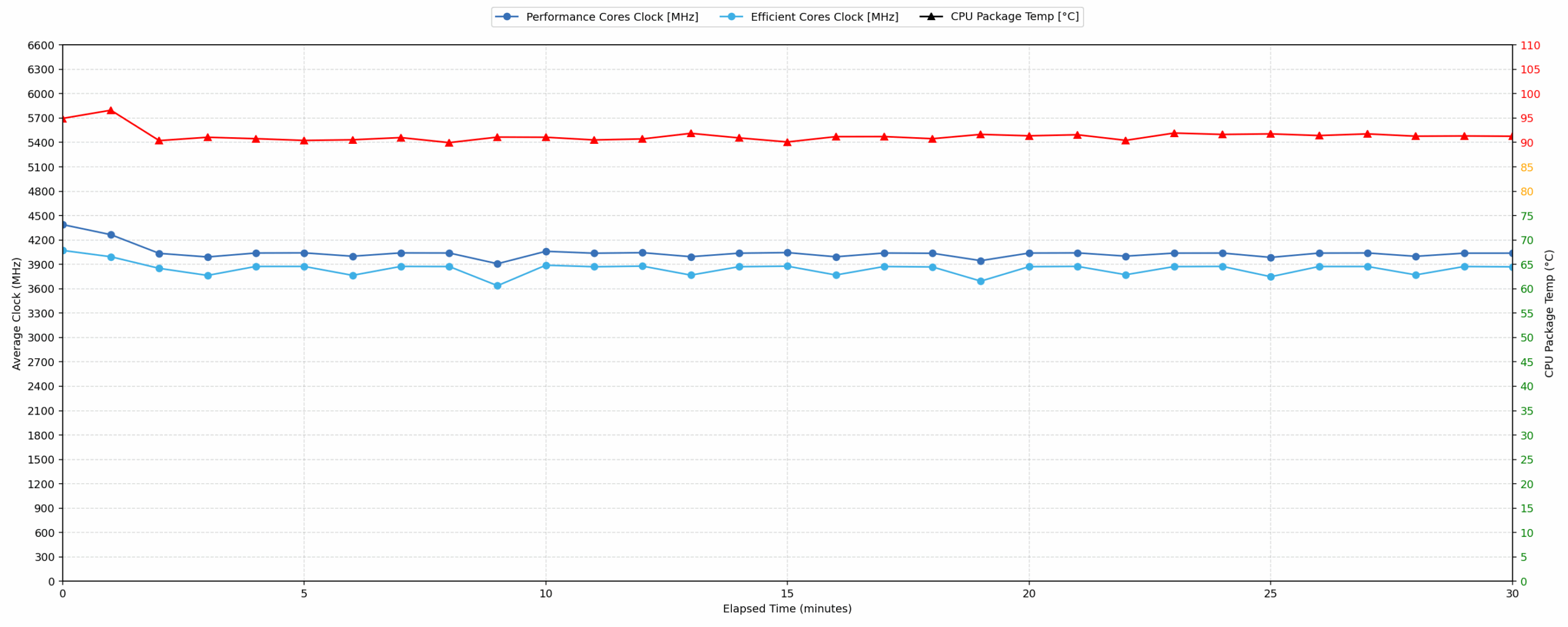
Long periods (0:00 – 30:00 min) of 100 % CPU load
This test shows the CPU behavior during long periods of serious load. It’s important for users who are looking for laptops suitable for tasks like Video Editing and 3D Rendering.
| Intel Core Ultra 9 275HX | Avg. P-Core Clock | Avg. CPU Temp. | Avg. CPU Power |
| Lenovo Legion 9i (18″, Gen 10 / 18IAX10) | 4576 MHz | 101 °C | 171 W |
| ASUS ROG Strix G18 G815 (2025) | 4377 MHz | 90 °C | 144 W |
| ASUS ROG Strix G16 G615 | 4178 MHz | 97 °C | 134 W |
| Acer Predator Helios 16 AI (PH16-73) | 4106 MHz | 92 °C | 140 W |
| ASUS ROG Strix SCAR 18 G835 (2025) | 4058 MHz | 95 °C | 130 W |
| Acer Predator Helios Neo 16 AI (PHN16-73) | 4035 MHz | 91 °C | 130 W |
| MSI Vector 17 HX AI A2XW | 4007 MHz | 87 °C | 111 W |
| Lenovo Legion Pro 7i Gen 10 (16″ Intel) | 3981 MHz | 91 °C | 151 W |
| MSI Vector 16 HX AI A2XW | 3903 MHz | 84 °C | 111 W |
| Lenovo Legion 7i (16”, Gen 10 / 16IAX10) | 3785 MHz | 89 °C | 96 W |
| Acer Predator Helios Neo 16S AI (PHN16S-71) | 3362 MHz | 85 °C | 86 W |
Under prolonged CPU loads over 30 minutes, the Acer Predator Helios Neo 16 AI maintains an average clock speed of 4035 MHz with an average power consumption of 130 W. The average CPU temperature remains at 91 °C, which is considered high for sustained operation. This performance positions it competently among other Intel Core Ultra 9 275HX models, outperforming several competitors in terms of sustained clock speed. While it achieves a strong average clock speed, the consistent high temperature of 91 °C during the entire 30-minute test indicates that its cooling system is operating at its limit to maintain this level of performance.
Gaming Stability
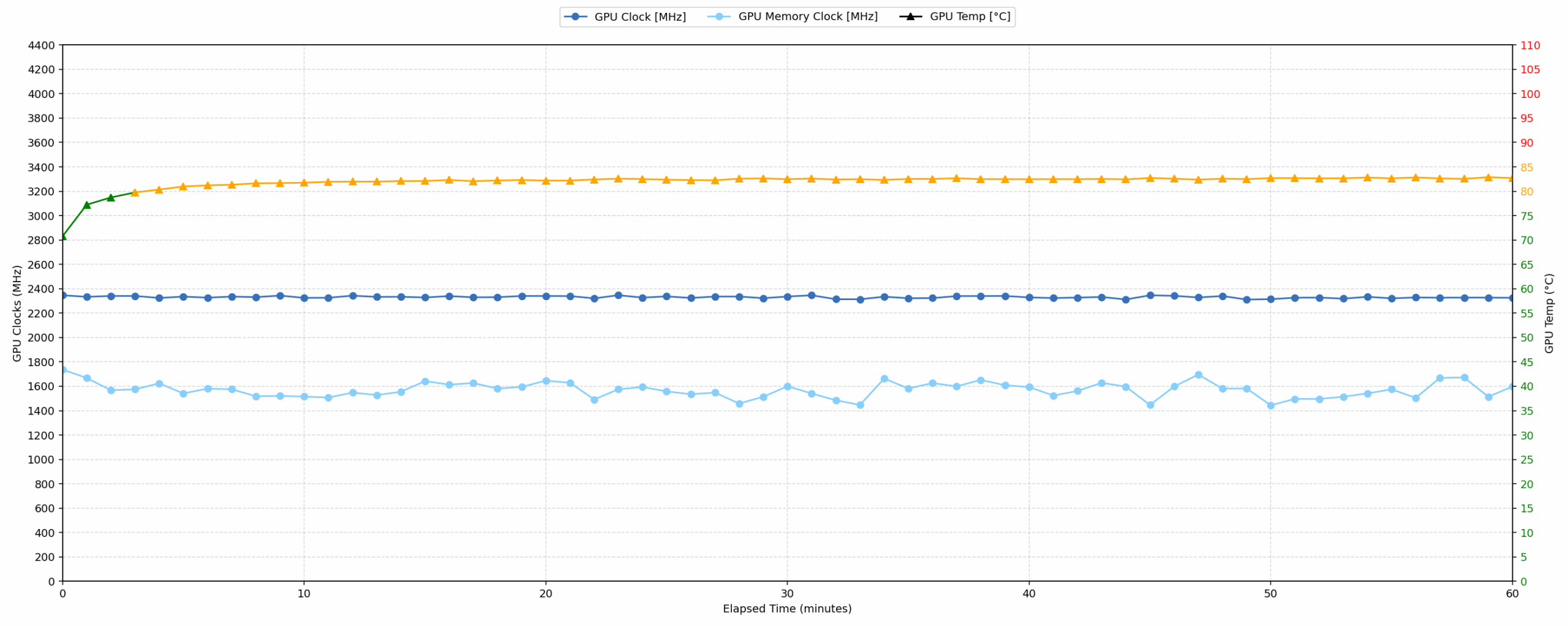
Continuous gaming (1-hour test)
This test evaluates the laptop’s performance under sustained GPU load and high CPU usage.
| NVIDIA GeForce RTX 5070 Ti | Avg. GPU Clock | Avg. GPU Temp. | Avg. Memory Clock | Avg. GPU Mem Temp. | Avg. GPU Power |
| HP OMEN MAX 16 (AMD, 16-ab0000, ak0000) | 2441 MHz | 75 °C | 1128 MHz | 76 °C | 138 W |
| ASUS ROG Strix G18 G815 (2025) | 2416 MHz | 71 °C | 1762 MHz | 72 °C | 138 W |
| ASUS ROG Strix G16 G615 | 2376 MHz | 79 °C | 1685 MHz | 77 °C | 138 W |
| MSI Vector 16 HX AI A2XW | 2362 MHz | 74 °C | 1750 MHz | 77 °C | 139 W |
| Acer Predator Helios Neo 16 AI (PHN16-73) | 2331 MHz | 82 °C | 1569 MHz | 81 °C | — |
| Acer Predator Helios Neo 16S AI (PHN16S-71) | 1935 MHz | 79 °C | 1125 MHz | 83 °C | 89 W |
During an hour of continuous gaming, the Acer Predator Helios Neo 16 AI maintains an average GPU clock speed of 2331 MHz, with its core peaking at 2422 MHz. Both the average GPU core temperature of 82 °C and the average memory temperature of 81 °C are well within the good range, with peak temperatures of 83 °C and 82 °C respectively, indicating stable thermal management. Compared to other RTX 5070 Ti laptops, its average GPU clock speed is competitive, slightly below the highest performers but still delivering strong results. The stable and good temperatures suggest excellent sustained gaming performance without thermal throttling.
Battery Life
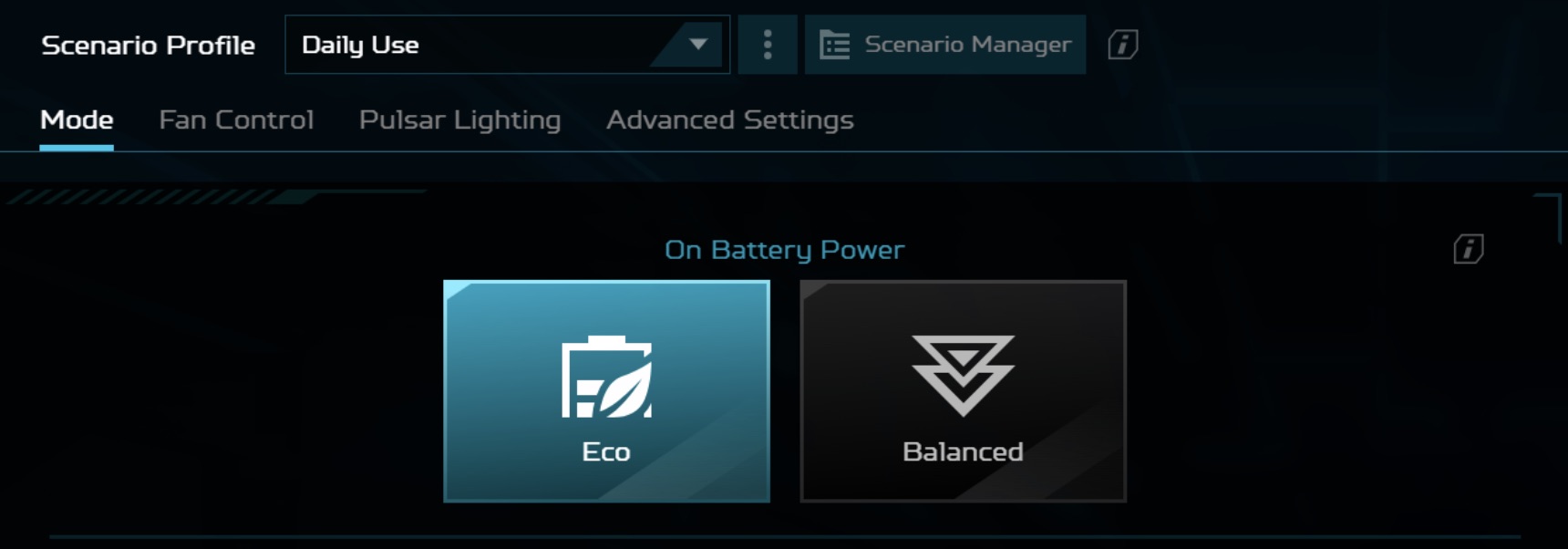
Acer Predator Helios Neo 16 AI (PHN16-73) has a 90 Wh four‑cell battery unit. We conducted the battery test with the Eco mode selected in Predator Sense:
The battery life is not a strong side of Acer Predator Helios Neo 16 AI (PHN16-73). Despite the 90Wh of energy, the laptop works for just over 4 hours and 30 mins on a single charge. Most of its competitors are not much better with ASUS ROG Strix G16 being the only exception, having 2 hours longer battery life (+40%)!
चमक: 180 nits; डिस्प्ले मोड: SDR
पूर्ण डिस्चार्ज का समय: उच्चतर बेहतर है
Disassembly, Upgrade options, and Maintenance
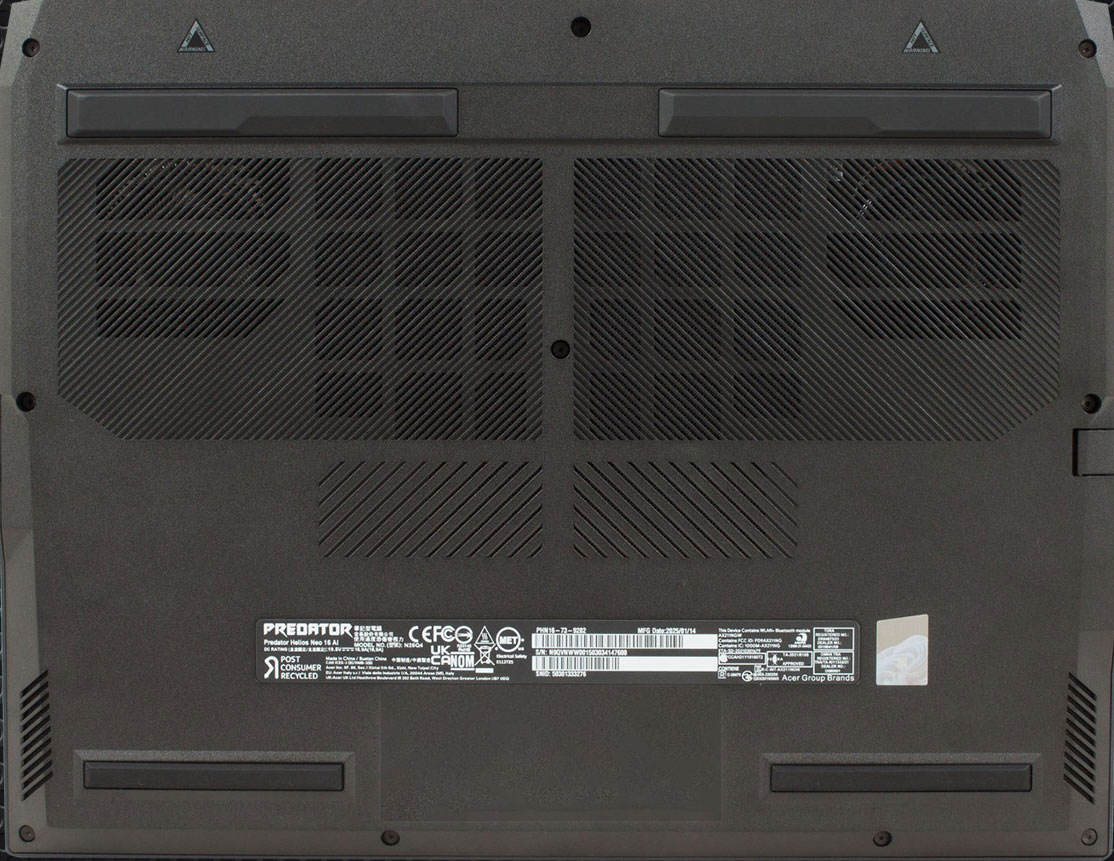
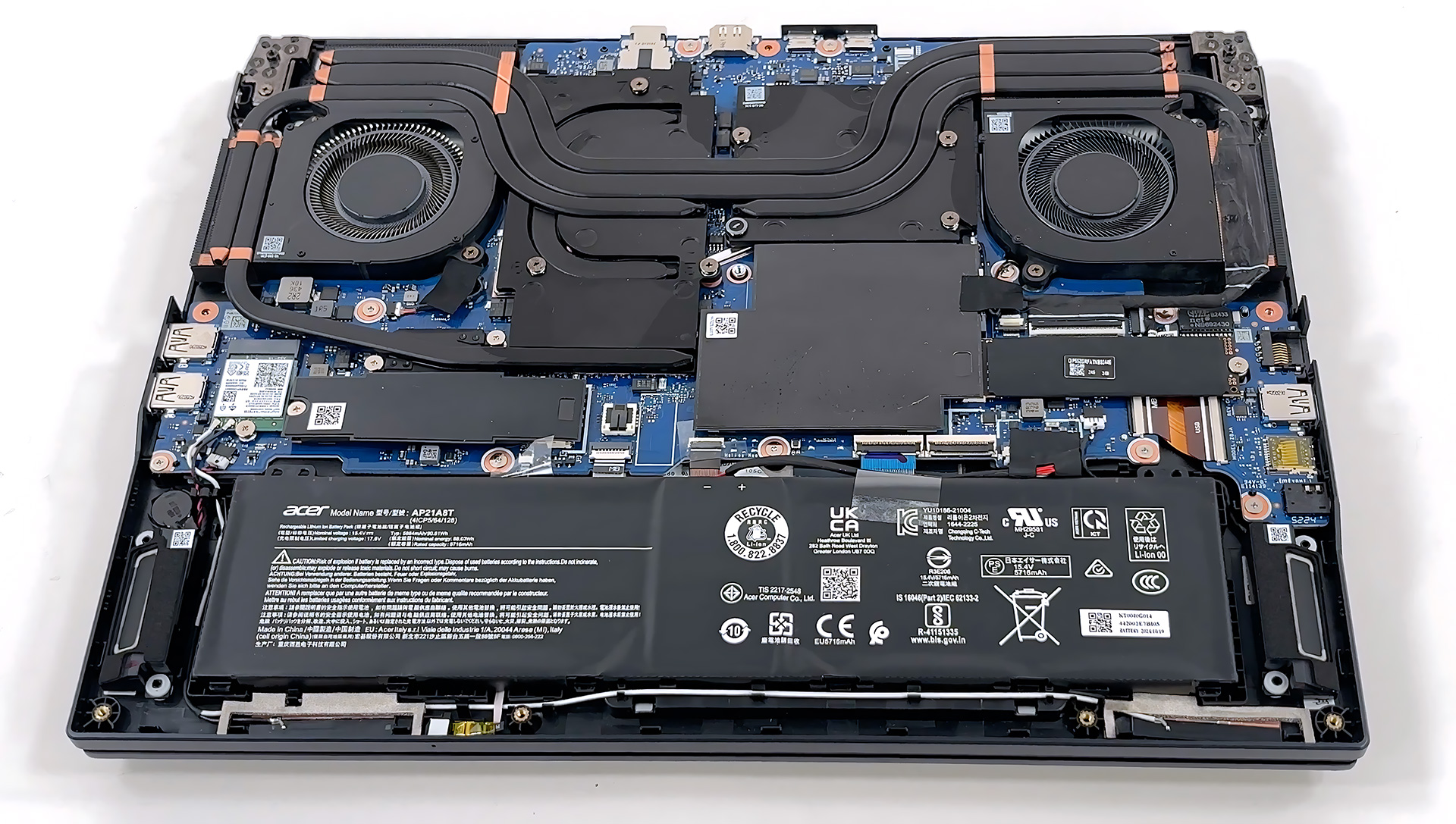
The bottom plate of the Predator Helios Neo 16 AI comes off after removing ten Torx T6 screws and popping a ring of plastic clips. Nothing is hidden under stickers, so the procedure is straight‑forward.
Inside, two fifth‑generation AeroBlade 3D fans work with four shared heat pipes and liquid‑metal paste on the CPU, moving hot air toward chunky side and rear fin‑stacks. The design looks ready for the high‑power HX silicon Acer offers with this chassis.
The 90 Wh four‑cell battery is held in place only by the frame; once its connector is out, the pack lifts free without removing extra brackets or screws. That keeps replacement simple, although you should still work gently because the cells are exposed.
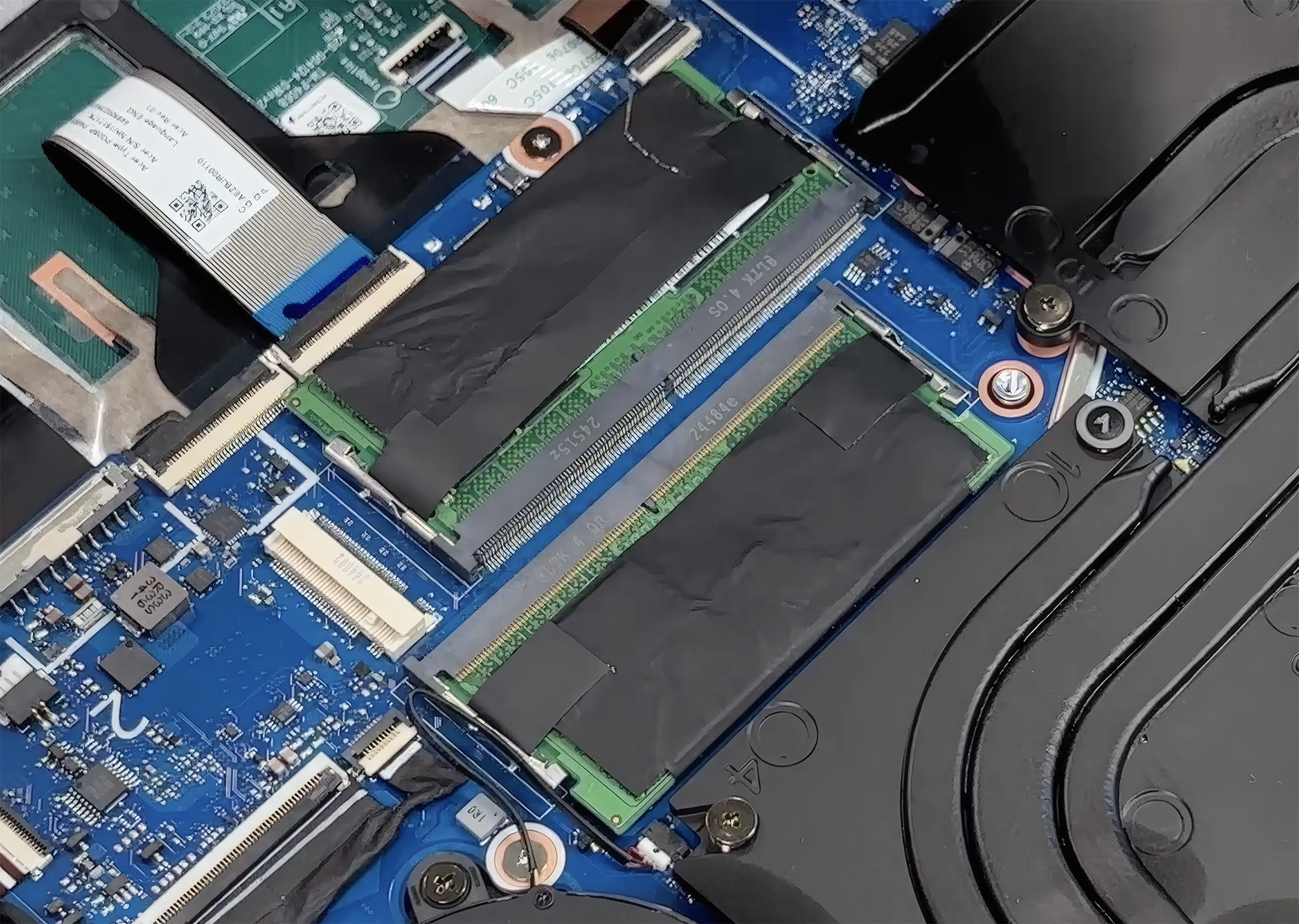
System memory lives in two standard SO‑DIMM slots. They accept DDR5 sticks up to 64 GB and the motherboard supports speeds up to 6400 MT/s, so future upgrades are only a matter of slipping in larger modules.
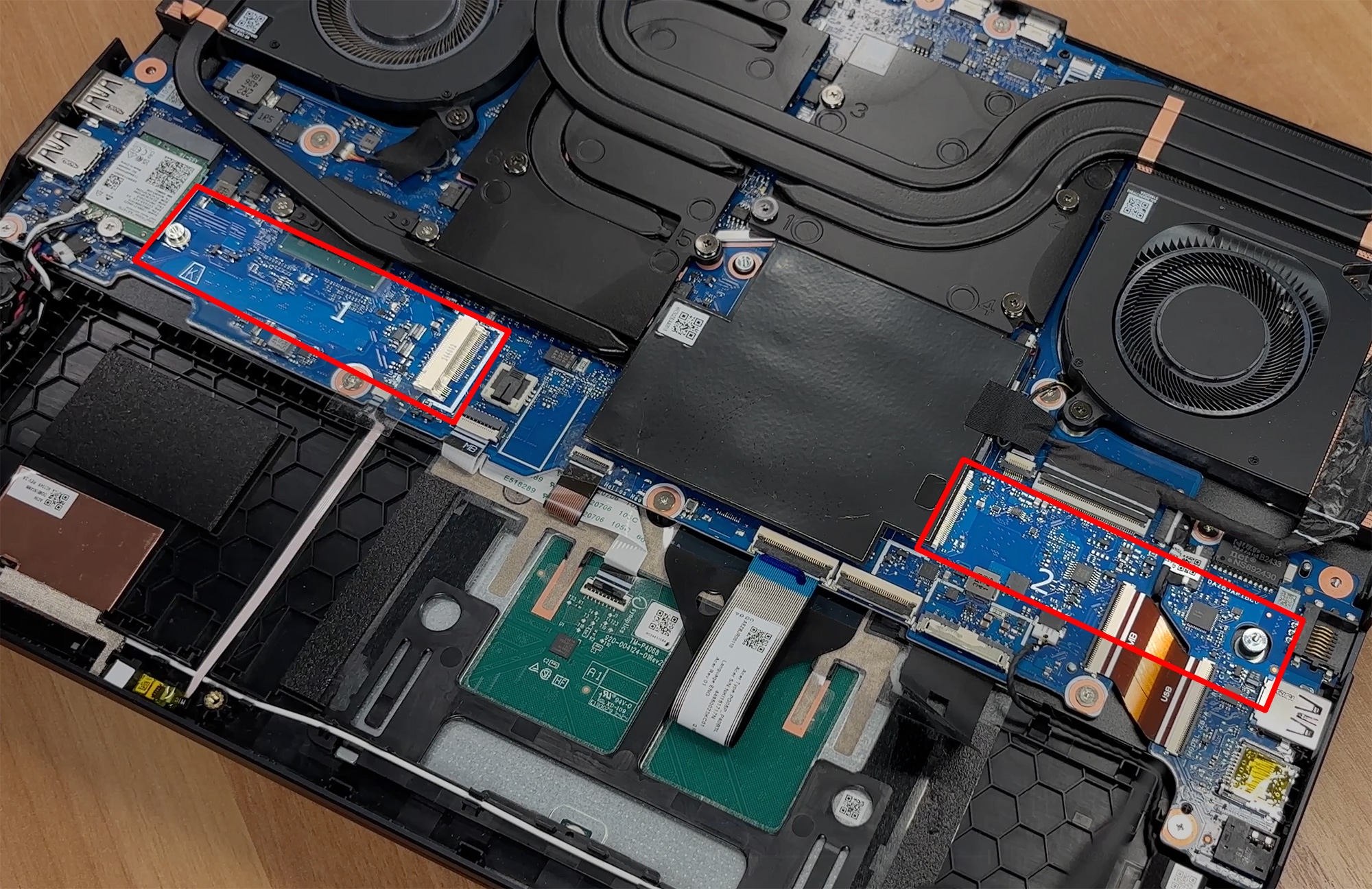
Storage is equally generous – two full‑length M.2 slots wired for PCIe 4.0 drives. Both bays are covered by metallized EMI shields that double as heat spreaders, and each slot can house up to a 2 TB SSD.
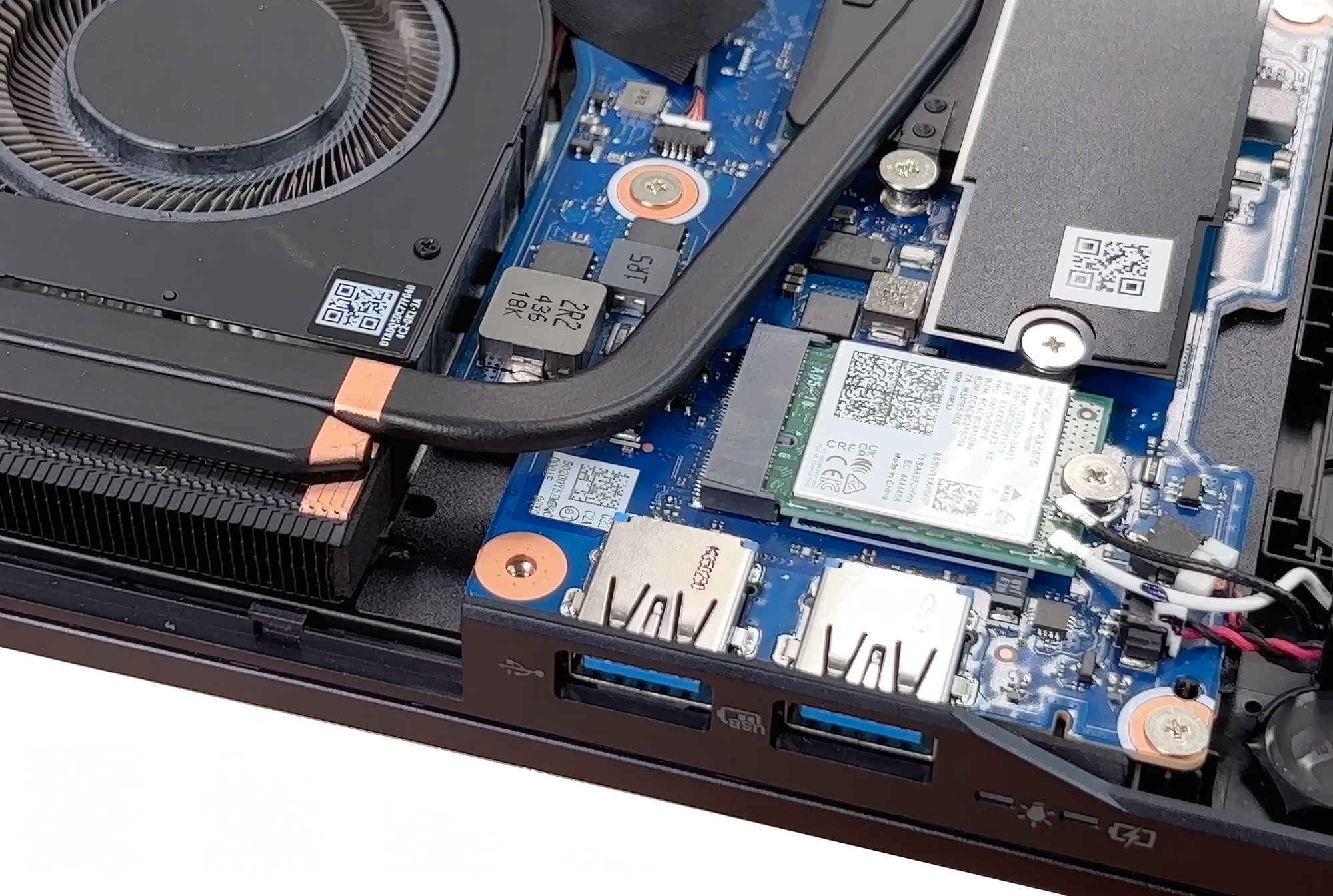
A separate M.2 2230 card delivers Intel’s Wi‑Fi 6E 1675i connectivity with 2×2 MU‑MIMO. Because it is not soldered, swapping to a newer radio later on will be easy.
With socketed RAM, dual Gen‑4 SSD slots, a removable wireless card and an unsecured battery, the Helios Neo offers refreshingly good upgradeability for a modern gaming laptop, and the cooling assembly is accessible for routine maintenance.
Verdict
The Acer Predator Helios Neo 16 AI (PHN16-73) is a powerful and well-balanced gaming laptop that successfully bridges the gap between raw performance and a surprisingly portable design. It offers a premium experience, centered around a spectacular OLED display, without pushing into the highest echelons of price and bulk. It’s a machine that feels like a sweet spot in the enthusiast gaming market.
However, this impressive package is not without its significant drawbacks. The very same OLED screen that provides its greatest strength is also the source of its most critical flaws, creating a frustrating paradox for potential buyers.
✅ The Good
 The star of the show is the absolutely stunning 240Hz QHD+ OLED display. With perfect contrast, 100% DCI-P3 coverage, and a buttery-smooth refresh rate, it delivers a visual experience for gaming and media that is simply breathtaking. This is paired with excellent and stable gaming performance, as the robust cooling system allows the powerful components to maintain high clock speeds without thermal throttling.
The laptop also boasts fantastic upgradeability, with two user-accessible SODIMM slots for RAM and two M.2 slots for storage, ensuring great long-term value and flexibility. The port selection is comprehensive, including a versatile Thunderbolt 4 port, and the keyboard is a joy to use, featuring full-sized arrow keys and a NumPad. The overall build is solid, with a premium-feeling aluminium lid and a chic, understated design.
❌ The Bad
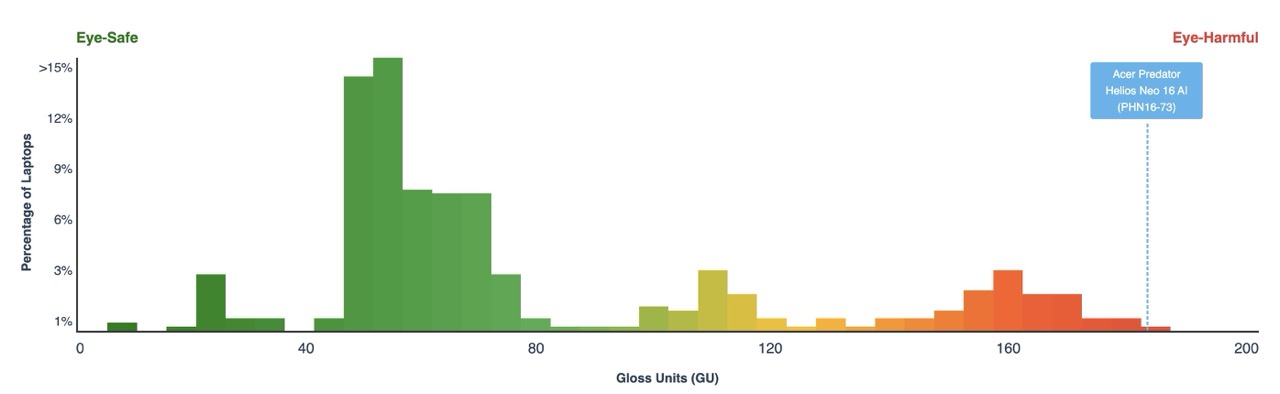 The gorgeous OLED display is severely hampered by two major issues that ruin its eye-safety score. First, it is extremely glossy and reflective, to the point of being one of the worst we have ever measured, making it very difficult to use in bright environments. Second, it uses PWM for brightness control, which can cause significant eye strain and headaches for sensitive users.
Furthermore, the battery life is quite poor, lasting just over 4.5 hours, which is disappointing for a modern laptop with a large 90Wh battery. Finally, the lack of a physical privacy shutter is a notable omission on a premium machine.
🆚 The Competitors
When compared to its thinner sibling, the Acer Predator Helios Neo 16S AI PHN16S-71 (detailed review), this standard “Neo” model is the clear winner in performance, offering a significant 10-15% boost thanks to its thicker chassis and better cooling. However, it shares the same flawed OLED panel.
Against external rivals like the ASUS ROG Strix G16 G615 (detailed review) and the MSI Vector 16 HX AI (detailed review), the Helios Neo 16 AI is slightly behind in raw performance but strikes a very good balance between power and portability. The Strix G16, however, pulls far ahead with its significantly better battery life, making it a more practical choice for users who need to be unplugged for longer periods.
You can check the prices and configurations in our Specs System: https://laptopmedia.com/series/acer-predator-helios-neo-16-ai-phn16-73/
Pros
- Stunning 240Hz OLED display with 100% DCI-P3 coverage
- Excellent and stable gaming performance
- Fantastic upgradeability with two RAM and two M.2 slots
- Great port selection, including a Thunderbolt 4 port
- Comfortable keyboard with full-sized arrow keys and a NumPad
- Premium-feeling and chic design
Cons
- Extremely reflective glossy screen, one of the worst measured + PWM for brightness control, bad for eye-safety
- Mediocre battery life for a 90Wh capacity
- No physical privacy shutter for the webcam
 Author: Simeon NikolovEditor-in-Chief at LaptopMedia.com with 20+ years of experience in testing and analyzing laptops and mobile devices.
 Author: eng. Kroum NikolovHead of Engineering at LaptopMedia.com, inventor and innovator with 40+ years of experience in electronics and high technology.

![[May 2026] Global Ranking of Best-Selling Laptop GPUs on Amazon – Apple Dominates with 45% Share, Sweeps Top 3 Spots; NVIDIA’s RTX 5060 Leads the Dedicated GPU Pack](https://laptopmedia.com/wp-content/uploads/2026/06/Best-Selling-GPUs-GLOBAL-Top-10-400x225.jpg)
![[May 2026] Global Ranking of Best-Selling Laptop CPUs on Amazon – Apple Crushes Competition with 45.2% Market Share, M5 Dominates](https://laptopmedia.com/wp-content/uploads/2026/06/Best-Selling-CPUs-GLOBAL-Top-10-400x225.jpg)
![[May 2026] Amazon Germany: Top 7 Best-Selling Gaming Laptops – Lenovo Legion 5i Crowned Champion Amidst Fierce Mid-Range Competition](https://laptopmedia.com/wp-content/uploads/2026/06/Best-Selling-Gaming-Laptops-DE-Top-10-1-400x225.jpg)
![[May 2026] Amazon Italy: Top 10 Best-Selling Laptops – Apple MacBook Neo Reigns Supreme, Premium Models Capture Dominant Revenue Share](https://laptopmedia.com/wp-content/uploads/2026/06/Best-Selling-Laptops-IT-Top-10-400x225.jpg)
![[May 2026] Best-Selling Laptop Brands on Amazon Italy – Apple Dominates Across All Metrics](https://laptopmedia.com/wp-content/uploads/2026/06/IT-Best-Brands-400x225.jpg)

Hey, Im really interested in buying this model, however eye safety is of huge importnace for me. By buying your safety profile, will i be able to make up for it, or will i be always better off buying a laptop with better eye safety built in? Thanks!
Hey Odysseas, the Health-Guard profile definitely helps a lot, but this is not your laptop if eye safety is very important to you (at least not the OLED variant). Tell me what you’re looking for, and I’ll try to help.