HP OmniBook Ultra Flip 2-in-1 Laptop (14t-fh000) review – The Best Keyboard on a Convertible!
The HP OmniBook Ultra Flip arrives on the scene as a masterclass in premium design. From its stunning all-metal chassis to its vibrant 120Hz OLED screen, every inch of this 2-in-1 convertible screams luxury and thoughtful craftsmanship. It’s a device that aims to be the perfect portable companion for the modern professional who values style and versatility above all else. But as we discovered during our testing, this beautiful facade hides a critical, user-hostile compromise that fundamentally challenges its long-term value. Is this the ultimate convertible, or a gorgeous piece of tech with a built-in expiration date?
You can check the prices and configurations in our Specs System: https://laptopmedia.com/series/hp-omnibook-ultra-flip-14-fh0000/
Contents
Specs, Drivers, What’s in the box
HP OmniBook Ultra Flip (14-fh0000) - स्पेक्स

- HDD/SSD
- तक 4000GB SSD
- M.2 स्लॉट
- 1x 2280 M.2 NVMe PCIe 4.0 x4 फोटो देखें
- RAM
- up to 32GB
- OS
- Windows 11 Home, Windows 11 Pro, Windows 11, Chrome OS
- बैटरी
- 64Wh
- बॉडी मटीरियल
- Plastic / Polycarbonate, Aluminum
- आयाम
- 313.69 x 216.15 x 14.98 mm (12.35" x 8.51" x 0.59")
- वजन
- 1.34 kg (3 lbs)
- पोर्ट और कनेक्टिविटी
- 1x USB Type-C
- 3.2 Gen 2 (10 Gbps), Power Delivery (PD), DisplayPort, Sleep and Charge
- 2x USB Type-C
- 4.0, Thunderbolt 4, Power Delivery (PD), DisplayPort, Sleep and Charge
- कार्ड रीडर
- ईथरनेट लैन
- वाई-फाई
- Wi-Fi 7
- ब्लूटूथ
- 5.4
- ऑडियो जैक
- विशेषताएँ
- फिंगरप्रिंट रीडर
- optional
- वेब कैमरा
- 9MP IR AI camera with temporal noise reduction
- बैकलिट कीबोर्ड
- optional
- माइक्रोफोन
- Dual Array Digital Microphones
- स्पीकर
- Quad Speakers, HP Audio Boost, DTS:X Ultra, Poly Studio
- सुरक्षा लॉक स्लॉट
सभी HP OmniBook Ultra Flip (14-fh0000) कॉन्फ़िगरेशन
Drivers
All drivers and utilities for this notebook can be found here: https://support.hp.com/bg-en/drivers/hp-omnibook-ultra-flip-14-inch-2-in-1-laptop-next-gen-ai-pc-14-fh0000/2102254404
What’s in the box?
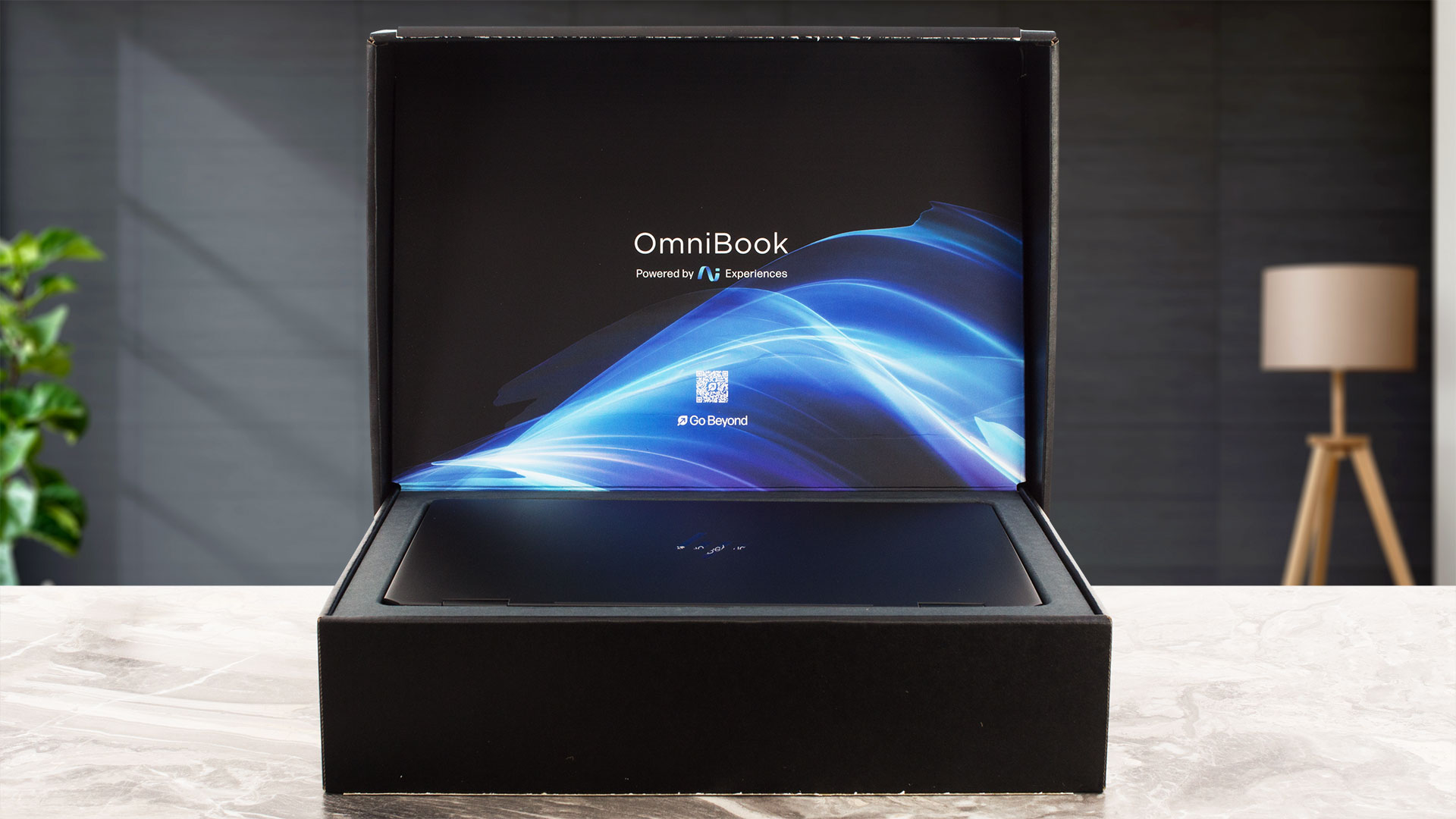
HP makes a strong first impression with the OmniBook Ultra Flip 2-in-1, which arrives in a very luxurious-feeling box.
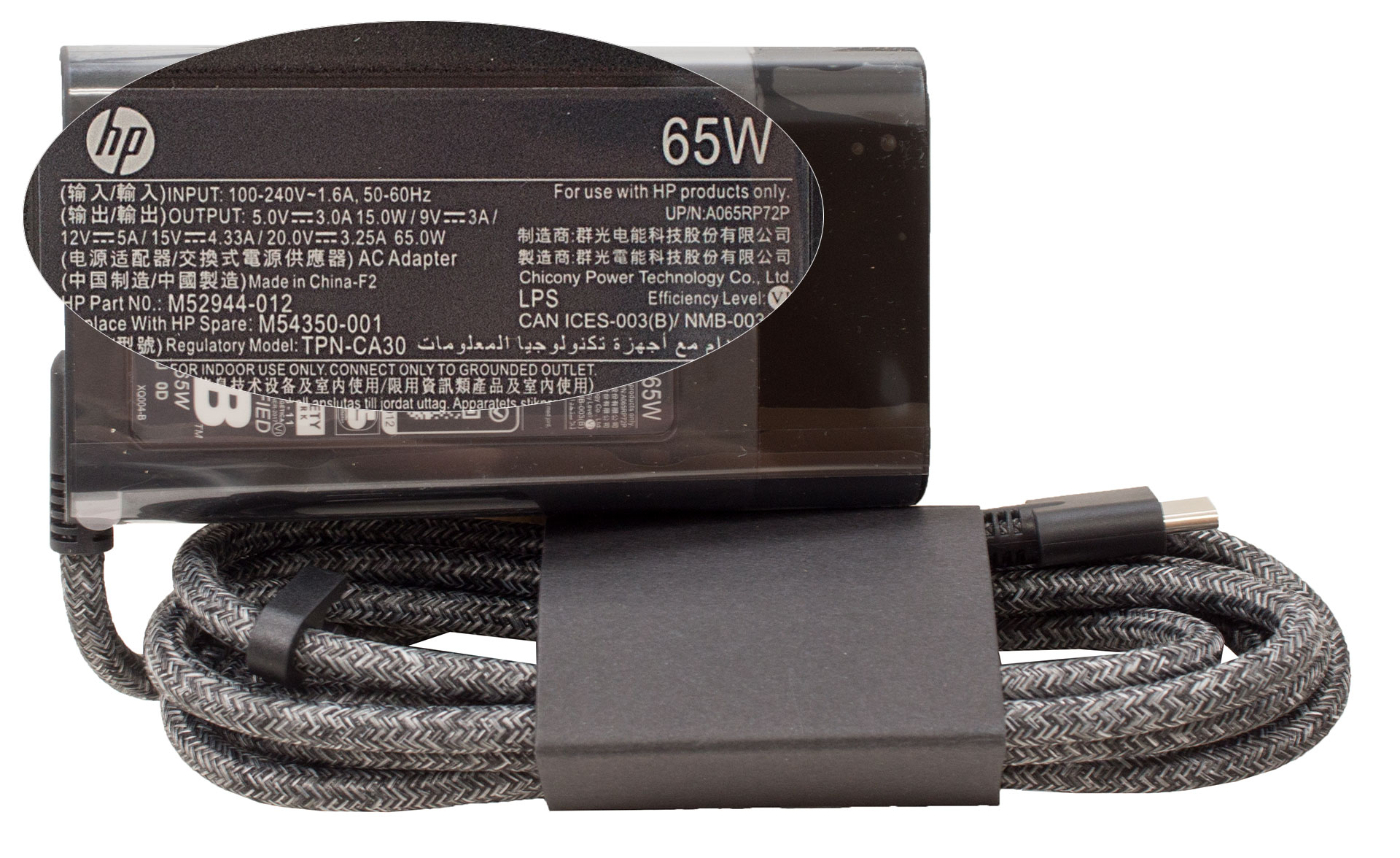
While you won’t find any extra accessories bundled inside, there is a thoughtful, premium touch that caught our attention. Alongside the laptop itself, the power adapter features a high-quality braided cable, elevating the otherwise standard unboxing experience.
Design and construction
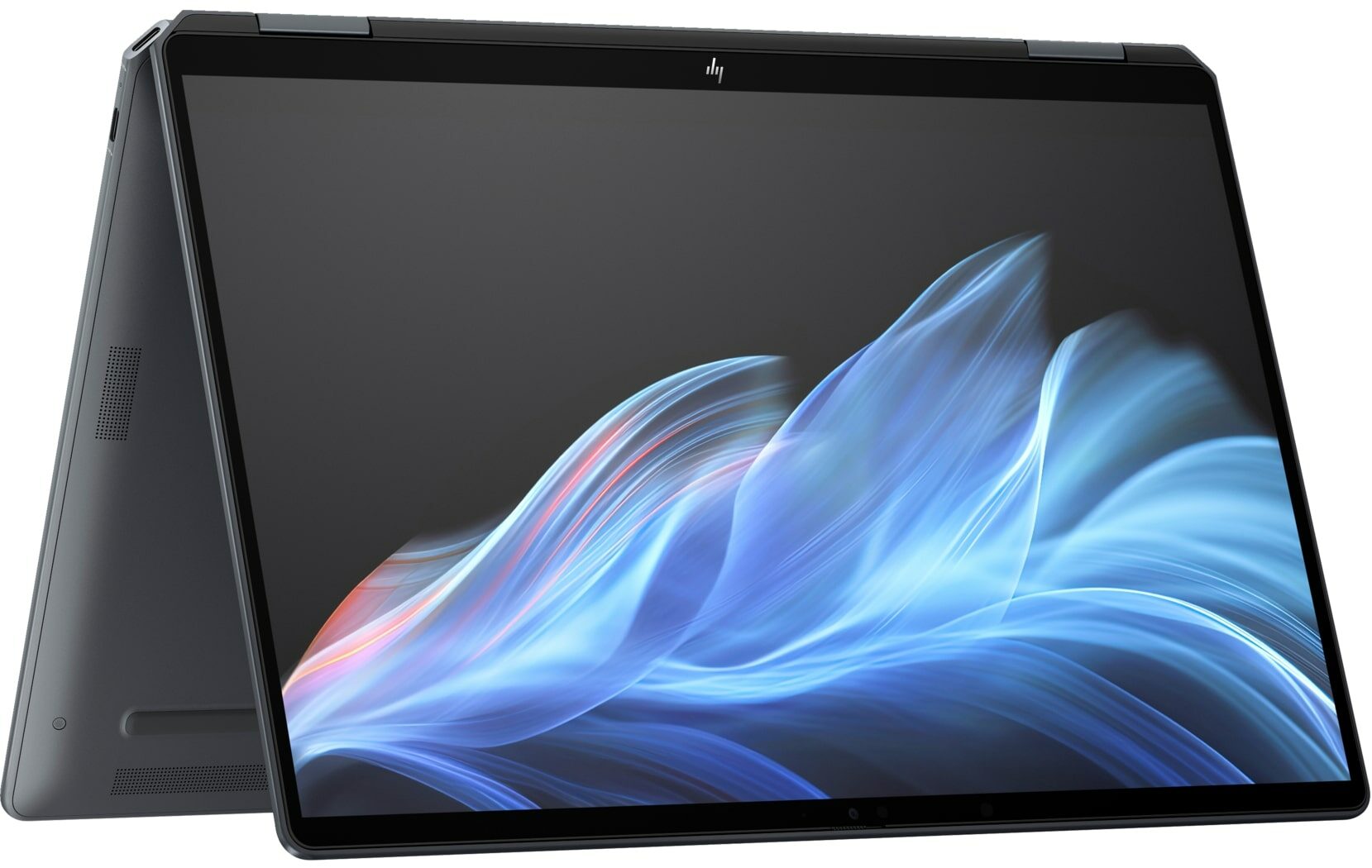
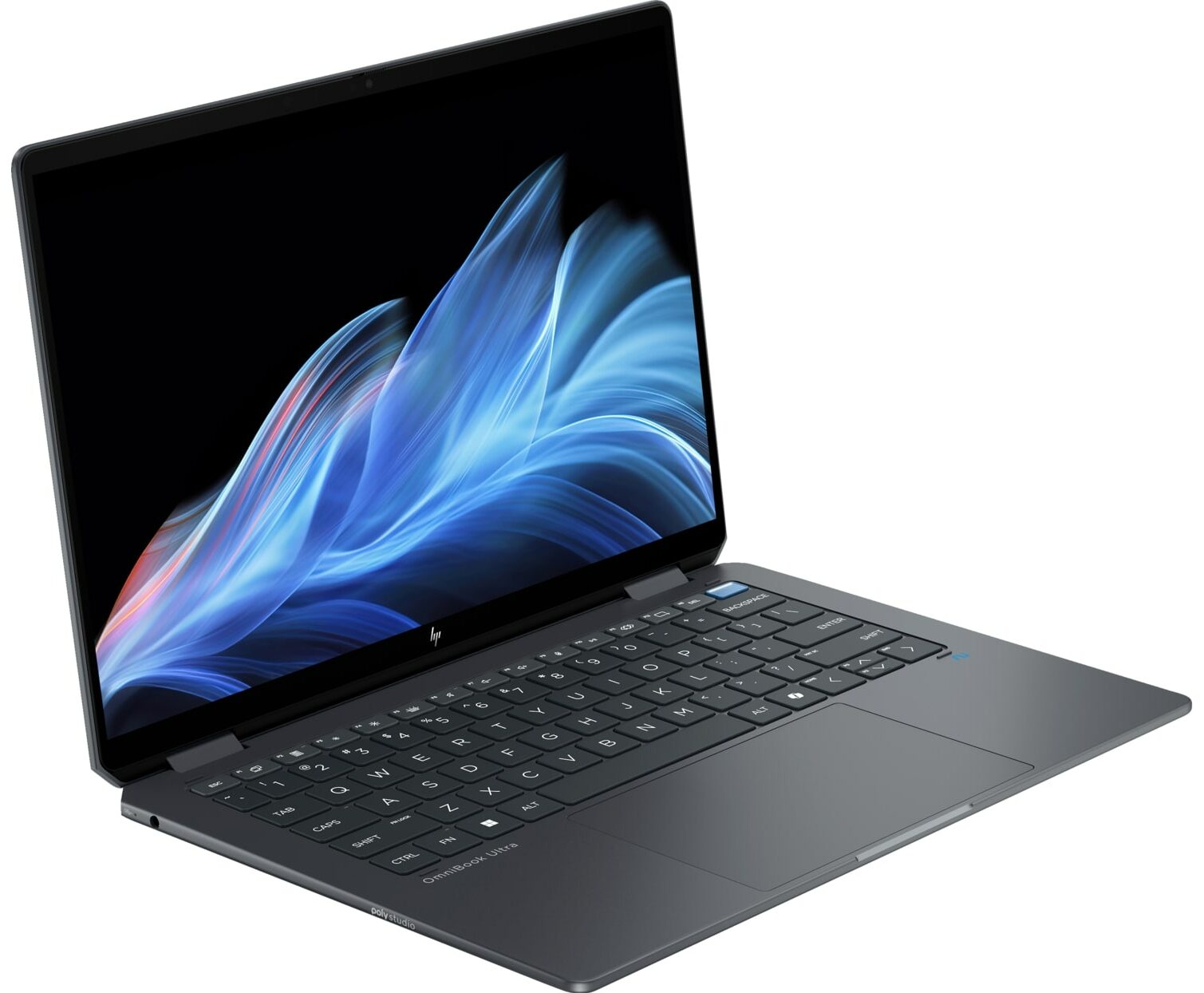
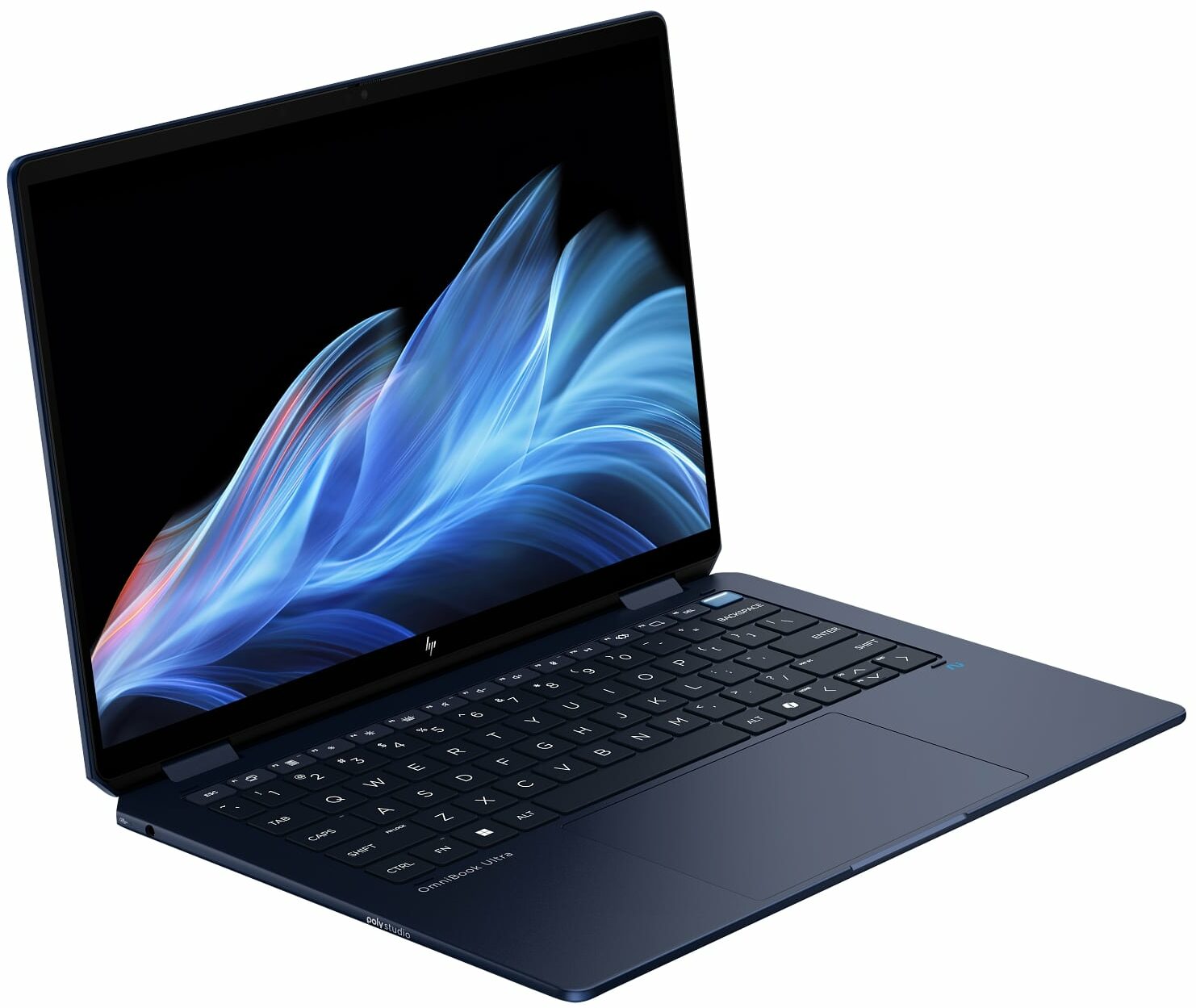
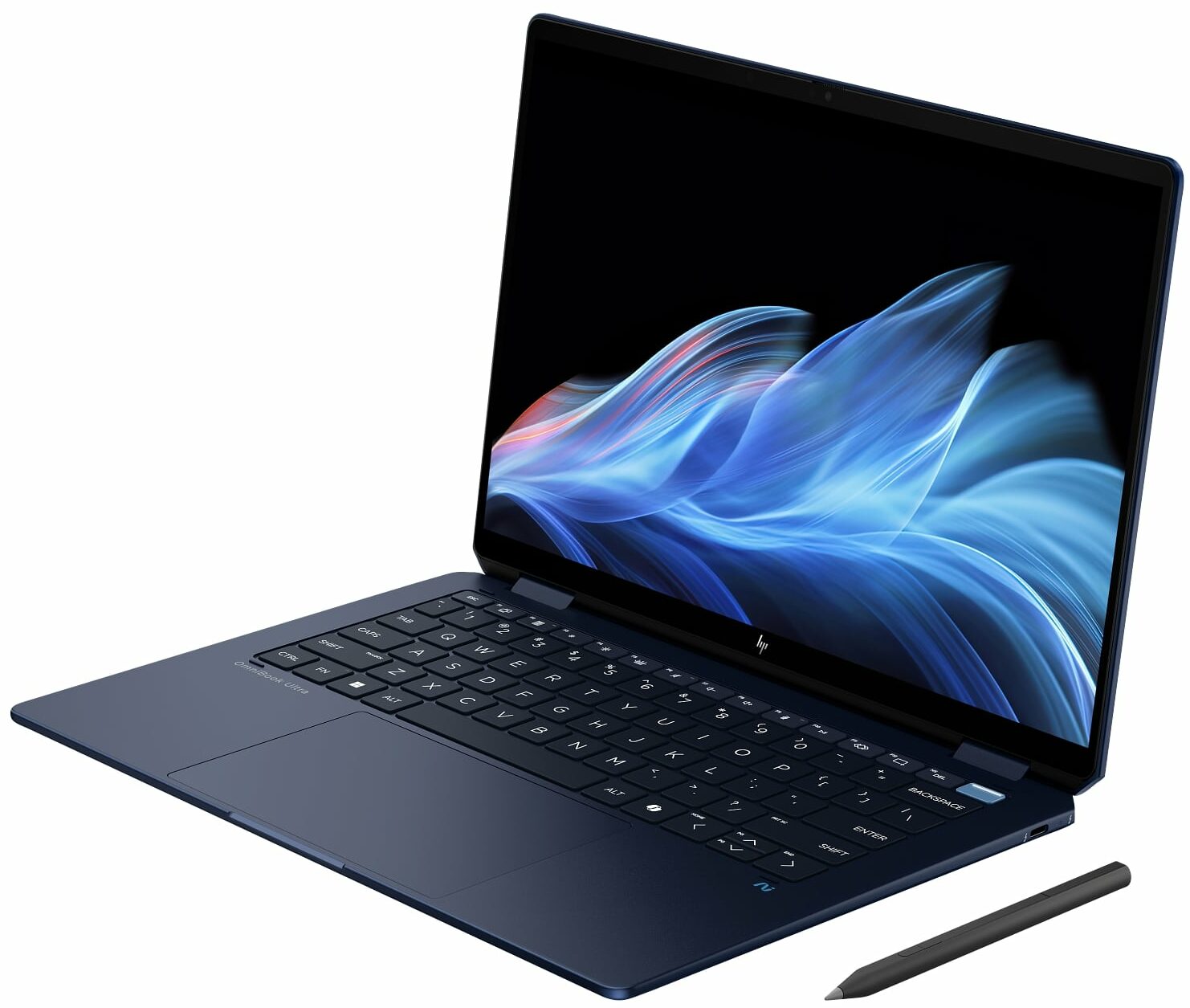
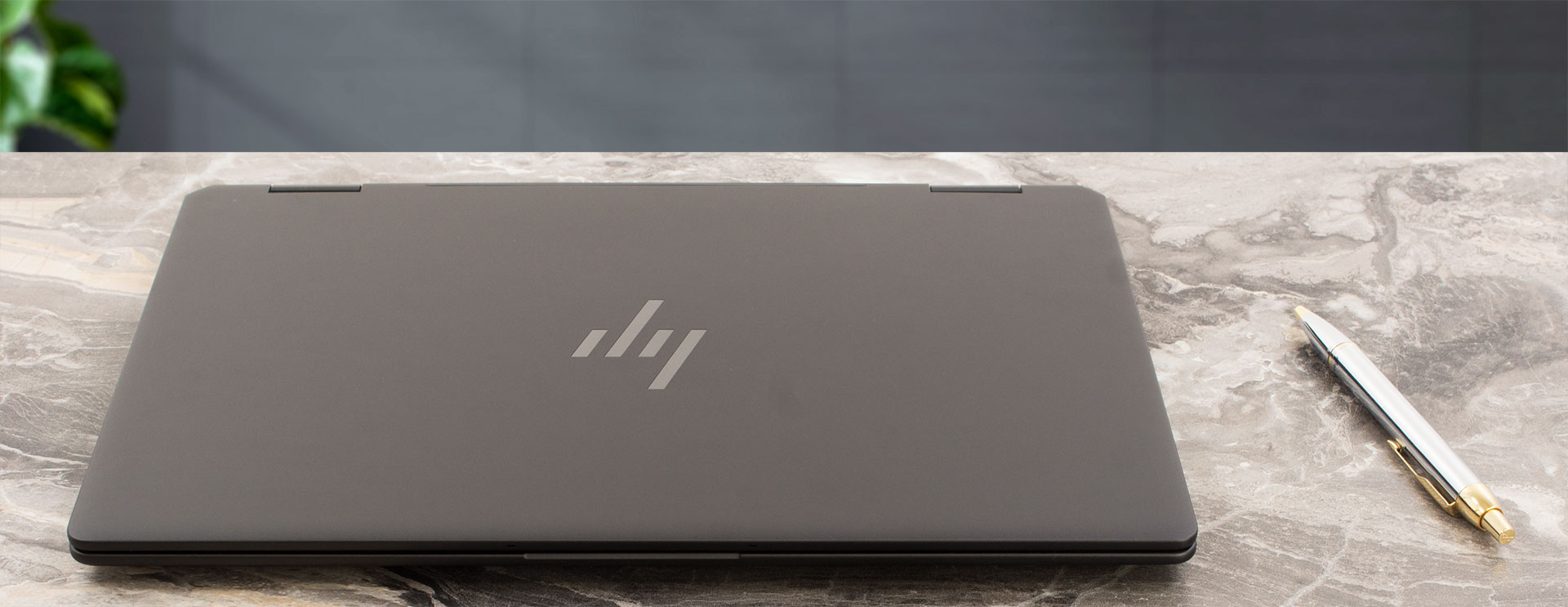
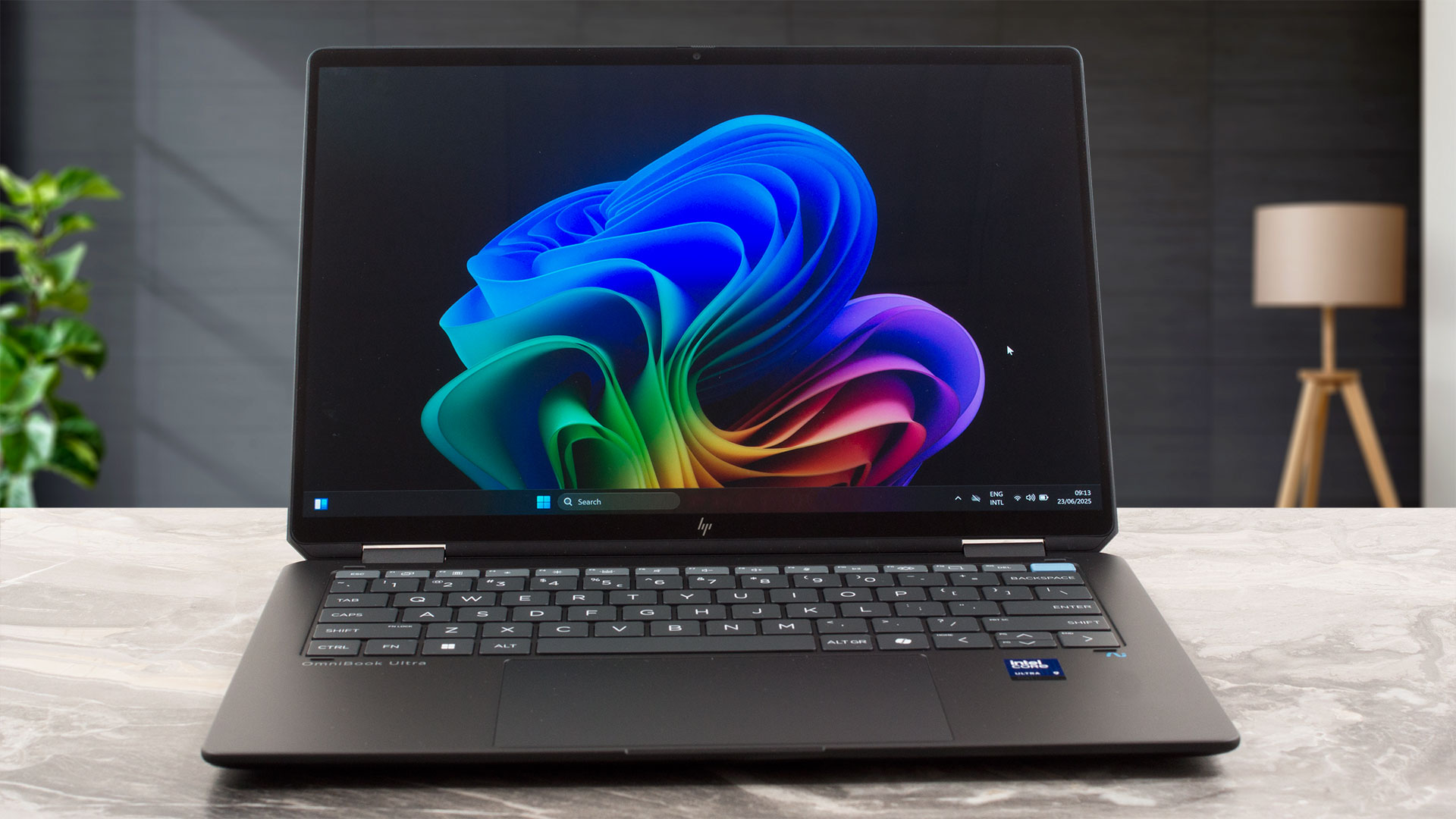
The HP OmniBook Ultra Flip 2-in-1 (14t-fh000) immediately asserts itself as an exquisitely designed, truly high-end machine. From the moment you handle it, the premium feel is undeniable.
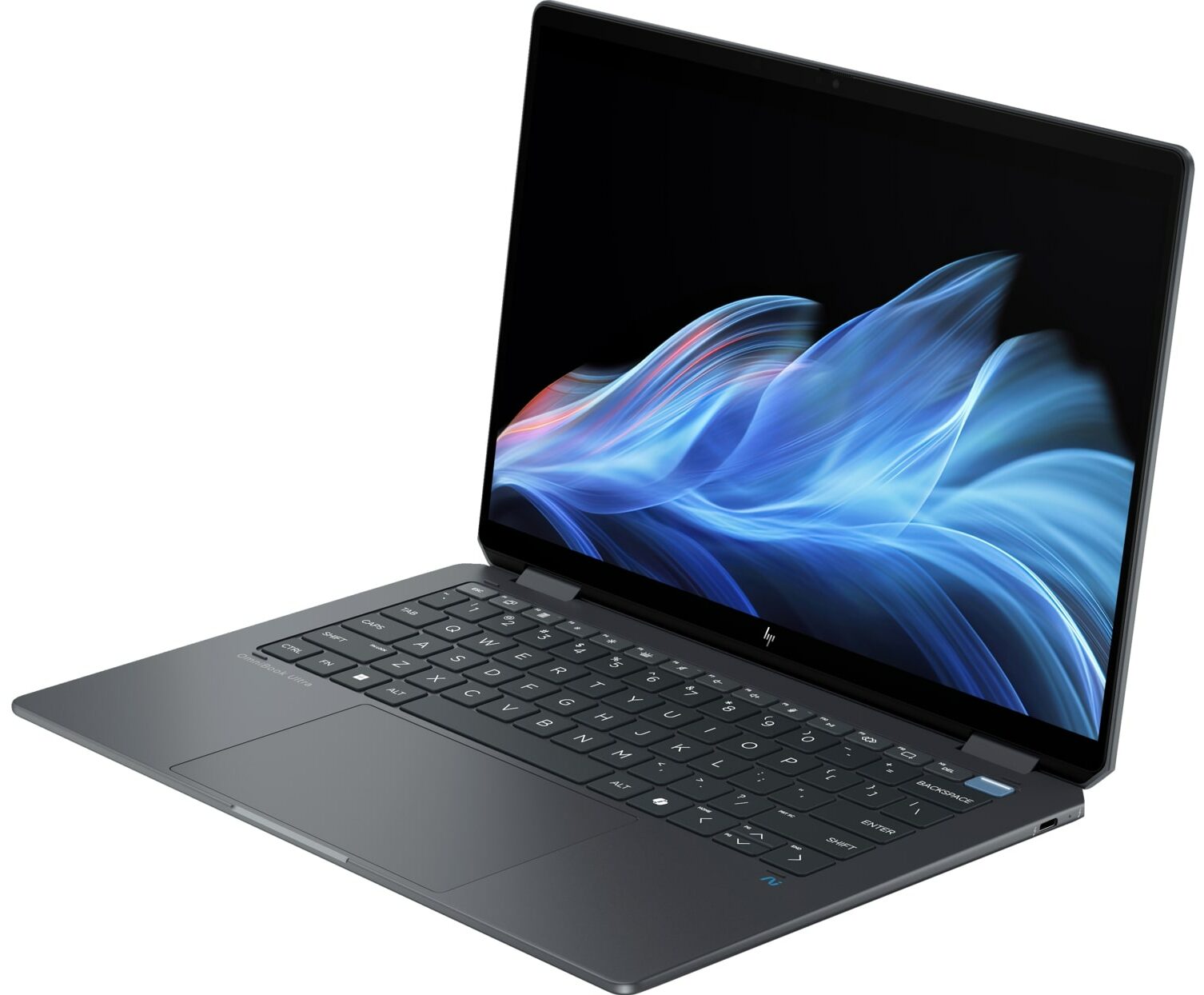
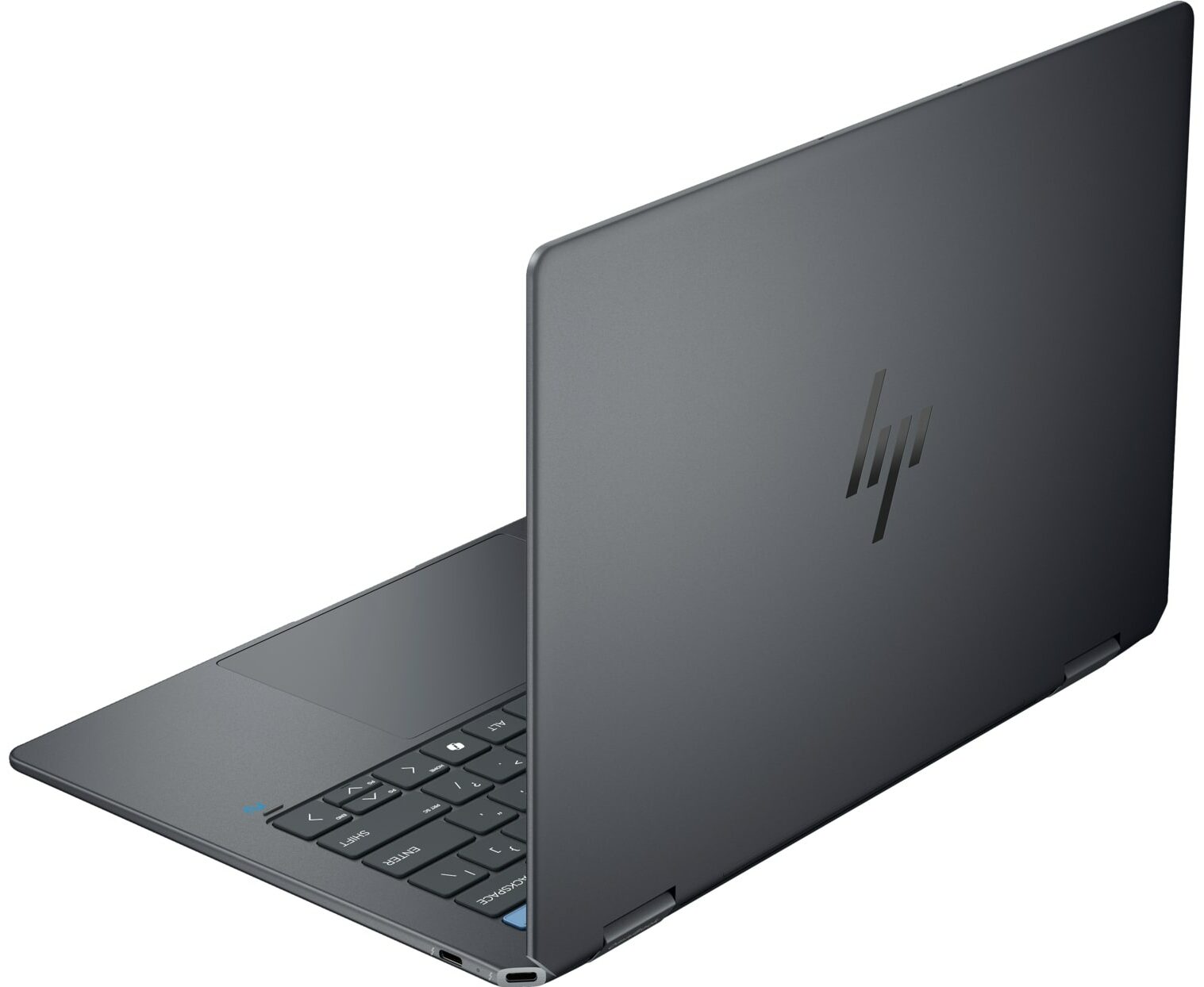
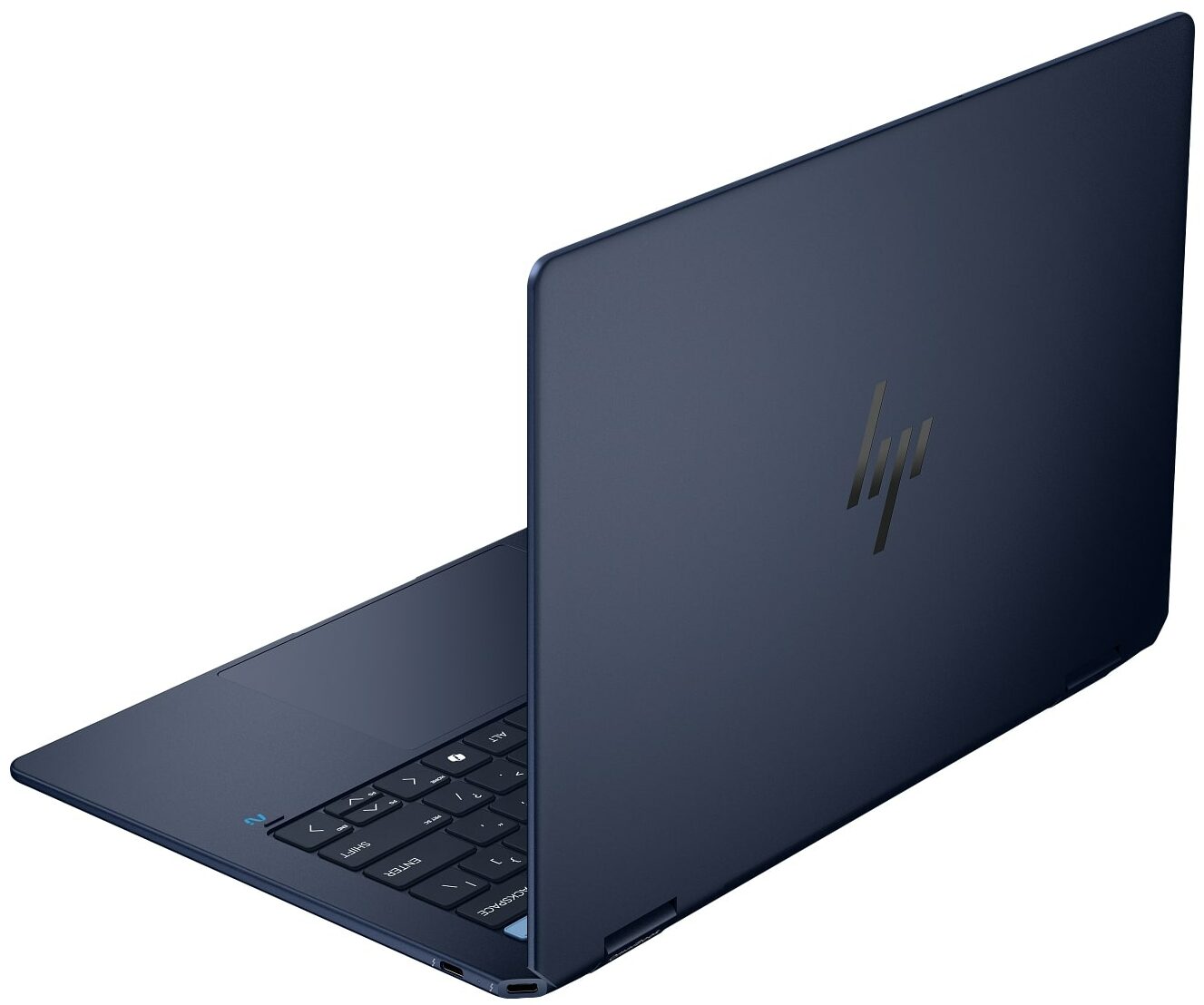
The design is elegant and thoughtful, with one particularly clever touch being the integration of USB-C ports directly into the chamfered corners of the chassis – a unique and functional flourish.
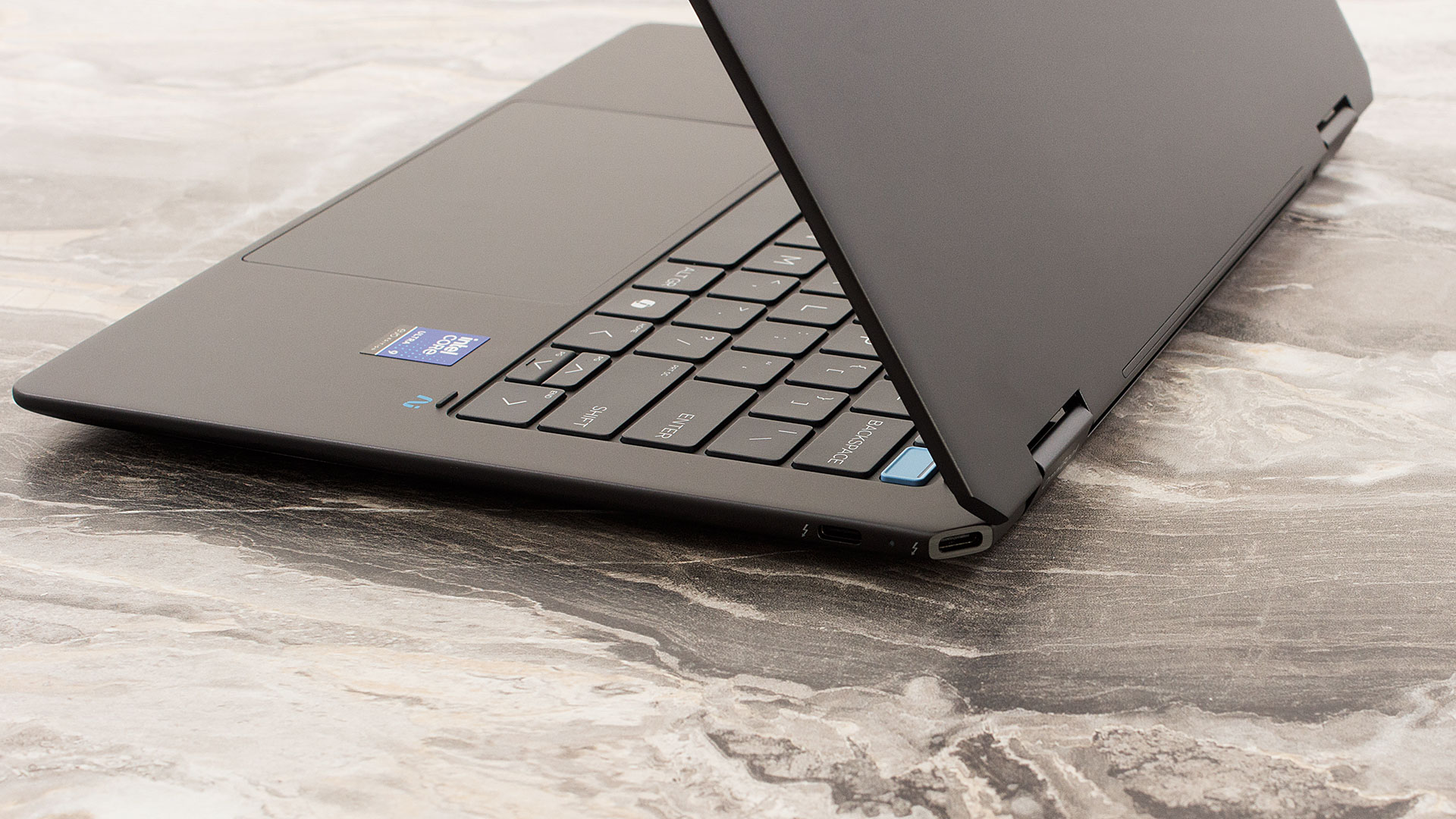
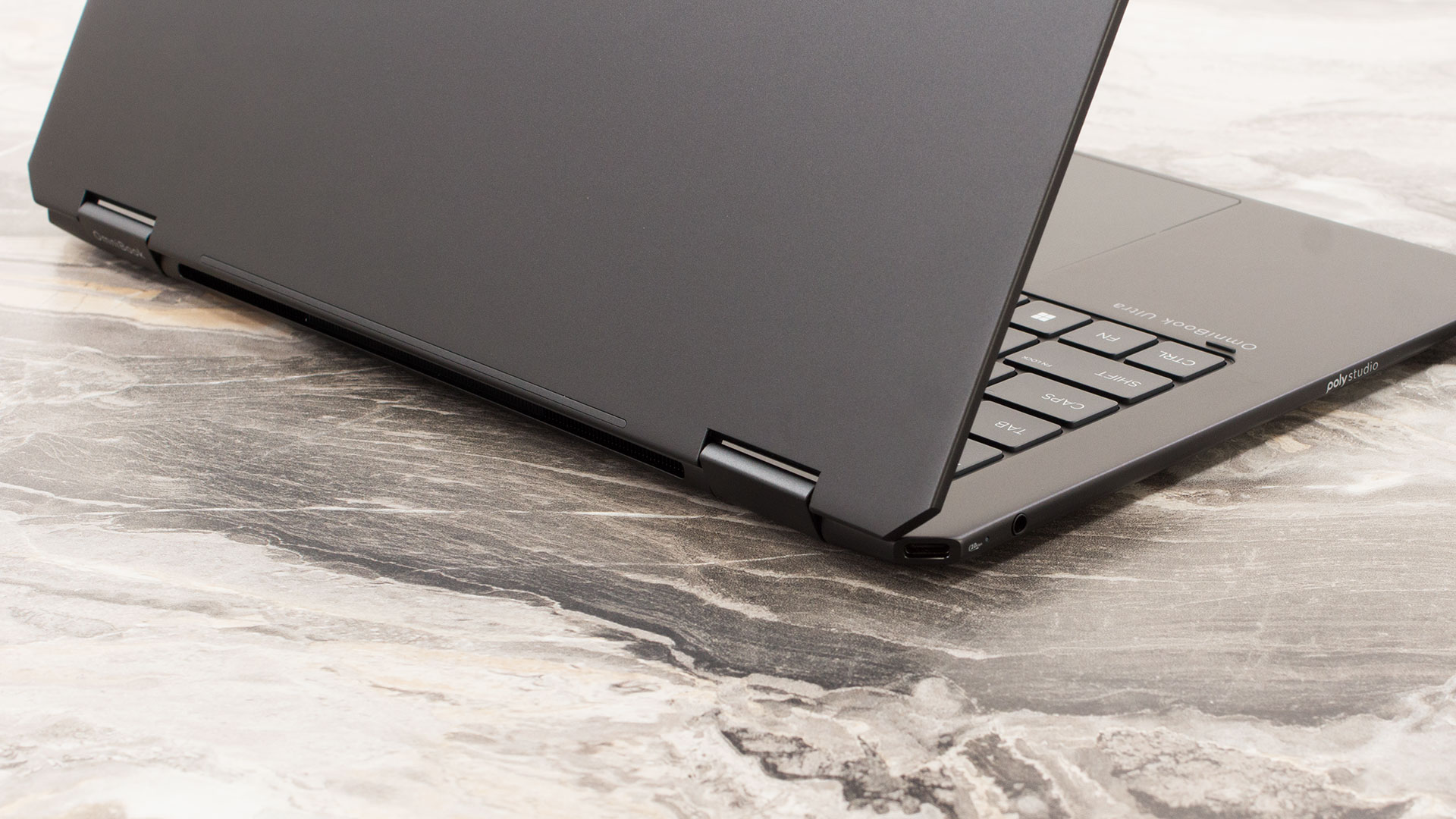
We ordered the sophisticated “Eclipse Gray” color variant, but an “Atmospheric Blue” option is also available. The build quality is exceptional; crafted primarily from aluminium, with recycled metal in key components and ocean-bound plastic in the speaker enclosures, it feels incredibly stable. In fact, it’s one of the most structurally sound and rigid laptops we’ve tested. While the surface can pick up some smudges, they are very easy to wipe clean.
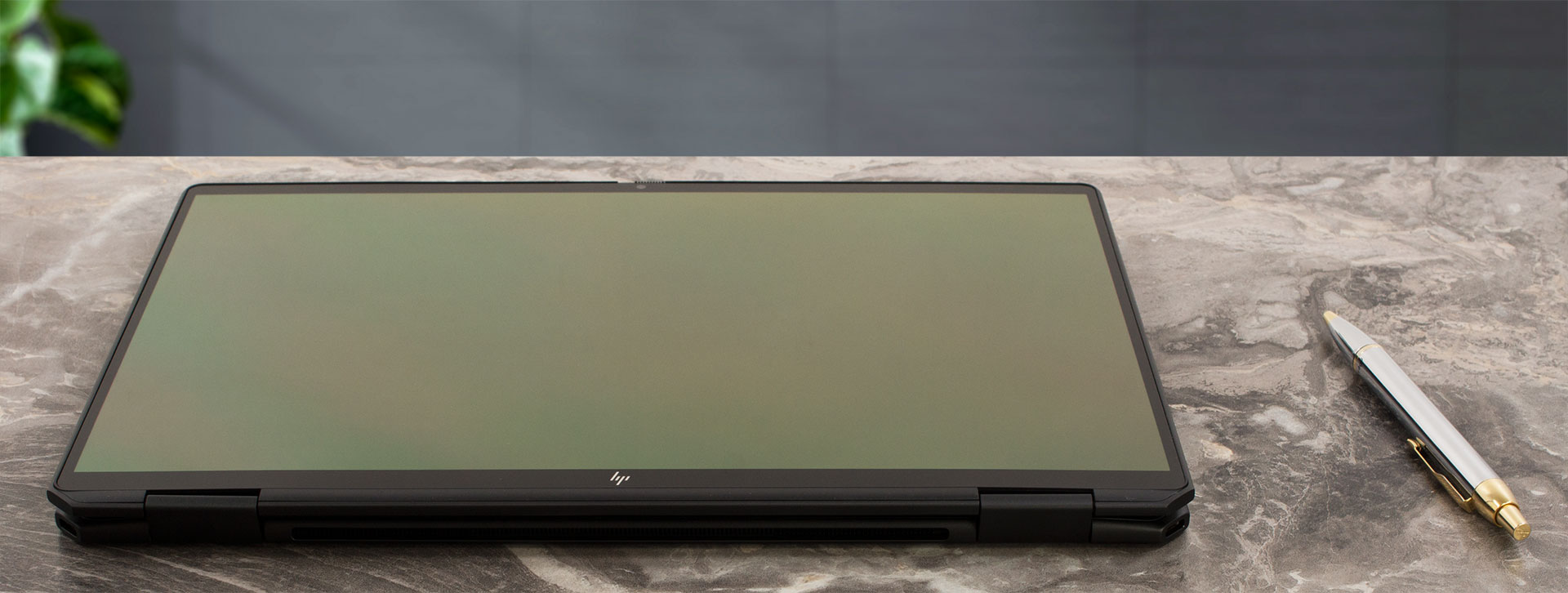
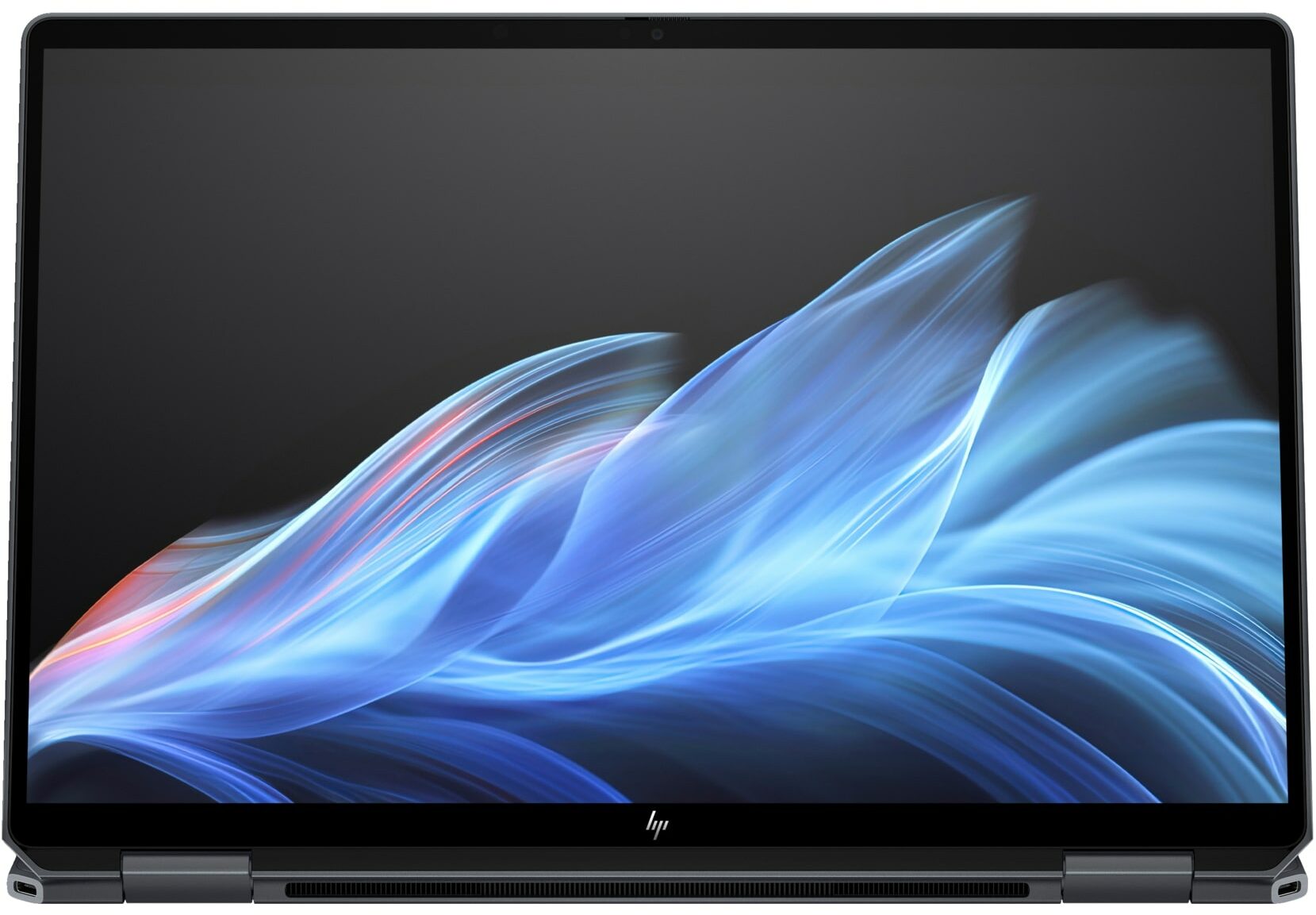
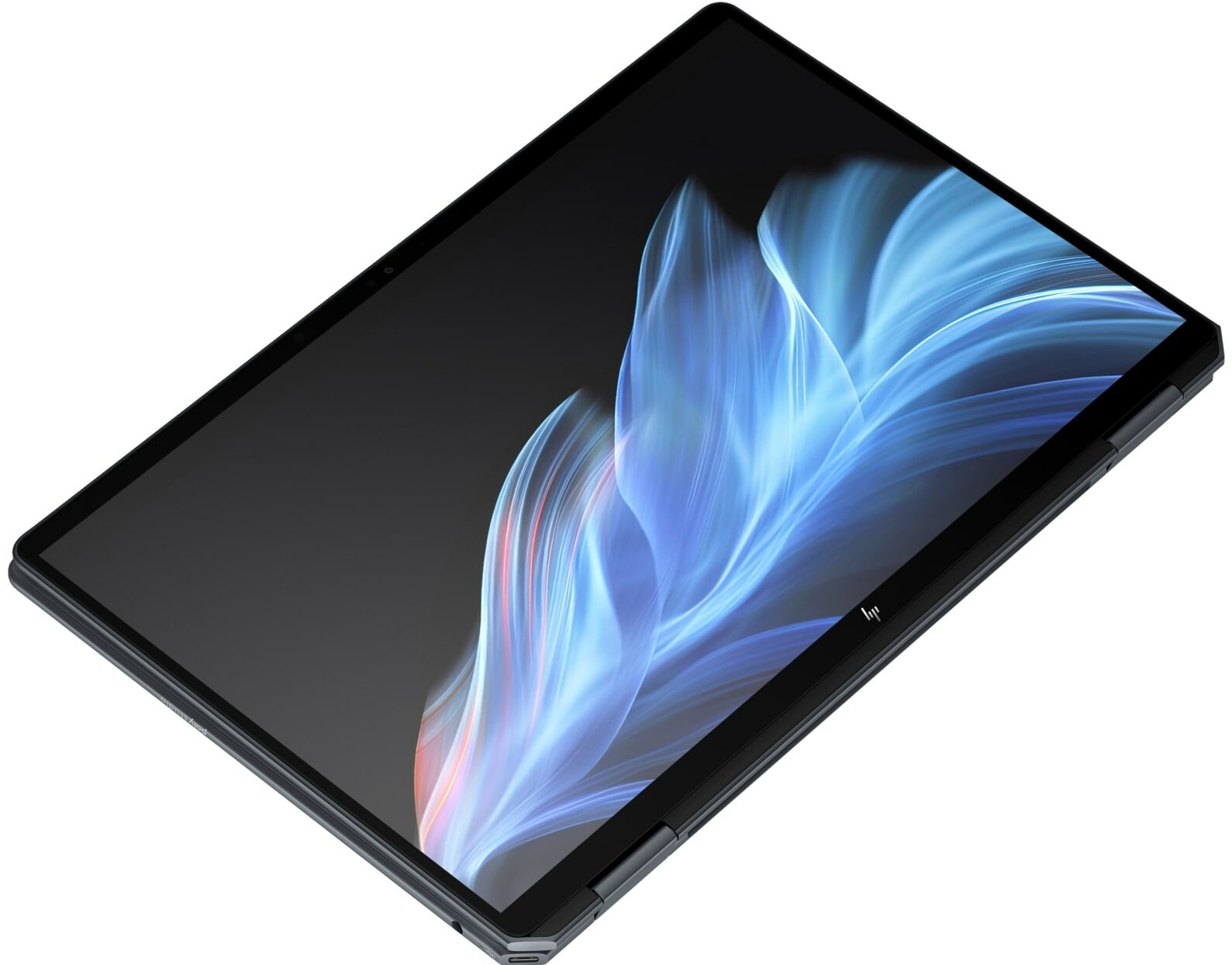
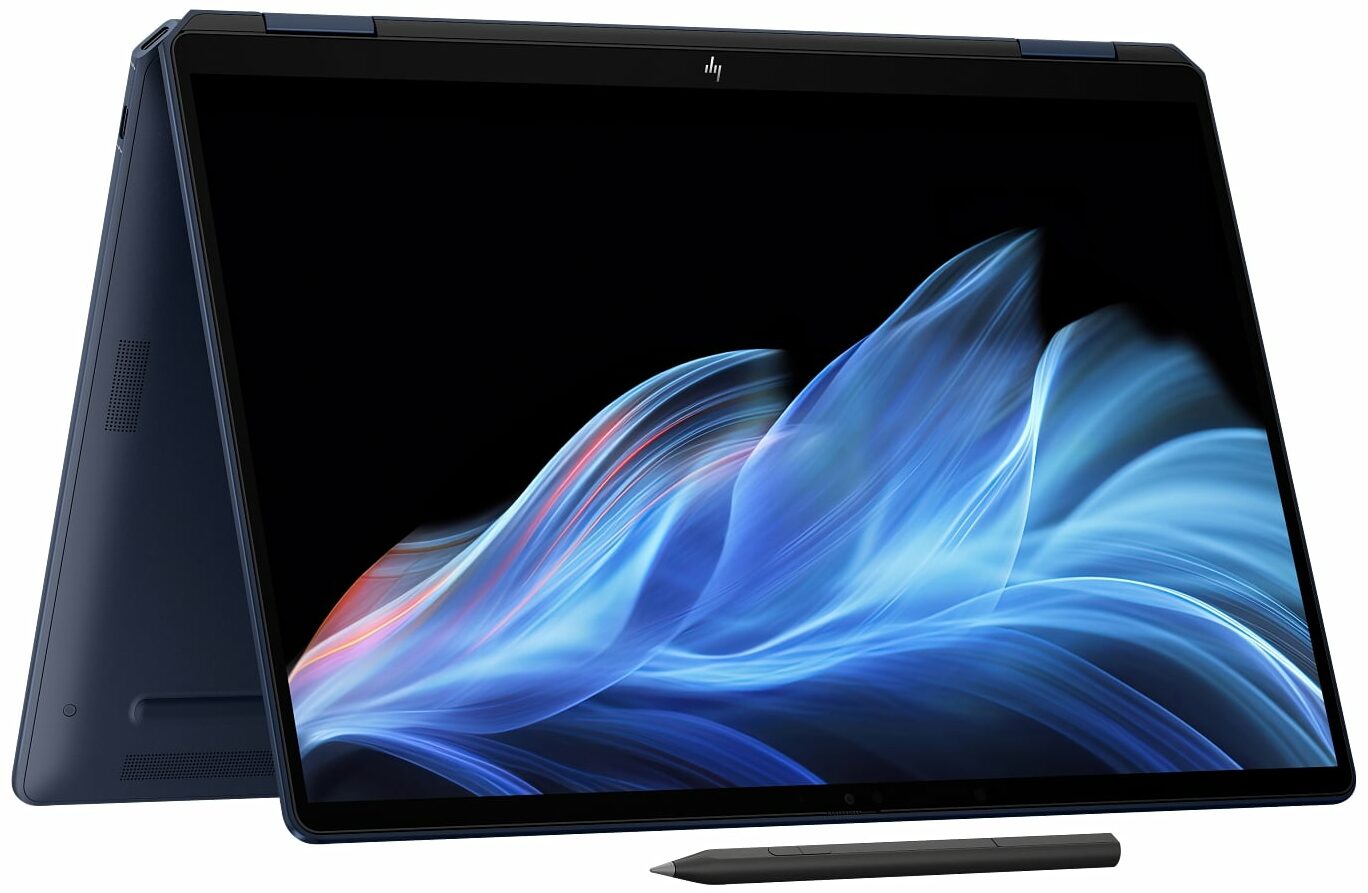
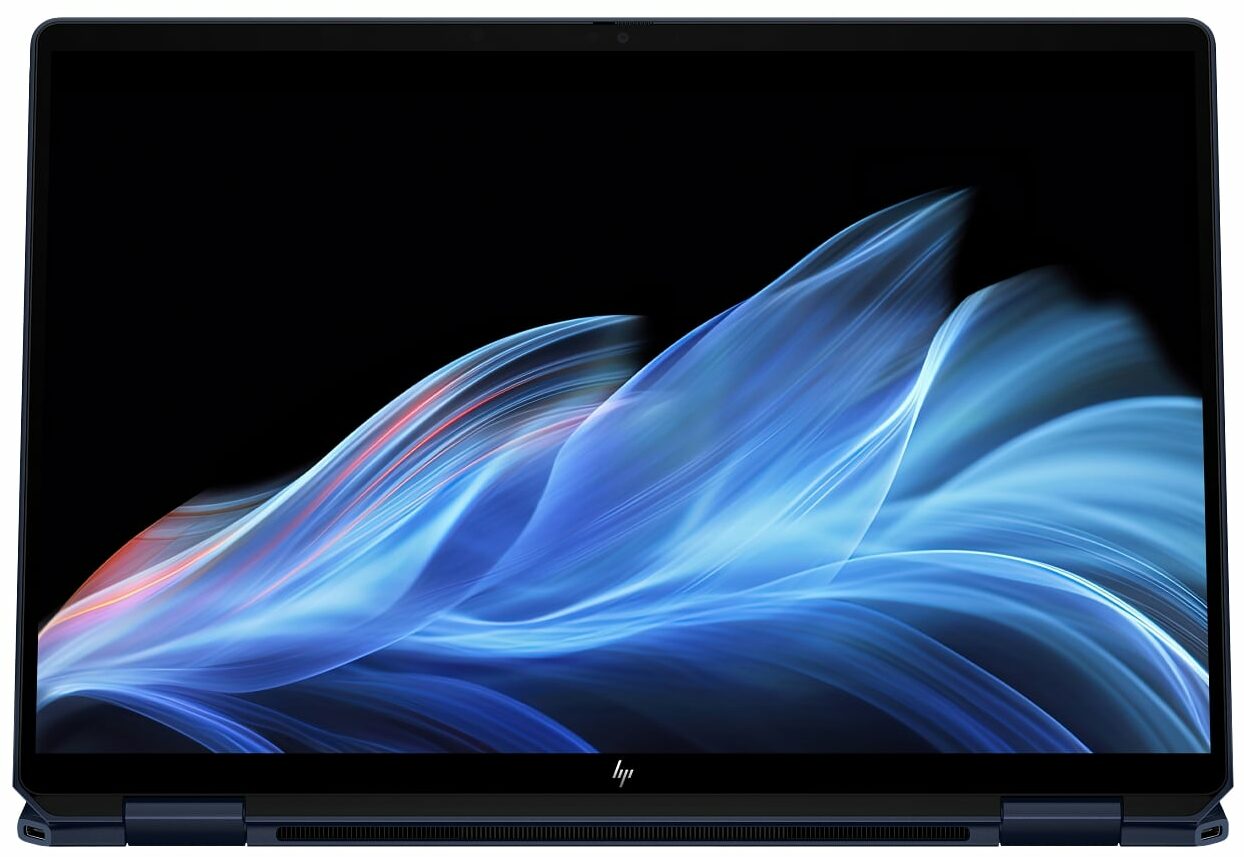
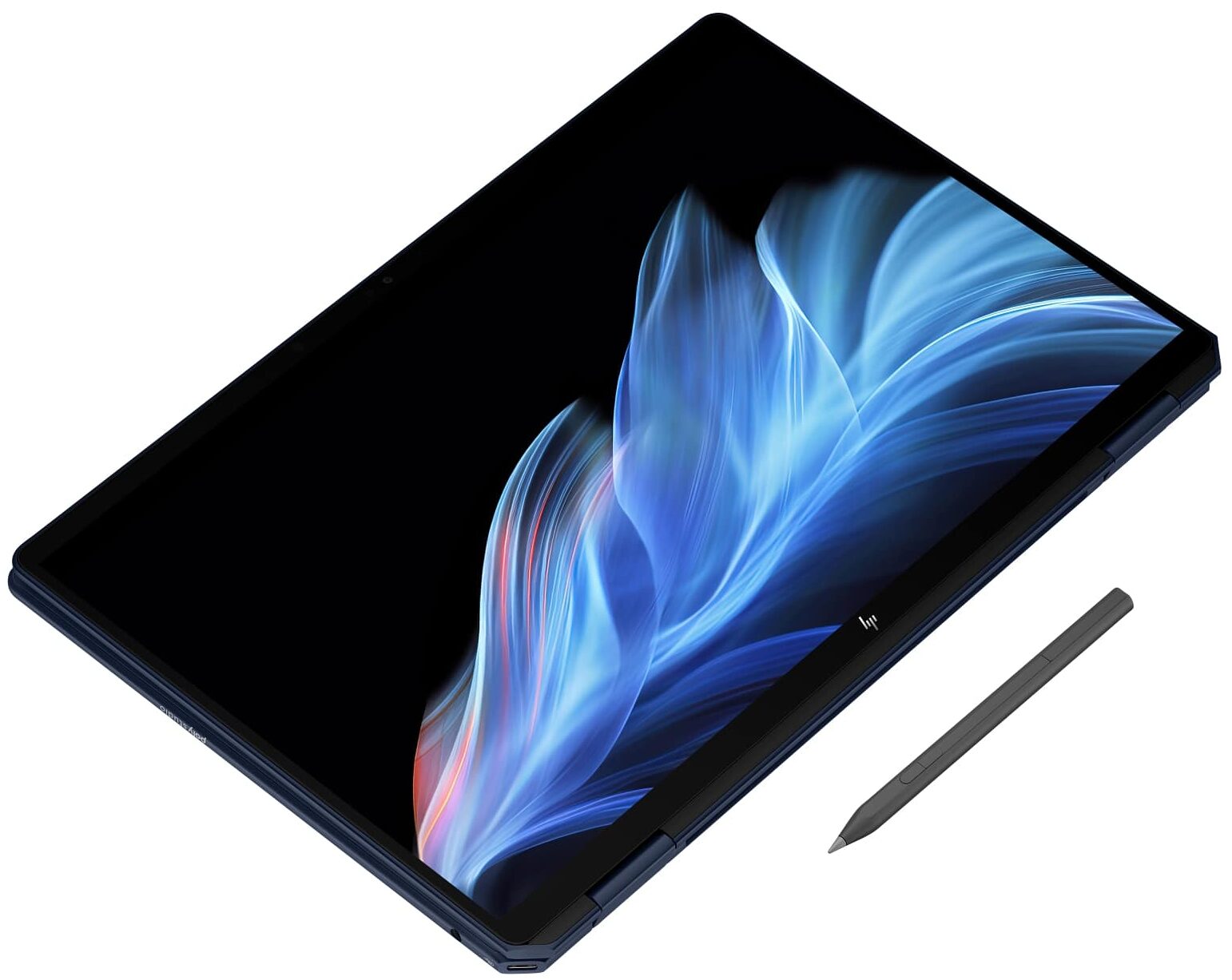
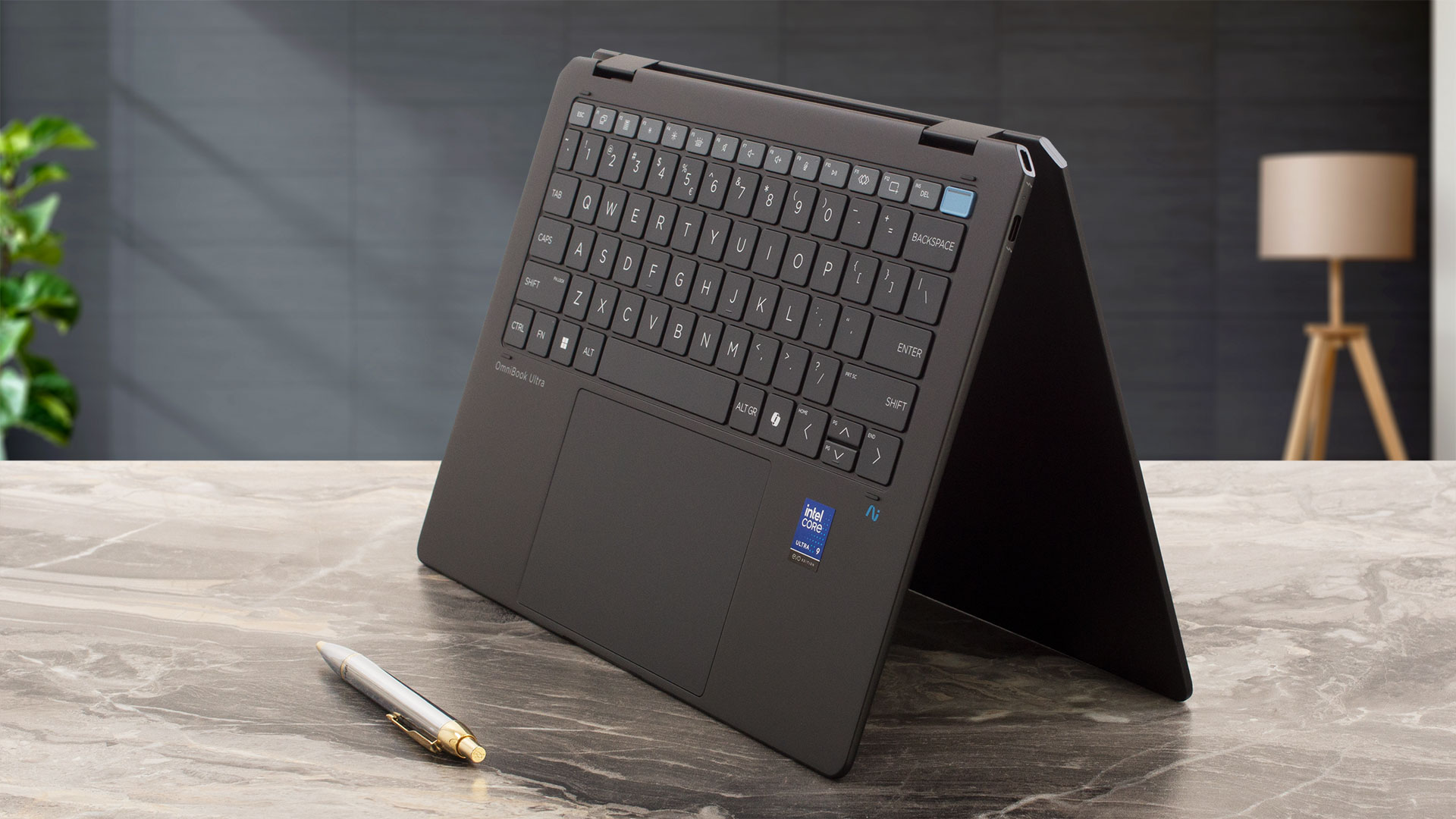
For a 14-inch convertible, it’s exceptionally compact and portable, measuring 313.7 x 216.2 x 15.0 mm (12.35 x 8.51 x 0.59 inches) and weighing just 1.35 kg (2.97 lbs). The hinges are quite firm, precluding a one-handed open. However, for a 2-in-1 device that needs to hold its position steadily in various modes, this is a feature, not a flaw. They provide the necessary resistance to allow the screen to rotate a full 360 degrees, seamlessly transforming the device from a traditional laptop into a tablet or stand mode with confidence.
Once open, the display is framed by impressively thin bezels, measuring just 5.5 mm (approximately 0.22 inches) on the sides and 9.5 mm (approximately 0.37 inches) at the top, contributing to a high 90.04% screen-to-body ratio. This top bezel houses a high-quality 9MP IR AI camera with temporal noise reduction and integrated dual-array digital microphones. For privacy, HP has included both a physical camera shutter and a dedicated microphone mute key, offering comprehensive control over your security.
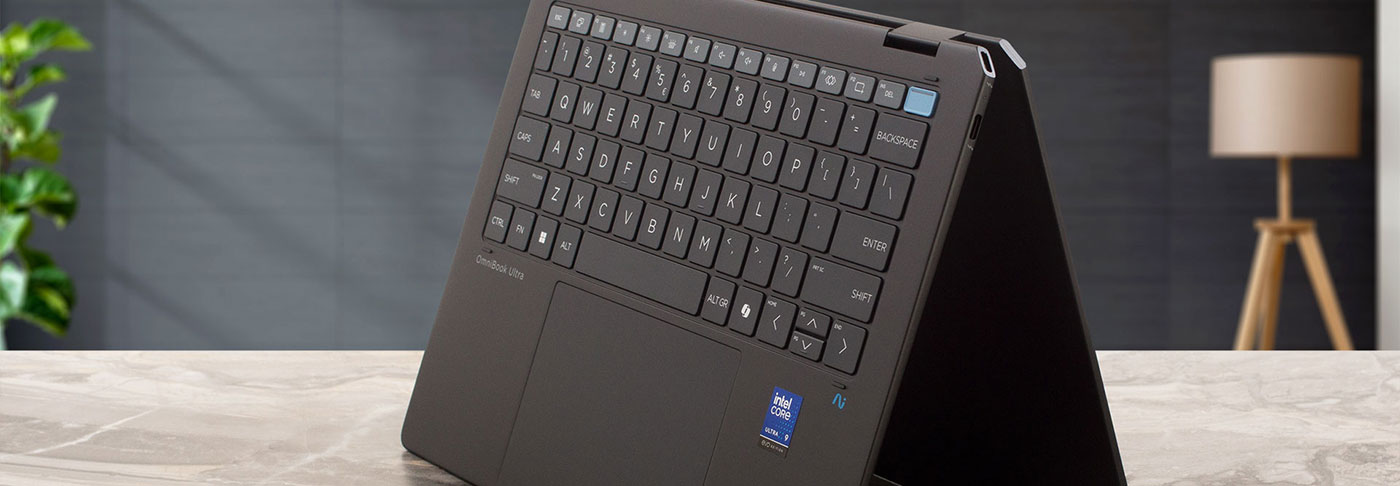
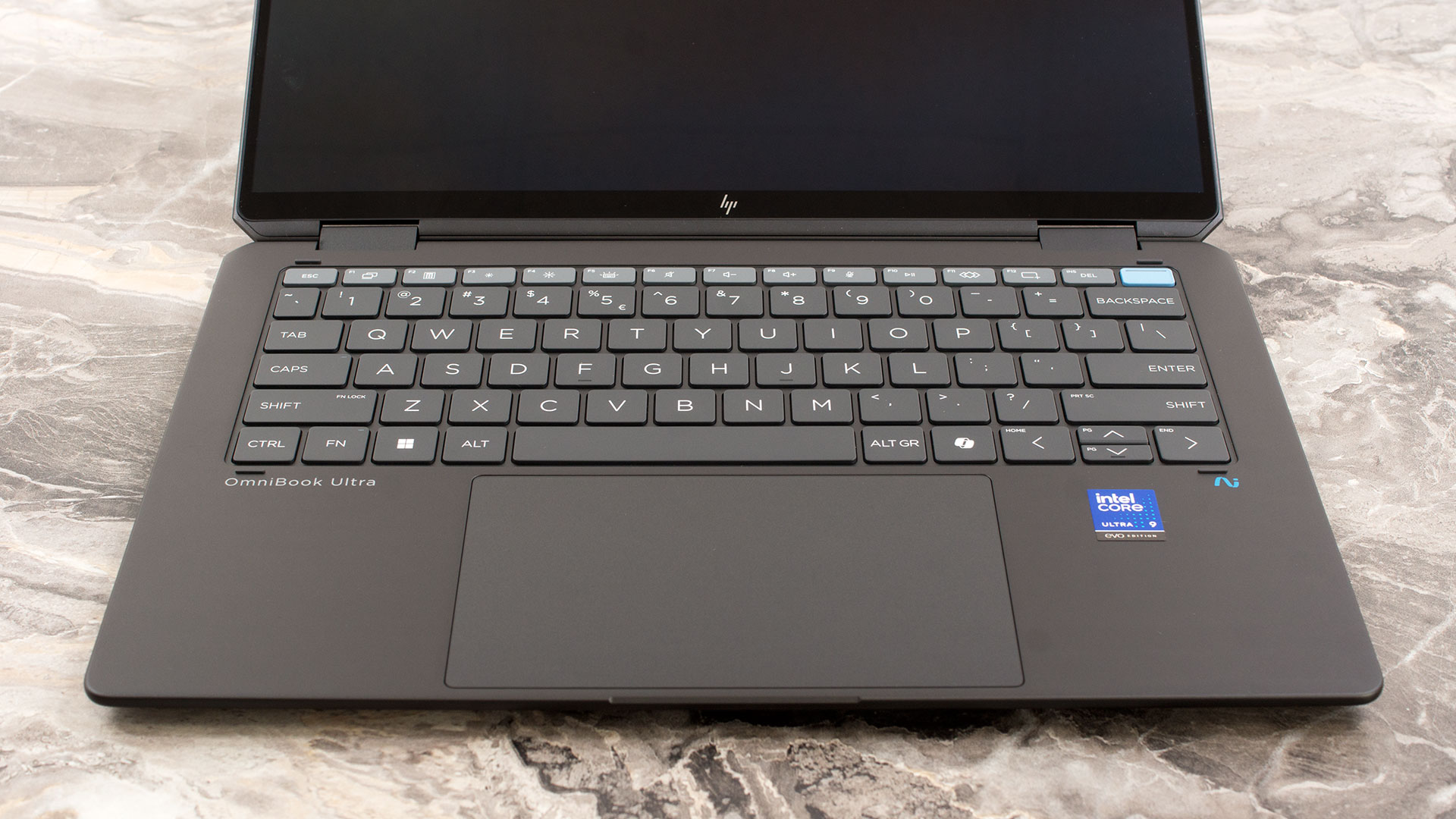
The keyboard deck is a standout feature. The keys are exceptionally large – measuring a massive 16.8 x 16.2 mm (0.66 x 0.64 inches), we genuinely can’t recall testing another laptop with keycaps this generous. This makes for an incredibly comfortable and confident typing experience. While the key travel is slightly shorter than standard, it’s not so shallow as to feel uncomfortable. As is common, the Up and Down arrow keys are half-height. The keyboard also features a clean, two-level white backlight. Given the form factor, there’s no dedicated NumPad.
For biometric login, a fingerprint reader is conveniently integrated into the power button. Below the keyboard sits a trackpad that is simply huge relative to the laptop’s size, measuring 138.5 x 86 mm (5.45 x 3.39 inches). It’s smooth, responsive, and a pleasure to use for navigation.
Ports and Connectivity
The HP OmniBook Ultra Flip 2-in-1 Laptop (14t-fh000) fully embraces the USB-C standard, a decision clearly influenced by its ultra-thin chassis. On the left side, you’ll find a single USB Type-C port with a 10Gbps signaling rate (often referred to as USB 3.2 Gen 2). This port supports USB Power Delivery for charging, DisplayPort 1.4a for video output, and HP’s Sleep and Charge feature. It can also output power at 5V/3A (15W) to charge peripherals. A standard 3.5mm headphone/microphone combo jack is also located on this side.

The right side houses the more powerful I/O, featuring two Thunderbolt 4 ports. These USB-C connections offer a significantly higher signaling rate of 40Gbps, also supporting USB Power Delivery and HP Sleep and Charge. Crucially, they utilize the more advanced DisplayPort 2.1 standard for connecting to the latest high-resolution, high-refresh-rate external monitors. As noted, the slim design means there are no traditional full-size USB-A ports, so users with legacy peripherals will need to rely on a dongle or a USB-C hub.

Wireless connectivity is cutting-edge, as the laptop is equipped with an Intel Wi-Fi 7 BE201 card. This module supports the latest 802.11be standard with a 2×2 antenna configuration, offering the potential for significantly faster speeds, lower latency, and more reliable connections on compatible networks. It is paired with Bluetooth 5.4 for robust and efficient pairing with a wide range of wireless accessories.

Display and Sound Quality, Display Profiles
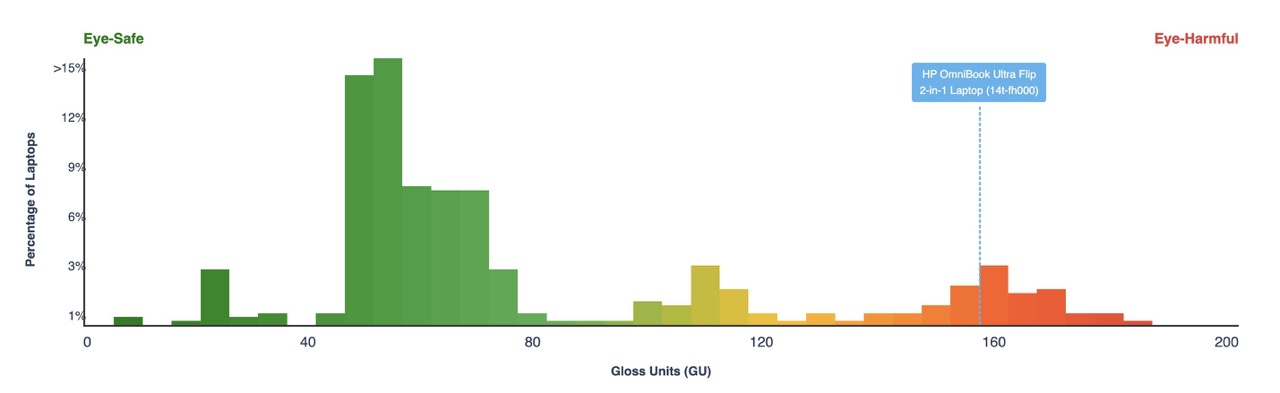
This is one of the best laptop screens on the market with the only drawback being its not eye-friendly reflectance (it also has slight PWM pulsations). Despite that, this panel is #12 in our Top 100 Laptops with the Best Screens ranking!
| HP OmniBook Ultra Flip 2-in-1 Laptop (14t-fh000) | Samsung SDC41AA |
| Diagonal | 14.0 inches (35.6 cm) |
| Panel Type | OLED Touch |
| Resolution | 2880 x 1800 pixels |
| Max Refresh Rate | 120 Hz |
| Aspect Ratio | 16:10 |
| Pixel Density | 242 PPI |
| ‘Retina’ Distance | Greater than or equal to 36 cm |
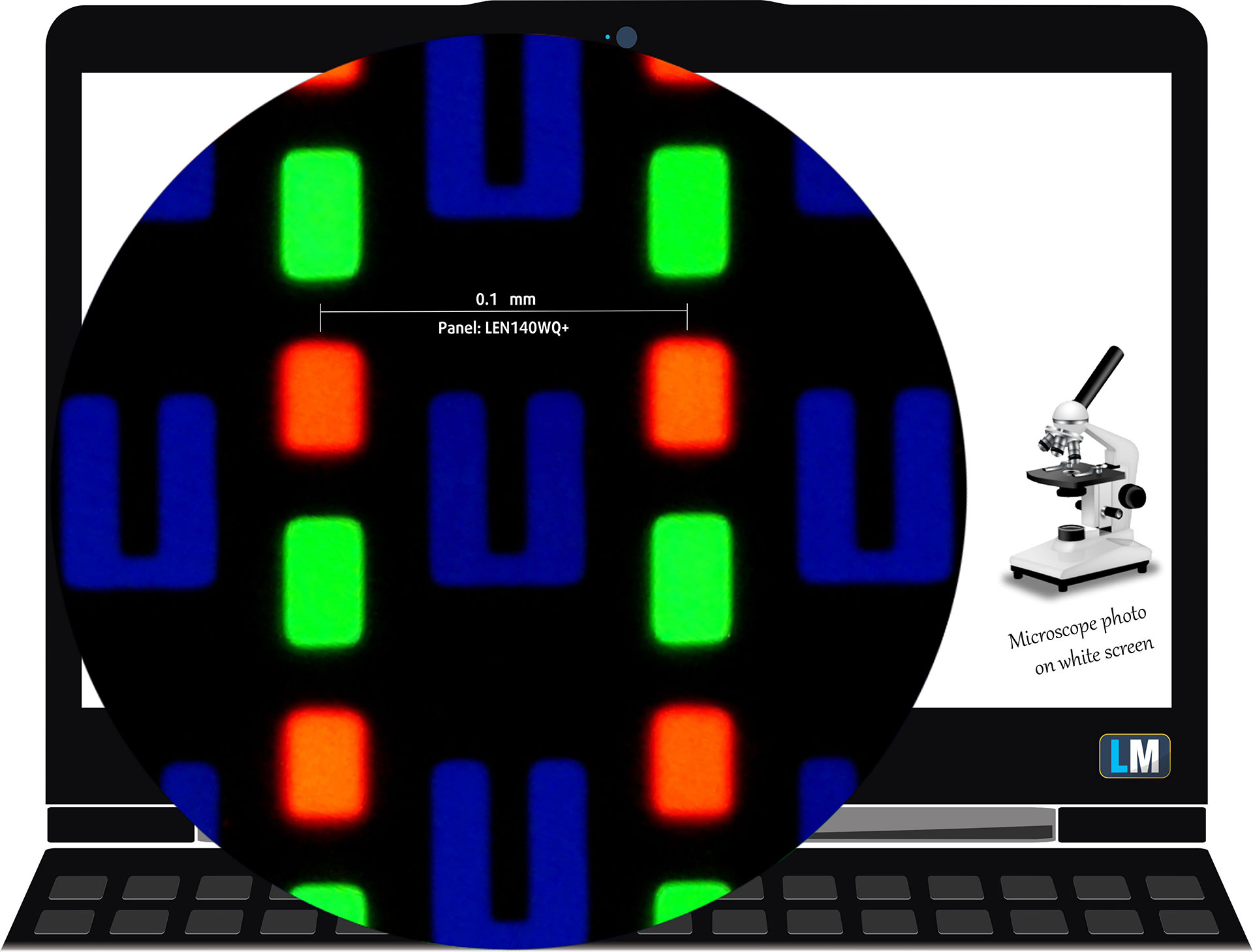
The 14-inch Samsung SDC41AA panel under our microscope
Viewing Angles
Viewing angles are good. We take photos from different angles to evaluate the quality.
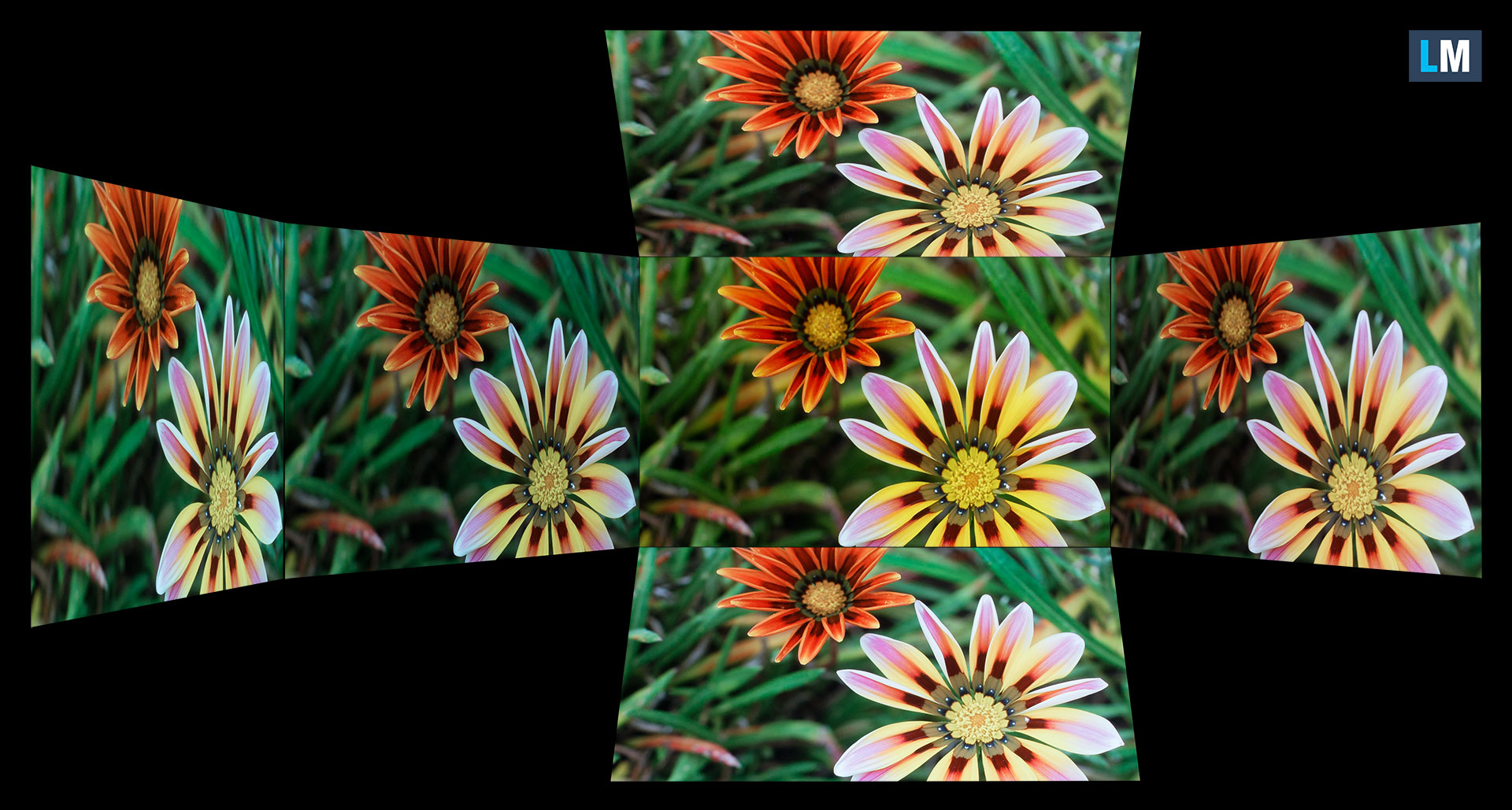
Also, a video with locked focus and exposure.
Color Coverage
The whole “sail-shaped” map below (Fig. 1) consists of all the colors we can see, while the black crooked line shows all the colors from real-world scenes and nature around us.
Then, we’ve drawn some of the most important and interesting color spaces, compared to the colors the panel of HP OmniBook Ultra Flip 2-in-1 Laptop (14t-fh000) can show:
Standard/For Web: sRGB – widely used color space for most consumer devices, ideal for Web design and development
For Print: AdobeRGB – used in professional photo editing, graphic design, and print
For Photographers/Video Editors: DCI-P3 – used in high-end film production, post-production, and digital cinema
Premium HDR: Rec.2020 – the widest consumer ITU color standard, covering a massive 75.8% of the visible spectrum, a benchmark for premium HDR content
HP OmniBook Ultra Flip 2-in-1 Laptop (14t-fh000): the yellow dashed triangle (– – – – – –) represents the range of colors this monitor can show.
In our tests, we calculated the total color coverage of the display at 100% of the sRGB color gamut and 100% of the DCI-P3 color gamut.
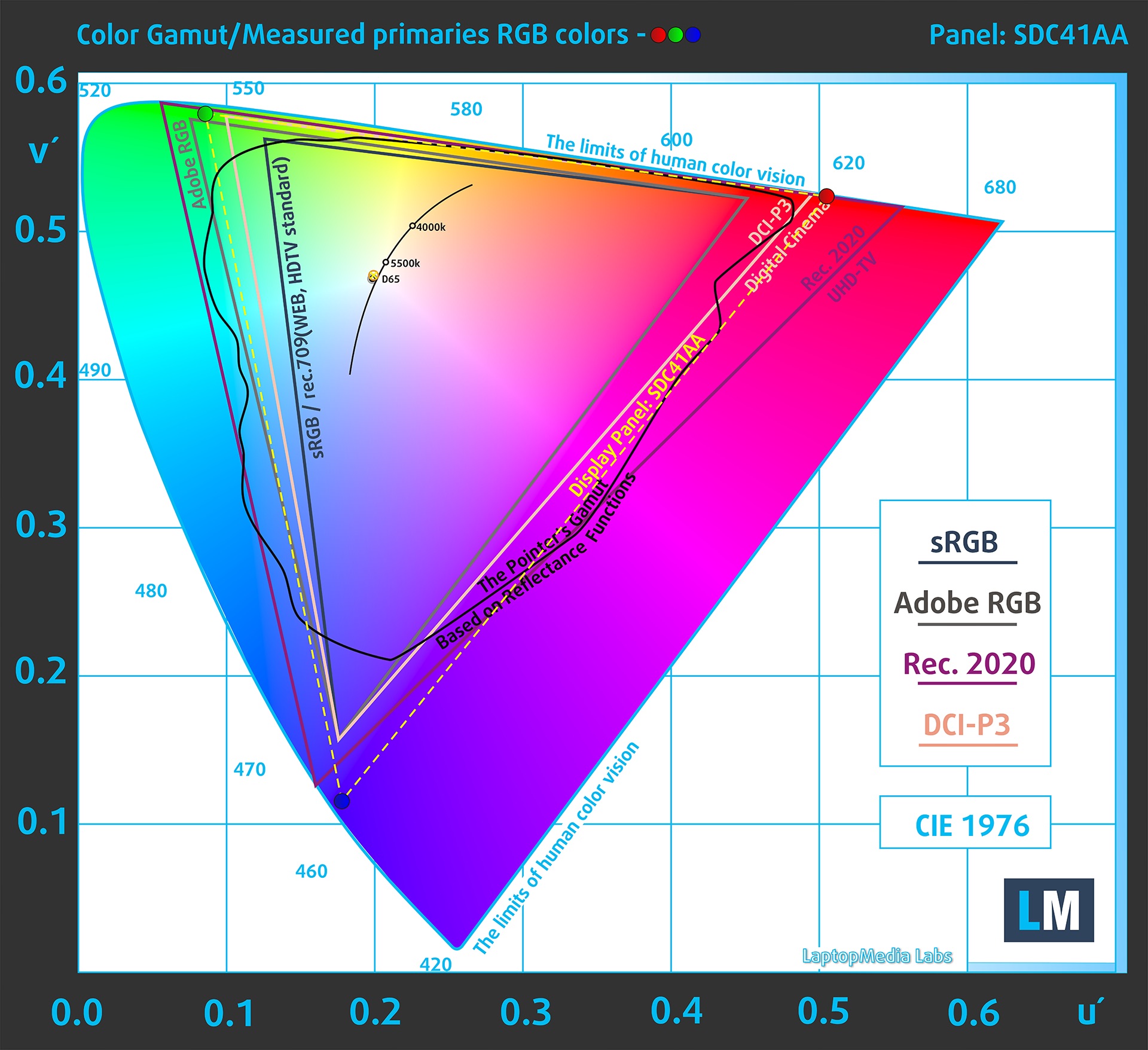
(Fig.1) HP OmniBook Ultra Flip 2-in-1 Laptop (14t-fh000) covers 100% of the DCI-P3 gamut
The HP OmniBook Ultra Flip 2-in-1 Laptop (14t-fh000) emulates Display P3 and sRGB color spaces.
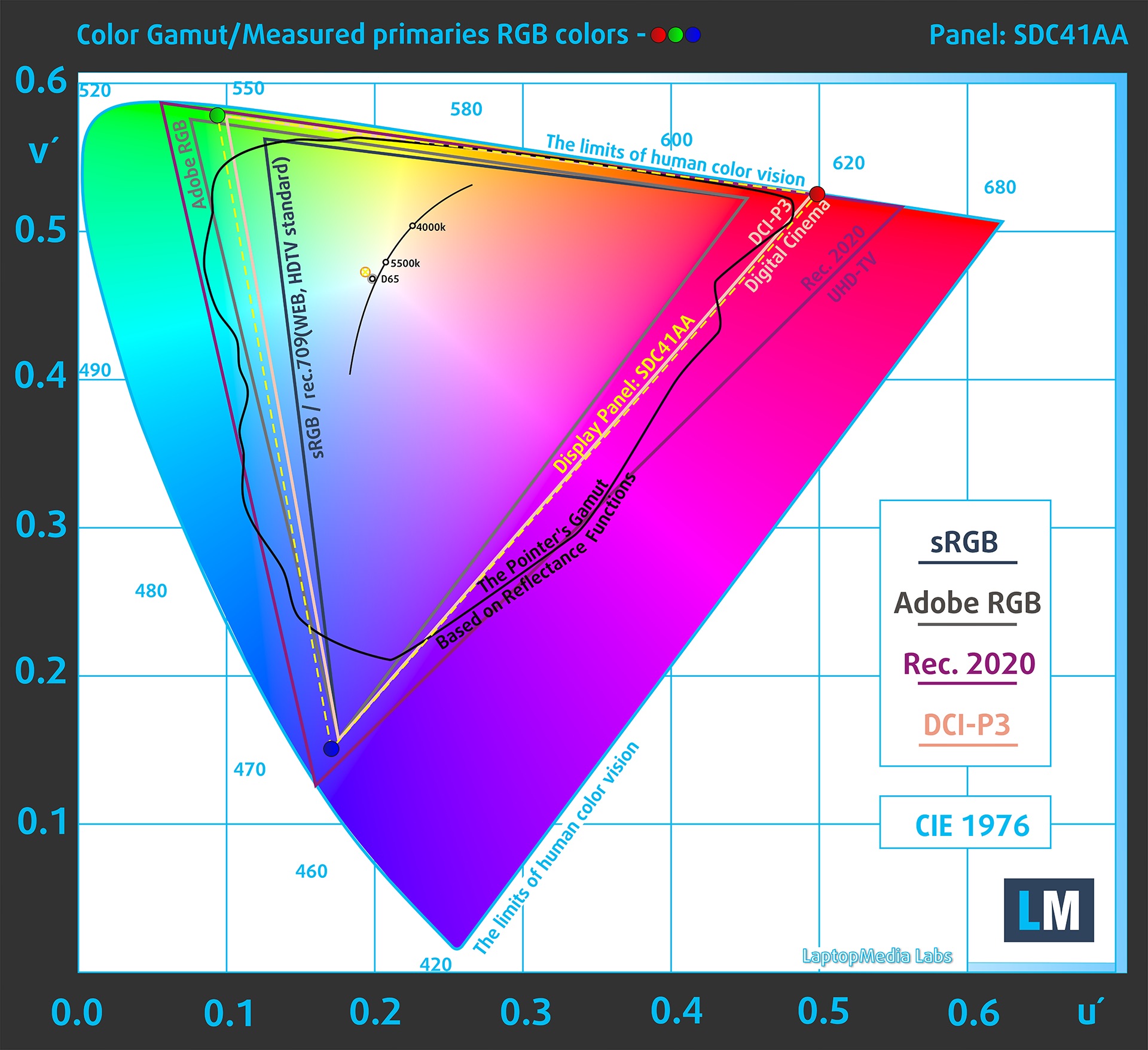
(Fig.2) Display P3
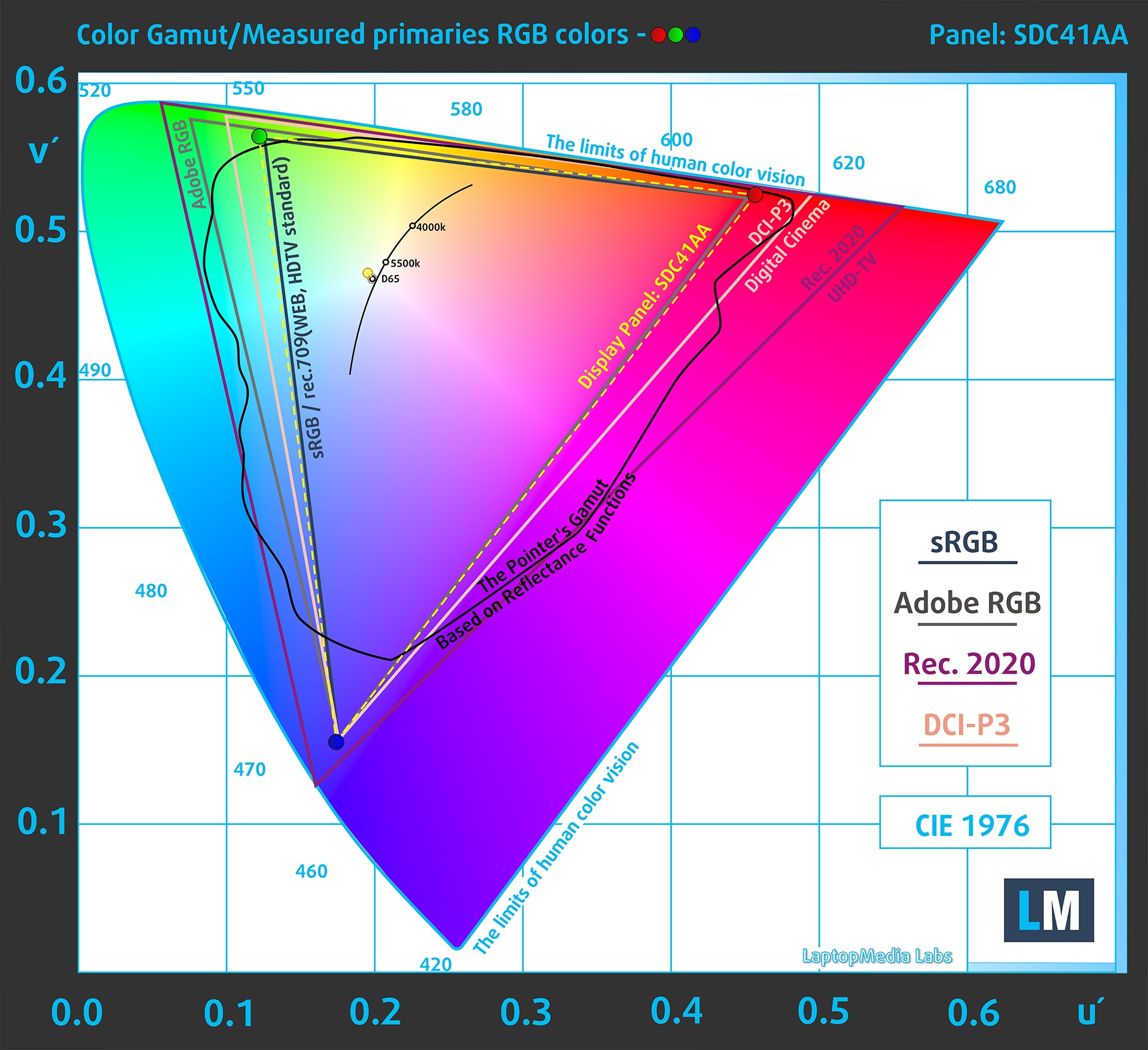
(Fig.3) sRGB
Brightness and Contrast
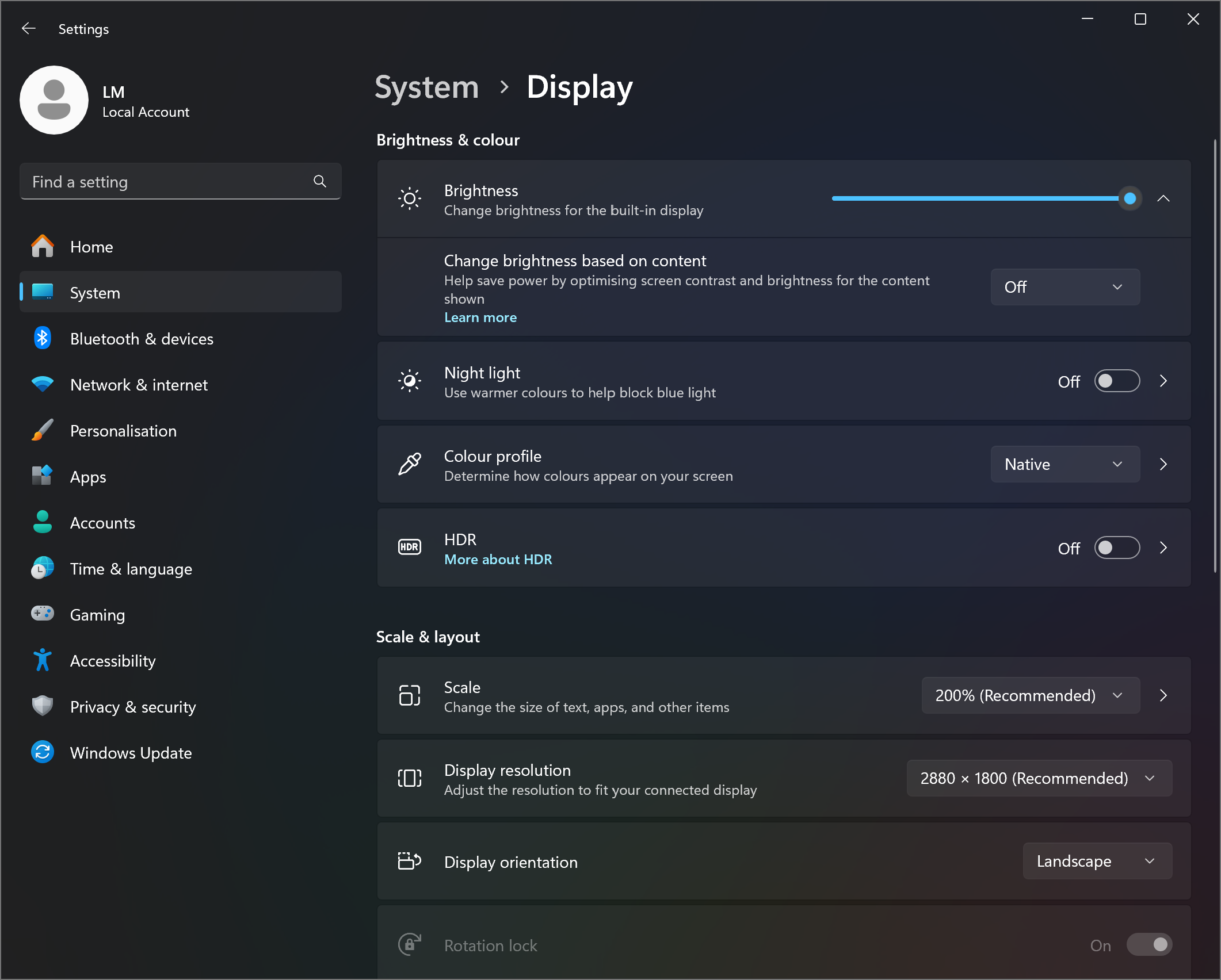
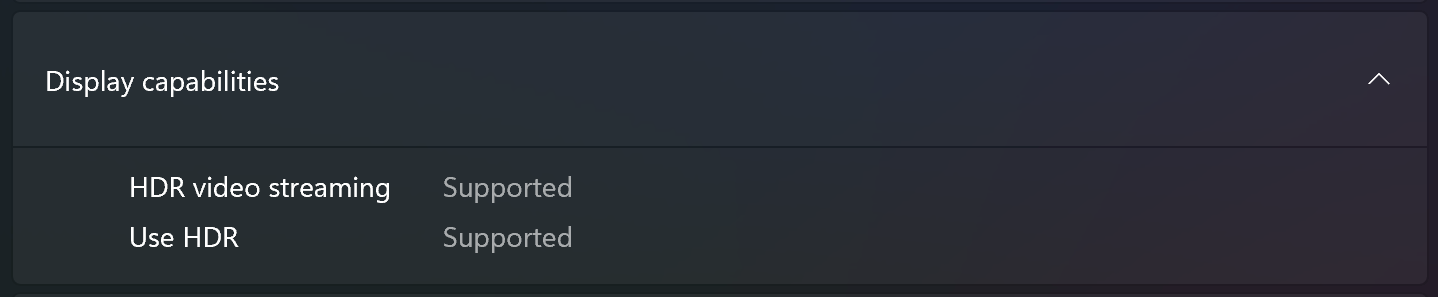
The maximum brightness in HDR mode is 601 cd/m² at 8% white fill and 594 cd/m² on a full white screen.
The maximum brightness in SDR mode is 392 cd/m² in the center of the screen and 391 cd/m² averaged across the surface with a maximum deviation of 3%.
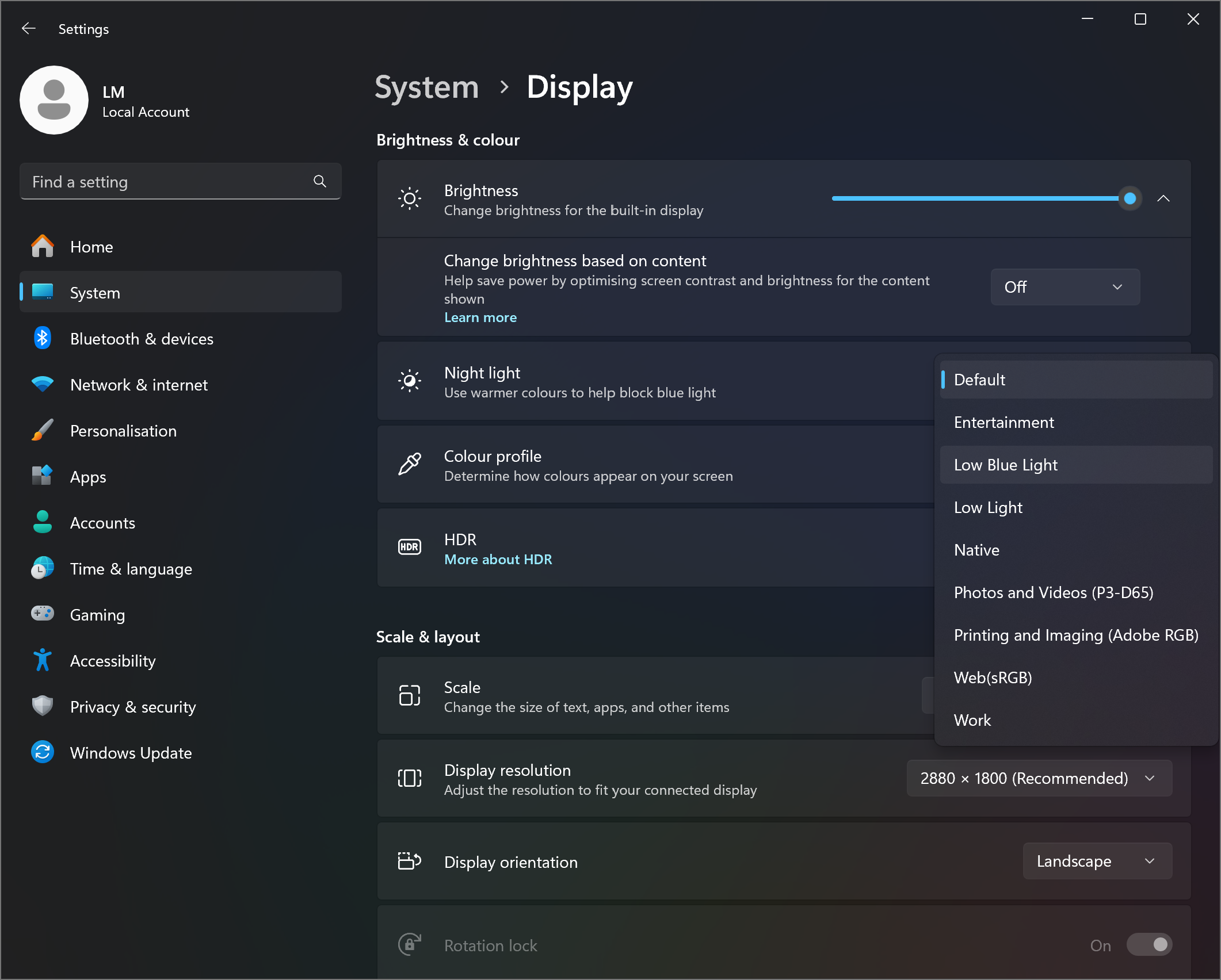
The Correlated Color Temperature (CCT) on a white screen at maximum brightness is 6430K (“Native” profile in Windows).
The contrast ratio of OLED panels is excellent because the pixels turn off completely when displaying black.
Uniformity: Luminance, Contrast, and Color Deviation
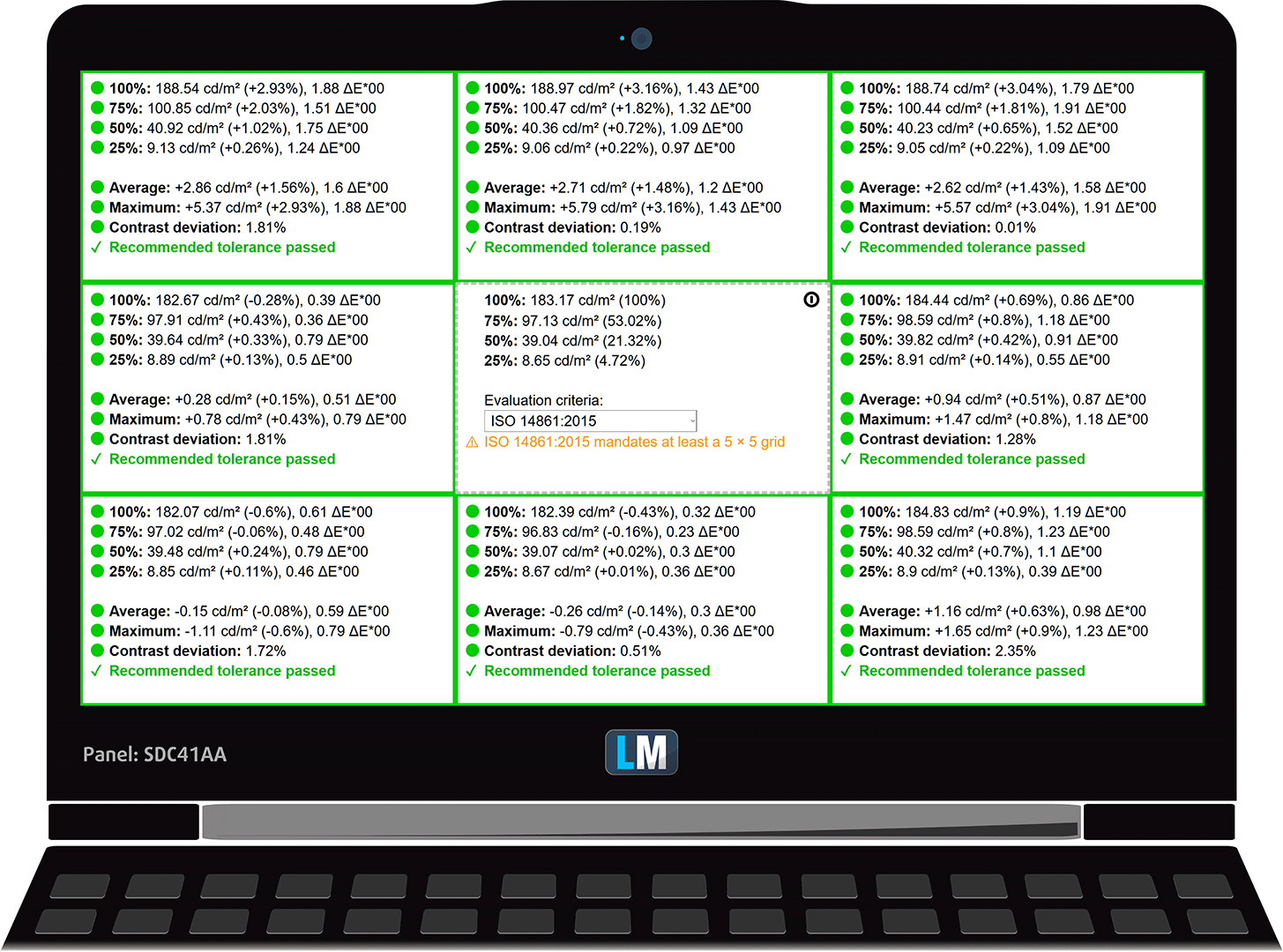
The figure below shows the results from our uniformity test across different sections of the screen. It’s measured at 183 nits (Windows slider = 62%) — a brightness level we consider typical for standard working conditions.
DeltaE values below 4.0 are acceptable for regular users. For those working with colors, screens with DeltaE values no higher than 2.0 are recommended.
Color Accuracy
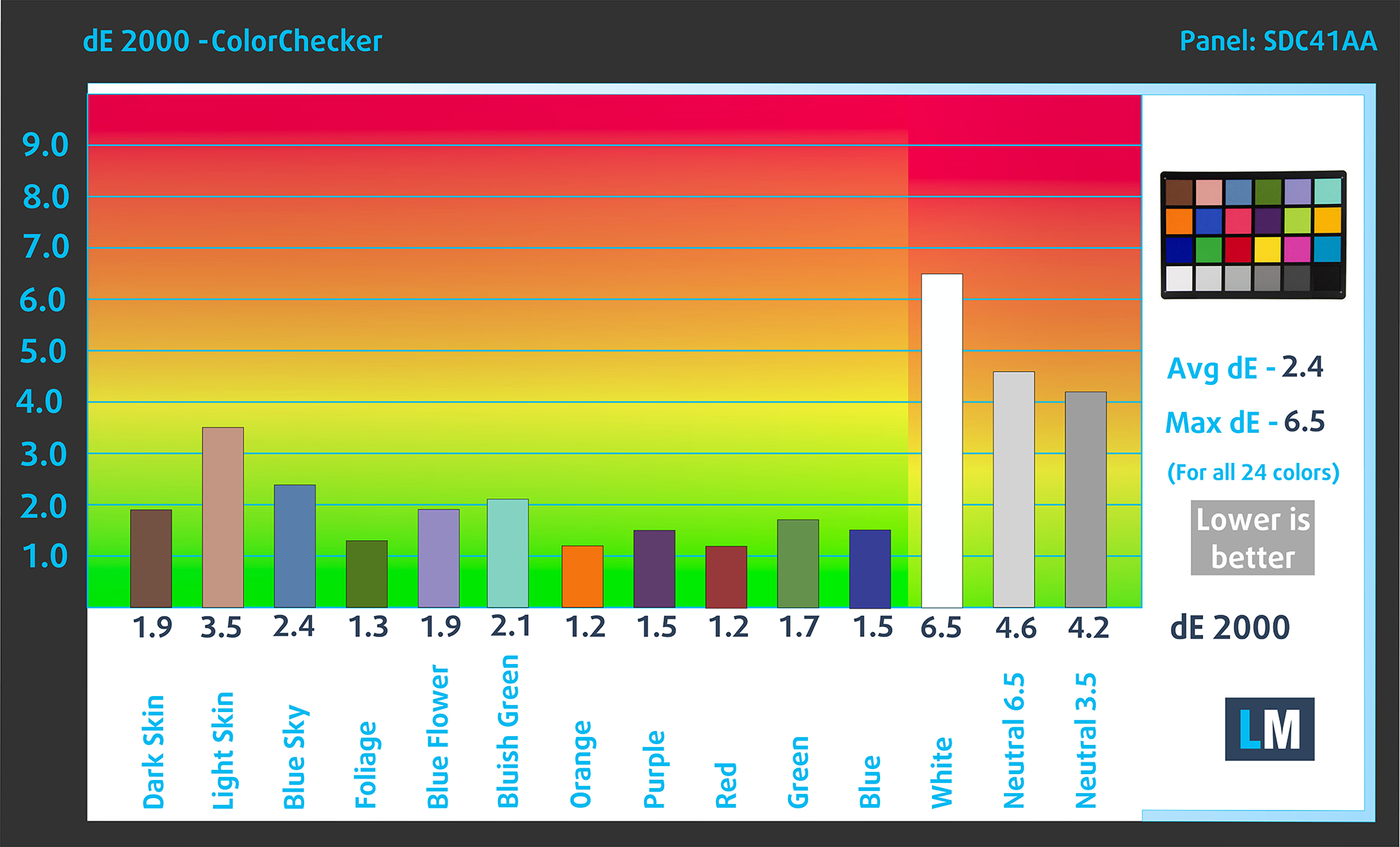
Let’s check the difference between real colors and those you’ll see on the HP OmniBook Ultra Flip 2-in-1 Laptop (14t-fh000). We measure that distance in DeltaE – the higher the number, the more different they look.
Values below 4.0 are acceptable for regular users, while values below 2.0 are suitable for color-sensitive work. A value below 1.0 means the difference is indistinguishable to the naked eye.
For the next graph, we’ve selected 24 common colors, including dark/light skin, blue sky, green grass, etc.
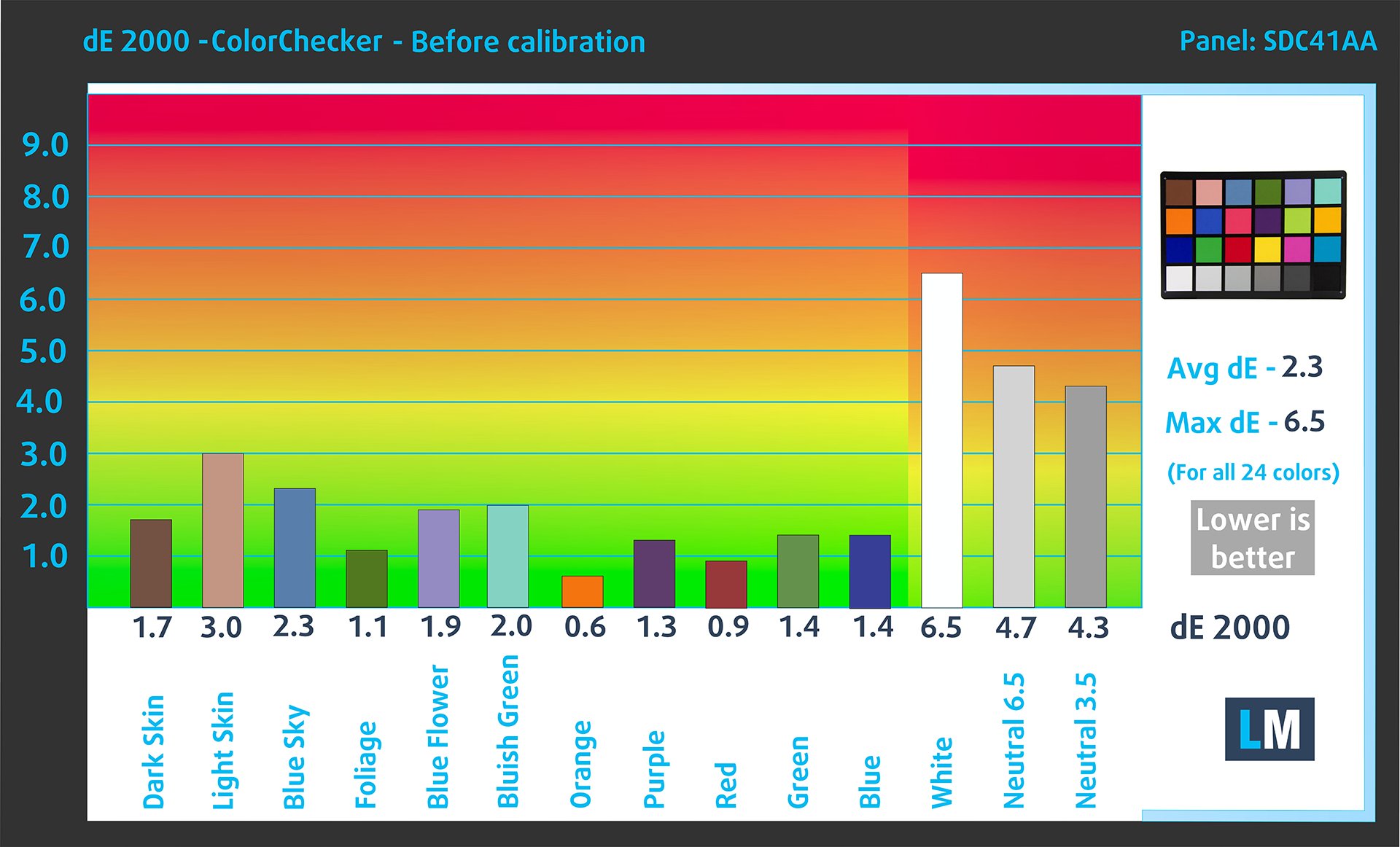
Results of the HP OmniBook Ultra Flip 2-in-1 Laptop (14t-fh000) in its factory condition (HDR off) are compared to Display P3 and sRGB color spaces.
Before our calibration of the HP OmniBook Ultra Flip 2-in-1 Laptop (14t-fh000), the Average color accuracy was 2.3 dE (Fig. 2) (“Display P3” mode in “Wingows”), and with our Design and Gaming profile, it lowered to 1.2 dE (Fig. 3). Almost 2X improvement in color accuracy!
HP OmniBook Ultra Flip 2-in-1 Laptop (14t-fh000) in its factory condition
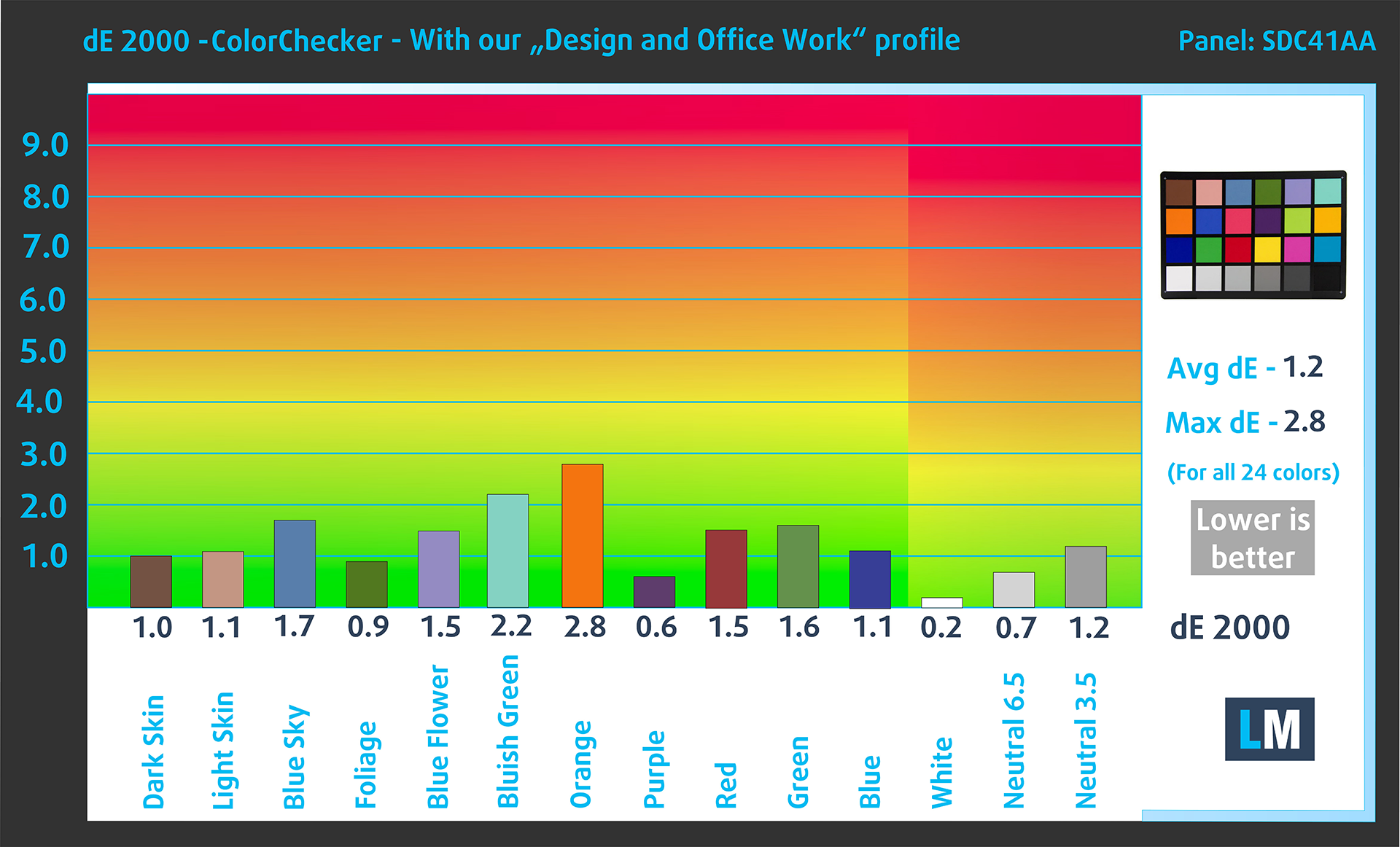
HP OmniBook Ultra Flip 2-in-1 Laptop (14t-fh000) with our display profile
Comparison in the Display P3 color space.
Below are the results of the HP OmniBook Ultra Flip 2-in-1 Laptop (14t-fh000) in its factory condition (“sRGB” mode in “Windows”) compared to sRGB color space.
Visibility in dark scenes
Have you ever watched a movie with dark scenes where you could barely see anything? This often happens because many display panels struggle to differentiate the darkest nuances, making them appear the same.
The next figure illustrates how well the display reproduces these dark nuances. The left side of the image shows the display with stock settings, and the right side shows it with our Design and Gaming profile activated.
On the horizontal axis are the grayscale levels, and on the vertical axis – the corresponding display brightness.
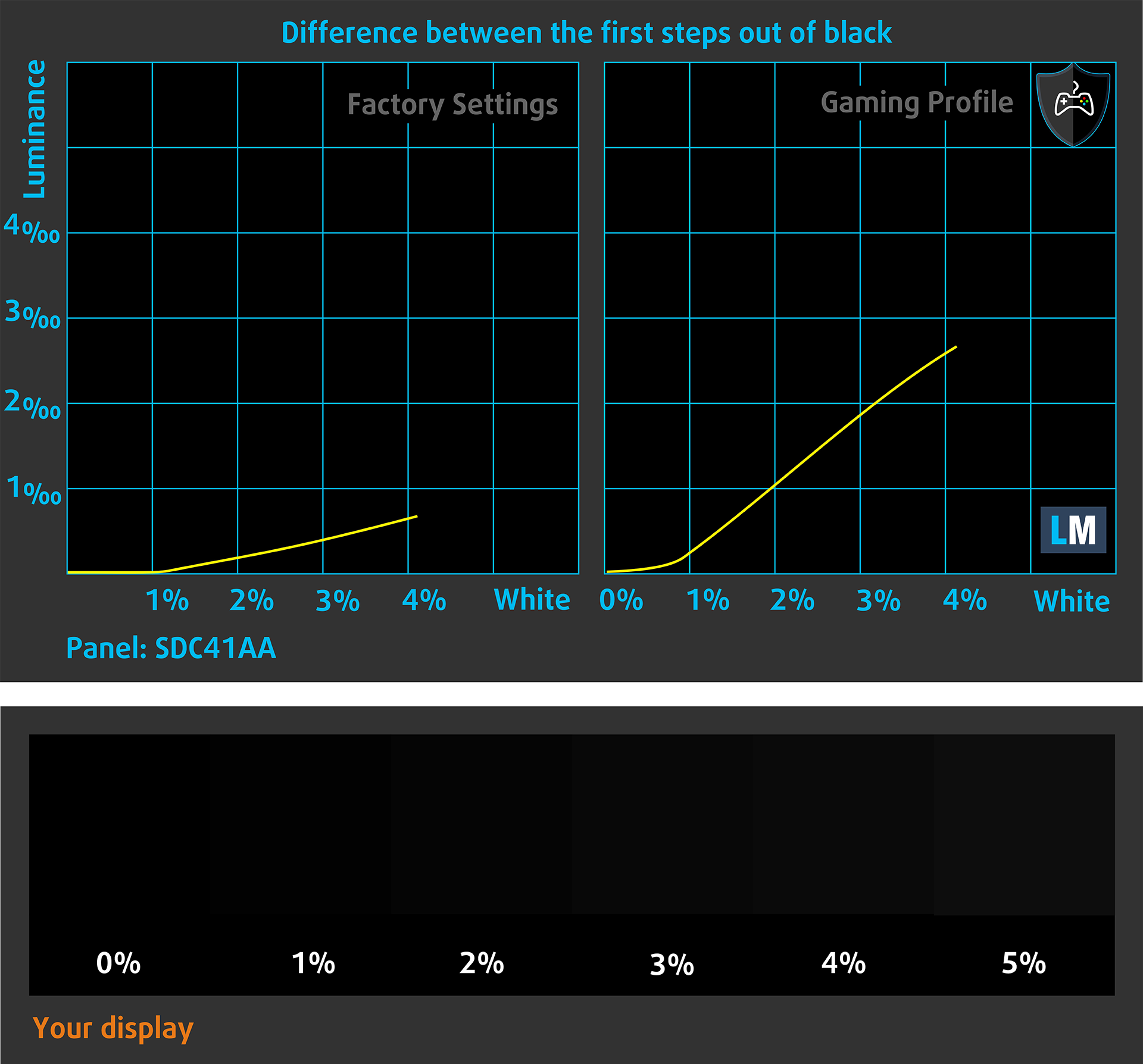
You can also check how your display handles the darkest nuances but keep in mind that this also depends on the settings of your current display and the surrounding light conditions.
Health Impact: PWM (Screen flickering)
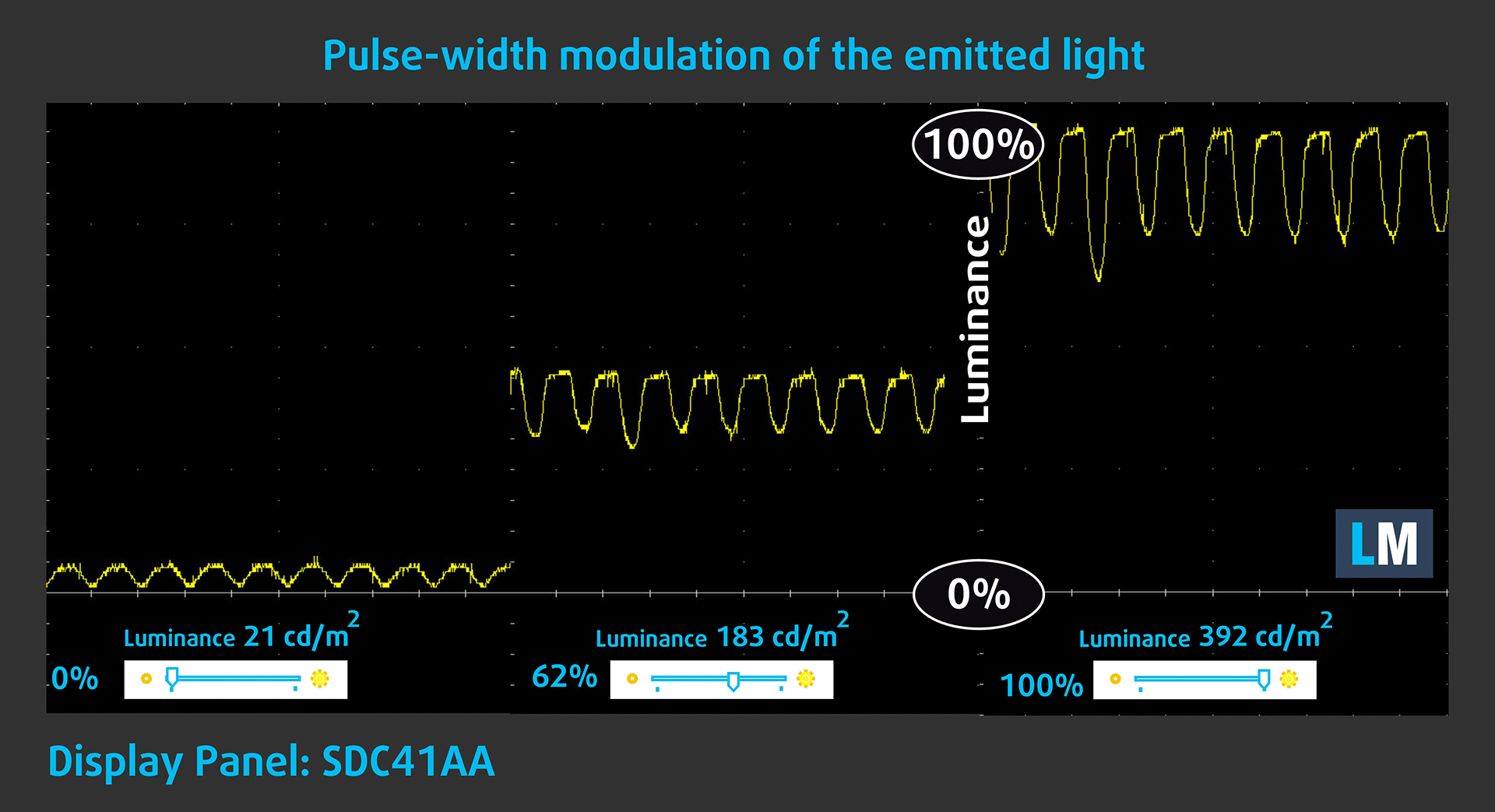
Some use PWM to regulate their brightness, which means that instead of reducing the light intensity, they pulse or flicker. Our brain merges the image, so it appears darker, but this strains both it and our vision, especially when the frequency of the pulses is low. You can read more about that in our dedicated article on PWM.
In the graph below, you see the intensity of light at different brightness levels—on the vertical axis is the brightness of the emitted light, and on the horizontal axis—time.
The luminance of the HP OmniBook Ultra Flip 2-in-1 Laptop (14t-fh000) display pulsates across the entire brightness range, but with limited amplitude. We find the display relatively comfortable for vision in this regard.
Health Impact: Blue light emissions
Installing our Health-Guard profile reduces harmful Blue Light emissions while keeping the colors of the screen perceptually accurate.
If you’re not familiar with the Blue light, the TL;DR version is – emissions that negatively affect your eyes, skin, and your whole body. You can find more information about that in our dedicated article on Blue Light.
Health Impact: Screen Reflectance
Glossy-coated displays can cause eye fatigue in high ambient light conditions due to reflections. We measure the level of screen reflection with the display turned off, at a 60° angle.
The reflectance of the HP OmniBook Ultra Flip 2-in-1 Laptop’s screen is 155 GU. This is a very high level of gloss, and it could be uncomfortable for some users.
High Gloss: >70 GU
Medium Gloss: 30 – 70 GU
Low Gloss: <30 GU
Get our profiles
Since our profiles are tailored for each individual display model, this article and its respective profile package are meant for HP OmniBook Ultra Flip 2-in-1 Laptop (14t-fh000) configurations with SDC41AA, 2880 х 1800, OLED Touch panel.
*Should you have problems with downloading the purchased file, try using a different browser to open the link you’ll receive via e-mail. If the download target is a .php file instead of an archive, change the file extension to .zip or contact us at [email protected].
Read more about the profiles HERE.
कुशल और स्वास्थ्य के अनुकूल प्रोफाइल प्राप्त करने के अलावा, LaptopMedia के उत्पादों को खरीदकर आप हमारी प्रयोगशालाओं के विकास का भी समर्थन करते हैं, जहाँ हम सबसे वस्तुनिष्ठ समीक्षाएँ प्रस्तुत करने के लिए उपकरणों का परीक्षण करते हैं।

Design and Office
Design and Office प्रोफ़ाइल प्रदर्शन रंगों को वास्तविकता के जितना संभव हो उतना करीब बनाती है।न केवल पेशेवरों के लिए बल्कि रोजमर्रा के उपयोगकर्ताओं के लिए भी आदर्श, यह आपके पैनल पर सटीक रंग पुनरुत्पादन के लिए न्यूनतम DeltaE के साथ sRGB मानकों (D65 व्हाइट पॉइंट, sRGB गामा) को पूरा करता है।

गेमिंग और मूवीज़
क्या आपने कभी ऐसी फिल्म देखी है जहाँ, अंधेरे दृश्यों के दौरान, आप मुश्किल से कुछ भी देख पाते हैं? कई डिस्प्ले डार्क टोन को ठीक से अलग करने में विफल रहते हैं। हमारा गेमिंग और मूवीज़ प्रोफ़ाइल मानव धारणा के अनुरूप गामा वक्र का उपयोग करके, HDR तकनीक की तरह, कम-रोशनी के प्रदर्शन को बढ़ाता है - तेज़ प्रतिक्रियाओं और स्पष्ट दृश्यों की तलाश करने वाले गेमर्स के लिए आदर्श।

Health-Guard
हमारा Health-Guard प्रोफ़ाइल PWM फ़्लिकरिंग को समाप्त करके, तनाव और थकान को कम करके, और हानिकारक ब्लू लाइट एक्सपोज़र को कम करके आपकी आँखों की सुरक्षा करता है जो नींद और स्वास्थ्य को बाधित कर सकता है। यह स्क्रीन उपयोग के दौरान आराम और सुरक्षा के लिए सॉफ़्टवेयर डिमिंग और मानव धारणा के अनुरूप गामा वक्र का उपयोग करता है।
33% छूट के साथ सभी प्रोफाइल प्राप्त करें!

Sound
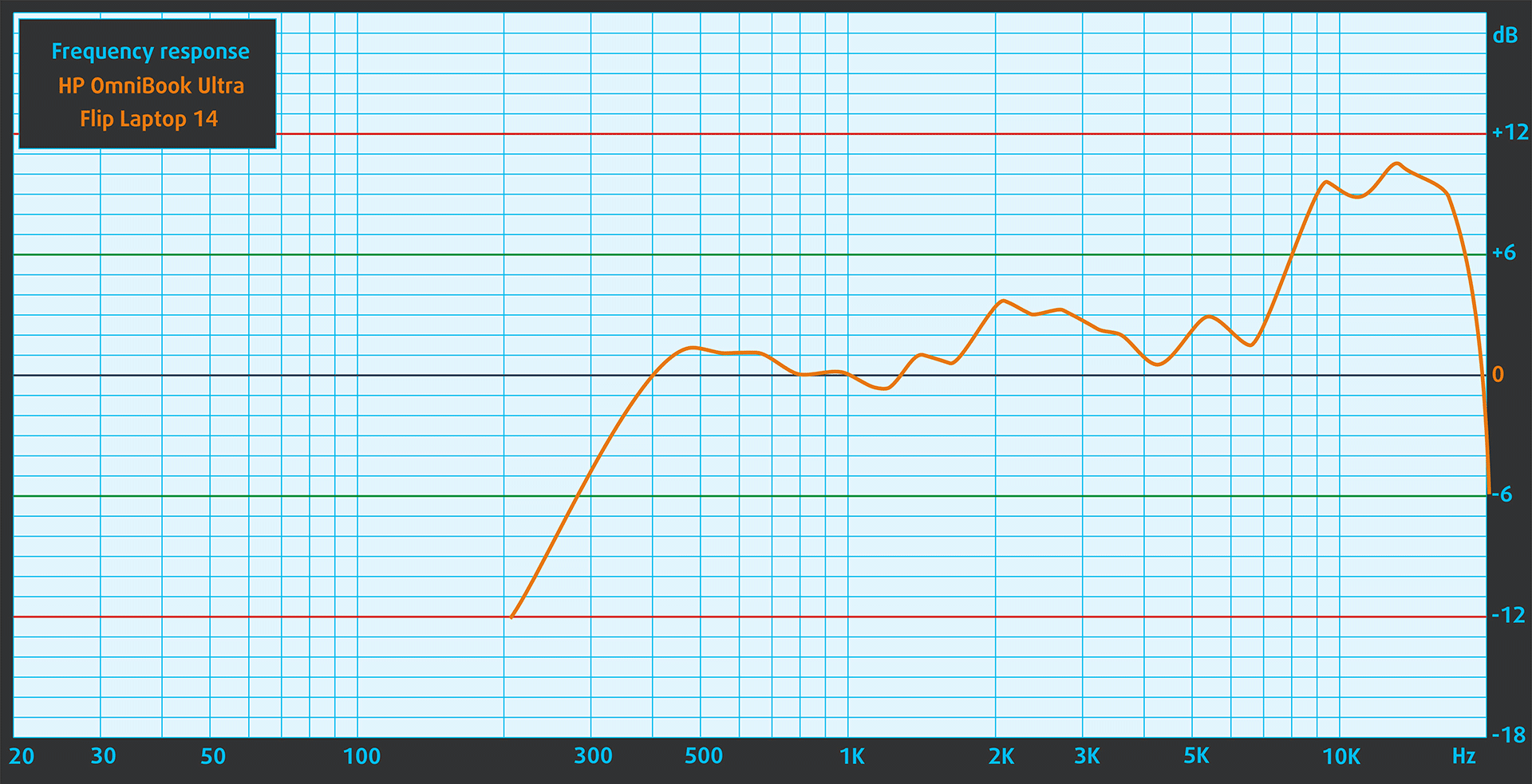
The HP OmniBook Ultra Flip 2-in-1 Laptop (14t-fh000)’s sound is of very good quality – Quad speakers (4 total), tuned with DTS:X Ultra and HP Audio Boost. The low, mid, and high frequencies are clear.
Work Performance: CPU, Storage, AI
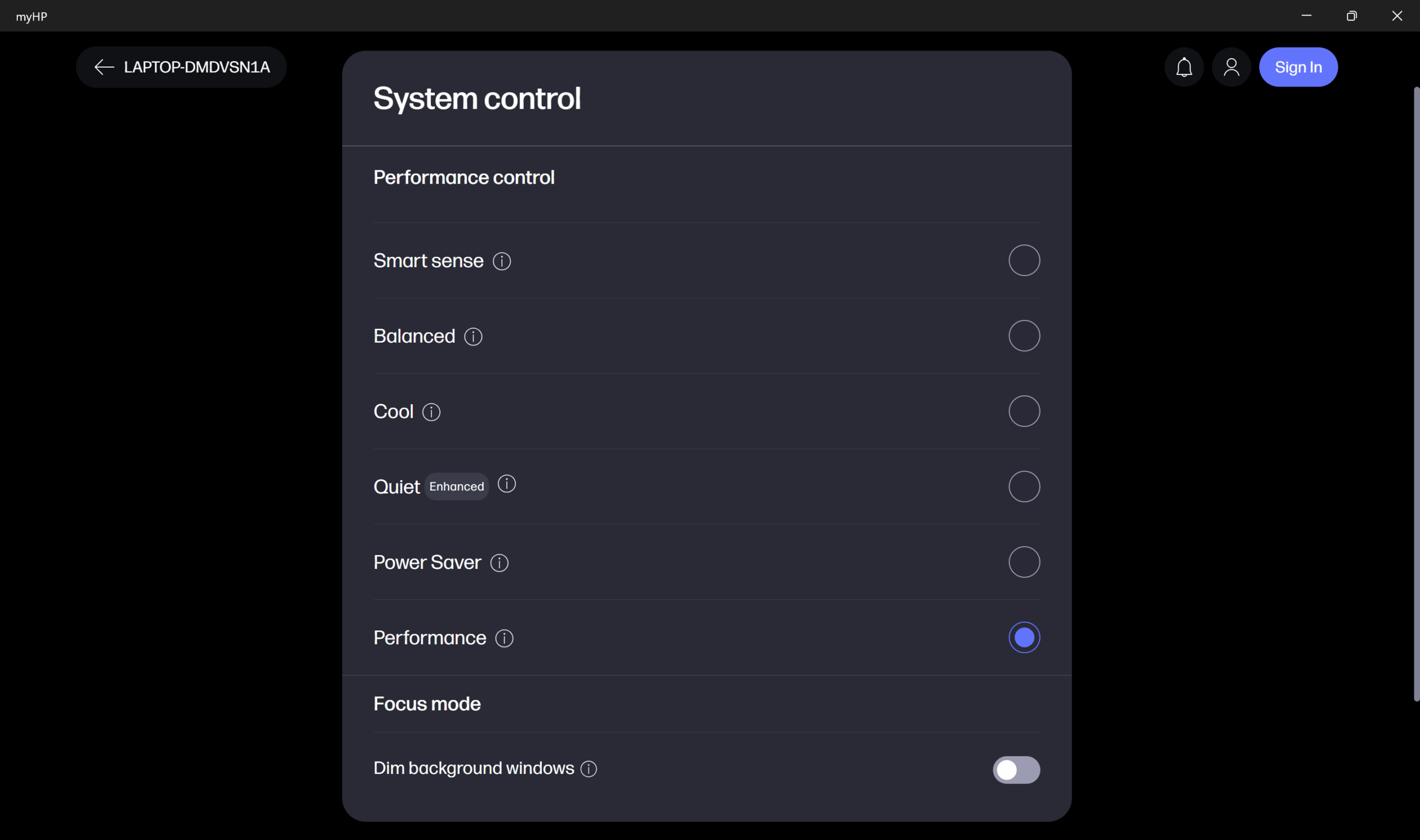
All performance and temperature tests are conducted with Performance mode activated in myHP:
CPU and Work Performance
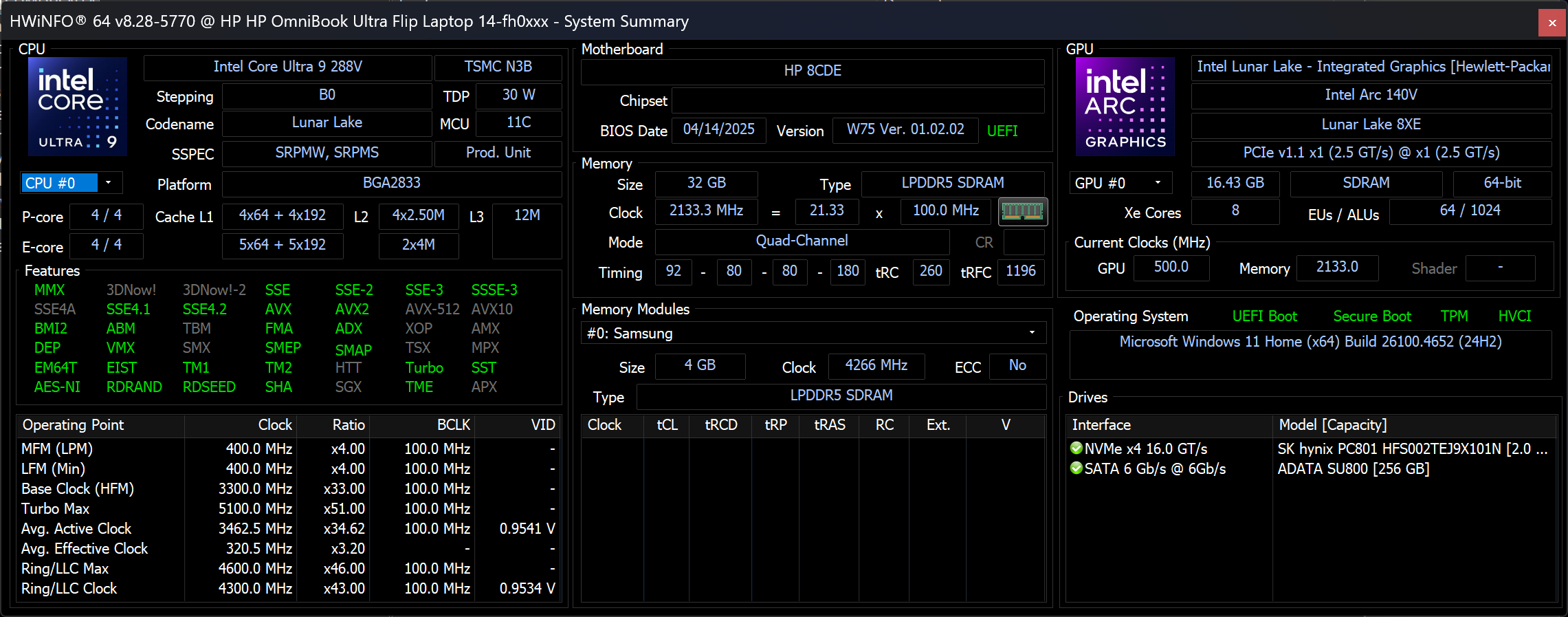
The HP OmniBook Ultra Flip 2-in-1 (14t-fh000) comes with a selection of low-power Intel Core Ultra V-series processors, including the Core Ultra 5 226V, Ultra 7 258V, and up to the Ultra 9 288V. While these chips are optimized for energy efficiency and thin form factors, they still offer decent multitasking capabilities.
You can view how each processor compares to others in our Top Laptop CPU Ranking.
The Intel Core Ultra 9 288V shows good performance, narrowly surpassing its competitors, including the bigger Acer Swift 16 AI (SF16-51) in both Geekbench tests. In Cinebench 2024 though, the 16-incher has a slight advantage.
Single-core प्रदर्शन ऑपरेटिंग सिस्टम में सुचारू संचालन और प्रतिक्रिया सुनिश्चित करता है, जिससे एक बेहतर उपयोगकर्ता अनुभव मिलता है।
परिणाम Geekbench 6 Single-Core टेस्ट से हैं (उच्चतर बेहतर है)
Multi-core प्रदर्शन जटिल और मांग वाले कार्यों, जैसे वीडियो संपादन, CAD, और वैज्ञानिक सिमुलेशन को संभालने के लिए आवश्यक है।
परिणाम Geekbench 6 Multi-Core टेस्ट से हैं (उच्चतर बेहतर है)
यहां, हम एक वास्तविक-विश्व 3D रेंडरिंग कार्य का उपयोग करके CPU के प्रदर्शन का मूल्यांकन करते हैं, जटिल संगणनाओं और रेंडरिंग वर्कलोड को कुशलतापूर्वक संभालने की इसकी क्षमता का आकलन करते हैं।
परिणाम Cinebench 2024 Multi-Core टेस्ट से हैं (उच्चतर बेहतर है)
Storage Performance
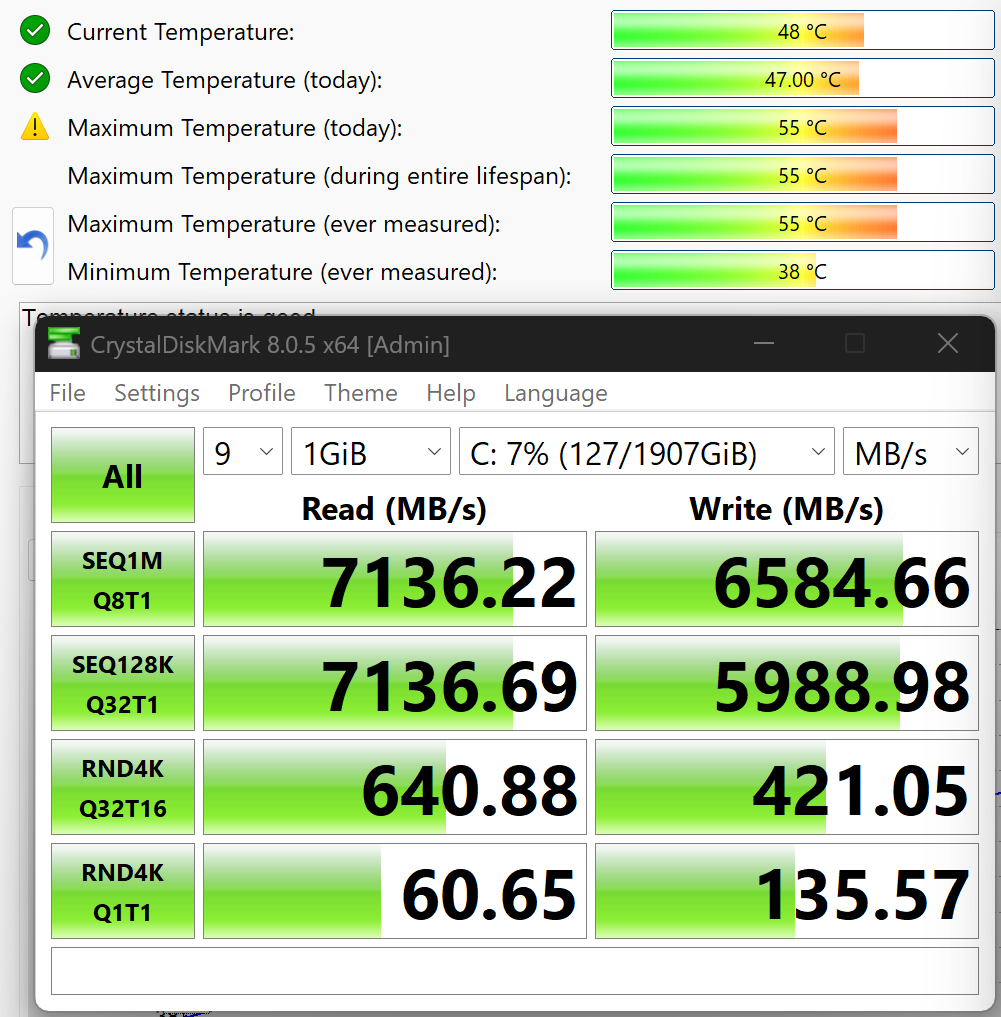
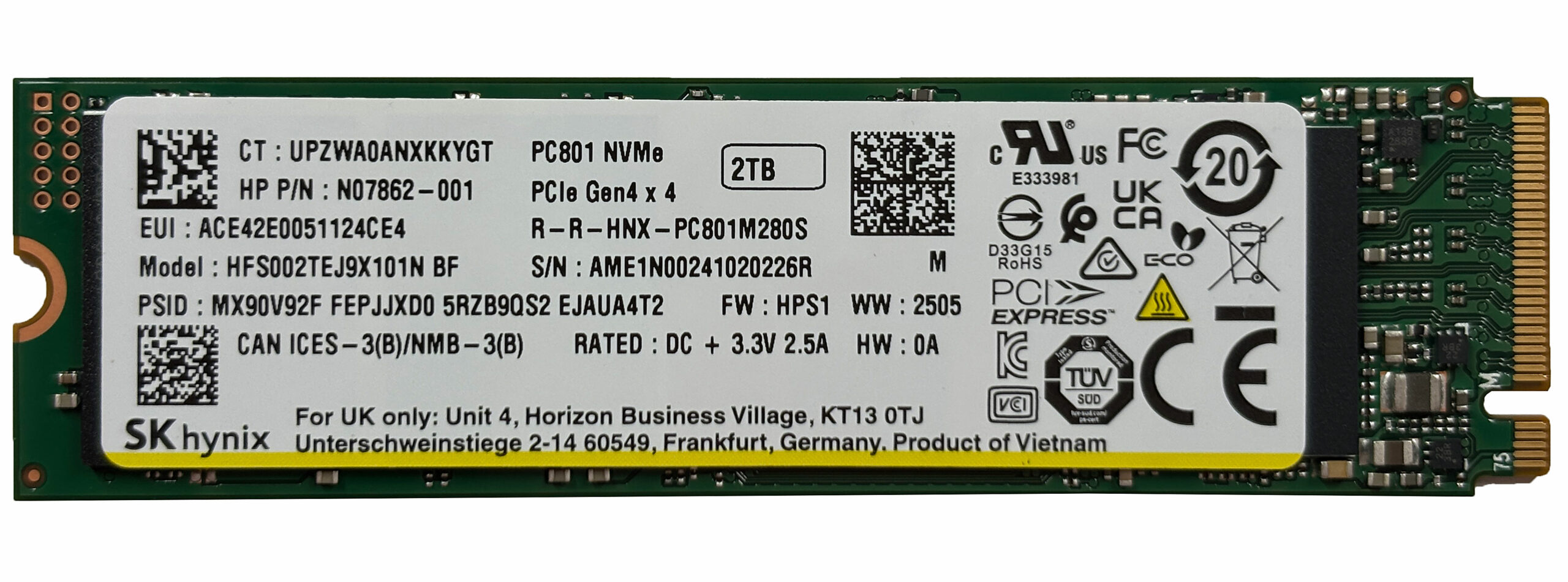
HP OmniBook Ultra Flip (14-fh0000) has only one 2280 M.2 slot for PCIe 4.0 NVMe storage. We ordered a 2TB configuration, and it arrived with SK Hynix PC801 (HFS002TEJ9X101N).
It reaches 7.1GB/sec in sequential reading, and 6.6GB/sec in sequential writing which are great results. Even better is the max temperature under maximum load, which, thanks to the thermal pad, is just 55ºC.
AI Performance
यहां आप HP OmniBook Ultra Flip (14-fh0000) में पाए जाने वाले GPU और CPU (NPU) की स्थिति को हमारे AI हार्डवेयर प्रदर्शन रैंकिंग में उनकी AI प्रसंस्करण शक्ति के आधार पर देख सकते हैं, जिसे TOPS (Tera Operations Per Second) में मापा जाता है - यह एक महत्वपूर्ण मीट्रिक है जो कम्प्यूटेशनल थ्रूपुट को इंगित करता है, विशेष रूप से AI कार्यों के लिए।
पहला कॉलम INT8/FP8 précision के लिए चरम प्रदर्शन दिखाता है, जो AI inference क्षमताओं का मूल्यांकन करने के लिए सबसे व्यापक मीट्रिक है। हम सघन गणना परिदृश्यों में AI प्रदर्शन का अधिक सटीक प्रतिबिंब प्रदान करने के लिए Sparsity को बाहर रखते हैं जहाँ Sparsity अनुकूलन लागू नहीं हो सकते हैं। दूसरे और तीसरे कॉलम Sparsity के साथ प्रदर्शन, और FP4 TFLOPS, जब समर्थित हो, दिखाते हैं।
SoCs के लिए, परिणाम एकीकृत NPU के चरम प्रदर्शन को दर्शाते हैं। इसके अतिरिक्त, यह ध्यान रखना महत्वपूर्ण है कि, Microsoft के अनुसार, PC को "AI-सक्षम" माने जाने के लिए NPU में कम से-कम 40 TOPS AI कंप्यूटिंग शक्ति होनी चाहिए।
| # | GPU / CPU (NPU) | TOPS INT8/FP8 No Sparsity | TOPS INT8/FP8 Sparsity | TFLOPS FP4 Sparsity |
|---|---|---|---|---|
| 1579. | Intel Core Ultra 9 288V | 48 | — | — |
| 1585. | Intel Core Ultra 7 256V | 47 | — | — |
| 1587. | Intel Core Ultra 7 258V | 47 | — | — |
| 1644. | Intel Core Ultra 5 226V | 40 | — | — |
| 1749. | Intel Core Ultra 7 155H | 11 | — | — |
GPU and Gaming Performance
In terms of graphics, this model features integrated Intel Arc GPUs – the Arc Graphics 130V, and 140V. These are more capable than traditional integrated solutions for light creative workloads and casual gaming but still fall behind dedicated GPUs.
If you’re curious about their real-world performance, take a look at our Top Laptop Graphics Ranking.
Acer Swift 16 AI (SF16-51) has a minimal 2% advantage over the HP Omnibook which is expected given the bigger chassis.
परिणाम 3DMark Time Spy (Graphics) से हैं। उच्चतर बेहतर है।
परिणाम 3DMark Wild Life Extreme Unlimited से हैं। उच्चतर बेहतर है।
Gaming tests

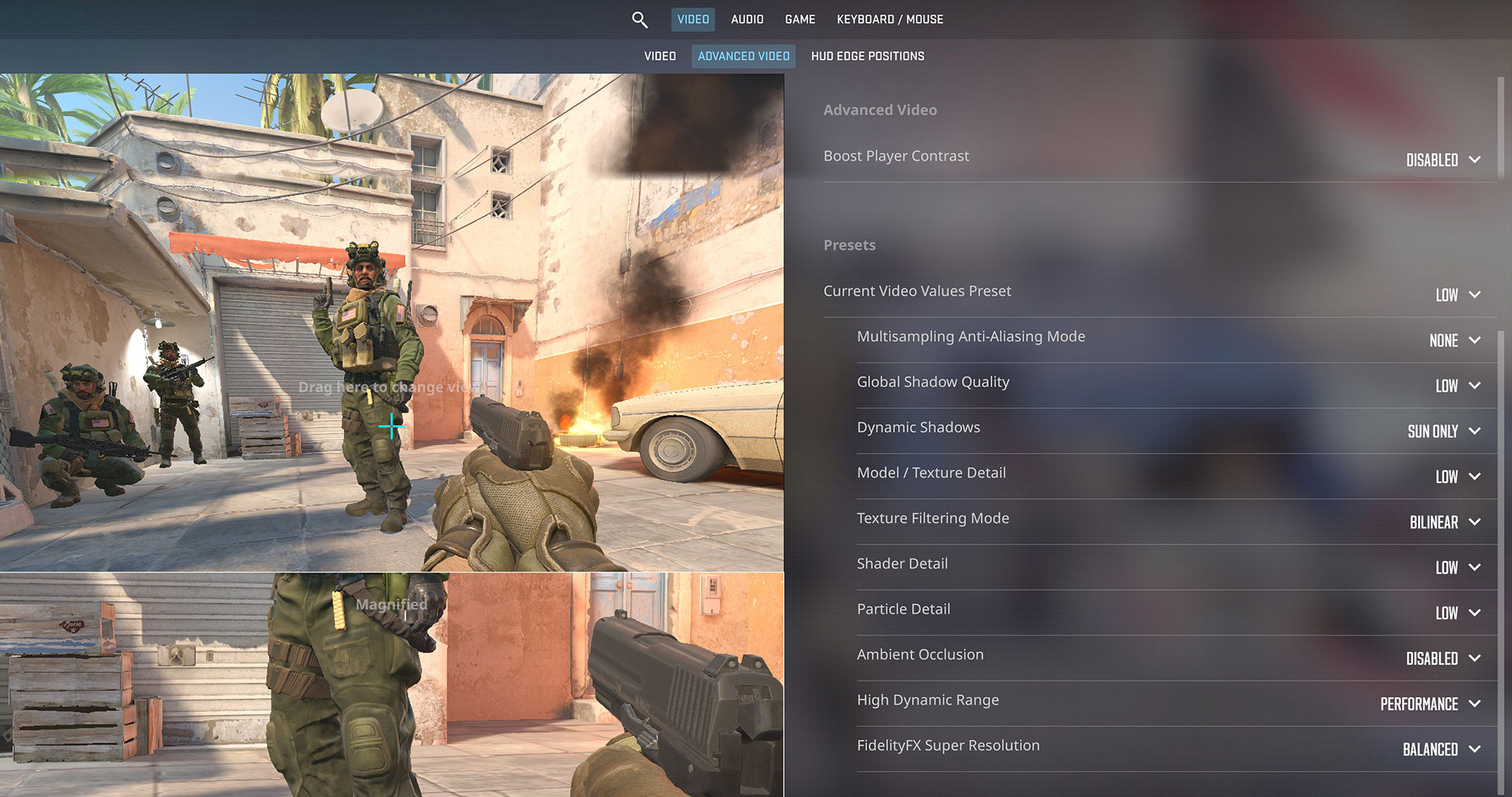
The Intel Arc Graphics in the HP OmniBook Ultra Flip offers a solid experience for light gaming. In Counter-Strike 2, it achieves an impressive 92 FPS at 1800p resolution on Low settings, which is more than enough for smooth, casual gameplay.
| Counter Strike 2 | 1800p, Low (Check settings) |
| Average FPS | 92 FPS |

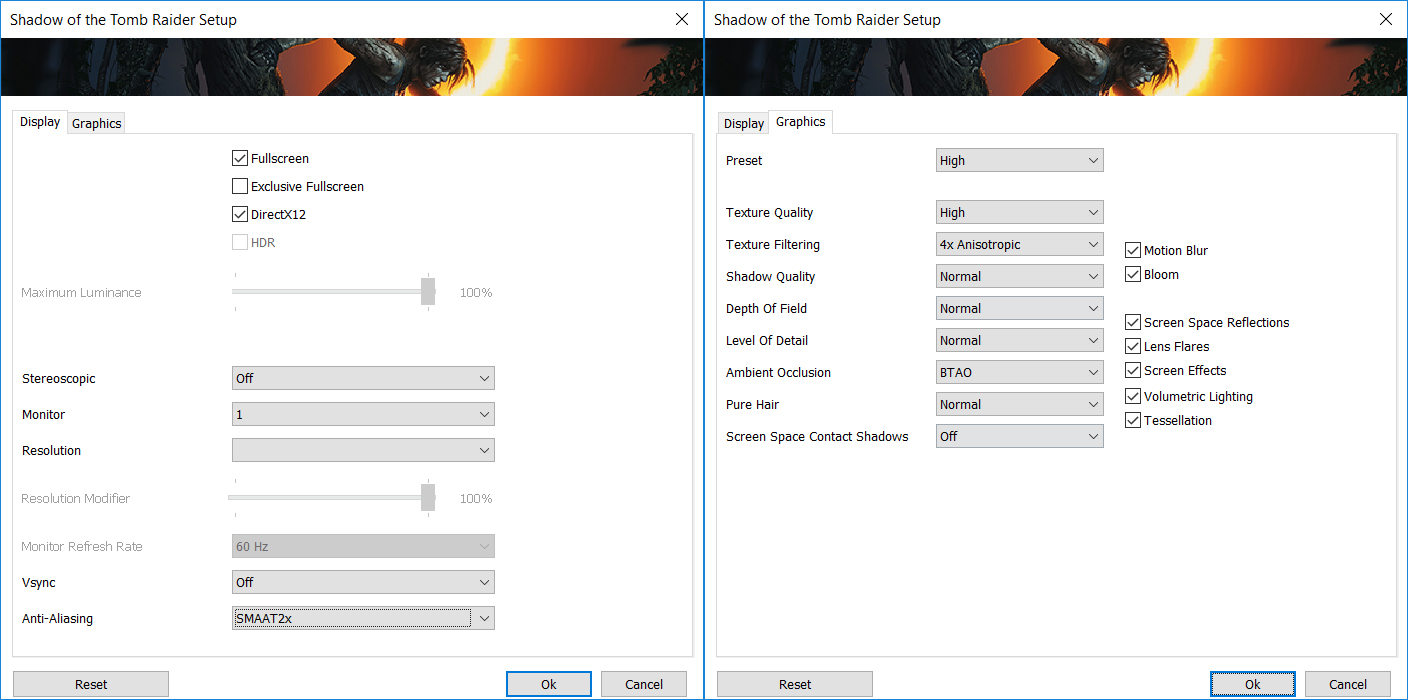
In more graphically demanding single-player titles like Shadow of the Tomb Raider, the laptop provides a playable 47 FPS at 1800p on Low settings. This demonstrates the capability of the Intel Arc 140V iGPU for enjoying older AAA games at the screen’s native resolution.
| Shadow of the Tomb Raider | 1800p, Low (Check settings) |
| Average FPS | 47 FPS |
Temperatures and Comfort, Noise, Stability
At idle, the CPU package of the Intel Core Ultra 9 288V maintains a temperature of 46ºC, and the notebook remains completely silent.
Office Work, Web Development, Design
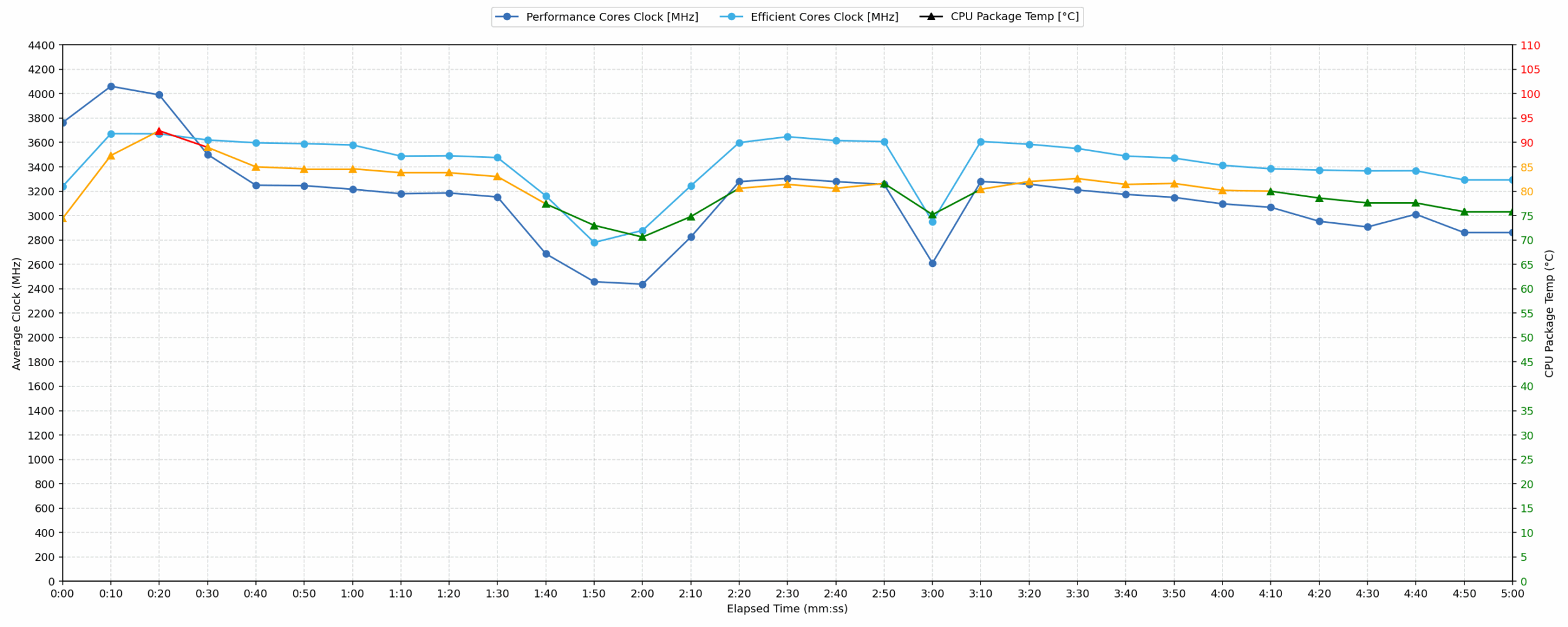
Short periods (0:00 – 0:10 s) of 100 % CPU load
This test shows the CPU behavior during short periods of serious load. It’s important for users who are looking for laptops suitable for tasks like Web Design and Programming.
| Intel Core Ultra 9 288V | Avg. P-Core Clock | Avg. CPU Temp. | Avg. CPU Power |
| Acer Swift 16 AI (SF16-51 / SF16-51T) | 3883 MHz | 74 °C | 36 W |
| HP OmniBook Ultra Flip 2-in-1 Laptop (14t-fh000) | 3762 MHz | 74 °C | 27 W |
For short, burst loads, the HP OmniBook Ultra Flip 2-in-1 Laptop initially reaches a peak CPU clock of 3972 MHz with a peak power draw of 28 W. While the average CPU temperature over the first 10 seconds remains good at 74 °C with an average clock of 3762 MHz and 27 W power, the CPU does register a high peak temperature of 97 °C. When compared to the Acer Swift 16 AI, which utilizes the same Intel Core Ultra 9 288V, the OmniBook’s average clock (3762 MHz) is slightly lower than the Swift’s 3883 MHz for short tasks, also operating at a lower average power.
Video editing, Scientific computing, Software compilation, 3D rendering
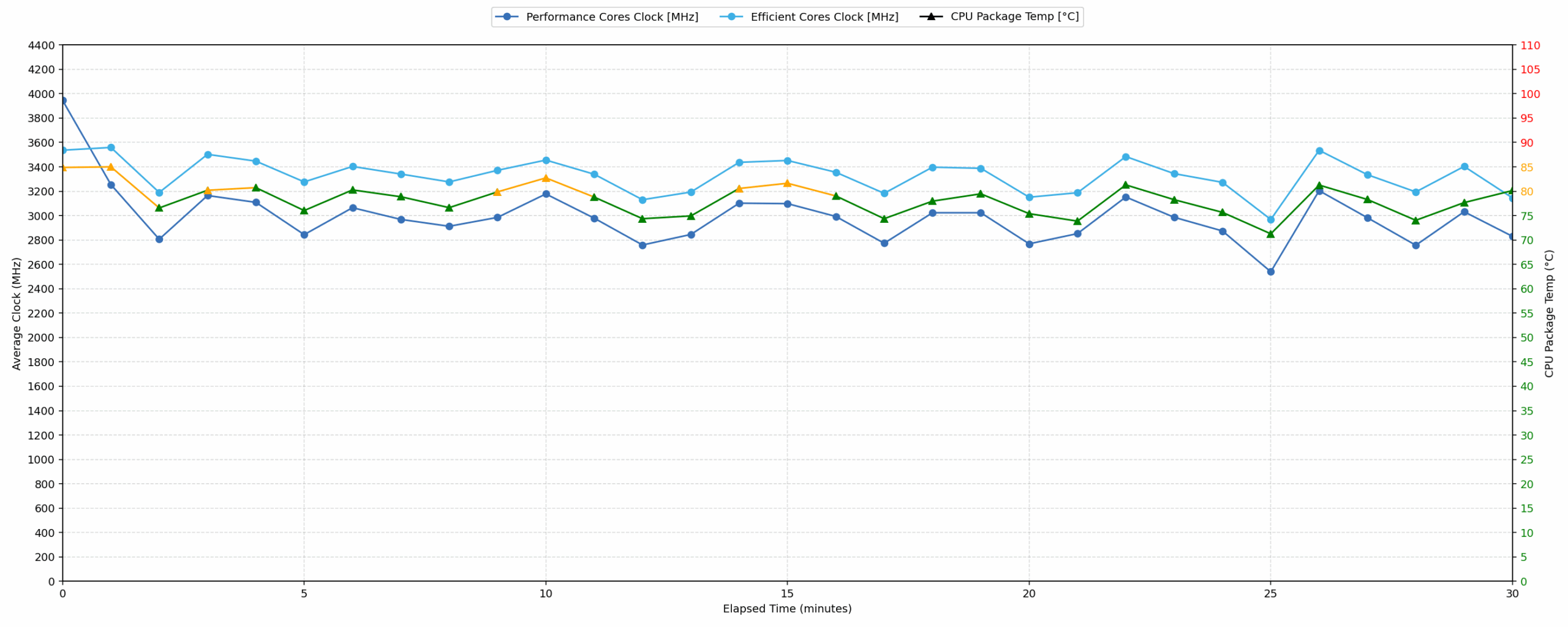
Long periods (0:00 – 30:00 min) of 100 % CPU load
This test shows the CPU behavior during long periods of serious load. It’s important for users who are looking for laptops suitable for tasks like Video Editing and 3D Rendering.
| Intel Core Ultra 9 288V | Avg. P-Core Clock | Avg. CPU Temp. | Avg. CPU Power |
| Acer Swift 16 AI (SF16-51 / SF16-51T) | 3609 MHz | 75 °C | 30 W |
| HP OmniBook Ultra Flip 2-in-1 Laptop (14t-fh000) | 2986 MHz | 78 °C | 23 W |
For extended periods of heavy CPU load, the HP OmniBook Ultra Flip averages 2986 MHz over 30 minutes, with an average CPU temperature of 78 °C, which is good. The average power draw settles at 23 W. However, a significant clock drop of 1628 MHz from peak to 2344 MHz is observed during the 30-second to 5-minute window, indicating performance throttling. Compared to the Acer Swift 16 AI, which achieves a higher average of 3609 MHz at 75 °C for the same 30-minute duration, the OmniBook operates at a noticeably lower sustained clock speed and power, suggesting a more conservative power profile for long-term tasks.
Battery Life
The HP OmniBook Ultra Flip 2-in-1 Laptop (14t-fh000) has a 64Wh battery unit. It supports fast charge, getting to approximately 50% in 45 minutes.
More than 13 hours on a single charge (13:10h) is a great result for such a compact laptop. It even manages to get into our Top 100 Laptops with the best Battery Life!
With 10% higher energy, thanks to the bigger chassis, the battery of Acer Swift 16 AI (SF16-51) provides 20% more runtime on a single charge.
चमक: 180 nits; डिस्प्ले मोड: SDR
पूर्ण डिस्चार्ज का समय: उच्चतर बेहतर है
Disassembly, Upgrade options, and Maintenance
Removing the bottom panel is simple: four Torx T5 screws and a line of plastic clips stand between you and the hardware. Once the clips release, the cover lifts without hidden cables or adhesive.
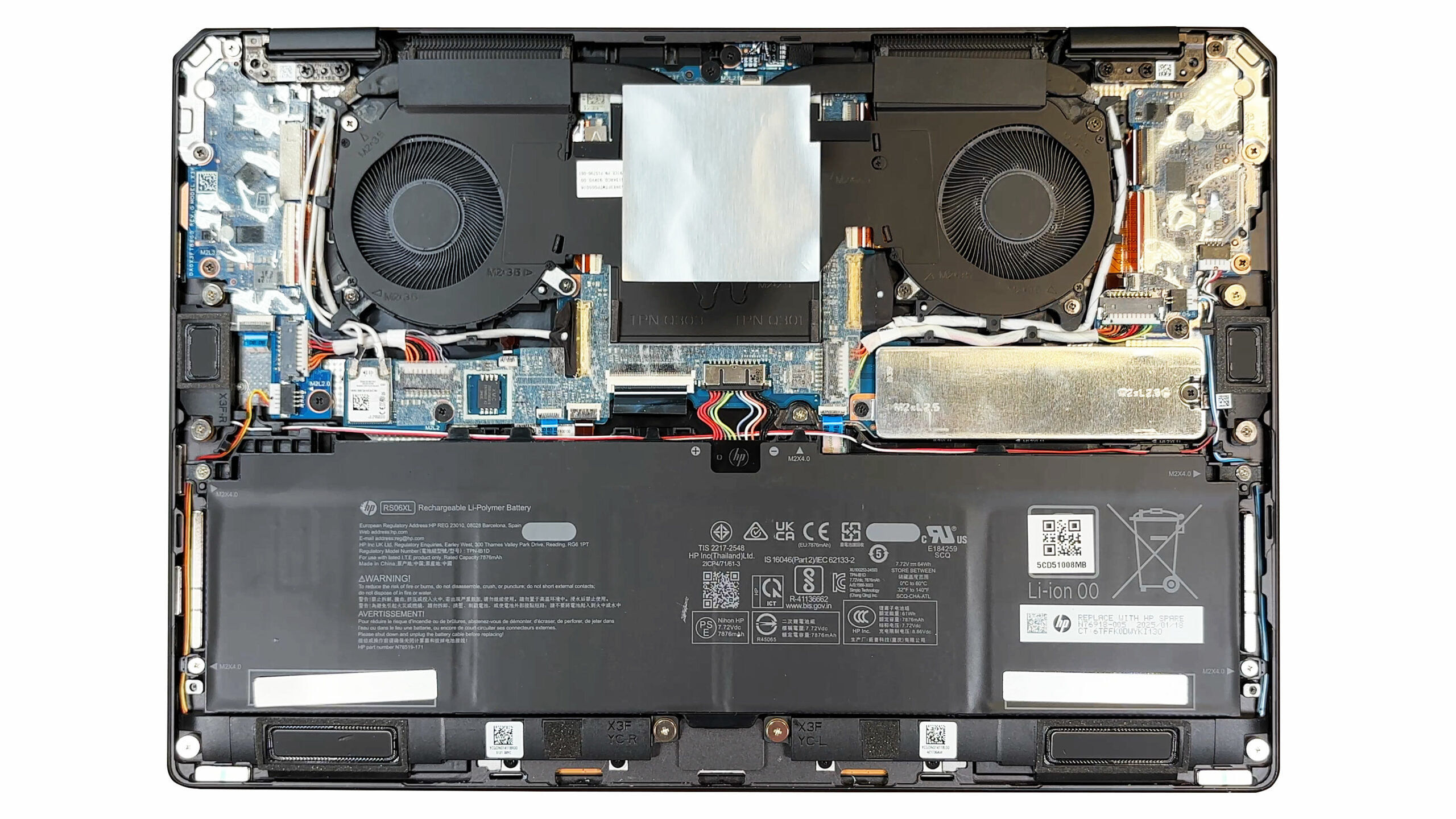
The cooling system relies on two slim fans linked by a vapor‑chamber heat spreader that sits over the CPU and iGPU. Copper heat pipes route exhaust toward vents on the rear edge, and the fans are replaceable should they ever start to rattle.
All memory is soldered to the motherboard – HP offers the OmniBook Ultra Flip with up to 32 GB of LPDDR5X‑8533. No SO‑DIMM slots are available, so what you order is what you keep.
For storage there is one PCIe Gen 4 M.2 2280 slot. Our unit carries an SK Hynix PC801 NVMe drive, and a pre‑applied thermal pad under the metal shield helps the controller shed heat during long transfers.
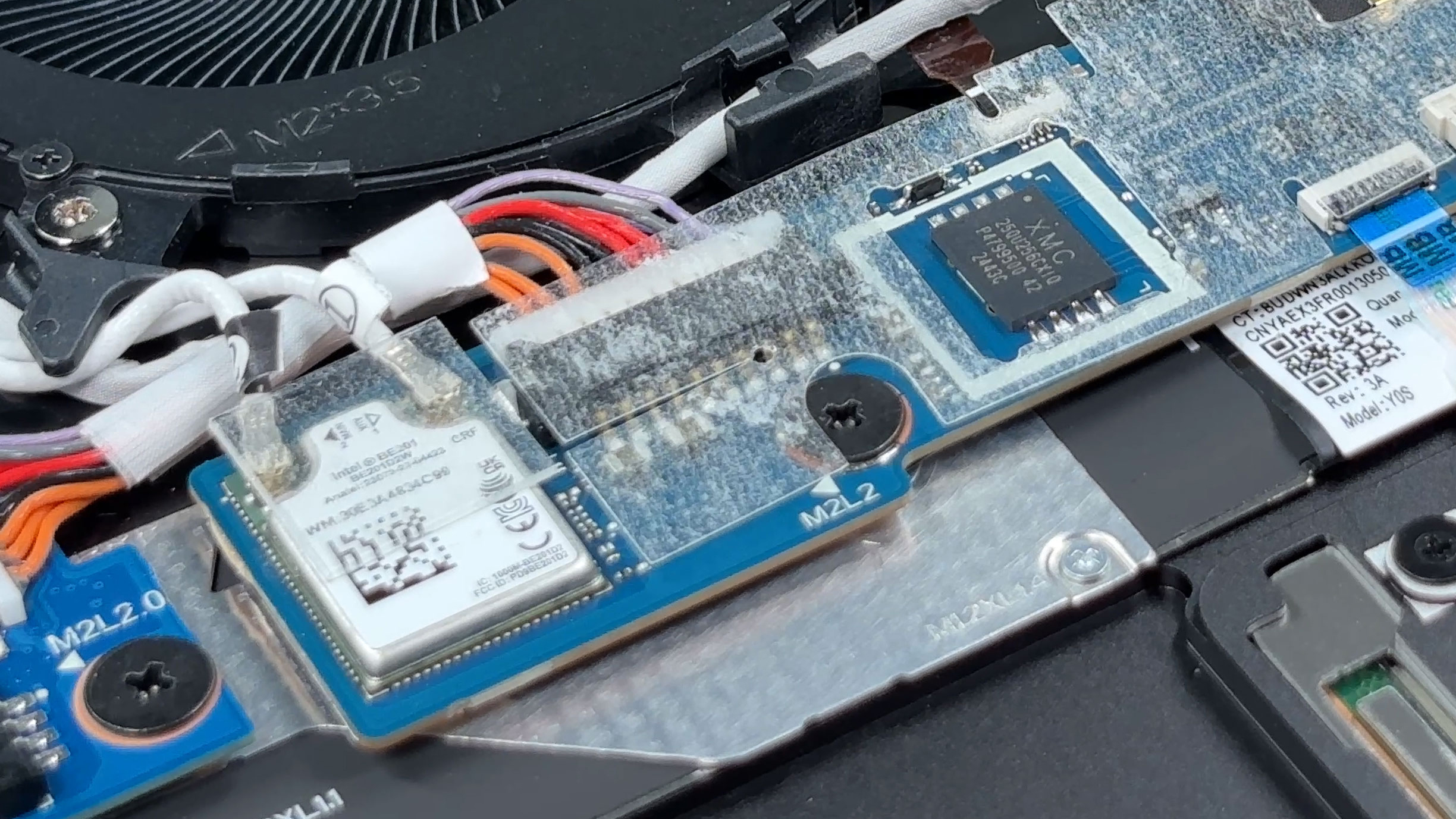
Wireless duties fall to an Intel Wi‑Fi 7 BE201 card in the familiar M.2 2230 form factor. Because it is socketed, upgrading or replacing the module down the road is as easy as removing one screw and two antenna leads.
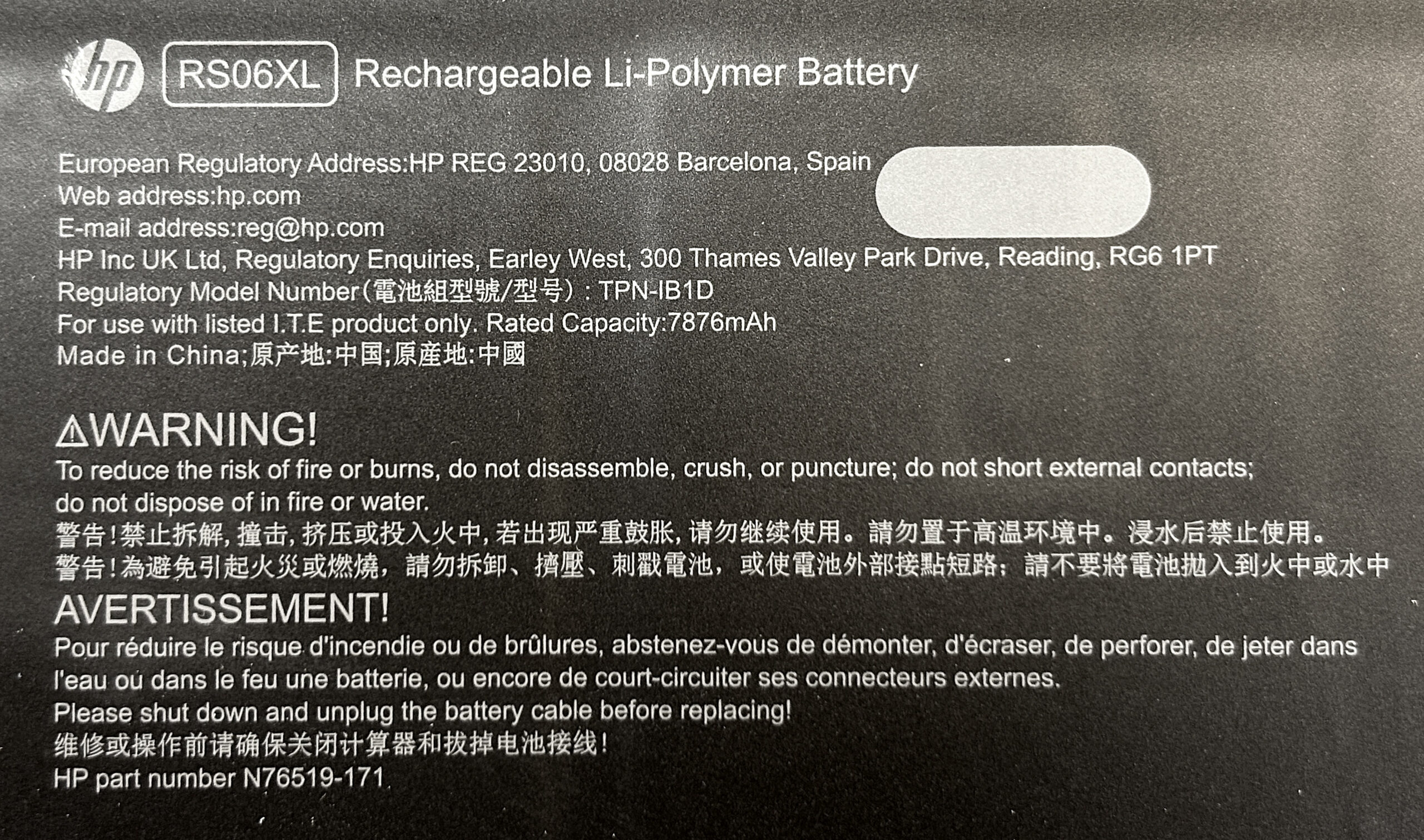
The 64 Wh RS06XL battery covers nearly the entire palm‑rest area. Five Phillips screws hold it down, and the connector is easy to reach once the speakers are lifted out of the way.
A tiny XMC serial flash chip near the audio daughterboard stores the system BIOS.
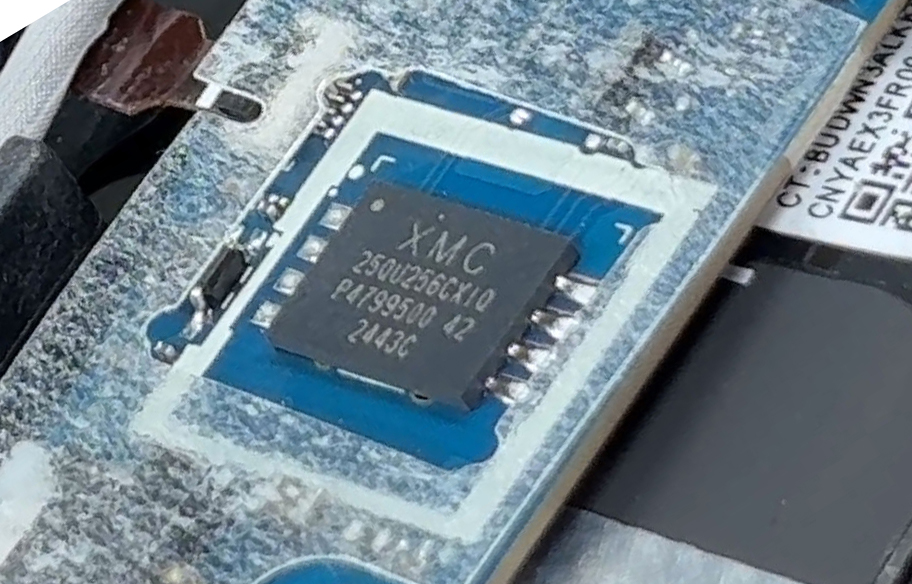
With only four external screws and no glue inside, the OmniBook Ultra Flip scores well for serviceability, even though the soldered RAM limits performance upgrades to the SSD and Wi‑Fi card.
Verdict
The HP OmniBook Ultra Flip is a masterclass in industrial design, a premium 2-in-1 convertible that feels every bit as luxurious and well-crafted as its price tag suggests. It’s a device aimed squarely at the user who prioritizes aesthetic excellence, a stunning display, and ultimate portability for daily productivity and media consumption. HP has clearly focused on creating a beautiful and versatile machine.
However, this laser focus on form comes with some significant functional trade-offs, particularly regarding performance and long-term value, that potential buyers must carefully consider.
✅ The Good
The first thing you’ll fall in love with is the exceptional build quality and design. The all-aluminium chassis is incredibly rigid and stable, and clever touches like the chamfered corner ports showcase a high level of craftsmanship. It’s a truly beautiful and portable machine.
The user experience is further elevated by the input devices. The exceptionally large keyboard keys make for an incredibly comfortable and accurate typing experience, and the huge, responsive trackpad is a joy to use. The 2-in-1 hinge is firm and reliable, transforming the device with confidence.
Of course, the gorgeous 2.8K 120Hz OLED panel is a major highlight, offering perfect contrast, 100% DCI-P3 coverage, and a smooth, fluid experience. The battery life is also excellent, providing over 13 hours of use, and connectivity is future-proof with Wi-Fi 7 and two Thunderbolt 4 ports.
❌ The Bad
 The most significant and user-hostile flaw is the soldered RAM. This decision completely removes any possibility of future memory upgrades, severely limiting the device’s long-term value and forcing users into expensive configurations at the time of purchase. The storage is also limited to a single M.2 slot.
While the CPU is snappy for everyday tasks, it falters under prolonged heavy workloads, with significant performance throttling to manage heat in its thin chassis. The beautiful OLED screen is also let down by a highly reflective glossy finish that can be very distracting in bright environments. Finally, the complete lack of any traditional USB-A ports means you will be living the dongle life for any legacy peripherals.
🆚 The Competitors
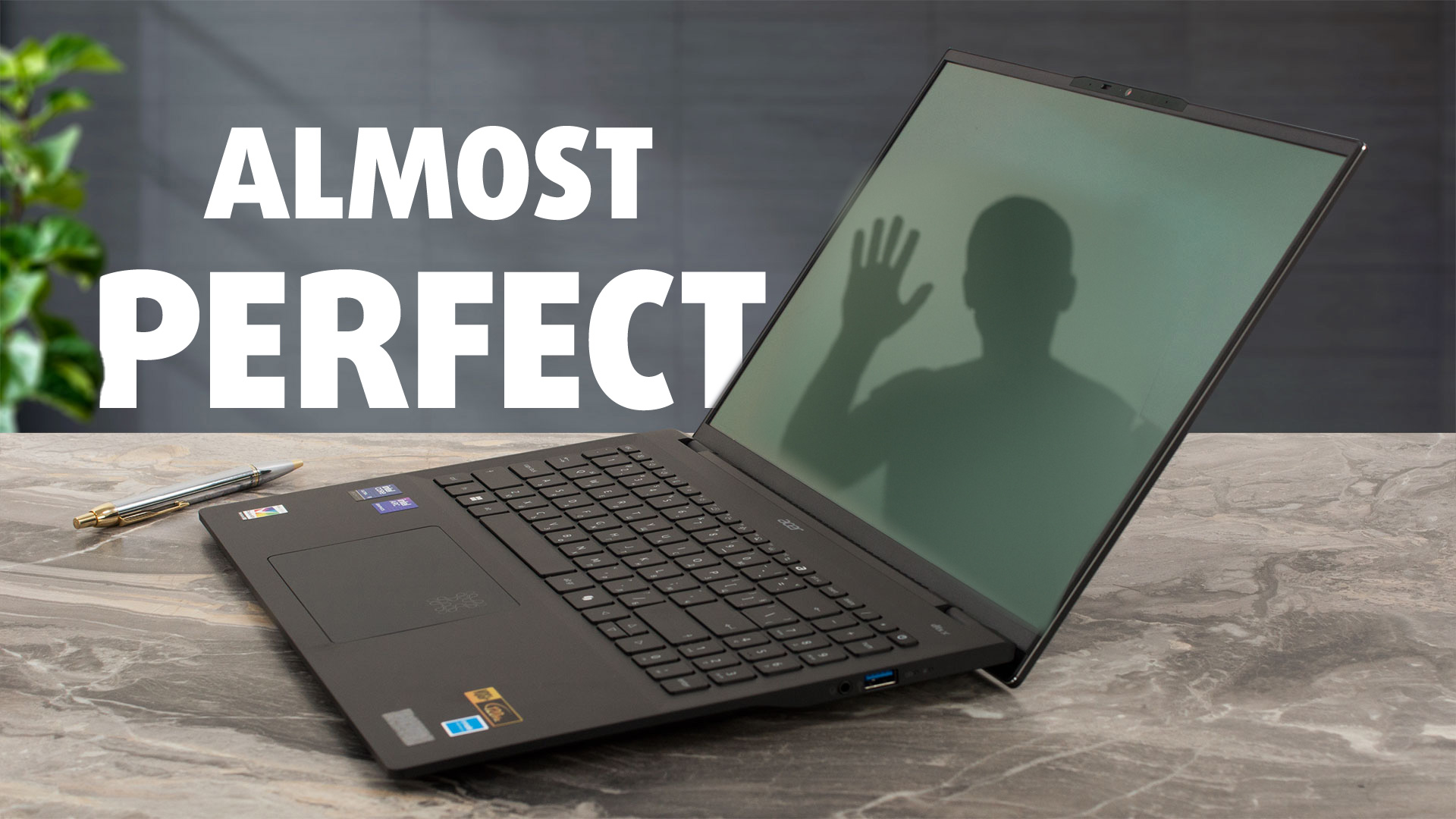 When placed against a larger rival like the Acer Swift 16 AI SF16-51 (detailed review), the OmniBook’s trade-offs become clear. The Swift uses its larger chassis to deliver better sustained performance and longer battery life, making it a more powerful workhorse. However, the HP OmniBook Ultra Flip counters with a far more premium and portable design, a more vibrant OLED screen, and the versatility of its 2-in-1 form factor.
The choice ultimately comes down to your priorities: a more powerful but less portable clamshell, or a more elegant and versatile convertible that sacrifices some endurance and top-end power for its flexibility and exquisite design.
You can check the prices and configurations in our Specs System: https://laptopmedia.com/series/hp-omnibook-ultra-flip-14-fh0000/
Pros
- Exceptional and elegant aluminium build quality
- Gorgeous 2.8K 120Hz OLED display with 100% DCI-P3 coverage
- Excellent battery life for a compact convertible
- Incredibly comfortable keyboard with massive keycaps
- Future-proof connectivity with two Thunderbolt 4 ports and Wi-Fi 7
- Great security features, including a physical camera shutter
Cons
- Soldered RAM with no upgrade options
- Significant performance throttling under sustained load
- Highly reflective glossy screen
- No USB-A ports, requiring dongles for legacy devices
 Author: Simeon NikolovEditor-in-Chief at LaptopMedia.com with 20+ years of experience in testing and analyzing laptops and mobile devices.
 Author: eng. Kroum NikolovHead of Engineering at LaptopMedia.com, inventor and innovator with 40+ years of experience in electronics and high technology.

![[May 2026] Global Ranking of Best-Selling Laptop GPUs on Amazon – Apple Dominates with 45% Share, Sweeps Top 3 Spots; NVIDIA’s RTX 5060 Leads the Dedicated GPU Pack](https://laptopmedia.com/wp-content/uploads/2026/06/Best-Selling-GPUs-GLOBAL-Top-10-400x225.jpg)
![[May 2026] Global Ranking of Best-Selling Laptop CPUs on Amazon – Apple Crushes Competition with 45.2% Market Share, M5 Dominates](https://laptopmedia.com/wp-content/uploads/2026/06/Best-Selling-CPUs-GLOBAL-Top-10-400x225.jpg)
![[May 2026] Amazon Germany: Top 7 Best-Selling Gaming Laptops – Lenovo Legion 5i Crowned Champion Amidst Fierce Mid-Range Competition](https://laptopmedia.com/wp-content/uploads/2026/06/Best-Selling-Gaming-Laptops-DE-Top-10-1-400x225.jpg)
![[May 2026] Amazon Italy: Top 10 Best-Selling Laptops – Apple MacBook Neo Reigns Supreme, Premium Models Capture Dominant Revenue Share](https://laptopmedia.com/wp-content/uploads/2026/06/Best-Selling-Laptops-IT-Top-10-400x225.jpg)
![[May 2026] Best-Selling Laptop Brands on Amazon Italy – Apple Dominates Across All Metrics](https://laptopmedia.com/wp-content/uploads/2026/06/IT-Best-Brands-400x225.jpg)