Acer Nitro 18 AI (AN18-61) Review – Big Screen, Big Power, Big Battery
The era of the massive gaming laptop is back, and the Acer Nitro 18 AI (AN18-61) is unapologetically leading the charge. This isn’t a machine designed to slip unnoticed into a backpack; it is a dedicated battle station built to dominate your desk with an expansive 18-inch display and a chassis large enough to cool the most demanding hardware. Usually, upsizing a laptop brings diminishing returns, but Acer has used the extra space to pull off a surprising trick. Beyond the raw power and screen real estate, we discovered a hidden strength that defies the stereotypes of the “desktop replacement” category – endurance that puts smaller laptops to shame.
You can check the prices and configurations in our Specs System: https://laptopmedia.com/series/acer-nitro-18-ai-an18-61/
Contents
Specs, Drivers, What’s in the box
Acer Nitro 18 AI (AN18-61) - स्पेक्स

- HDD/SSD
- तक 2000GB SSD
- M.2 स्लॉट
- 2x 2280 M.2 NVMe PCIe 4.0 x4 फोटो देखें
- RAM
- up to 32GB
- OS
- No OS, Windows 11 Home
- बैटरी
- 90Wh
- बॉडी मटीरियल
- Plastic / Polycarbonate
- आयाम
- 400.9 x 310.3 x 15.08 - 24.95 mm (15.78" x 12.22" x 0.59")
- वजन
- 3.02 kg (6.7 lbs)
- पोर्ट और कनेक्टिविटी
- 1x USB Type-A
- 2.0
- 2x USB Type-A
- 3.2 Gen 2 (10 Gbps)
- 1x USB Type-C
- 3.2 Gen 2 (10 Gbps)
- 1x USB Type-C
- 4.0
- HDMI
- कार्ड रीडर
- microSD (microSD, microSDHC, microSDXC)
- ईथरनेट लैन
- 10, 100, 1000, 2500 Mbit/s
- वाई-फाई
- Wi-Fi 6E
- ब्लूटूथ
- 5.4
- ऑडियो जैक
- 3.5mm Combo Jack
- विशेषताएँ
- फिंगरप्रिंट रीडर
- वेब कैमरा
- बैकलिट कीबोर्ड
- माइक्रोफोन
- स्पीकर
- 2x Stereo Speakers
- सुरक्षा लॉक स्लॉट
- Kensington Lock
सभी Acer Nitro 18 AI (AN18-61) कॉन्फ़िगरेशन
Drivers
All drivers and utilities for this notebook can be found here: https://www.acer.com/us-en/support/product-support/Nitro_AN18-61/downloads
What’s in the box?
Acer keeps the unboxing for the powerful Nitro 18 AI focused on the essentials needed for high performance.
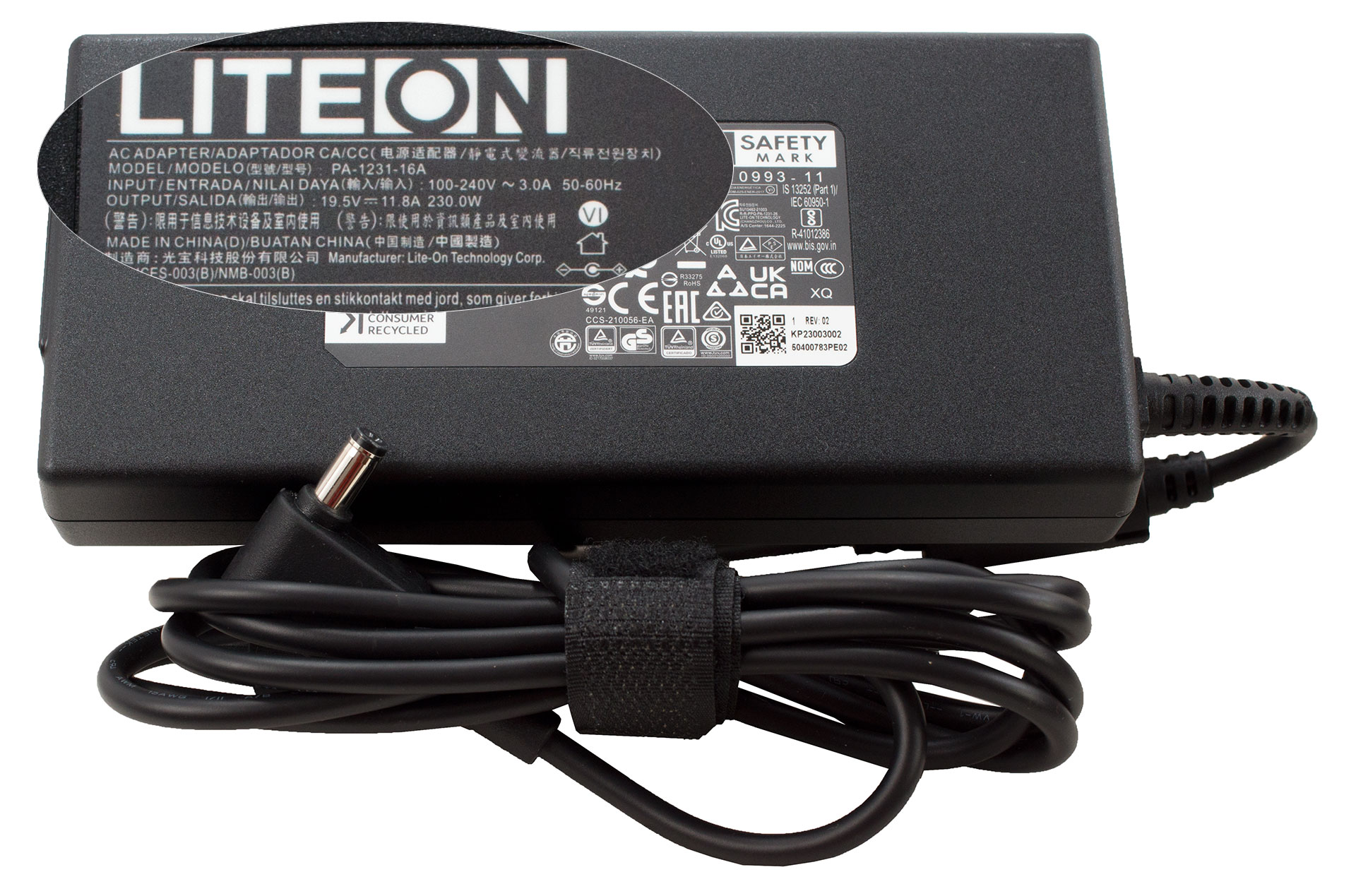
Inside, you’ll find the laptop itself, its substantial 230W power adapter, and the usual collection of guiding booklets.
Design and construction
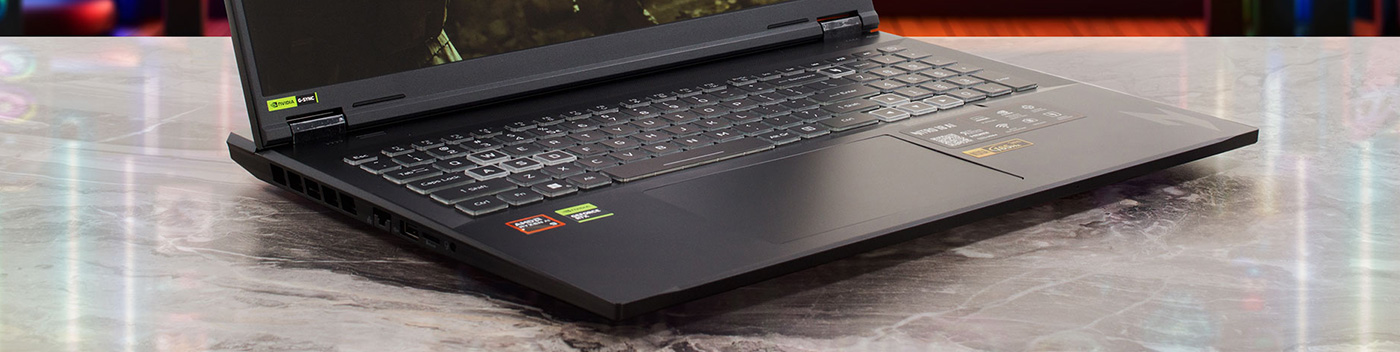
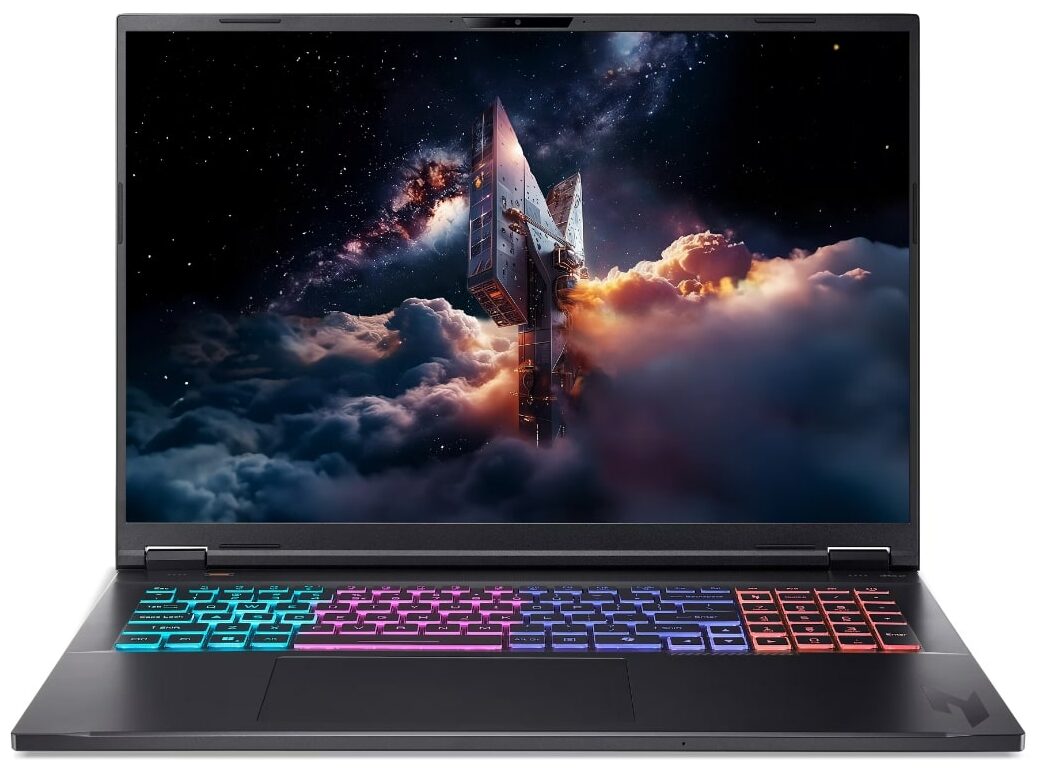
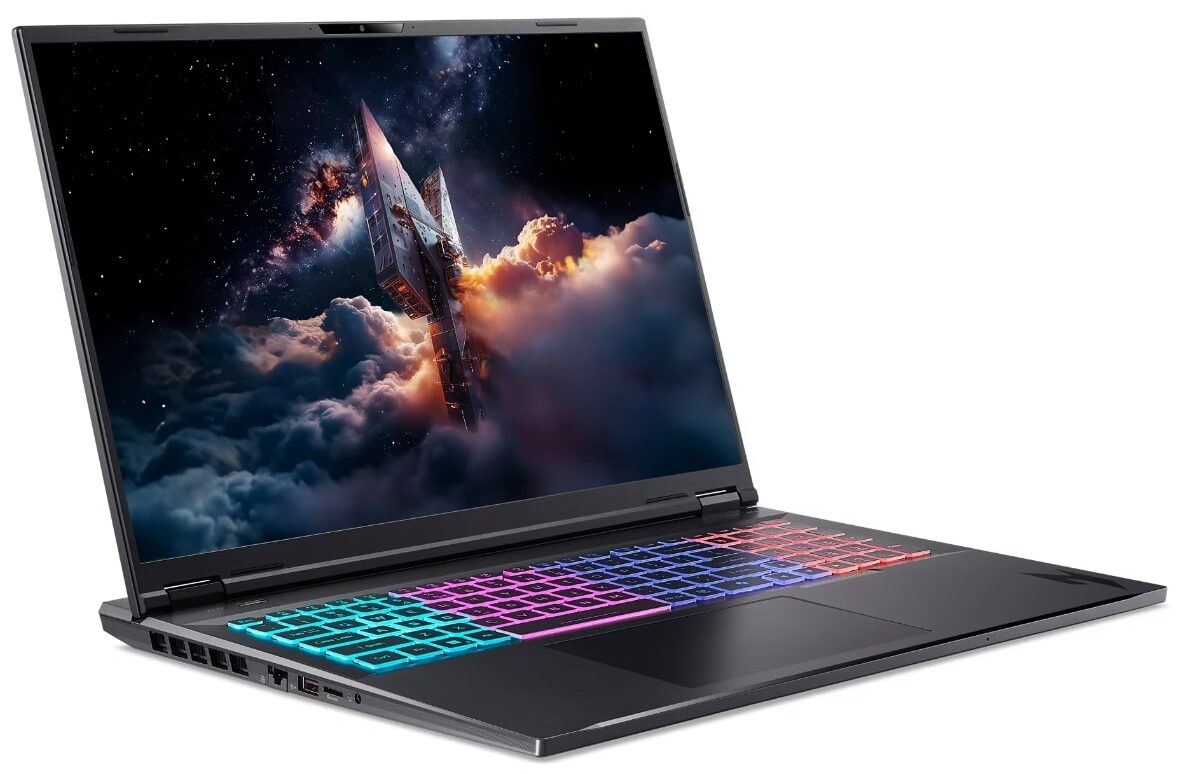
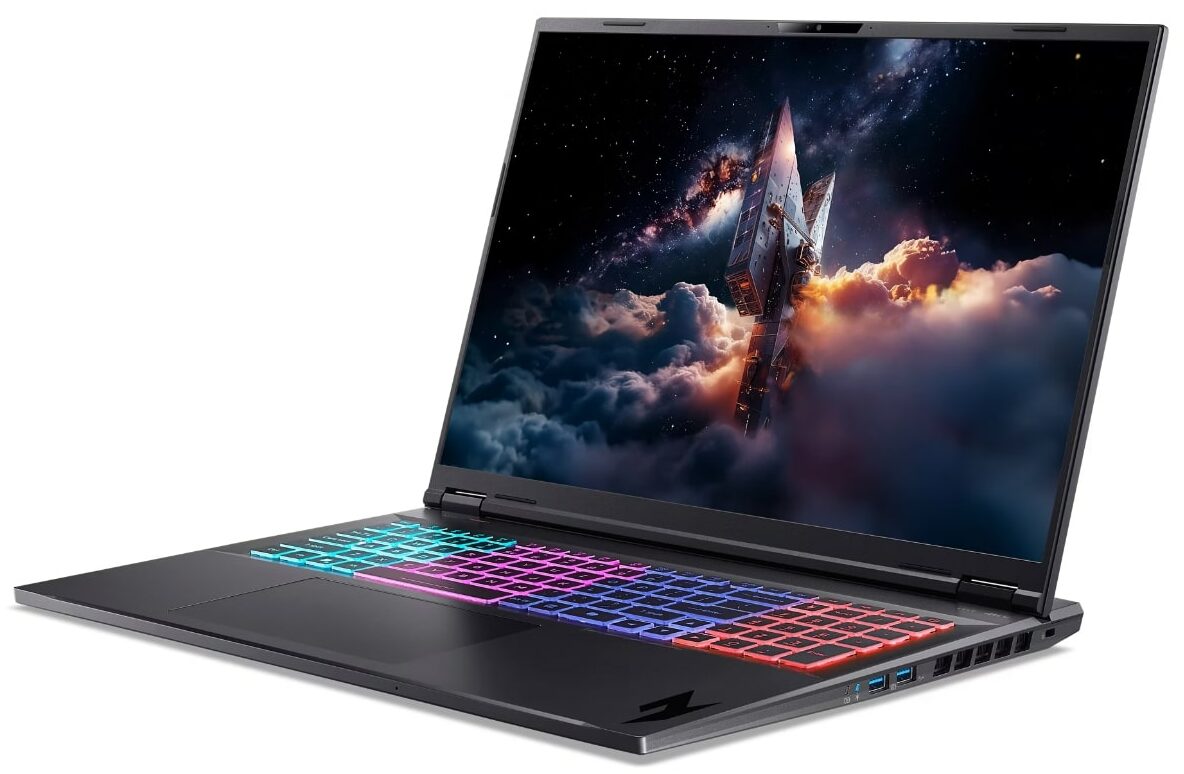
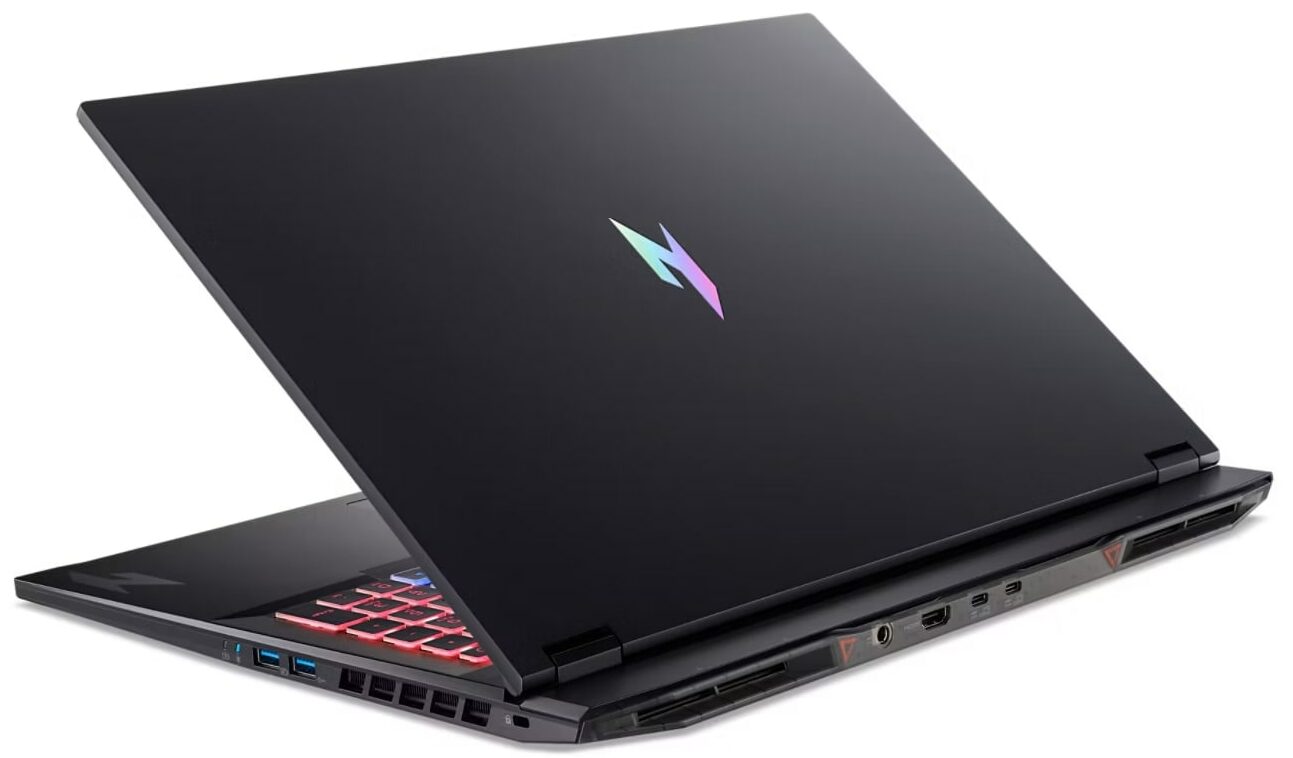
The Acer Nitro 18 AI (AN18-61) is, in a word, a behemoth. It embodies the classic Nitro aesthetic with its sharp lines and metallic logo – a discreet design that doesn’t scream for attention …but scaled up to massive proportions.
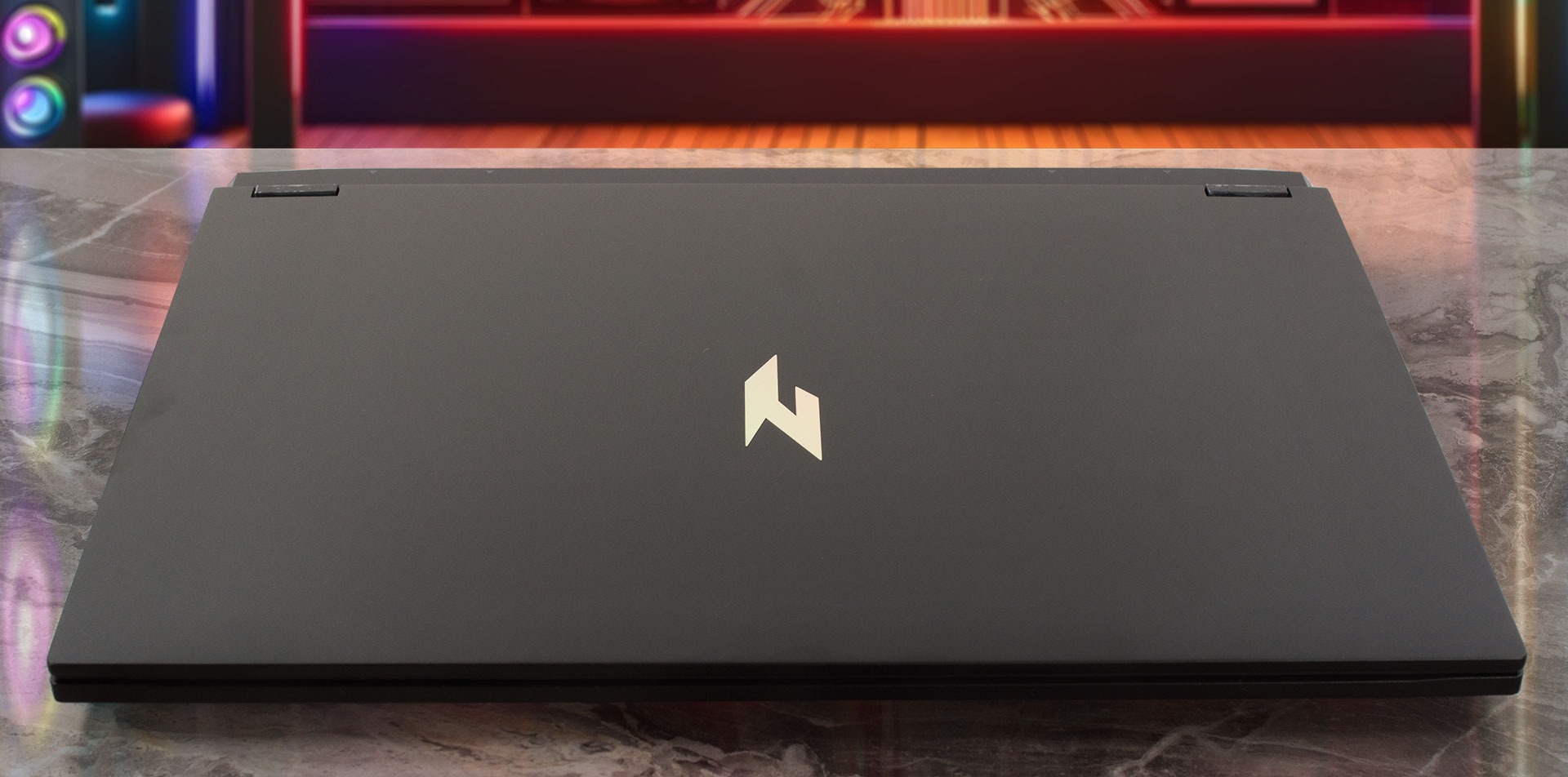
The star of the show is undoubtedly the 18-inch display, offering a 16:10 aspect ratio that provides significant vertical space, bridging the gap between laptop mobility and the immersive experience of a desktop monitor. Available exclusively in the standard Nitro black, the chassis is constructed from plastic. While large laptops often suffer from flex in the center of their panels, the Nitro 18 AI feels reassuringly stable, suggesting a well-engineered internal structure with substantial reinforcement. The surface finish is a mixed bag: while the interior deck does an excellent job of repelling fingerprints, the lid is unfortunately more prone to picking up smudges and marks from handling.
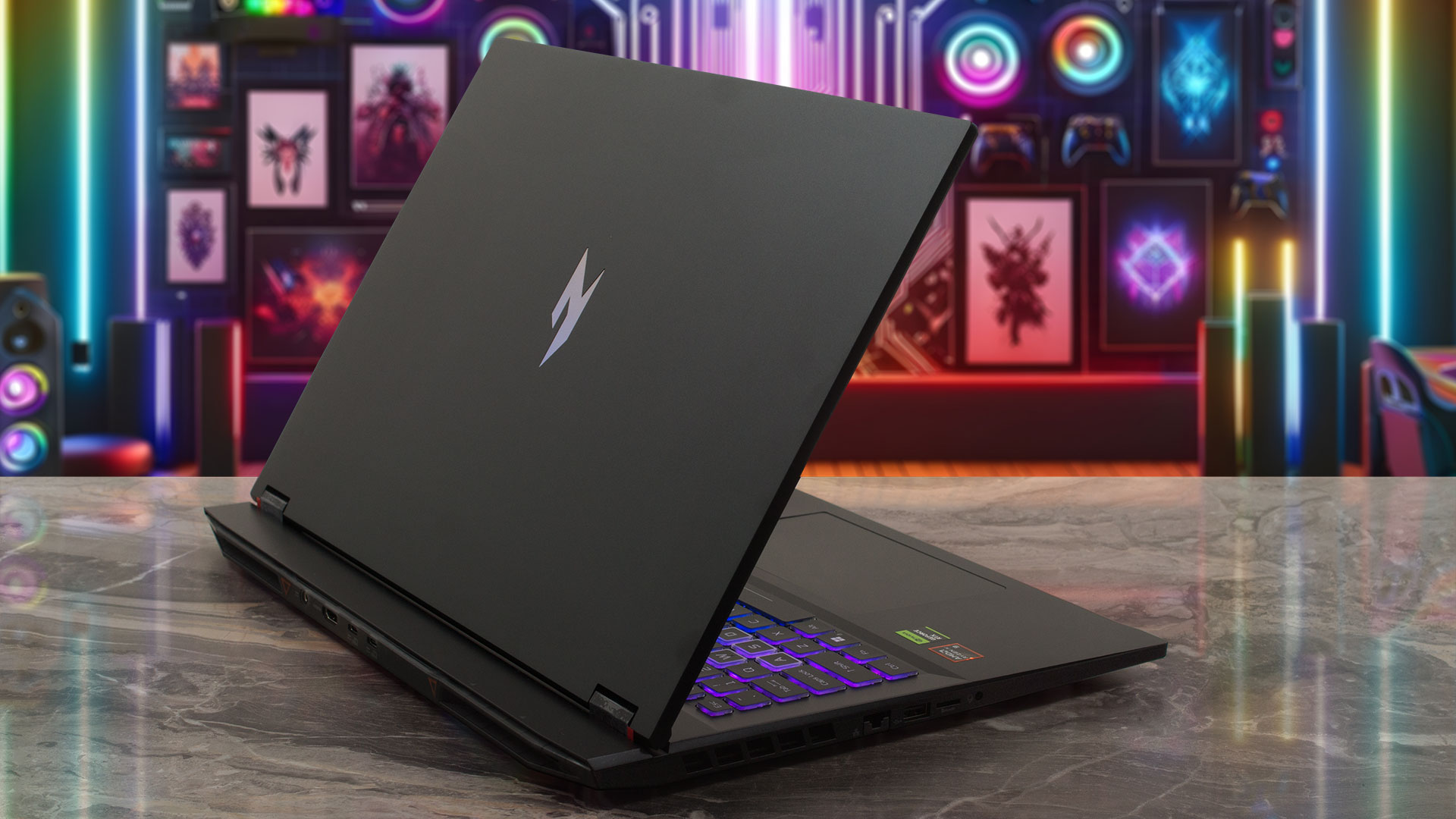
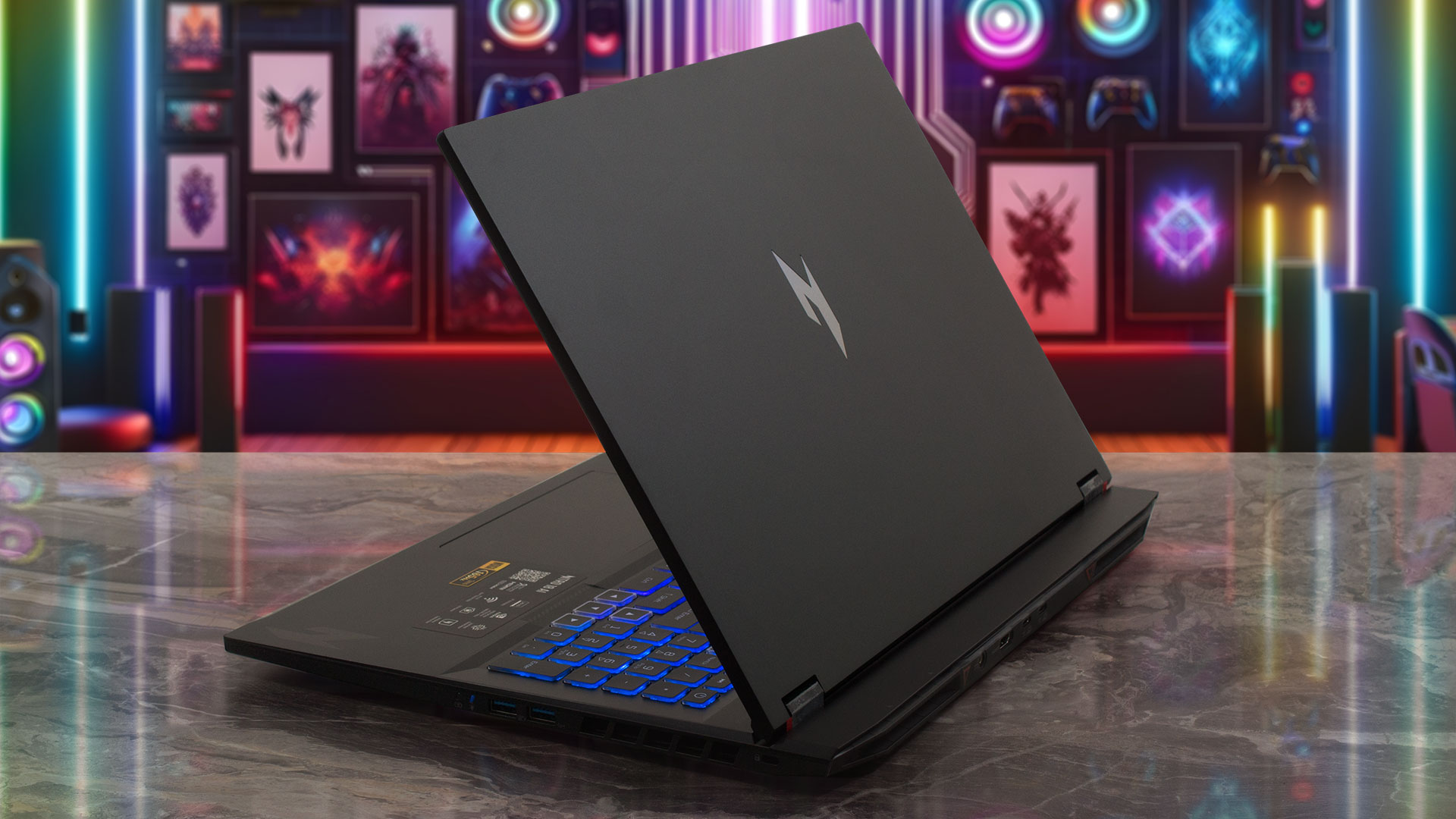
Given its size, the Nitro 18 AI naturally commands a significant footprint, measuring 400.9 (W) x 310.3 (D) x 15.08/24.95 (H) mm (15.78 x 12.22 x 0.59/0.98 inches) and weighing 3.02 kg (6.66 lbs).
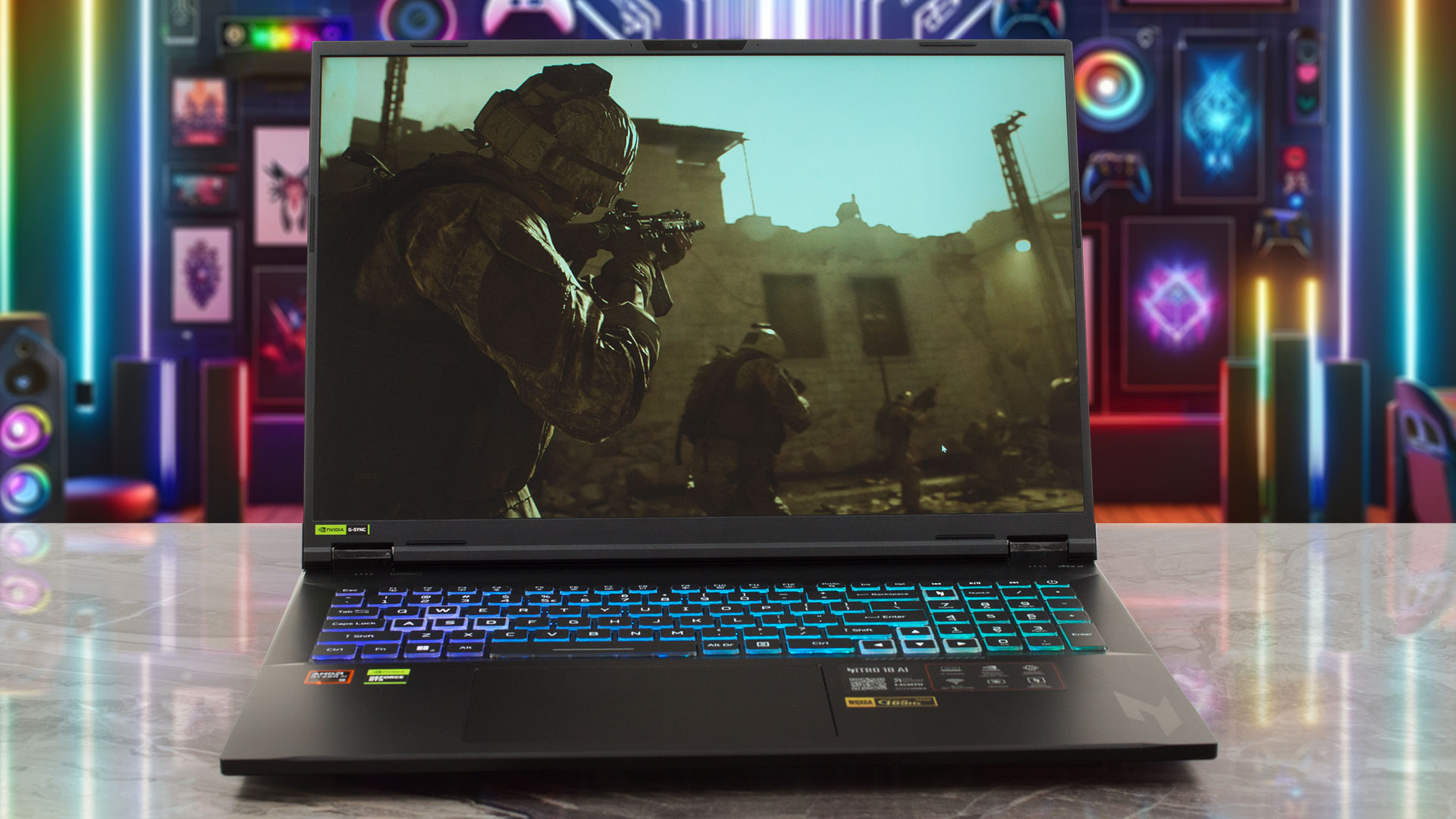
Opening the lid reveals impressively thin bezels that, given the huge screen real estate, virtually disappear from view. The side bezels are just 6 mm, and the top bezel is 10 mm. Despite its slimness, Acer has managed to pack a sophisticated camera system into that top bezel: a Narrow USB FHD camera paired with an IR camera, featuring blue glass lenses. This setup delivers crisp 1080p video with Temporal Noise Reduction and Staggered High Dynamic Range (SHDR), along with dual microphones. However, in keeping with Acer’s tradition for this line, a physical privacy shutter is notably absent.
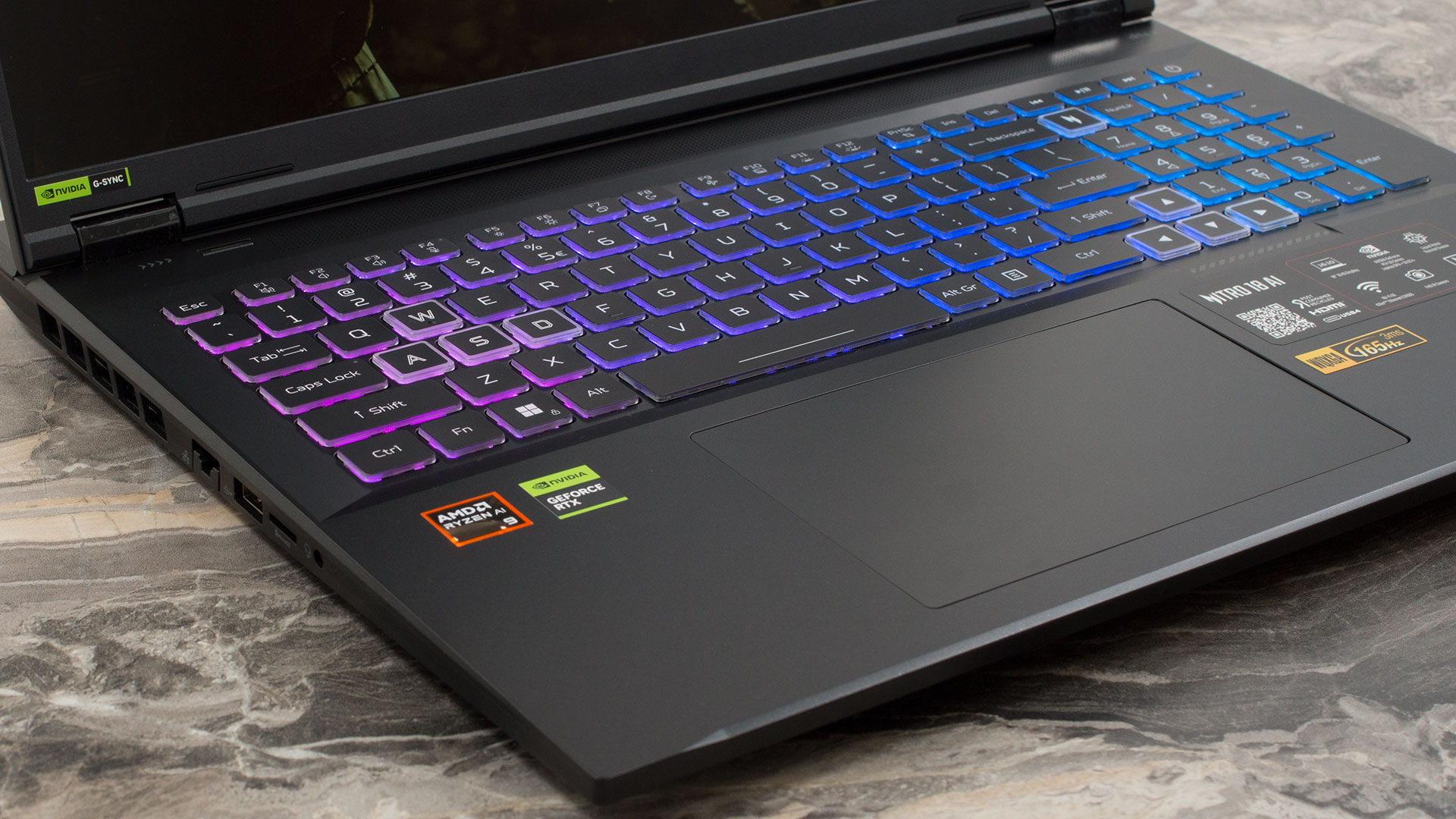
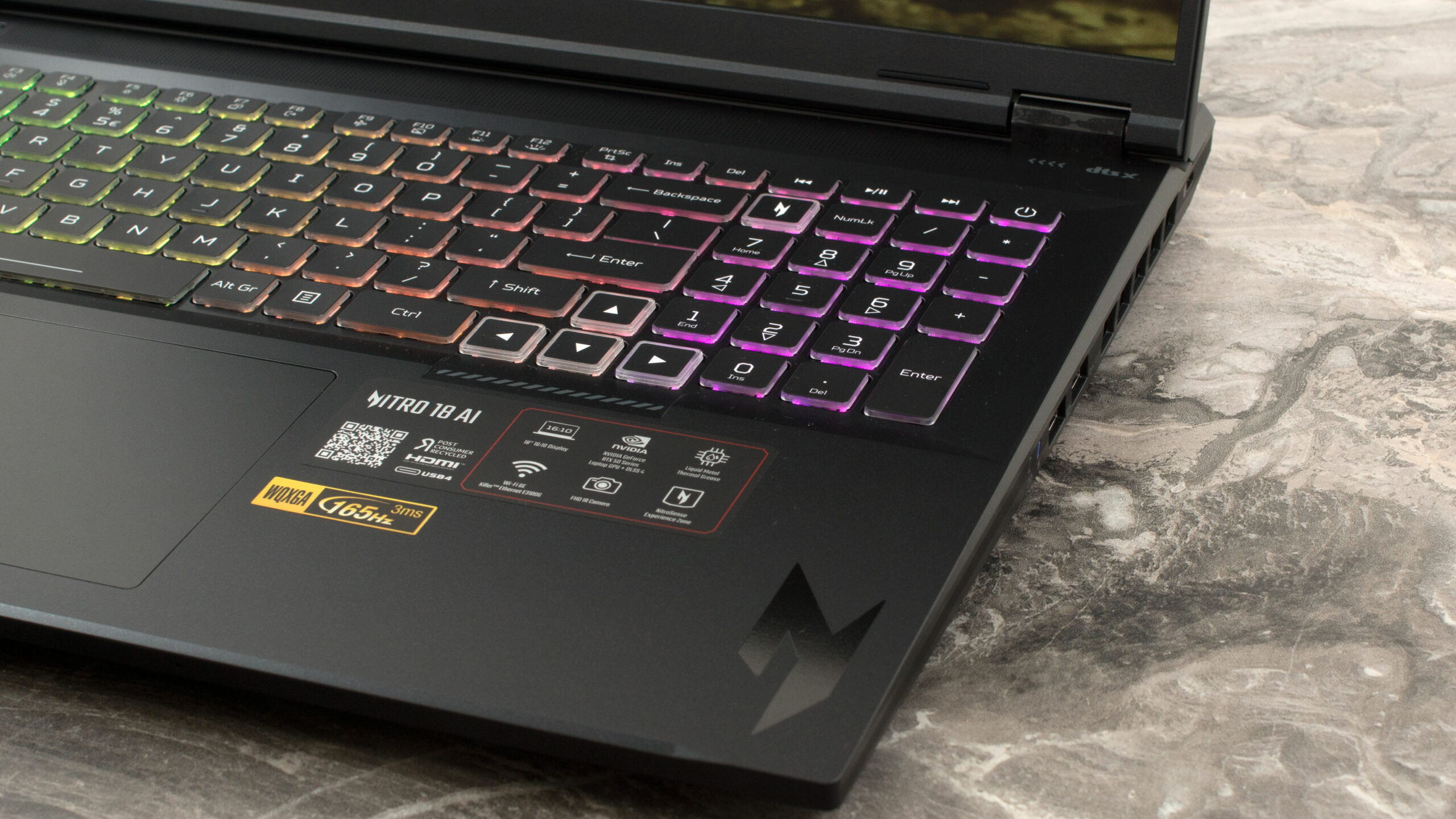
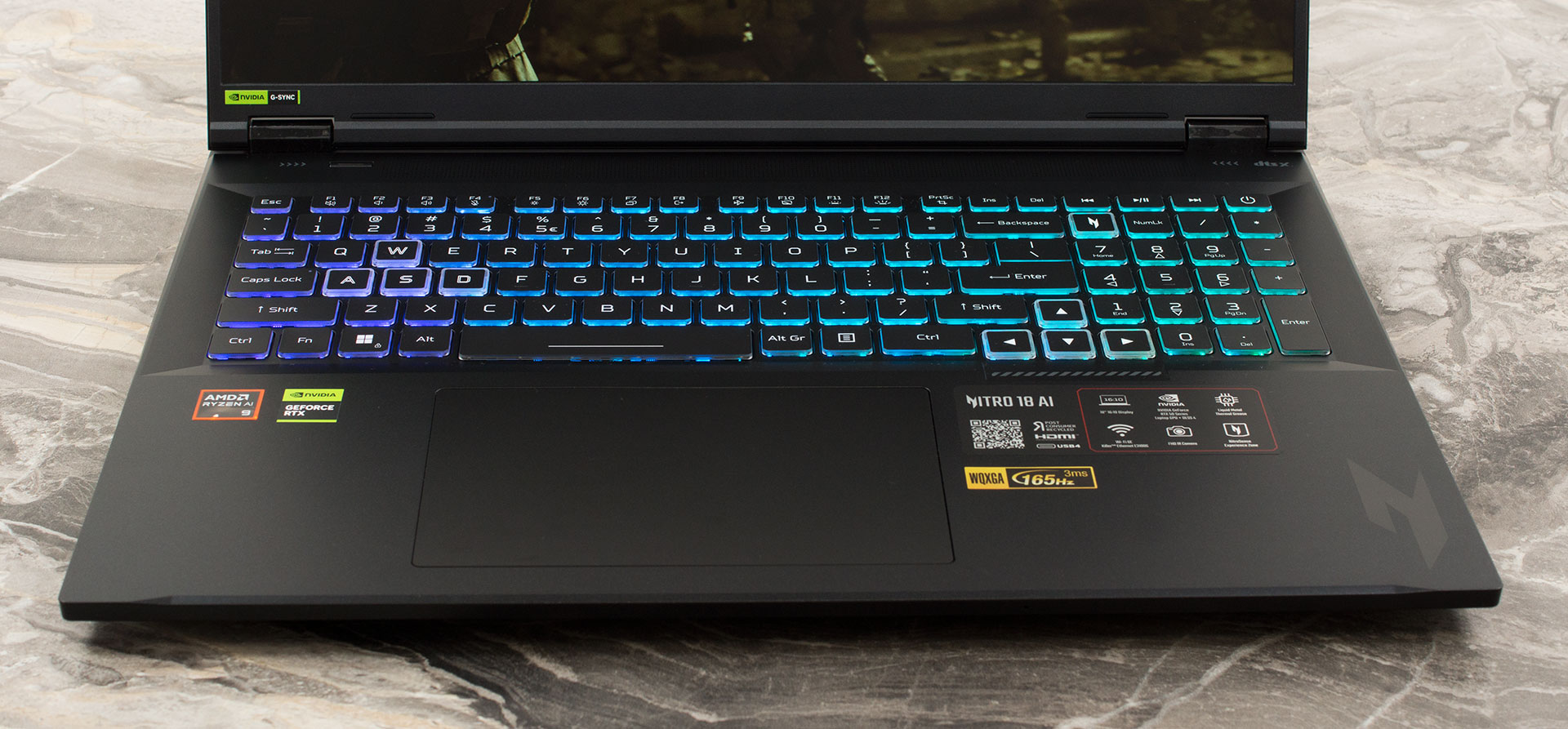
The massive chassis affords plenty of room for a spacious keyboard layout. Acer has taken full advantage of this, including a NumPad with full-sized keys – a rare and welcome sight that productivity users will love. The keyboard features RGB backlighting, fitting its status as a high-end gaming machine, and offers a comfortable typing experience. While there is no fingerprint sensor, the inclusion of the IR camera ensures fast and secure login via Windows Hello. Below the keyboard lies an absolutely enormous trackpad measuring 151 x 90 mm (5.94 x 3.54 inches), providing a vast and comfortable surface for precise navigation.
Ports and Connectivity
The Acer Nitro 18 AI (AN18-61) features a comprehensive array of ports designed to cater to gamers and creators alike, with a distribution that aids in cable management. On the left side, you’ll find a high-speed Killer E3100G 2.5G Ethernet port for low-latency wired networking. This side also houses a legacy USB 2.0 port (typically useful for mice or keyboards), a microSD card reader for quick media access, and a standard 3.5mm headphone/speaker combo jack.

The right flank provides faster USB connectivity with two USB 3.2 Gen 2 Type-A ports, offering transfer speeds up to 10Gbps. One of these ports features power-off USB charging, allowing you to charge peripherals like phones even when the laptop is shut down. A Kensington lock slot is also located on the right for physical security.

The rear of the chassis hosts the bulk of the high-bandwidth and power connections. This includes the main DC-in jack for the AC adapter and an HDMI 2.1 port capable of high-resolution output. There are also two distinct USB-C ports here. The first is a USB 3.2 Gen 2 port (10Gbps) that supports DisplayPort video output routed directly through the dedicated GPU (dGPU), ideal for gaming performance. The second is a more advanced USB4 port offering 40Gbps bandwidth, with its DisplayPort output routed via the integrated GPU (iGPU). Both USB-C ports support 15W charging for external devices and can accept up to 90W (20V) DC input for charging the laptop itself.

For wireless connectivity, the Nitro 18 AI utilizes Wi-Fi 6E (802.11ax), enabling access to the 2.4 GHz, 5 GHz, and the less congested 6 GHz bands with 2×2 MU-MIMO technology. This is complemented by Bluetooth 5.4 (or newer) for connecting a wide range of wireless accessories.
Display and Sound Quality, Display Profiles
There’s only one display variant for Acer Nitro 18 AI (AN18-61) – the 18″, WQXGA (2560 x 1600), 165 Hz, IPS screen panel, made by BOE, model name NE180QDM-NY1 (BOE0B78). It has very high color accuracy and coverage, although 1600p resolution is a bit low for 18-inch diagonal.
| Acer Nitro 18 AI (AN18-61) | NE180QDM-NY1 (BOE0B78) |
| Diagonal | 18.0 inches (45.7 cm) |
| Panel Type | IPS |
| Resolution | 2560 x 1600 pixels |
| Max Refresh Rate | 165 Hz |
| Aspect Ratio | 16:10 |
| Pixel Density | 168 PPI |
| ‘Retina’ Distance | Greater than or equal to 52 cm |
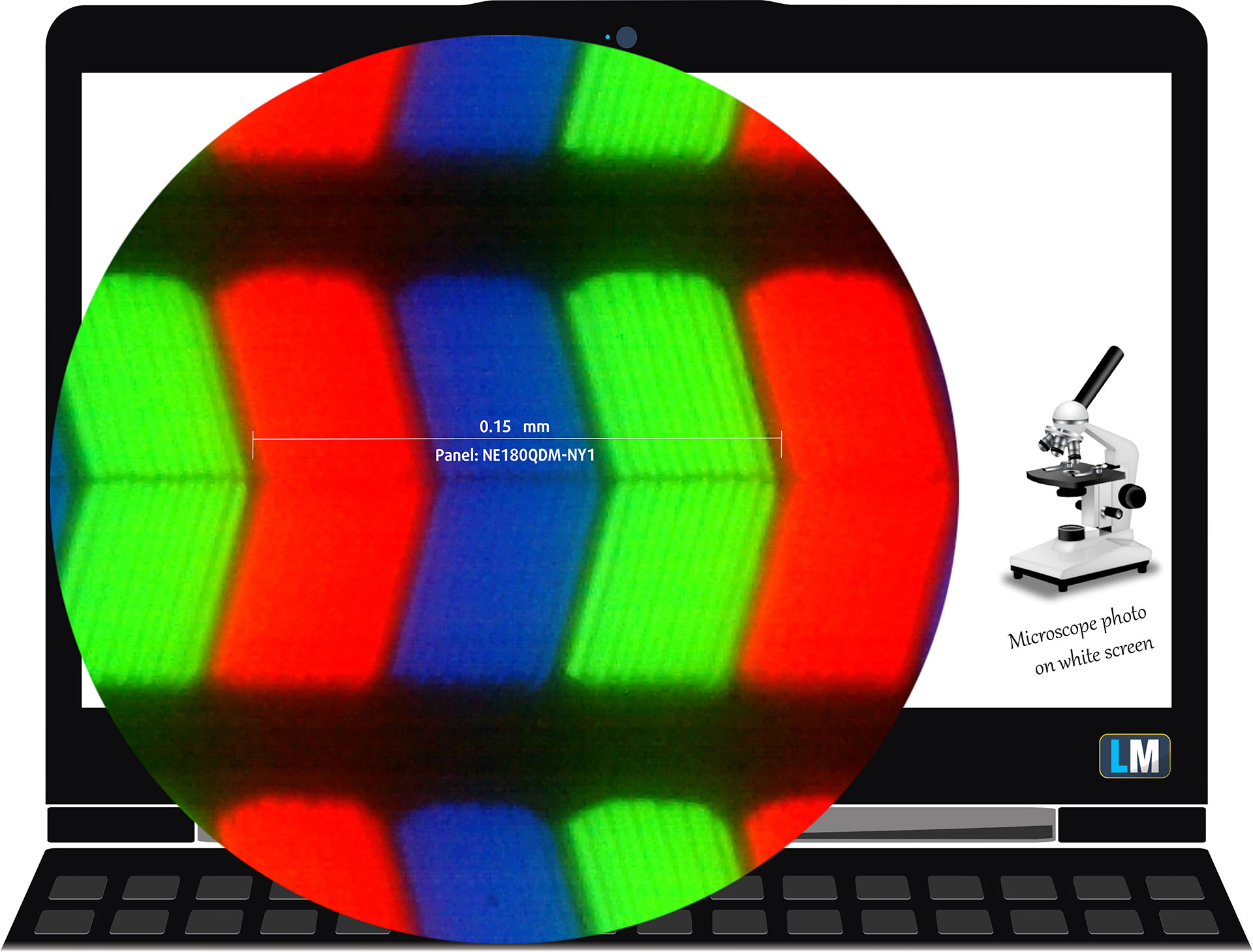 The WQXGA (2560 x 1600), 165 Hz, IPS display panel under our microscope
Viewing Angles
Viewing angles are good. We take photos from different angles to evaluate the quality.
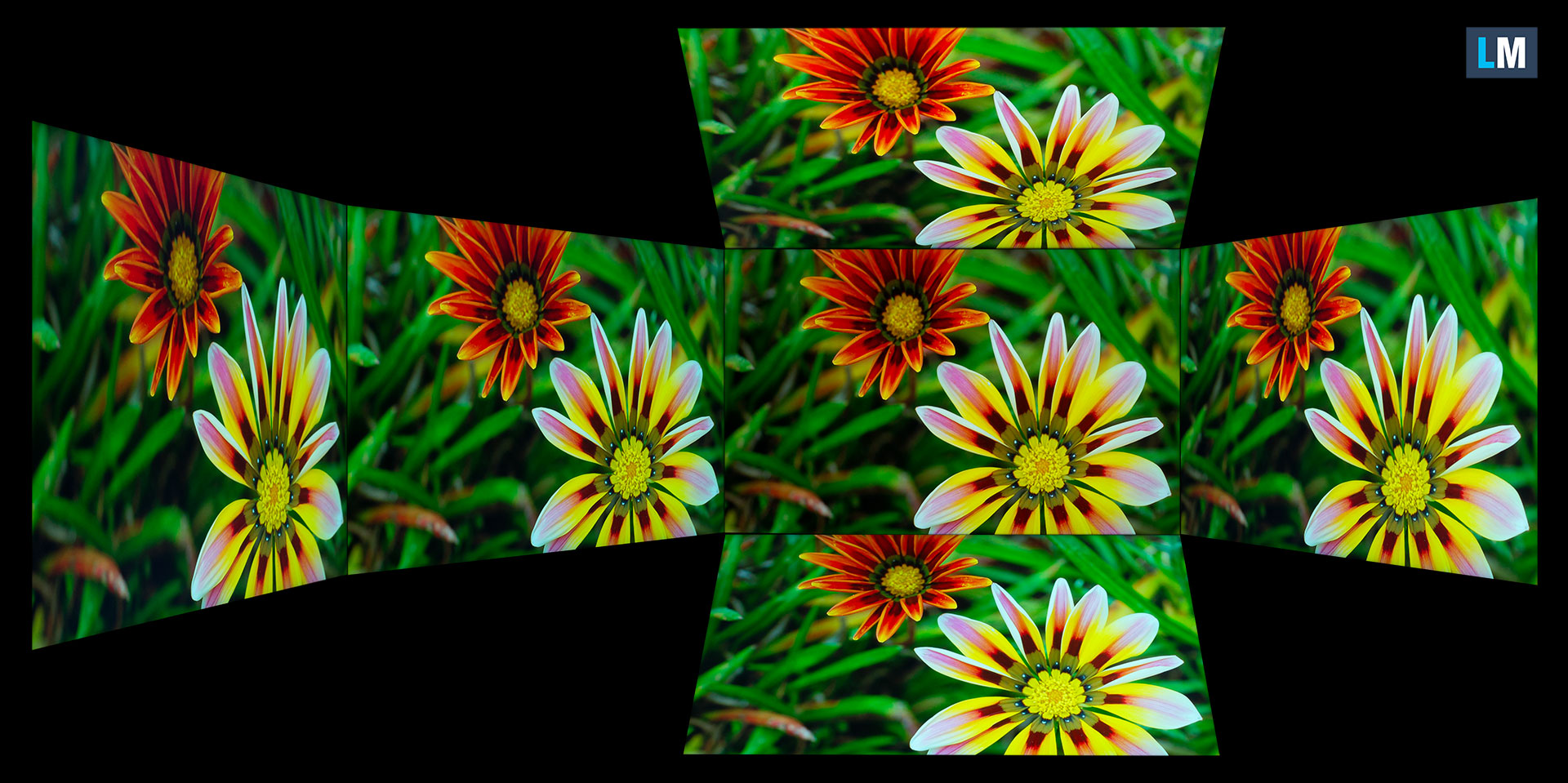
Also, a video with locked focus and exposure.
Color Coverage
The whole “sail-shaped” map below (Fig. 1) consists of all the colors we can see, while the black crooked line shows all the colors from real-world scenes and nature around us.
Then, we’ve drawn some of the most important and interesting color spaces, compared to the colors the panel of Acer Nitro 18 AI (AN18-61) can show:
Standard/For Web: sRGB – widely used color space for most consumer devices, ideal for Web design and development
For Print: AdobeRGB – used in professional photo editing, graphic design, and print
For Photographers/Video Editors: DCI-P3 – used in high-end film production, post-production, and digital cinema
Premium HDR: Rec.2020 – the widest consumer ITU color standard, covering a massive 75.8% of the visible spectrum, a benchmark for premium HDR content.
Acer Nitro 18 AI (AN18-61): the yellow dashed triangle (– – – – – –) represents the range of colors this display can show.
In our tests, we calculated the total color coverage of the display at 100% of the sRGB color gamut and 99% of the DCI-P3 color gamut.
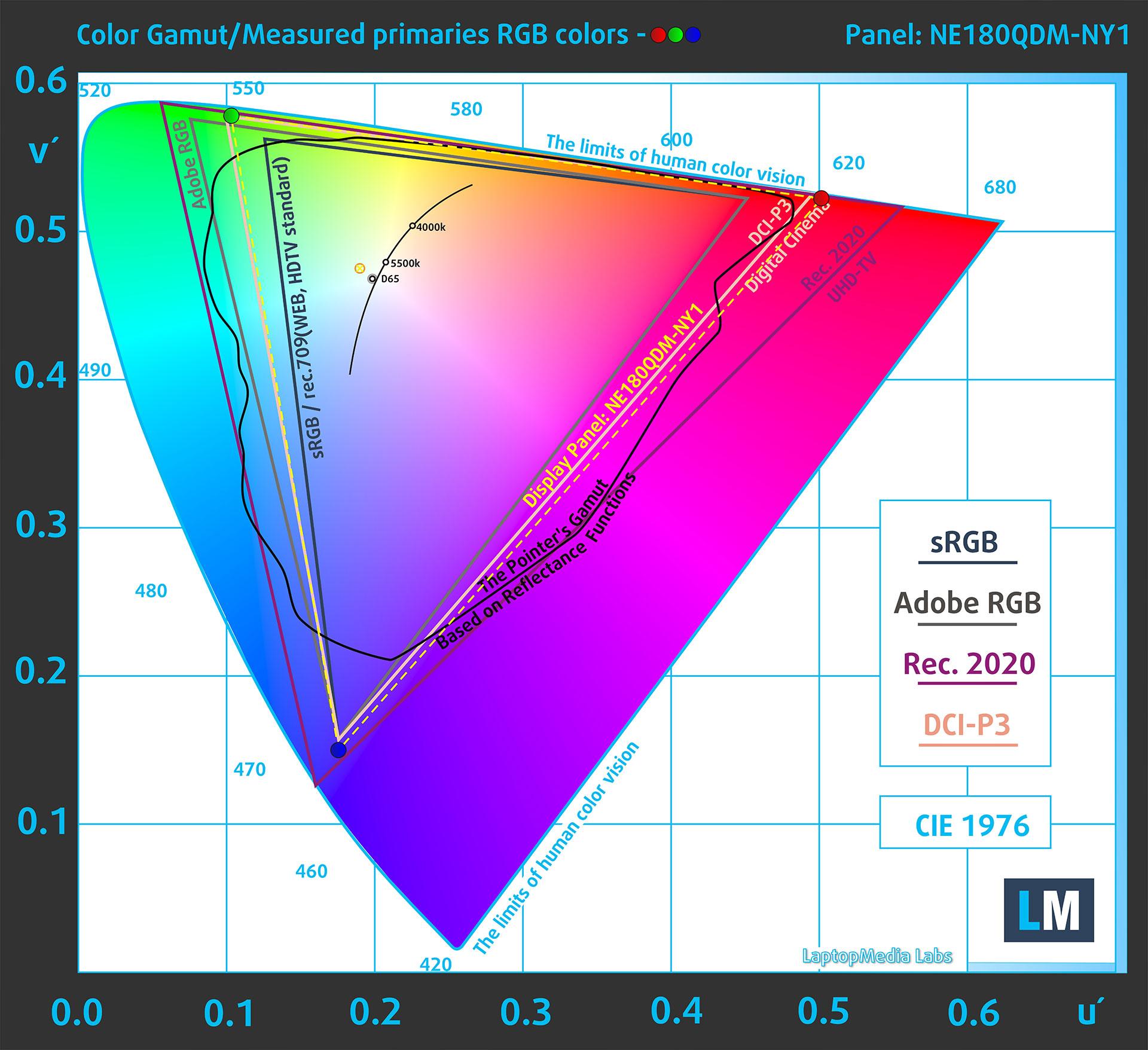
(Fig.1) Acer Nitro 18 AI (AN18-61) covers 99% of the DCI-P3 gamut
Brightness and Contrast
The maximum brightness in SDR mode is 333 cd/m² in the center of the screen and 309 cd/m² averaged across the surface with a maximum deviation of 12%.
The Correlated Color Temperature (CCT) on a white screen at maximum brightness is 6610K.
The contrast ratio is 1110:1.

Uniformity: Luminance, Contrast, and Color Deviation
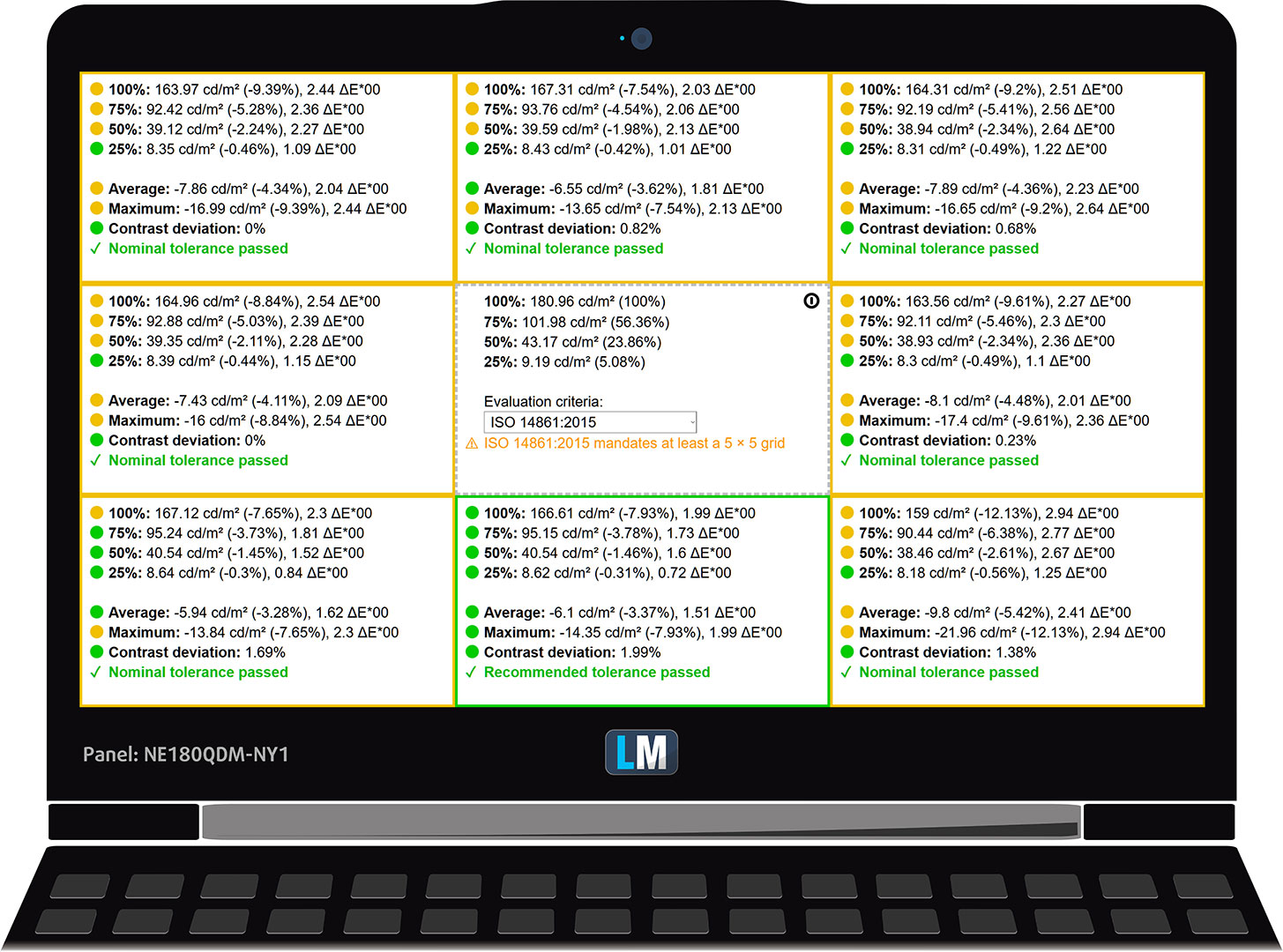
The figure below shows the results from our uniformity test across different sections of the screen. It’s measured at 181 nits (Windows slider = 63%) – a brightness level we consider typical for standard working conditions.
DeltaE values below 4.0 are acceptable for regular users. For those working with colors, screens with DeltaE values no higher than 2.0 are recommended.
Color Accuracy
Let’s check the difference between real colors and those you’ll see on the Acer Nitro 18 AI (AN18-61). We measure that distance in DeltaE – the higher the number, the more different they look.
Values below 4.0 are acceptable for regular users, while values below 2.0 are suitable for color-sensitive work. A value below 1.0 means the difference is indistinguishable to the naked eye.
For the next graph, we’ve selected 24 common colors, including dark/light skin, blue sky, green grass, etc.
Before our calibration of the Acer Nitro 18 AI (AN18-61), the Average color accuracy was 5.7 dE (Fig. 2), and with our Design and Office profile, it lowered to 1.0 dE (Fig. 3). This is an incredible achievement!
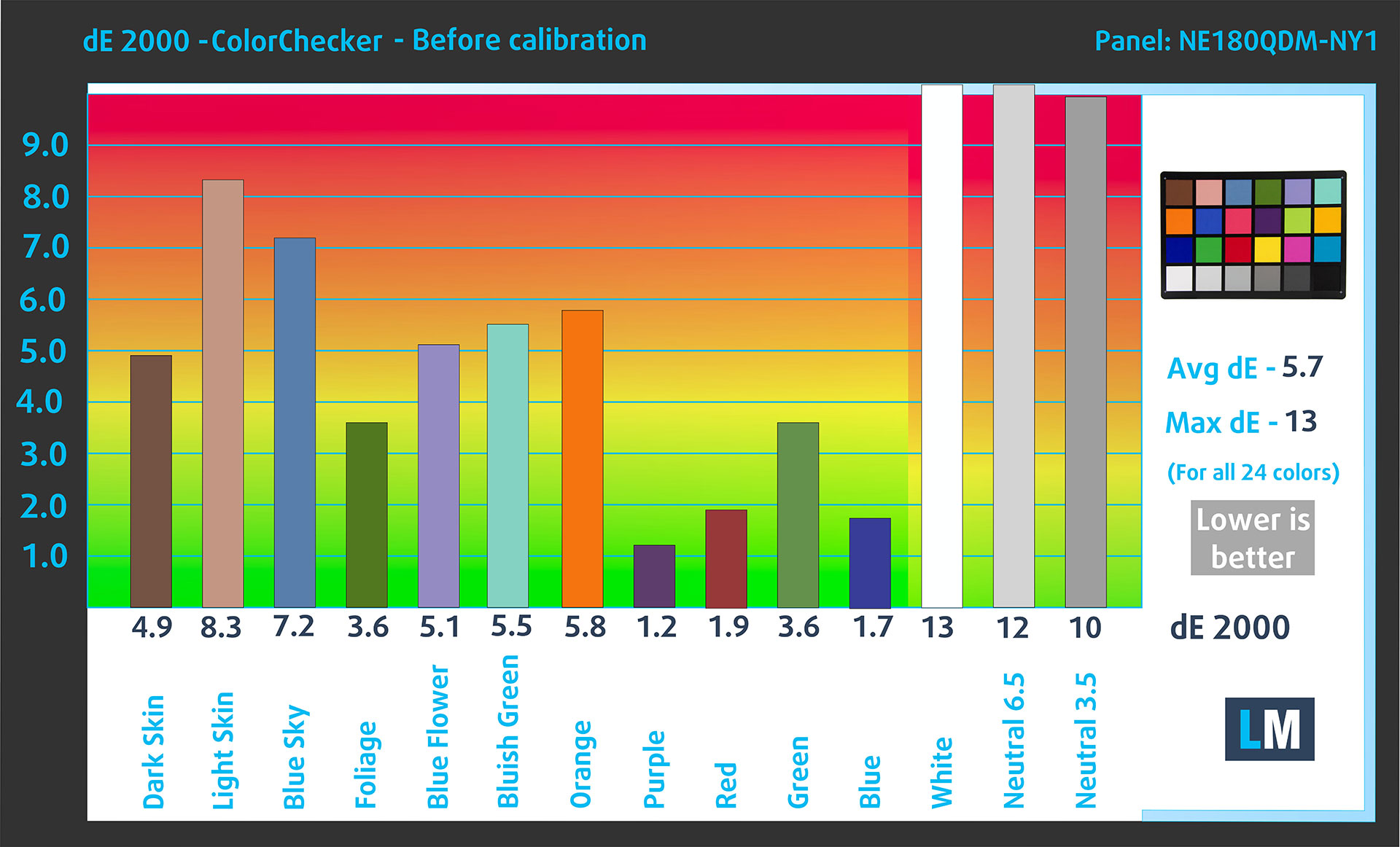
(Fig. 2) Acer Nitro 18 AI (AN18-61) in its factory condition

(Fig. 3) Acer Nitro 18 AI (AN18-61) with our display profile
Comparison in the Display P3 color space.
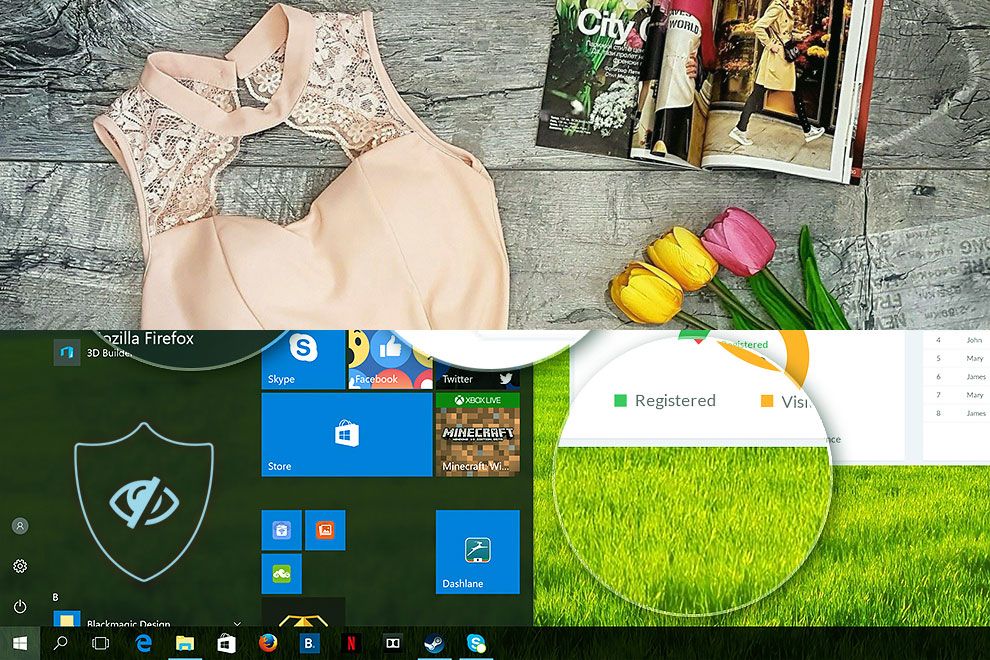
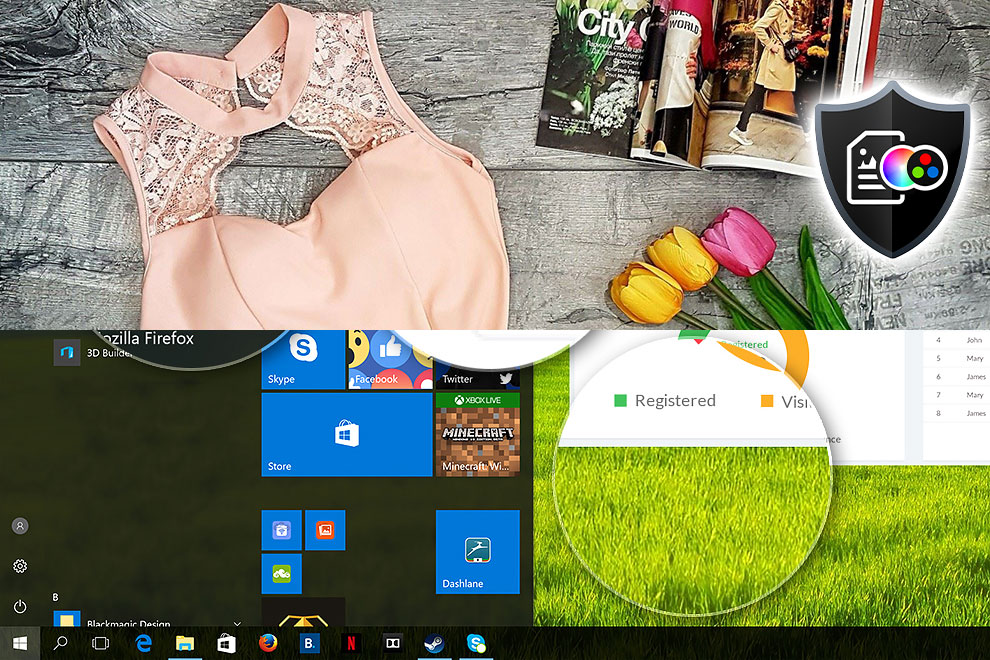
Here’s an illustration of what the Design and Office profile aims to deliver:
Left: No Profile | Drag the slider to see the difference | Right: Design & Office Profile
Visibility in dark scenes
Have you ever watched a movie with dark scenes where you could barely see anything? This often happens because many display panels struggle to differentiate the darkest nuances, making them appear the same.
The next figure illustrates how well the display reproduces these dark nuances. The left side of the image shows the display with stock settings, and the right side shows it with our Gaming and movies profile activated.
On the horizontal axis are the grayscale levels, and on the vertical axis – the corresponding display brightness.
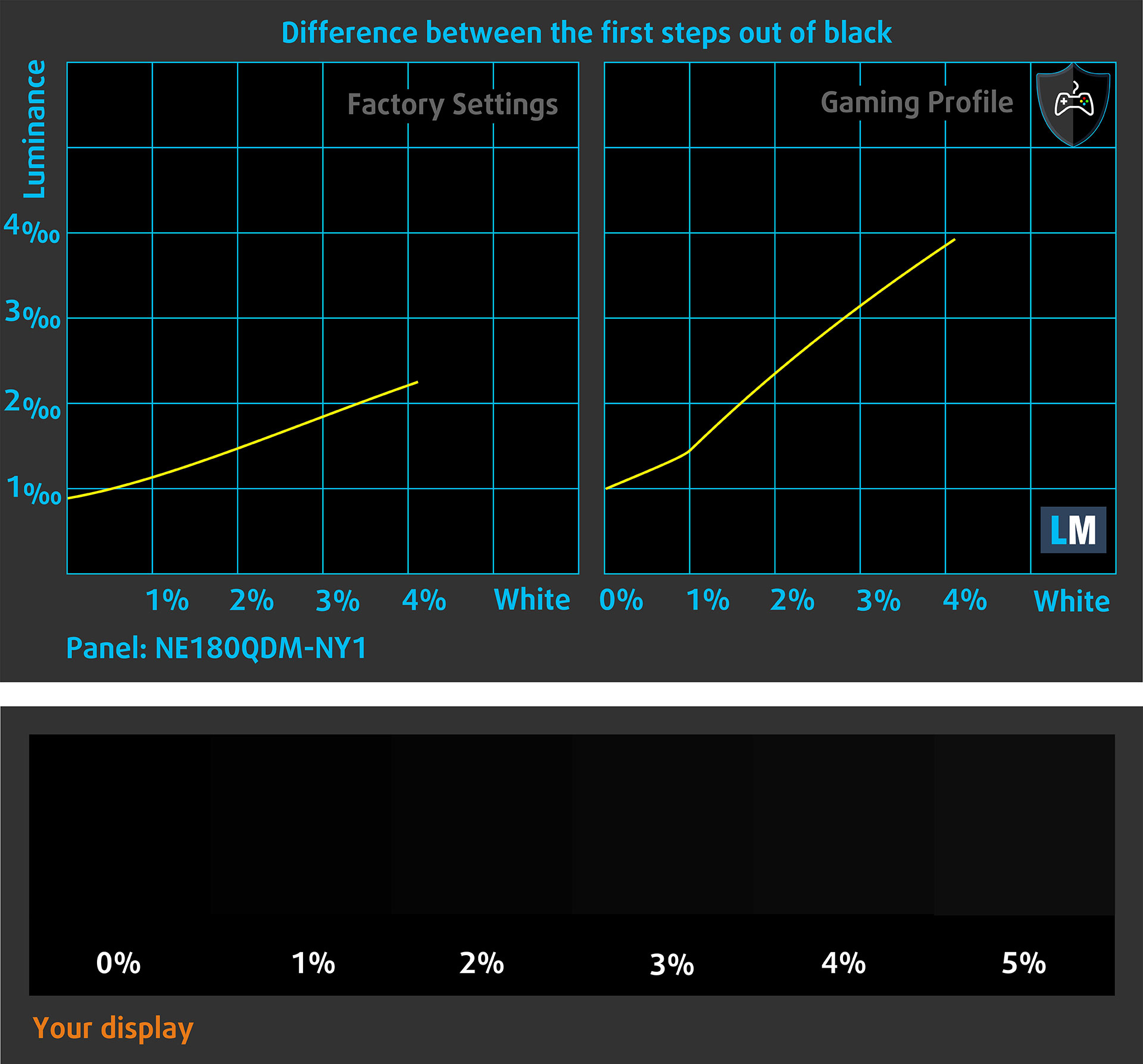
You can also check how your display handles the darkest nuances but keep in mind that this also depends on the settings of your current display and the surrounding light conditions.
Response time (Gaming capabilities)
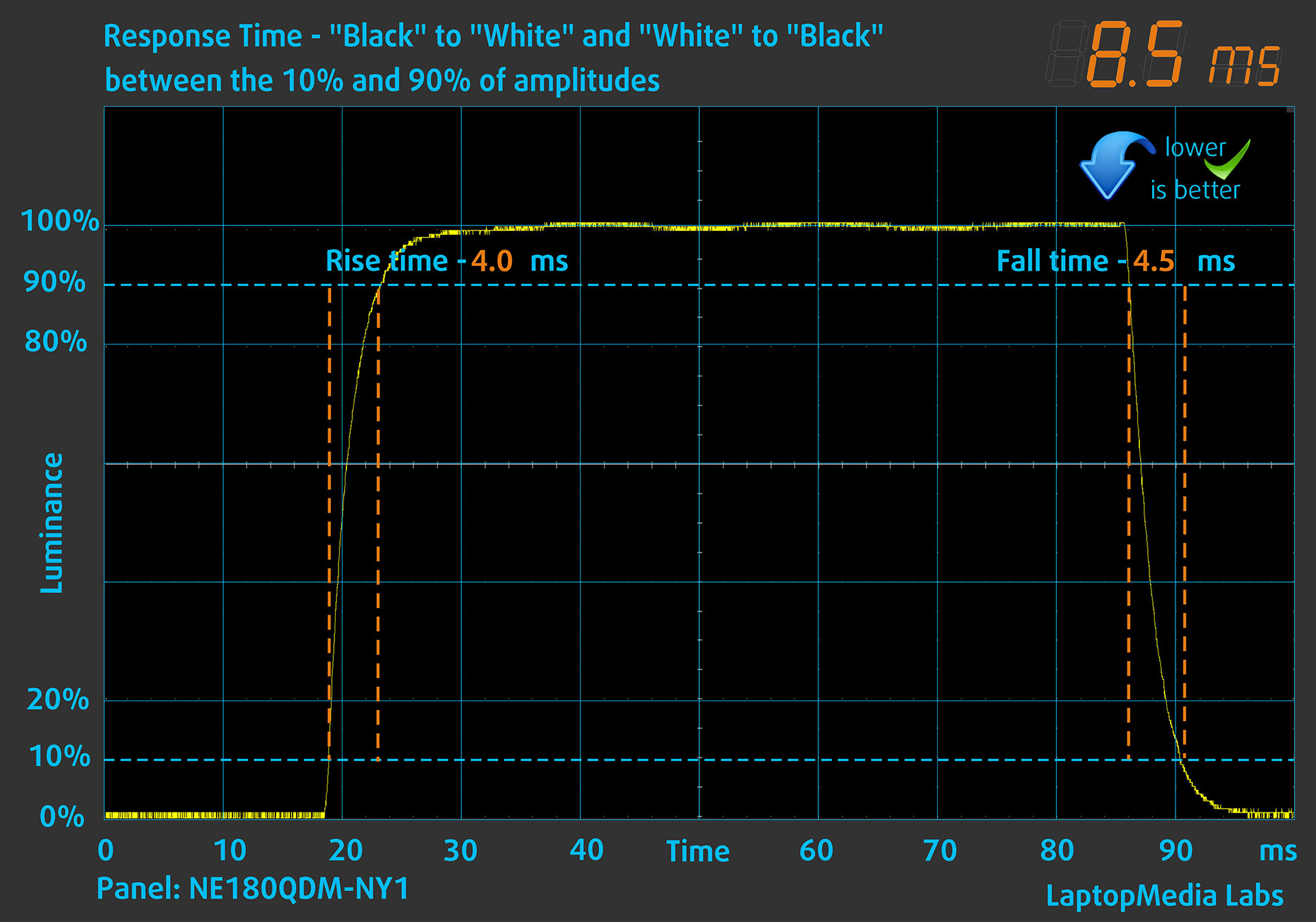
We test the reaction time of the pixels with the usual “black-to-white” and “white-to-black” method from 10% to 90% and vice versa.
We recorded Fall Time + Rise Time = 8.5 ms. Short pixel response time is a prerequisite for a smooth picture in dynamic scenes.
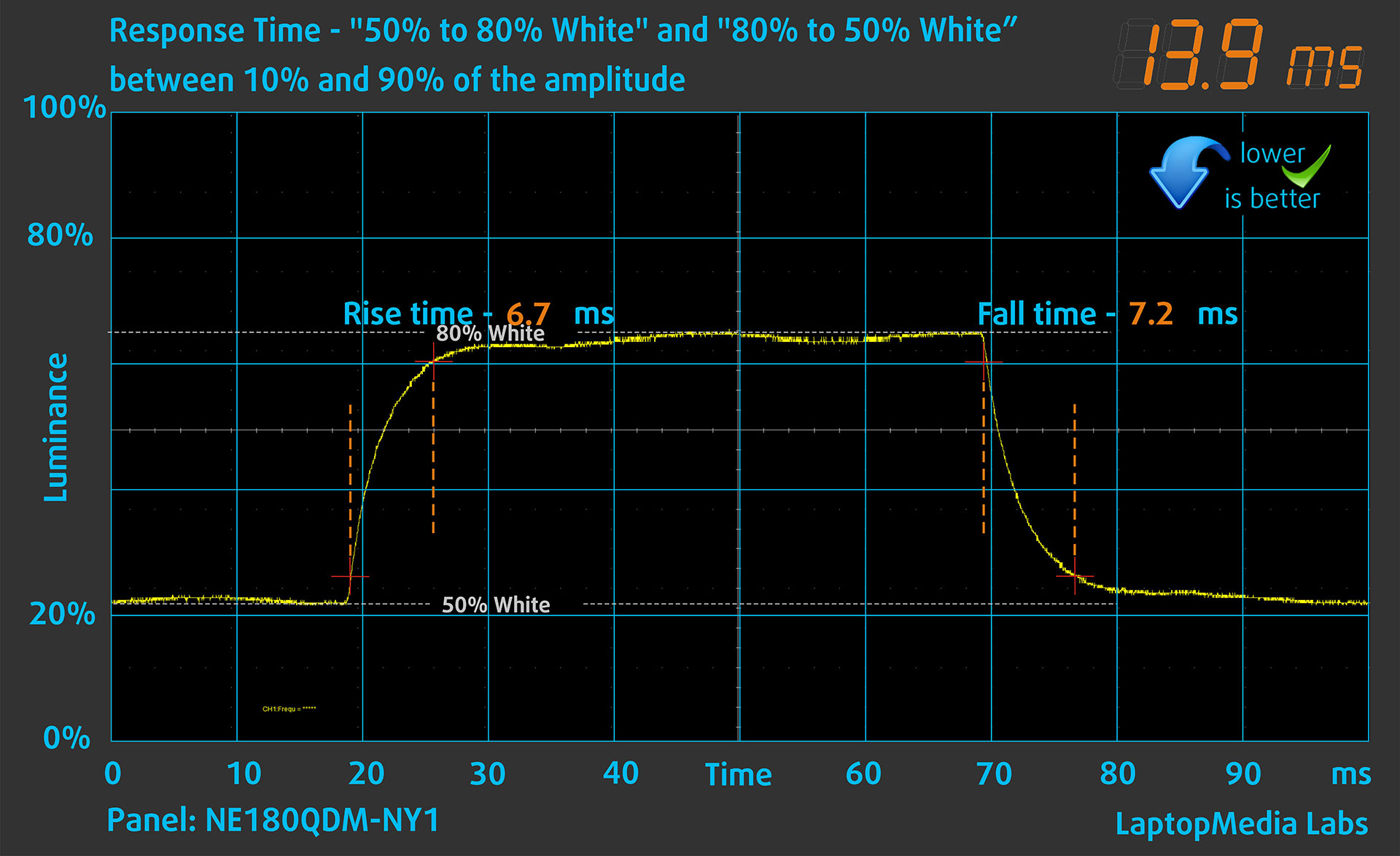
After that, we test the reaction time of the pixels with the usual “Gray-to-Gray” method from 50% White to 80% White and vice versa between 10% and 90% of the amplitude.
Health Impact: PWM (Screen flickering)
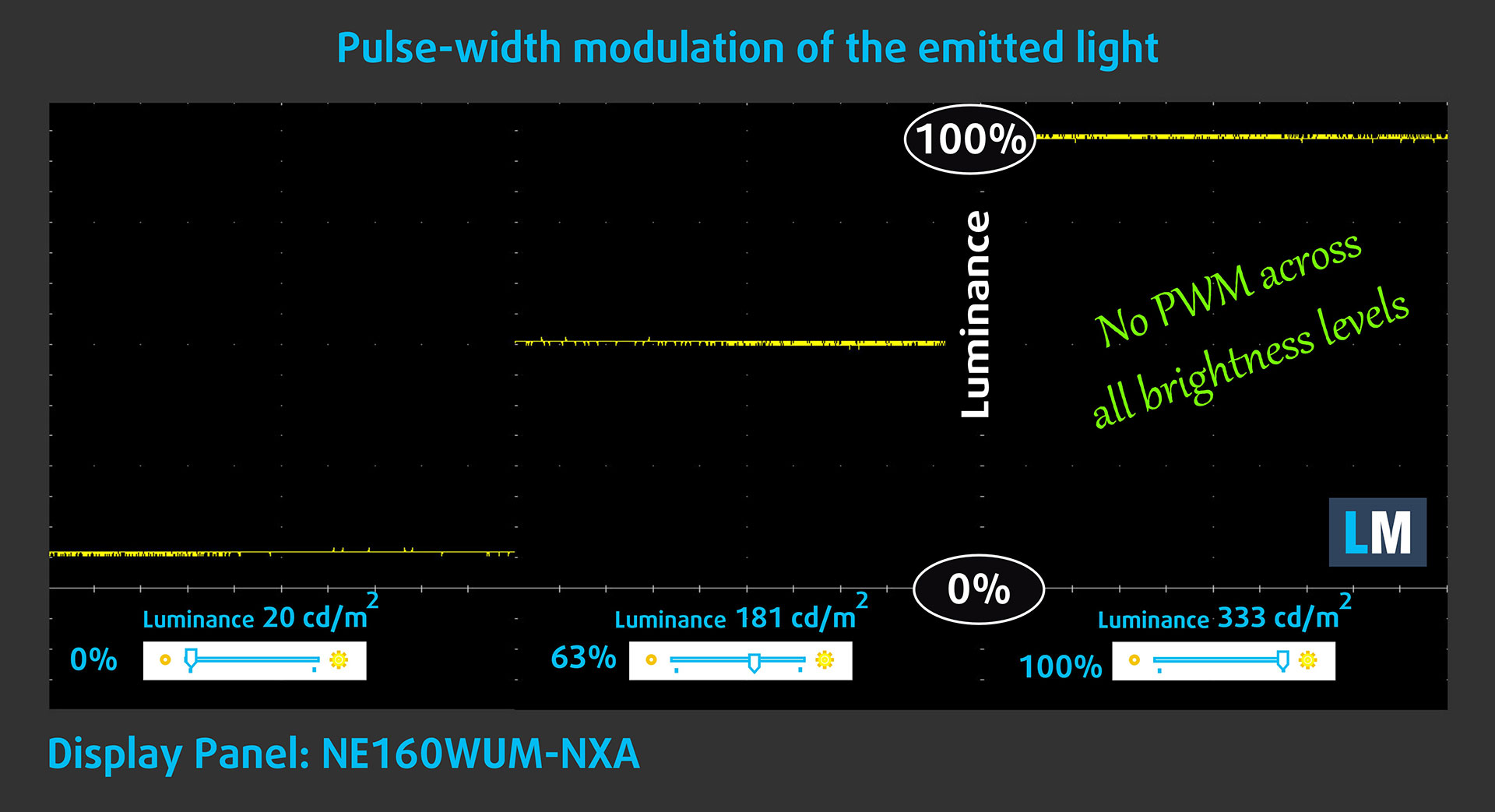
Some use PWM to regulate their brightness, which means that instead of reducing the light intensity, they pulse or flicker. Our brain merges the image, so it appears darker, but this strains both it and our vision, especially when the frequency of the pulses is low. You can read more about that in our dedicated article on PWM.
In the graph below, you see the intensity of light at different brightness levels—on the vertical axis is the brightness of the emitted light, and on the horizontal axis—time.
The light from the backlight of the Acer Nitro 18 AI (AN18-61) display is not pulse-width modulated, providing visual comfort in the discussed aspect.
Health Impact: Blue light emissions
Installing our Health-Guard profile reduces harmful Blue Light emissions while keeping the colors of the screen perceptually accurate.
If you’re not familiar with the Blue light, the TL;DR version is – emissions that negatively affect your eyes, skin, and your whole body. You can find more information about that in our dedicated article on Blue Light.
Health Impact: Screen Reflectance
Glossy-coated displays can cause eye fatigue in high ambient light conditions due to reflections. We measure the level of screen reflection with the display turned off, at a 60° angle.
The reflectance of the Acer Nitro 18 AI (AN18-61)’s screen is 47.8 GU. This is a good result!
High Gloss: >70 GU
Medium Gloss: 30 – 70 GU
Low Gloss: <30 GU
Get our profiles
Since our profiles are tailored for each individual display model, this article and its respective profile package are meant for Acer Nitro 18 AI (AN18-61) configurations with NE180QDM-NY1 (BOE0B78), 2560 x 1600, IPS panel.
*Should you have problems with downloading the purchased file, try using a different browser to open the link you’ll receive via e-mail. If the download target is a .php file instead of an archive, change the file extension to .zip or contact us at [email protected].
Read more about the profiles HERE.
कुशल और स्वास्थ्य के अनुकूल प्रोफाइल प्राप्त करने के अलावा, LaptopMedia के उत्पादों को खरीदकर आप हमारी प्रयोगशालाओं के विकास का भी समर्थन करते हैं, जहाँ हम सबसे वस्तुनिष्ठ समीक्षाएँ प्रस्तुत करने के लिए उपकरणों का परीक्षण करते हैं।

Design and Office
Design and Office प्रोफ़ाइल प्रदर्शन रंगों को वास्तविकता के जितना संभव हो उतना करीब बनाती है।न केवल पेशेवरों के लिए बल्कि रोजमर्रा के उपयोगकर्ताओं के लिए भी आदर्श, यह आपके पैनल पर सटीक रंग पुनरुत्पादन के लिए न्यूनतम DeltaE के साथ sRGB मानकों (D65 व्हाइट पॉइंट, sRGB गामा) को पूरा करता है।

गेमिंग और मूवीज़
क्या आपने कभी ऐसी फिल्म देखी है जहाँ, अंधेरे दृश्यों के दौरान, आप मुश्किल से कुछ भी देख पाते हैं? कई डिस्प्ले डार्क टोन को ठीक से अलग करने में विफल रहते हैं। हमारा गेमिंग और मूवीज़ प्रोफ़ाइल मानव धारणा के अनुरूप गामा वक्र का उपयोग करके, HDR तकनीक की तरह, कम-रोशनी के प्रदर्शन को बढ़ाता है - तेज़ प्रतिक्रियाओं और स्पष्ट दृश्यों की तलाश करने वाले गेमर्स के लिए आदर्श।

Health-Guard
हमारा Health-Guard प्रोफ़ाइल PWM फ़्लिकरिंग को समाप्त करके, तनाव और थकान को कम करके, और हानिकारक ब्लू लाइट एक्सपोज़र को कम करके आपकी आँखों की सुरक्षा करता है जो नींद और स्वास्थ्य को बाधित कर सकता है। यह स्क्रीन उपयोग के दौरान आराम और सुरक्षा के लिए सॉफ़्टवेयर डिमिंग और मानव धारणा के अनुरूप गामा वक्र का उपयोग करता है।
33% छूट के साथ सभी प्रोफाइल प्राप्त करें!

Sound
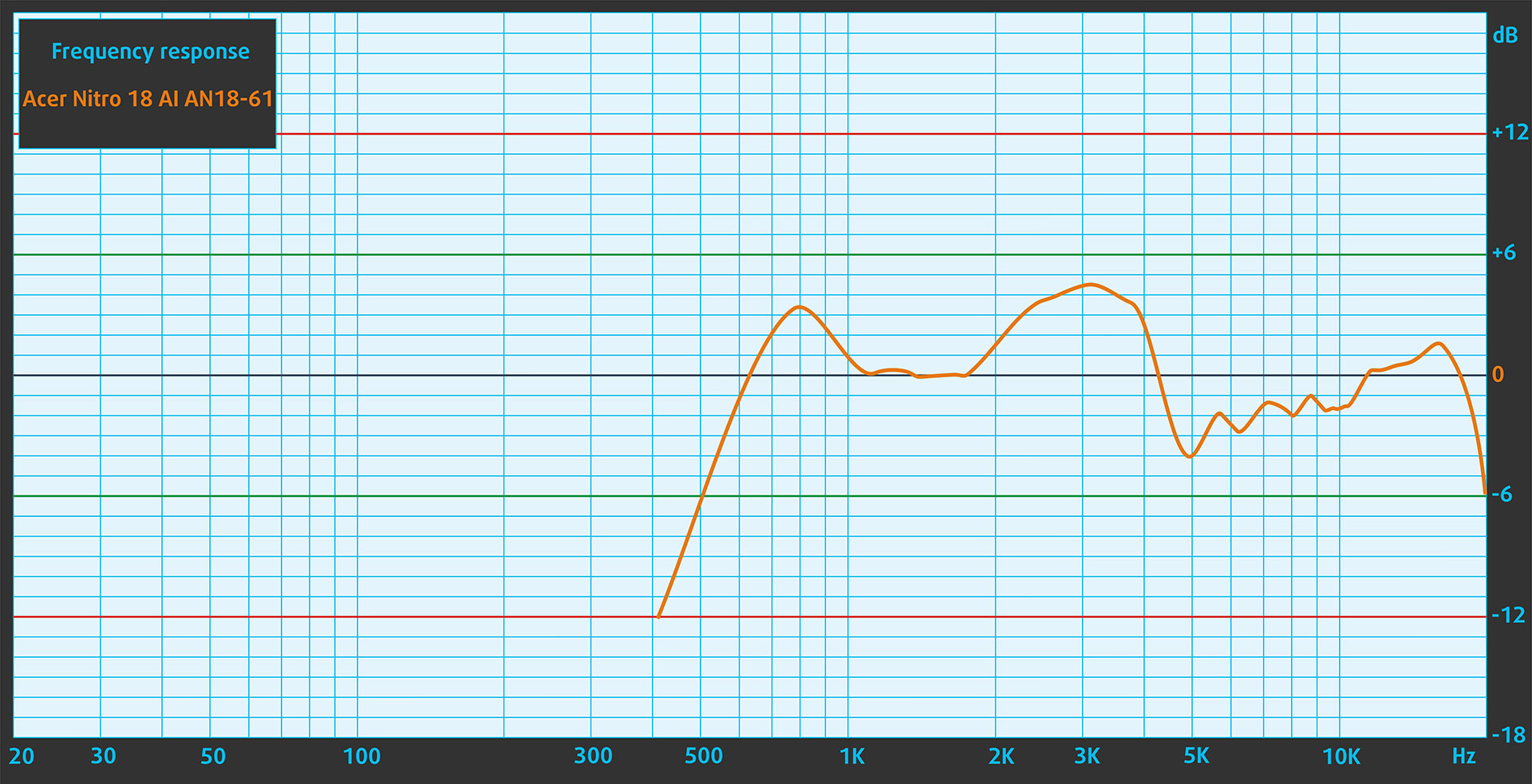
When we subjectively listen to a sound file through the built-in speakers (2×stereo speakers), the sound quality offered by the Acer Nitro 18 AI (AN18-61) is very good. The low, mid, and high frequencies are clear.
Work Performance: CPU, Storage, AI
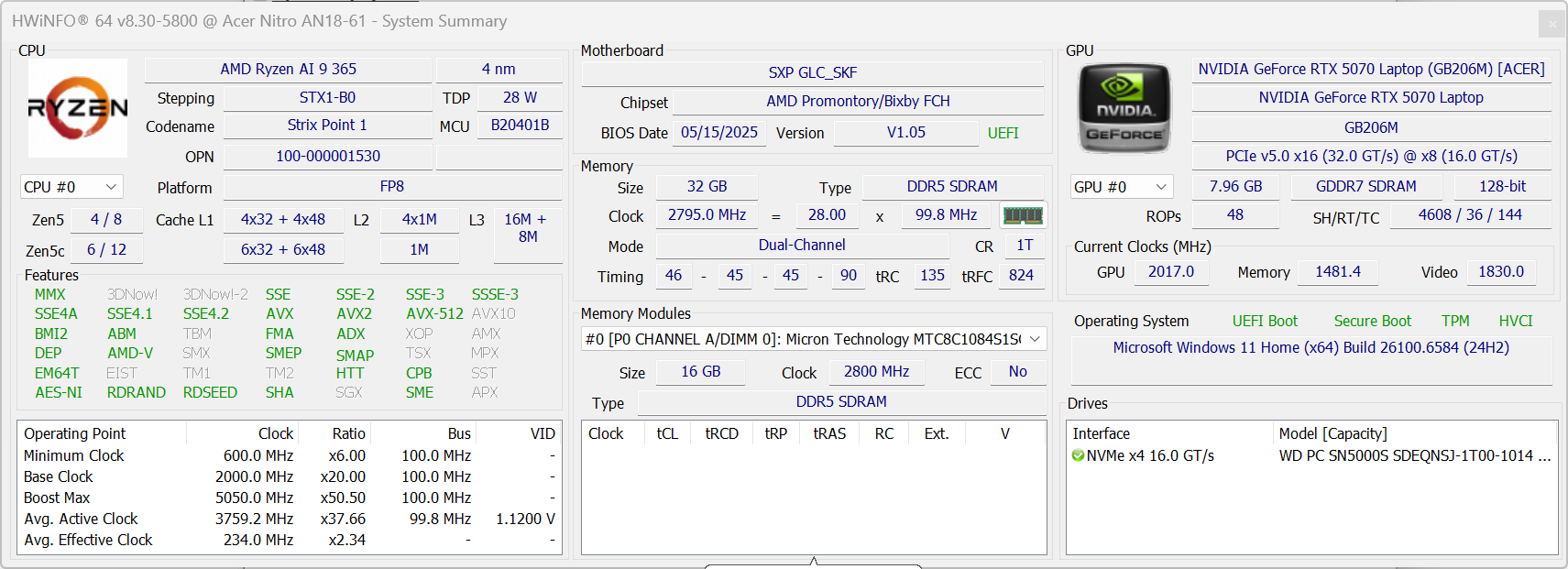
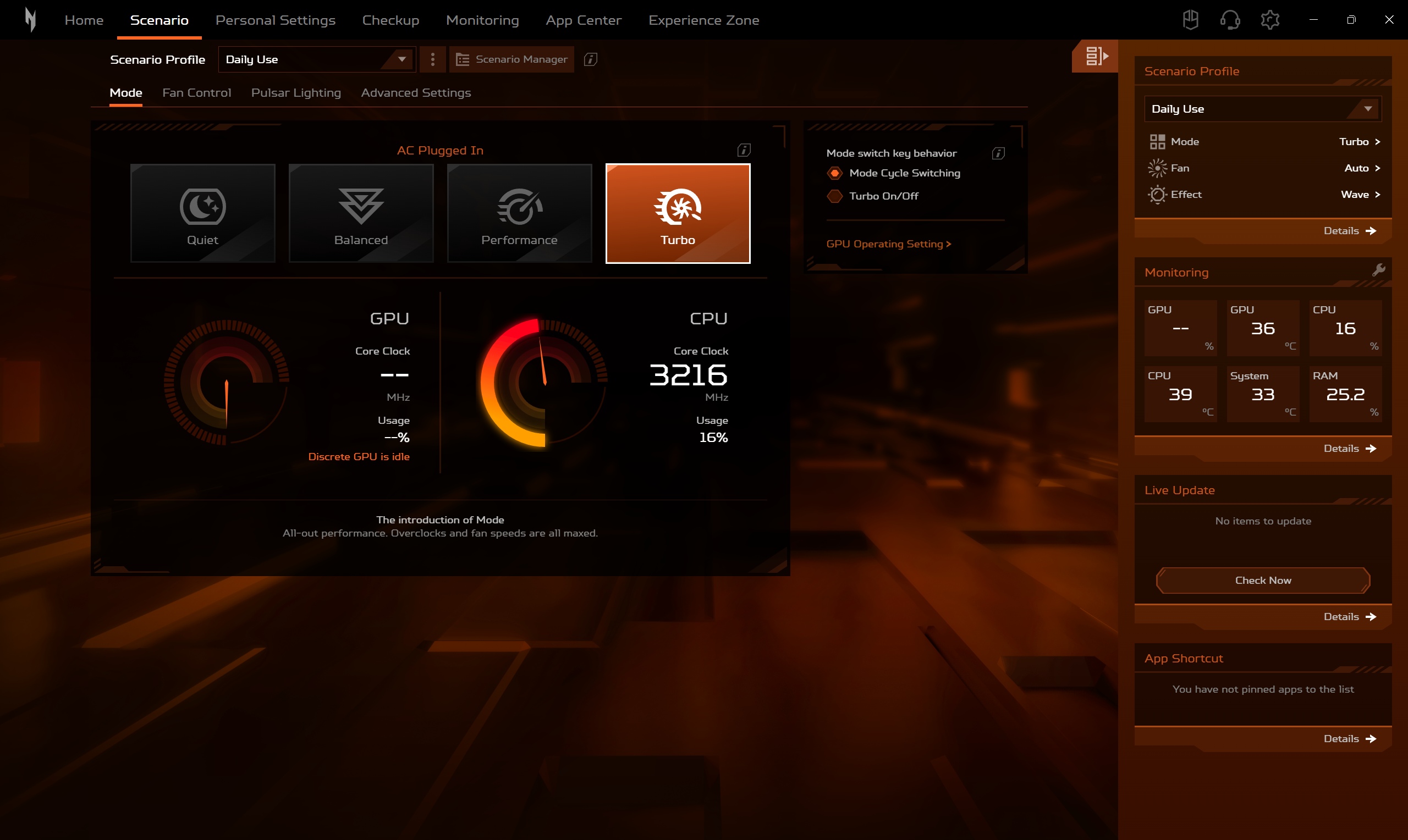
All performance and temperature tests are conducted with Turbo Mode / dGPU activated in NitroSense:
CPU and Work Performance
The Acer Nitro 18 AI (AN18-61) is powered by AMD’s Ryzen AI processors, with configurations that include the Ryzen AI 9 365 and the Ryzen AI 7 350. The Ryzen AI 9 365 holds a strong position around #38 in our Top Laptop CPU Ranking, while the Ryzen AI 7 350 sits around #54, offering solid performance for gaming, AI-assisted tasks, and productivity workloads depending on the configuration you choose.
In Single-core, AMD Ryzen AI 9 365 is pretty fast, comparable to Intel Core i9-14900HX. In the 3D rendering test, the Intel Core i9-14900HX is 32% faster, and the Intel Core Ultra 7 255HX is 44% more powerful. The other Acer Nitro 18 AI in the chart is the same series with the only difference being the GPU – RTX 5060, so the almost equal result was to be expected.
Single-core प्रदर्शन ऑपरेटिंग सिस्टम में सुचारू संचालन और प्रतिक्रिया सुनिश्चित करता है, जिससे एक बेहतर उपयोगकर्ता अनुभव मिलता है।
परिणाम Geekbench 6 Single-Core टेस्ट से हैं (उच्चतर बेहतर है)
Multi-core प्रदर्शन जटिल और मांग वाले कार्यों, जैसे वीडियो संपादन, CAD, और वैज्ञानिक सिमुलेशन को संभालने के लिए आवश्यक है।
परिणाम Geekbench 6 Multi-Core टेस्ट से हैं (उच्चतर बेहतर है)
यहां, हम एक वास्तविक-विश्व 3D रेंडरिंग कार्य का उपयोग करके CPU के प्रदर्शन का मूल्यांकन करते हैं, जटिल संगणनाओं और रेंडरिंग वर्कलोड को कुशलतापूर्वक संभालने की इसकी क्षमता का आकलन करते हैं।
परिणाम Cinebench 2024 Multi-Core टेस्ट से हैं (उच्चतर बेहतर है)
Storage Performance
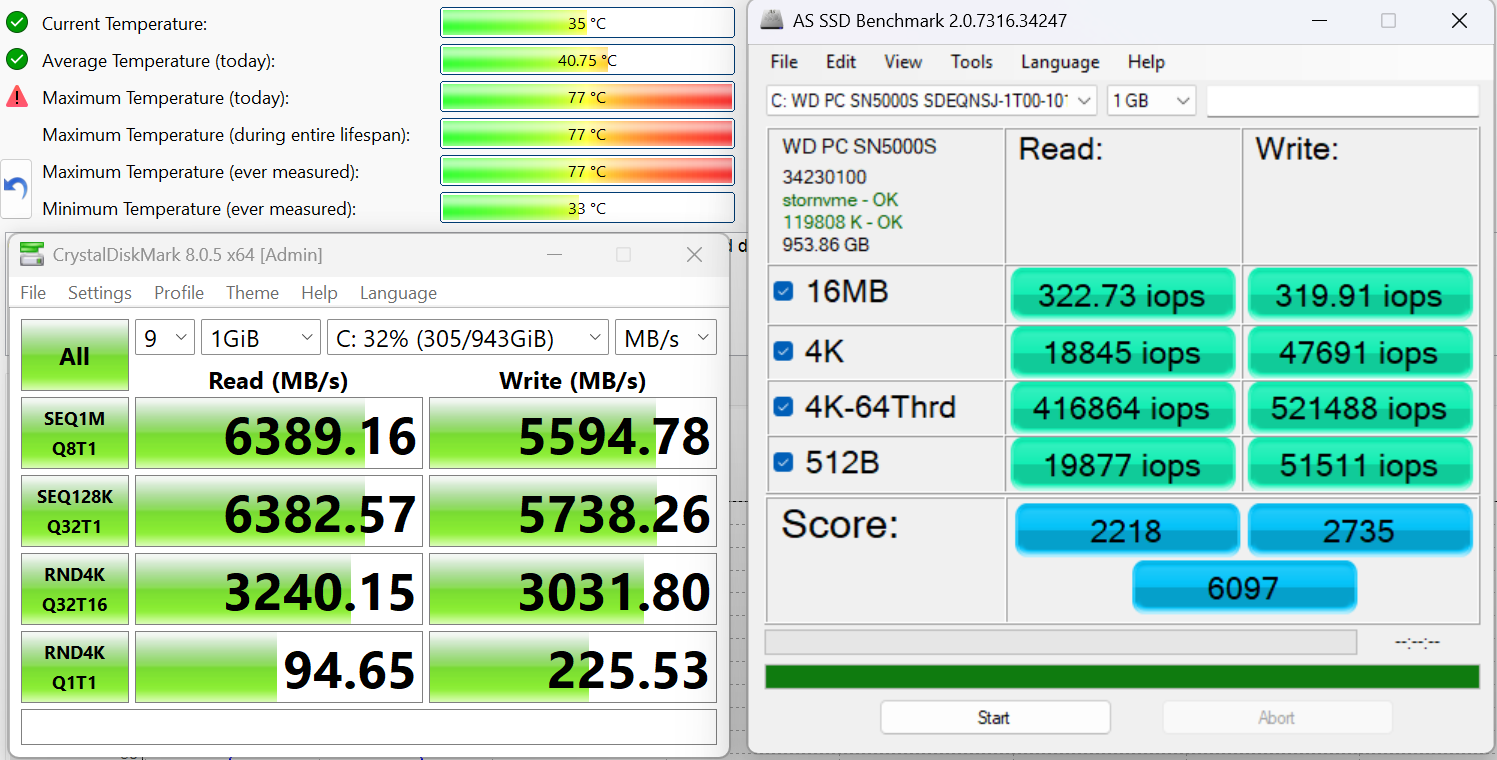
We ordered a 1TB configuration and it arrived with a WD PC SN5000S (SDEQNSJ-1T00-1014) PCIe x4 16.0 NVMe drive. It is rather fast with up to 6.4GB/sec sequential read, and 5.6GB/sec sequential write speeds:
AI Performance
यहां आप Acer Nitro 18 AI (AN18-61) में पाए जाने वाले GPU और CPU (NPU) की स्थिति को हमारे AI हार्डवेयर प्रदर्शन रैंकिंग में उनकी AI प्रसंस्करण शक्ति के आधार पर देख सकते हैं, जिसे TOPS (Tera Operations Per Second) में मापा जाता है - यह एक महत्वपूर्ण मीट्रिक है जो कम्प्यूटेशनल थ्रूपुट को इंगित करता है, विशेष रूप से AI कार्यों के लिए।
पहला कॉलम INT8/FP8 précision के लिए चरम प्रदर्शन दिखाता है, जो AI inference क्षमताओं का मूल्यांकन करने के लिए सबसे व्यापक मीट्रिक है। हम सघन गणना परिदृश्यों में AI प्रदर्शन का अधिक सटीक प्रतिबिंब प्रदान करने के लिए Sparsity को बाहर रखते हैं जहाँ Sparsity अनुकूलन लागू नहीं हो सकते हैं। दूसरे और तीसरे कॉलम Sparsity के साथ प्रदर्शन, और FP4 TFLOPS, जब समर्थित हो, दिखाते हैं।
SoCs के लिए, परिणाम एकीकृत NPU के चरम प्रदर्शन को दर्शाते हैं। इसके अतिरिक्त, यह ध्यान रखना महत्वपूर्ण है कि, Microsoft के अनुसार, PC को "AI-सक्षम" माने जाने के लिए NPU में कम से-कम 40 TOPS AI कंप्यूटिंग शक्ति होनी चाहिए।
| # | GPU / CPU (NPU) | TOPS INT8/FP8 No Sparsity | TOPS INT8/FP8 Sparsity | TFLOPS FP4 Sparsity |
|---|---|---|---|---|
| 669. | NVIDIA GeForce RTX 5070 Ti (Laptop) | 209 | 418 | 836 |
| 849. | NVIDIA GeForce RTX 5070 (Laptop) | 173 | 346 | 692 |
| 1014. | NVIDIA GeForce RTX 5060 (Laptop) | 133 | 266 | 532 |
| 1559. | AMD Ryzen AI 9 365 | 50 | — | — |
| 1572. | AMD Ryzen AI 7 350 | 50 | — | — |
GPU and Gaming Performance
On the graphics front, the Nitro 18 AI offers a range of NVIDIA RTX laptop GPUs. The RTX 5070 Ti stands out near the top of this lineup at #12 in our Top Laptop Graphics Ranking, followed by the RTX 5070 (#19) and the RTX 5060 (#29). These GPUs deliver strong performance for modern gaming, real-time ray tracing, and GPU-accelerated creative applications, making the Nitro 18 AI a capable choice for users looking for a large-screen gaming experience.
Acer Nitro 18 AI (AN18-61), along with Acer Predator Helios Neo 18 AI, are significantly faster than the other series in our tests. For example AN18-61 has 10% higher score in Time Spy (Graphics) compared to Acer Nitro V 17 AI (ANV17-41) with the same GPU.
If you’re choosing between RTX 5060 and RTX 5070, the AN18-61 with the latter is 11-12% more powerful.
परिणाम 3DMark Time Spy (Graphics) से हैं। उच्चतर बेहतर है।
परिणाम 3DMark Wild Life Extreme Unlimited से हैं। उच्चतर बेहतर है।
Gaming tests

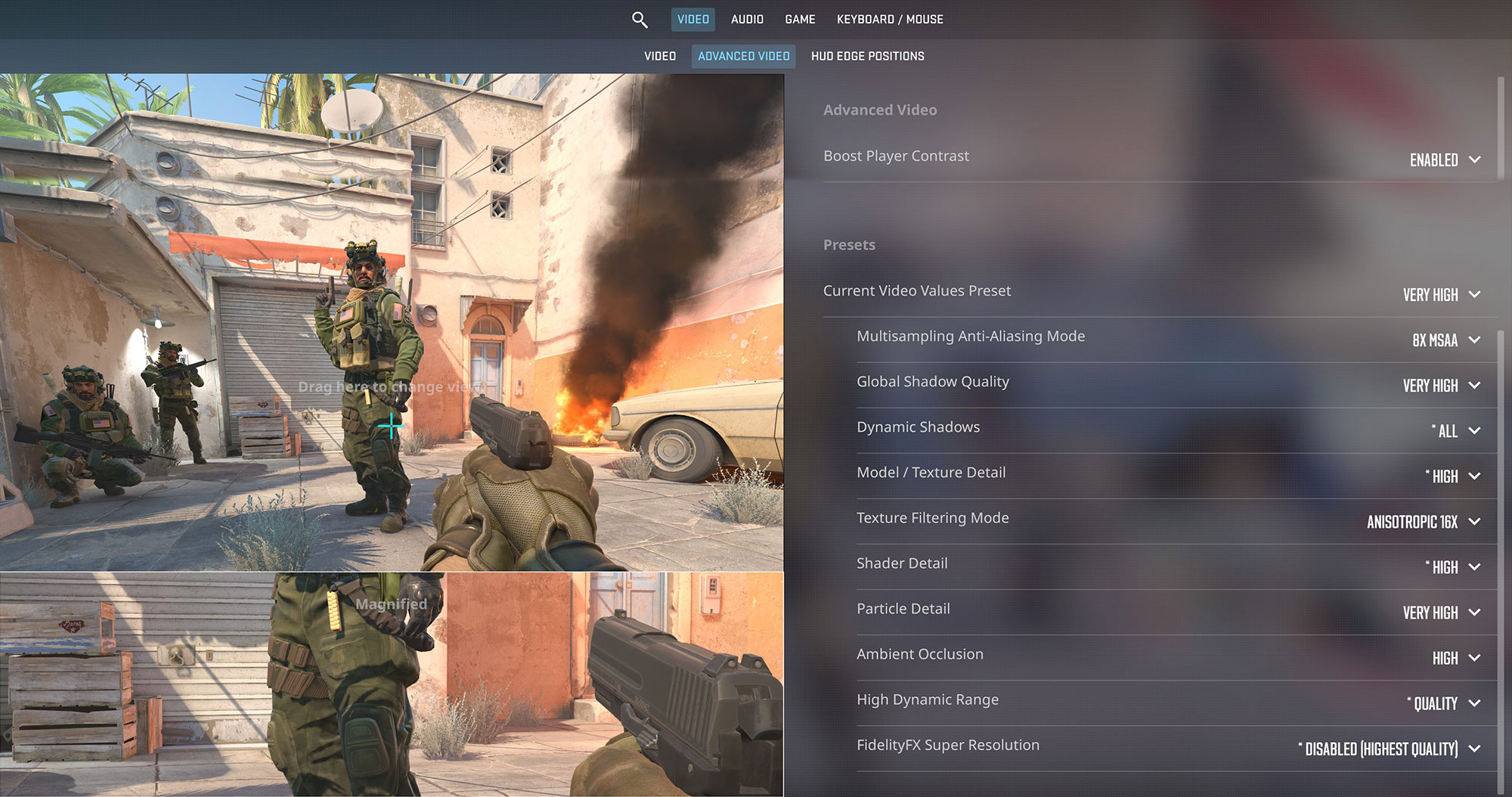
The Acer Nitro 18 AI is a great choice for competitive shooters. In Counter-Strike 2, it hits 219 FPS at 1200p and maintains a solid 161 FPS at the native 1600p resolution on Very High settings, practically matching the display’s 165Hz refresh rate.
| Counter Strike 2 | 1200p, Very High (Check settings) | 1600p, Very High (Check settings) |
| Average FPS | 219 FPS | 161 FPS |

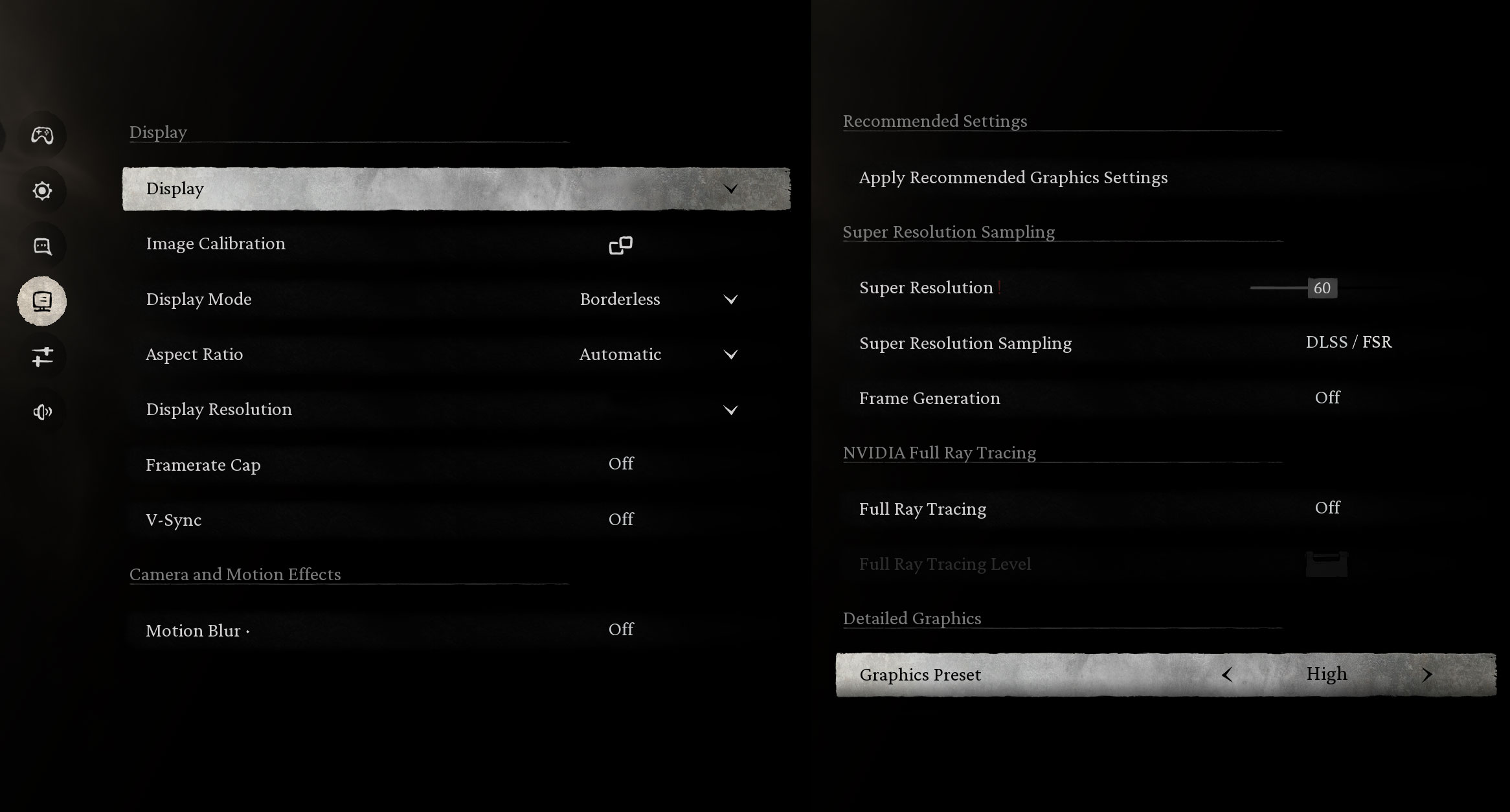
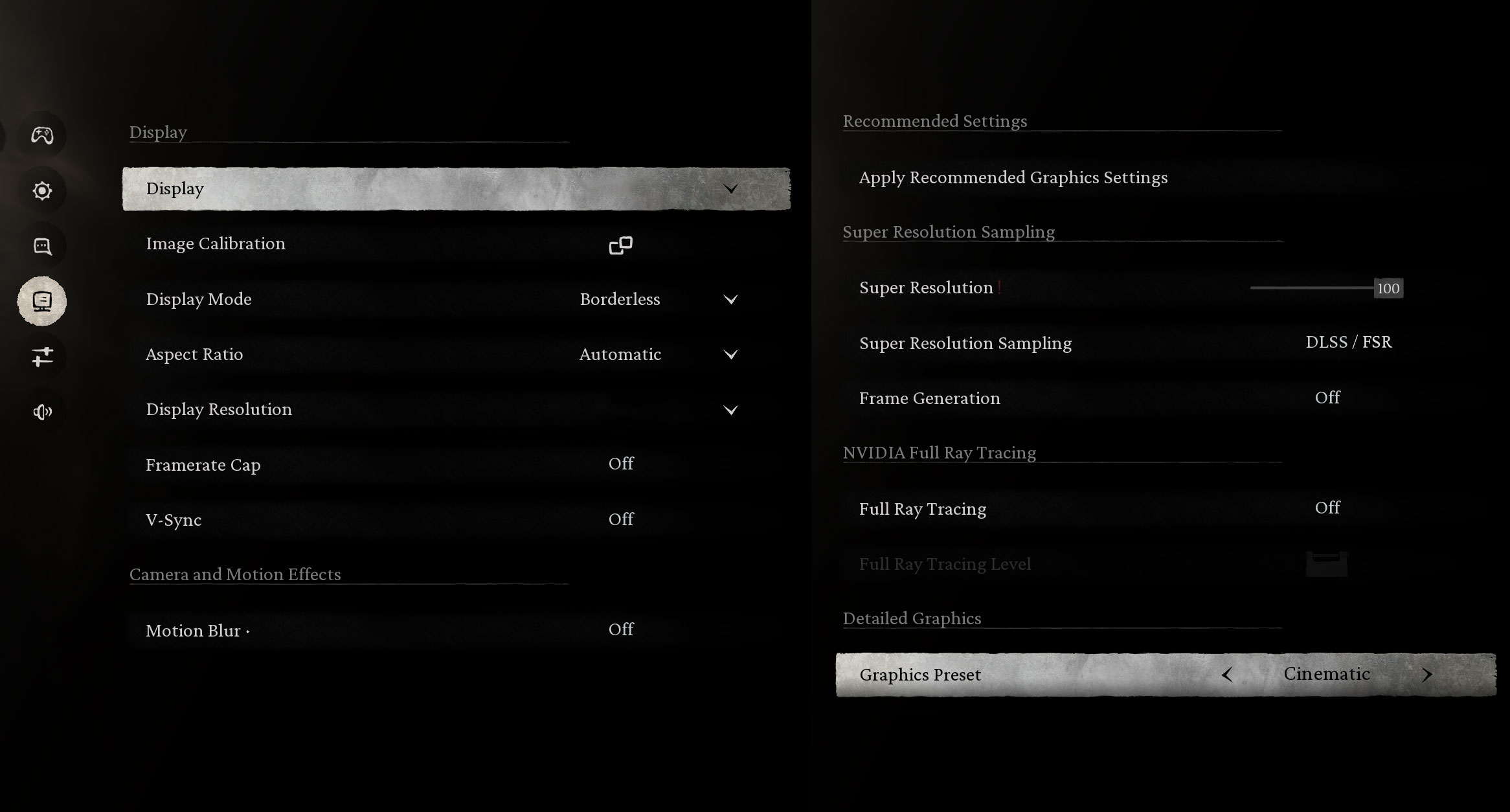
For graphically intense titles like Black Myth: Wukong, the laptop performs well on High settings, averaging 81 FPS at 1600p. The Cinematic preset is too heavy for native resolution, dropping to 28 FPS, so you’ll want to stick to High.
| Black Myth: Wukong | 1600p, High (Check settings) | 1600p, Cinematic (Check settings) |
| Average FPS | 81 FPS | 28 FPS |

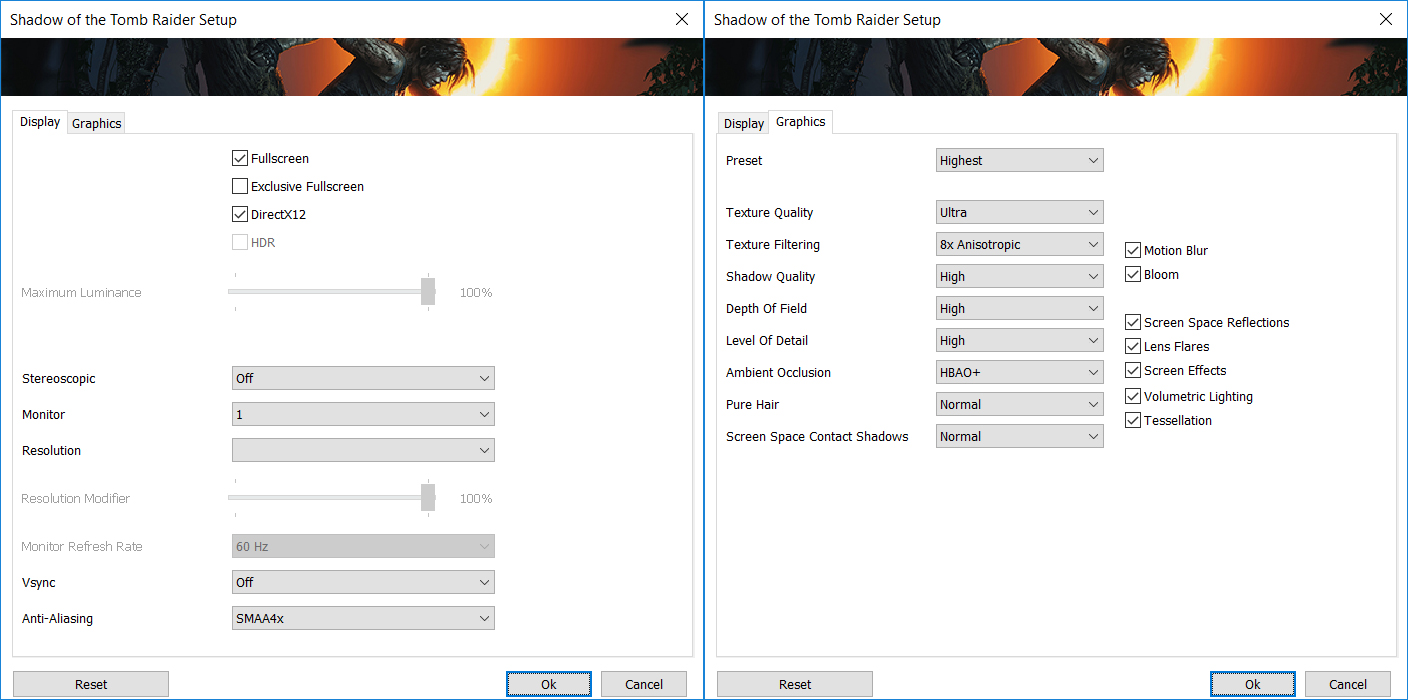
The RTX 5070 handles Shadow of the Tomb Raider comfortably. It achieves a fluid 130 FPS at 1200p and remains very playable at the native 1600p resolution with 79 FPS, both on the Highest quality preset.
| Shadow of the Tomb Raider | 1200p, Highest (Check settings) | 1600p, Highest (Check settings) |
| Average FPS | 130 FPS | 79 FPS |

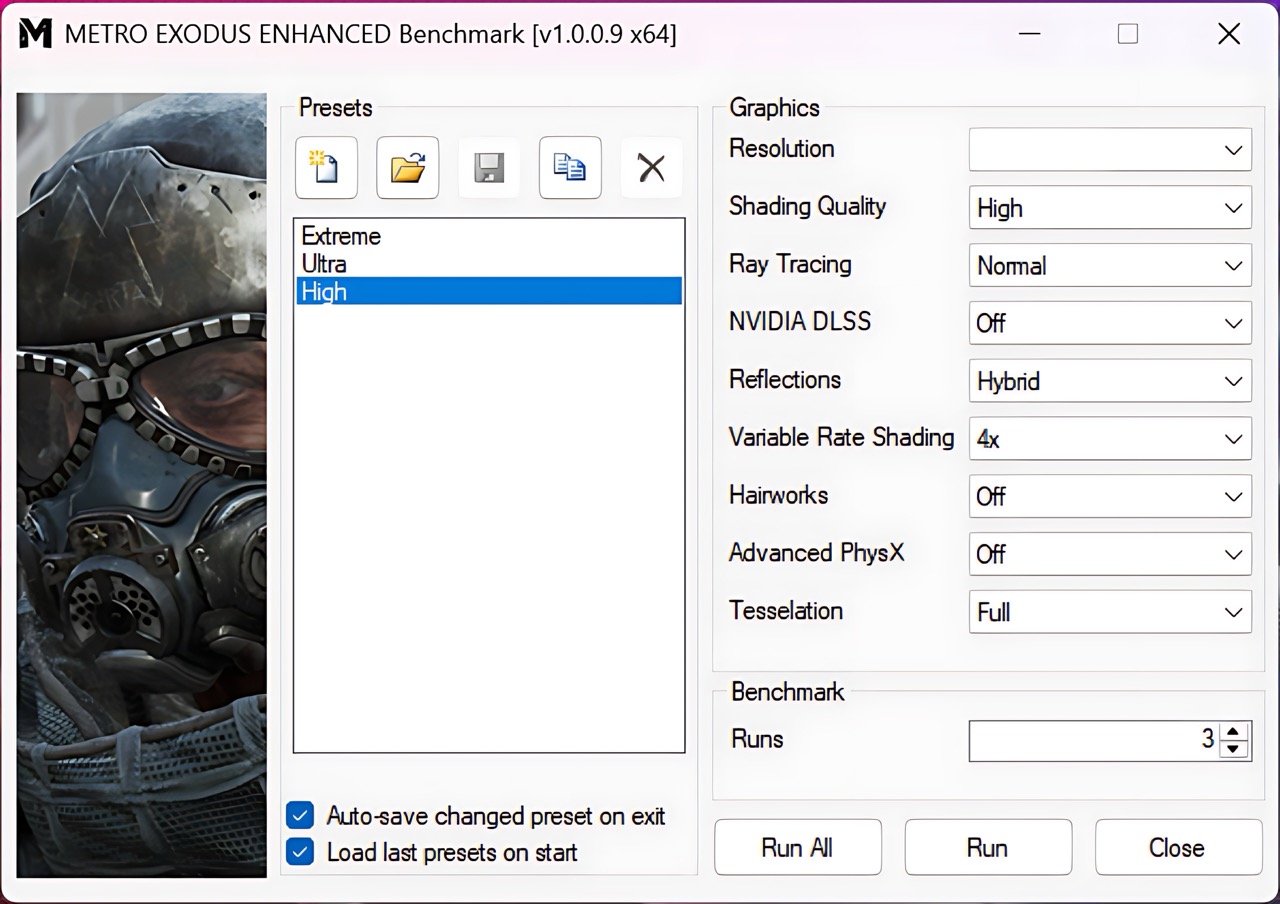
In the ray-tracing-heavy Metro Exodus Enhanced Edition, the Nitro 18 AI delivers strong results. It pushes 110 FPS at 1200p and maintains a smooth 78 FPS at 1600p on High settings, ensuring an immersive experience.
| Metro Exodus Enhanced Edition | 1200p, High (Check settings) | 1600p, High (Check settings) |
| Average FPS | 110 FPS | 78 FPS |
Temperatures and Comfort, Stability
Office Work, Web Development, Design
Short periods (0:00 – 0:10 s) of 100 % CPU load
This test shows the CPU behavior during short periods of serious load. It’s important for users who are looking for laptops suitable for tasks like Web Design and Programming.
| AMD Ryzen AI 9 365 | Avg. P-Core Clock | Avg. CPU Temp. | Avg. CPU Power |
| Acer Nitro 18 AI (AN18-61) | 4702 MHz | 65 °C | 63 W |
The Acer Nitro 18 AI demonstrates excellent immediate responsiveness under short, high-intensity CPU loads. The CPU reached a peak clock speed of 4758 MHz within the first five seconds, drawing a maximum power of 71 W. Over the initial 10-second test window, the average clock speed stabilized at a strong 4702 MHz, consuming 63 W. Thermal management is highly effective in this scenario; the CPU peaked exactly at 80 °C, which falls within the classification of good thermal performance. The system maintained high clocks without significant power throttling, ensuring rapid completion of burst tasks common in web development and compilation.
Video editing, Scientific computing, Software compilation, 3D rendering
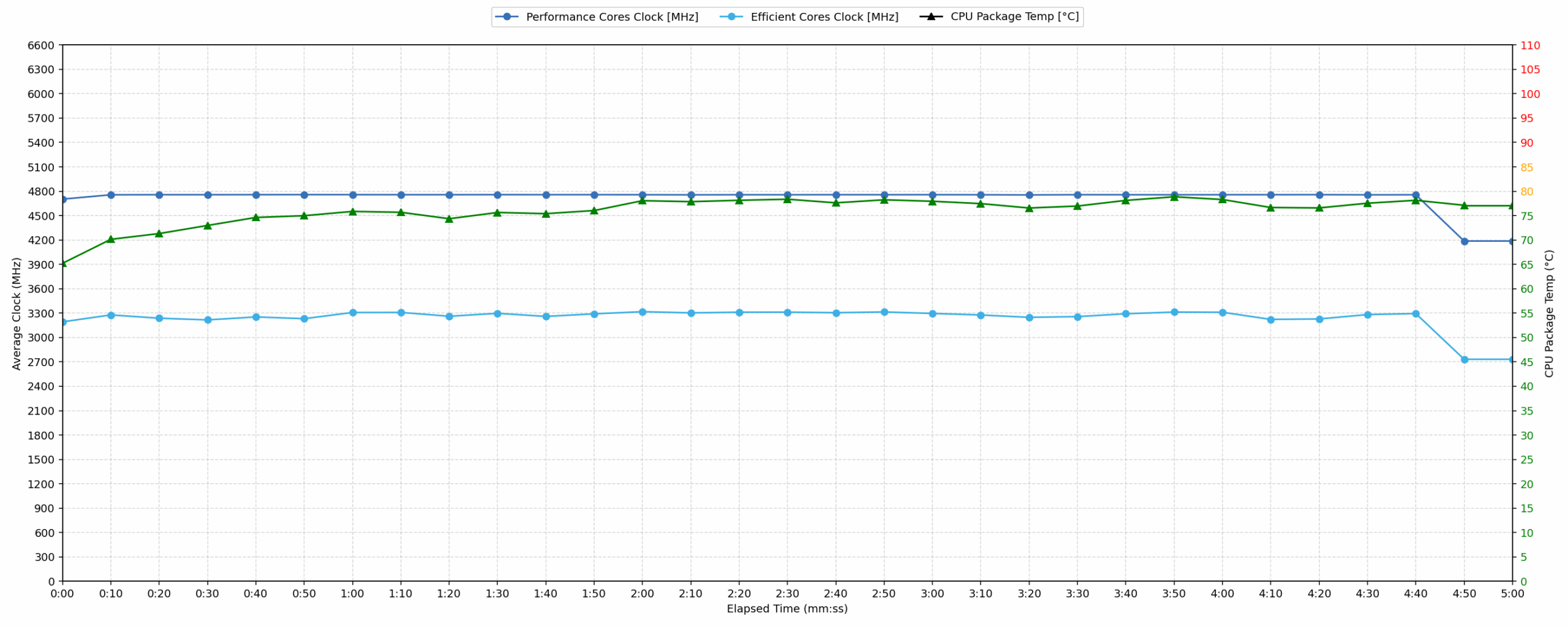
Long periods (0:00 – 30:00 min) of 100 % CPU load
This test shows the CPU behavior during long periods of serious load. It’s important for users who are looking for laptops suitable for tasks like Video Editing and 3D Rendering.
| AMD Ryzen AI 9 365 | Avg. P-Core Clock | Avg. CPU Temp. | Avg. CPU Power |
| Acer Nitro 18 AI (AN18-61) | 4738 MHz | 77 °C | 69 W |
Under sustained 30-minute stress, the CPU performance of the Acer Nitro 18 AI proved remarkably stable and efficient. The average clock speed settled at an impressive 4738 MHz, higher than the short-load average, drawing a sustained power of 69 W. Thermally, the average temperature remained good at 77 °C, peaking at 80 °C. There was an initial clock drop to 3333 MHz shortly after the initial burst, but the system quickly recovered to maintain the high average clock speed. Relative to previous tests on the same processor (4738 MHz average), this model performs optimally, showcasing robust cooling suitable for extended rendering or compilation tasks.

Gaming Stability
Continuous gaming (1-hour test)
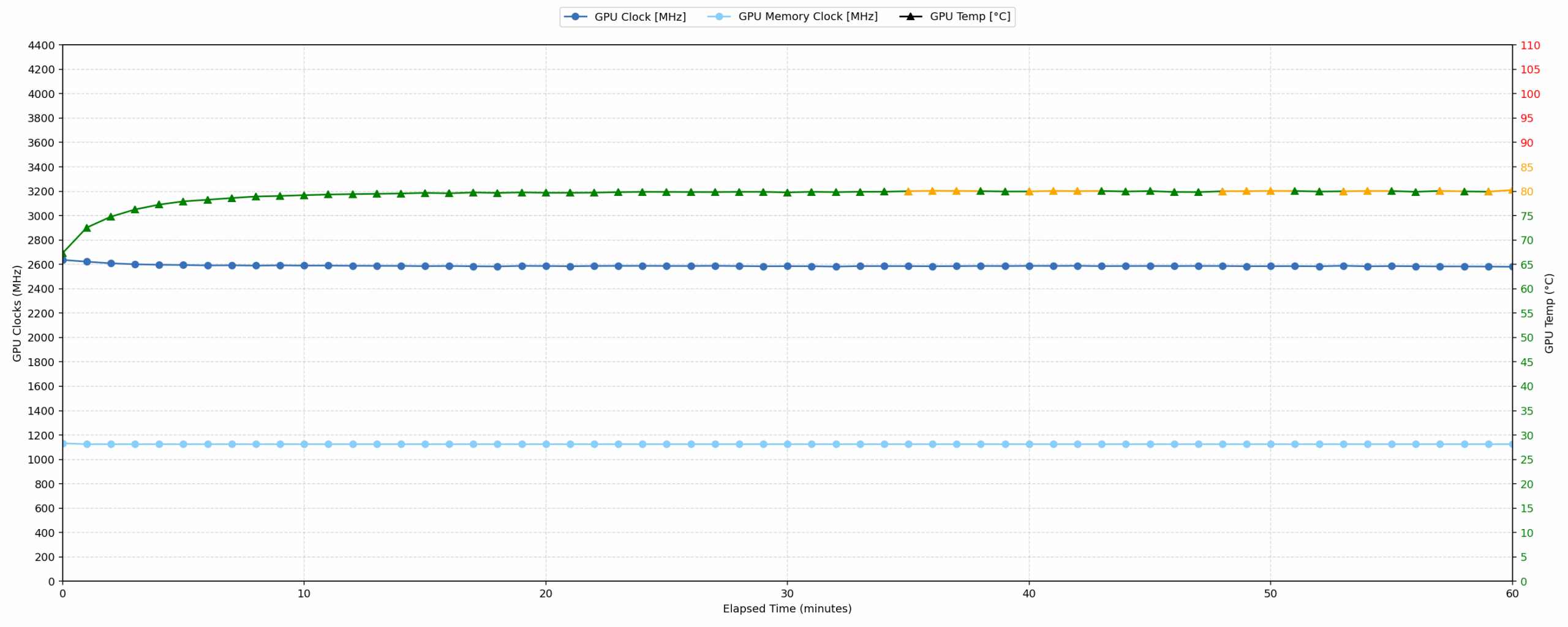
This test evaluates the laptop’s performance under sustained GPU load and high CPU usage.
| NVIDIA GeForce RTX 5070 | Avg. GPU Clock | Avg. GPU Temp. | Avg. Memory Clock | Avg. GPU Mem Temp. | Avg. GPU Power |
| Acer Nitro 18 AI (AN18-61) | 2588 MHz | 79 °C | 1125 MHz | 75 °C | 113 W |
| HP OMEN 16 (16-ap0000) | 2510 MHz | 77 °C | 1125 MHz | 69 °C | 113 W |
| MSI Katana 15 HX B14W | 2376 MHz | 85 °C | 1500 MHz | 85 °C | 112 W |
| Alienware 16X Aurora (AC16251) | 2528 MHz | 86 °C | 1125 MHz | 81 °C | 111 W |
| MSI Katana 17 HX B14W | 2452 MHz | 85 °C | 1125 MHz | 83 °C | 106 W |
| Lenovo Legion 7i (16”, Gen 10 / 16IAX10) | 2441 MHz | 83 °C | 1125 MHz | 75 °C | 104 W |
| ASUS ProArt P16 H7606 (2025) | 2553 MHz | 84 °C | 1125 MHz | 83 °C | 102 W |
| Acer Nitro V 17 AI (ANV17-41) | 2489 MHz | 82 °C | 1093 MHz | 77 °C | 93 W |
| Acer Nitro V 16 (ANV16-72) | 2460 MHz | 78 °C | 1125 MHz | 75 °C | 93 W |
The Acer Nitro 18 AI delivers superior gaming stability, maintaining the highest average GPU clock speed among comparable RTX 5070 systems at 2588 MHz over the 60-minute test. The initial peak clock reached 2692 MHz before settling, with the lowest sustained clock remaining strong at 2512 MHz. Thermal performance was excellent; the average GPU core temperature was 79 °C, peaking at 81 °C, well below the 90 °C threshold. Memory temperatures were also managed efficiently, averaging 75 °C with a peak of 76 °C. Drawing a consistent 113 W, the cooling solution successfully maximizes the performance profile of the RTX 5070.
Battery Life
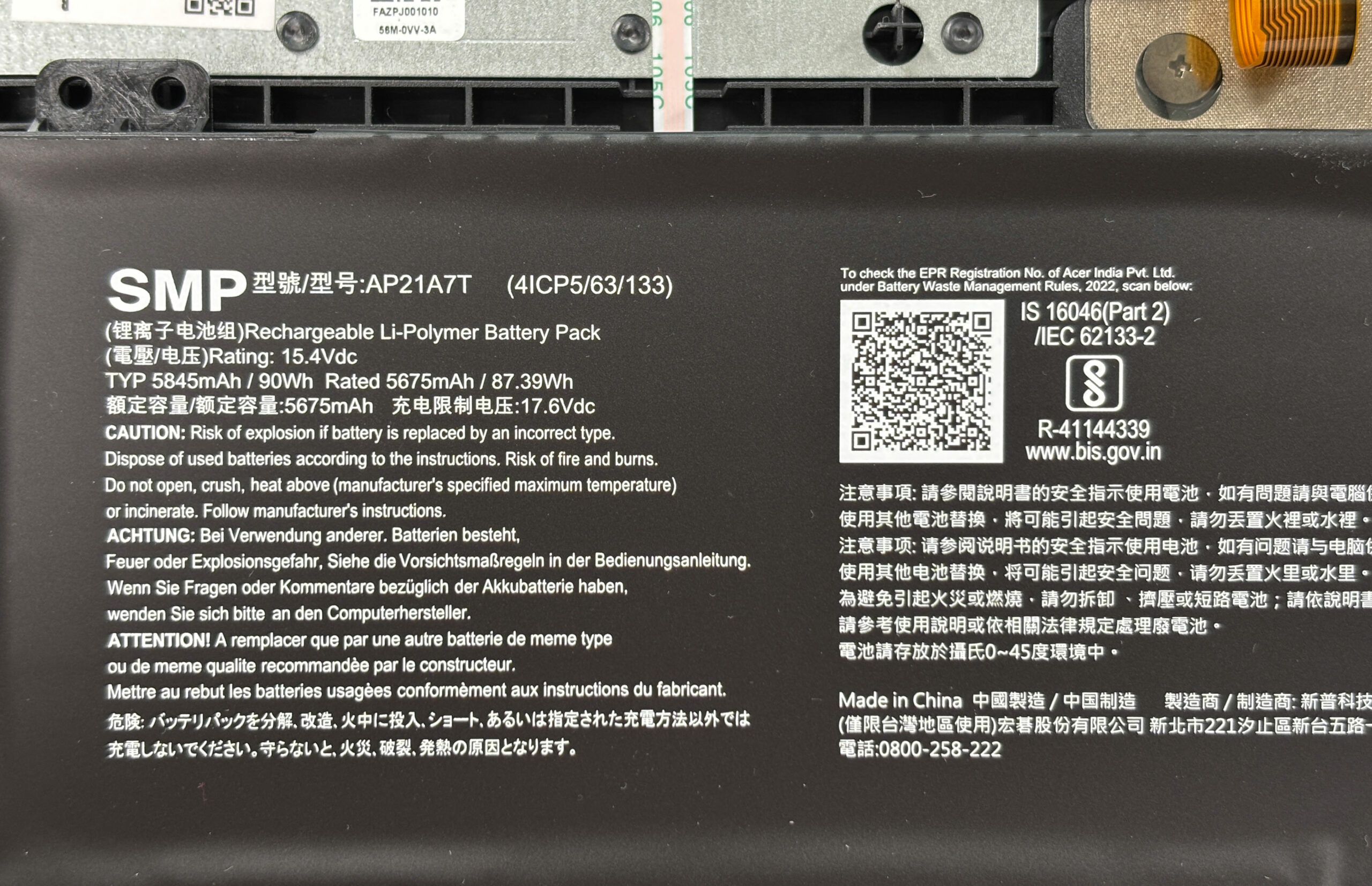
The battery of the Acer Nitro 18 AI (AN18-61) is a 4-cell lithium-polymer, model AP21A7T. Its nominal voltage is 15.4V and stores 90 Wh of electrical energy.
We tested its battery life with the Eco mode activated in NitroSense:
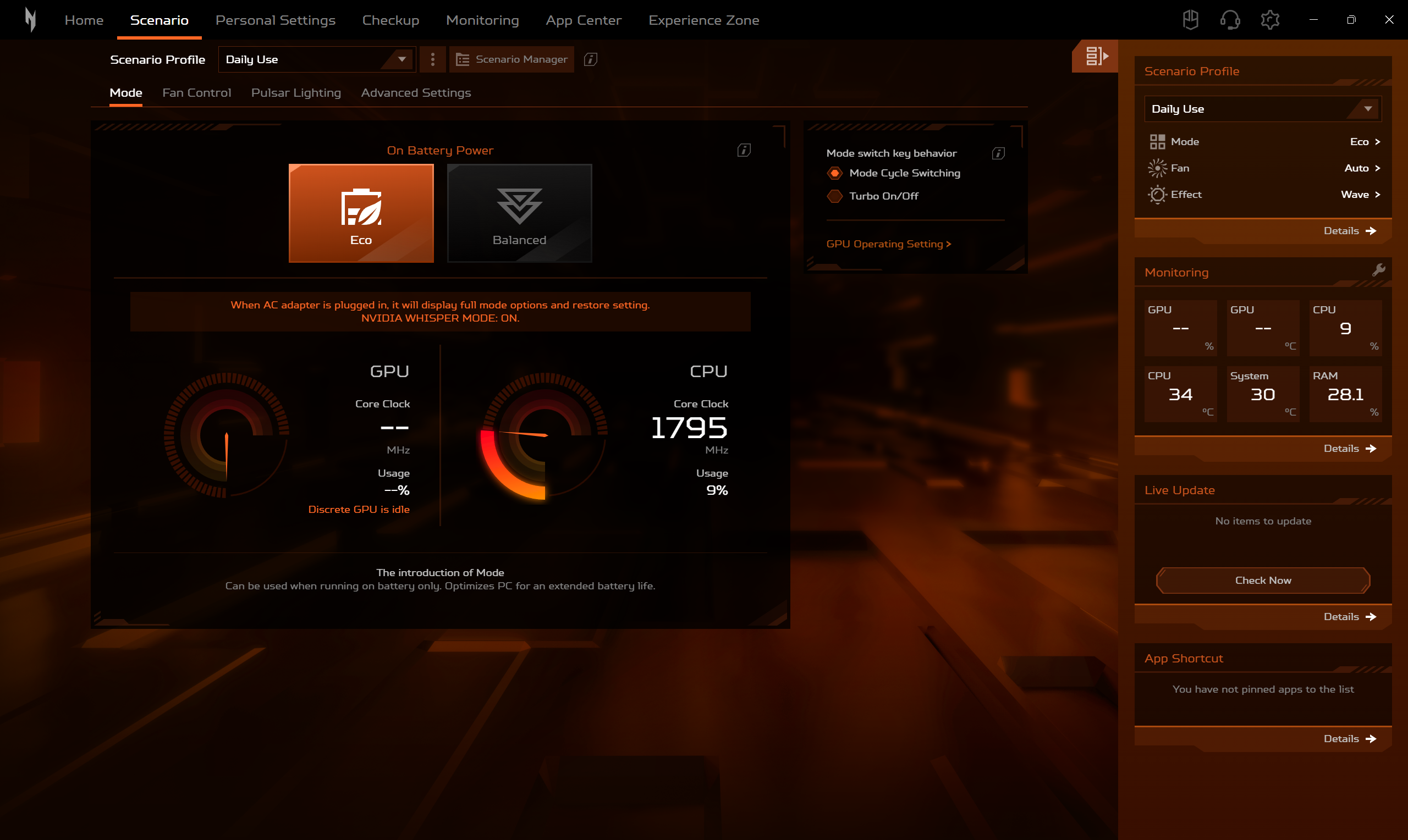
Almost 8 hours (7h 46m) is an exceptional result for an 18-inch gaming laptop with RTX 5070! Thats 54% more juice compared to MSI Katana 17 HX B14W!
चमक: 180 nits; डिस्प्ले मोड: SDR
पूर्ण डिस्चार्ज का समय: उच्चतर बेहतर है
Disassembly, Upgrade options, and Maintenance
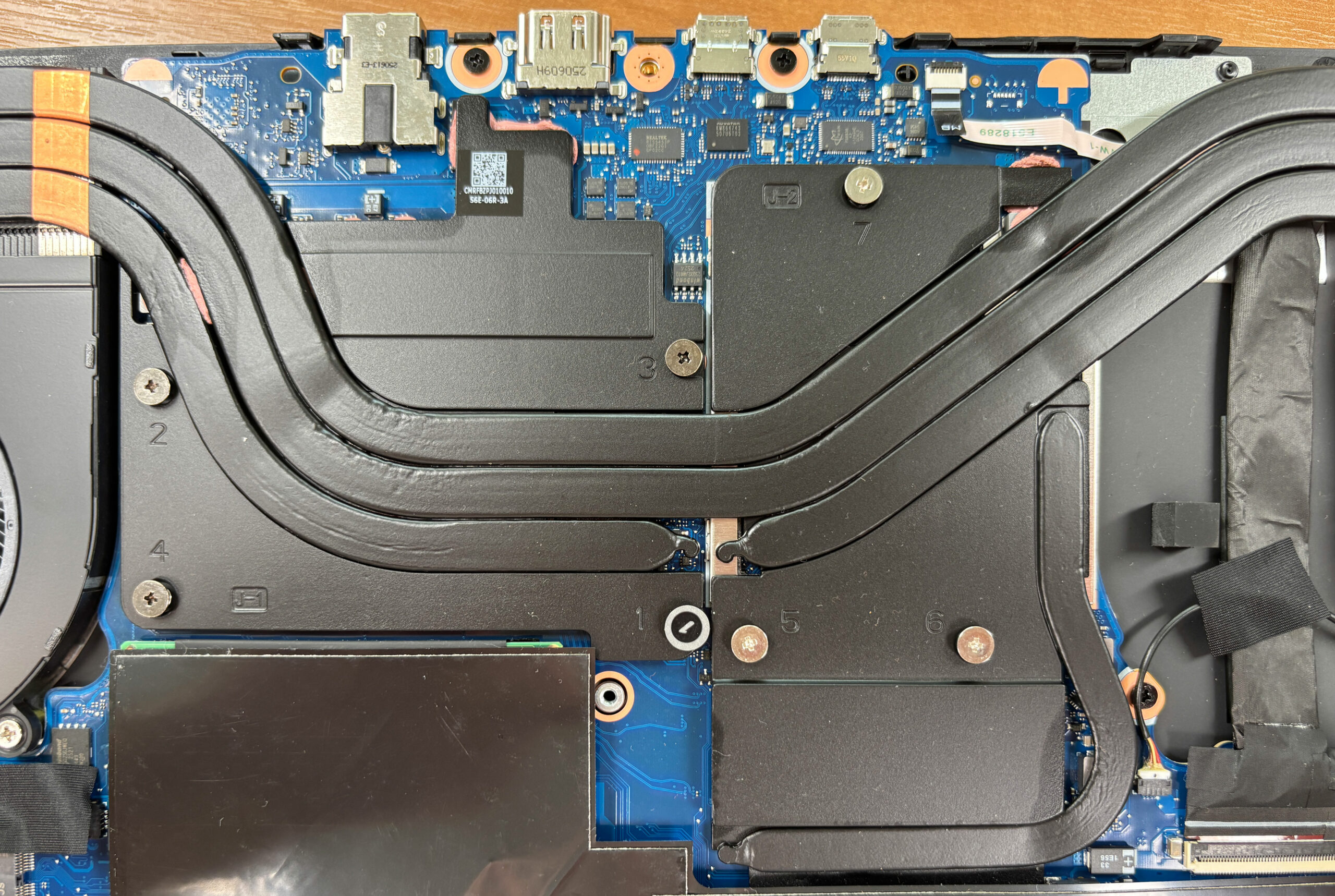
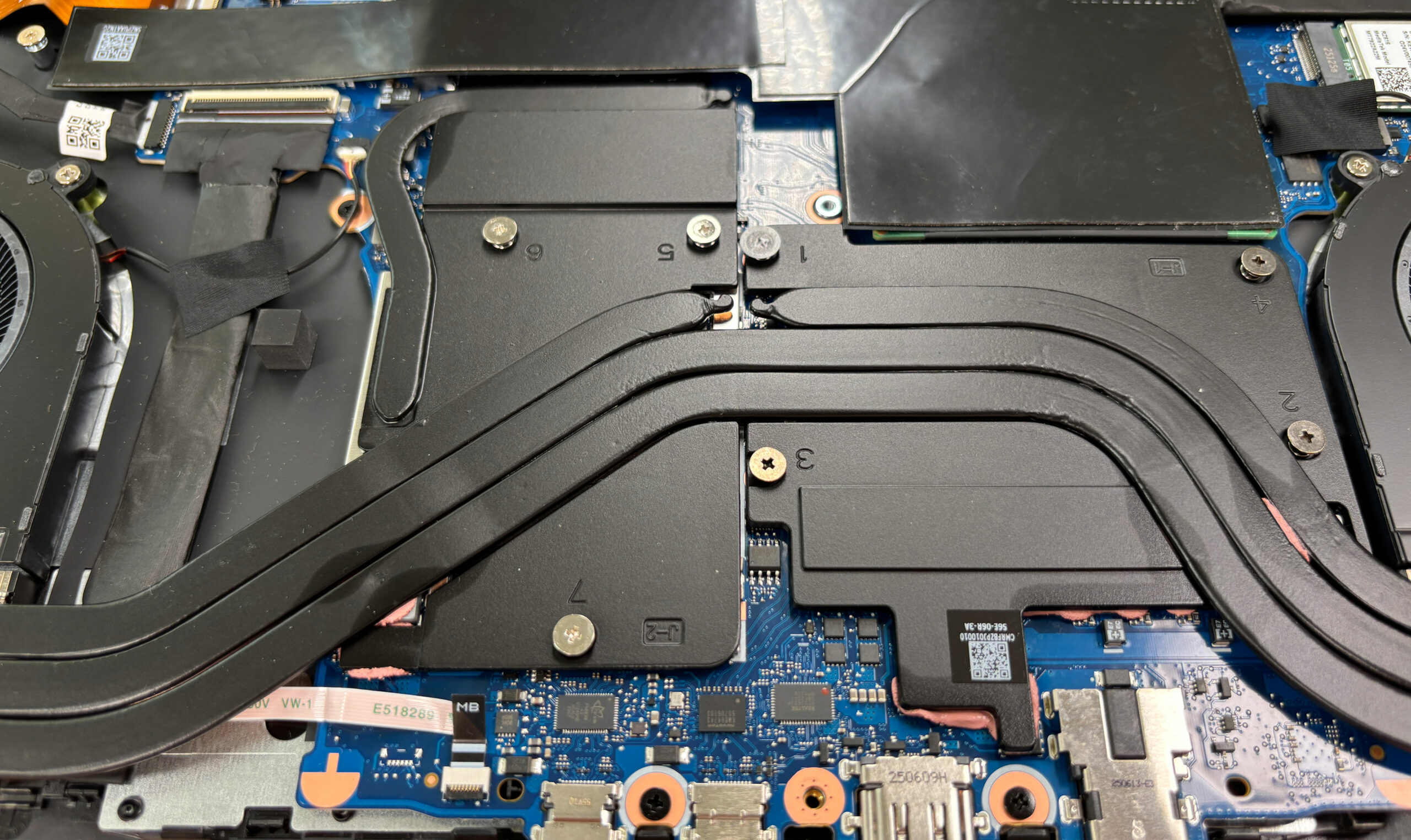
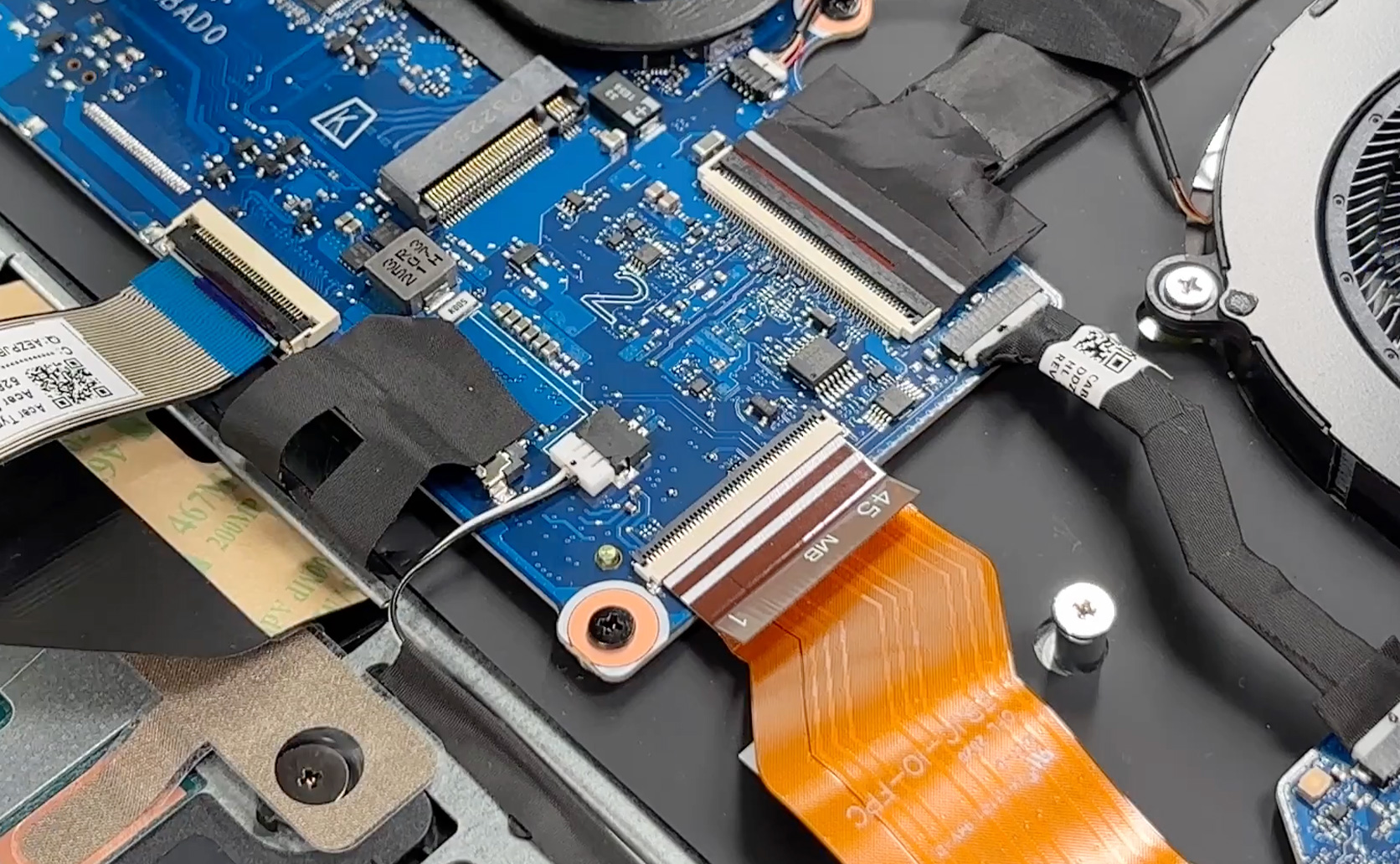
Removing the bottom panel reveals a familiar Nitro layout with two fans at the flanks, a multi-pipe heatsink spread across the CPU and the discrete GPU, two long speaker boxes, two M.2 storage slots, and two SO-DIMM memory slots.
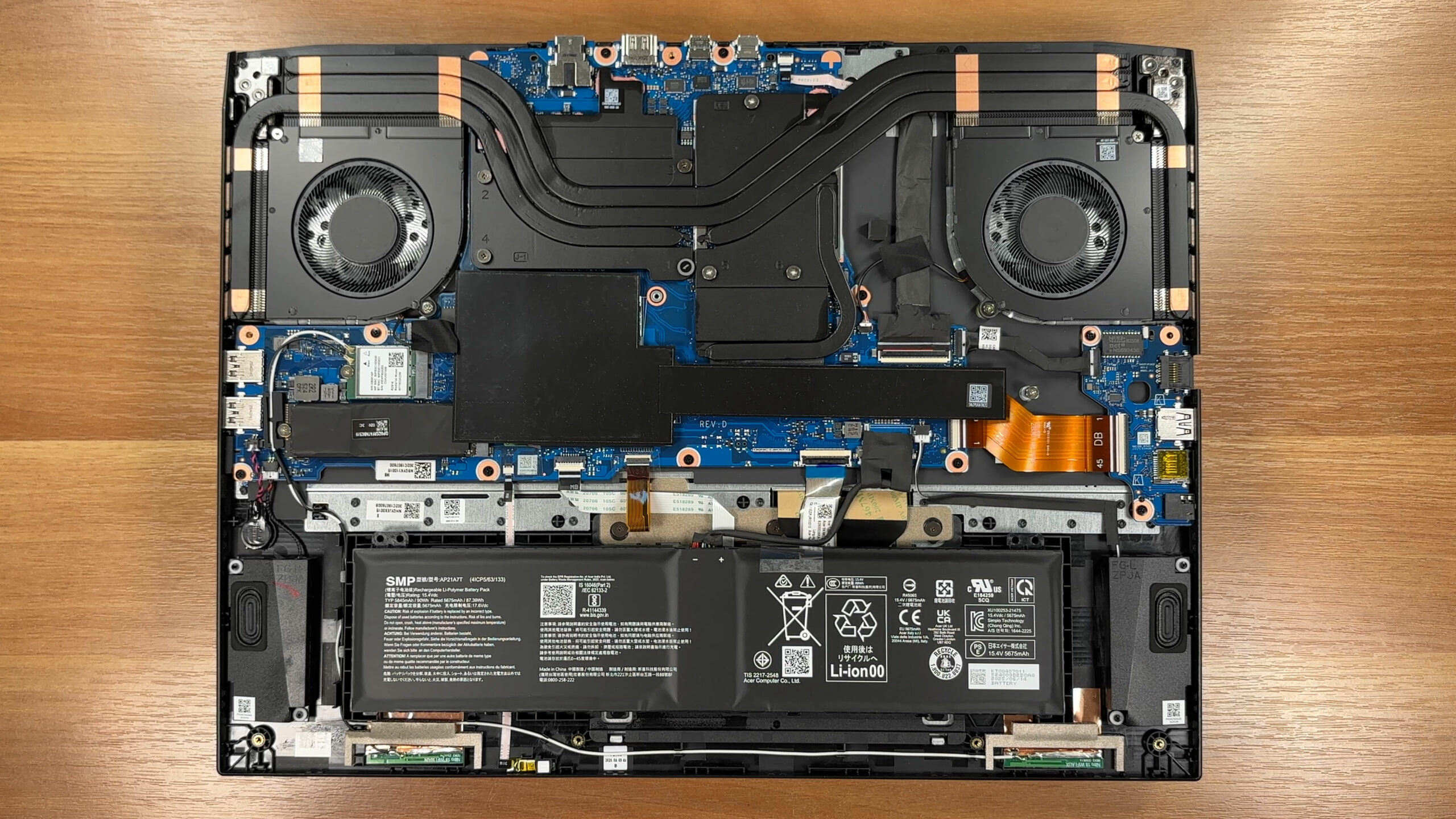
The cooling uses twin radial blowers and several heat pipes that converge into fin stacks above the processor and graphics card. The heat spreaders are stamped and numbered.
Memory is fully upgradeable via two DDR5 SO-DIMM slots. Acer’s official documentation for this series mentions support “up to 32 GB” and up to 5600 MT/s, but comparable Nitro motherboards often accept higher capacities; The reviewed configuration arrives with both slots accessible under the shields, so future upgrades are straightforward.
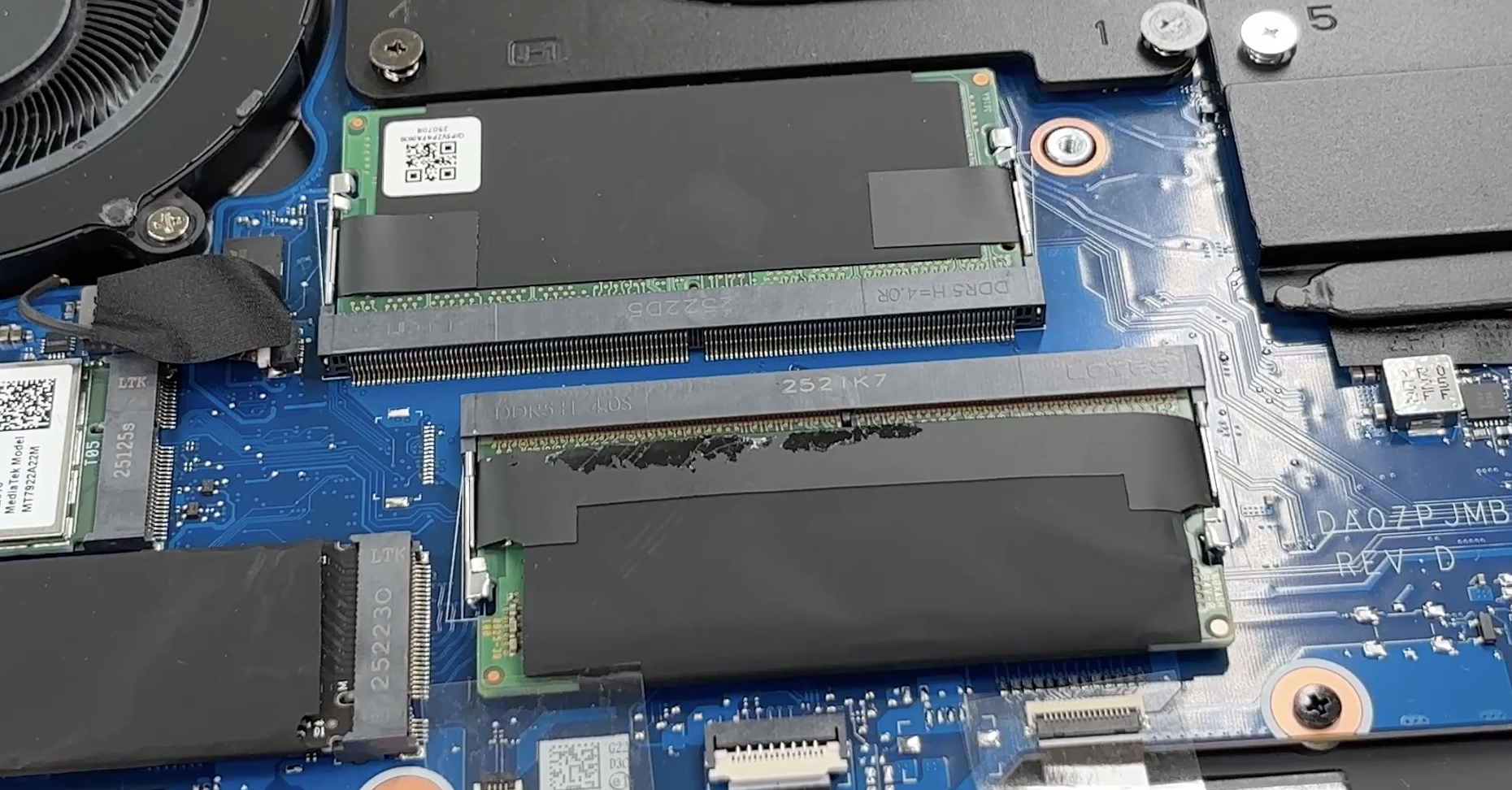
Storage is handled by two M.2 2280 slots wired for PCIe 4.0 NVMe drives. Thermal pads and shielding are present, and in our machine one slot is populated while the second is left open for expansion.
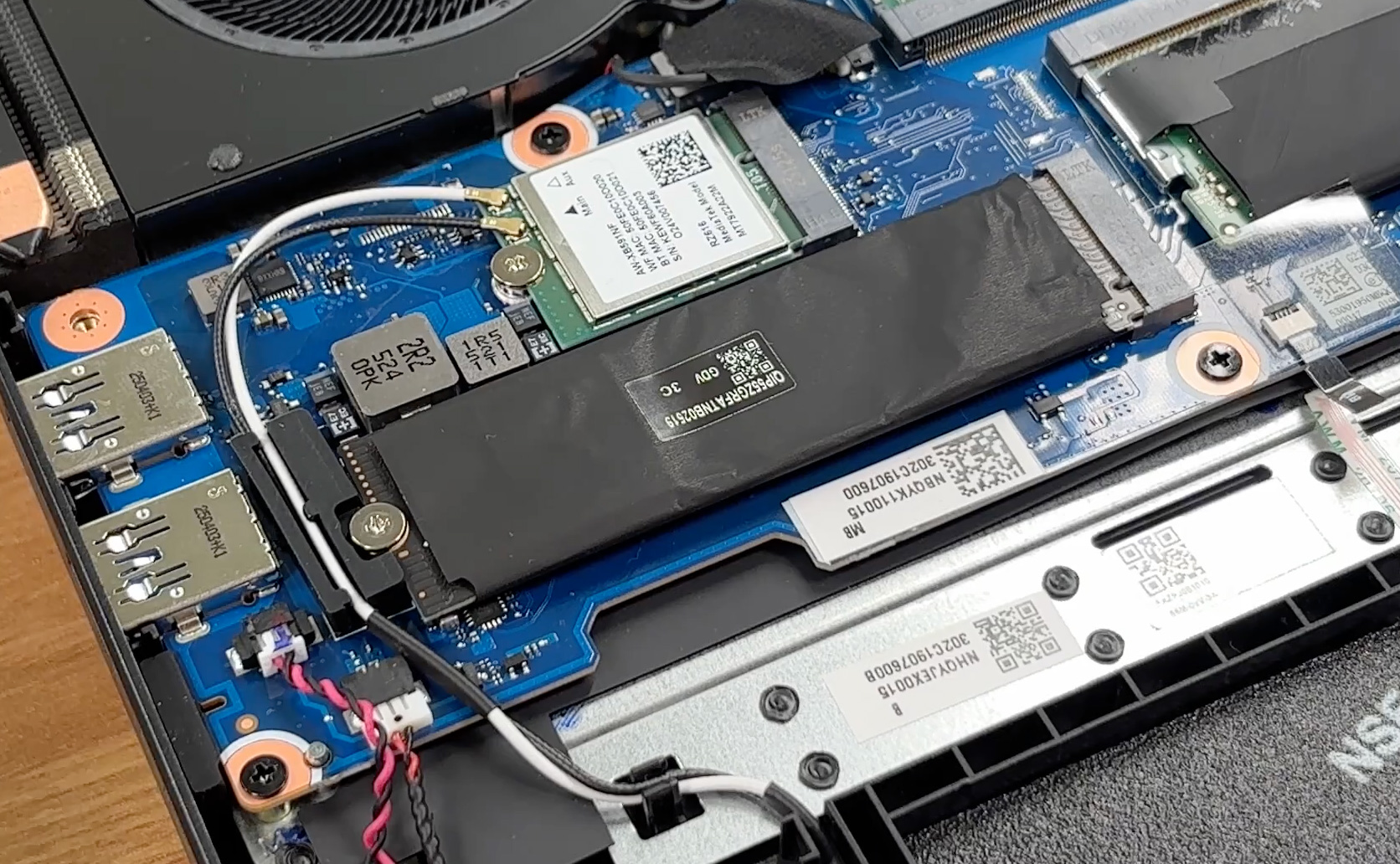
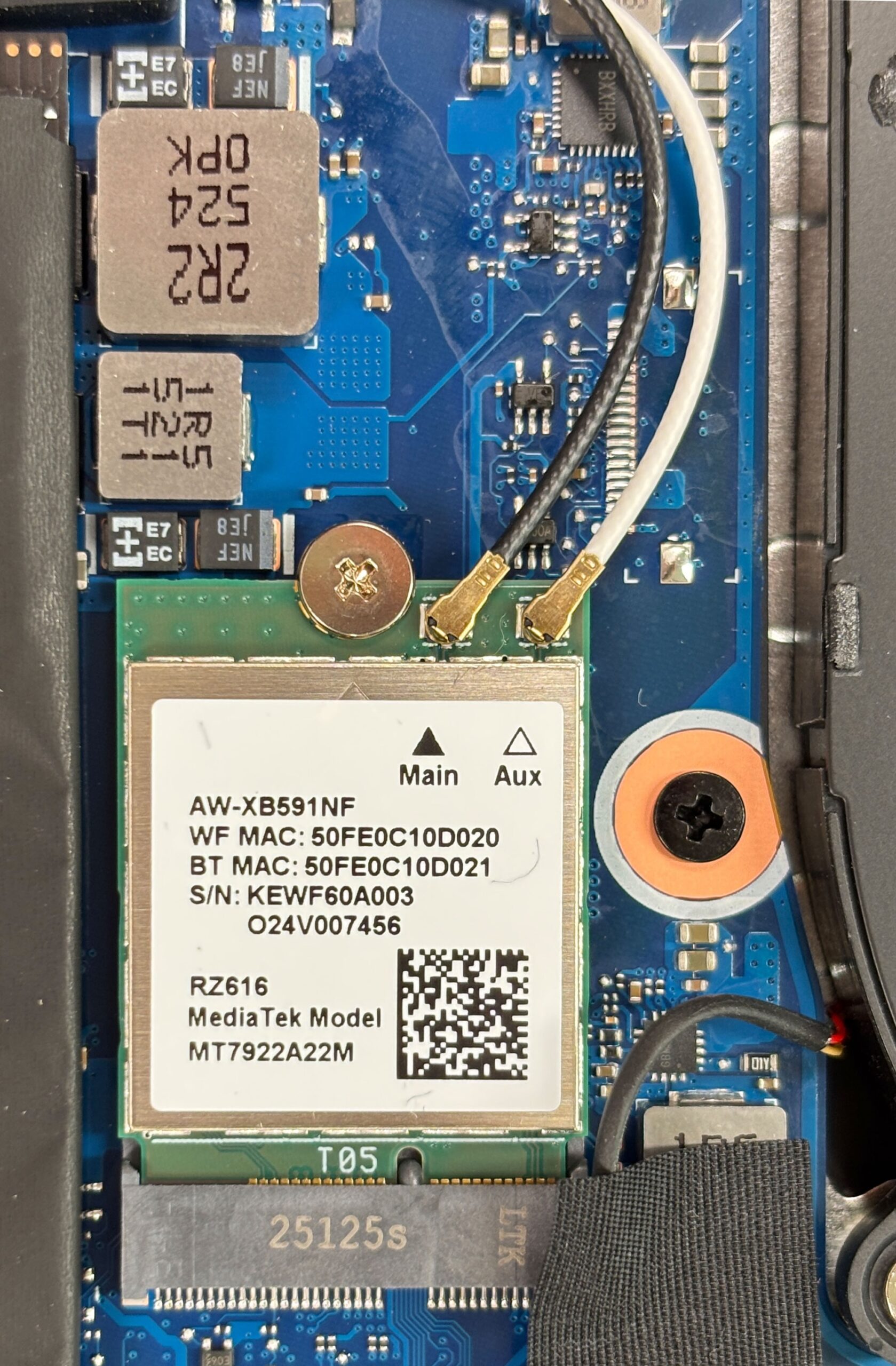
The wireless module is a replaceable M.2 card: MediaTek RZ616 (MT7922A2M). This controller is Wi-Fi 6E and typically pairs with Bluetooth 5.2 or 5.3. Acer’s official materials sometimes state “Bluetooth 5.4 or above,” which may be too optimistic for this exact card, so we stick to the capabilities of the installed module.
The battery is a large 90 Wh Li-polymer pack (label shows 5845 mAh typical / 90 Wh, rated 5675 mAh / 87.39 Wh at 15.4 V). It connects via a single cable and is serviceable once the bottom cover is off.
Other replaceable parts include the two fans, the Wi-Fi card, both M.2 drives, and the SO-DIMMs. The stereo speakers sit on both sides of the battery and can be accessed for cleaning or replacement.
Overall, Acer Nitro 18 AI (AN18-61) offers easy access, two RAM slots, two PCIe 4.0 M.2 bays, and a serviceable 90 Wh battery, making maintenance and future upgrades pleasantly straightforward.
Verdict
 The Acer Nitro 18 AI (AN18-61) is a monumental laptop in every sense of the word. It is a machine that fully embraces its 18-inch form factor, delivering a desktop-like experience in a chassis that is surprisingly refined for a gaming beast. It’s not trying to be the thinnest or the flashiest; instead, it focuses on delivering raw power, expansive screen real estate, and excellent thermal stability.
While it makes a few concessions typical of the Nitro series, the overall package is incredibly compelling for gamers who value immersion and performance above portability. It’s a true desktop replacement that gets the fundamentals right.
You can check the prices and configurations in our Specs System: https://laptopmedia.com/series/acer-nitro-18-ai-an18-61/
✅ The Good
The highlight of this machine is its outstanding performance. Our RTX 5070 Ti model delivered class-leading GPU clock speeds, outperforming many direct competitors thanks to an excellent cooling system that keeps temperatures well in check. The CPU performance is also robust, maintaining high sustained speeds without thermal throttling.
This power is displayed on a fantastic 165Hz QHD+ screen that offers great color accuracy with our profile, full sRGB coverage, and is completely PWM-free, ensuring eye comfort during long gaming marathons. The battery life is another major win; at nearly 8 hours, it offers exceptional endurance for an 18-inch gaming laptop, beating many smaller rivals.
We also love the user-friendly design choices, such as the full-sized NumPad, a massive and comfortable trackpad, and excellent upgradeability with two RAM and two M.2 slots. The port selection is robust, including USB4 and a microSD card reader.
❌ The Bad
The most significant downside is the sheer size and weight. At over 3kg, this is not a laptop you’ll want to carry around daily; it demands a permanent spot on your desk. While the build is solid, the all-plastic construction feels less premium than some metal-clad competitors, and the lid is prone to smudges.
There are also some missing features that we’d like to see at this price point. The lack of a physical privacy shutter for the webcam and the absence of any biometric login options (fingerprint or IR camera) are disappointing omissions on a modern, high-end machine.
🆚 The Competitors
When compared to its smaller sibling, the Acer Nitro V 17 AI ANV17-41 (detailed review), the Nitro 18 AI justifies its larger footprint with superior GPU performance and significantly better battery life. The extra chassis space clearly translates into better cooling and a larger battery, making the 18-inch model the superior choice for stationary gaming.
Against a rival like the MSI Katana 17 HX, the Acer Nitro 18 AI pulls ahead with better build quality, a superior display, and vastly better battery endurance. While the MSI is a strong performer, the Acer offers a more complete and polished package for the discerning gamer who wants a big-screen experience.
Pros
- Excellent gaming performance with high sustained GPU clocks
- Great 165Hz QHD+ display with accurate colors and no PWM
- Exceptional battery life for an 18-inch gaming laptop (nearly 8 hours)
- Superb thermal management keeps the system cool and stable
- Fantastic upgradeability with two RAM and two M.2 slots
- Spacious keyboard with full-sized NumPad and huge trackpad
Cons
- Large, heavy chassis limits portability
- No physical privacy shutter or biometric login options
- Lid is prone to fingerprints and smudges
 Author: Simeon NikolovEditor-in-Chief at LaptopMedia.com with 20+ years of experience in testing and analyzing laptops and mobile devices.
 Author: eng. Kroum NikolovHead of Engineering at LaptopMedia.com, inventor and innovator with 40+ years of experience in electronics and high technology.

![[May 2026] Global Ranking of Best-Selling Laptop GPUs on Amazon – Apple Dominates with 45% Share, Sweeps Top 3 Spots; NVIDIA’s RTX 5060 Leads the Dedicated GPU Pack](https://laptopmedia.com/wp-content/uploads/2026/06/Best-Selling-GPUs-GLOBAL-Top-10-400x225.jpg)
![[May 2026] Global Ranking of Best-Selling Laptop CPUs on Amazon – Apple Crushes Competition with 45.2% Market Share, M5 Dominates](https://laptopmedia.com/wp-content/uploads/2026/06/Best-Selling-CPUs-GLOBAL-Top-10-400x225.jpg)
![[May 2026] Amazon Germany: Top 7 Best-Selling Gaming Laptops – Lenovo Legion 5i Crowned Champion Amidst Fierce Mid-Range Competition](https://laptopmedia.com/wp-content/uploads/2026/06/Best-Selling-Gaming-Laptops-DE-Top-10-1-400x225.jpg)
![[May 2026] Amazon Italy: Top 10 Best-Selling Laptops – Apple MacBook Neo Reigns Supreme, Premium Models Capture Dominant Revenue Share](https://laptopmedia.com/wp-content/uploads/2026/06/Best-Selling-Laptops-IT-Top-10-400x225.jpg)
![[May 2026] Best-Selling Laptop Brands on Amazon Italy – Apple Dominates Across All Metrics](https://laptopmedia.com/wp-content/uploads/2026/06/IT-Best-Brands-400x225.jpg)