Top 5 reasons to BUY or NOT to buy the ASUS ZenBook Pro Duo 15 OLED UX582
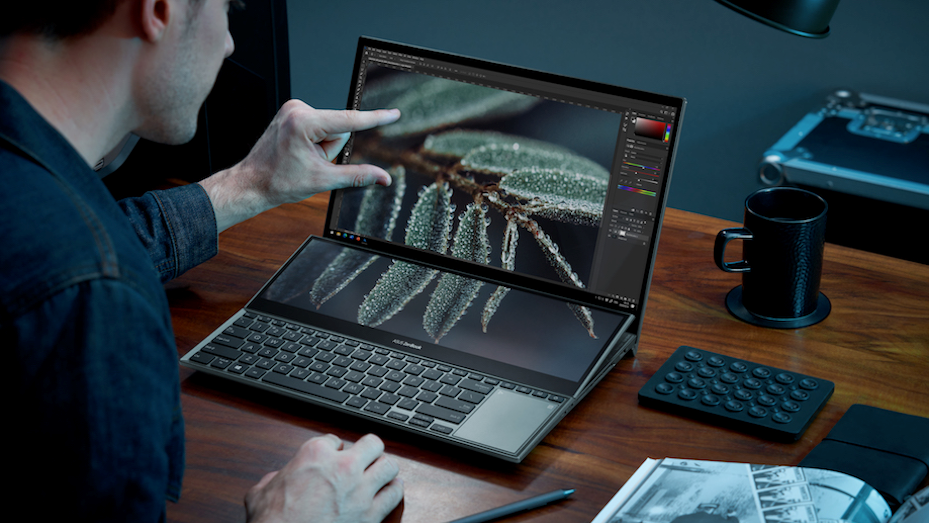 The device that we will talk about today needs no introduction. You only have to lay eyes on it once and you’ll want it. It has a unique presence, which signifies that it’s the big deal. It’s like when Bruce Wayne or Tony Stark enter a room. They don’t have to say anything, people just know who they are and what they’re about.
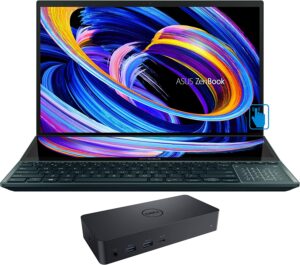
This is the ASUS ZenBook Pro Duo 15 OLED UX582 and it is a revolutionary device in the creative space. It has dual screens, which offer unique features while solving some of the biggest issues when it comes to mobile workstation laptops.
Today we are presenting you with LaptopMedia’s top 5 picks about the ASUS ZenBook Pro Duo 15 OLED UX582.
ASUS ZenBook Pro Duo 15 OLED UX582: Full Specs / In-depth Review
4 reasons to BUY the ASUS ZenBook Pro Duo 15 OLED UX582
1. Design and build quality
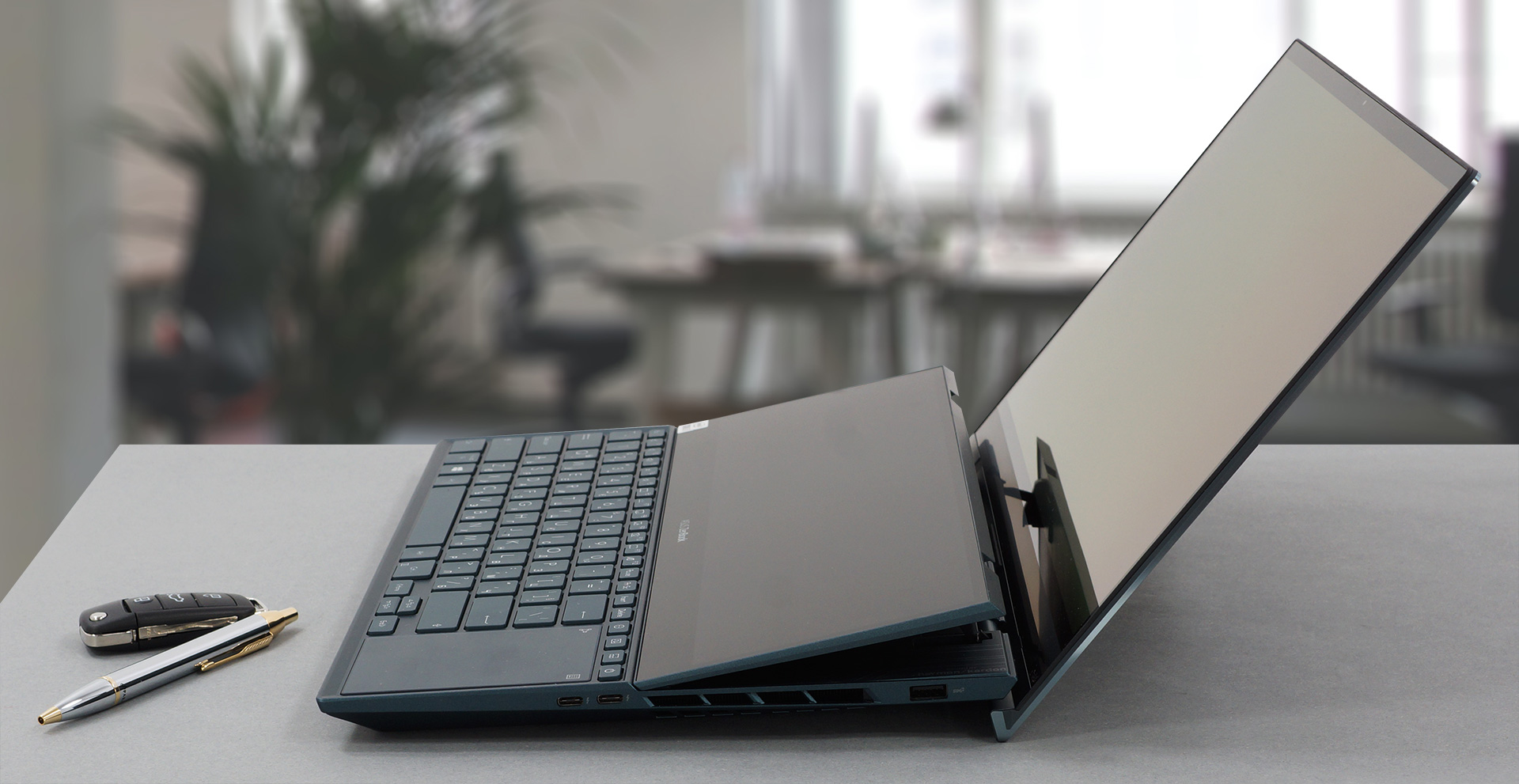
The laptop is built like a tank, using an aluminum/magnesium alloy for the whole body. This gives it a premium feel and makes it rigid and sturdy, as a laptop of this class should be. The design is very elegant, combining a circular finish on the lid, with an ErgoLift hinge, which lifts the rear end of the notebook, giving the fans more room to breathe and improving the ergonomics.
ASUS includes a stand and a wrist rest in the box, as the keyboard and touchpad have a pretty uncomfortable position. The star of the show is the ScreenPad Plus, which lifts as well, giving you a better viewing angle and giving the illusion of a singular display that spans from the top bezel all the way to the keyboard.
2. Display quality
The laptop comes with two displays, one main screen with a 4K resolution and an OLED panel, and a secondary screen called the ScreenPad Plus which also has a 4K resolution, but uses an IPS panel. The first display has comfortable viewing angles, a max brightness of around 400 nits, and an infinite contrast ratio. It also covers 100% of the DCI-P3 color gamut. Going over to the secondary display, it has a lot of narrower color coverage, meaning that you cant perceive them as a single screen.
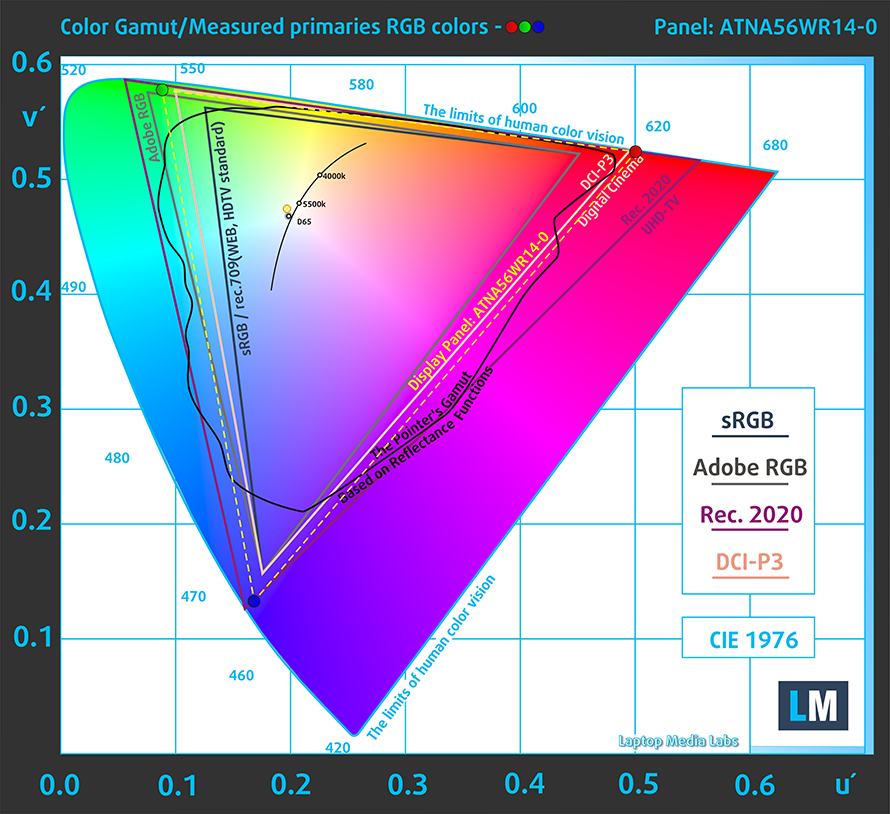 Main screen
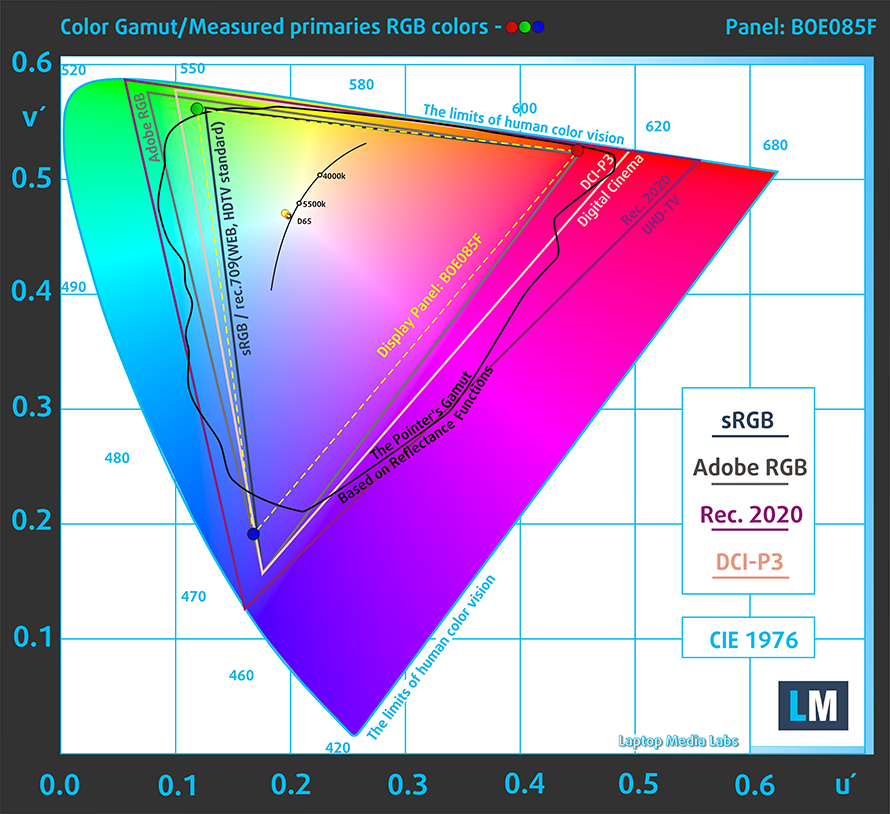 ScreenPad Plus
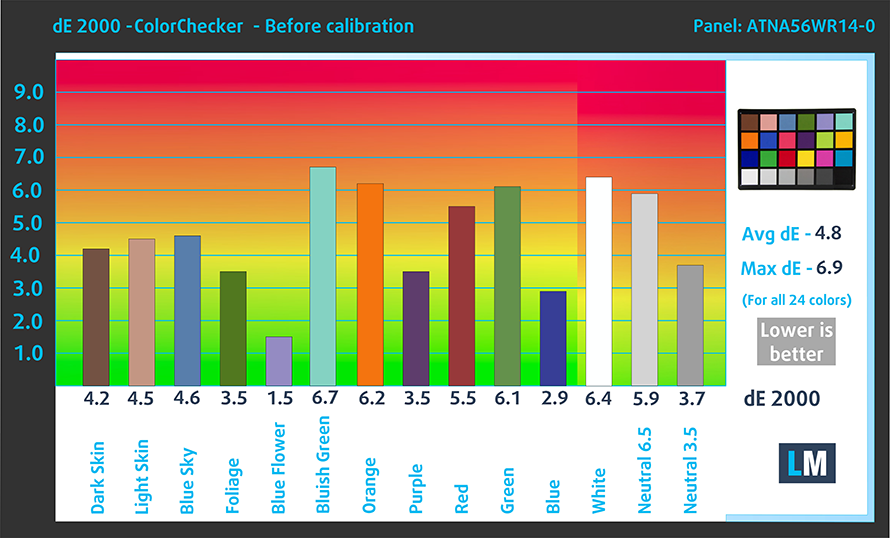
The color accuracy on the main panel is nowhere near standard matching even when we applied our Design and Gaming profile. Here are the results with both the factory settings (left) and with our profile applied (right).

Buy our profiles
Since our profiles are tailored for each display model, this article and its respective profile package are meant for ASUS ZenBook Pro Duo 15 OLED UX582 configurations with 15.6″ Samsung ATNA56WR14-0 (SDC4143) (UHD, 3840 x 2160) OLED panel.
*Should you have problems with downloading the purchased file, try using a different browser to open the link you’ll receive via e-mail. If the download target is a .php file instead of an archive, change the file extension to .zip or contact us at [email protected].
Read more about the profiles HERE.
効率的で健康に優しいプロファイルを受け取ることに加え、LaptopMediaの製品を購入することで、可能な限り客観的なレビューを作成するためにデバイスをテストする私たちのラボの開発を支援することにもなります。

Office Work
Office Workは、テキストや表を見たり、ウェブサーフィンにほとんどの時間を費やすユーザーに主に使用されるべきです。このプロファイルは、フラットなガンマカーブ(2.20)、ネイティブな色温度、知覚的に正確な色を維持することで、より良い鮮明さと明瞭さを提供することを目指しています。

Design and Gaming
このプロファイルは、プロとして色を扱うデザイナーや、ゲームや映画向けです。Design and Gamingは、ディスプレイパネルの性能を最大限に引き出し、WebおよびHDTVのsRGB IEC61966-2-1規格(D65ホワイトポイント)で可能な限り正確な色を再現します。

3つのプロファイルをすべて33%割引で入手

3. Performance
The laptop comes with two CPU options and one GPU option. You get to pick between the Core i7-10870H and the Core i9-10980HK, which are a year old, but bring the single-core performance that Intel is known for. GPU-wise, you get the RTX 3070 (Laptop), making this a versatile system that can act as a pretty powerful gaming laptop.
Our laptop had the Core i7-10870H and the RTX 3070 (Laptop), which performed better than expected thanks to the ingenious cooling of the machine.
CPU benchmarks
GPU benchmarks
4. Battery life
The laptop comes with a beefy 92Wh battery unit which in our tests lasted for 8 hours and 43 minutes of Web browsing, 8 hours and 33 minutes of video playback, and one hour and 34 minutes of gameplay. As with all of our tests, we have the Windows Better performance setting turned on, screen brightness adjusted to 120 nits and all other programs turned off except for the one we are testing the notebook with.
1 reason NOT to buy the ASUS ZenBook Pro Duo 15 OLED UX582
1. Upgradeability
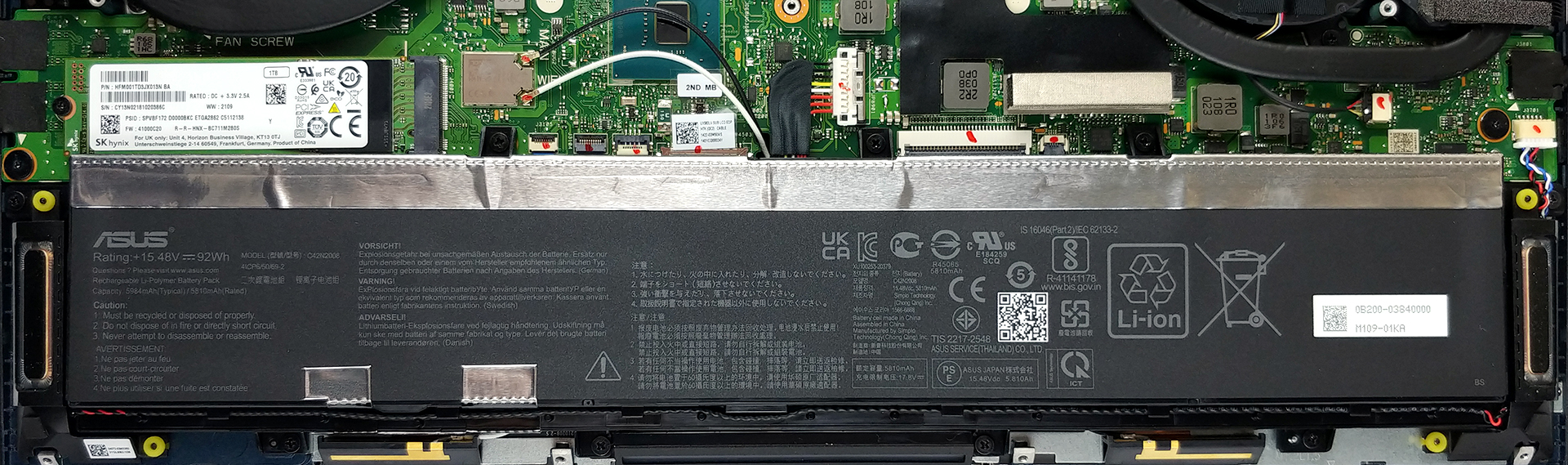
The upgradeability is scarce, with no SODIMM slots available. You only get a single M.2 PCIe x4 slot, which is easily accessible. At least the laptop comes with up to 32GB RAM, so you will be set for a couple of years.

Here is our detailed teardown video, which shows the exact steps of accessing the single M.2 PCIe x4 slot.
All ASUS ZenBook Pro Duo 15 OLED UX582 configurations:
 Author: Severin Kolakov

![[2026年7月] AmazonにおけるノートPC用GPUの世界販売ランキング ― RTX 5060がハイエンド市場を席巻、低価格帯は依然としてインテルが優勢](https://laptopmedia.com/wp-content/uploads/2026/08/Best-Selling-GPUs-GLOBAL-Top-10-400x225.jpg)
![[2026年7月] AmazonにおけるノートPC用CPUの世界販売ランキング ― プレミアム部門はAppleが独占、総合首位はIntelが維持](https://laptopmedia.com/wp-content/uploads/2026/08/Best-Selling-CPUs-GLOBAL-Top-10-400x225.jpg)
![[July 2026] Amazon Canada: Top 10 Best-Selling Laptops – Apple MacBook Neo Dominates the Market to Claim the #1 Spot](https://laptopmedia.com/wp-content/uploads/2026/08/Best-Selling-Laptops-CA-Top-10-2-400x225.jpg)
![[2026年7月] Amazon.co.jpで最も売れているノートPCブランド――激しい競争の中、HPとLenovoが販売台数と売上高で首位を占める](https://laptopmedia.com/wp-content/uploads/2026/08/CO.JP-Best-Brands-2-400x225.jpg)
![[July 2026] Amazon Italy: Top 10 Best-Selling Laptops – Apple MacBook Neo Claims the #1 Spot Amid Budget-Friendly Dominance](https://laptopmedia.com/wp-content/uploads/2026/08/Best-Selling-Laptops-IT-Top-10-400x225.jpg)
