ASUS ROG Strix G17


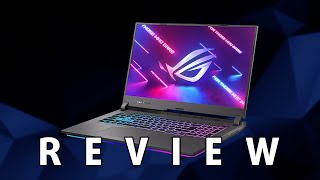


- 公開日: 25 Jan 2022
- AMD Ryzen 9 5900HX
- NVIDIA GeForce RTX 3070 (Laptop, 130W)
- 17.3", QHD (2560 x 1440), 165 Hz, IPS + FreeSync
- 1000GB SSD
- 16GB DDR4, 3200 MHz
- 2.70 kg (6 lbs)
ASUS ROG Strix G17 (G713) 詳細なレビュー
Okay, guys, we were really excited about this day, because, with us, we have one of the most powerful machines for portable gaming money can buy (at least for now). It packs one of the best, if not the best mobile processor on the market right now - the AMD Ryzen 9 5900HX, and can be configured with [...]
完全なレビューを読む

レビュー
ASUS ROG Strix G17 詳細なレビュー
Okay, guys, we were really excited about this day, because, with us, we have one of the most powerful machines for portable gaming money can buy (at least for now). It packs one of the best, if not the best mobile processor on the market right now - the AMD Ryzen 9 5900HX, and can be configured with up to the RTX 3070.As we saw with the last two reviews we made, manufacturers won't make it easy for their customers, as the RTX 3070 alone comes in configurations between 80 and 125W. Well, at least this is what NVIDIA states on their webpage. However, NVIDIA also told us that you can check the TGP of your graphics unit via the Control Panel. And when we checked, the information stated 130W, which as we just learned - is above the set maximum.Nevertheless, we are yet to see what kind [...]
完全なレビューを読む長所
- Good keyboard with decent travel, clicky feedback, and an RGB backlight
- 130W RTX 3060 / 3070 onboard
- Uses liquid metal for the CPU
- There are two M.2 PCIe slots, and two RAM SODIMM slots in dual channel, and Wi-Fi 6
- Great battery life for a gaming laptop
- 300Hz 1080p IPS panel, or a 165Hz 1440p IPS one
短所
- Lacks an SD card reader and Thunderbolt support
- GPU warms up pretty quickly during gaming
- Tiny Arrow keys
分解、メンテナンス、アップグレードオプション
このノートパソコンは、我々が手にしたRTX 3000グラフィックカードを搭載した最初のノートパソコンの1つだった。そして、私たちの期待は、非常に見慣れた冷却セットアップを見ることだったが、昨年のG17 G712よりも大幅に改善されていた。ASUS ROG Strix G17 G713の価格と構成については、スペック・システムをご覧ください。1.底板を外す このデバイスの内部に入るには、11個のプラスネジを外す必要がある。左上の角のネジはそのままで、シャーシから底板をそっと持ち上げます。そこからこじ開ける作業を開始し、デバイスの周囲を作業します。パネルを完全に持ち上げる前に、LEDストリップリボンケーブルを取り外してください。2.バッテリー 興味深いことに、ASUSは90Whの大容量バッテリーを搭載している。3.メモリとストレージ アップグレード可能という点では、2つのRAM SODIMMスロットがあり、3200MHzで動作する32GBのDDR4メモリーを搭載できる。これはメーカーによる公式な容量であり、合計64GBまで搭載可能であることを念頭に置いてください。さらに、ストレージ用に2つのM.2 PCIe x4スロットがあります。互換性のあるRAMモジュールはこちらで購入できます:対応SSDはこちらで購入できま[...]
続きを読む




