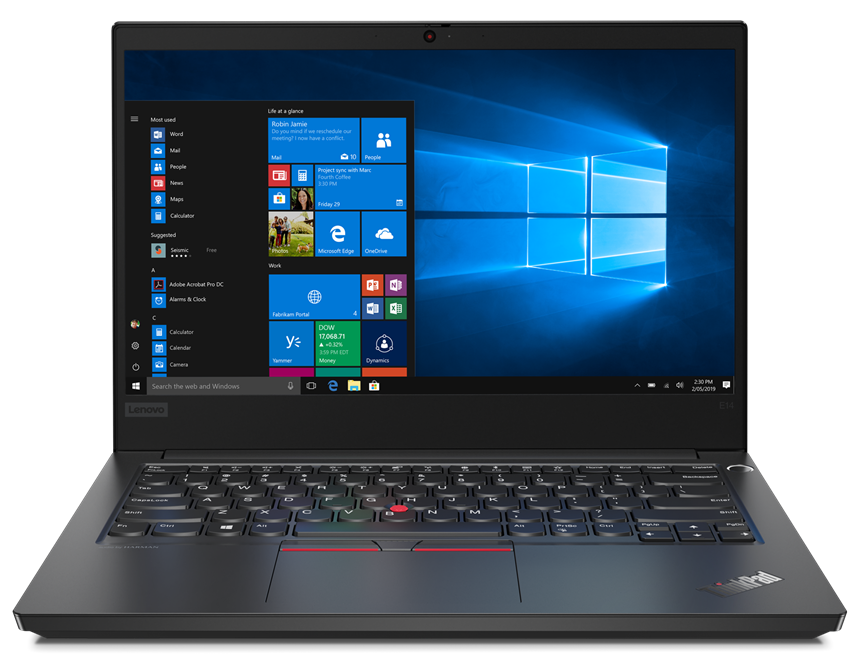
Lenovo ThinkPad E14
- 公開日: 22 Apr 2020
- Intel Core i5-10210U
- Intel UHD Graphics
- 14.0”, Full HD (1920 x 1080), IPS
- 1000GB HDD
- 8GB DDR4
- 1.69 kg (3.7 lbs)

レビュー
Lenovo ThinkPad E14 詳細なレビュー
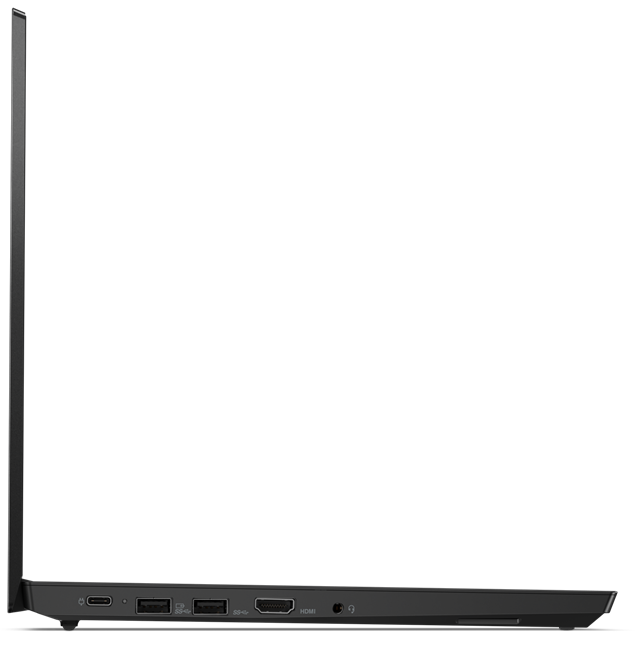
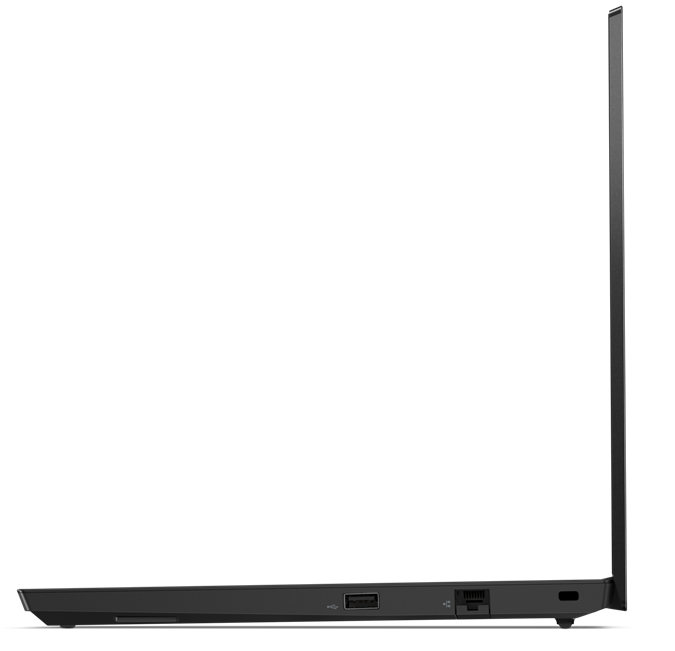
Lenovo is trying to deliver a good performance and decent versatility with its latest business machines. This one, in particular, is the ThinkPad E14 - a successor to the E490. Ultimately, it is the same good old, rigid design that Lenovo fancies to use on their ThinkPad devices. Of course, it is legacy to the IBM ThinkPad series, and the industrial package is something people look for when shopping for these laptops.Another thing that keeps people attracted, is the security devices all around. You've got a privacy shutter on top of the camera, a fingerprint reader inside of the Power button, a TPM chip soldered to the motherboard, and of course, all of the software goodies Lenovo provides.As of the hardware of the notebook - it comes with a Comet Lake processor, which depending o[...]
完全なレビューを読む
長所
- Its keyboard is backlit and great for typing
- Has a Fingerprint reader that stores your finger's print upon pressing the power button
- Good contrast ratio and comfortable viewing angles
- Supports PCIe x4 SSDs, and some models feature a WiFi 6 card
- It is able to maintain its 25W TDP limit for quite a while
- Great battery life
- Charges via USB Type-C
短所
- Lacks a Thunderbolt connector
- Uses harmful PWM for all brightness levels except the maximum (our Health-Guard profile fixes the issue)
- Covers only 52% of sRGB
- Lacks an SD card reader
分解、メンテナンス、アップグレードオプション
This device is equipped with some exciting features, like the Power button/fingerprint reader combo, which stores the print of your finger upon startup, and then sends it towards the OS for seamless logins. However, how easy it is to maintain and upgrade the ThinkPad E14? Let's take a look.Check out all Lenovo ThinkPad E14 prices and configurations in our Specs System or read more in our In-Depth review.1. Remove the bottom plate This device's bottom plate is held up in a place by 7 Phillips-head screws. Fortunately for clumsy people like us, they stay attached to the panel even[...]
続きを読む
ディスプレイ: 14.0-inch, 1920 x 1080, IPS
- 名前
- BOE NV140FHM-N48
- 対角
- 14.0"
- ピクセル密度
- 157.35 ppi
- Refresh rate
- 60 Hz
- 輝度
- 279 cd/m2
- sRGB
- 54%%
- パネルタイプ
- IPS
- 解像度
- 1920 x 1080
- ...から「Retina」相当に
- 22 inches (56 cm)
- コントラスト
- 1180:1
- dE Color Checker
- 4.4 3.7
...用のプロファイルを購入 BOE NV140FHM-N48
効率的で健康に優しいプロファイルを受け取ることに加え、LaptopMediaの製品を購入することで、可能な限り客観的なレビューを作成するためにデバイスをテストする私たちのラボの開発を支援することにもなります。
Office Work
Office Workは、テキストや表を見たり、ウェブサーフィンにほとんどの時間を費やすユーザーに主に使用されるべきです。このプロファイルは、フラットなガンマカーブ(2.20)、ネイティブな色温度、知覚的に正確な色を維持することで、より良い鮮明さと明瞭さを提供することを目指しています。
Design and Gaming
このプロファイルは、プロとして色を扱うデザイナーや、ゲームや映画向けです。Design and Gamingは、ディスプレイパネルの性能を最大限に引き出し、WebおよびHDTVのsRGB IEC61966-2-1規格(D65ホワイトポイント)で可能な限り正確な色を再現します。