Lenovo ThinkPad Z16 Gen 1 review
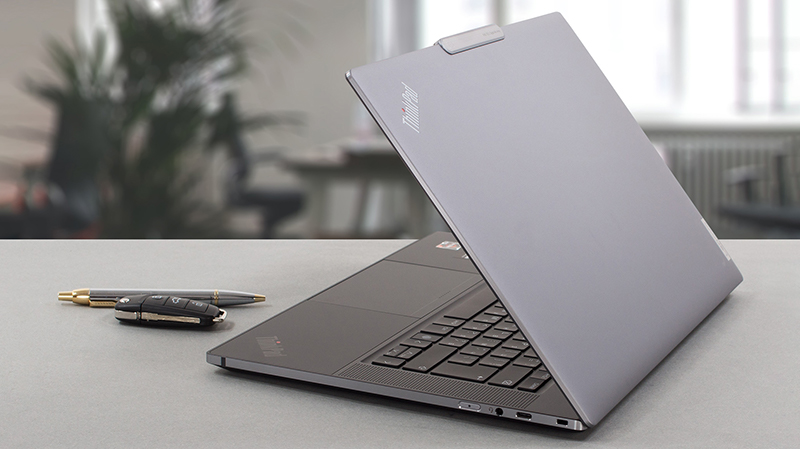 The ThinkPad name is usually connected to the boring business laptop your corporate cousin brings all the time to family gatherings. However, this is a stigma Lenovo aims to break at the 30th anniversary of the brand.
This is how the ThinkPad Z13 and Z16 were born. They are a fine piece of craftsmanship, which comes at a premium. Of course, this puts it in the clutches of fierce competitors such as the XPS series of Dell, and the MacBooks from Apple. Although we feel that neither the 13-inch nor the 16-inch models are mature enough to take on one of the most experienced premium laptops on the market, we think they are still no less interesting.
In contrast to the Z13, the Z16 Gen 1 brings the 45W AMD Ryzen PRO CPUs. With that said, there is not a big difference between the Ryzen 5000H and Ryzen 6000H in terms of performance. However, the latter features an improved iGPU, which uses RDNA2 architecture.
This means that you will get ray tracing support even without the dedicated Radeon RX6500M option.
You can check the prices and configurations in our Specs System: https://laptopmedia.com/series/lenovo-thinkpad-z16-gen-1/
Contents
Specs Sheet
Lenovo ThinkPad Z16 Gen 1 - Specs



- HDD/SSD
- tot 4000GB SSD
- M.2 Sleuf
- 1x 2280 PCIe NVMe 4.0 x4 Zie foto
- RAM
- up to 32GB
- OS
- Windows 10 Pro, Windows 11 Pro, Windows 11 Home
- Accu
- 72Wh
- Materiaal behuizing
- Aluminum
- Afmetingen
- 354.4 x 237.4 x 15.8 mm (13.95" x 9.35" x 0.62")
- Gewicht
- 1.81 kg (4 lbs)
- Poorten en connectiviteit
- 1x USB Type-C
- 3.2 Gen 2 (10 Gbps), Power Delivery (PD), DisplayPort
- 2x USB Type-C
- 4.0, Power Delivery (PD), DisplayPort
- Kaartlezer
- SD
- Ethernet LAN
- Wi-Fi
- 802.11ax
- Bluetooth
- 5.2
- Audio-aansluiting
- 3.5mm Combo Jack
- Functies
- Vingerafdruklezer
- Webcamera
- FHD & IR
- Verlicht toetsenbord
- Microfoon
- Dual Array Microphone, 360° far-field, Dolby Voice
- Luidsprekers
- 2x 2W Stereo Speakers, Dolby Atmos
- Optische drive
- Sleuf voor veiligheidsslot
- Kensington Nano Lock
Alle Lenovo ThinkPad Z16 Gen 1 configuraties
What’s in the box?
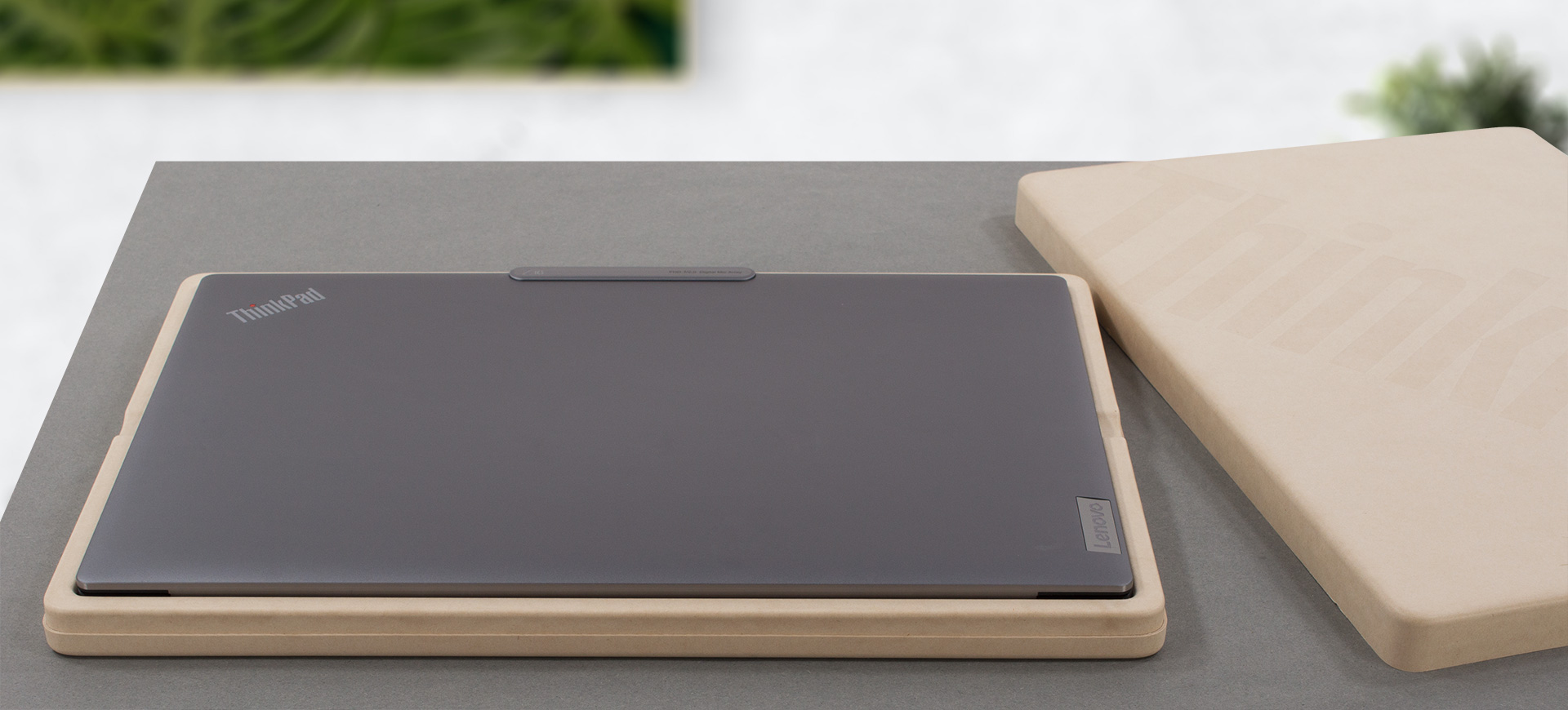
Inside the package, we found a 135W USB Type-C charger, some paperwork, and the laptop itself, located in a separate, environment-friendly box.

Design and construction
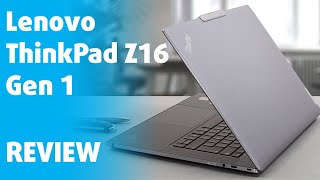
Design-wise, the ThinkPad Z16 Gen 1 is basically an enlarged copy of the Z13. It has shiny flat sides with antenna lines and is made entirely out of metal. Well, if we exclude some glass components on the palm-rest area and the display (on touchscreen models), and the vegan leather special edition.

Interestingly, the device is really compact. It has a profile of only 15.8mm and weighs 1.81 kg for the non-touch version and 1.94 kg for the touch-enabled devices. Structurally, the machine is really solid with almost zero flex coming from both the lid and the base.

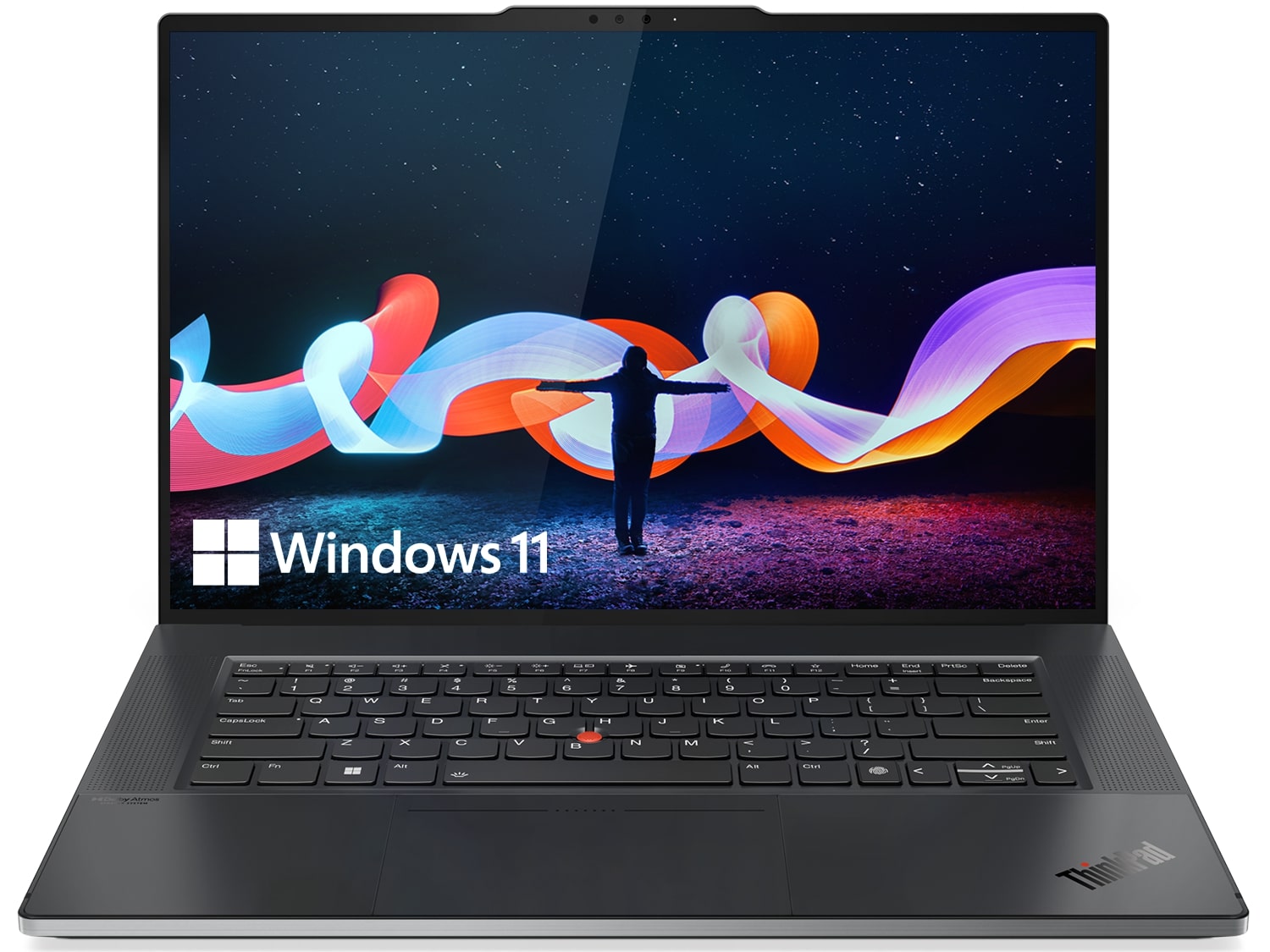
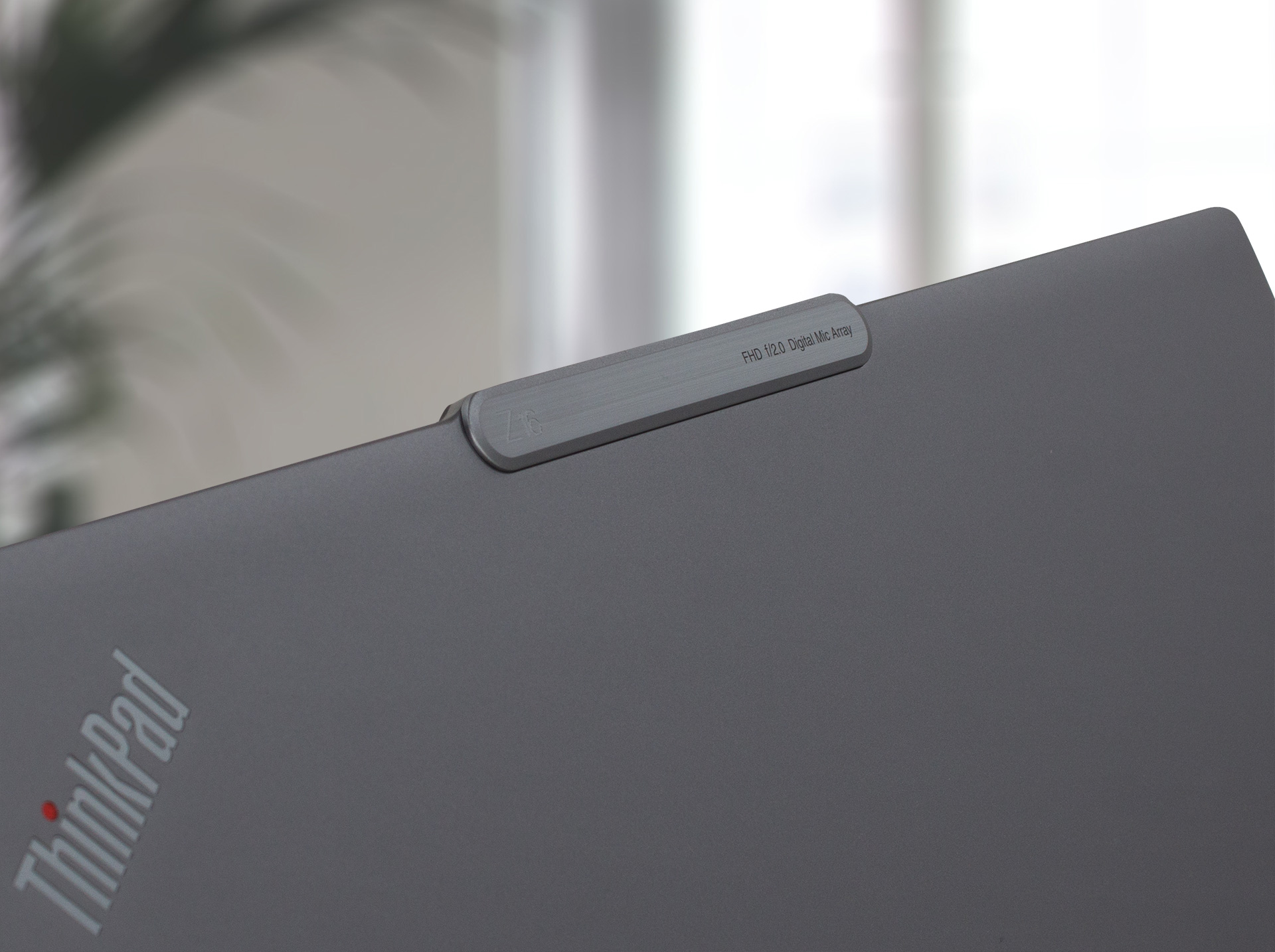
Here, you can see the notch, which features an embossment of the laptop model, and a print of the type of the camera. Speaking of which, this laptop features a Full HD shooter, paired with an optional IR face recognition sensor. Furthermore, the lid opens easily with one hand, and the tiny bezels make the 16-inch display appear even larger.
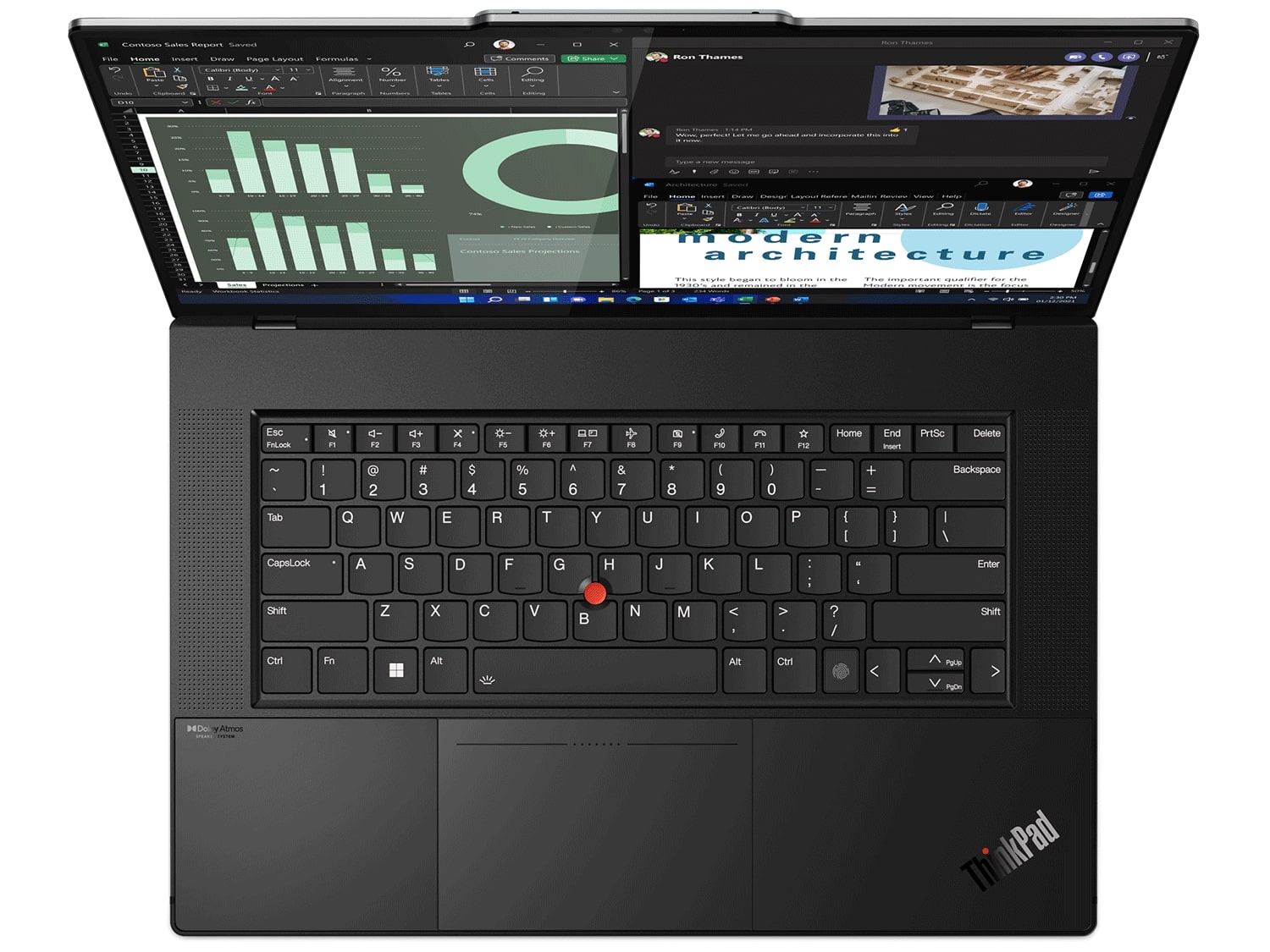
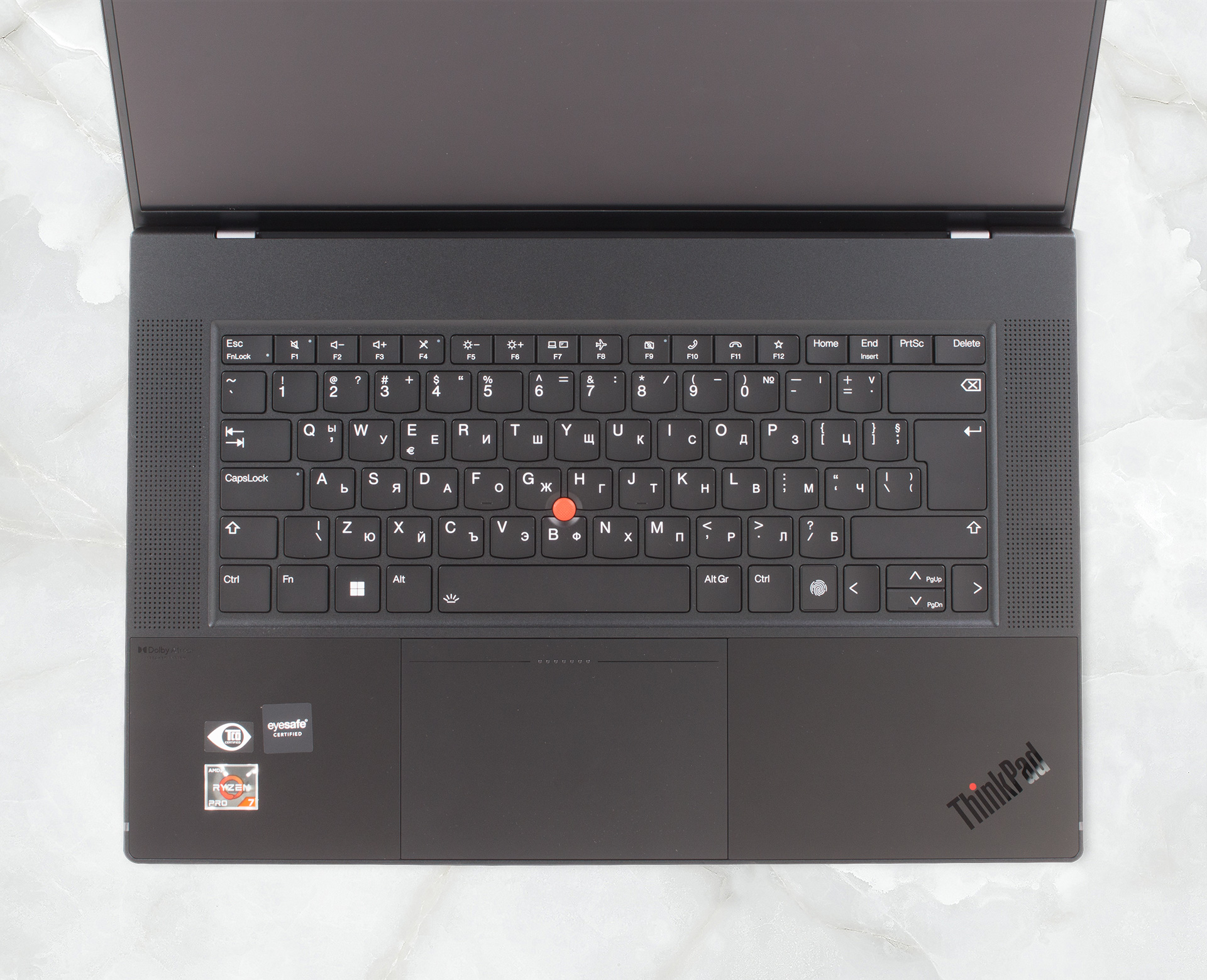
Moving to the keyboard, we see a unit with a backlight and spill resistance. Unfortunately, there is no NumPad section, despite the large available space. On the other hand, Lenovo has decided to put speaker cutouts on either side of the laptop. As for the keyboard itself, it is pretty comfortable with clicky feedback, and a left “Control” key situated where it belongs.

Surely, you must have noticed the TrackPoint. There is a set of three buttons allocated to it, and this time they are capacitive, and are part of the entire structure of the touchpad (or ForcePad as Lenovo calls it). The glass surface provides a smooth gliding experience, while the tracking is generally quick. Also, the haptics produces a satisfying vibration on click, which is almost indistinguishable from a regular “click”.
Now, the bottom panel only houses the ventilation grills, while the hot air is exhausted through two vents in between the base and the lid.

Ports
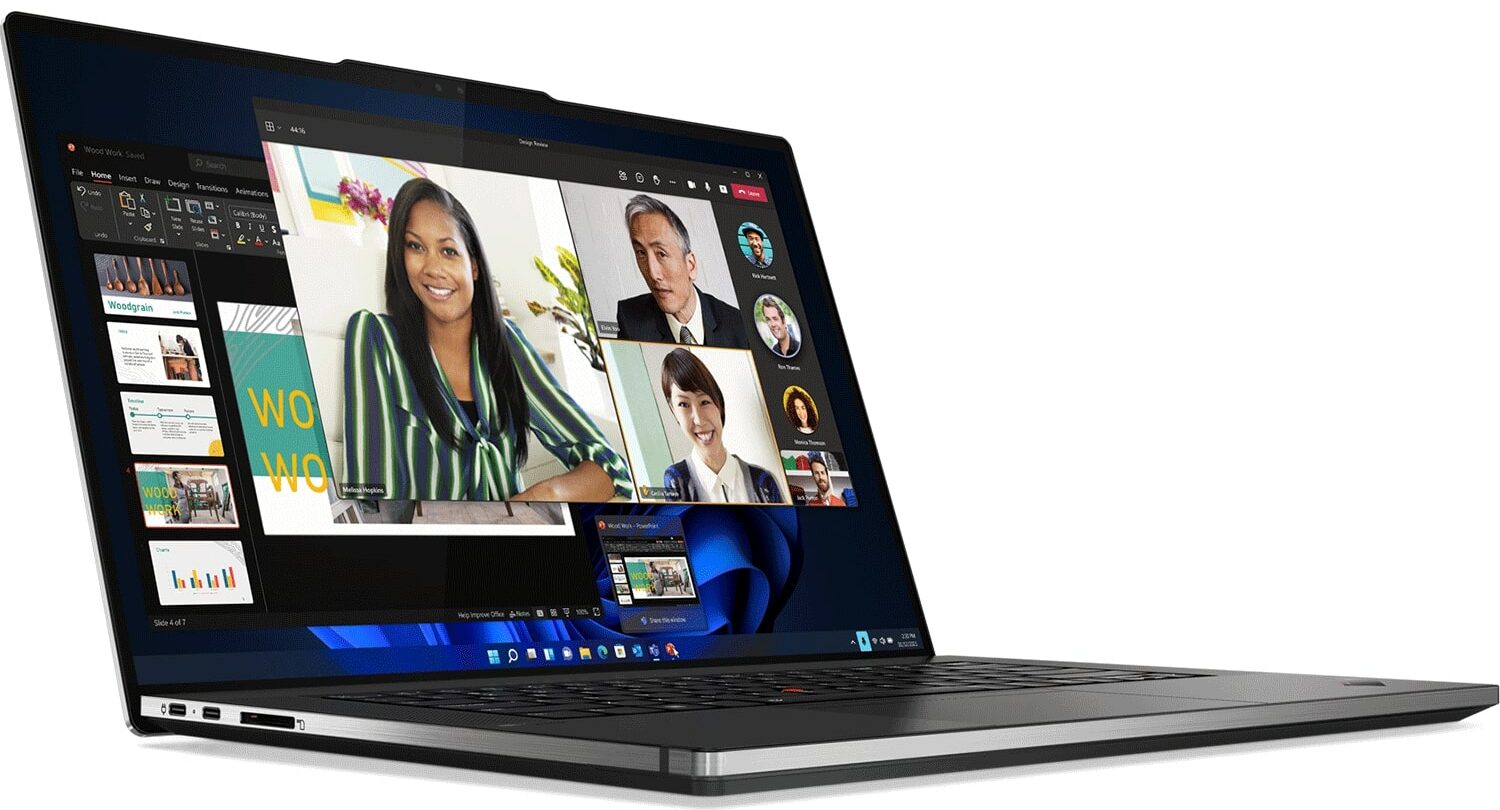
This device’s I/O is not particularly impressive. On the left side, you get two USB4 connectors and an SD card slot. Then, on the right, there is a Kensington security lock slot, a USB Type-C 3.2 (Gen. 2) port, an Audio jack, and the power button.


Disassembly, upgrade options, and maintenance
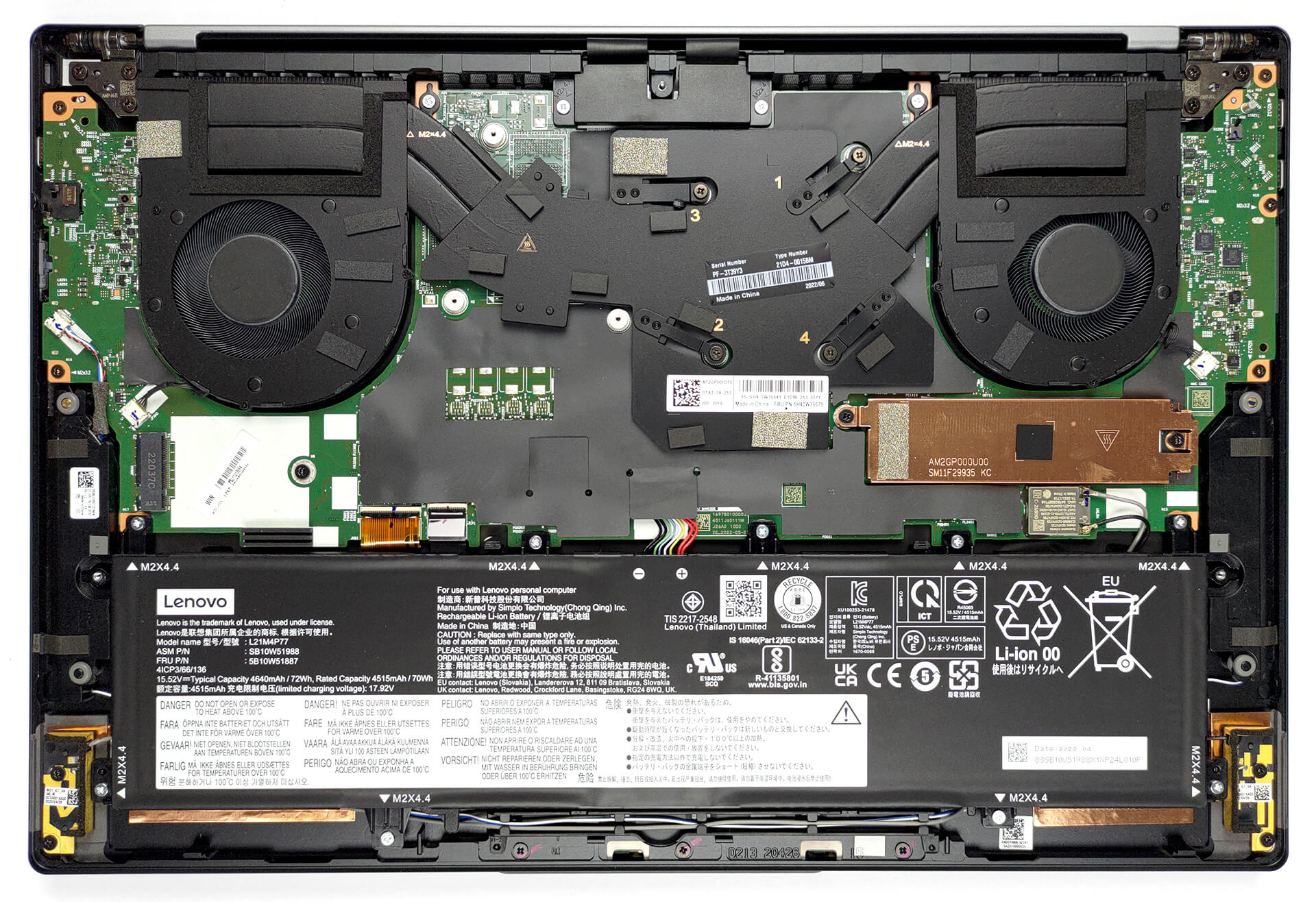
To access this notebook’s internals, you need to undo 5 captive Phillips-head screws. Then, pry the bottom panel with a plastic tool, starting from the top two corners.
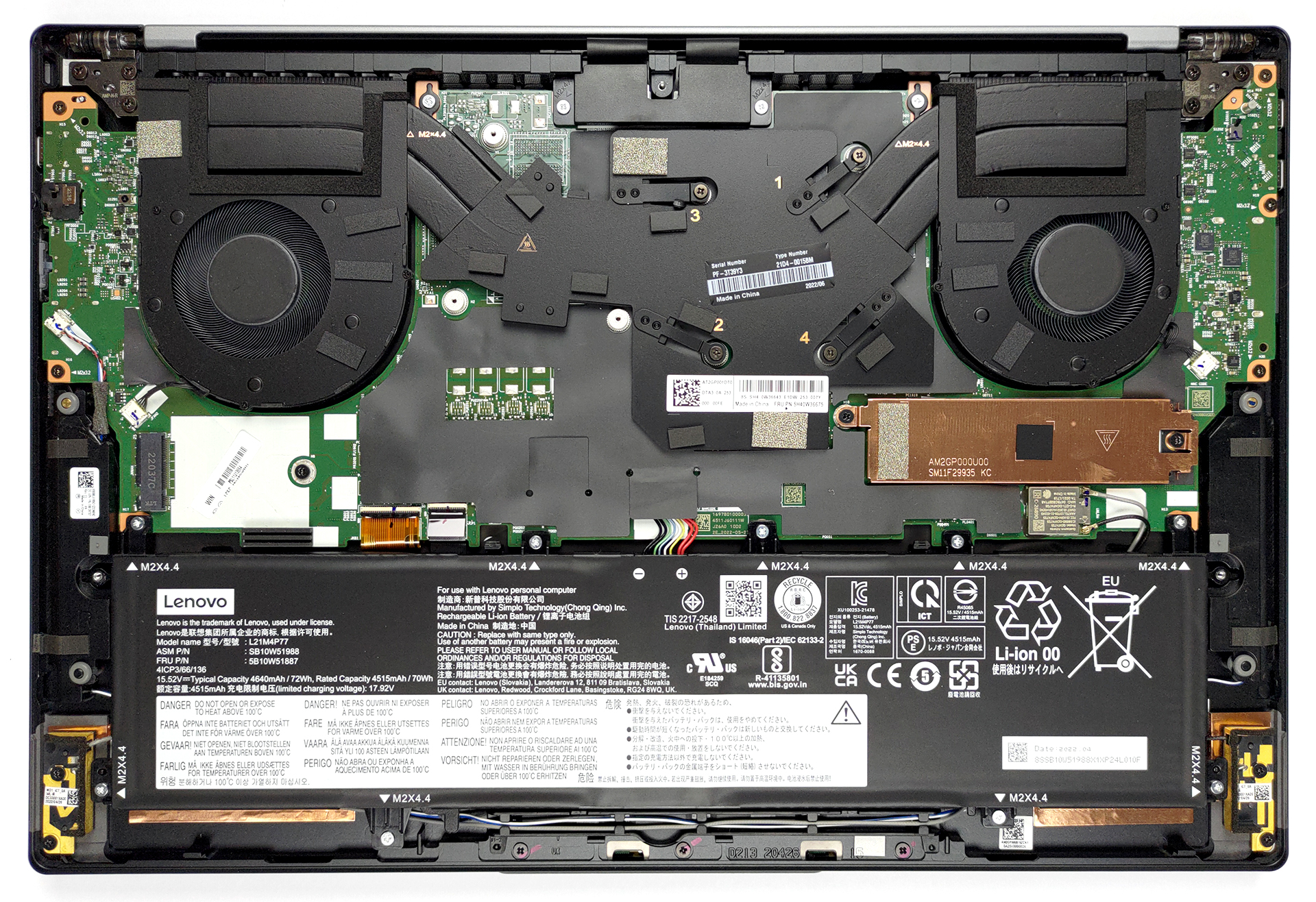
The battery inside has a capacity of 72Wh. It lasts for 20 hours of Web browsing, or 18 hours and 30 minutes of video playback. To take it out, you should first unplug the connector from the motherboard. Then, undo all 9 Phillips-head screws, and lift it away from the chassis.
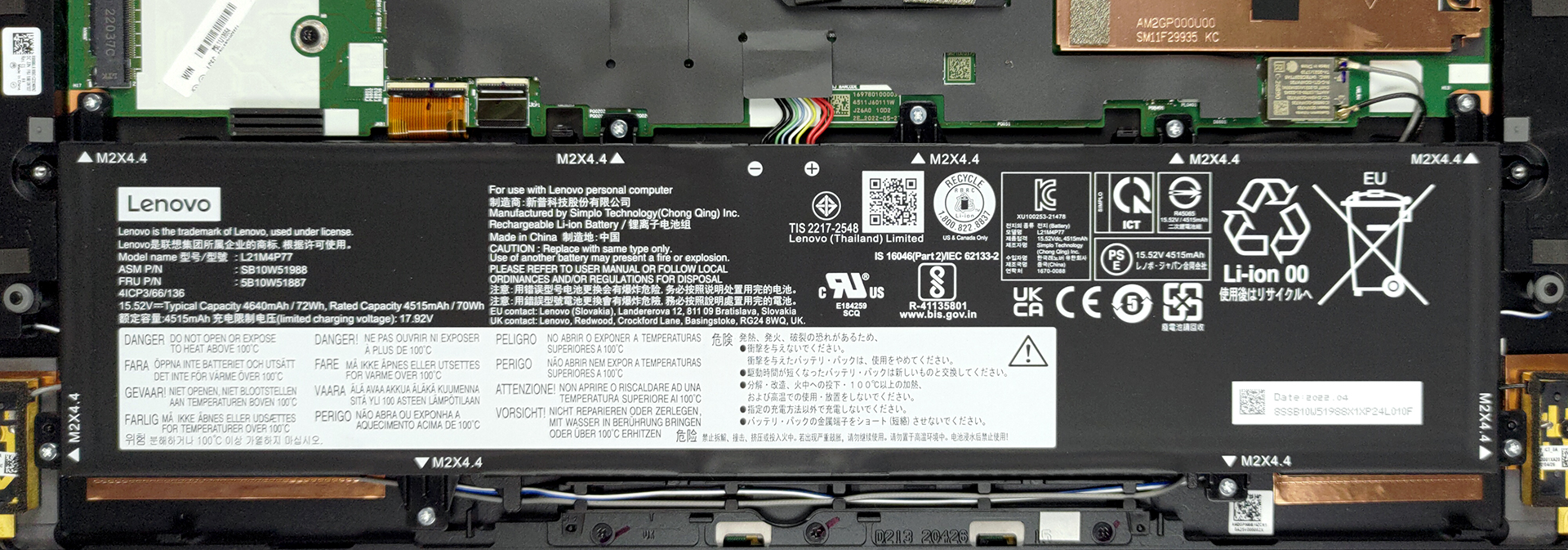
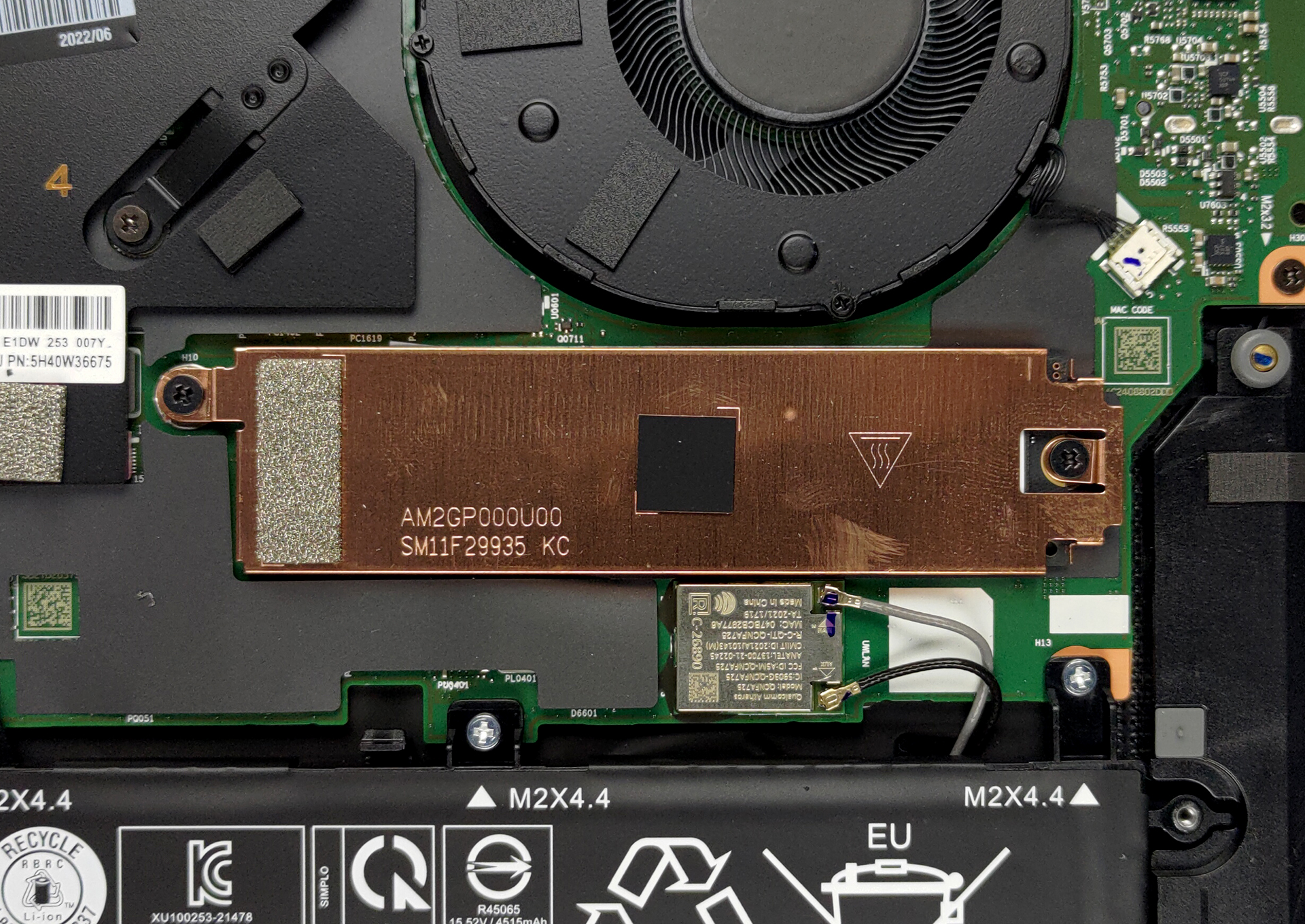
As with the 13-inch model, the memory is soldered to the motherboard. You can either get the laptop with 16 or 32GB of LPDDR5 RAM, working in quad-channel mode and at 6400MHz. Storage-wise, you get one M.2 PCIe x4 slot, which works with Gen 4 SSDs.
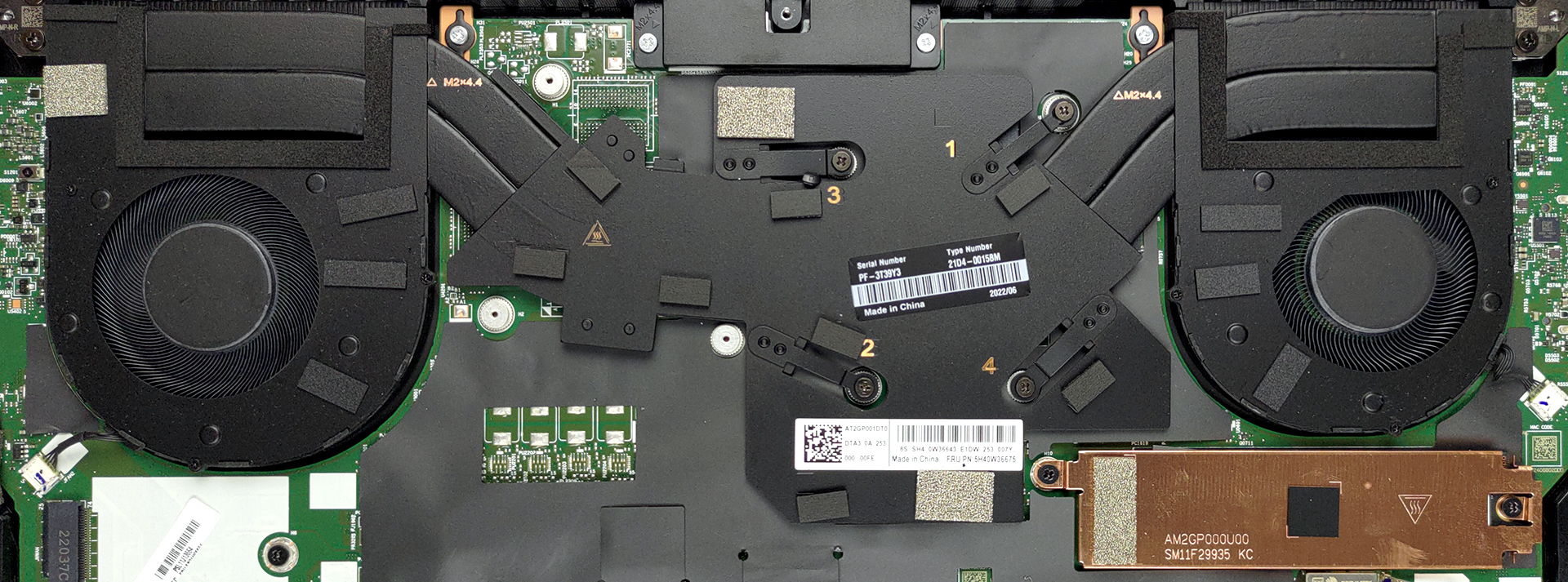
In terms of cooling, you get two heat pipes, connected to two heat sinks, where two fans blow the heat away.
Display quality
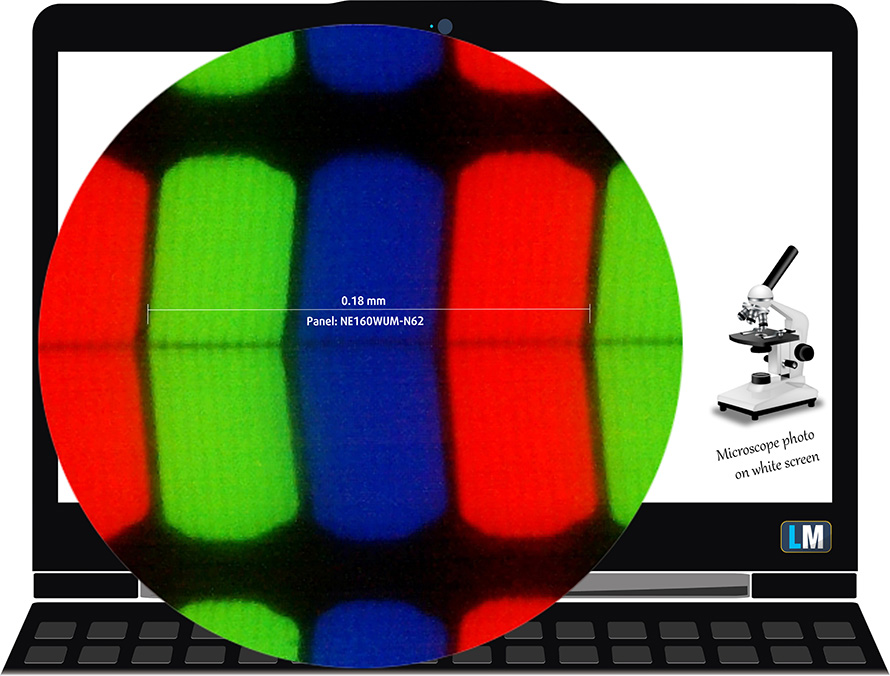
Lenovo ThinkPad Z16 Gen 1 is equipped with a WUXGA IPS panel, model number BOE NE160WUM-N62 (LEN41B5). It comes with a 60Hz refresh rate. Its diagonal is 16.0″ (40.6 cm), and the resolution – 1920 x 1200p. Additionally, the screen ratio is 16:10, the pixel density – 141 ppi, their pitch – 0.18 x 0.18 mm. The screen can be considered Retina when viewed from at least 61 cm (from this distance, the average human eye can’t see the individual pixels).
Viewing angles are good. We offer images at different angles to evaluate the quality.

Also, a video with locked focus and exposure.
The maximum measured brightness is 455 nits (cd/m2) in the middle of the screen and 437 nits (cd/m2) average across the surface with a maximum deviation of 9%. The Correlated Color Temperature on a white screen and at maximum brightness is 6650K (average) – slightly colder, almost matching the 6500K optimum for sRGB.
In the illustration below you can see how the display performs from a uniformity perspective. The illustration below shows how matters are for operational brightness levels (approximately 140 nits) – in this particular case at 53% Brightness (White level = 139 cd/m2, Black level = 0.08 cd/m2).
Values of dE2000 over 4.0 should not occur, and this parameter is one of the first you should check if you intend to use the laptop for color-sensitive work (a maximum tolerance of 2.0 ). The contrast ratio is very good – 1670:1.

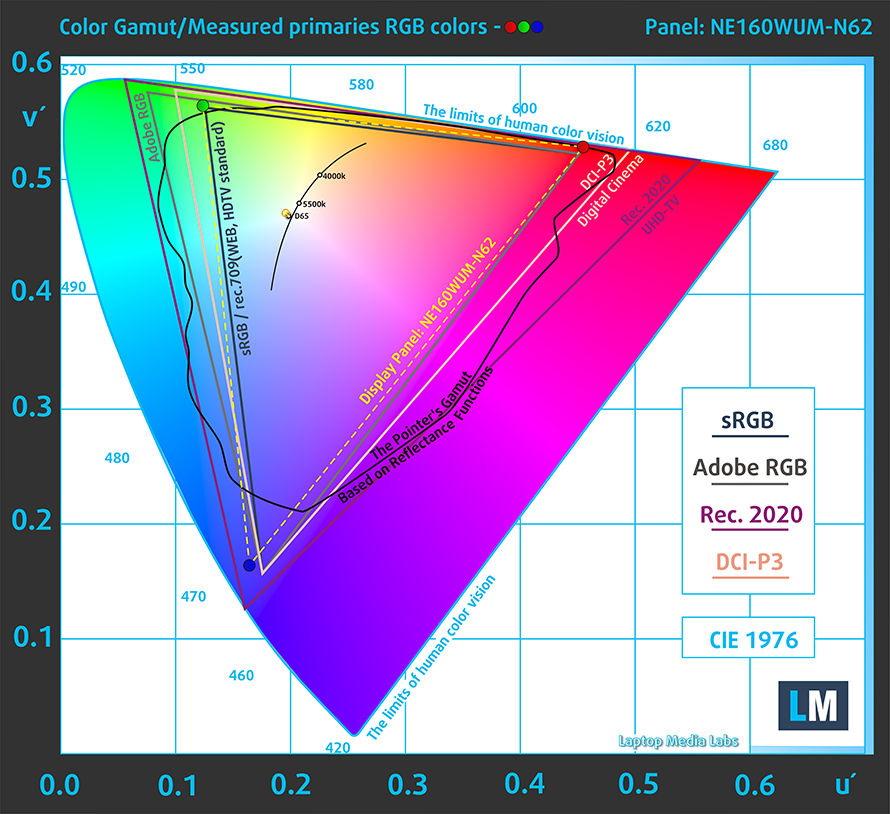
To make sure we are on the same page, we would like to give you a little introduction to the sRGB color gamut and the Adobe RGB. To start, there’s the CIE 1976 Uniform Chromaticity Diagram that represents the visible specter of colors by the human eye, giving you a better perception of the color gamut coverage and the color accuracy.
Inside the black triangle, you will see the standard color gamut (sRGB) that is being used by millions of people on HDTV and on the web. As for the Adobe RGB, this is used in professional cameras, monitors, etc for printing. Basically, colors inside the black triangle are used by everyone and this is the essential part of the color quality and color accuracy of a mainstream notebook.
Still, we’ve included other color spaces like the famous DCI-P3 standard used by movie studios, as well as the digital UHD Rec.2020 standard. Rec.2020, however, is still a thing of the future and it’s difficult for today’s displays to cover that well. We’ve also included the so-called Michael Pointer gamut, or Pointer’s gamut, which represents the colors that naturally occur around us every day.
The yellow dotted line shows Lenovo ThinkPad Z16 Gen 1’s color gamut coverage.
Its display covers 98% of the sRGB/ITU-R BT.709 (web/HDTV standard) in CIE1976.
Our “Design and Gaming” profile delivers optimal color temperature (6500K) at 140 cd/m2 luminance and sRGB gamma mode.
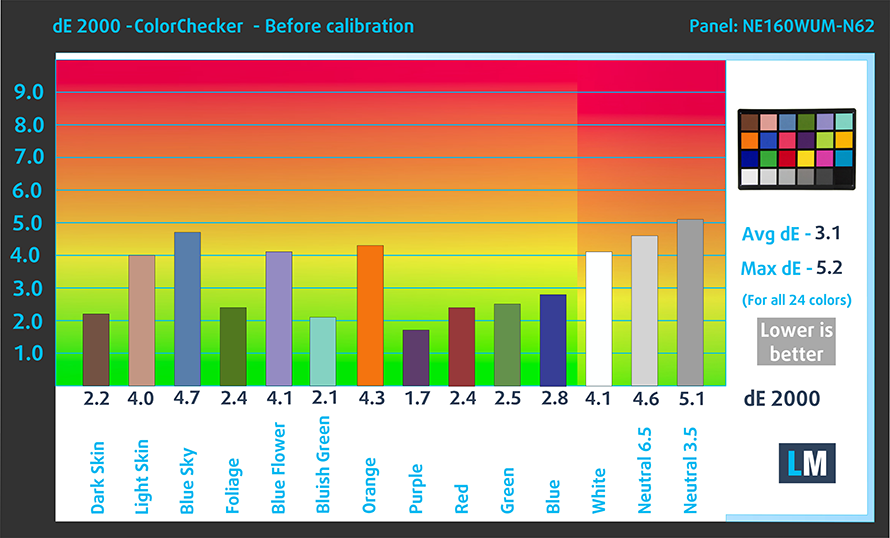
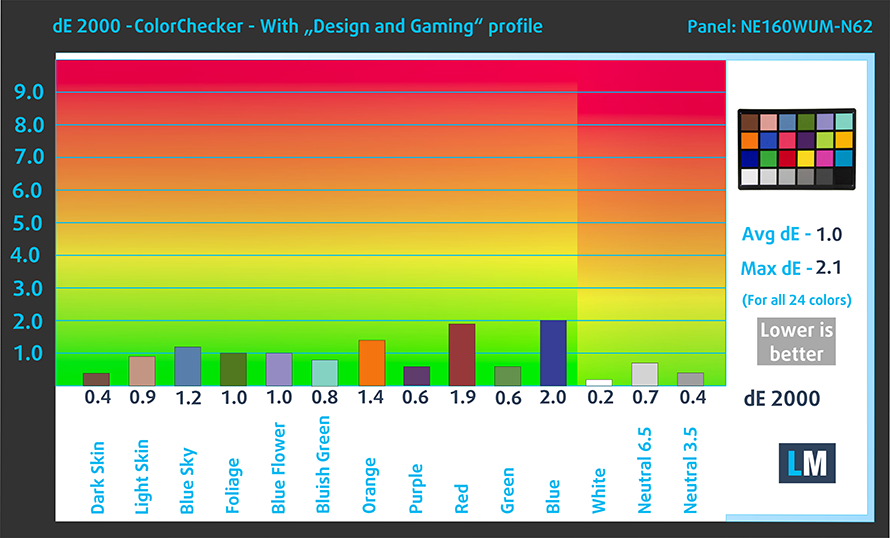
We tested the accuracy of the display with 24 commonly used colors like light and dark human skin, blue sky, green grass, orange, etc. You can check out the results at factory condition and also, with the “Design and Gaming” profile.
Below you can compare the scores of Lenovo ThinkPad Z16 Gen 1 with the default settings (left), and with the “Gaming and Web design” profile (right).
The next figure shows how well the display is able to reproduce really dark parts of an image, which is essential when watching movies or playing games in low ambient light.
The left side of the image represents the display with stock settings, while the right one is with the “Gaming and Web Design” profile activated. On the horizontal axis, you will find the grayscale, and on the vertical axis – the luminance of the display. On the two graphs below you can easily check for yourself how your display handles the darkest nuances but keep in mind that this also depends on the settings of your current display, the calibration, the viewing angle, and the surrounding light conditions.

Response time (Gaming capabilities)
We test the reaction time of the pixels with the usual “black-to-white” and “white-to-black” method from 10% to 90% and vice versa.
We recorded Fall Time + Rise Time = 24 ms.

After that, we test the reaction time of the pixels with the usual “Gray-to-Gray” method from 50% White to 80% White and vice versa between 10% and 90% of the amplitude.

Health impact – PWM / Blue Light
PWM (Screen flickering)
Pulse-width modulation (PWM) is an easy way to control monitor brightness. When you lower the brightness, the light intensity of the backlight is not lowered, but instead turned off and on by the electronics with a frequency indistinguishable to the human eye. In these light impulses, the light/no-light time ratio varies, while brightness remains unchanged, which is harmful to your eyes. You can read more about that in our dedicated article on PWM.
Lenovo ThinkPad Z16 Gen 1’s display doesn’t flicker at any brightness level. This makes the screen comfortable for long periods of use.

Blue light emissions
Installing our Health-Guard profile not only eliminates PWM but also reduces the harmful Blue Light emissions while keeping the colors of the screen perceptually accurate. If you’re not familiar with the Blue light, the TL;DR version is – emissions that negatively affect your eyes, skin, and your whole body. You can find more information about that in our dedicated article on Blue Light.
Gloss level measurement
Glossy-coated displays are sometimes inconvenient in high ambient light conditions. We show the level of reflection on the screen for the respective laptop when the display is turned off and the measurement angle is 60° (in this case, the result is 49.1 GU).

Buy our profiles
Since our profiles are tailored for each individual display model, this article and its respective profile package are meant for Lenovo ThinkPad Z16 Gen 1 configurations with 16.0″ BOE NE160WUM-N62 (LEN41B5) (WUXGA, 1920 x 1200) IPS.
*Should you have problems with downloading the purchased file, try using a different browser to open the link you’ll receive via e-mail. If the download target is a .php file instead of an archive, change the file extension to .zip or contact us at [email protected].
Read more about the profiles HERE.
Naast het ontvangen van efficiënte en gezondheidsvriendelijke profielen, ondersteunt u door het kopen van LaptopMedia's producten ook de ontwikkeling van onze labs, waar we apparaten testen om zo objectief mogelijke reviews te produceren.

Office Work
Office Work is voornamelijk bedoeld voor gebruikers die de meeste tijd besteden aan het bekijken van teksten, tabellen of gewoon surfen. Dit profiel streeft naar een betere onderscheidbaarheid en helderheid door een vlakke gammacurve (2.20), native kleurtemperatuur en perceptueel accurate kleuren te behouden.

Design and Gaming
Dit profiel is bedoeld voor ontwerpers die professioneel met kleuren werken, maar ook voor games en films. Design and Gaming haalt het uiterste uit beeldschermen, waardoor ze zo nauwkeurig mogelijk zijn in de sRGB IEC61966-2-1 norm voor Web en HDTV, met witpunt D65.

Health-Guard
Health-Guard elimineert de schadelijke Pulsbreedtemodulatie (PWM) en vermindert het negatieve Blauwe Licht dat onze ogen en lichaam beïnvloedt. Omdat het op maat gemaakt is voor elk paneel, slaagt het erin de kleuren perceptueel accuraat te houden. Health-Guard simuleert papier zodat de druk op de ogen sterk wordt verminderd.
Krijg alle 3 profielen met 33% korting

Sound
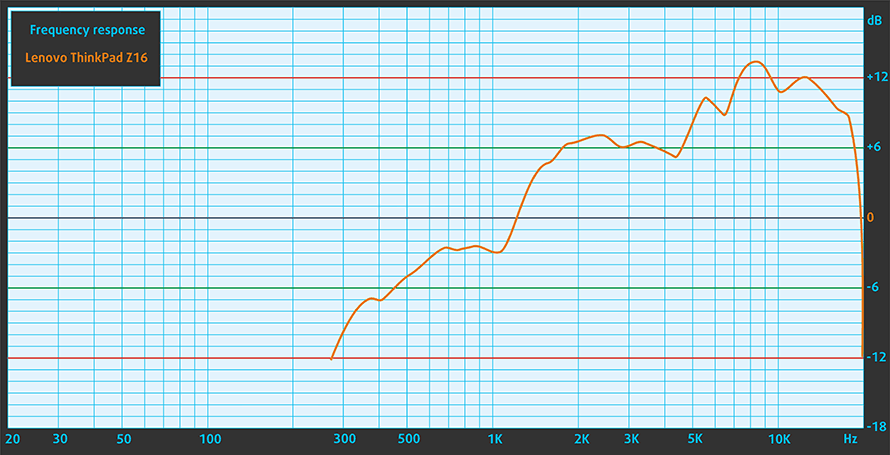
Lenovo ThinkPad Z16 Gen 1’s stereo speakers produce a sound of very good quality. It has clear low, mid, and high tones, while the maximum volume is pretty loud.
Drivers
All drivers and utilities for this notebook can be found here: https://pcsupport.lenovo.com/us/en/products/laptops-and-netbooks/thinkpad-z-series-laptops/thinkpad-z16-type-21d4-21d5/downloads/driver-list
Battery
Now, we conduct the battery tests with the Windows Better performance setting turned on, screen brightness adjusted to 120 nits, and all other programs turned off except for the one we are testing the notebook with. Here, you get a 72Wh battery pack. It lasted us 20 hours of Web browsing, or 18 hours and 31 minutes of video playback.
Helderheid: 180 nits; Weergavemodus: SDR
Tijd tot Volledige Ontlading: Hoger is Beter
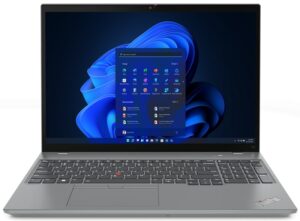
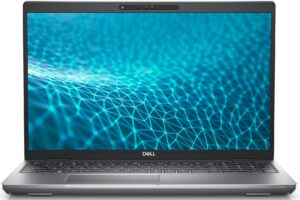
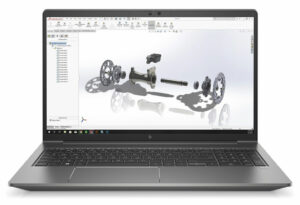
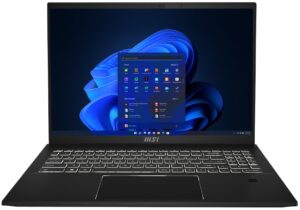
Om realistische omstandigheden te simuleren, hebben we ons eigen script gebruikt voor automatisch surfen op meer dan 70 websites.
CPU options
This laptop is offered with the Ryzen 5 PRO 6650H, Ryzen 7 PRO 6850H, and Ryzen 9 PRO 6950H.
De resultaten zijn afkomstig van de Cinebench R23 CPU-test (hoe hoger de score, hoe beter)
GPU options
If you opt for a dedicated GPU, you will get the Radeon RX 6500M. Otherwise, the Ryzen 5 features the Radeon 660M iGPU, while the Ryzen 7 and 9 come with the Radeon 680M.
De resultaten zijn van 3DMark Time Spy (Graphics). Hoger is beter.
De resultaten zijn van de 3DMark Fire Strike (Graphics) benchmark (hoe hoger de score, hoe beter)
De resultaten zijn van 3DMark Wild Life Extreme Unlimited. Hoger is beter.
De resultaten zijn van de Unigine Superposition benchmark (hoe hoger de score, hoe beter)
Gaming tests


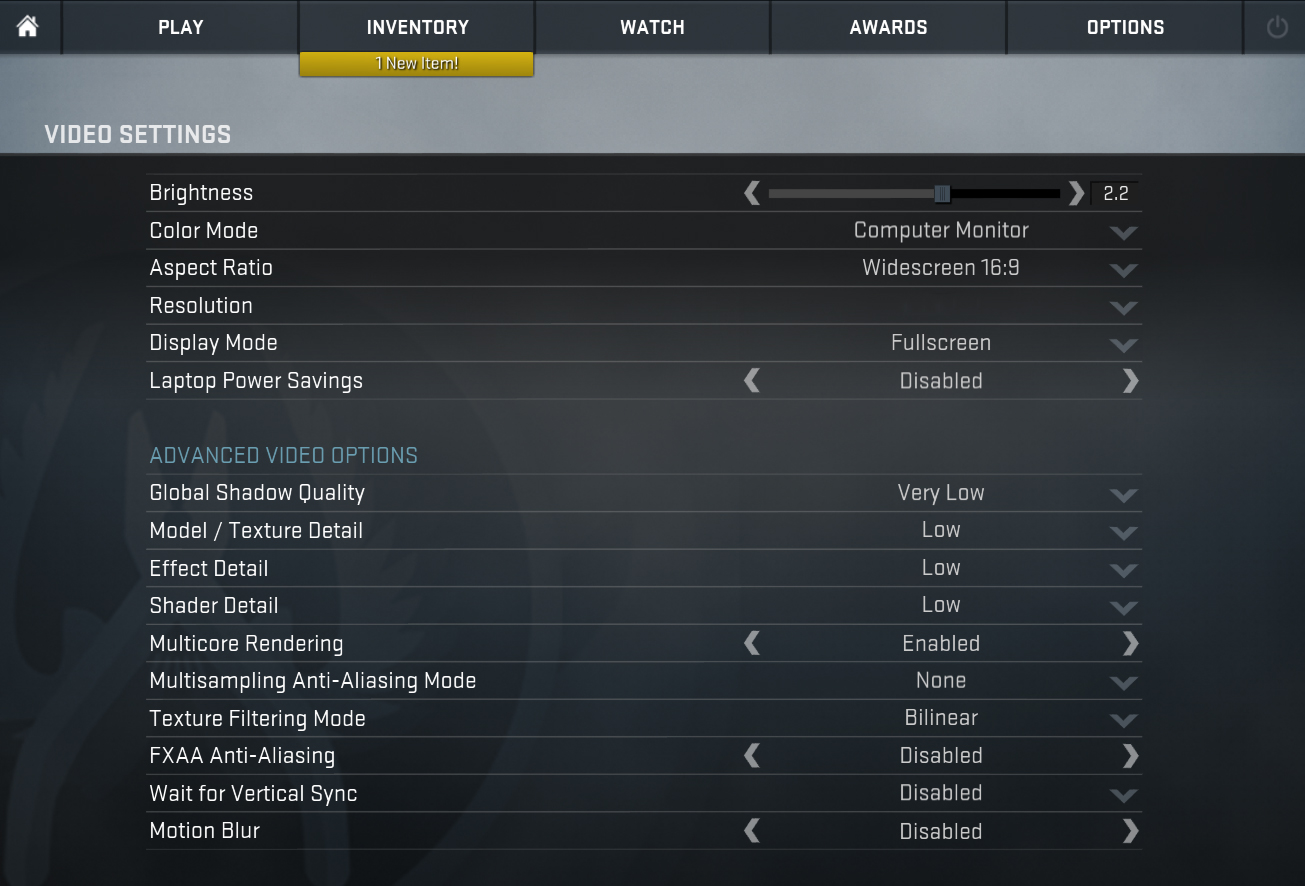
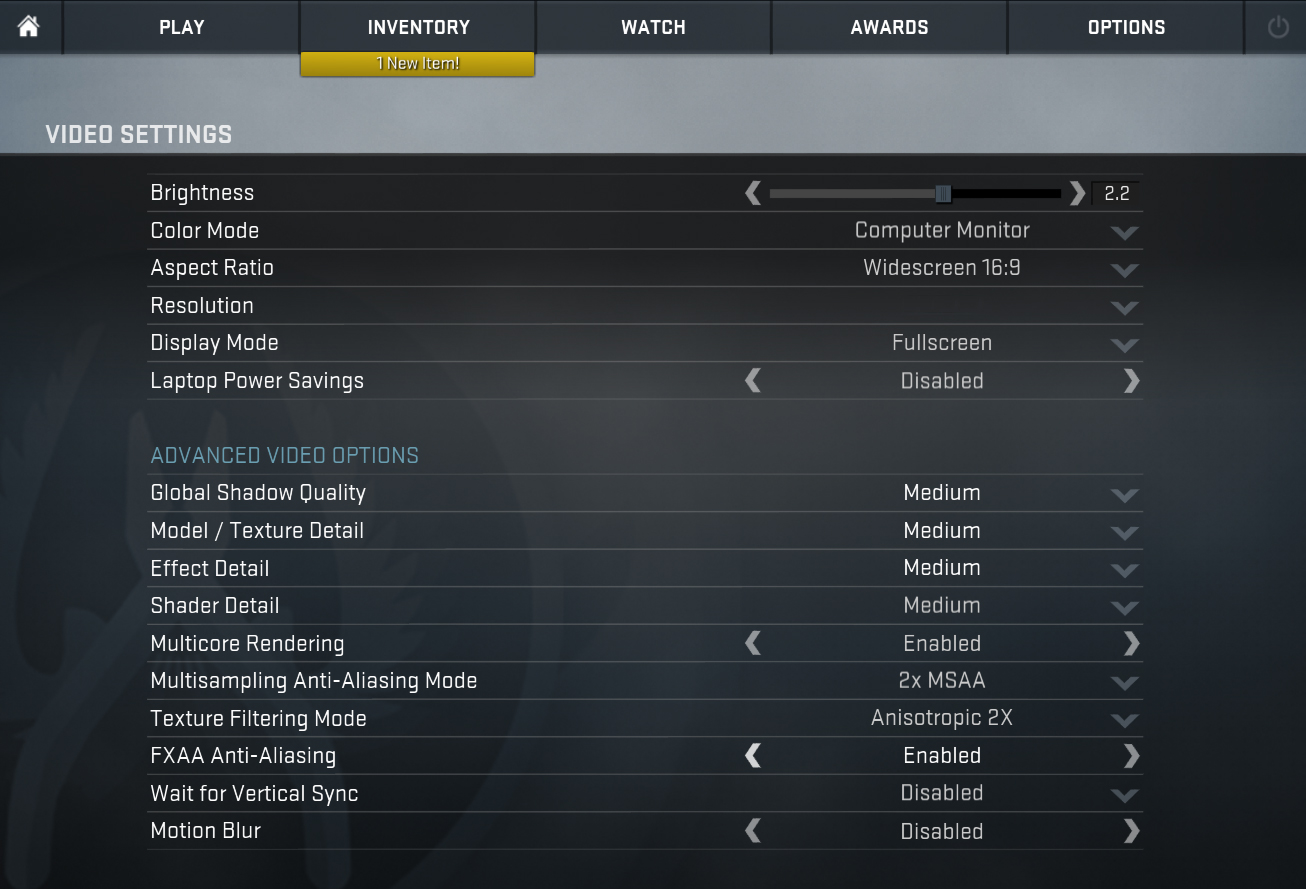
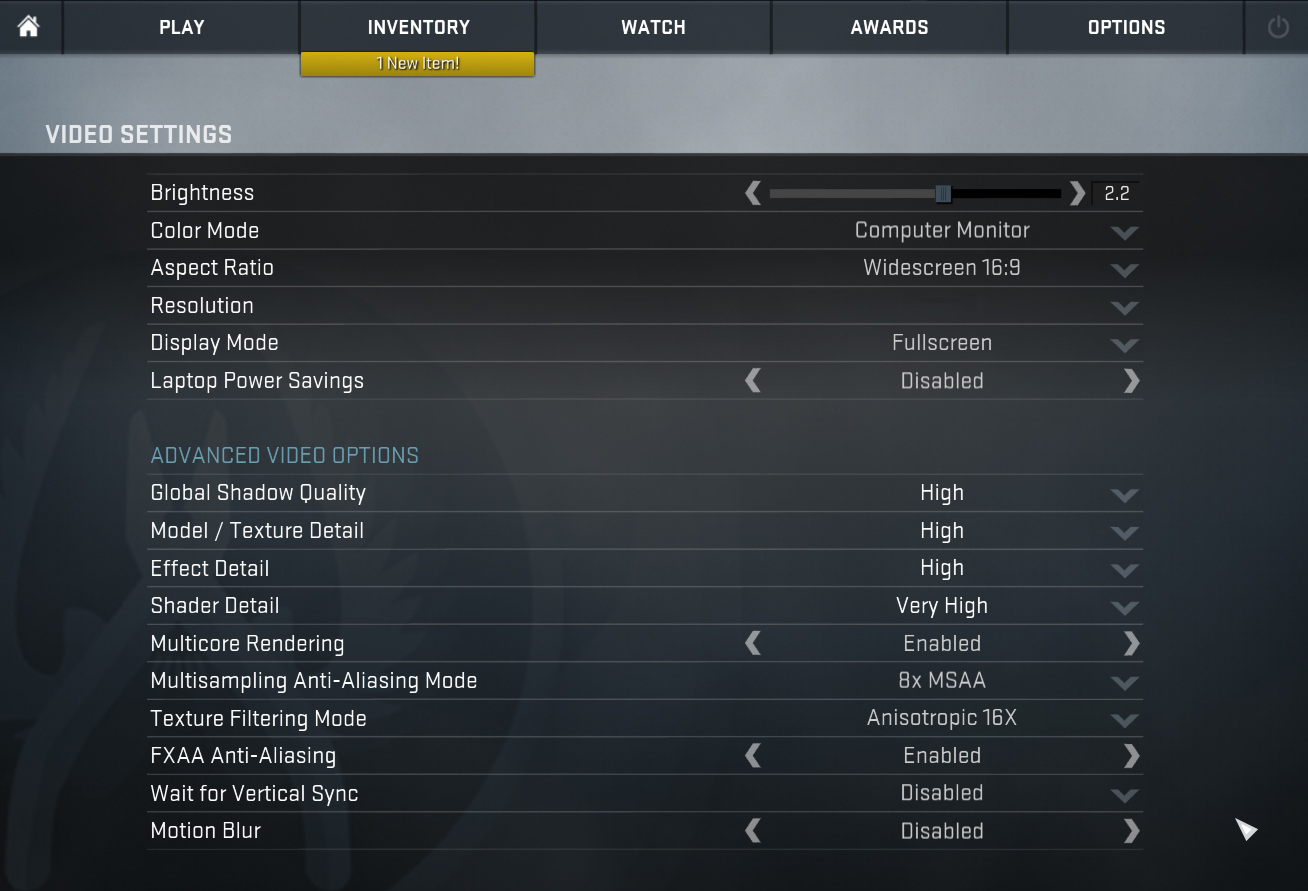
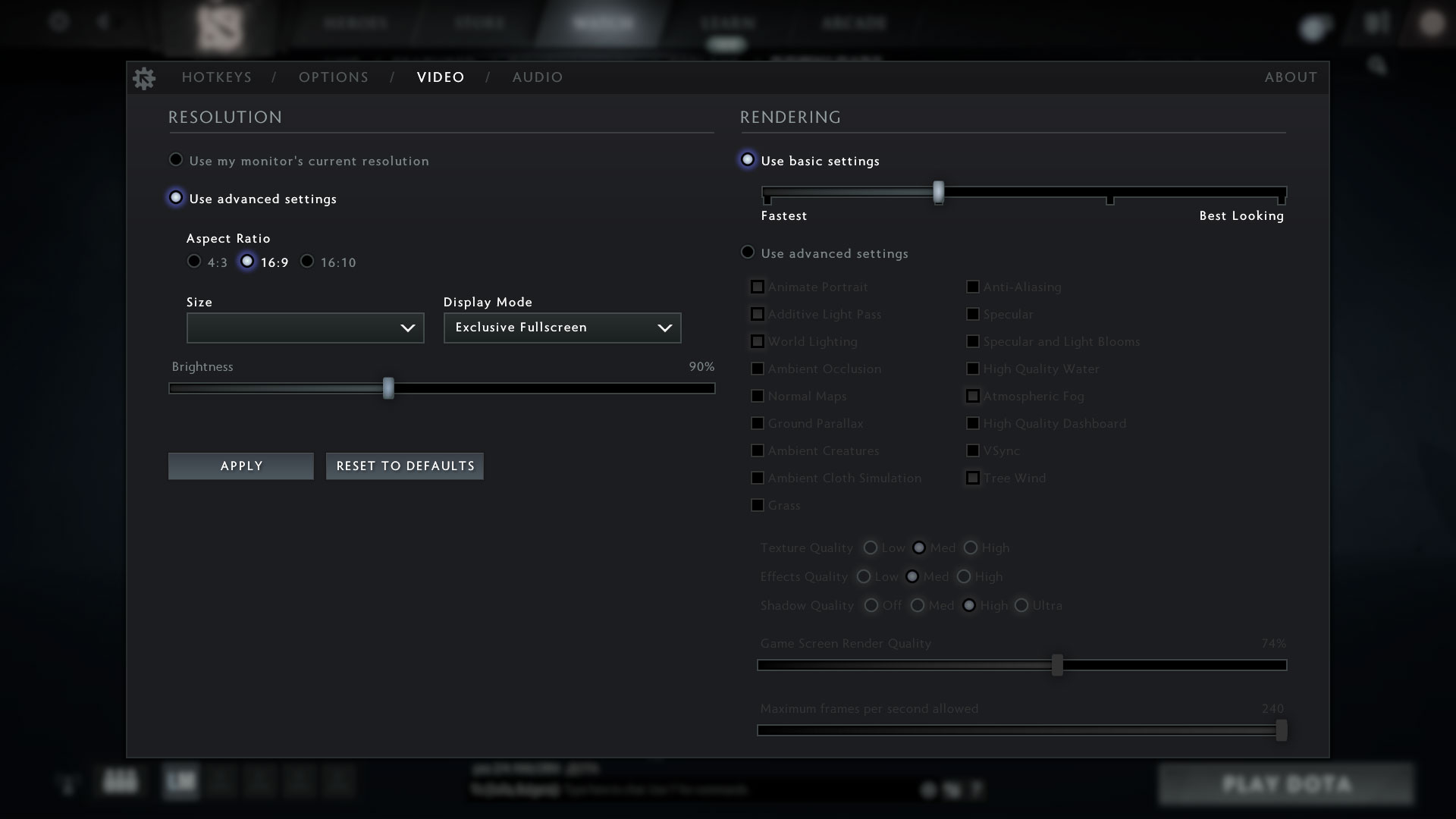
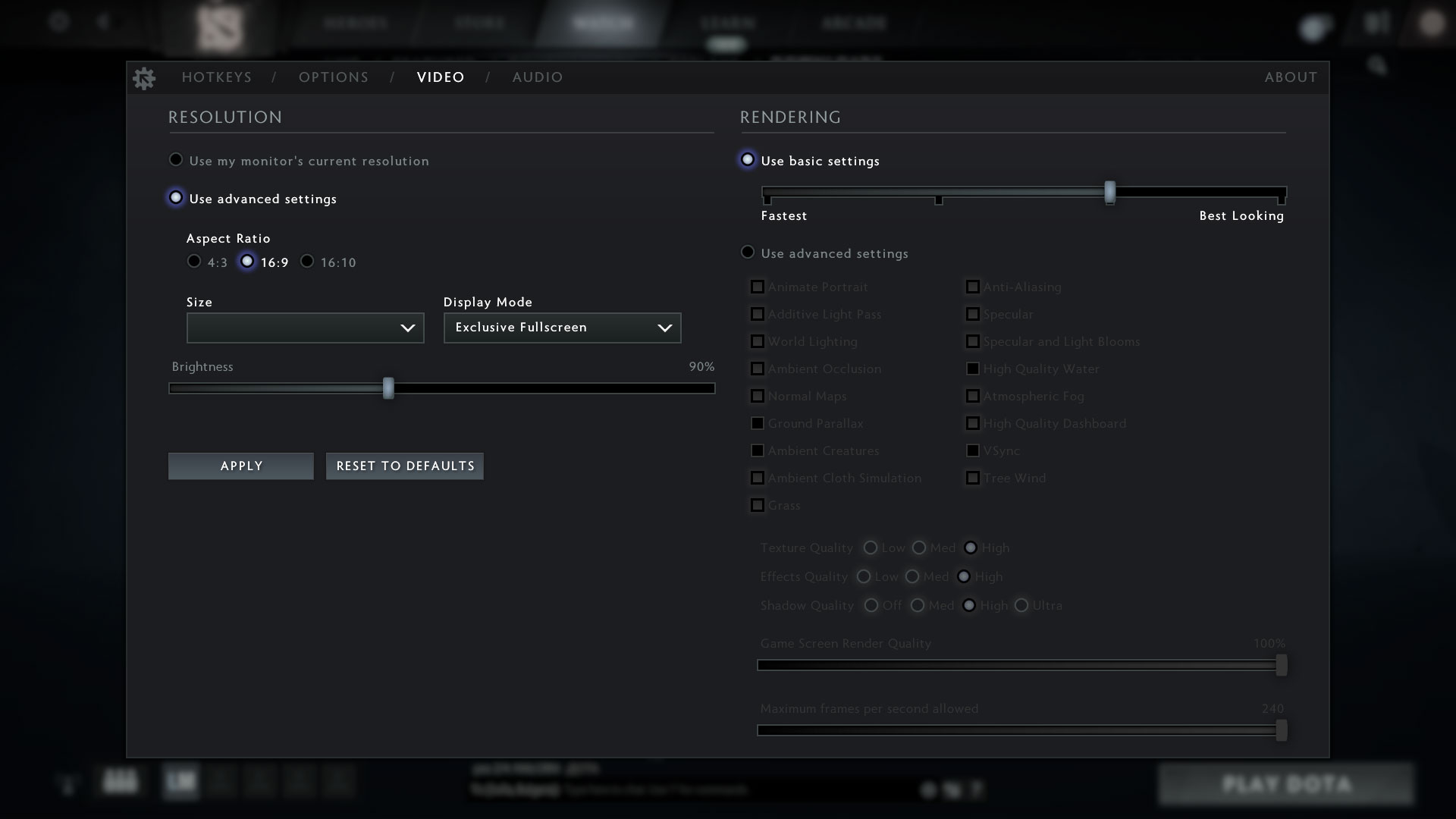
| CS:GO | HD 1080p, Low (Check settings) | HD 1080p, Medium (Check settings) | HD 1080p, MAX (Check settings) |
|---|---|---|---|
| Average FPS | 205 fps | 174 fps | 143 fps |

| DOTA 2 | HD 1080p, Low (Check settings) | HD 1080p, Normal (Check settings) | HD 1080p, High (Check settings) |
|---|---|---|---|
| Average FPS | 144 fps | 117 fps | 92 fps |
Temperatures and comfort
Max CPU load
In this test we use 100% on the CPU cores, monitoring their frequencies and chip temperature. The first column shows a computer’s reaction to a short load (2-10 seconds), the second column simulates a serious task (between 15 and 30 seconds), and the third column is a good indicator of how good the laptop is for long loads such as video rendering.
Average core frequency (base frequency + X); CPU temp.
| AMD Ryzen 7 PRO 6850H (45W TDP) | 0:02 – 0:10 sec | 0:15 – 0:30 sec | 10:00 – 15:00 min |
|---|---|---|---|
| Lenovo ThinkPad Z16 Gen 1 | 3.68 GHz @ 84°C @ 62W | 3.47 GHz @ 88°C @ 54W | 3.40 GHz @ 95°C @ 53W |
Despite its slim form factor, the ThinkPad Z16 Gen 1 manages to maintain a pretty high clock of the 8-core CPU for long periods of time. Indeed, adding a dedicated GPU to the mix will make matters worse, but for the iGPU model, we are pretty okay.
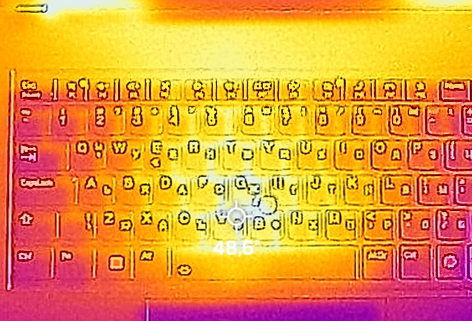
Comfort during full load
Of course, the fans need to push a bit hard to cool the Ryzen 7 PRO 6850H down. This produces some noise. On the other hand, the middle of the keyboard still gets close to the 50°C mark.
Verdict
 Given the fact that this laptop is a special edition itself, we have to say that it is extremely well built. It has a chassis, which not only looks good but also is very strong. What we didn’t expect to see, on the other hand, is the power efficiency. Lenovo seems to have pulled some sort of a magic trick because this model lasts for 20 hours of Web browsing on a single charge. This is simply fantastic.
Quite frankly, we didn’t know this is possible with the x64 technology we have today. Good times are coming for mobile computers. However, don’t think that we loved everything about the ThinkPad Z16 Gen 1. Unfortunately, it sucks in terms of upgradeability. The only thing you can change is the M.2 PCIe x4 Gen 4 SSD since the memory is soldered to the motherboard.
On the bright side, it runs in quad-channel mode, and the frequencies it works at are really high (6400MHz). In addition, the I/O is equally unimpressive. There are two USB4 connectors, another USB Type-C port, an SD card slot, and an Audio jack. A bit too early to switch to mostly USB Type-Cs in our opinion.
Lenovo ThinkPad Z16 Gen 1’s IPS panel in the configuration we tested has a 1200p resolution, comfortable viewing angles, and a good contrast ratio. It covers 98% of the sRGB color gamut and offers accurate color representation with the help of our Gaming and Web design profile. This means you can use it for color-sensitive work. Fortunately, it doesn’t use PWM for brightness adjustment, which will allow you to work for long periods of time without feeling the negative effects of flickerings.
We can’t miss the fact that the ThinkPad Z16 Gen 1 comes with two potential biometrics options. One of them is the fingerprint scanner, which is crammed into the keyboard, while the other is an IR face recognition sensor, located right beside the Full HD Web camera.
And if you like innovation, then the touchpad will make you smile. It is a capacitive “ForcePad”. It is pretty predictable, which is great, but you have to mind the imaginary buttons above it, which mess with the work with the rest of the surface.
Quite frankly, the ThinkPad Z16 Gen 1 is not the powerhouse Lenovo makes you think it is. Yes, its integrated GPU does a good job with light games, and the dedicated one should be a good help in professional programs. However, it is equipped with a processor, which is significantly less powerful than the latest Alder Lake CPUs from Intel. Yet again, its battery life is so good, that this itself is a good reason to buy the laptop.
You can check the prices and configurations in our Specs System: https://laptopmedia.com/series/lenovo-thinkpad-z16-gen-1/
Pros
- Fantastic battery life
- Super rigid chassis
- Sleek design with a thought for the environment
- 98% sRGB coverage and accurate colors with our Gaming and Web design profile (BOE NE160WUM-N62 (LEN41B5)
- No PWM (BOE NE160WUM-N62 (LEN41B5)
- Charges via Type-C
- 2x USB4 + Gen 4 SSD support
- IR face recognition + fingerprint reader
Cons
- Pretty expensive
- Very limited I/O
- Soldered memory
 Author: Alex Iliev
 Author: eng. Kroum NikolovHead of Engineering at LaptopMedia.com, inventor and innovator with 40+ years of experience in electronics and high technology.

![[Mei 2026] Wereldwijde ranglijst van best verkochte laptop-GPU’s op Amazon – Apple domineert met 45% aandeel, veegt top 3 plaatsen weg; NVIDIA’s RTX 5060 leidt het peloton toegewijde GPU’s](https://laptopmedia.com/wp-content/uploads/2026/06/Best-Selling-GPUs-GLOBAL-Top-10-400x225.jpg)
![[Mei 2026] Wereldwijde ranglijst van best verkochte laptop CPU’s op Amazon – Apple verplettert concurrentie met 45,2% marktaandeel, M5 domineert](https://laptopmedia.com/wp-content/uploads/2026/06/Best-Selling-CPUs-GLOBAL-Top-10-400x225.jpg)
![[May 2026] Amazon Germany: Top 7 Best-Selling Gaming Laptops – Lenovo Legion 5i Crowned Champion Amidst Fierce Mid-Range Competition](https://laptopmedia.com/wp-content/uploads/2026/06/Best-Selling-Gaming-Laptops-DE-Top-10-1-400x225.jpg)
![[May 2026] Amazon Italy: Top 10 Best-Selling Laptops – Apple MacBook Neo Reigns Supreme, Premium Models Capture Dominant Revenue Share](https://laptopmedia.com/wp-content/uploads/2026/06/Best-Selling-Laptops-IT-Top-10-400x225.jpg)
![[May 2026] Best-Selling Laptop Brands on Amazon Italy – Apple Dominates Across All Metrics](https://laptopmedia.com/wp-content/uploads/2026/06/IT-Best-Brands-400x225.jpg)