Lenovo ThinkPad L13 Yoga Gen 2 review – do you really need two cameras?
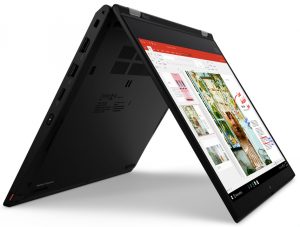
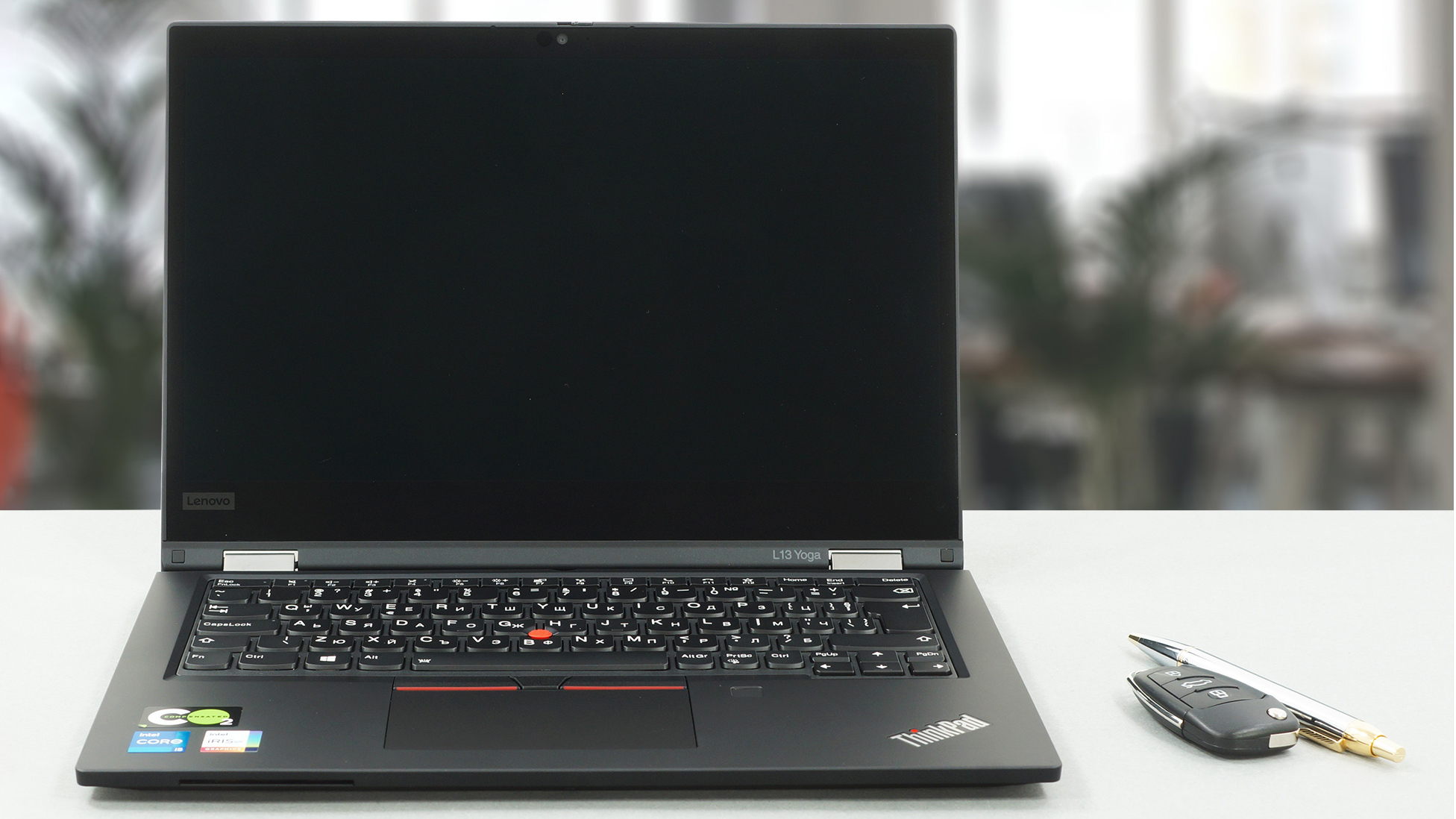 Today, we have another member of the weird business convertible laptop market. This one is called the ThinkPad L13 Yoga Gen 2, and it is visually unchanged from its predecessor (or Gen 1 per se). Ultimately, For starters, the notebook is definitely not among the cheapest on the market.
Its price tag is probably justified by the use of aluminum and glass fiber in the build, as well as the Tiger Lake processors from Intel. Also, you get an “integrated” stylus, a fingerprint reader, an optional IR face recognition camera, and once again – an optional 5MP rear camera – more on that, later.
With more competitors to this laptop internally, within the Lenovo brand in general, it would be difficult to find reasons to recommend this notebook. Convertibles are now found far and wide, and with their popularity in the business world increasing, one should not make any mistakes, whatsoever.
You can check the prices and configurations in our Specs System: https://laptopmedia.com/series/lenovo-thinkpad-l13-yoga-gen-2-intel/
Contents
Specs Sheet
Lenovo ThinkPad L13 Yoga Gen 2 (Intel) - Specyfikacja
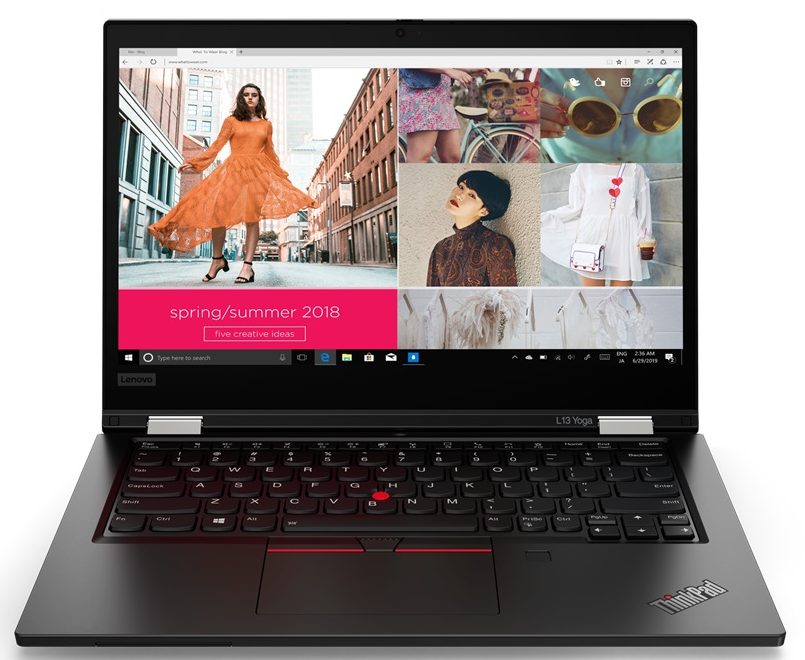
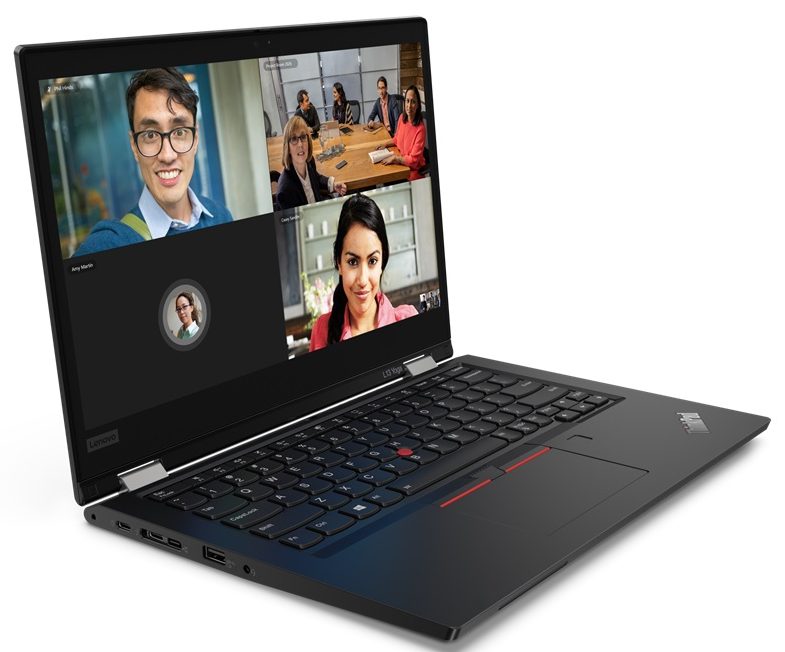
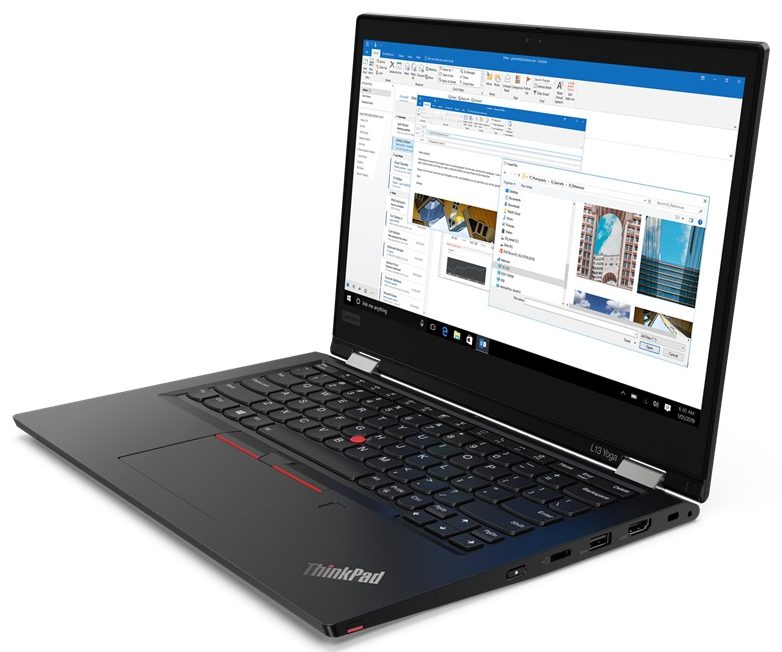

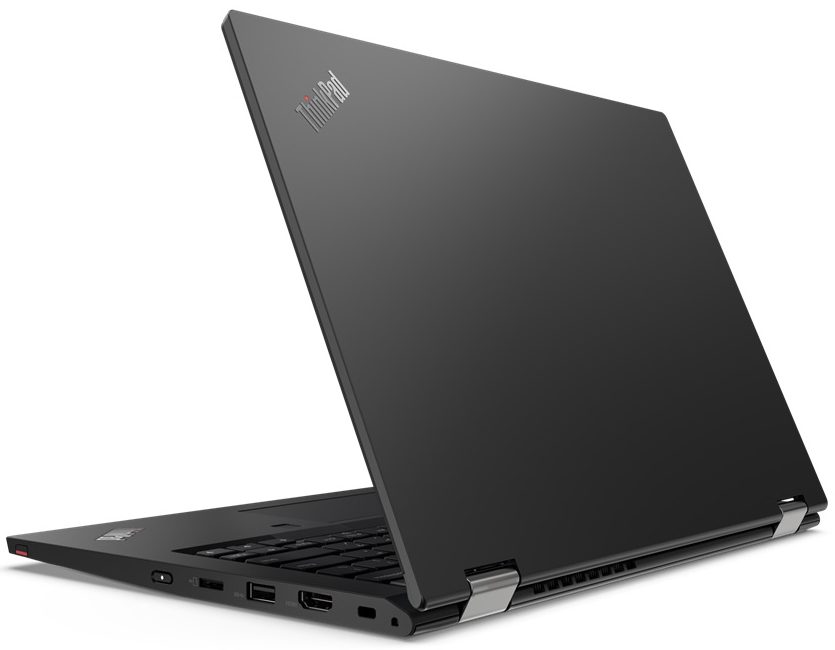
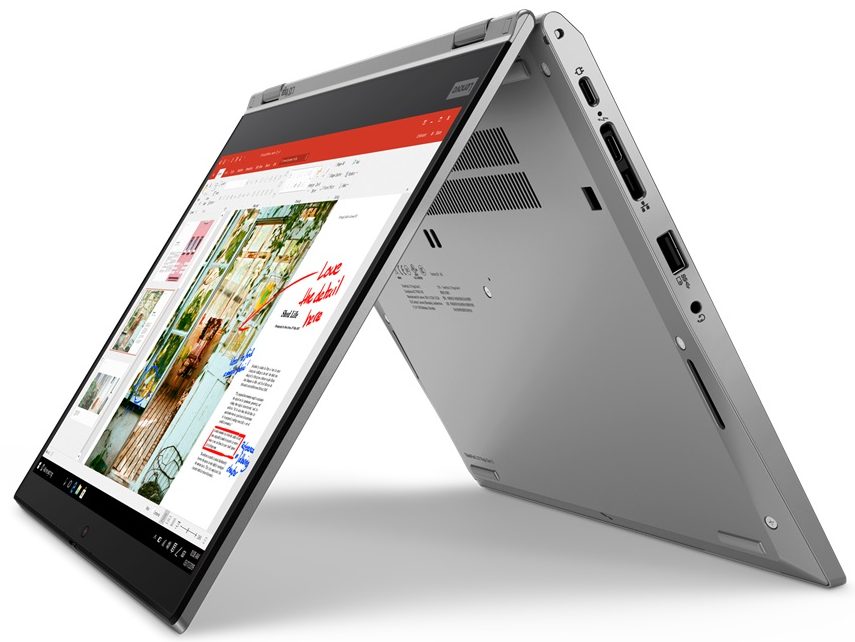
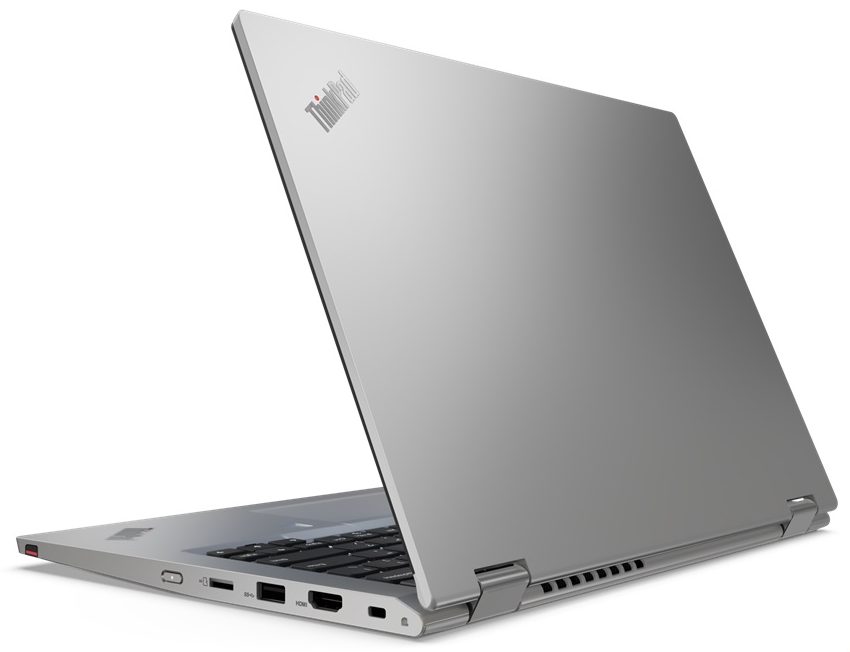
- Wyświetlacz
- 13.3”, Full HD (1920 x 1080), IPS

- HDD/SSD
- do 2048GB SSD
- Gniazdo M.2
- 1x M.2 NVMe slot Zobacz zdjęcie
- RAM
- up to 16GB
- System operacyjny
- Windows 10 Pro, Windows 11 Pro, No OS, Windows 11 Home, Windows 10 Home
- Bateria
- 46Wh
- Materiał obudowy
- Plastic / Polycarbonate, Aluminum, Glass Fiber
- Wymiary
- 311.5 x 219 x 17.6 mm (12.26" x 8.62" x 0.69")
- Waga
- 1.44 kg (3.2 lbs)
- Porty i łączność
- 2x USB Type-A
- 3.2 Gen 1 (5 Gbps)
- 1x USB Type-C
- 3.2 Gen 2 (10 Gbps), Power Delivery (PD), DisplayPort
- 1x USB Type-C
- Thunderbolt 4, Power Delivery (PD), DisplayPort
- HDMI
- 2.0
- Czytnik kart
- MicroSD
- Wi-Fi
- 802.11ac/ax
- Bluetooth
- 5.1
- Gniazdo audio
- 3.5mm Combo Jack
- Side Docking Connector
- Cechy
- Czytnik linii papilarnych
- optional
- Kamera internetowa
- HD
- Podświetlana klawiatura
- optional
- Mikrofon
- Dual Array Microphone
- Głośniki
- 2x 2W, Dolby Audio
- Napęd optyczny
- Gniazdo blokady bezpieczeństwa
- Kensington Lock
Wszystkie Lenovo ThinkPad L13 Yoga Gen 2 (Intel) konfiguracje
What’s in the box?
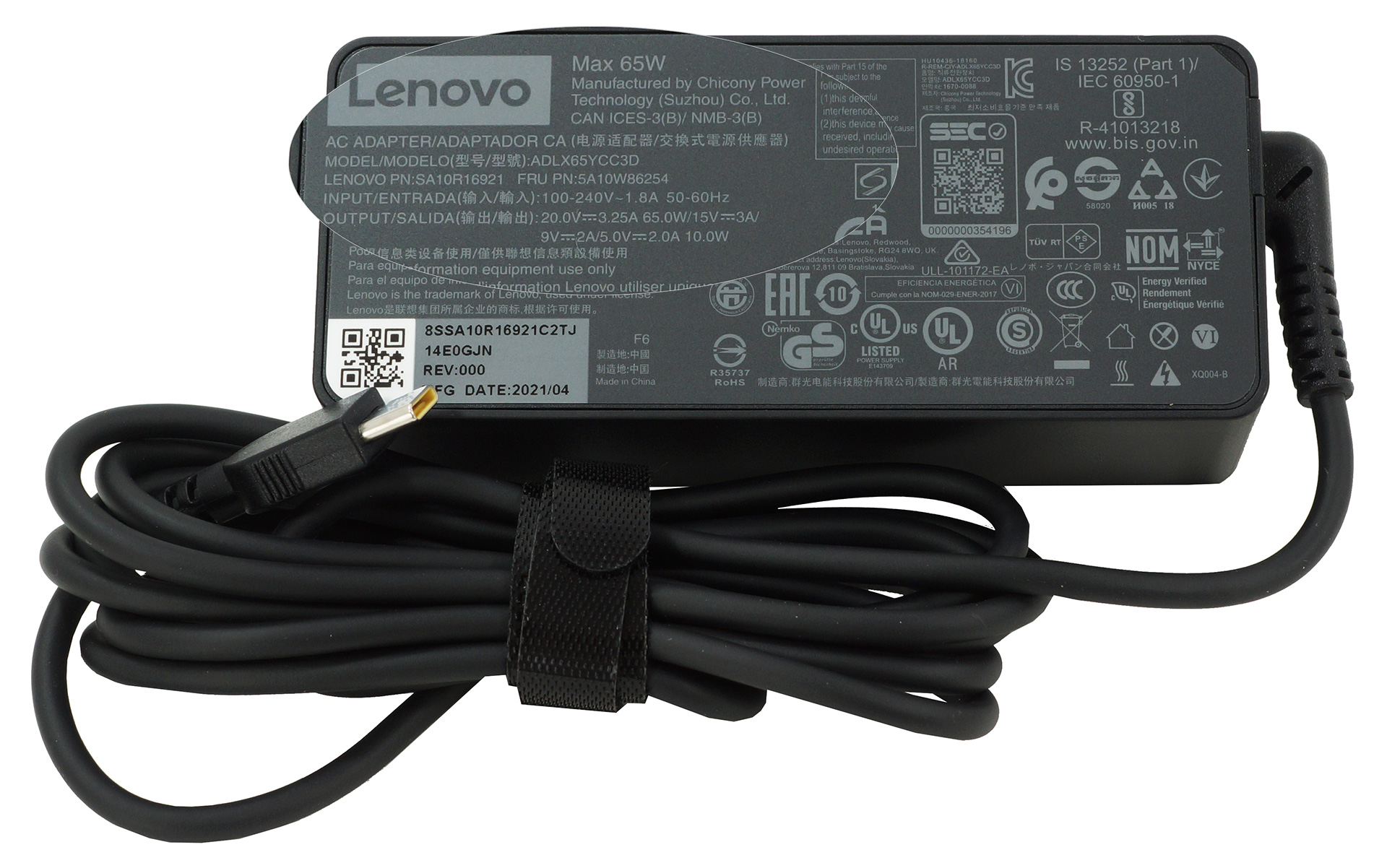
Inside the package, there was nothing more than the mandatory paperwork, and the 65W USB Type-C charger.
Design and construction
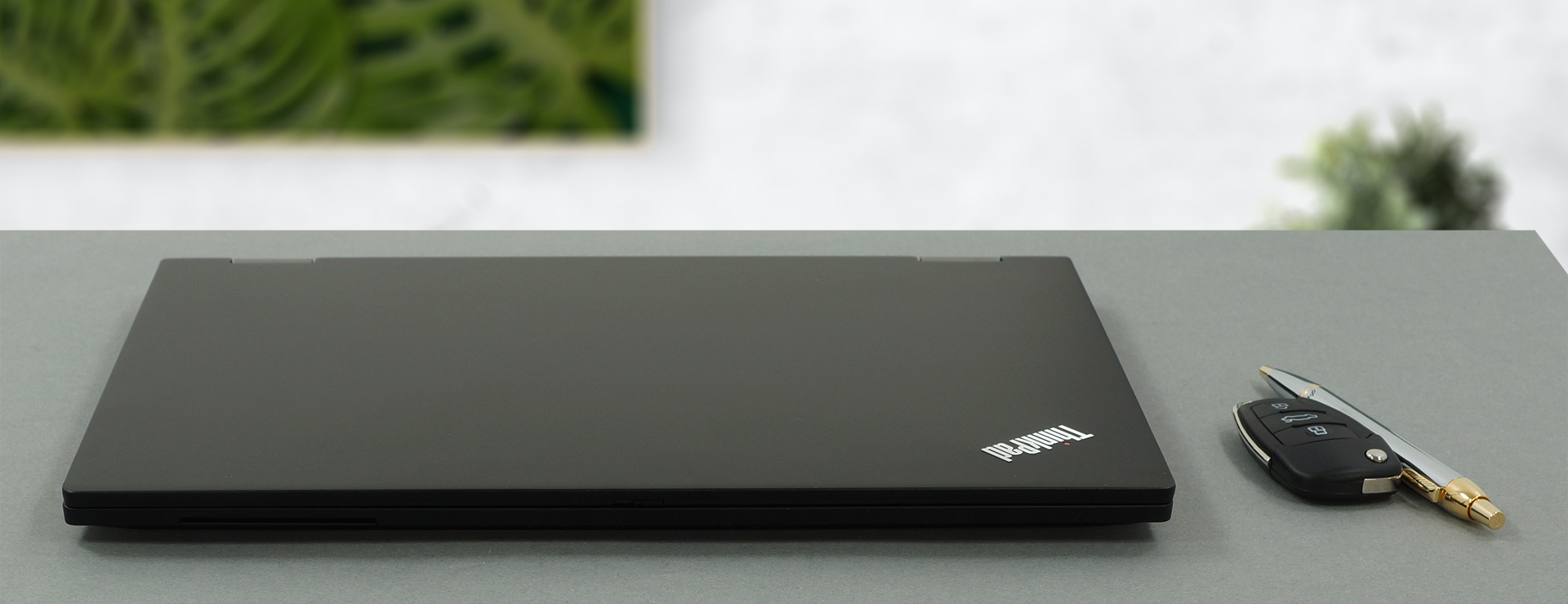
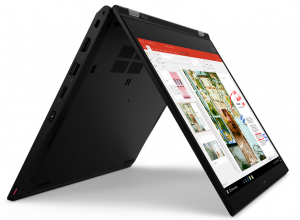
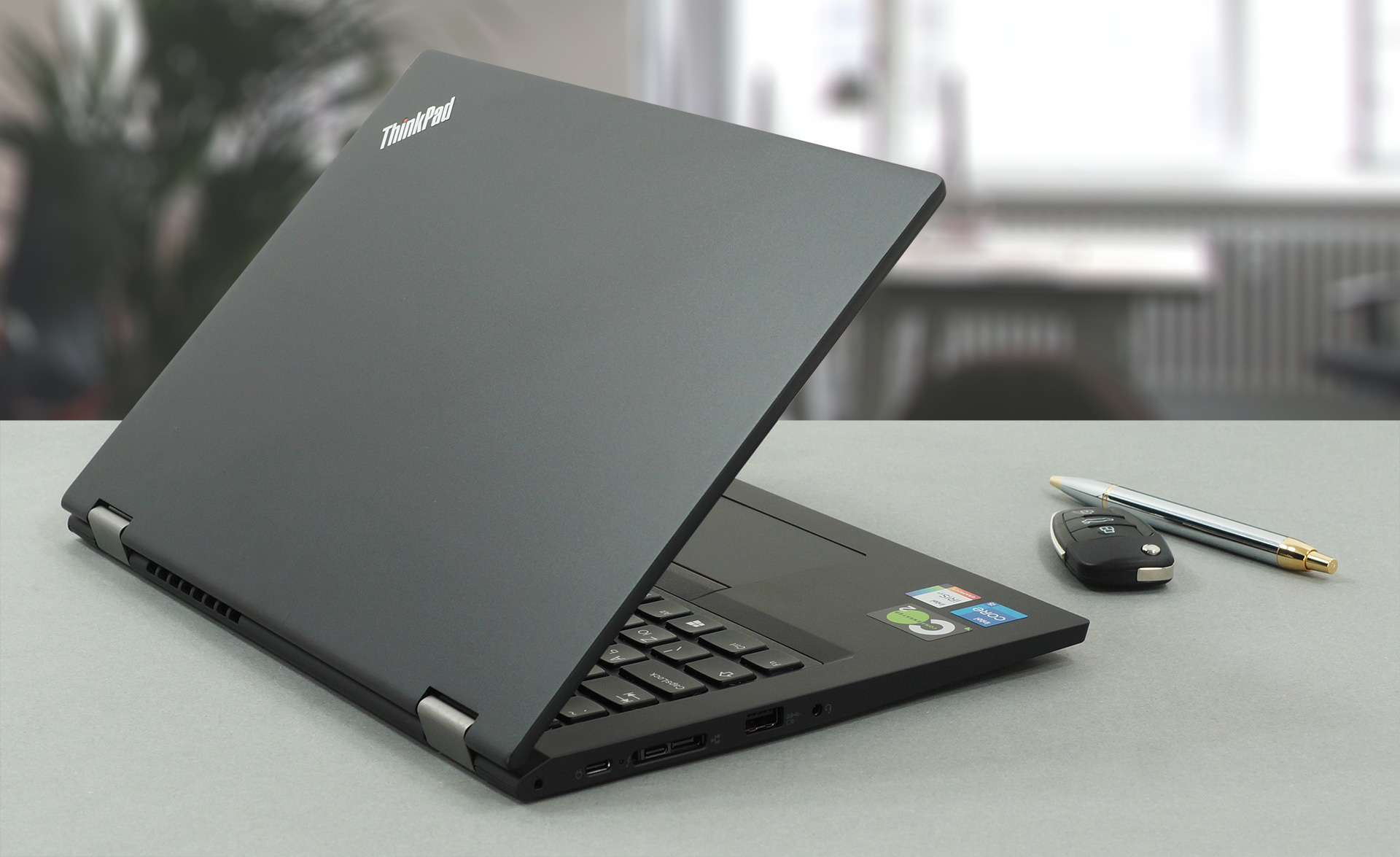
Like last year, the ThinkPad L13 Yoga Gen 2 is an abomination made out of aluminum for its lid, and a glass fiber reinforced plastic for the body. Even though the last couple of words sound pretty reassuring, the chassis is actually weaker than the lid. This is probably because the lid is further strengthened by the glass display cover. Nevertheless, this notebook weighs 1.44 kg and has a profile of 17.6mm, which is on the thin and light side.
By the way, the device can’t be opened with a single hand, but in its fully-opened position (or tablet mode), the display sits flat on the bottom panel, thus providing a more stable experience. Interestingly, the 720p Web camera comes with a privacy shutter, and an optional IR face recognition sensor.
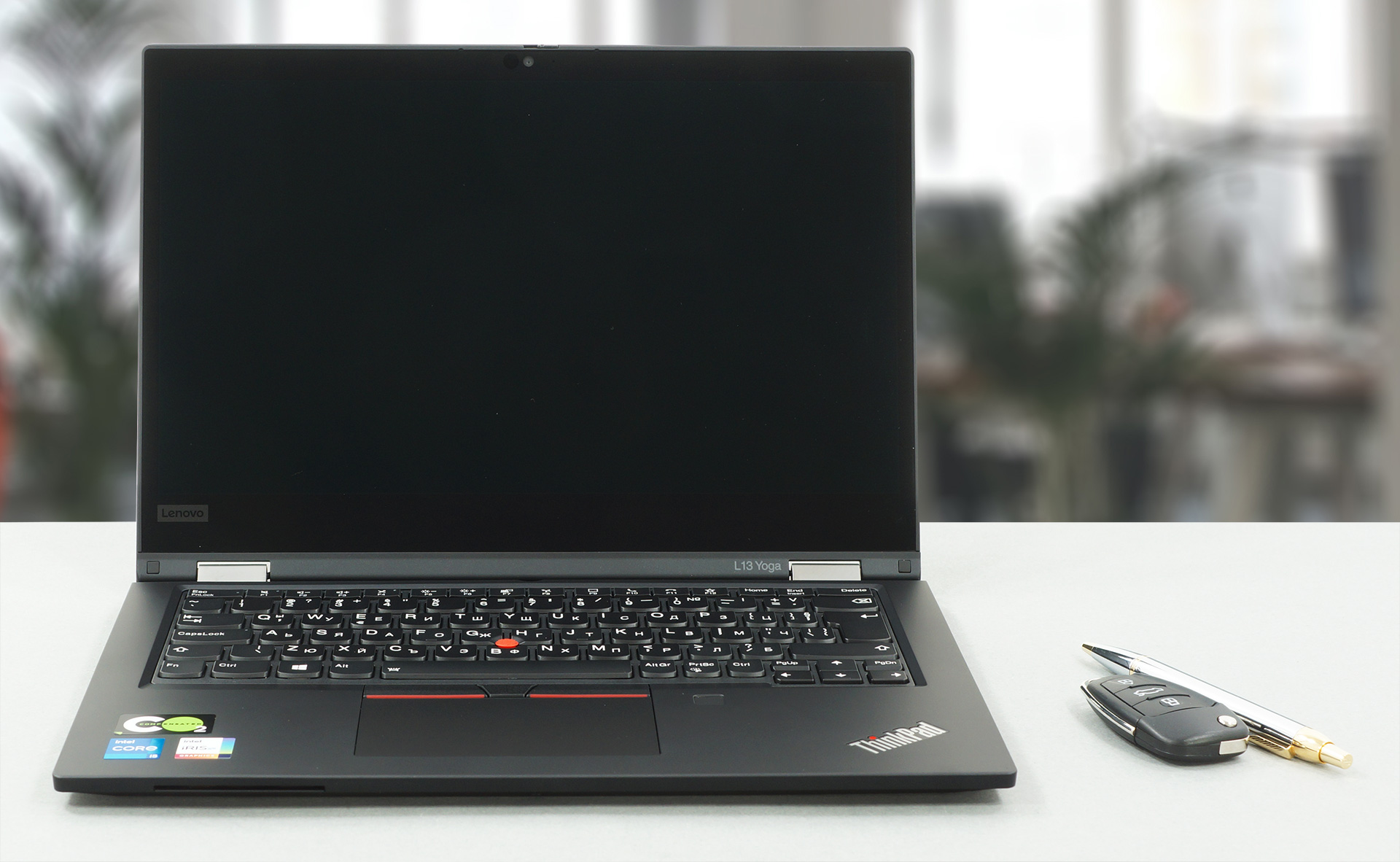
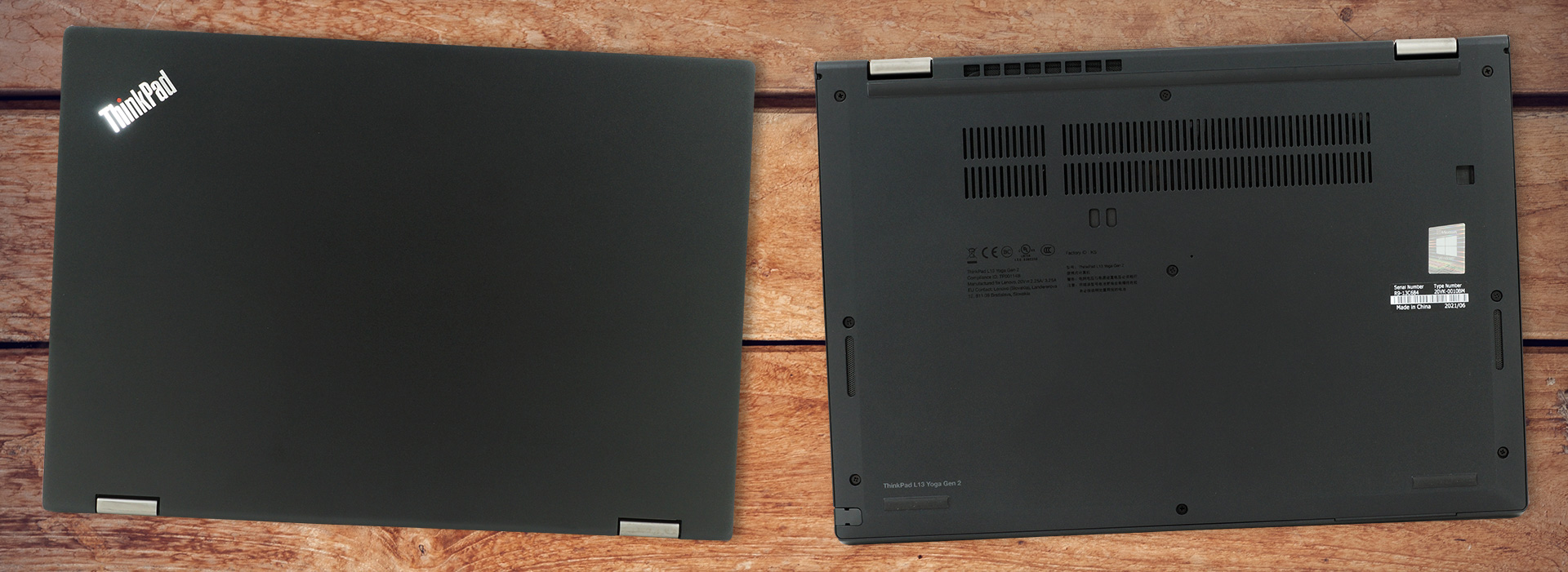
And if you go to the base, you will find the secondary camera. Lenovo calls it the “Rear” sensor because it is intended to be used when the laptop is in tablet mode. However, you can experiment with some sweet nose shots. Enough about that, now let’s move to one of the best mobile keyboards out there. It has an insanely long key travel, clicky feedback, and a great layout. Additionally, for the old-school folks out there, there is the TrackPoint (Red Nipple), and its dedicated buttons, placed above the touchpad.

Speaking of which, the touchpad comes in a rather small size. It has a Mylar surface, which imitates glass, but in general, it is not the same. Tracking is good, while gliding is decent. And right next to it, there is the fingerprint reader.
On the bottom panel, there are the speaker cutouts, as well as the ventilation grills. Respectively, the hot air is exhausted from a vent on the back of the laptop.
Ports
On the left side, there is a USB Type-C power plug, followed by a Thunderbolt 4 connector, paired with a docking slot. Further down the line, there is a USB Type-A 3.2 (Gen. 1) port, and an audio jack. Then, on the right, you will find a Kensington lock slot, an HDMI 2.0 connector, a USB Type-A 3.2 (Gen. 1) port, a MicroSD card reader, and the power button, which sits relatively flush with the body but has a nice click to it. Also, there is the stylus, placed in its own housing. By the way, there is a Smart Card slot on the front side of the laptop.


Disassembly, upgrade options and maintenance
There are 9 captive Phillips-head screws that hold this device’s bottom panel in place. Before you pry it up though, remove the stylus from its slot.

Here, the battery pack has a capacity of 46Wh.
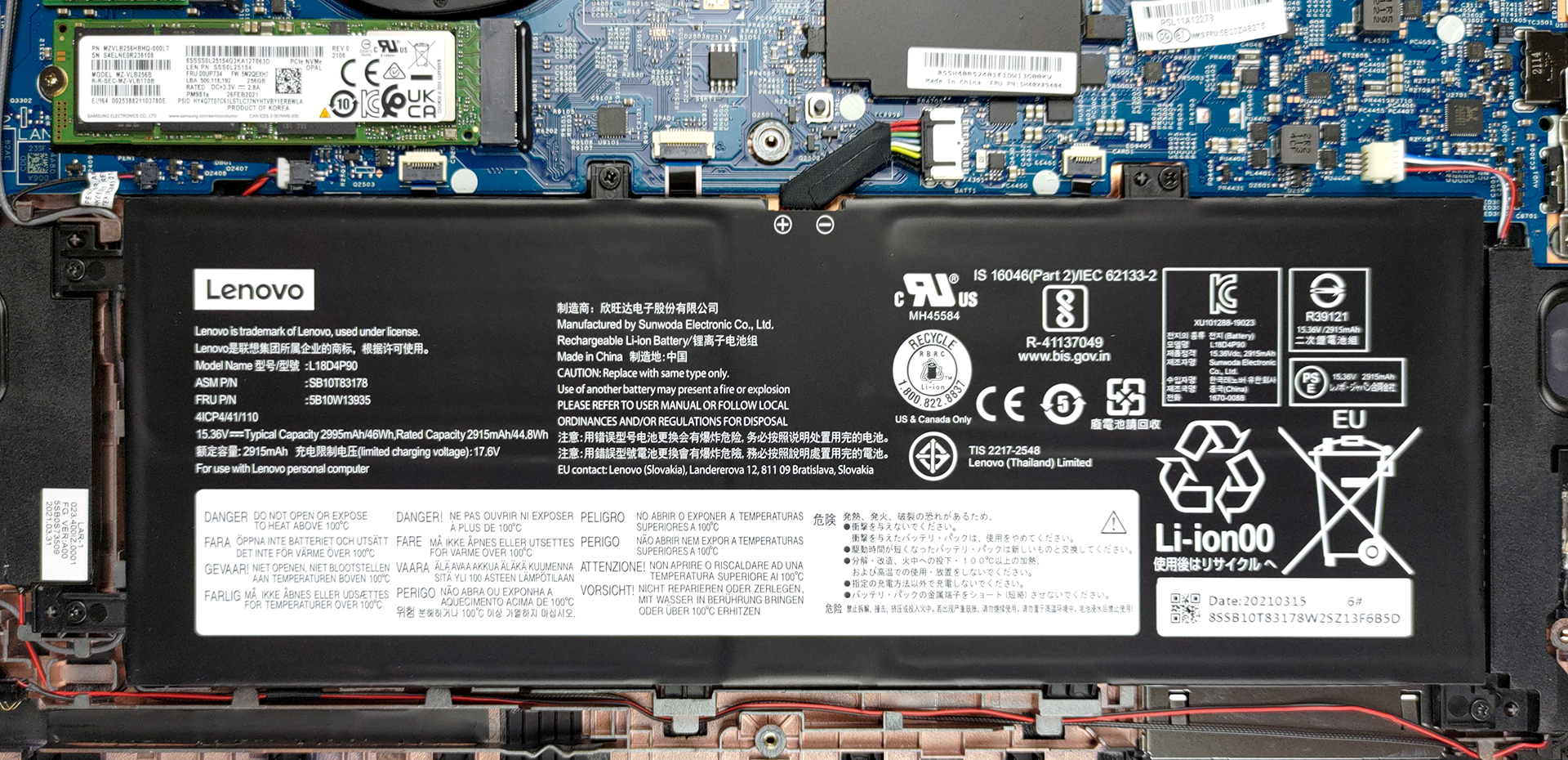
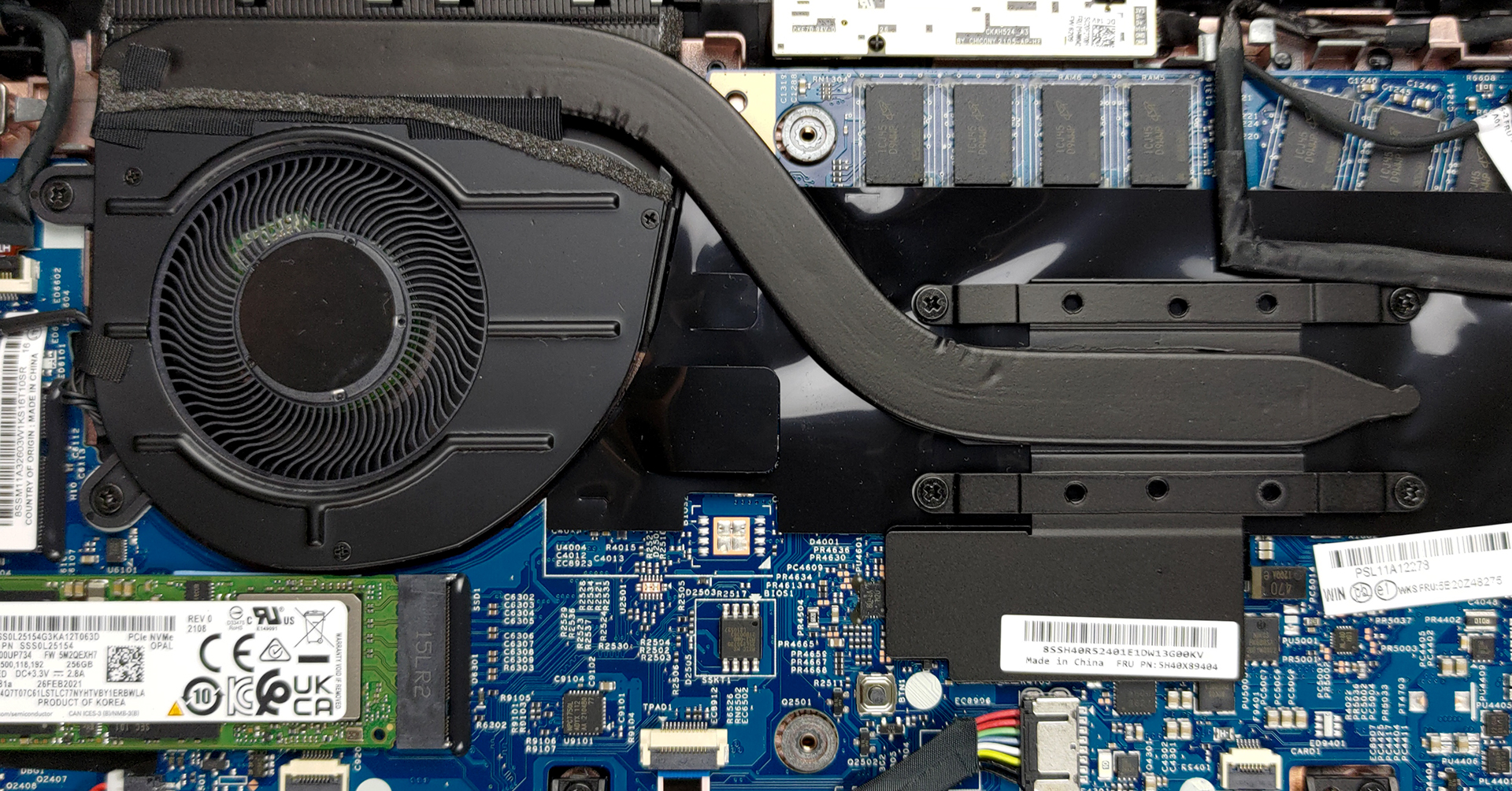
Unfortunately, the memory of this notebook is soldered to the motherboard. There are configurations with 4, 8, and 16GB of RAM, with the latter two options working in dual-channel mode. On the other hand, you get one M.2 PCIe x4 storage slot.
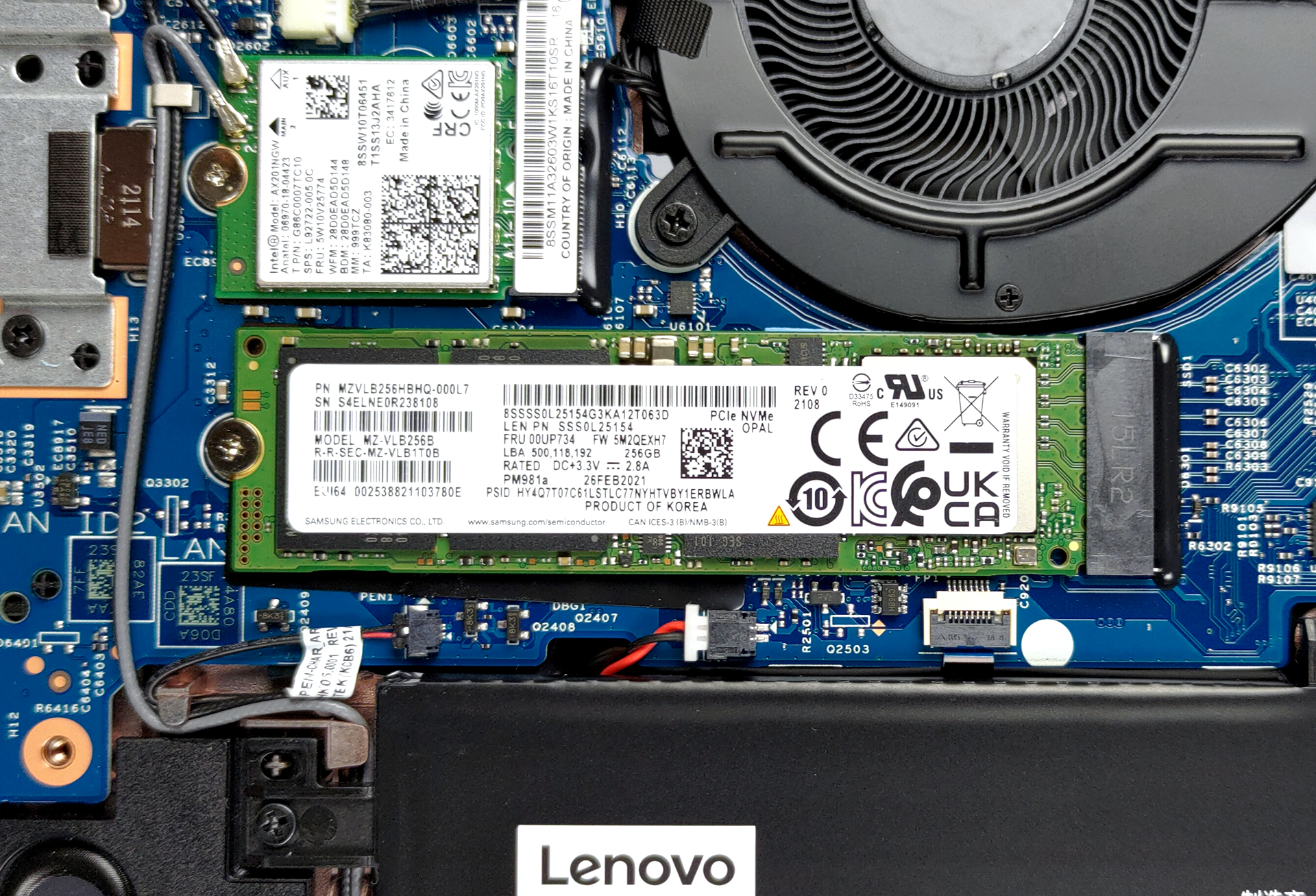
As for the cooling, it is nothing more than one heat pipe, a heat sink, and a medium-sized fan.
Display quality
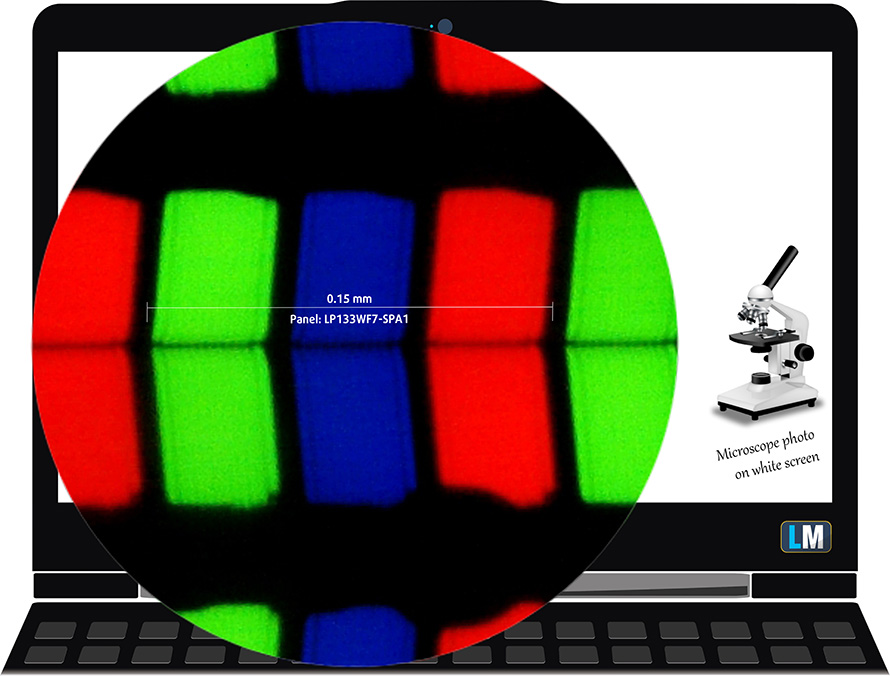
Lenovo ThinkPad L13 Yoga Gen 2 is equipped with a Full HD touchscreen IPS panel, LG LP133WF7-SPA1 (LEN4094). Its diagonal is 13.3-inch (33.78 cm), and the resolution – 1920 х 1080p. Additionally, the screen ratio is 16:9, the pixel density – 166 ppi, their pitch – 0.15 х 0.15 mm. The screen can be considered Retina when viewed from at least 50 cm (from this distance, the average human eye can’t see the individual pixels).
Viewing angles are comfortable. We offer images at different angles to evaluate the quality.

Also, a video with locked focus and exposure.
The maximum measured brightness is 302 nits (cd/m2) in the middle of the screen and also 302 nits (cd/m2) average across the surface with a maximum deviation of only 3%. The Correlated Color Temperature on a white screen and at maximum brightness is 6890K – slightly colder than the 6500K temperature for sRGB.
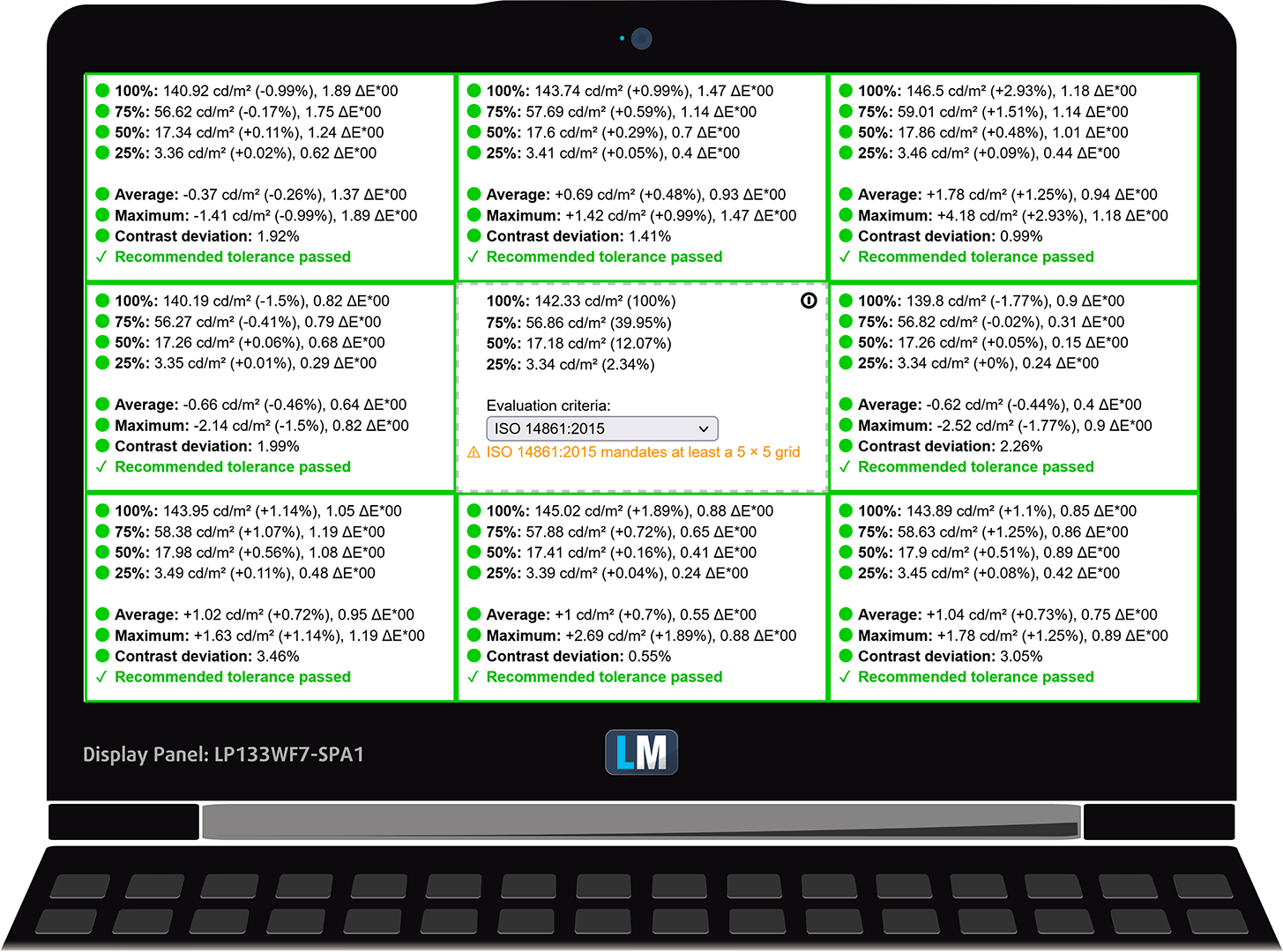
In the illustration below you can see how the display performs from a uniformity perspective. The illustration below shows how matters are for operational brightness levels (approximately 140 nits) – in this particular case at 72% Brightness (White level = 142 cd/m2, Black level = 0.085 cd/m2).
Values of dE2000 over 4.0 should not occur, and this parameter is one of the first you should check if you intend to use the laptop for color-sensitive work (a maximum tolerance of 2.0 ). The contrast ratio is very good – 1670:1.
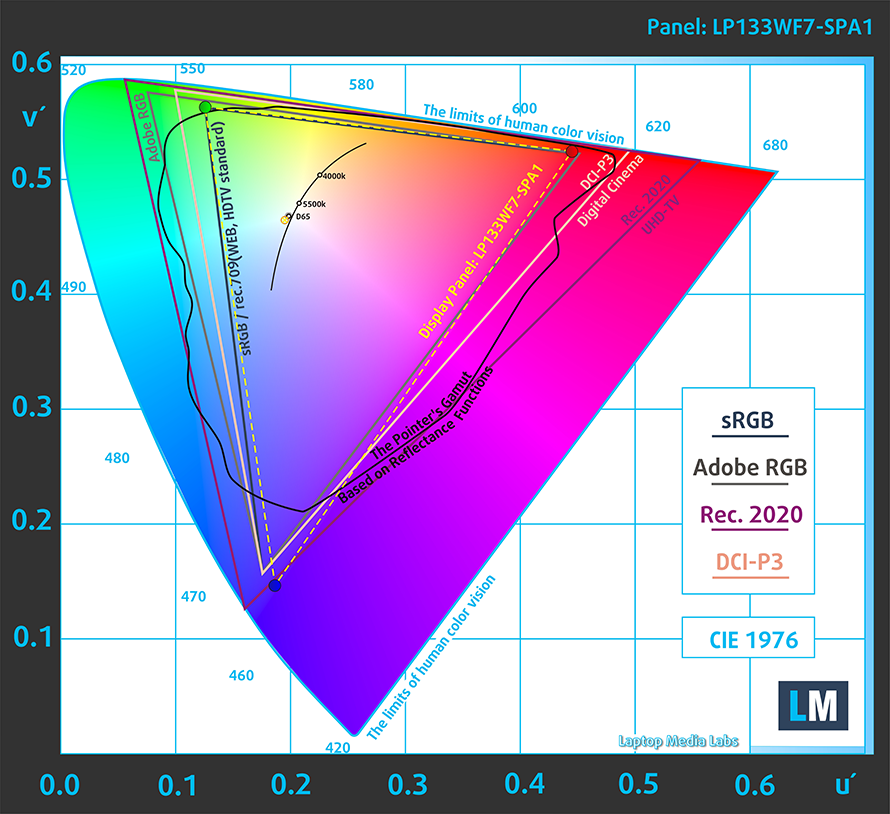
To make sure we are on the same page, we would like to give you a little introduction to the sRGB color gamut and the Adobe RGB. To start, there’s the CIE 1976 Uniform Chromaticity Diagram that represents the visible specter of colors by the human eye, giving you a better perception of the color gamut coverage and the color accuracy.
Inside the black triangle, you will see the standard color gamut (sRGB) that is being used by millions of people on HDTV and on the web. As for the Adobe RGB, this is used in professional cameras, monitors, etc for printing. Basically, colors inside the black triangle are used by everyone and this is the essential part of the color quality and color accuracy of a mainstream notebook.
Still, we’ve included other color spaces like the famous DCI-P3 standard used by movie studios, as well as the digital UHD Rec.2020 standard. Rec.2020, however, is still a thing of the future and it’s difficult for today’s displays to cover that well. We’ve also included the so-called Michael Pointer gamut, or Pointer’s gamut, which represents the colors that naturally occur around us every day.
The yellow dotted line shows Lenovo ThinkPad L13 Yoga Gen 2’s color gamut coverage.
Its display covers 98% of the sRGB/ITU-R BT.709 (web/HDTV standard) in CIE1976.
Our “Design and Gaming” profile delivers optimal color temperature (6500K) at 140 cd/m2 luminance and sRGB gamma mode.
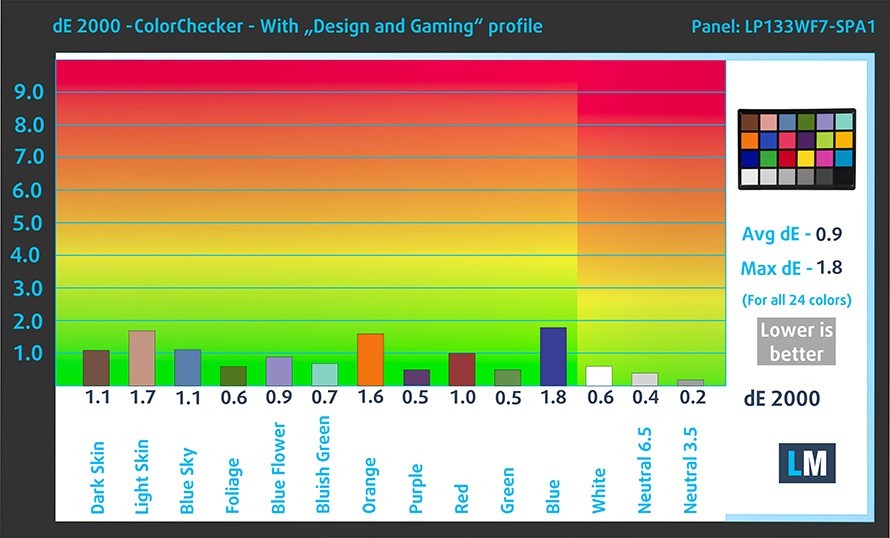
We tested the accuracy of the display with 24 commonly used colors like light and dark human skin, blue sky, green grass, orange, etc. You can check out the results at factory condition and also, with the “Design and Gaming” profile.
Below you can compare the scores of Lenovo ThinkPad L13 Yoga Gen 2 with the default settings (left), and with the “Gaming and Web design” profile (right).

The next figure shows how well the display is able to reproduce really dark parts of an image, which is essential when watching movies or playing games in low ambient light.
The left side of the image represents the display with stock settings, while the right one is with the “Gaming and Web Design” profile activated. On the horizontal axis, you will find the grayscale, and on the vertical axis – the luminance of the display. On the two graphs below you can easily check for yourself how your display handles the darkest nuances but keep in mind that this also depends on the settings of your current display, the calibration, the viewing angle, and the surrounding light conditions.

Response time (Gaming capabilities)
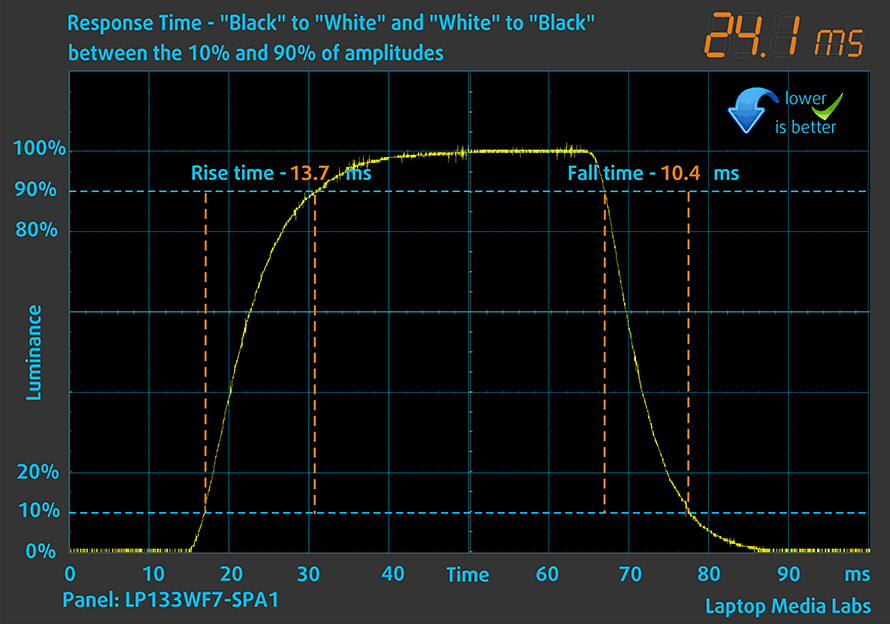
We test the reaction time of the pixels with the usual “black-to-white” and “white-to-black” method from 10% to 90% and vice versa.
We recorded Fall Time + Rise Time = 24 ms.
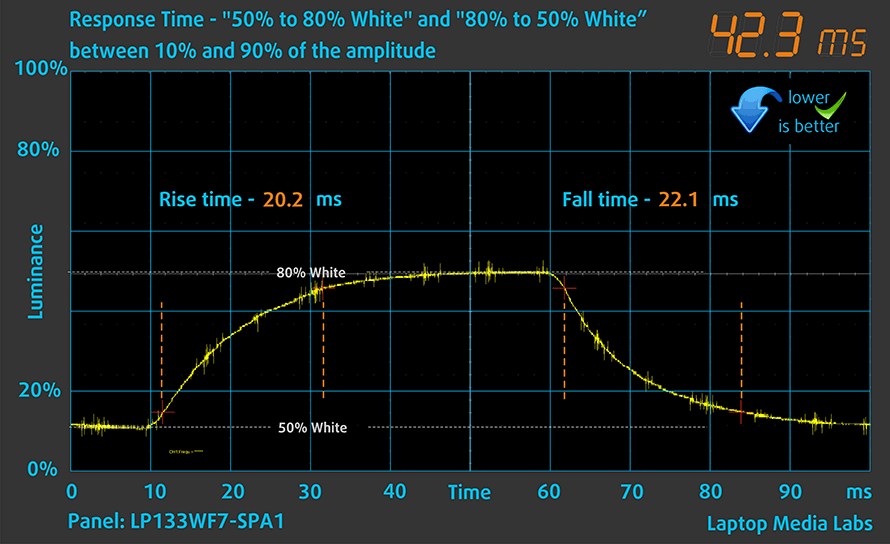
After that, we test the reaction time of the pixels with the usual “Gray-to-Gray” method from 50% White to 80% White and vice versa between 10% and 90% of the amplitude.
Health impact – PWM / Blue Light
PWM (Screen flickering)
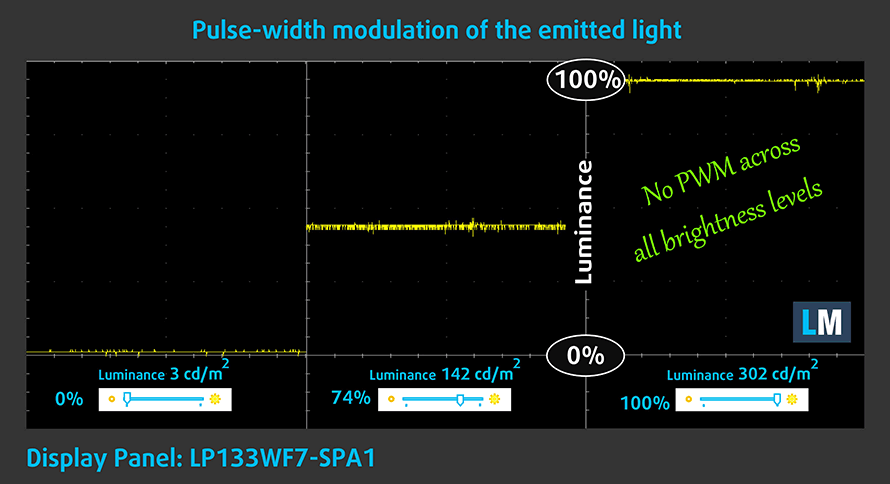
Pulse-width modulation (PWM) is an easy way to control monitor brightness. When you lower the brightness, the light intensity of the backlight is not lowered, but instead turned off and on by the electronics with a frequency indistinguishable to the human eye. In these light impulses, the light/no-light time ratio varies, while brightness remains unchanged, which is harmful to your eyes. You can read more about that in our dedicated article on PWM.
Lenovo ThinkPad L13 Yoga Gen 2’s display backlight doesn’t flicker at any brightness level, making it comfortable for extended work sessions in this aspect.
Blue light emissions
Installing our Health-Guard profile not only eliminates PWM but also reduces the harmful Blue Light emissions while keeping the colors of the screen perceptually accurate. If you’re not familiar with the Blue light, the TL;DR version is – emissions that negatively affect your eyes, skin, and your whole body. You can find more information about that in our dedicated article on Blue Light.
Buy our profiles
Since our profiles are tailored for each individual display model, this article and its respective profile package are meant for Lenovo ThinkPad L13 Yoga Gen 2 configurations with 13.3″ LG LP133WF7-SPA1 (FHD, 1920 × 1080) IPS panel.
*Should you have problems with downloading the purchased file, try using a different browser to open the link you’ll receive via e-mail. If the download target is a .php file instead of an archive, change the file extension to .zip or contact us at [email protected].
Read more about the profiles HERE.
Oprócz otrzymywania wydajnych i przyjaznych dla zdrowia profili, kupując produkty LaptopMedia, wspierasz również rozwój naszych laboratoriów, w których testujemy urządzenia w celu tworzenia jak najbardziej obiektywnych recenzji.

Office Work
Office Work powinien być używany głównie przez użytkowników, którzy spędzają większość czasu patrząc na teksty, tabele lub po prostu przeglądając internet. Ten profil ma na celu zapewnienie lepszej wyrazistości i klarowności poprzez utrzymanie płaskiej krzywej gamma (2.20), natywnej temperatury barwowej i percepcyjnie dokładnych kolorów.

Design and Gaming
Ten profil jest przeznaczony dla projektantów, którzy pracują z kolorami zawodowo, a także do gier i filmów. Design and Gaming wykorzystuje panele wyświetlaczy do granic ich możliwości, czyniąc je tak dokładnymi, jak to tylko możliwe w standardzie sRGB IEC61966-2-1 dla stron internetowych i telewizji HD, przy punkcie bieli D65.

Health-Guard
Health-Guard eliminuje szkodliwą modulację szerokości impulsu (PWM) i redukuje negatywne niebieskie światło, które wpływa na nasze oczy i ciało. Ponieważ jest on dostosowany do każdego panelu, udaje mu się utrzymać percepcyjnie dokładne kolory. Health-Guard symuluje papier, dzięki czemu nacisk na oczy jest znacznie zmniejszony.
Zdobądź wszystkie 3 profile z 33% zniżką

Sound
Lenovo ThinkPad L13 Yoga Gen 2’s speakers have a decent sound quality and average maximum volume. Its low tones show some deviations in clarity, while the mids and highs are clear.

Drivers
All of the drivers and utilities for this notebook can be found here: https://pcsupport.lenovo.com/us/en/products/laptops-and-netbooks/thinkpad-l-series-laptops/thinkpad-l13-yoga-gen-2-type-20vl-20vk/downloads/driver-list
Battery
Now, we conduct the battery tests with Windows Better performance setting turned on, screen brightness adjusted to 120 nits, and all other programs turned off except for the one we are testing the notebook with. This laptop’s 46Wh battery lasts for 8 hours and 56 minutes of Web browsing, and 6 hours and 32 minutes of video playback.
Jasność: 180 nitów; Tryb Wyświetlania: SDR
Czas do Pełnego Rozładowania: Wyższy jest Lepszy
Aby symulować rzeczywiste warunki, użyliśmy własnego skryptu do automatycznego przeglądania ponad 70 stron internetowych.
CPU options
This device comes with pretty much the entire Tiger Lake lineup of processors. This includes Core i3-1115G4, Core i5-1135G7, Core i5-1145G7, Core i7-1165G7, and Core i7-1185G7.
Wyniki pochodzą z testu CPU Cinebench R23 (im wyższy wynik, tym lepiej)
GPU options
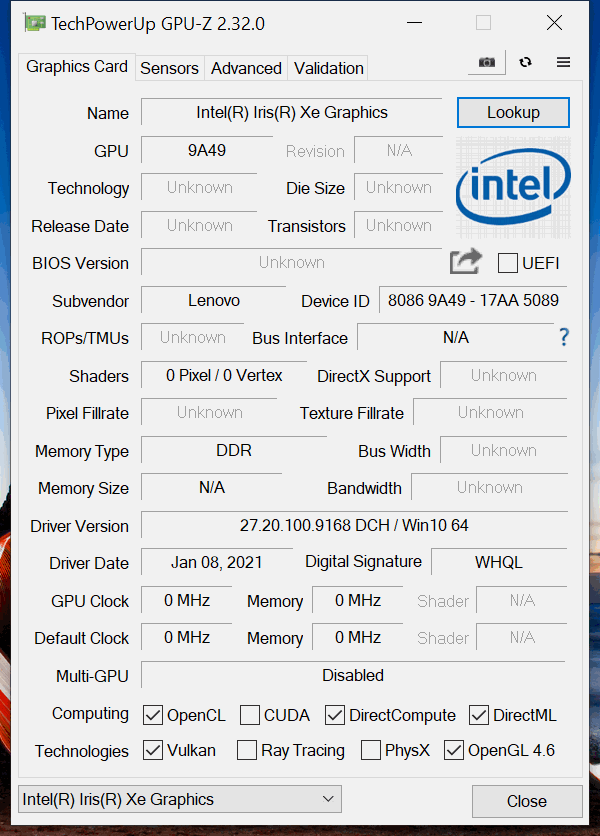
Unsurprisingly, there is no dedicated graphics option. You get the UHD Graphics with the Core i3 and the Iris Xe Graphics G7 with the other options. Respectively, the Core i5 CPUs come with an 80EU version of the graphics card, while the 96EU version is reserved for the Core i7s.
Wyniki pochodzą z testu 3DMark Time Spy (Graphics). Wyższy wynik jest lepszy.
Wyniki pochodzą z benchmarku 3DMark Fire Strike (Graphics) (im wyższy wynik, tym lepiej)
Wyniki pochodzą z benchmarku Unigine Superposition (im wyższy wynik, tym lepiej)
Gaming tests

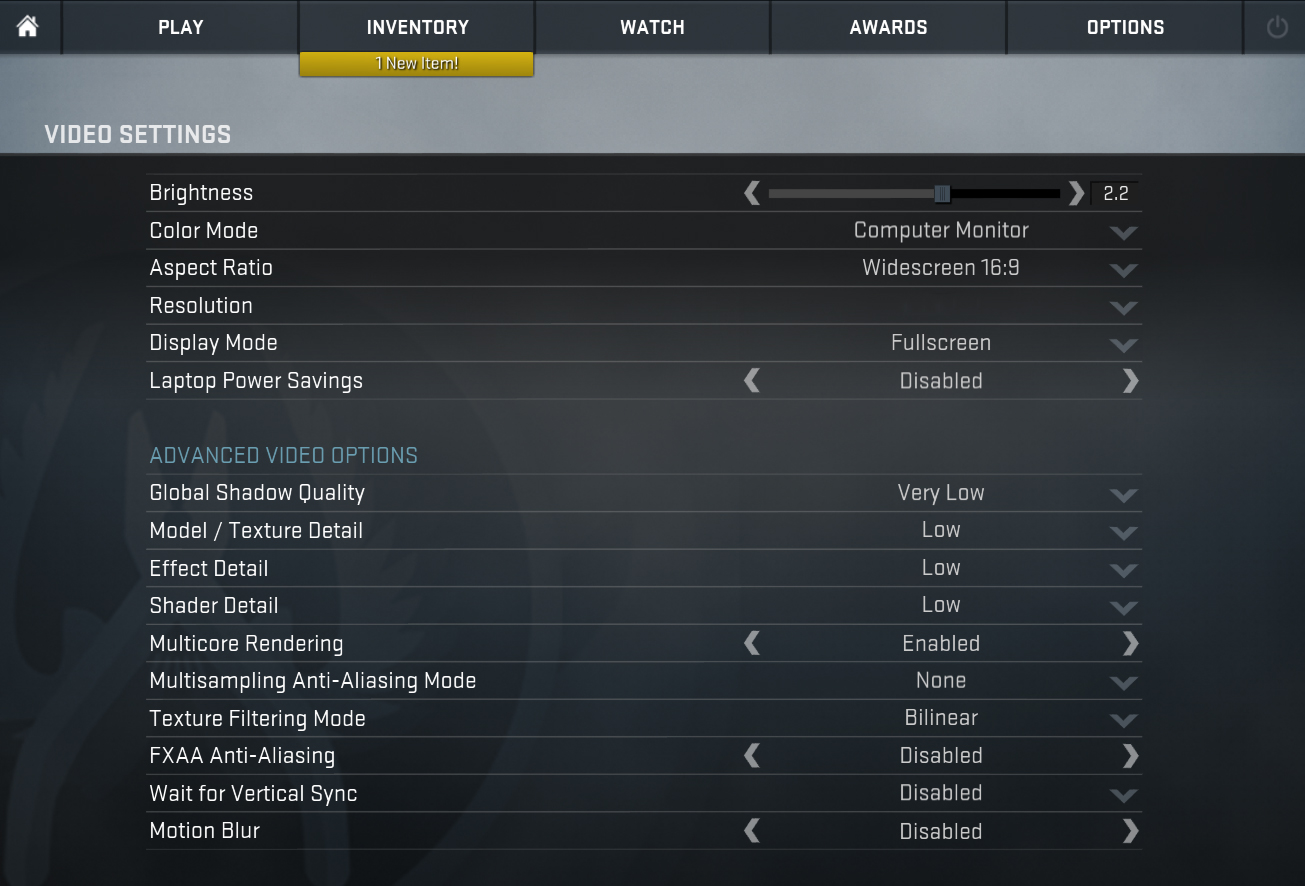
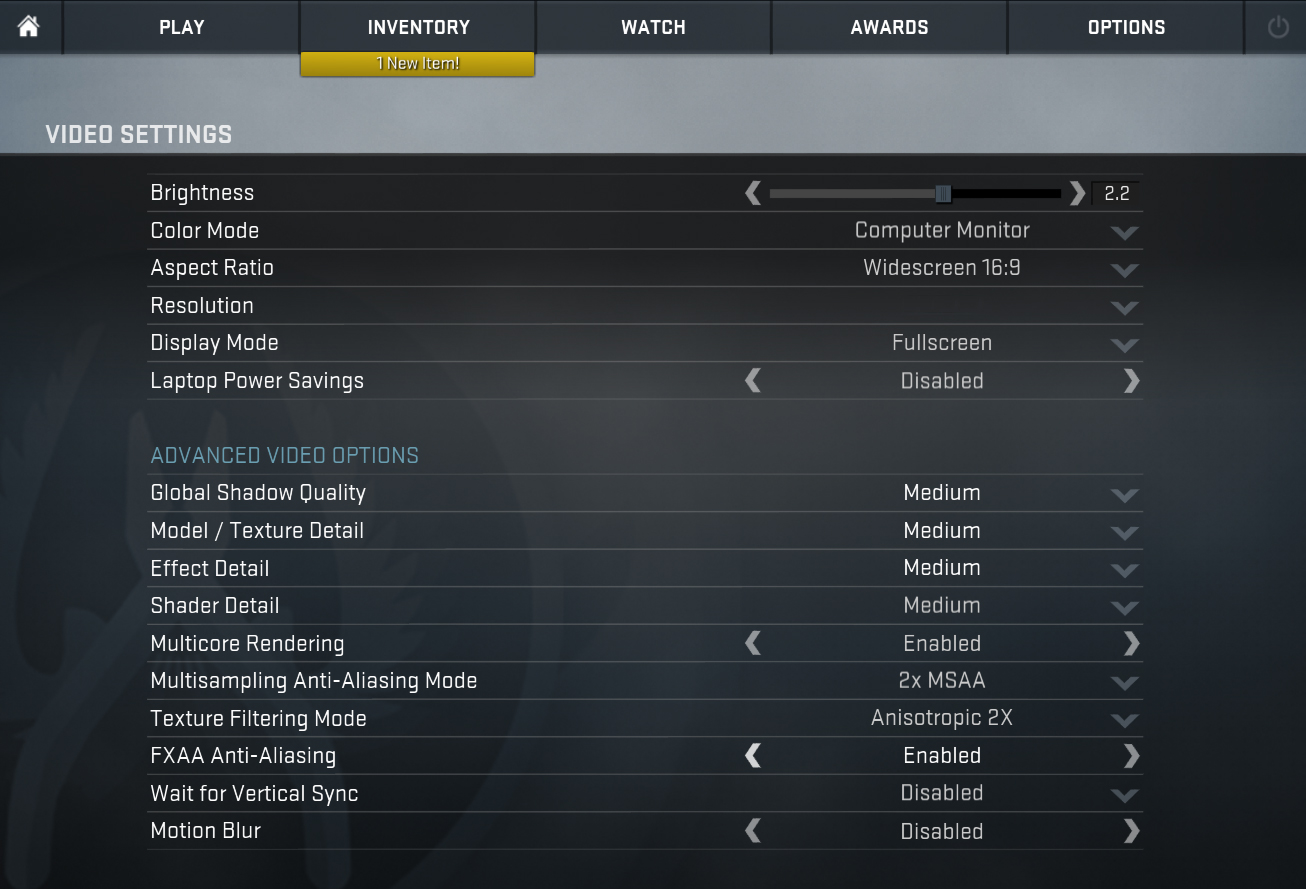
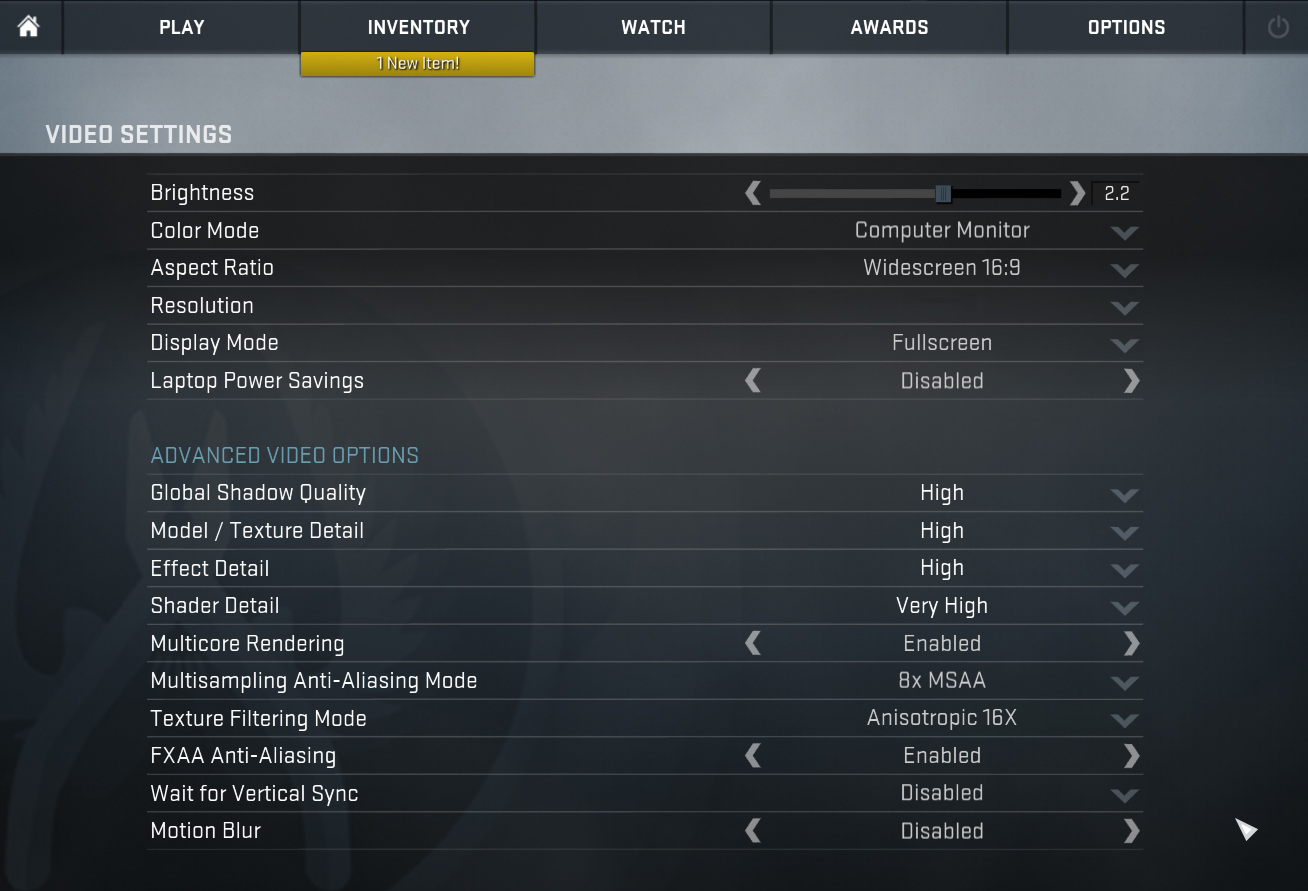
| CS:GO | HD 1080p, Low (Check settings) | HD 1080p, Medium (Check settings) | HD 1080p, MAX (Check settings) |
|---|---|---|---|
| Average FPS | 96 fps | 69 fps | 34 fps |

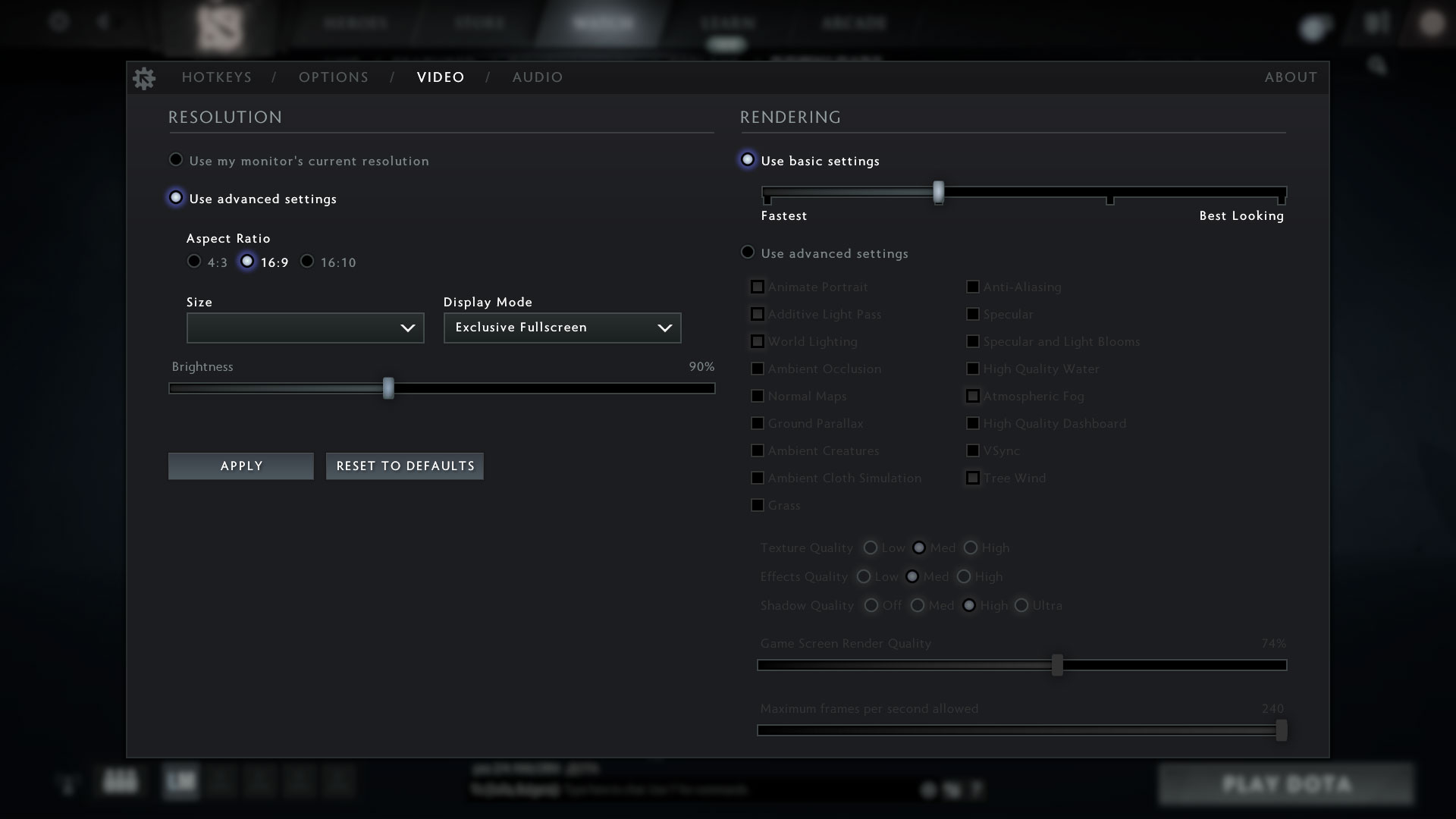
| DOTA 2 | HD 1080p, Low (Check settings) | HD 1080p, Normal (Check settings) | HD 1080p, High (Check settings) |
|---|---|---|---|
| Average FPS | 91 fps | 55 fps | 36 fps |
Temperatures and comfort
Max CPU load
In this test we use 100% on the CPU cores, monitoring their frequencies and chip temperature. The first column shows a computer’s reaction to a short load (2-10 seconds), the second column simulates a serious task (between 15 and 30 seconds), and the third column is a good indicator of how good the laptop is for long loads such as video rendering.
Average core frequency (base frequency + X); CPU temp.
| Intel Core i5-1135G7 (15W TDP) | 0:02 – 0:10 sec | 0:15 – 0:30 sec | 10:00 – 15:00 min |
|---|---|---|---|
| Lenovo ThinkPad L13 Yoga Gen 2 | 2.91 GHz (B+21%) @ 89°C @ 29W | 2.24 GHz @ 89°C @ 19W | 1.93 GHz @ 79°C @ 15W |
| Dell XPS 13 9310 (2-in-1) | 3.36 GHz (B+40%) @ 99°C @ 41W | 3.16 GHz (B+32%) @ 99°C @ 37W | 1.92 GHz @ 72°C @ 16W |
| Dell Vostro 14 5402 | 3.02 GHz (B+26%) @ 99°C @ 29W | 2.61 GHz (B+9%) @ 99°C @ 25W | 2.00 GHz @ 76°C @ 15W |
| MSI Modern 15 (A11X) | 3.59 GHz (B+50%) @ 94°C @ 44W | 3.45 GHz (B+44%) @ 95°C @ 40W | 3.18 GHz (B+33%) @ 91°C @ 34W |
| Lenovo ThinkBook 14s Yoga | 3.52 GHz (B+47%) @ 94°C | 3.24 GHz (B+35%) @ 94°C | 2.63 GHz (B+10%) @ 75°C |
| Lenovo Yoga 7 (14) | 3.34 GHz (B+39%) @ 94°C | 2.97 GHz (B+24%) @ 94°C | 2.39 GHz @ 75°C |
| Acer Aspire 5 (A514-54) | 3.54 GHz (B+48%) @ 87°C | 2.01 GHz @ 66°C | 2.03 GHz @ 67°C |
Well, this is the laptop with one of the most inefficient cooling solutions. We suppose that the main thing behind this is the low profile of the rubber feet, which gives a too low clearance above the desk.
Comfort during full load
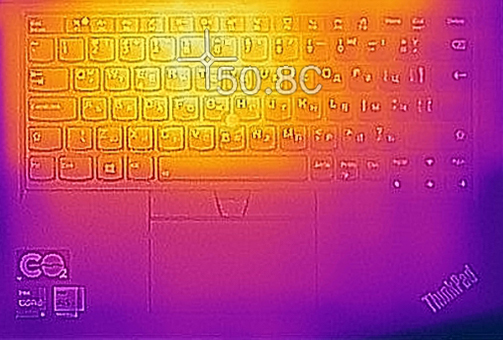
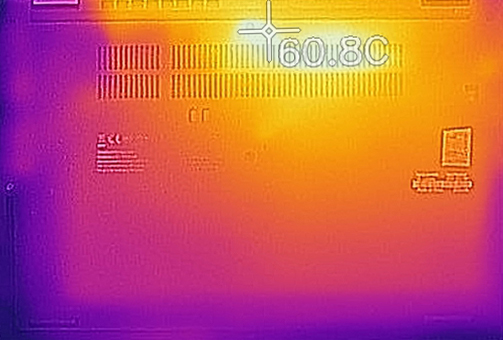
In terms of noise, the fans are pretty quiet. However, the keyboard, and especially the bottom panel get dangerously hot with the latter exceeding 60°C. At any cost, avoid working on heavy projects while the device is in your lap.
Verdict
 We have to put that straight – this device is not the best out there for its money. Its performance could have been better, the battery life is okay, but nothing more than that, and its memory is soldered to the motherboard. However, one of its biggest perks is the display. Undoubtedly, a convertible laptop should boast a great panel. It’s more often than not that we are disappointed exactly by this aspect of a 2-in-1 device.
Lenovo ThinkPad L13 Yoga Gen 2’s touchscreen display has an IPS panel, Full HD resolution, comfortable viewing angles, and a very good contrast ratio. It covers 98% of the sRGB gamut, and it doesn’t flicker at any brightness level. Interestingly, we measured a terrible color accuracy with its default settings. However, our Gaming and Web design profile did a fantastic job in bringing the Average dE from 8.0 down to 0.9. This, combined with the uniform color and luminance allow its users to do professional-grade work.
In addition to that, you have a Thunderbolt 4 connector, USB Type-C charging, MicroSD card slot, optional Smart Card reader, and a stylus that sits and charges inside of the laptop. How cool is that?
Also, the laptop is feature-packed. Some models come equipped with two cameras, a fingerprint reader, and an IR face recognition sensor. Moreover, the above-display camera has a privacy shutter.
In general, the build quality was good, and the materials used for its build were not cheap. However, the base seemed a bit weak, which is not ideal for a laptop, whose main purpose is to be twisted and turned every single day.
At the end of the day, using the ThinkPad L13 Yoga Gen 2 is definitely going to be more comfortable and satisfying. On the other hand, it would be smart to keep in mind, that it generates a lot of heat, especially in its bottom panel.
You can check the prices and configurations in our Specs System: https://laptopmedia.com/series/lenovo-thinkpad-l13-yoga-gen-2-intel/
Pros
- Included stylus
- IR face recognition + fingerprint reader, privacy shutter, and two cameras
- The display doesn’t flicker at any brightness level (LG LP133WF7-SPA1)
- Wide I/O with Thunderbolt 4, and MicroSD card slot
- Covers 98% of sRGB and color accuracy is greatly improved with our Gaming and Web design profile (LG LP133WF7-SPA1)
Cons
- Memory cannot be upgraded
- Not the best cooling solution out there
- Very hot bottom panel during intensive loads
 Author: Alex Iliev
 Author: eng. Kroum NikolovHead of Engineering at LaptopMedia.com, inventor and innovator with 40+ years of experience in electronics and high technology.

![[Maj 2026] Globalny ranking najlepiej sprzedających się układów GPU do laptopów na Amazon – Apple dominuje z 45% udziałem, zajmując 3 pierwsze miejsca; RTX 5060 firmy NVIDIA na czele pakietu dedykowanych układów GPU](https://laptopmedia.com/wp-content/uploads/2026/06/Best-Selling-GPUs-GLOBAL-Top-10-400x225.jpg)
![[Maj 2026] Globalny ranking najlepiej sprzedających się procesorów do laptopów na Amazon – Apple miażdży konkurencję z 45,2% udziałem w rynku, M5 dominuje](https://laptopmedia.com/wp-content/uploads/2026/06/Best-Selling-CPUs-GLOBAL-Top-10-400x225.jpg)
![[May 2026] Amazon Germany: Top 7 Best-Selling Gaming Laptops – Lenovo Legion 5i Crowned Champion Amidst Fierce Mid-Range Competition](https://laptopmedia.com/wp-content/uploads/2026/06/Best-Selling-Gaming-Laptops-DE-Top-10-1-400x225.jpg)
![[May 2026] Amazon Italy: Top 10 Best-Selling Laptops – Apple MacBook Neo Reigns Supreme, Premium Models Capture Dominant Revenue Share](https://laptopmedia.com/wp-content/uploads/2026/06/Best-Selling-Laptops-IT-Top-10-400x225.jpg)
![[May 2026] Best-Selling Laptop Brands on Amazon Italy – Apple Dominates Across All Metrics](https://laptopmedia.com/wp-content/uploads/2026/06/IT-Best-Brands-400x225.jpg)