ASUS ZenBook Pro 14 UX480


- Data publikacji: 20 Dec 2018
- Intel Core i7-8565U
- NVIDIA GeForce GTX 1050 Max-Q (40W)
- 14.0”, Full HD (1920 x 1080), IPS
- 256GB SSD
- 8GB DDR4, 2400 MHz
- 1.60 kg (3.5 lbs)
ASUS ZenBook Pro 14 UX480 dogłębna recenzja
ASUS's ZenBook series has always produced a different breed of laptops. The latest and greatest from the brand is called ASUS ZenBook Pro 14 UX480. It is one of the first laptops equipped with an NVIDIA GeForce GTX 1050 Max-Q that we tested. However, this is not the feature that everyone is talking [...]
Przeczytaj pełną recenzję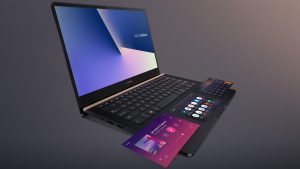

Recenzja
ASUS ZenBook Pro 14 UX480 dogłębna recenzja
ASUS's ZenBook series has always produced a different breed of laptops. The latest and greatest from the brand is called ASUS ZenBook Pro 14 UX480. It is one of the first laptops equipped with an NVIDIA GeForce GTX 1050 Max-Q that we tested. However, this is not the feature that everyone is talking about. It actually is the second screen, which weirdly enough happens to be a... touchpad as well.If you are familiar with dual screen laptops, you may know that the most popular iteration of the technology is the touch bar inside the MacBook Pros. Although it is a genius feature it has some downsides. Downsides that ASUS have covered almost completely with their "ScreenPad". Let's not focus just on this futuristic implementation, though, as almost everything about the ZenBook Pro 14 UX480 [...]
Przeczytaj pełną recenzjęPros
- 12 and a half hours of web browsing on battery power
- Beautiful small form factor
- GeForce GTX 1050 Max-Q on board
- Great color coverage - 92% of sRGB (AUO B140HAN03.5)
- It doesn't use PWM to adjust screen brightness (AUO B140HAN03.5)
- Bright ScreenPad which doubles as a true second screen
- Utilizes its hardware at its max
Cons
- The performance comes with a sacrifice - heat
- Poor upgradability
Demontaż, konserwacja i opcje modernizacji
ASUS ZenBook Pro UX480 is truly a capable device. Aside from the ScreenPad technology implemented by the manufacturer, it became famous with one other thing. It offers a super small footprint and a lot of performance at the same time. In order to understand how these words can exist in the same sentence, we had to take the ZenBook Pro 14 UX480 apart.Check out all ASUS ZenBook Pro 14 UX480 prices and configurations in our Specs System or read more in our In-depth Review.1. Remove the bottom plate In order to disassemble the laptop, you need special equipment. No, K9 dogs won't do[...]
Czytaj więcej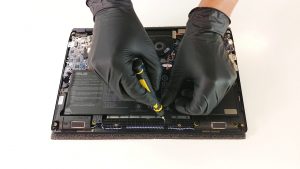
Wyświetlacz: 14.0-inch, 1920 x 1080, IPS
- Nazwa
- AUO B140HAN03.5
- Przekątna
- 14.0"
- Gęstość pikseli
- 157.35 ppi
- Jasność
- 329 cd/m2
- sRGB
- 92%
- Typ Panelu
- IPS
- Rozdzielczość
- 1920 x 1080
- Staje się "Retina" od
- 22 inches (56 cm)
- Kontrast
- 1200:1
- dE Color Checker
- 6.5 1.5

Kup nasze profile dla AUO B140HAN03.5
Oprócz otrzymywania wydajnych i przyjaznych dla zdrowia profili, kupując produkty LaptopMedia, wspierasz również rozwój naszych laboratoriów, w których testujemy urządzenia w celu tworzenia jak najbardziej obiektywnych recenzji.

Office Work
Office Work powinien być używany głównie przez użytkowników, którzy spędzają większość czasu patrząc na teksty, tabele lub po prostu przeglądając internet. Ten profil ma na celu zapewnienie lepszej wyrazistości i klarowności poprzez utrzymanie płaskiej krzywej gamma (2.20), natywnej temperatury barwowej i percepcyjnie dokładnych kolorów.

Design and Gaming
Ten profil jest przeznaczony dla projektantów, którzy pracują z kolorami zawodowo, a także do gier i filmów. Design and Gaming wykorzystuje panele wyświetlaczy do granic ich możliwości, czyniąc je tak dokładnymi, jak to tylko możliwe w standardzie sRGB IEC61966-2-1 dla stron internetowych i telewizji HD, przy punkcie bieli D65.

Health-Guard
Health-Guard eliminuje szkodliwą modulację szerokości impulsu (PWM) i redukuje negatywne niebieskie światło, które wpływa na nasze oczy i ciało. Ponieważ jest on dostosowany do każdego panelu, udaje mu się utrzymać percepcyjnie dokładne kolory. Health-Guard symuluje papier, dzięki czemu nacisk na oczy jest znacznie zmniejszony.





