MSI GP63 Leopard 8RE


- Data publikacji: 29 Jun 2019
- Intel Core i7-8750H
- NVIDIA GeForce GTX 1060 (6GB GDDR5)
- 15.6”, Full HD (1920 x 1080), TN
- 1000GB HDD
- 8GB (1x 8192MB) - DDR4, 2400MHz
- 2.20 kg (4.9 lbs)
MSI GP63 Leopard 8RD dogłębna recenzja
Today in our labs we have the MSI GP63 Leopard 8RD which is one of the brand's more budget oriented gaming notebooks from this year's lineup. This notebook is the natural successor to last year's MSI GP62 Leopard. In terms of design and construction, the new updated GP63 hasn't really changed much [...]
Przeczytaj pełną recenzję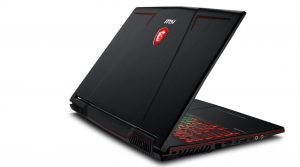
Recenzja
MSI GP63 Leopard 8RE dogłębna recenzja
Today in our labs we have the MSI GP63 Leopard 8RD which is one of the brand's more budget oriented gaming notebooks from this year's lineup. This notebook is the natural successor to last year's MSI GP62 Leopard. In terms of design and construction, the new updated GP63 hasn't really changed much but it now updated with the 8th generation Intel six-core processors.Configurable only up to the GTX 1050 Ti, the GP63 Leopard 8RD is not meant for hardcore gamers but like any other MSI notebook, it brings some exclusive features to the user. Most notable is the SteelSeries RGB keyboard. The optional 120Hz panel with 3ms response time is also something you don't see every day.These exclusive and premium features tend to keep the price of MSI's notebooks a bit higher than many competitors[...]
Przeczytaj pełną recenzjęPros
- Very good cooling system
- Great keyboard
- Broad color range - 100% sRGB, 95% DCI-P3 in CIE1976 (N156HGA-EAL)
Cons
- High dE values (N156HGA-EAL, fixed by our profiles)
- Subpar battery life
- Not the best build quality
Wyświetlacz: 15.6-inch, 1920 x 1080, TN
- Nazwa
- N156HGA-EAL (MSI GP63 Leopard 8RD)
- Przekątna
- 15.6"
- Gęstość pikseli
- 141.21 ppi
- Jasność
- cd/m2
- sRGB
- 100%
- Typ Panelu
- TN
- Rozdzielczość
- 1920 x 1080
- Staje się "Retina" od
- 24 inches (62 cm)
- Kontrast
- dE Color Checker

Kup nasze profile dla N156HGA-EAL (MSI GP63 Leopard 8RD)
Oprócz otrzymywania wydajnych i przyjaznych dla zdrowia profili, kupując produkty LaptopMedia, wspierasz również rozwój naszych laboratoriów, w których testujemy urządzenia w celu tworzenia jak najbardziej obiektywnych recenzji.

Office Work
Office Work powinien być używany głównie przez użytkowników, którzy spędzają większość czasu patrząc na teksty, tabele lub po prostu przeglądając internet. Ten profil ma na celu zapewnienie lepszej wyrazistości i klarowności poprzez utrzymanie płaskiej krzywej gamma (2.20), natywnej temperatury barwowej i percepcyjnie dokładnych kolorów.

Design and Gaming
Ten profil jest przeznaczony dla projektantów, którzy pracują z kolorami zawodowo, a także do gier i filmów. Design and Gaming wykorzystuje panele wyświetlaczy do granic ich możliwości, czyniąc je tak dokładnymi, jak to tylko możliwe w standardzie sRGB IEC61966-2-1 dla stron internetowych i telewizji HD, przy punkcie bieli D65.

Health-Guard
Health-Guard eliminuje szkodliwą modulację szerokości impulsu (PWM) i redukuje negatywne niebieskie światło, które wpływa na nasze oczy i ciało. Ponieważ jest on dostosowany do każdego panelu, udaje mu się utrzymać percepcyjnie dokładne kolory. Health-Guard symuluje papier, dzięki czemu nacisk na oczy jest znacznie zmniejszony.





