Inside Acer Predator Helios 300 17 (2019, PH317-53) – disassembly and upgrade options
Acer Predator Helios 300 is shaping to be one of the most awaited gaming laptops. We’ve received a ton of requests to take it for a review and since we did, let’s start with a short “what’s inside” article.
Check out all Acer Predator Helios 300 prices and configurations in our Specs System or read more in our In-depth review.
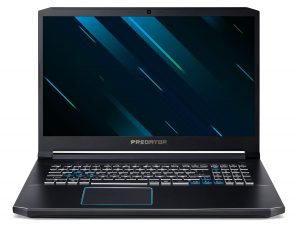
1. Remove the bottom plate
In order to remove the bottom plate, you have to deal with some Phillips-head screws. Then pry the panel with a plastic pry tool. Pretty standard for a modern laptop – no service lids, no fancy panels.
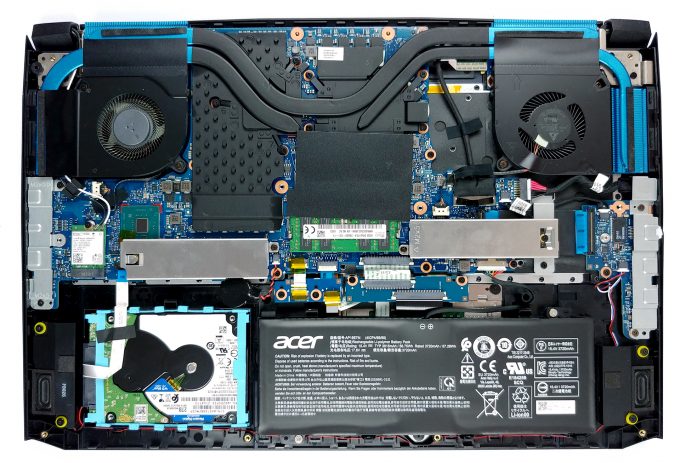
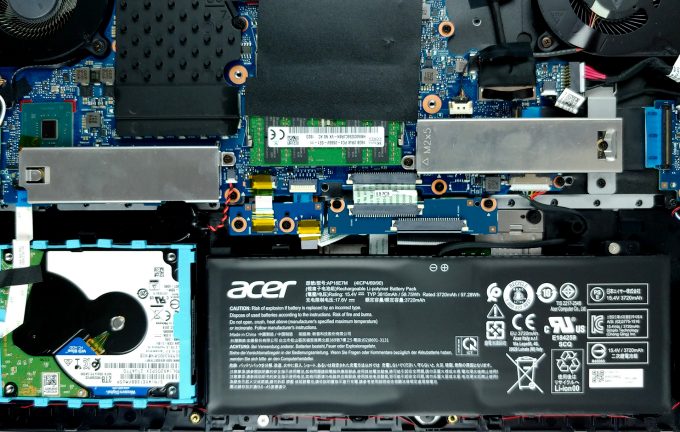
2. Battery, memory, and storage
Acer has equipped the Helios 300 2019 with a modest 59Wh battery pack. It can be removed by unscrewing two Phillips-head screws and unplugging the battery connector from the motherboard. On the memory side, there are two RAM DIMMs, able to hold 32GB of DDR4 memory, while the storage comprises two M.2 drives working in RAID 0 (optionally) and a SATA 2.5″ drive.
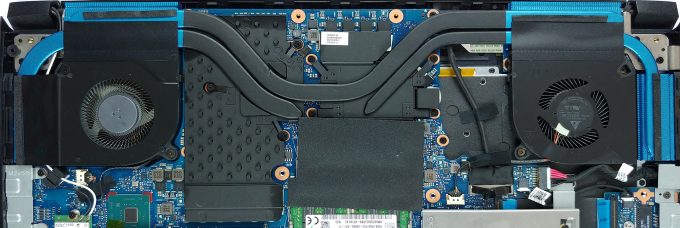
4. Cooling system
Interestingly, there are only three heat pipes cooling the powerful internals of this laptop – one common for both the CPU and the GPU and one more each for them. Additionally, the design includes a pretty substantial plate cooling the rest of the area around the graphics card.
Check out all Acer Predator Helios 300 prices and configurations in our Specs System or read more in our In-depth review.
 Author: Alex Iliev

![[Mai 2026] Clasamentul global al celor mai bine vândute GPU-uri pentru laptopuri pe Amazon – Apple domină cu o cotă de 45%, ocupă primele 3 locuri; RTX 5060 de la NVIDIA conduce în topul GPU-urilor dedicate](https://laptopmedia.com/wp-content/uploads/2026/06/Best-Selling-GPUs-GLOBAL-Top-10-400x225.jpg)
![[Mai 2026] Clasamentul global al celor mai bine vândute procesoare pentru laptopuri pe Amazon – Apple zdrobește concurența cu o cotă de piață de 45,2%, M5 domină](https://laptopmedia.com/wp-content/uploads/2026/06/Best-Selling-CPUs-GLOBAL-Top-10-400x225.jpg)
![[May 2026] Amazon Germany: Top 7 Best-Selling Gaming Laptops – Lenovo Legion 5i Crowned Champion Amidst Fierce Mid-Range Competition](https://laptopmedia.com/wp-content/uploads/2026/06/Best-Selling-Gaming-Laptops-DE-Top-10-1-400x225.jpg)
![[May 2026] Amazon Italy: Top 10 Best-Selling Laptops – Apple MacBook Neo Reigns Supreme, Premium Models Capture Dominant Revenue Share](https://laptopmedia.com/wp-content/uploads/2026/06/Best-Selling-Laptops-IT-Top-10-400x225.jpg)
![[May 2026] Best-Selling Laptop Brands on Amazon Italy – Apple Dominates Across All Metrics](https://laptopmedia.com/wp-content/uploads/2026/06/IT-Best-Brands-400x225.jpg)

Hi! Thanks for the article. I was wondering it this laptop can hold up to 32 gb for each RAM slot or is it as total? Can it be upgraded to 64gb? Thanks