Inside Acer Nitro 5 (AN517-51) – disassembly and upgrade options
After the Nitro 5 (AN515-54) has won our Best GTX 1660 Ti laptop award, it was time to check out its 17-inch brother. Honestly, on the inside, it seems like they have just taken the motherboard from the 15-inch model and put it into the bigger one. Take a look.
Check out all Acer Nitro 5 (AN517-51) prices and configurations in our Specs System or read more in our In-Depth review.
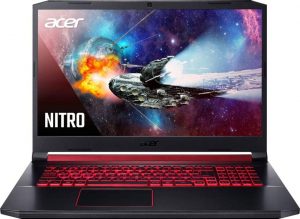
1. Remove the bottom plate
There are 12 Phillips-head screws that hold this notebook’s bottom panel in place. After you unscrew them, there is a slow prying process, that requires you to pop every single clip before you will be able to lift the plate up. Keep in mind that the exhaust grill cover must come off as well.

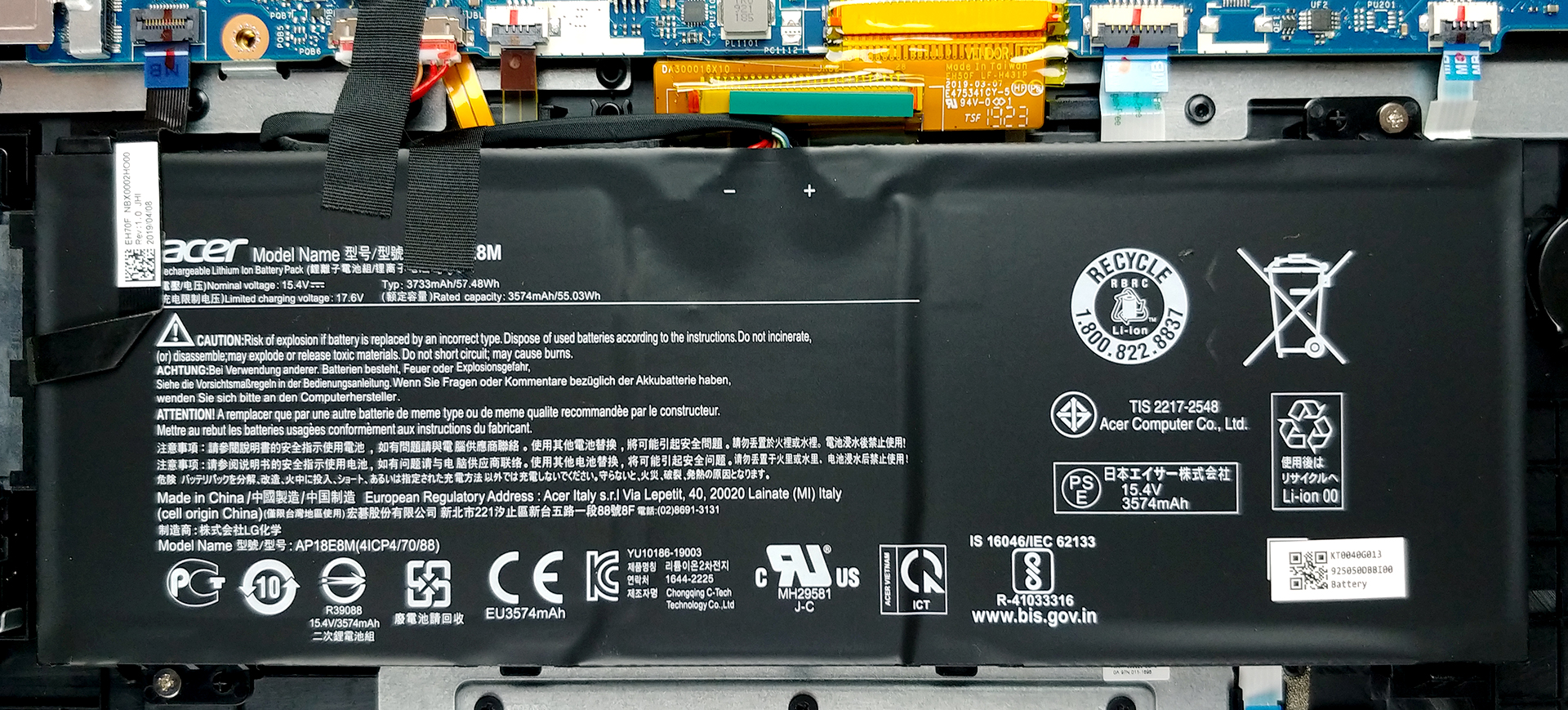
2. Battery
Last, but not least, is the 57.5Wh battery pack. It is a shame that Acer didn’t utilize more of the free space inside. On the bright side, it is extremely easy to take the battery out, as there are only two screws that keep it attached to the chassis. Just don’t forget that the battery is the first thing you need to unplug in your machine.
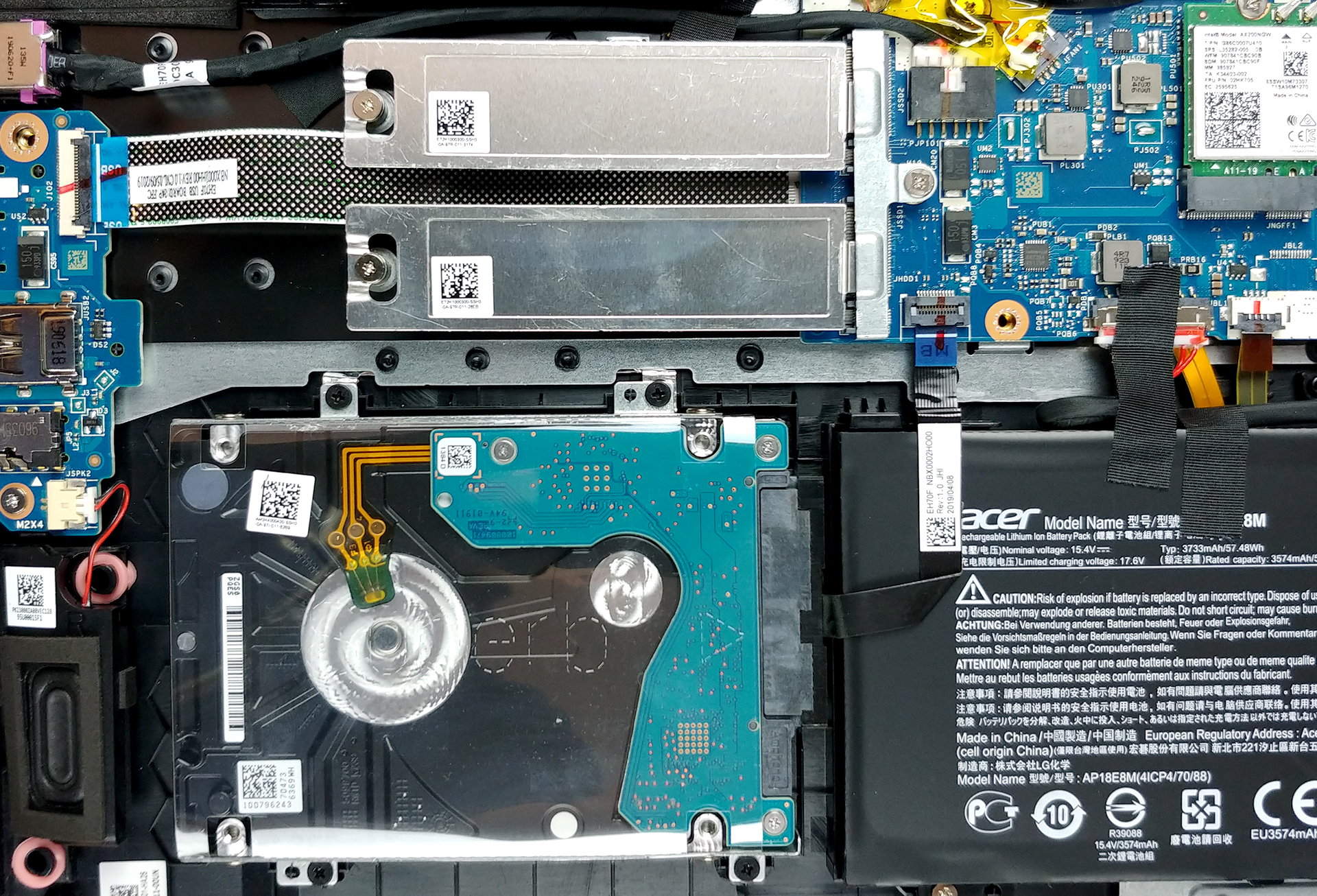
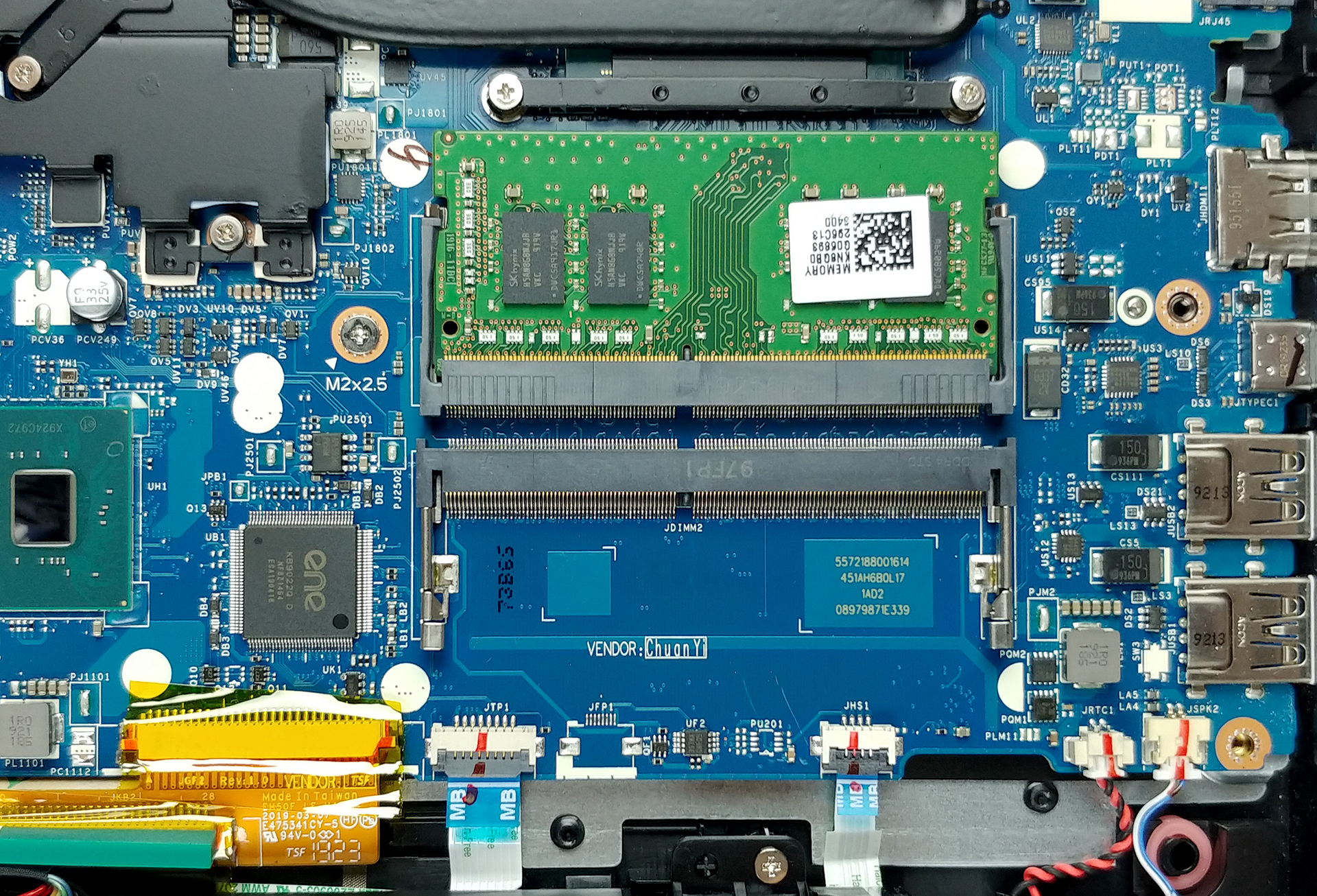
3. Memory and storage
In terms of memory and storage, this is one of the great notebooks out there. First, it supports 32GB of memory via two RAM DIMMs. Next, there are two M.2 PCIe slots and an additional 2.5″ SATA drive slot.
4. Cooling system
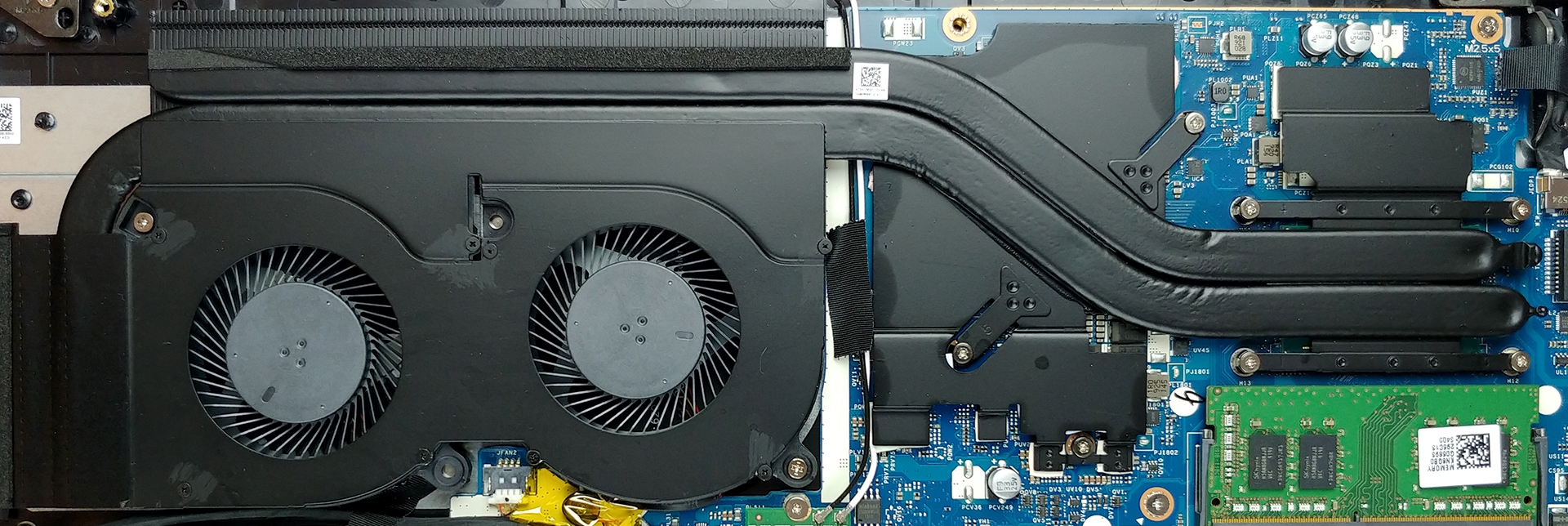
Then, we have the cooling, which comprises only two heat pipes. On the 15-inch version of the device, we saw three heat pipes, but it was cooling the much more powerful GTX 1660 Ti. They are cooling both the CPU and the GPU, and while one of the stops at the end of the upper left fan edge, the other goes all the way to make a 90-degree turn and finish in a separate heat spreader.
Check out all Acer Nitro 5 (AN517-51) prices and configurations in our Specs System or read more in our In-Depth review.
 Author: Alex Iliev

![[August 2026] Clasamentul global al celor mai bine vândute plăci grafice pentru laptopuri de pe Amazon – Apple domină clasamentul, iar modelul RTX 5060 de la NVIDIA ocupă primul loc în clasamentul dedicat](https://laptopmedia.com/wp-content/uploads/2026/09/Best-Selling-GPUs-GLOBAL-Top-10-400x225.jpg)
![[August 2026] Clasamentul global al celor mai bine vândute procesoare pentru laptopuri de pe Amazon – Apple domină atât segmentul economic, cât și cel premium: A18 Pro și M5 surclasează Intel și AMD în august 2026](https://laptopmedia.com/wp-content/uploads/2026/09/Best-Selling-CPUs-GLOBAL-Top-10-400x225.jpg)
![[August 2026] Amazon Global: Top 10 cele mai vândute laptopuri – Apple MacBook Neo domină clasamentul, în timp ce laptopurile Windows din gama economică și de mijloc se luptă pentru volumul vânzărilor](https://laptopmedia.com/wp-content/uploads/2026/09/Best-Selling-Laptops-GLOBAL-Top-10-400x225.jpg)
![[August 2026] Cele mai vândute mărci de laptopuri pe Amazon Global – Apple domină în ceea ce privește veniturile, în timp ce HP se află pe primul loc în ceea ce privește varietatea de modele](https://laptopmedia.com/wp-content/uploads/2026/09/GLOBAL-Best-Brands-400x225.jpg)
![[August 2026] Amazon Global: Top 10 cele mai bine vândute laptopuri pentru jocuri – HP Victus 15 ocupă primul loc, în timp ce modelele accesibile domină clasamentul](https://laptopmedia.com/wp-content/uploads/2026/09/Best-Selling-Gaming-Laptops-GLOBAL-Top-10-400x225.jpg)

And how do I remove the bottom plate??