MSI Summit E13 Flip Evo review – one of the best XPS 13 alternatives to date
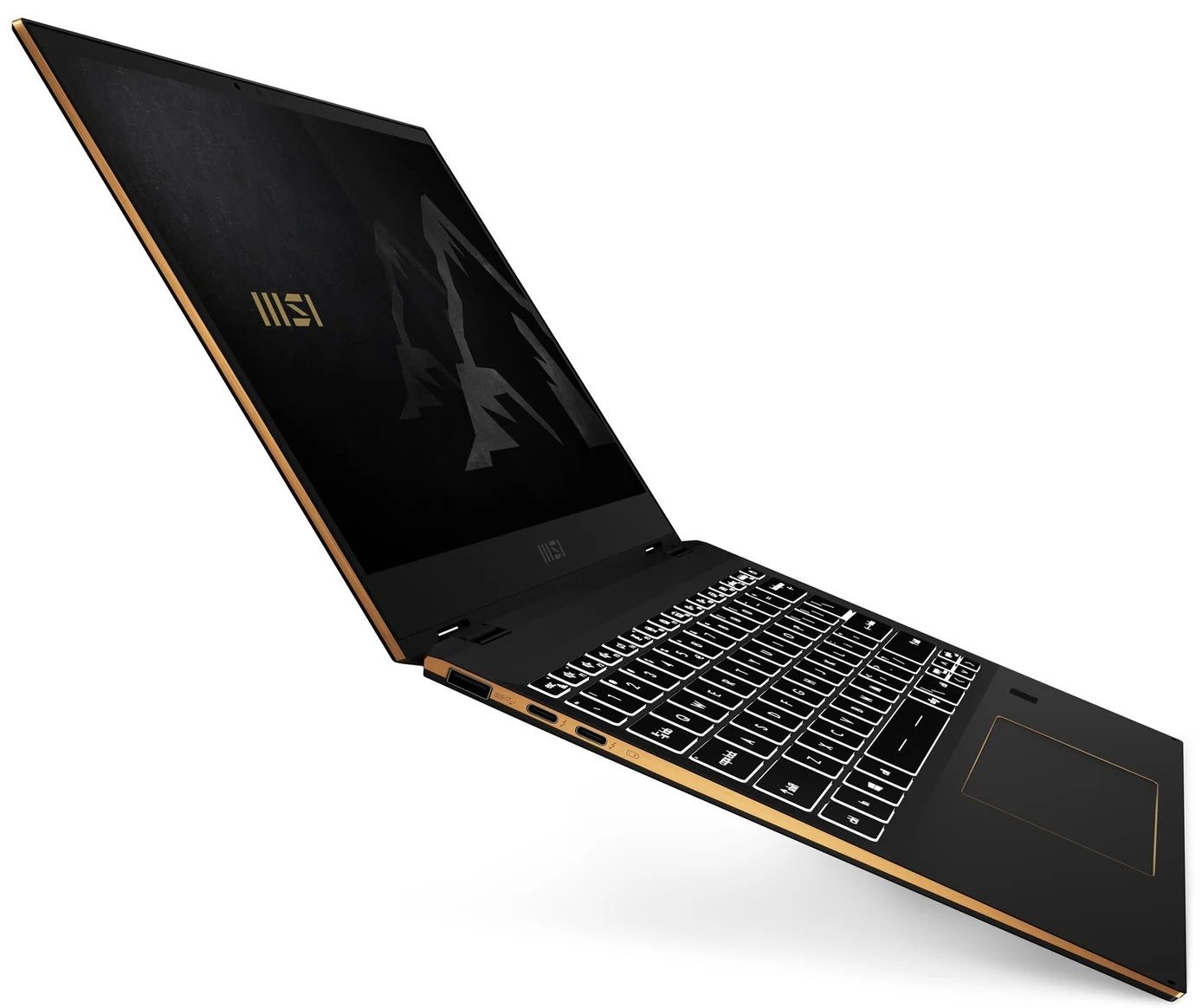
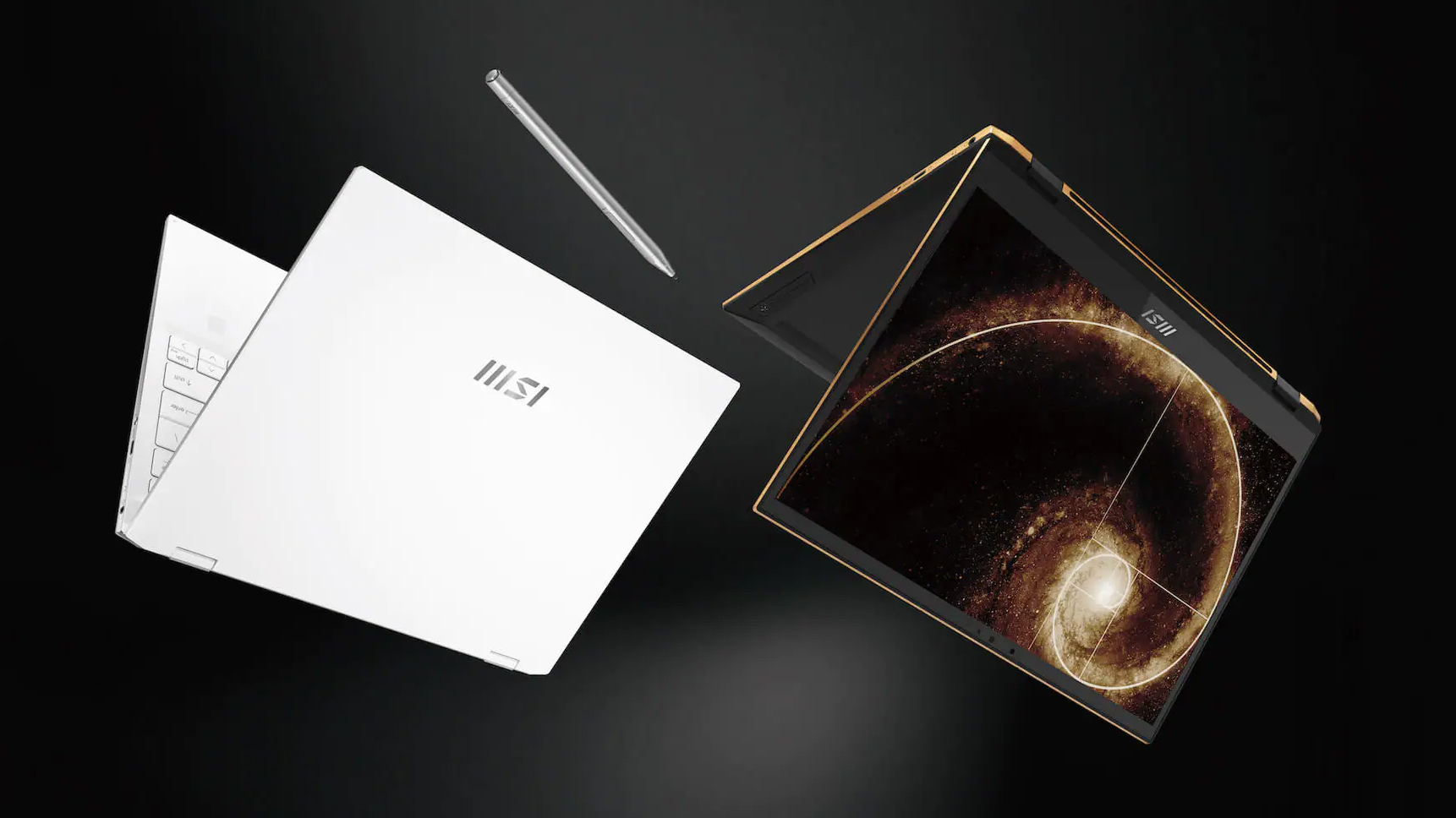 As with the 15-inch device from this series that we’ve reviewed recently, the Summit E13 Flip Evo aims to provide a balance between aesthetics and performance. Ultimately, this 13-incher is MSI’s best effort to battle the Dell XPS 13 9310 2-in-1.
From what we saw, beating the XPS 13 in its own game won’t be that difficult of a task, but there is a lot of room for the Summit to fail. On the other hand, it matches its display with a 13.4-inch size, 16:10 aspect ratio, a Full HD+ resolution.
Additionally, this is one of the first notebooks to confirm the use of the newly announced Core i5-1155G7, and Core i7-1195G7. However, we were only able to snatch a unit with the “older” Core i5-1135G7 processor.
So, let’s see if MSI’s 13-inch convertible will be able to become a viable XPS 13 alternative and if professionals will be able to make good use of it.
You can check the prices and configurations in our Specs System: https://laptopmedia.com/series/msi-e13-summit-flip/
Contents
Specs Sheet
MSI Summit E13 Flip - Specificații


- HDD/SSD
- până la 8000GB SSD
- Slot M.2
- 1x M.2 NVMe slot Vezi foto
- RAM
- up to 32GB
- SO
- Windows 10 Home, Windows 11 Pro, Windows 10 Pro, Windows 11 Home
- Baterie
- 70Wh, 4-cell, 70Wh
- Material Carcasă
- Aluminum
- Dimensiuni
- 319 x 219 x 14.9 mm (12.56" x 8.62" x 0.59")
- Greutate
- 1.35 kg (3 lbs)
- Porturi și conectivitate
- 1x USB Type-C
- 3.2 Gen 2 (10 Gbps)
- 2x USB Type-C
- Thunderbolt 4
- 2x USB Type-A
- 3.2 Gen 1 (5 Gbps)
- Cititor de carduri
- MicroSD
- Wi-Fi
- 802.11ax
- Bluetooth
- 5.1
- Mufă audio
- 3.5mm Combo Jack
- Caracteristici
- Cititor de amprente
- optional
- Cameră web
- HD
- Tastatură iluminată
- optional
- Microfon
- Difuzoare
- 2x 2W, Nahimic 3
- Unitate optică
- MSI Pen
Toate MSI Summit E13 Flip configurații
What’s in the box?
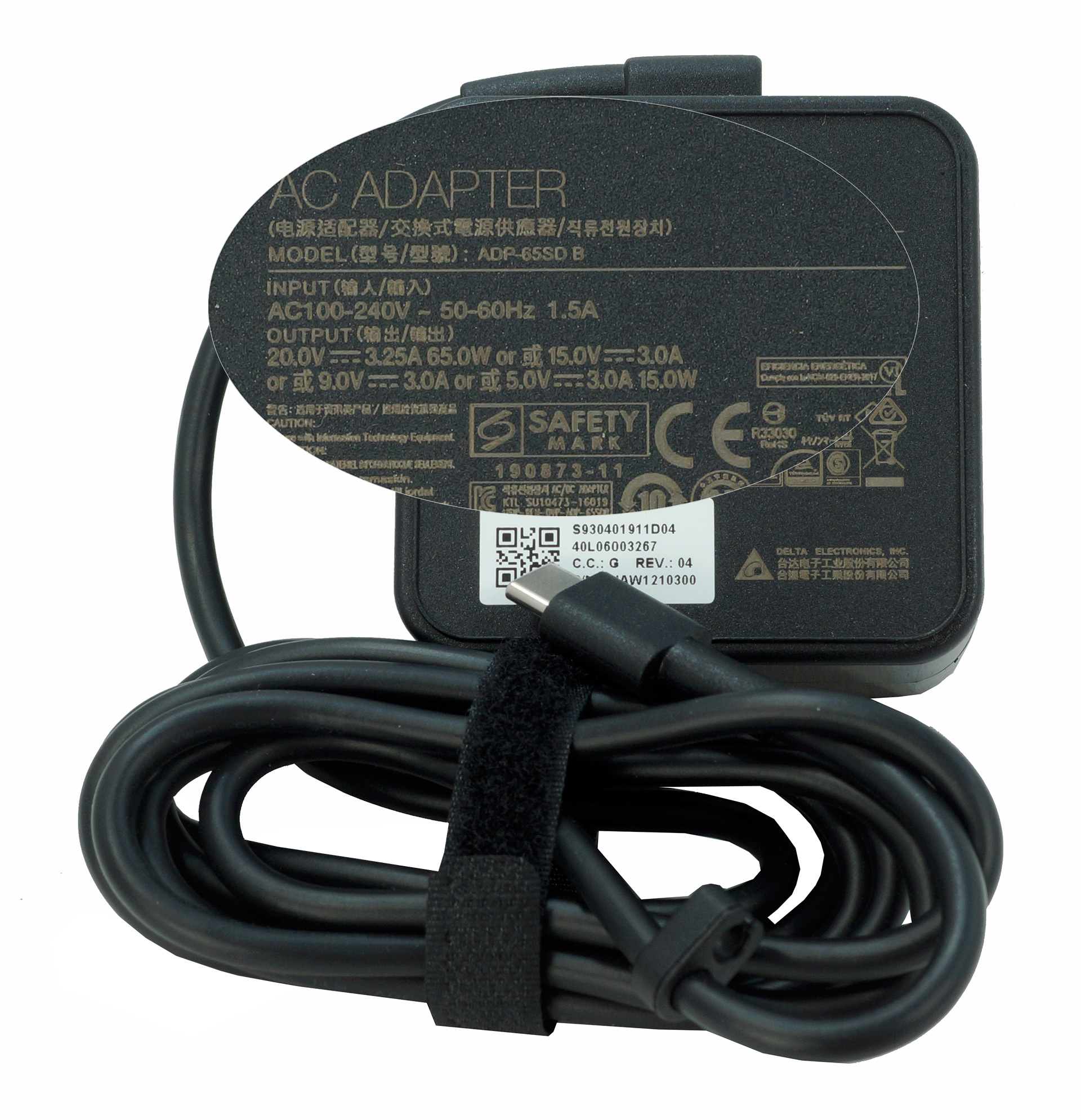
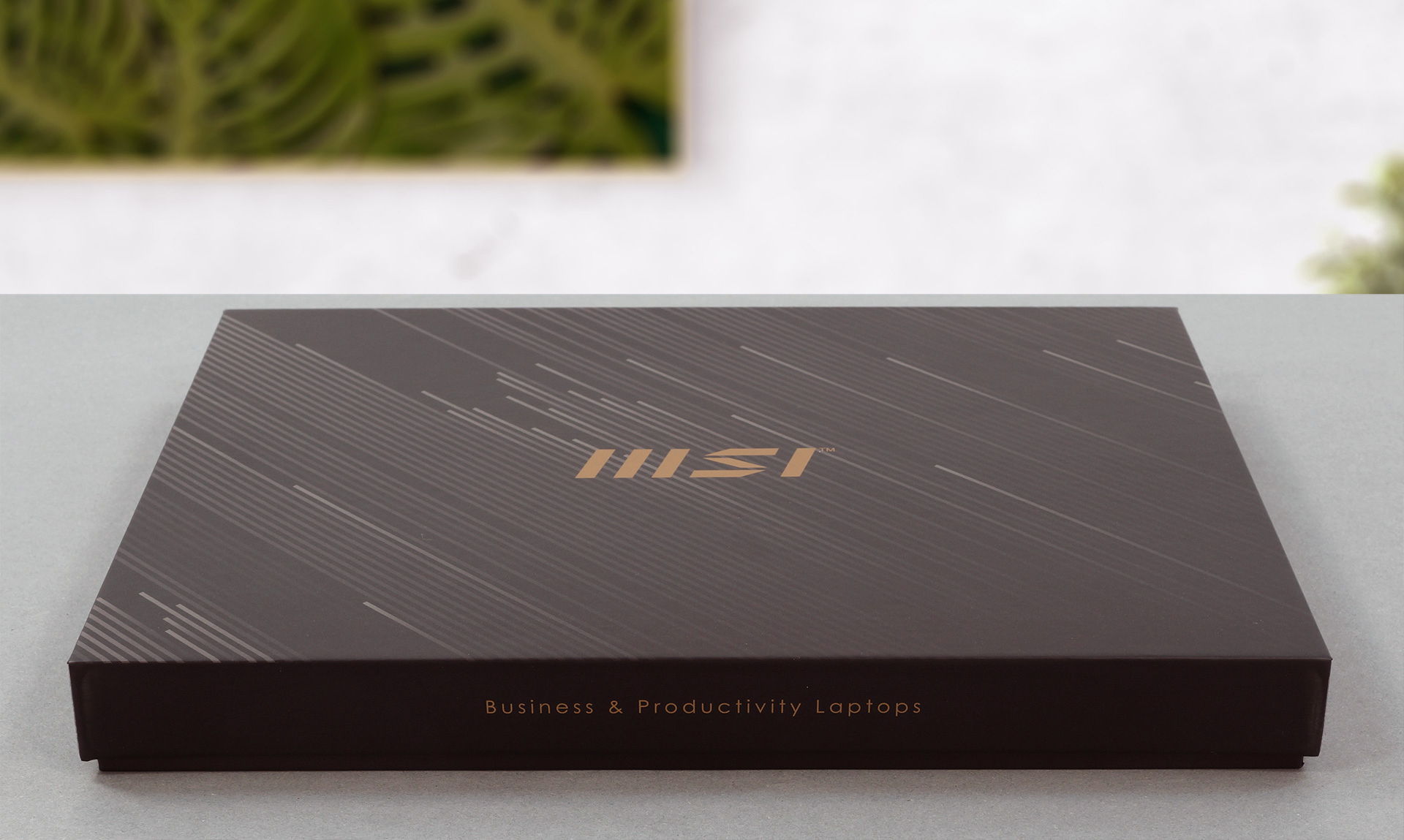
Inside the package, you will find two boxes – one holding the laptop and the paper manuals, and one for the 65W USB Type-C power adapter, and the stylus.
Design and construction
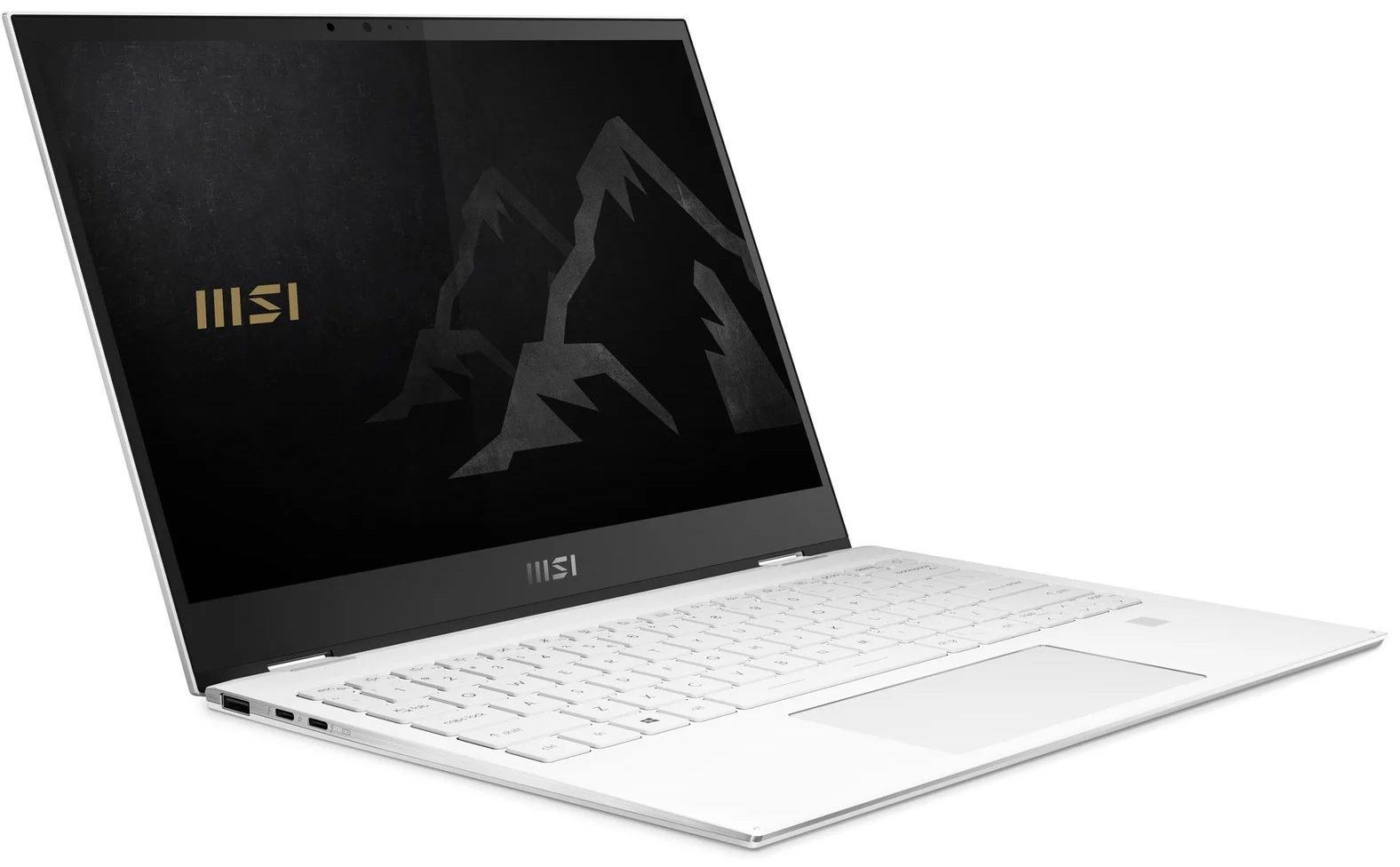
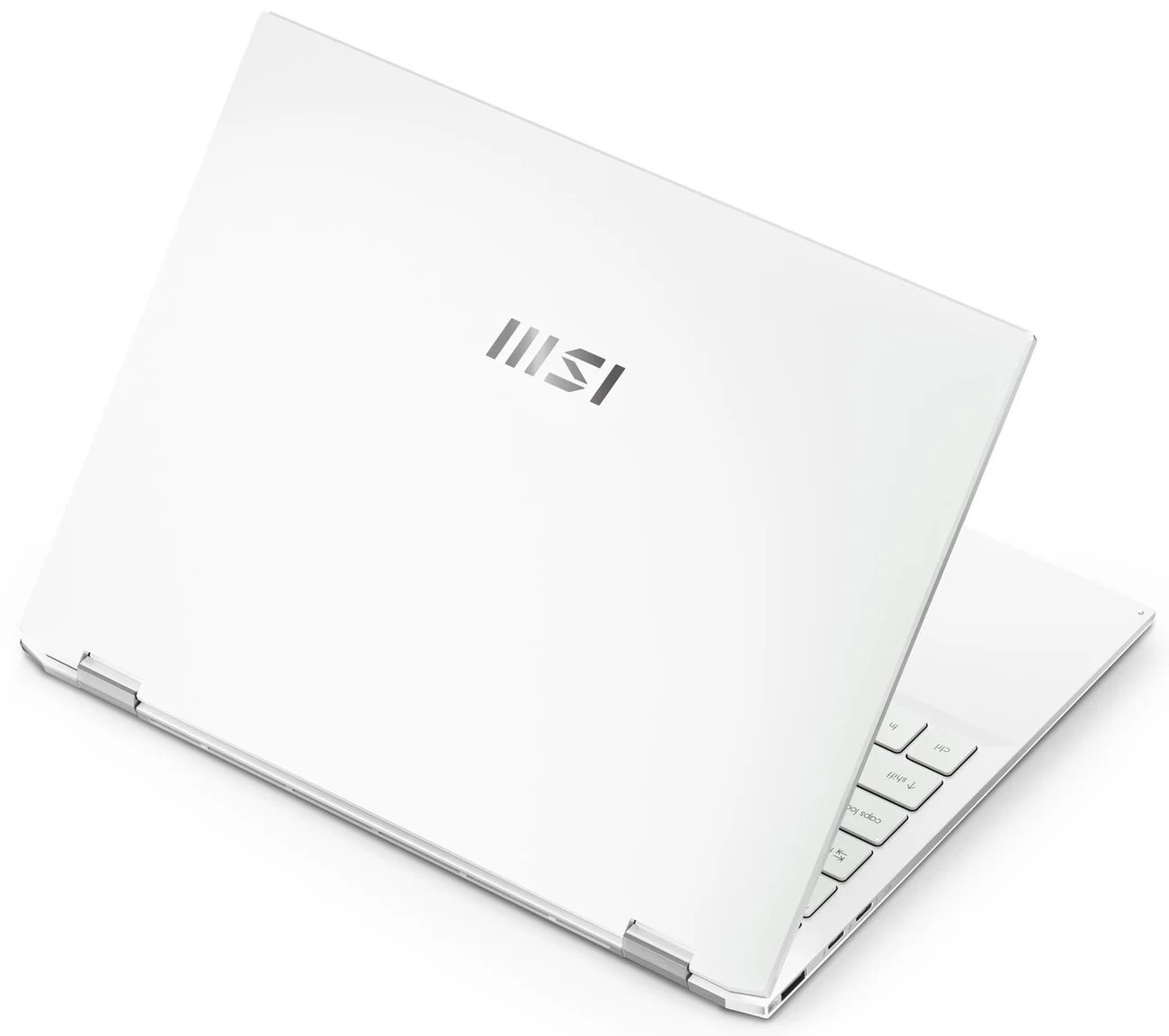
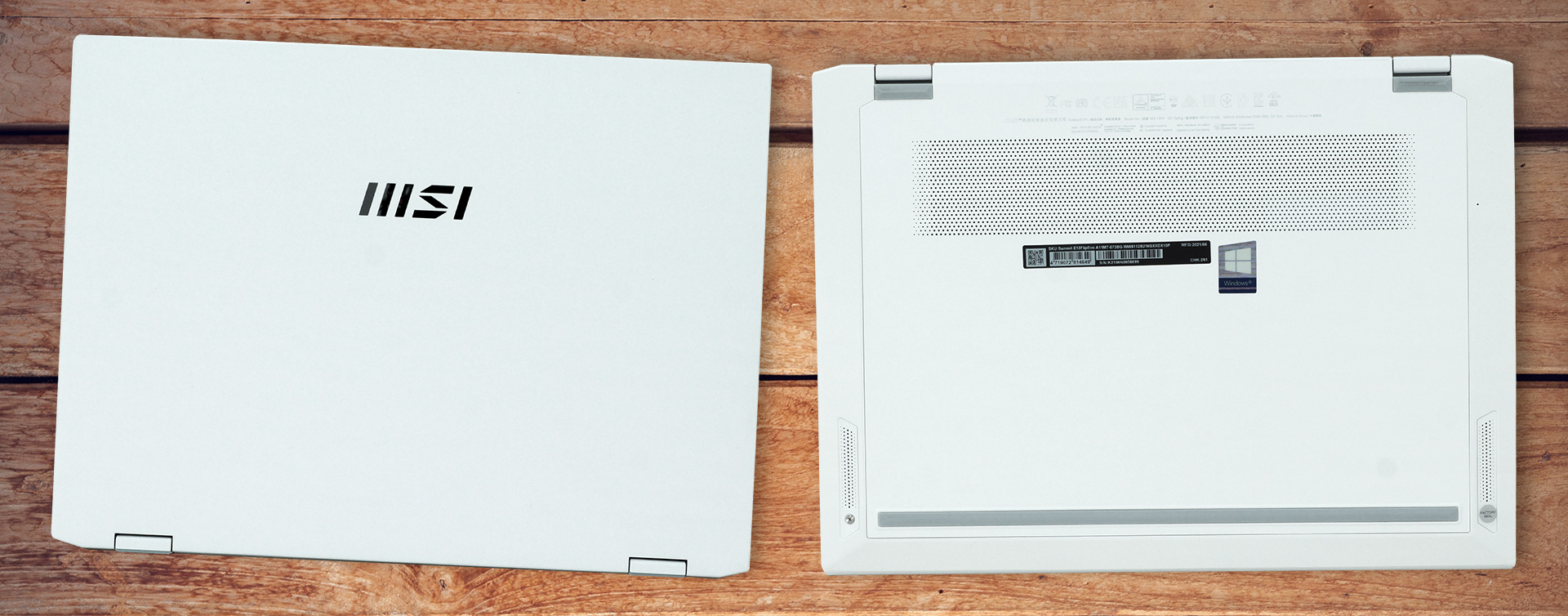
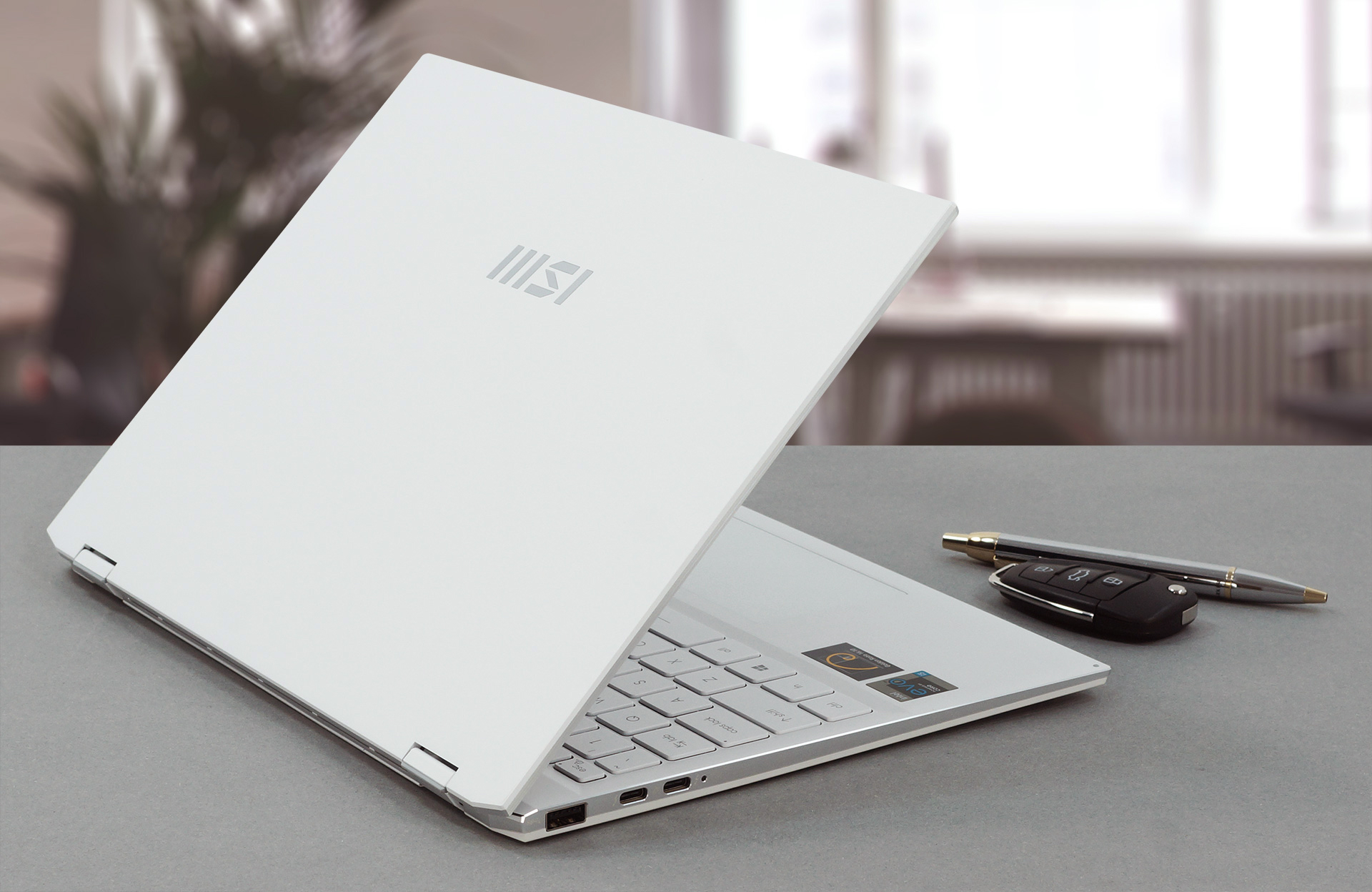
Built out of aluminum, the Summit E13 Flip Evo has a strong body, that is pretty resistant to chassis and lid flex. It has pointy edges, and the White base and bottom are separated by chrome-like sides. This device has a profile of 14.9mm and weighs 1.35 kg.
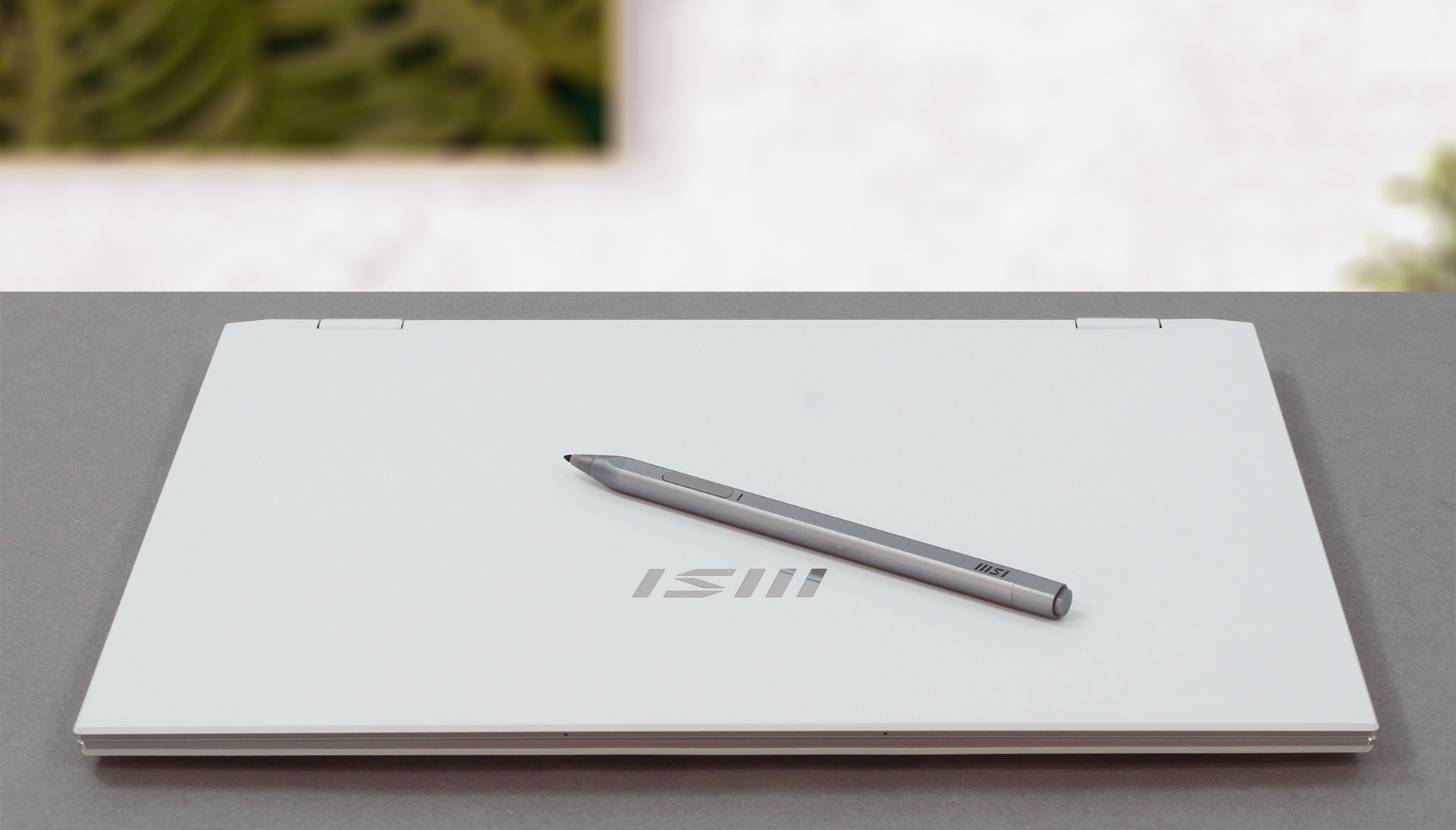
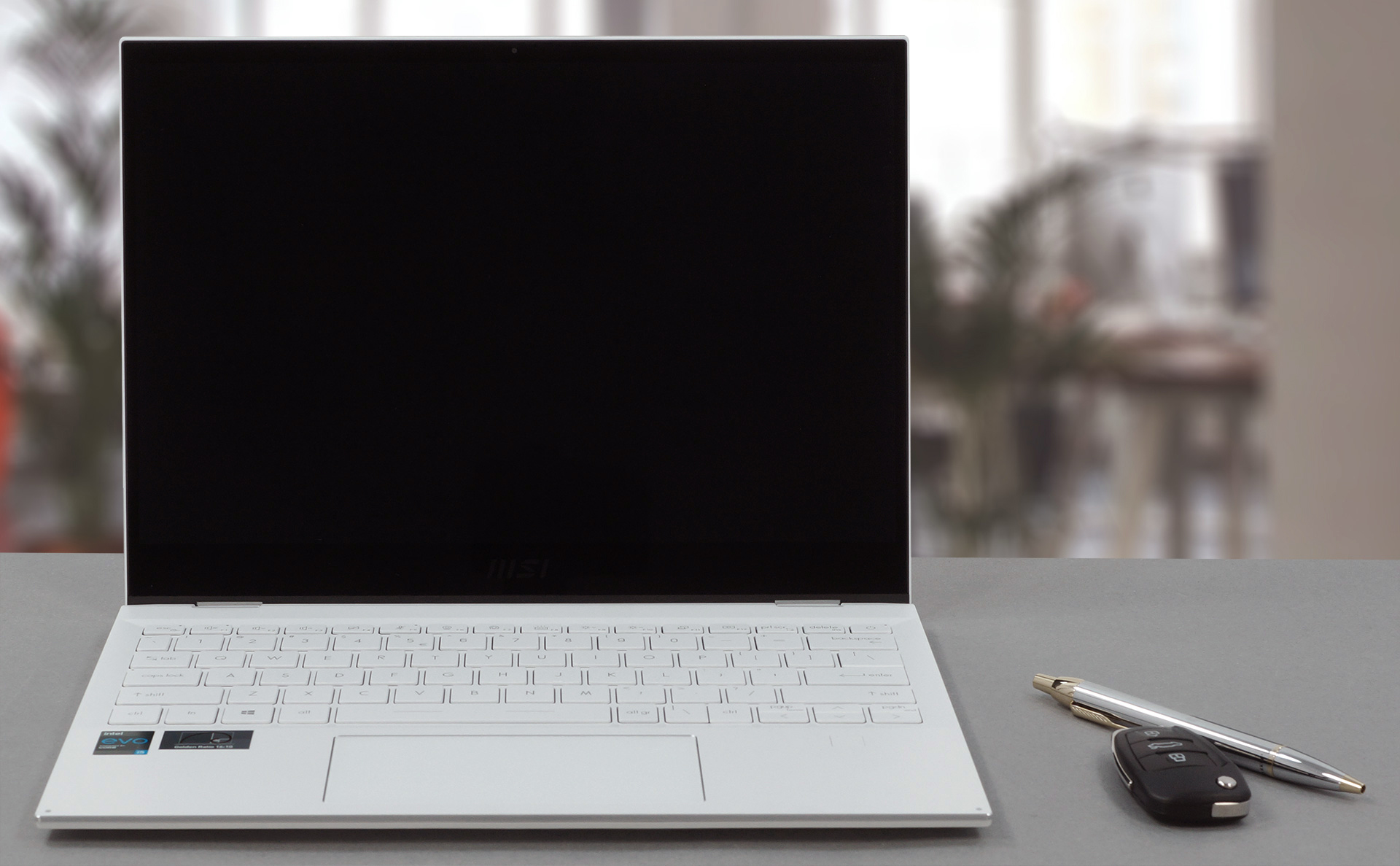
Its lid can be opened with a single hand, which is a rarity in the convertible world. Additionally, its hinges act as a lever for the backside of the bottom panel. By the way, the lid shows the same design details as the base. Furthermore, the glossy display is surrounded by a black bezel that is thin to the sides and thick to the bottom. The top, however, houses the HD Web camera, as well as the IR face recognition sensor.
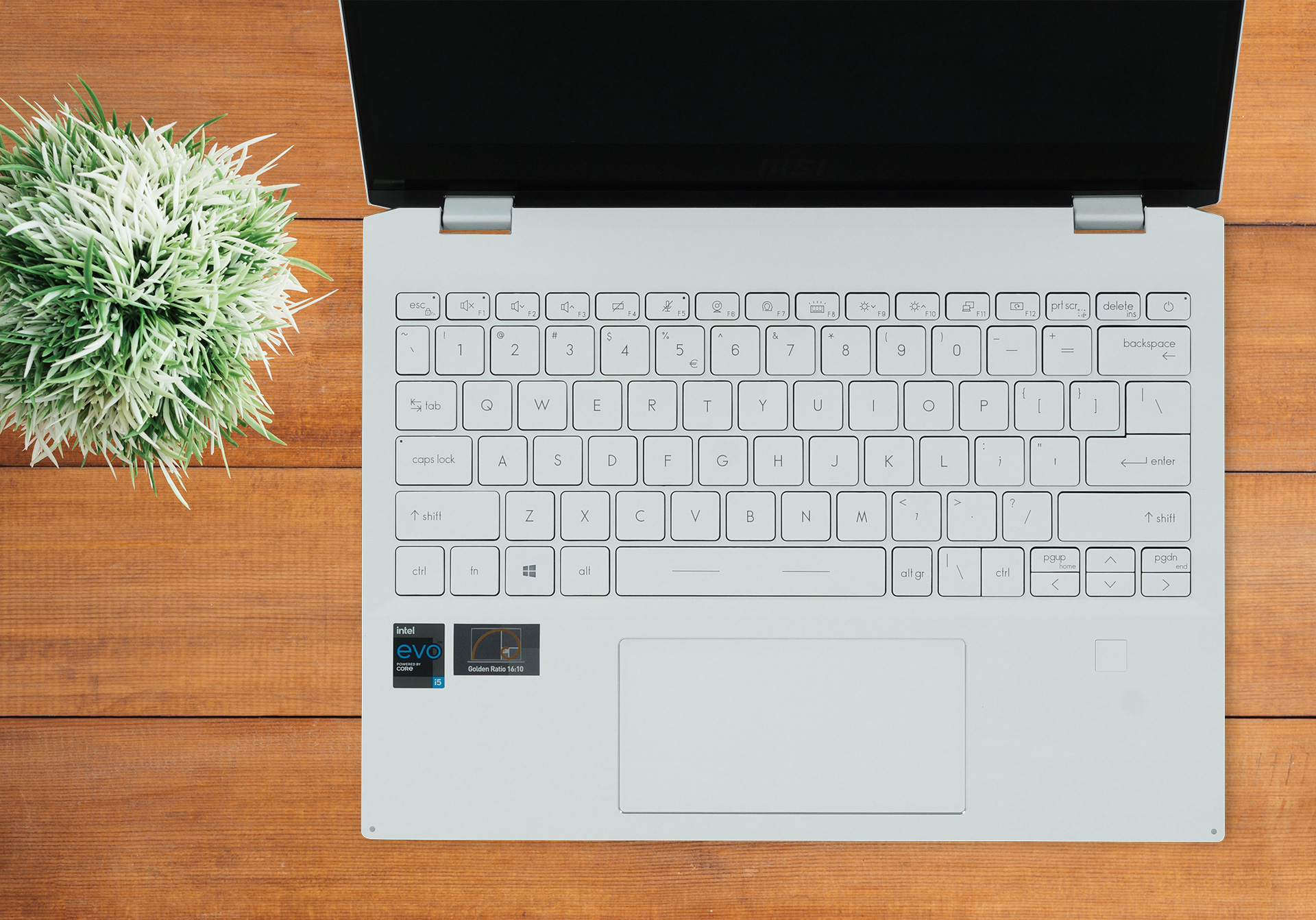
As for the base, there you will find the keyboard. It has large keycaps, medium key travel, and somewhat clicky feedback, resulting in a decent typing experience. Beneath the arrow keys, you can see the fingerprint reader.
And beneath the space bar, there is the glass-protected touchpad. It has a very wide aspect ratio, which is contradictory to the 16:10 aspect ratio of the display. Nevertheless, the glass surface provides a smooth texture, while the tracking is accurate and quick.
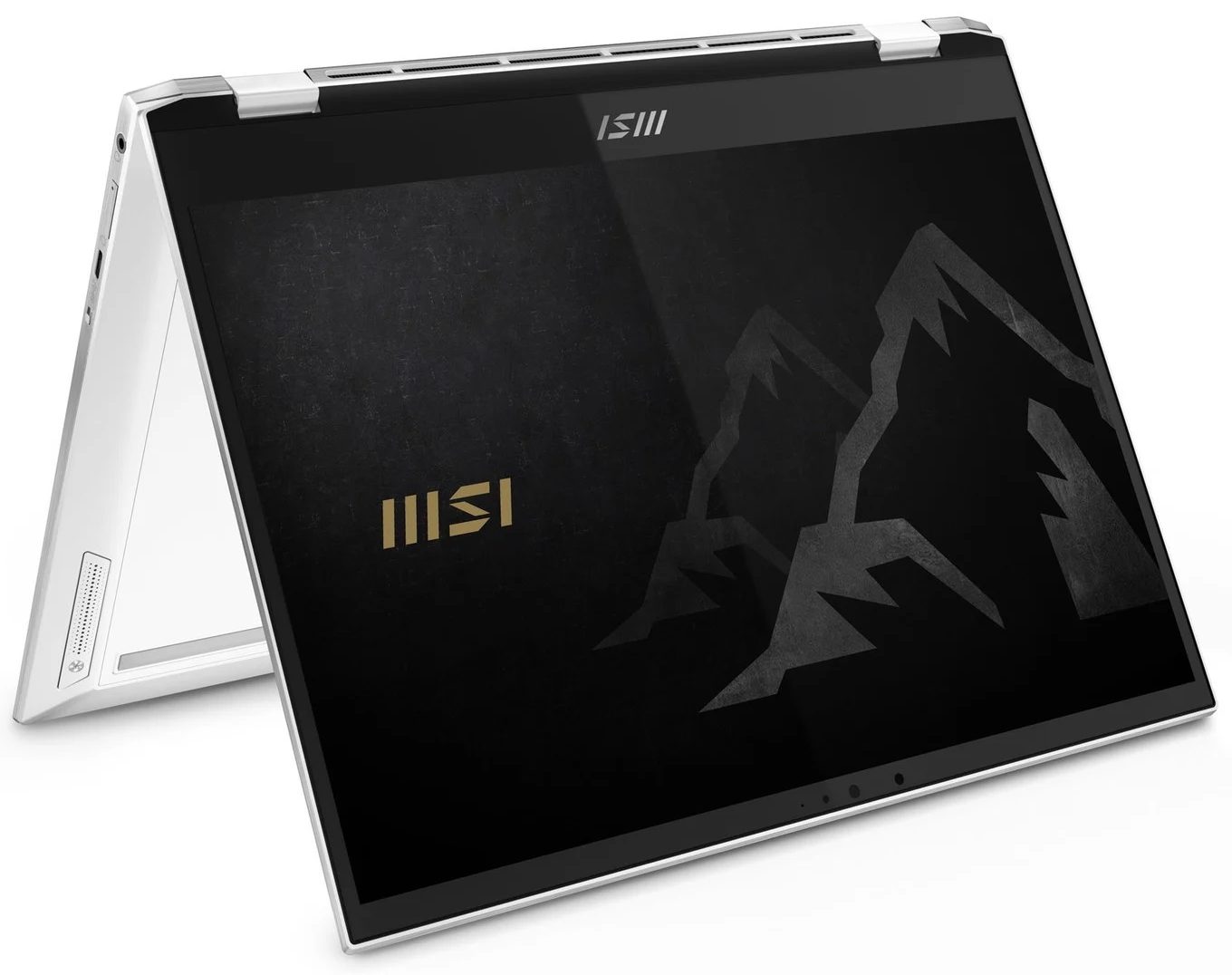
Last but not least, there is the bottom panel. It houses the speaker cutouts, as well as the ventilation grill. Hot air, on the other hand, escapes the machine from a slot on the back of the base. This means that the heat is blown towards the bottom of the display.
Ports
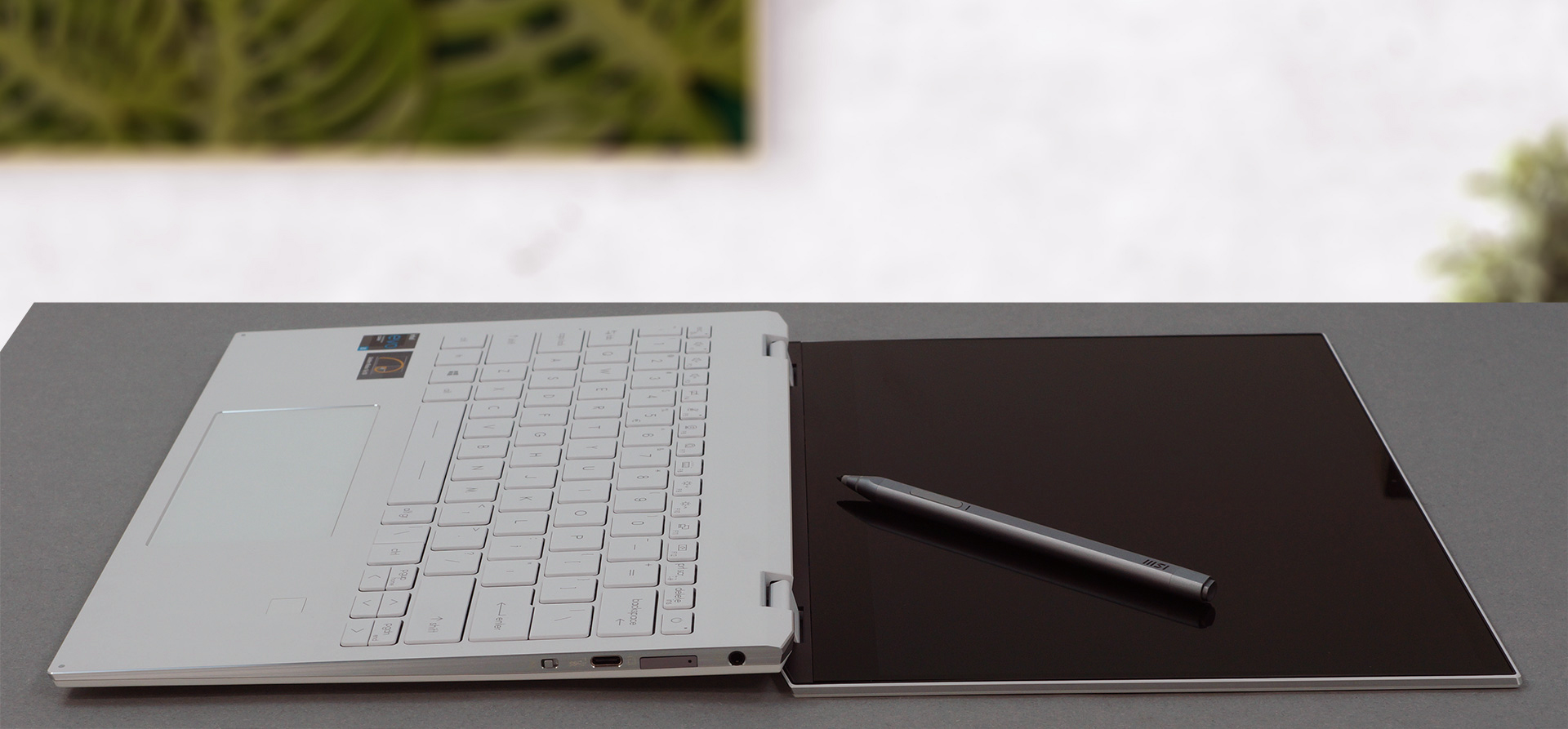
On the left side, there is a USB Type-A 3.2 (Gen. 1) port and two Thunderbolt 4 connectors. And on the right, you will find an audio jack, a MicroSD card slot, a USB Type-C 3.2 (Gen. 2) port, and a camera shutter switch.


Disassembly, upgrade options and maintenance
To take this notebook apart, you need to remove its bottom panel. You can do that by undoing four Phillips-head screws, two of which are hidden beneath the rear rubber feet. Then, pry the panel with a plastic tool.
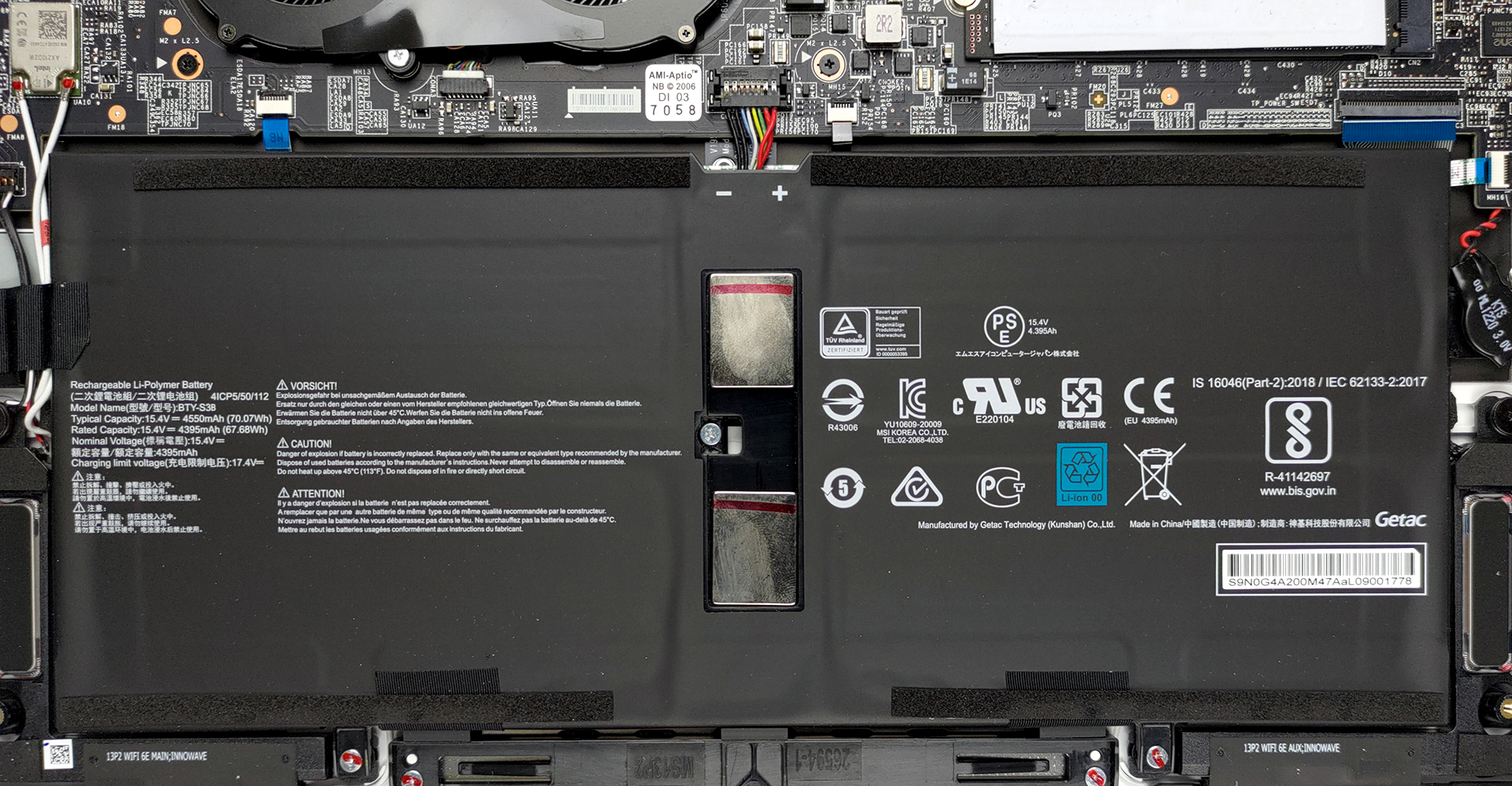
Here, the battery has a capacity of 70Wh.
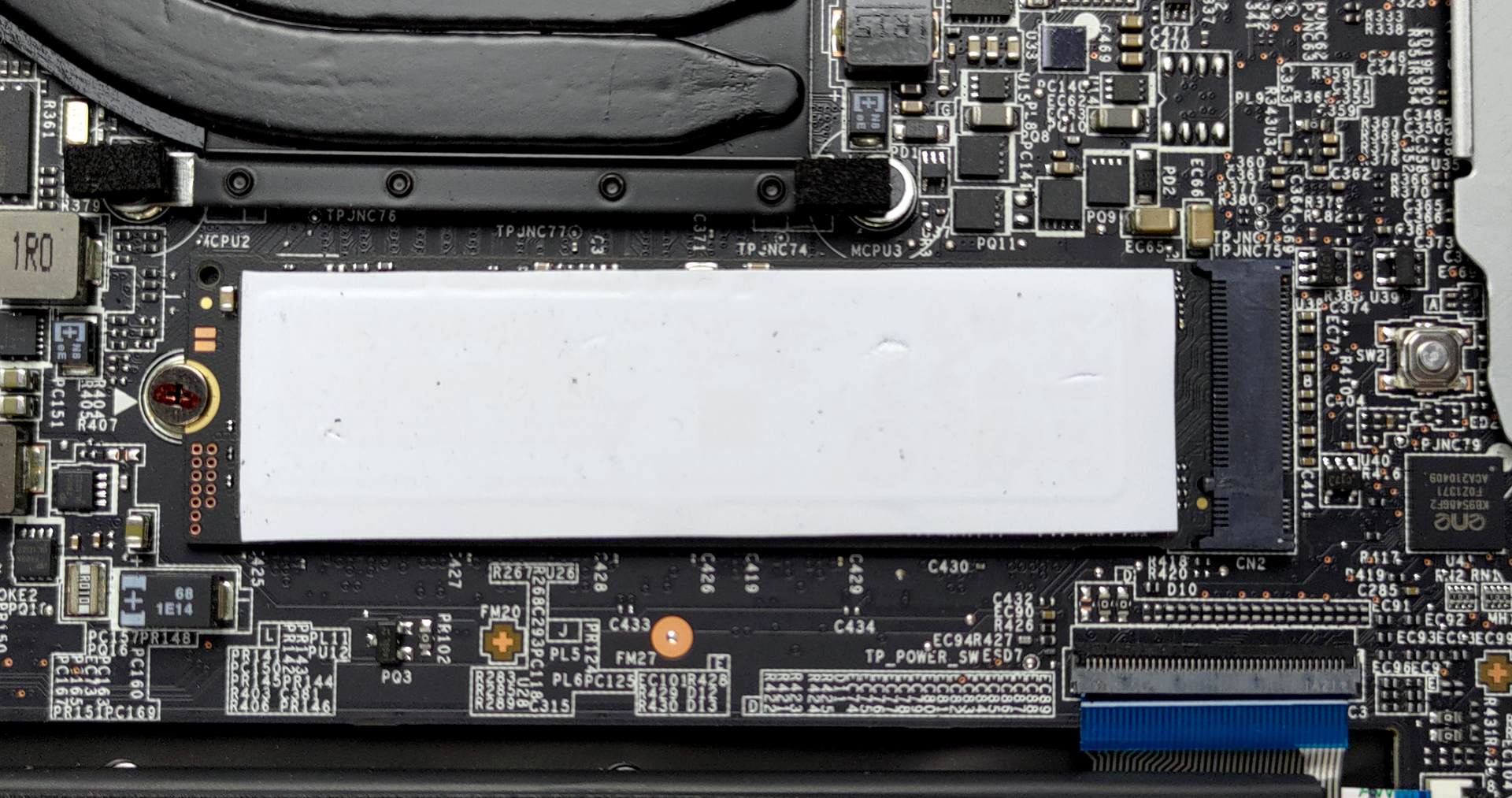
Expectedly, the memory of this notebook is soldered to its motherboard. On the other hand, there is an M.2 PCIe x4 slot for storage upgrades.
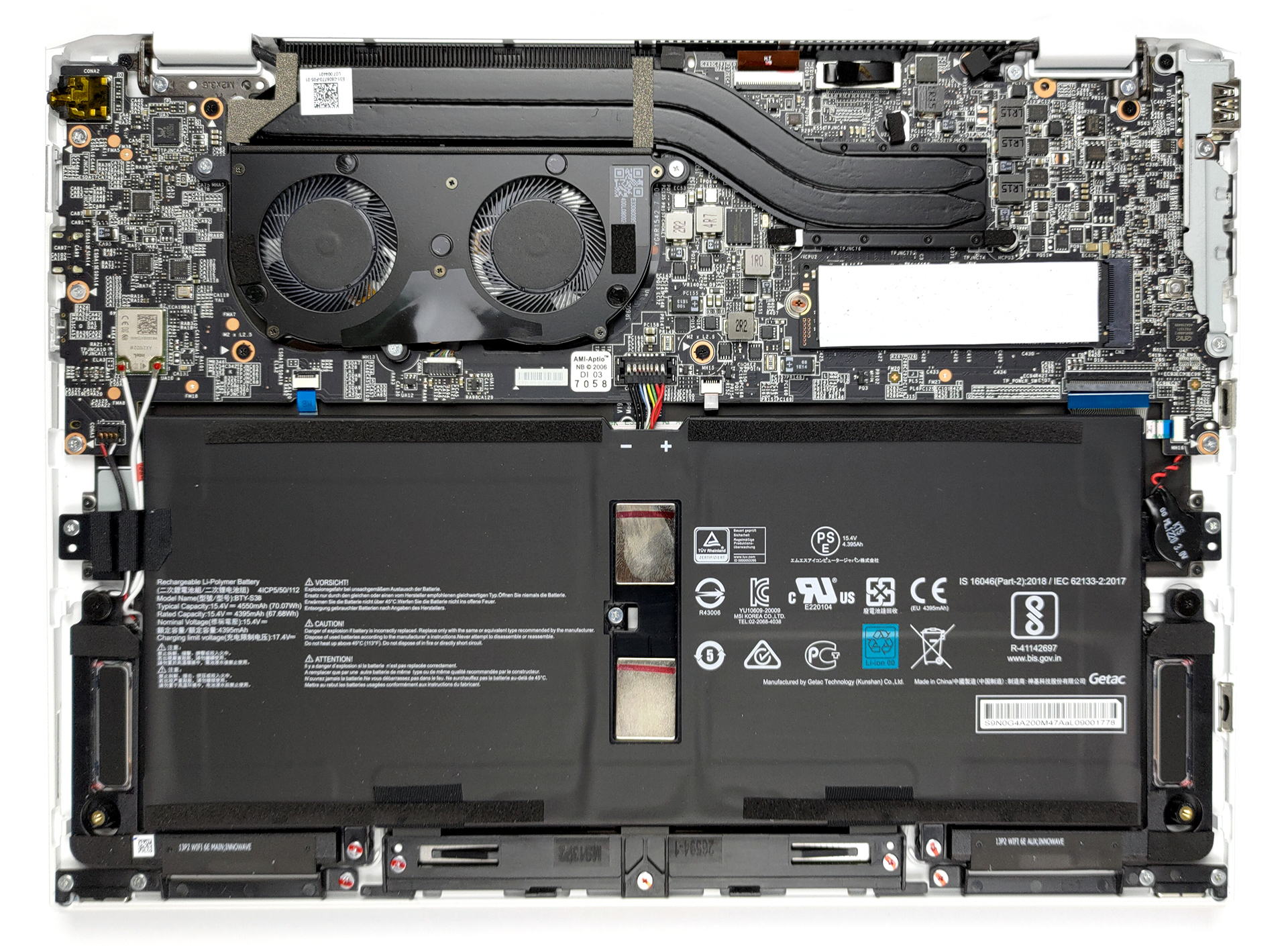
Despite the small size of the laptop, we see a cooling solution with two heat pipes and a rather long heat sink.

Display quality
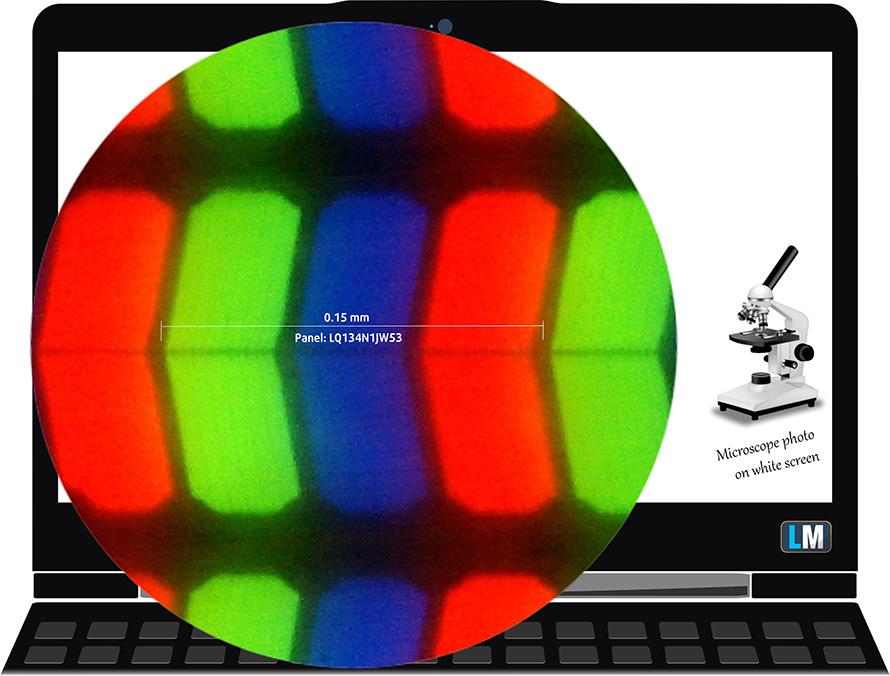
MSI Summit E13 Flip Evo is equipped with a Full HD IPS panel, Sharp LQ134N1JW53 (SHP1512). Its diagonal is 13.4-inch (34 cm), and the resolution – 1920 х 1200p. Additionally, the screen ratio is 16:10, the pixel density – 169 ppi, their pitch – 0.15 х 0.15 mm. The screen can be considered Retina when viewed from at least 50 cm (from this distance, the average human eye can’t see the individual pixels).
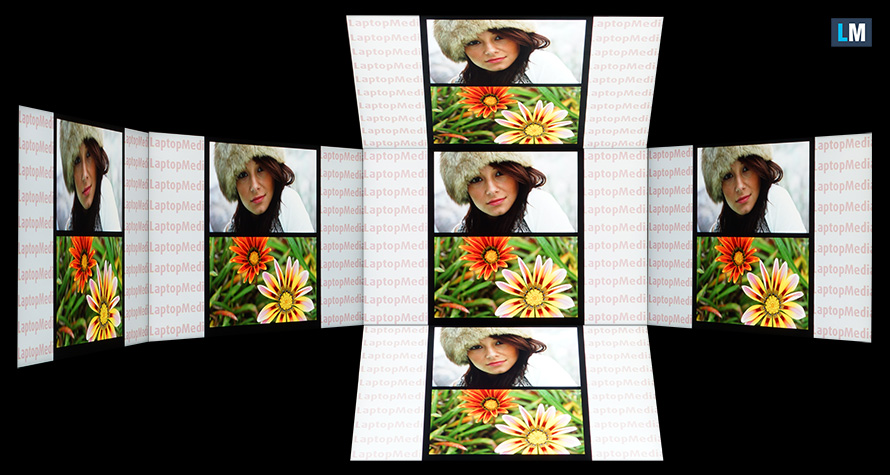
Viewing angles are comfortable. We offer images at different angles to evaluate the quality.
Also, a video with locked focus and exposure.
The maximum measured brightness is 516 nits (cd/m2) in the middle of the screen and 497 nits (cd/m2) average across the surface with a maximum deviation of 9%. The Correlated Color Temperature on a white screen and at maximum brightness is 6300K – slightly warmer than the 6500K temperature standard for sRGB.
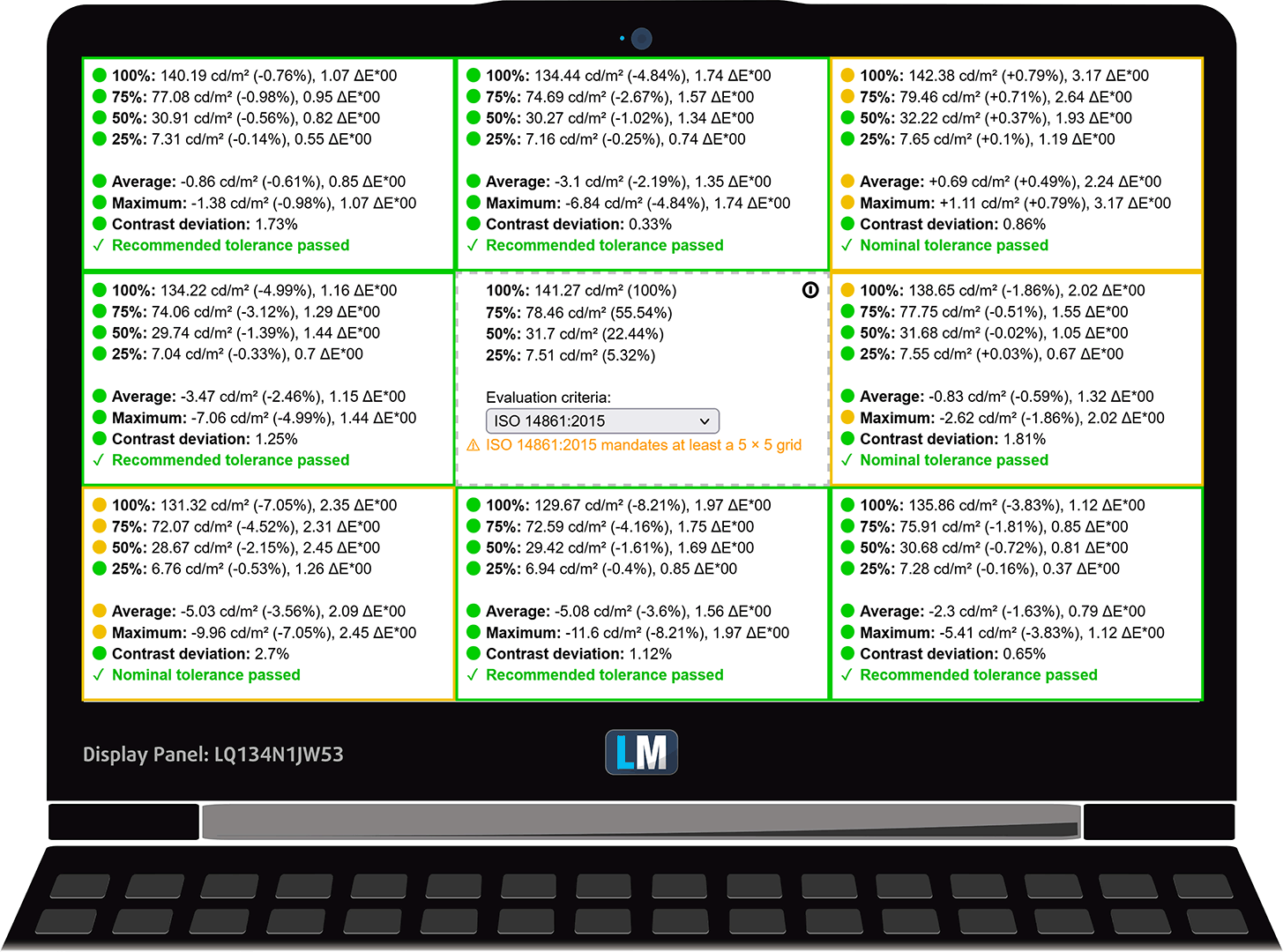
In the illustration below you can see how the display performs from a uniformity perspective. The illustration below shows how matters are for operational brightness levels (approximately 140 nits) – in this particular case at 27% Brightness (White level = 141 cd/m2, Black level = 0.1 cd/m2).
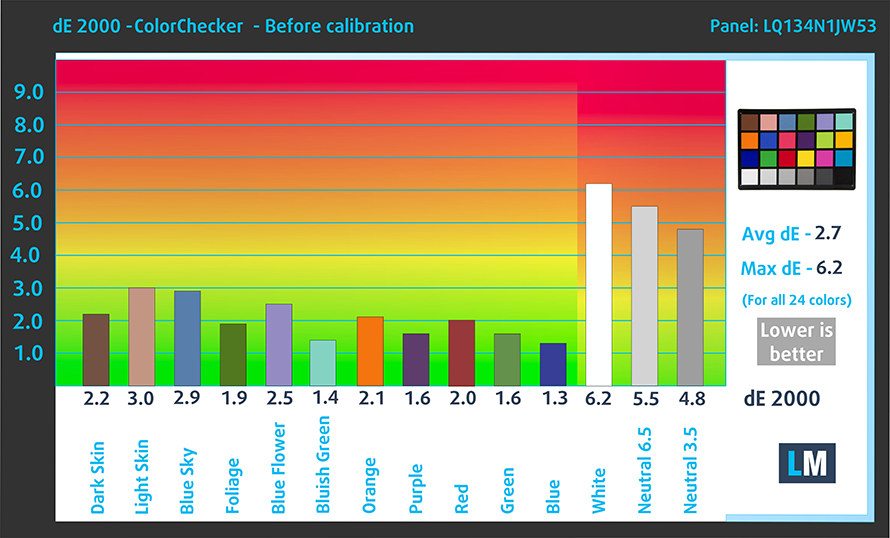
Values of dE2000 over 4.0 should not occur, and this parameter is one of the first you should check if you intend to use the laptop for color-sensitive work (a maximum tolerance of 2.0 ). The contrast ratio is very good – 1470:1.
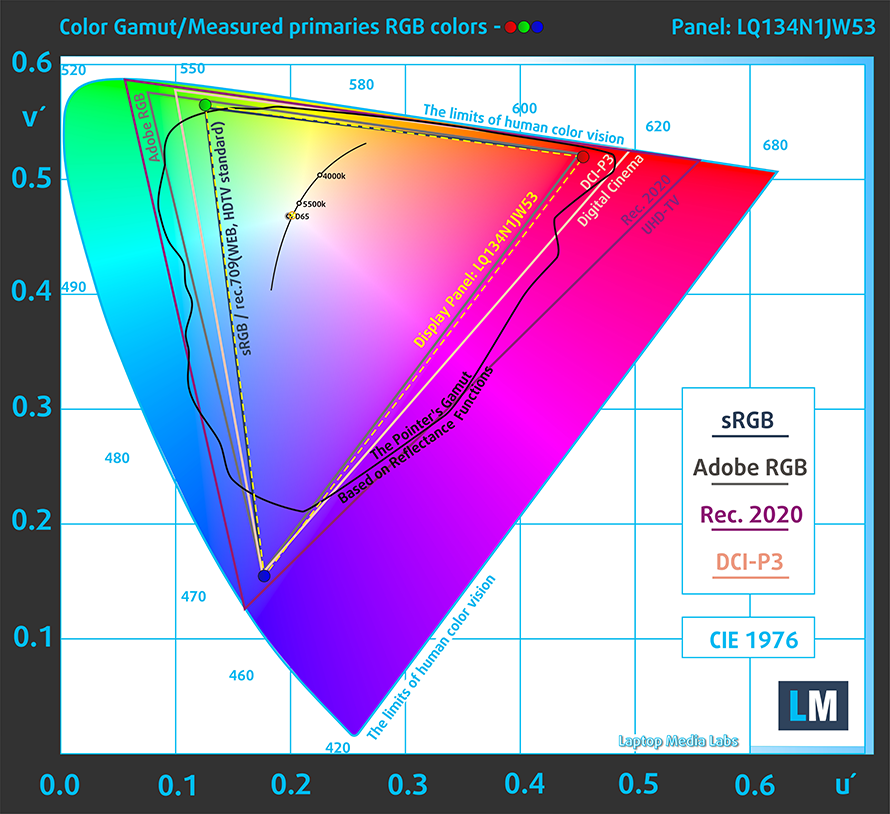
To make sure we are on the same page, we would like to give you a little introduction to the sRGB color gamut and the Adobe RGB. To start, there’s the CIE 1976 Uniform Chromaticity Diagram that represents the visible specter of colors by the human eye, giving you a better perception of the color gamut coverage and the color accuracy.
Inside the black triangle, you will see the standard color gamut (sRGB) that is being used by millions of people on HDTV and on the web. As for the Adobe RGB, this is used in professional cameras, monitors, etc for printing. Basically, colors inside the black triangle are used by everyone and this is the essential part of the color quality and color accuracy of a mainstream notebook.
Still, we’ve included other color spaces like the famous DCI-P3 standard used by movie studios, as well as the digital UHD Rec.2020 standard. Rec.2020, however, is still a thing of the future and it’s difficult for today’s displays to cover that well. We’ve also included the so-called Michael Pointer gamut, or Pointer’s gamut, which represents the colors that naturally occur around us every day.
The yellow dotted line shows MSI Summit E13 Flip Evo’s color gamut coverage.
Its display covers 99% of the sRGB/ITU-R BT.709 (web/HDTV standard) in CIE1976, providing a punchy and vibrant image.
Our “Design and Gaming” profile delivers optimal color temperature (6500K) at 140 cd/m2 luminance and sRGB gamma mode.
We tested the accuracy of the display with 24 commonly used colors like light and dark human skin, blue sky, green grass, orange, etc. You can check out the results at factory condition and also, with the “Design and Gaming” profile.
Below you can compare the scores of MSI Summit E13 Flip Evo with the default settings (left), and with the “Gaming and Web design” profile (right).

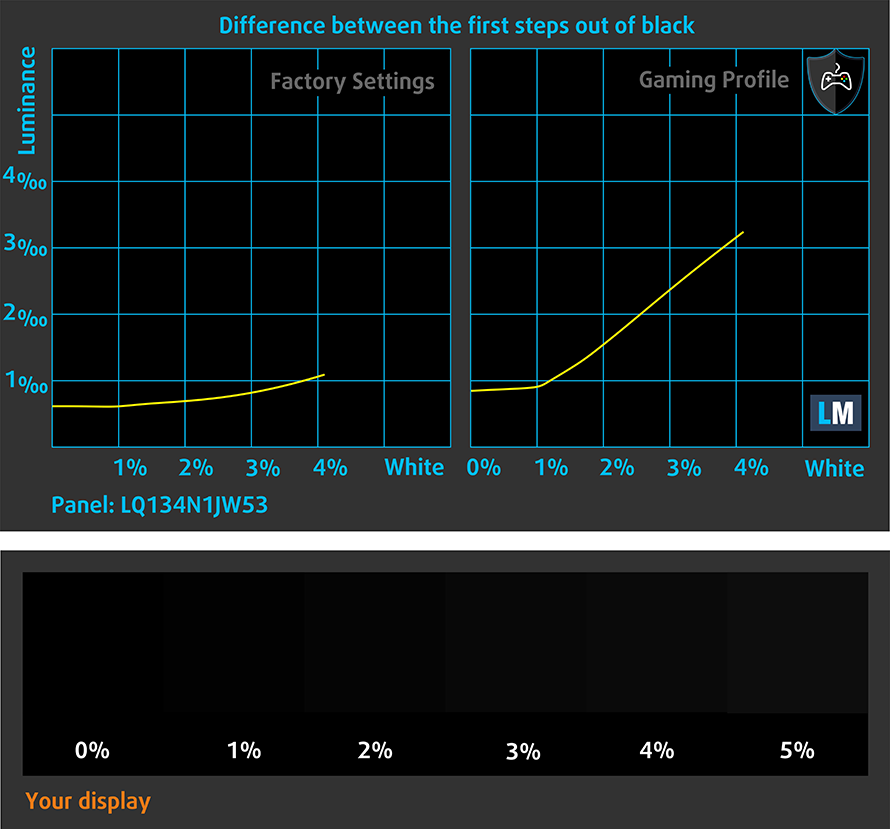
The next figure shows how well the display is able to reproduce really dark parts of an image, which is essential when watching movies or playing games in low ambient light.
The left side of the image represents the display with stock settings, while the right one is with the “Gaming and Web Design” profile activated. On the horizontal axis, you will find the grayscale, and on the vertical axis – the luminance of the display. On the two graphs below you can easily check for yourself how your display handles the darkest nuances but keep in mind that this also depends on the settings of your current display, the calibration, the viewing angle, and the surrounding light conditions.
Response time (Gaming capabilities)
We test the reaction time of the pixels with the usual “black-to-white” and “white-to-black” method from 10% to 90% and vice versa.
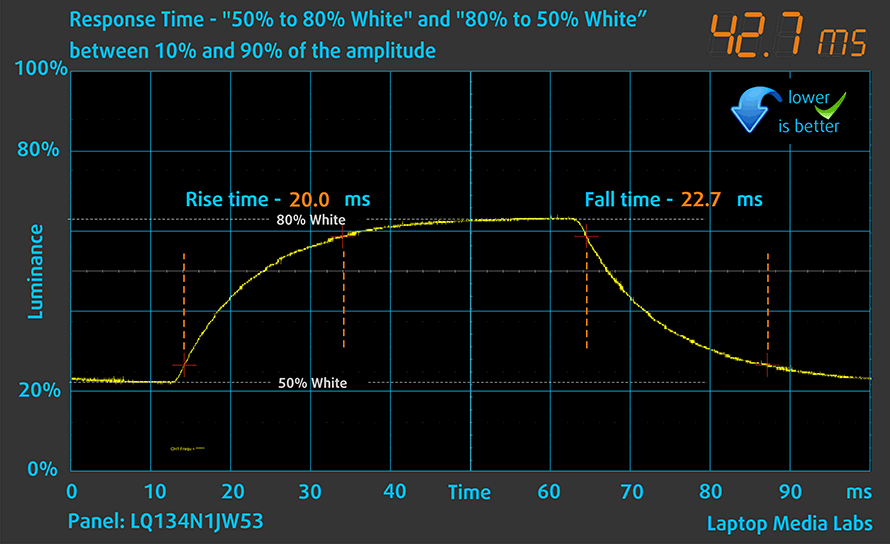
We recorded Fall Time + Rise Time = 28 ms.

After that, we test the reaction time of the pixels with the usual “Gray-to-Gray” method from 50% White to 80% White and vice versa between 10% and 90% of the amplitude.
Health impact – PWM / Blue Light
PWM (Screen flickering)
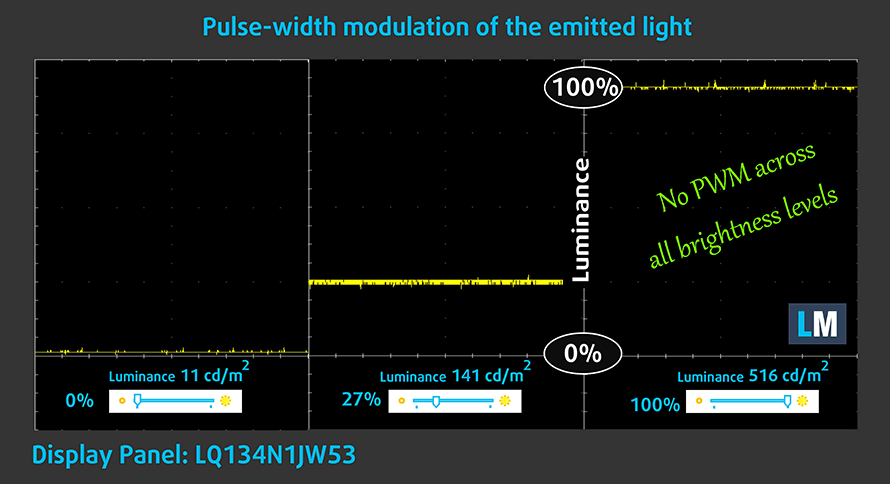
Pulse-width modulation (PWM) is an easy way to control monitor brightness. When you lower the brightness, the light intensity of the backlight is not lowered, but instead turned off and on by the electronics with a frequency indistinguishable to the human eye. In these light impulses, the light/no-light time ratio varies, while brightness remains unchanged, which is harmful to your eyes. You can read more about that in our dedicated article on PWM.
MSI Summit E13 Flip Evo’s backlight does not use PWM for brightness adjustment, which makes it comfortable for long periods of use.
Blue light emissions
Installing our Health-Guard profile not only eliminates PWM but also reduces the harmful Blue Light emissions while keeping the colors of the screen perceptually accurate. If you’re not familiar with the Blue light, the TL;DR version is – emissions that negatively affect your eyes, skin, and your whole body. You can find more information about that in our dedicated article on Blue Light.
Buy our profiles
Since our profiles are tailored for each individual display model, this article and its respective profile package are meant for MSI Summit E13 Flip Evo configurations with 13.4″ Sharp LQ134N1JW53 (SHP1512) (FHD+, 1920 × 1200) IPS panel.
*Should you have problems with downloading the purchased file, try using a different browser to open the link you’ll receive via e-mail. If the download target is a .php file instead of an archive, change the file extension to .zip or contact us at [email protected].
Read more about the profiles HERE.
Pe lângă primirea de profiluri eficiente și prietenoase cu sănătatea, prin cumpărarea produselor LaptopMedia sprijiniți și dezvoltarea laboratoarelor noastre, unde testăm dispozitive pentru a produce cele mai obiective recenzii posibile.

Office Work
Office Work ar trebui folosit în principal de utilizatorii care petrec cea mai mare parte a timpului uitându-se la texte, tabele sau pur și simplu navigând. Acest profil urmărește să ofere o distincție și o claritate mai bună prin menținerea unei curbe gamma plate (2.20), a temperaturii native a culorii și a culorilor perceptiv exacte.

Design and Gaming
Acest profil se adresează designerilor care lucrează profesional cu culorile, precum și pentru jocuri și filme. Design and Gaming duce panourile de afișaj la limitele lor, făcându-le cât mai precise posibil în standardul sRGB IEC61966-2-1 pentru Web și HDTV, la punctul de alb D65.

Health-Guard
Health-Guard elimină modulația dăunătoare a lățimii impulsului (PWM) și reduce lumina albastră negativă care ne afectează ochii și corpul. Deoarece este personalizat pentru fiecare panou, reușește să mențină culorile perceptiv exacte. Health-Guard simulează hârtia, astfel încât presiunea asupra ochilor este redusă considerabil.
Obține toate cele 3 profiluri cu 33% reducere

Sound
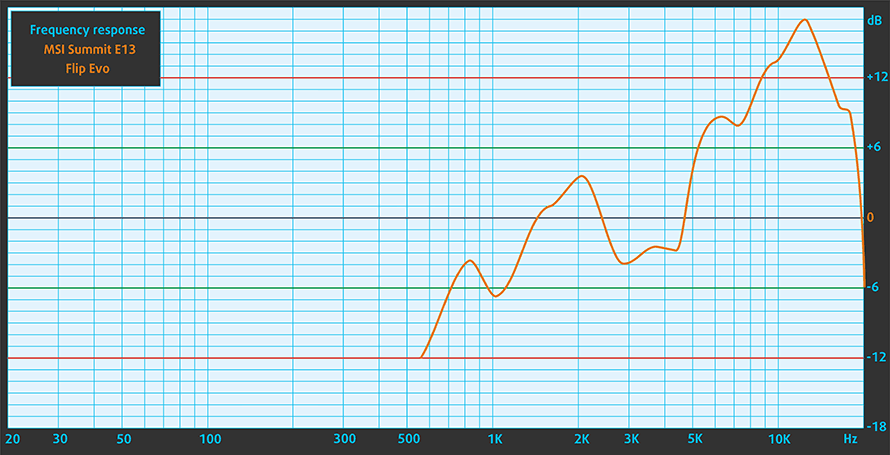
MSI Summit E13 Flip Evo’s speakers are not great, according to the chart below. However, it sounds subjectively better than most of the 13-inch convertibles out there.
Drivers
All of the drivers and utilities for this notebook can be found here: https://www.msi.com/Business-Productivity/support/Summit-E13-Flip-EVO-A11X?sub_product=Summit-E13FlipEvo-A11MT
Battery
Now, we conduct the battery tests with Windows Better performance setting turned on, screen brightness adjusted to 120 nits, and all other programs turned off except for the one we are testing the notebook with. This device’s 70Wh battery pack delivers 13 hours and 3 minutes of Web browsing, and 11 hours and 32 minutes of video playback.
Luminozitate: 180 nits; Mod Afișaj: SDR
Timp până la Descărcare Completă: Mai mare este mai bun
Pentru a simula condiții reale, am folosit propriul nostru script pentru navigarea automată pe web prin peste 70 de site-uri.
CPU options
This device can be equipped with the Core i5-1135G7, Core i5-1155G7, Core i7-1185G7, or Core i7-1195G7.
Rezultatele sunt de la testul CPU Cinebench R23 (scorul mai mare este mai bun)
GPU options
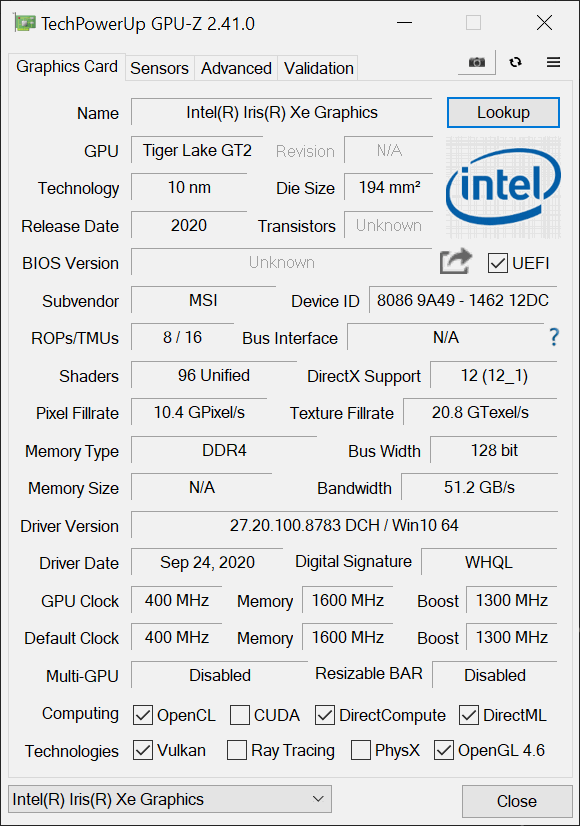
As for the graphics – you can rely on the integrated Iris Xe Graphics G7 with either 80 or 96EUs.
Rezultatele sunt de la 3DMark Time Spy (Grafică). Un scor mai mare este mai bun.
Rezultatele sunt de la benchmark-ul 3DMark Fire Strike (Grafică) (un scor mai mare este mai bun)
Rezultatele sunt de la benchmark-ul Unigine Superposition (un scor mai mare este mai bun)
MSI Summit E13 Flip Variante GPU
Aici puteți vedea o comparație aproximativă între plăcile video care pot fi găsite în modelele MSI Summit E13 Flip de pe piață. În acest fel puteți decide singur ce model MSI Summit E13 Flip este cel mai bun raport calitate-preț.
Notă: Graficul prezintă cele mai ieftine configurații diferite de GPU așa că ar trebui să verificați care sunt celelalte specificații ale acestor laptop-uri făcând clic pe numele / GPU-ul laptopului.
Rezultatele sunt de la 3DMark Time Spy (Grafică). Un scor mai mare este mai bun.
Rezultatele sunt de la benchmark-ul 3DMark: Fire Strike (Grafică) (un scor mai mare este mai bun)
Rezultatele sunt de la benchmark-ul 3DMark: Wild Life (Grafică) (scorul mai mare este mai bun)
Rezultatele sunt de la benchmark-ul Unigine Superposition (un scor mai mare este mai bun)
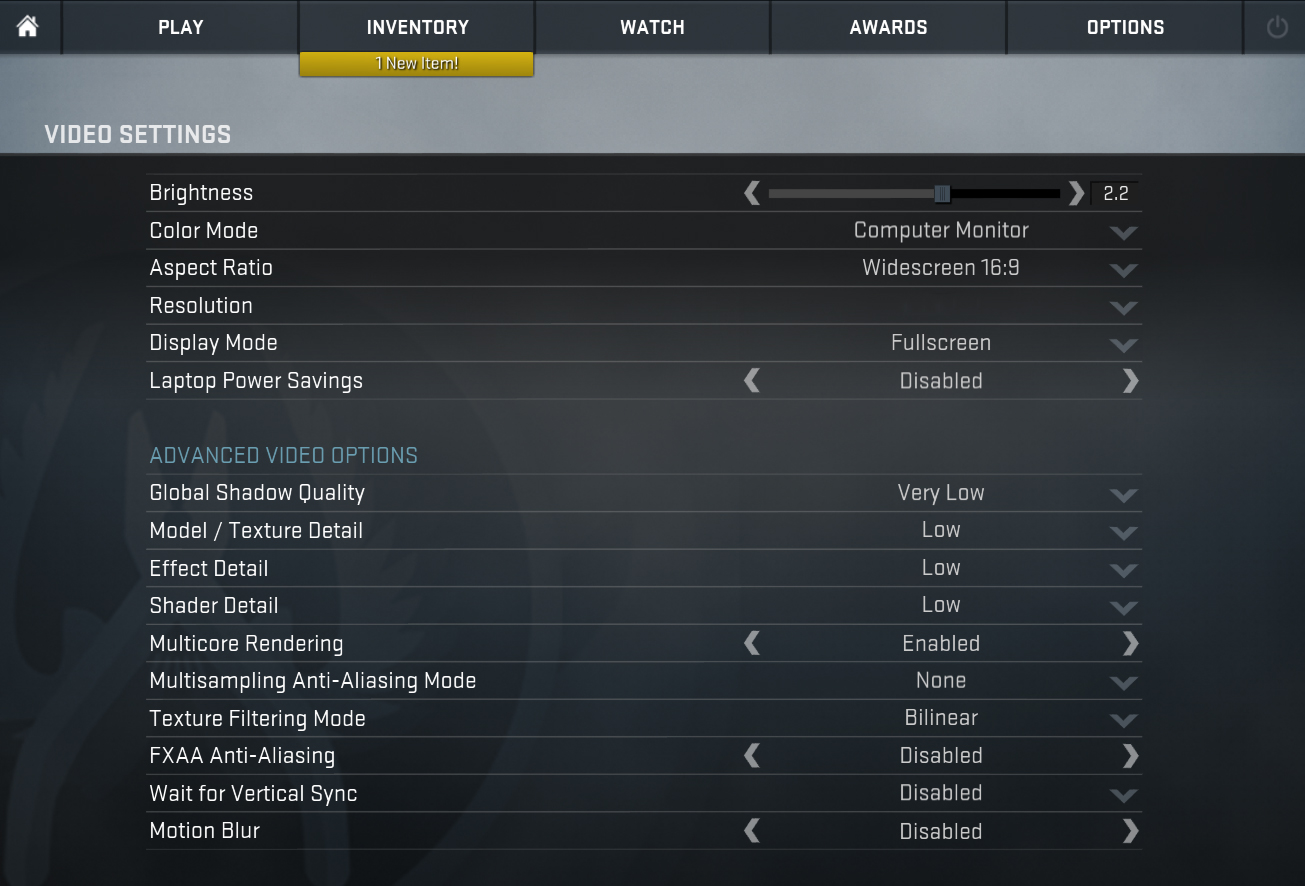
Gaming tests

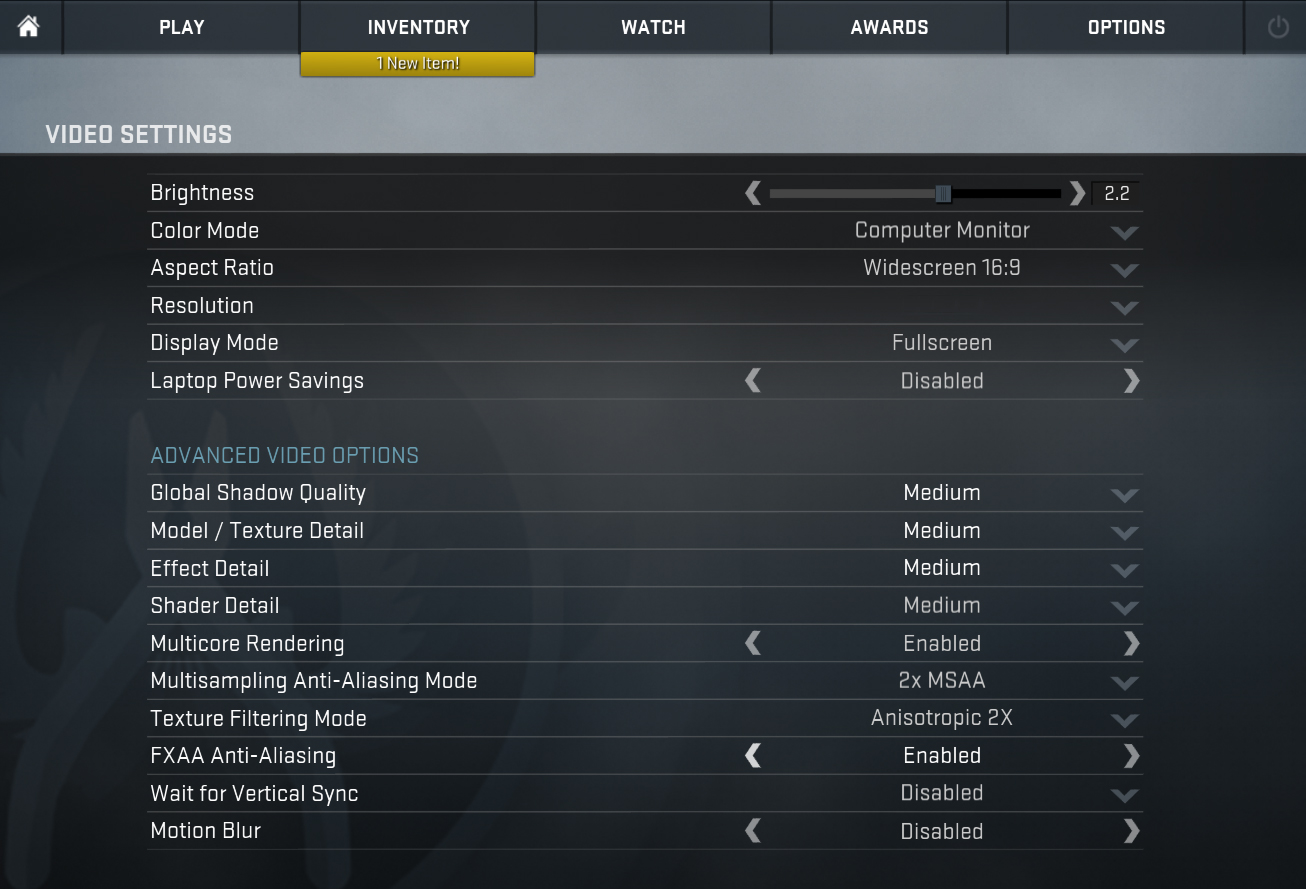
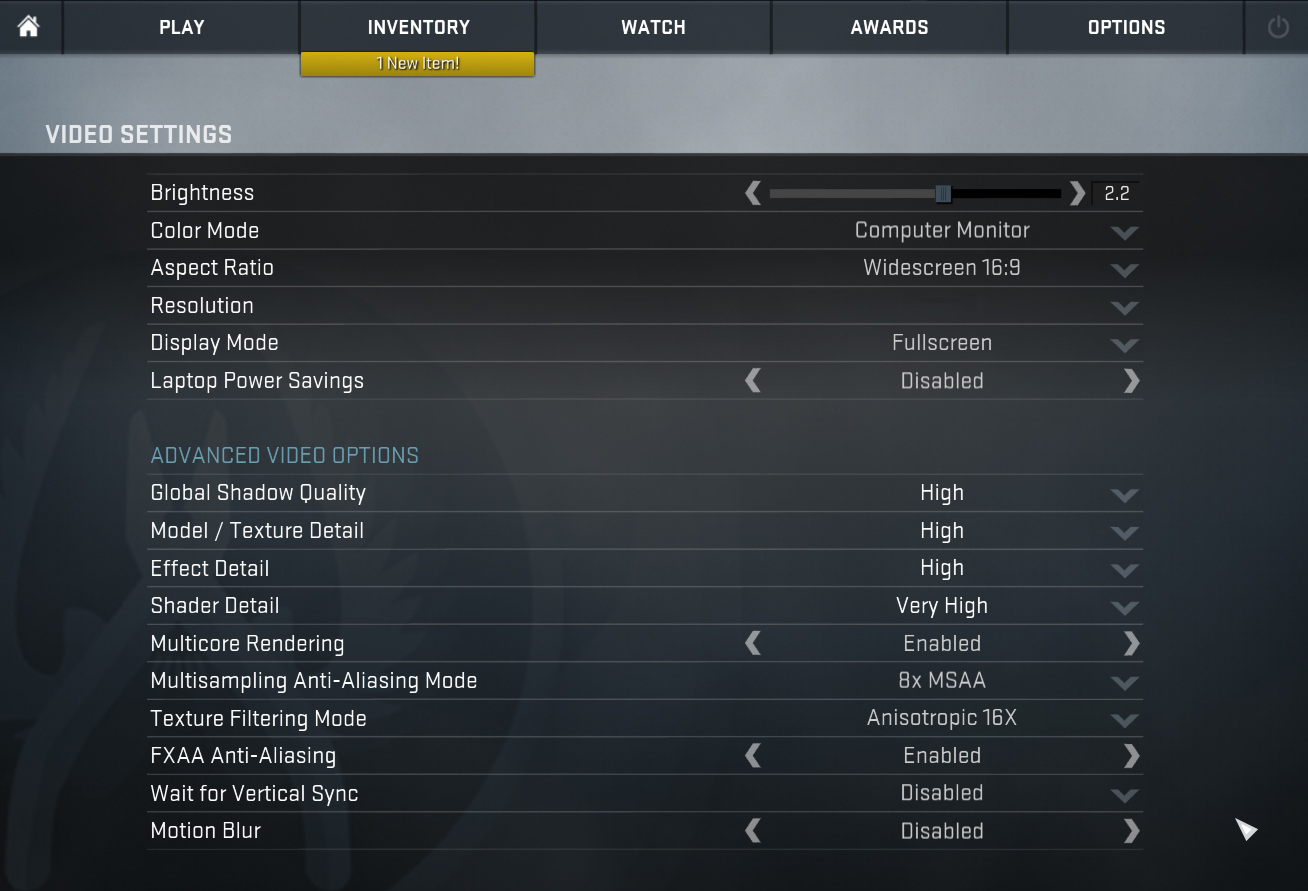
| CS:GO | HD 1080p, Low (Check settings) | HD 1080p, Medium (Check settings) | HD 1080p, MAX (Check settings) |
|---|---|---|---|
| Average FPS | 193 fps | 134 fps | 77 fps |

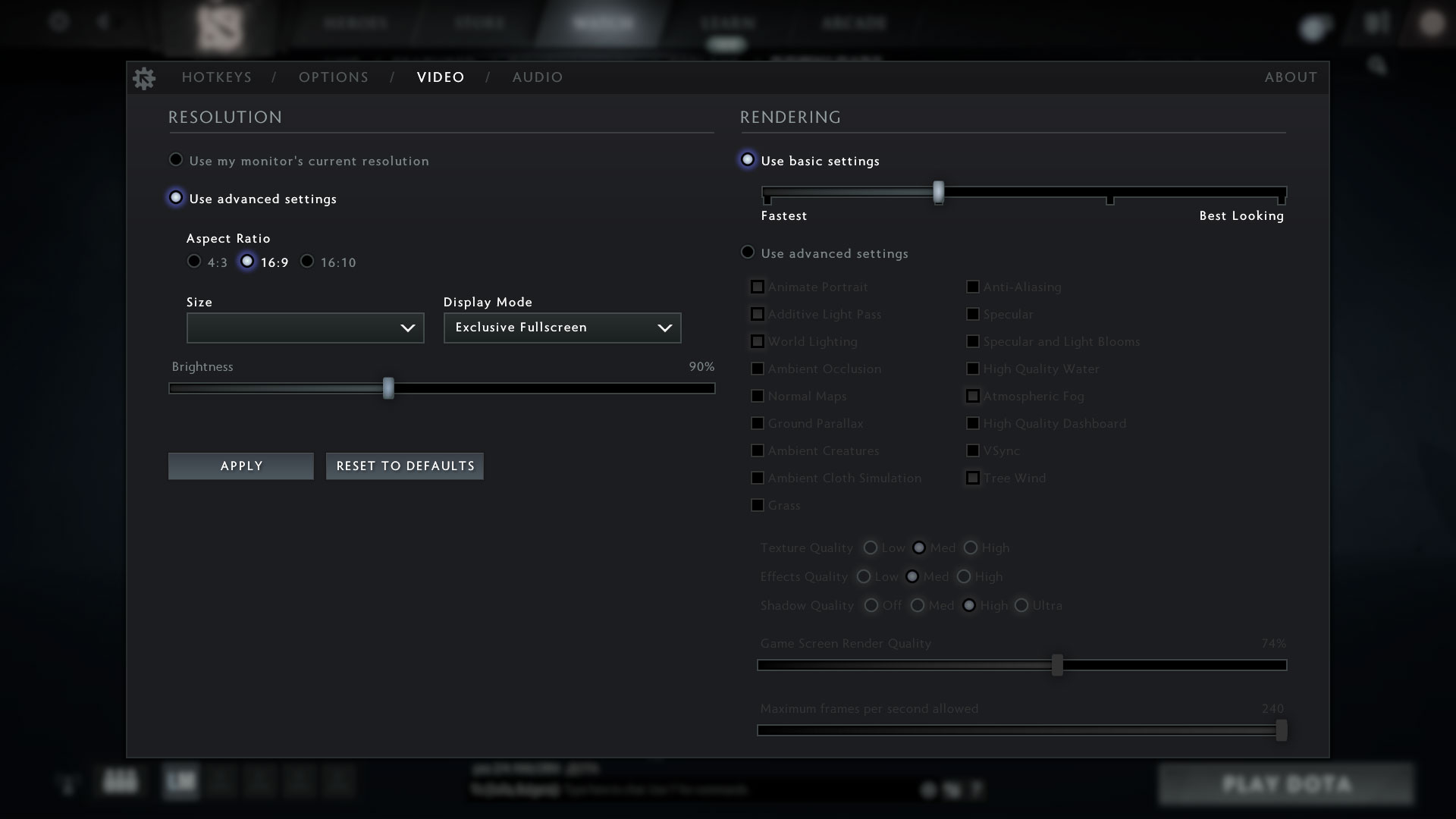
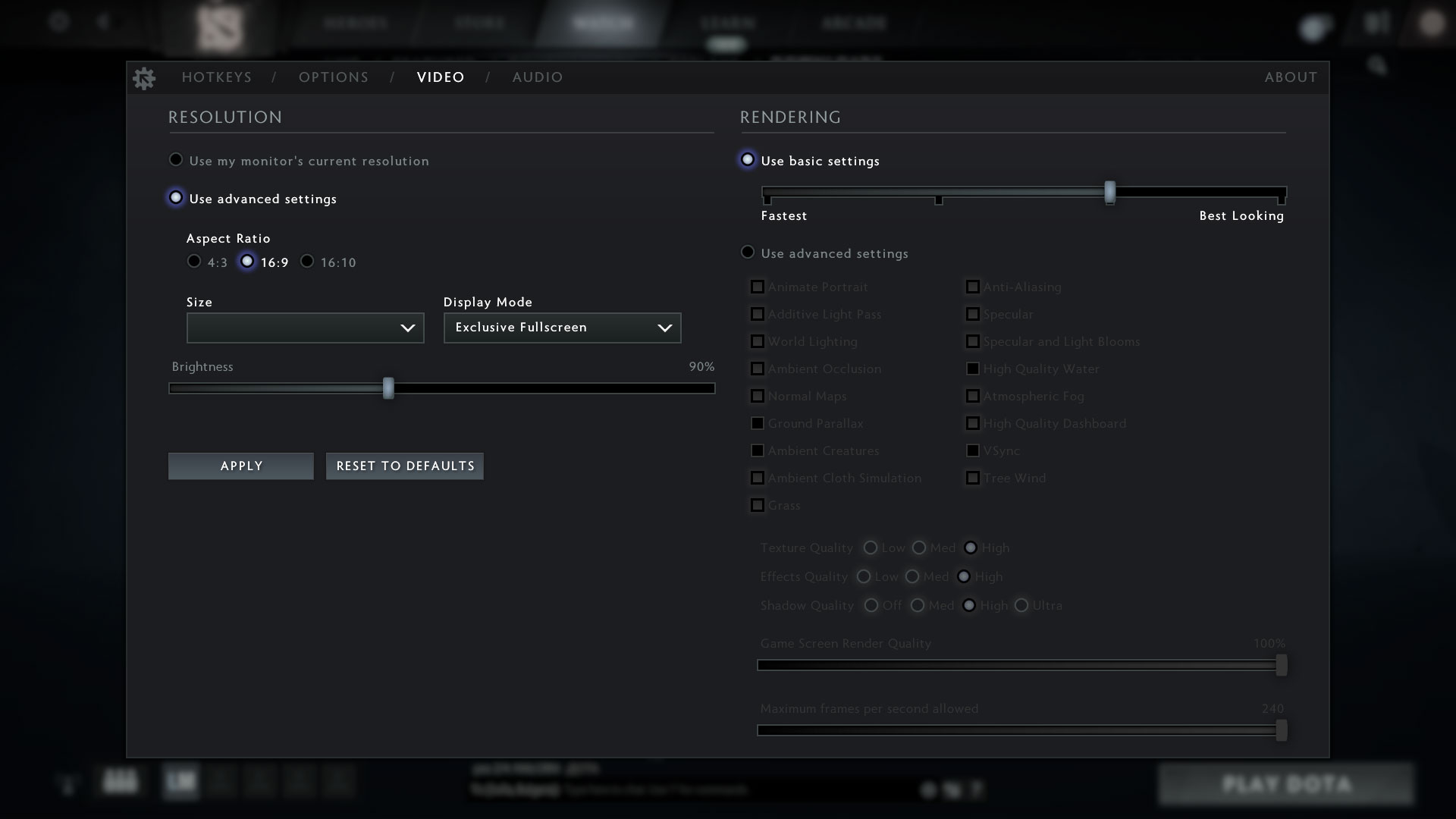
| DOTA 2 | HD 1080p, Low (Check settings) | HD 1080p, Normal (Check settings) | HD 1080p, High (Check settings) |
|---|---|---|---|
| Average FPS | 125 fps | 81 fps | 65 fps |
Temperatures and comfort
Max CPU load
In this test we use 100% on the CPU cores, monitoring their frequencies and chip temperature. The first column shows a computer’s reaction to a short load (2-10 seconds), the second column simulates a serious task (between 15 and 30 seconds), and the third column is a good indicator of how good the laptop is for long loads such as video rendering.
Average core frequency (base frequency + X); CPU temp.
| Intel Core i5-1135G7 (15W TDP) | 0:02 – 0:10 sec | 0:15 – 0:30 sec | 10:00 – 15:00 min |
|---|---|---|---|
| MSI Summit E13 Flip Evo | 3.65 GHz (B+52%) @ 96°C @ 45W | 3.31 GHz (B+38%) @ 96°C @ 47W | 3.03 GHz (B+25%) @ 96°C @ 29W |
| Dell XPS 13 9310 (2-in-1) | 3.36 GHz (B+40%) @ 99°C @ 41W | 3.16 GHz (B+32%) @ 99°C @ 37W | 1.92 GHz @ 72°C @ 16W |
| Dell XPS 13 9310 | 3.15 GHz (B+31%) @ 100°C @ 40W | 2.73 GHz (B+14%) @ 100°C @ 30W | 1.65 GHz @ 73°C @ 15W |
| Dell Vostro 15 5502 | 3.33 GHz (B+39%) @ 100°C @ 38W | 1.96 GHz @ 72°C @ 14W | 2.02 GHz @ 74°C @ 15W |
| Dell Vostro 14 5402 | 3.02 GHz (B+26%) @ 99°C @ 29W | 2.61 GHz (B+9%) @ 99°C @ 25W | 2.00 GHz @ 76°C @ 15W |
| MSI Modern 15 (A11X) | 3.59 GHz (B+50%) @ 94°C @ 44W | 3.45 GHz (B+44%) @ 95°C @ 40W | 3.18 GHz (B+33%) @ 91°C @ 34W |
| Lenovo ThinkBook 14s Yoga | 3.52 GHz (B+47%) @ 94°C | 3.24 GHz (B+35%) @ 94°C | 2.63 GHz (B+10%) @ 75°C |
| Lenovo Yoga 7 (14) | 3.34 GHz (B+39%) @ 94°C | 2.97 GHz (B+24%) @ 94°C | 2.39 GHz @ 75°C |
| Acer Aspire 5 (A514-54) | 3.54 GHz (B+48%) @ 87°C | 2.01 GHz @ 66°C | 2.03 GHz @ 67°C |
MSI stays true to its name and offers pretty much the maximum this laptop can do with this processor. In the extreme performance scenario, the clock speed never drops beneath 3.00 GHz, even after a prolonged load. On the other hand, the temperature sits pretty high. Also, the Cooler Boost function doesn’t seem to be very helpful, as it only brings the temperature down by 1°C with virtually no frequency benefit. Not only that, but the fans become extremely loud.
Comfort during full load
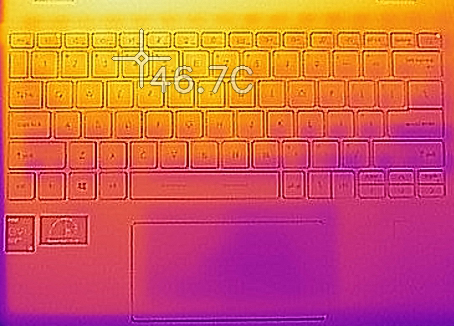
Even without turning the Cooler Boost setting on, the laptop tends to be on the loud side. Unfortunately, the bottom panel and the area above the keyboard are really hot – we are talking about temperatures exceeding 50°C. And the keyboard itself has spots over 46°C.
Verdict
 Ladies and gentlemen, as soon as we started the review, we gave this device the task to beat the XPS 13 9310 (2-in-1). And boy did it succeed. It has a better port selection (by including a USB Type-A port), and significantly better performance. For the sake of comparing the devices, the XPS 13 used its Core i5-1135G7 at 1.92 GHz after 15 minutes of stress testing, while the Summit E13 was pegged at 3.00 GHz on all cores. However, you have to be warry of the temperatures, especially when using the Extreme Performance preset.
Additionally, the battery life of the device is more than decent. It is equipped with a 70Wh unit, which provides 13 hours of Web browsing, and 11 hours and a half of video playback. By the way, the laptop can be charged only via one of its two Thunderbolt 4 connectors – it doesn’t work with the non-Thunderbolt USB Type-C.
MSI Summit E13 Flip Evo’s touchscreen panel (Sharp LQ134N1JW53 (SHP1512)) has a Full HD+ resolution, high maximum brightness, a very good contrast ratio, and comfortable viewing angles. Moreover, it covers 99% of the sRGB color gamut, and its backlight doesn’t use PWM for brightness adjustment. Thankfully, our Gaming and Web design profile greatly improves the color accuracy, making the device appropriate for professional work.
Furthermore, we were met by a relatively comfortable keyboard, a great glass-covered touchpad, and a stylus inside the box. Ultimately, there is one thing about the design that we didn’t like. The sharp edges. Especially the ones on the front two corners, where you can easily cut yourself if you’re not careful. Now we see why MSI named most of its gaming devices after weapons this year – they can be used as weapons!
Unfortunately, the memory here is soldered as well. This means you don’t get to choose how much RAM you get after you purchase your notebook. On the other hand, the maximum configurable capacity here is 32GB, which is not too shabby.
At the end of the day, we feel that this device can be used professionally, thanks to its astonishing 16:10 display, the more than decent performance, and the stylus, which enables you to use it as a pretty powerful tablet. Also, the IR face recognition, the fingerprint reader, and the camera e-shutter offer great privacy protection.
You can check the prices and configurations in our Specs System: https://laptopmedia.com/series/msi-e13-summit-flip/
Pros
- Premium build quality and materials
- Covers 99% of sRGB colors (Sharp LQ134N1JW53)
- Very high color accuracy when Gaming and Web design profile is installed (Sharp LQ134N1JW53)
- Great battery
- Fingerprint reader and IR face recognition systems
- Top-notch performance
- 2x Thunderbolt 4, 1x USB Type-A 3.2 (Gen. 1), 1x USB Type-C, 1x MicroSD card reader
Cons
- Memory is soldered to the motherboard
- High internal and external temperatures under extreme workload
 Author: Alex Iliev
 Author: eng. Kroum NikolovHead of Engineering at LaptopMedia.com, inventor and innovator with 40+ years of experience in electronics and high technology.

![[August 2026] Clasamentul global al celor mai bine vândute plăci grafice pentru laptopuri de pe Amazon – Apple domină clasamentul, iar modelul RTX 5060 de la NVIDIA ocupă primul loc în clasamentul dedicat](https://laptopmedia.com/wp-content/uploads/2026/09/Best-Selling-GPUs-GLOBAL-Top-10-400x225.jpg)
![[August 2026] Clasamentul global al celor mai bine vândute procesoare pentru laptopuri de pe Amazon – Apple domină atât segmentul economic, cât și cel premium: A18 Pro și M5 surclasează Intel și AMD în august 2026](https://laptopmedia.com/wp-content/uploads/2026/09/Best-Selling-CPUs-GLOBAL-Top-10-400x225.jpg)
![[August 2026] Amazon Global: Top 10 cele mai vândute laptopuri – Apple MacBook Neo domină clasamentul, în timp ce laptopurile Windows din gama economică și de mijloc se luptă pentru volumul vânzărilor](https://laptopmedia.com/wp-content/uploads/2026/09/Best-Selling-Laptops-GLOBAL-Top-10-400x225.jpg)
![[August 2026] Cele mai vândute mărci de laptopuri pe Amazon Global – Apple domină în ceea ce privește veniturile, în timp ce HP se află pe primul loc în ceea ce privește varietatea de modele](https://laptopmedia.com/wp-content/uploads/2026/09/GLOBAL-Best-Brands-400x225.jpg)
![[August 2026] Amazon Global: Top 10 cele mai bine vândute laptopuri pentru jocuri – HP Victus 15 ocupă primul loc, în timp ce modelele accesibile domină clasamentul](https://laptopmedia.com/wp-content/uploads/2026/09/Best-Selling-Gaming-Laptops-GLOBAL-Top-10-400x225.jpg)

Was the only a batch for reviewers with display Sharp LQ134N1JW53 running at 120hz? As none of the MSI pages (EU, USA, ASIA) mention a model with 120hz panel – only 60hz.
Well, we had a 60Hz unit. Also, we got bought ours from a retailer, and not from the company itself, so perhaps we can’t really answer your question.
OK, thanks for a quick reply. Yeah, I went through your review again and you never mention 120hz, but I’ve seen two today mentioning it 😀 and then couldn’t find it on official tech sheets.