Inside ASUS VivoBook 17 X712 – disassembly and upgrade options
The hardware inside of this machine is a bit of a mixed bag. It has a small battery and relatively good upgrade options. However, ASUS opted against making it even better. Check out why.
Check out all ASUS VivoBook 17 X712 prices and configurations in our Specs System or read more in our In-Depth review.
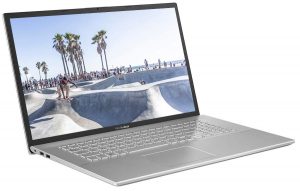
1. Remove the bottom plate
To get inside of this device, you need to undo 10 Phillips-head screws. After that, just pry the bottom panel with a plastic tool and remove it from the body.
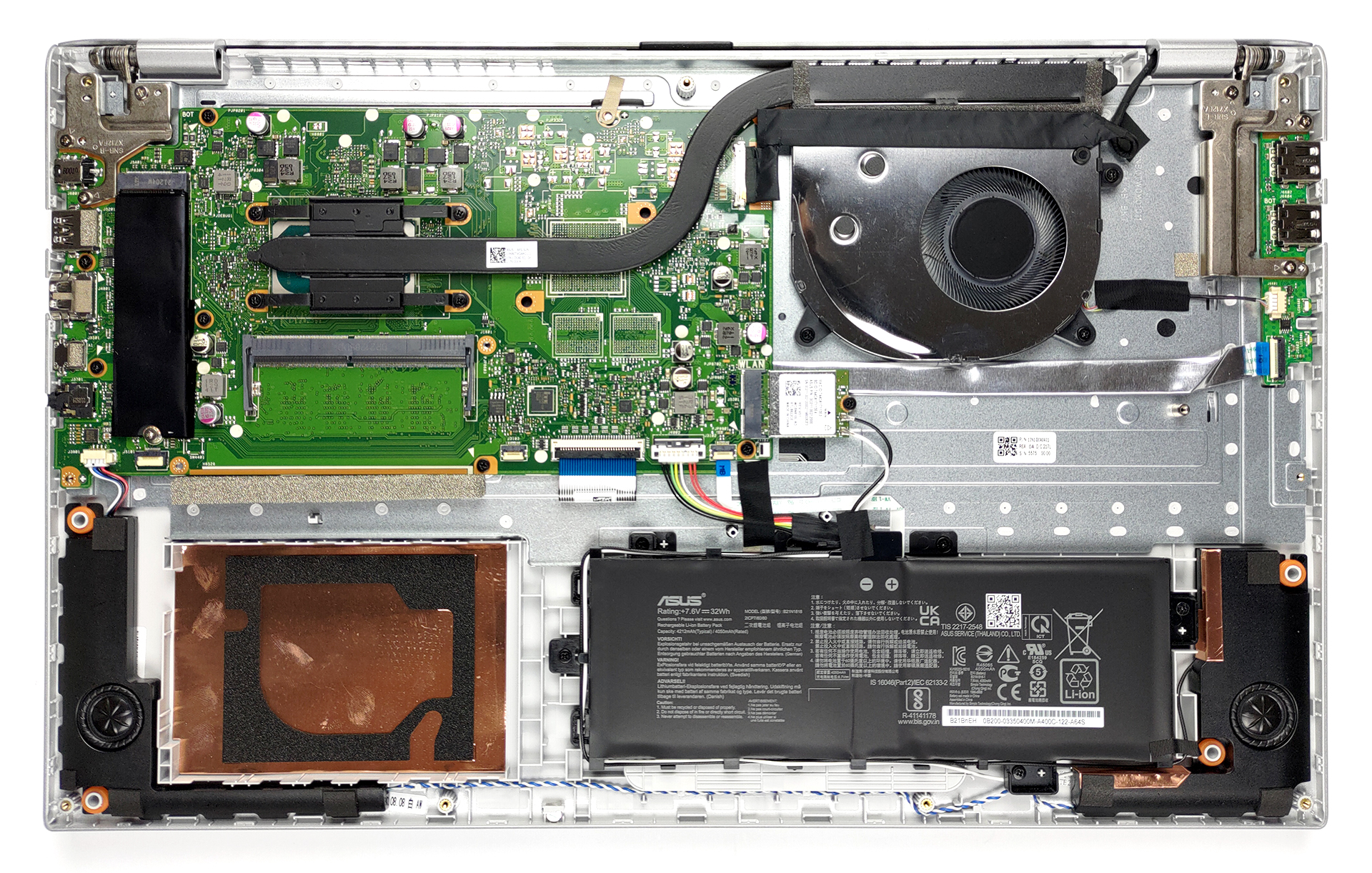
2. Battery
This rather large notebook is powered by a tiny 32Wh battery pack. Before you remove it mind the Wi-Fi antenna cables, which are wrapped around it.
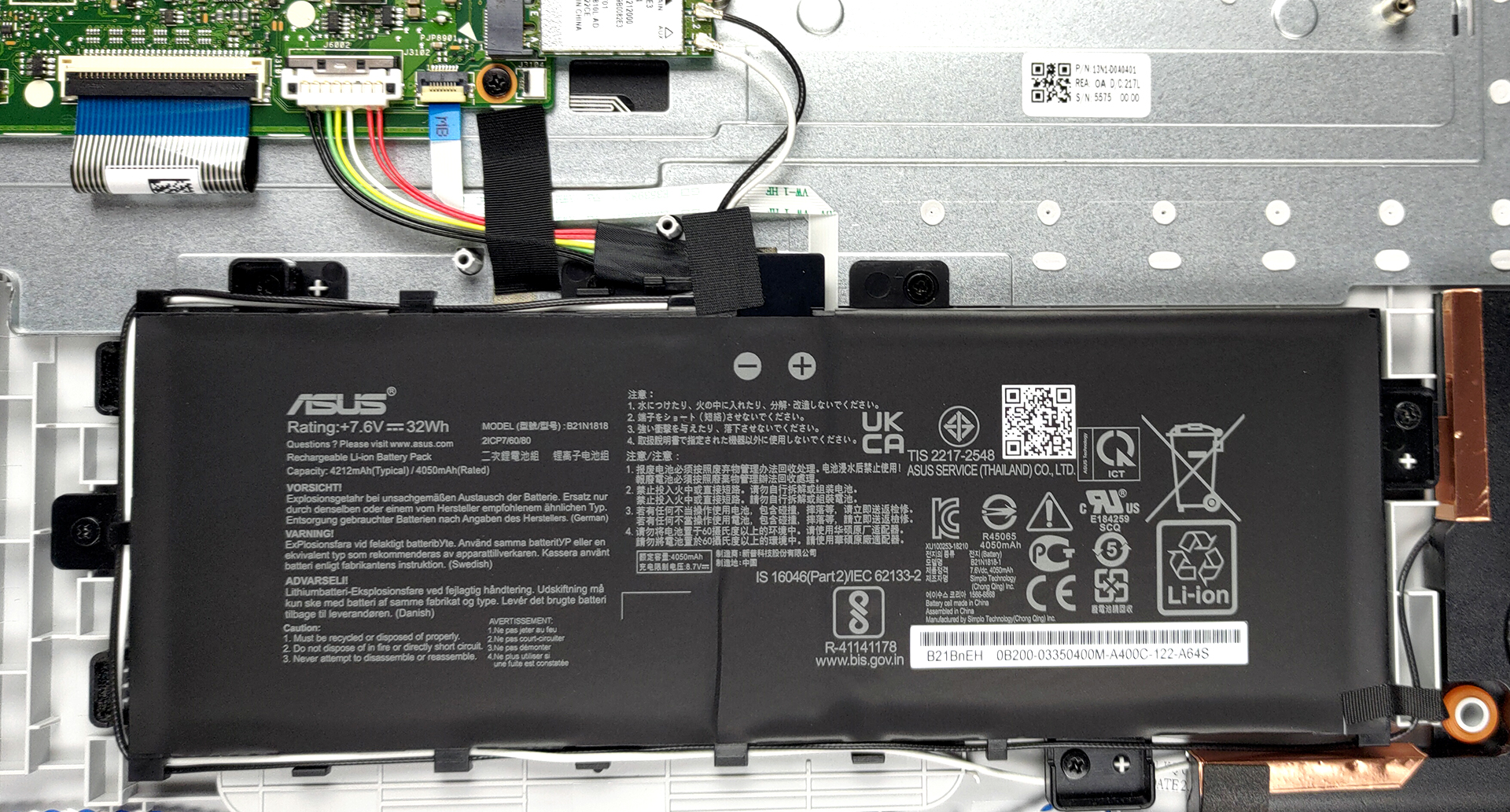
3. Мemory and storage
In terms of memory, you get one RAM SODIMM slot with either 4 or 8GB being soldered to the motherboard. In addition to that, there is one M.2 NVMe slot, as well as a 2.5-inch SATA drive bay. Unfortunately, we didn’t get any mounting hardware inside the box.
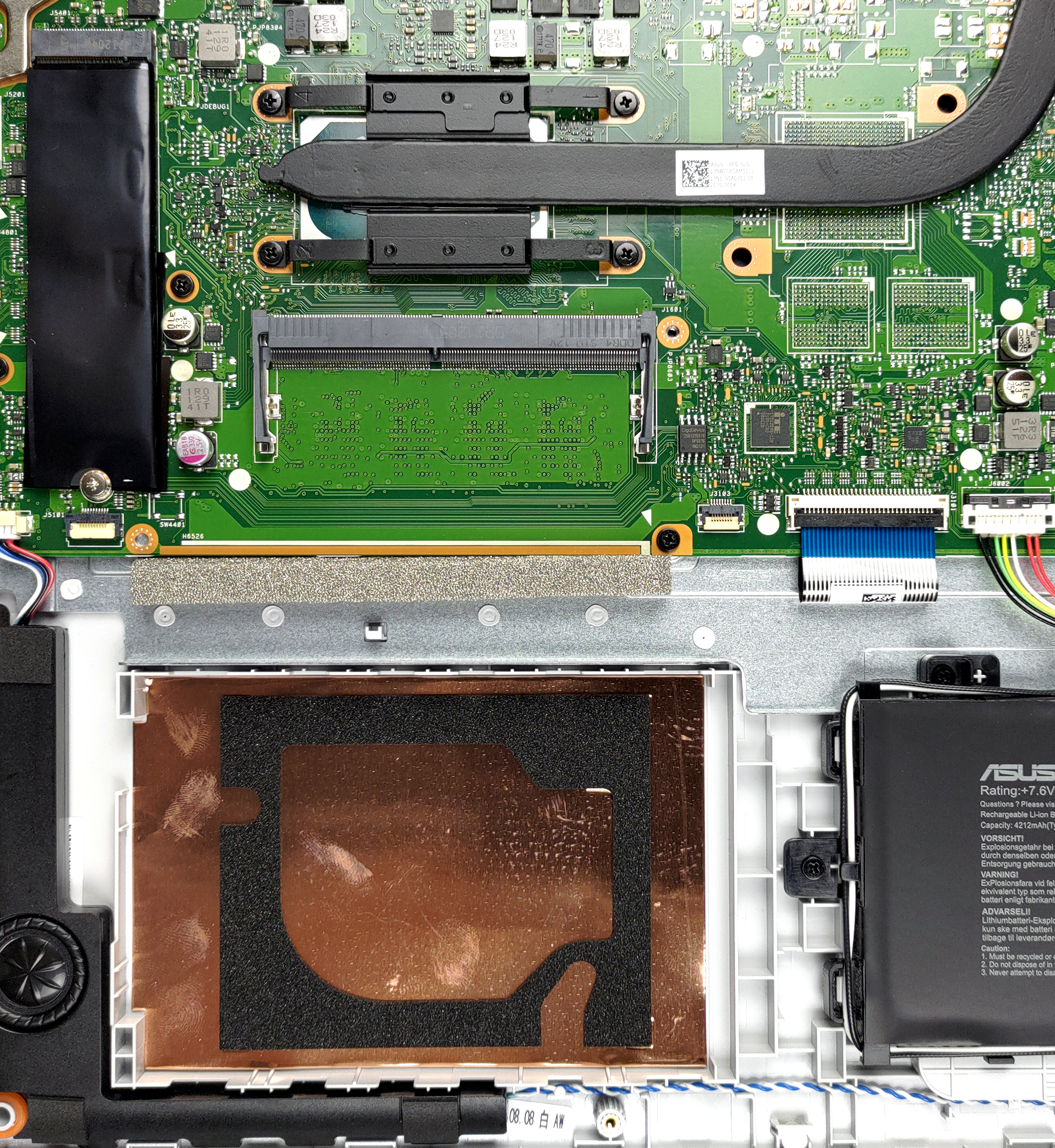
4. Cooling system
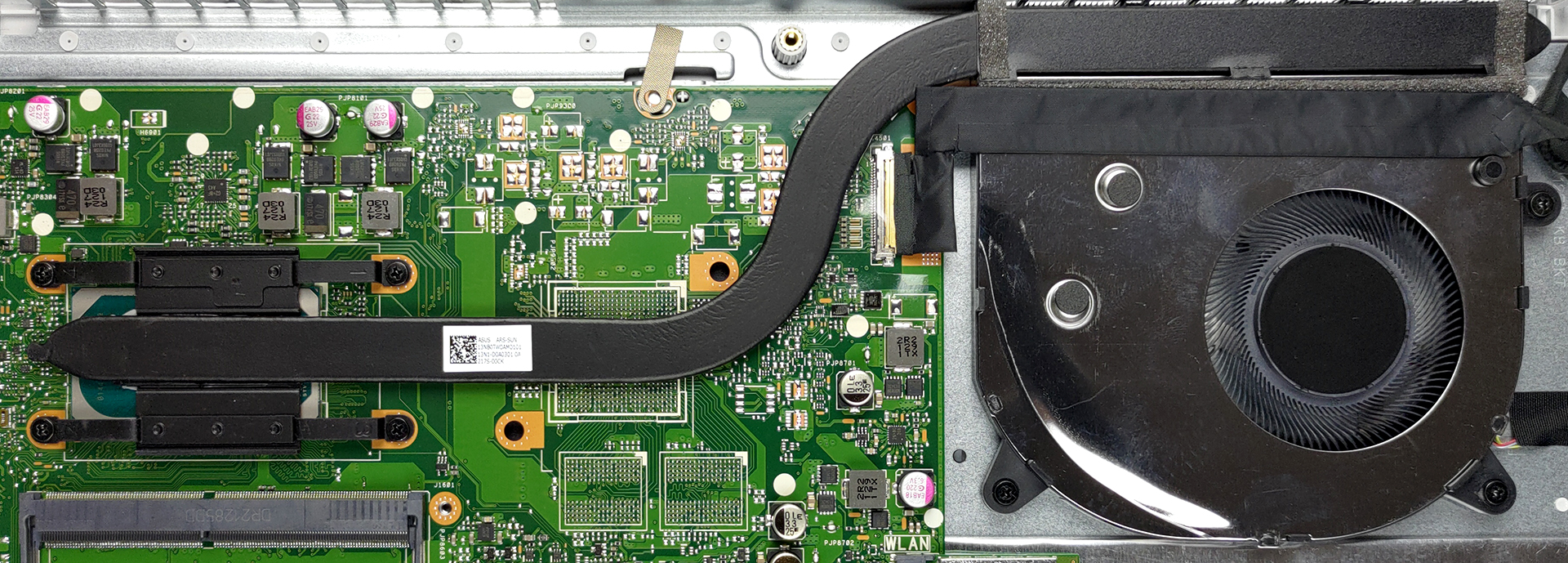
Cooling-wise, you see a pretty standard heat pipe, running to a medium-sized heat sink. Lastly, a fan blows the heat away from the chassis.
Check out all ASUS VivoBook 17 X712 prices and configurations in our Specs System or read more in our In-Depth review.
ASUS Vivobook 17 F712 (X712 / K712 / M712 / S712 / P1701) recenzie detaliată
Today, we have a device that is easy on the budget and aims to be a great home multimedia machine. It is the VivoBook 17 X712 from ASUS, and uses a year (or two)-old design, and can be found with a ton of different processors from a portfolio of architectures. However, we will be focusing on the Tiger Lake models, as our particular device comes equipped with the Core i3-1115G4.Ultimately, you can pair your VivoBook 17 X712 with a more powerful CPU, but then you miss the whole point of this type of laptop. What is good about it is that it offers a lot of screen real estate, which really re[...]
Avantaje
- Adequate pricing
- 1x RAM SODIMM + 1x M.2 NVMe + 2.5-inch SATA drive bay
- MicroSD card reader
- No PWM (BOE NT173WDM-N24 (BOE091A))
Dezavantaje
- Battery life is only average (still respectable given the tiny 32Wh unit)
- 2/3 USB Type-A ports are slow
- Narrow viewing angles and poor contrast ratio (BOE NT173WDM-N24 (BOE091A))
- Not a great build quality
 Author: Alex Iliev

![[August 2026] Clasamentul global al celor mai bine vândute plăci grafice pentru laptopuri de pe Amazon – Apple domină clasamentul, iar modelul RTX 5060 de la NVIDIA ocupă primul loc în clasamentul dedicat](https://laptopmedia.com/wp-content/uploads/2026/09/Best-Selling-GPUs-GLOBAL-Top-10-400x225.jpg)
![[August 2026] Clasamentul global al celor mai bine vândute procesoare pentru laptopuri de pe Amazon – Apple domină atât segmentul economic, cât și cel premium: A18 Pro și M5 surclasează Intel și AMD în august 2026](https://laptopmedia.com/wp-content/uploads/2026/09/Best-Selling-CPUs-GLOBAL-Top-10-400x225.jpg)
![[August 2026] Amazon Global: Top 10 cele mai vândute laptopuri – Apple MacBook Neo domină clasamentul, în timp ce laptopurile Windows din gama economică și de mijloc se luptă pentru volumul vânzărilor](https://laptopmedia.com/wp-content/uploads/2026/09/Best-Selling-Laptops-GLOBAL-Top-10-400x225.jpg)
![[August 2026] Cele mai vândute mărci de laptopuri pe Amazon Global – Apple domină în ceea ce privește veniturile, în timp ce HP se află pe primul loc în ceea ce privește varietatea de modele](https://laptopmedia.com/wp-content/uploads/2026/09/GLOBAL-Best-Brands-400x225.jpg)
![[August 2026] Amazon Global: Top 10 cele mai bine vândute laptopuri pentru jocuri – HP Victus 15 ocupă primul loc, în timp ce modelele accesibile domină clasamentul](https://laptopmedia.com/wp-content/uploads/2026/09/Best-Selling-Gaming-Laptops-GLOBAL-Top-10-400x225.jpg)

Hello. I just double checked my laptop and it is a Vivobook 17 X712, but, it only has a 1tb hdd, no ssd. So im confused about this article. I want to eventually upgrade that hdd as i am almost out of space. So, please explain. I apologize if this comment is stupid, or if i seem ignorant. I just do not want to make any mistakes. So, my question is, if i follow this guide, will i be able to upgrade? Also, can you please suggest to me where i can get a decent hdd that is larger than… Citește mai mult »
I upgraded an Asus Vivobook X712J (i-5 10th gen?) about 9 months ago that came stock with a painfully slow 1 TB HDD. I tossed the HDD and installed a 2TB NVME as the only drive, figuring to add a cheap 4TB SSD if necessary later on in the 2.5″ cavity. The only funny thing was doing a hard reset per factory instructions and feeding the Windows 11 operating system via USB boot. ‘Tis a good time to upgrade the BIOS with the latest and greatest. I cannot recall if I had to manually set the boot order in BIOS… Citește mai mult »