Acer Aspire 3 (A315-35) – Top 5 Pros and Cons
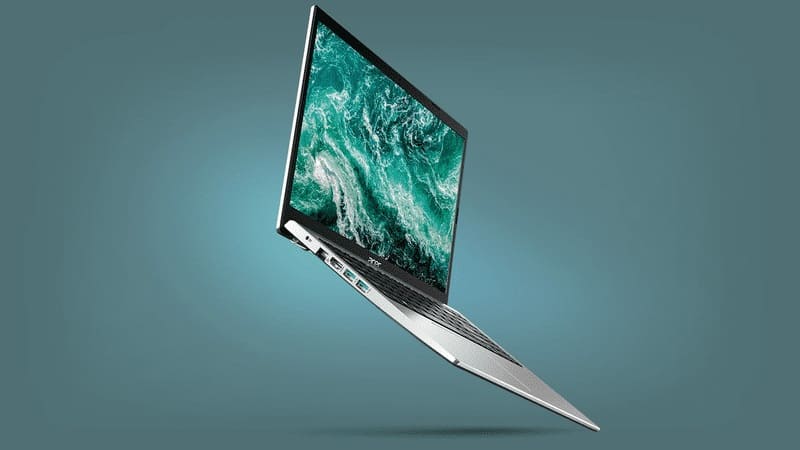 Mobile devices are needed now more than ever. With a sizeable chunk of the population working or studying from home, demand for mobile devices, such as tablets and laptops has exploded.
This has put the manufacturers in a weird place, as all of a sudden, they have to supply even more notebooks, which is difficult while factories are shut down and the workforce is limited. Then we have the chip shortage, which isn’t helping either.
This is why we get laptops like the Acer Aspire 3 (A315-35). The device has some of the least powerful specs that you can find but gets the job done when it comes to daily tasks, sending emails, and having online meetings.
Today we are presenting you with LaptopMedia’s top 5 picks about the Acer Aspire 3 (A315-35).
Acer Aspire 3 (A315-35): Full Specs / In-depth Review

3 reasons to BUY the Acer Aspire 3 (A315-35)
1. Design and build quality
Despite its affordable price tag, the laptop doesn’t look cheap at all. It is very thin and portable, measuring 1.90 kg and 19.9 mm for weight and height, respectively, which is really good for a 15.6-inch notebook. The silvery finish on the outside looks fantastic with the rounded corners and edges, while the base is simple and has a keyboard with small keycaps, which does however come with a NumPad.
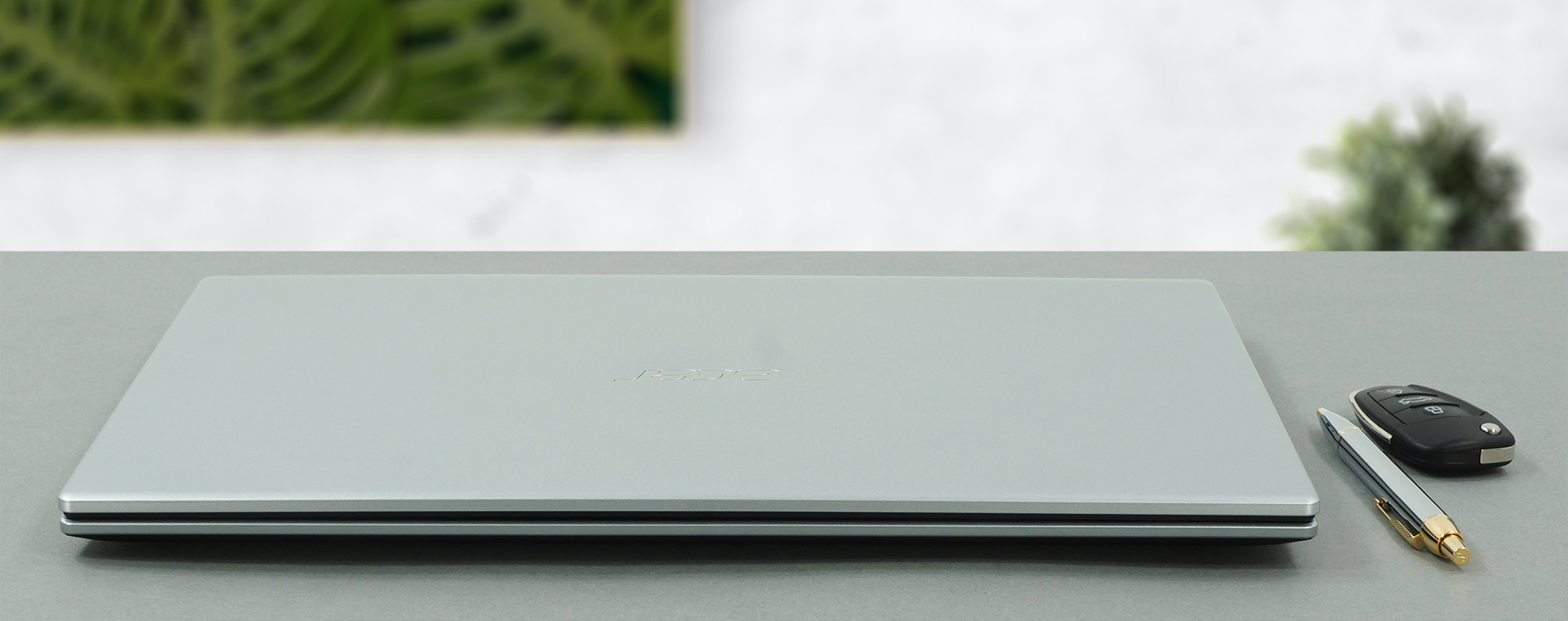
The lid doesn’t open with one hand, but it does have a hinge mechanism, which lifts up the rear, giving you a more comfortable typing angle, while also allowing the fans to breathe more, which you don’t really need, considering the hardware inside. In terms of durability, both the chassis and the lid are bendy, despite the former featuring a honeycomb pattern on the inside.

2. Upgradeability
For a budget laptop, that you probably won’t ever upgrade, it brings two SODIMM RAM slots, which can handle up to 32GB of DDR4 memory and a single M.2 PCIe x4 slot, along with a 2.5-inch SATA drive.
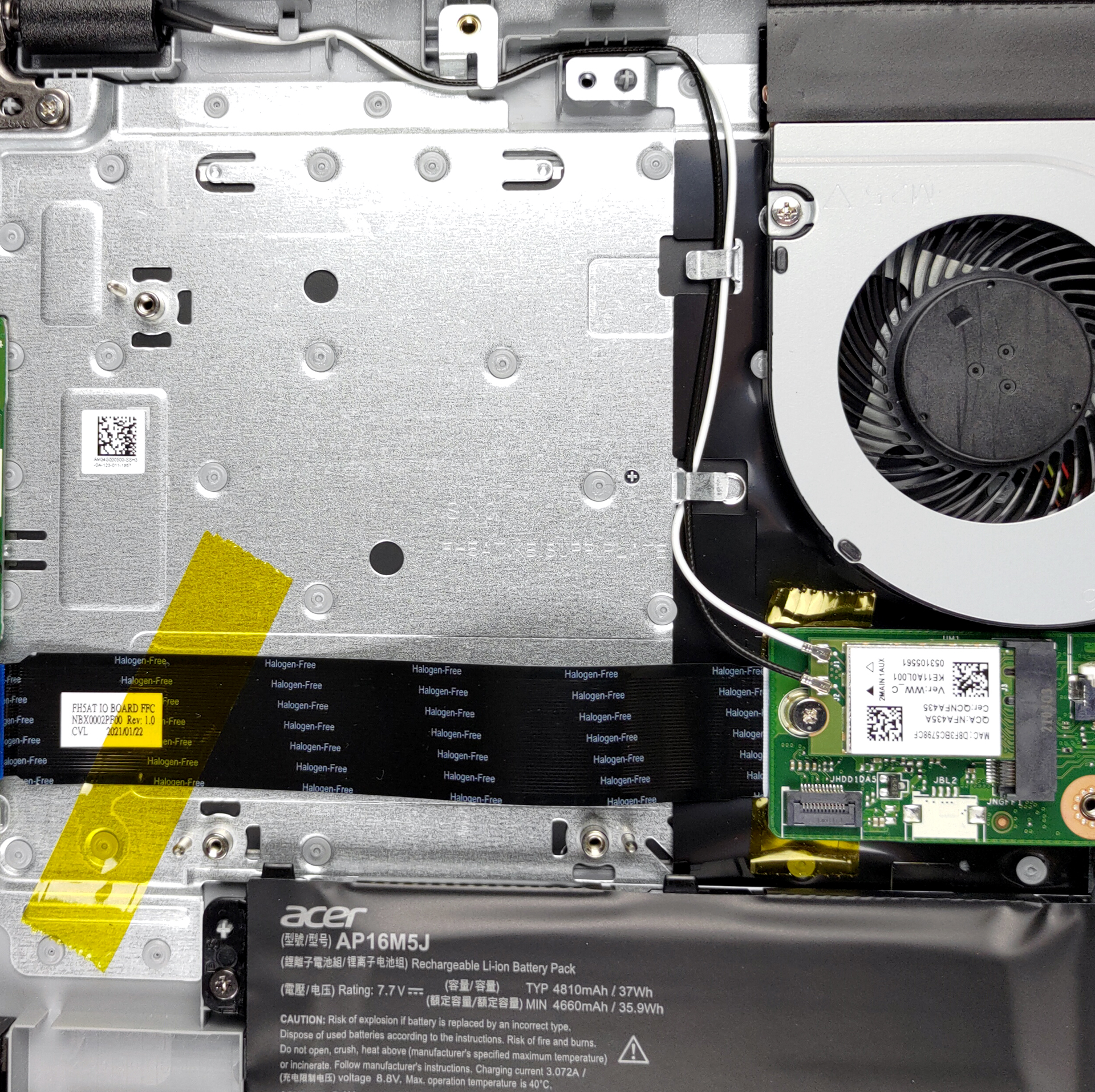
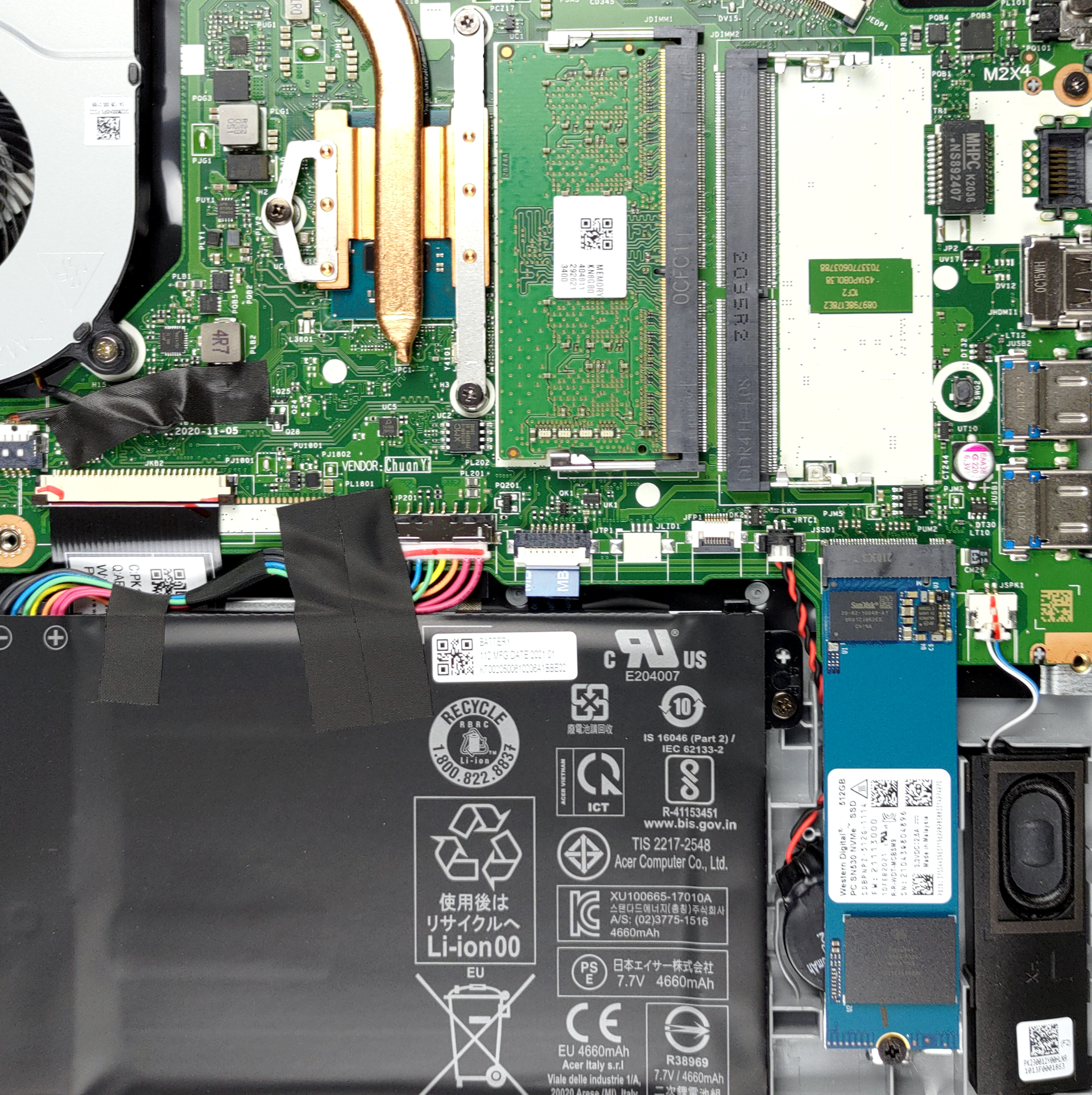
Here is our detailed teardown video, which shows how to access both the RAM and SSD slots.
3. Battery life
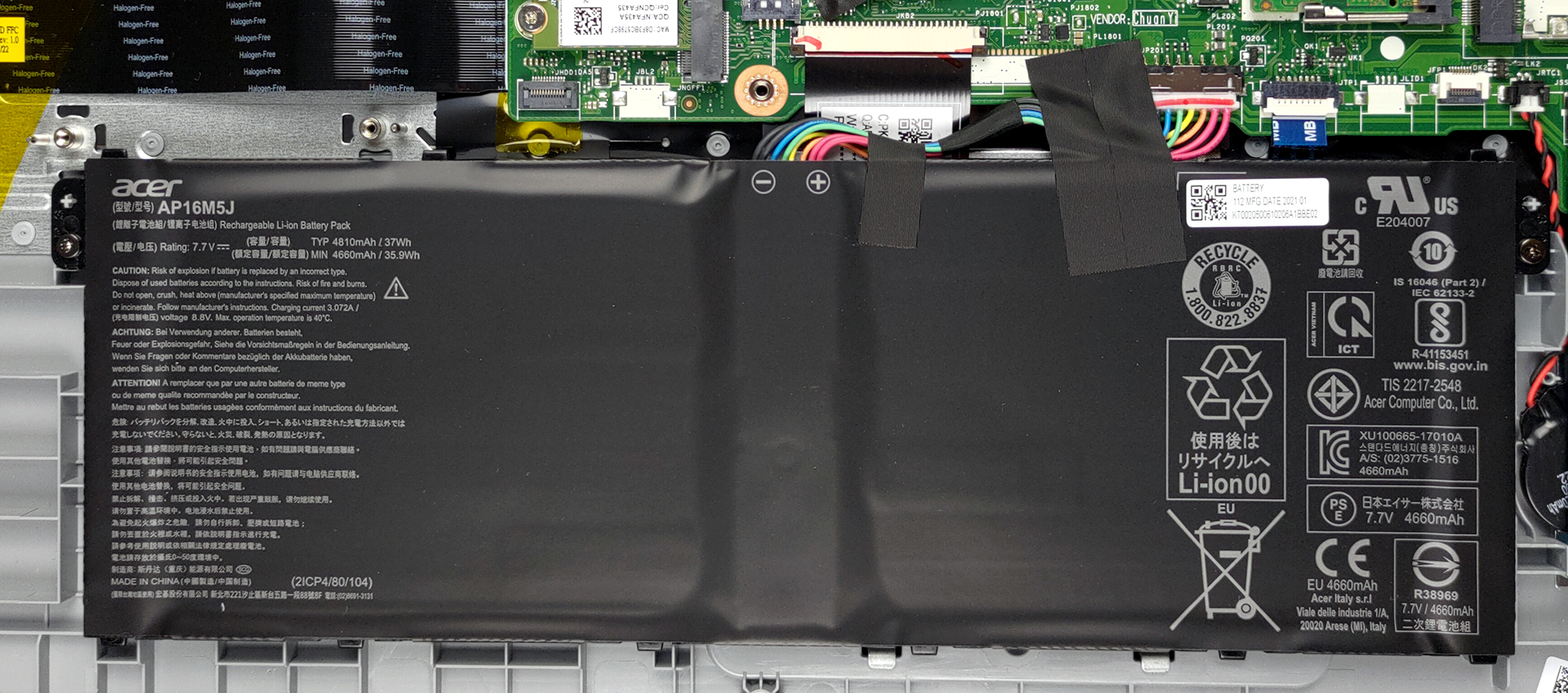
Pairing a 37Wh unit with very efficient chips seems to be doing the trick, as the laptop lasted for 8 hours and 9 minutes of Web browsing, and 6 hours and 29 minutes of video playback. Now, we conduct the battery tests with Windows Better performance setting turned on, screen brightness adjusted to 120 nits, and all other programs turned off except for the one we are testing the notebook with.
2 reasons NOT to buy the Acer Aspire 3 (A315-35)
1. Display quality
The laptop has a single display option, which honestly is horrible, and we have seen Acer do better even in the very budget segment. The Full HD IPS panel struggles with its viewing angles, while the contrast ratio is low and brightness uniformity is great.
In terms of color reproduction, both the color coverage and accuracy aren’t up to standard, with the panel covering only 50% of the sRGB color gamut.
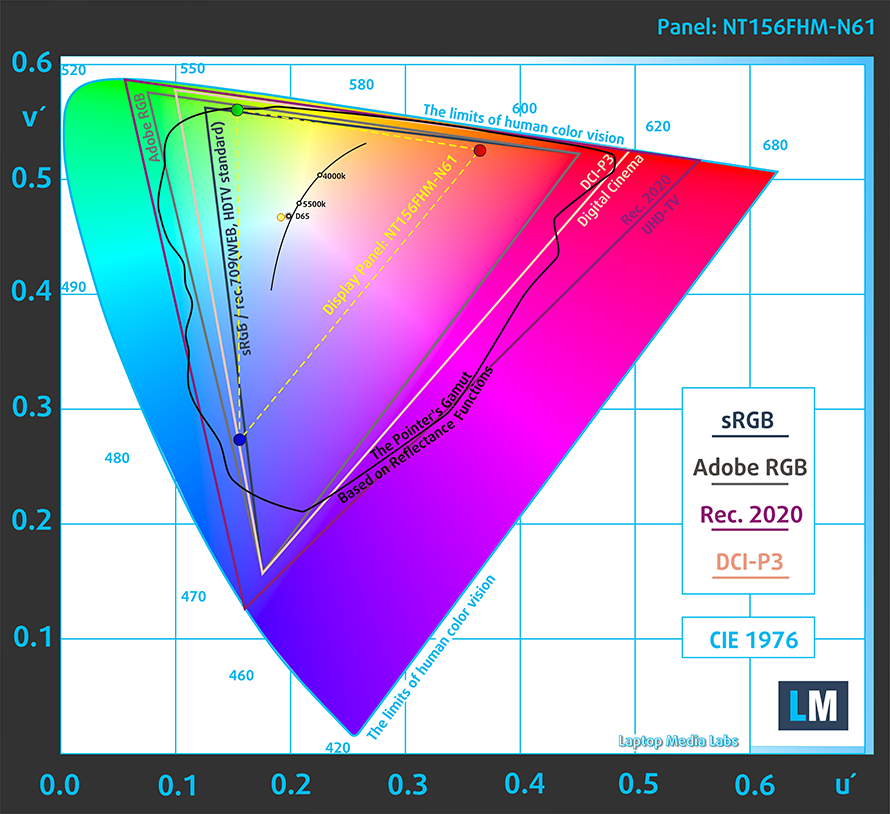
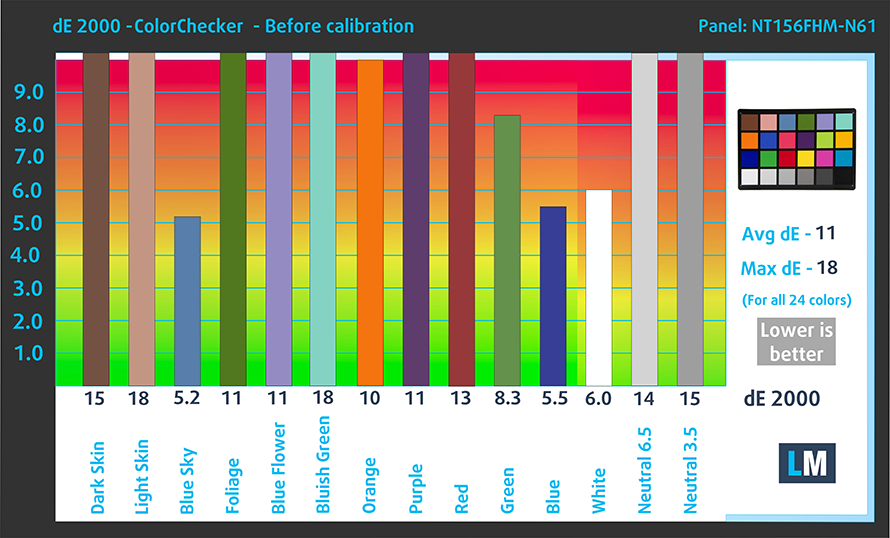
Accuracy was poor with the stock settings, giving us a dE value of 11. After we applied our Design and Gaming, the dE value went down to 3.4, which is still unusable.

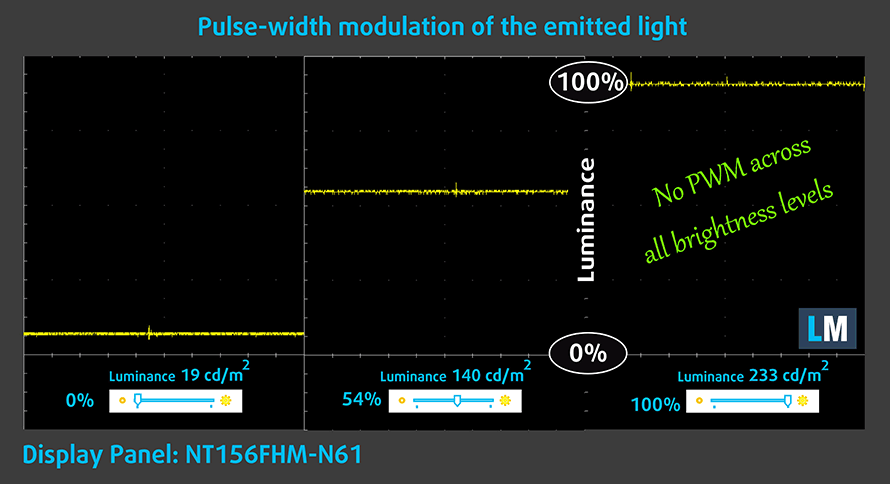
Thankfully, the panel doesn’t use PWM at all, giving your eyes a safe work environment.
Buy our profiles
Since our profiles are tailored for each individual display model, this article and its respective profile package are meant for Acer Aspire 3 (A315-35) configurations with 15.6″ FHD TN BOE NT156FHM-N61 (BOE07CB).
*Should you have problems with downloading the purchased file, try using a different browser to open the link you’ll receive via e-mail. If the download target is a .php file instead of an archive, change the file extension to .zip or contact us at [email protected].
Read more about the profiles HERE.
Pe lângă primirea de profiluri eficiente și prietenoase cu sănătatea, prin cumpărarea produselor LaptopMedia sprijiniți și dezvoltarea laboratoarelor noastre, unde testăm dispozitive pentru a produce cele mai obiective recenzii posibile.

Office Work
Office Work ar trebui folosit în principal de utilizatorii care petrec cea mai mare parte a timpului uitându-se la texte, tabele sau pur și simplu navigând. Acest profil urmărește să ofere o distincție și o claritate mai bună prin menținerea unei curbe gamma plate (2.20), a temperaturii native a culorii și a culorilor perceptiv exacte.

Design and Gaming
Acest profil se adresează designerilor care lucrează profesional cu culorile, precum și pentru jocuri și filme. Design and Gaming duce panourile de afișaj la limitele lor, făcându-le cât mai precise posibil în standardul sRGB IEC61966-2-1 pentru Web și HDTV, la punctul de alb D65.

Health-Guard
Health-Guard elimină modulația dăunătoare a lățimii impulsului (PWM) și reduce lumina albastră negativă care ne afectează ochii și corpul. Deoarece este personalizat pentru fiecare panou, reușește să mențină culorile perceptiv exacte. Health-Guard simulează hârtia, astfel încât presiunea asupra ochilor este redusă considerabil.
Obține toate cele 3 profiluri cu 33% reducere

2. I/O
The laptop features a decent selection of ports but lacks USB Type-C ports, which are essential in 2021. An SD card slot is also missing. What you actually get is a total of three USB Type-A ports, with one 2.0 port and two 3.2 (Gen. 1) ports, an HDMI 2.0 and RJ-45 connectors, and a 3.5 mm audio jack.


All Acer Aspire 3 (A315-35) configurations:
 Author: Severin Kolakov

![[Mai 2026] Clasamentul global al celor mai bine vândute GPU-uri pentru laptopuri pe Amazon – Apple domină cu o cotă de 45%, ocupă primele 3 locuri; RTX 5060 de la NVIDIA conduce în topul GPU-urilor dedicate](https://laptopmedia.com/wp-content/uploads/2026/06/Best-Selling-GPUs-GLOBAL-Top-10-400x225.jpg)
![[Mai 2026] Clasamentul global al celor mai bine vândute procesoare pentru laptopuri pe Amazon – Apple zdrobește concurența cu o cotă de piață de 45,2%, M5 domină](https://laptopmedia.com/wp-content/uploads/2026/06/Best-Selling-CPUs-GLOBAL-Top-10-400x225.jpg)
![[May 2026] Amazon Germany: Top 7 Best-Selling Gaming Laptops – Lenovo Legion 5i Crowned Champion Amidst Fierce Mid-Range Competition](https://laptopmedia.com/wp-content/uploads/2026/06/Best-Selling-Gaming-Laptops-DE-Top-10-1-400x225.jpg)
![[May 2026] Amazon Italy: Top 10 Best-Selling Laptops – Apple MacBook Neo Reigns Supreme, Premium Models Capture Dominant Revenue Share](https://laptopmedia.com/wp-content/uploads/2026/06/Best-Selling-Laptops-IT-Top-10-400x225.jpg)
![[May 2026] Best-Selling Laptop Brands on Amazon Italy – Apple Dominates Across All Metrics](https://laptopmedia.com/wp-content/uploads/2026/06/IT-Best-Brands-400x225.jpg)

Thanks for this!
If I were to upgrade this laptop, what is the highest it could be upgraded for ram? Basically, can I make this a gaming laptop, possibly able to run Overwatch 2?