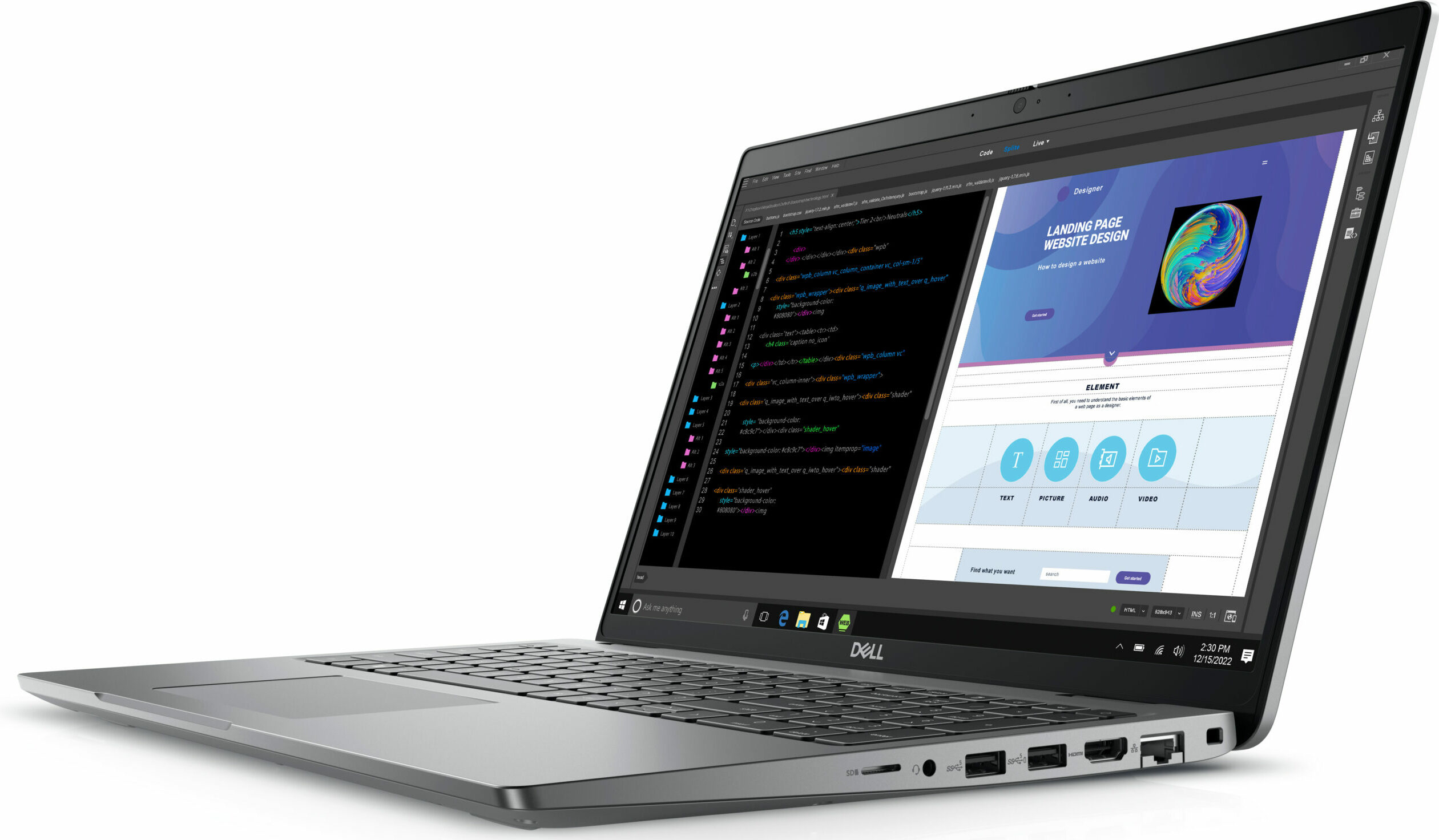
Dell Precision 15 3580



- Data publicării: 24 Jun 2025
- Intel Core i7-1360P
- Intel Iris Xe Graphics G7 (96EU)
- 15.6”, Full HD (1920 x 1080), IPS
- 512GB SSD
- 16GB RAM
- 1.61 kg (3.5 lbs)
Dell Precision 15 3580 recenzie detaliată
Although it is the most affordable workstation option, the Precision 35xx series is one of Dell's best-selling pro-grade laptops. Despite being built around compromises, it does one thing better than any other workstation from the company - it matches the expectations. Today, we are going to review [...]
Citește recenzia completă

Specificații
- HDD/SSD
- 512GB SSD
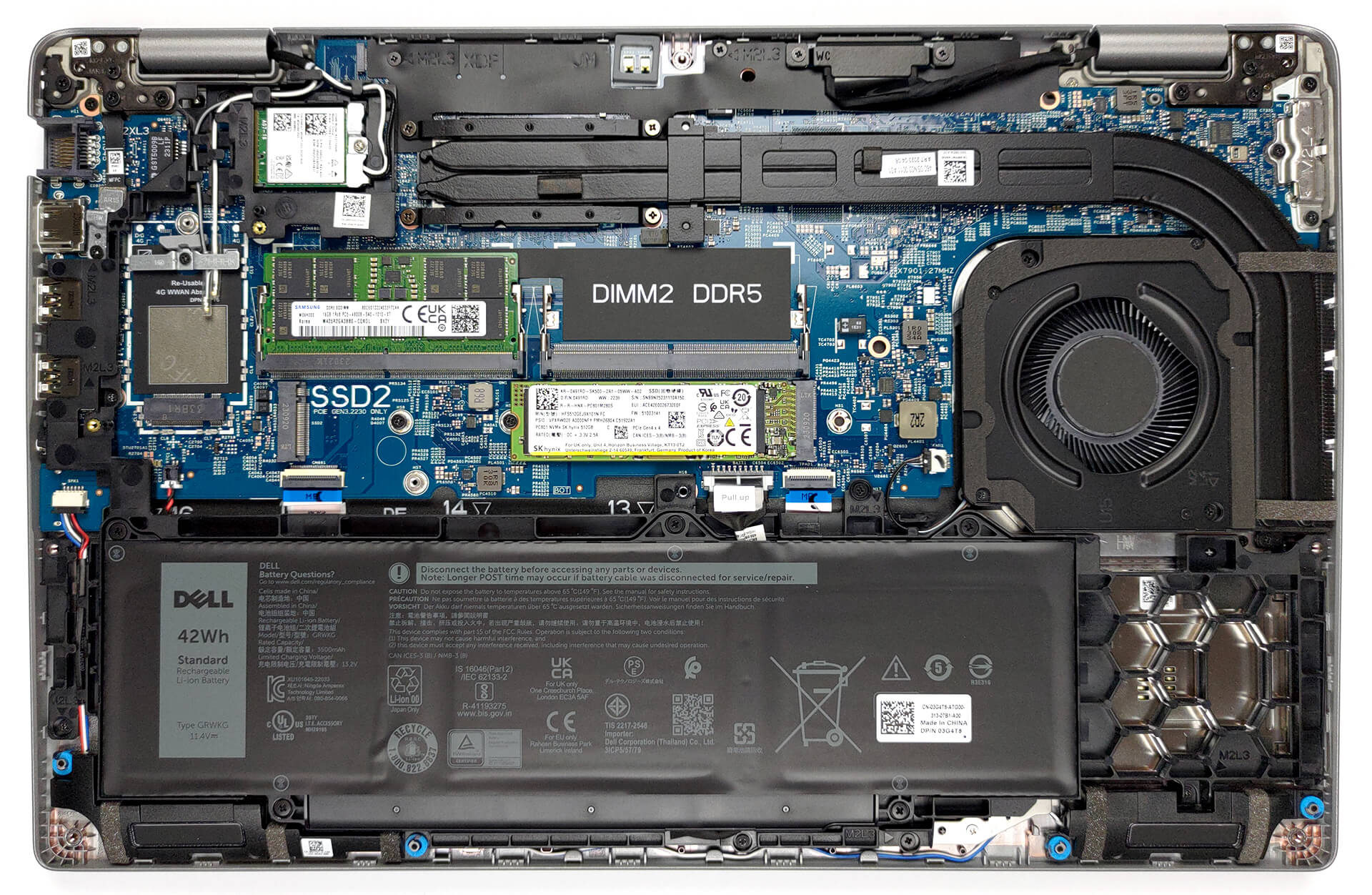
- Slot M.2
- 1x 2280 M.2 NVMe PCIe 4.0 x4 + 1x 2230 M.2 NVMe PCIe 4.0 x4 Vezi foto
- RAM
- 16GB RAM
- OS
- Windows 11 Pro
- Material Carcasă
- Plastic / Policarbonat
- Dimensiuni
- 357.80 x 233.30 x 20.80 x 22.80 mm (14.09" x 9.19" x 0.82")
- Greutate
- 1.61 kg (3.5 lbs)
- Porturi și conectivitate
- 1x USB Type-A
- 3.2 Gen 1 (5 Gbps)
- 1x USB Type-A
- 3.2 Gen 1 (5 Gbps), Sleep and Charge
- 2x USB Type-C
- 4.0, Thunderbolt 4, Power Delivery (PD), DisplayPort
- HDMI
- 2.0
- Cititor de carduri
- MicroSD
- Ethernet LAN
- 10, 100, 1000 Mbit/s
- Wi-Fi
- 802.11ax
- Bluetooth
- 5.3
- Audio jack
- 3.5mm Combo Jack
- Caracteristici
- Cititor de amprente
- Cameră web
- FHD IR
- Tastatură iluminată
- Microfon
- Dual Array Microphones
- Difuzoare
- 2x 2W Stereo Speakers, Waves MaxxAudio
- Slot blocare securitate
- Wedge Lock
Portabilitate
Recenzie
Dell Precision 15 3580 recenzie detaliată
Although it is the most affordable workstation option, the Precision 35xx series is one of Dell's best-selling pro-grade laptops. Despite being built around compromises, it does one thing better than any other workstation from the company - it matches the expectations.Today, we are going to review the Dell Precision 15 3580. There are a couple of things you need to know from the get-go. First, this is a lightweight product, that doesn't incorporate the most powerful CPUs on the market. Also, its only dedicated GPU option is the NVIDIA RTX A500.However, you get the latest and greatest from Intel's efficiency-class CPUs, like the U-series and the P-series chips. So, you have something to look forward to. Also, while your only option for display is a 1080p IPS unit, you can pick from[...]
Citește recenzia completăAvantaje
- Wide I/O, which includes a MicroSD card reader
- Two Gen 4 M.2 storage slots + 2x DDR5 SODIMM slots
- Fingerprint reader embedded in the power button + optional IR face recognition
- Wi-Fi 6, Thunderbolt 4
- No PWM (BOE KVVT5-NV15N4V (BOE0A85))
- Comfortable keyboard with a backlight and a great touchpad
Dezavantaje
- Covers only 52% of sRGB (BOE KVVT5-NV15N4V (BOE0A85))
- Poor battery life
Opțiuni de dezasamblare, întreținere și upgrade
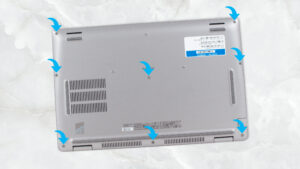
1. Removing the Back Panel To begin the disassembly process for the Dell Precision 15 3580, start by undoing the 8 captive Phillips-head screws on the back of the laptop. Since these are captive screws, they will stay attached to the bottom panel, so you can't lose them.After unscrewing, carefully pry the bottom panel starting from the front corners to access the internal components of the laptop.Caution: Always be gentle when removing panels to avoid damaging any internal components or clips.3. Disconnecting the Battery Once inside, you'll be able to see the battery. To [...]
Citește mai mult