Dell Precision 3561


- Data publicării: 07 Dec 2021
- Intel Core i7-11850H
- Intel UHD Graphics Xe 750 (32EU)
- 15.6”, Full HD (1920 x 1080), IPS
- 256GB SSD
- 16GB DDR4
- 1.79 kg (3.9 lbs)

Recenzie
Dell Precision 3561 recenzie detaliată
With the latest Tiger Lake-H45 processor, we seem to be getting proper mobile workstations now. Today, we have the Dell Precision 15 3561, which is probably one of the best devices in this world when it comes to price/performance ratio.So, what is so special about this device. Well, the answer is pretty easy - precisely the Tiger Lake processors we were talking about. Dell offers the notebook with up to the Core i9-11950H. It is interesting to see how the cooling solution will perform, though, because we know that it has only one fan inside of the chassis.Other than that, you can pick a pro-grade graphics card in the form of either the Quadro T600 or T1200. Ultimately, the difference between the two is in the CUDA core count - 896 vs 1024, as well as in the memory bandwidth.Ul[...]
Citește recenzia completă
Avantaje
- Great upgradability + PCIe Gen 4 support
- Lack of PWM (BOE V3NPM-NV15N6B (BOE093E))
- 97% of sRGB coverage and accurate color representation with our profiles (BOE V3NPM-NV15N6B (BOE093E))
- Good input devices
- Great battery life
- Optional IR face recognition, fingerprint reader, and LTE support
- Thunderbolt 4 + MicroSD card slot
Dezavantaje
- Cooling can't cope with the CPU
- All-plastic build (although of not bad quality)
- Not the best choice if you need a lot of graphics power
Opțiuni de dezasamblare, întreținere și upgrade
By getting this device, you receive a very powerful CPU and more than decent upgrade options.Check out all Dell Precision 15 3561 prices and configurations in our Specs System or read more in our In-Depth review.1. Remove the bottom plate To get inside of this device, you need to undo 9 captive Phillips-head screws. Then, carefully pry the bottom panel with a plastic tool, and remove it from the body.2. Battery As you can see, Dell has supplied this notebook with a huge 97Wh battery.3. Мemory and storage There are two RAM SODIMM slots that support up to 64GB of mem[...]
Citește mai mult
Ecran: 15.6-inch, 1920 x 1080, IPS
- Nume
- BOE V3NPM-NV15N6B (BOE093E)
- Diagonală
- 15.6"
- Densitate pixeli
- 141.21 ppi
- Luminozitate
- 413 cd/m2
- sRGB
- 97%
- Tip Panou
- IPS
- Rezoluție
- 1920 x 1080
- Devine "Retina" de la
- 24 inches (62 cm)
- Contrast
- 392
- dE Color Checker
- 2.3 1.1

Cumpără profilurile noastre pentru BOE V3NPM-NV15N6B (BOE093E)
Pe lângă primirea de profiluri eficiente și prietenoase cu sănătatea, prin cumpărarea produselor LaptopMedia sprijiniți și dezvoltarea laboratoarelor noastre, unde testăm dispozitive pentru a produce cele mai obiective recenzii posibile.

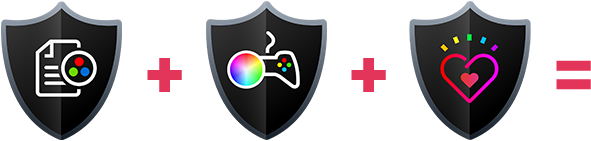
Office Work
Office Work ar trebui folosit în principal de utilizatorii care petrec cea mai mare parte a timpului uitându-se la texte, tabele sau pur și simplu navigând. Acest profil urmărește să ofere o distincție și o claritate mai bună prin menținerea unei curbe gamma plate (2.20), a temperaturii native a culorii și a culorilor perceptiv exacte.

Design and Gaming
Acest profil se adresează designerilor care lucrează profesional cu culorile, precum și pentru jocuri și filme. Design and Gaming duce panourile de afișaj la limitele lor, făcându-le cât mai precise posibil în standardul sRGB IEC61966-2-1 pentru Web și HDTV, la punctul de alb D65.

Health-Guard
Health-Guard elimină modulația dăunătoare a lățimii impulsului (PWM) și reduce lumina albastră negativă care ne afectează ochii și corpul. Deoarece este personalizat pentru fiecare panou, reușește să mențină culorile perceptiv exacte. Health-Guard simulează hârtia, astfel încât presiunea asupra ochilor este redusă considerabil.