_000046.jpg)




- Data publicării: 23 Aug 2024
- Intel Core i7-13620H
- NVIDIA GeForce RTX 4060 (Laptop, 120W)
- 16.1″, Full HD (1920 x 1080), 144 Hz, IPS
- 1000GB SSD
- 32GB RAM
- 2.39 kg (5.3 lbs)
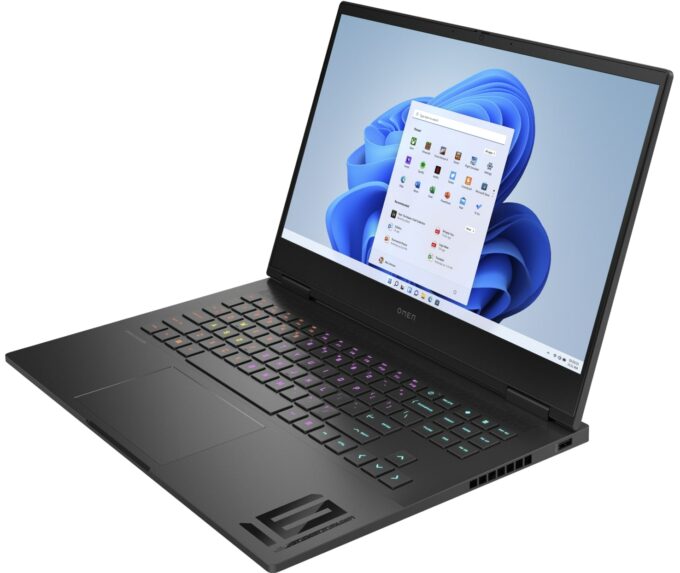
HP OMEN 16 (16-wd0000, 2023) recenzie detaliată
The HP Omen devices can be found in different price categories and form factors. Some of them are high-end laptops like the HP Omen 17 (2023, 17-ck2000) that have big displays and top-of-the-line hardware. On the other hand, not everyone wants to buy a machine that costs an arm and a leg. Today we [...]
Citește recenzia completă
Recenzie
HP OMEN 16 recenzie detaliată
The HP Omen devices can be found in different price categories and form factors. Some of them are high-end laptops like the HP Omen 17 (2023, 17-ck2000) that have big displays and top-of-the-line hardware. On the other hand, not everyone wants to buy a machine that costs an arm and a leg. Today we are going to show you the HP Omen 16 (16-wd0000) which is meant for the masses or enthusiasts who don't want to spend a lot of money on a new notebook.The gadget can be found with 13th Gen Intel H-series CPUs. Some are based on the Alder Lake architecture, while others are Raptor Lake chips. All looks good in the GPU department - you have a choice of three GeForce RTX video cards that have high TGP values. Two IPS 1080p display options are available. The base one has a 144Hz refresh rate whil[...]
Citește recenzia completăAvantaje
- Stealthy design
- Capable cooling system
- Stable and high CPU and GPU clocks and power limits under any kind of load
- Wide viewing angles and good contrast ratio (BOE BOE0B9F)
- Decent pixel response times (BOE BOE0B9F)
- No PWM (BOE BOE0B9F)
- 2x SODIMM slots
- Comfortable keyboard
- Decent I/O
- The fans aren't spinning in idle
- Reasonable noise levels in "Balanced" mode
- Long battery life
- The Omen Gaming Hub app is full of useful options
- Has a MUX switch
Dezavantaje
- Flexible and bouncy lid
- No NumberPad
- Noisy in "Performance" mode
- All USB ports are rated at 5 Gbps
- Just one M.2 slot
- Low sRGB coverage (BOE BOE0B9F)
Opțiuni de dezasamblare, întreținere și upgrade
Step 1: Accessing the Internal ComponentsEnsure the HP Omen 16 (16-wd0000) is powered off and placed on a soft, clean surface to prevent scratches or damage. Remove the 8 Phillips-head screws from the bottom of the laptop. Use a plastic tool to gently pry the bottom panel off, starting from the front of the laptop.Hint: Be careful when prying to avoid damaging the internal clips or the laptop casing.Step 2: Removing the BatteryDisconnect the battery by unplugging its connector from the motherboard. Remove the 6 Phillips-head screws securing the battery to t[...]
Citește mai mult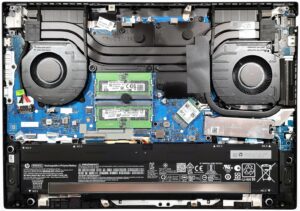
Ecran: 16.1-inch, 1920 x 1080, IPS
- Nume
- BOE BOE0B9F
- Diagonală
- 16.1"
- Densitate pixeli
- 136.83 ppi
- Luminozitate
- 340 cd/m2
- sRGB
- 52%
- Tip Panou
- IPS
- Rezoluție
- 1920 x 1080
- Devine "Retina" de la
- 25 inches (64 cm)
- Contrast
- 1320:1
- dE Color Checker
- 4.3 3.8

Cumpără profilurile noastre pentru BOE BOE0B9F
Pe lângă primirea de profiluri eficiente și prietenoase cu sănătatea, prin cumpărarea produselor LaptopMedia sprijiniți și dezvoltarea laboratoarelor noastre, unde testăm dispozitive pentru a produce cele mai obiective recenzii posibile.

Office Work
Office Work ar trebui folosit în principal de utilizatorii care petrec cea mai mare parte a timpului uitându-se la texte, tabele sau pur și simplu navigând. Acest profil urmărește să ofere o distincție și o claritate mai bună prin menținerea unei curbe gamma plate (2.20), a temperaturii native a culorii și a culorilor perceptiv exacte.

Design and Gaming
Acest profil se adresează designerilor care lucrează profesional cu culorile, precum și pentru jocuri și filme. Design and Gaming duce panourile de afișaj la limitele lor, făcându-le cât mai precise posibil în standardul sRGB IEC61966-2-1 pentru Web și HDTV, la punctul de alb D65.

Health-Guard
Health-Guard elimină modulația dăunătoare a lățimii impulsului (PWM) și reduce lumina albastră negativă care ne afectează ochii și corpul. Deoarece este personalizat pentru fiecare panou, reușește să mențină culorile perceptiv exacte. Health-Guard simulează hârtia, astfel încât presiunea asupra ochilor este redusă considerabil.





