MSI Vector 17 HX


- Data publicării: 09 Jan 2024
- Intel Core i9-13980HX
- NVIDIA GeForce RTX 4060 (Laptop, 140W)
- 17.0", FHD+ (1920x1200), 165 Hz, IPS
- 1000GB SSD
- 64GB DDR5
- 3.00 kg (6.6 lbs)

Specificații

- HDD/SSD
- 1TB SSD
- Slot M.2
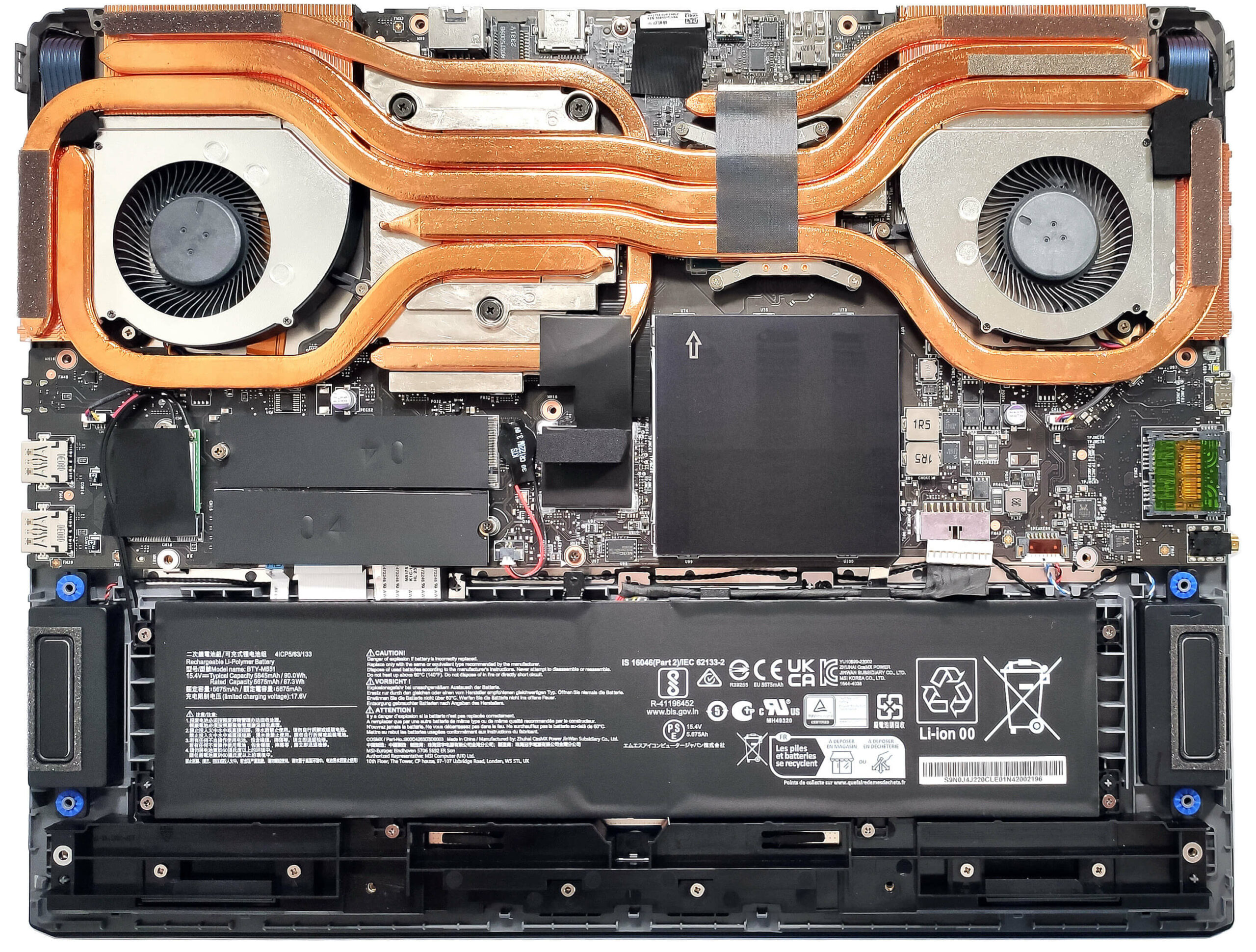
- 1x 2280 M.2 NVMe PCIe 5.0 x4 + 1x 2280 M.2 NVMe PCIe 4.0 x4 Vezi foto
- RAM
- 64GB DDR5
- OS
- Windows 11 Home
- Material Carcasă
- Plastic / Policarbonat, Aluminiu
- Dimensiuni
- 380 x 297.97 x 23.55 - 29.45 mm (14.96" x 11.73" x 0.93")
- Greutate
- 3.00 kg (6.6 lbs)
- Porturi și conectivitate
- 1x USB Type-A
- 3.2 Gen 1 (5 Gbps)
- 1x USB Type-A
- 3.2 Gen 2 (10 Gbps)
- 1x USB Type-C
- 3.2 Gen 2 (10 Gbps), DisplayPort
- 1x USB Type-C
- 3.2 Gen 2 (10 Gbps), Power Delivery (PD), DisplayPort
- 1x USB Type-C
- 4.0, Thunderbolt 4, DisplayPort
- HDMI
- 2.1 (8K@60Hz / 4K@120Hz)
- Cititor de carduri
- SD (SD, SDHC, SDXC)
- Ethernet LAN
- 10, 100, 1000, 2500 Mbit/s
- Wi-Fi
- 802.11ax/802.11be
- Bluetooth
- 5.3/5.4
- Audio jack
- 3mm Combo Jack
- Caracteristici
- Cititor de amprente
- Cameră web
- HD with 3D Noise Reduction (3DNR)
- Tastatură iluminată
- Microfon
- Difuzoare
- 2x 2W Stereo Speakers, Nahimic 3D Audio
- Unitate optică
- Slot blocare securitate
- Kensington Lock
Portabilitate
Recenzie
MSI Vector 17 HX recenzie detaliată
Some of the big gaming laptops are frighteningly fast. The MSI Vector 17 HX A13V is equipped with the 32-thread Core i9-13980HX which is a monster of a CPU. This machine can be picked with a 175W GeForce RTX 4080 or 4090. For the most part, the less-expensive 12GB RTX 4080 chip seems like the smart choice - its performance isn't that far behind the top dog. The port selection of this device device is great and it includes five USB connectors alongside a 2.5G LAN. You also get Wi-Fi 6E + Bluetooth v5.3 for connectivity and adequate upgrade options. By the way, the 16-inch iteration of this notebook is called Vector 16 HX A13V and it boasts almost the same functionality as its bigger sibling that is in front of us.In terms of display, our machine has the base panel which is a 1200p varia[...]
Citește recenzia completă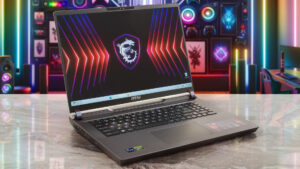
Avantaje
- Great gaming performance
- 2x SODIMMs + 2x M.2 slot (one is for Gen 5 SSDs)
- 165Hz refresh rate + 16:10 aspect ratio (AUOA9A6)
- PWM-free (AUOA9A6)
- 99% sRGB coverage + accurate colors with our "Design and Gaming" profile (AUOA9A6)
- High max brightness (414 cd/m2) and fast pixel response times (6 ms) for an IPS panel (AUOA9A6)
- Great RGB Gaming keyboard with long key travel, NumPad, and big Arrow keys
- Solid build quality
- The RTX 4080 can maintain a 175W TGP
- The MSI Center offers plenty of customizations
- 5 USB ports + HDMI 2.1
- MUX switch
- The CPU can maintain 3.80 / 2.60 Ghz P and E-core clock in longer loads
- Web camera with a privacy shutter
Dezavantaje
- Bulky
- Very noisy fans in "Extreme Performance" mode
- Plastic base
- No G-Sync or NVIDIA Advanced Optimus support
- Short battery life
Opțiuni de dezasamblare, întreținere și upgrade
Deschiderea dispozitivuluiDesfaceți cele 13 șuruburi cu cap Phillips care fixează panoul inferior. Întoarceți dispozitivul și ridicați toate părțile laterale ale capacului balamalei cu o unealtă subțire din plastic. Deschideți capacul și scoateți partea din față a capacului, apoi ridicați scutul de la bază. Despicați partea din spate a dispozitivului pas cu pas, introducând unealta între placă și șasiu. Deschideți din nou capacul și scoateți părțile din dreapta și din față prin bază. Întoarceți notebook-ul cu capul în jos. Deoarece mufa audio iese din placa de bază, [...]
Citește mai mult