Inside HP ProBook 430 G6 – disassembly and upgrade options
The ProBook 430 G6 is part of one of the most solid laptop families out there. It is perfectly stable and gives you some security features, you won’t see on your daily Pavilion notebook.
Check out all HP ProBook 430 G6 prices and configurations in our Specs System or read more in our In-Depth review.

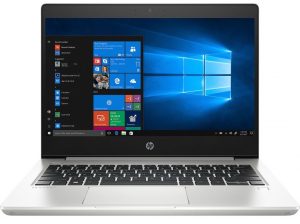
1. Remove the bottom plate
So, if you are familiar with the ProBook 430 from last year, you are going to expect that this laptop is going to feature a service lid as well. For good or for bad, however, HP got rid of it, in favor of easier access to all of the internals. This now happens by removing the entire bottom panel of the device, which is held by 7 Phillips-head screws. Weirdly, two of them are free to come off the panel itself, while the rest of them stay attached.
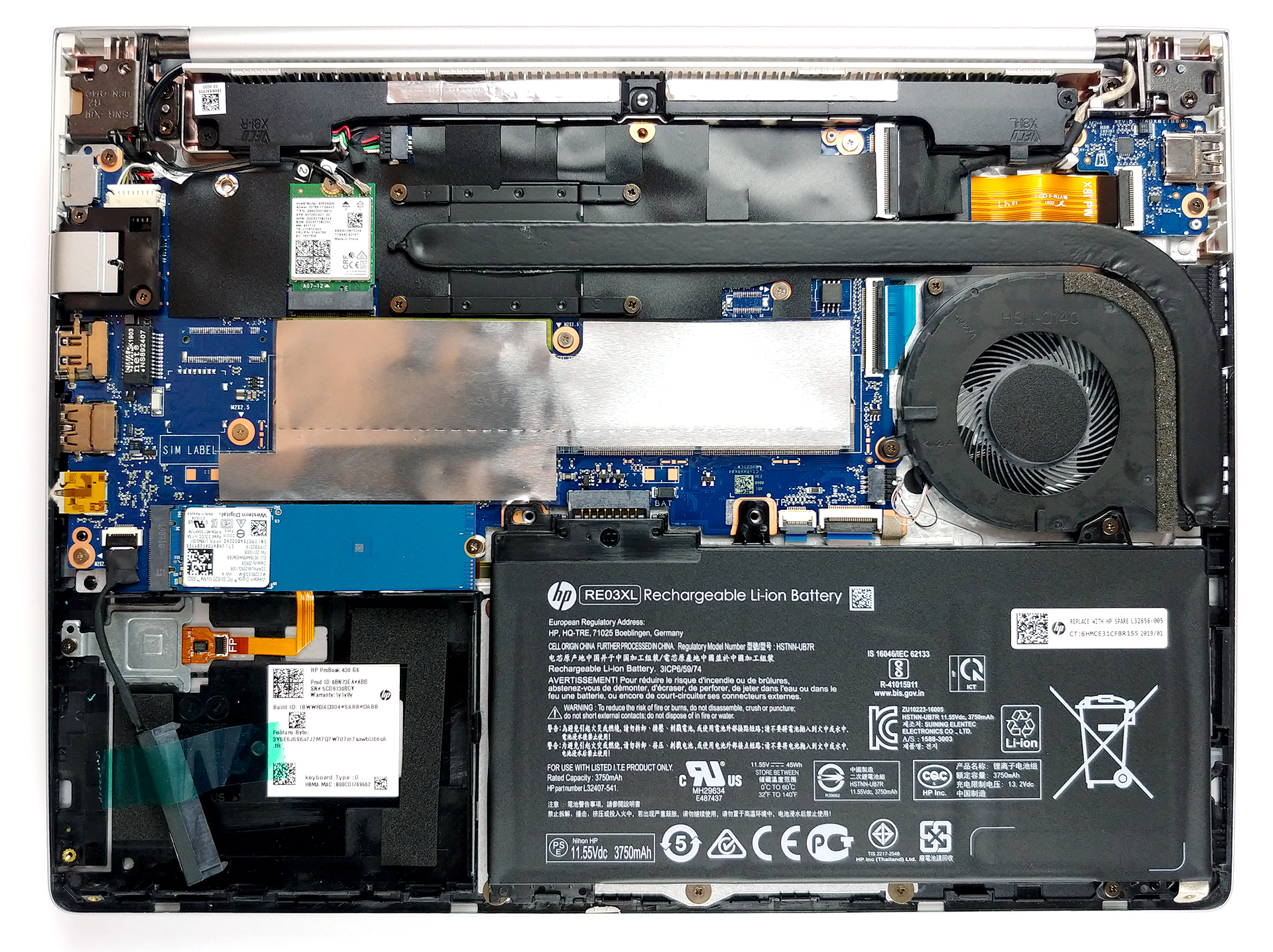
2. Battery
Its battery is not the biggest out there – 45Wh. However, it can be removed by unscrewing only two Phillips-head screws. On the other side, in order to unplug the battery from the motherboard, you actually need to remove it.

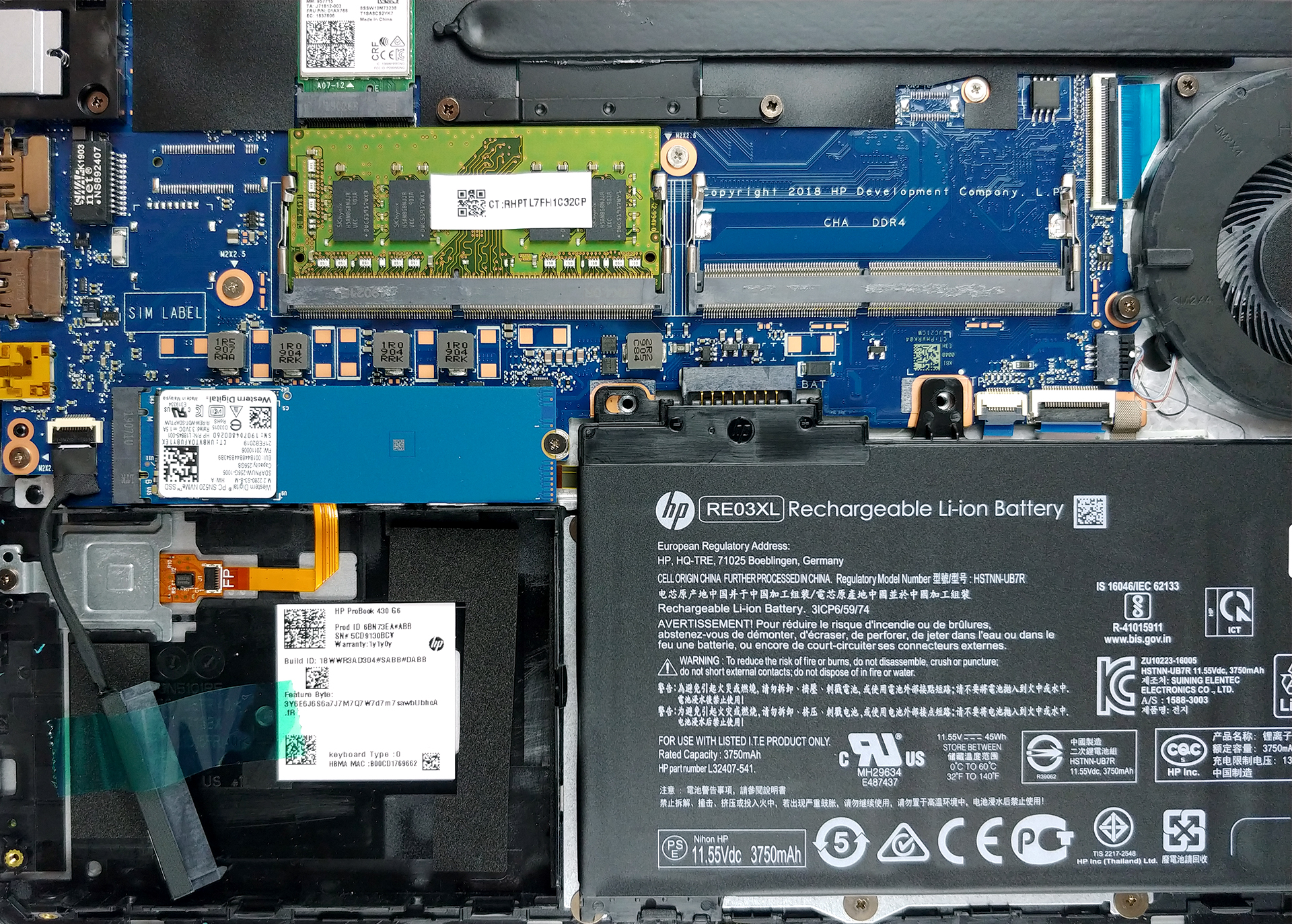
3. Memory and storage
Upgradability-wise, we found a rare picture in the 13-inch laptop world. There are two RAM DIMMs that, depending on the processor you get the laptop with, support up to 32GB of DDR4 memory. Additionally, there is a single M.2 slot, which can fit a PCIe NVMe device.
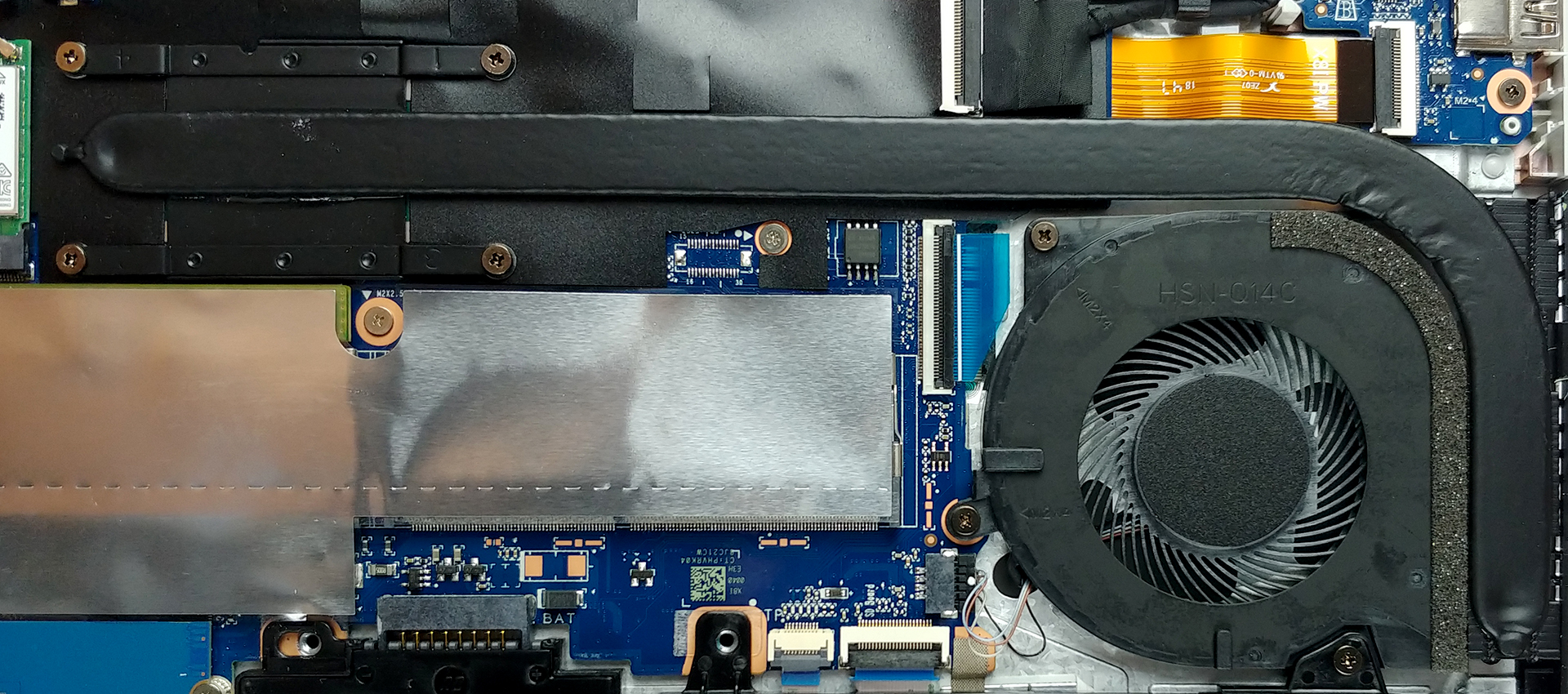
4. Cooling system
Don’t expect miracles from this notebook’s cooling. It resembles only one heat pipe, which is rather long for the chassis. On the bright side, the hot air is exhausted from the side, which gives it a lot more breathing room, than if it was exhausted from in between the display and the base.
Check out all HP ProBook 430 G6 prices and configurations in our Specs System or read more in our In-Depth review.
 Author: Alex Iliev

![[Augusti 2026] Global ranking över de bästsäljande grafikkorten för bärbara datorer på Amazon – Apple dominerar, medan NVIDIAs RTX 5060 toppar listan över dedikerade grafikkort](https://laptopmedia.com/wp-content/uploads/2026/09/Best-Selling-GPUs-GLOBAL-Top-10-400x225.jpg)
![[Augusti 2026] Global ranking över de mest sålda bärbara datorprocessorerna på Amazon – Apple dominerar både i budget- och premiumsegmentet: A18 Pro och M5 krossar Intel och AMD i augusti 2026](https://laptopmedia.com/wp-content/uploads/2026/09/Best-Selling-CPUs-GLOBAL-Top-10-400x225.jpg)
![[Augusti 2026] Amazon Global: De 10 bästsäljande bärbara datorerna – Apple MacBook Neo toppar listorna medan prisvärda och mellanklassiga Windows-datorer kämpar om försäljningsvolymen](https://laptopmedia.com/wp-content/uploads/2026/09/Best-Selling-Laptops-GLOBAL-Top-10-400x225.jpg)
![[Augusti 2026] De bästsäljande bärbara datormärkena på Amazon Global – Apple dominerar omsättningen medan HP ligger i topp när det gäller modellutbudet](https://laptopmedia.com/wp-content/uploads/2026/09/GLOBAL-Best-Brands-400x225.jpg)
![[Augusti 2026] Amazon Global: De 10 mest sålda spelbärbara datorerna – HP Victus 15 tar förstaplatsen medan prisvärda modeller dominerar listan](https://laptopmedia.com/wp-content/uploads/2026/09/Best-Selling-Gaming-Laptops-GLOBAL-Top-10-400x225.jpg)

Do you have to pull the battery out?
As the article says, the battery is removalable with two screws but in order to detach the cable, you need to pop it out first.
I managed to add 2x 32gb ram into my 430 g6 i7 and as far as I know, the computer registers it (56.6 available)
It’s an absolute overkill because I believe you can’t really replace the graphics and processor as a layman.
There is also additional storage slot like shown in one of the pictures that has the tape holding down the cable. That’s great. Mine came with 256gb ssd which I’ll be upgrading to at least 2tb due to budget restraints
Thanks for the guide—finding the CMOS location was a big help!