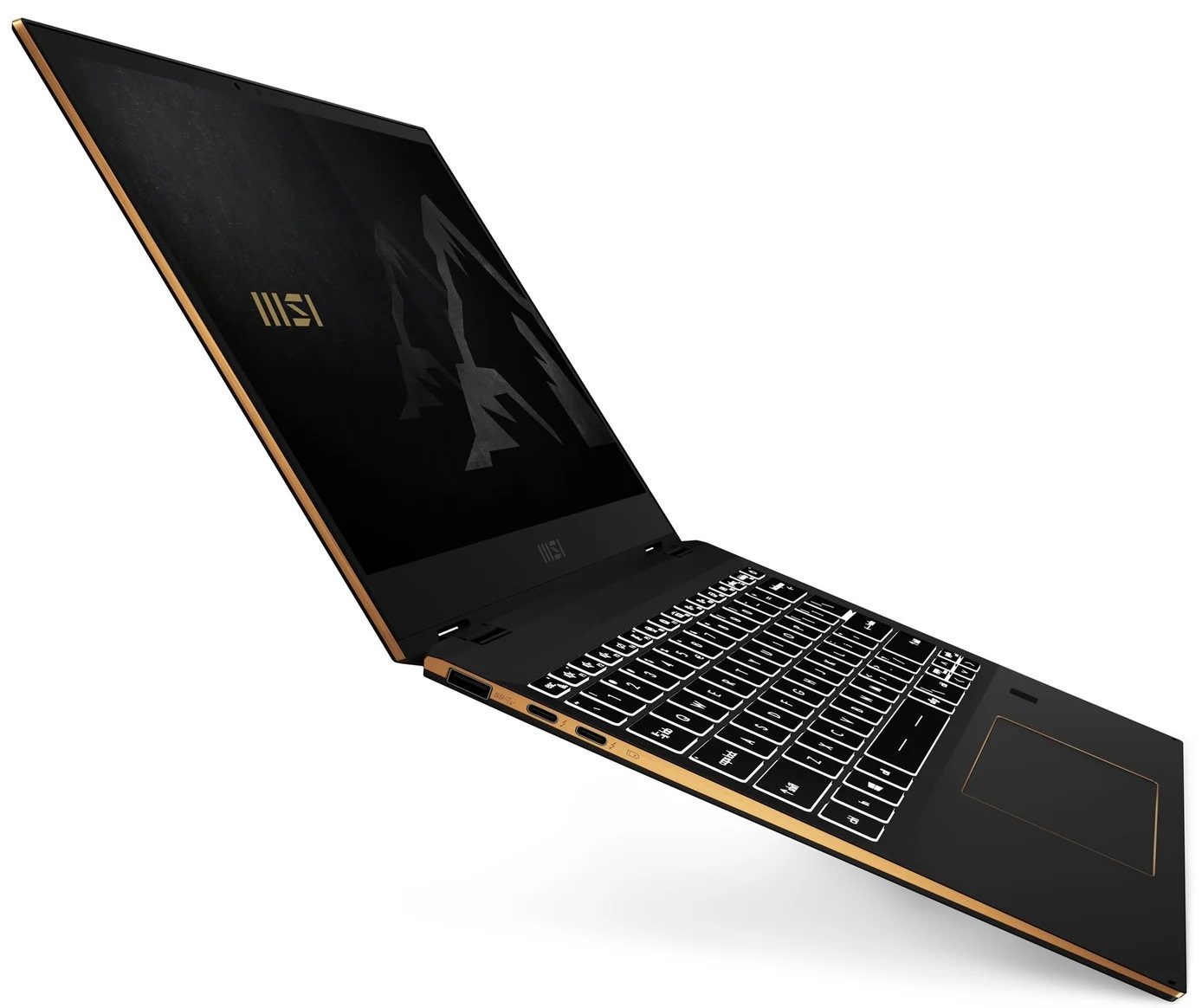
MSI E13 Summit Flip

- Publiceringsdatum: 22 Mar 2021
- Intel Core i7-1185G7
- Intel Iris Xe Graphics G7 (96EU)
- 13.4”, FHD+ (1920 x 1200), IPS
- 512GB SSD
- 16GB LPDDR4x, 4266 MHz
- 1.35 kg (3 lbs)
Review
MSI E13 Summit Flip djupgående recension
As with the 15-inch device from this series that we've reviewed recently, the Summit E13 Flip Evo aims to provide a balance between aesthetics and performance. Ultimately, this 13-incher is MSI's best effort to battle the Dell XPS 13 9310 2-in-1.From what we saw, beating the XPS 13 in its own game won't be that difficult of a task, but there is a lot of room for the Summit to fail. On the other hand, it matches its display with a 13.4-inch size, 16:10 aspect ratio, a Full HD+ resolution.Additionally, this is one of the first notebooks to confirm the use of the newly announced Core i5-1155G7, and Core i7-1195G7. However, we were only able to snatch a unit with the "older" Core i5-1135G7 processor.So, let's see if MSI's 13-inch convertible will be able to become a viable XPS 13 [...]
Läs hela recensionen
Fördelar
- Premium build quality and materials
- Covers 99% of sRGB colors (Sharp LQ134N1JW53)
- Very high color accuracy when Gaming and Web design profile is installed (Sharp LQ134N1JW53)
- Great battery
- Fingerprint reader and IR face recognition systems
- Top-notch performance
- 2x Thunderbolt 4, 1x USB Type-A 3.2 (Gen. 1), 1x USB Type-C, 1x MicroSD card reader
Nackdelar
- Memory is soldered to the motherboard
- High internal and external temperatures under extreme workload
Demontering, underhåll och uppgraderingsalternativ
This 13-incher proved to be one of the most versatile convertibles on the market. Plus, it comes with a beefy battery and a humongous amount of performance.Check out all MSI Summit E13 Flip Evo prices and configurations in our Specs System or read more in our In-Depth review.1. Remove the bottom plate To take this notebook apart, you need to remove its bottom panel. You can do that by undoing four Phillips-head screws, two of which are hidden beneath the rear rubber feet. Then, pry the panel with a plastic tool.2. Battery Here, the battery has a capacity of 70Wh.3. [...]
Läs mer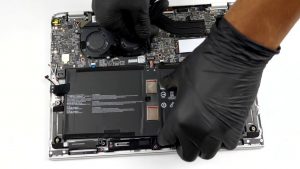
Skärm: 13.4-inch, 1920 x 1200, IPS
- Namn
- Sharp LQ134N1JW53 (SHP1521)
- Diagonal
- 13.4"
- Pixeltäthet
- 168.97 ppi
- Ljusstyrka
- 516 cd/m2
- sRGB
- 99%
- Paneltyp
- IPS
- Upplösning
- 1920 x 1200
- Blir "Retina" från
- 20 inches (52 cm)
- Kontrast
- 1470:1
- dE Color Checker
- 2.7 0.8
Köp våra profiler för Sharp LQ134N1JW53 (SHP1521)
Förutom att du får effektiva och hälsovänliga profiler, stöder du genom att köpa LaptopMedias produkter även utvecklingen av våra labb, där vi testar enheter för att kunna producera så objektiva recensioner som möjligt.
Kontorsarbete
Office Work bör främst användas av användare som tillbringar större delen av tiden med att titta på text, tabeller eller bara surfar. Denna profil syftar till att ge bättre tydlighet och skärpa genom att bibehålla en platt gammakurva (2.20), native färgtemperatur och perceptuellt korrekta färger.
Design och Spel
Denna profil riktar sig till designers som arbetar professionellt med färger, samt för spel och filmer. Design and Gaming tar skärmpanelerna till sina gränser och gör dem så exakta som möjligt i sRGB IEC61966-2-1-standarden för webb och HDTV, vid vitpunkt D65.

Health-Guard
Health-Guard eliminerar den skadliga pulsbreddsmoduleringen (PWM) och minskar det negativa blå ljuset som påverkar våra ögon och vår kropp. Eftersom den är skräddarsydd för varje panel lyckas den hålla färgerna perceptuellt korrekta. Health-Guard simulerar papper så att trycket på ögonen minskar avsevärt.