ASUS ProArt P16 H7606 (2025) review – Is This the Ultimate 4K OLED Workstation for Creatives?
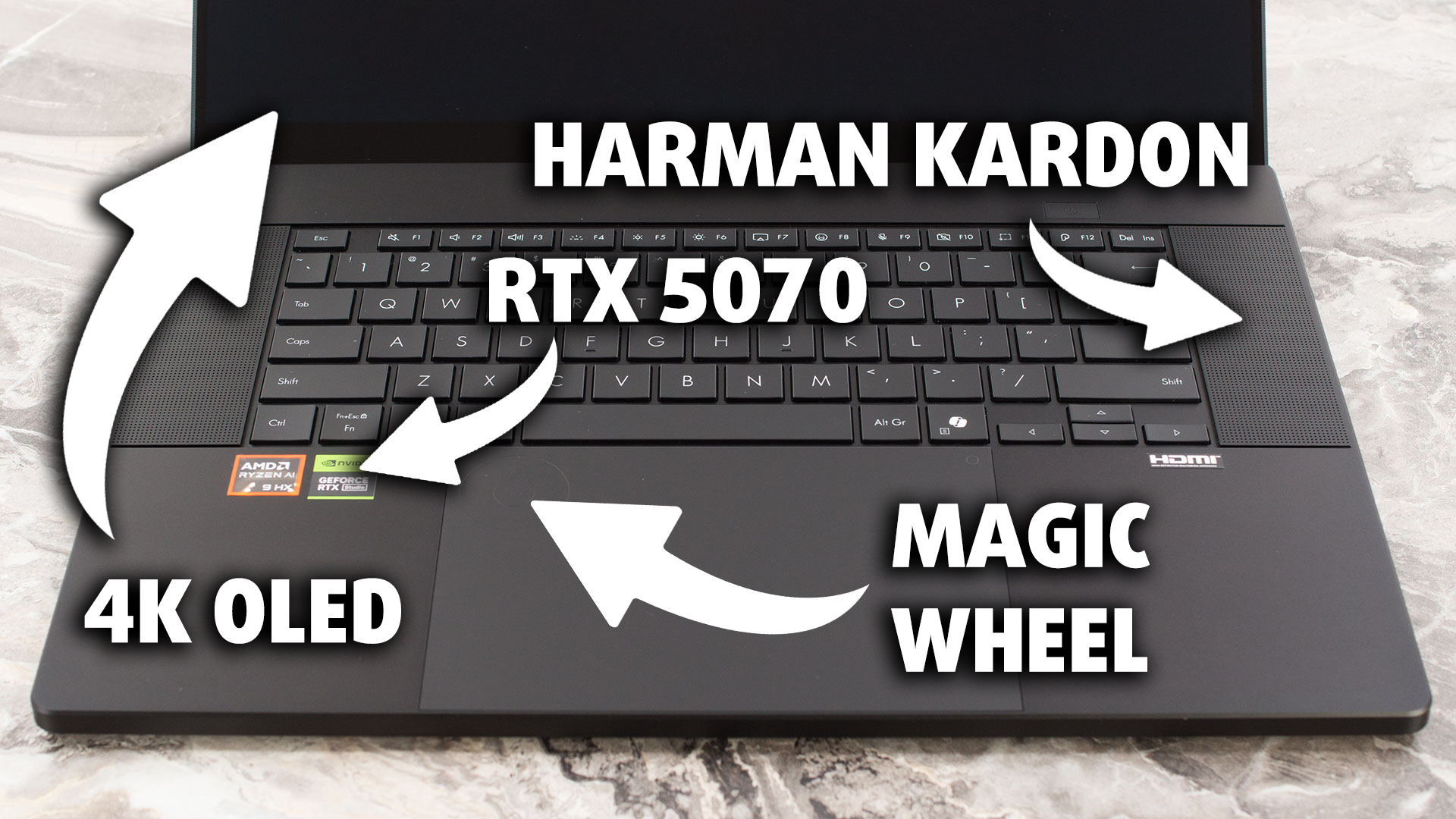 In a world where creative professionals demand ever-increasing power in ever-slimmer packages, the ASUS ProArt P16 H7606 (2025) arrives as a bold statement. Don’t let its sophisticated “Nano Black” aluminum unibody and impressively thin profile deceive you; beneath this elegant exterior lies a workstation engineered for serious performance, capable of housing an AMD Ryzen AI 9 HX 370 and an NVIDIA RTX 5070. To further entice creators, ASUS has integrated its innovative DialPad directly into the trackpad, promising a more intuitive and efficient workflow.
But does this blend of premium design, powerhouse components, and unique creator-focused features translate into the ultimate mobile studio? In this in-depth review, we’ll push the ProArt P16 to its limits, scrutinizing its stunning 4K OLED display for both its beauty and practicality, testing its thermal management under heavy loads, evaluating the real-world utility of the DialPad, and examining every aspect from its robust port selection to its impressive battery life. Join us as we discover if ASUS has truly crafted the no-compromise creative powerhouse it aims to be, or if there are any hidden trade-offs that demanding users need to consider.
You can check the prices and configurations in our Specs System: https://laptopmedia.com/series/asus-proart-p16-h7606/
Contents
- Specs, Drivers, What’s in the box
- Design and construction
- Display and Sound Quality, Display Profiles
- Get our profiles
- Work Performance: CPU, Storage, AI
- GPU and Gaming Performance
- [eBook Guide + Tools] How to MAX OUT Your Laptop
- Temperatures and Comfort, Noise, Stability
- Battery Life
- Disassembly, Upgrade options, and Maintenance
- Verdict
Specs, Drivers, What’s in the box
ASUS ProArt P16 (H7606) - Specs
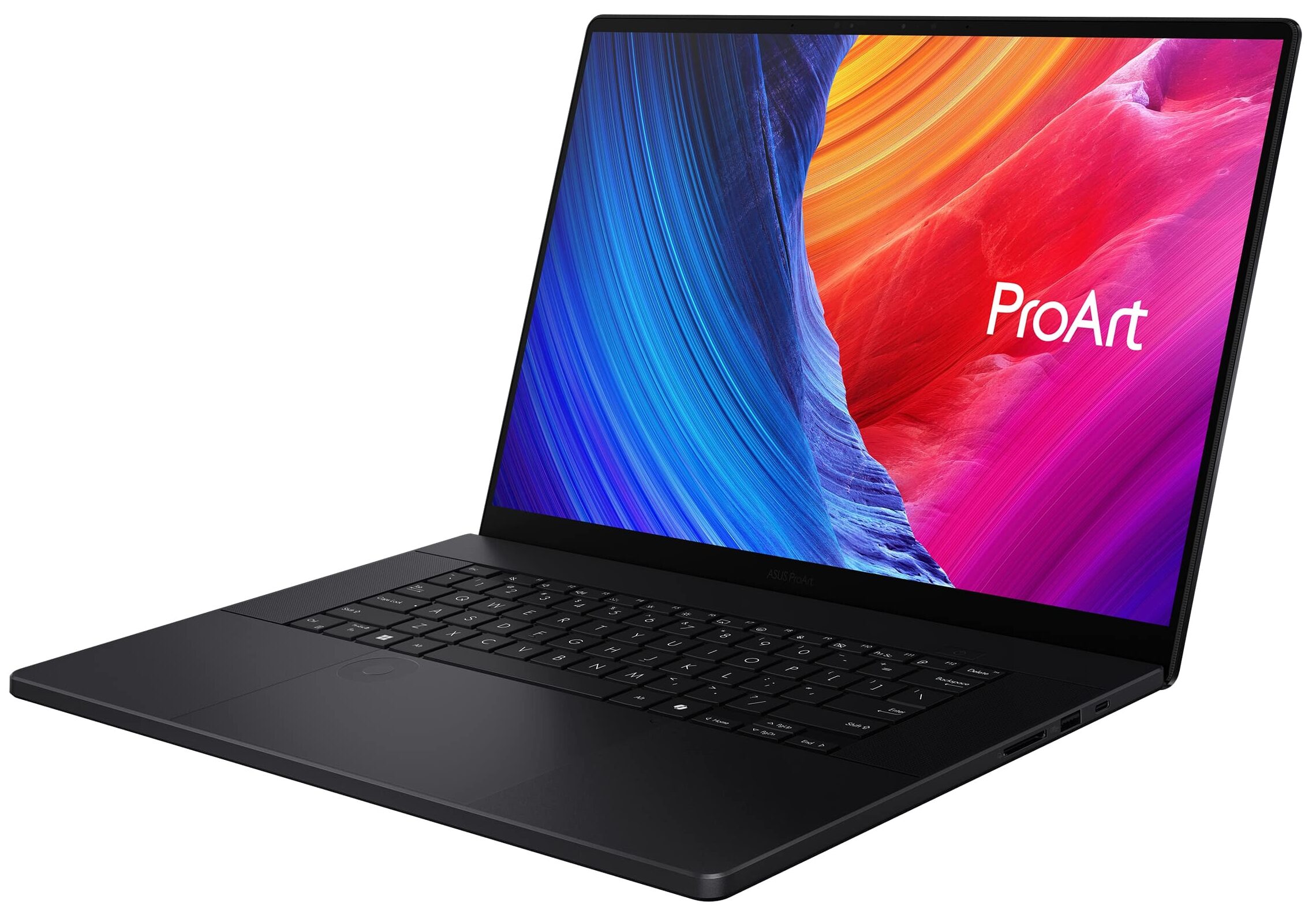
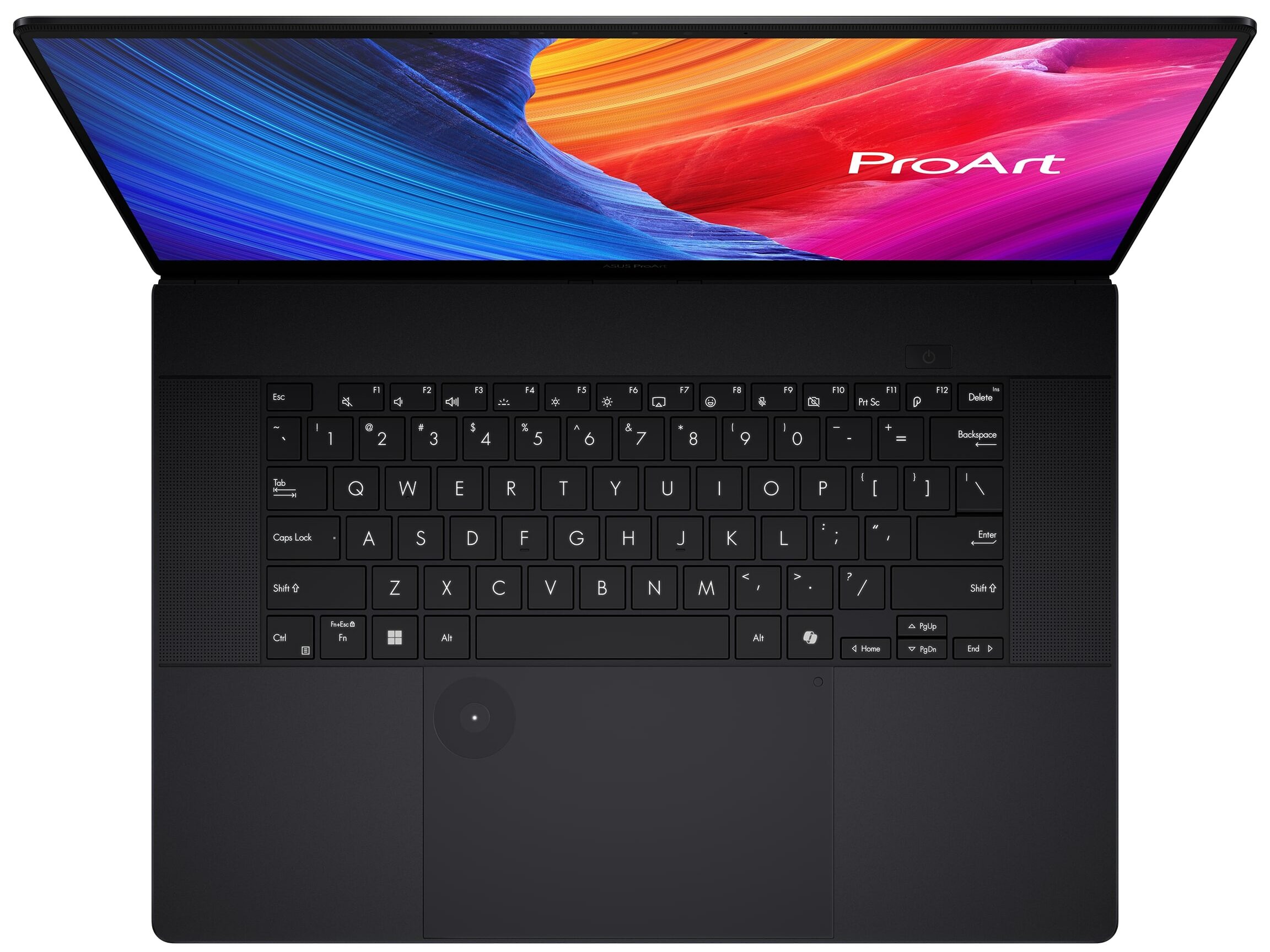
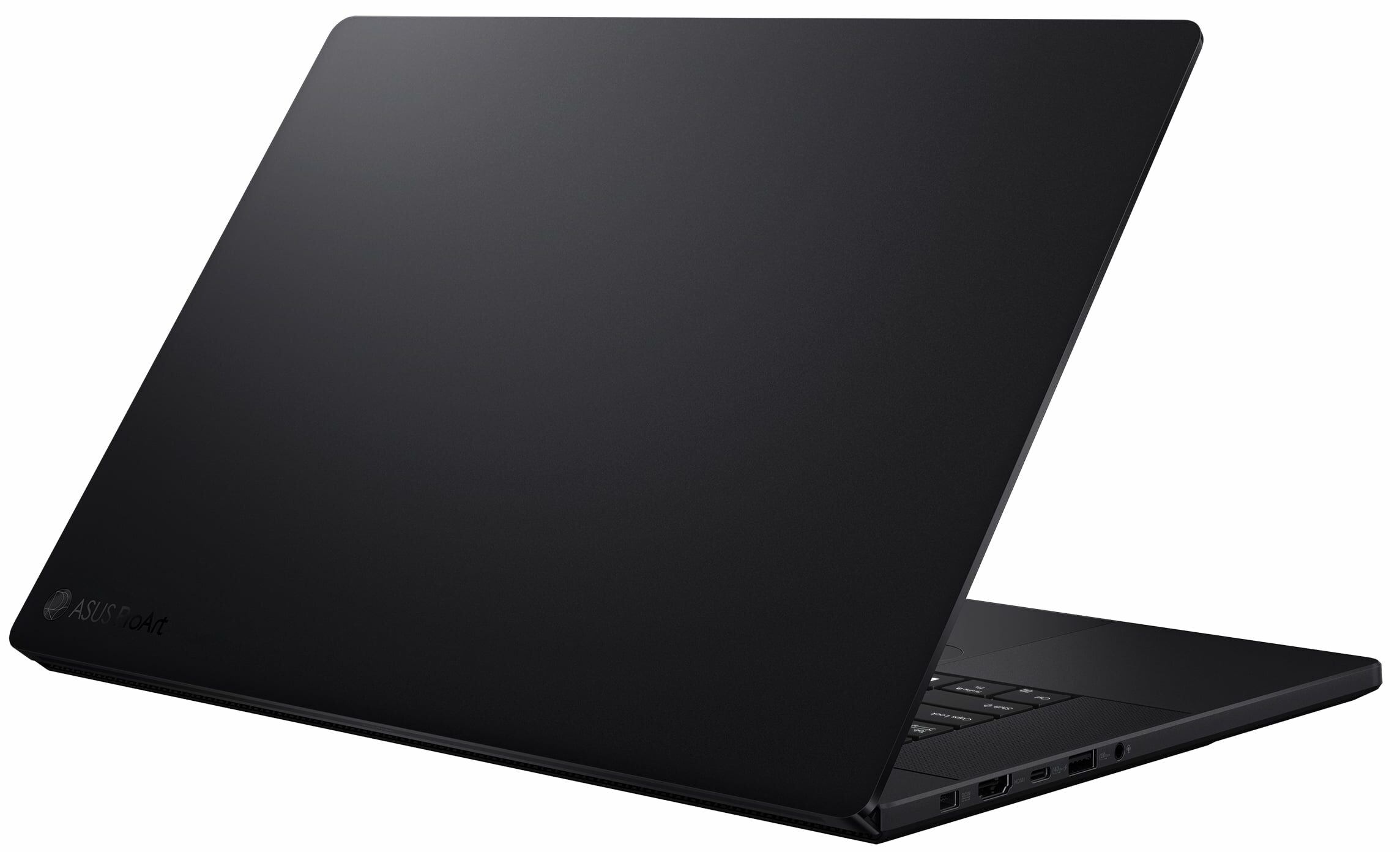
- GPU
- NVIDIA GeForce RTX 5090 (Laptop) #1 in Top GPUs NVIDIA GeForce RTX 5080 (Laptop) #2 in Top GPUs NVIDIA GeForce RTX 5070 Ti (Laptop) #14 in Top GPUs NVIDIA GeForce RTX 5070 (Laptop) #27 in Top GPUs NVIDIA GeForce RTX 5060 (Laptop) #72 in Top GPUs NVIDIA GeForce RTX 4070 (Laptop, 105W) #60 in Top GPUs NVIDIA GeForce RTX 4060 (Laptop, 105W) #82 in Top GPUsNVIDIA GeForce RTX 4050 (Laptop)

- HDD/SSD
- up to 16384GB SSD
- M.2 Slot
- 1x 2280 M.2 NVMe PCIe 4.0 x2 + 1x 2280 M.2 NVMe PCIe 4.0 x4 See photo
- RAM
- up to 64GB
- OS
- Windows 11 Pro, Windows 11 Home, Windows 11
- Battery
- 90Wh
- Body material
- Aluminum
- Dimensions
- 354.9 x 246.9 x 14.9 - 17.3 mm (13.97" x 9.72" x 0.59")
- Weight
- 1.85 kg (4.1 lbs)
- Ports and connectivity
- 2x USB Type-A
- 3.2 Gen 2 (10 Gbps)
- 1x USB Type-C
- 3.2 Gen 2 (10 Gbps), Power Delivery (PD), DisplayPort
- 1x USB Type-C
- 4.0, Power Delivery (PD), DisplayPort
- HDMI
- 2.1
- Card reader
- SD (SD, SDHC, SDXC)
- Ethernet LAN
- Wi-Fi
- 802.11be
- Bluetooth
- 5.4
- Audio jack
- 3.5mm Combo Jack
- Features
- Fingerprint reader
- Web camera
- FHD IR with Windows Hello
- Backlit keyboard
- optional
- Microphone
- Array Microphone
- Speakers
- Speaker, Smart Amp Technology, harman/kardon
- Optical drive
- Security Lock slot
All ASUS ProArt P16 (H7606) configurations
Drivers
All drivers and utilities for this notebook can be found here: https://www.asus.com/laptops/for-creators/proart/proart-p16-h7606/helpdesk_knowledge/
What’s in the box?
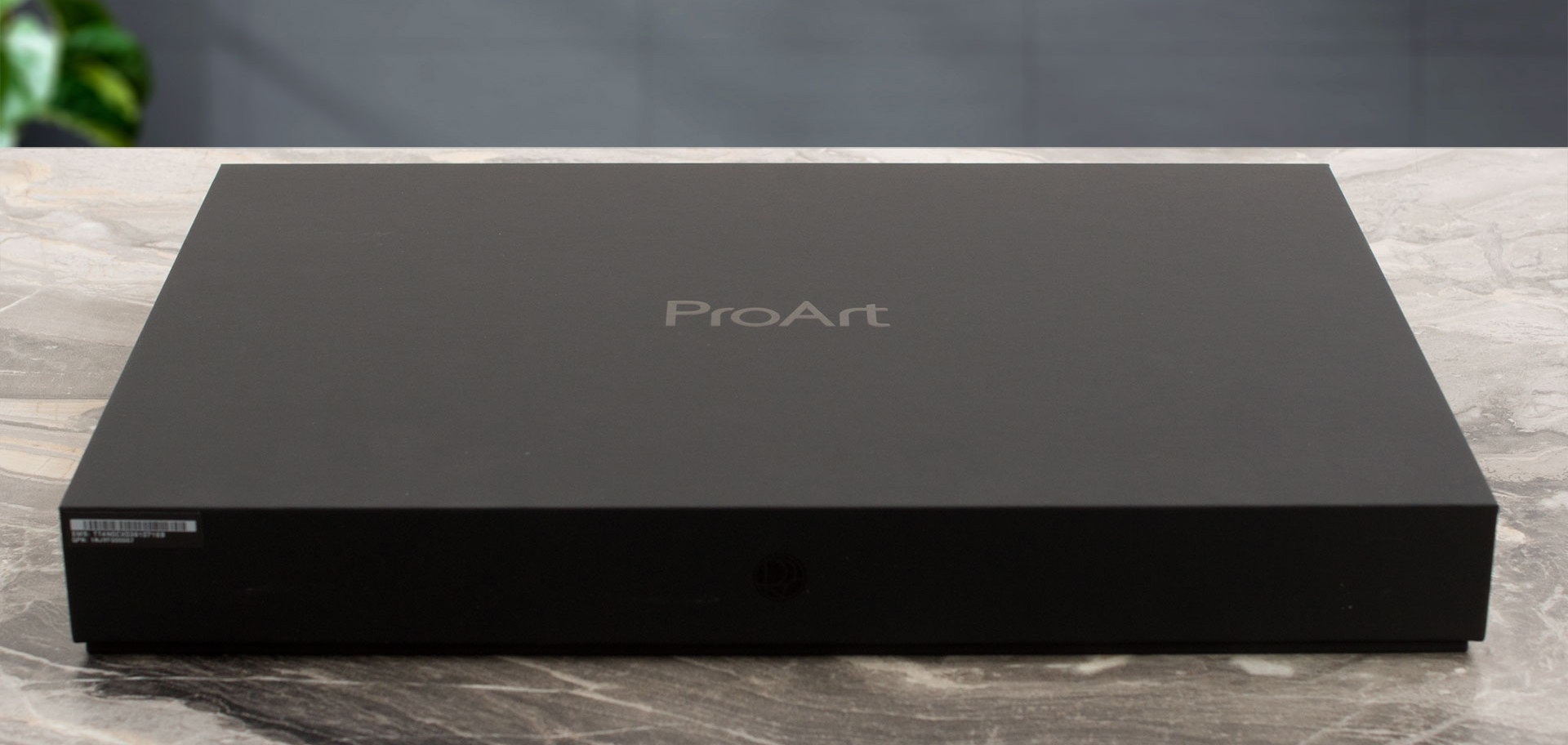
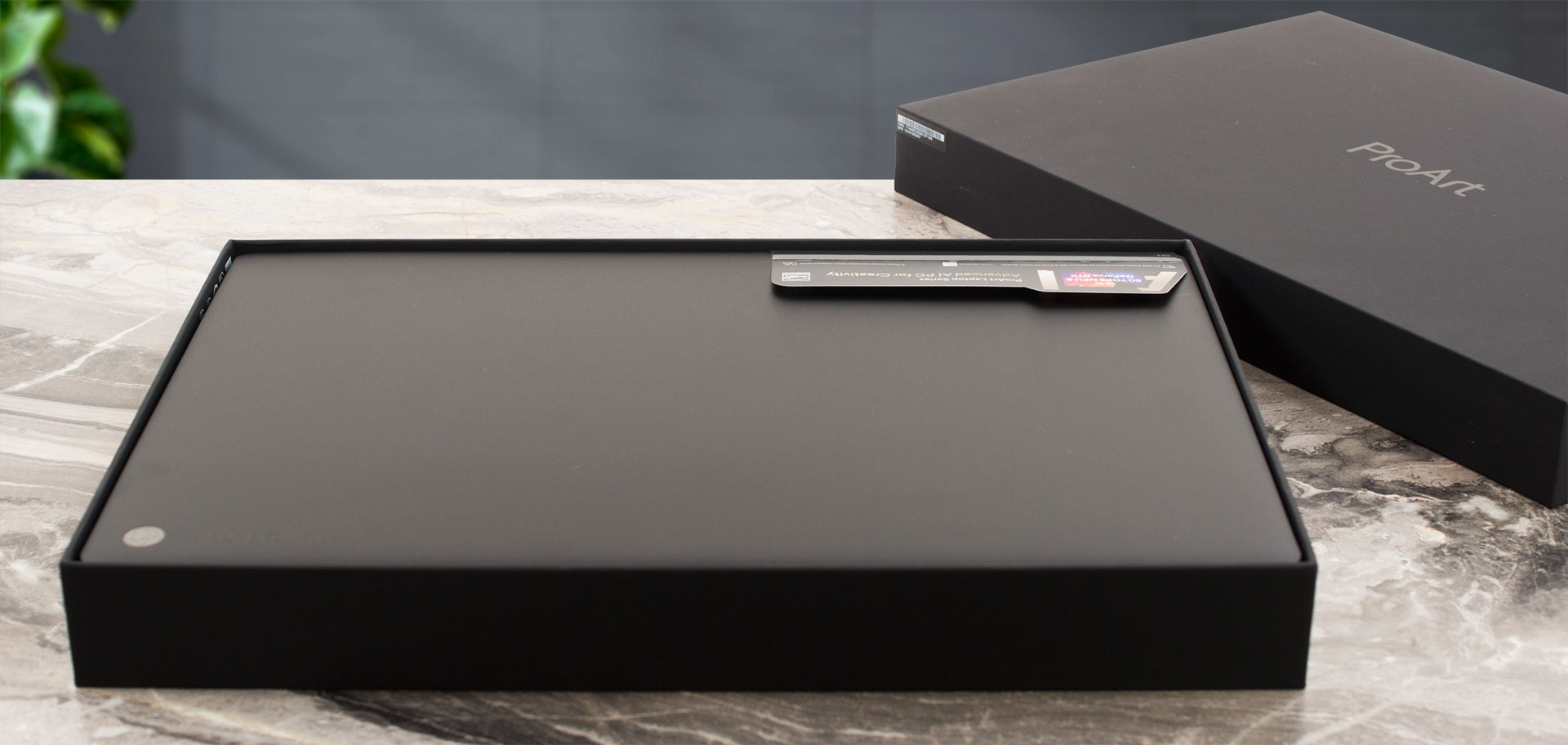
Opening the box for the new ProArt P16 H7606 (2025), we were keen to see what accessories ASUS has bundled in this time.
The list of potential inclusions features a handy USB-A to RJ45 gigabit ethernet adapter, a backpack, and an ASUS Pen SA203H stylus for those creative workflows.
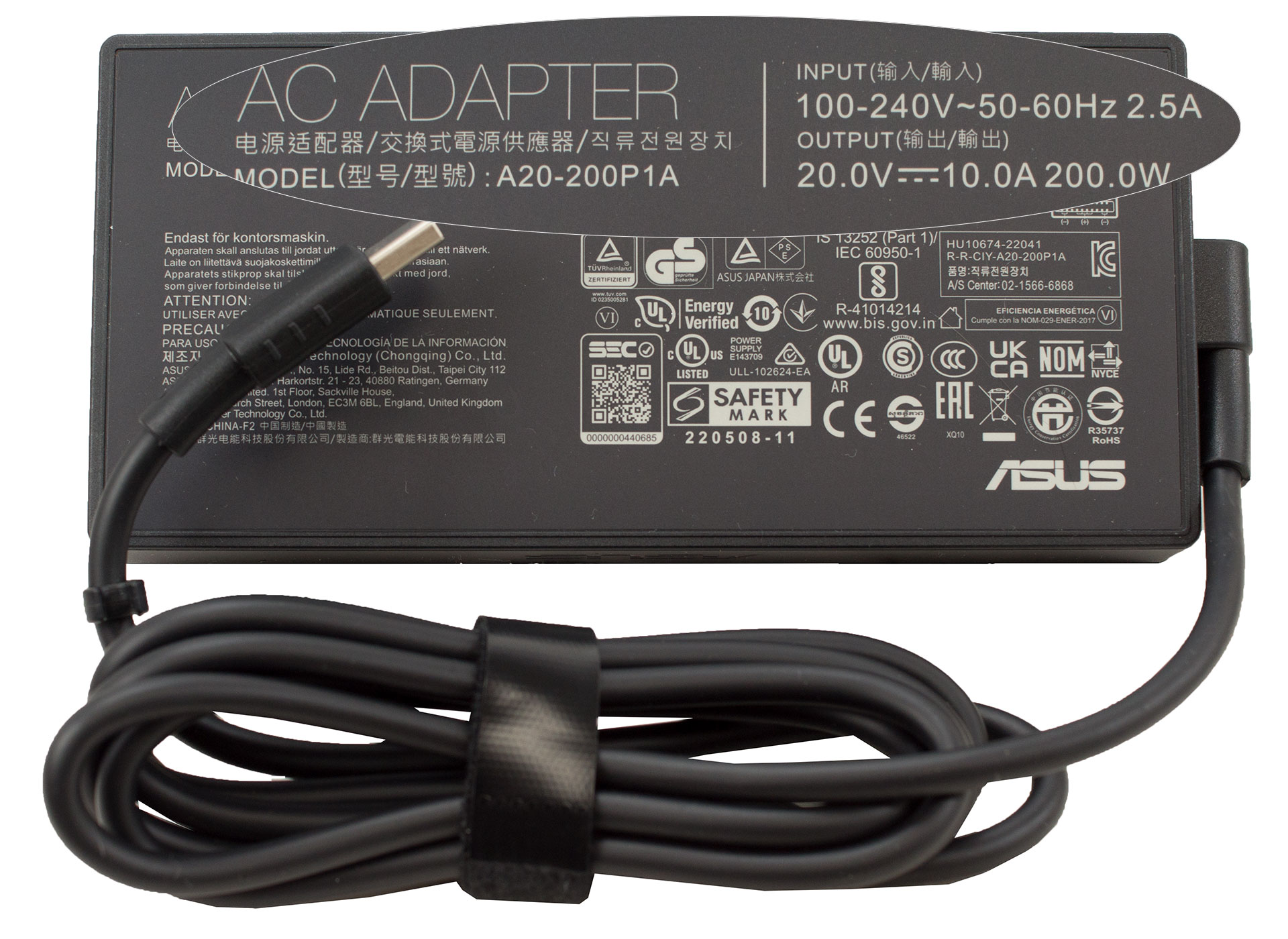
…and the 200W charger, of course
However, ASUS notes that these included extras can vary by country, so it’s definitely worth checking with your local retailer to see exactly what accompanies your ProArt P16.
Design and construction
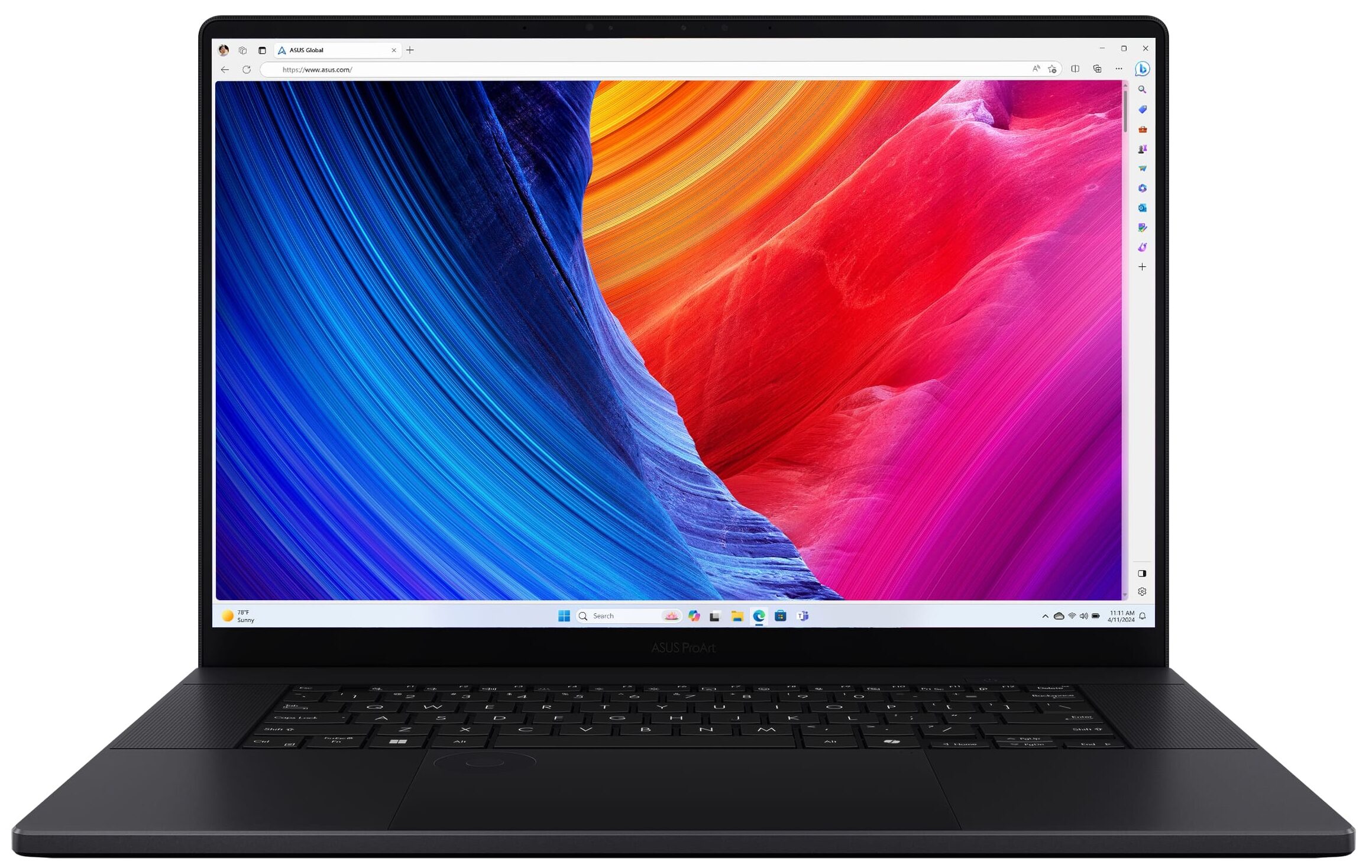
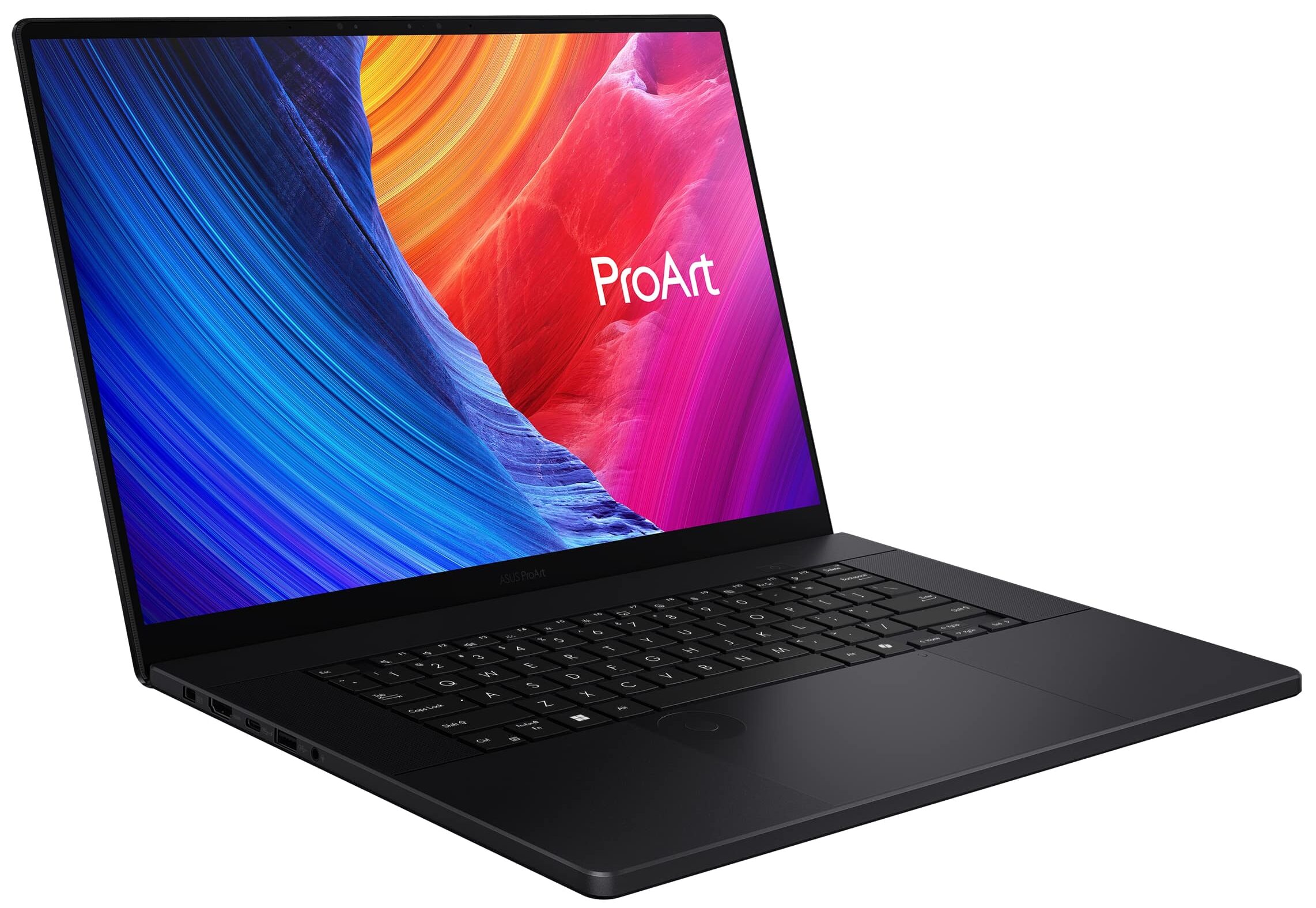
The ASUS ProArt P16 H7606 (2025) is a masterclass in understated power, presenting an exceptionally elegant and premium aesthetic that truly elevates the concept of a “work laptop.” Clad in what ASUS calls “Nano Black”, it features the new, sophisticated ProArt logo subtly placed on the lid. The entire chassis is crafted from an aluminium CNC unibody, and this isn’t just a design choice for looks; it translates into remarkable strength. This machine feels incredibly solid, confidently meeting US MIL-STD-810H military-grade standards not just on paper, but in hand – there’s virtually no flex or give, even when applying significant pressure.
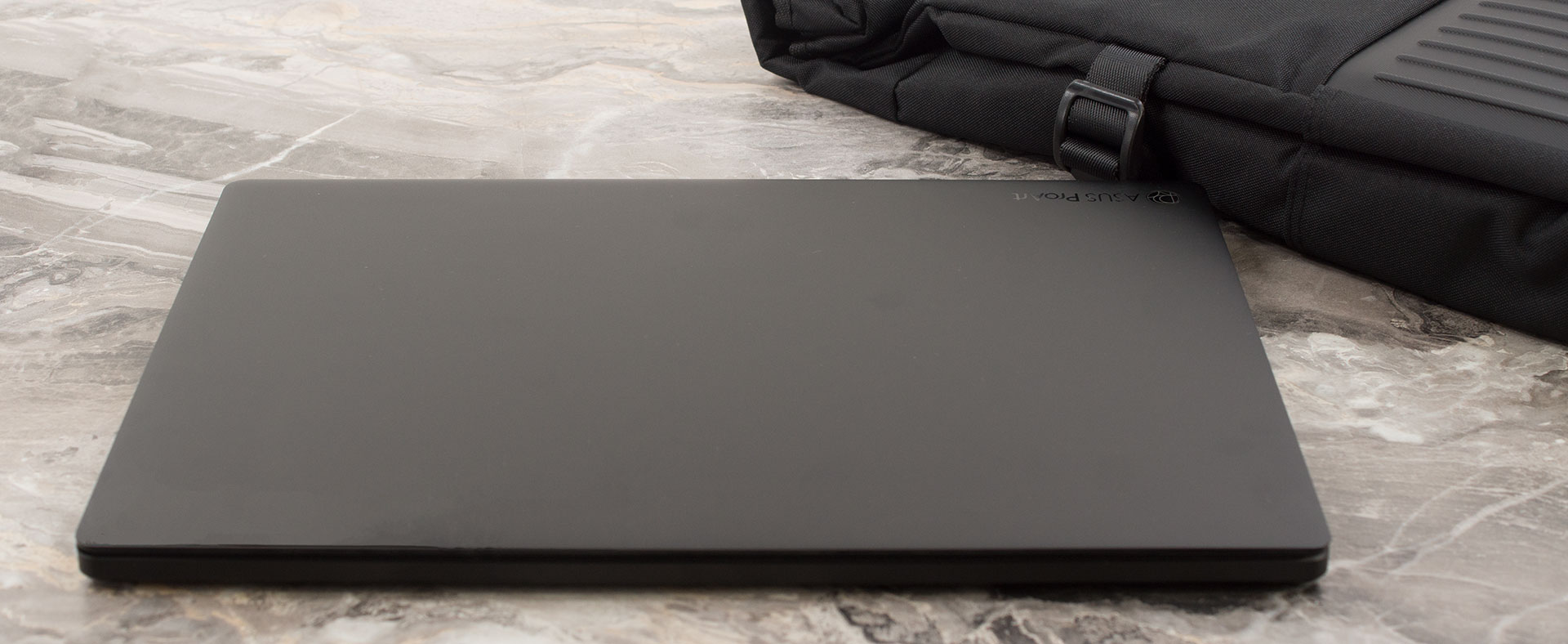
Despite this robust build, it remains impressively thin and light, especially considering the powerhouse components like an RTX 5070 and AMD Ryzen AI 9 HX 370 that can be found within. Measuring just 1.49 ~ 1.73 cm (0.59″ ~ 0.68″) thick and weighing in at 1.85 kg (4.08 lbs), it’s a marvel of engineering. One minor point on the otherwise flawless exterior: the “Nano Black” finish does tend to pick up smudges, so a microfiber cloth might be a good companion.
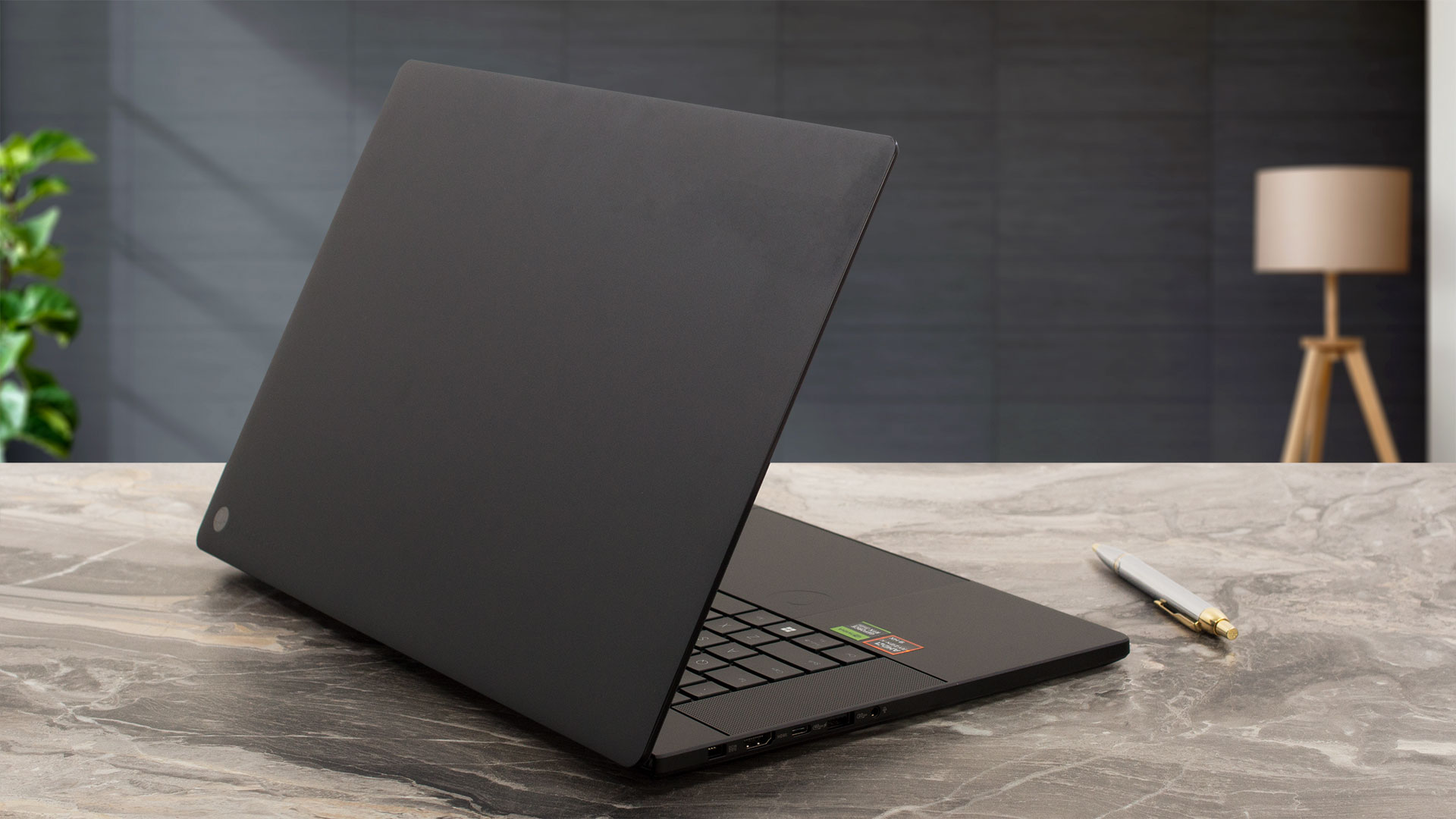
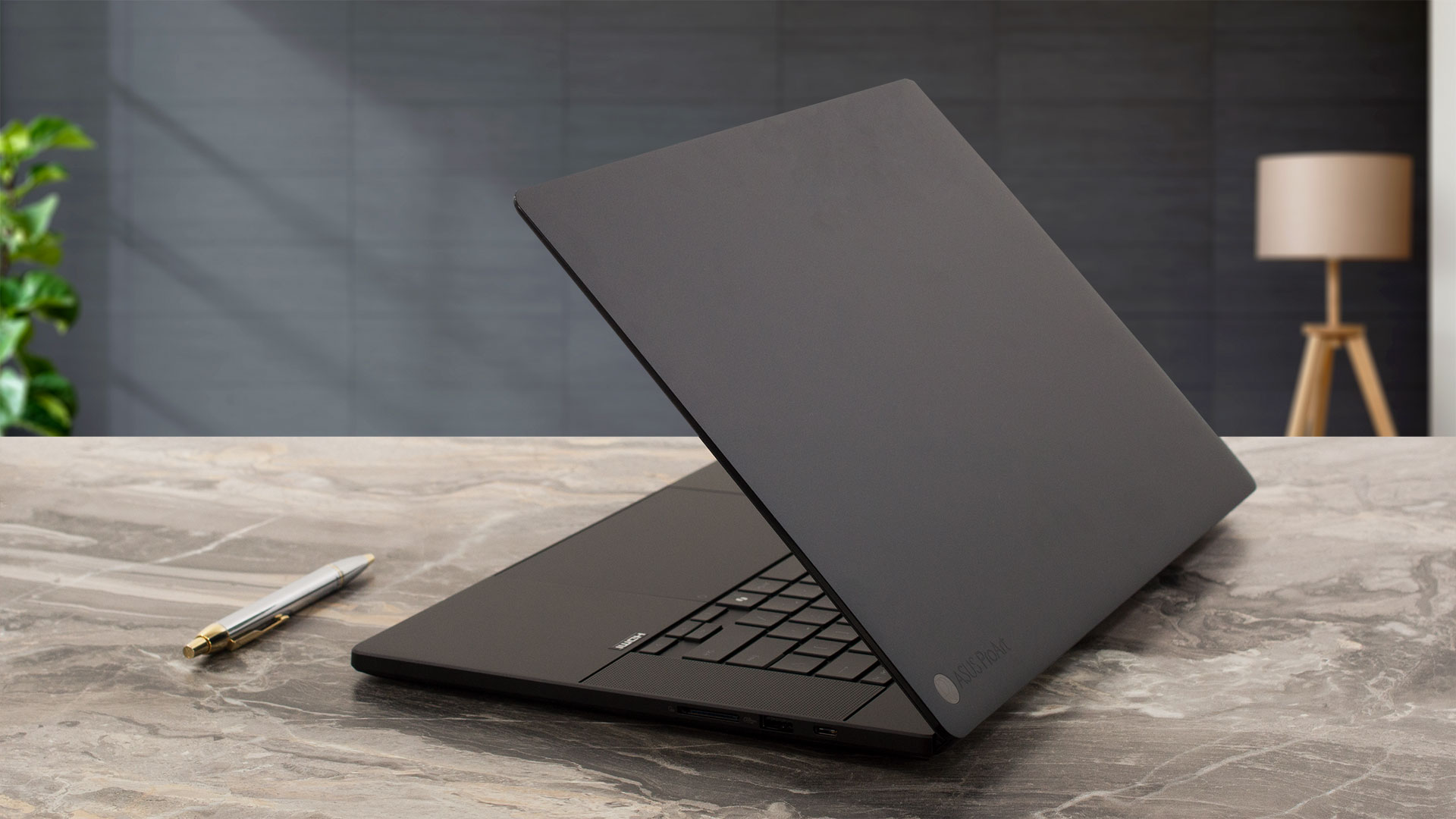
Interacting with the ProArt P16 is a delight. The lid glides open smoothly with a single hand, a testament to well-tuned hinges. Once open, your eyes are drawn to the display, framed by incredibly thin bezels – just 5mm on the sides and 8.5mm at the top. These bezels appear even more slender due to the Corning Gorilla Glass that covers both the screen and the bezels themselves, creating a seamless, edge-to-edge look.
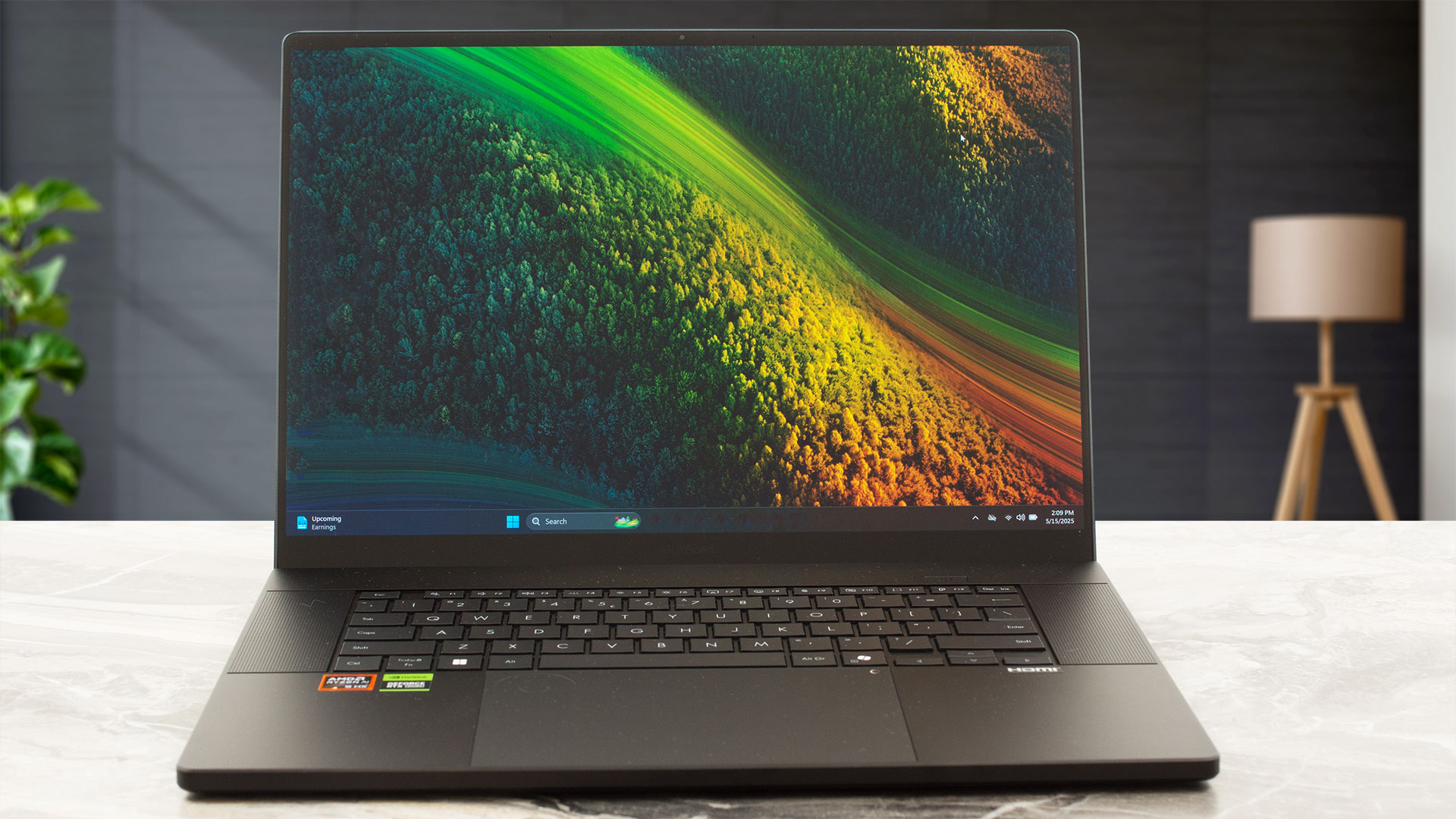
The slightly thicker top bezel houses the FHD ASUS AiSense camera, complete with IR functionality for Windows Hello facial recognition. However, a notable omission for some will be the lack of a physical privacy shutter for this camera. The screen can recline to a maximum angle of about 130 degrees. Unlike some designs, the base of the ProArt P16 doesn’t lift when the screen is opened; ASUS instead relies on a potent cooling system, featuring an impressive three fans, to manage thermals effectively without such mechanical aids.
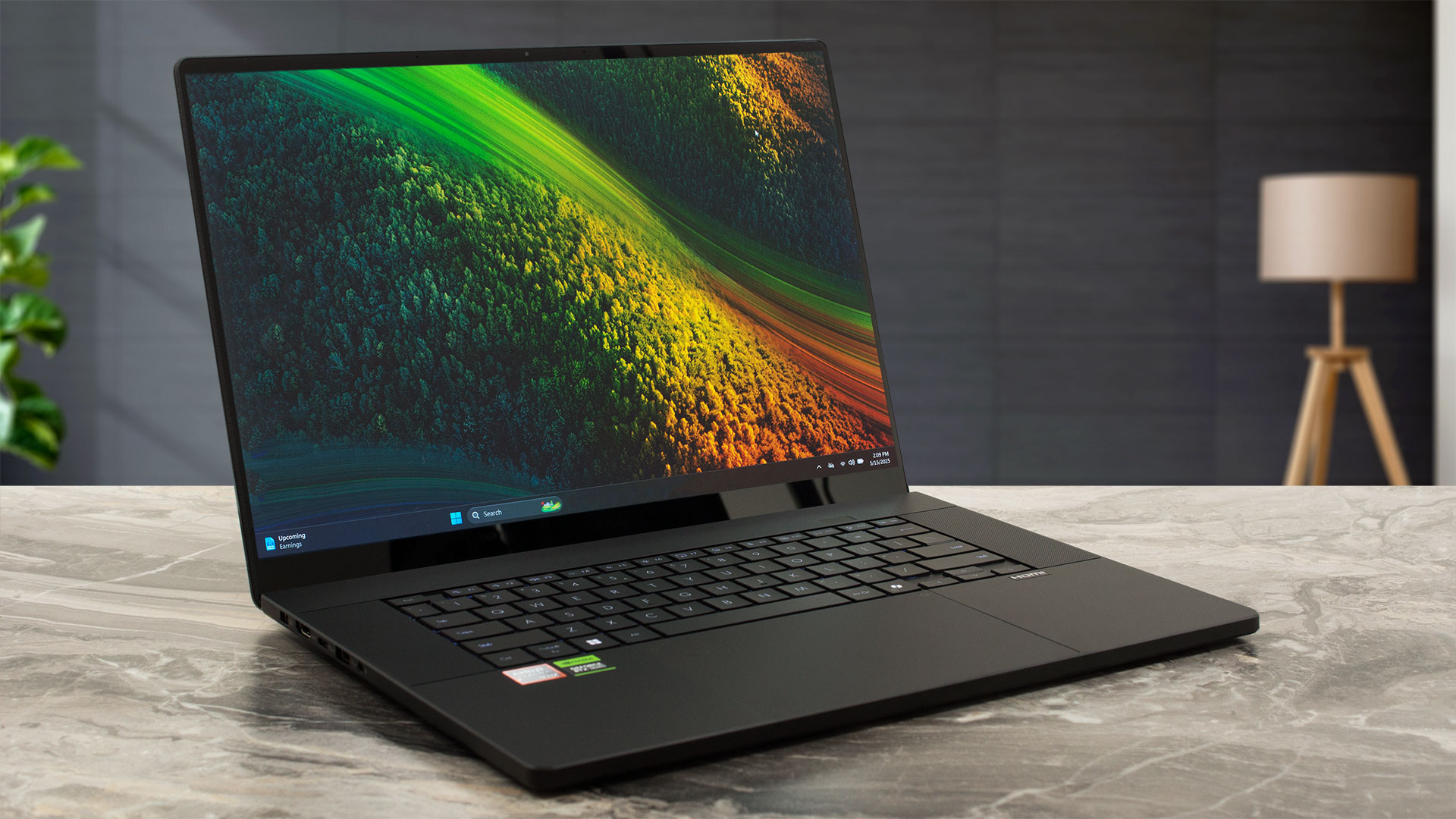
The keyboard deck offers a reasonably comfortable typing experience. In a deliberate design choice, ASUS has forgone a dedicated NumPad. While this might be a drawback for some, the space has been reallocated to accommodate impressively large Harman Kardon speakers, promising a superior audio experience – a trade-off many creators might appreciate. For biometric login, since there’s no fingerprint reader, you’ll be relying on the aforementioned IR camera.
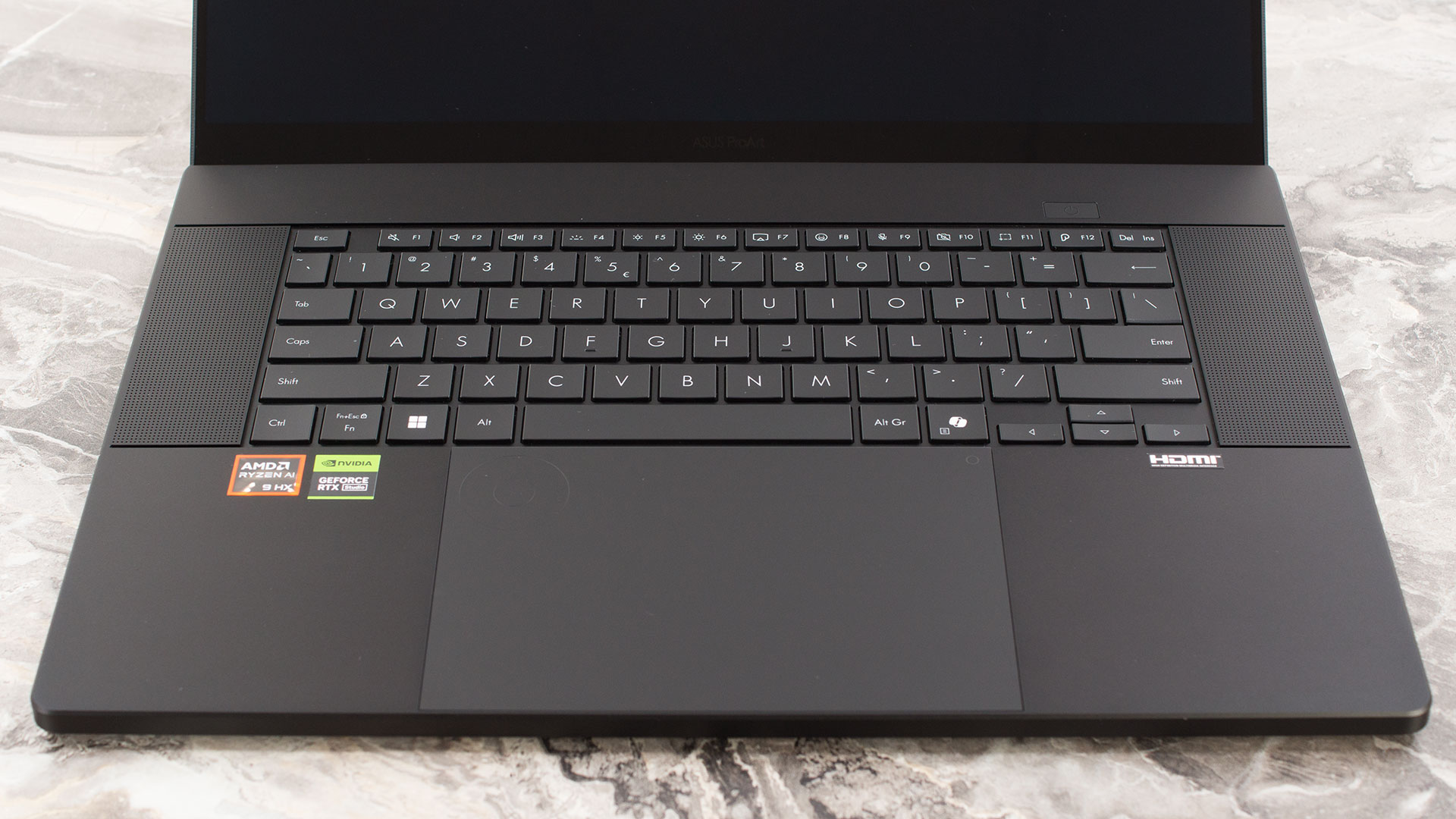
But the real star of the input area is the trackpad. It’s generously sized at 150 x 100mm, providing ample room for gestures. More significantly, ASUS has integrated its innovative DialPad directly into the trackpad surface. This isn’t just a gimmick; the ASUS Dialpad is a powerful tool for creative professionals, designed to work seamlessly with popular software like Adobe Photoshop, Premiere Pro, Lightroom Classic, Illustrator, and After Effects. It now also boasts enhanced compatibility with the widely used video-editing app, CapCut.
Pressing the DialPad reveals a context-sensitive menu tailored to the active Adobe application, allowing for intuitive adjustments of common functions like zoom, brightness, and contrast. You can easily change brush sizes or quickly undo actions, streamlining your creative workflow. The ProArt Creator Hub software provides extensive customization options, allowing users to set specific shortcut functions for the DialPad menu on a per-app basis, including grouping similar functions.
Furthermore, the ASUS DialPad fully supports Microsoft Wheel Device operation, enabling further customization via Microsoft Wheel settings, and even allows users to adjust the scroll speed sensitivity across five levels. You can also manage profiles, exporting and importing your DialPad settings for use on other compatible devices. It’s a truly versatile and powerful input solution aimed squarely at enhancing productivity for creators.
Ports and Connectivity
The ASUS ProArt P16 H7606 (2025) is well-equipped with a selection of ports tailored for creative professionals and high-performance workflows. On the left side, power is supplied via a dedicated DC-in port. For video output, there’s an HDMI 2.1 port with Full Rate Link (FRL), ensuring support for high resolutions and refresh rates such as 4K at 120Hz or 8K at 60Hz, crucial for detailed visual work. Accompanying this is a highly capable USB 4.0 Gen 3 Type-C port, offering data transfer speeds up to 40Gbps, DisplayPort Alt Mode for connecting external monitors (likely supporting DisplayPort 2.0 standards), and Power Delivery for charging the laptop or other devices. A USB 3.2 Gen 2 Type-A port (10Gbps) and a standard 3.5mm combo audio jack complete the left-side array.

The right side continues to offer strong connectivity, highlighted by an SD Express 7.0 card reader. This high-speed reader is a significant boon for photographers and videographers, allowing for rapid transfer of large media files. You’ll also find another USB 3.2 Gen 2 Type-A port (10Gbps) and a second USB Type-C port. This additional USB-C port also operates at USB 3.2 Gen 2 speeds (10Gbps) and supports DisplayPort Alt Mode (likely DisplayPort 1.2) as well as Power Delivery. The inclusion of two versatile USB-C ports with display and power capabilities, alongside two fast Type-A ports and a cutting-edge card reader, makes for a robust I/O setup. An onboard Ethernet port is not present, so wired networking would require a USB adapter.

Wireless connectivity is at the forefront, featuring the latest Wi-Fi 7 (802.11be) standard. This is specified as “Dual band” with a 2×2 antenna configuration, providing access to high-speed wireless networking for fast uploads, downloads, and streaming. Bluetooth 5.4 is also included for connecting a wide array of wireless peripherals, though ASUS notes that the Bluetooth version may change with OS updates.

Display and Sound Quality, Display Profiles
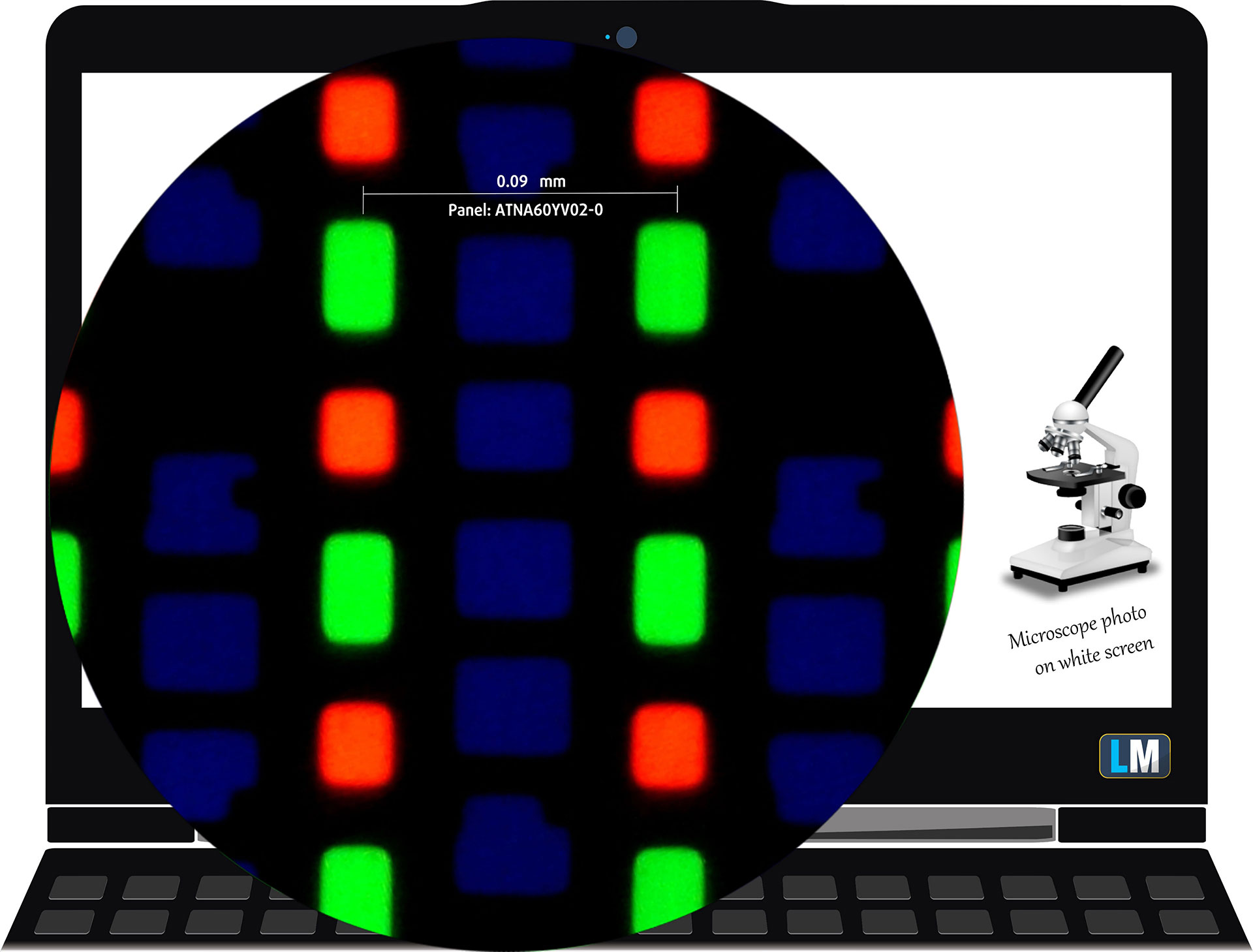
| ASUS ProArt P16 H7606 (2025) | ATNA60YV02-0 (SDC415D) |
| Diagonal | 16.0 inches (40.6 cm) |
| Panel Type | OLED Touch |
| Resolution | 3840 x 2400 pixels |
| Max Refresh Rate | 60 Hz |
| Aspect Ratio | 16:10 |
| Pixel Density | 283 PPI |
| ‘Retina’ Distance | Greater than or equal to 31 cm |
Viewing Angles
Viewing angles are good. We take photos from different angles to evaluate the quality.
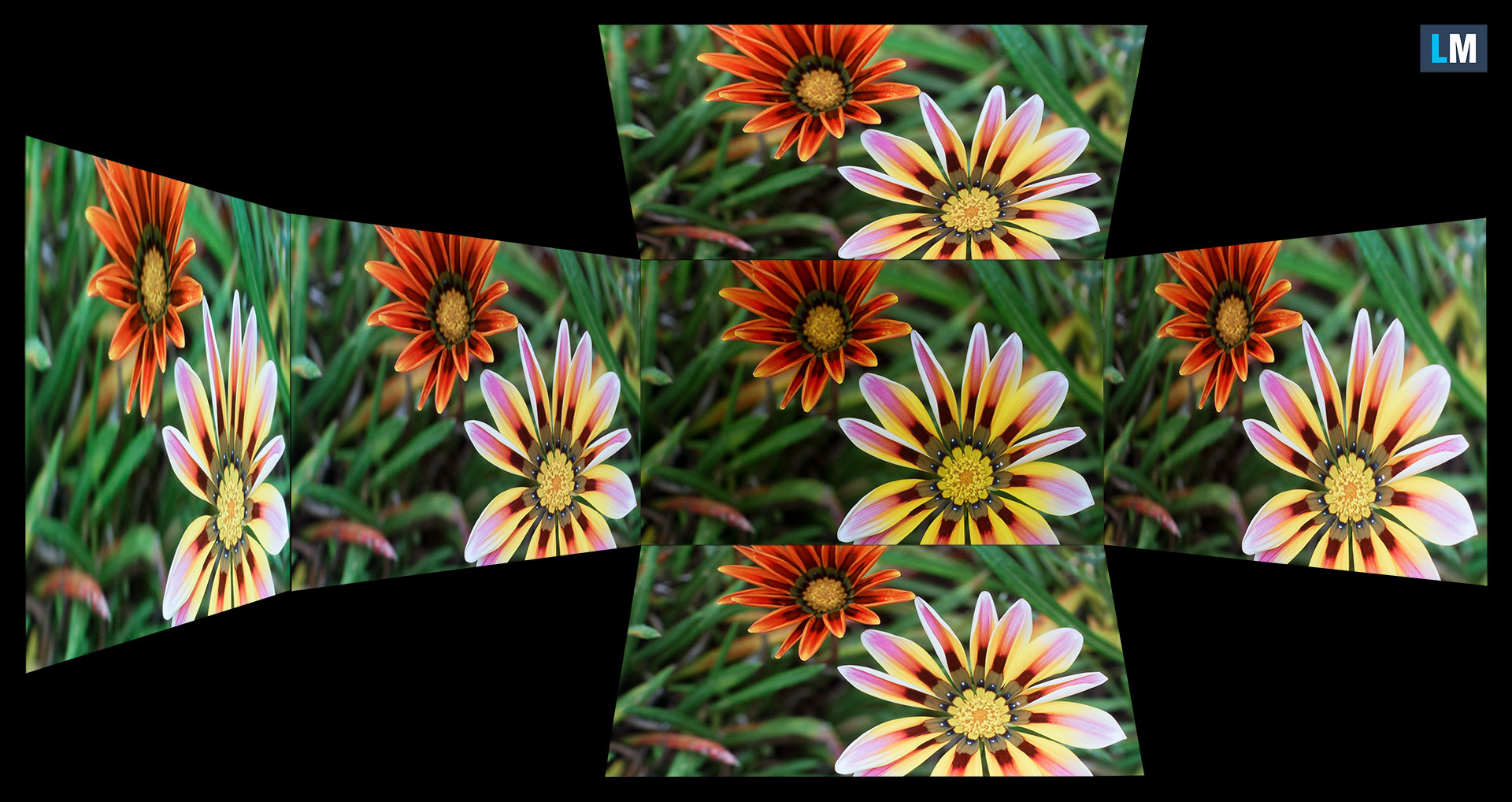
Also, a video with locked focus and exposure.
Color Coverage
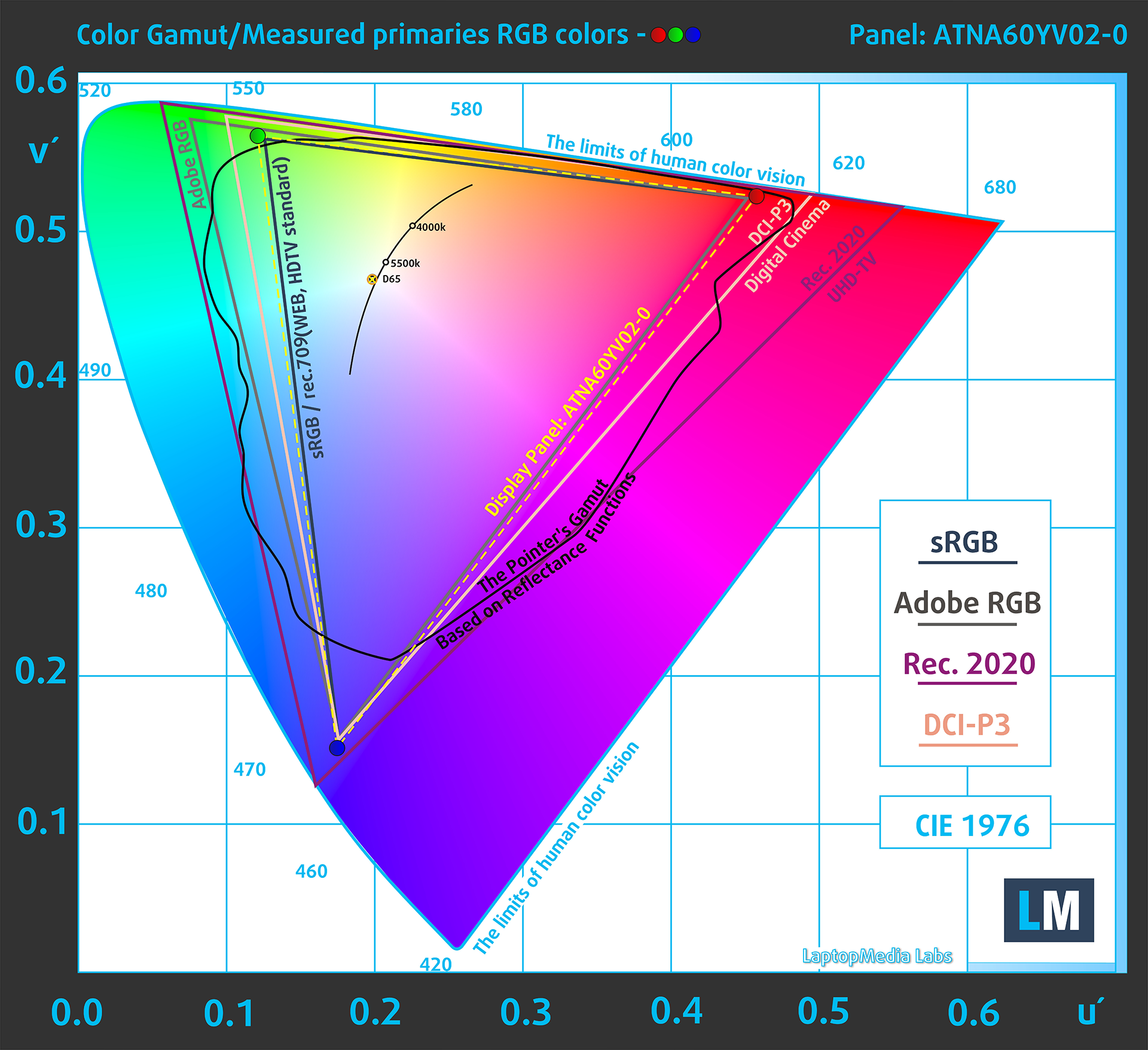
The whole “sail-shaped” map below (Fig. 1) consists of all the colors we can see, while the black crooked line shows all the colors from real-world scenes and nature around us.
Then, we’ve drawn some of the most important and interesting color spaces, compared to the colors the panel of ASUS ProArt P16 H7606 (2025) can show:
Standard/For Web: sRGB – widely used color space for most consumer devices, ideal for Web design and development
For Print: AdobeRGB – used in professional photo editing, graphic design, and print
For Photographers/Video Editors: DCI-P3 – used in high-end film production, post-production, and digital cinema
Premium HDR: Rec.2020 – the widest consumer ITU color standard, covering a massive 75.8% of the visible spectrum, a benchmark for premium HDR content
ASUS ProArt P16 H7606 (2025): the yellow dashed triangle (– – – – – –) represents the range of colors this monitor can show.
In our tests, we calculated the total color coverage of the display at 100% of the sRGB color gamut and 100% of the DCI-P3 color gamut.
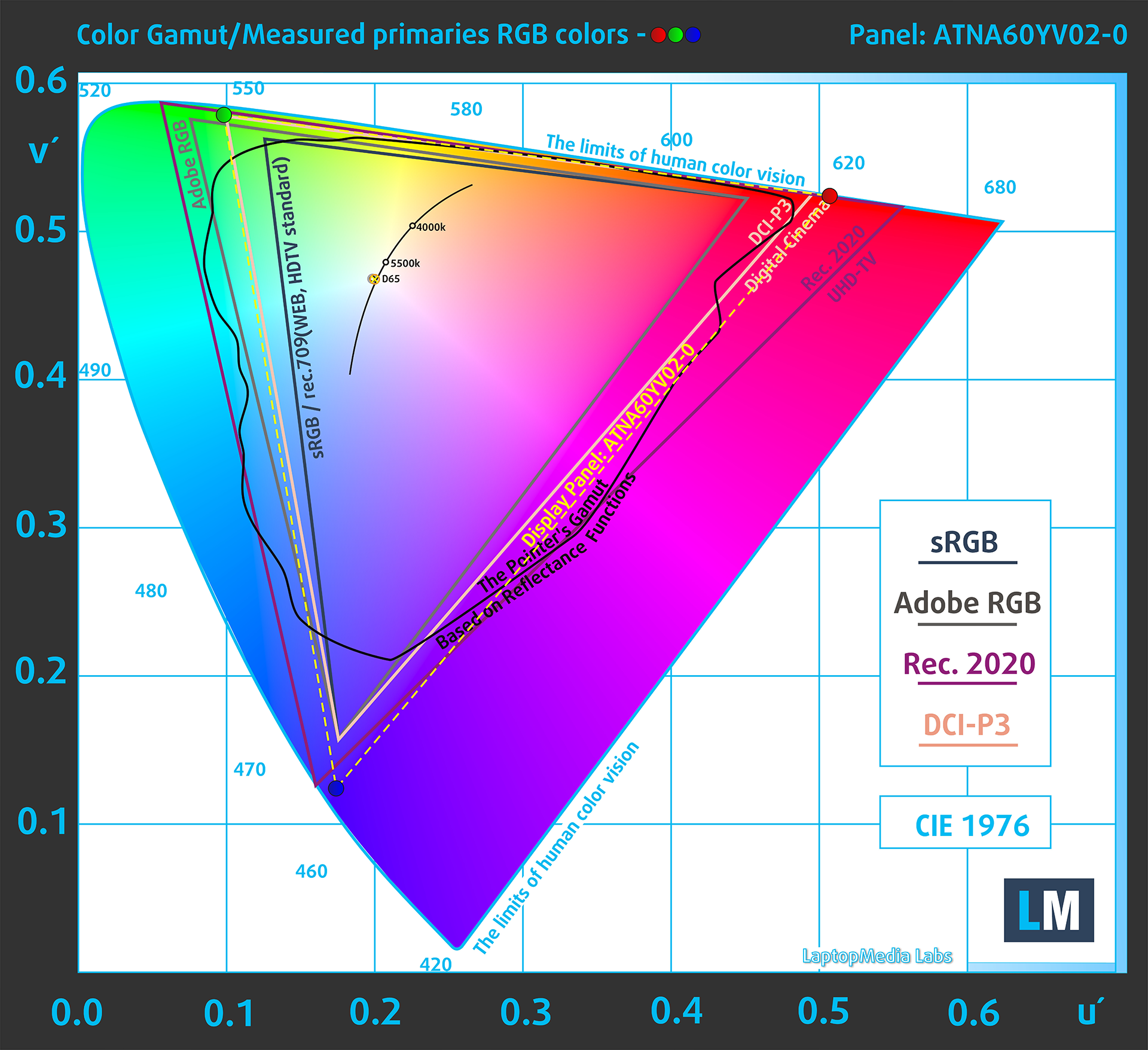
(Fig.1) ASUS ProArt P16 H7606 (2025) covers 100% of the DCI-P3 gamut
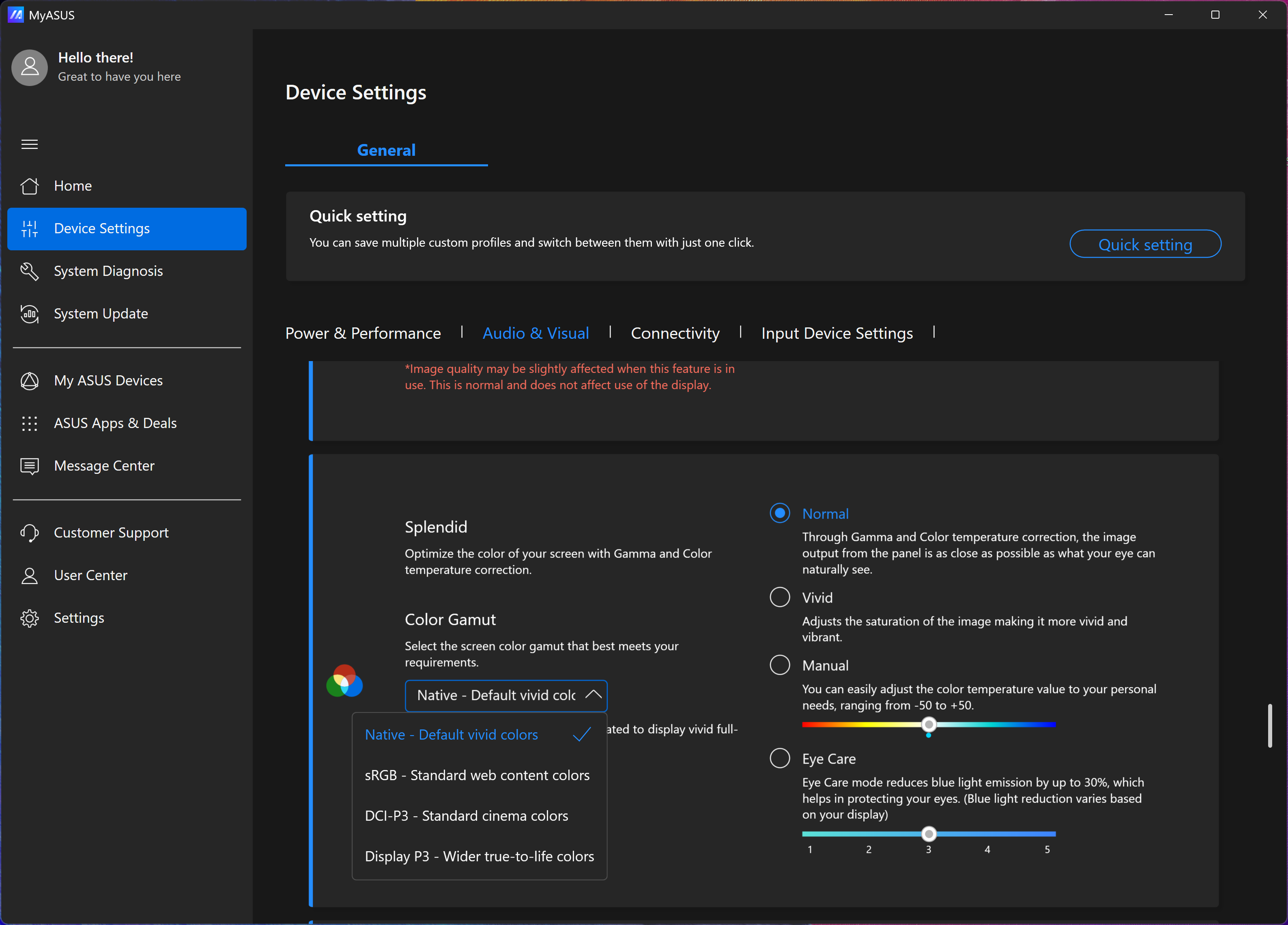
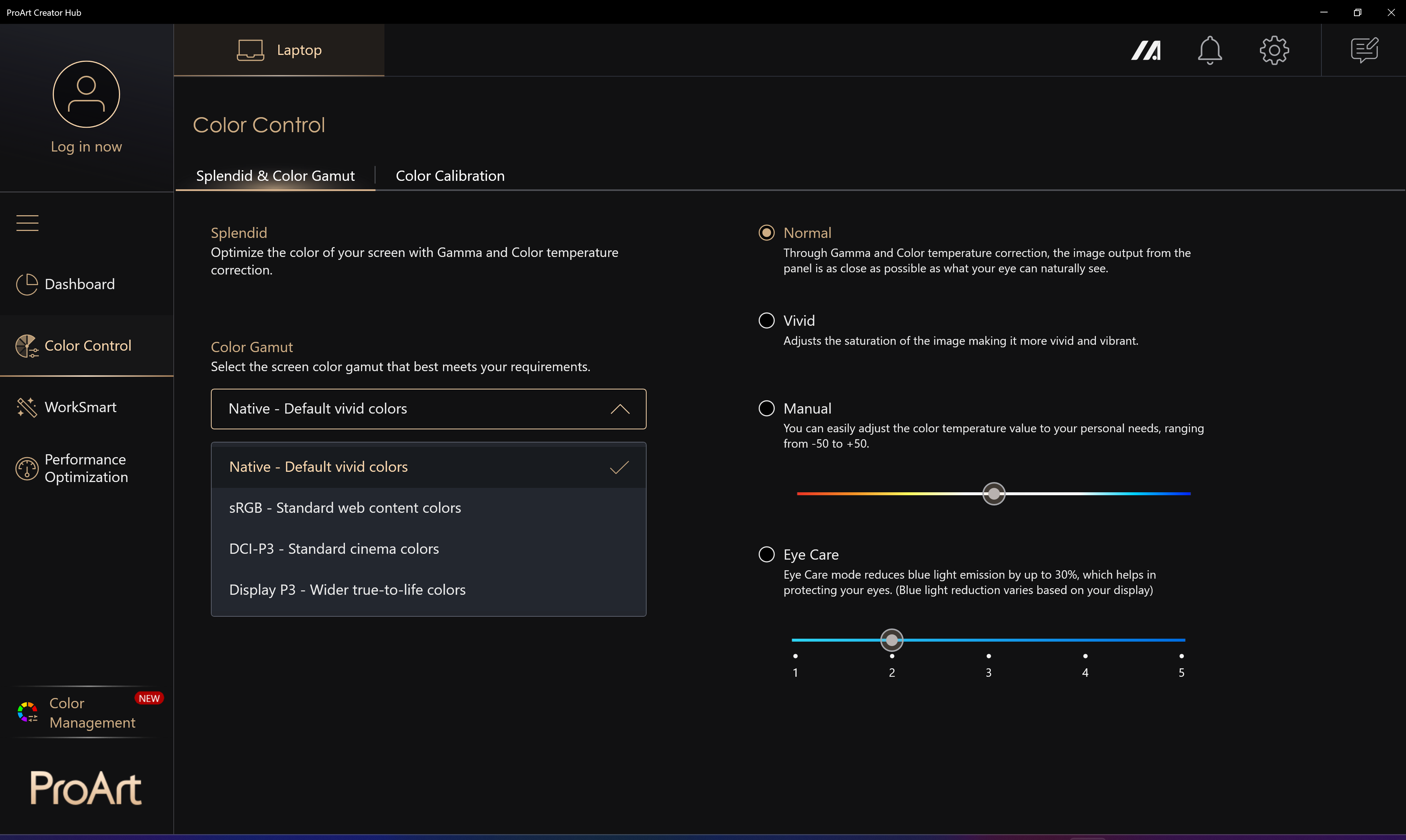
The “MyASUS” app emulates Display P3 and sRGB color spaces.
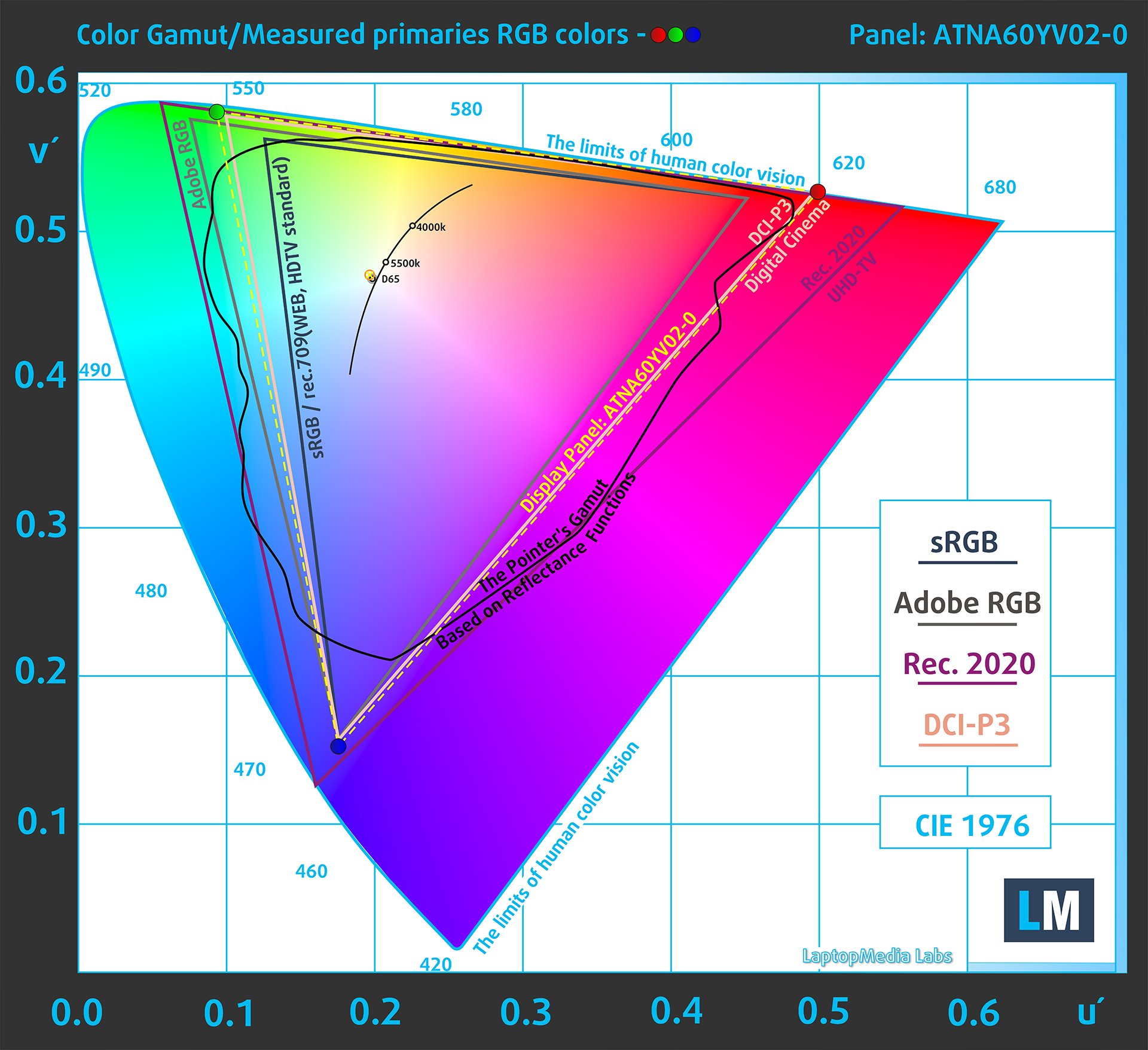
(Fig.2) Display P3
(Fig.3) sRGB
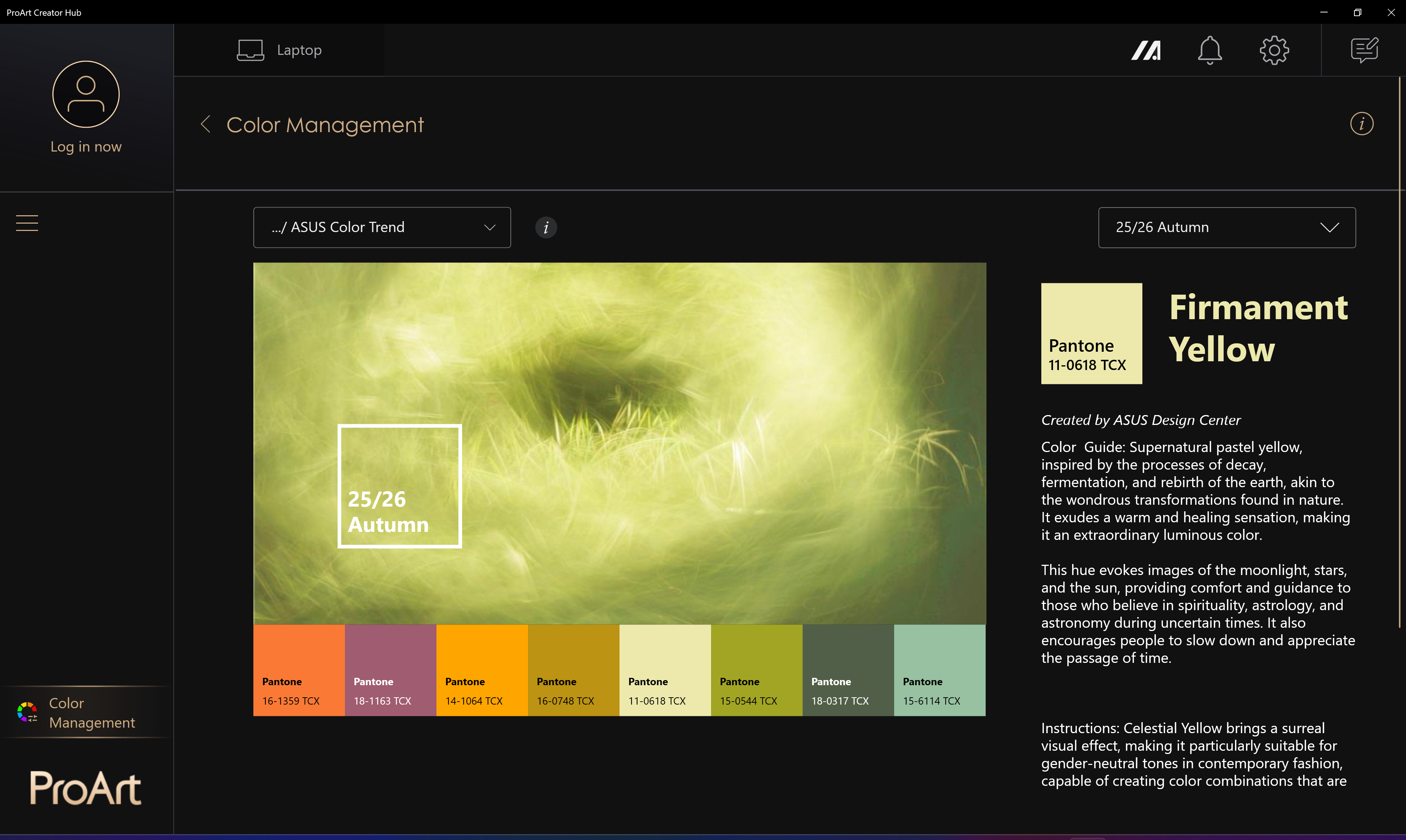
The MyASUS app is complemented by ProArt Display Color Management Software aimed at helping the user make the most of accurate color matching for any workflow.
Brightness and Contrast
The maximum brightness in HDR mode is 567 cd/m² at 8% white fill and 394 cd/m² on a full white screen.
The maximum brightness in SDR mode is 355 cd/m² in the center of the screen and 354 cd/m² averaged across the surface with a maximum deviation of 2%.
The Correlated Color Temperature (CCT) on a white screen at maximum brightness is 6480K (“Native-Default, Normal” mode in “MyASUS” app).
The contrast ratio of OLED panels is excellent because the pixels turn off completely when displaying black.

Uniformity: Luminance, Contrast, and Color Deviation
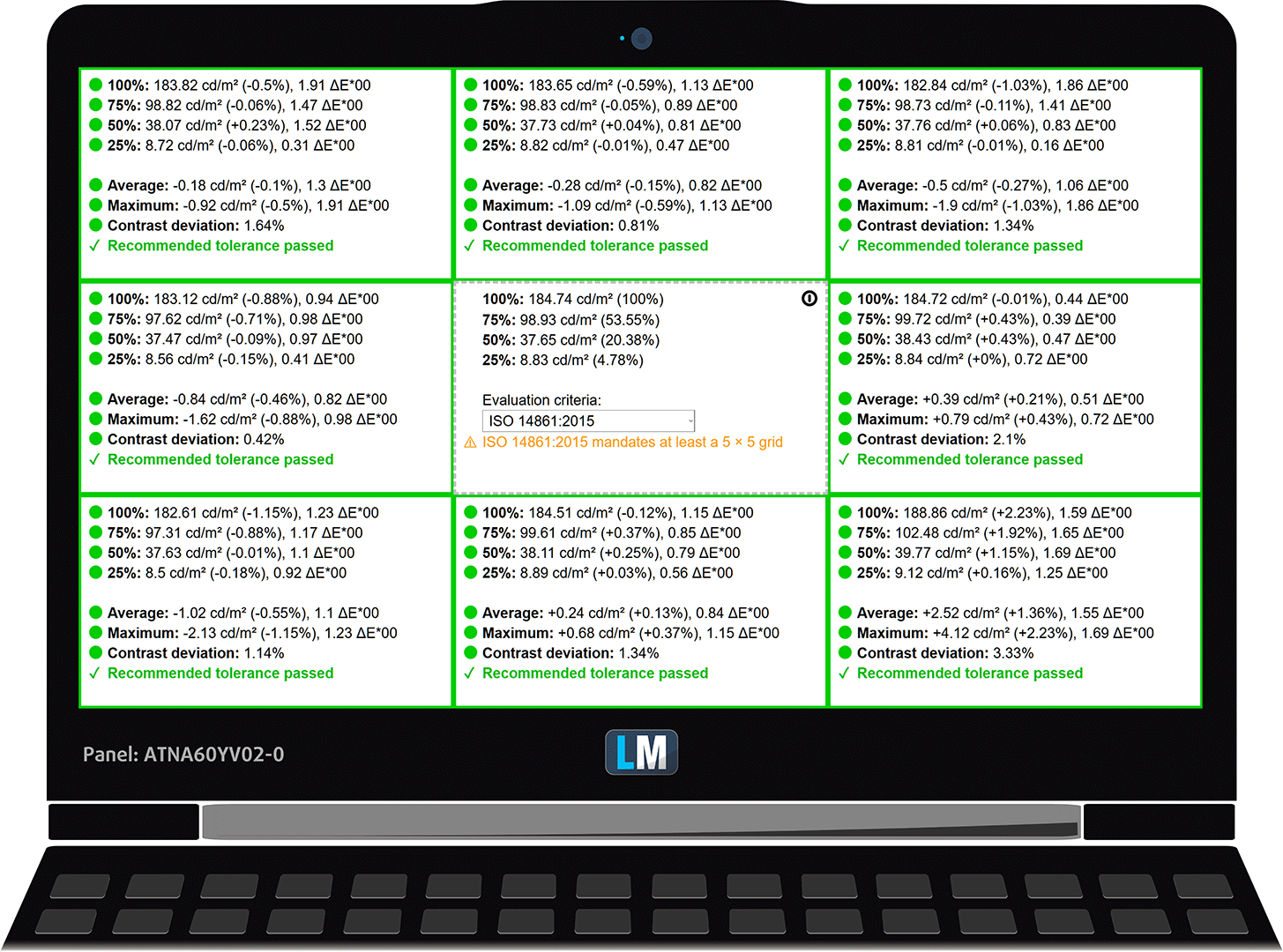
The figure below shows the results from our uniformity test across different sections of the screen. It’s measured at 185 nits (Windows slider = 76%) — a brightness level we consider typical for standard working conditions.
DeltaE values below 4.0 are acceptable for regular users. For those working with colors, screens with DeltaE values no higher than 2.0 are recommended.
Color Accuracy
Let’s check the difference between real colors and those you’ll see on the ASUS ProArt P16 H7606 (2025). We measure that distance in DeltaE – the higher the number, the more different they look.
Values below 4.0 are acceptable for regular users, while values below 2.0 are suitable for color-sensitive work. A value below 1.0 means the difference is indistinguishable to the naked eye.
For the next graph, we’ve selected 24 common colors, including dark/light skin, blue sky, green grass, etc.
Below are the results of the ASUS ProArt P16 H7606 (2025) in its factory condition (HDR off) compared to Display P3 and sRGB color spaces.
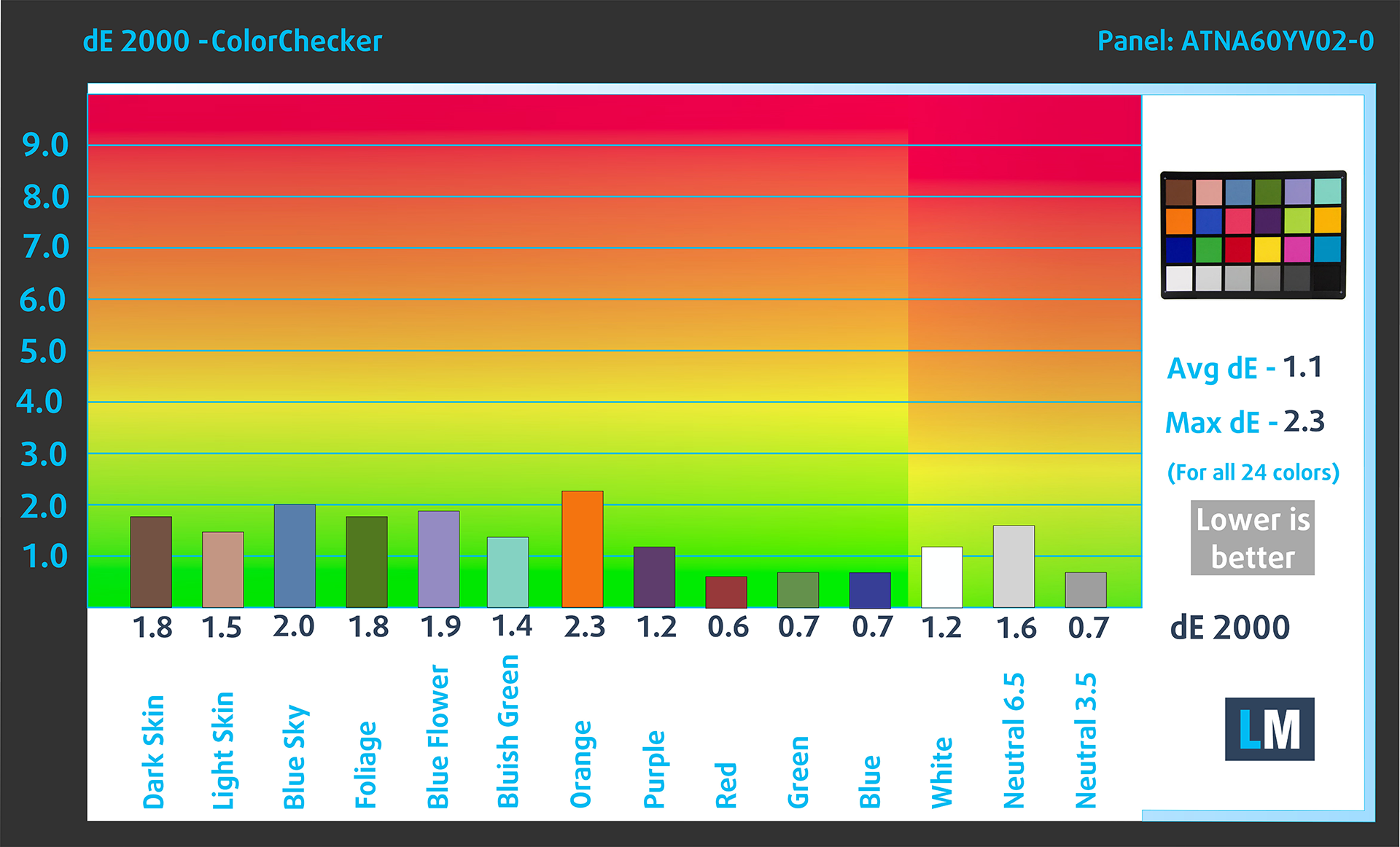
(Fig. 4) ASUS ProArt P16 H7606 (2025) in Display P3
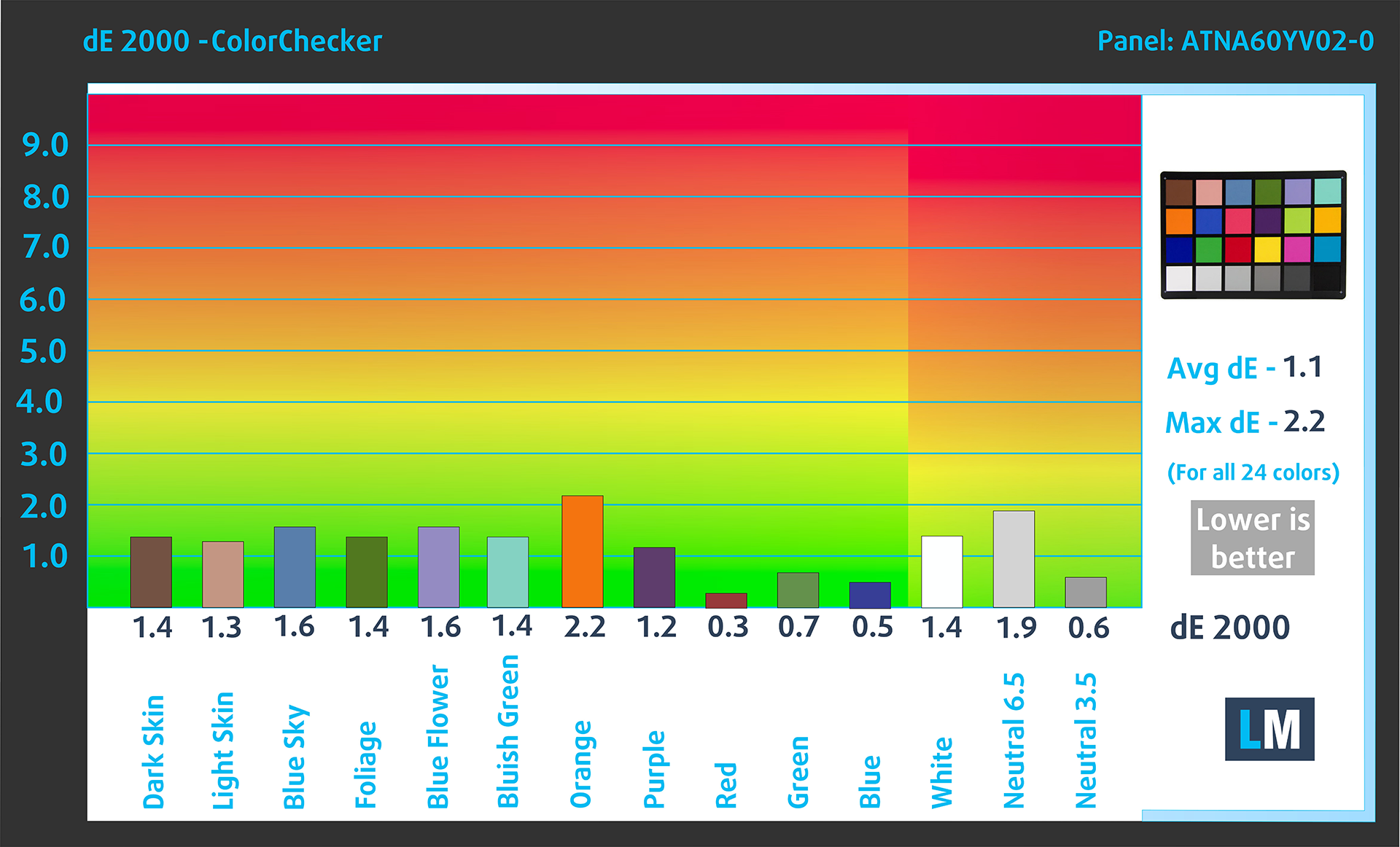
(Fig. 5) ASUS ProArt P16 H7606 (2025) in sRGB
Visibility in dark scenes
Have you ever watched a movie with dark scenes where you could barely see anything? This often happens because many display panels struggle to differentiate the darkest nuances, making them appear the same.
The next figure illustrates how well the display reproduces these dark nuances. The left side of the image shows the display with stock settings, and the right side shows it with our Gaming and movies profile activated.
On the horizontal axis are the grayscale levels, and on the vertical axis – the corresponding display brightness.
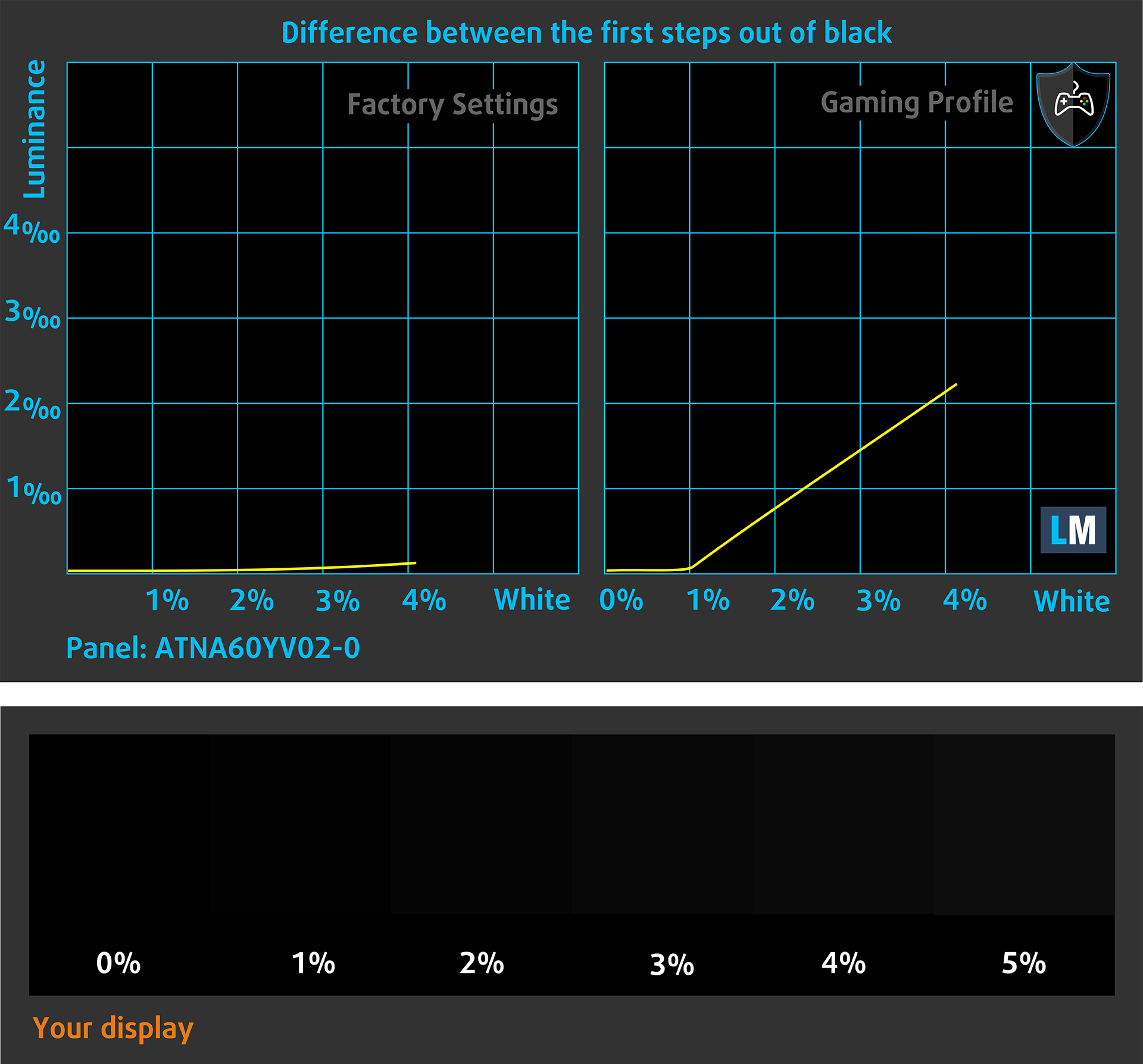
You can also check how your display handles the darkest nuances but keep in mind that this also depends on the settings of your current display and the surrounding light conditions.
Health Impact: PWM (Screen flickering)
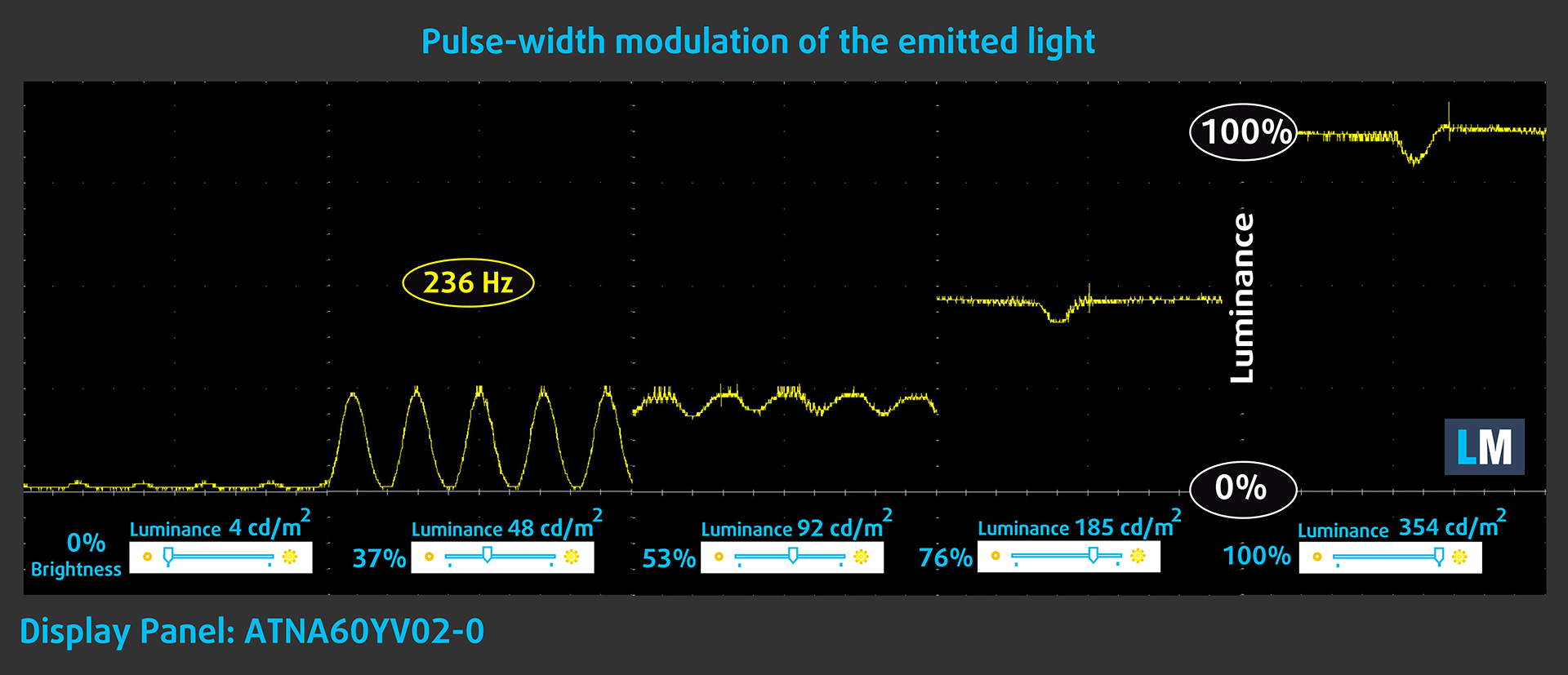
Some use PWM to regulate their brightness, which means that instead of reducing the light intensity, they pulse or flicker. Our brain merges the image, so it appears darker, but this strains both it and our vision, especially when the frequency of the pulses is low. You can read more about that in our dedicated article on PWM.
In the graph below, you see the intensity of light at different brightness levels—on the vertical axis is the brightness of the emitted light, and on the horizontal axis—time.
The luminance of the ASUS ProArt P16 H7606 (2025) display is PWM controlled up to about 90 cd/m2 (the “Flicker-Free Dimming” mode of the “My ASUS” app eliminates it). Therefore, we consider the display to be sufficiently comfortable for vision in the considered aspect.
Health Impact: Blue light emissions
Installing our Health-Guard profile reduces harmful Blue Light emissions while keeping the colors of the screen perceptually accurate.
If you’re not familiar with the Blue light, the TL;DR version is – emissions that negatively affect your eyes, skin, and your whole body. You can find more information about that in our dedicated article on Blue Light.
Health Impact: Screen Reflectance
Glossy-coated displays can cause eye fatigue in high ambient light conditions due to reflections. We measure the level of screen reflection with the display turned off, at a 60° angle.
The reflectance of the ASUS ProArt P16 H7606 (2025)’s screen is 143 GU.
High Gloss: >70 GU
Medium Gloss: 30 – 70 GU
Low Gloss: <30 GU
Get our profiles
Since our profiles are tailored for each individual display model, this article and its respective profile package are meant for ASUS ProArt P16 H7606 (2025) configurations with ATNA60YV02-0 (SDC415D), 3840 x 2400, OLED panel.
*Should you have problems with downloading the purchased file, try using a different browser to open the link you’ll receive via e-mail. If the download target is a .php file instead of an archive, change the file extension to .zip or contact us at [email protected].
Read more about the profiles HERE.
In addition to receiving efficient and health-friendly profiles, by buying LaptopMedia's products you also support the development of our labs, where we test devices in order to produce the most objective reviews possible.

Design and Office
The Design and Office profile makes display colors as close to real as possible.Ideal not only for professionals but also for everyday users, it meets sRGB standards (D65 white point, sRGB gamma) with minimal DeltaE for precise color reproduction on your panel.

Gaming and Movies
Have you ever watched a movie where, during dark scenes, you can barely see anything? Many displays fail to distinguish dark tones properly. Our Gaming and Movies profile enhances low-light performance, like HDR tech, using a gamma curve tailored to human perception — ideal for gamers seeking faster reactions and clearer visuals.

Health-Guard
Our Health-Guard profile protects your eyes by eliminating PWM flickering, reducing strain and fatigue, and minimizing harmful Blue light exposure that can disrupt sleep and health. It uses software dimming and a gamma curve tailored to human perception for comfort and safety during screen use.
Get All The Profiles With 33% Discount!

Sound
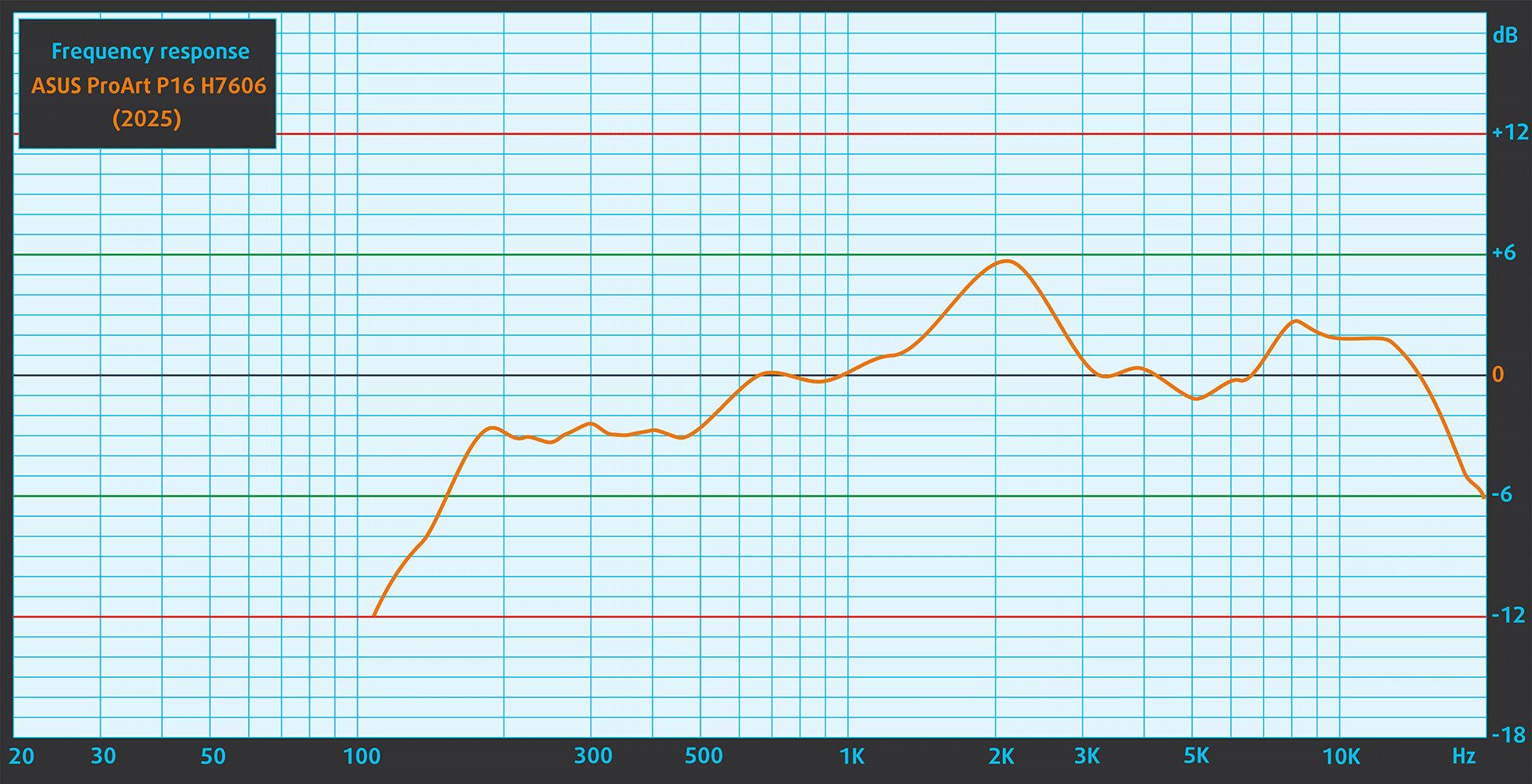
When we subjectively listen to a sound file through the built-in speakers, the sound quality offered by the ASUS ProArt P16 H7606 (2025) is very good.
Work Performance: CPU, Storage, AI
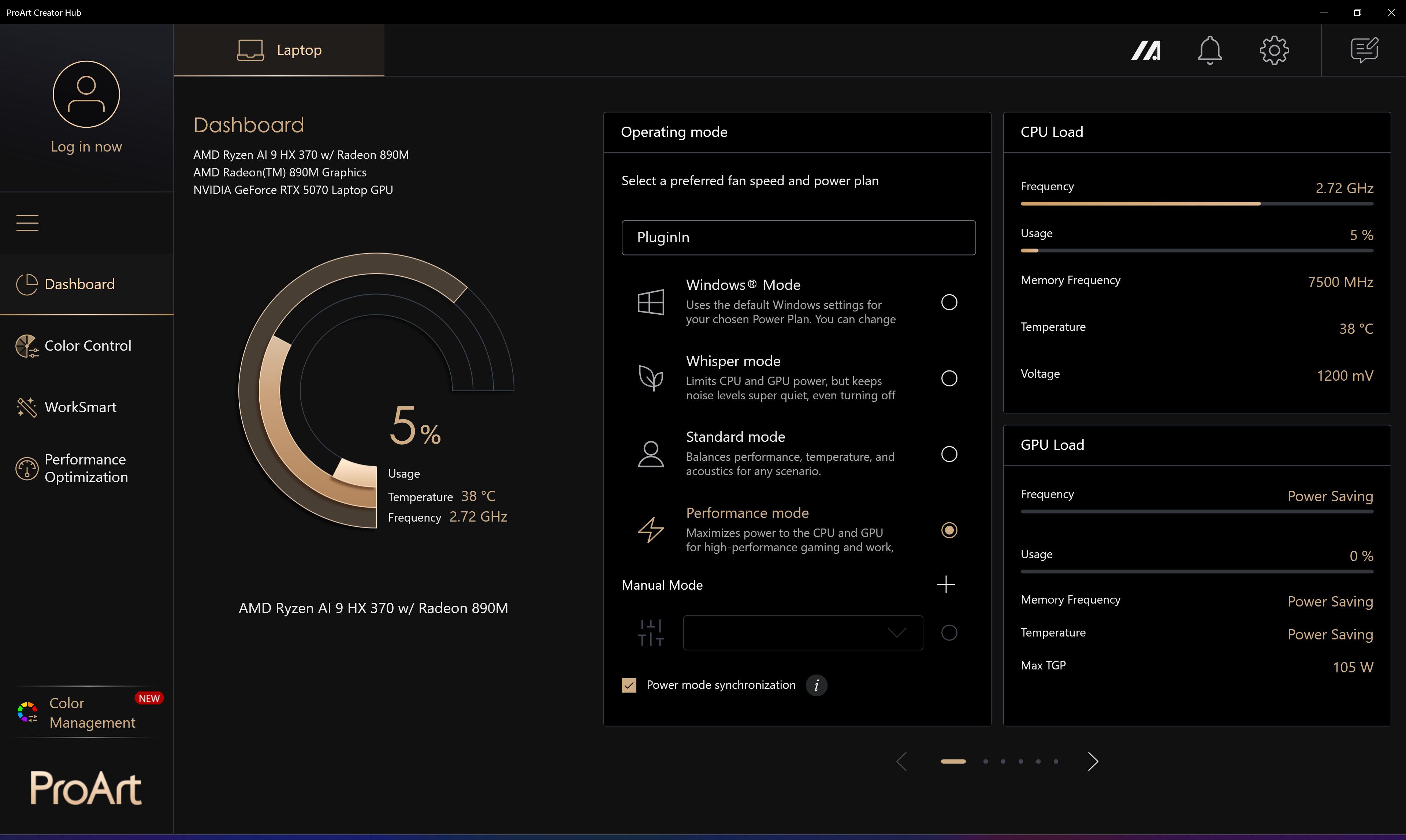
All performance and temperature tests are conducted with “Performance” mode activated in ProArt Creator Hub:
CPU and Work Performance
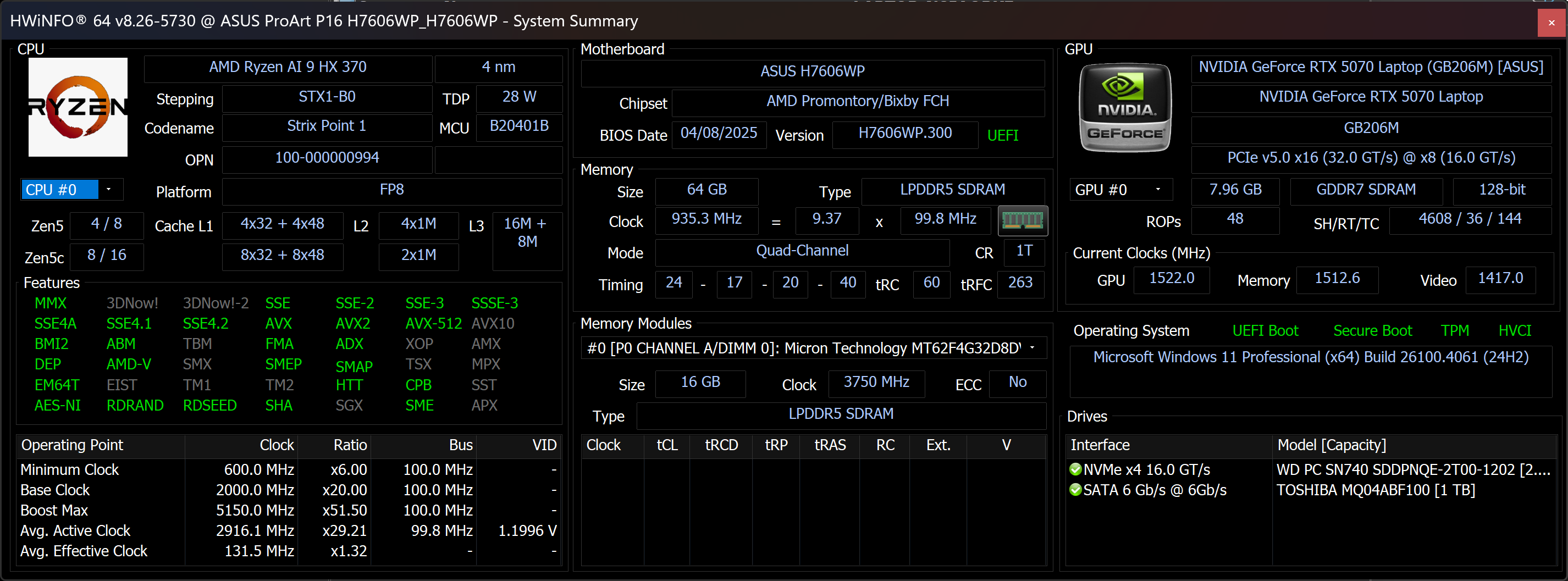
You can order the ProArt P16 (H7606) with some of the most powerful AMD CPUs – AMD Ryzen AI 9. You can choose between AI 9 365, and AI 9 HX 370. The latter has 20% more cores and threads (10/20 vs 12/24).
Single-core performance ensures smooth operation and responsiveness in operating systems, providing a better user experience.
Results are from the Geekbench 6 Single-Core test (higher is better)
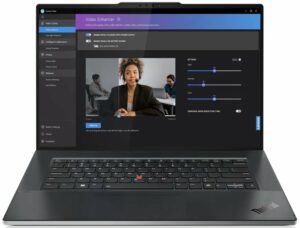
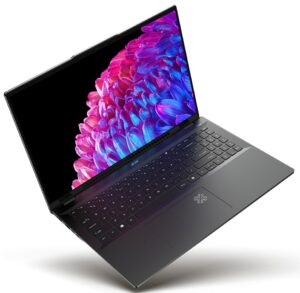
Multi-core performance is essential for handling complex and demanding tasks, such as Video editing, CAD, and Scientific simulations.
Results are from the Geekbench 6 Multi-Core test (higher is better)
Here, we evaluate the CPU's performance using a real-world 3D rendering task, assessing its ability to handle complex computations and rendering workloads efficiently.
Results are from the Cinebench 2024 Multi-Core test (higher is better)
Storage Performance
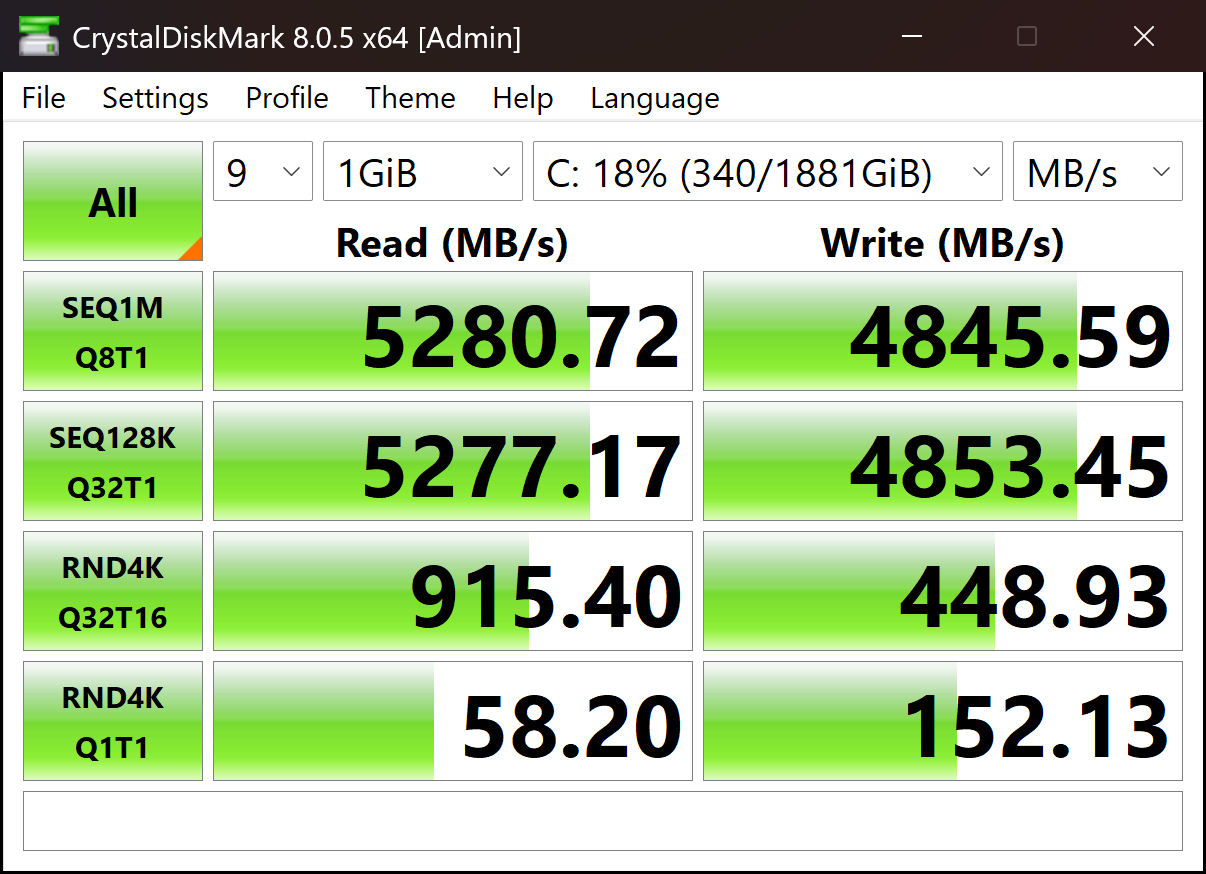
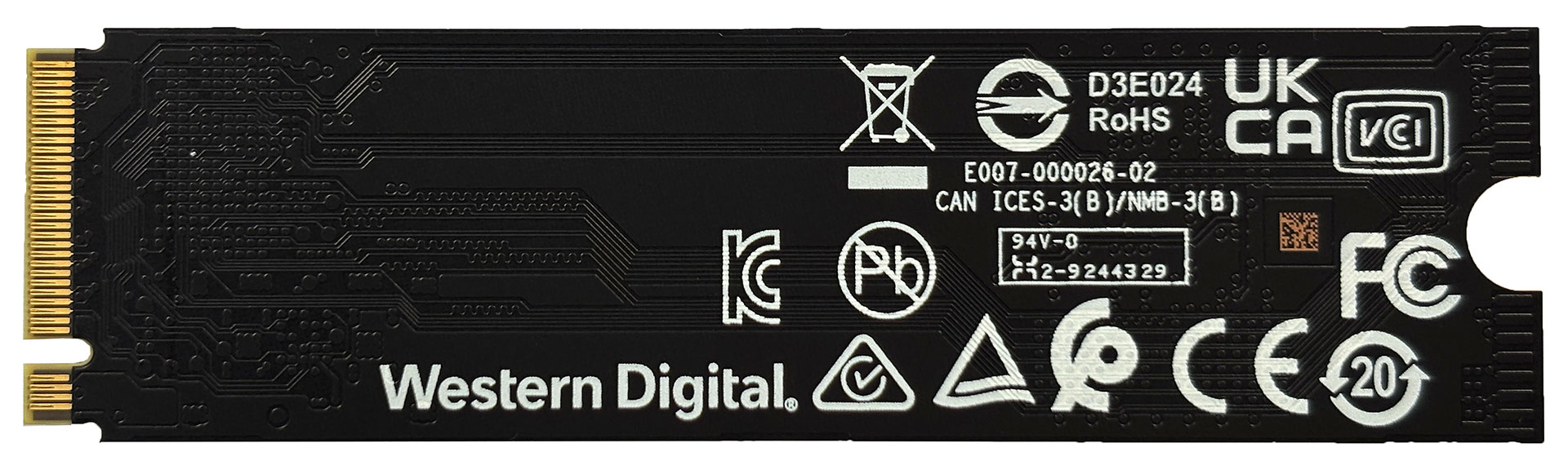
Our 2TB configuration arrived with Western Digital PC SN740 SSD. It has a good performance, reaching above 5.0GB/sec in the sequential read test, and almost 5GB/sec in sequential writing.
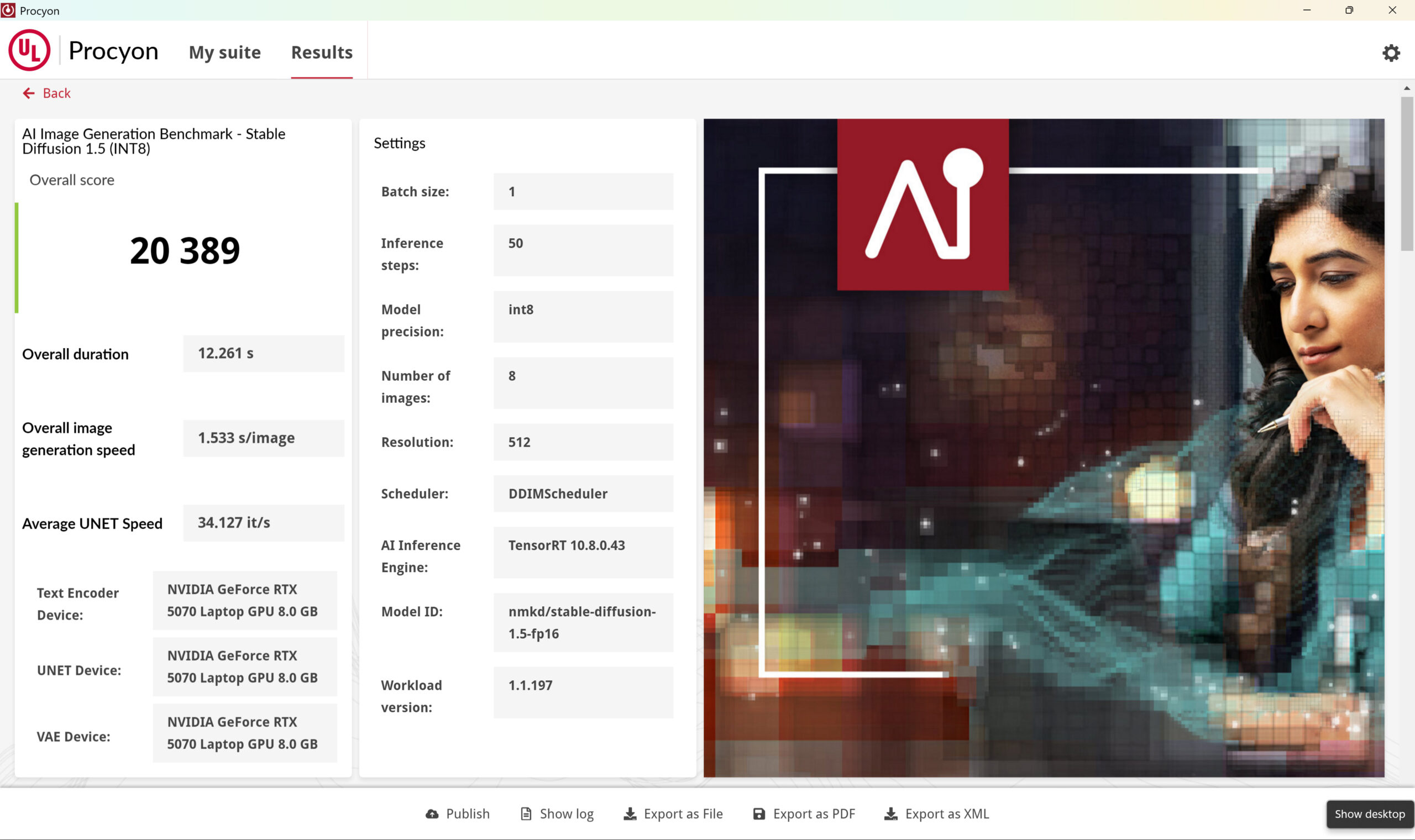
AI Performance
Both AMD Ryzen AI 9 HX 370 and AI 9 365 are equipped with XDNA NPUs with up to 50 TOPS performance. This is enough for the laptop to receive the Copilot+ certification which requires at least 40 TOPS NPU.
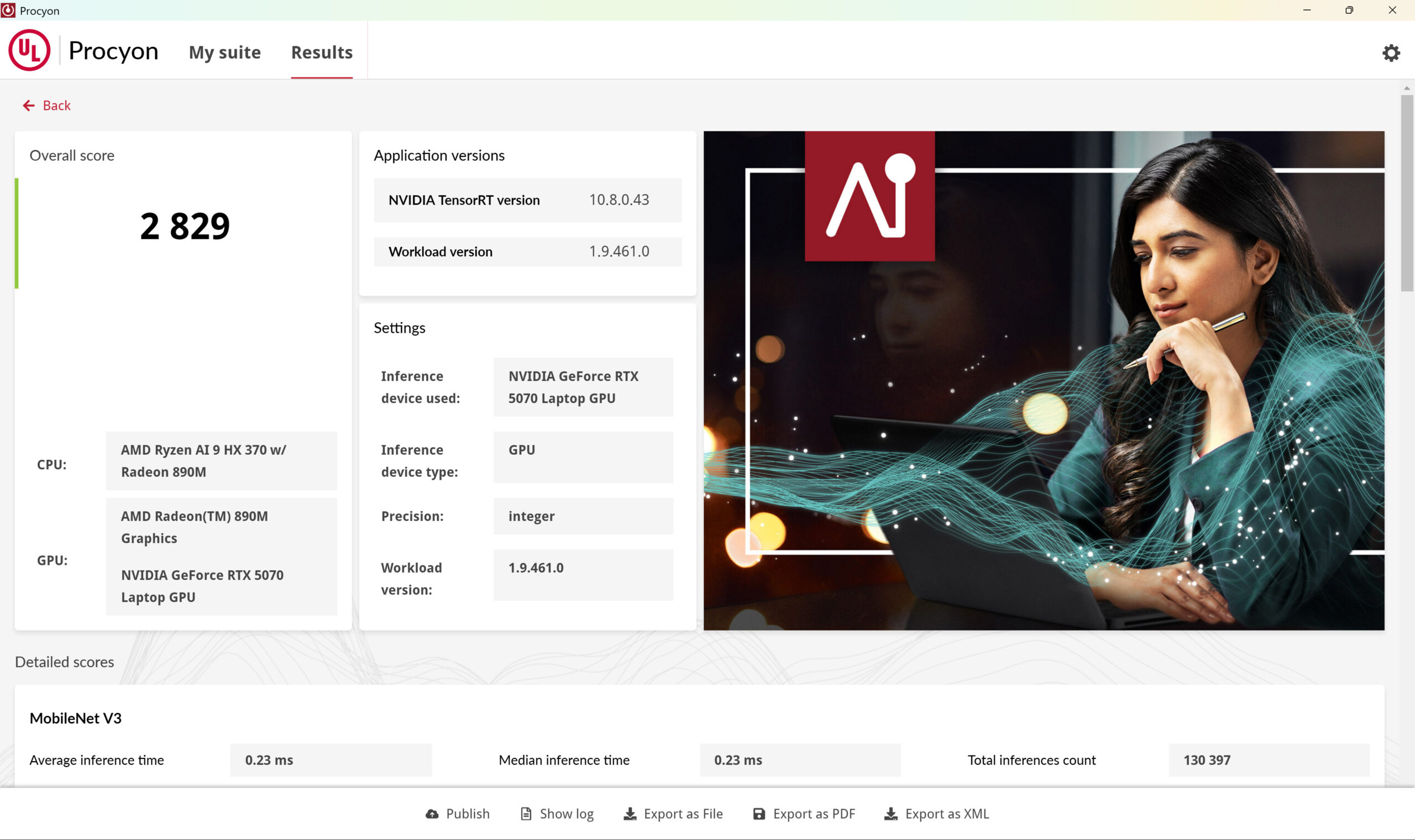
However, the real AI performer is the dedicated RTX graphics, in our case – the 105-watt version of 5070.
As you guess, this is one of the most powerful consumer-grade workstations you can get for AI work:
Check out our full AI Performance Rankings.
GPU and Gaming Performance
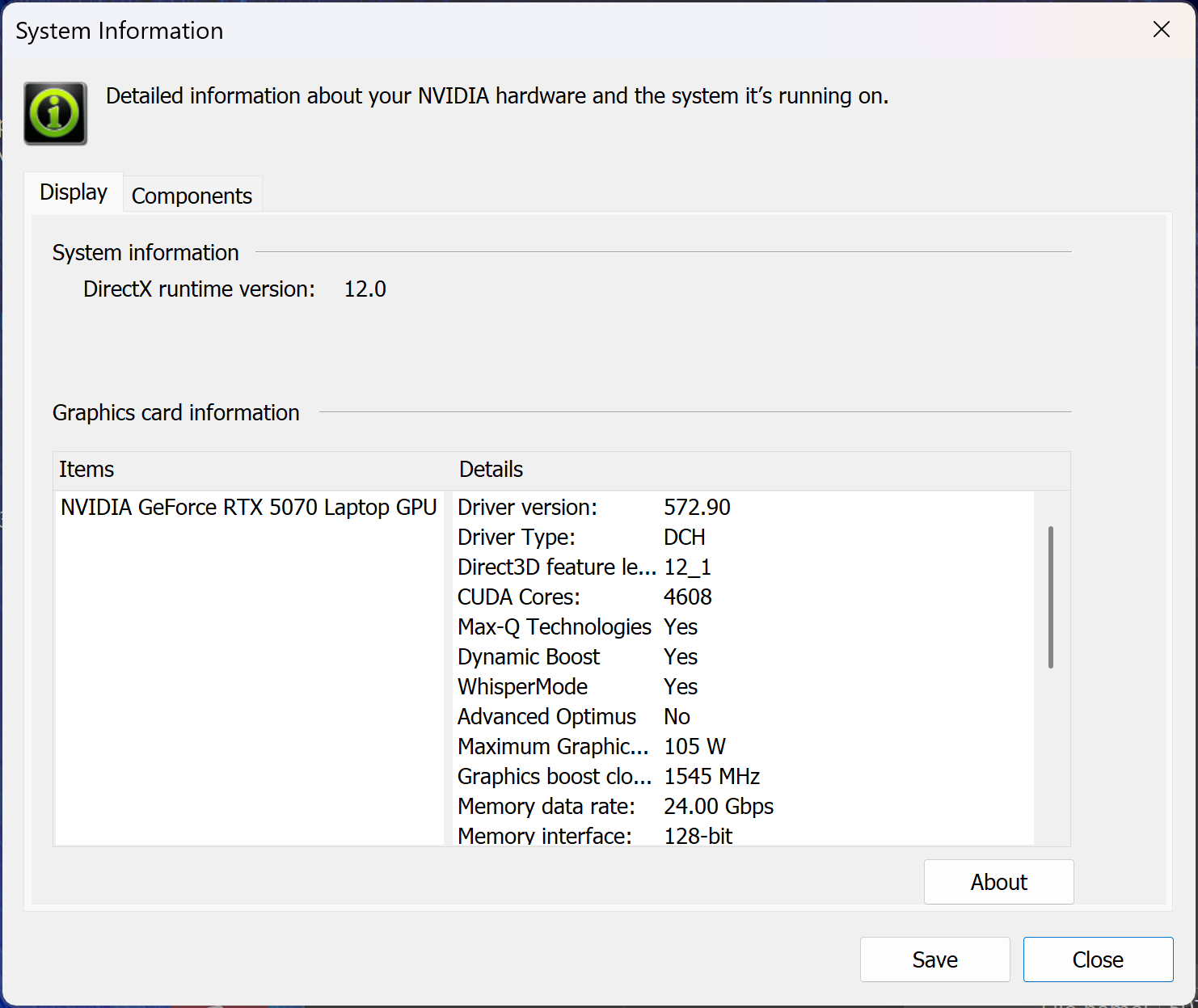
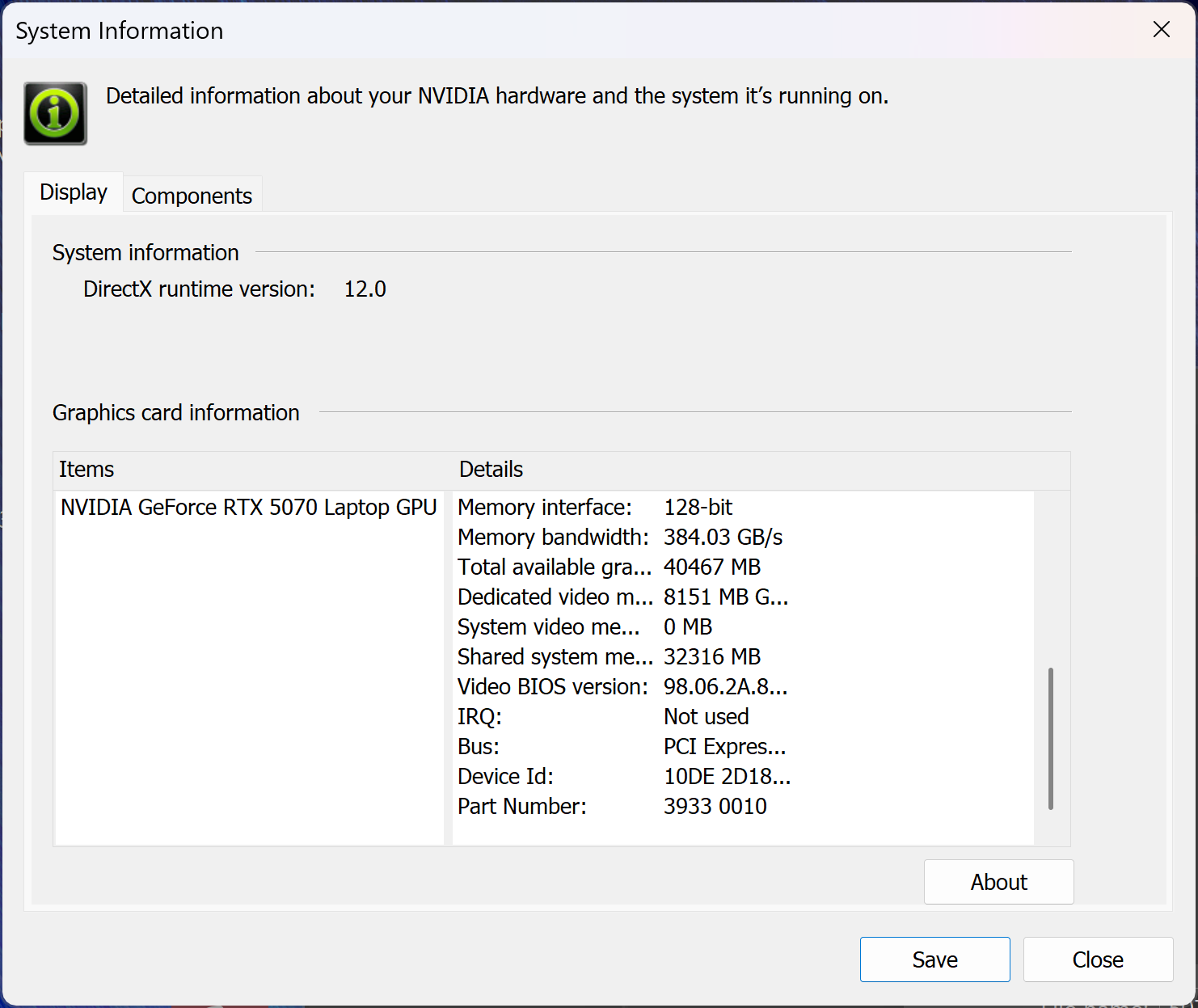
In terms of graphics power, you can get up to RTX 5070 (105W). The other option for the 2025 edition of ProArt P16 is RTX 5060, but you can also order the laptop with a GPU from the RTX 40 lineup – RTX 4050, 4060, or 4070.
Our configuration is equipped with the most powerful GPU – NVIDIA GeForce RTX 5070 (105W).
You can find the performance rating of all the GPUs on the market in our Top Laptop Graphics Ranking.
As you can see on the chart below, it’s rare to see such a powerful graphics card in a super slim notebook, hence the performance gap between ProArt P16, and its competitors.
The results are from 3DMark Time Spy (Graphics). Higher is better.
The results are from 3DMark Wild Life Extreme Unlimited. Higher is better.
ASUS ProArt P16 (H7606) GPU variants
Here you can see an approximate comparison between the GPUs that can be found in the ASUS ProArt P16 (H7606) models on the market. This way you can decide for yourself which ASUS ProArt P16 (H7606) model is the best bang for your buck.
Note: The chart shows the cheapest different GPU configurations so you should check what the other specifications of these laptops are by clicking on the laptop’s name / GPU.
The results are from 3DMark Time Spy (Graphics). Higher is better.
Results are from the 3DMark: Fire Strike (Graphics) benchmark (higher the score, the better)
Results are from the 3DMark: Wild Life (Graphics) benchmark (higher the score, the better)
Results are from the Unigine Superposition benchmark (higher the score, the better)
Gaming tests
Although the ASUS ProArt P16 (H7606) is built as a professional workstation aimed at creators and designers, its powerful NVIDIA GeForce RTX 5070 (Laptop) GPU made it impossible not to test a few games. And the results are impressive.

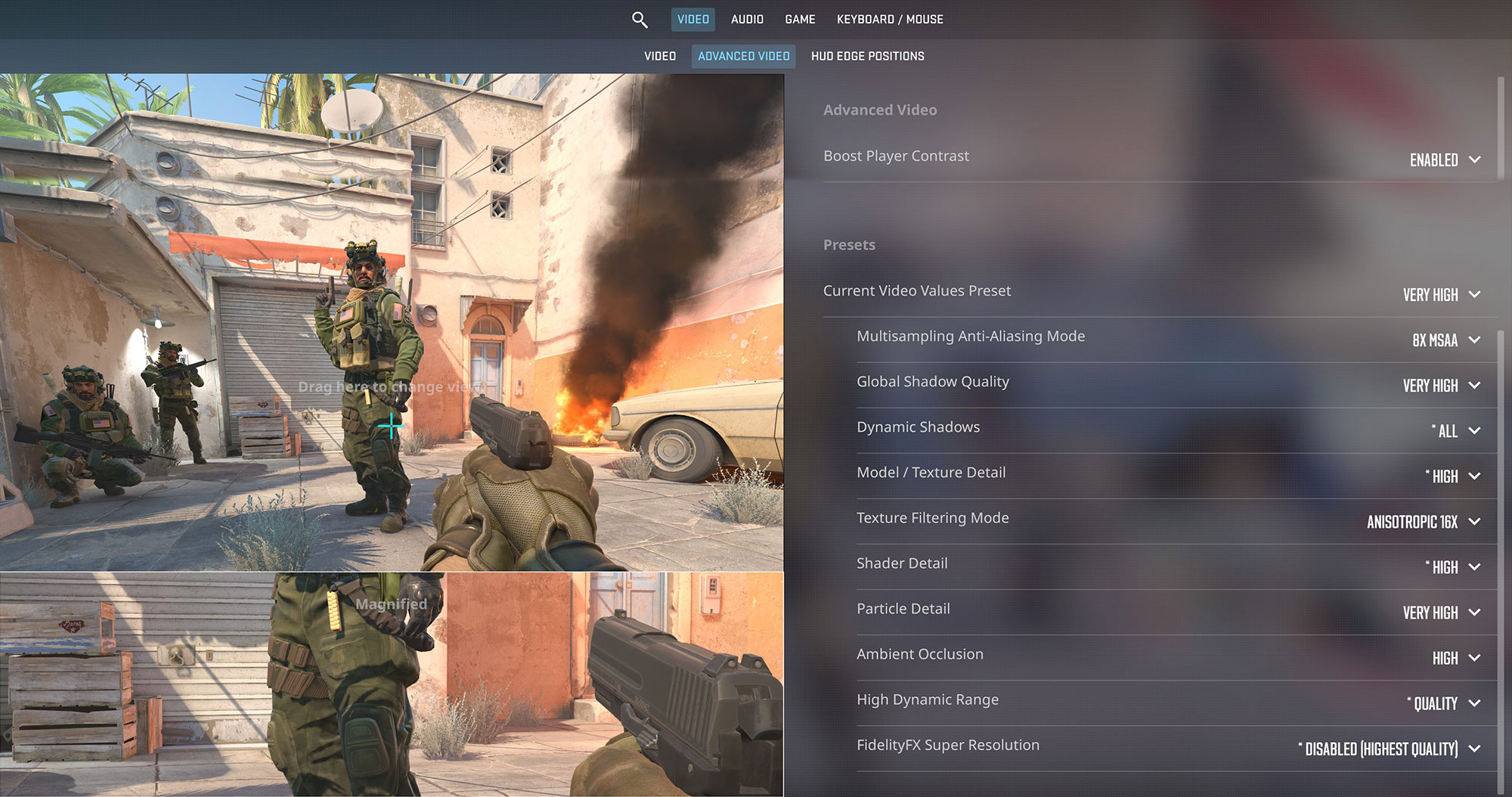
In Counter-Strike 2, it delivered a lightning-fast 187 FPS at 1200p Very High, and even managed a solid 80 FPS at 4K Very High, making it more than capable for fast-paced esports.
| Counter Strike 2 | 1200p, Very High (Check settings) | 4K, Very High (Check settings) |
| Average FPS | 187 FPS | 80 FPS |

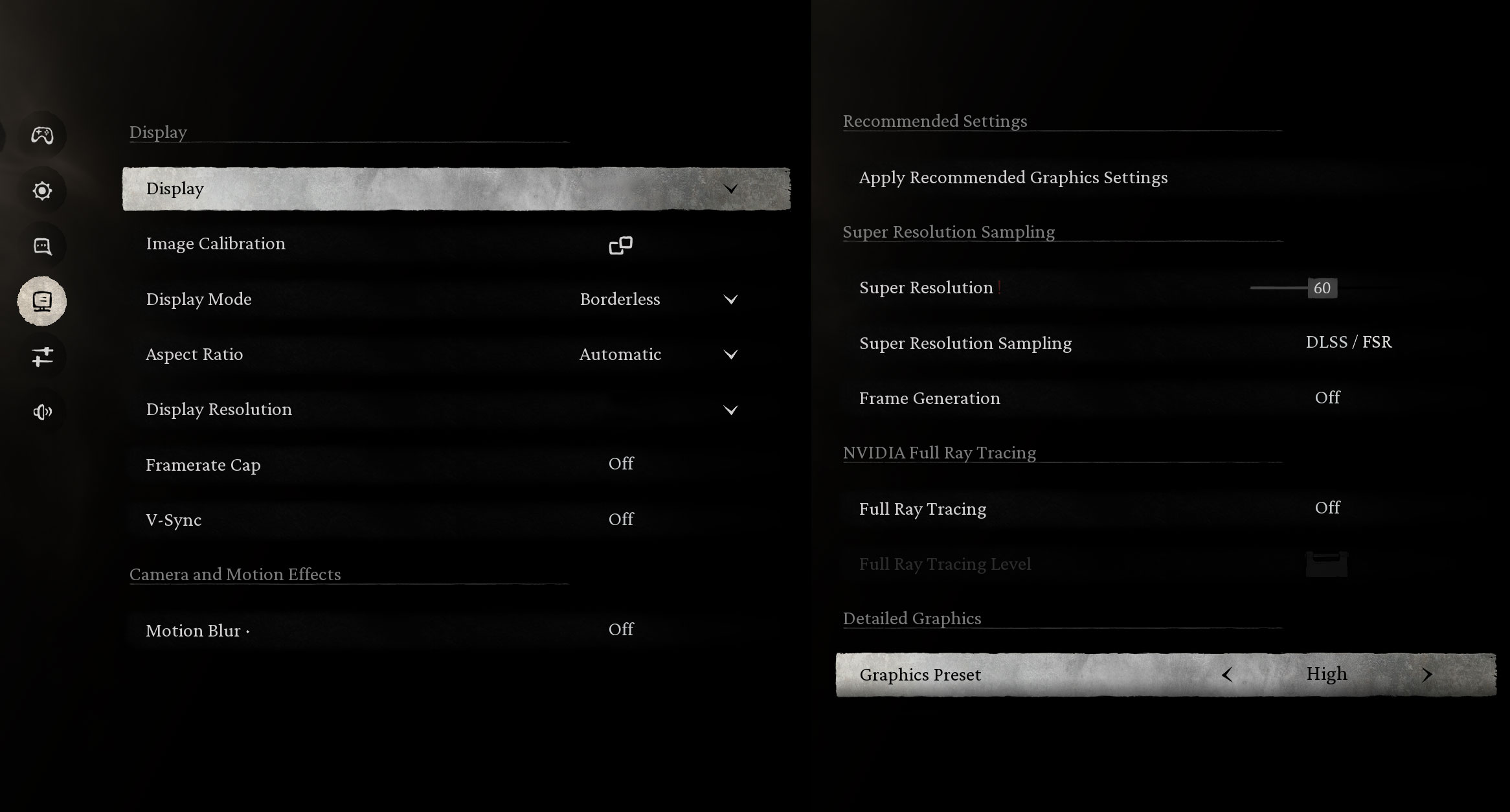
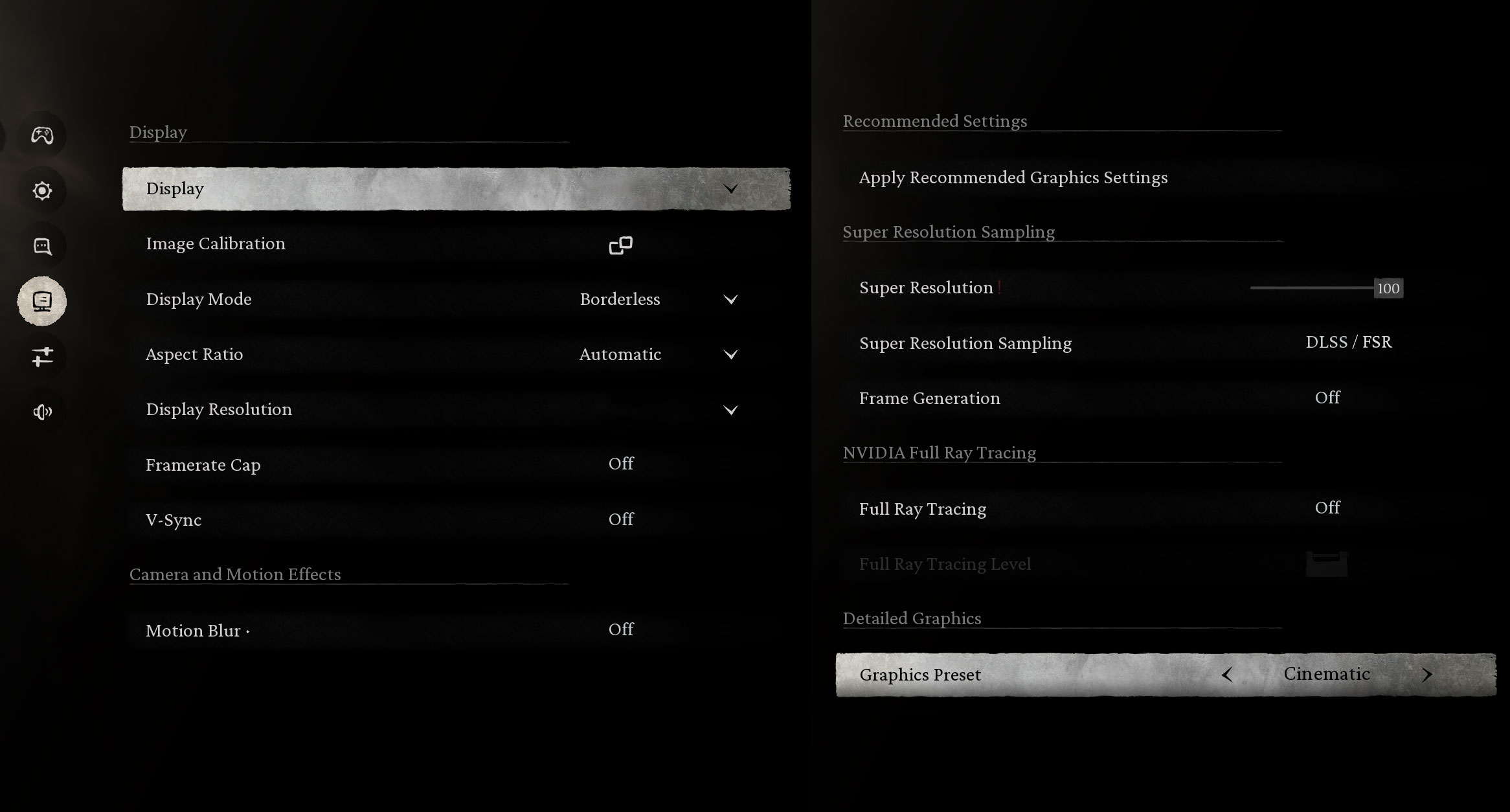
In the demanding Black Myth: Wukong, the laptop reached 47 FPS at 1200p High settings, which is smooth enough for an action RPG of this scale. At Cinematic settings, it hovered around 17 FPS, showing where the GPU hits its limits in ultra-demanding scenarios.
| Black Myth: Wukong | 1200p, High (Check settings) | 1200p, Cinematic (Check settings) |
| Average FPS | 47 FPS | 17 FPS |

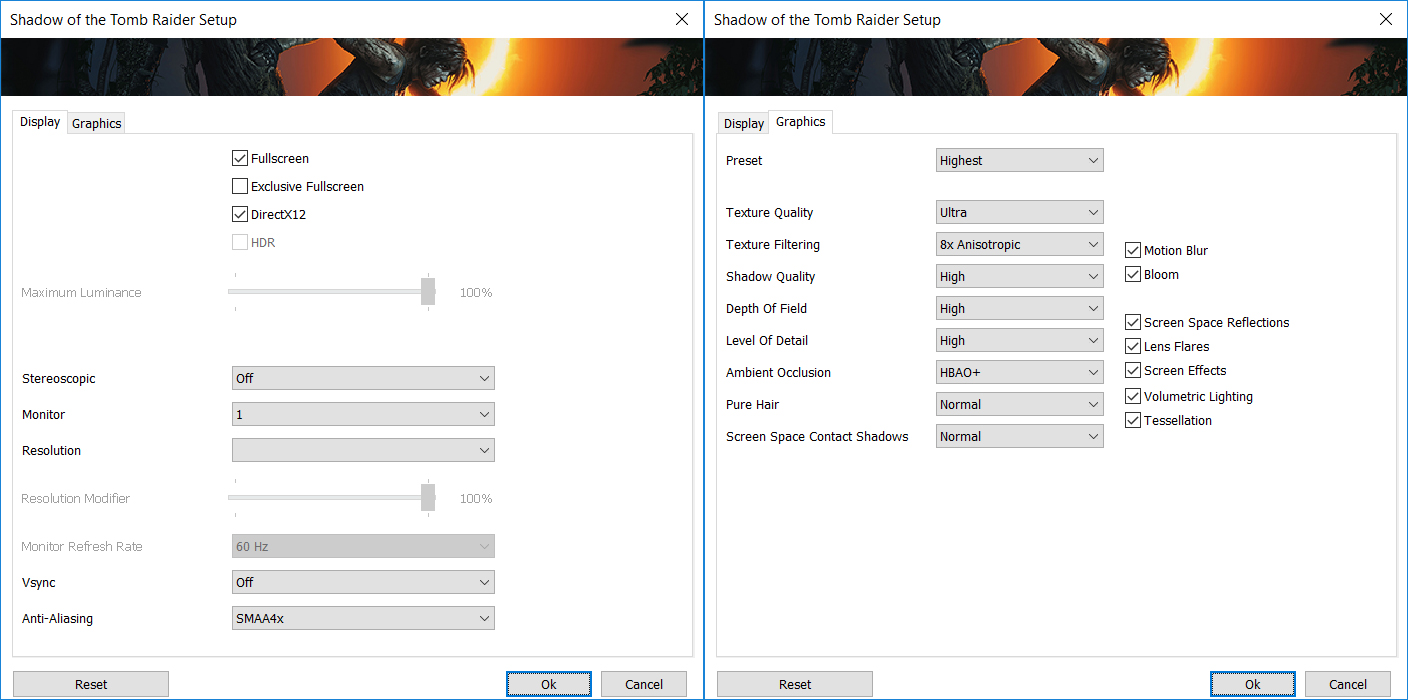
Shadow of the Tomb Raider ran beautifully with almost 120 FPS at 1200p Highest, and 30+ FPS at 4K Highest, proving that even cinematic AAA titles are within reach with a few tweaks.
| Shadow of the Tomb Raider | 1200p, Highest (Check settings) | 4K, Highest (Check settings) |
| Average FPS | 118 FPS | 33 FPS |

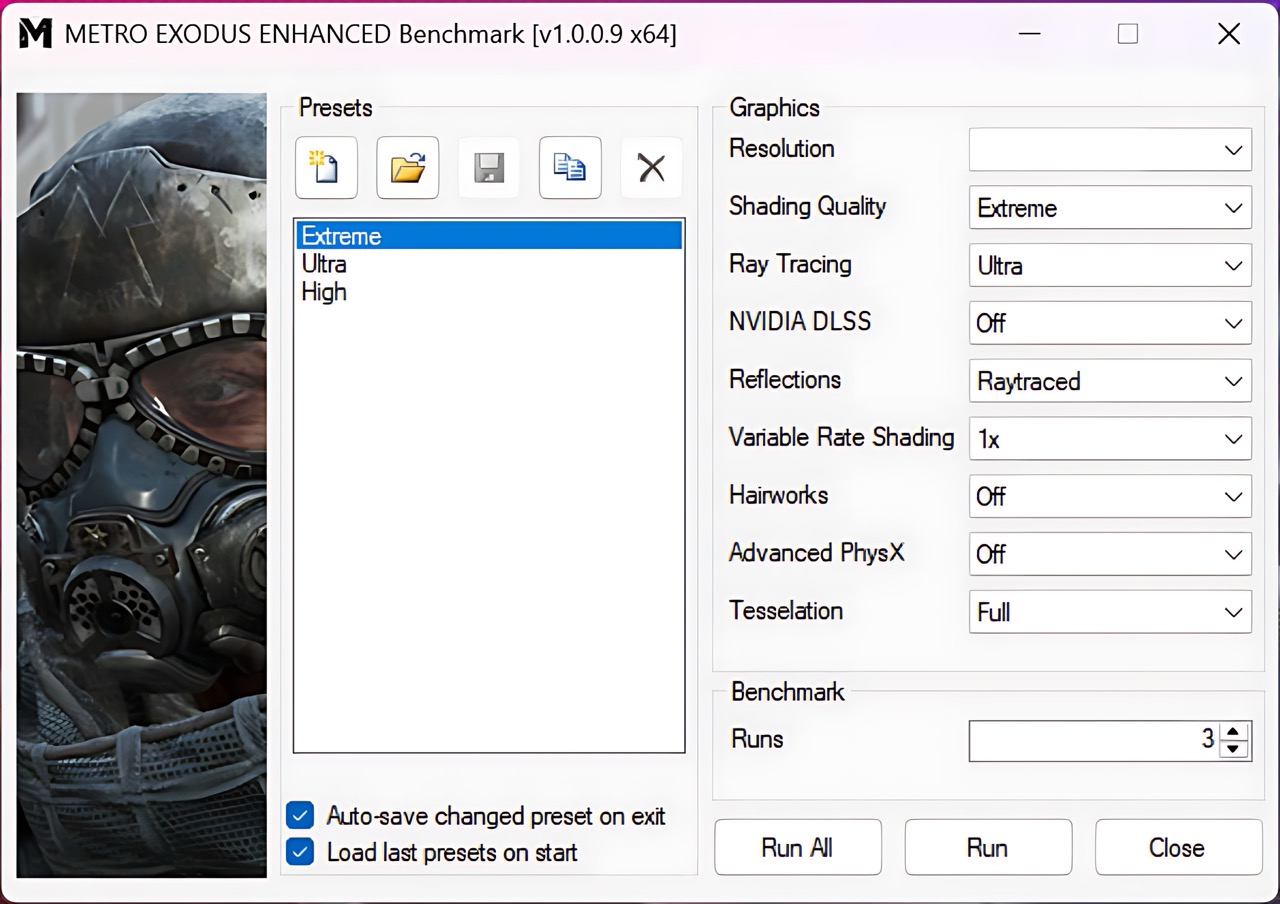
Lastly, Metro Exodus Enhanced Edition ran at a respectable 52 FPS at 1200p Extreme, again underlining how capable this GPU is, despite being housed in a content-creation laptop.
| Metro Exodus Enhanced Edition | 1200p, Extreme (Check settings) |
| Average FPS | 52 FPS |
[eBook Guide + Tools] How to MAX OUT Your Laptop
You can make your laptop Faster. LaptopMedia has tested thousands of models in the last 15 years, and we have yet to see a notebook that couldn't be made more powerful through modifications.
That's why we decided to bundle everything we know about how to achieve this in an Easy-to-Follow, Step-by-Step, and Laboratory-Tested, all in one project.
Read more about it here:
[eBook Guide + Tools] How to MAX OUT Your Laptop
🛠️ GPU Modifications: vBIOS, Overclocking, Undervolting
⚙️ Building Fast/Reliable RAID configuration
💻 Hardware upgrade tips for best results
🖼 Display enhancing
💾 OS Optimization for best performance
Temperatures and Comfort, Noise, Stability
Office Work, Web Development, Design
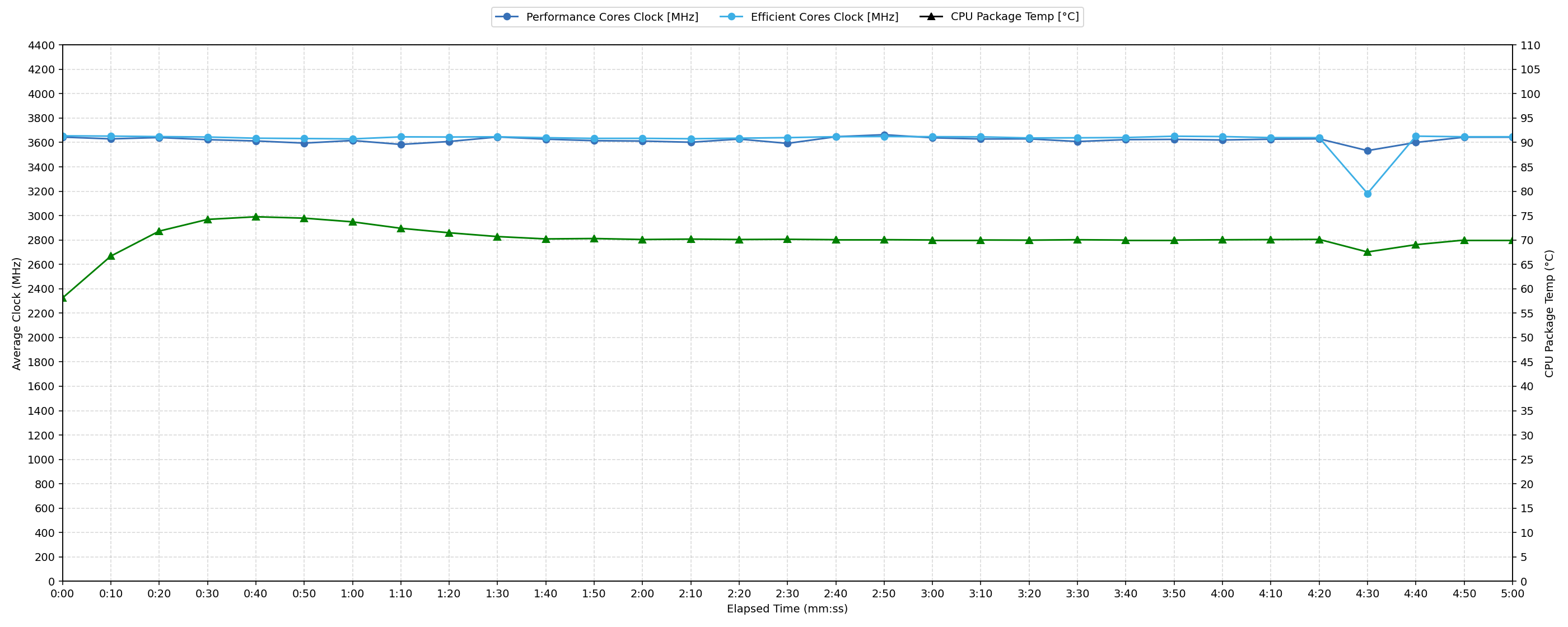
Short periods (0:00 – 0:10 s) of 100 % CPU load
This test shows the CPU behavior during short periods of serious load. It’s important for users who are looking for laptops suitable for tasks like Web Design and Programming.
| AMD Ryzen AI 9 HX 370 | Avg. P-Core Clock | Avg. CPU Temp. | Avg. CPU Power |
| ASUS ProArt P16 H7606 (2025) | 3644 MHz | 58 °C | 76 W |
For short, intensive bursts, the AMD Ryzen AI 9 HX 370 demonstrates strong initial performance. The CPU reaches a peak clock of 3751 MHz within the first 5 seconds, maintaining an average of 3644 MHz over the 0-10 second period. Temperatures remain well within optimal limits, with a peak of 74 °C and an average of 58 °C, indicating excellent thermal management for rapid workload spikes. Power consumption averages 76 W, with a peak of 79 W, showcasing efficient power delivery during these critical initial moments. This profile ensures the laptop is highly responsive for demanding applications requiring quick computational bursts.
Video editing, Scientific computing, Software compilation, 3D rendering
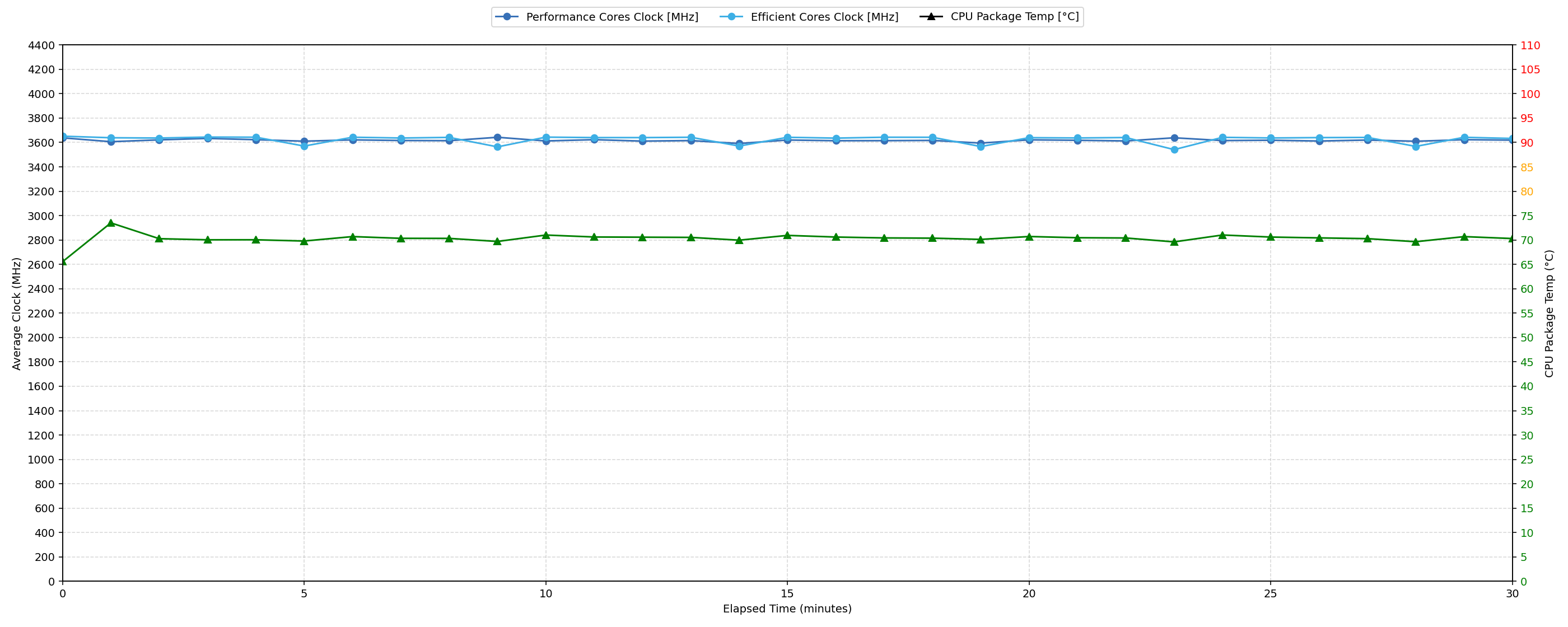
Long periods (0:00 – 30:00 min) of 100 % CPU load
This test shows the CPU behavior during long periods of serious load. It’s important for users who are looking for laptops suitable for tasks like Video Editing and 3D Rendering.
| AMD Ryzen AI 9 HX 370 | Avg. P-Core Clock | Avg. CPU Temp. | Avg. CPU Power |
| ASUS ProArt P16 H7606 (2025) | 3617 MHz | 70 °C | 79 W |
During extended 30-minute CPU loads, the AMD Ryzen AI 9 HX 370 maintains robust performance. The average clock speed settles at 3617 MHz, reflecting strong sustained output. The CPU’s average temperature remains at a comfortable 70 °C over this prolonged period, with a peak temperature of 74 °C observed, indicating effective long-term thermal management. Power consumption averages 79 W, demonstrating consistent delivery under continuous stress.
Gaming Stability
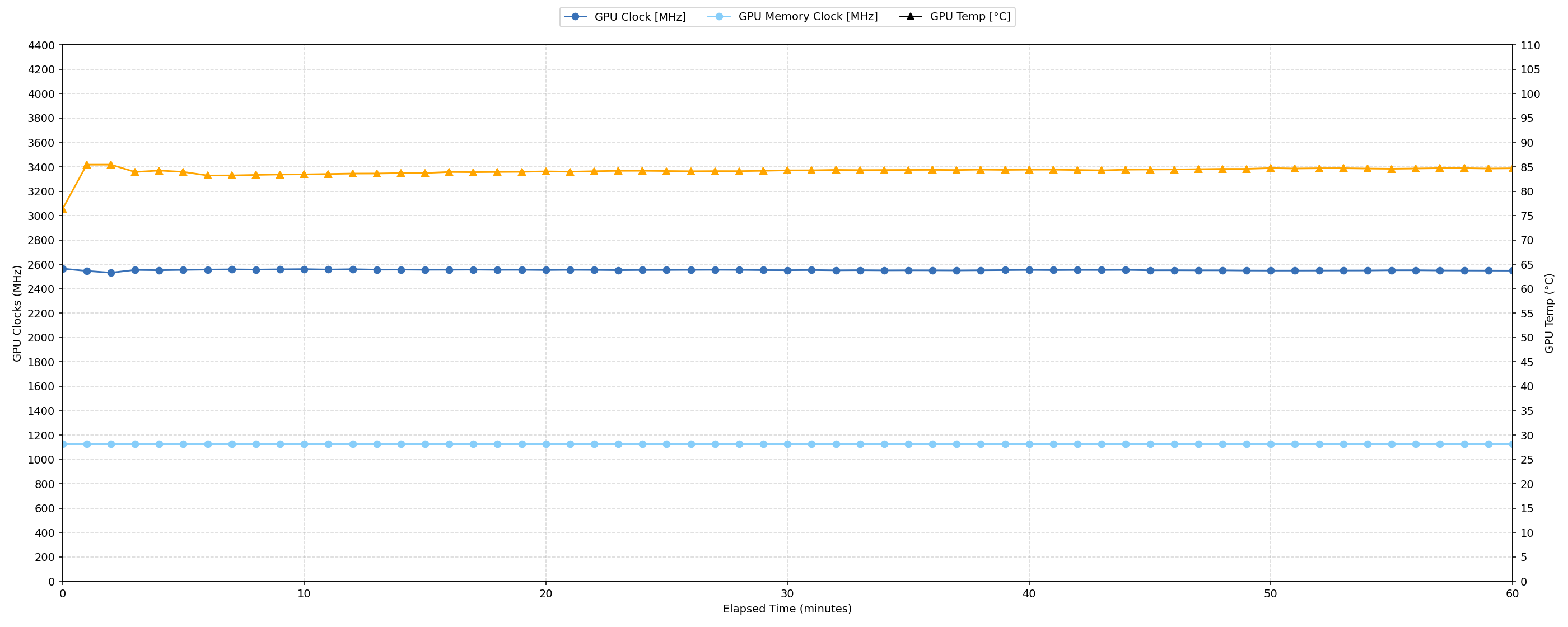
Continuous gaming (1-hour test)
This test evaluates the laptop’s performance under sustained GPU load and high CPU usage.
| NVIDIA GeForce RTX 5070 | Avg. GPU Clock | Avg. GPU Temp. | Avg. Memory Clock | Avg. GPU Mem Temp. | Avg. GPU Power |
| ASUS ProArt P16 H7606 (2025) | 2553 MHz | 84 °C | 1125 MHz | 83 °C | 102 W |
During an hour of continuous 100% GPU load, the NVIDIA GeForce RTX 5070 demonstrates impressive stability. The GPU maintains an average core clock of 2553 MHz, with a minimal drop from its peak of 2617 MHz to a sustained minimum of 2505 MHz, indicating strong performance consistency. Thermal management is robust; the average GPU core temperature is 84 °C, with a peak of 87 °C, both within optimal ranges. GPU memory temperatures also remain excellent, averaging 83 °C with a peak of 86 °C. Drawing an average of 102W for a 105W GPU, this profile confirms excellent, stable performance for extended gaming sessions.
Battery Life
ASUS ProArt P16 (H7606) has a battery with 90Wh capacity. This is impressive, considering the portability of the laptop.
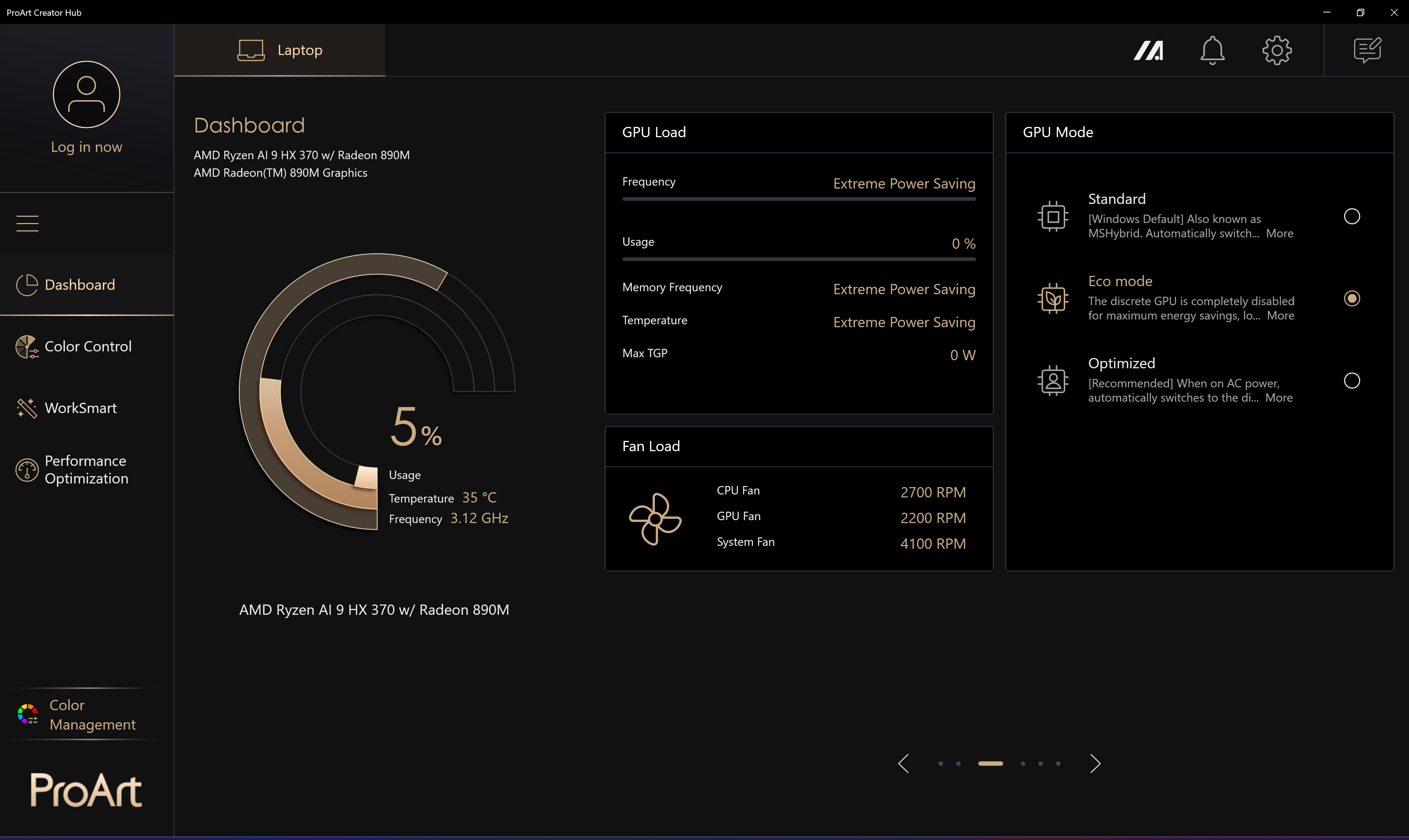
The battery test is conducted with “Eco Mode” activated in ProArt Creator Hub:
The battery lasts for more than 11 hours of video playback on a single charge.
Brightness: 180 nits; Display Mode: SDR
Time to Full Discharge: Higher is Better

Disassembly, Upgrade options, and Maintenance
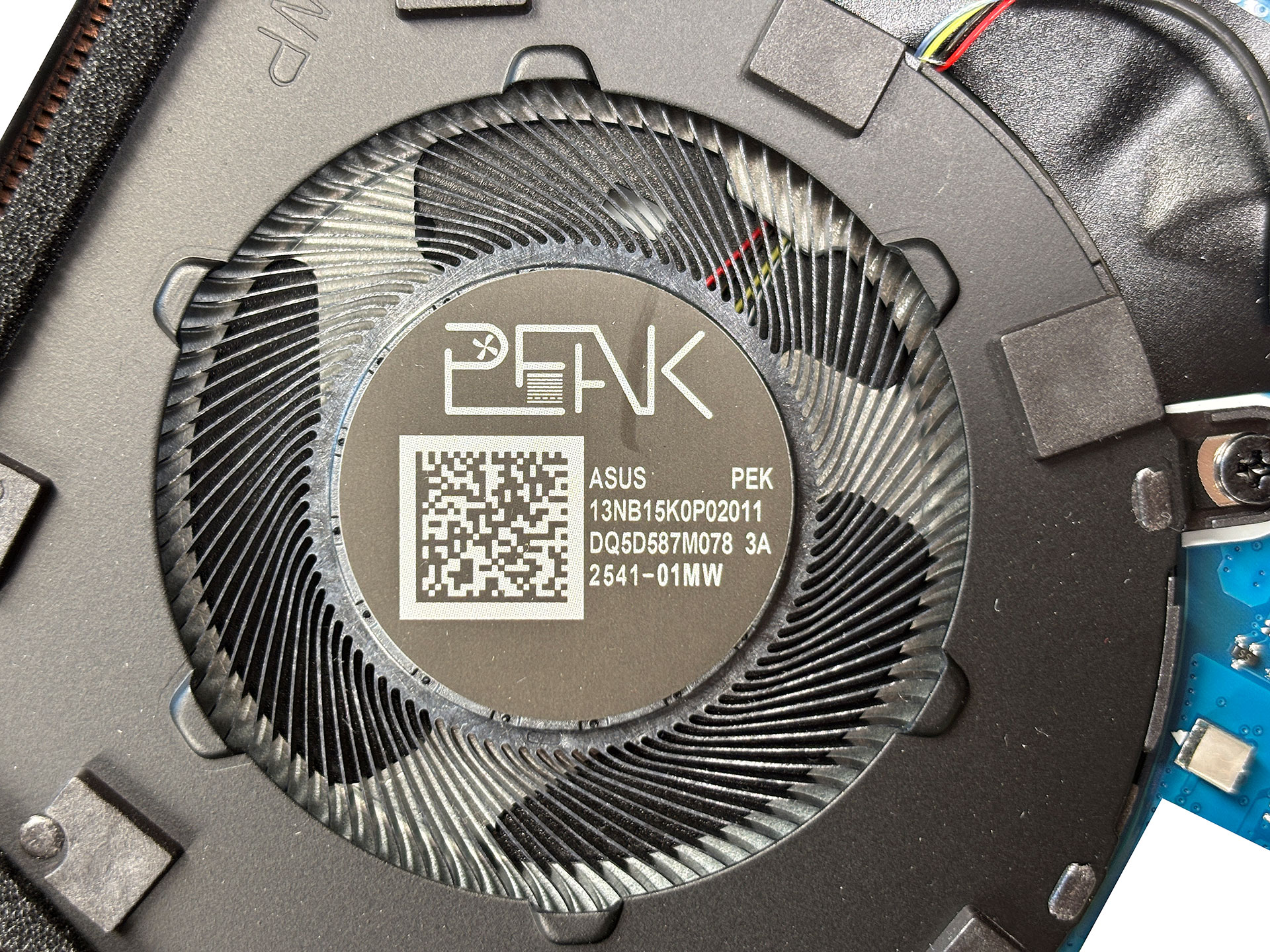
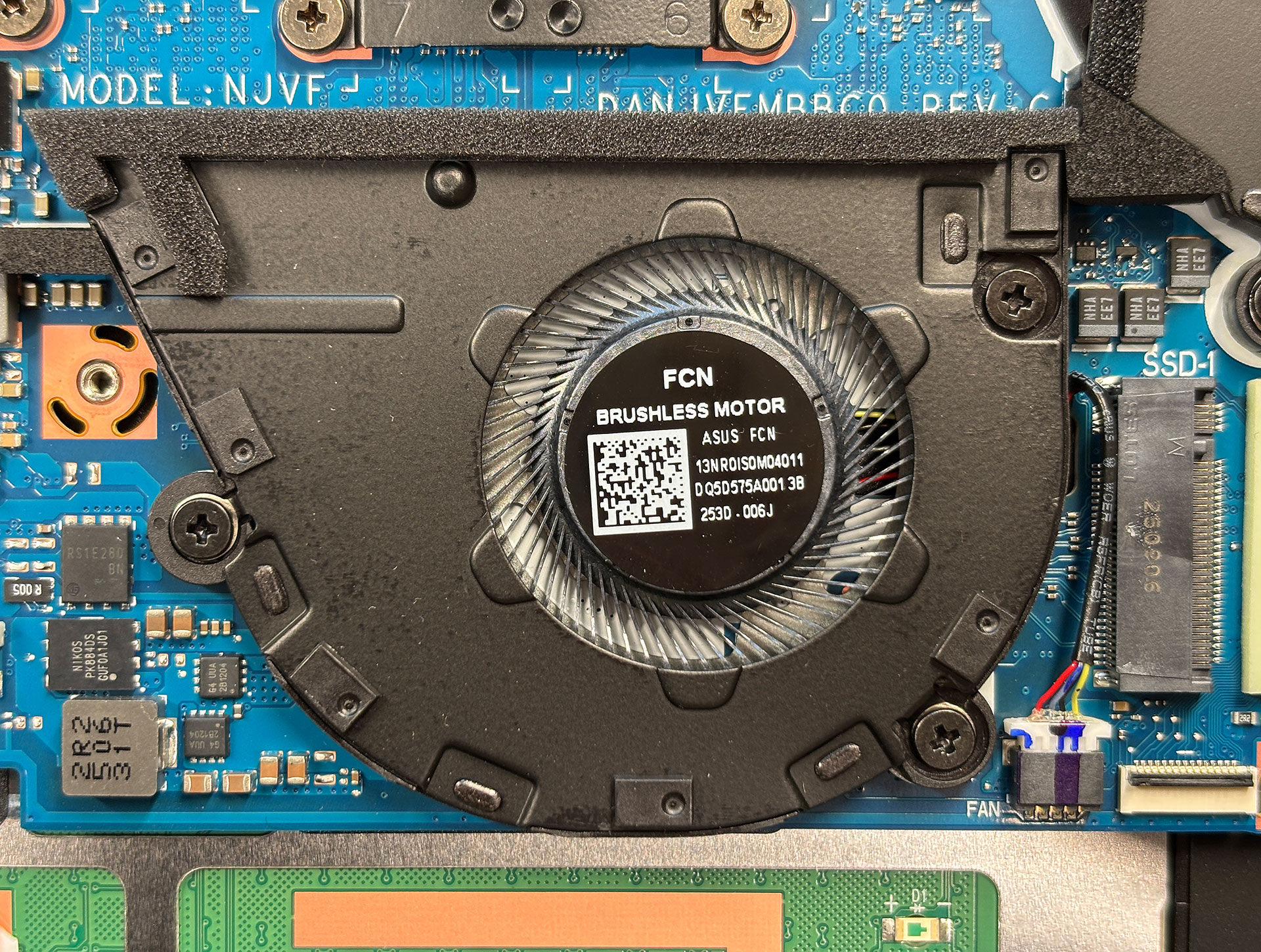
Gaining access to the internals of the ASUS ProArt P16 (H7606) requires a bit of patience and precision. Two of the screws holding the bottom cover are hidden beneath rubber caps, which can be removed carefully using a precision knife or sharpened plastic tool to preserve the adhesive for reuse.
Once exposed, you’ll find a total of 11 Torx #6 screws of varying lengths, so keeping them organized is important. We recommend placing the screws first on a white surface for visual clarity and then transferring them to a magnetic pad.
The bottom panel is secured with plastic clips, best released starting from the edge near the trackpad area and finishing near the hinge. After unclipping, the panel lifts off cleanly, revealing the internal layout.
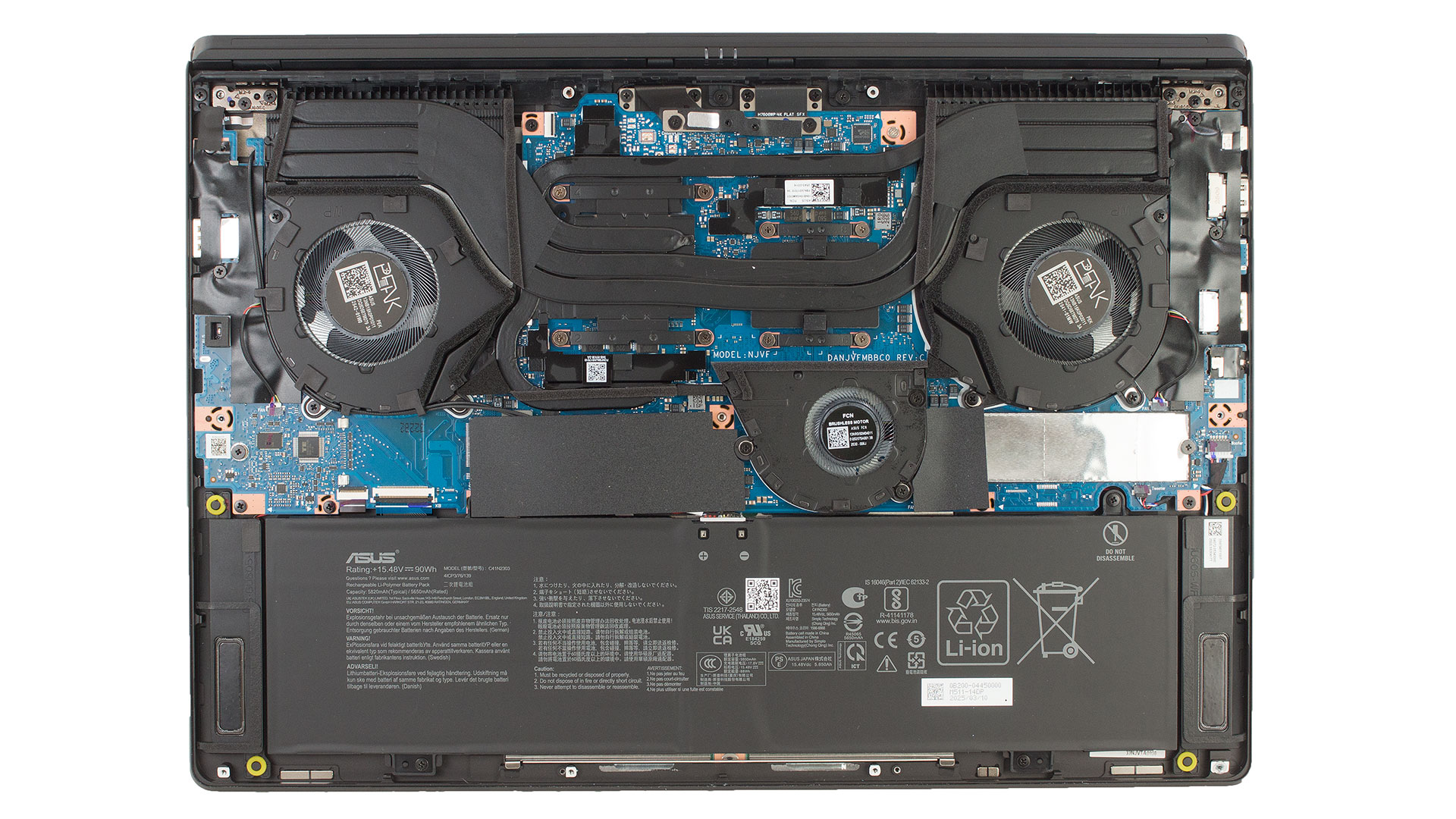
Inside, the first step is to disconnect the battery by unlocking the metal retention bracket and lifting the connector vertically. The battery itself is held by four screws, which should not be removed with Philips standard drivers. Instead, use a JIS screwdriver, which fits the screw head precisely and avoids damage.
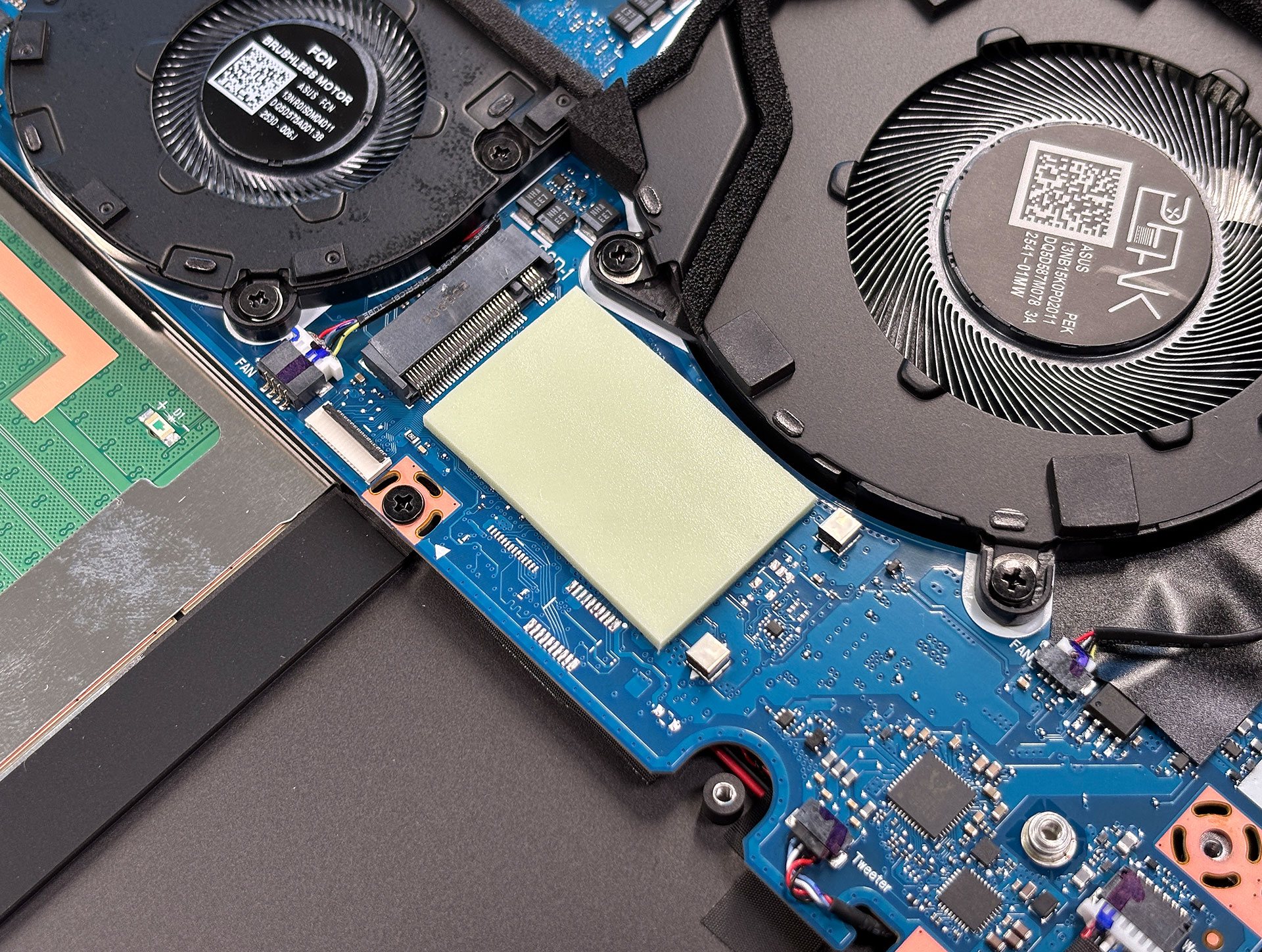
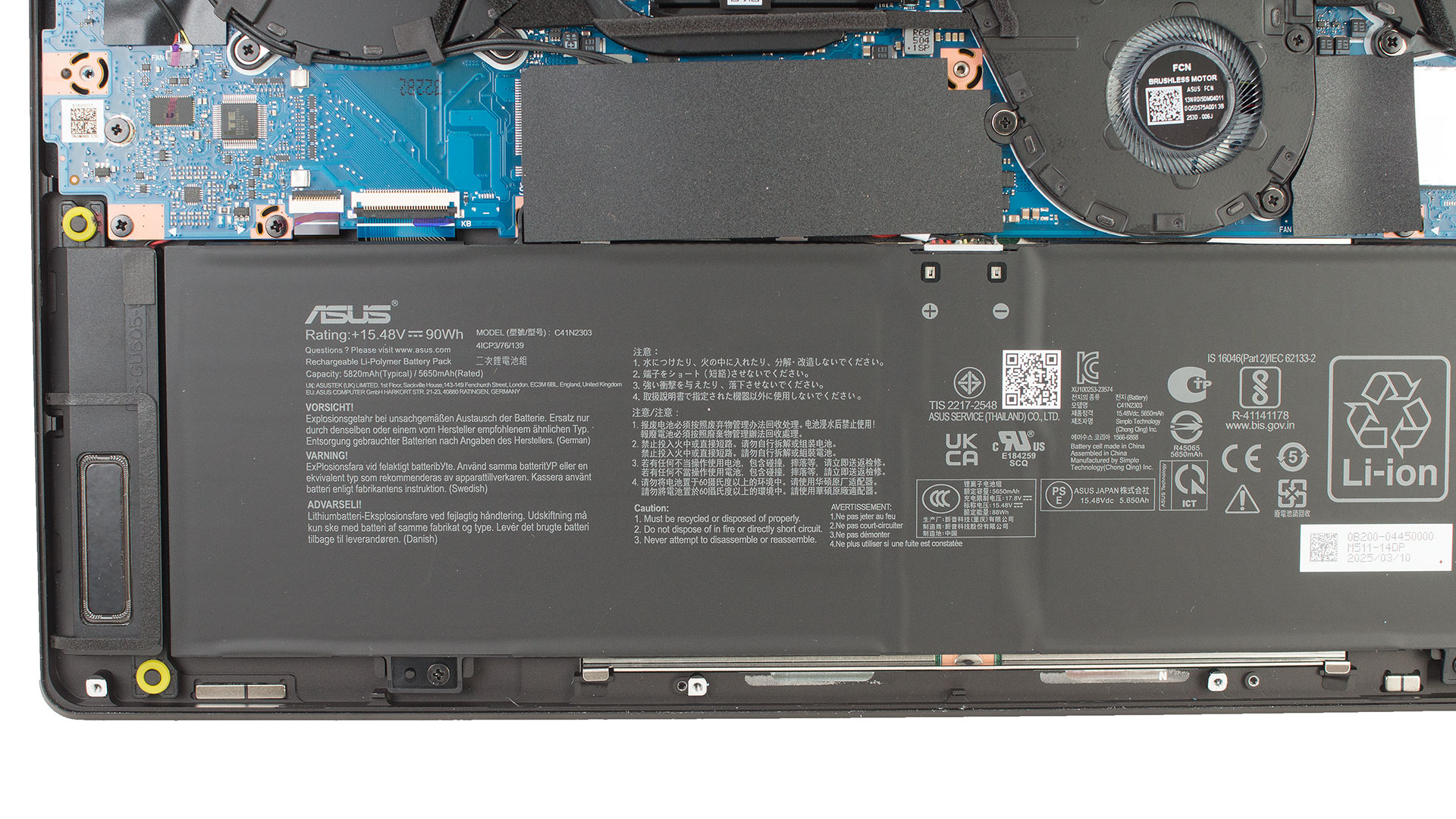 Upgrade-wise, the laptop includes a two M.2 SSD slots, and the SSD is protected by an aluminum shield. It also has a thermal pad, both of which are easily removable.
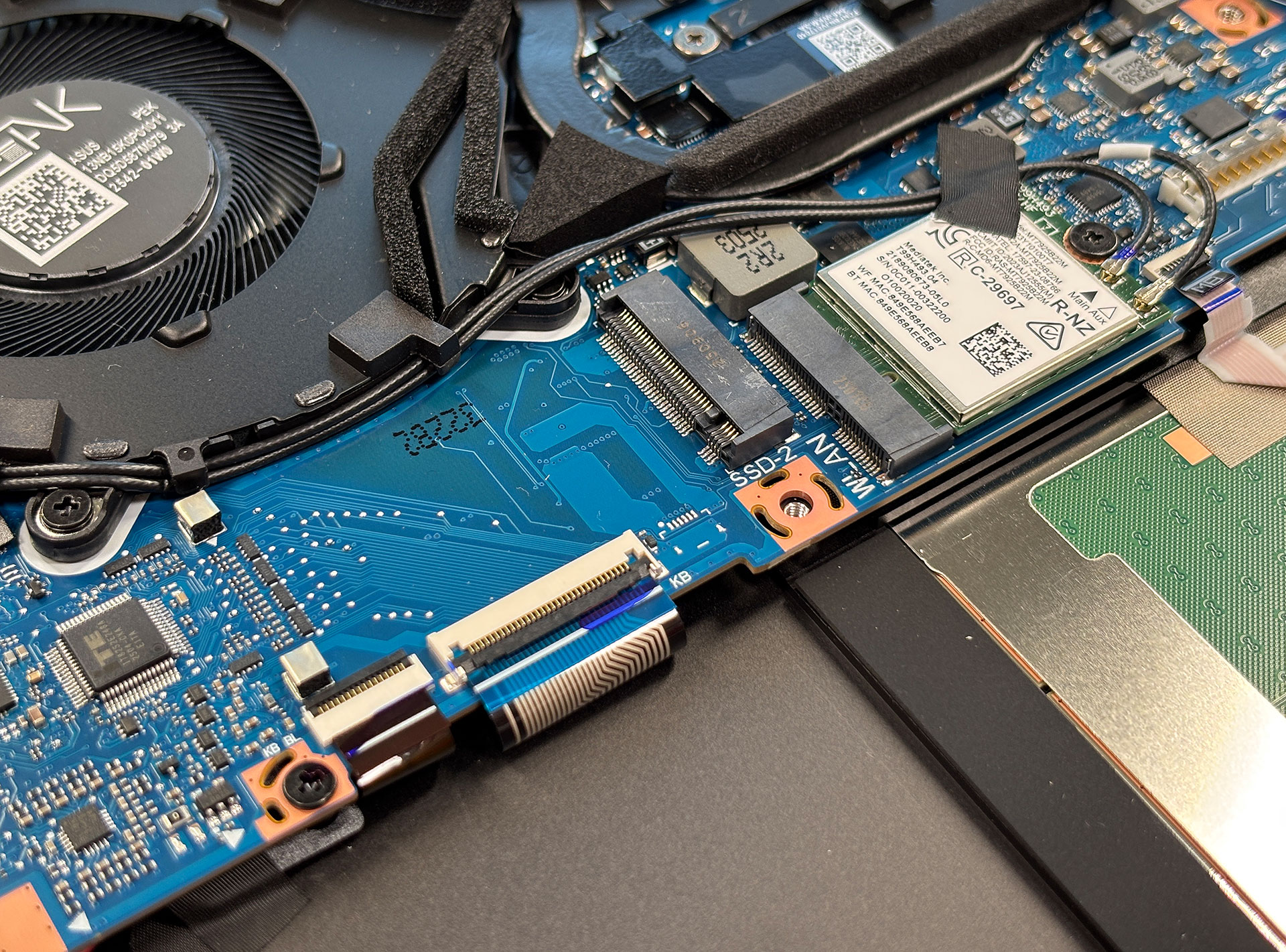
The Wi-Fi module is also user-replaceable, fastened by a single screw and located conveniently near the SSD.
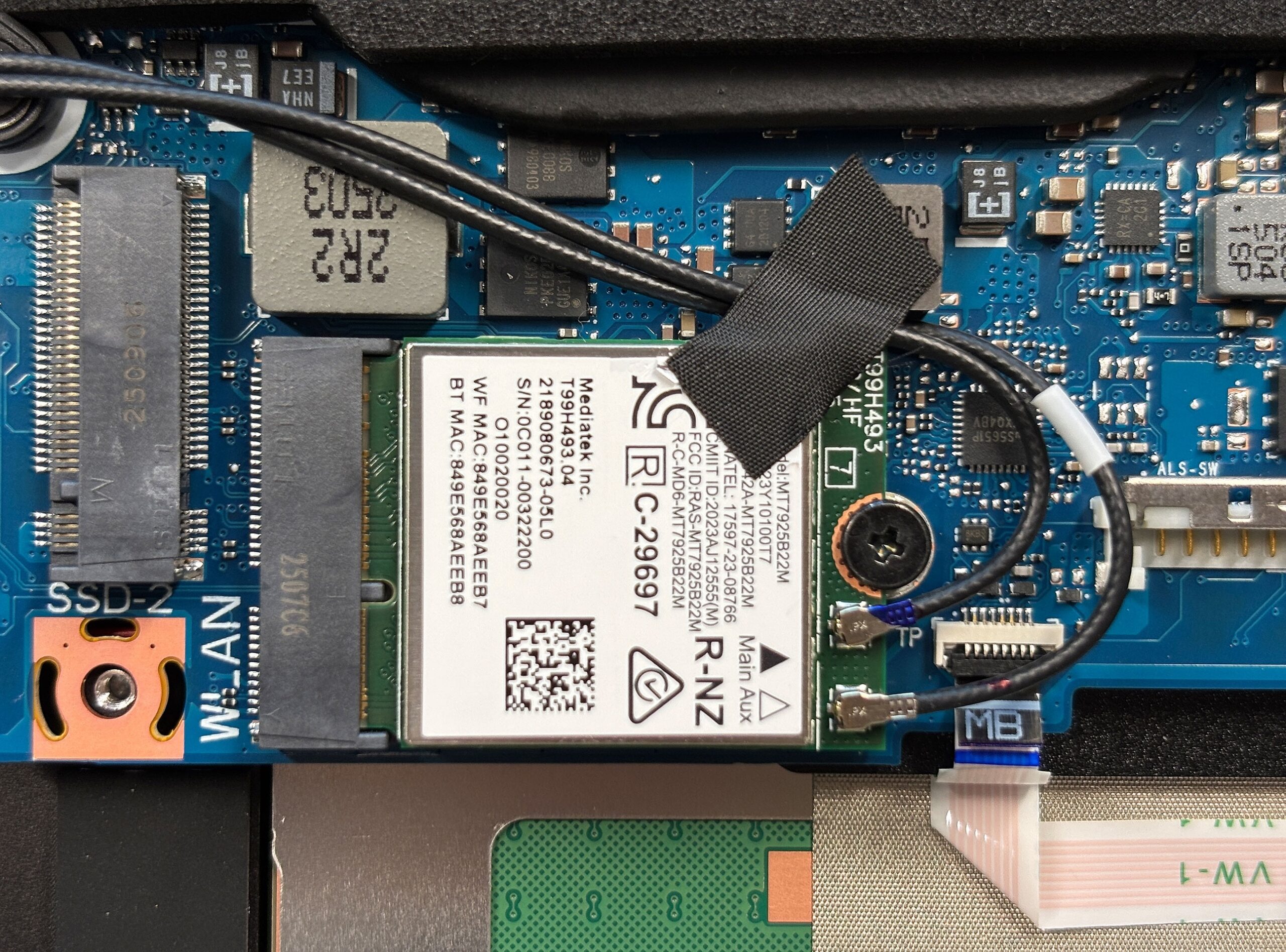
Once the cover is removed, all core components are accessible for cleaning or upgrading, making the ProArt P16 reasonably serviceable for a workstation-grade machine.
Verdict
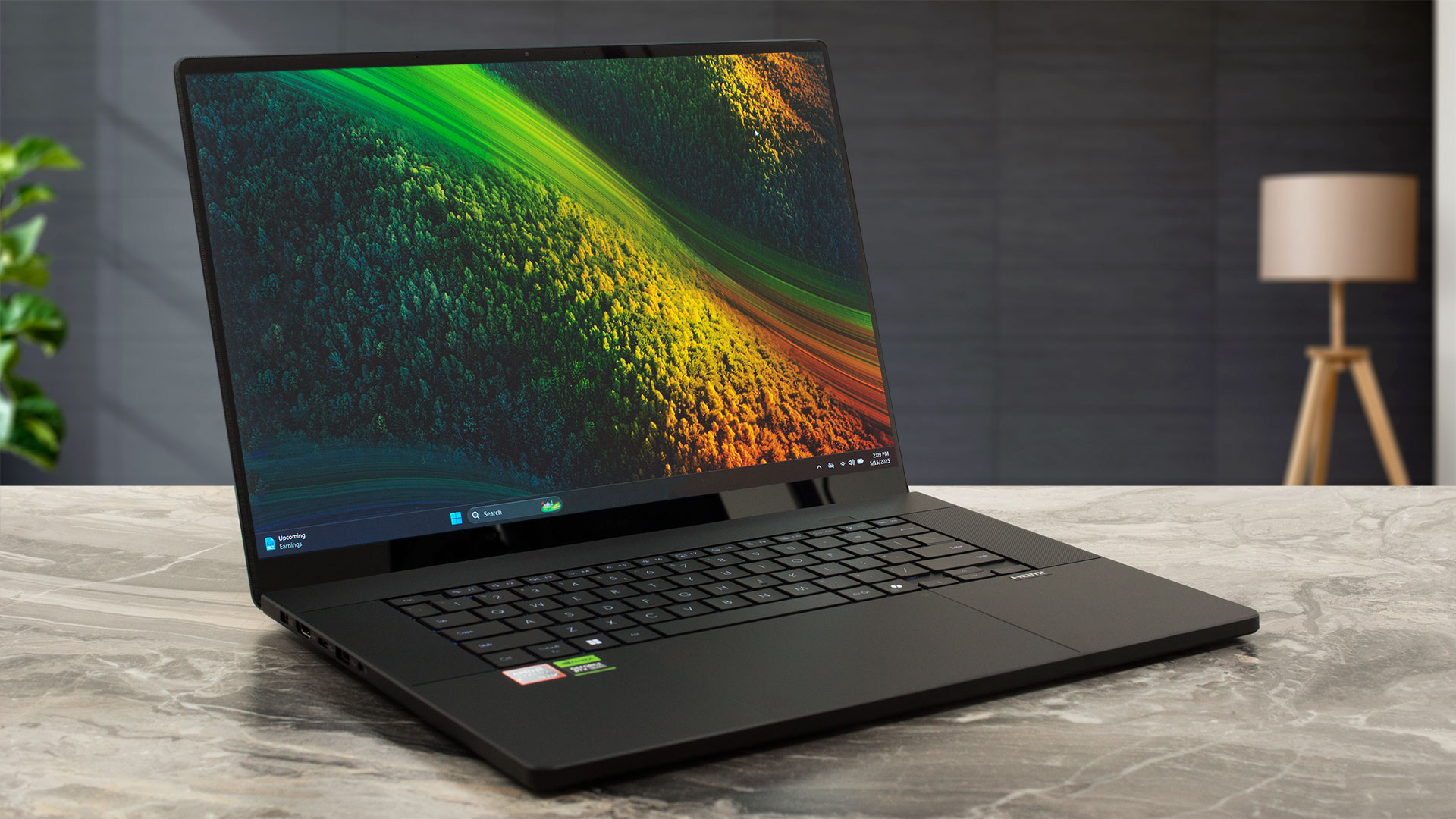
 The ASUS ProArt P16 H7606 (2025) emerges as a truly formidable workstation, skillfully blending immense power with a remarkably elegant and portable design. Aimed squarely at creative professionals who demand both top-tier performance and exceptional visual fidelity, this machine impresses with its robust CNC aluminum unibody construction, sophisticated “Nano Black” finish, and surprisingly thin and light profile, especially considering the high-end AMD Ryzen AI CPU and NVIDIA RTX 50-series graphics it can house.
The centerpiece is undoubtedly its stunning 16-inch 4K OLED touch display, delivering breathtaking visuals with full DCI-P3 coverage, excellent factory color accuracy, and the infinite contrast inherent to OLED technology. This makes it an outstanding canvas for content creation. Complementing this is the innovative ASUS DialPad integrated into the generously sized trackpad, offering a genuinely useful and customizable tool that can significantly streamline workflows in popular creative applications. The keyboard is comfortable, and though it forgoes a NumPad, this decision allows for impressively large Harman Kardon speakers that deliver very good audio quality.
Under the hood, the ProArt P16 is a performance beast. Our test unit, with its AMD Ryzen AI 9 HX 370 and NVIDIA GeForce RTX 5070 (105W), handled demanding creative workloads and even high-end gaming with remarkable aplomb. Critically, ASUS has engineered an effective triple-fan cooling system that manages to keep these powerful components performing consistently under both short bursts and sustained heavy loads without excessive throttling or discomfort, a significant achievement in such a slim chassis. The inclusion of an XDNA NPU and the powerful dedicated GPU also makes it a very capable machine for AI-driven tasks. Storage expandability is also a strong point, thanks to dual M.2 SSD slots.
 Connectivity is robust, featuring a high-speed USB4 port, HDMI 2.1 FRL, multiple USB-A and USB-C ports (with display and power delivery), and a crucial SD Express 7.0 card reader for fast media transfers, alongside the latest Wi-Fi 7. Battery life is also impressive for a workstation of this caliber, offering over 11 hours of video playback.
However, there are considerations. The beautiful OLED screen, while visually stunning, is highly reflective, which could be a challenge in brightly lit environments. The “Nano Black” finish, while elegant, is prone to smudges. For some, the lack of a physical webcam shutter, an onboard Ethernet port, or a dedicated NumPad might be drawbacks. While PWM is used below 90 nits, a flicker-free dimming mode is available, mitigating concerns for sensitive users.
In essence, the ASUS ProArt P16 H7606 (2025) is an outstanding achievement, successfully packaging desktop-grade power and a professional-grade display into a surprisingly portable and beautifully built chassis. It’s an exceptional tool for content creators, designers, and AI professionals who need a no-compromise mobile workstation and value innovative features like the DialPad. While the highly reflective screen is its most significant Achilles’ heel for visual work, its strengths in performance, build, storage options, battery life, and creator-focused tools make it a top contender in the premium workstation market.
You can check the prices and configurations in our Specs System: https://laptopmedia.com/series/asus-proart-p16-h7606/
Pros
- Stunning 16-inch 4K OLED touch display with 100% DCI-P3 and excellent color accuracy
- Exceptional performance from AMD Ryzen AI 9 HX 370 and NVIDIA RTX 5070 (105W)
- Elegant, robust, and impressively thin/light aluminum CNC unibody design
- Innovative and genuinely useful ASUS DialPad integrated into the trackpad
- Effective thermal management for sustained performance
- Impressive battery life for a powerful workstation (90Wh, 11+ hours video)
- Excellent port selection including USB4, HDMI 2.1 FRL, and SD Express 7.0
- Dual M.2 SSD slots for ample storage expansion
- Latest Wi-Fi 7 connectivity
- Very good Harman Kardon audio system
Cons
- OLED display is highly reflective, which can be problematic in bright environments
- “Nano Black” finish is a smudge magnet
- No physical privacy shutter for the webcam
- No dedicated NumPad (trade-off for larger speakers)
 Author: Simeon NikolovEditor-in-Chief at LaptopMedia.com with 20+ years of experience in testing and analyzing laptops and mobile devices.
 Author: eng. Kroum NikolovHead of Engineering at LaptopMedia.com, inventor and innovator with 40+ years of experience in electronics and high technology.
TOP 100 GAMING LAPTOPS



TOP LAPTOP RATINGS
HIGHLIGHTS view more
![[May 2026] Global Ranking of Best-Selling Laptop GPUs on Amazon – Apple Dominates with 45% Share, Sweeps Top 3 Spots; NVIDIA’s RTX 5060 Leads the Dedicated GPU Pack](https://laptopmedia.com/wp-content/uploads/2026/06/Best-Selling-GPUs-GLOBAL-Top-10-400x225.jpg)
[May 2026] Global Ranking of Best-Selling Laptop GPUs on Amazon – Apple Dominates with 45% Share, Sweeps Top 3 Spots; NVIDIA’s RTX 5060 Leads the Dedicated GPU Pack
Jun 04, 2026![[May 2026] Global Ranking of Best-Selling Laptop CPUs on Amazon – Apple Crushes Competition with 45.2% Market Share, M5 Dominates](https://laptopmedia.com/wp-content/uploads/2026/06/Best-Selling-CPUs-GLOBAL-Top-10-400x225.jpg)
[May 2026] Global Ranking of Best-Selling Laptop CPUs on Amazon – Apple Crushes Competition with 45.2% Market Share, M5 Dominates
Jun 04, 2026![[May 2026] Amazon Germany: Top 7 Best-Selling Gaming Laptops – Lenovo Legion 5i Crowned Champion Amidst Fierce Mid-Range Competition](https://laptopmedia.com/wp-content/uploads/2026/06/Best-Selling-Gaming-Laptops-DE-Top-10-1-400x225.jpg)
[May 2026] Amazon Germany: Top 7 Best-Selling Gaming Laptops – Lenovo Legion 5i Crowned Champion Amidst Fierce Mid-Range Competition
Jun 03, 2026![[May 2026] Amazon Italy: Top 10 Best-Selling Laptops – Apple MacBook Neo Reigns Supreme, Premium Models Capture Dominant Revenue Share](https://laptopmedia.com/wp-content/uploads/2026/06/Best-Selling-Laptops-IT-Top-10-400x225.jpg)
[May 2026] Amazon Italy: Top 10 Best-Selling Laptops – Apple MacBook Neo Reigns Supreme, Premium Models Capture Dominant Revenue Share
Jun 03, 2026![[May 2026] Best-Selling Laptop Brands on Amazon Italy – Apple Dominates Across All Metrics](https://laptopmedia.com/wp-content/uploads/2026/06/IT-Best-Brands-400x225.jpg)
[May 2026] Best-Selling Laptop Brands on Amazon Italy – Apple Dominates Across All Metrics
Jun 03, 2026
REVIEWS view more

MSI Cyborg 17 B13W review – Big Screen, Low RTX Power
Jun 02, 2026Apple MacBook Air 15.3″ (M5) – The Best 15-Inch Laptop for Everyday Use?
May 30, 2026ASUS ROG Zephyrus G14 (GA403, Ryzen AI 300) review – RTX 5070 Ti, OLED, and True Portability
May 27, 2026ASUS Vivobook 18 (M1807) review – Huge Screen, Big Battery, Real Compromises
May 23, 2026Apple MacBook Neo review – The $599 MacBook That Changed the Entry-Level Game
May 21, 2026
I’d gladly trade the numpad for larger speakers in every laptop i ever used at home.
If only it were the ProArt P18, right? 🙂 I won’t stop looking for the perfect 18-incher for you, Will! I’ll order it as soon as I see it – promise!