Acer TravelMate P2 (TMP215-53) – Top 5 Pros and Cons
 You’ll hardly find anything to be mad about with the Acer TravelMate P2 (TMP215-53). It is a plain and simple daily driver that has very appropriate hardware, displays, design, and features.
The TravelMate series was created with the purpose of offering portable and lightweight daily driver laptops that wouldn’t be an issue if you’re crisscrossing the world and have to bring in a laptop with you, as is the case almost always. With a Full HD IPS panel and Tiger Lake U-series chips, there is hardly anything wrong with the device, but that doesn’t stop us from looking.
Today we are presenting you with LaptopMedia’s top 5 picks about the Acer TravelMate P2 (TMP215-53).
Acer TravelMate P2 (TMP215-53): Full Specs / In-depth Review
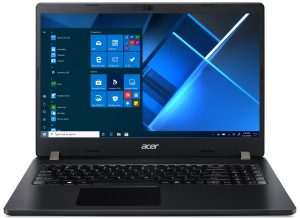
3 reasons to BUY the Acer TravelMate P2 (TMP215-53)
1. Upgradeability
Once you open up the notebook you have a pleasant sight to see. There are two SODIMM RAM slots, one M.2 NVMe SSD slot, and a SATA slot, which can prolong the life of this notebook for a while.
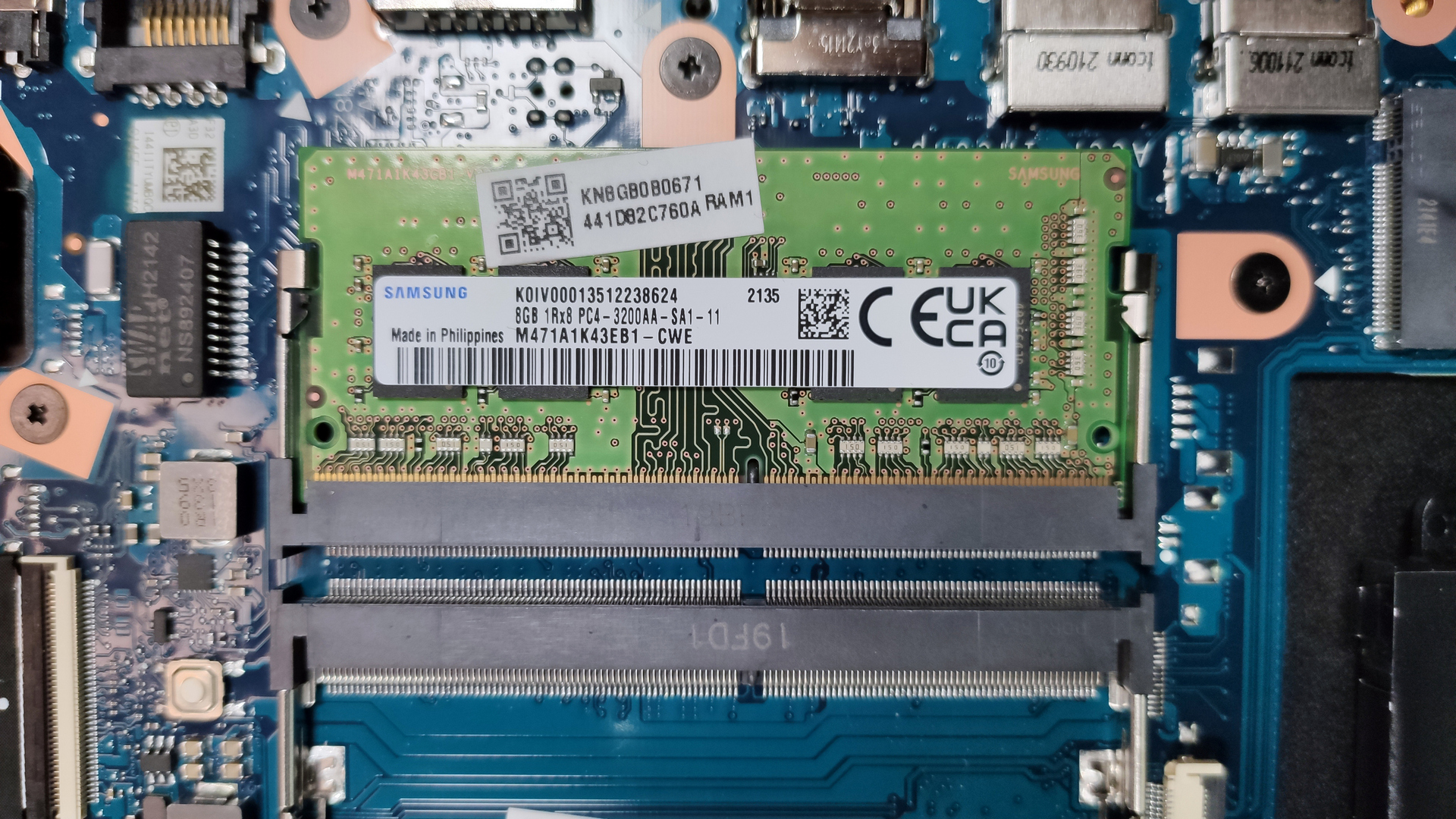
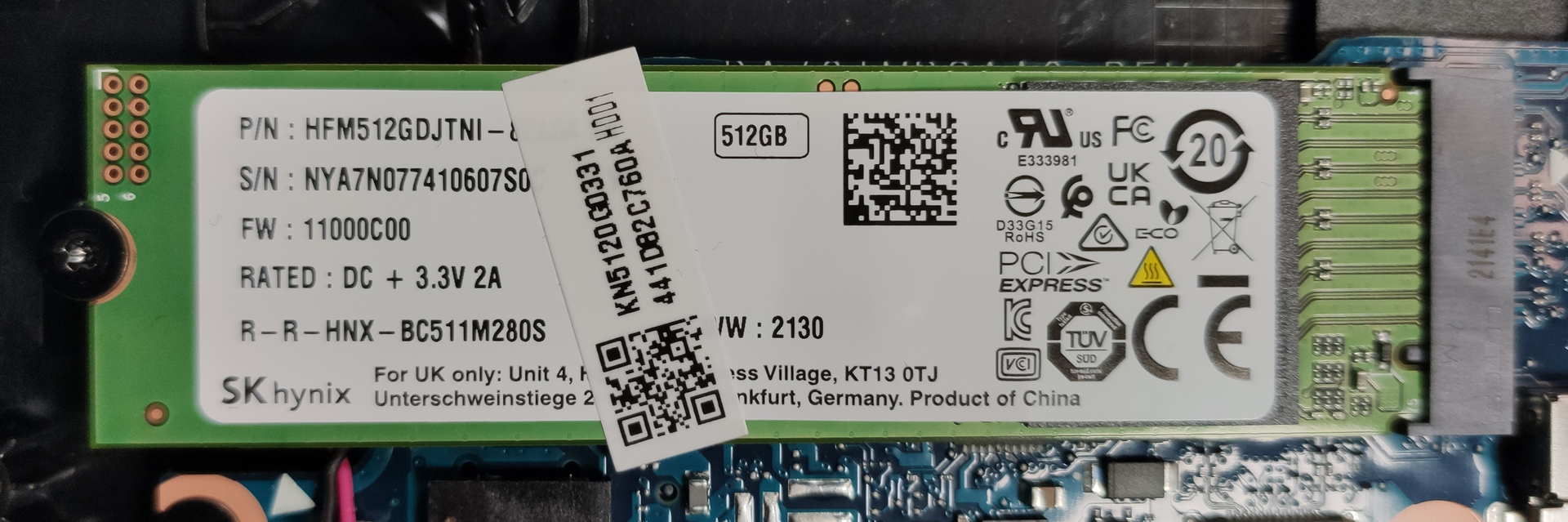
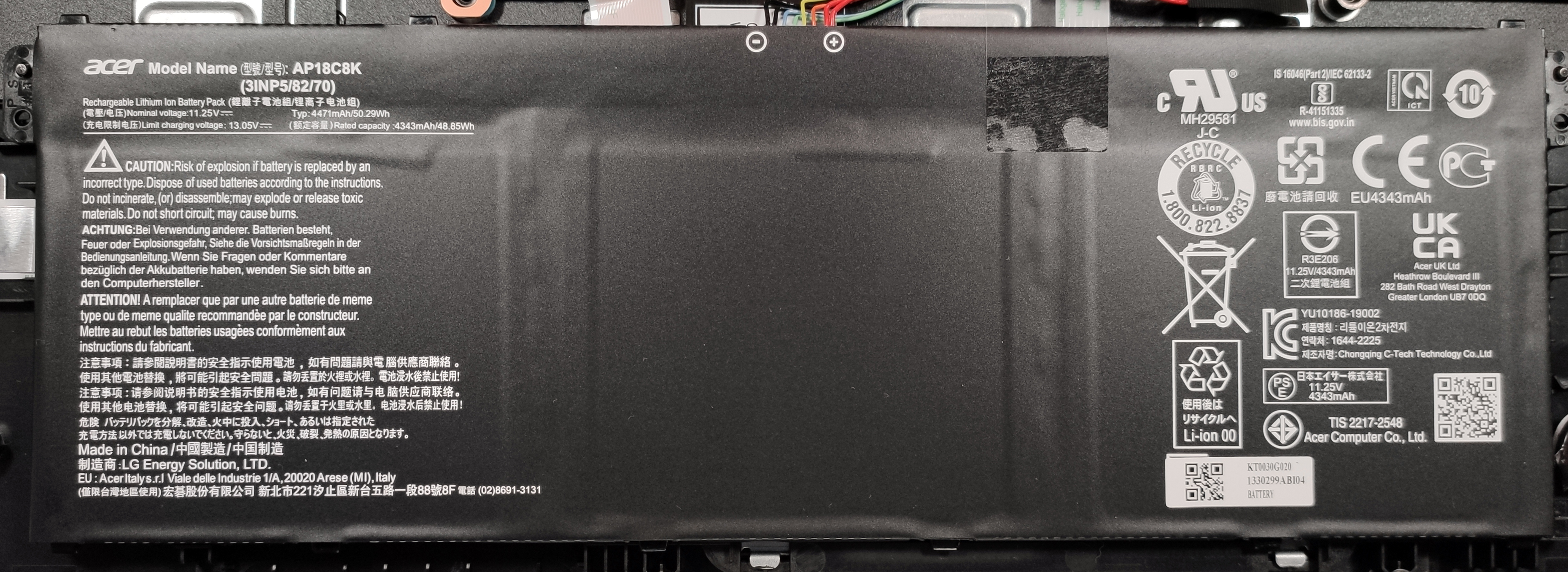

Here is our detailed teardown video, which shows how to access the RAM and SSD slots for future upgrades.
2. I/O
As the laptop does use a 15-inch form factor, the I/O coverage is good enough. There are three USB Type-A 3.2 (Gen. 1) ports, a single USB Type-C 3.2 (Gen. 2) port with Thunderbolt 4 support, Power Delivery, and DisplayPort capabilities, HDMI and VGA ports are also present, along with an SD card reader, an Ethernet port, and a 3.5 mm audio jack.


3. Battery life
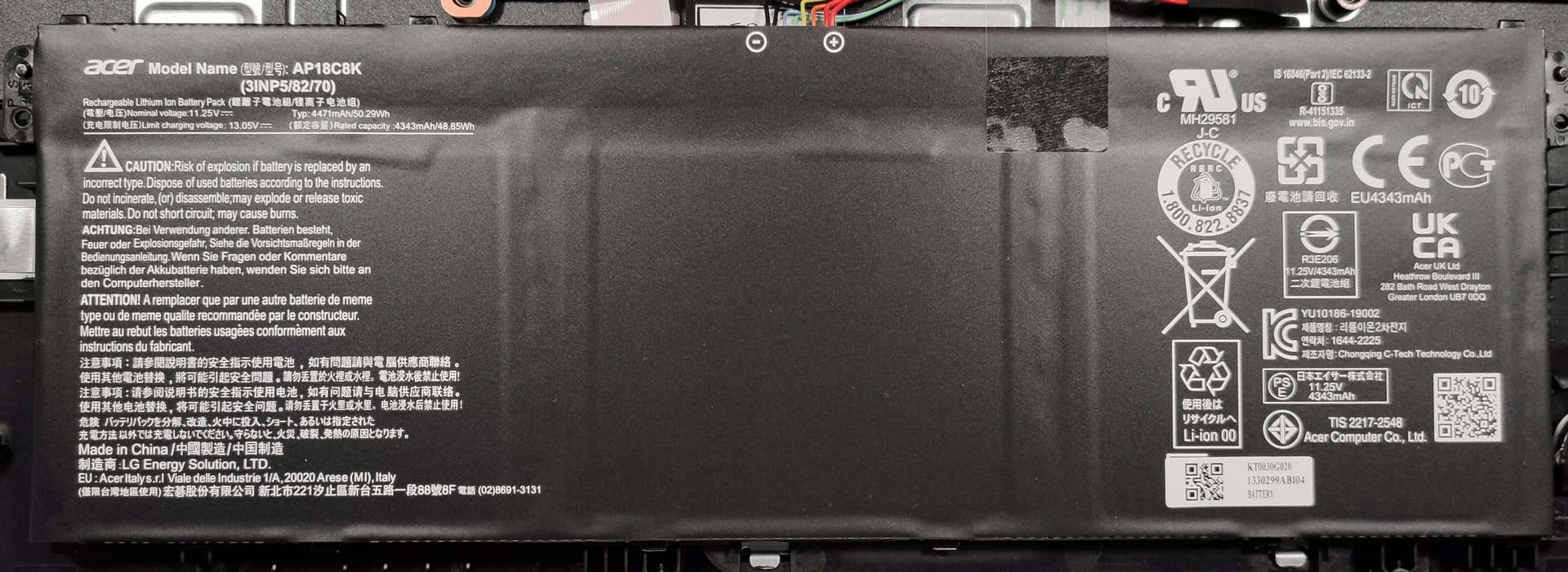
While the battery is on the smaller side, with only a 50Wh unit, it is enough for the less power-hungry Core i3-1115G4, along with the other SKUs of the Tiger Lake U-series. Our laptop lasted for 8 hours and 20 minutes of Web browsing and 6 hours and 15 minutes of video playback. Now, we conduct the battery tests with Windows Better performance setting turned on, screen brightness adjusted to 120 nits, and all other programs turned off except for the one we are testing the notebook with.
2 reasons NOT to buy the Acer TravelMate P2 (TMP215-53)
1. Display quality
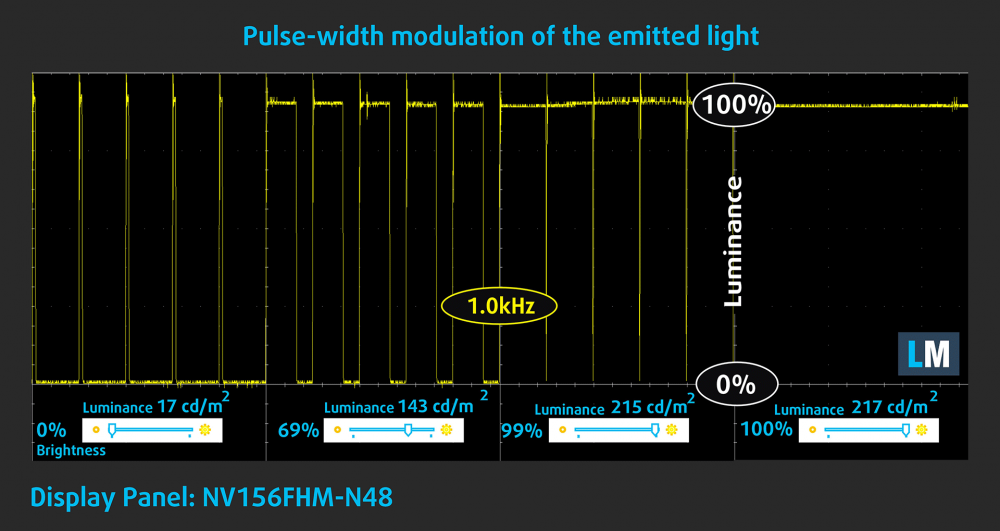
The laptop has a single display option, with a 15.6-inch diagonal, Full HD resolution, and an IPS panel. The display has generally good qualities, like comfortable viewing angles, decent max brightness of 213 nits, and a high contrast ratio of 1310:1. However, one thing that bugged us was the heavy use of PWM, at 1000 Hz, which is low enough to be damaging to your eyes in the long run. Thankfully, our Health-Guard fixes that issue completely, but you still shouldn’t have to go out of your way to fix a problem that shouldn’t even exist in the first place.
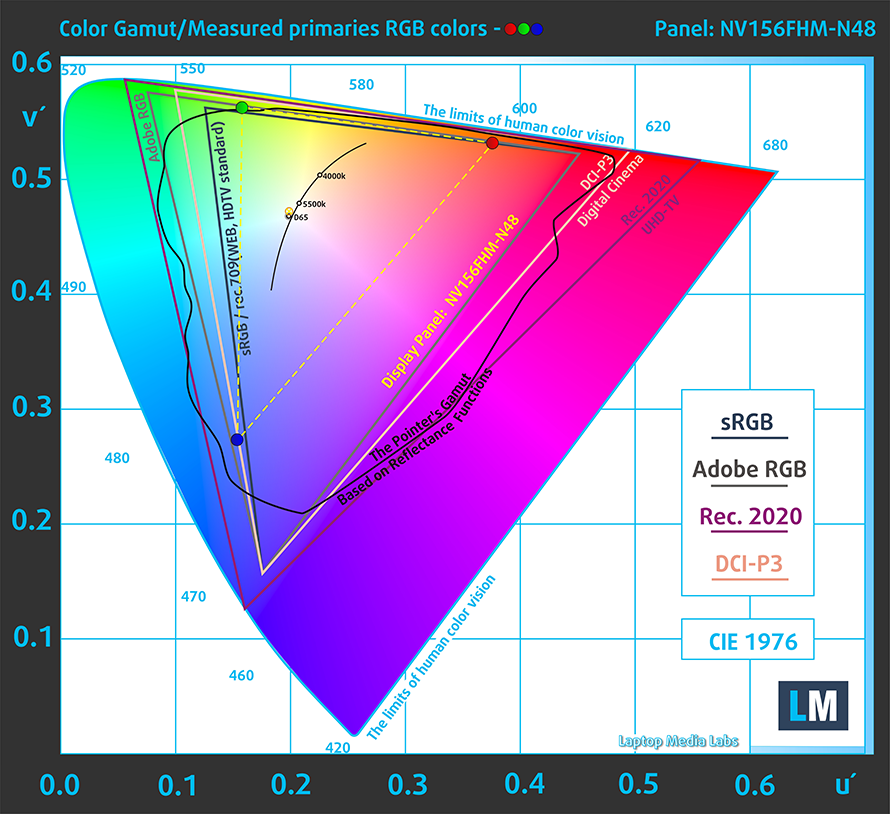
Color reproduction is far from being ready for professional use with the panel covering only 50% of the sRGB gamut.
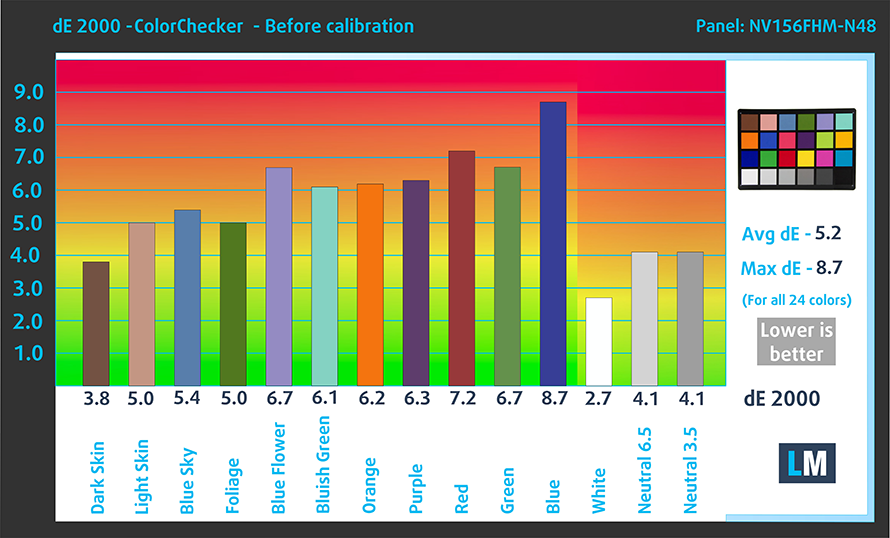
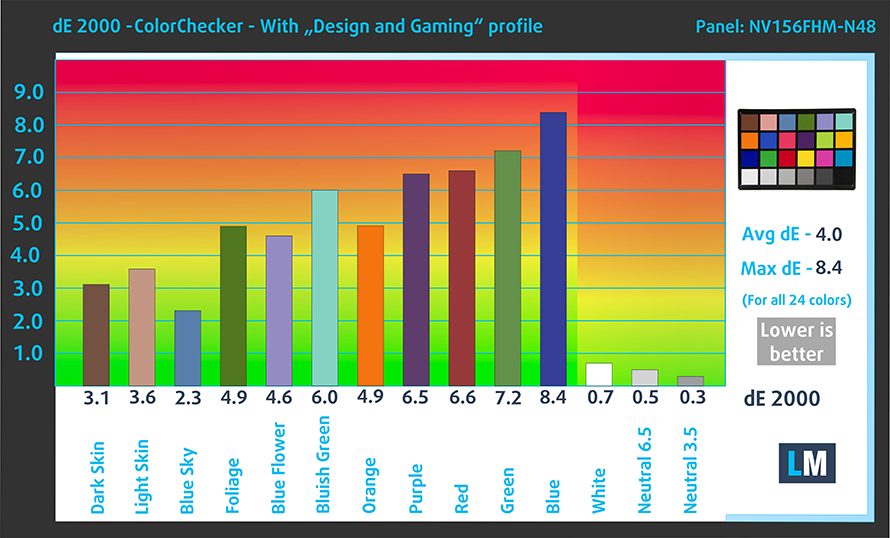
The accuracy didn’t get much better even after we applied our Design and Gaming profile. Here are the results with our factory settings (left) and with our profile applied (right).
Buy our profiles
Since our profiles are tailored for each individual display model, this article and its respective profile package are meant for Acer TravelMate P2 (TMP215-53) configurations with 15.6″ FHD IPS BOE NV156FHM-N48.
*Should you have problems with downloading the purchased file, try using a different browser to open the link you’ll receive via e-mail. If the download target is a .php file instead of an archive, change the file extension to .zip or contact us at [email protected].
Read more about the profiles HERE.
Naast het ontvangen van efficiënte en gezondheidsvriendelijke profielen, ondersteunt u door het kopen van LaptopMedia's producten ook de ontwikkeling van onze labs, waar we apparaten testen om zo objectief mogelijke reviews te produceren.

Office Work
Office Work is voornamelijk bedoeld voor gebruikers die de meeste tijd besteden aan het bekijken van teksten, tabellen of gewoon surfen. Dit profiel streeft naar een betere onderscheidbaarheid en helderheid door een vlakke gammacurve (2.20), native kleurtemperatuur en perceptueel accurate kleuren te behouden.

Design and Gaming
Dit profiel is bedoeld voor ontwerpers die professioneel met kleuren werken, maar ook voor games en films. Design and Gaming haalt het uiterste uit beeldschermen, waardoor ze zo nauwkeurig mogelijk zijn in de sRGB IEC61966-2-1 norm voor Web en HDTV, met witpunt D65.

Health-Guard
Health-Guard elimineert de schadelijke Pulsbreedtemodulatie (PWM) en vermindert het negatieve Blauwe Licht dat onze ogen en lichaam beïnvloedt. Omdat het op maat gemaakt is voor elk paneel, slaagt het erin de kleuren perceptueel accuraat te houden. Health-Guard simuleert papier zodat de druk op de ogen sterk wordt verminderd.
Krijg alle 3 profielen met 33% korting

2. Input devices
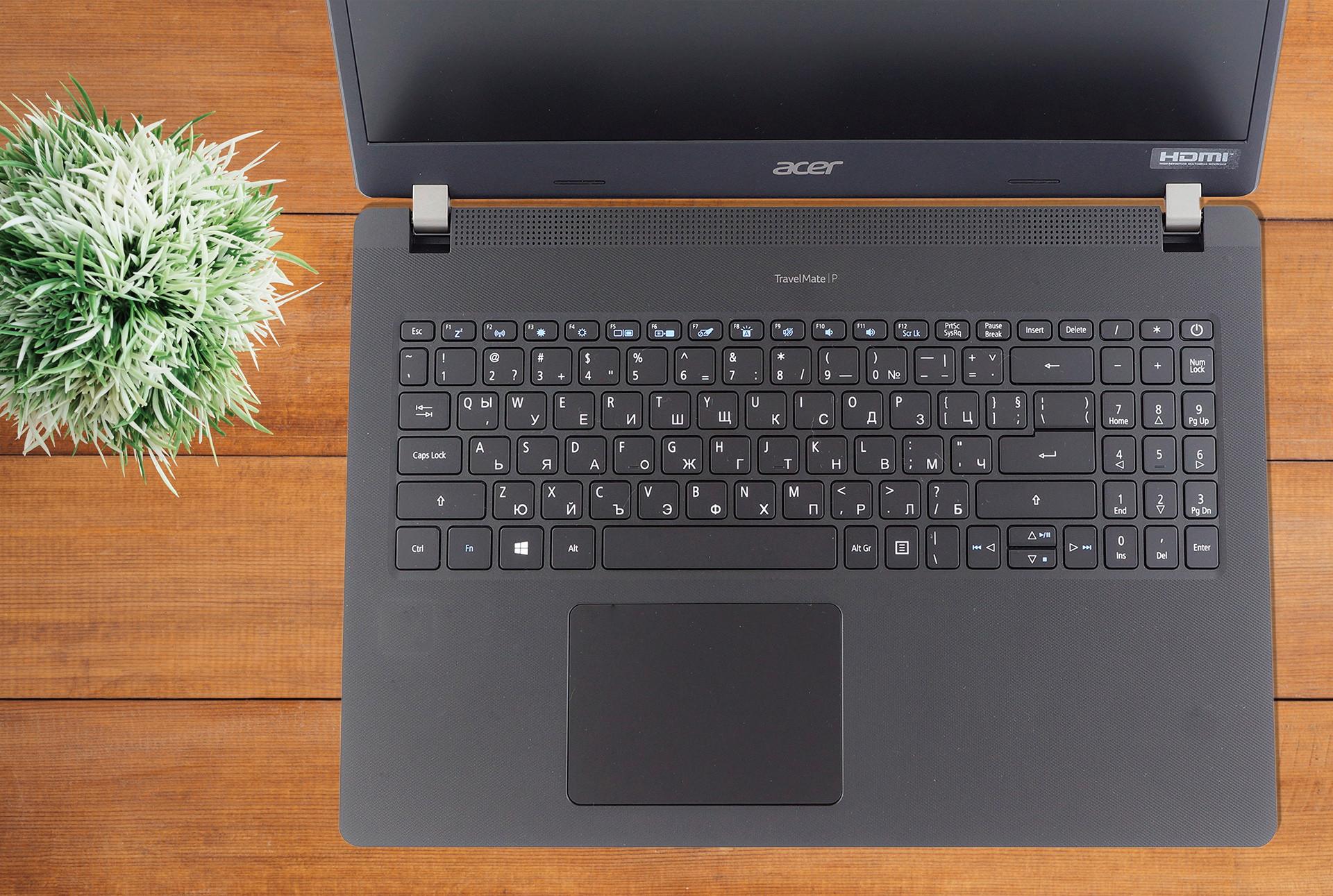
The backlight on this laptop comes as an option, as well as the fingerprint reader. The unit itself isn’t great, offering good key travel, but mushy feedback. The arrow keys also are smaller than you would want. However, we think that for general use, you won’t find an issue with the board, unless you’re typing 24/7 and using it heavily. The touchpad is the star of the show, with a large surface area and good accuracy.
All Acer TravelMate P2 (TMP215-53) configurations:
 Author: Severin Kolakov

![[augustus 2026] Amazon Global: Top 10 van best verkochte laptops – De Apple MacBook Neo domineert de hitlijsten, terwijl goedkope en middenklasse Windows-laptops strijden om het verkoopvolume](https://laptopmedia.com/wp-content/uploads/2026/09/Best-Selling-Laptops-GLOBAL-Top-10-400x225.jpg)
![[augustus 2026] Bestverkochte laptopmerken op Amazon Global – Apple domineert qua omzet, terwijl HP koploper is qua modelvariëteit](https://laptopmedia.com/wp-content/uploads/2026/09/GLOBAL-Best-Brands-400x225.jpg)
![[augustus 2026] Amazon Global: Top 10 bestverkochte gaminglaptops – HP Victus 15 pakt de eerste plaats terwijl budgetvriendelijke modellen de hitlijsten domineren](https://laptopmedia.com/wp-content/uploads/2026/09/Best-Selling-Gaming-Laptops-GLOBAL-Top-10-400x225.jpg)
![[August 2026] Best-Selling Laptop Brands on Amazon Japan – Apple Dominates Market Share and Revenue Led by Strong Unit Sales](https://laptopmedia.com/wp-content/uploads/2026/09/CO.JP-Best-Brands-1-400x225.jpg)
![[August 2026] Best-Selling Laptop Brands on Amazon USA – Apple Dominates Market Revenue and Volume Despite Lower Model Diversity](https://laptopmedia.com/wp-content/uploads/2026/09/COM-Best-Brands-1-400x225.jpg)

I decieded to buy acer travel mate p215 after reading this review, and I back to put a review that it’s value for money laptop in mid range