How to open ASUS Vivobook 15 OLED (X1505) – disassembly and upgrade options
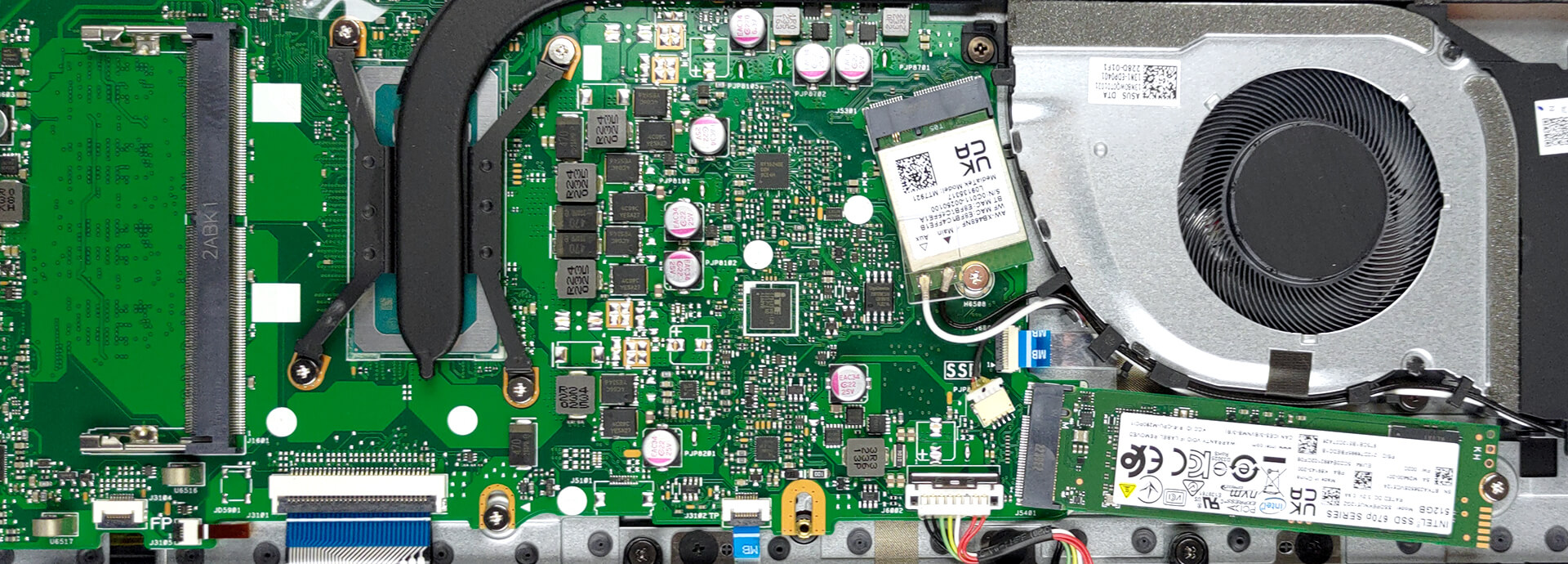
Like the 16-inch version, this machine has one SODIMM slot and one M.2 PCIe x4 storage slot. They are pretty easy to access too.
Check out all ASUS Vivobook 15 OLED (X1505) prices and configurations in our Specs System, or read more in our In-Depth review.
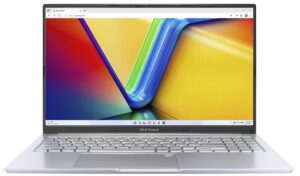
1. Remove the bottom plate
To open this device, undo the 10 Phillips-head screws holding its bottom panel to the chassis. After that, pry it with a plastic tool, and lift it away.

2. Remove the battery
Here, you get a 50Wh battery pack. To take it out, unplug the connector and undo the 5 Phillips-head screws that keep the battery attached to the device.

3. Upgrade memory and storage
Memory-wise, you will get either 4 or 8GB of DDR4 RAM soldered to the motherboard. If you need, you can expand it via one SODIMM slot. As for storage, you get one M.2 PCIe x4 slot. It supports both Gen 3 and Gen 4 SSDs.
4. Cooling system
In terms of cooling, there is one heat pipe, two heat sinks, and one fan that blows the heat away.

Check out all ASUS Vivobook 15 OLED (X1505) prices and configurations in our Specs System, or read more in our In-Depth review.
ASUS Vivobook 15 OLED (X1505 / S1505 / A1505 / R1505) uitgebreide review
We hebben weer een betaalbare 15-inch dagelijkse bestuurder. Maar het is geen gewoon multimedia werkpaard. Waarom niet? Nou, omdat hij wordt geleverd met een OLED-scherm. Je kunt kiezen uit twee schermen: een 1080p 60Hz scherm of een 2,8K 120Hz scherm.Dit maakt de ASUS Vivobook 15 OLED (X1505) een kracht om rekening mee te houden. Naast het verrukkelijke scherm zit er ook behoorlijk capabele hardware achter het product. We hebben het over de 15W of 45W Alder Lake processors van Intel, met de 13e generatie in de hoek.We verwachten niet dat deze notebook veel zal verschillen van de Vivo[...]
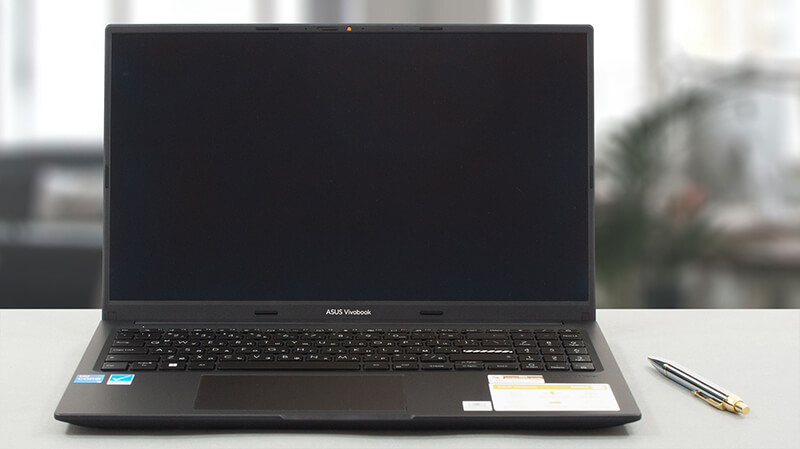
Pros
- Betaalbaar en snel
- 100% DCI-P3 kleurdekking (Samsung ATNA56YX03-0 (SDC4161))
- Oneindige contrastverhouding (Samsung ATNA56YX03-0 (SDC4161))
- Zeer snelle pixelreactietijden (Samsung ATNA56YX03-0 (SDC4161))
- Antibacteriële coating
- Comfortabel toetsenbord en touchpad
- Camera met een privacy shutter
Minpunten
- Geen SD-kaartlezer
- USB Type-C poort is alleen voor gegevensoverdracht
- Gebruikt PWM (vastgezet door een app van derden) (Samsung ATNA56YX03-0 (SDC4161))
- Alleen plastic voor bouwmateriaal
 Author: Alex Iliev

![[augustus 2026] Wereldwijde ranglijst van bestverkochte laptop-GPU’s op Amazon – Apple is onbetwist nummer één, NVIDIA’s RTX 5060 staat bovenaan de ranglijst voor dedicated GPU’s](https://laptopmedia.com/wp-content/uploads/2026/09/Best-Selling-GPUs-GLOBAL-Top-10-400x225.jpg)
![[augustus 2026] Wereldwijde ranglijst van bestverkochte laptop-CPU’s op Amazon – Apple domineert zowel het budget- als het premiumsegment: A18 Pro en M5 verslaan Intel en AMD in augustus 2026](https://laptopmedia.com/wp-content/uploads/2026/09/Best-Selling-CPUs-GLOBAL-Top-10-400x225.jpg)
![[augustus 2026] Amazon Global: Top 10 van best verkochte laptops – De Apple MacBook Neo domineert de hitlijsten, terwijl goedkope en middenklasse Windows-laptops strijden om het verkoopvolume](https://laptopmedia.com/wp-content/uploads/2026/09/Best-Selling-Laptops-GLOBAL-Top-10-400x225.jpg)
![[augustus 2026] Bestverkochte laptopmerken op Amazon Global – Apple domineert qua omzet, terwijl HP koploper is qua modelvariëteit](https://laptopmedia.com/wp-content/uploads/2026/09/GLOBAL-Best-Brands-400x225.jpg)
![[augustus 2026] Amazon Global: Top 10 bestverkochte gaminglaptops – HP Victus 15 pakt de eerste plaats terwijl budgetvriendelijke modellen de hitlijsten domineren](https://laptopmedia.com/wp-content/uploads/2026/09/Best-Selling-Gaming-Laptops-GLOBAL-Top-10-400x225.jpg)
