How to open Dell Precision 17 7770 – disassembly and upgrade options
Upgrading this device is both easy and intriguing. In this article, you are going to learn how to access the memory module(s), and the storage slots.
Check out all Dell Precision 17 7770 prices and configurations in our Specs System, or read more in our In-Depth review.
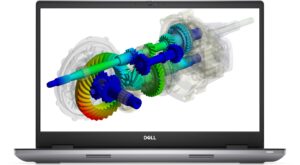
1. Open the service door
The first thing we see in this laptop is the service door. Pry it open with a plastic tool, and you’ll get access to one M.2 PCIe x4 slot.

2. Remove the bottom plate
To continue with the disassembly, undo the six captive Phillips-head screws. Then, pry the bottom panel with a plastic tool, starting from the front corners.

3. Remove the battery
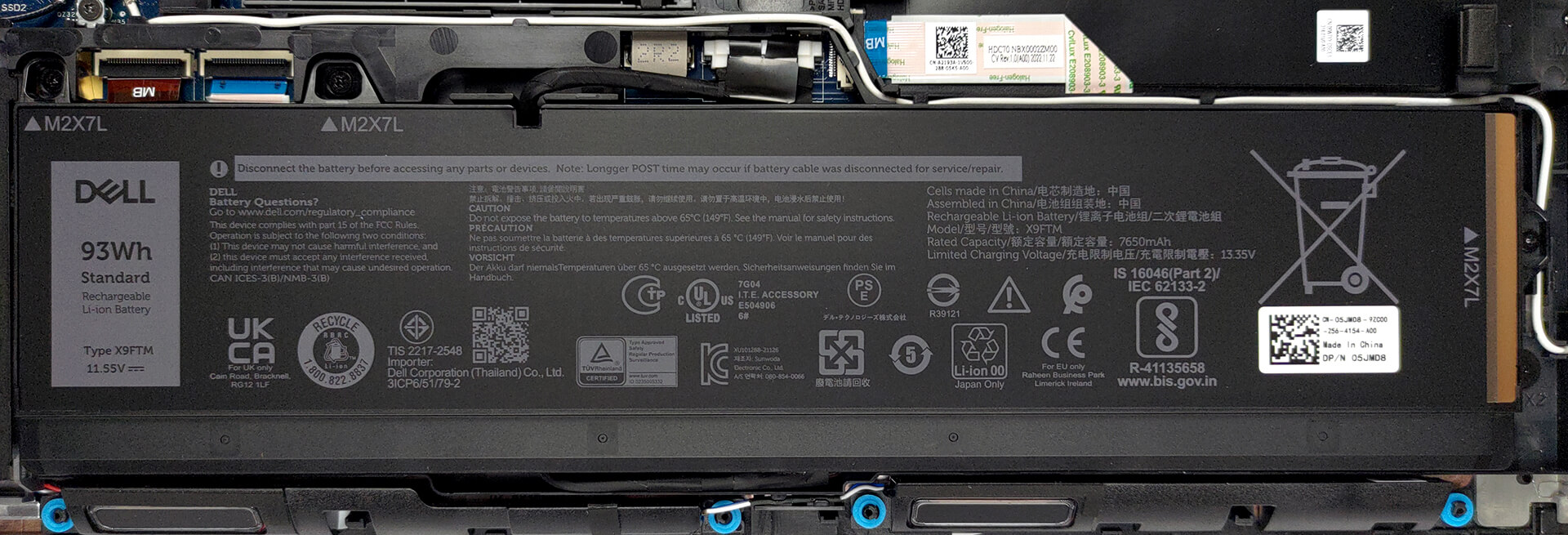
Inside, we find a 93Wh battery pack. It got us through 13 hours of Web browsing or more than 10 hours of video playback. To remove it, unplug the connector from the motherboard, and undo the three Phillips-head screws that secure it in place.
4. Upgrade memory and storage
Next, there is the new CAMM memory Dell introduced to replace SODIMM. It takes less space but is considerably more difficult to upgrade. That’s because it is held in place by four screws. Two of them are used to mount the CAMM connector module to the system board. Interestingly, the same connector is used to put a SODIMM adapter, if you prefer to use the traditional memory type.
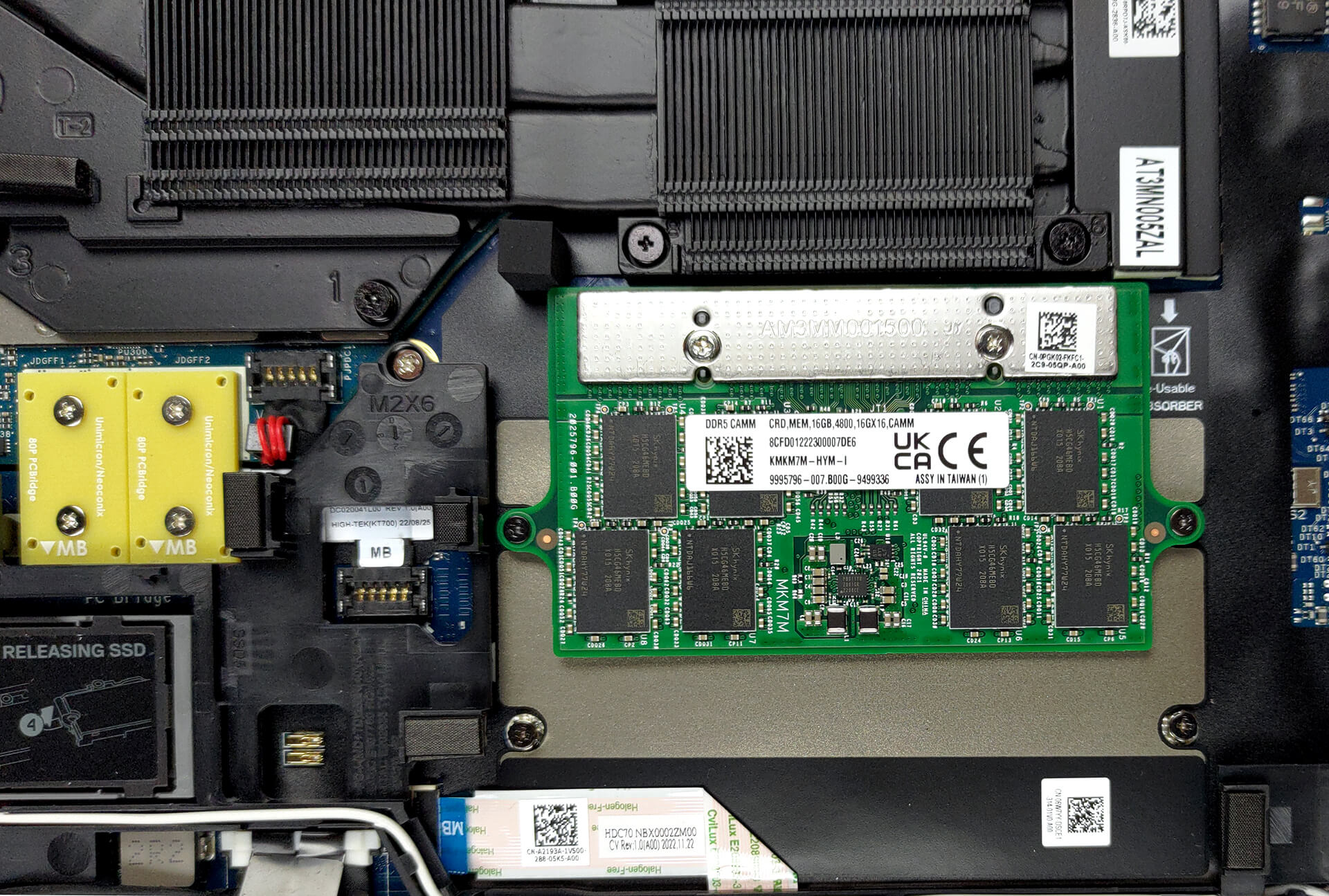
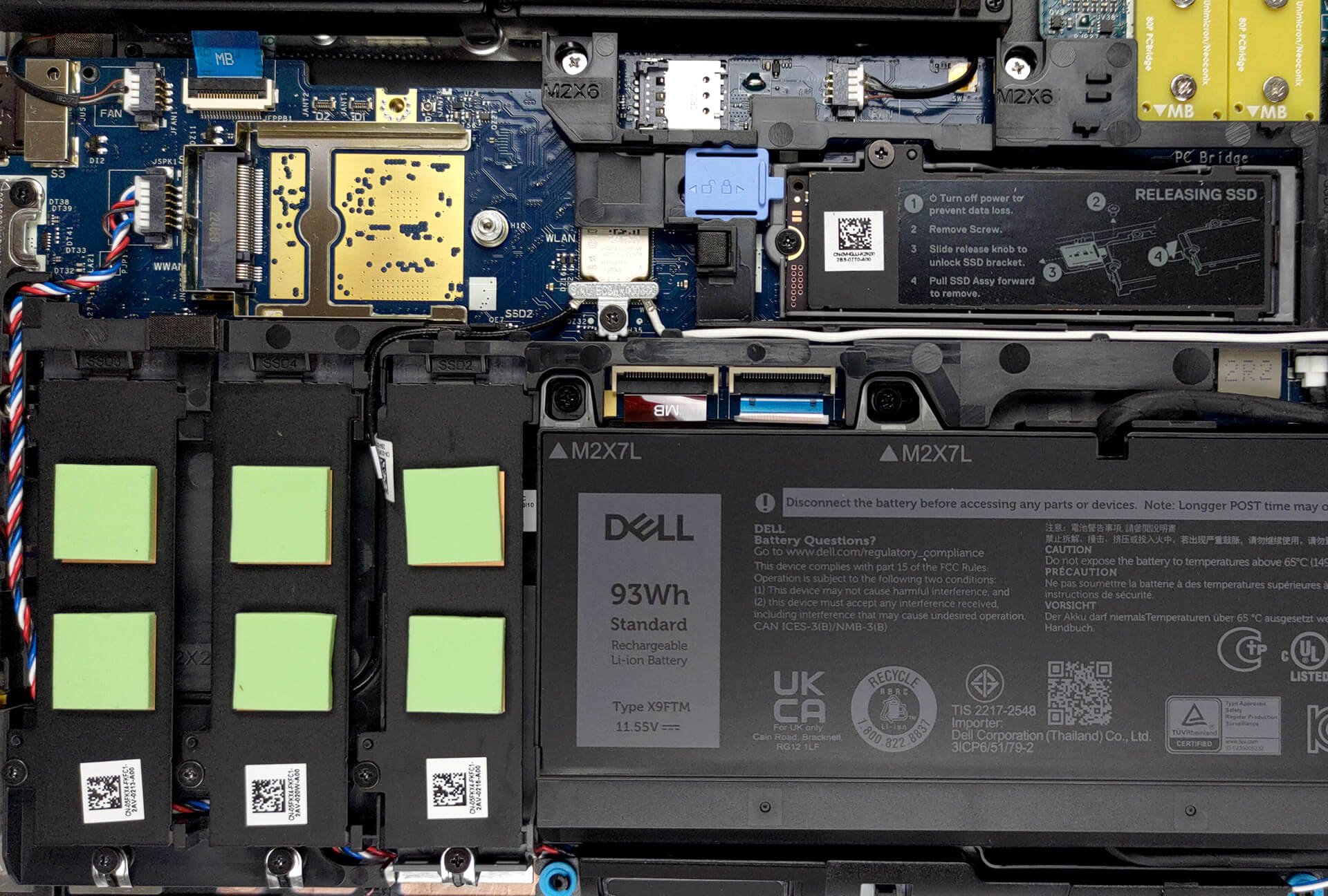
The difference between the two is that you can put up to 128GB of CAMM DDR5 RAM inside the laptop, while SODIMM memory is limited to 64 GB. On the flip hand, it supports ECC RAM. As far as the storage goes, you get a total of four M.2 PCIe x4 slots, which fit Gen 4 SSDs and support RAID mode.
5. Cooling system
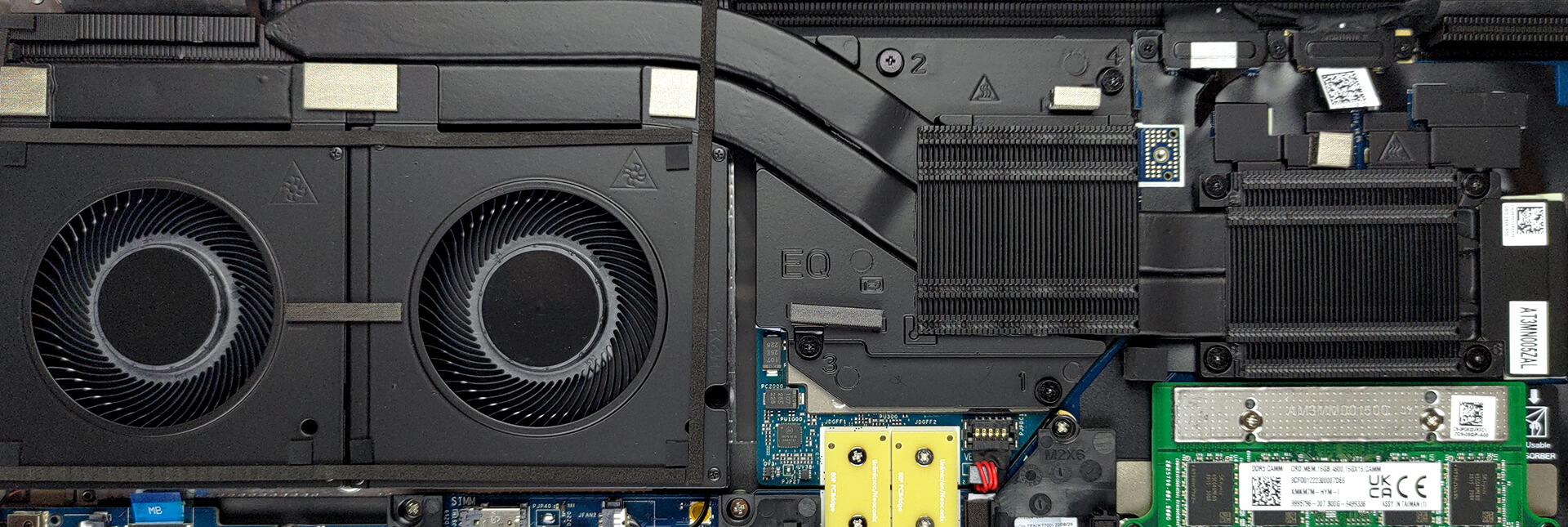
Lastly, the cooling comprises two heat pipes, shared between the CPU and the GPU. They are attached to a long heat sink, which is being cooled down by two beefy fans. Furthermore, you get two heat sinks directly above the processor and the graphics card. Thankfully, the graphics memory and the VRMs are managed by a couple of heat spreaders.
Check out all Dell Precision 17 7770 prices and configurations in our Specs System, or read more in our In-Depth review.
Dell Precision 17 7770 uitgebreide review
Vandaag hebben we weer een nieuw werkstation. Dit keer is het een grote jongen, en het is bedoeld voor zware projecten. Een bewijs daarvan is het gebruik van maximaal NVIDIA RTX A5500 dedicated graphics.Met deze grafische kaart kun je werken met professionele software, met volledige ondersteuning en gegarandeerde effectiviteit. Beide zijn te danken aan de manier waarop de kaart is gebouwd en de manier waarop de software interageert met de stuurprogramma's.Maar hé, we zijn al naar de grafische kaart gesprongen voordat we de naam van de laptop hadden genoemd. Het is een Dell Precision [...]

Pros
- Tot 128 GB DDR5 (CAMM) + vier M.2-sleuven
- Geschikte hardware
- 99% DCI-P3-dekking en nauwkeurige kleuren/li>
- Geen PWM
- Vingerafdruklezer + optionele IR-gezichtsherkenning en 5G-connectiviteit
- SD-kaartlezer + 2x Thunderbolt 4 + HDMI 2.1
- Goede beveiligingsfuncties
- Geweldig toetsenbord en touchpad
- Goede batterijduur
Minpunten
- Hoge prijs
- Koeling is niet geweldig
- Geen vermelding van morsbestendigheid
 Author: Alex Iliev

![[augustus 2026] Wereldwijde ranglijst van bestverkochte laptop-GPU’s op Amazon – Apple is onbetwist nummer één, NVIDIA’s RTX 5060 staat bovenaan de ranglijst voor dedicated GPU’s](https://laptopmedia.com/wp-content/uploads/2026/09/Best-Selling-GPUs-GLOBAL-Top-10-400x225.jpg)
![[augustus 2026] Wereldwijde ranglijst van bestverkochte laptop-CPU’s op Amazon – Apple domineert zowel het budget- als het premiumsegment: A18 Pro en M5 verslaan Intel en AMD in augustus 2026](https://laptopmedia.com/wp-content/uploads/2026/09/Best-Selling-CPUs-GLOBAL-Top-10-400x225.jpg)
![[augustus 2026] Amazon Global: Top 10 van best verkochte laptops – De Apple MacBook Neo domineert de hitlijsten, terwijl goedkope en middenklasse Windows-laptops strijden om het verkoopvolume](https://laptopmedia.com/wp-content/uploads/2026/09/Best-Selling-Laptops-GLOBAL-Top-10-400x225.jpg)
![[augustus 2026] Bestverkochte laptopmerken op Amazon Global – Apple domineert qua omzet, terwijl HP koploper is qua modelvariëteit](https://laptopmedia.com/wp-content/uploads/2026/09/GLOBAL-Best-Brands-400x225.jpg)
![[augustus 2026] Amazon Global: Top 10 bestverkochte gaminglaptops – HP Victus 15 pakt de eerste plaats terwijl budgetvriendelijke modellen de hitlijsten domineren](https://laptopmedia.com/wp-content/uploads/2026/09/Best-Selling-Gaming-Laptops-GLOBAL-Top-10-400x225.jpg)
