How to open Lenovo ThinkPad T14s Gen 3 – disassembly and upgrade options
Unfortunately, this notebook’s memory is soldered to the motherboard. On the bright side, you get one storage slot, which is better than nothing.
Check out all Lenovo ThinkPad T14s Gen 3 prices and configurations in our Specs System, or read more in our In-Depth review.
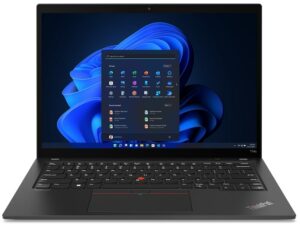
1. Remove the bottom plate
There are only 5 captive Phillips-head screws you need to undo to access this notebook’s internals. After that, pry the bottom panel with a plastic tool, and lift it away from the chassis.
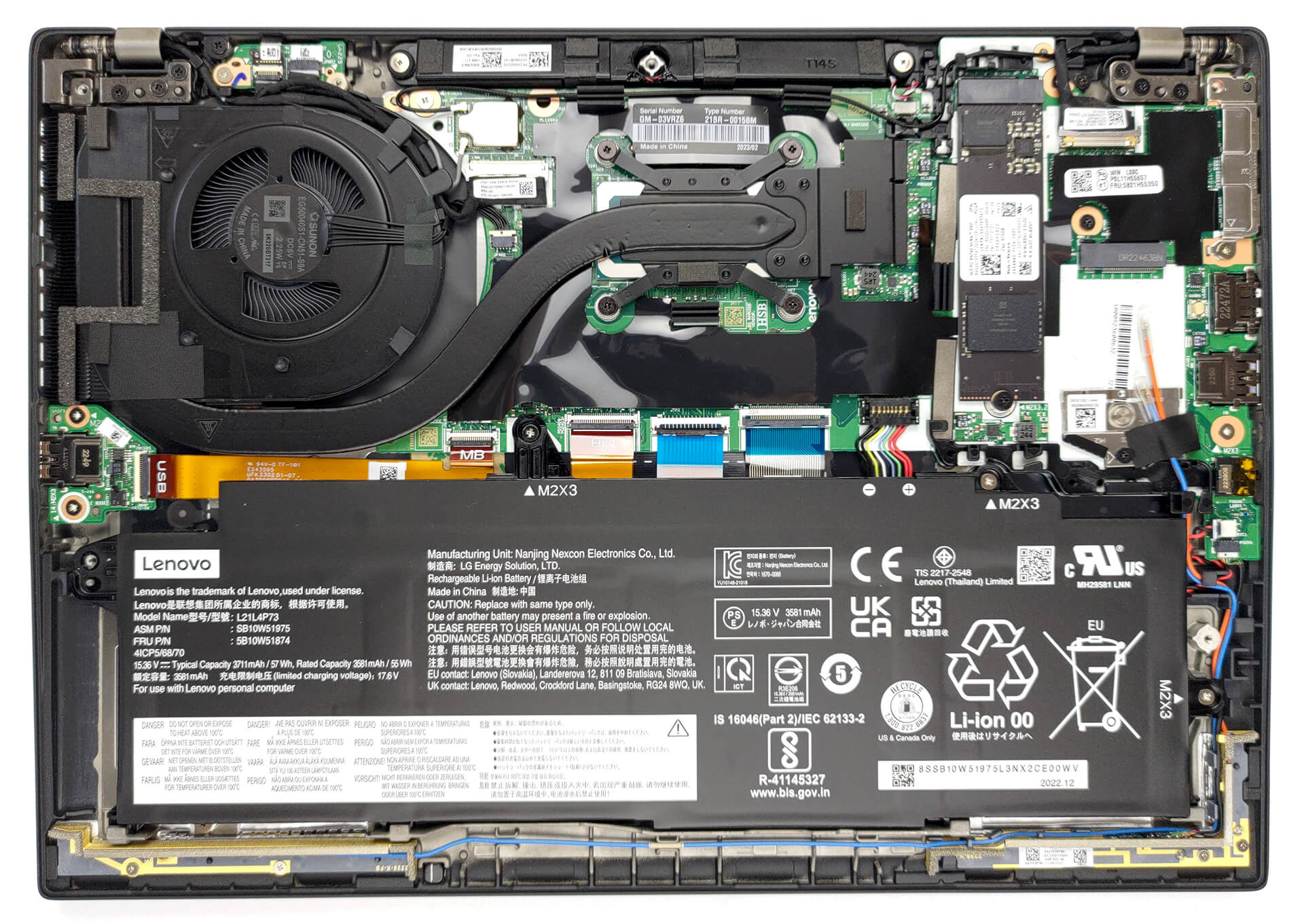
2. Remove the battery
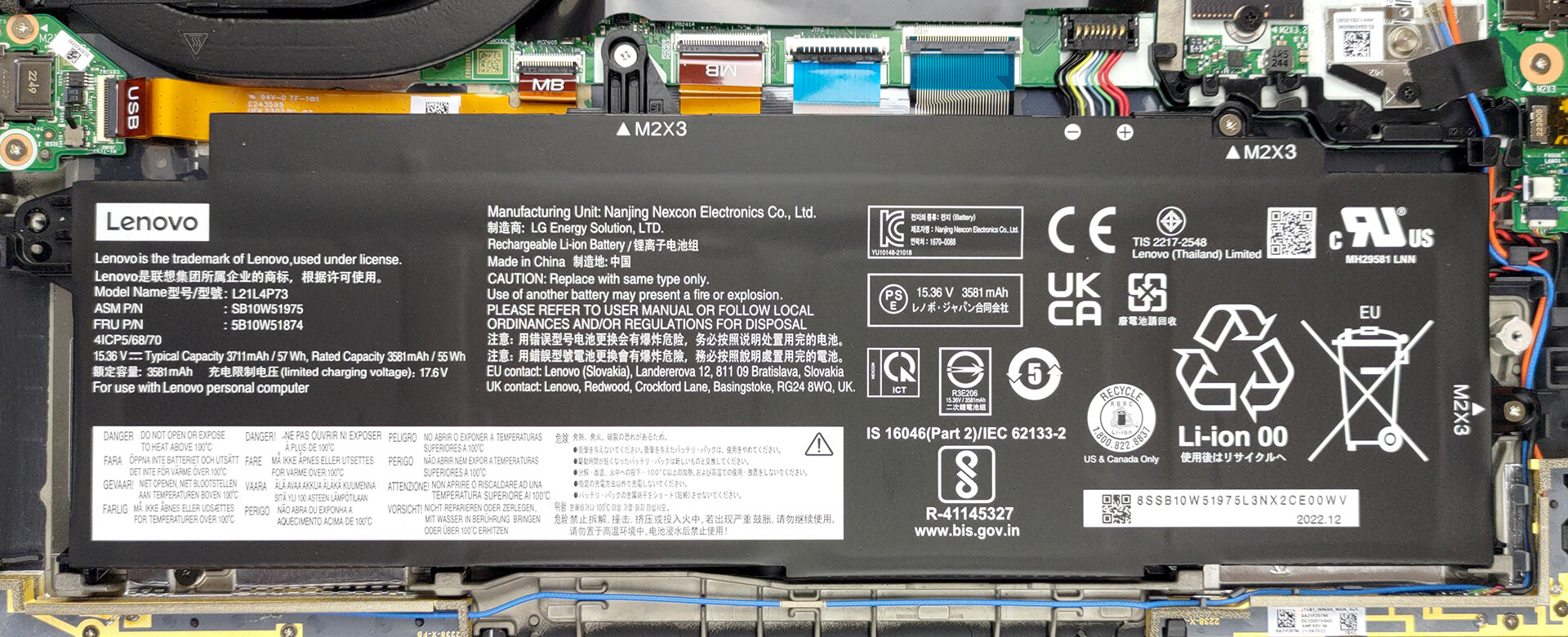
Inside, we see a 57Wh battery pack. To remove it, unplug the battery connector, and undo the 3 Phillips-head screws keeping the device attached to the chassis.
3. Upgrade memory and storage
This model can be configured with up to 32GB of LPDDR5 RAM, working at 4800MHz. And for storage, there is one M.2 PCIe x4 slot, which fits Gen 4 SSDs.

4. Cooling system
There is one heat pipe connecting the CPU to the side-mounted heat sink. A single fan blows the heat away, while one heat spreader deals with the VRMs.

Check out all Lenovo ThinkPad T14s Gen 3 prices and configurations in our Specs System, or read more in our In-Depth review.
Lenovo ThinkPad T14s Gen 3 (Intel) uitgebreide review
Lenovo is de leider op de zakelijke notebookmarkt. De ThinkPad-serie is wereldwijd bekend en bestond zelfs al voor het merk Lenovo. Maar we gaan ons niet verdiepen in de geschiedenisboeken van draagbare computers. In plaats daarvan moeten we een recensie schrijven en moet jij een recensie lezen.We gaan het hebben over de Lenovo ThinkPad T14s Gen 3. Hij zit in het midden van de prijsklasse van zakelijke notebooks. Lenovo heeft het gemaakt met een gedachte voor zowel de on-the-go professionals als het milieu.De fabrikant is erg trots op het gebruik van gerecycled plastic in de luidsprek[...]

Pros
- Het toetsenbord is comfortabel, heeft achtergrondverlichting en is morsbestendig
- Optionele vingerafdruklezer en IR-gezichtsherkenning
- SIM-kaartsleuf met optionele 5G ondersteuning
- M.2 PCIe x4 Gen 4 ondersteuning
- Dekt 97% van sRGB + nauwkeurige kleuren met onze profielen (CSOT MNE007JA1-1 (LEN403A))
- Geen PWM (CSOT MNE007JA1-1 (LEN403A))
- Opladen via Thunderbolt 4
- Stille en redelijke prestaties
Minpunten
- Gesoldeerd geheugen
- Minder krachtig bij lange ladingen
- Geen SD-kaartlezer
 Author: Alex Iliev

![[juli 2026] Wereldwijde ranglijst van best verkochte laptop-GPU’s op Amazon – RTX 5060 domineert het premiumsegment, Intel blijft de toon aangeven in het budgetsegment](https://laptopmedia.com/wp-content/uploads/2026/08/Best-Selling-GPUs-GLOBAL-Top-10-400x225.jpg)
![[juli 2026] Wereldwijde ranglijst van bestverkochte laptop-CPU’s op Amazon – Apple domineert het premiumsegment, Intel behoudt de algemene eerste plaats](https://laptopmedia.com/wp-content/uploads/2026/08/Best-Selling-CPUs-GLOBAL-Top-10-400x225.jpg)
![[July 2026] Amazon Canada: Top 10 Best-Selling Laptops – Apple MacBook Neo Dominates the Market to Claim the #1 Spot](https://laptopmedia.com/wp-content/uploads/2026/08/Best-Selling-Laptops-CA-Top-10-2-400x225.jpg)
![[July 2026] Best-Selling Laptop Brands on Amazon Japan – HP and Lenovo Dominate Units and Revenue Amid Fierce Competition](https://laptopmedia.com/wp-content/uploads/2026/08/CO.JP-Best-Brands-2-400x225.jpg)
![[July 2026] Amazon Italy: Top 10 Best-Selling Laptops – Apple MacBook Neo Claims the #1 Spot Amid Budget-Friendly Dominance](https://laptopmedia.com/wp-content/uploads/2026/08/Best-Selling-Laptops-IT-Top-10-400x225.jpg)
