How to open Lenovo Yoga Slim 7 Carbon (13″, 2022) – disassembly and upgrade options
As expected, the upgrade options here are almost nonexistent. On the bright side, you can put either 42 or 80-mm SSDs, which support the latest Gen 4 drives.
Check out all Lenovo Yoga Slim 7 Carbon (13″, 2022) prices and configurations in our Specs System, or read more in our In-Depth review.

1. Remove the bottom plate
To access this notebook’s internals, you need to undo 6 Torx-head screws. After that, pry the bottom panel with a plastic tool.

2. Remove the battery
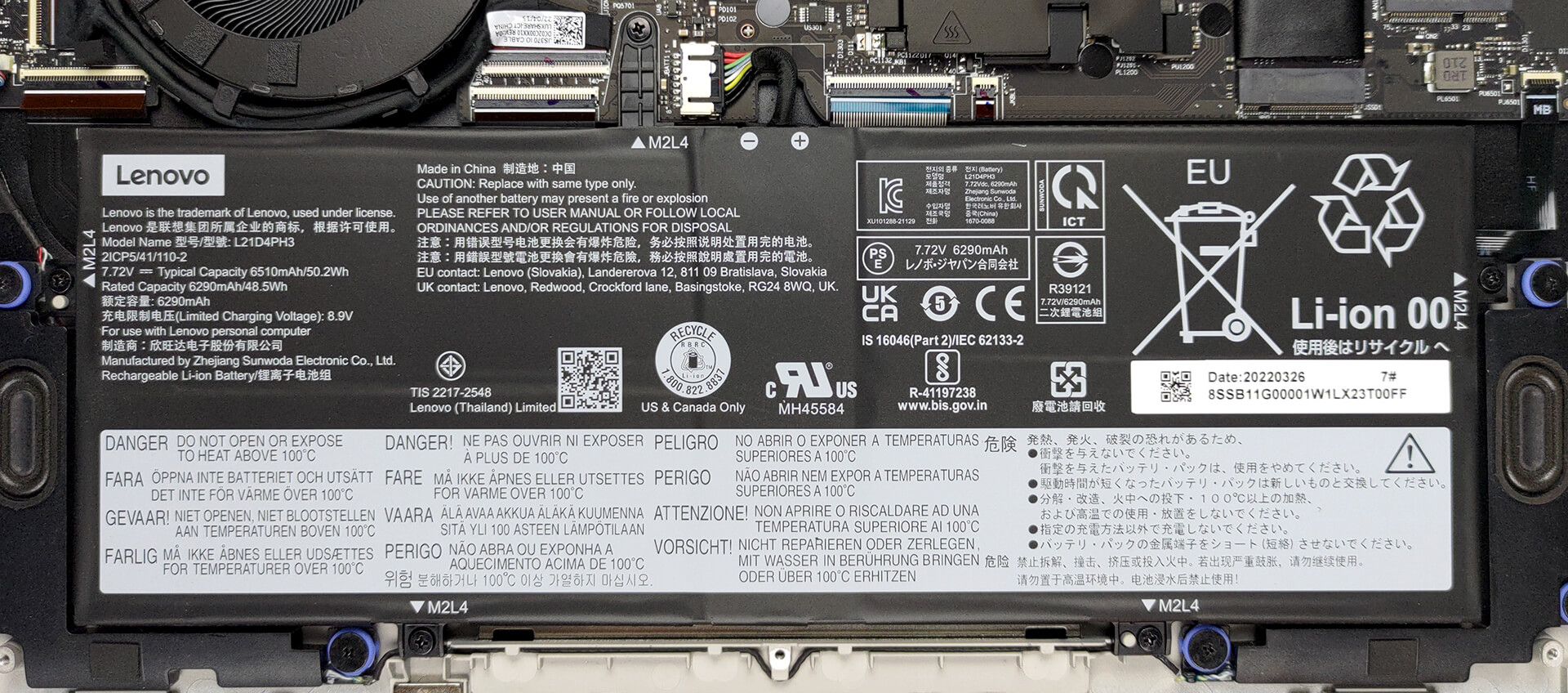
Inside, there is a 50Wh battery pack. It lasts for more than 9 hours of Web browsing, or nearly 8 hours of video playback. To take it out, undo 5 Phillips-head screws and unplug the connector from the motherboard. Don’t be scared of the resistance – there is some tape that keeps the cables beneath the battery from dangling.
3. Upgrade memory and storage
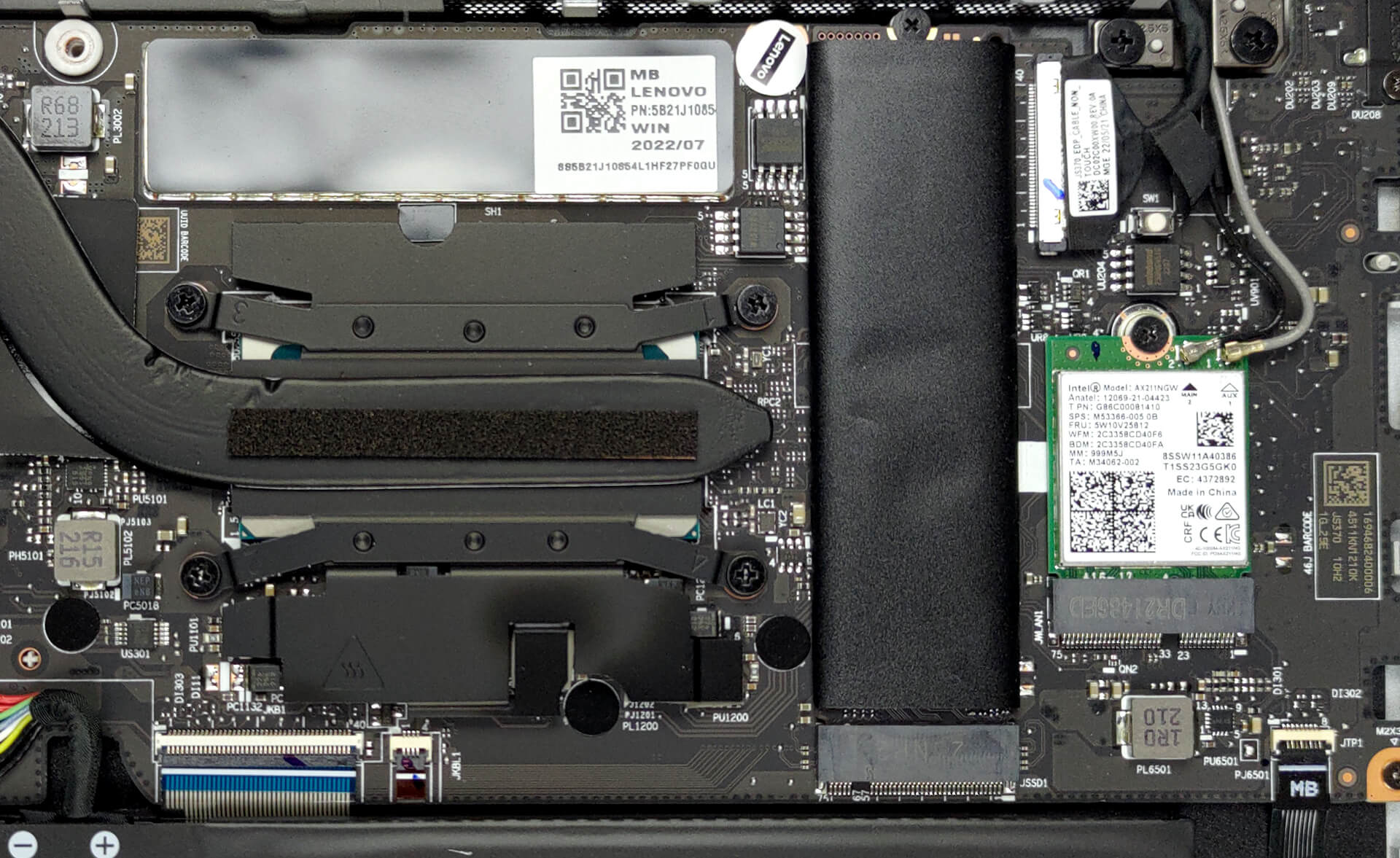
Here, the memory comes soldered to the motherboard. The maximum available configuration has 16GB of LPDDR5 RAM, working at 4800MHz. Storage-wise, there is one M.2 PCIe x4 slot for Gen 4 SSDs. It fits 42 and 80-mm drives.
4. Cooling system
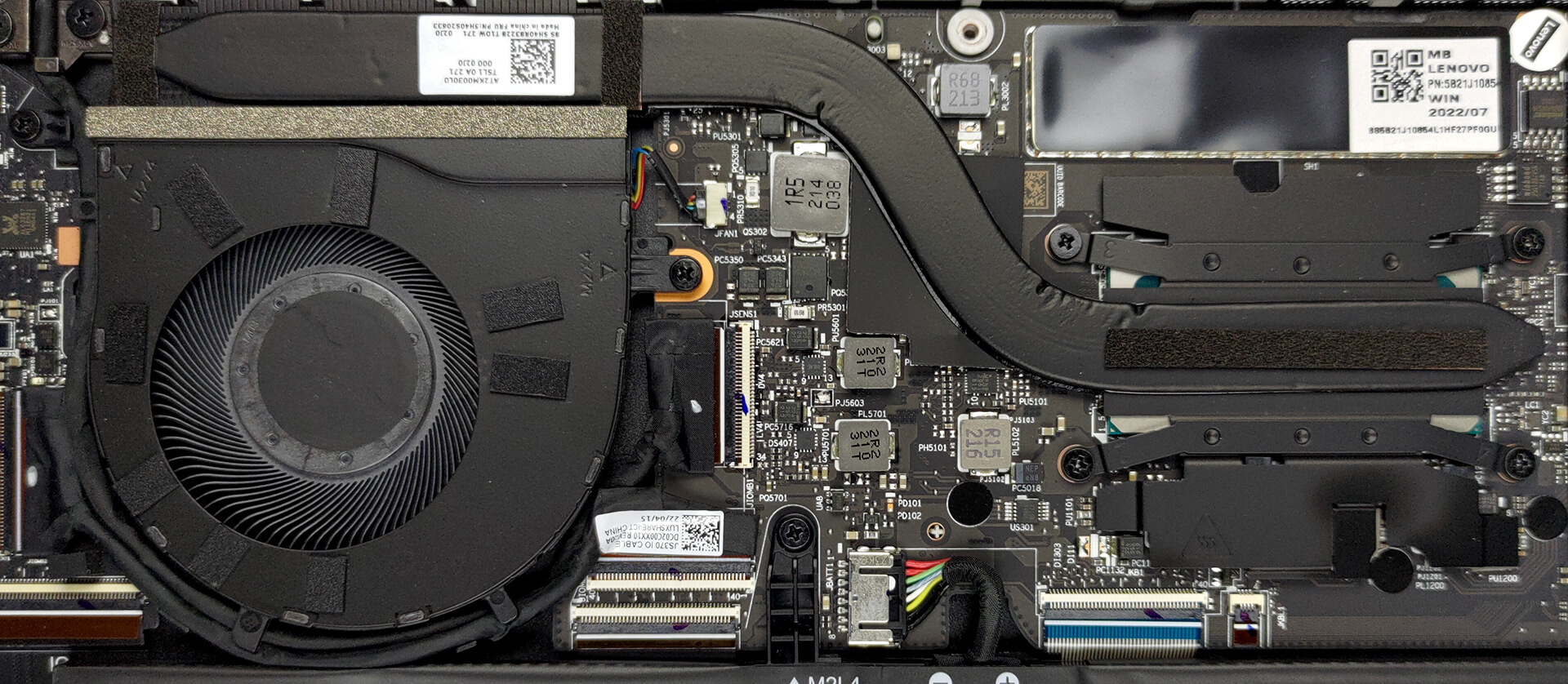
As you can see, there is one heat pipe, a heat sink, a fan taking care of the CPU, and a heat spreader meant for the VRMs.
Check out all Lenovo Yoga Slim 7 Carbon (13″, 2022) prices and configurations in our Specs System, or read more in our In-Depth review.
Lenovo Yoga Slim 7 Carbon (13", 2022 / 2023) uitgebreide review
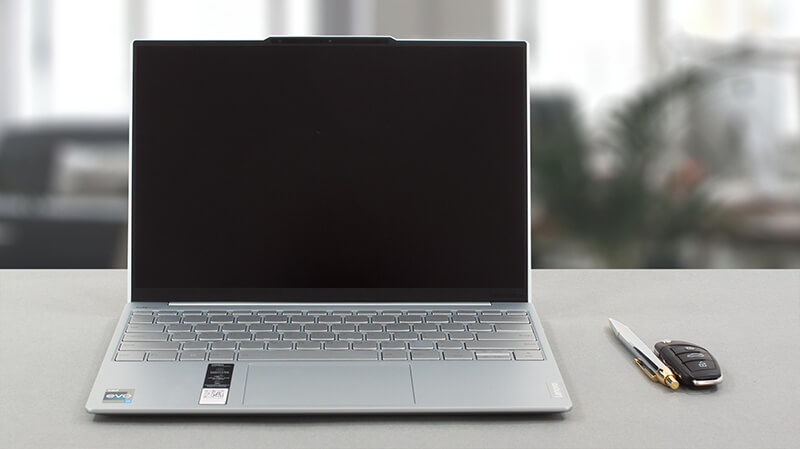
Sometimes it feels like things are getting out of hand when it comes to thin and light gadgets. We all remember the controversy with the iPhone 6 models, which snapped in half. We really hope that won't be the case today because we have got ourselves the Lenovo Yoga Slim 7 Carbon (13", 2022).It is an effort from Lenovo to murder the entire thin and light sector of the market. This machine features Intel's Alder Lake P CPUs, which come with a 28W TDP limit. As you can see in our Top Laptop CPU Ranking, the P-series manage to keep even the 45W chips honest.Of course, we are going to put[...]
Pros
- Lightweight chassis
- 96% sRGB coverage and accurate colors with our Gaming and Web design profile (MND307DA1-9 (LEN8297))
- No PWM (MND307DA1-9 (LEN8297))
- Super fast and smooth work
- Thunderbolt 4 + Gen 4 SSD support
- IR face recognition scanner
Minpunten
- Limited port selection and no SD card reader
- Soldered memory
- Can't take advantage of the 28W CPUs in long loads
 Author: Alex Iliev

![[juni 2026] Bestverkochte laptopmerken op Amazon Global – Apple’s ongeëvenaarde dominantie in aantal verkochte exemplaren en omzet](https://laptopmedia.com/wp-content/uploads/2026/07/GLOBAL-Best-Brands-400x225.jpg)
![[juni 2026] Amazon Global: Top 10 bestverkochte laptops – De nieuwe MacBook Neo van Apple stormt naar de eerste plaats en zet de markt op zijn kop dankzij zijn betaalbaarheid](https://laptopmedia.com/wp-content/uploads/2026/07/Best-Selling-Laptops-GLOBAL-Top-10-400x225.jpg)
![[juni 2026] Amazon Global: Top 10 van best verkochte gaminglaptops – De Nitro V 16S AI van Acer domineert de verkoopcijfers, terwijl ASUS qua totale omzet aan kop gaat](https://laptopmedia.com/wp-content/uploads/2026/07/Best-Selling-Gaming-Laptops-GLOBAL-Top-10-400x225.jpg)
![[juni 2026] Wereldwijde ranglijst van bestverkochte laptop-GPU’s op Amazon – De NVIDIA RTX 5060 is de bestverkochte speciale GPU](https://laptopmedia.com/wp-content/uploads/2026/07/Best-Selling-GPUs-GLOBAL-Top-10-400x225.jpg)
![[juni 2026] Wereldwijde ranglijst van bestverkochte laptop-CPU’s op Amazon – Apple M5 domineert, AMD Ryzen 7 260 verovert een stevig aandeel in het premiumsegment](https://laptopmedia.com/wp-content/uploads/2026/07/Best-Selling-CPUs-GLOBAL-Top-10-400x225.jpg)
