How to open MSI Raider GE78 HX (13VX) – disassembly and upgrade options
Although it has not been the most innovative manufacturer as of lately, MSI jumps one step ahead of its competition, thanks to the Raider GE78 HX (13VX)’s Gen 5 M.2 PCIe x4 SSD support.
Check out all MSI Raider GE78 HX (13VX) prices and configurations in our Specs System, or read more in our In-Depth review.

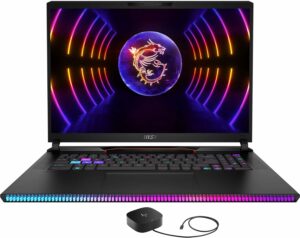
1. Remove the bottom plate
To access this notebook’s internals, you need to undo a total of 13 Phillips-head screws. Then, remove the back plastic shroud and pry the bottom panel with a plastic tool. Note that you need to open the lid and pry through the base.
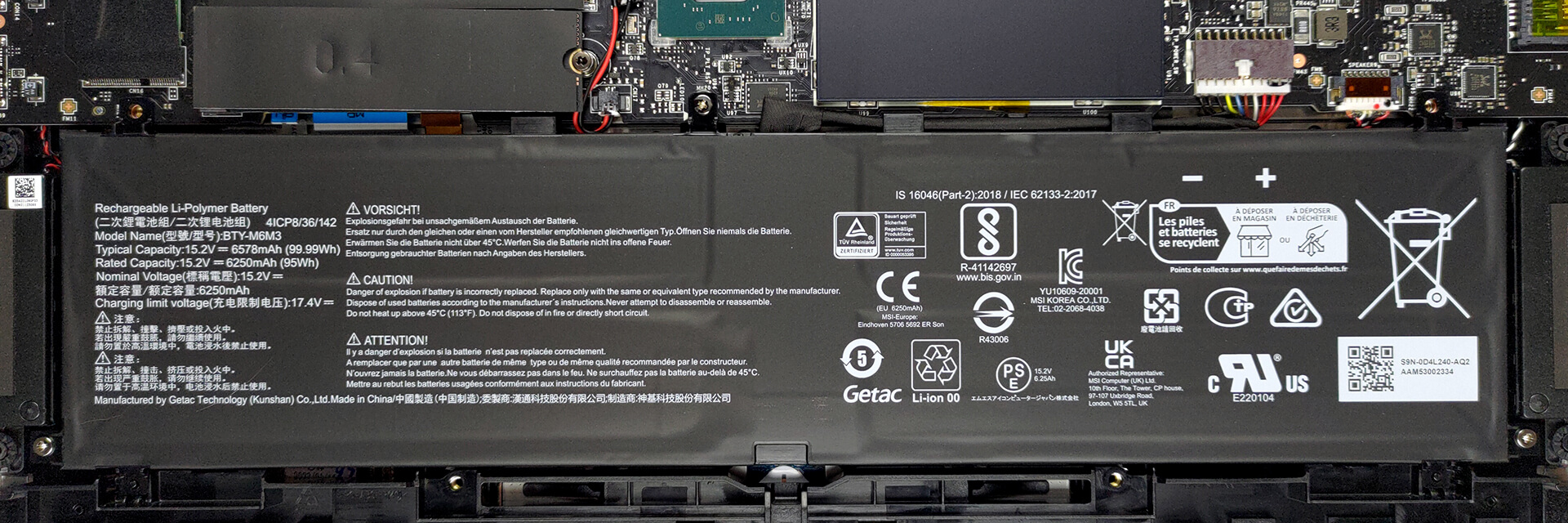
2. Remove the battery
Inside, we see a 99.99Wh battery pack. To take it out, undo the three Phillips-head screws, which secure it in place, and unplug the battery connector.
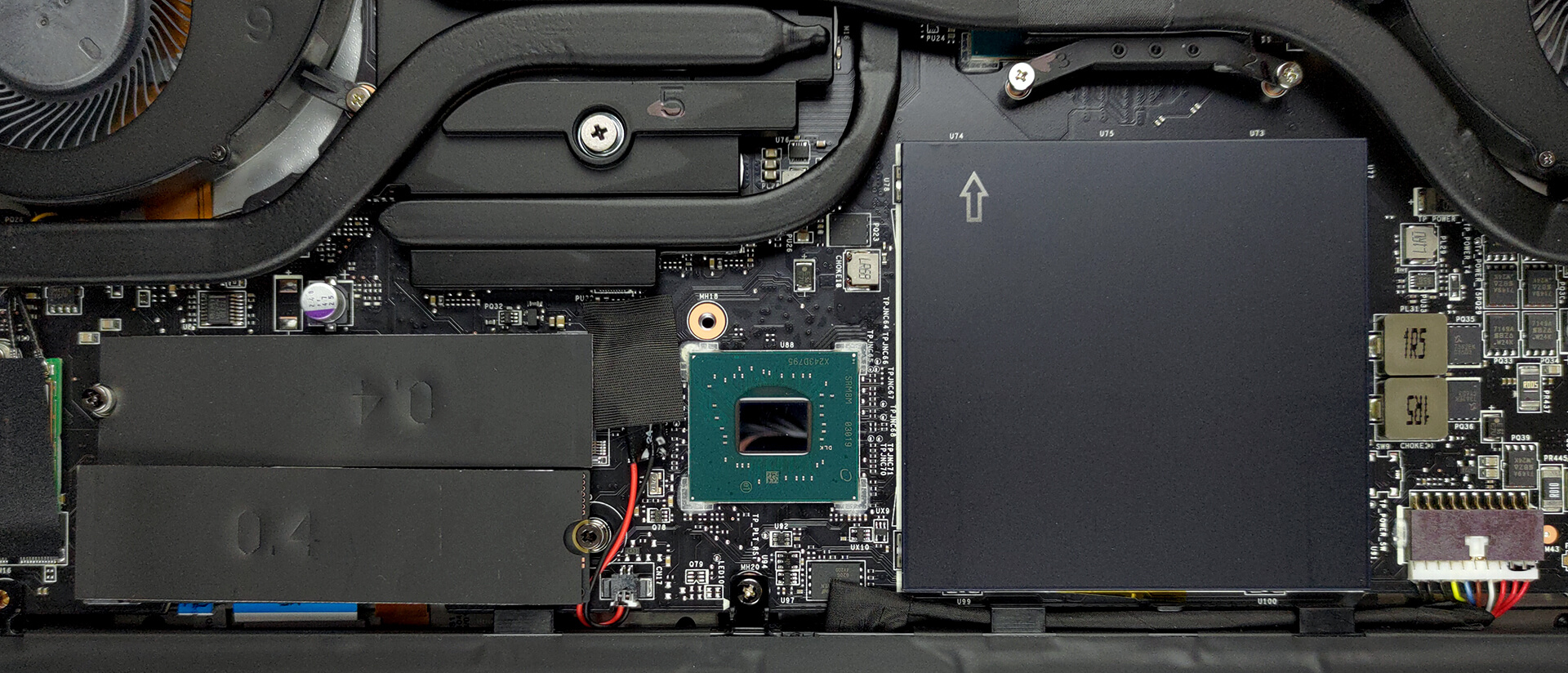
3. Upgrade memory and storage
Here, you get two SODIMM slots, which fit up to 64GB of DDR5 memory in total. The RAM modules work at 5600MHz, which is great. Storage-wise, there are two M.2 PCIe x4 slots. One of them is for Gen 4 SSDs, while the other supports Gen 5.
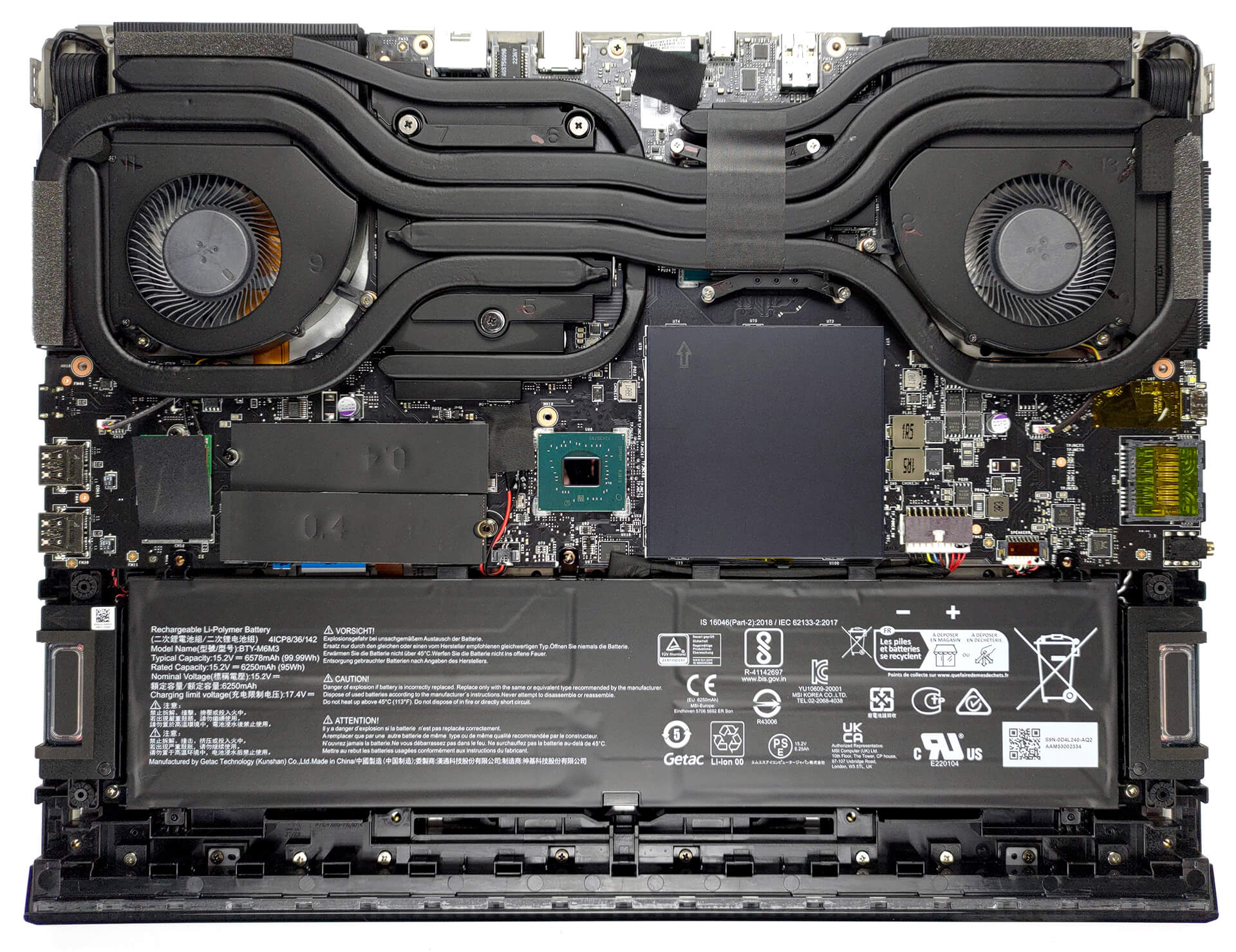
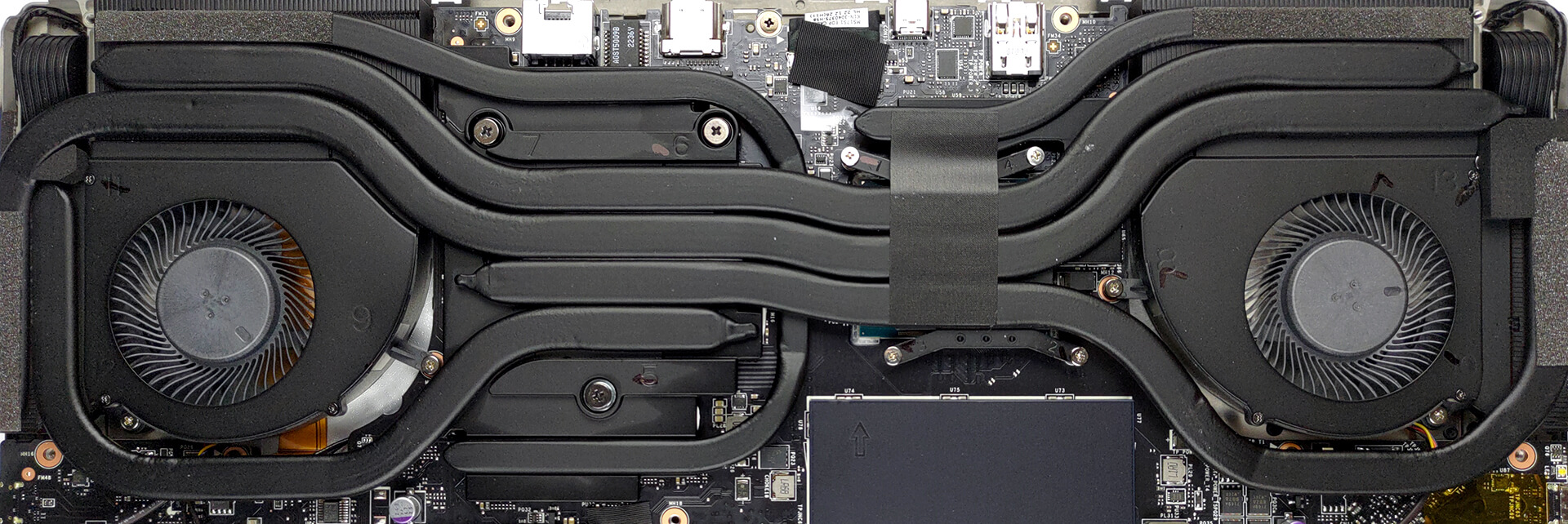
4. Cooling system
The cooling comprises three heat pipes shared between the processor and the graphics card. In addition, there is one more heat pipe for the GPU, as well as one dedicated to the VRMs and one for the graphics memory. Then, two fans dissipate the heat from the four heat sinks.
Check out all MSI Raider GE78 HX (13VX) prices and configurations in our Specs System, or read more in our In-Depth review.
MSI Raider GE78 HX (13Vx) uitgebreide review
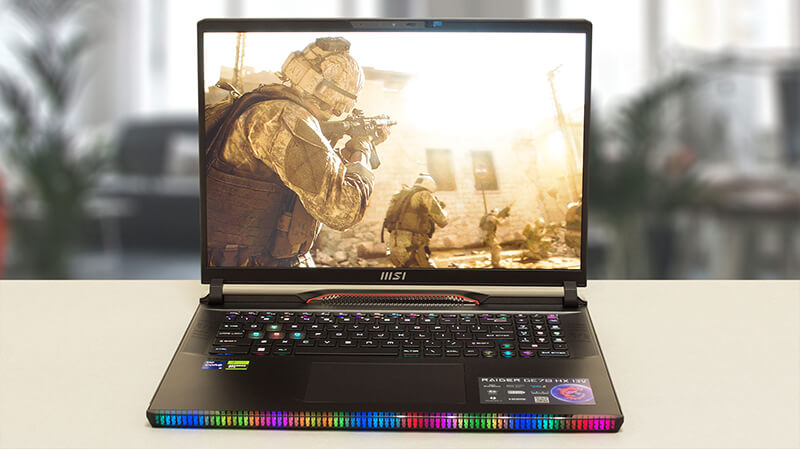
MSI gaat old school met de nieuwe Raider-serie. De GE78 HX (13VX) is een eerbetoon aan het verleden van het merk, maar met een blik op de toekomst. Onderdeel daarvan is de RGB-verlichting, die bijna overal vandaan komt.Aan de andere kant zijn de visuele kenmerken van de machine niets vergeleken met wat er binnenin zit. We zien niet alleen Intel's nieuwste en beste, maar het komt ook in de krachtigere 55W TDP optie (ergo de HX-serie).De grafische kaarten waaruit je kunt kiezen zijn de RTX 4070, RTX 4080 en RTX 4090, die op het moment van schrijven van deze review het neusje van de zalm[...]
Pros
- Boordevol RGB
- Compromisloze prestaties
- 99,4% DCI-P3 dekking en nauwkeurige kleurweergave dankzij ons Gaming en Web design profiel (AUO B170QAN01.2 (AUO04A6))
- Gebruikt geen PWM voor helderheidsaanpassing (AUO B170QAN01.2 (AUO04A6))
- 240Hz-paneel heeft zeer snelle pixelreactietijden (AUO B170QAN01.2 (AUO04A6))
- Hoogwaardige GPU ondersteunt 175W TGP
- Wi-Fi 6E en 2,5Gbit Ethernet ondersteuning
- Geweldig toetsenbord en touchpad
- 2x DDR5 SODIMM + 2x M.2 PCIe x4-sleuven (één met Gen 5 SSD-ondersteuning)
Minpunten
- Luid tijdens gamen
- Vrij duur
 Author: Alex Iliev

![[augustus 2026] Amazon Global: Top 10 van best verkochte laptops – De Apple MacBook Neo domineert de hitlijsten, terwijl goedkope en middenklasse Windows-laptops strijden om het verkoopvolume](https://laptopmedia.com/wp-content/uploads/2026/09/Best-Selling-Laptops-GLOBAL-Top-10-400x225.jpg)
![[augustus 2026] Bestverkochte laptopmerken op Amazon Global – Apple domineert qua omzet, terwijl HP koploper is qua modelvariëteit](https://laptopmedia.com/wp-content/uploads/2026/09/GLOBAL-Best-Brands-400x225.jpg)
![[augustus 2026] Amazon Global: Top 10 bestverkochte gaminglaptops – HP Victus 15 pakt de eerste plaats terwijl budgetvriendelijke modellen de hitlijsten domineren](https://laptopmedia.com/wp-content/uploads/2026/09/Best-Selling-Gaming-Laptops-GLOBAL-Top-10-400x225.jpg)
![[August 2026] Best-Selling Laptop Brands on Amazon Japan – Apple Dominates Market Share and Revenue Led by Strong Unit Sales](https://laptopmedia.com/wp-content/uploads/2026/09/CO.JP-Best-Brands-1-400x225.jpg)
![[August 2026] Best-Selling Laptop Brands on Amazon USA – Apple Dominates Market Revenue and Volume Despite Lower Model Diversity](https://laptopmedia.com/wp-content/uploads/2026/09/COM-Best-Brands-1-400x225.jpg)
