Inside Acer Aspire 1 (A114-32) – disassemby and upgrade options
So, how does a passively-cooled laptop look inside? Let’s see!
Check out all Acer Aspire 1 (A114-32) prices and configurations in our Specs System or read more in our In-Depth review.
1. Remove the bottom plate
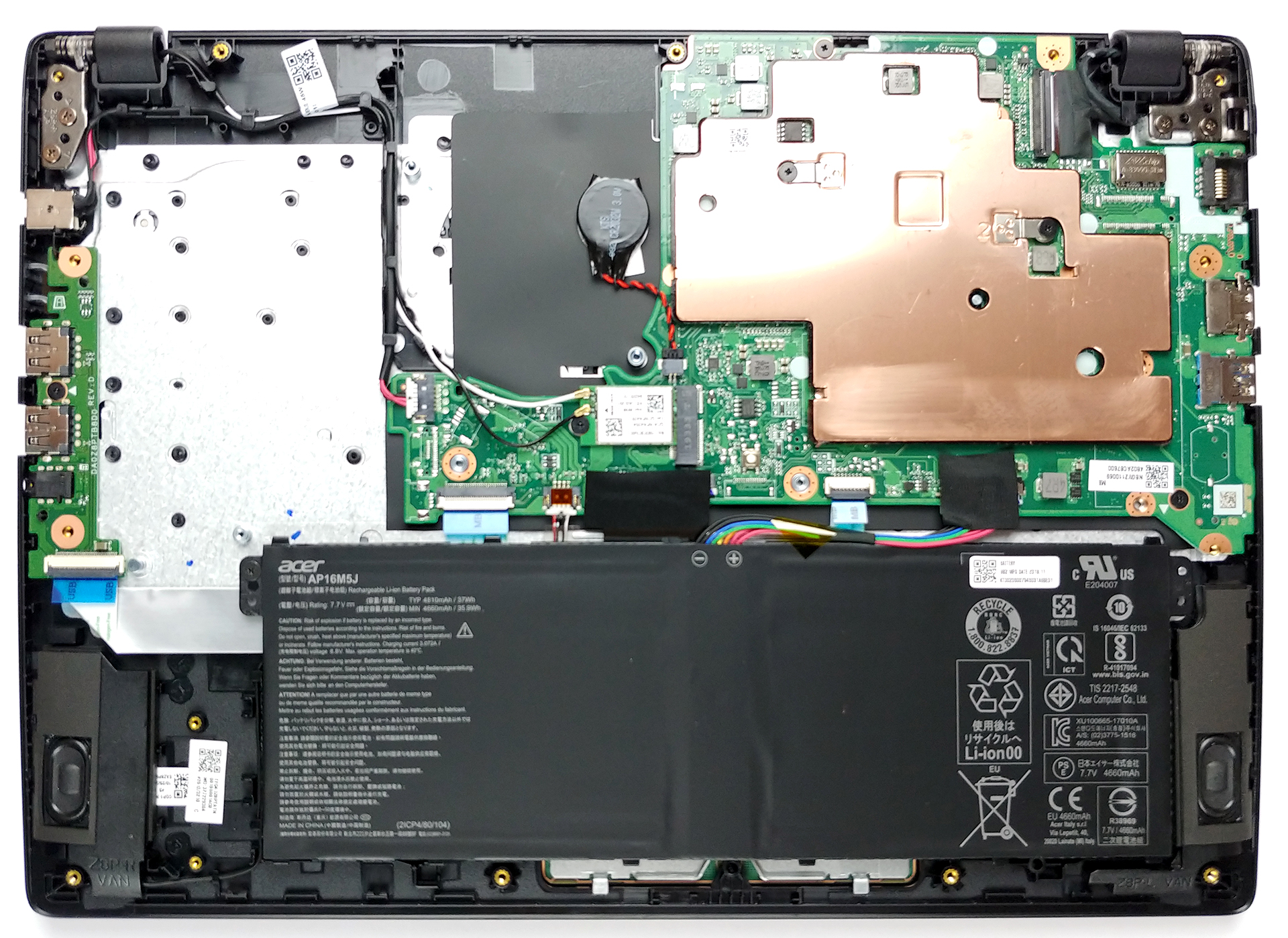
For a budget-oriented device, this one has quite a lot of screws. The exact number on the bottom plate is 15 and they are of a Phillips type. After you unscrew them, you just need to pop the side of the laptop with a plastic pry tool and the panel will come off extremely easy. Sadly, there are no options to upgrade either the RAM nor the storage.
2. Battery
As expected, the battery unit is rather small – 37Wh. If you want to replace it, it is held by only a single Phillips-head screw.

4. Cooling system
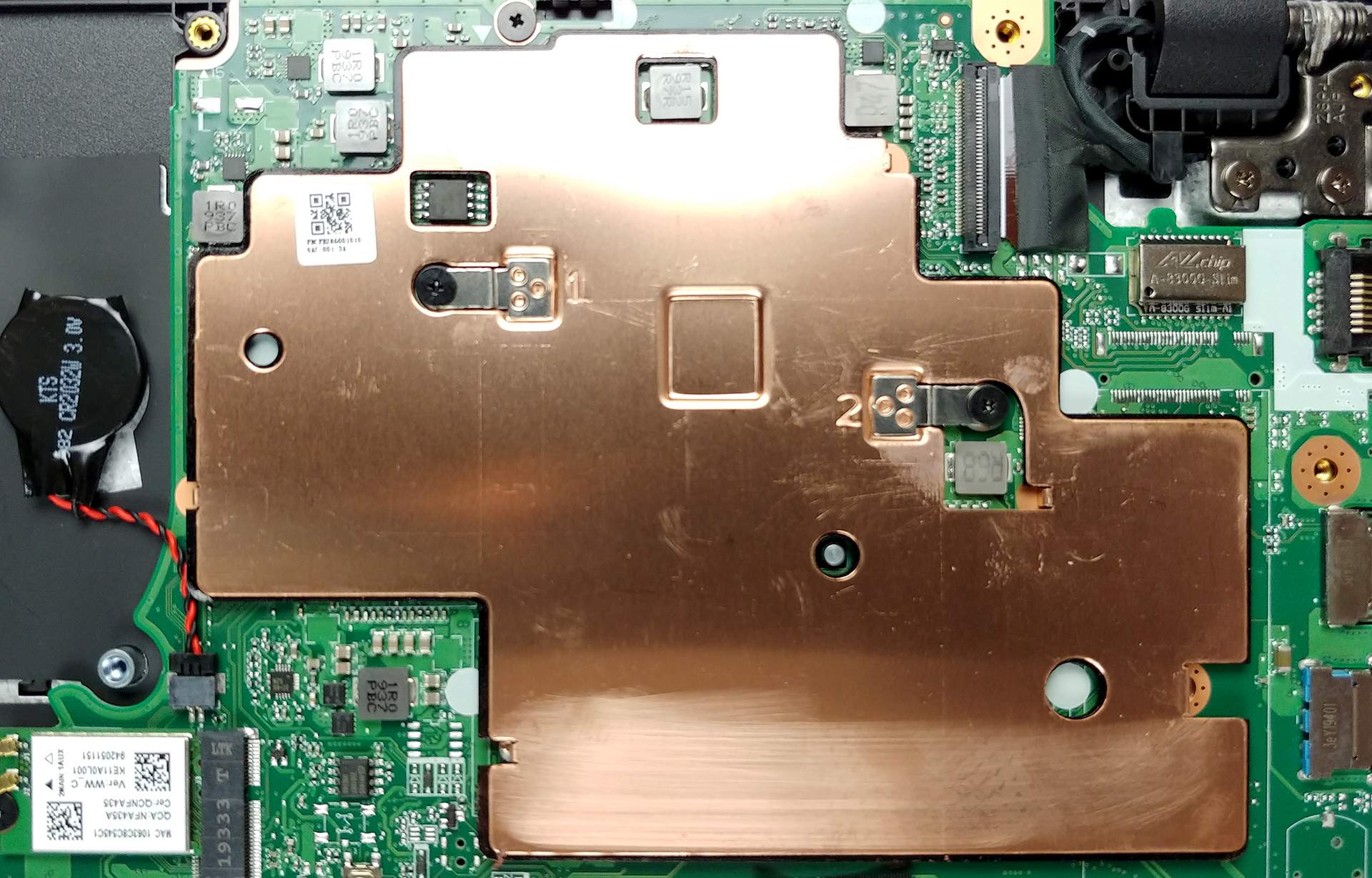
Since there are no moving parts in this notebook, it is safe to say that it stays completely silent at any time given. Ultimately, this means that the CPU is passively cooled by what looks like a rather big copper plate.
Check out all Acer Aspire 1 (A114-32) prices and configurations in our Specs System or read more in our In-Depth review.
 Author: Alex Iliev

![[juni 2026] Bestverkochte laptopmerken op Amazon Global – Apple’s ongeëvenaarde dominantie in aantal verkochte exemplaren en omzet](https://laptopmedia.com/wp-content/uploads/2026/07/GLOBAL-Best-Brands-400x225.jpg)
![[juni 2026] Amazon Global: Top 10 bestverkochte laptops – De nieuwe MacBook Neo van Apple stormt naar de eerste plaats en zet de markt op zijn kop dankzij zijn betaalbaarheid](https://laptopmedia.com/wp-content/uploads/2026/07/Best-Selling-Laptops-GLOBAL-Top-10-400x225.jpg)
![[juni 2026] Amazon Global: Top 10 van best verkochte gaminglaptops – De Nitro V 16S AI van Acer domineert de verkoopcijfers, terwijl ASUS qua totale omzet aan kop gaat](https://laptopmedia.com/wp-content/uploads/2026/07/Best-Selling-Gaming-Laptops-GLOBAL-Top-10-400x225.jpg)
![[juni 2026] Wereldwijde ranglijst van bestverkochte laptop-GPU’s op Amazon – De NVIDIA RTX 5060 is de bestverkochte speciale GPU](https://laptopmedia.com/wp-content/uploads/2026/07/Best-Selling-GPUs-GLOBAL-Top-10-400x225.jpg)
![[juni 2026] Wereldwijde ranglijst van bestverkochte laptop-CPU’s op Amazon – Apple M5 domineert, AMD Ryzen 7 260 verovert een stevig aandeel in het premiumsegment](https://laptopmedia.com/wp-content/uploads/2026/07/Best-Selling-CPUs-GLOBAL-Top-10-400x225.jpg)

there is any possibilitty ti upgrade hardisc
Yes. But it’s not something easy. You can soldering an usb cable on the mainboard on one of the usb ports that laptop have. At this cable must be attached an adapter for SSD : usb to ssd. This you will do it if you don’t want to keep the ssd outside of the laptop.
what abt using an sd card. It has a card reader. Just get a good quality card.
Do you mean usb to sata?
bullshit , there are places for sata connectors and m.2 on board , just solder properly and thats all
yes , you can solder m.2 socket as well with two capacitors and two zero ohm resistors on board
You can? How does one do that, id like to mod mine and add an m.2 ssd