Inside Acer Nitro 5 (AN515-55) – disassembly and upgrade options
This is another year where we see the Nitro 5 struggle to cool down its components adequately enough. However, it has a decent upgradability package, and Acer provides stickers inside the box, making it great for personalization.
Check out all Acer Nitro 5 (AN515-55) prices and configurations in our Specs System or read more in our In-Depth review.
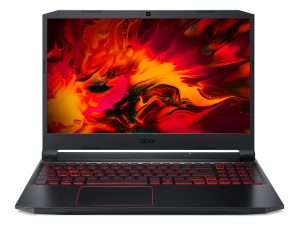
1. Remove the bottom plate
Since there are no service lids here, you need to remove the entire bottom panel to access the internals. First, remove all 11 Phillips-head screws. Then pry the panel with a plastic tool and lift it away. It’s as easy as that.
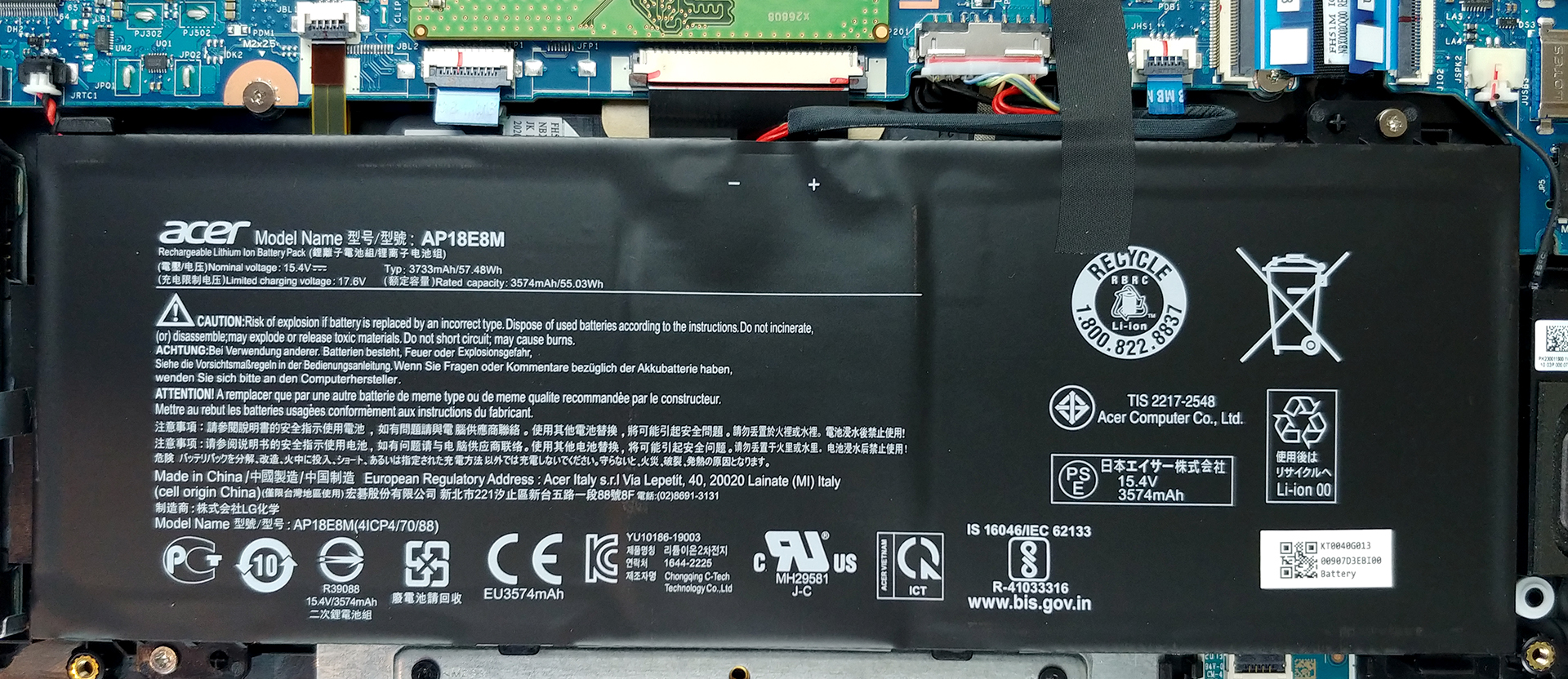
2. Battery
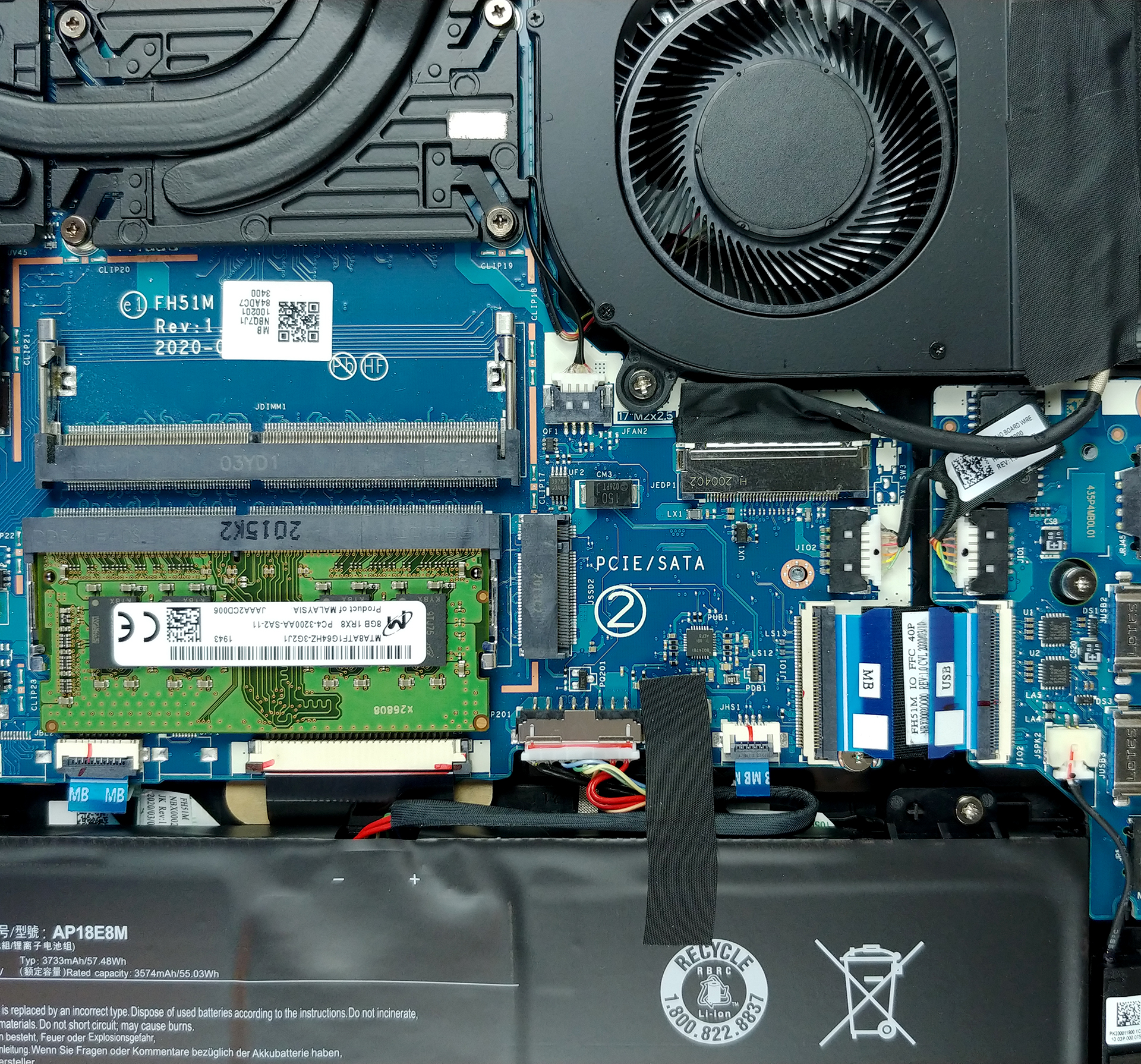
Here, the battery is slightly downgraded from last year. It has a capacity of 57.47Wh, compared to 58.75Wh for its predecessor, roughly resulting in the whopping 1Wh decrease year on year.
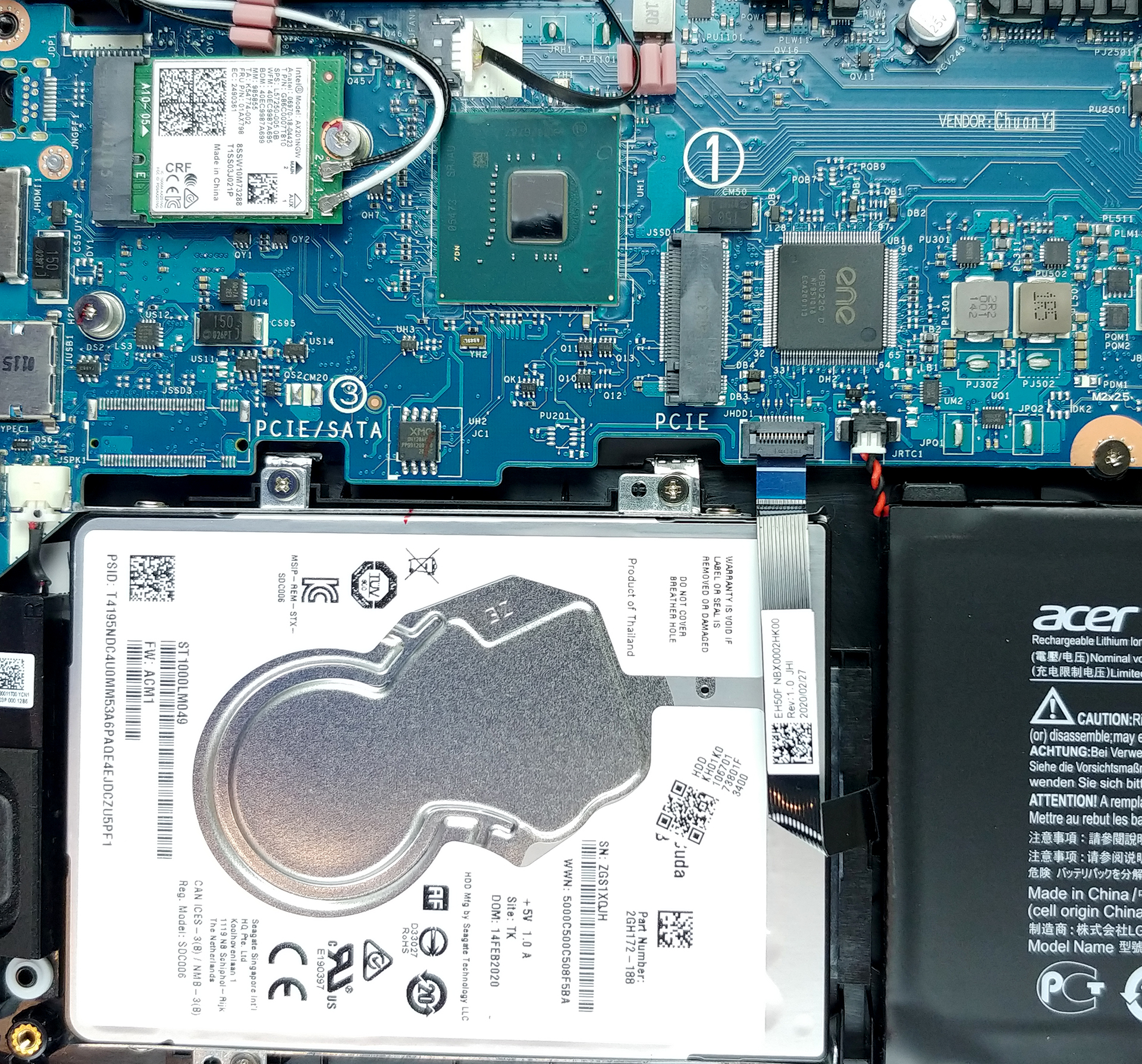
3. Memory and storage
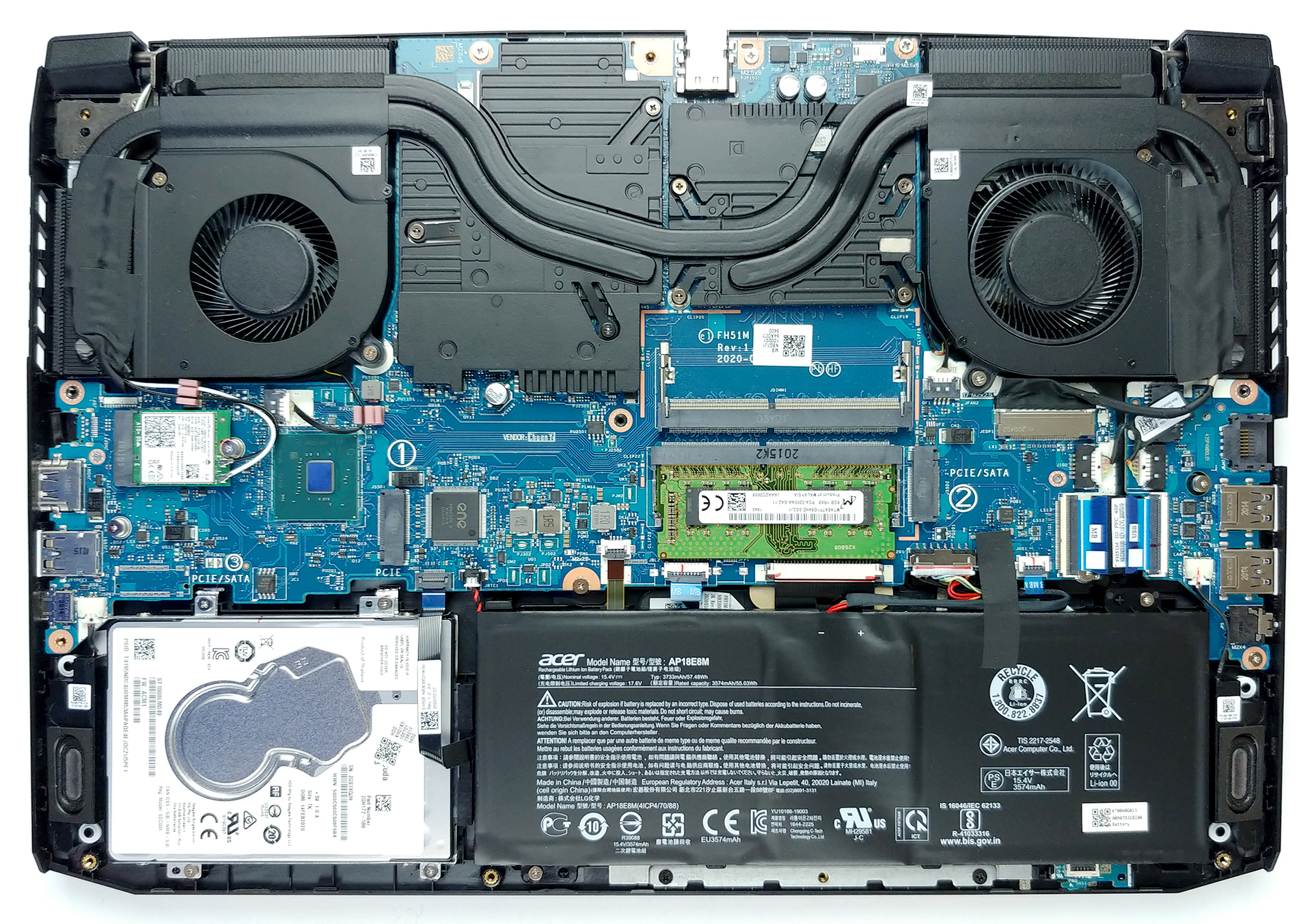
In terms of memory, this device supports up to 32GB of DDR4 RAM with a maximum frequency of 2933 MHz. However, the storage compartment is more impressive. You get two M.2 slots that can work in RAID 0 mode. They are designated by numbers on the motherboard, stating that number 1 supports PCIe drives only, while number 2 can hold both PCIe and SATA drives. Not in the last place, there is a 2.5″ SATA drive bay for your gaming libraries.
4. Cooling system
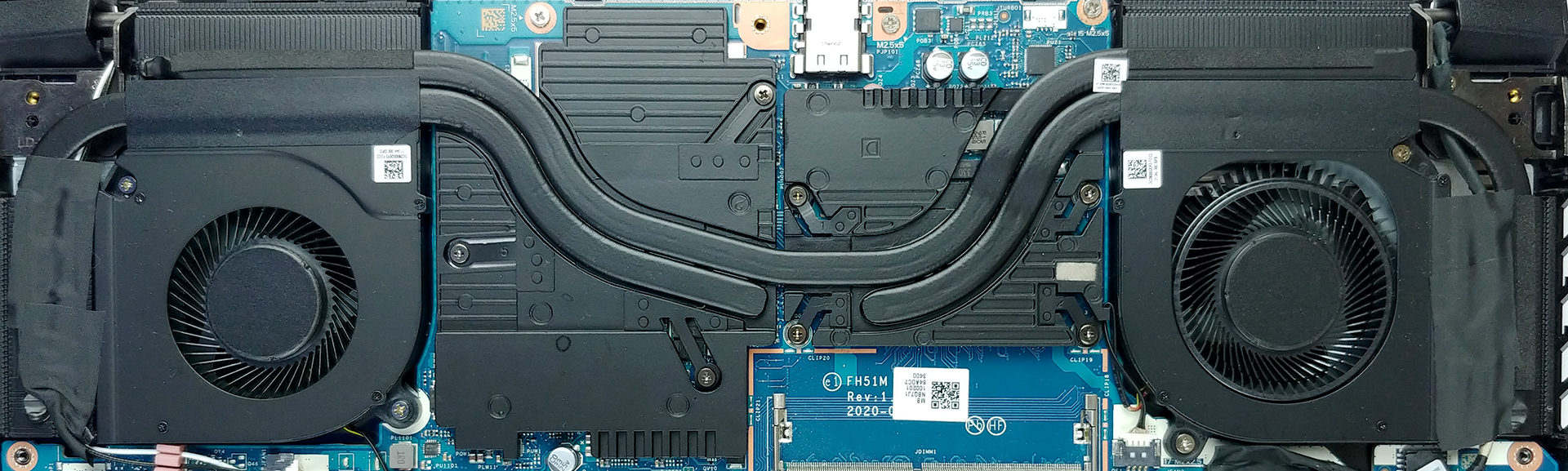
And what a surprise, the cooling is pretty much the same we saw on the Predator Triton 300 (PT315-52). There are three heat pipes and four heat spreaders, and the only difference between the two laptops is that the Nitro 5 uses two plastic fans, whereas the Triton 300 has a plastic and a metal one. Additionally, there are two cooling plates, located above the video memory and the VRMs.
Check out all Acer Nitro 5 (AN515-55) prices and configurations in our Specs System or read more in our In-Depth review.
 Author: Alex Iliev

![[juni 2026] Bestverkochte laptopmerken op Amazon Global – Apple’s ongeëvenaarde dominantie in aantal verkochte exemplaren en omzet](https://laptopmedia.com/wp-content/uploads/2026/07/GLOBAL-Best-Brands-400x225.jpg)
![[juni 2026] Amazon Global: Top 10 bestverkochte laptops – De nieuwe MacBook Neo van Apple stormt naar de eerste plaats en zet de markt op zijn kop dankzij zijn betaalbaarheid](https://laptopmedia.com/wp-content/uploads/2026/07/Best-Selling-Laptops-GLOBAL-Top-10-400x225.jpg)
![[juni 2026] Amazon Global: Top 10 van best verkochte gaminglaptops – De Nitro V 16S AI van Acer domineert de verkoopcijfers, terwijl ASUS qua totale omzet aan kop gaat](https://laptopmedia.com/wp-content/uploads/2026/07/Best-Selling-Gaming-Laptops-GLOBAL-Top-10-400x225.jpg)
![[juni 2026] Wereldwijde ranglijst van bestverkochte laptop-GPU’s op Amazon – De NVIDIA RTX 5060 is de bestverkochte speciale GPU](https://laptopmedia.com/wp-content/uploads/2026/07/Best-Selling-GPUs-GLOBAL-Top-10-400x225.jpg)
![[juni 2026] Wereldwijde ranglijst van bestverkochte laptop-CPU’s op Amazon – Apple M5 domineert, AMD Ryzen 7 260 verovert een stevig aandeel in het premiumsegment](https://laptopmedia.com/wp-content/uploads/2026/07/Best-Selling-CPUs-GLOBAL-Top-10-400x225.jpg)

Acer nitro 5 15 55 53 Ag? Please….
Thanks for this guys, just bought one and wanted to upgrade the memory and SDD. The article and video was really helpful and made the upgrade painless.
Can the processer be upgraded to i7?
Negative. Like almost all modern laptops (especially the realm of budget notebooks) its soldered to the motherboard along with the gpu. I actually found this page because Im currently researching which cpu+gpu+mobo combos are compatible with this specific chassis so i can REALLY upgrade my cousin’s first gaming pc so she doesn’t she wont need a new one for a while. Would you like me to share my findings?
I have the AN515-55. Did you need to discharge the battery first by pressing 60 seconds and did you need to disconnect the battery prior to upgrading RAM and hard drives? In the old days we always used to remove the battery but it is necessary nowadays? juts curious.
BTW anyone else had touchpad issues with their new Nitro 5?
Realistically, no you dont. But its still considered a recommended practice. Tbh, on my test bench, ill often remove and add sticks of ram while the system is on and performing some basic tasks because thats an absolute guaranteed way to determine if the dimm itself is bad or if its a wonky setting/setting incompatibility.
Also, never do this ^ lol, seasoned professional here, with more than enough replacement hardware and a comically jaded outlook on my career :p
Fake article. There are no talk of UPGRADE OPTIONS here. I need a new display and was hoping I’d find an article on which are the best!!
Laptop upgrade options is limited to storage and ram. Want a display upgrade option? Get a better laptop or buy an external monitor.
Not entirely true. Sometimes you can get lucky with the panel connector. I just upgraded a 2013 asus RoG laptop with a 144hz panel from a super obsure offbrand gaming laptop that was 5 years newet lol. Same conceptwith touch screens. They are usually just standard panels with 1 of 2 common connectors. Touch screen having an additional, completely separate plug. They can be cross compatible minus touch functionality due to lack of cable or connector on the panel or notebook
If its any help, acer notebooks typically have same display panels as hp (also gateway and a couple others) if i remember correctly, theres only 2 types of connectors used by 99% of laptops. However, it can be tricky if the ribbon cable and socket arent lined up or the mounting method is different
Can I change my 8gb ram 2933mhz to 16gb 3200mhz? my laptop is NITRO5 AN515-55-56R2
The AN515-55 Nitro 5 can utilize up to 32GB, but only at a max freq of 2933MHz. The Mobo will lower the frequency on its own from 3200. So short answer is yes but you won’t get the spec numbers from the RAM.
On the pcie slot 2 can i add another nvme ssd there?
Where is the GPU located?
what is the really small card that you remove? BTW the video is great. a really good motherboard guide
Upper right hand corner of the picture with one black and one white wire on it?? That is the WiFi module.
Correction: Left corner…..
Looking to get this laptop (yes, in 2023). There is an adapter connecting the SATA drive to the motherboard (removed about two minutes into the video). Question: Is this adapter in place if the laptop does NOT include a SATA drive from the factory? If not, how hard are they to source?
P.S. Thanks for the article and video. They are both very well done and much appreciated.
Yes, the little SATA ribbon comes usually packed in the little plastic bag (along with other plastic bag with HDD screws) in Laptop box or it can be already in place inside the laptop (in that case only bag with screws is present in the box) with empty HDD caddy, but it will ship with the laptop itself if laptop has HDD expansion option, at least in Acer case. But if you are buying laptop without a box, open the bottom panel to see if SATA connector is present (if you have physical access to laptop, you will not lose… Read more »
Have anyone tried a newer mainboard which can be compatible with this heat sink ?
I mean I have been trying to find a match with nitro 5 series but it seems like the if you wanted the cpu and gpu upgraded the heat sink won’t be sitting on the VRAM cause it looks different ?!
Any ideas ?
hi, i have this laptop and have a motherboard issue, is there anywhere i can replace the motherboard? i am looking online but im not fully clued up on the variants etc. wondering if someone could help.
thank you.