Inside Dell XPS 15 9510 – disassembly and upgrade options
Although it is a rather compact device, Dell has invested its time to make it possible for upgrades down the line.
Check out all Dell XPS 15 9510 prices and configurations in our Specs System or read more in our In-Depth review.
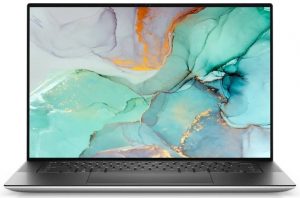
1. Remove the bottom plate
You need to undo 8 Torx-head screws to get inside of this notebook. After you do this, pry the bottom panel with a plastic tool, starting from the front two edges.
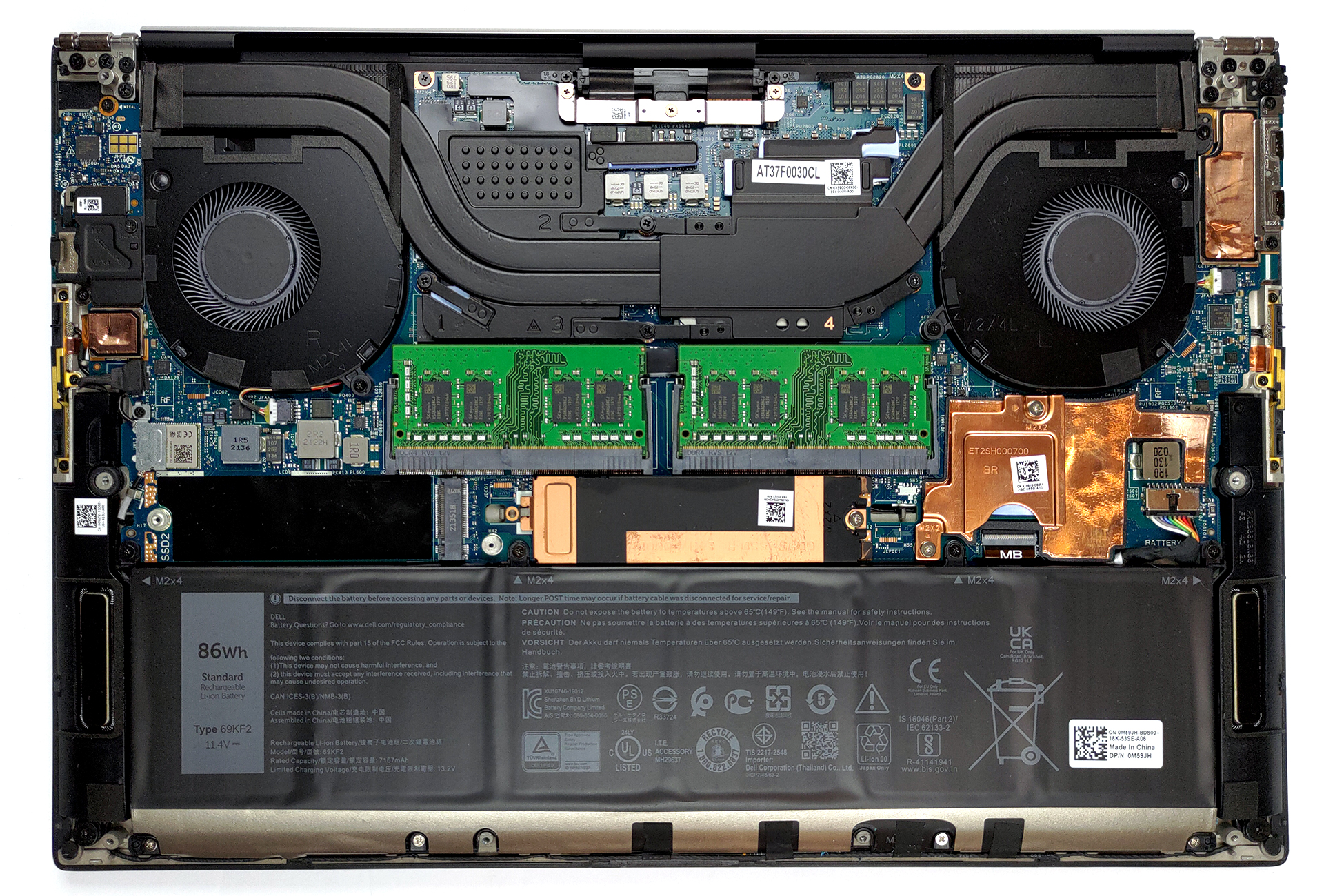
2. Battery
This device is equipped with an 86Wh battery pack. By the way, if you want to take the battery out, you need to undo 8 Phillips-head screws and remove the tape holding the speaker cables to the package.
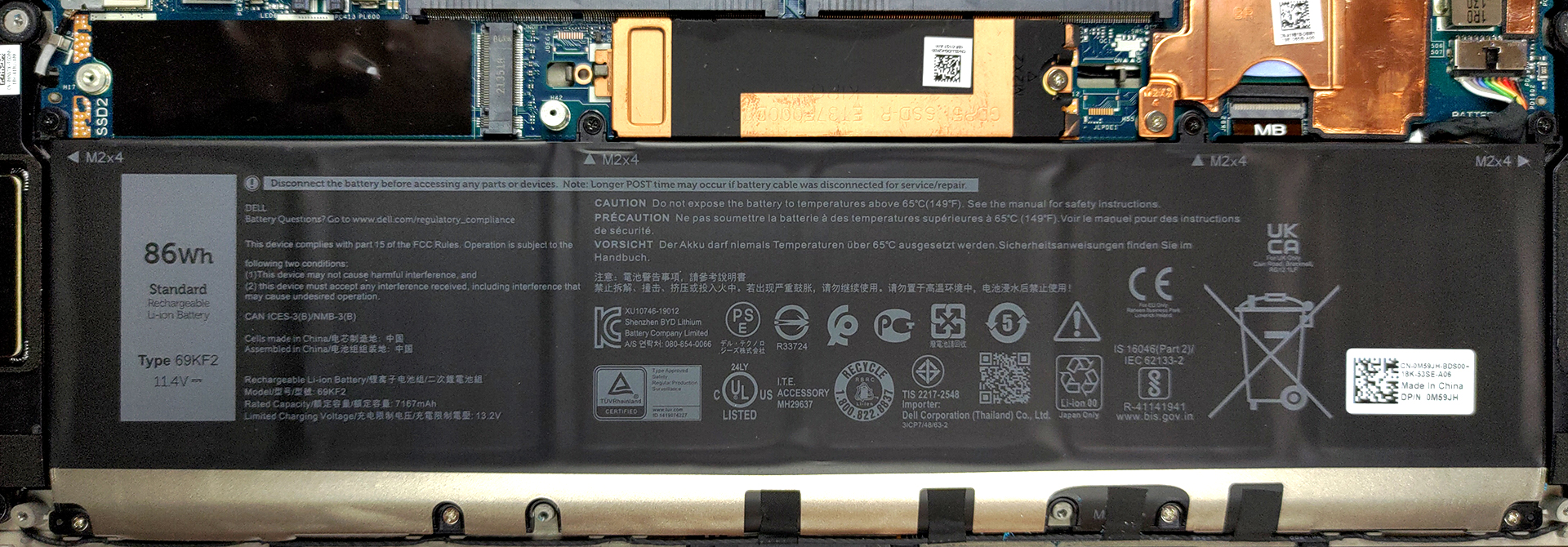
3. Мemory and storage
As you can see, there are two SODIMM slots on this laptop. This allows it to take up to 64GB of RAM. Storage-wise, there are two M.2 PCIe x4 slots.
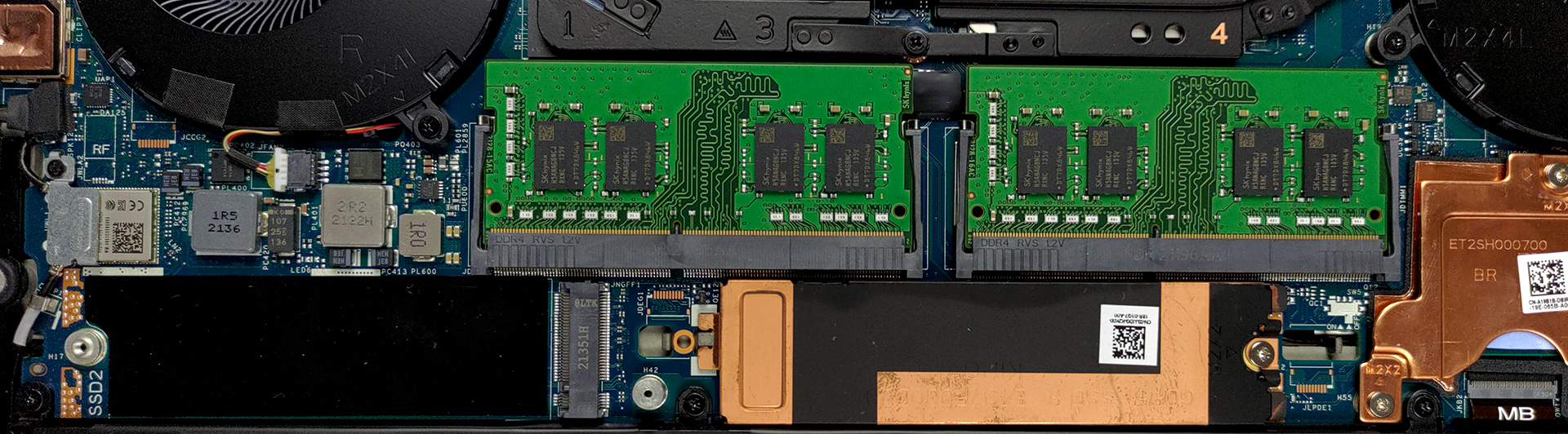
4. Cooling system
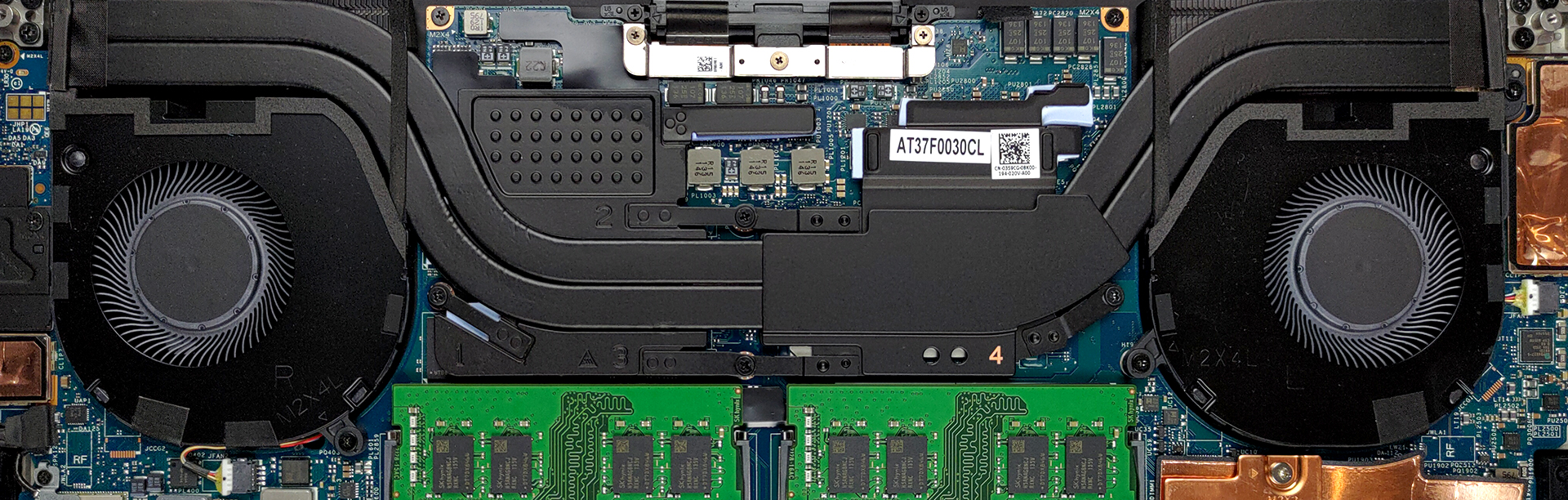
Unlike the 17-inch XPS, this one lacks a vapor chamber. Instead, Dell supplies a more conventional solution with two heat pipes, two heat sinks, and a couple of heat spreaders for the graphics memory, and the VRMs.
Check out all ASUS VivoBook 15 OLED K513 prices and configurations in our Specs System or read more in our In-Depth review.
Dell XPS 15 9510 uitgebreide review
If you are looking for a MacBook Pro alternative then you are probably acquittanced with the XPS series from Dell. It is a workstation device, that can double as a creator's item. In fact, the manufacturer labels some of its notebooks with a "Creator Edition" badge, which means that they come with NVIDIA Studio drivers.So, this means that your laptop will be equipped with a dedicated GPU? Well, like last year, if you opt for the Core i5 model, you will only get the integrated graphics, so you have to keep that in mind. Otherwise, you can choose from the Core i7-11800H and Core i9-11900H f[...]
Pros
- Strong body build of carbon fiber and aluminum
- Virtually bezel-less screen
- 465 nits maximum brightness, 100% sRGB coverage (96% DCI-P3) (Sharp 90T02-LQ156R1 (SHP14D0))
- Thin and light
- Easy upgrade and maintenance
- Great keyboard, touchpad, and speakers
- Fingerprint reader embedded in the power button and optional IR face recognition system
- Two Thunderbolt 4 connectors, USB Type-C charging, and an SD card reader (+ tiny dongle inside the box)
- Doesn't use PWM to adjust its brightness (Sharp 90T02-LQ156R1 (SHP14D0))
Minpunten
- Weird cooling policy prioritizing comfort over performance
- Pricey
- Not very color accurate display (Sharp 90T02-LQ156R1 (SHP14D0))
 Author: Alex Iliev

![[augustus 2026] Wereldwijde ranglijst van bestverkochte laptop-GPU’s op Amazon – Apple is onbetwist nummer één, NVIDIA’s RTX 5060 staat bovenaan de ranglijst voor dedicated GPU’s](https://laptopmedia.com/wp-content/uploads/2026/09/Best-Selling-GPUs-GLOBAL-Top-10-400x225.jpg)
![[augustus 2026] Wereldwijde ranglijst van bestverkochte laptop-CPU’s op Amazon – Apple domineert zowel het budget- als het premiumsegment: A18 Pro en M5 verslaan Intel en AMD in augustus 2026](https://laptopmedia.com/wp-content/uploads/2026/09/Best-Selling-CPUs-GLOBAL-Top-10-400x225.jpg)
![[augustus 2026] Amazon Global: Top 10 van best verkochte laptops – De Apple MacBook Neo domineert de hitlijsten, terwijl goedkope en middenklasse Windows-laptops strijden om het verkoopvolume](https://laptopmedia.com/wp-content/uploads/2026/09/Best-Selling-Laptops-GLOBAL-Top-10-400x225.jpg)
![[augustus 2026] Bestverkochte laptopmerken op Amazon Global – Apple domineert qua omzet, terwijl HP koploper is qua modelvariëteit](https://laptopmedia.com/wp-content/uploads/2026/09/GLOBAL-Best-Brands-400x225.jpg)
![[augustus 2026] Amazon Global: Top 10 bestverkochte gaminglaptops – HP Victus 15 pakt de eerste plaats terwijl budgetvriendelijke modellen de hitlijsten domineren](https://laptopmedia.com/wp-content/uploads/2026/09/Best-Selling-Gaming-Laptops-GLOBAL-Top-10-400x225.jpg)
