Inside HP Omen 15 – disassembly, internal photos and upgrade options
With HP Omen’s review on the way, we had plenty of time to play around with the notebook and even had the chance to perform a teardown. The disassembly revealed several things, one of which is that the machine is quite easy to take apart. This is quite uncommon for HP laptops as most of them cause quite the hassle when performing an upgrade, for example.
The new 2016 model isn’t out on the market yet, but you can regularly check here when it comes out: http://amzn.to/24Kyavw
1. Removing the bottom piece
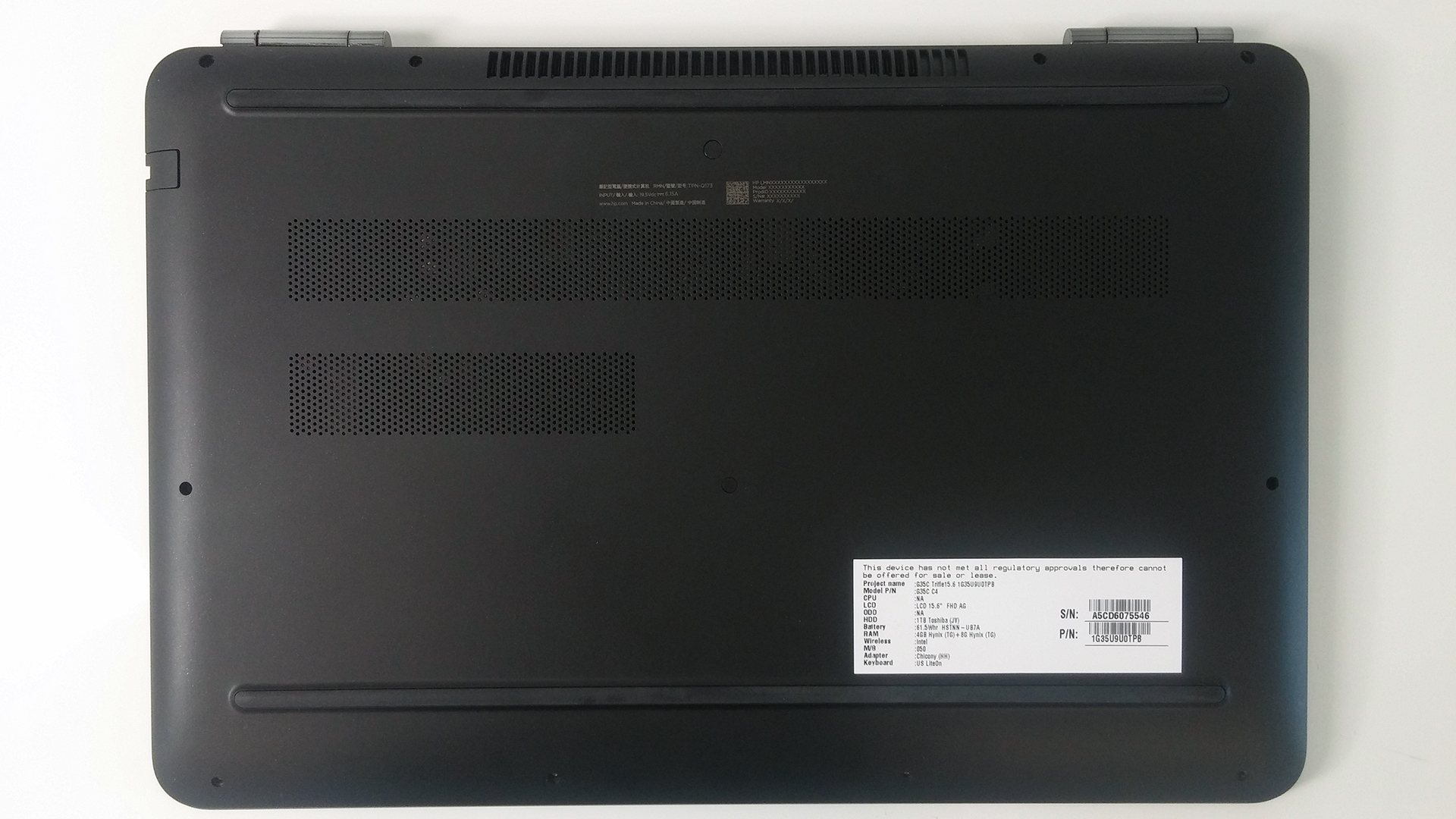
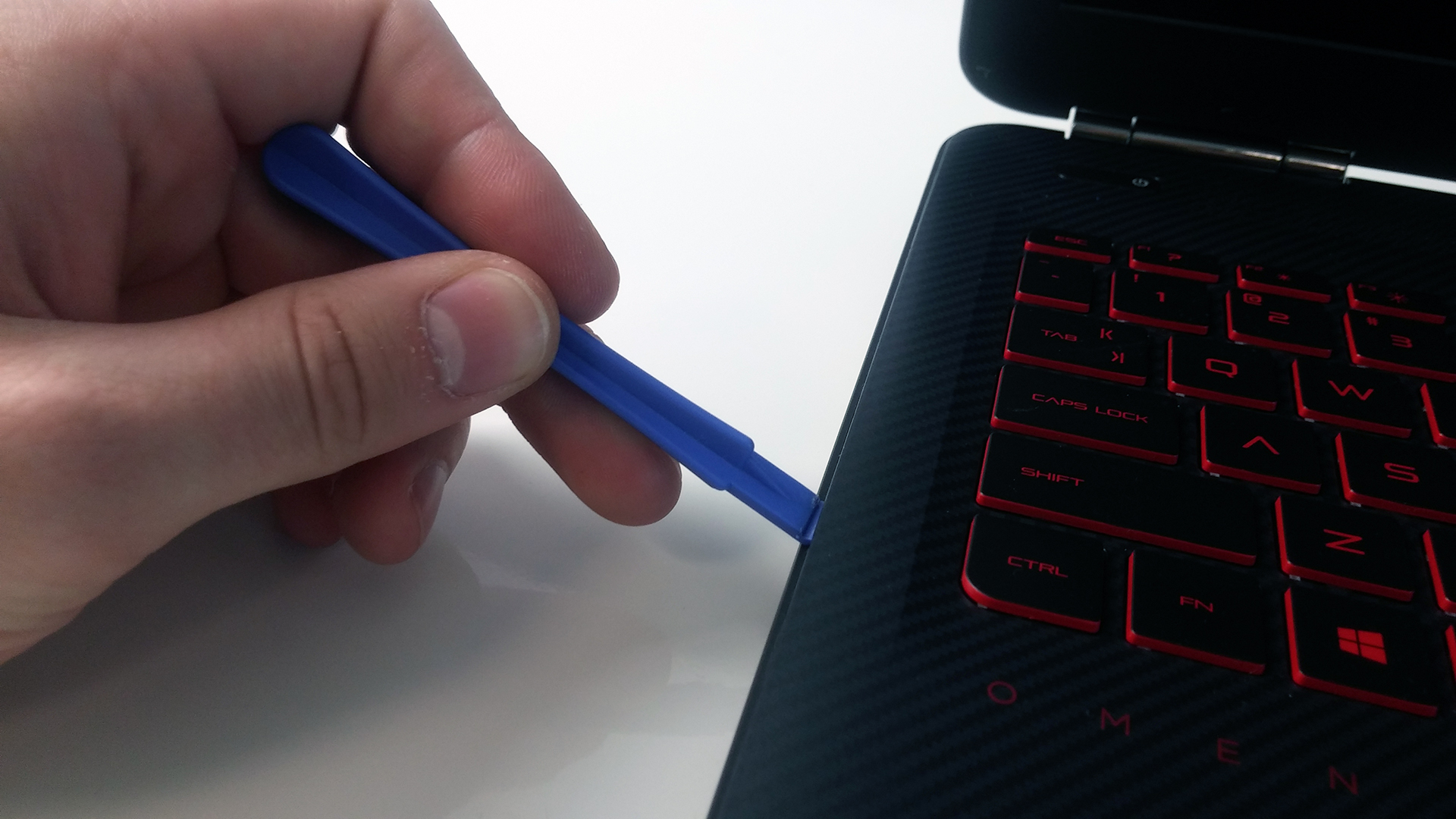
All you need to do is remove all the screws around the bottom plate. After you do so, take a thin plastic tool or credit card to pry up the keyboard tray as shown on the photo below. Then the lid comes off easily.
2. Storage options
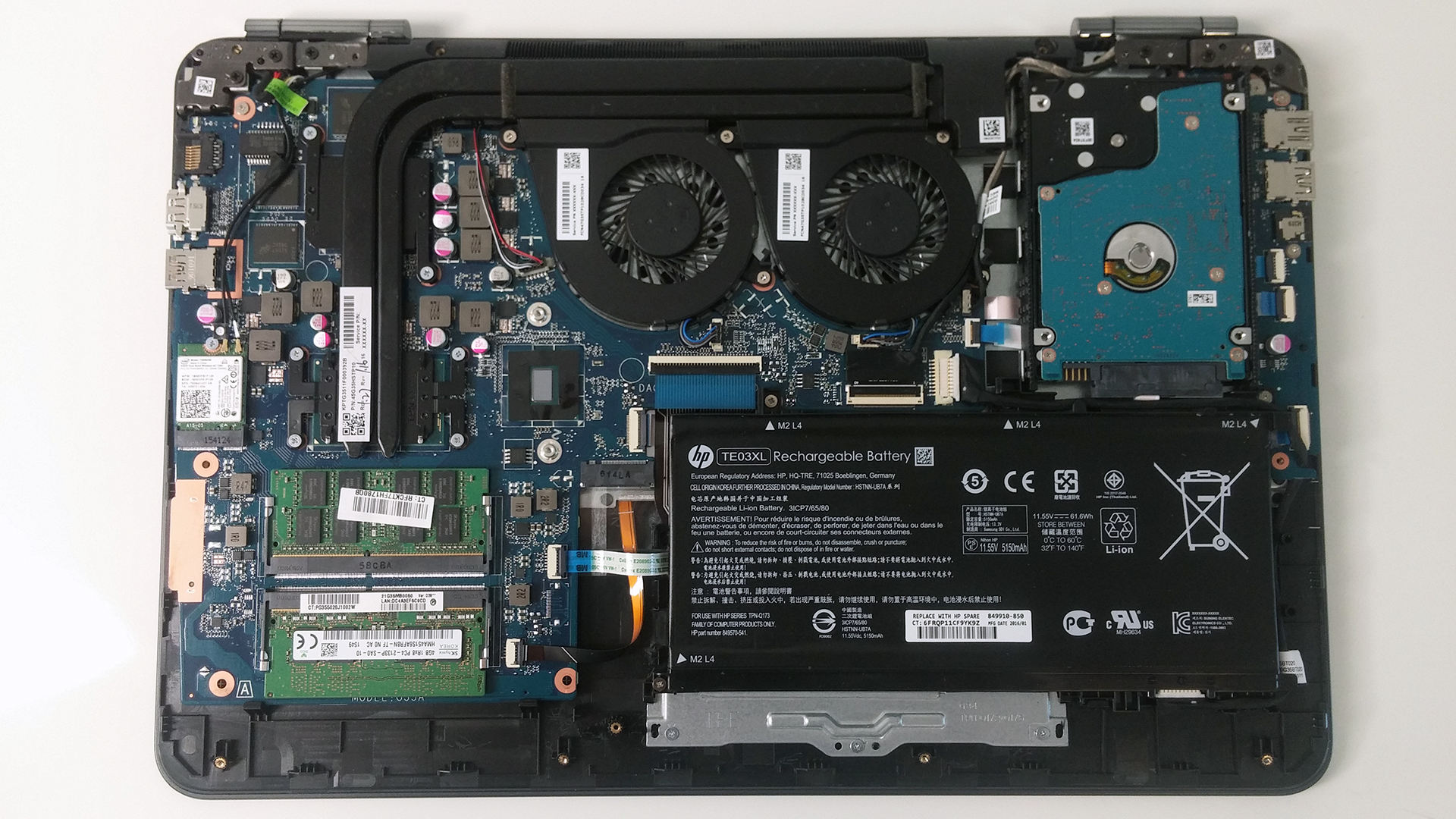
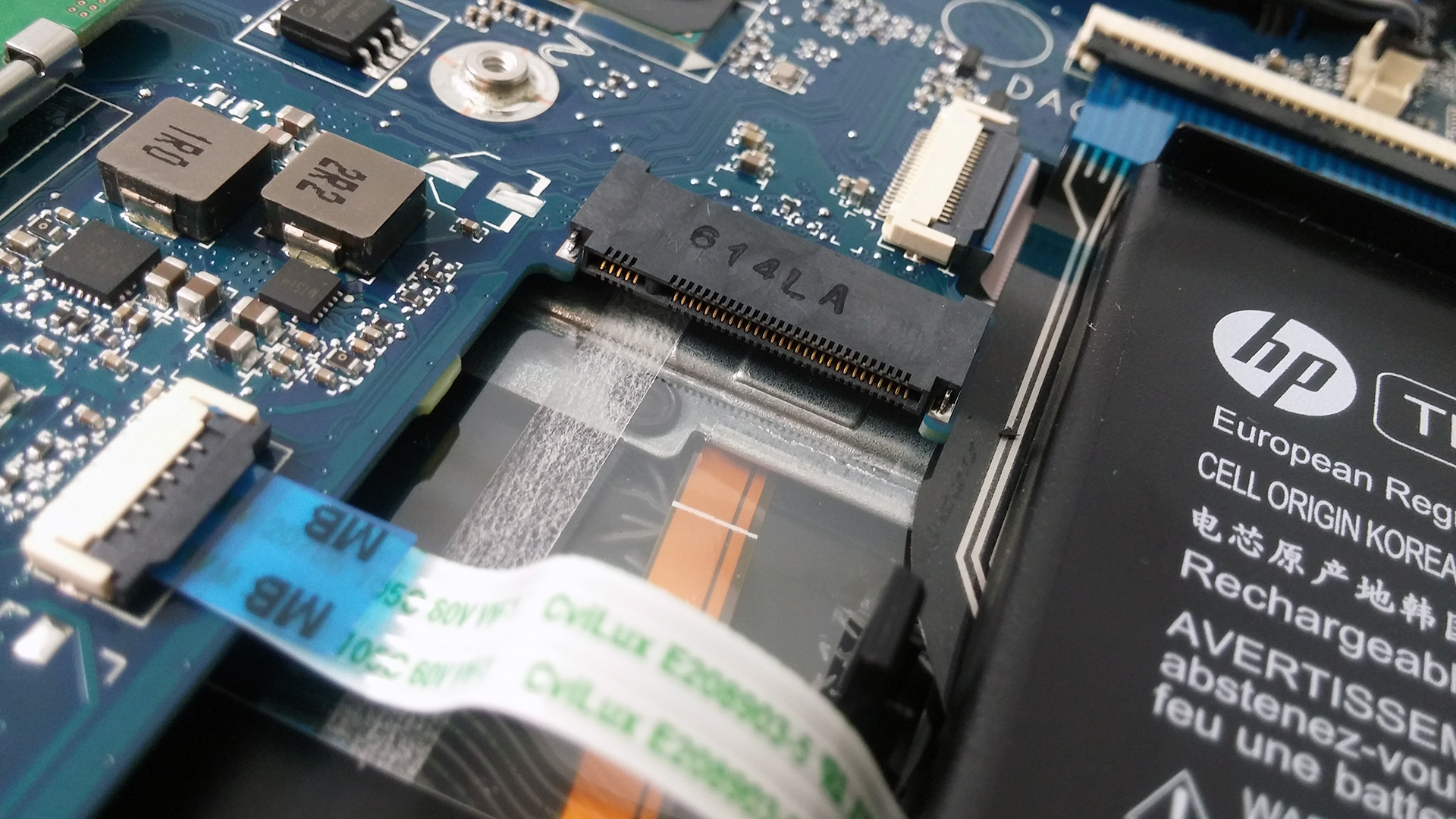
The Omen 15 doesn’t fall back from its competitors when it comes to storage options as it provides 2.5-inch drive and one M.2 SSD slot. We are yet to see what standard the slot supports – PCIe, SATA or NVMe. Anyway, the connector of the M.2 stick is M-edge key in 2280 size. We are not sure if the final version of the notebook will feature the same HDD, but the unit that we are reviewing right now has a 1TB Toshiba drive.
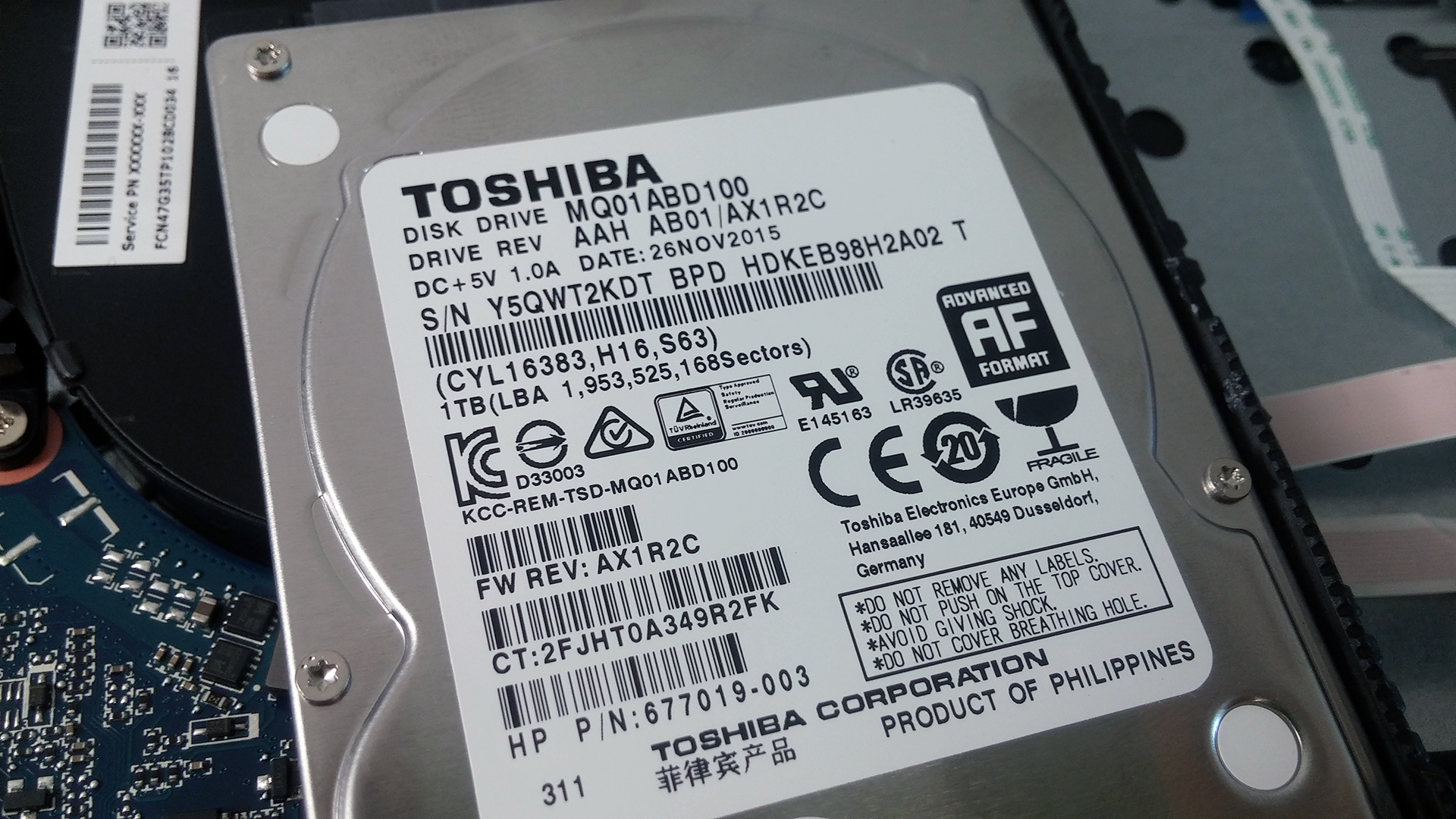
3. Other hardware
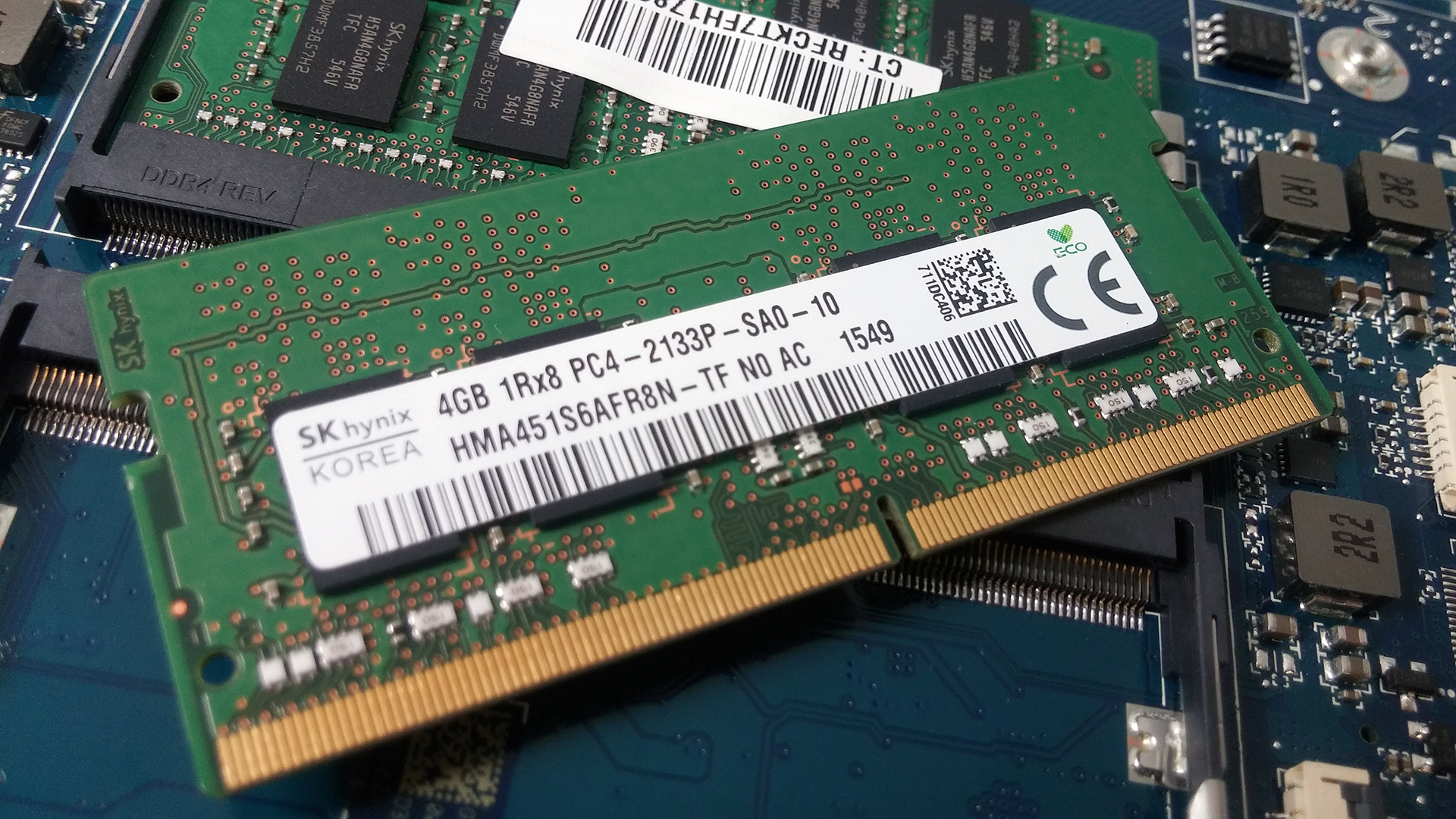
The motherboard holds two RAM slots and in our case, both are occupied by a 4GB SKhynix chips.
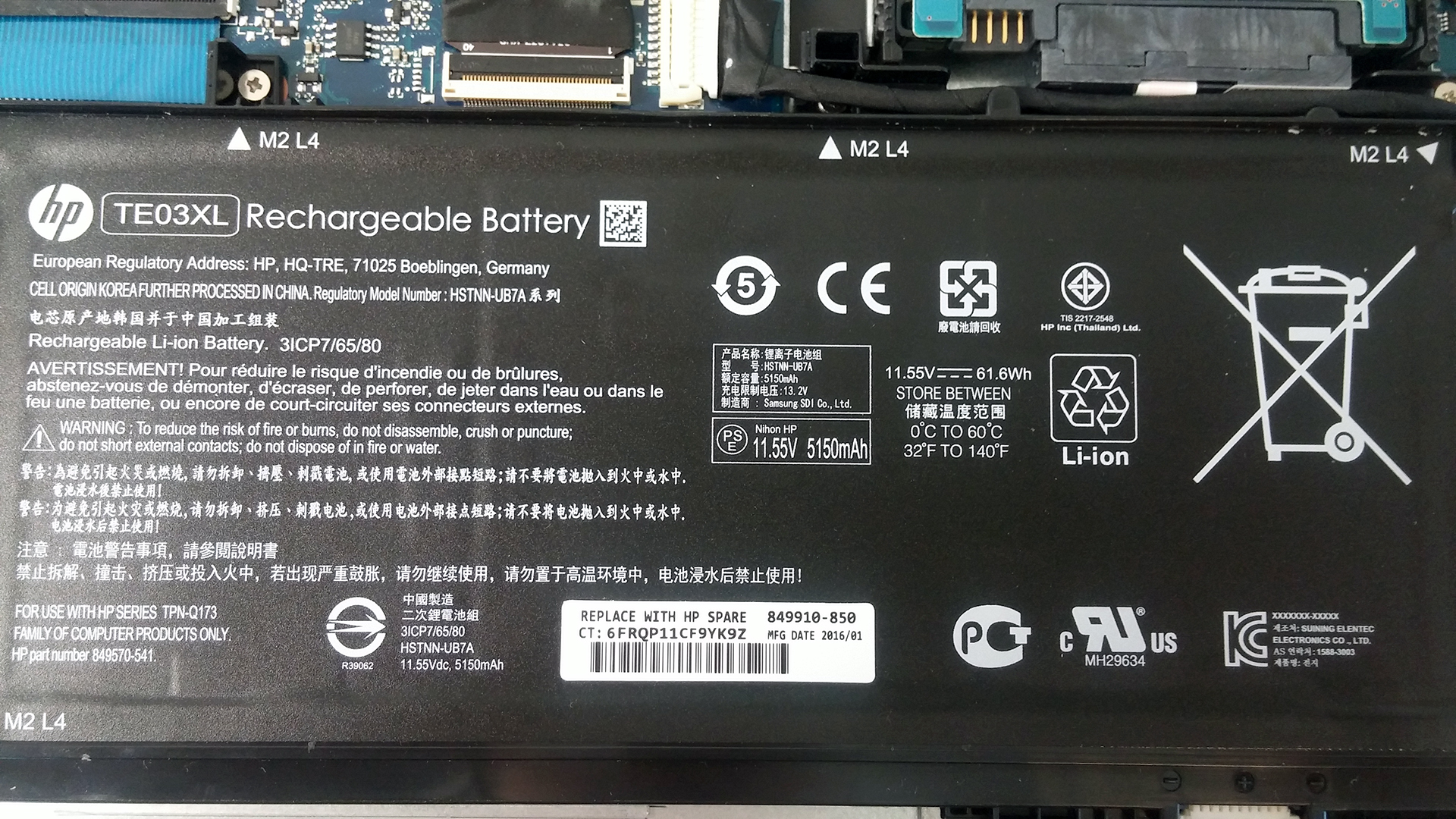
The closeup photo of the battery says the unit is rated at 61.6Wh (5150 mAh).
4. Cooling system
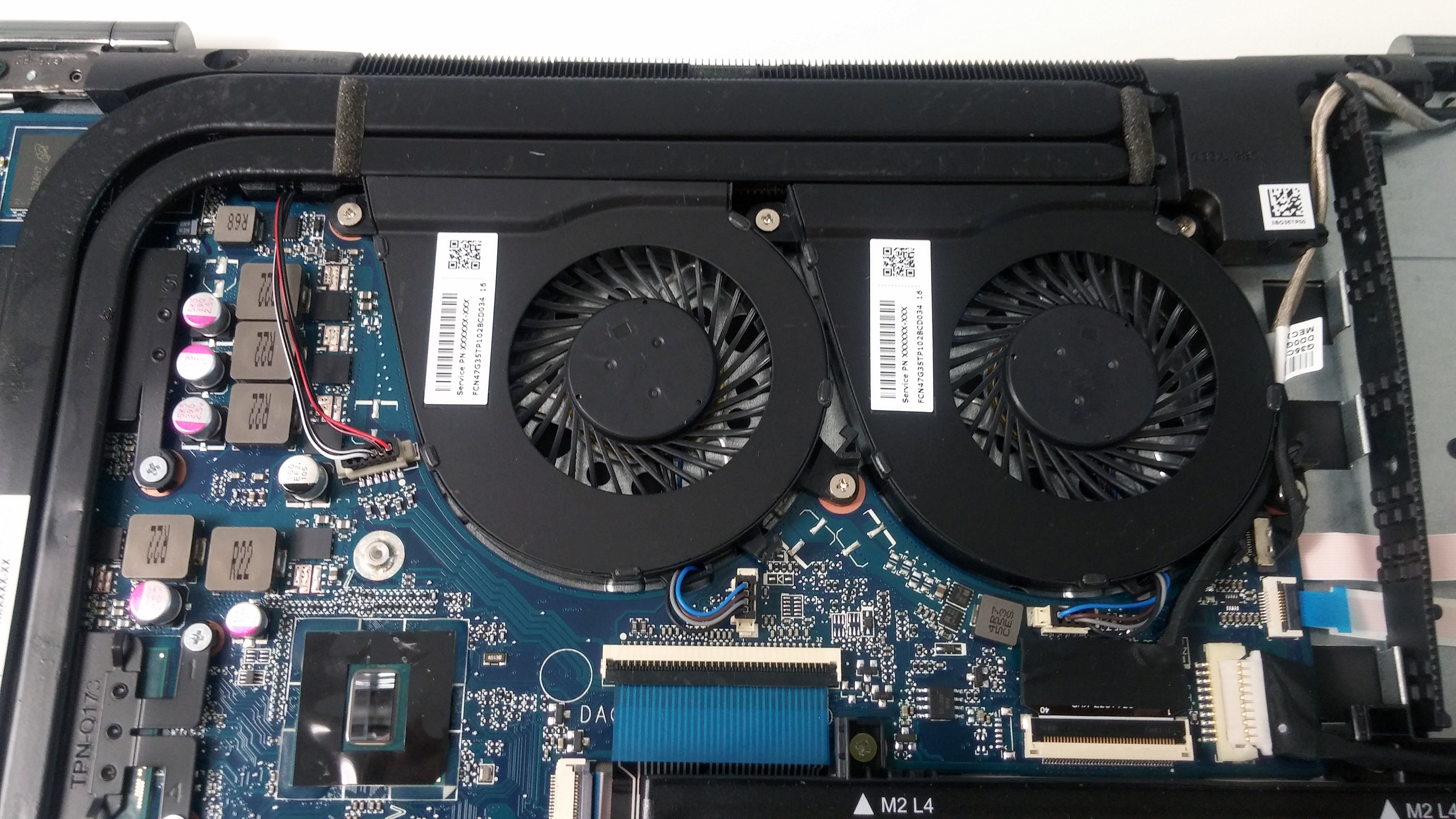
As you can see on the photos below, both vents are placed right next to each other and use two separate heat pipes to cool off both chips – the CPU and GPU. The system pushes out the hot air out from the back of the device and it’s strikingly similar to the one on the Lenovo Y700. We hope it will do better than Lenovo’s gaming solution in handling heat, though.
 Author: Rossen Pandev

![[juni 2026] Bestverkochte laptopmerken op Amazon Global – Apple’s ongeëvenaarde dominantie in aantal verkochte exemplaren en omzet](https://laptopmedia.com/wp-content/uploads/2026/07/GLOBAL-Best-Brands-400x225.jpg)
![[juni 2026] Amazon Global: Top 10 bestverkochte laptops – De nieuwe MacBook Neo van Apple stormt naar de eerste plaats en zet de markt op zijn kop dankzij zijn betaalbaarheid](https://laptopmedia.com/wp-content/uploads/2026/07/Best-Selling-Laptops-GLOBAL-Top-10-400x225.jpg)
![[juni 2026] Amazon Global: Top 10 van best verkochte gaminglaptops – De Nitro V 16S AI van Acer domineert de verkoopcijfers, terwijl ASUS qua totale omzet aan kop gaat](https://laptopmedia.com/wp-content/uploads/2026/07/Best-Selling-Gaming-Laptops-GLOBAL-Top-10-400x225.jpg)
![[juni 2026] Wereldwijde ranglijst van bestverkochte laptop-GPU’s op Amazon – De NVIDIA RTX 5060 is de bestverkochte speciale GPU](https://laptopmedia.com/wp-content/uploads/2026/07/Best-Selling-GPUs-GLOBAL-Top-10-400x225.jpg)
![[juni 2026] Wereldwijde ranglijst van bestverkochte laptop-CPU’s op Amazon – Apple M5 domineert, AMD Ryzen 7 260 verovert een stevig aandeel in het premiumsegment](https://laptopmedia.com/wp-content/uploads/2026/07/Best-Selling-CPUs-GLOBAL-Top-10-400x225.jpg)

Please inform me about HP Omen 17 w005na storing options. I will buy this laptop and i want to replace the M2 128 GB SSD that it has with a Samsung 950 PRO NVMe M.2 512 GB Solid State.
Is this possible ?
You know now if this works?
Which screwdriver did you use to open the bottom plate ? I try a Phillips 0 and it seems to small whereas a Phillips 1 is obviously too big…
it’s a Phillips 0 with a short tip, not a sharp head (nearly flat)
Hi, I’m gonna buy an omen 17. This one comes with 12gb ram – 256ssd. But I would like to upgrade it to 16gb ram and 512gb ssd. Is there a problem? And also, would it be possible to upgrade it to 32gb ram?
Hello,
Thank you for your good review.
Can you tell me if the opening of the lid break any kind of “seal of warranty” (like the “warranty void if removed” stickers you have on some components)? Because i want to upgrade RAM of this laptop, but i have a warranty of 3 years on the way..
There is no seal, only boring clips.
Ok, thanks! So i can open it without breaking my warranty? 🙂 And what do you mean by “boring clips”?
I mean the clips holding the bottom piece to the base. The ones that you need to “pop” in order to pry it up.
I’ve got the Omen 17t and I’m trying to “pop” the bottom piece off, but not having any luck. I’ve removed the battery, optical drive, and all the screws I can find on the bottom. What is the best way to try to get it to come off?
I’m not sure because I haven’t reviewed the 17-inch variant. There might be some additional screws under the silicone legs or somewhere else. We will post an article when we have the chance to review the Omen 17.
so – can I replace the two 4 MG Memory boards on my Omen 15 -5110 nr with 8 MG boards?
and if I can upgrade with 8 Gig boards – do you know the part number?
can I upgrade the video card to a 970m or a 980m
No. The GPU isn’t swappable.
Hi, I’ve got the 15 omen with PCIe SSD. I want to add and extra SATA sdd, do you think the slot and adequate support will be there for an simple plug and play?
I called hp support and they told me there is no ssd slot in omen 15 ax248tx … please do u know exactly that it have a ssd slot or not …
I’m pretty sure you have. You can see the slot in the photos below and our unit shouldn’t be any different from your’s.
No i mean ur unit is the hp omen ax248tx ,right ? Which costs around 80 k …?
Will adding a M.2 SSD void the warranty?
It strongly depends on your local reseller but in most cases, no.
Okay..and is there any seal that needs to be broken when disassembling the laptop? Like “Warrany void if seal damaged”?
Most of the times, no. But as I said, your local importer might have ordered units with seals, it really depends on your retailer.
Okay,thanks a lot man 🙂
can i upgrade my omen 15, with 2x8gb ram sticks, and an ssd?
The backplate is still holding on the middle of the laptop after removing the screws around the border. Is there a screw under the soft middle cap on the backplate ?