Inside Lenovo Yoga C940 (14) – disassembly and upgrade options
Lenovo Yoga C940 (14) is one of the first laptops to feature the Ice Lake processor line up. Just to remind you, these new processors rock more powerful graphics cards, and some manufacturers have to tweak their coolings in order to accommodate them.
Check out all Lenovo Yoga C940 (14) prices and configurations in our Specs System or read more in our In-Depth review.
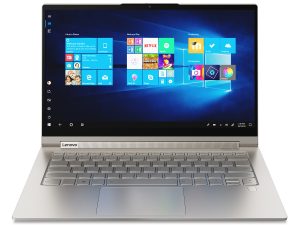
1. Remove the bottom plate
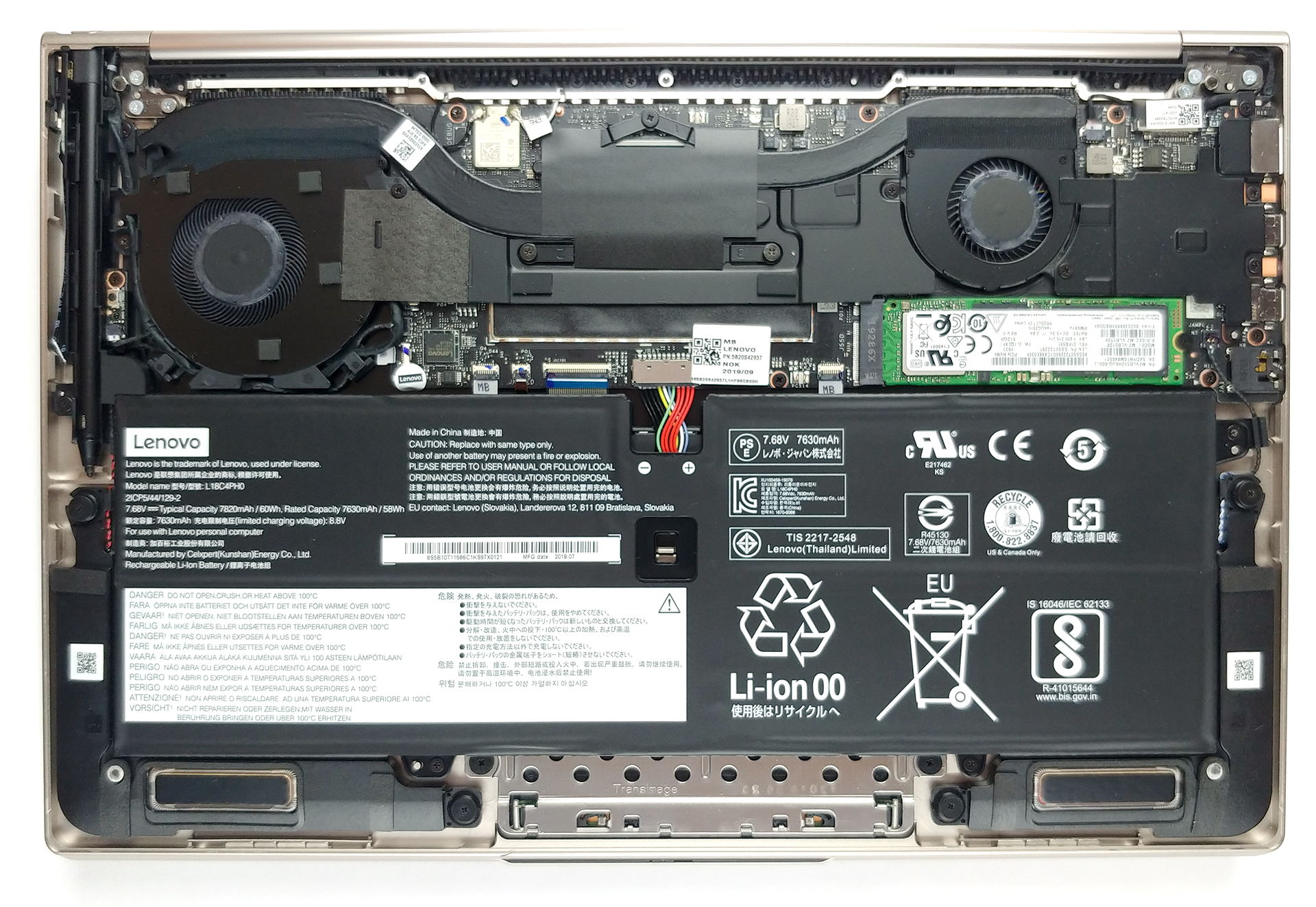
Similarly to what HP has done with some of their laptops, you need a little bit more effort in order to remove the bottom plate of this notebook. First, remove the back rubber foot, as it hides three Phillips-head screws. After you unscrew them, you can undo the other four Torx-head screws and then pry the panel with a plastic tool.
2. Battery
This device packs a 60Wh battery, which is one of the big ones for a 14-inch ultrabook. It is kept into position by four Phillips-head screws. Before you do anything, though, do yourself a favor and unplug the battery connector from the motherboard.

3. Memory and storage
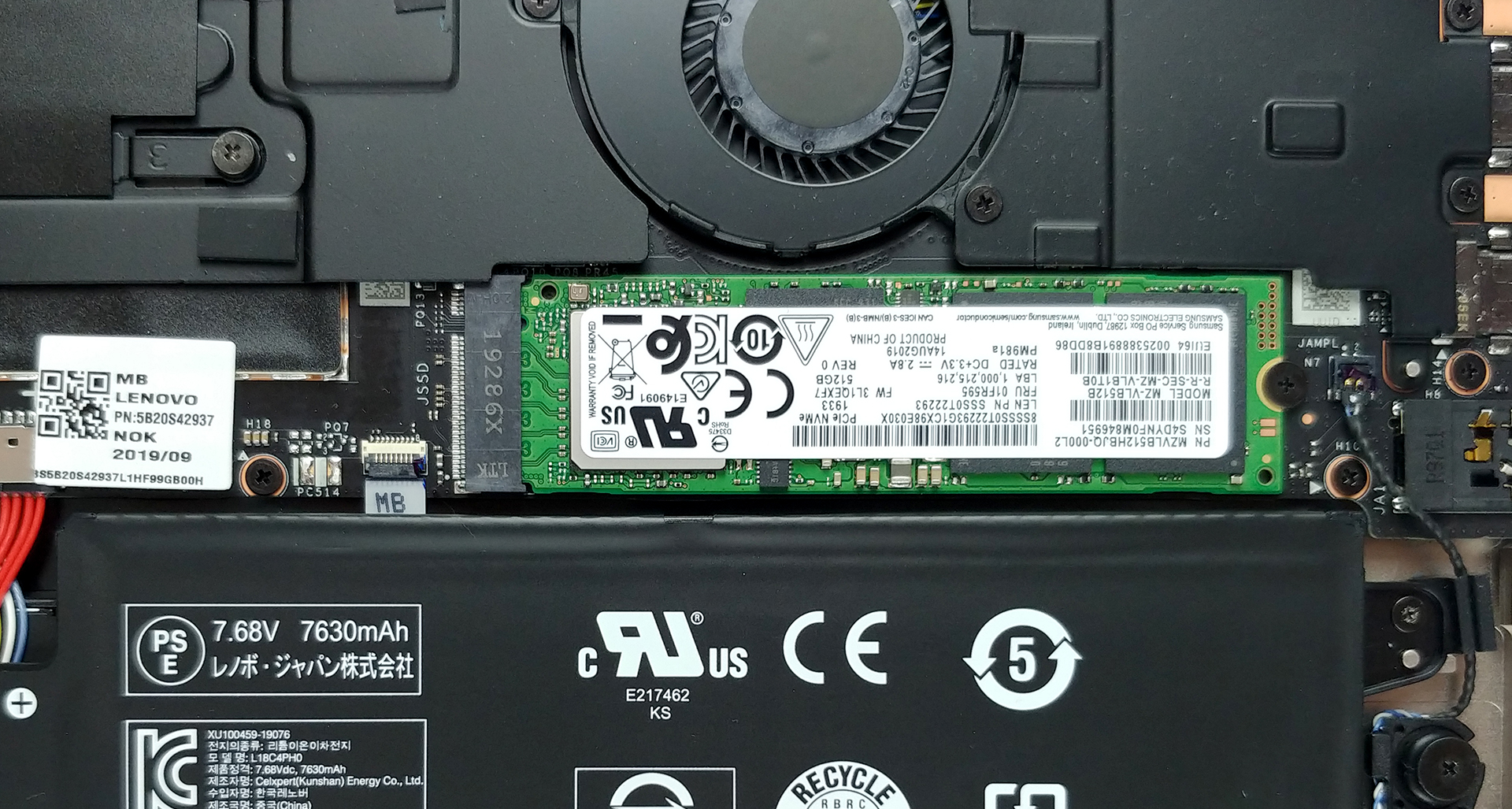
In terms of upgradability, the Yoga C940 (14) clearly sucks. On the bright side, you can configure the laptop with up to 16GB of LPDDR4X memory (which we recommend), the speed of which is out of this world – 3733 MHz. Then, there is a single M.2 slot that supports PCIe x4 NVMe drives.
4. Cooling system
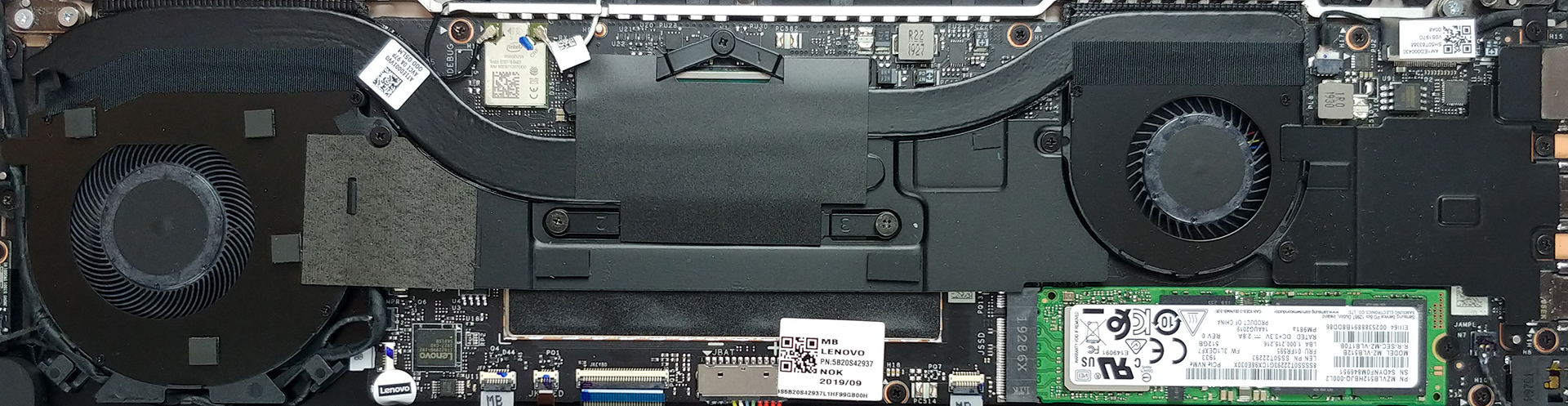
As we said, tweaking was needed in some places. Here, the cooling solution not only features a double-heat pipe setup, but it also has two fans (one big and one small in diameter) that blow the heat away. Moreover, they are not stacked next to each other, but are rather placed in the two sides of the chassis, providing a better thermal transfer.
Check out all Lenovo Yoga C940 (14) prices and configurations in our Specs System or read more in our In-Depth review.
 Author: Alex Iliev

![[juni 2026] Bestverkochte laptopmerken op Amazon Global – Apple’s ongeëvenaarde dominantie in aantal verkochte exemplaren en omzet](https://laptopmedia.com/wp-content/uploads/2026/07/GLOBAL-Best-Brands-400x225.jpg)
![[juni 2026] Amazon Global: Top 10 bestverkochte laptops – De nieuwe MacBook Neo van Apple stormt naar de eerste plaats en zet de markt op zijn kop dankzij zijn betaalbaarheid](https://laptopmedia.com/wp-content/uploads/2026/07/Best-Selling-Laptops-GLOBAL-Top-10-400x225.jpg)
![[juni 2026] Amazon Global: Top 10 van best verkochte gaminglaptops – De Nitro V 16S AI van Acer domineert de verkoopcijfers, terwijl ASUS qua totale omzet aan kop gaat](https://laptopmedia.com/wp-content/uploads/2026/07/Best-Selling-Gaming-Laptops-GLOBAL-Top-10-400x225.jpg)
![[juni 2026] Wereldwijde ranglijst van bestverkochte laptop-GPU’s op Amazon – De NVIDIA RTX 5060 is de bestverkochte speciale GPU](https://laptopmedia.com/wp-content/uploads/2026/07/Best-Selling-GPUs-GLOBAL-Top-10-400x225.jpg)
![[juni 2026] Wereldwijde ranglijst van bestverkochte laptop-CPU’s op Amazon – Apple M5 domineert, AMD Ryzen 7 260 verovert een stevig aandeel in het premiumsegment](https://laptopmedia.com/wp-content/uploads/2026/07/Best-Selling-CPUs-GLOBAL-Top-10-400x225.jpg)

Can I upgrade the memory from 16 gb to 32 gb
Hi!
Nop, you can’t. The RAM is soldered on the board…
Can I upgrade RAM from 8GB to 16GB (8+8)? Is there an extra RAM slot for an 8GB variant?
Nope. You need to buy it.
can we upgrade the SSD later on in c940
can I upgrade the GPU?
no, but you can buy external gpu
I’ve just purchased this laptop as a kind of all-around use at home for graphic design, digital painting, and casual gaming. I do general create large design files, so can I replace the 2TB SSD with something higher capacity as long as it is an M.2 drive? Lenovo was unclear on this, but their A940 (the work station model of the yoga) appears to be able to take up 8TB of M.2.
I’m thinking of buying a ADATA XPG SX8200 Pro; do I have to worry that it is on the thicc side (3.5mm)?
hello
there is a single M.2 slot that supports PCIe x4 NVMe drives.
that specf. its possible to upgrate from 512GB to 1tb ?
Can you upgrade the wifi to 6 or 7?