MSI Katana 15 (B13V) – Top 5 Pros and Cons
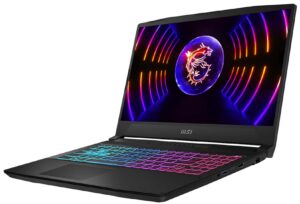
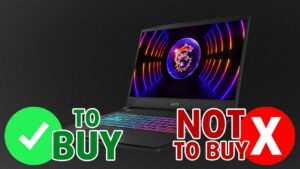 The MSI Katana slumbers from its winter hibernation, coming with a new name, the Katana 15. With the naming conventions out of the way, the new laptop brings suitable hardware, with both 12th Gen and 13th Gen Intel processors, as well as GPUs from the 30-series and 40-series, which is fine for a budget notebook. Still, if you’re planning on buying last-gen components, you might as well go for a laptop from last year, which are swiftly going on sale, so you’re sure to find a great deal. However, we still recommend at least checking out what the 40-series Ada Lovelace graphics have to offer, especially the more low-end 4050 and 4060. However, these new laptops are reaching pretty high prices, despite lacking features that are typically offered in this price bracket.
Today we’re giving you a quick overview of the MSI Katana 15 (B13V).
MSI Katana 15 (B13V): Full Specs / In-depth Review
3 reasons to BUY the MSI Katana 15 (B13V)
1. Performance
The configuration of the Katana 15 that we tested comes with the Core i7-13620H and the RTX 4050 with a 105W power limit. From the CPU benchmarks, we can see that the CPU isn’t on the level of the Core i7-12700H in last year’s Katana GF66. We’ll also put the Ryden 7 6800H as well as other Intel CPUs for a more complete performance assessment.
De resultaten zijn afkomstig van de Cinebench R23 CPU-test (hoe hoger de score, hoe beter)
In terms of GPU power, the 4050 with a 105W TGP is pretty quick, offering almost double the power of the RTX 3050 and RTX 3050 Ti in benchmarks. It also matches some high TGP models of the 3060 from last year, which is a win in and of itself.
De resultaten zijn van 3DMark Time Spy (Graphics). Hoger is beter.
De resultaten zijn van de 3DMark Fire Strike (Graphics) benchmark (hoe hoger de score, hoe beter)
De resultaten zijn van 3DMark Wild Life Extreme Unlimited. Hoger is beter.
De resultaten zijn van de Unigine Superposition benchmark (hoe hoger de score, hoe beter)
2. Upgradeability
The upgradeability of the laptop needs to be recognized as well, as there are two SODIMM slots for DDR5 memory, along with two M.2 slots for PCIe Gen 4 SSDs.
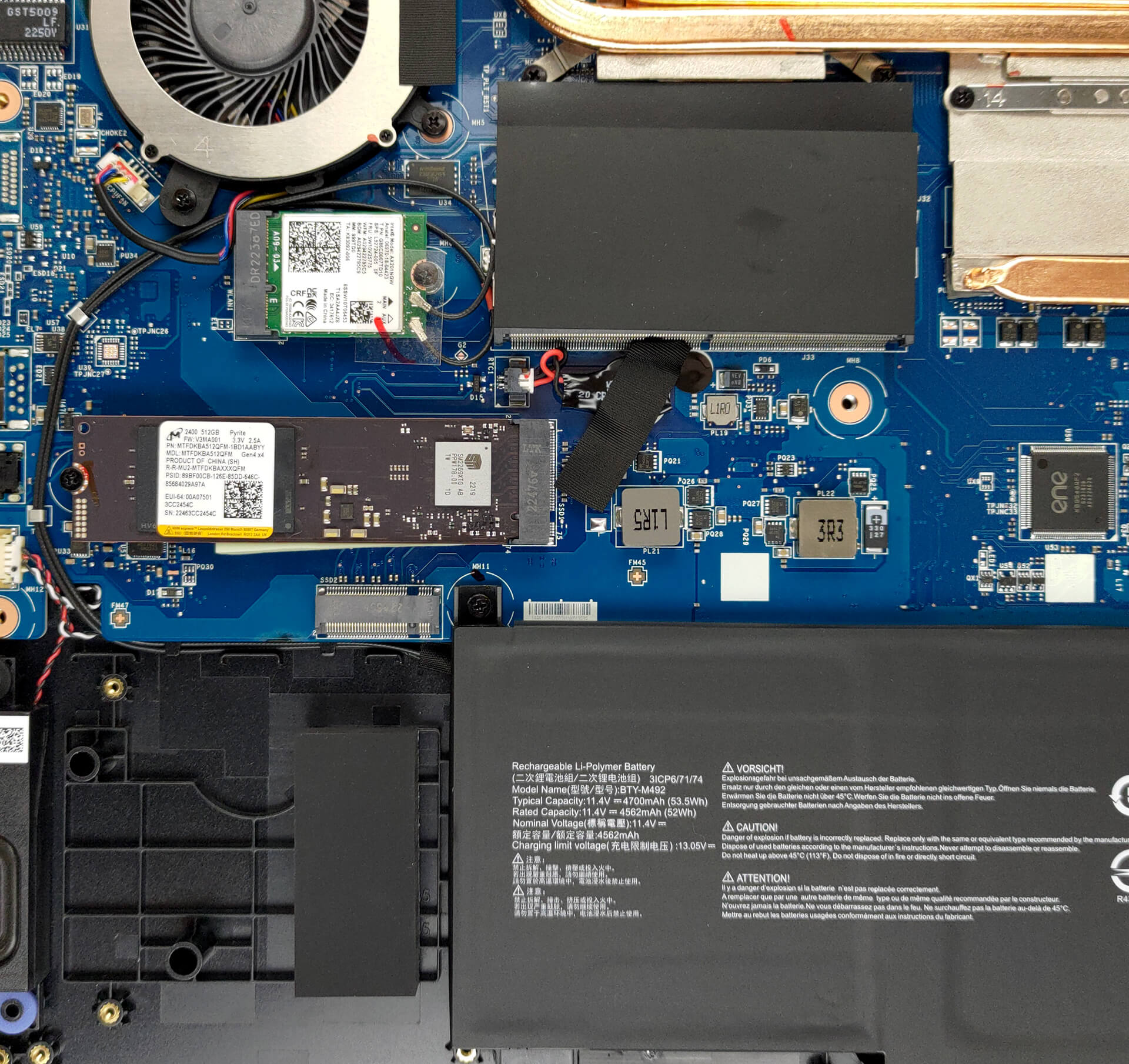
Here is our detailed teardown video, which shows how to access both the RAM and SSD slots.
3. Keyboard
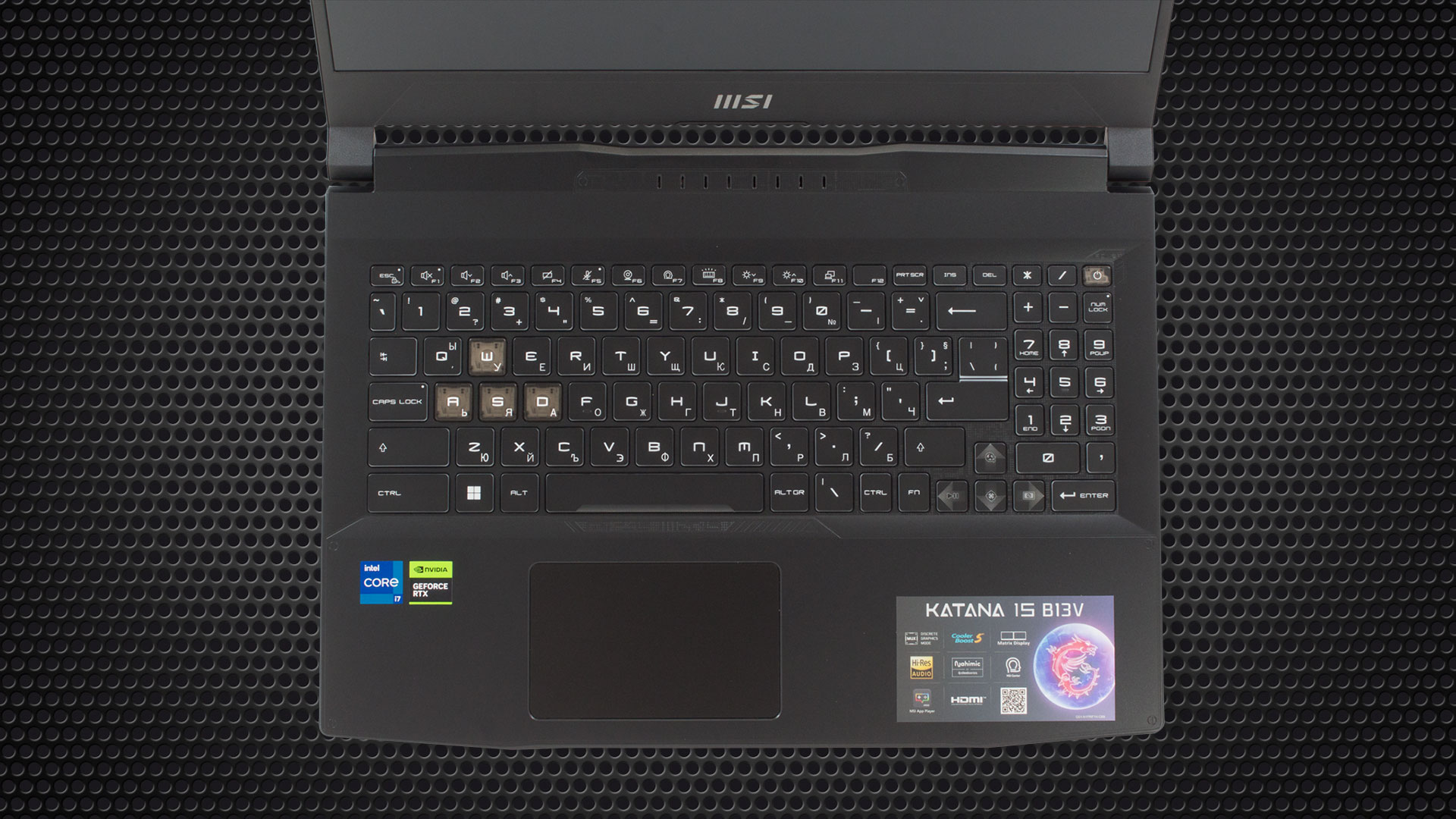
The keyboard is a big part of the gaming experience, especially on laptops, since you can’t replace it. The unit that we have here does a remarkable job, offering long key travel and clicky feedback. For some added flair, the WASD keys are highlighted, while a 4-zone RGB backlight is also present. It can get a bit hot during gaming, but that’s not a fault of the keyboard and more to the cooling.
2 reasons NOT to buy the MSI Katana 15 (B13V)
1. Build quality
The Katana 15 laptop comes with an all-black plastic chassis. It’s the same as last year’s but with some additional cosmetic changes. Overall, there are more lines now, as well as little holes, dents, and stripes to give the laptop a more gamer-y appearance. In terms of dimensions, it weighs just as much as last year’s notebook did, around 2.25 kg while having a profile of 24.9 mm.

2. Display quality
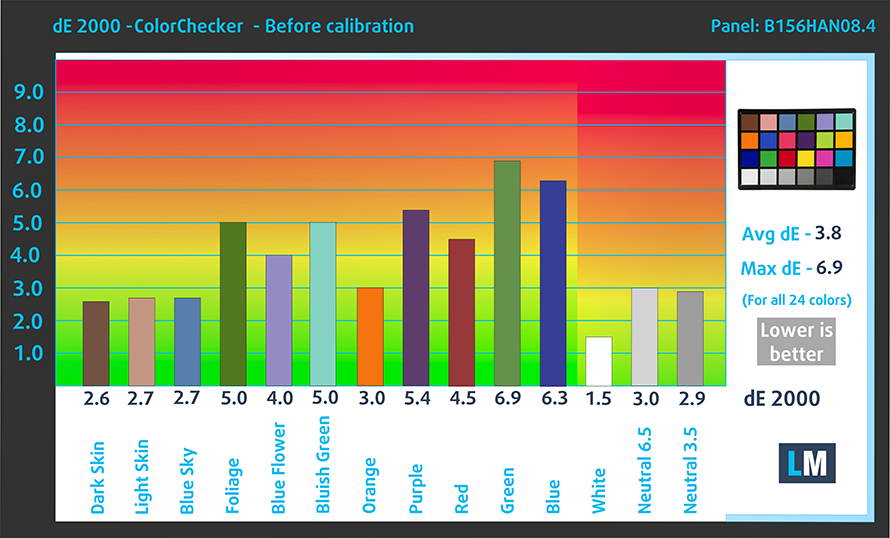
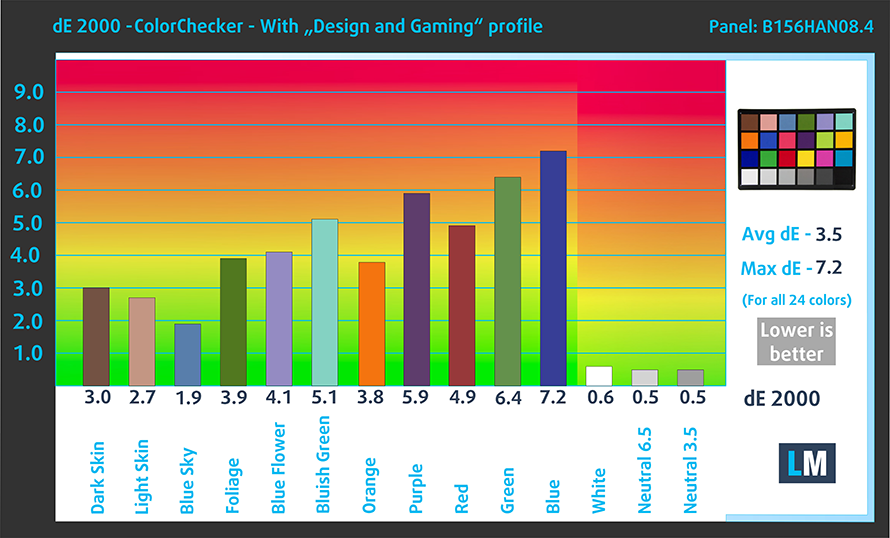
Lastly, while we know that the Katana is a budget laptop, its price tag has gone high enough that we have to require more from it. One of the requirements is certainly a better display. The Full HD IPS panel that we have here does have a 144Hz refresh rate which is all well and good, however, the response time is slower, at 26 ms. Also, the panel maxes out at 238 nits of brightness, which is too low, in our opinion, even for a budget model. In terms of colors, it covers just 53% of the sRGB color gamut, while the colors by themselves aren’t accurate enough for us to recommend the display for Creator work.
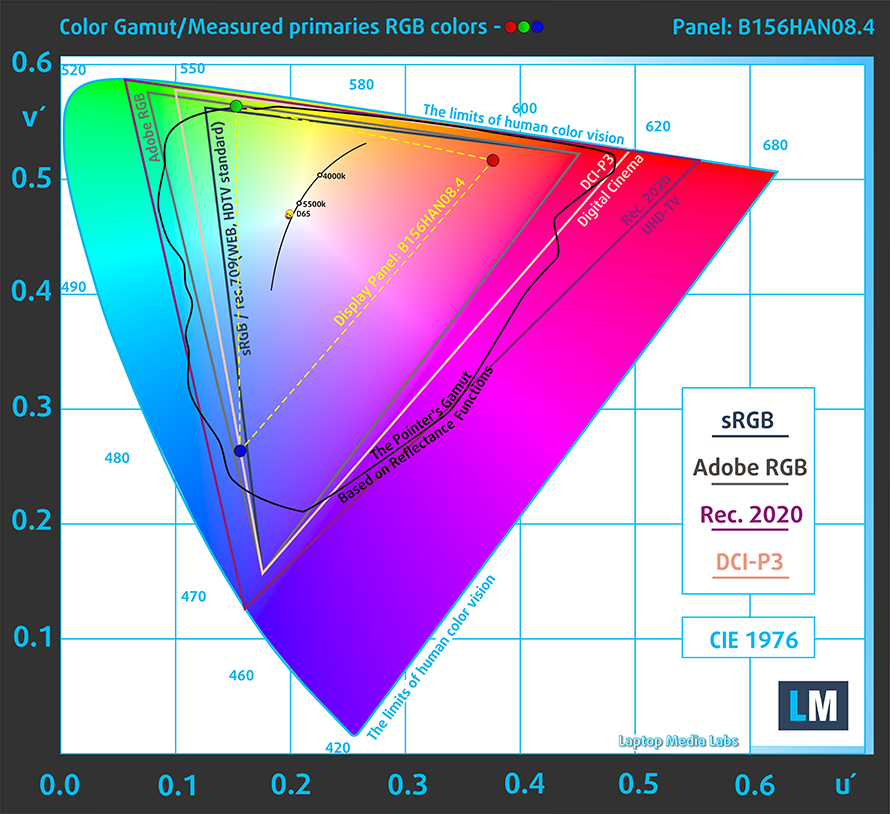
Here are the results of our accuracy test with the stock settings (left) and with our Design and Gaming profile applied (right),
Buy our profiles
Since our profiles are tailored for each individual display model, this article and its respective profile package are meant for MSI Katana 15 (B13V) configurations with 15.6″ AUO B156HAN08.4 (AUOAF90) (1920 x 1080) IPS.
*Should you have problems with downloading the purchased file, try using a different browser to open the link you’ll receive via e-mail. If the download target is a .php file instead of an archive, change the file extension to .zip or contact us at [email protected].
Read more about the profiles HERE.
Naast het ontvangen van efficiënte en gezondheidsvriendelijke profielen, ondersteunt u door het kopen van LaptopMedia's producten ook de ontwikkeling van onze labs, waar we apparaten testen om zo objectief mogelijke reviews te produceren.

Office Work
Office Work is voornamelijk bedoeld voor gebruikers die de meeste tijd besteden aan het bekijken van teksten, tabellen of gewoon surfen. Dit profiel streeft naar een betere onderscheidbaarheid en helderheid door een vlakke gammacurve (2.20), native kleurtemperatuur en perceptueel accurate kleuren te behouden.

Design and Gaming
Dit profiel is bedoeld voor ontwerpers die professioneel met kleuren werken, maar ook voor games en films. Design and Gaming haalt het uiterste uit beeldschermen, waardoor ze zo nauwkeurig mogelijk zijn in de sRGB IEC61966-2-1 norm voor Web en HDTV, met witpunt D65.

Health-Guard
Health-Guard elimineert de schadelijke Pulsbreedtemodulatie (PWM) en vermindert het negatieve Blauwe Licht dat onze ogen en lichaam beïnvloedt. Omdat het op maat gemaakt is voor elk paneel, slaagt het erin de kleuren perceptueel accuraat te houden. Health-Guard simuleert papier zodat de druk op de ogen sterk wordt verminderd.
Krijg alle 3 profielen met 33% korting

All MSI Katana 15 (B13V) configurations:
 Author: Severin Kolakov

![[juni 2026] Bestverkochte laptopmerken op Amazon Global – Apple’s ongeëvenaarde dominantie in aantal verkochte exemplaren en omzet](https://laptopmedia.com/wp-content/uploads/2026/07/GLOBAL-Best-Brands-400x225.jpg)
![[juni 2026] Amazon Global: Top 10 bestverkochte laptops – De nieuwe MacBook Neo van Apple stormt naar de eerste plaats en zet de markt op zijn kop dankzij zijn betaalbaarheid](https://laptopmedia.com/wp-content/uploads/2026/07/Best-Selling-Laptops-GLOBAL-Top-10-400x225.jpg)
![[juni 2026] Amazon Global: Top 10 van best verkochte gaminglaptops – De Nitro V 16S AI van Acer domineert de verkoopcijfers, terwijl ASUS qua totale omzet aan kop gaat](https://laptopmedia.com/wp-content/uploads/2026/07/Best-Selling-Gaming-Laptops-GLOBAL-Top-10-400x225.jpg)
![[juni 2026] Wereldwijde ranglijst van bestverkochte laptop-GPU’s op Amazon – De NVIDIA RTX 5060 is de bestverkochte speciale GPU](https://laptopmedia.com/wp-content/uploads/2026/07/Best-Selling-GPUs-GLOBAL-Top-10-400x225.jpg)
![[juni 2026] Wereldwijde ranglijst van bestverkochte laptop-CPU’s op Amazon – Apple M5 domineert, AMD Ryzen 7 260 verovert een stevig aandeel in het premiumsegment](https://laptopmedia.com/wp-content/uploads/2026/07/Best-Selling-CPUs-GLOBAL-Top-10-400x225.jpg)
