Top 5 reasons to BUY or NOT to buy the ASUS ROG Strix G17 G713
 The gaming laptop space is getting more and more crowded with brands coming out with newer additions for the budget, mid-range, and high-end sectors.
Today we have one of ASUS’s mid to high-end options in the ASUS ROG Strix G17 G713, which has many of the flagship features but still has some cutbacks, in order to make room for the ROG Strix SCAR 17, which is the true ASUS flagship gaming laptop. WIth some of the best hardware that you can get in 2021 and a spectacular screen, you’ll have a blast gaming on this beast.
Today we are presenting you with LaptopMedia’s Top 5 picks about the ASUS ROG Strix G17 G713.
ASUS ROG Strix G17 G713: Full Specs / In-depth Review
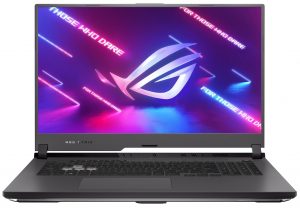

4 reasons to BUY the ASUS ROG Strix G17 G713
1. The Design and Build quality
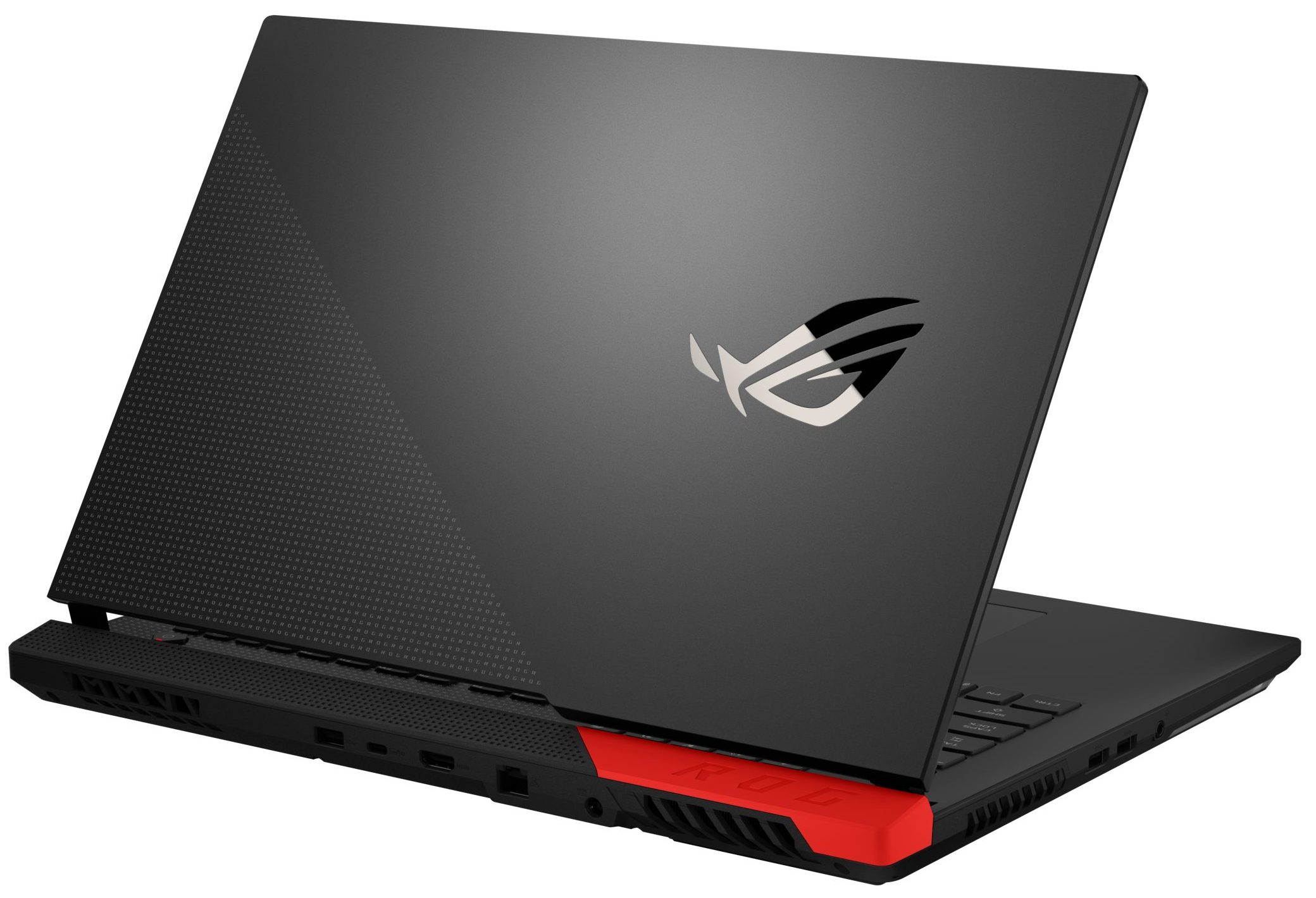
Being a ROG device, you have to expect a “gamer” design and an overall aesthetic that will be noticed as soon as you walk into a room. The build quality here is what you would expect from a renowned name like ASUS. While you get a plastic base, it doesn’t feel cheap at all and provides a rigid structure, to hold those big boy internals.
The aluminum lid is very non-intrusive with just a ROG logo in the corner. There is also an RGB strip on the bottom, which spices things up a little bit. Weight and dimensions-wise, the laptop stops the scales at 2.70 kg and has a profile of 27.5 mm at the thickest. The laptop is offered in three colors: red, pink, and black (the main color is black, with the offered colors being complimentary).
2. The Battery life
Considering the hardware that comes with this ROG Strix G17, the battery life is some of the best that we have seen from a gaming laptop. The huge 90Wh battery lasts for 13 hours and 20 minutes of Web browsing, 9 hours and 24 minutes of video rendering, and only 82 minutes of gaming, which is just fine. In comparison to the older model, the numbers are more than impressive. You can see the Strix G17 (G712) against the Strix G17 (G713), in terms of battery life.
Helderheid: 180 nits; Weergavemodus: SDR
Tijd tot Volledige Ontlading: Hoger is Beter
Om realistische omstandigheden te simuleren, hebben we ons eigen script gebruikt voor automatisch surfen op meer dan 70 websites.
We gebruiken de ingebouwde F1 2017 benchmark op loop om real-life gaming te simuleren.
3. The Display
The display options here are all fantastic, with the minimum refresh rate being 144Hz, with our model featuring a 300Hz Full HD IPS panel with a size of 17.3 inches. The panel had comfortable viewing angles and a good contrast ratio. Being a gaming laptop, it has a very quick pixel response time of 8.1 ms. In terms of color coverage, it covers 95% of the sRGB color gamut and the backlight doesn’t use PWM at any brightness levels.
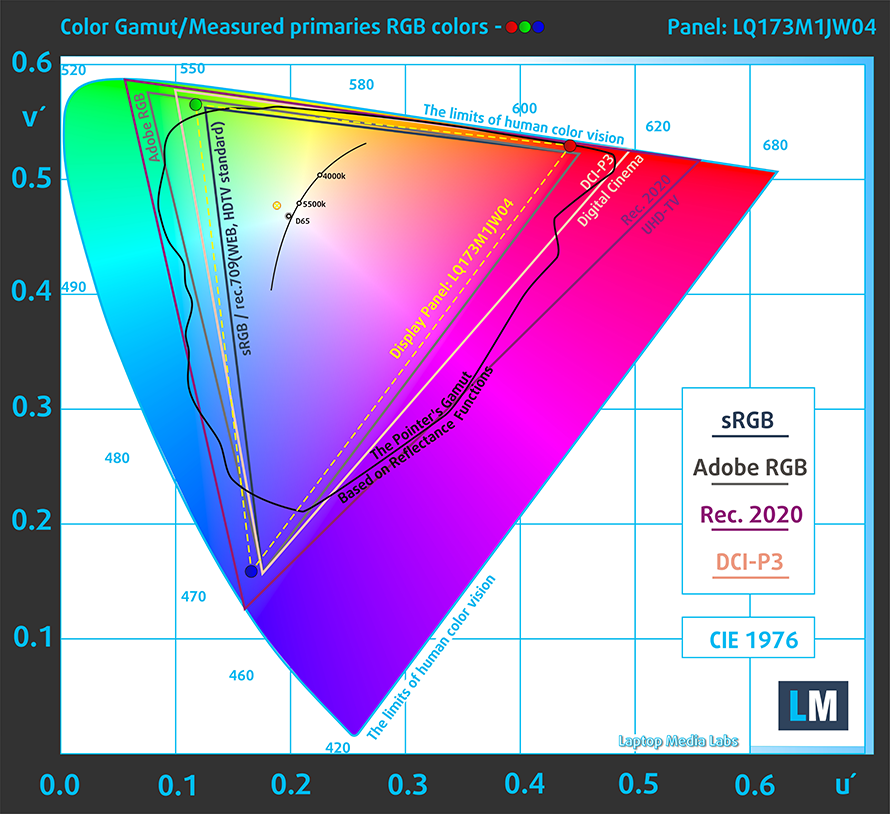
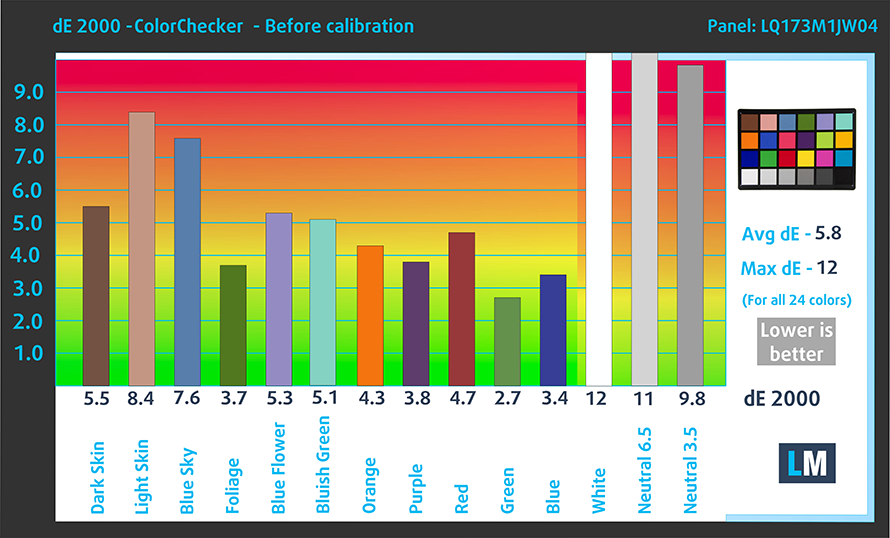
As for the color accuracy, we measured the panel with both the factory settings (left) and with our “Gaming and web design” profile applied (right).

Buy our profiles
Since our profiles are tailored for each individual display model, this article and its respective profile package are meant for ASUS ROG Strix G17 G713 configurations with 17.3″ Sharp LQ173M1JW04 (SHP14E1) (FHD, 1920 × 1080) IPS.
*Should you have problems with downloading the purchased file, try using a different browser to open the link you’ll receive via e-mail. If the download target is a .php file instead of an archive, change the file extension to .zip or contact us at [email protected].
Read more about the profiles HERE.
Naast het ontvangen van efficiënte en gezondheidsvriendelijke profielen, ondersteunt u door het kopen van LaptopMedia's producten ook de ontwikkeling van onze labs, waar we apparaten testen om zo objectief mogelijke reviews te produceren.

Office Work
Office Work is voornamelijk bedoeld voor gebruikers die de meeste tijd besteden aan het bekijken van teksten, tabellen of gewoon surfen. Dit profiel streeft naar een betere onderscheidbaarheid en helderheid door een vlakke gammacurve (2.20), native kleurtemperatuur en perceptueel accurate kleuren te behouden.

Design and Gaming
Dit profiel is bedoeld voor ontwerpers die professioneel met kleuren werken, maar ook voor games en films. Design and Gaming haalt het uiterste uit beeldschermen, waardoor ze zo nauwkeurig mogelijk zijn in de sRGB IEC61966-2-1 norm voor Web en HDTV, met witpunt D65.

Health-Guard
Health-Guard elimineert de schadelijke Pulsbreedtemodulatie (PWM) en vermindert het negatieve Blauwe Licht dat onze ogen en lichaam beïnvloedt. Omdat het op maat gemaakt is voor elk paneel, slaagt het erin de kleuren perceptueel accuraat te houden. Health-Guard simuleert papier zodat de druk op de ogen sterk wordt verminderd.
Krijg alle 3 profielen met 33% korting

4. The Upgradeability
As with most gaming notebooks, upgradability is one of its strong suits, with both the RAM and SSD storage being available for expansion in the future. There are two RAM SODIMM slots that can support up to 32GB of DDR4 memory, working at 3200MHz, according to ASUS, but we are sure that you can double that number. In addition to that, there are two M.2 PCIe x4 slots for SSD storage expansion.

We will leave our teardown video here, in case you need help getting access to the RAM and SSD slots. It has all the essential steps that you have to take in order to upgrade the memory on the device.
1 reason NOT to buy the ASUS ROG Strix G17 G713
1. The Cooling
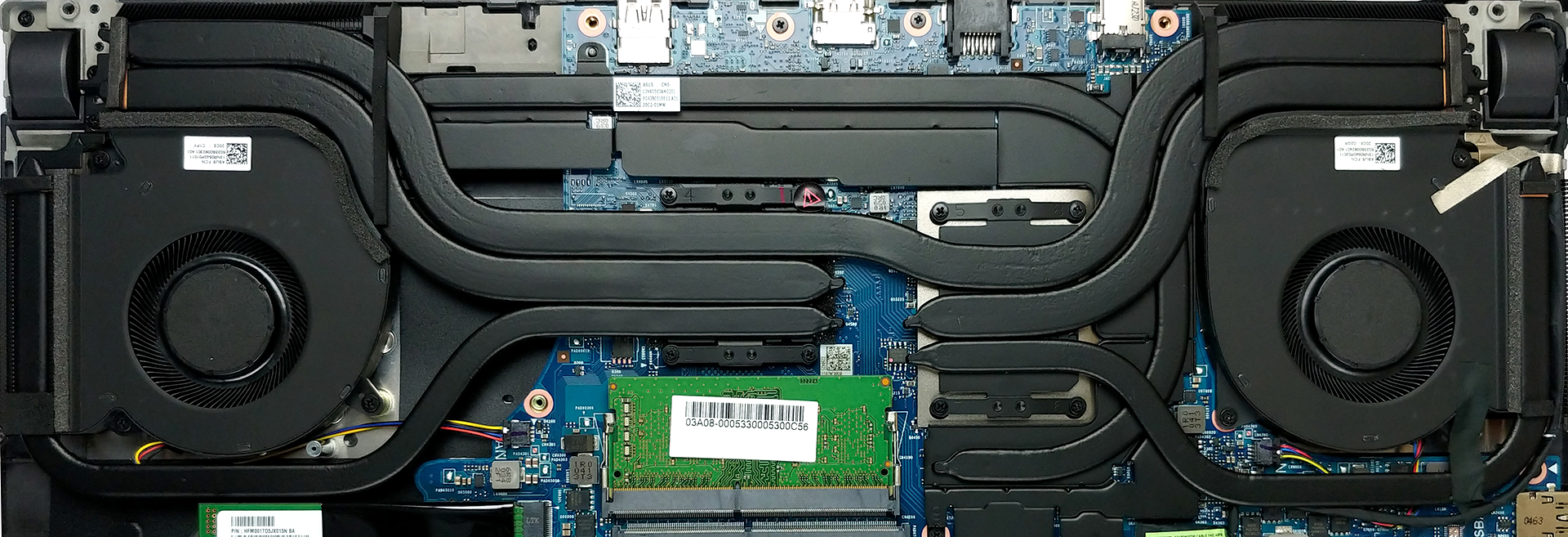
Keeping the trend of showing you the insides of the laptop, in terms of cooling, we see a giant solution, that consists of a total of six heat pipes of various sizes. One of them is common for the CPU and the GPU. There are two more for each processor, and one cooling the graphics memory and the VRM chips.
| NVIDIA GeForce RTX 3070 | GPU frequency/ Core temp (after 2 min) | GPU frequency/ Core temp (after 30 min) |
|---|---|---|
| ASUS ROG Strix G17 G713 | 1649 MHz @ 83°C @ 130W | 1646 MHz @ 84°C @ 130W |
As you can see from the table above, the RTX 3070 warms up pretty quickly, but the cooling solution manages to keep it in check even after 30 minutes of testing, but 84°C is still quite hot.
All ASUS ROG Strix G17 G713 configurations:
 Author: Severin Kolakov

![[augustus 2026] Amazon Global: Top 10 van best verkochte laptops – De Apple MacBook Neo domineert de hitlijsten, terwijl goedkope en middenklasse Windows-laptops strijden om het verkoopvolume](https://laptopmedia.com/wp-content/uploads/2026/09/Best-Selling-Laptops-GLOBAL-Top-10-400x225.jpg)
![[augustus 2026] Bestverkochte laptopmerken op Amazon Global – Apple domineert qua omzet, terwijl HP koploper is qua modelvariëteit](https://laptopmedia.com/wp-content/uploads/2026/09/GLOBAL-Best-Brands-400x225.jpg)
![[augustus 2026] Amazon Global: Top 10 bestverkochte gaminglaptops – HP Victus 15 pakt de eerste plaats terwijl budgetvriendelijke modellen de hitlijsten domineren](https://laptopmedia.com/wp-content/uploads/2026/09/Best-Selling-Gaming-Laptops-GLOBAL-Top-10-400x225.jpg)
![[August 2026] Best-Selling Laptop Brands on Amazon Japan – Apple Dominates Market Share and Revenue Led by Strong Unit Sales](https://laptopmedia.com/wp-content/uploads/2026/09/CO.JP-Best-Brands-1-400x225.jpg)
![[August 2026] Best-Selling Laptop Brands on Amazon USA – Apple Dominates Market Revenue and Volume Despite Lower Model Diversity](https://laptopmedia.com/wp-content/uploads/2026/09/COM-Best-Brands-1-400x225.jpg)
