Top 5 reasons to BUY or NOT to buy the Dell Vostro 15 5515
 The Dell Vostro 15 5515 was created with a single goal in mind: to take care of your business. It seems like Dell is ready for a shake-up, as they were one of the more loyal companies, choosing to side with Intel even if their closest rival offered more for the same price. Now, the change is clearly visible, with today’s laptop featuring several AMD CPU choices from the Ryzen 5000U series.
To go along with the new processors, you get a TPM 2.0 chip, which makes the machine ready for Windows 11 once Microsoft starts rolling it out, along with business and privacy features that shouldn’t be overlooked, such as a privacy shutter, and a fingerprint reader.
Today we present you with LaptopMedia’s top 5 picks about the Dell Vostro 15 5515.
Dell Vostro 15 5515: Full Specs / In-depth Review
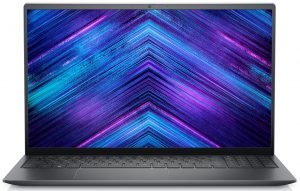
3 reasons to BUY the Dell Vostro 15 5515
1. Design and build quality
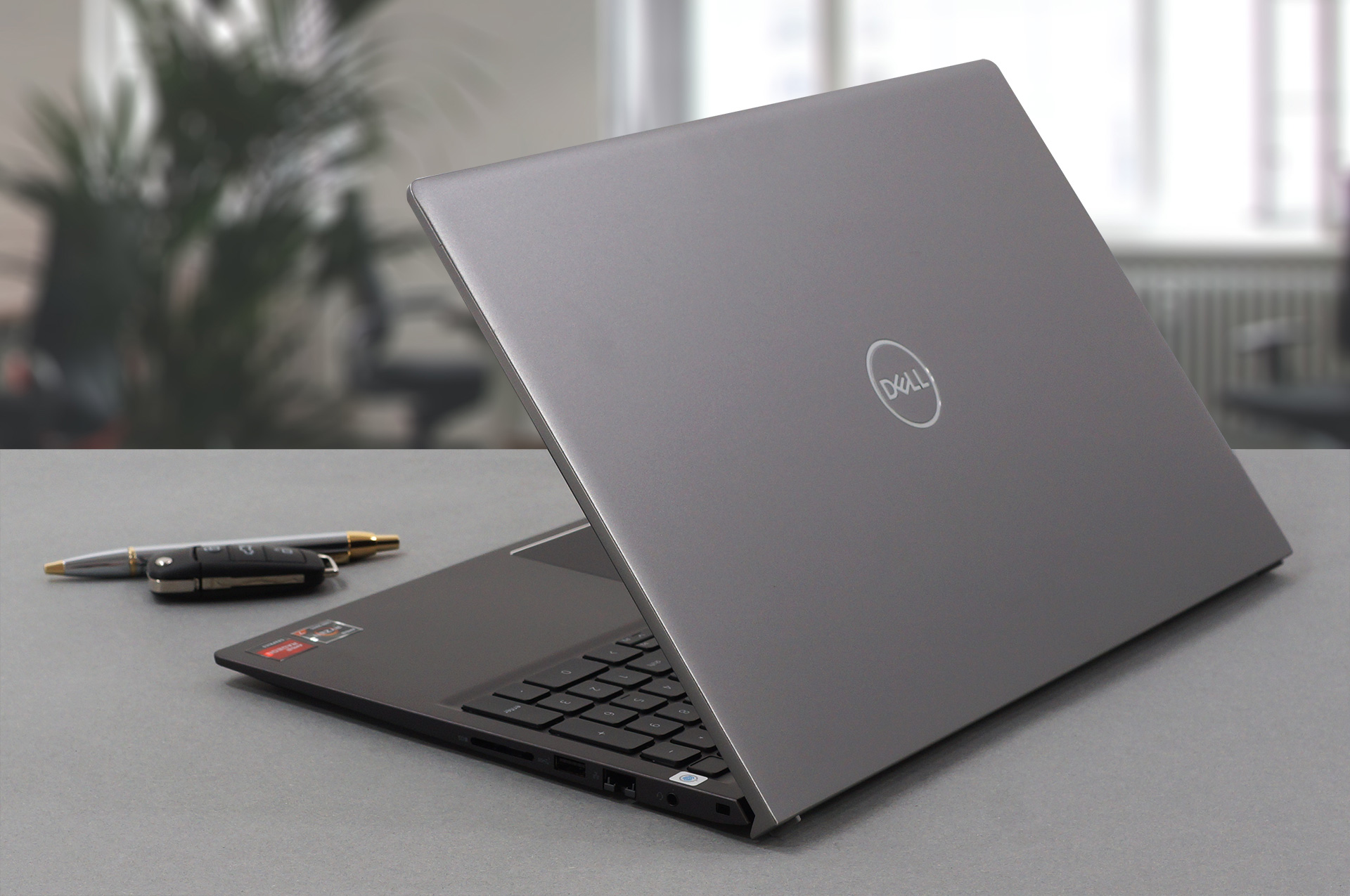
The Vostro 15 5515 comes built with premium materials. The entire laptop is made of aluminum, but it isnt without its shortcomings. For example, the base is a bit bendy, especially once you start typing on the keyboard. The lid, on the other hand is quite resilient to flexing, and it has a lift mechanism, whic gives you a more comfortable typing angle, in addition to giving the fans on the bottom more room to breathe.
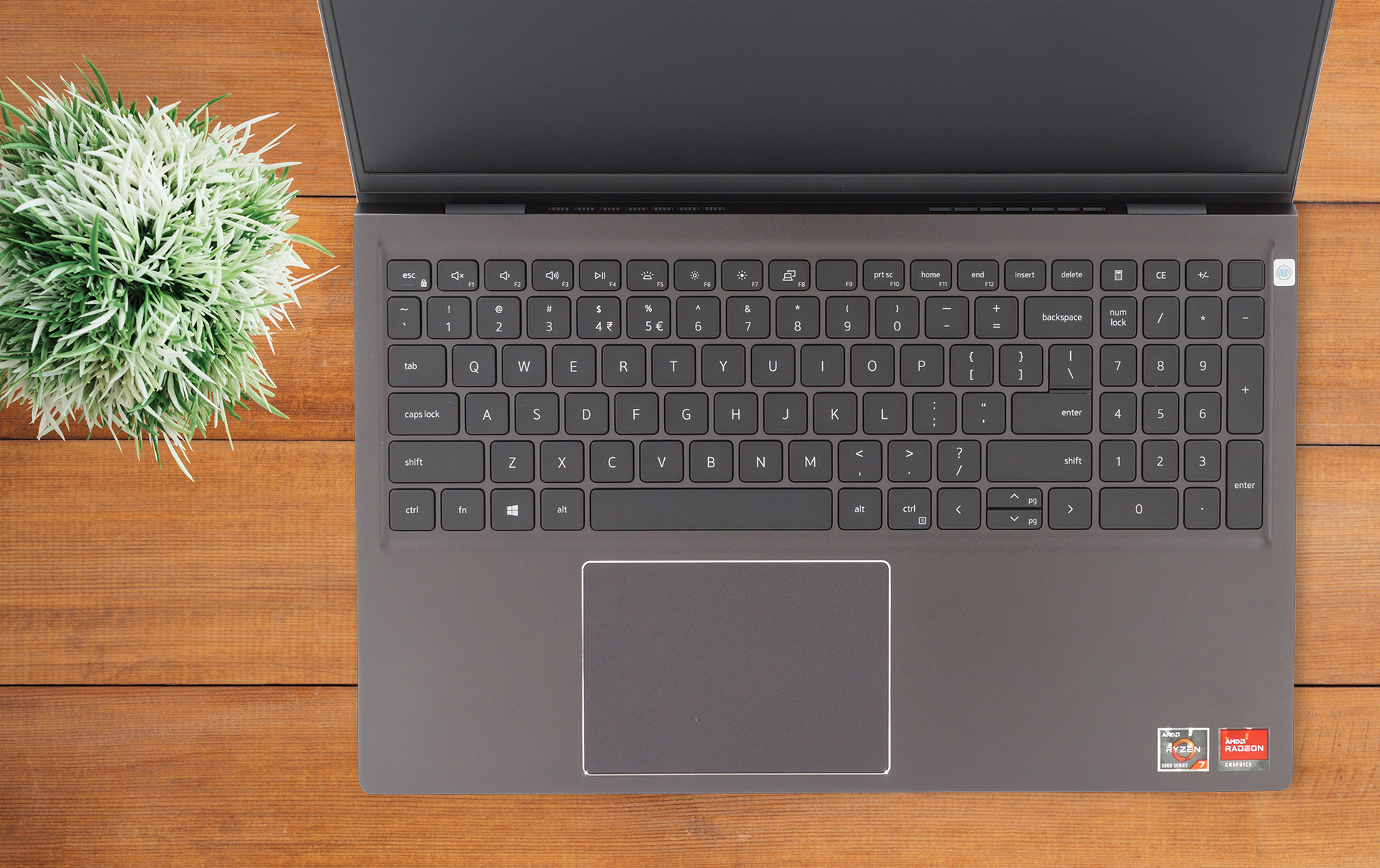
The lid cannot be opened with a single hand, but it reveals a decent keybaord unit with spill-resistance and a backlight. The board also has a relatively long key travel and clicky feedback. The touchad lack dedicated buttons, and offers a decent clicking mechanism. However, there is a slight dead zone.
2. Upgradeability
The laptop features ample upgradeability, as it houses two SODIMM RAM slots, which can hold up to a total of 64GB of DDR4 RAM working in dual channel mode. The storage is upgradeable too, with there being two M.2 PCIe x4 drive slots.
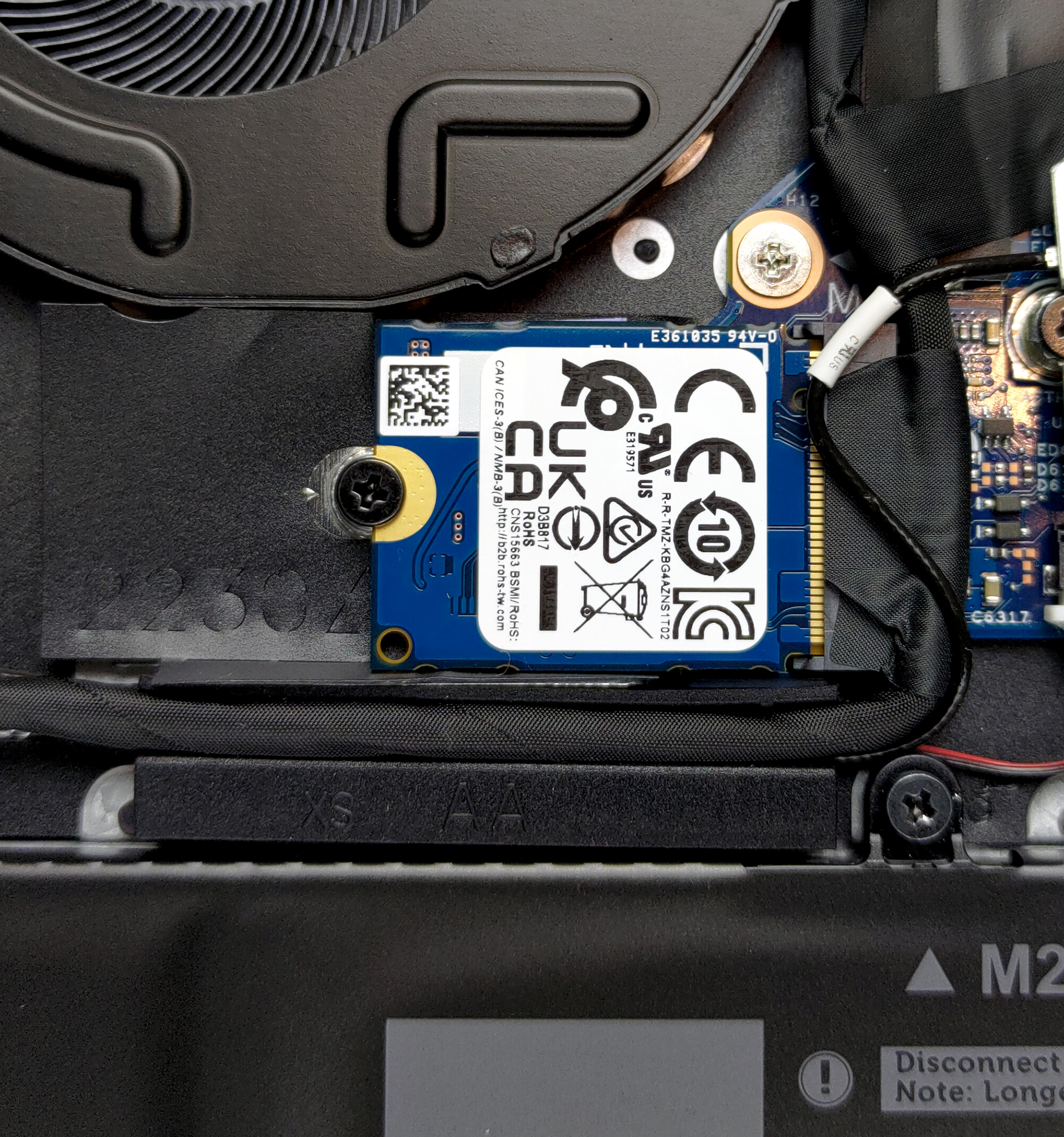
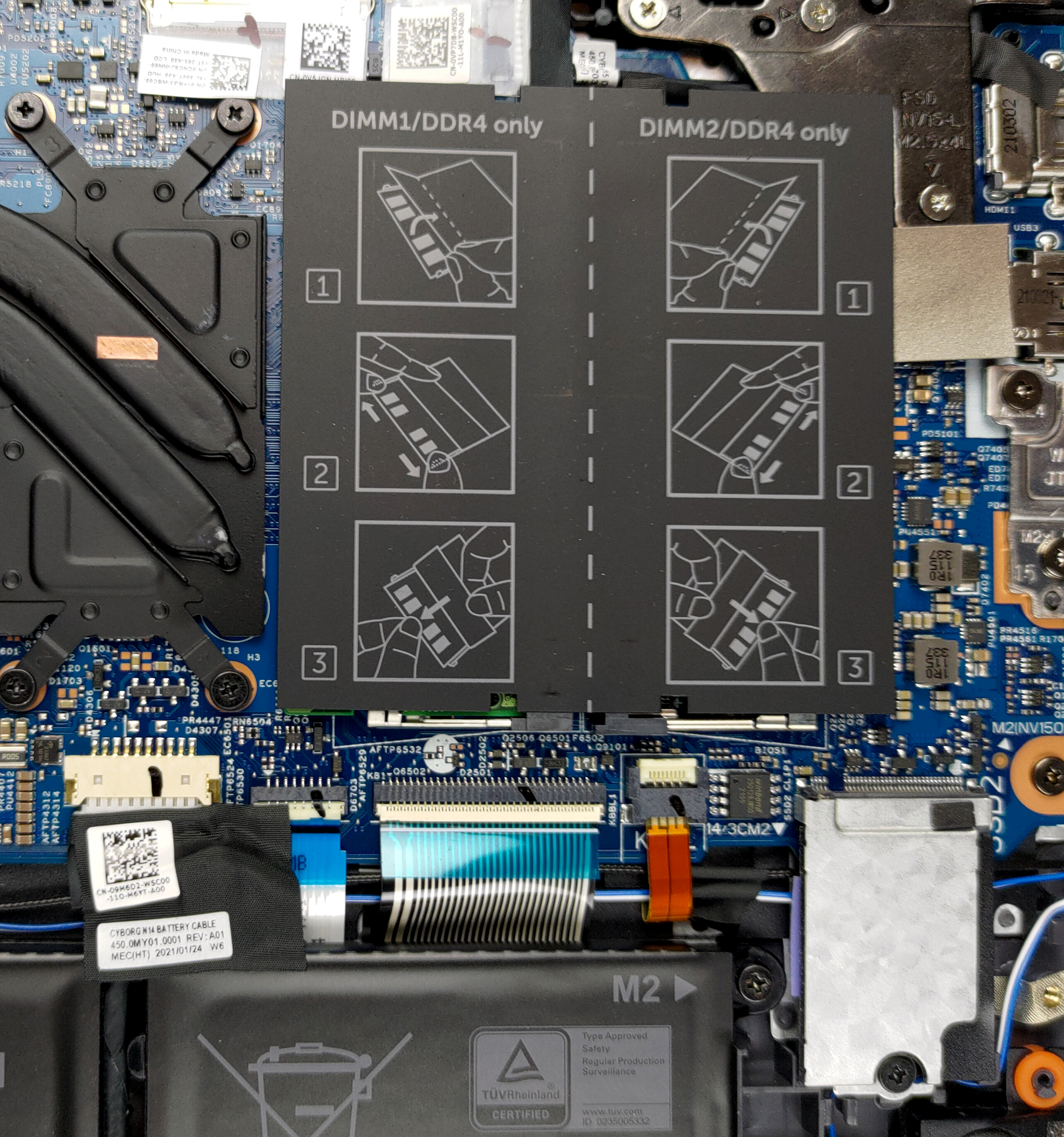
Here is our detailed teardown video, which shows exactly how to access both the RAM and SSD slots.
3. Battery life
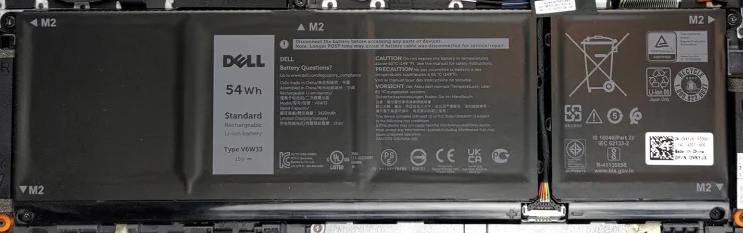
The laptop comes equipped with a 54Wh battery unit, which managed to last for 10 hours and 45 minutes of Web browsing, and 11 hours and 11 minutes of video playback. Now, we conduct the battery tests with Windows Better performance setting turned on, screen brightness adjusted to 120 nits, and all other programs turned off except for the one we are testing the notebook with.
4. I/O
You will be surprised with the I/O selection that the laptop offers, with there being a total of two USB Type-A 3.2 (Gen. 1) ports, a single USB Type-C 3.2 (Gen. 1) port, an HDMI 1.4 and an RJ-45 connector, a 3.5mm audio jack, an SD card slot, and the power plug.


1 reason NOT to buy the Dell Vostro 15 5515
1. Display quality
Dell offers a 15.6-inch Full HD IPS panel, which boasts comfotrable viewing angles, a maximum brightness of 275 nits in the middle of the screen, 254 nits as an average for the entire display area, and a maximum deviation of 14%. The contrast ratio is very high, sitting at 1600:1. The display uses some high-frequency PWM to adjust its brightness until 70 nits, making it comfortable to use over a long period of time. Sadly, the display covers only 54% of the sRGB gamut.
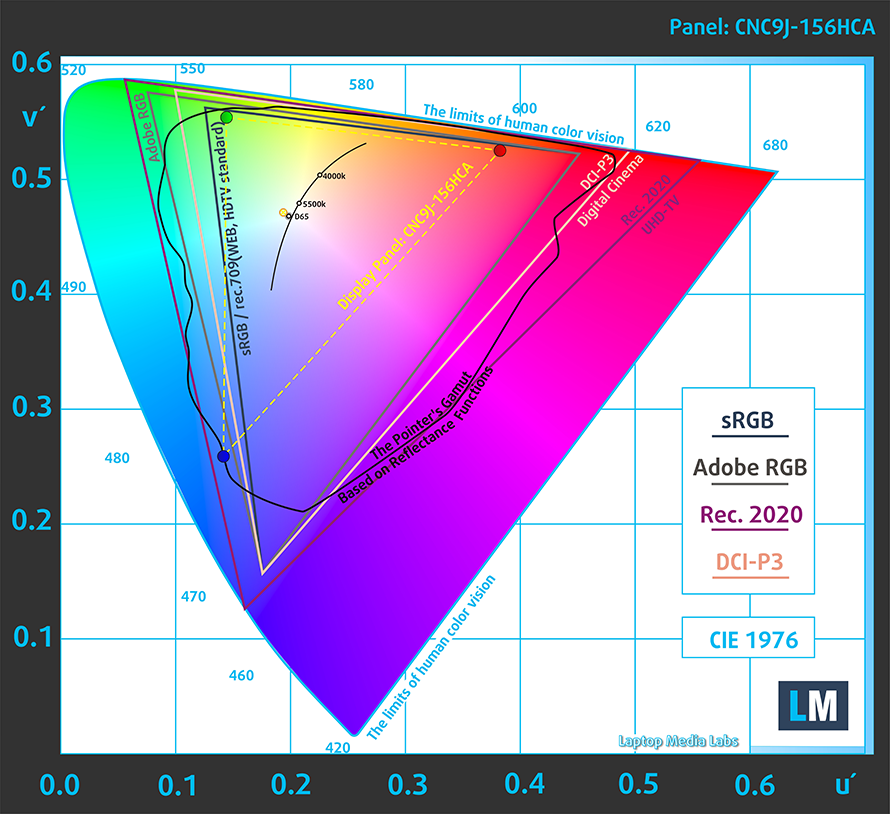
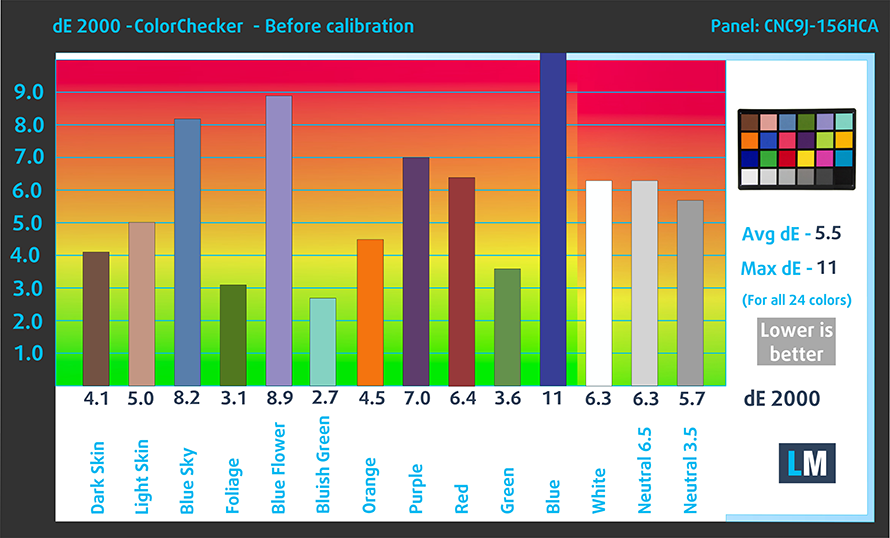
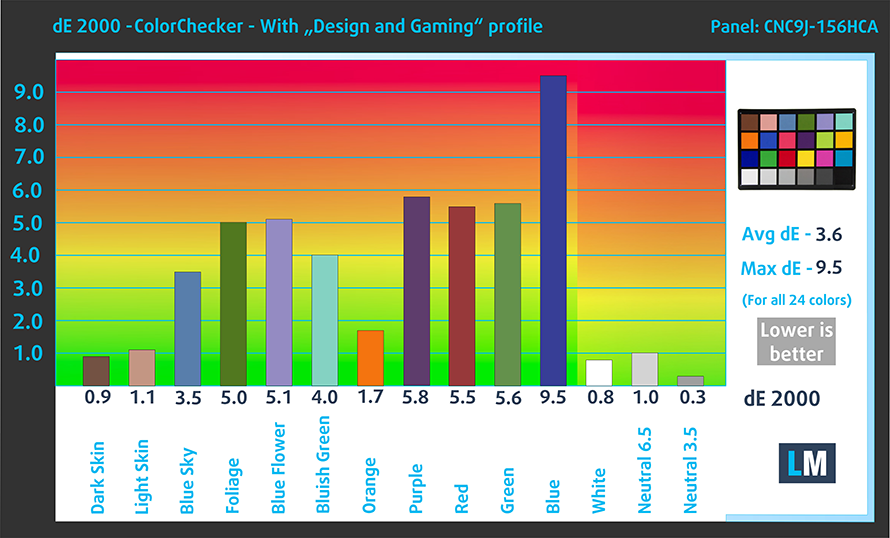
The display ddoesnt offer accurate colors, both with and without our Design and Gaming profile. Below you can check the results of the oclor acuracy test with the factory settings (left) and with our Design and Gaming profile applied (right).
Buy our profiles
Since our profiles are tailored for each individual display model, this article and its respective profile package are meant for Dell Vostro 15 5515 configurations with 15.6″ Innolux CNC9J-156HCA (CMN152E) (FHD, 1920 × 1080) IPS.
*Should you have problems with downloading the purchased file, try using a different browser to open the link you’ll receive via e-mail. If the download target is a .php file instead of an archive, change the file extension to .zip or contact us at [email protected].
Read more about the profiles HERE.
Naast het ontvangen van efficiënte en gezondheidsvriendelijke profielen, ondersteunt u door het kopen van LaptopMedia's producten ook de ontwikkeling van onze labs, waar we apparaten testen om zo objectief mogelijke reviews te produceren.

Office Work
Office Work is voornamelijk bedoeld voor gebruikers die de meeste tijd besteden aan het bekijken van teksten, tabellen of gewoon surfen. Dit profiel streeft naar een betere onderscheidbaarheid en helderheid door een vlakke gammacurve (2.20), native kleurtemperatuur en perceptueel accurate kleuren te behouden.

Design and Gaming
Dit profiel is bedoeld voor ontwerpers die professioneel met kleuren werken, maar ook voor games en films. Design and Gaming haalt het uiterste uit beeldschermen, waardoor ze zo nauwkeurig mogelijk zijn in de sRGB IEC61966-2-1 norm voor Web en HDTV, met witpunt D65.

Health-Guard
Health-Guard elimineert de schadelijke Pulsbreedtemodulatie (PWM) en vermindert het negatieve Blauwe Licht dat onze ogen en lichaam beïnvloedt. Omdat het op maat gemaakt is voor elk paneel, slaagt het erin de kleuren perceptueel accuraat te houden. Health-Guard simuleert papier zodat de druk op de ogen sterk wordt verminderd.
Krijg alle 3 profielen met 33% korting

All Dell Vostro 15 5515 configurations:
 Author: Severin Kolakov

![[juni 2026] Bestverkochte laptopmerken op Amazon Global – Apple’s ongeëvenaarde dominantie in aantal verkochte exemplaren en omzet](https://laptopmedia.com/wp-content/uploads/2026/07/GLOBAL-Best-Brands-400x225.jpg)
![[juni 2026] Amazon Global: Top 10 bestverkochte laptops – De nieuwe MacBook Neo van Apple stormt naar de eerste plaats en zet de markt op zijn kop dankzij zijn betaalbaarheid](https://laptopmedia.com/wp-content/uploads/2026/07/Best-Selling-Laptops-GLOBAL-Top-10-400x225.jpg)
![[juni 2026] Amazon Global: Top 10 van best verkochte gaminglaptops – De Nitro V 16S AI van Acer domineert de verkoopcijfers, terwijl ASUS qua totale omzet aan kop gaat](https://laptopmedia.com/wp-content/uploads/2026/07/Best-Selling-Gaming-Laptops-GLOBAL-Top-10-400x225.jpg)
![[juni 2026] Wereldwijde ranglijst van bestverkochte laptop-GPU’s op Amazon – De NVIDIA RTX 5060 is de bestverkochte speciale GPU](https://laptopmedia.com/wp-content/uploads/2026/07/Best-Selling-GPUs-GLOBAL-Top-10-400x225.jpg)
![[juni 2026] Wereldwijde ranglijst van bestverkochte laptop-CPU’s op Amazon – Apple M5 domineert, AMD Ryzen 7 260 verovert een stevig aandeel in het premiumsegment](https://laptopmedia.com/wp-content/uploads/2026/07/Best-Selling-CPUs-GLOBAL-Top-10-400x225.jpg)
